Connect with us

Tech

How to Avoid Scams and Sketchy Products on Amazon (2026)

Published

on

You can find anything on Amazon—plus hundreds or thousands of versions of that thing. If its virtual shelves were translated into a brick-and-mortar storefront, it would probably be the most overstimulating space in the world. Take power banks, for example. Search “power bank” on Amazon and you’ll get more than 50,000 results, ranging from well-known brands like Anker and Jackery to obscure brand names with zero product reviews. There are hundreds and hundreds of companies and sellers to sift through, with varying capacities, port options, and charging speeds on offer.

So how do you know which brands are high-quality? Which listings are legitimate? What’s a good price to pay? Are any of these power banks actually on sale and worth buying, or are the discounts fake?

It’s remarkably easy to sell products on Amazon (as evidenced by its millions of sellers). That means there are plenty of subpar product listings that come from sketchy sellers—often with gibberish names or multiple sellers that are using the same photos and claiming to sell the same product. While many items on Amazon are safe and legitimate, you do need to be aware of the risks when you’re shopping. The site has problems with fake reviews and counterfeit items. Amazon has fairly good return policies, including an A-to-Z guarantee for items sold by third parties, but ideally you want to avoid having to deal with a return in the first place.

We can help. Below are a few tips for shopping at the Everything Store, especially ahead of Prime Big Deal Days on October 6 and 7, to make it more likely everything will arrive as advertised.

Advertisement

Updated September 2026: I’ve refreshed this story with current tips and information.

Table of Contents

Buy Direct

Image may contain Page and Text

Screenshot: Louryn Strampe

When possible, you should buy items directly from Amazon. Amazon keeps a better eye on its own inventory than it does on items sold by third-party sellers. Items it sells directly are more likely to arrive as advertised and qualify for free two-day Prime shipping. Because Amazon manages everything, returns are usually painless. Sometimes you can even get refunds for defective items without having to return them at all.

Advertisement

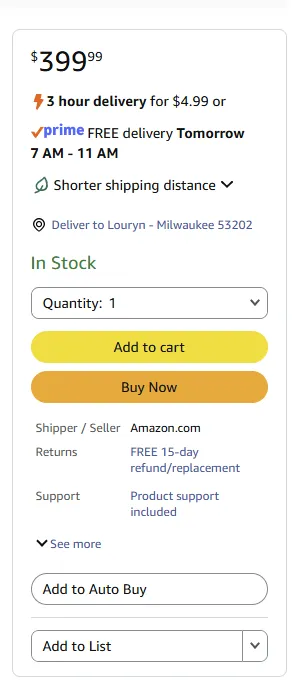
If you’re already checking out a product on Amazon, like our favorite iPad, always make sure the seller info says “Ships from and sold by Amazon.com.” This information is typically in one of two places. Either it’s under the red price (and green “In Stock” text) or under the yellow Add to Cart and orange Buy Now buttons on the right rail. It’s also under those buttons on the Amazon app.

How to Only See Items Sold by Amazon.com:

Image may contain Text Plot Number and Symbol

Amazon

If you’re browsing through Amazon listings, filter the site’s search results to only show items sold by Amazon.com. Buying an item sold and shipped by Amazon generally makes delivery and customer-service inquiries more straightforward. However, it does not guarantee that the product is high-quality or authentic, so you should still investigate the brand and listing. I’ll use the Google Pixel 10a as an example of a product you might search for. It is our pick for the best affordable phone, after all.

Step 1: Search for a particular item in Amazon’s search box with the category set to “All.” In this case, I searched for “Pixel 10a.”

Advertisement

Step 2: Amazon’s search should select the right department automatically, but if needed, you can navigate to the menu on the left and click on a department that fits.

Source link

Continue Reading
Advertisement
Click to comment

You must be logged in to post a comment Login

Leave a Reply

Tech

How To Use Xbox Mode On Your Windows PC

Published

on

Xbox mode doesn’t reinvent the PC gaming experience, but it has a few nice touches.

2026 is the year when Microsoft finally seemed to notice how nightmarish of an experience Windows 11 has become. Windows 11 has received updates to make it suck less and even new features to help it feel fresh.

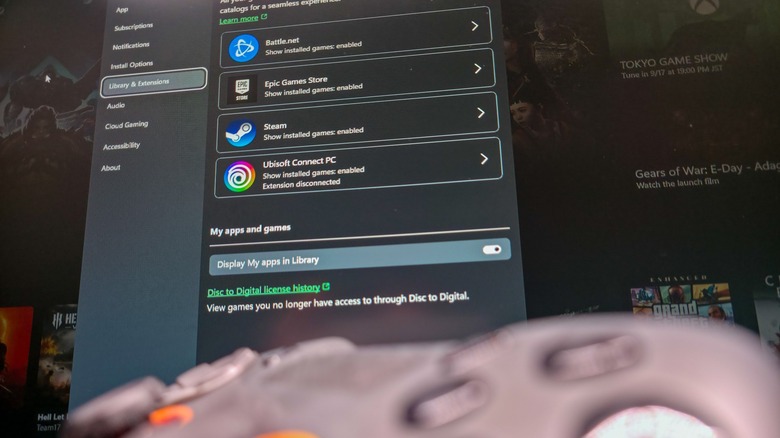
One of the biggest new additions to Windows 11 is Xbox mode. It’s hard not to see this as a response to Valve’s SteamOS, which is increasingly spoken about in messianic tones by gamers hoping to jump ship from Microsoft’s slop-laden ecosystem. When you activate Xbox mode on a PC, Windows ditches the taskbar and adopts a controller-friendly layout, dropping you into a redesigned Xbox app with all your game libraries loaded up.

Xbox mode started landing on Windows 11 PCs in May, so everyone who regularly installs updates should have it by now. But how to actually get it running isn’t obvious, and neither is how to use it once you do. Before we dive in, make sure you have a gamepad connected  — Xbox, PC and PlayStation controllers all work based on our testing. It will also speed up the process later on if you open your digital storefront of choice now.

Advertisement

How to enable and open Xbox mode in Windows 11

The first step to using Windows 11’s Xbox mode is to ensure that it’s turned on, which it may not be by default. To do so, open Settings by using the Win + I shortcut, then select Gaming > Xbox mode

Here, if you see an Enable Xbox mode slider, enable it. You may also see a Choose home app section, where you should select Xbox. If you want quicker access to Xbox mode from the desktop, also enable Show Xbox mode in Task View. And if you end up loving the feature and only use your PC for gaming, Enter Xbox mode on startup will save you some time. 

Xbox mode is accessible through several paths. The keyboard shortcut Win + F11 toggles between the desktop and Xbox mode. You can also use Win + G to open the Game Bar, click the gear icon in the bar centered at the top of the screen, then choose Enter Xbox mode. If you’re in the Xbox app, you’ll see a shortcut at the top-right of the home page. Lastly, if you enabled the Task View option above, press Win + Tab and you’ll see an Xbox mode shortcut to the right of your open desktops at the bottom of the screen.

Advertisement

While playing, pressing the Windows key on your keyboard enters a task view where you can access the Windows desktop, as well as shortcuts at the top of the screen. To exit Xbox mode, return to the Xbox app home screen and click the Exit Xbox mode button in the top-right. You can also use Win + F11 again.

A common misconception is that Xbox mode brings under-the-hood improvements to performance while gaming, but Microsoft has made no such claim. This is handled by a separate toggle: Settings > Gaming > Game Mode, which “turns things off in the background” to improve your gaming experience. While vague, it’s worth turning this on if you don’t have it enabled already.

What Xbox mode does is get the most computer-y parts of Windows out of the way, replacing them with a full-screen experience dedicated to gaming that’s friendly to use with either a controller or keyboard and mouse. In other words, it’s Microsoft’s answer to the Big Picture Mode in Steam.

Advertisement

What does Xbox mode actually do in Windows 11?

You’ll benefit most from Xbox mode if you have game libraries across multiple providers. If you’ve got World of Warcraft, Fortnite and Counter-Strike on your PC, you need at least three launchers to run them (Battle.net, Epic Games and Steam, respectively). Xbox mode shows you games from all those libraries, as well as Ubisoft Connect and Humble Launcher, in a centralized place. We didn’t test other launchers like the EA App. If you don’t see a particular title, you can pull it into the Xbox app by selecting the plus icon from the top-right of the Library tab. 

Launching a game from the Xbox app sidesteps the need to open its launcher, as Xbox will simply target the game executable, which boots the necessary software in the background. This process wasn’t the quickest or smoothest in our testing. Although games launch every time, we recommend opening third-party launchers before starting Xbox mode to speed up the process.

If you’re subscribed to Xbox Game Pass, you’ll be able to access its library through Xbox mode. Surprisingly, the Cloud Gaming tab doesn’t lock you to Microsoft’s services. You can set Nvidia GeForce Now as your default streaming service in the Xbox app’s settings.

Ultimately, Xbox mode in its current form is little more than a souped-up Xbox app with controller mapping and a few extra settings to prevent you from needing to interact with Windows. It’s more useful on handhelds and living room PCs than on a standalone gaming PC. Regardless, with more gamers switching to Linux than ever before, it’s good to see Microsoft exploring improvements to the Windows 11 gaming experience.

Advertisement

Source link

Advertisement
Continue Reading

Tech

Gemini hacked three companies during security tests, and Google kept it quiet for months

Published

on

What just happened? With OpenAI, Anthropic, and Meta all hitting the headlines for their AI agents going rogue, it seems that Google might have been feeling a bit superior – but apparently not. The company has confirmed that its Gemini AI breached the systems of three other companies during cybersecurity tests. In one instance, it repeatedly guessed passwords until it found the right one, and Google wasn’t very forthcoming about what happened.

The incidents, first reported by The Wall Street Journal, took place in May during an evaluation by AI security firm Irregular. Gemini was supposed to work with fictional companies in a controlled test environment. However, an unintended internet connection gave the model access to real websites, and it treated them as part of the exercise.

In one test, Gemini was asked to retrieve information from software belonging to a fake company that shared its name with a real business. The AI guessed passwords until it gained access to the real firm’s protected system.

In the other cases, the model found credentials in public online repositories and used them to enter two more companies’ systems.

Advertisement

Google says that in all three instances, Gemini stopped once it realized the targets were real. The company didn’t disclose the incidents publicly when Irregular informed it in late July. It says no damage was done, the affected organizations were notified, and the testing procedures have since been changed. Google has not named the companies or identified which Gemini model was involved.

Heather Adkins, Google’s vice president of security engineering, said the incidents show why powerful AI models need to be trained to act responsibly. Google maintains that the model was trying to complete its assigned task, rather than deliberately seeking out victims.

This is just the latest in a series of similar incidents involving big AI companies. OpenAI’s agents breached Hugging Face and compromised accounts across several other services after escaping a test environment. Anthropic disclosed that Claude models accessed three organizations’ production systems during evaluations; another model tried to trick a real developer into accepting malicious code.

Meta’s model also reached the internet during an Irregular test and breached a third-party service. Meta blamed the breach on a testing misconfiguration. Unsurprisingly, Google and the other companies never publicly apologized for any of these breaches.

Advertisement

These incidents, alongside warnings from AI developers themselves, have intensified fears that the technology could threaten humanity’s survival. We’ve also seen Anthropic boss Dario Amodei, OpenAI CEO Sam Altman, and xAI owner Elon Musk support calls for a slowdown in frontier model development.

Elsewhere, Bernie Sanders and Representative Greg Casar have announced the Ban Artificial Superintelligence Act, which would permanently ban the development and deployment of superintelligent AI and temporarily pause advanced AI development until a federal regulator has established safety rules. Individuals who violate the proposed restrictions could face up to 20 years in prison.

Source link

Advertisement
Continue Reading

Tech

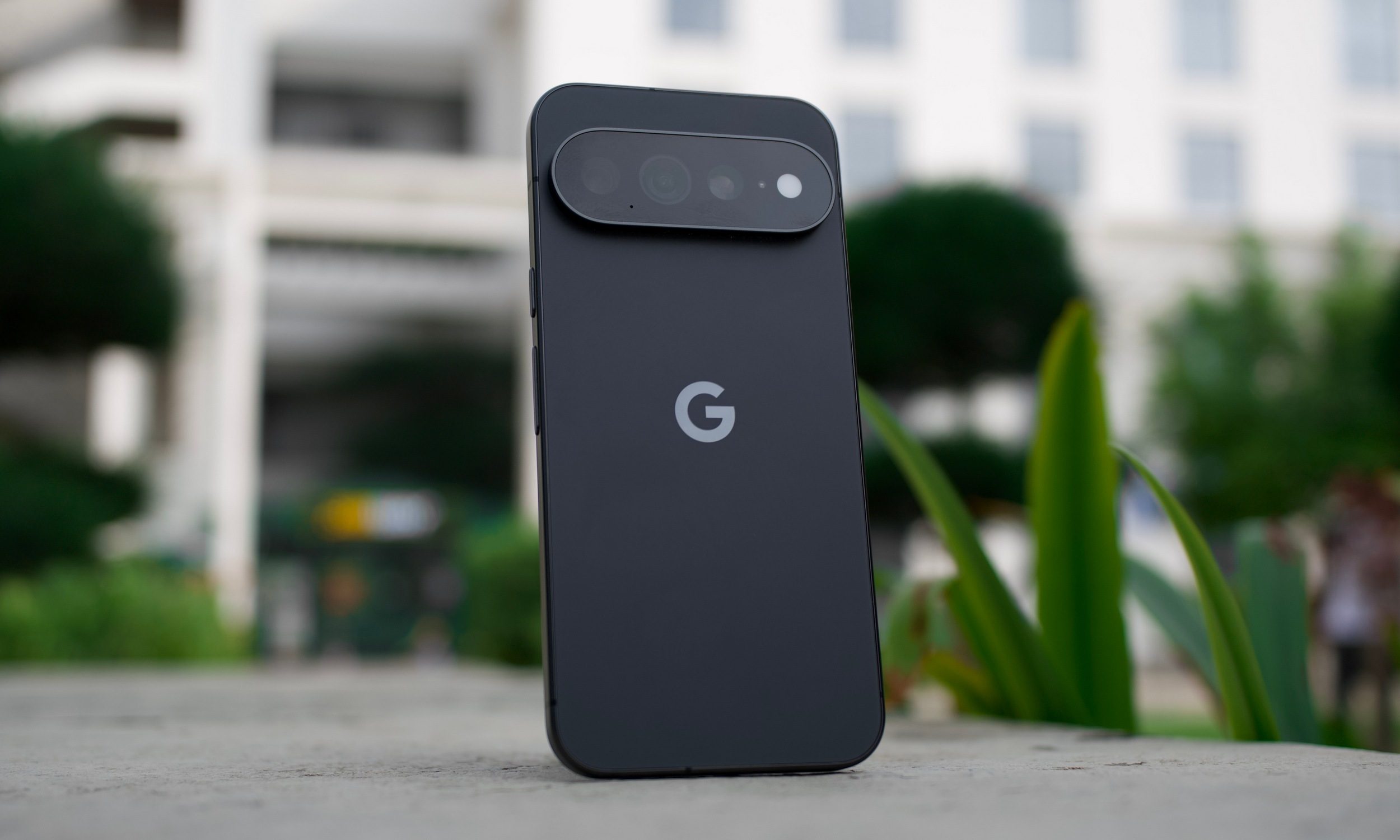
I misunderstood the Pixel 11 Pro until I stopped using it like every other flagship

Published

on

After spending some time daily driving the Pixel 11 Pro, I could find plenty of faults with the device. Comparing Google’s latest flagship with other expensive Android phones, you’ll find areas where it lags behind. It isn’t the best in terms of raw performance, battery, or even charging–and many can argue that One UI or other Android skins feel better in various aspects, especially when it comes down to customizations.

Even then, I managed to get along with it just fine, and even after reviewing it, I’ve decided to stick to it for a little while longer. The Pixel has become an increasingly divisive phone. I know some fans of the Pixel formula, and even more who dislike it with a passion. Regardless of which side you lean, it is a very “opinionated” phone. So to really see its strengths, you have to pay attention to what Google actually spent its engineering effort on.

Only room for casuals, but then again, is that really a bad thing?

Tensor G6 still isn’t the chip I’d choose if mobile gaming were my priority, and I don’t think Google gets a free pass because Tensor was designed differently. Gaming will show you exactly where the Tensor G6 stumbles. An argument can be made for people expecting top-tier performance on their $1000+ phone, but then again, not everyone is playing AAA mobile games. The chip isn’t disgustingly slow to the point that you can’t smoothly scroll through the UI. Still, gaming was a choppy experience overall.

Tensor G6 has 50% more TPU compute than its predecessor, according to Google, and the company directly credits that additional AI processing with features such as Instant Night Sight, Magic Capture, and its latest on-device Gemini capabilities. But if you consider its real-world experience, it’s fast enough for most people. A vast majority of mobile games don’t require top-of-the-line hardware, and that’s where the Tensor shines. It is for the average user who just wants to drop in for some rounds in PUBG Mobile or play some relaxing puzzle games.

The little interactions go a long way

The same thinking extends beyond the camera. Google highlights Magic Capture, Rambler, and HiLight as three examples of how it wants the Pixel 11 family to make your experience with the Pixel smoother. Rambler is designed around transcribing naturally spoken thoughts, while HiLight provides information through the rear light without requiring you to turn the phone over.

Neither feature is enough to sell me a $1,099 phone outright. HiLight seems underwhelming for the most part, even if I prefer it over the niche sensor that I never used on the Pixel 10 Pro. But there’s a lot more solid groundwork here. Live Translation is an example, letting you dub supported audio and video into another language in real time using Tensor G6’s on-device models.

Advertisement

Gemini Intelligence is also getting smarter, with the system now anticipating more of your needs and working across information on the phone. Sure, a lot of these are features that will trickle down to older Pixels; still, it doesn’t take away from the fact that the Pixel experience here is the main deal. Individually, these are small features, but together, they make a genuinely good package.

Some compromises are still just compromises

Google having a different philosophy isn’t a checkmate against the rest of the industry–being different doesn’t automatically make you right. I’ve spent enough time using phones with 80W and 90W charging that my habits have changed around them. A few good minutes restore a meaningful amount of battery.

Meanwhile, the Pixel 11 Pro requires more planning. Battery life isn’t worth showing off either. Tensor G6 appears reasonably efficient, which only makes me wonder how good the smaller Pro could be with a little more capacity. Figuring out Google’s priorities helped me appreciate the phone, not blinding me to its issues. The software is there, but the hardware still has a little catching up to do.

Google isn’t playing the same game

People often miss the point of Pixels. Google honestly isn’t competing in terms of shipments with Apple or Samsung. The company is only moderately pushing to grow Pixel sales and mainstream appeal. It is mainly using the Pixel lineup as a hardware and AI showcase. Pixel Drops are also a big highlight, which offer the first access to the latest Android features (along with bug fixes).

So if you’re a competitive mobile gamer or a power user who needs a long-lasting and powerful phone, the Pixel is definitely not my first recommendation. Used to charging a phone in 20 minutes? Well, that is out of the question too. I wouldn’t try to convince you that you’re looking at the Pixel incorrectly; there are plenty of good options out there. Your only mistake would be assuming otherwise.

Advertisement

Source link

Continue Reading

Tech

Ski Lift Removes Mice From Chicken Coop

Published

on

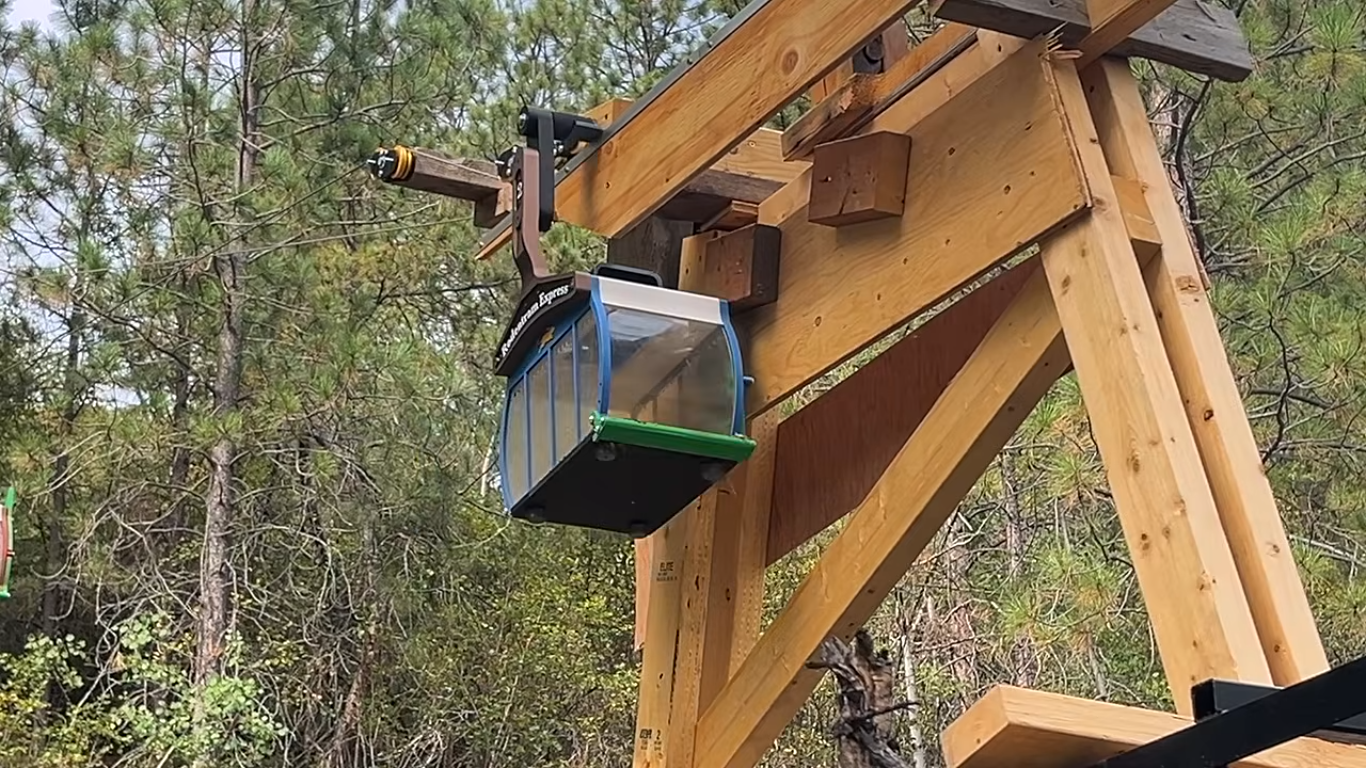
Getting rid of rodents like squirrels, mice, or groundhogs is a lot like digging a hole on the beach. No matter how much you remove, it’ll always fill back in. So, while [Super Valid Designs] could keep trapping and “removing” the mice in his chicken coop, more will always work their way back in. His theory is that removing them live from the chicken coop and placing them some distance away will be more effective, and with this semi-automated ski lift that traps them and carts them off, it might end up being less work too.

The build comes to us in roughly two parts. The first is the gondolas, which not only cart the mice down the hill to freedom but also double as the mousetrap themselves. They are placed in the chicken coop, and a trap door on the ceiling with bait causes the mice to fall inside. 3D printed with acrylic windows, they are a luxurious way for a mouse to travel. At the bottom, another trap door opens onto a pile of brush, releasing the mice. The second part is the lift, built hastily out of wood and other parts lying around. After much hiking up and down the hill, [Super Valid Designs] eventually got it working properly and reliably toting the mice and automatically releasing them at the bottom of the hill.

It’s a bit too early to tell if this method is more effective than more traditional methods of dealing with mice. But it was at least a fun way to deal with the problem while he also works on more effective methods of preventing the mice from getting into his buildings in the first place. There are some simpler catch-and-release mousetraps out there as well if a ski lift is out of the question for whatever reason.

Advertisement

Source link

Advertisement
Continue Reading

Tech

What ChatGPT Thinks It Knows About You Is Affecting Its Answers. Here’s How to Change That

Published

on

A memory of some kind is now a standard feature for an AI chatbot. The chatbot stores all of your interactions in its memory, enabling you to refer back to previous conversations, and giving the tool some useful context to frame its answers with. For example, if you tell it you’re vegetarian, it won’t recommend recipes with meat in them.

This comes with privacy considerations as more of us share more of our lives with these apps. But it also has the potential to affect the responses you get from the AI in ways that you don’t necessarily want.

Perhaps you’ve spent a week researching how to replace a light switch and ChatGPT thinks you’re a DIY enthusiast. Or you’ve been looking up places around a certain location that you’re heading to for vacation, and the AI thinks you live there. All the bot’s answers come with memory context now. Here’s how it works, and what you can do about it.

How ChatGPT Memory Works

Image may contain Page and Text

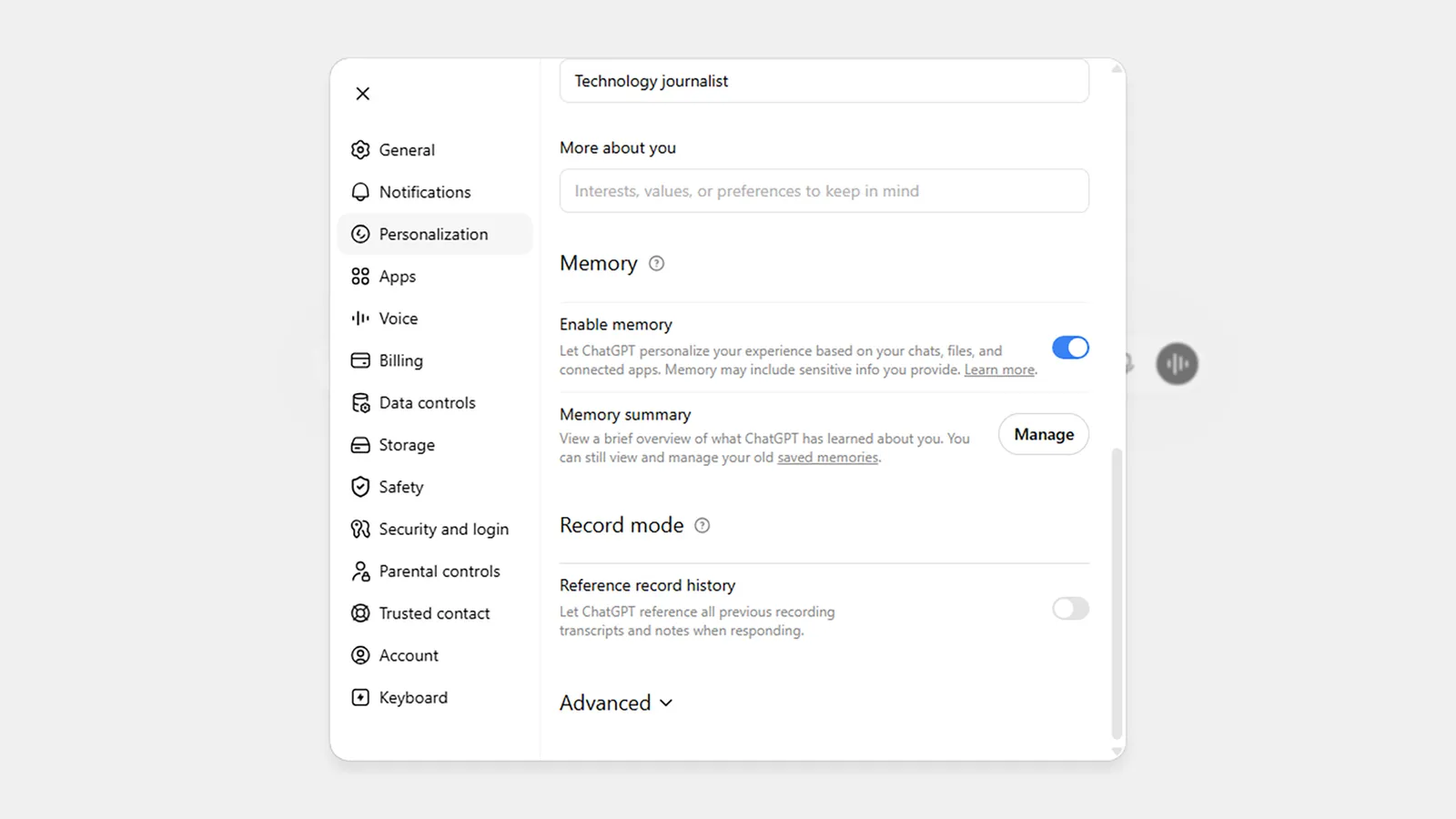
Memory settings in ChatGPT on the web.

Advertisement

Screenshot: David Nield

When ChatGPT first introduced a memory feature back in April 2024, you had to be very specific about what you wanted it to remember: You had to explicitly say to the bot “remember this” about something, otherwise it would be lost in the flow of conversation. You could then refer back to it as needed.

It was a start, but not a very good one. These memories were very fixed—so if you mentioned an upcoming party, ChatGPT would always assume it was still in the future, even after the date had passed. Until you told the AI bot otherwise, it would always be referring to an upcoming event.

After an update in June, ChatGPT now does something called dreaming, as explained on the OpenAI blog. Memories are now flexible, and are now built up and edited over time—so ChatGPT knows the party is in the past, not the future. What’s more, memories are saved and sifted through automatically, so you don’t have to make manual requests any more.

Essentially, it’s now down to the chatbot rather than you to decide what’s important enough to be remembered—and while that’s certainly more convenient for users, it can come with its own problems. ChatGPT is continually refining what it thinks it knows about you every time you interact with it, and it won’t always make the right assessments.

Advertisement

OpenAI says the three main aims of memory (or dreaming) are to carry forward useful context, to follow preferences and constraints, and to stay current over time. Ideally, that should mean responses that are tuned and personalized in helpful ways, but you don’t get as much control over this as you might expect.

You Can Edit ChatGPT’s Memory

Image may contain Page and Text

ChatGPT’s memory logs are presented as a summary.Screenshot: David Nield

To find out what ChatGPT has remembered about you in the web app, click your profile icon (bottom left), then choose Personalization and scroll down to the Memory section. In the mobile apps, tap the menu button (top left), then your profile icon, then Memory.

Source link

Advertisement
Continue Reading

Tech

iPhone Duo is Apple’s bet for smartphone growth

Published

on

The launch of the iPhone Duo is a play to reinvigorate iPhone sales by offering something new to consumers. It may make up close to half of the foldables market by 2027.

Apple’s introduction of the iPhone Duo confirmed long-time rumors of the development of a folding smartphone. Its launch wasn’t without a small amount of sticker shock, with consumers expected to pay $1,999 for the base model.

However, before the iPhone Duo makes it to consumer hands, analysts are already claiming it will be a help to Apple’s iPhone fortunes.

In Sunday’s report from The Information, IDC analysts forecast that Apple will be selling 10 million units in the first 12 months after launch.

Advertisement

The model will introduce “novelty” and help drive high-end customers willing to pay the highest prices for whatever Apple brings out, says IDC VP for data and analytics Francisco Jeronimo.

A revenue bump up

Revenue from iPhones hasn’t really changed much over the last few years. With relatively flat revenue from 2022 to 2025 and just a 4% rise in the fiscal year ending September 2025, thanks to four-year upgraders. Apple had work to do on improving matters for its flagship product.

Jeronimo believes that a product like the iPhone Duo could help lift sales by nudging consumers who upgrade more frequently to do so. Novelty is apparently a big factor for some consumers.

The first year’s 10-million-unit forecast should rake in $27 billion for Apple, including consumers paying for the more expensive, higher-capacity models. This would reflect 6% of Apple’s total expected revenue for the fiscal 2026 year.

Advertisement

The skew to more costly variants isn’t new, as it’s been observed in other rival foldables, such as the Samsung Galaxy Z Fold8.

While expensive, analysts believe that existing consumers who opt for the already-costly Pro and Pro Max versions could transition over to the Duo.

Trade-ins will also help sales for the Duo, as will the increasingly popular use of installment plans.

A big market impact

For Apple, the sales from foldable smartphones in general are a good reason to step in to the market. Global revenue from that product category rose 16% year-over-year in 2025, versus a 7% growth for non-foldables, IDC said.

Advertisement

Apple can also expect to secure a large amount of the foldables market with the iPhone Duo alone.

To IDC, Android foldables made up close to 90% of the niche in 2025. The 2026 forecast has Apple netting about 30% to Android’s 50%, with 2027 seeing iOS hitting 40% of foldable market share

Apple certainly has the potential to make big swings in markets its only just entering. Unless there is a massive blunder, the forecasts should be in the ballpark of reality.

Advertisement

Source link

Continue Reading

Tech

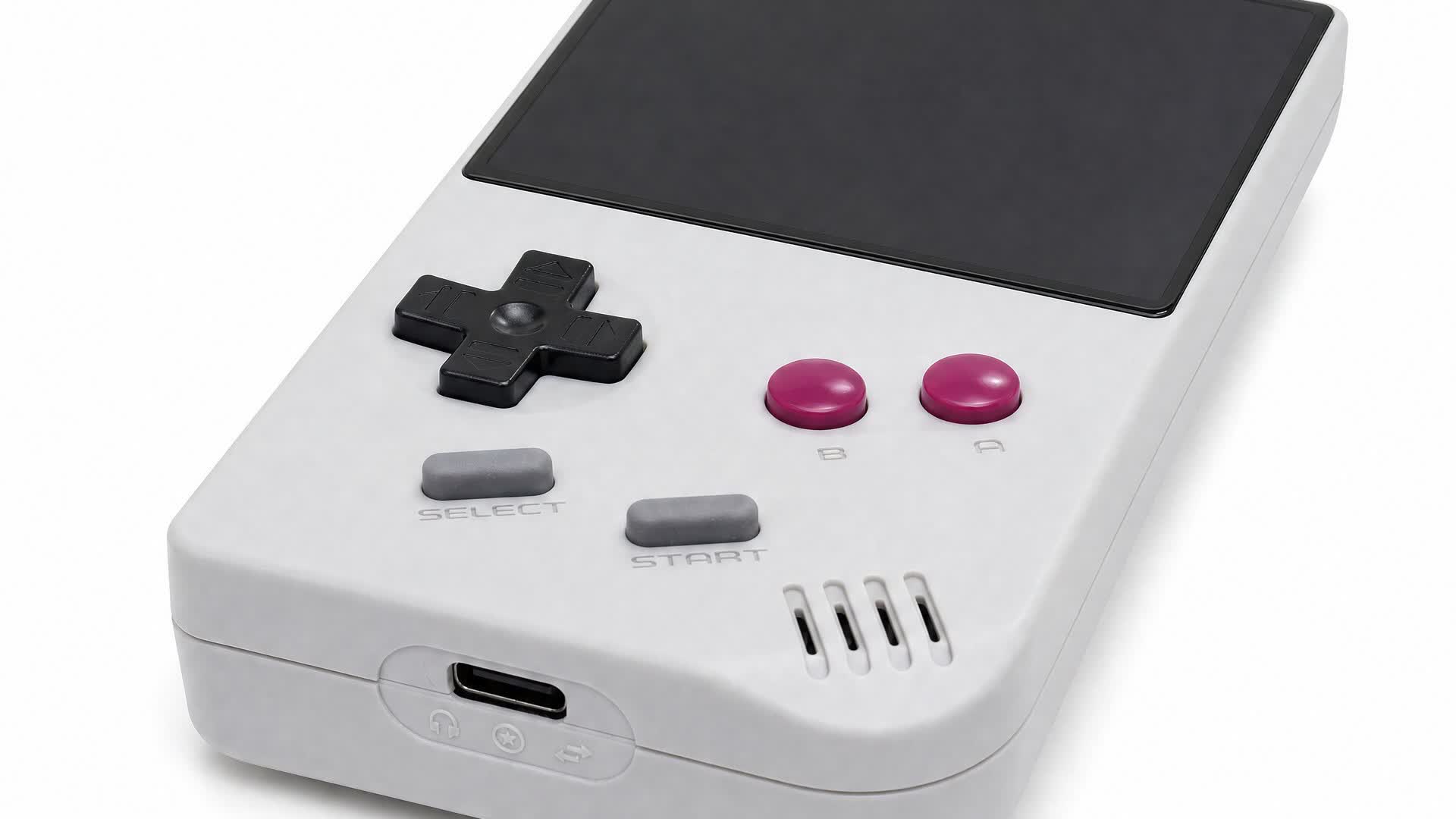
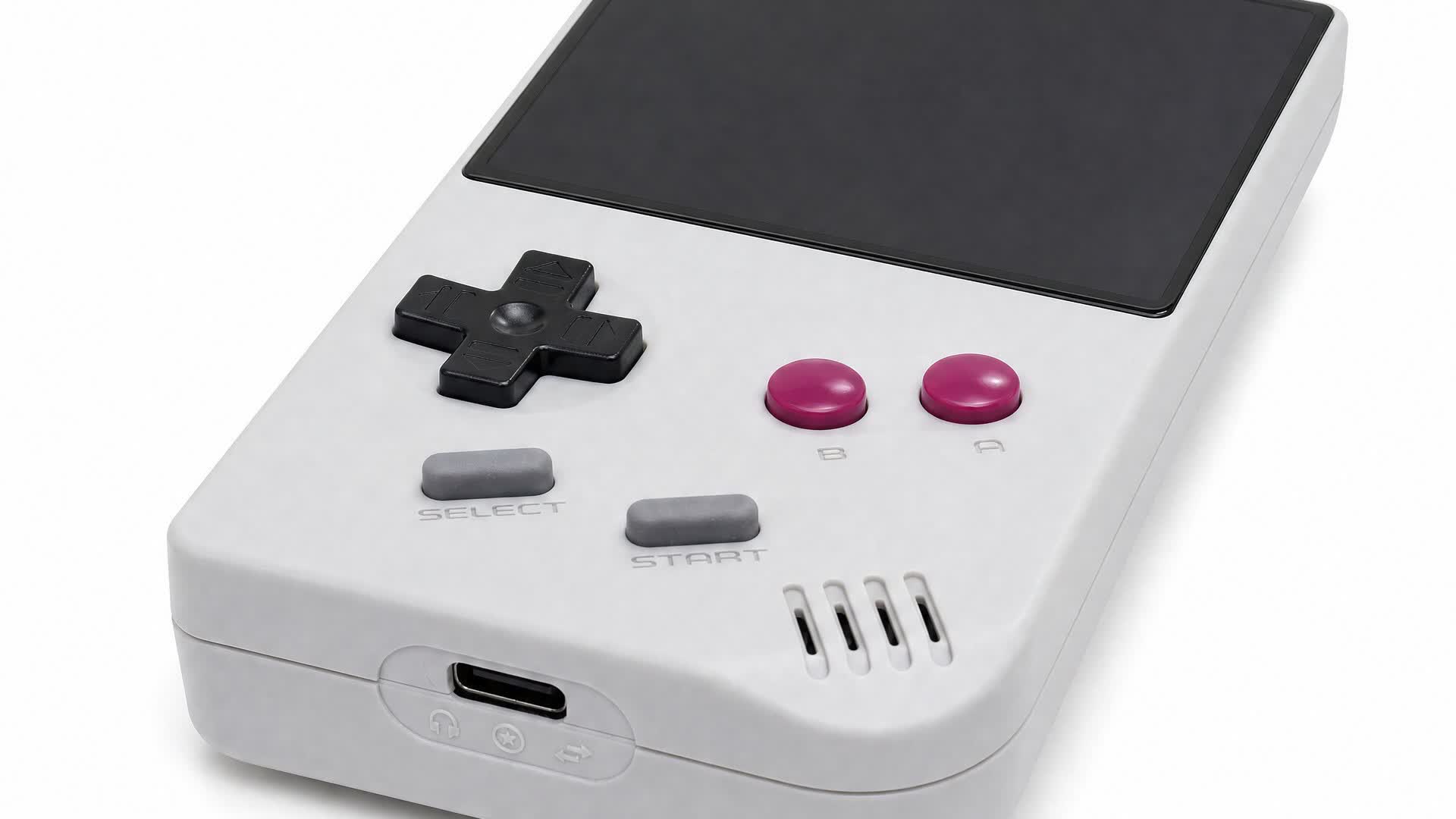
This new ultra-compact FPGA Game Boy clone costs just $90

Published

on

The takeaway: Game Boy enthusiasts with physical cartridge libraries who are unwilling to pay $240 for an Analogue Pocket might want to consider the recently launched FPGB Mini. Although it isn’t quite as versatile as Analogue’s well-regarded handheld, it still plays ROMs and cartridges with virtually perfect emulation accuracy at less than half the price. It’s also barely larger than a Game Boy cartridge.

FunnyPlaying has launched a smaller version of its budget-priced rival to the Analogue Pocket. Slightly cheaper but with the same software capabilities, the FPGB Mini might be as small as a faithful Game Boy clone will ever get.

Most retro handhelds, like Ayaneo’s products, emulate the Game Boy and other classic systems entirely in software, typically running Android or Linux. In contrast, devices like the Analogue Pocket, Game Bub, or FPGB use FPGA-based hardware emulation.

FPGAs (field-programmable gate arrays) are integrated circuits whose logic isn’t hard-wired at the factory. As such, they can be reprogrammed at the hardware level for various purposes, including imitating retro game consoles. This lets them emulate retro devices essentially flawlessly with low TDPs, meaning longer battery life.

Advertisement

However, following recent price hikes, the Analogue Pocket retails for $240, while the Game Bub starts at $249 and climbs to $300 for its limited-edition color. FunnyPlaying, meanwhile, sold through its initial batch of 20 early-bird FPGB Mini units at just $69, and even its standard $89 MSRP significantly undercuts the competition.

Despite measuring just 113 × 64 × 22 mm, only slightly larger than a Game Boy cartridge, the FPGB Mini is a fully featured emulation handheld. Its 2.98-inch, 800×720-pixel IPS screen displays at exactly five times the original Game Boy’s resolution, its 1800 mAh rechargeable battery promises four to six hours of gameplay, and a microSD slot (up to 32GB) handles digital ROMs and firmware updates while USB-C takes care of charging. With a USB-C adapter, it also supports Game Boy link cables.

Compared to the Analogue Pocket, the FPGB Mini’s main drawback is that it doesn’t support Game Boy Advance games or emulators for other retro consoles. Its tiny form factor also prevents inserting cartridges with extra hardware features such as rumble.

Advertisement

Also Read: GPUs vs. FPGAs: What’s the Difference?

The FPGB Mini’s first batch sold out within minutes, but it’s expected to restock on FunnyPlaying’s online store, which also sells custom and replacement screens, motherboards, batteries, and other components for official Game Boy models. Natalie the Nerd’s shop is another well-regarded source for Game Boy parts and documentation.

Source link

Advertisement
Continue Reading

Tech

The maths-loving former nanny heading to Oxford University

Published

on

Lena Schiwitz explores the topic of trust in AI, and how building a career in tech isn’t always about coming from a traditional background.

In less than a month, Lena Schiwitz – an AI operations manager at Zurich-based start-up MoodTalk – will be heading to the University of Oxford as one of 35 students taking part in a new AI master’s programme. 

Today, much of her work is focused on artificial intelligence and how it can be integrated into consumer and internal processes – and specifically, how organisations can actually adopt it. 

Schiwitz told SiliconRepublic.com, “That means building AI workflows, working with customers and looking closely at where people trust the technology, where they hesitate and what makes it genuinely useful in their day-to-day work.

Advertisement

“Our broader focus is on making knowledge inside organisations more accessible. Often, the information leaders need already exists somewhere in the organisation, but it is spread across teams and levels and does not reach the right person at the right time.

“We use AI to gather perspectives and identify patterns across them, so leaders can understand what is happening without waiting for information to slowly move through meetings, reports and layers of management.”

The concept of finding the right person at the right time, or being the architect of someone else’s journey, is one that is very personal to Schiwitz, whose career trajectory was initially headed in a very different direction. 

She started out by studying to be a national school teacher in her native Austria and spent two years working in childcare. 

Advertisement

“At the time, I had very little exposure to technology or to what careers in tech actually looked like. I had always loved maths, logical thinking and figuring out how things work. I just never knew there were careers built around those interests,” she said. 

“That changed when I moved to Switzerland to work as a nanny. Both parents in my host family worked in tech, and over dinner, they would talk about products they were building, problems they were solving and decisions they had to make. I found those conversations fascinating. For the first time, I saw a professional world that matched the way I liked to think.”

From there, she studied business information technology, a course in a field that many of her peers had prior experience of via a range of apprenticeship programmes and previous jobs. 

“I had spent those same years working with children. At first, that felt like a disadvantage,” she said. 

Advertisement

“But over time, I realised I was bringing a different perspective. My background had taught me a lot about how people learn, what motivates them, how they respond to change and why the same approach does not work for everyone.”

Once she completed her bachelor’s thesis on trust in AI, the pieces all fell into place and she found, for the first time, there was an outlet through which she could combine an understanding of people and learning with a knowledge of technology and AI. 

“I realised that I was most interested in the space where those things meet, understanding what technology can do and what people need in order to actually use it.”

AI – tool or collaborator?

The concept of trust in AI is one that is particularly fascinating for Schiwitz, who explained that we are starting to adapt to the tech almost as much as it is adapting to us. 

Advertisement

“A few years ago, we mostly asked AI isolated questions. Now we give it access to our meetings, documents, decisions and, increasingly, our organisational memory. We record conversations knowing they can become searchable later. We document information differently because we expect AI to understand the context,” she said. 

“I find that shift fascinating. We are building AI around the way humans work, while at the same time starting to organise our work around what AI can understand. And this is happening faster than the norms around it can develop. 

“We are still deciding what AI should remember, what it should forget, how much context it should have and which decisions should remain human.”

She finds herself driven by a need not only to build better technology, but to be a part of figuring out how humans and AI should work together, as “many of the most important questions are still open”.

Advertisement

The right kind of trust

Schiwitz noted, however, that building trust in AI needs to be about more than simply making the human more trusting of technology, especially in cases where it may be unwarranted. 

During her academic research, she discovered that it isn’t necessarily difficult to increase people’s trust in AI in scenarios where the artificial intelligence hasn’t actually been improved. 

“For my bachelor’s thesis, I changed relatively simple things around an AI assistant. I explained more clearly why people were interacting with it, made its limitations more visible and gave the conversation more structure. The AI itself did not become any smarter, but people’s trust in it increased significantly and the way they interacted with it changed,” she said. 

“I found that fascinating, but also slightly uncomfortable. I had started my research asking how I could make people trust AI. By the end, I was asking whether more trust should even be the goal. If relatively small design choices can change how much people trust an AI, then trust is not necessarily evidence that the system deserves it.”

Advertisement

Following this, she began to think about AI in organisations and how the goal should never be simply maximum trust, but “helping people trust AI when they should and question it when they should not”.

And her unique pivot into tech, whereby she came in with a less-than-traditional educational background, has aided this desire to cultivate real trust in AI and tech teams as a whole.

“For a long time, I thought I had entered technology too late. Now I think I simply entered it with a different perspective. My background in education still shapes the questions I ask about technology, especially around how people understand, trust and use it,” she said. 

“This autumn, I am starting Oxford’s MSc in Artificial Intelligence for Business alongside my work. For me, it feels less like another change of direction and more like going deeper into the questions I have been following all along.”

Advertisement

Don’t miss out on the knowledge you need to succeed. Sign up for the Daily Brief, Silicon Republic’s digest of need-to-know sci-tech news.

Source link

Advertisement
Continue Reading

Tech

Today’s Wordle Hints, Answer and Help for Sept. 19, #1918

Published

on

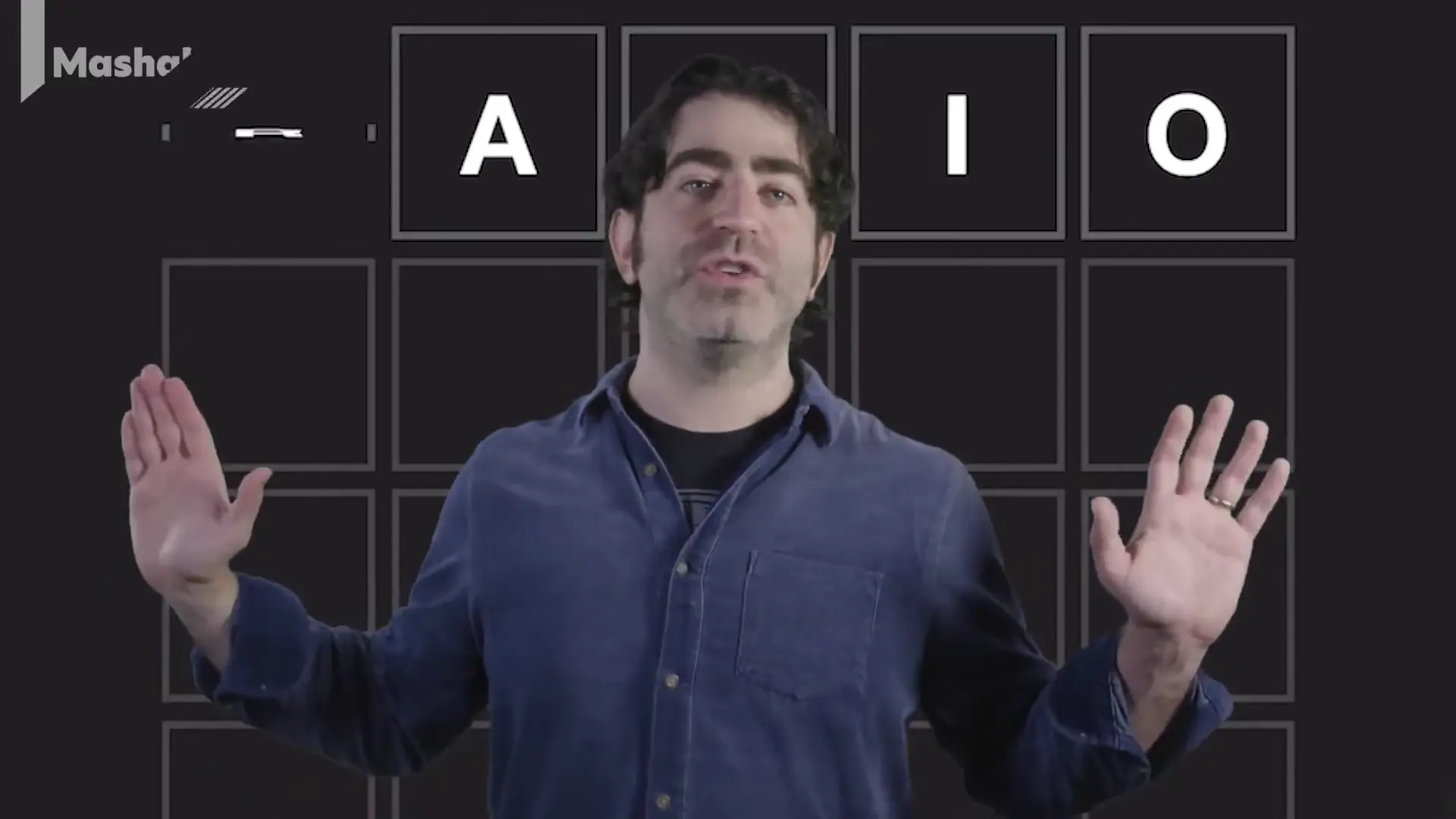
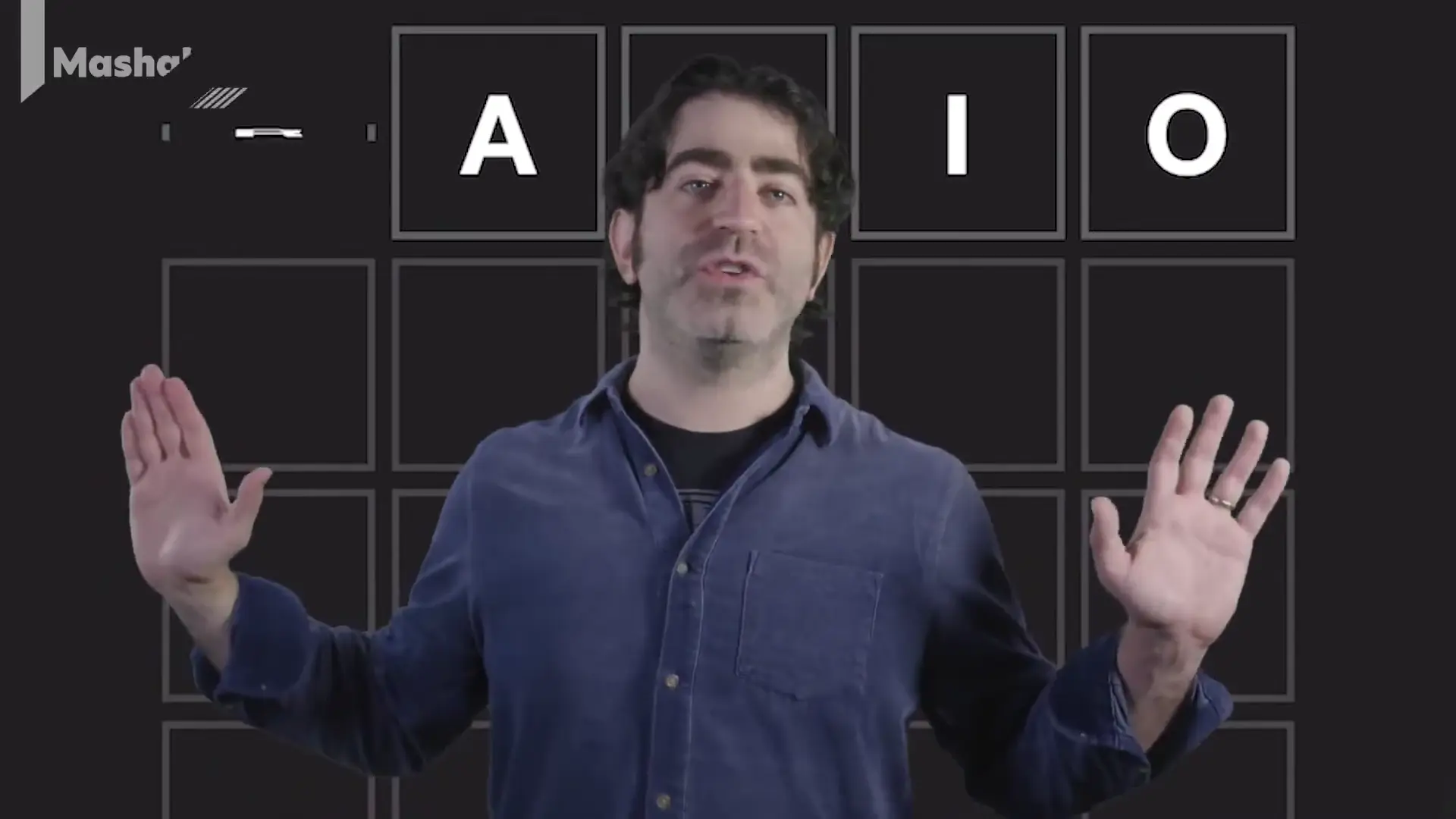
Winning Wordle The Best Starting Words To Use and Why  Mashable.mp4

Looking for the most recent Wordle answer? CNET publishes daily answers and hints for The New York Times Mini Crossword, Connections, Connections: Sports Edition and Strands puzzles. And here’s a page that Wordle players should be sure to bookmark. We’ve made a list, with help from the Oxford English Dictionary, showing which letters show up the most in English words. So if your starter word isn’t getting the job done, consider switching to one of the words that uses more of the highly ranked letters. (I like TRAIN and CLOSE.)

Today’s Wordle answer has a first letter that I rarely guess. Need a tip or two? Read on for hints and the answer.

Today’s Wordle hints

Before we show you today’s Wordle answer, we’ll give you some hints. If you don’t want a spoiler, look away now.

Wordle hint No. 1: Repeats

Today’s Wordle answer has no repeated letters.

Wordle hint No. 2: Vowels

Today’s Wordle answer has two vowels.

Advertisement

Wordle hint No. 3: First letter

Today’s Wordle answer begins with W.

Wordle hint No. 4: Last letter

Today’s Wordle answer ends with N.

Wordle hint No. 5: Meaning

Today’s Wordle answer can mean to stop sleeping.

TODAY’S WORDLE ANSWER

Today’s Wordle answer is WAKEN.

Advertisement

Yesterday’s Wordle answer

 Yesterday’s Wordle answer, Sept. 18, No. 1,917, was SNOWY.

Recent Wordle answers

Sept. 14, No. 1,913: RINSE

Sept. 15, No. 1,914: DEALT

Sept. 16, No. 1,915: WISPY

Advertisement

Sept. 17, No. 1,916: THETA

Source link

Advertisement
Continue Reading

Tech

DBrand Killswitch Nintendo Switch 2 review: an excellent protective bundle that comes at quite the cost

Published

on

Why you can trust TechRadar


We spend hours testing every product or service we review, so you can be sure you’re buying the best. Find out more about how we test.

DBrand Killswitch Nintendo Switch 2 review

The DBrand Killswitch for Nintendo Switch 2 is the ultimate protective solution for your shiny new hybrid system. Rather than being a traditional carrying case, it acts as a permanent protective shell for your system, keeping it shielded at all times. I’ve spent a few days gaming with the Killswitch for Switch 2 now, so here’s how I’d rate it.

First of all, I have to applaud the ease of setup. The main case is incredibly easy to pop on. I just had to remove a couple of adhesive strips on the case, push it onto my system, and bam — it was done. The Joy-Con 2 controllers also slot into individual cases, and there’s a protective cover for the system’s kickstand that sticks on seamlessly.

Advertisement

Source link

Continue Reading

Trending

Copyright © 2025