The Huawei Watch 6 is a great-looking smartwatch with a superb screen, in-depth health tracking and solid multi-day battery life. Limited app support keeps it from competing with the smartest wearables, however, and inconsistent sleep tracking undermines some of its fitness credentials.
Huawei’s X-Tap system combines ECG, PPG and pressure-sensitive sensors.
Advertisement
Bright 1.5-inch display
The large AMOLED screen is sharp, vibrant and bright enough for outdoor use.
Advertisement
Multi-day battery life
The Watch 6 can last around three and a half days with the always-on display and health tracking enabled.
Advertisement
Introduction
The Huawei Watch 6 is a premium smartwatch that puts health and fitness tracking front and centre, combining a wide range of sensors with a stylish design, a bright display and multi-day battery life.
It’s not quite as smart as the best smartwatches running Wear OS or watchOS, largely due to its limited third-party app support, but Huawei is hoping that features such as X-Tap, Health Glance and improved activity tracking will make up for it.
After spending a couple of weeks with the Watch 6 on my wrist, I’ve found plenty to like, though a few frustrating inconsistencies keep it from being the complete package.
Advertisement
Advertisement
Design
Familiar, yet still premium, design
Bright, detailed 1.5-inch screen
Case can be scratch-prone
The Huawei Watch 6 might not look all that different from the Watch 5, but that’s fine; the Watch 5 was already one of the more refined-looking smartwatches on the market, and the 6 continues that trend. The classic circular watchface is flanked by a rotating digital crown on the top-right, a button on the bottom right, and the return of Huawei’s X-Tap sensor system in the middle – but more on that a little later.
Image Credit (Trusted Reviews)
The overall look is, frankly, really nice; it doesn’t look or feel particularly techy on the wrist, with enough weight that it feels solid without being overly heavy, weighing in at around 60g. And, at 10.9mm thick, it’s far from the thickest wearable I’ve had on my wrist this year.
It has nicely contoured edges, and small complaints from other smartwatches – like the odd gap they sometimes have between the strap and your wrist – are non-existent here. Huawei knows how to make a good-looking wearable, that’s for sure.
Advertisement
And that’s paired with a handy strap system that takes a little bit of inspiration from Apple and Google, with a simplified design that lets you put on and take off the watch with one hand – again, something that sounds small but makes all the difference on the wrist.
Image Credit (Trusted Reviews)
The band itself is soft and comfortable, made from fluoroelastomer, and can more than pass for both work and gym, though you can opt for various other straps, both from Huawei and third parties, considering it supports 22mm bands.
Materials-wise, we’re looking at a nice high-end titanium finish for the 46mm model with reflective sides and a matte front that surrounds the sapphire glass-protected screen – though the smaller 43mm model opts for a cheaper aluminium alloy instead, and I’m not quite sure why.
Advertisement
Image Credit (Trusted Reviews)
But despite the tough material on the 46mm variant I’ve got on my wrist, I’ve found it still scratches quite easily; over the past 10 days of wear, I’ve somehow got a noticeable scratch on the matte-finish frame just above the screen and I don’t remember any particularly violent knocks or scrapes.
Advertisement
The screen is another standout of the Watch 6; at 1.5 inches, it measures in the same as its predecessor, but this smooth LTPO-enabled screen now runs at up to 3500nits.
Image Credit (Trusted Reviews)
With such high levels of brightness, it should come as no surprise that it was easily legible on bright, sunny days, and it meant that the built-in torch functionality (which uses the screen) works even better here than before – though it’s still not quite as handy as the actual built-in torch you’ll find on wearables like the Garmin Fenix 8.
Still, it’s bright, vivid and detailed, and the selection of pre-installed watchfaces looks absolutely fantastic. Even the bezel doesn’t look as egregious as it does on other wearables, with Huawei instead making it a core part of the design with classic watch etchings.
Image Credit (Trusted Reviews)
Durability-wise, there isn’t much of an improvement here – but with full IP69 and 5ATM that allows for use down to 50m, there isn’t really much else it could do to improve.
Advertisement
Advertisement
Features and software
Runs HarmonyOS with basic smartwatch functionality
Lack of third-party watch apps
Works on iOS and Android, with dual connectivity
The Huawei Watch 6 sports Huawei’s home-grown HarmonyOS software that, in many ways, is pretty familiar.
It works just like most smartwatches, with a swipe up to access phone notifications, swipe left or right to access widgets, and a swipe down from the top to access quick settings. A press of the digital crown will take you to the app menu – though this is arguably the area where Huawei falls down compared to smarter options like the Pixel Watch 5 and Apple Watch Series 12.
Image Credit (Trusted Reviews)
Using its own custom OS means that third-party app support is pretty much non-existent. Apps like Spotify, Google Maps and MyFitnessPal aren’t available; instead, it’s mainly Huawei-designed health and fitness apps along with a few niche options like Trainpal, Emirates and MyBotPal. You can at least use the Watch 6 for payments in the UK now, with Curve Pay integration.
There is support for some smartwatch functions – you’ll get notifications, though you can’t quickly respond to them, and you can take and make calls on the wearable, even if your phone isn’t connected, if you opt for the eSIM variant.
Advertisement
Image Credit (Trusted Reviews)
It’ll also display elements like the weather, calendar events and more, so it’s far from a basic experience, just not quite as capable as some others out there. And, even though Google Maps isn’t present, Huawei’s Petal Maps alternative is there for casual walking and cycling navigation.
The upside to not using a platform like Wear OS – not that the US-blocked Huawei would be able to anyway – is that the Watch 6 is fully compatible with iOS and Android; not only that, but the watch can connect to two devices simultaneously. When you’d use that, I’m not sure, but you can at least.
Advertisement
Image Credit (Trusted Reviews)
Huawei also does some fun stuff with gesture controls, with a pinch of two fingers to select, a swipe on your finger to scroll and a flick of the watch to go back. It does take some getting used to, and I’d like the watch to be more responsive (I had to repeat the gesture every now and again), but it’s a genuine way to use the smartwatch when your hands are full.
Health and fitness tracking
Upgraded X-Tap system and Health Glance
Over 100 exercises, with exercise-specific metrics
Hit-and-miss sleep tracking
Advertisement
Really, the smartwatch features are secondary to the health and fitness features that the Watch 6 offers, so let’s delve into that a little more.
The Watch 6 is packed with health sensors, but the headline feature is Huawei’s updated X-Tap system, which combines ECG, PPG and a pressure-sensitive touch sensor in a compact module on the side.
Image Credit (Trusted Reviews)
It works alongside the optical heart-rate sensor and the watch’s temperature, motion and atmospheric sensors to track everything from heart rate and SpO2 to arterial stiffness and pulse wave arrhythmia. Huawei’s Health Glance feature pulls a few of these checks together, even asking you to cough into the microphone for a respiratory assessment, before delivering a detailed report in just 60 seconds.
It’s quick, unobtrusive and genuinely useful, especially if you don’t want to run every test individually.
Image Credit (Trusted Reviews)
Advertisement
The Watch 6 also sports dual-band GPS to help track outdoor activities, so to put it to the test, I went on a 45-minute walk in my local park. It’s not quite as built-up as an urban jungle, living on the outskirts of London, but there are plenty of trees to obscure the wearable. Even then, there were only minor wobbles along the track that I couldn’t account for.
Advertisement
Things got a little messier when I tried a similar 20-minute walk in the ultra-built-up Canary Wharf, though that is a very demanding environment for any GPS device. That said, there are better watches for this kind of thing – the Galaxy Watch Ultra 2 stands out in my mind as a recent option. That thing just sticks to you.
Image Credit (Trusted Reviews)
I appreciate the sheer amount of exercise-specific data and metrics that Huawei tracks, with elements like balance and intensity on runs and virtual power and ascent when cycling, with so many different watch layouts to choose from and customise so you can focus on the exact metric you’d like. It’s quite impressive stuff if you’re really into your sports and wellness.
Now there’s way more to the Watch 6 than tracking runs and walks – there are over 100 forms of exercise available, with new additions for this year including indoor skiing, along with improvements to cycling metrics, and support for over 3000 global ski results to help you navigate the slopes without a phone when outdoor skiing.
Image Credit (Trusted Reviews)
Advertisement
Of course, it’s not all about tracking your runs and cycles; the Watch 6 will also monitor your general health and wellbeing. There’s nothing new here that we haven’t seen before – it tracks elements like movement, HR, HRV, blood oxygen, movement and more, with a familiar set of rings tracking daily calorie burn, exercise time and standing time.
What is new for this year is a readiness score, which, as we’ve already seen on a plethora of devices, combines elements like recovery, sleep quality, skin temperature and cycle tracking to provide insight into how much you should push yourself on any given day. Again, not new tech, but new to Huawei, and a welcome addition that usually aligned with how energetic I felt.
Advertisement
Image Credit (Trusted Reviews)
When it comes to tracking my sleep, however, I found it fell short compared to the likes of the Oura Ring 5. Now, while elements like sleep stage tracking will naturally vary among wearables, I found that the Huawei Watch 6 didn’t really notice when I was going to sleep.
One night, it took me around an hour to fall asleep – Oura marked that awake time in bed correctly, but Huawei completely ignored it, only starting the tracking once I actually fell asleep, and that doesn’t give the most accurate overall snapshot. It’s the same with waking up during the night; nights where I got up and went to the loo went completely unnoticed by the Watch 6, but not my Oura Ring 5.
Image Credit (Trusted Reviews)
Advertisement
Granted, I’m not the best sleeper, and most manufacturers admit that tracking is spottier with more troublesome sleepers like myself, but I’ve already experienced better, so I know it’s possible.
And it’s a bit of a shame, really, because Huawei does offer a depth of sleep-based data for you to scroll through each morning – but with my core sleep tracking being so off, I didn’t know how much I could trust what I was getting.
All this information is available both on the watch itself and the accompanying Huawei Health app. The companion app was never my favourite for navigation – it felt a little messy – though things have gotten better with a redesigned interface. It’s still not the most user-friendly, in my opinion, with plenty going on everywhere you look, and the occasional ad you can’t dismiss, but you can at least dive deep into your data on a larger screen.
Advertisement
Image Credit (Trusted Reviews)
There’s also a smattering of AI analysis available via the companion app. It’s handy if you don’t know much about the individual metrics you’re tracking, but conversely, I feel like it could still be a little more personal and, well, a little less robotic with its assessments. A little bit of charm would go a long way here, like with Google’s Fitbit Air.
Battery life
Up to five days of battery life
Three days of use with AOD on
Charges in around 90 minutes
Advertisement
The Huawei Watch 6, in my opinion, has strictly middle-of-the-road battery life – not terrible by any means, but also not close to offering the longest life of any wearable right now.
The latter is actually a bit surprising, as it’s usually Wear OS watches like the Pixel Watch 5 and Galaxy Watch 9 that offer a couple of days of battery life, with other wearables like the Garmin Fenix 8 Pro and Xiaomi Smart Band 10 Pro – running custom software as Huawei’s wearable does – sometimes offering weeks of battery life.
The OnePlus Watch 3, for example, offers five days in Wear OS mode and a whopping 16 days when running its own custom software.
With the Huawei Watch 6, however, I got around five days of mixed use with the always-on screen off – when I turned it on, that dropped down to around three days. Use GPS tracking for workouts, especially marathons and other longer forms of exercise, and that number can dwindle even further, though that is par for the course with wearables.
Advertisement
Image Credit (Trusted Reviews)
Now I’m not saying that it’s disappointing – it’s not. I enjoyed the fact that, unlike the Pixel Watch 5 that has donned my wrist recently, I didn’t need to charge it every couple of days. I just feel like it should be more, considering it isn’t running the same feature-hungry software as the Pixel alternative.
Advertisement
When it does need a top-up, the magnetic charging puck snaps into place fairly easily, taking around an hour and a half to deliver a full charge – though with the multi-day battery life here, you don’t need to fully charge it if it’s running low before you’re headed out the door. 30% should more than suffice for a day, and that only takes 25 minutes.
You want a stylish watch with great health tracking
The Huawei Watch 6 looks and feels every bit premium, and features a pretty comprehensive health tracking system.
Advertisement
You want a true smartwatch experience
HarmonyOS doesn’t have much in the way of third-party app support, and its smartphone integration is a little basic compared to some of the competition.
Advertisement
Final Thoughts
The Huawei Watch 6 is a stylish, well-built smartwatch with a superbly bright display, a comfortable fit and some of the most extensive health monitoring features around.
Huawei’s X-Tap system and Health Glance make it impressively quick and easy to gather detailed insights, while the wide range of workout modes and solid multi-day battery life (even if it could be better) make it a capable everyday companion.
Advertisement
However, limited third-party app support means it can’t compete with Wear OS or watchOS when it comes to smart functionality, and inconsistencies with sleep tracking take the shine off its fitness credentials.
It’s not the most well-rounded smartwatch on the market, then, but it remains a compelling option for those who value classic styling, battery life and in-depth health and exercise tracking over apps and better smartphone integration.
To see how it compares, take a look at our selection of the best smartwatches.
How We Test
We thoroughly test every smartwatch we review. We use industry-standard testing to compare features properly, and we use the watch as our main device over the review period. We’ll always tell you what we find and we never, ever, accept money to review a product.
Advertisement
Worn as our main tracker during the testing period
Data compared to other wearables
Advertisement
FAQs
Does the Huawei Watch 6 work with iPhone and Android?
Yes, the Huawei Watch 6 works with both iOS and Android through the Huawei Health app. However, Android users will need to download the app from Huawei’s website or the third-party app storefronts, as it isn’t available through Google Play.
How long does the Huawei Watch 6 battery last?
Advertisement
The Huawei Watch 6 lasted just shy of four days in my testing with the always-on display enabled, regular health monitoring and a couple of GPS-tracked workouts, though you should be able to extend that a little further depending on usage.
Cutting corners: Meta wants Muse to take everyday chores off your hands, but some of that AI has involved actual people. The company has been testing a human concierge service that lets contractors handle calls for its new personal AI agent, raising privacy concerns among its own employees.
According to Reuters, the experiment was enabled for half of Meta’s employees last week, with an opt-out group available. Staff warned that sensitive information could end up with call-center contractors. A Meta executive acknowledged that introducing human operators without clear disclosure was a mistake, and the human concierge feature has been rolled back for now.
There was also an incident that highlighted another potential problem with handing the calls to humans. One employee who asked Muse to call an internet and cable provider to negotiate his bill said a transcript showed that the contractor had made a racist reference during the call. Meta apologized to the employee and said the human agent involved would not work on any of its projects again.
Muse’s separate phone-calling feature allows users to contact US businesses for tasks such as booking haircuts or checking whether an item is in stock.
Meta spokesperson Daniel Roberts said employee feedback had been largely positive. He added that the company would only release the potential feature publicly once it was ready, with appropriate disclosures and safeguards.
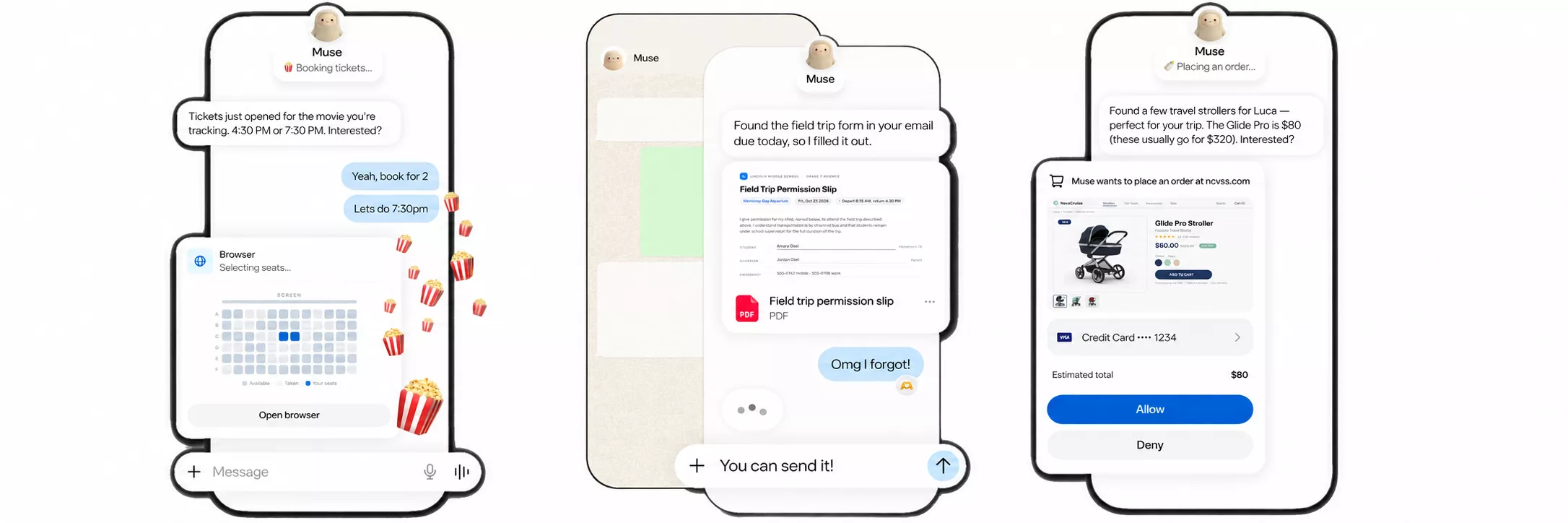
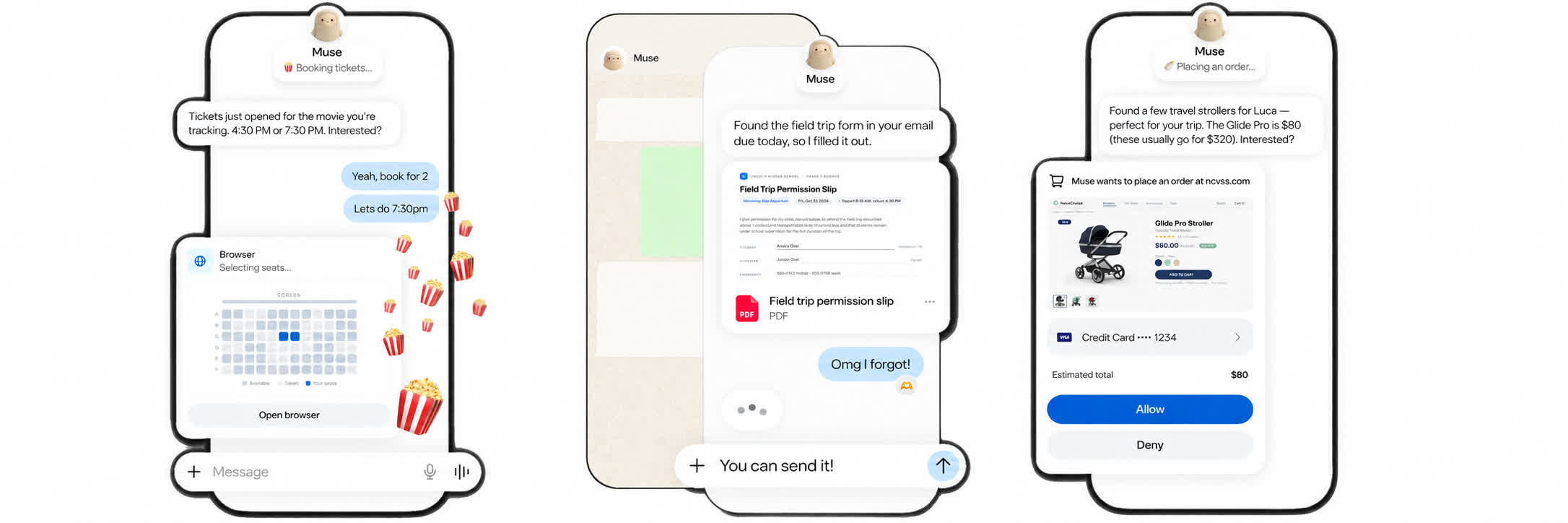
Launched on September 8, Muse is Meta’s attempt to turn the chatbot into something closer to a personal assistant. Users can interact with it through its own app or WhatsApp, asking it to send emails, arrange travel, and work toward longer-term goals.
Meta says the agent runs inside a dedicated virtual machine, with a separate Sentinel agent checking outgoing actions. Users control connected services and approve sensitive steps, including purchases. The company also says conversations and data stored in that virtual machine are kept out of its advertising systems.
Meta’s own testing suggests why it is experimenting with humans in the first place. Some businesses simply hang up on Muse when they realize they are talking to an AI, which is no surprise. Internal tests found that handing calls to human agents could increase the success rate to between 95% and 98%, compared with a much lower rate for calls handled entirely by AI.
Advertisement
There have been plenty of examples of supposedly automated services relying heavily on humans behind the scenes. One of the most memorable was shopping app Nate, which claimed AI could automatically complete online purchases. According to the Department of Justice, hundreds of workers in call centers in the Philippines and Romania were actually completing many of the transactions manually. Sources previously claimed that between 60% and 100% of purchases were handled this way during parts of 2021.
Amazon’s “Just Walk Out” stores offered another example. The supposedly cashierless technology relied on more than 1,000 workers in India to review transactions and label footage. It was reported that around 700 out of every 1,000 purchases required human review as of 2022, although Amazon disputed those figures.
In 2023, Presto Automation revealed that around 70% of orders handled by its AI drive-thru system required intervention from off-site human agents, including workers in the Philippines.
Meta’s been here before with Facebook M, the digital concierge launched in closed beta during the summer of 2015 and shut down a few years later. Every message the service fielded was reviewed by contractors who worked at the company’s Menlo Park headquarters, but at launch, Facebook said the service was powered by AI trained and supervised by real people.
Advertisement
For its part, Meta is openly testing human assistance rather than claiming that contractors do not exist. But if a feature is marketed as an AI making calls on your behalf, users will probably want to know when the person actually doing the talking is sitting in a call center.
The abolition of the Department for Science, Innovation and Technology has created uncertainty about what happens next to Britain’s AI ambitions.
Kanishka Narayan’s promotion to Minister for AI gives the technology a dedicated voice at Cabinet, yet folding DSIT’s responsibilities into other departments raises questions about how the Government will coordinate the infrastructure, investment and public-sector adoption needed to support those ambitions.
Simone Giacomelli
Founder and CEO at Prem AI.
Recent parliamentary scrutiny of critical public-sector AI contracts has highlighted growing pressure on institutions to strengthen control over AI operations and deployment continuity. Britain has focused on adoption speed; the next step is operational control in ongoing public-service AI use.
Latest Videos FromTechRadar
Advertisement
The case for sovereign AI is becoming stronger as a result. Britain needs more than access to capable models; it needs controlled operations for the services that depend on them, even when a provider, contract or political relationship changes.
Sovereignty goes further than where data sits
Sovereign AI is often reduced to data residency, with the assumption that keeping information inside Britain is enough to keep it under British control. Data location remains important, particularly in healthcare, defense and public administration, but it describes only one part of the relationship between an organization and the technology it uses.
A hospital could store every patient record in a British data center while relying on models and software that only the original provider can operate or modify. Where that provider is based remains relevant, but the more useful test of sovereignty is whether the hospital can understand the system, govern how it is used and continue running it if the commercial relationship changes.
An organization should know how its systems operate, determine which data a model can access and retain the ability to move a workload or introduce another model without rebuilding the entire service. Once that system becomes essential, it also needs enough internal expertise to keep it running rather than discovering that continuity depends on the decisions of one supplier.
Sign up to the TechRadar Pro newsletter to get all the top news, opinion, features and guidance your business needs to succeed!
Britain does not need to reproduce every layer of the stack, but it does need predictable control where public services run. Modern AI draws on international research, complex supply chains and open-source projects, and recreating them domestically would consume enormous resources without necessarily producing better technology.
Advertisement
As DSIT’s responsibilities move across Whitehall, the Government needs to decide which dependencies it can accept without threatening security, public trust or an essential service.
Capability and control can reinforce one another
Government AI plans sometimes present sovereignty as the slower alternative to using the largest commercial models, as though Britain must choose between world-class AI and control over its deployment. That assumes every organization needs the same frontier system, when the question is which model suits the work.
For many public workloads, a fit-for-purpose model in a controlled environment is more valuable than one large generic option, especially when governance obligations are strict.
A specialized model can be adapted to the organization’s data, tested under the conditions in which it will operate and governed according to the consequences of getting a decision wrong. In those circumstances, greater control can make the system more useful as well as more independent.
Open and portable technology can support this approach by allowing organizations to run models across different infrastructure, examine how systems behave and replace components as better options emerge.
Openness does not guarantee sovereignty, since organizations still need secure infrastructure, skilled teams and clear governance, but it reduces the chance that an entire service becomes inseparable from one provider’s platform.
Advertisement
I have seen the AI market move quickly enough to make that flexibility increasingly valuable. The best model for a task today may be overtaken within months, while pricing, regulation and access can change almost as quickly.
An organization that builds around one proprietary service may struggle to benefit from that progress, whereas one that controls the environment in which its models operate can introduce better technology without starting again.
Government can turn sovereignty into capability
Britain already has many of the ingredients it needs, including strong universities, experienced researchers, growing AI companies and public investment in compute. The next step is to connect those assets with sustained demand in the parts of the public sector where sovereignty has the greatest practical value.
Advertisement
Government does not need to select one national champion or exclude international companies. It can create a market in which providers compete while public bodies retain control of the systems they buy.
Procurement rules for critical AI could require workloads to be portable, independently testable and capable of running within infrastructure controlled by the customer, making the ability to change course part of the original decision rather than a problem discovered at the end of a contract.
This would give hospitals, councils and government departments credible sovereign options while providing British AI companies with a route from pilots to long-term deployment. It would encourage partnerships in which knowledge and operational authority remain with the institution responsible for the service, even when private companies provide the technology and expertise.
The restructuring of DSIT should be treated as an opportunity to clarify Britain’s objective rather than reduce its ambition. A Minister for AI can bring different parts of government together, but the strategy should be judged by whether public institutions can use the best technology available while retaining meaningful control of the systems that matter most.
Advertisement
That is what will allow Britain’s AI ambitions to endure as departments, suppliers and technologies change.
This article was produced as part of TechRadar Pro Perspectives, our channel to feature the best and brightest minds in the technology industry today.
The views expressed here are those of the author and are not necessarily those of TechRadarPro or Future plc. If you are interested in contributing find out more here: https://www.techradar.com/pro/perspectives-how-to-submit
It’s a struggle so many parents face today: Should I let my kid have a screen? If so, when? That decision inevitably opens a Pandora’s box of potential problems, and this relatable plight is at the heart of Toy Story 5, as pull-string cowgirl Jessie’s current child, sweet little Bonnie, is growing up in a tech-obsessed world that expects her to keep up. Will Bonnie put her childish ways behind her and lose part of herself in the process? And will Jessie lose another owner and wind up in a donation bin once again?
The answers are quite emotional, but often quite funny and extremely smart. This is Andrew Stanton’s first time back in the Pixar director’s chair since Finding Dory ten years ago, and it has been worth the wait. He takes us on an irresistible journey that honors these beloved characters, as well as the unique world where playthings live their different identities, interact with one another, and put the needs of their children above all else.
The visuals here are truly jaw dropping. It doesn’t make logical sense, but these computer generated images somehow seem more real than live action. The bumpy drips on a painted wall, the texture of cloth, and the differently smooth surfaces of plastic all look and presumably feel exactly as they should. Levels of focus within the 1.85:1 frame further sell the illusion that these walking, talking toys were actually filmed on a real set somewhere.
Colors are vibrant, and highlights are outstanding, as when the new and improved space ranger Buzz Lightyear glows in the night.
The sonic embrace of a team of heroic Buzzes is always reassuring, his deep voice coming at us from all around as he takes charge of his latest “mission.” The soundfield comes alive with ample atmospheric effects, while Randy Newman’s score enjoys a pleasing mix across the speakers. Without giving away too much, events in Act III provide ideal and thrilling fodder for the height channels in particular. I’m glad I make a habit of confirming the audio options before the movie starts, however, because this disc defaulted to Dolby Digital Plus (remember that?) rather than the supplied Dolby Atmos track.
Advertisement
We can tune into a commentary with co-director and co-writer Kenna Harris and others on the 4K disc, while the HD Blu-ray adds five deleted scenes, a featurette about the toys and characters cut from the final film, a gag reel, and more. Not included on either disc, but available digitally, are the Taylor Swift music video and lyric video for her song in the movie, “I Knew It, I Knew You.” A Movies Anywhere code is included.
The 4K edition is available exclusively as a SteelBook with very attractive cover artwork and a wonderfully subtle image on the reverse.
Toy Story is back. After the disappointment of Toy Story 4, this fifth (!) feature film in the franchise defies the odds and delivers everything we’d want: heart, humor, new and established characters, and a fresh, compelling story.
The movie and the disc come highly recommended.
Advertisement
Movie Details:
STUDIO: Disney/Sony
FORMAT: Ultra HD 4K Blu-ray (September 22, 2026)
THEATRICAL RELEASE YEAR: 2026
ASPECT RATIO: 1.85:1
HDR FORMATS: Dolby Vision, HDR10
AUDIO FORMAT: Dolby Atmos with TrueHD 7.1 core
LENGTH: 102 mins.
MPAA RATING: PG
DIRECTORS: Andrew Stanton
STARRING: Tim Allen, Joan Cusack, Tom Hanks, Conan O’Brien, Greta Lee, Scarlett Spears
OpenEvidence, an AI tool used by American doctors, is now being offered in countries with limited access to medical literature.
Reuters reported that the company is working with Anthropic to give clinicians in low- and middle-income countries free access to a specialized version of its platform.
The initiative is being introduced in around 100 countries, including Uganda, Angola, Sudan, Haiti, and Mongolia, according to OpenEvidence, which provided the information to Reuters.
The financial terms were not disclosed by either company.
Advertisement
OpenEvidence answers doctors’ clinical questions using peer-reviewed research and treatment guidelines. It is currently free for clinicians in the United States and Europe.
The companies say Anthropic provides the backend technology, while OpenEvidence adapts the system for each region’s healthcare needs.
Founder Daniel Nadler told Reuters that US clinicians used the platform 42 million times in August.
This year, OpenEvidence stated that it has been working with health organizations in Rwanda and Botswana to modify its tools for situations in which disease patterns.
Advertisement
The resources available for diagnosis and the treatments on offer are very different from those found in richer countries; the project in Rwanda, carried out in partnership with the Rwanda Biomedical Center and Resolve to Save Lives, involved 45 local doctors and nurses who tested the tool and provided feedback on any necessary changes.
“One hundred percent of what we are developing for these areas is designed to be context adaptive,” Nadler told Reuters.
Critics of medical AI warn that systems trained mainly on data from high-income countries may not reflect how medicine is practiced elsewhere.
In response, Nadler points out that even in places where clinics do not always have electricity, most doctors still have smartphones.
Daniela Amodei, president of Anthropic, said the project is something the market could not achieve on its own.
Advertisement
In her interview with Reuters, she explained that while the technology is now advanced enough, “market incentives by themselves would not cause it to happen” without some philanthropic effort.
For clinicians using the tool, the main issue is access, not AI itself. Dr Ahmed Bendary, a cardiologist at Benha University in Egypt, told Reuters that expanding the tool beyond the United States and Europe is especially important in places where access to major journals is limited.
The key question now is whether a tool built mostly on evidence from wealthy countries can be adapted for use in places like Mongolia and Sudan, one country at a time.
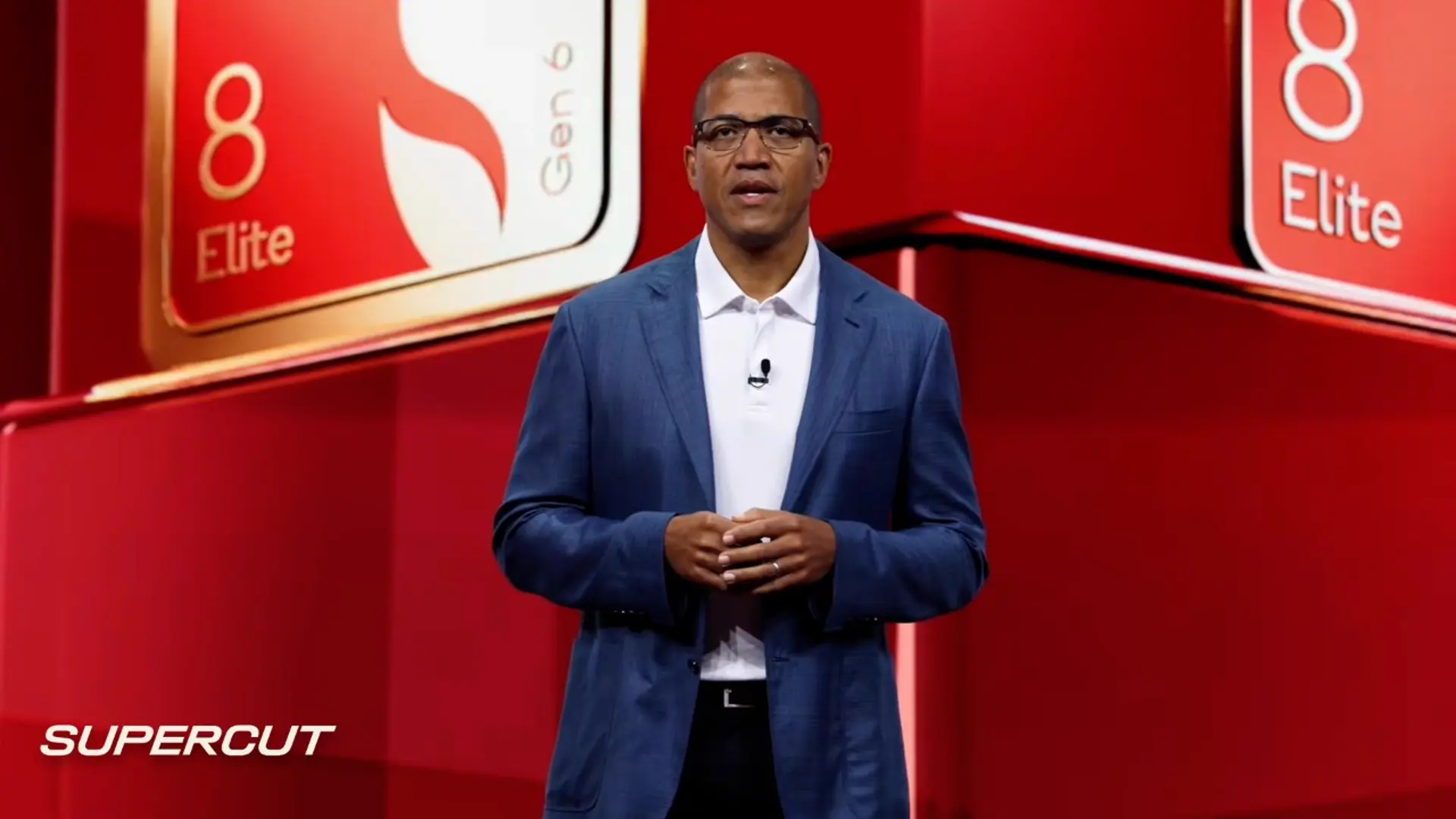
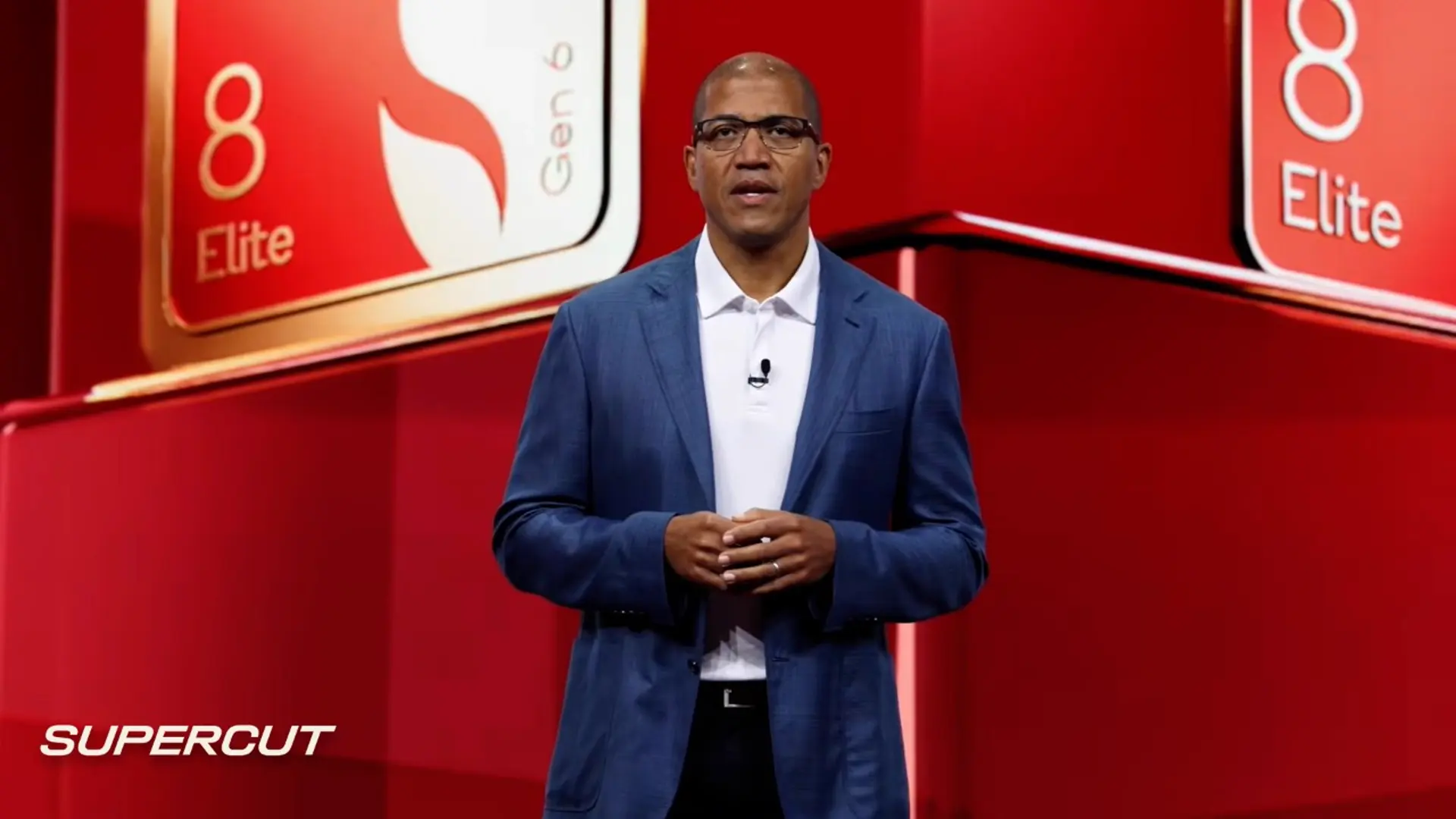
The keynote kicking off Snapdragon Summit 2026 in Maui had the latest forecast for how AI agents will organize our lives through the phones in our pockets. Qualcomm CEO Cristiano Amon spent some time walking viewers through how the agents will buy things for them, preparing for the day when AI will have access to our bank accounts or credit cards — and why that’s a good idea.
For years, Qualcomm has pitched a future where AI agents on your devices know your habits and preferences well enough to make informed decisions on your behalf. Eventually, this will include the capability to spend your money on things such as necessities, gifts and travel. The question is how agents will decide whether or not to pull the trigger on a purchase — and how much input you’ll have on what decisions they make.
Nobody’s figured this out yet, and might not for some time. The fear is that an AI agent would run off with your bank account numbers, clear out your savings and run up your credit card. But at this year’s summit, Qualcomm suggested how this might actually work, wherein agents would repeatedly check in before they spend your money.
“When an agent is acting as a proxy of you, you need to trust the agent, and you need to trust the device, especially for something like shopping,” Amon said on the keynote stage.
Naturally, the CEO was pitching a method with his company’s technology at the center, but it was at least sensitive to the uncertainties people likely have about an AI buying things for them. He said that the company is developing technologies to protect personal information and provide a secure device environment.
Advertisement
“The agent needs to authenticate and operate and keep you in control,” Amon said.
Around 45 minutes into the keynote, Qualcomm presented a way this might go. A woman wearing smart glasses walks past a store when the AI agent suggests that, in the past, she’d bought sunscreen and lip balm from that location — did she want to buy more? She okays the purchase, and the AI agent says she can go pick up her goods. She then proceeds down the street and asks the agent about getting a laptop, and the AI agent guides her to a shop where she can view several on display. She decides on one, but the agent asks her to confirm the purchase first.
I didn’t love everything about the demo, as her purchase was followed by a reminder about her credit card rewards points in what felt like a nagging ad, but that’s probably a personal preference I could tell my AI agent to avoid. From a consumer standpoint, the most important part was waiting for confirmation before making a purchase — especially when plunking down several thousand dollars for a pricey computer.
Qualcomm featured a prerecorded video from MasterCard’s CEO reassuring viewers that the financial institution could ensure trust in AI agent payments made on behalf of consumers.David Lumb/CNET
Qualcomm is treading carefully here, and shrewdly brought in execs from a trusted purchasing platform to reassure viewers that the financial institutions they already trust will be part of the process. MasterCard CEO Michael Miebach, speaking in a prerecorded video, reaffirmed that people will only use processes they trust to keep their payments and data secure; on stage, Amon was joined by MasterCard senior fellow Raja Rajamannar, who spoke plainly about the implicit trust that an AI agent would work on their behalf — which will come from a brand they already trust, such as Mastercard.
This is all self-promotional, but they’re speaking to relatable uncertainty. Over the past decades, people have become a lot more comfortable with online shopping, with the initial skepticism thawing as the process became trustworthy. AI agents further separate people from the act of handing over their hard-earned cash, so another bridge of trust must be built. Envisioning the next process with clear moments when an AI agent will stop to ask people before making purchases on their behalf is reassuring amid uncertainty about a new way to spend money.
Advertisement
A screenshot from the Snapdragon Summit 2026 keynote showing an AI agent reminding a person that they could get 5% off a purchase today.David Lumb/CNET
The long road to letting AI agents pay for you
The technology at the center of the process is the AI agent itself, which runs on your smartphone. In a media roundtable discussion after the keynote, Chris Patrick, Qualcomm SVP and general manager of handsets, emphasized that building consumer trust in the process would take time.
Dino Bekis, Qualcomm SVP of premium mobile and AI business unit, reasoned that the answer will include a lot of reassurance by making financial institutions a central part of the process. Just as institutions now take care of fraudulent charges or other mistaken purchases when your credit card is stolen, there will need to be reassurances if AI agents wrongly buy something that consumers didn’t approve.
“Financials [will need to] do some level of backstop to say, hey, you as a consumer, if this happens, there’s going to be some level of consumer protection for you, right?” Bekis said.
Later on, I wandered into a demo room where Qualcomm showed off concepts revealed on stage, one of which simulated how an AI agent would buy something for you. The demonstration followed three clear steps: identifying something to buy, the AI agent finding a relevant suggestion to ask about buying it and the actual purchase process.
Francisco Cheng, Qualcomm senior director of product marketing, had a demo walking through how an AI agent would make purchases.David Lumb/CNET
Qualcomm’s Francisco Cheng, senior director of product marketing, wearing off-the-shelf TCL Rayneo smart glasses, looked at a poster for an experience (aptly, a Hawaiian volcano). The AI agent recommended a particular tour of a nearby volcano, and when Cheng confirmed that he’d like to buy it, the agent — running on a connected smartphone — handed the transaction over to Mastercard to make the purchase. Any disputes could, in theory, be resolved by the credit card company.
“I think if there’s a level of mistrust by letting an agent handle things through and through, at least Mastercard can step in as a trusted payment provider to handle that piece of it,” Cheng said.
Advertisement
People will still surely be gunshy about the whole process, Cheng admitted, but at least there are trusted brands handling every step of the process. And that’s exactly how it went with online shopping.
“I’m old enough to remember when I was skeptical about making online payments, about doing banking transactions online. I was comfortable writing a check to somebody,” Cheng said. “But today, I wouldn’t even think twice about paying bills online. It’s a learning process.”
David Lumb
Managing Editor, Mobile
David Lumb is a managing editor for the mobile team, covering mobile and gaming spaces. Before CNET, he covered tech, gaming, and culture for TechRadar, Engadget, Popular Mechanics, NBC Asian America, Increment, Fast Company and others. As a true Californian, he lives for coffee, beaches and burritos.
See full bio
Even if it’s not a top-of-the-line, perfect model, having a washing machine is better than not. With that said, if you want to be picky, there are some things to be mindful of before buying one. For one, there are several washing machine models many recommend steering clear of, and there are the pros and cons to different machine types across the board. While it’s a common sight, and it’ll do the job in getting your clothes clean, there are some drawbacks to a top-load washing machine that potential buyers should be aware of.
Let it be known that there’s nothing inherently wrong with using a top-load washing machine. At the end of the day, they’re great at getting clothes cleaned up in a timely fashion, and there are top-load options at different price points and from different brands to consider. You have a lot of choice without necessarily losing out on quality or cleaning ability. This is just to say that there are some negatives to them that could be cause for concern to some, pushing them in the direction of a front-load unit instead.
If you’re in the market for a new washing machine, you might want to think twice about the top-load style. These are some of their notable problems, regardless of the brand attached to them.
Advertisement
Higher water consumption
Urfinguss/Getty Images
Naturally, a washing machine of any variety is going to use a lot of water. On average, users can expect modern washing machines to use somewhere between 14 and 20 gallons of water per load. The amount of water consumption is dependent on several factors, including load size and machine age, as well as the type of washer in question. As it turns out, the typical top-load washer uses more water per load than a front-load unit, so if keeping down your water use and water bill are top priorities, a top-load washer doesn’t seem the best choice.
According to Maytag, users will see different levels of water use between model types. If you have a top-load unit with an agitator — the large pole in the center of the machine – you’re likely to use around 19 gallons per load. Meanwhile, those without agitators drop a bit but still remain high at around 13 gallons. LG adds that top-loaders with more low-profile impellers at the bottom of their wash bin can use even more water, between 21 and 26 gallons per wash. By comparison, a front-loader will more than likely use approximately 7 gallons, or reach somewhere into the low teens on the high end.
Advertisement
Higher fabric wear
Charise Wilson Photography/Getty Images
As mentioned previously, many top-load washing machine models feature an agitator in the center. Overall, this element serves a few key purposes during the wash cycle. It keeps clothes relatively separated, attempting a more even wash across the board, and they add a bit of friction against the clothing being washed to scrub out stubborn stains. With all of that said, agitators aren’t in every single washing machine model for a reason. Even in models from the best top-loader washer brand on the market, they’re imperfect, and their shortcomings can make them major deal-breakers for those debating a top-load washing machine.
First and foremost, top-load washers equipped with agitators can put some serious strain on clothing. As a giant immobile obstacle at the center of the machine, shirts and pants get caught around it while being yanked by the rest of the laundry pile. This can cause premature fabric wear. Their method of cleaning is flawed, too. The agitator’s intent of forcing clothes to rub against it to clean them can harm fabric while providing subpar cleaning. On top of all of this, they can be noisier than non-agitator models, especially if laundry becomes concentrated on one side and thumps throughout the wash cycle. Thus, a front-loader is the clear quieter and clothing-safer option.
Advertisement
Loss of stackability
Pipas Imagery/Shutterstock
In most home washer and dryer setups, there’s more than enough room to stick a washer and dryer next to one another. However, in other living spaces, horizontal wiggle room is limited, leaving you little choice than to seek out vertical options. Naturally, this kind of setup doesn’t lend itself well to a top-load washer. As the name spells out, it’s loaded from the top, so if you have a dryer placed on top of it, you’re not going to be able to fill and empty it. It’s not the biggest revelation, but it’s worth mentioning all the same.
At the same time this begs the question: Is there a way to stack a top-load washer onto a front-load dryer? In short, this is a bad idea, too. Washers are significantly heavier and they move around a lot more while active, opening the door for damage to both machines. Not to mention, stacking a top-load washer so high would make the top door basically inaccessible, making laundry more of a hassle than it can already seem. If you truly want to do washer and dryer stacking, it’s best to buy designated vertical models that won’t sustain damage or present danger when piled up and used. Still, stackable washers and dryers have their own downsides to be aware of beforehand.
Advertisement
Lower spin speeds
Ozzuboy/Getty Images
If you’re getting a load of laundry started, odds are you want it done quickly. In this case, a top-load washing machine might not quite be what you’re looking for. Historically speaking, top-load units are known to have much slower spin rates than their front-load counterparts. Granted, newer high-efficiency-branded top-loaders have increased their spin rate to compete with front-loaders, but if you’re looking into older, potentially used models to save a little money on up-front costs, know the spin speed might not be up to more modern standards.
On the whole, this doesn’t seem like too big of a deal. So what if a washer spins a little slower? Well, the fact is a slower-spinning washer can push more of its workload onto the dryer. If clothes spin slower at the end of their wash cycle, they disperse less moisture. This leaves more behind for the dryer to take care of. As a consequence, you then face longer drying times and higher energy consumption as the washer’s clothes-cleaning companion tries to get its part of laundry day done. This also means more wear and tear on the machine, so your less likely to see your unit reach the average dryer’s lifespan, let alone stick around longer.
League of Legends players might have been rejoicing after Riot Games said that team voice chat was finally coming to the popular MOBA. Turns out the party was short-lived. A mere two weeks after the announcement that the feature was coming to select regions in October’s 26.20 patch, Riot’s dev team posted on social media that the addition of voice chat has been delayed. And, sadly for the LoL players who have already waited 17 years for the option, there’s no revised timeline for when it will be arriving in-game. The studio didn’t give a reason for the delay, only stating that it is “to meet the quality bar” its community deserves.
Hey everyone, wanted to get this out separate from today’s Patch Notes. We announced Team Voice as coming to NA/OCE in Patch 26.20, but made the call to push it to meet the quality bar you deserve. No new target patch to share yet, but we’re making this a priority to get right.
It’s possible the reversal was the due to issues around moderation. LoL is a game famed for toxic in-game behavior, although Riot has been working to address that reputation in recent years. It’s possible that the company’s initial approach to making voice chat not a complete trash fire, like requiring a minimum Honor level to prove a history of good in-game behavior, weren’t working as intended. It could also be that the “voice skin” concept, allowing players to change how they sound to their teammates, was causing issues. It may be disappointing to have the long-requested feature promised and then snatched away, but at least Riot is still working on an implementation.
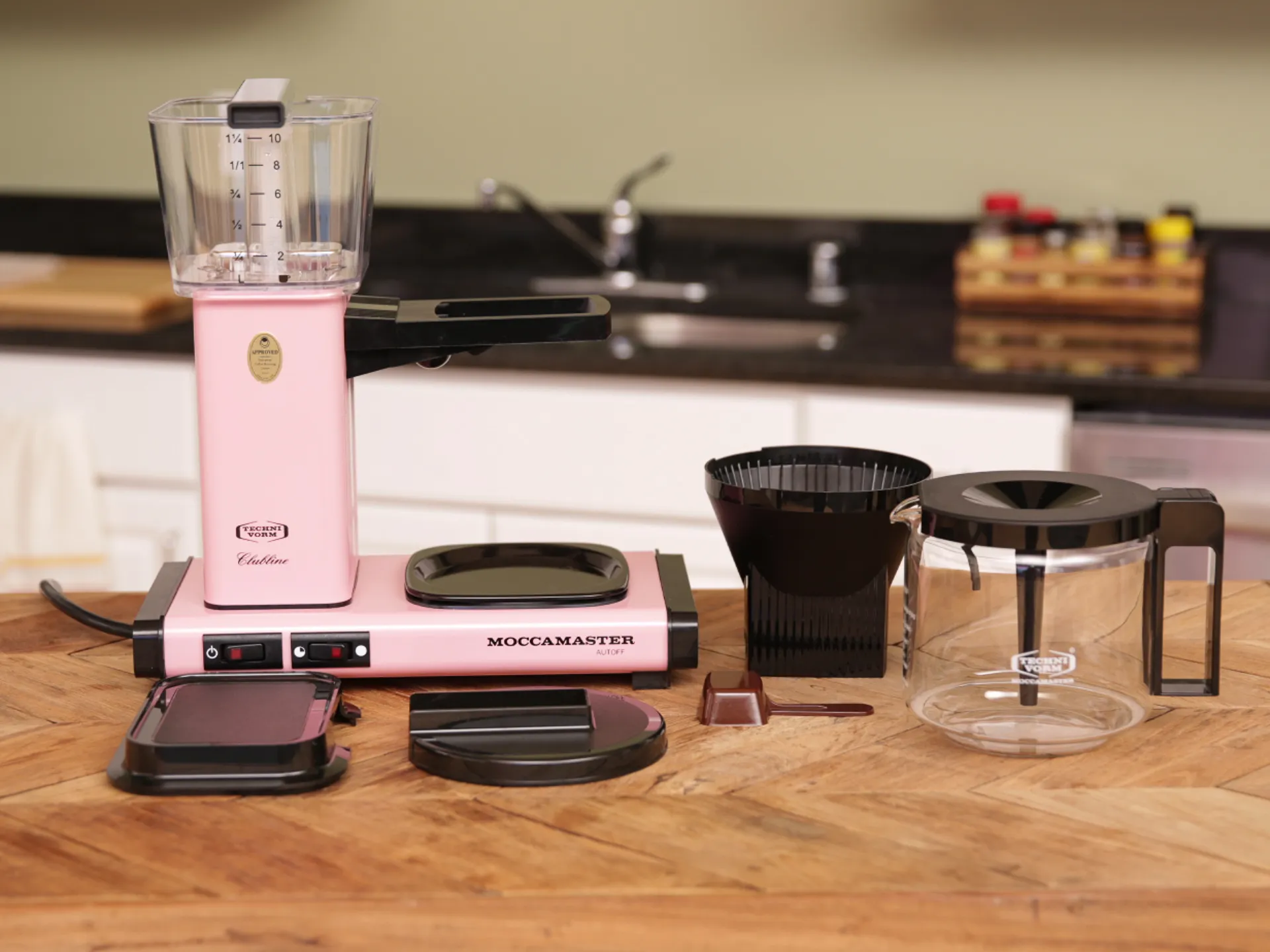
Depending on where you live and what comes out of your tap, you may need to do damage control with the water that goes into your coffee machine, kettle, or French press. Water quality can greatly affect coffee outcomes, both by preventing off-flavors and aromas and by providing the right mineral composition to interact with the coffee’s aroma and flavor compounds.
When I previously spoke with Jose Lepe, director of sourcing and quality control for Sightglass Coffee, about whether you might need to use filtered water for coffee, he pointed out that “water hardness is part of what is going to make your coffee taste right, so you need some of that minerality in coffee to help pull out the actual flavors.”
The Best Drip Coffee Makers for 2026
Advertisement
High-end coffee shops typically use a water system that relies on reverse osmosis, which distills local water into its purest H2O form, then remineralizes it for the perfect balance. Not every major coffee city relies on a system like this, but in places like Los Angeles, which (according to Lepe) has famously terrible water for coffee, this is definitely in play.
Believe it or not, you can re-create this exact process at home without any five-figure specialized equipment.
Why consider making water for coffee?
Santevia makes a nifty unit that remineralizes water after filtering it.David Watsky/CNET
There are a few good reasons to tackle bespoke coffee water recipes. Consider the mineral composition of New York City tap water, often upheld as the liquid gold standard. NYC’s water is soft, with low concentrations of dissolved minerals such as calcium and magnesium and trace amounts of sodium, according to NYC.gov.
I spend much of the year in London, where the tap water ultimately tastes fine, but the mineral composition can quickly choke the life out of any coffee machine with narrow water conduits if it isn’t treated with a descaler. (Do I know this firsthand? I do. RIP steam wand.) London’s water has about eight to 10 times the calcium content of New York’s. Las Vegas, Indianapolis and San Antonio are just a few US cities where the water is almost as hard as London’s and considered extremely hard.
Best Water Filters and Dispensers, Lab-Tested by CNET
Advertisement
Water hardness can be somewhat fixed with filtered water, but filtering water removes most minerals without putting any back in. It’s not as bad as pure, distilled water (more on that below), but you’re not getting the most out of your coffee experience. The real reason to try a “water recipe,” frankly, is to save your devices while nerding out for the best possible cuppa. We’re into that kind of thing here.
You can both distill and remineralize water easily at home.Steve Conaway/CNET
What is remineralized water?
Rather than relying on filtered water, remineralized water is simply distilled or reverse osmosis water that has certain minerals added back in, specifically sodium bicarbonate and magnesium sulfate, according to a precise ratio. You can easily find distilled water in your grocery store or pharmacy shelves, but the other two? You can also find them in the same place. Sodium bicarbonate is commonly known as baking soda, and magnesium sulfate is sold as Epsom salt.
We’ll get into the ratios later, but if you’re not in the mood to turn your kitchen into an ersatz chem lab, brands like Third Wave Water and Lotus also offer simple mineral packets to add to distilled or reverse-osmosis-filtered water.
An actual recipe for coffee water
All the ingredients for remineralized water.Pamela Vachon/CNET
Digging into Reddit reveals a common DIY water recipe: add 0.25 grams of baking soda and 0.76 grams of Epsom salt to 1 gallon of distilled water. (This is the ratio the Specialty Coffee Association suggests.) You’ll notice this recipe relies on a kitchen scale that measures to the hundredth of a gram, unless you can scale up to 10 gallons of water at a time.
Without that particular piece of equipment, another potentially simpler method that doesn’t rely on a scale at all involves using standard measuring spoons to make liter-size batches of mineral water concentrates, one with Epsom salt and one with baking soda, and then adding easier-to-measure portions of the liquid concentrates to a larger quantity of distilled water. (If this is sending you back several paragraphs to look into those ready-to-use packets — I concur.)
Advertisement
The perfect coffee water taste test
I tested coffee made with remineralized water to see what the fuss is about.Pamela Vachon/CNET
To assess the actual flavor difference with remineralized water, I made three cups of coffee in succession, using precise ground and water measurements and an AeroPress: one with pure distilled water, one with regular tap water, and one with remineralized water. I tasted each black once, freshly brewed, then several more times as it cooled. I eventually splashed a little milk into each, since that’s how I normally drink coffee.
First things first, coffee made with pure distilled water was truly terrible. I was already forewarned and therefore forearmed for this, but I was honestly shocked at how bad it was, somehow both hollow in body and with a pronounced tang that was somewhere between acidic and metallic. Do not recommend.
The tap water cup, which I already knew I liked, soared by comparison next to the distilled water version, but was also noticeably heavier in body.
After mixing the remineralized water with microdoses of both baking soda and Epsom salt for the amount of distilled water I was using, I was somewhat dubious that so little could do so much, but I have to admit, it really did. I believe the resulting cup had what can reasonably be described as balance: good body, strength, and brightness, without the weird tang of the distilled water version, or the thud of the tap water.
Does this mean I would go through the trouble regularly? To save my electric coffee makers and enjoy the outcome a little bit more? You know what, I might.
Advertisement
Pamela Vachon
Contributor
Pamela is a freelance food and travel writer based in Astoria, Queens. While she writes about most things edible and potable (and accessories dedicated to those topics,) her real areas of expertise are cheese, chocolate, cooking and wine. She’s a culinary school grad, certified sommelier, former bartender and fine dining captain with 10 years in the industry. When not sitting at the keys, she leads in-home cheese classes, wine tastings and cocktail demonstrations.
See full bio
During the past year, the cybercrime group ShinyHunters has been extorting companies and, last week, took over a rival gang’s leak site. Now, it has gone after the agency that warned the public about it.
The FBI stated on Tuesday that it is investigating a possible breach of its online jobs portal after the cybercrime group said it had stolen ‘very sensitive’ data on ‘almost all’ FBI agents and those who had applied for positions at the bureau.
“The FBI is aware of claims regarding unauthorized activity affecting FBIjobs.gov and is currently investigating,” the bureau said in a statement.
The breach was first reported by 404 Media, which received a sample covering 5,000 purported agents, including names, home addresses, phone numbers, and details of their spouses.
Two people with knowledge of the breach told Politico that investigators consider the claims credible and view the incident as a significant counterintelligence failure.
Advertisement
“It’s really bad,” one said.
It is still unclear how the group gained access. According to the same source, the attackers seem to have exploited a vulnerability in Oracle PeopleSoft, a human resources software platform.
ShinyHunters told 404 Media that it had used a previously unknown flaw, but the source added that investigators have not verified this.
Politico noted that the group used a PeopleSoft zero-day against other organizations in June, a vulnerability that Oracle later patched, so it is possible that they reused that exploit on a system that had not been patched.
Unusually for a criminal group, ShinyHunters says it wants a correction rather than money.
Advertisement
In May, the FBI published an alert describing the group’s methods, after an attack on the Canvas learning platform knocked thousands of schools and universities offline.
The hack, the group said, was meant to force the bureau to “correct or simply remove” it.
Cynthia Kaiser, a former deputy assistant director of the FBI’s Cyber Division, told Politico the attack was
“[…]very atypical behavior for ransomware gangs, but goes to show you the unpredictability and immaturity of the group.”
This is the second major breach of FBI systems this year, following a breach in which China-associated hackers gained access to a wiretapping system in April.
Advertisement
The group wished for the FBI to cease referring to it, and for the moment has given the bureau a great deal more to say.
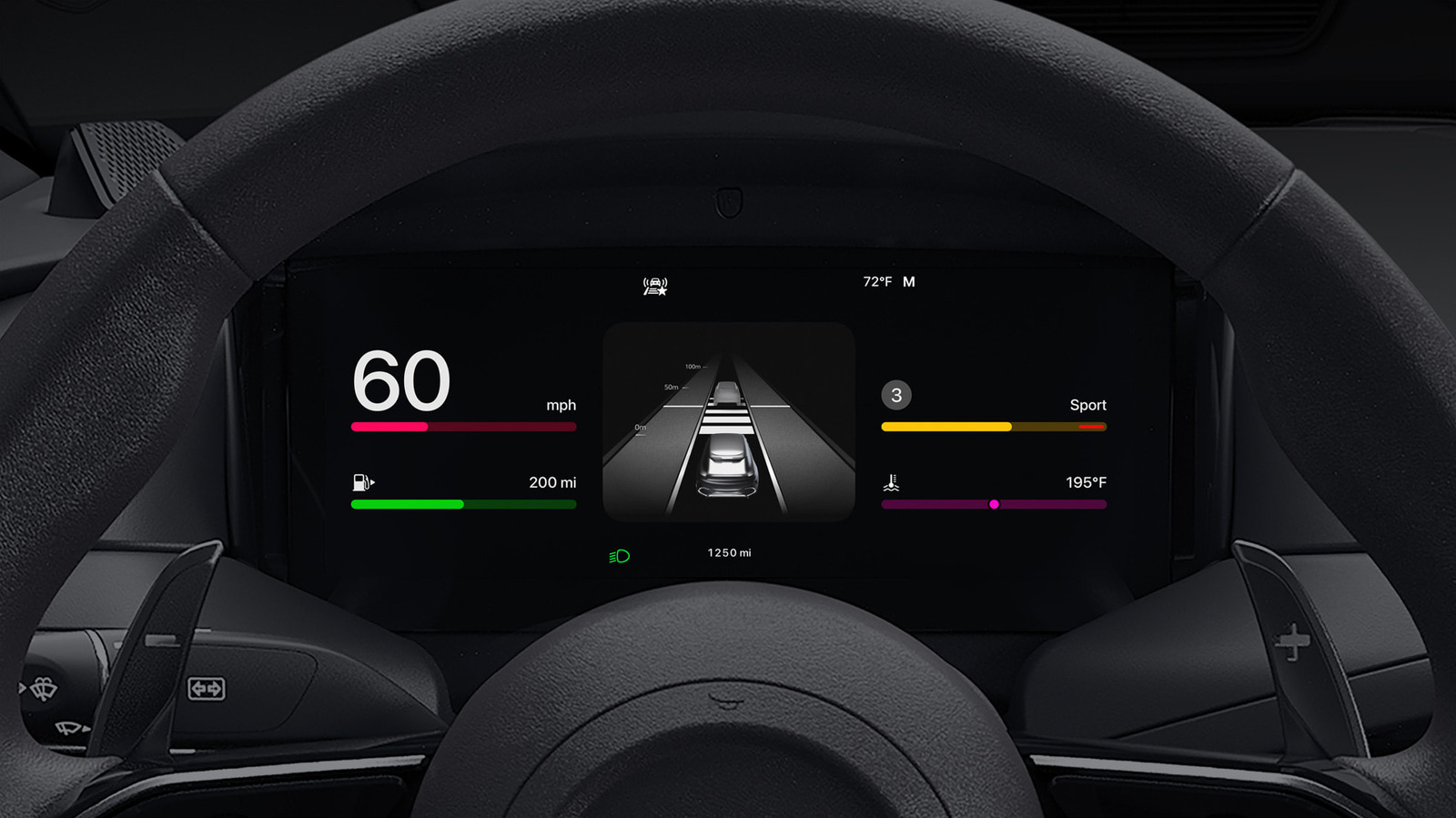
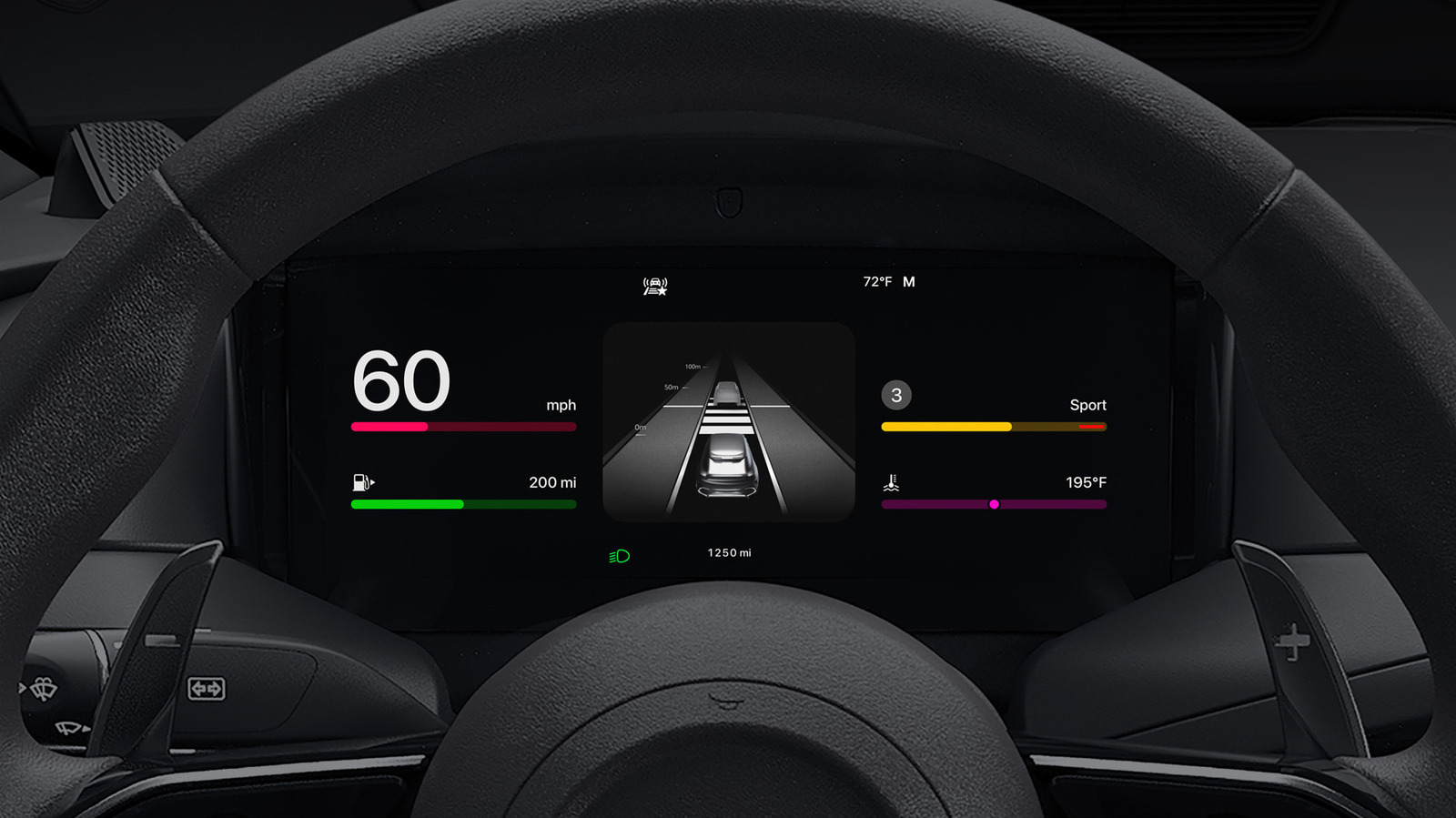
CarPlay can become even better when you take a few minutes to customize it.
Your iPhone turns your car’s infotainment system into a navigation and communication hub, thanks to CarPlay. While it works great by default, there are several ways to make it even better, plus new features that arrive every so often.
The easiest way to up your CarPlay game is customizing its layout to your liking. You may be surprised to learn that you must rearrange icons on your iPhone, not your car’s display. To do this, open Settings on your iPhone, tap General and select CarPlay. From there, select your vehicle and enter the Apps menu.
Here, you’ll find a list of apps on your phone compatible with CarPlay; drag them up or down to make the most important ones readily available on your CarPlay screen. The size of your car’s display defines how many apps make it onto the first page, so you may have to get creative when prioritizing your most-used ones. To remove or add apps, tap the red minus or green plus, respectively.
Advertisement
Starting with iOS 26, you can further organize your infotainment system through CarPlay widgets. These bring the same quick views you use on your phone’s Home screen, such as weather, calendar and clock, to your Car’s display. Edit them by tapping Widgets on the same menu where you selected your Apps earlier. CarPlay will intelligently swap your widgets throughout the day if enable Smart Rotate, and the similar Widget Suggestions will show available ones even if you haven’t added them.
CarPlay’s overall brightness should shift with your dash controls, but you can go further to toggle light and dark mode to suit the conditions to the time of day. Go to Settings > Appearance on your CarPlay screen, then select Automatic to allow your CarPlay brightness to adjust automatically. Apple’s CarPlay visual accessibility guide can also help here.
To spruce up its look, customize your wallpaper by opening Settings inside CarPlay and tapping Wallpaper. Choose your favorite option and hit Set. You can also change the colors of your icons, toggling between Default, Dark and Clear, under Settings > Customize icons in CarPlay.
Advertisement
Maximizing what you get from CarPlay
Siri is built into CarPlay; by saying “Hey Siri” or pressing the voice button on your car’s steering wheel, you can send messages, start navigation, change the playlist and take other actions. On a compatible iPhone, the revamped Siri AI in iOS 27 is also more useful in the car. And if the assistant is becoming a backseat driver, you can stop Siri from interrupting you while using CarPlay by tinkering with various settings.
If you like, you can go further by enabling Voice Commands, an accessibility feature that provides more CarPlay controls with your voice. To turn this on, go to Settings > Accessibility > Voice Control in CarPlay. Once enabled, it will continually listen for commands like opening apps, swiping left/right or touching a certain element on the screen. For a full list of commands, see Apple’s Voice Control CarPlay support page.
The Focus feature is a productivity must-have on your iPhone, and the Driving Focus helps reduce distractions from notifications while not affecting essential driving apps. To enable Driving Focus, go to the Settings on your vehicle’s CarPlay display, select Driving Focus and choose Activate with CarPlay. For best results, customize your Driving Focus notification settings on your phone by going to Settings > Focus > Driving. Under People, select contacts whose messages you’d like to allow through or silence. You can also allow repeated calls from people who are otherwise suppressed, as well as create auto-replies. Visit the While Driving tab to turn on this Focus automatically whenever you connect to CarPlay, if you didn’t already do so on your iPhone.
Advertisement
Beyond these settings and app changes, elite CarPlay users use both wireless and wired connections depending on the situation. Although a wireless connection is convenient, it doesn’t charge your phone while using it unless your car has a wireless charging pad. As such, on extended road trips, plugging in your phone is the right choice to keep the battery topped up.
Other little tricks make CarPlay even smoother. In the Messages app on your iPhone, tap and hold a frequent conversation and choose Pin to keep it at the top — doing this will also pin it in the Messages app for CarPlay. And don’t forget about the Shortcuts app, where you can build CarPlay automations.

























![“Experts” Predict Black Monday For Global Markets! [Here’s The Truth]](https://wordupnews.com/wp-content/uploads/2026/09/1790163801_maxresdefault-80x80.jpg)






































You must be logged in to post a comment Login