

Business
Where Your Dollar Goes Furthest


“Cost-effective” is one of those phrases that means five different things depending on who’s asking. A freelancer producing 20 client images a week defines it very differently from a solo creator making three social posts a day. And “cheap” isn’t the same as “cost-effective” — a $5 plan that only lets you generate 30 usable images is worse value than a $30 plan giving you 3,000.
This piece takes ten of the most-used AI image platforms in 2026 and works out the actual economics: what a real image costs after credits, tiers, and annual discounts; what you get for free before paying anything; and how the effective cost per image changes once you start pushing volume. No headline prices without context — just the math.
The Cost-Effectiveness Framework
Four numbers determine whether a platform is genuinely a good deal:
- Effective cost per usable image. Not “per credit” — per image you’d actually keep and use.
- Free tier volume. Whether it’s enough to finish a real project before the paywall.
- Annual discount depth. Which platforms reward commitment, and by how much.
- Marginal cost at scale. What the 500th image of the month costs vs. the 50th.
A platform can win on one axis and lose on another. Below, each entry is scored on all four.
Quick Comparison
| Rank | Platform | Cheapest Paid Entry | Effective $/Image | Free Tier | Annual Savings |
| 1 | Chat Image | $14.9/mo (annual) | $0.12–$0.20 | 3 credits (1 image) | 25% off |
| 2 | Nano Banana Bingo | $19.9/mo (annual) | $0.015–$0.037/credit | 3 credits | Up to 33% off |
| 3 | Krea AI | $5/mo (annual) | ~$0.08 | 100 units/day | 40% off |
| 4 | Hailuo AI | $7.99/mo (annual) | $0.012–$0.02 | Trial credits | Up to 49% off |
| 5 | getimg.ai | $8/mo (annual) | $0.0015–$0.0033/credit | 100 free credits | 20% off |
| 6 | OpenArt | $12.6/seat/mo | $0.0018–$0.0035 | Limited daily credits | Up to 27% off |
| 7 | CGDream | $10/mo | $0.04–$0.06 | Free tier available | None advertised |
| 8 | EaseMate AI | $7.49/mo (annual) | $0.056–$0.098 | 200K chat tokens/day | ~25% off |
| 9 | Envato | $16.5/mo (Core annual, no AI) | $0.39 (Plus) | No AI on free | Up to 35% off |
| 10 | Shutterstock AI | $29/mo (annual) | $0.58–$1.99/credit | No AI on free | ~50% off vs. no-contract |
The Rankings
1. Chat Image — Predictable Per-Image Math
Most cost-effectiveness questions get complicated the moment credit tiers get involved. Chat Image sidesteps that by charging a fixed 3 credits per GPT Image 2 generation, regardless of aspect ratio or prompt complexity. You always know what one image costs.
Run the numbers across the four tiers:
- Basic annual — $178.8/yr ÷ (300 credits × 12 ÷ 3) = $0.149/image
- Basic monthly — $19.9/mo ÷ 100 images = $0.199/image
- Professional annual — $358.8/yr ÷ 2,600 images = $0.138/image
- Enterprise annual — $2,398.8/yr ÷ 20,000 images = $0.120/image
The gap between the cheapest tier ($0.12) and the most expensive path ($0.199) is under 40% — narrow compared to platforms where per-image cost swings 10× depending on which model you pick. Annual billing shaves 25% off every tier, applied uniformly rather than gated behind higher plans.
Value case: if your monthly output sits between 80 and 220 GPT Image 2 renders, Basic annual is the sweet spot. Beyond 500 images, Professional or Enterprise annual drops effective cost below $0.14.
Pros
- Fixed 3 credits per image makes budgeting straightforward
- 25% annual discount applied uniformly to all paid tiers
- Effective cost stays within a narrow $0.12–$0.20 band
- Commercial-ready downloads included from the entry paid tier
Cons
- Free tier caps at 3 trial credits
- Single-model pricing — no cheaper alternative model inside the same subscription
Best value for: anyone whose workflow centers on GPT Image 2 and wants a predictable monthly bill.
2. Nano Banana Bingo — Tier-Adjustable Cost Per Image
Nano Banana Bingo takes a different approach to pricing. Instead of a fixed cost per image, you dial cost up or down by choosing which of three model tiers to run — Standard, Lite, or Pro. Combine that with the per-credit pricing curve, and Nano Banana ends up with one of the more flexible cost profiles on this list.
Per-credit cost across the four plans:
- Starter monthly — $29.9 ÷ 800 = $0.037/credit
- Starter annual — $19.9 ÷ 800 = $0.025/credit
- Pro annual — $39.9 ÷ 1,600 = $0.025/credit
- Max annual — $69.9 ÷ 4,000 = $0.017/credit
- Ultra annual — $149.9 ÷ 10,000 = $0.015/credit
Because a Standard-tier image consumes fewer credits than a Pro-tier image, the same subscription can produce a very different number of usable outputs depending on how you allocate them. Users who mix quick drafts (Standard) with final renders (Pro) tend to get more mileage per dollar than users who run everything at max quality.
The Ultra plan’s 1×–5× usage multiplier is worth noting — it effectively expands the 10,000-credit ceiling for heavier workloads without moving you to a higher subscription bracket.
Pros
- Three model tiers let you match cost to output quality on a per-generation basis
- Per-credit cost drops from $0.037 to $0.015 as tiers scale
- Annual billing saves 20–33% depending on plan
- Ultra tier’s 1×–5× multiplier extends effective credit ceiling
Cons
- Starter plan does not include commercial licensing
- Credit-per-image count varies by chosen model tier
Best value for: users who mix quick iterations with high-quality finals, and want granular control over cost per generation.
3. Krea AI — Cheapest Paid Entry, Unlimited at the Top
Krea has the lowest paid entry price on this list: $5/mo on annual billing. That gets you 5,000 units, which Krea documents as roughly 64 Nano Banana 2 images or 20 Seedance 2.0 videos.
Effective image cost:
- Basic annual — $60/yr ÷ 768 images = $0.078/image
- Pro annual — $252/yr ÷ 3,072 images = $0.082/image
- Max annual — $756/yr ÷ 9,216 images = $0.082/image on tracked units
But Max’s real value isn’t the tracked units — it’s the unlimited relaxed generations. Once you’re producing more than a few thousand images a month, marginal cost per image drops toward zero. That makes Max the cheapest per-image plan on the list at high volume, even though its headline price is $63/mo.
Krea also runs the deepest annual discount (40%), which is genuinely unusual — most platforms cap annual savings around 20–25%.
Pros
- Lowest paid entry price on this list ($5/mo annual)
- 40% annual discount (deepest of any platform here)
- Unlimited relaxed generations on Max drives marginal cost toward zero
- Transparent unit-to-image conversion published by the platform
Cons
- Free tier limited to single-task image generation, no video concurrency
- Node-based workflow adds a learning curve for prompt-only users
Best value for: heavy users who can commit annually and are willing to work in relaxed mode.
4. Hailuo AI — Cheapest Frontier-Model Access
Hailuo’s cost-effectiveness case is different from the others: you’re not paying the lowest per-image rate, you’re paying the lowest rate for access to frontier models. Veo 3.1, Sora 2, Seedance 2.0, Nano Banana Pro, Seedream 5.0 Lite, GPT Image 2 — all inside one $7.99/mo annual subscription.
Standard-tier image cost math:
- A GPT Image 2 image at 1K/Low = 2 Shells
- Standard annual — $7.99 ÷ (1,000 Shells ÷ 2) = $0.016/image
- Pro annual — $27.99 ÷ (4,500 Shells ÷ 2) = $0.012/image
Pro and above unlock unlimited generation on selected models at set resolutions — Nano Banana at 1K on Pro, at 2K on Master, and other image models up to 4K on Max. That effectively drives marginal cost to zero for the models you use most.
Annual billing saves up to 49% — the largest percentage discount on this list (Krea’s 40% is on smaller absolute numbers).
Pros
- Cheapest single subscription that includes Veo 3.1, Sora 2, and Seedance 2.0
- Up to 49% annual savings
- Unlimited generation on selected models from Pro tier upward
- Watermark removal on every paid plan
Cons
- Shell-based currency adds a mental conversion step
- Free tier is a one-time trial rather than recurring
Best value for: users who want premium video and image models under one bill.
5. getimg.ai — Lowest Per-Credit Rate
getimg.ai’s per-credit pricing is the tightest on this list: $0.0033 on Entry monthly down to $0.0015 on Ultra annual. Combined with a full multi-modal toolkit — image, video, music, speech — that makes it one of the strongest value propositions if you’d otherwise be paying for multiple tools.
Tier math (per credit):
- Entry monthly — $10 ÷ 3,000 = $0.0033
- Entry annual — $96 ÷ 36,000 = $0.0027
- Core annual — $300 ÷ 180,000 = $0.00167
- Ultra annual — $1,800 ÷ 1,200,000 = $0.0015
Actual per-image cost depends on which of the platform’s 11+ image models you use, so budgeting requires a bit of testing. But even at 5× credit consumption per image, effective cost still comes in under $0.02.
Pros
- Lowest per-credit rate on this list ($0.0015 on Ultra annual)
- Multi-modal coverage — one subscription replaces three
- Commercial rights on every paid tier
- 100 free credits to start
Cons
- Effective per-image cost varies by model, complicating exact budgeting
- Entry plan is single-user only
Best value for: small creative teams replacing multiple single-purpose subscriptions.
6. OpenArt — Lowest Headline $/Image
If you look purely at published per-image math, OpenArt wins the headline number. Its 1 credit ≈ 1 image conversion, combined with generous credit allocations, pushes effective cost to $0.0018–$0.0035.
Tier math:
- Essential annual — $151.2/yr ÷ 48,000 credits = $0.00315/image
- Advanced annual — $278.4/yr ÷ 144,000 credits = $0.00193/image
- Infinite annual — $524.4/yr ÷ 288,000 credits = $0.00182/image
That’s an order of magnitude below Chat Image or Nano Banana Bingo. The caveat: those numbers apply to base image generation. Video, premium models, and higher-resolution options consume more credits per output, which pulls the effective average up. Realistic mixed-use per-image cost typically lands in the $0.01–$0.03 range once you factor in the models most people actually pick.
Still, for base image workloads, OpenArt is genuinely cheap per unit.
Pros
- Lowest headline per-image cost on this list ($0.0018 on base images)
- 100+ models accessible from one subscription
- 27% annual discount
- Wonder tier includes unlimited Seedream 5.0 Pro generation
Cons
- Essential plan excludes commercial rights
- Per-seat billing scales up quickly for teams
Best value for: solo creators generating high volumes of base-model images.
7. CGDream — 2D + 3D Under One Bill
CGDream’s cost-effectiveness comes from being one of the few platforms that generates both 2D images and native 3D models at consumer pricing. Text-to-3D and image-to-3D would normally require a separate subscription.
Per-image math at 60 credits per default Flux/Pro 1.1 image:
- Basic — $10 ÷ (10,000 ÷ 60) = $0.06/image
- Pro — $30 ÷ (40,000 ÷ 60) = $0.045/image
- Premium — $60 ÷ (90,000 ÷ 60) = $0.04/image
Credit-to-dollar ratio scales 1× / 4× / 9× across tiers — jumping to Pro effectively quadruples value per dollar, and Premium multiplies by nine. All paid plans advertise “Unlimited Credits per Day” and Relaxed Generations as a fallback.
No public annual discount, which is unusual on this list. If you can only commit monthly, though, CGDream’s tier scaling still delivers.
Pros
- Native 2D + 3D generation under one subscription
- Credit-value ratio scales 1× / 4× / 9× across tiers
- Unlimited Credits per Day advertised on all paid plans
- Inpainting included alongside standard workflows
Cons
- No publicly advertised annual discount
- Basic plan lacks Slow Mode fallback
Best value for: anyone working across 2D and 3D who wants one bill instead of two.
8. EaseMate AI — Bundle Economics
EaseMate’s pricing looks mid-range on image generation alone — around $0.056–$0.098 per image. What tips it toward cost-effective is the bundling: image, video, LLM chat (GPT-5, Claude, Gemini), OCR, PDF chat, translation, and math solvers all in one subscription.
Tier math on default 10-credit images:
- Lite annual — $89.88/yr ÷ 14,400 credits × 10 = $0.062/image
- Pro annual — $202.8/yr ÷ 36,000 credits × 10 = $0.056/image
- Credit packs — $0.098/image (500-pack) down to $0.070/image (15,000-pack, 30% off)
Credit packs never expire, which matters for irregular usage. If you generate 100 images one month and 500 the next, you don’t lose unused allocation.
Renewal pricing is worth watching — first-month/first-year promos step up on renewal.
Pros
- Image + video + chat + productivity in one subscription
- Credit packs never expire
- Access to GPT-5, Claude, Gemini, Midjourney, and Sora 2 under one bill
- 30% discount on largest credit pack
Cons
- Promotional first-cycle pricing steps up on renewal
- Free tier disables OCR and Face Swap
Best value for: solo users consolidating multiple SaaS subscriptions.
9. Envato — Only If You Need the Stock Library
Envato’s AI-generation math looks weak in isolation: $0.39 per generation on Plus annual, at only 100 generations/month. Compared to specialist tools charging $0.02, that’s a 20× premium.
But Envato isn’t sold as a pure AI tool. The $16.50/mo Core plan unlocks 28M+ stock assets with lifetime commercial licenses. The $39/mo Plus plan adds 100 AI generations on top. If you’d otherwise be paying for Envato Elements anyway, the incremental AI cost is $22.50/mo — a much better number.
For unlimited AI, Ultimate at $109/mo eliminates the per-generation cap. At 500 generations/month, effective cost drops to $0.22/image. At 2,000/month, $0.055/image.
The value case only works if the stock library matters. As a standalone AI subscription, it’s the worst deal on this list.
Pros
- Lifetime commercial license on all AI outputs and stock downloads
- 28M+ asset library included alongside AI
- Unlimited AI generation on Ultimate reduces effective per-image cost at volume
- Broad model access (Flux, NanoBanana, Veo, Kling, ElevenLabs, Topaz)
Cons
- Core plan excludes AI generation entirely
- Per-generation cost on Plus is 10–20× higher than specialist tools
Best value for: teams already paying for stock media who want AI in the same bill.
10. Shutterstock AI — Value Only if You Already Need Stock
Shutterstock’s per-AI-credit cost is the highest on this list — $0.58–$1.99 per credit if you attribute the full subscription cost to AI usage. As a standalone AI platform, it’s not competitive.
But like Envato, that’s not really how anyone uses it. The $29/mo annual Unlimited Images plan buys you unlimited downloads from 83M+ premium images and 100M+ videos/music/SFX. The 50 monthly AI credits are a side dish.
If you’re already paying for stock, the AI credits are effectively free at the margin. If you’re not, this is the wrong platform.
Annual billing roughly halves the cost vs. no-contract pricing — the steepest percentage swing on this list, though the base rate is high enough that the savings don’t outweigh specialist tools for pure AI use.
Pros
- Access to Imagen 4 Ultra, Gemini 3.1 Flash, GPT models, and Runway
- 83M+ images and 100M+ mixed-media assets bundled
- Single-user commercial license simplifies rights management
- ~50% savings on annual vs. no-contract billing
Cons
- Standalone AI cost-per-credit is the highest on this list
- 50–100 monthly AI credits is low for AI-first workflows
Best value for: teams already using Shutterstock stock who want light AI supplementation.
Where Your Dollar Goes Furthest
Under $10/mo: Krea Basic annual ($5) and getimg.ai Entry annual ($8) are the cheapest paid entries. Krea has the deeper discount; getimg.ai has the wider tool coverage.
Under $20/mo, single tool: Chat Image Basic annual ($14.9) delivers the most predictable per-image cost. Nano Banana Bingo Starter annual ($19.9) delivers the widest cost-quality range.
Best per-image headline: OpenArt Advanced annual at $0.0019 on base images.
Best per-credit rate: getimg.ai Ultra annual at $0.0015.
Deepest annual discount: Hailuo (49%) and Krea (40%).
Cheapest frontier-model access: Hailuo Standard annual at $7.99/mo.
Best bundle economics: EaseMate (image + video + chat + productivity), Krea (image + video + 3D + workflows), getimg.ai (image + video + music + speech).
Final Thoughts
Cost-effectiveness isn’t a single ranking — it’s a match between your workflow and a pricing model. Someone generating 50 images a month at fixed quality gets the best deal from Chat Image. Someone generating 5,000 mixed-quality images gets the best deal from Krea Max or OpenArt Wonder. Someone who needs Veo 3.1 and Nano Banana in the same subscription gets the best deal from Hailuo.
The math on this list is real, but so is the workflow fit. The cheapest platform in dollars per image isn’t cost-effective if you spend an extra ten hours a month working around it.
Pick two or three that match your actual output pattern, generate the same prompts through each free tier, and calculate cost per usable image — not per credit. That’s the number that matters.


As an eCommerce business grows, the platform that once supported its operations may gradually become a limitation rather than an advantage.
What worked well during the early stages of growth may struggle to keep pace with increasing traffic, expanding product catalogs, evolving customer expectations, and more complex business operations. Unfortunately, many businesses fail to recognize these warning signs until performance issues begin affecting revenue, customer satisfaction, and operational efficiency.
Outgrowing an eCommerce platform is not necessarily a reflection of choosing the wrong solution initially. Every platform is designed with a particular audience, level of complexity, and growth stage in mind. A platform that is ideal for a small or mid-sized business may become restrictive as the organization scales, enters new markets, or introduces advanced functionality.
Recognizing when your platform has become a bottleneck is the first step toward building a stronger foundation for sustainable growth. In many cases, businesses reaching this stage begin evaluating enterprise-level solutions such as Adobe Commerce (formerly Magento), which offers greater flexibility, scalability, and customization for organizations with more sophisticated requirements.
This article explores the most common signs that your business has outgrown its current eCommerce platform and explains why addressing these limitations early can position your business for long-term success.
Your Website Slows Down as Your Business Grows
Website performance directly influences customer experience, search engine visibility, and conversion rates. As your product catalog expands and visitor numbers increase, your current platform should continue delivering fast, reliable performance without requiring constant workarounds.
If pages begin loading more slowly during seasonal promotions, marketing campaigns, or periods of high traffic, your platform may no longer be capable of handling your business’s growing demands efficiently. Customers today expect websites to respond almost instantly, and even small delays can increase bounce rates while reducing completed purchases.
Performance issues often become more noticeable as businesses introduce additional functionality such as personalized recommendations, customer segmentation, advanced search features, or third-party integrations. Instead of supporting these improvements seamlessly, an outdated or limited platform may struggle under the increased workload.
Enterprise platforms like Adobe Commerce are designed with scalability in mind, allowing businesses to accommodate significantly larger traffic volumes and product catalogs without sacrificing performance when properly optimized.
Your Product Catalog Has Become Difficult to Manage
Managing a few hundred products is very different from managing thousands or even hundreds of thousands of SKUs across multiple categories, brands, and inventory locations.
As product catalogs become more sophisticated, businesses require greater control over product attributes, configurable products, bundled offerings, inventory rules, pricing structures, and merchandising strategies. If your existing platform makes these everyday tasks unnecessarily time-consuming or requires repetitive manual work, it may no longer align with your operational needs.
A growing business should be able to introduce new products, update pricing, manage inventory, and organize categories efficiently without constantly fighting against platform limitations. When administrative tasks consume increasing amounts of staff time, productivity suffers, and growth opportunities become harder to pursue.
As catalogs continue to expand, merchandising teams also benefit from specialized tools such as a product grid checker, which helps verify that products are displayed correctly across category pages, identifies inconsistencies in product listings, and supports a more organized shopping experience for customers.
Adobe Commerce offers highly flexible catalog management capabilities that allow businesses to organize large and complex product catalogs while maintaining operational efficiency.
Customization Has Become Increasingly Difficult
Every successful eCommerce business eventually develops unique operational requirements that distinguish it from competitors. These may include specialized pricing rules, customer-specific catalogs, subscription models, advanced shipping logic, custom checkout experiences, or unique product configurations.
Many entry-level platforms perform exceptionally well when businesses follow standard workflows. But they become restrictive when organizations require functionality that pre-built themes or applications cannot provide.
If your development team frequently encounters limitations that require expensive workarounds or functional compromises, your platform may no longer support your long-term business strategy. Businesses should not be forced to adapt their operations to fit platform restrictions when the platform should instead adapt to support business objectives.
Adobe Commerce is widely recognized for its flexibility because it allows developers to build highly customized experiences that align with complex business requirements rather than relying solely on standardized templates.
You Depend on Too Many Third-Party Apps
Third-party extensions and applications can significantly enhance an eCommerce platform by adding useful functionality. However, there comes a point where relying on dozens of separate integrations introduces more complexity than value.
Each additional extension increases the potential for compatibility issues, security vulnerabilities, performance degradation, and ongoing maintenance requirements. As businesses continue layering new applications to compensate for missing native features, managing the platform becomes increasingly complicated.
Frequent software conflicts, unexpected updates, or integration failures often indicate that the underlying platform lacks the flexibility or built-in functionality required to support your evolving operations.
Enterprise platforms typically provide more robust native capabilities while also offering deeper integration possibilities with business systems such as enterprise resource planning (ERP), customer relationship management (CRM), warehouse management systems (WMS), and marketing automation platforms.
Managing Multiple Sales Channels Has Become Complicated
Modern commerce extends well beyond a single online storefront. Businesses frequently sell through marketplaces, physical retail locations, social commerce platforms, mobile applications, and international websites while expecting inventory and customer information to remain synchronized.
If managing these channels requires significant manual effort or multiple disconnected systems, your current platform may no longer support your omnichannel strategy effectively.
Growing businesses benefit from centralized management that allows inventory, pricing, customer accounts, and orders to remain consistent across every sales channel. Without this level of integration, operational inefficiencies increase while customer experiences become inconsistent.
Adobe Commerce supports more sophisticated commerce ecosystems by integrating with numerous business systems and enabling businesses to deliver unified customer experiences across multiple channels.
Your International Expansion Is Becoming More Difficult
Expanding into international markets introduces challenges that extend far beyond translating product descriptions. Businesses often require support for multiple languages, currencies, tax regulations, shipping methods, regional pricing strategies, localized content, and country-specific customer experiences.
Many smaller eCommerce platforms offer limited international functionality or require extensive customization to accommodate global operations. As expansion continues, these limitations become increasingly difficult to manage.
An enterprise platform should enable businesses to operate multiple storefronts from a centralized administration panel while maintaining flexibility for regional customization. This capability simplifies operations while allowing businesses to provide localized experiences that improve customer engagement and conversion rates optimization across international markets.
Adobe Commerce was specifically designed to support global commerce, making it a strong choice for organizations operating across multiple countries and regions.
Your Marketing Team Is Restricted by Platform Limitations
Marketing strategies continue evolving as customer expectations change and new technologies emerge. Personalization, customer segmentation, dynamic promotions, loyalty programs, AI-driven recommendations, and advanced merchandising have become increasingly important for competitive online retailers.
If your marketing team regularly discovers that desired campaigns cannot be implemented because the platform lacks necessary functionality, business growth may begin slowing despite strong marketing initiatives.
An effective eCommerce platform should empower marketing teams rather than limit their creativity. Businesses should be able to create targeted promotions, personalized shopping experiences, and sophisticated pricing rules without requiring extensive custom development for every campaign.
Adobe Commerce includes powerful merchandising and promotional capabilities that provide marketers with greater control over customer experiences while supporting more advanced personalization strategies.
Search Engine Optimization Has Become Increasingly Challenging
Organic search remains one of the most valuable sources of long-term customer acquisition, making technical SEO capabilities an essential consideration when evaluating an eCommerce platform.
As websites grow larger, businesses require greater control over URL structures, canonical tags, structured data, metadata, redirects, XML sitemaps, page performance, and crawl management. If your platform restricts these capabilities or makes technical optimization unnecessarily complicated, your search visibility may eventually suffer.
Enterprise platforms generally provide more comprehensive SEO flexibility, allowing businesses to implement advanced optimization strategies that improve search engine visibility while supporting larger and more complex website structures.
Adobe Commerce offers extensive control over technical SEO elements, making it well suited for businesses that rely heavily on organic search as part of their growth strategy.
Operational Efficiency Continues to Decline
One of the clearest indicators that a platform has reached its limits is a steady increase in manual work. Tasks that should be automated begin requiring spreadsheets, duplicate data entry, or disconnected processes that consume valuable employee time.
As order volumes increase, businesses should experience improved efficiency through automation rather than greater administrative complexity. If your staff spends increasing amounts of time correcting inventory discrepancies, manually updating customer information, or reconciling orders between different systems, the platform may no longer support efficient operations.
Modern enterprise commerce solutions emphasize automation and integration because reducing operational friction allows businesses to focus on strategic growth rather than repetitive administrative tasks.
Security and Compliance Requirements Have Become More Complex
As businesses grow, security responsibilities become increasingly important. Customers expect their personal information and payment data to be protected through modern security practices, while businesses must also comply with evolving industry regulations and data protection standards.
Smaller platforms may provide sufficient security for basic operations, but growing organizations often require stronger access controls, advanced user permissions, improved monitoring capabilities, and more sophisticated infrastructure management.
Adobe Commerce provides enterprise-grade security features and supports businesses with more demanding compliance and governance requirements, making it a suitable choice for organizations handling larger transaction volumes and sensitive customer data.
Your Development Roadmap Is Constantly Delayed
Technology should enable innovation rather than prevent it. When development teams consistently postpone new features because the underlying platform cannot support them efficiently, the business risks falling behind competitors.
Whether introducing subscription services, B2B functionality, AI-powered personalization, advanced checkout experiences, or custom integrations, businesses should be able to execute their digital strategy without repeatedly encountering technical limitations.
A flexible platform provides developers with the tools necessary to build new capabilities while maintaining long-term stability, allowing innovation to become part of ongoing business growth instead of a recurring technical challenge.
The Total Cost of Ownership Is Increasing Instead of Decreasing
Many businesses initially choose a platform because of its affordable monthly pricing, only to discover that long-term operating costs increase substantially as the business grows.
These additional expenses may include premium applications, custom development, integration maintenance, performance optimization, manual labor, security management, and ongoing workarounds that compensate for missing functionality.
Evaluating platform costs should extend beyond subscription fees alone. Businesses should consider the total cost of ownership, including operational efficiency, scalability, maintenance, customization, and future growth potential.
Although enterprise platforms often require greater initial investment, they frequently provide stronger long-term value by reducing operational complexity while supporting continued business expansion.
When Adobe Commerce Becomes the Right Choice
Not every growing business requires an enterprise eCommerce platform, and migrating too early can introduce unnecessary complexity. However, organizations experiencing multiple challenges discussed throughout this article often benefit from evaluating whether their existing platform still aligns with their strategic objectives.
Adobe Commerce is particularly well suited for businesses that manage complex product catalogs, operate across multiple markets, require extensive customization, support both B2C and B2B customers, or expect significant future growth. Its flexibility, scalability, extensive API capabilities, robust merchandising tools, and enterprise-grade architecture make it a strong option for organizations seeking a platform that can evolve alongside their business rather than limit its potential.
A successful migration is not simply about replacing software. It represents an opportunity to improve website performance, modernize customer experiences, streamline operations, strengthen SEO, and build a digital commerce infrastructure capable of supporting the next stage of growth.
Is Your eCommerce Platform Ready?
Outgrowing an eCommerce platform is often a positive milestone because it reflects business growth, increasing customer demand, and expanding operational complexity. However, continuing to rely on a platform that no longer supports these evolving requirements can gradually limit performance, reduce efficiency, and restrict future opportunities.
Businesses should regularly evaluate whether their platform continues to align with their long-term objectives rather than waiting for serious performance issues or operational challenges to emerge. By recognizing warning signs early and investing in a scalable solution when the time is right, organizations can create a stronger technological foundation that supports innovation, enhances customer experiences, and enables sustainable growth.
For businesses that have reached this stage, Adobe Commerce offers the flexibility, scalability, and enterprise capabilities required to support increasingly sophisticated eCommerce operations while providing room for continued expansion in the years ahead.

’The fear killed her’: How an exam scandal in India sparked a student uprising

Citi brush off memory "peak-out" fears, reiterates Buy on Samsung and SK Hynix
Business
IDFC First Bank Q1 Results: Profit shoots up 132% YoY to record Rs 1,075 crore; NII jumps 21%

Net interest income (NII) rose 21.1% year on year to Rs 5,972.3 crore from Rs 4,933 crore in the corresponding quarter last year.
The bank’s net interest margin (NIM) improved to 5.96% in Q1 FY27 from 5.71% in Q1 FY26, an increase of 25 basis points. On a sequential basis, NIM rose 3 basis points.
However it must be noted that the lender received claims of Rs 514.8 crore under the CGFMU scheme against MFI portfolio, it disclosed in a regulatory filing.
Asset quality also improved during the quarter. Gross non-performing assets (NPA) declined to 1.51% as of June 30, 2026, from 1.97% a year earlier, an improvement of 45 basis points. On a quarter-on-quarter basis, gross NPA improved by 10 basis points.

Deposits and borrowing
Customer deposits increased 16.6% year on year to Rs 2.99 lakh crore as of June 30, 2026, from Rs 2.56 lakh crore a year earlier. On a quarter-on-quarter basis, deposits grew 5.3%.
CASA deposits rose 24.6% YoY to Rs 1.58 lakh crore as of June 30, 2026, from Rs 1.27 lakh crore in the year-ago period. On a sequential basis, CASA deposits increased 8.1%.
Loans and advances
Loans and advances, including credit substitutes, rose 20.6% year on year to Rs 3.05 lakh crore as of June 30, 2026, from Rs 2.53 lakh crore a year earlier. On a quarter-on-quarter basis, the book grew 5.2%, driven primarily by growth in mortgage, vehicle, corporate and consumer loans.
The retail, agriculture and MSME (RAM) book increased 18.2% YoY to Rs 2.41 lakh crore from Rs 2.03 lakh crore, while growing 3.8% sequentially.
IDFC Bank Q1 management commentary
The lender said it is focused on building a high-quality institution with strong governance standards and is witnessing healthy business momentum.
He said asset quality continued to improve, with gross NPA at 1.51% and net NPA at 0.44%, while provisions as a percentage of loans also continued to decline. During the quarter, the bank received a CGFMU claim of Rs 515 crore and, on a prudent basis, created a provision of Rs 515 crore to account for any potential impact from monsoon conditions or fuel price volatility during the rest of the year.
Vaidyanathan said investments made in building the bank are beginning to translate into operating leverage, helping lift PAT to Rs 1,075 crore in Q1 FY27. Return on assets (ROA) also crossed 1%.

The vacation rental market has become more competitive. More listings and more platforms mean that being visible in one place is no longer enough.
Listing across Airbnb, Booking.com, and Vrbo brings more exposure, but it also creates more coordination. Calendars need to stay aligned, pricing needs to match, and bookings can come in from different platforms at the same time.
Without a system to help manage it, gaps start to show. Availability falls out of sync, pricing becomes inconsistent, and managing multiple channels takes more time than it should.
That’s usually when operators turn to a vacation rental channel manager to keep everything aligned without having to manage each platform individually.
What Is a Vacation Rental Channel Manager?
A vacation rental channel manager is a tool that connects your listings across multiple booking platforms and keeps them in sync. Instead of managing each platform separately, it ensures that availability, pricing, and reservations are aligned across all platforms where your property is listed.
Without a system in place, managing channels manually means logging into each platform, updating calendars, adjusting pricing, and checking for conflicts. That setup can work when there are only a few listings, but it becomes harder to manage as volume increases.
Vacation rental channel manager software automates these updates. When a booking is made on Airbnb, availability updates across Booking.com, Vrbo, and any other connected platforms. When pricing changes, those updates apply everywhere at once. This keeps listings consistent and reduces the need for constant manual checks.
Why Managing Multiple Channels Is Important
Relying on one platform limits how many guests see your property. Each platform has its own audience, booking patterns, and search behaviour.
Listing across multiple platforms increases visibility, but it also changes how demand is distributed. Some platforms bring more last-minute bookings, while others attract longer stays or different guest profiles. Being present across these channels helps balance occupancy throughout the year.
It also reduces dependency on a single online travel agent (OTA). Platform policies, ranking changes, or shifts in demand can affect performance quickly. Spreading listings across channels gives more stability and reduces risk.
For a growing vacation rental business, multi-channel distribution is less about expansion and more about maintaining consistent bookings across different types of demand.
How a Channel Manager Increases Your Bookings
More exposure doesn’t automatically lead to more bookings. It only works if everything behind the scenes stays aligned.
Real-Time Availability Sync
Availability needs to update instantly across all platforms. If there’s a delay, even a short one, the same dates can appear available in multiple places.
A vacation rental channel manager keeps calendars updated in real time. As soon as a booking is confirmed, availability is adjusted across every connected platform. This reduces the risk of double bookings and keeps calendars accurate without manual checks.
Wider Distribution Across Platforms
Listing on more platforms increases the chances of being seen by different types of guests.
A channel manager for vacation rentals makes it possible to distribute listings across multiple platforms without increasing workload. Instead of managing each channel separately, everything stays connected, so expanding distribution doesn’t create additional complexity.
More visibility leads to more booking opportunities, but only when listings remain consistent across platforms.
Faster Listing Updates
Updating pricing, availability, or content across multiple platforms manually takes time.
With a vacation rental channel manager, those updates happen in one place. Changes are applied across all connected platforms at the same time, so listings stay aligned without requiring duplicate work. This makes it easier to respond to changes in demand or adjust pricing without delays.
Improved Booking Efficiency
Managing bookings across multiple platforms often involves switching between systems and checking for inconsistencies.
A centralised setup allows everything to be managed from one place. Instead of tracking bookings separately, operators can see activity across all platforms in one view.
This reduces time spent on coordination and makes it easier to handle more bookings without increasing workload.
Key Features of a Vacation Rental Channel Manager
Most of the features of vacation rental channel manager software are designed to keep listings aligned and reduce manual coordination.
- Multi-channel integration connects platforms like Airbnb, Booking.com, and Vrbo, keeping listings synchronised across all channels.
- A centralised dashboard lets you manage bookings, availability, and pricing in one place instead of switching between platforms.
- Automated updates ensure that availability, pricing, and reservations stay aligned across all listings without manual input.
- Reporting and analytics give visibility into performance across platforms, helping you see which channels drive the most bookings.
Benefits of Using a Channel Manager
When listings stay aligned across platforms, a few things change straight away.
- Occupancy improves because your availability is always accurate and visible across every channel.
- Manual work drops because you’re not updating calendars or pricing in multiple places.
- Revenue becomes easier to manage since pricing stays consistent and you’re not missing demand due to delays.
- Guest experience improves because there are fewer booking issues and less confusion around availability or pricing.
For operators using vacation rental property management software, channel management becomes part of a setup that keeps everything connected as the business grows.
How to Choose the Right Channel Manager
Choosing a vacation rental channel manager depends on how your operation currently runs and where things start to slip.
- It should integrate with the platforms you rely on, including Airbnb, Booking.com, and Vrbo, so everything stays connected.
- It needs to be easy to use day to day, otherwise it won’t reduce workload.
- Pricing should make sense for your current setup and still work as your business grows.
- Customer support should be reliable, especially when something affects bookings or guests.
Platforms like RentalReady combine a vacation rental channel manager with broader vacation rental management software, bringing listings, communication, and operations into a single system.
Final Thoughts
Managing multiple platforms increases visibility, but it also introduces more coordination.
A vacation rental channel manager keeps listings, availability, and pricing aligned across channels, so that increased exposure actually leads to more bookings instead of more work.
That’s what makes the difference between being present on multiple platforms and actually converting that visibility into bookings.
Business
Looking for aggressive flexicap funds? These 5 funds had the highest mid and smallcap allocation in June 2026 – Exposure in most risky stocks

Flexicap funds offer fund managers the freedom to invest across market capitalisations and sectors/themes. It means the fund managers can invest anywhere based on his outlook on the market. Here is the detailed exposure of the top 5 flexicap funds with the maximum mid & smallcap exposure in June 2026, as reported by ET Wealth

Palestinians hope UNESCO designation halts Israeli push at West Bank site

Recent Marist graduate Samantha Kehler joins ‘Mornings with Maria’ to detail her use of AI and the struggle with the technology role in the job search.
Artificial intelligence is reshaping the hiring process, but for many recent graduates, it is also creating new frustrations. As employers increasingly rely on automated screening tools to sort through thousands of applications, job seekers say they worry qualified candidates are being filtered out before a hiring manager ever sees their resume.

Many job applicants believe AI is deciding their fate before a recruiter ever reviews their resume. (jakkapant turasen / Getty Images)
Marist graduate Samantha Kehler joined FOX Business’ Maria Bartiromo on “Mornings with Maria” to discuss how AI has changed her search for work and why she believes automated hiring systems have made breaking into today’s job market even more difficult.
Barron’s Investor Circle Newsletter editor Josh Schafer discusses the implications of the USMCA trade pact expiring in 2036 and AI employment fears on ‘The Bottom Line.’
“I’ve tried to definitely do a little bit of training,” Kehler said on learning AI. “It definitely helped me understand how to work the AI in your favor rather than just getting kind of a short answer from AI and really using it to not just answer my questions, but to help me with research and synthesize information faster.”
DIMON URGES CALM OVER FEAR ABOUT AI’S IMPACT ON JOBS: ‘STOP BEING BREATHLESS OVER IT’
While AI can help applicants tailor resumes and conduct research, many companies now use applicant tracking systems to scan resumes for keywords before they ever reach a recruiter. That shift has fueled concerns among job seekers that the hiring process is becoming less personal.
Bank of America CEO Brian Moynihan addresses college students’ concerns about AI’s impact on entry-level jobs, detailing the company’s commitment to hiring 4,000 campus recruits on ‘Fox & Friends.’
“I know that AI is pretty much the one who is reading my application,” Kehler said. “I don’t feel like my resume and my cover letters are being read by human eyes… I know I’m just getting filtered out if I don’t have a specific keyword.”
INSIDE THE AI BOOM: A TALENT CHIEF’S PLAYBOOK FOR WINNING IN THE JOB MARKET
Kehler added that receiving rejection emails “at two in the morning” reinforces her belief that automated systems are increasingly driving the hiring process, leaving many applicants wondering whether they ever had a chance to make a human first impression.

Is That College Scholarship Taxable? What Parents Need to Know Before Fall
Business
F&O Talk: Nifty looks weak on chart, says Sudeep Shah; outlines HDFC Bank, Bluestone Strategy after Q1

Analyst Sudeep Shah, Vice President and Head of Technical & Derivatives Research at SBI Securities, interacted with ETMarkets regarding the outlook for the Nifty and bank, as well as an index strategy for the upcoming week. The following are the edited excerpts from his chat:
Nifty slipped over 2% this week, plunging in all five sessions. What is your view on Nifty going forward?
Last week, the benchmark Nifty index traded within a narrow range during the first two trading sessions. However, selling pressure intensified during the final three sessions, resulting in a sharp correction. Eventually, the index ended the week at 23,767 level, registering a decline of 2.33%. A sharp surge in Brent crude oil prices amid the escalation of the US-Iran conflict, coupled with a notable rise in the US 10-year bond yield, weighed heavily on investor sentiment across global markets. Amid this sharp deterioration in sentiment, Friday’s price action offered the first sign that the decline may be approaching a crucial juncture.On Friday, the index found support near the 61.8% Fibonacci retracement level of its recent upward rally from 23,070 to 24,531 and staged a modest pullback. Consequently, the index formed a bearish candle with a small lower shadow on the weekly chart, indicating some buying interest at lower levels. Notably, Friday’s recovery was largely driven by strength in the large-cap space. While the Fibonacci support triggered a pullback, the momentum indicators tell a more cautious story beneath the surface.
From a technical perspective, the index is currently trading below its key short and long-term moving averages, while the 20-day and 50-day EMAs are trending lower, reflecting weakening momentum. The daily RSI is hovering around the 43 mark and remains below its 9-day average, indicating subdued momentum. Meanwhile, the MACD histogram continues to remain below the zero line, further reinforcing the prevailing bearish undertone. With momentum still tilted in favour of the bears, the battle now shifts to a crucial support zone that could determine the index’s next directional move.
Going ahead, the 23,650–23,600 zone will act as an important support area for the index. A sustained move below 23,600 could extend the correction towards 23,450, followed by the 23,300 level. On the upside, the 50-day EMA zone of 23,950–24,000 is likely to act as an important hurdle.
Rough week for bank stocks as the index declined over 3% this week. How are charts looking for Bank Nifty?
The Bank Nifty witnessed heightened volatility during the week. After scaling a high of 58,228, the index came under sharp selling pressure and underwent a meaningful correction. However, buying interest emerged near the 56,000 level, helping the index stage a strong recovery from lower levels. Despite the rebound, Bank Nifty ended the week around 56,700, registering a loss of more than 3%.
On Friday, the index briefly slipped below its crucial 200-day EMA, indicating weakness in the broader trend. However, it managed to recover and close above this long-term moving average, highlighting the importance of this support zone. Meanwhile, momentum indicators and oscillators are currently signalling a sideways to range-bound trend, suggesting a lack of strong directional momentum in the near term.
Going forward, the 56,000-55,800 zone is expected to act as a key support area, as it coincides with the 50% Fibonacci retracement of the previous upward rally. A decisive and sustained breakdown below 55800 could trigger another round of selling pressure, paving the way for a sharper correction towards 55,000, followed by 54,400 in the short term.
On the upside, the 20-day EMA zone of 57,300-57,400 is likely to remain a significant resistance hurdle. Any pullback rally is expected to face supply pressure around this region, and a sustained move above it would be required to improve the near-term technical outlook.
What is the options data indicating about Nifty’s near-term trading range, and where are the key Call and Put positions building up ahead of the Monthly expiry?
The Put Call Ratio (PCR) slipped from 1.13 on July 17 to 0.68 on July 23 as bears attempted to gain the upper hand. Following the sharp pullback from 23,600 levels on July 24, the PCR improved to 0.83. Despite this recovery, call writers maintained dominance at the week’s close. Over the past four sessions, a steady rise in open interest alongside falling prices has signaled the buildup of short positions in index futures.
For context, Nifty had been consolidating within the 24,531–23,785 band for 28 sessions and the July 24 close below the lower end of this range confirmed a breakdown, raising concerns of further downside.
On the downside, the 23,600 strike carries significant put open interest, with put writing nearly eight times higher than call writing. This level is a crucial support zone, coinciding with the strong buying seen on July 24 after Nifty’s gap closed. Ahead of the monthly expiry, Nifty is most likely to hold this level, though any decisive breach could trigger put writers’ exit and accelerate near term weakness. On the upside, the 24,000 strike has notable call open interest, with call writing nearly three times higher than put writing, making it a strong resistance zone to watch as expiry approaches.
What are some stocks that are looking good for the week ahead?
Despite the broader market weakness, a few stocks continue to display strong relative strength and positive technical setups. HAL, Manappuram Finance, Titan, and United Spirits are currently looking promising and could remain in focus in the week ahead. Their resilient price structures and favorable momentum indicators suggest the potential for outperformance.
Can you share your outlook on Bluestone, HDFC Bank, Infosys, and IndusInd?
Bluestone delivered its strongest ever weekly close, surging nearly 29% following its quarterly results. The stock now trades comfortably above key short and long term moving averages, with a rising ADX signaling robust trend strength. The MACD’s expanding green histogram bars further reinforce bullish momentum. While a phase of healthy profit taking cannot be ruled out given RSI and ADX nearing peak levels, immediate support lies in the Rs 710–700 zone. The bullish bias is expected to persist as long as the stock holds above this zone.
HDFC Bank ended the week with a sharp 9% loss, recording lower closes across all five sessions. The stock trades well below its key moving averages and has closed below the lower band of the Bollinger Band for four consecutive days, a sign often associated with strong trends. RSI has slipped below 40, reflecting growing bearish momentum. The Rs 725–720 zone remains a critical support, and a decisive breach could trigger further weakness.
Infosys slipped over 5% for the week, closing below its key moving averages. The RSI continues to fall, indicating bearish momentum, while DI has crossed DI+ on the ADX with widening lines, underscoring strong seller control. The MACD line remains below the zero line on both daily and weekly charts, reinforcing the bearish bias. As long as the stock trades below the Rs 1,075–1,080 zone, weakness is likely to persist.
IndusInd Bank attempted a consolidation breakout on July 21 but failed to sustain higher levels, slipping below its 20 day EMA after quarterly results. RSI dropped sharply from 73 to 52, signaling loss of bullish momentum, while the MACD line crossing below the signal line points to building downside pressure. Unless the stock reclaims the Rs 1,045–1,050 zone, it is likely to remain under pressure.
(Disclaimer: Recommendations, suggestions, views and opinions given by the experts are their own. These do not represent the views of Economic Times)

Olivia Culpo’s Birth Plans for Baby No. 2, More Top Stories

Warren Buffett on Elon Musk & Tesla

M60 LIVE updates as all traffic held due to police incident near Oldham


-

 Fashion18 hours ago
Weekend Open Thread: Brooks Brothers
-

 Politics6 days ago
Democrats look to World Cup watch parties to register thousands of voters
-

 News Videos6 days ago
Big Money Is Entering XRP
-

 Crypto World4 days ago
Grayscale Files For Worldcoin ETF, WLD Registers Sharp Rise
-

 Tech4 days ago
Sail Virtually Aboard The “Itanic” With IA-64 Emulator
-
 Tech4 days ago
Turtle Beach Command Series KB7 review: a nifty screen-equipped gaming keyboard
-

 NewsBeat5 days ago
Unregistered fitter used Gas Safe logo on business flyers
-
 Business3 days ago
New Jersey voter registration controversy explained: How 6,600 noncitizens got on the rolls, and what happens next
-

 Crypto World7 days ago
Kaspersky exposes OkoBot’s 20-module crypto wallet attack
-
 Entertainment4 days ago
Johnny Depp’s R-Rated Gothic Cult Classic Gets New Release Ahead of Sydney Sweeney Remake
-

 Crypto World3 days ago
Ethics, other provisions in crypto Clarity Act to be further discussed
-

 Tech5 days ago
Watch Flock Safety CEO Garrett Langley discuss the future of surveillance at TechCrunch Disrupt 2026
-
 NewsBeat4 days ago
Shanghai science forum photos show China’s AI and robotics advances in rivalry with US
-
 Crypto World5 days ago
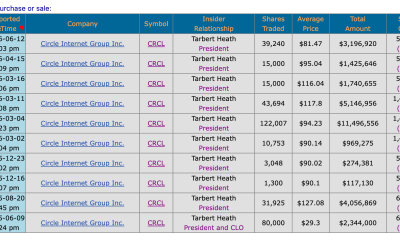
Circle’s President Sold Over 360,000 Shares, The Filings Explain Why
-

 Tech5 days ago
Subway Sandwich Computers Get a Second Life as Gaming Machines
-

 News Videos2 days ago
The Peugeot Family: How 200 Years of an “Old Money” Dynasty Died in A Boardroom
-

 Sports1 day ago
2026 3M Open leaderboard: Scottie Scheffler finds putter in Round 1, sits three back
-

 Tech5 days ago
The 35 Best Board Games for Family Game Night
-

 Fashion1 day ago
16 Dresses for the High Summer Event
-

 Tech6 days ago
How To Use Claude’s Reflect Dashboard And Learn When It’s Time To Touch Grass
You must be logged in to post a comment Login