If you want to play with the coolest kids on the block when it comes to photography, you have to shoot film. Or so say the people who shoot film, anyway. It is very true though that the chemical medium has its own quirks and needs a bit of effort in a way digital cameras don’t, so it can be a lot of fun to play with.
It’s expensive though — film ain’t cheap, and if you don’t develop yourself there’s an extra load of cash. What if you could get more photos on a roll? It’s something [Japhy Riddle] took to extremes, creating a fifth-frame 35mm camera in which each shot is a fifth the size of the full frame.
We’re slightly worried about that much sticky tape next to the shutter, but hey.
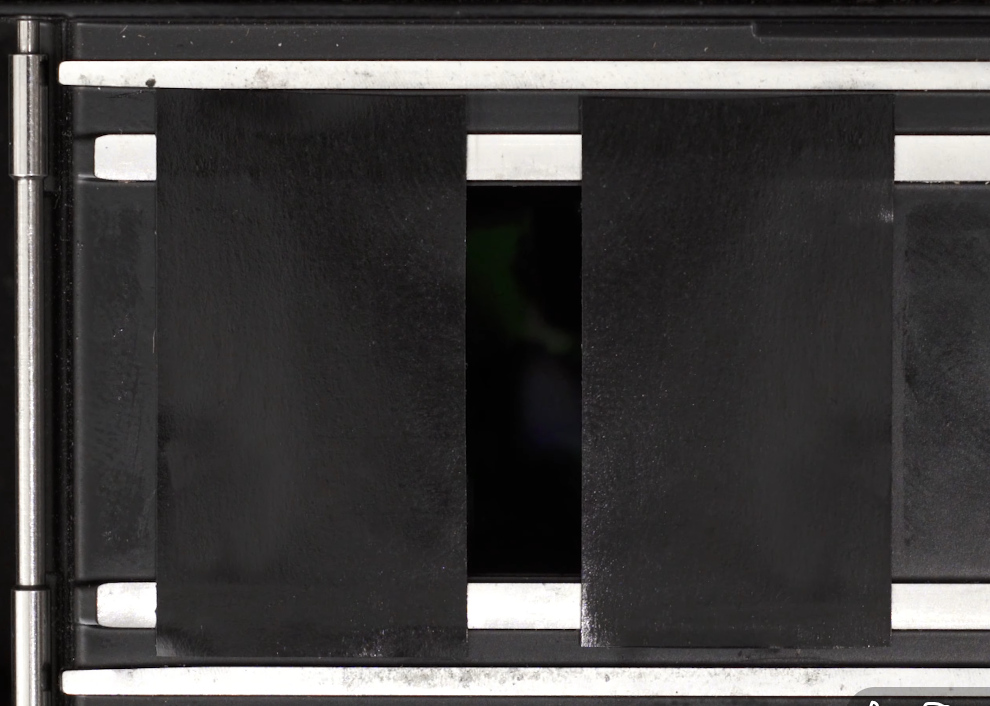
Standard 35mm still film has a 24x36mm frame, in modern terms not far off the size of a full-size SD card. A standard roll of film gives you 36 exposures. There are half-frame cameras that split that frame vertically to give 72 exposures, but what he’s done is make a quarter-frame camera.
It’s a simple enough hack, electrical tape masking the frame except for a vertical strip in the middle, but perhaps the most interesting part is how he winds the film along by a quarter frame. 35mm cameras have a take-up reel, you wind the film out of the cartridge bit by bit into it with each shot, and then rewind the whole lot back into the cartridge at the end. He’s wound the film into the take-up reel and it winding it back a quarter frame at a time using the rewind handle, for which we are guessing he also needs a means to cock the shutter that doesn’t involve the frame advance lever.
Advertisement
We like the hack, though we would be worried about adhesive tape anywhere near the shutter blind on an SLR camera. It delivers glorious widescreen at the cost of a bit of resolution, but as an experimental camera it’s in the best tradition. This is one to hack into an unloved 1970s snapshot camera for the Shitty Camera Challenge!
Microsoft has confirmed exactly when this year’s Xbox Games Showcase will take place. It will air at the usual time, 1PM ET on the Sunday (June 7) of Summer Game Fest weekend. In recent years, the company has offered a deeper dive into one particular game straight after the showcase, and it’s sticking to that format this time with a closer look at Gears of War: E-Day.
The showcase and Gears of War: E-Day Direct will be available in more than 40 languages, including American Sign Language and British Sign Language. A stream with English audio descriptions will be available as well. You can watch it on several of Xbox’s various social channels, including YouTube, Twitch and Facebook.
This is typically Xbox’s biggest showcase of the year. It will be the first Xbox Games Showcase with Asha Sharma at the helm of Microsoft’s gaming division. Perhaps we’ll hear some more details on the next Xbox (aka Project Helix), which is confirmed to be a system that will run PC games — much like the upcoming Steam Machine.
Along with more details about a brand-new Gears of War game, it seems likely that we’ll learn the release date for Fable during the Xbox Games Showcase. That game is slated to arrive this fall.
Advertisement
We don’t yet have exact release dates for Minecraft Dungeons 2 or Halo: Campaign Evolved, a remake of the first Halo game’s campaign. Those are scheduled to debut this year as well, so they seem like prime candidates for showcase appearances. Microsoft also has Clockwork Revolution, State of Decay 3, OD (from Kojima Productions) and something new from Toys for Bob in the hopper.
In addition, Microsoft is promising the return of Xbox FanFest, an in-person fan event, to help mark the brand’s 25th anniversary. Sharma confirmed this will take place in Los Angeles, where all of the Summer Game Fest events are going down. “This year’s experience will include a look back at the last 25 years, alongside a forward view of what’s next,” according to an Xbox Wire blog post.
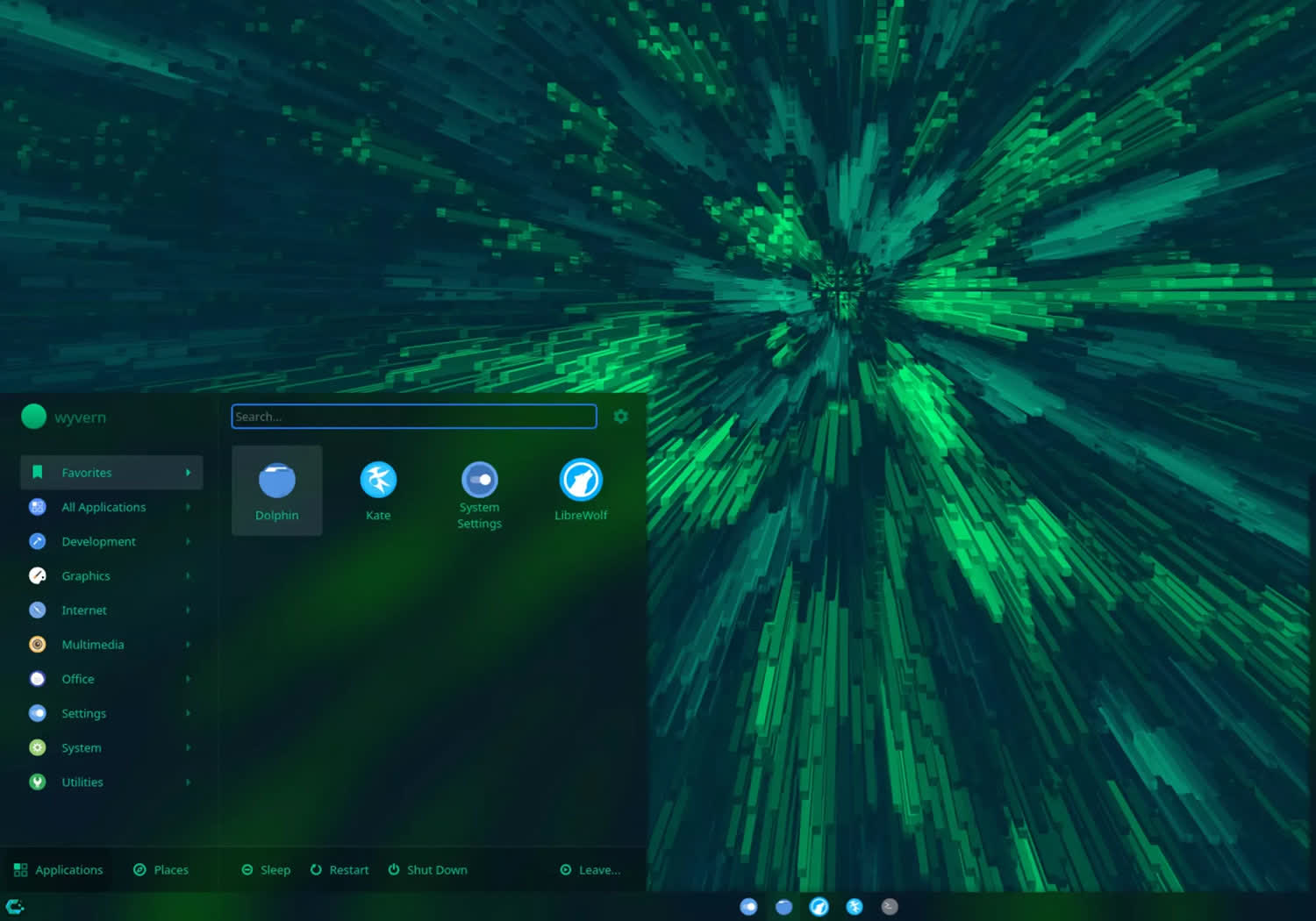
CachyOS is a performance-driven Arch Linux-based distribution that’s been grabbing attention lately as more gamers and power users highlight its speed and polished out-of-the-box experience. As Linux gaming continues to gain momentum and become a bigger talking point, CachyOS is increasingly being mentioned as a go-to choice for users who want cutting-edge software without sacrificing responsiveness or control.
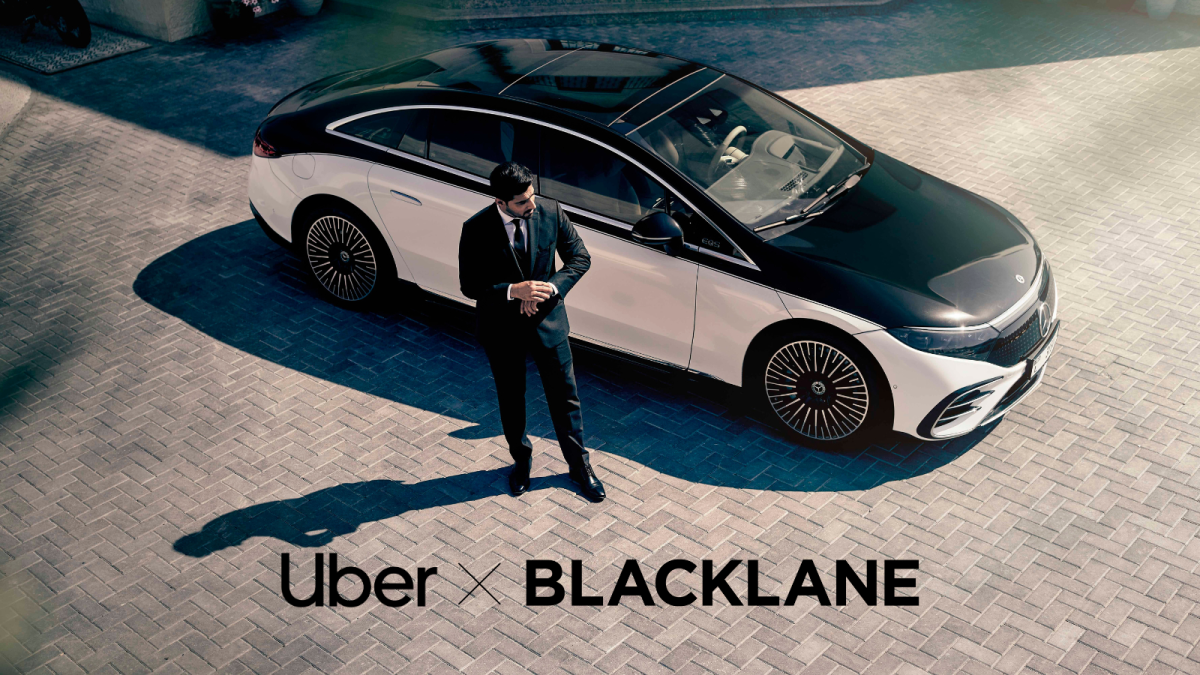
Uber is buying Berlin-based startup Blacklane, which provides on-demand, black-car chauffeur services, as the ride-hail giant expands deeper into luxury and executive travel services.
Uber said the acquisition still needs regulatory approvals, but expects it to close by the end of this year. The two companies didn’t disclose financial terms of the deal.
The acquisition comes just a few weeks after Uber announced the launch of Uber Elite, which combines a chauffeur service with a number of luxury offerings like in-vehicle amenities, airport meet-and-greets, and 24/7 phone support. Uber Elite is starting small, in just Los Angeles and San Francisco, with New York City on the horizon. Blacklane operates in major cities across Europe, the Middle East, Asia, South America, and North America.
The stakes are high because rural residents collectively spend about $1 trillion a year on clothing, electronics, household goods, and other items – roughly 20% of US retail purchases, excluding autos and gasoline, according to Morgan Stanley. Read Entire Article Source link
Making a movie in Singapore sounds glamorous—until you look at the numbers.
Kelvin Tan, better known as Mayiduo, learned this the hard way. In 2023, the 34-year-old businessman and media company founder decided to pursue a childhood dream: making a feature film.
Two years, S$1 million, and countless headaches later, his comedy movie Follow Aunty La premiered in Jun 2025 and was nominated for Best Feature Film at the Golden Petal Award 金海燕奖.
It broke even. That alone makes it an outlier in Singapore.
Advertisement
“Out of 10 films, 9.5 will fail,” Kelvin told us matter-of-factly. “The moment your film doesn’t lose money, it’s considered a success.”
We spoke with the filmmaker about the brutal economics of Singapore’s film industry, why most movies lose money, and how he managed to break even on his first feature film without a single government grant.
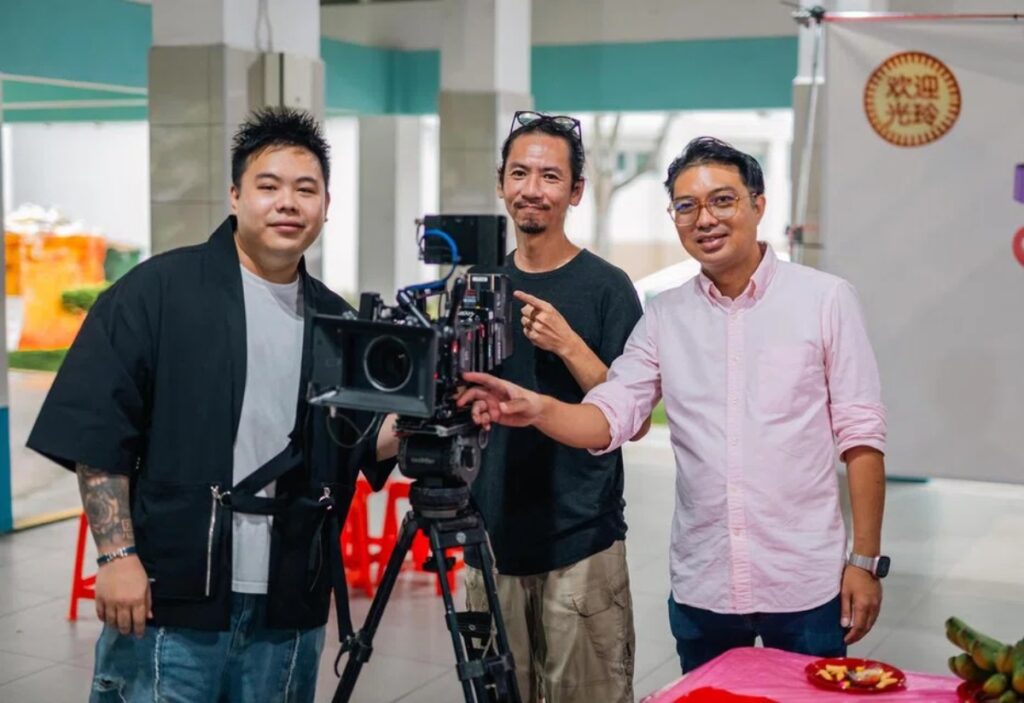
Mayiduo (left) at a 2024 lensing ceremony, a traditional pre-production event in Singapore’s film industry, ahead of shooting Follow Aunty La./ Image Credit: mm2 Entertainment
But his love for movies started long before his business ventures. From a young age, he was “very inspired” by Hong Kong filmmaker Stephen Chow and, closer to home, by Jack Neo.
When I was younger, watching their films, I would think, actually, this is something I can do.
Kelvin’s breakthrough into the film industry came through a friend at mm2 Entertainment who managed to schedule a meeting with founder Melvin Ang.
The pitch landed. Melvin liked Kelvin’s vision, and by end-2023, Double Up Media was co-producing Follow Aunty La with mm2.
The film went through at least eight script revisions
Kelvin drew the idea for Follow Aunty La from the life of Double Up co-founder Charlene Huang, an influencer who started comedy content at 35 and weathered vicious online attacks.
Image Credit: Charlene Huang via Facebook
He not only directed the film but also appears in a supporting role as a bad-tempered director of photography who helps Charlene’s protagonist become a successful influencer.
The story originally centred on an auntie chasing celebrity status, but mm2’s team advised a pivot.
Advertisement
They told me, in this age and time, younger people don’t want to be mingren (名人)—they want to be influencers.
The plot was reworked into an older woman pursuing Internet fame, resulting in a final runtime of two hours and eight minutes.
Kelvin said the film also pushed creative boundaries for Singapore cinema. Follow Aunty La is reportedly the first local feature with a cast composed entirely of influencers, and it frequently breaks the fourth wall—a storytelling choice he claims is rarely seen in traditional productions.
His background in social media made the film relatable, but Kelvin acknowledged that without oversight, it could have felt more like a stretched-out TikTok.
“If I didn’t have supervision, it might just feel like a very long TikTok video,” he said. “But with mm2’s experience and what we Double Up have, we put together something different from our predecessors.”
Advertisement
In the end, the film endured at least eight script revisions in mm2’s “writer’s room”—a process where producers, executives, and the director dissect every scene, every dialogue line, every character motivation.
Cold calls, clients, and conviction
Mayiduo and his cast at the lensing ceremony in 2024./Image Credit: mm2 Entertainment
Singapore’s film ecosystem is heavily tied to government funding. Grants can go up to S$300K under IMDA’s Long-Form Content Grant—but that’s still less than a third of a typical film budget.
Most local films cost around S$1 million to produce, though ultra-tight productions can squeeze by at S$400,000.
Kelvin’s initial plan was to shoot three short films and submit them to festivals to qualify for the scheme, hoping to ease some of the financial burden. Unfortunately, none of the films received nominations.
Kelvin directing and memorising his lines for various scenes./ Image Credit: Mayiduo
He could have shelved the project. But Kelvin didn’t because he truly believed in his work—so he took a different route: he bypassed the system entirely. Instead of chasing grants, he chased sponsors, making multiple cold calls to his network.
Out of the S$1M budget, S$700,000 came from brand sponsorships, and S$300K came from private investors.
Advertisement
These weren’t random sponsors. They were existing clients from his content business—brands already familiar with his ability to drive engagement. From independent watch dealer Watch Exchange to robot vacuum brand Dreame, they appear subtly throughout Follow Aunty La, integrated into props, home settings, and outdoor locations.
His pitch was simple: “This is brand elevation, not ROI”. Kelvin explained that movie sponsorships don’t generate instant returns, but position your brand alongside a cultural moment. Moreover, Kelvin offered a safety net no traditional director could match—if the film flopped, he’d create content to make up the value.
Most of these sponsors are online businesses. They’ve seen results from our campaigns. I told them, worst comes to worst, I can still produce content.
The hidden costs that can kill productions
Screengrab of the Follow Aunty La movie, with Mayiduo wearing a watch sponsored by Watch Exchange in the trailer./Image Credit: Mayiduo
Every single cent matters in movie-making.
Kelvin shared that a film crew covering vehicles, manpower, equipment, food, transport, and locations can burn through about S$30,000 a day.
After nearly a year of planning, filming took just 21 days in Nov 2024. That’s S$630,000 gone before post-production even begins. Factor in cast salaries, editing, colour grading, sound design, VFX, and mastering, and the budget quickly climbs to S$1 million.
Advertisement
Mayiduo with his cast and crew members at the lensing ceremony in 2024./ Image Credit: mm2 Entertainment
If there’s one thing that terrifies Singapore filmmakers, it’s overtime.
Production days typically run 10–12 hours, but delays from bad weather to missed lines can easily push shoots beyond schedule. That’s when costs spike, with overtime pay kicking in at 1.5x rates.
“Ten days of overrun and your budget bursts,” Kelvin said. Thankfully, his production only overran for two days, yet it’s still a significant amount.
Then there’s the period of uncertainty that directors will have to deal with.
From concept to cinema release, Follow Aunty La took over two years—a standard timeline in Singapore’s film industry. But that also means capital is tied up the entire time, with no guaranteed returns.
Advertisement
Making a movie is a very risky business model. It’s a very long process, and your returns are always a big question mark.
For a businessman used to monthly campaign turnovers, the wait was brutal.
“Most of my time was spent convincing people,” he admitted. Without formal film training, Kelvin spent months proving he wasn’t just “some guy who got lucky” to his experienced production team, investors and sponsors.
You can make a great film and still never get it screened
Mayiduo, Charlene Huang and Xixi Lim in Follow Aunty La./Image Credit: mm2 Entertainment
Even after making a film, monetisation isn’t straightforward. Kelvin pointed out a harsh reality: you can make a great film and still never get it screened.
Distribution is key. You must have a distributor before you start. Otherwise, you’re just gambling.
This is where mm2, his co-producing partner, became a key collaborator to Kelvin’s movie. Other than providing film production expertise, the company had strong relationships with cinema chains Golden Village, Shaw Theatres, Cathay Cineplexes and Eaglewings Cinematics.
Without those connections, Follow Aunty La would have been another indie film with no screens.
Advertisement
Follow Aunty La can be found on various streaming platforms like Apple TV, CMGO and KrisWorld./ Image Credit: Mayiduo
To recover a S$1 million budget, a film typically needs to generate around S$3 million at the box office. Cinemas and distributors take their cut, leaving producers with roughly a third of ticket sales, explained Kelvin.
That’s why box office alone isn’t enough.
Filmmakers today also rely on secondary revenue streams, from streaming platforms to airline entertainment systems. But these come with their own barriers.
Kelvin managed to secure deals with platforms like KrisWorld and Apple TV, but Netflix turned him down. “Market too small,” they said.
It’s a harsh reality: despite a decent box office showing, Singapore films often struggle to land major streaming deals, as platforms prioritise content from larger markets like the US, UK, and Korea.
Advertisement
In the end, Follow Aunty La brought in about S$500,000 in Singapore and S$250,000 in Malaysia, alongside smaller platform deals—just enough to break even.
Part of the challenge also comes down to local constraints.
As a director, Kelvin had to balance storytelling with regulatory requirements, including classification by IMDA. Ratings play a critical role—moving from PG13 to NC16 can significantly shrink your potential audience in a small market like Singapore.
That influenced how he positioned the film.
Advertisement
Kelvin aimed to appeal to both younger viewers, who already follow him online, and older audiences, maximising reach in an already limited market. As a result, he targeted a PG13 rating to strike the right balance between accessibility and audience size.
“Film is still a business”
Reflecting on the experience, Kelvin admits that creating short-form content is a faster way to make money than putting out a feature film.
Mayiduo plays a short-tempered cinematographer in Follow Aunty La./ Image Credit: mm2 Entertainment
The filmmaking process is gruelling, financial returns are uncertain, and the local industry is contracting—he predicts a decline unless Singapore filmmakers pivot.
He’s also candid about the shifting landscape: public theatres are no longer the default audience, personal streaming at home is taking over, and generative AI is changing how stories are made.
Yet, he doesn’t want to discourage young filmmakers from entering the scene.
Advertisement
“Film is still a business,” he insists. “A lot of great directors fail because they don’t understand the economics.” While passion is crucial, understanding the finances of a film is equally important for a film to succeed.
With the success of his film, Kelvin hopes to inspire more Singaporean filmmakers to carve a space locally and internationally.
Looking ahead, he’s looking to continue making short-form content and also films that make people laugh. He’s currently acting in other productions—”3 Good Guys” and “Kongtao”—films where content creators increasingly populate Singapore film casts.
It’s a significant shift and rejuvenation to Singapore films as influencers bring loyal audiences, reducing marketing costs that traditionally sink local films.
Advertisement
Kelvin is also exploring regional co-productions, starting with Taiwan first, where budgets run slightly larger at around S$2 million, and the market is larger. This could potentially open doors to audiences and collaborations with China, where budgets are much more lenient and can extend to as large as US$25 million budgets.
The economics may be brutal, but as Kelvin proved, they’re not impossible—if you know which rules to bend.
Read other articles we’ve written on Singaporean businesses here.
Ehsan Noroozinejad of Western Sydney University explores how Australia is leading the charge in creating data centres with a future focus.
On 23 March, the Australian federal government released new expectations for data centres and AI infrastructure.
The message is simple: if companies want faster federal approvals, they must show their projects are in Australia’s national interest, support the clean energy shift, use water responsibly, create local jobs and build local capability.
The government states it will prioritise projects that line up with those goals. Assistant Minister for Science, Technology and the Digital Economy Andrew Charlton said, “We will do what is necessary to ensure the growth of AI is sustainable and underpinned by a strong social licence”.
Advertisement
This is a big shift. It means data centres in Australia are no longer being treated as just another property or tech investment. They’re now being treated as major infrastructure, with real effects on the power grid, water systems, land use and local communities.
What is a data centre again?
Data centres are large buildings packed with computing equipment that stores, processes and moves data. These sites help run cloud services, video calls, online banking, research and the growing wave of AI tools.
While Australia already has more than 250 data centres, that number is set to grow as the AI boom continues. These facilities help power modern life and they can bring jobs, investment and digital capability.
Advertisement
But essential infrastructure still needs public trust. And that trust will depend on whether these facilities pay their own way, or whether nearby communities end up carrying the hidden costs through more pressure on electricity, water and scarce urban land.
Electricity is the first big issue
A report prepared for the Australian Energy Market Operator found data centres in Sydney already use about 4pc of New South Wales’s grid-supplied electricity. By 2030, that could rise to 11pc.
Nationally, the Clean Energy Finance Corporation says data centres could account for up to 11pc of Australia’s total electricity use by 2035.
The same report states Australia would need another 3.2GW of renewable electricity generation and 1.9GW of battery storage by 2035 to contain price rises and avoid extra emissions.
Advertisement
That doesn’t mean data centres are automatically bad for the energy system. In fact, they could help fund new renewable energy, storage and grid upgrades if the rules around that are right. But that is the key point: if the rules are right and the government enforces them.
Water is the second issue
Not all data centres use the same amount, because water demand depends heavily on their cooling systems and what water source they use. But water can no longer be treated as a side issue.
A Water Services Association of Australia report on data centre water use in Australia says estimates for Sydney range from about 1.9pc of water supply by 2030, to around 15 to 20pc by 2035.
The water question is not just local. Australia’s water utilities say current data-centre use is still low, but future centres are likely to be much larger, with developers already seeking 5m to 40m litres a day. One industry estimate puts current use at less than 0.1pc of Australia’s total water, but future demand will depend on cooling choices and water source.
Advertisement
Hence the new federal expectations: data centres must use water sustainably, work early with utilities and communities, use non-potable water where possible, pay their share of infrastructure costs, and report water use transparently.
Then there is land
Many data centres are drawn to major cities because they need strong power, fibre links, water, site access and, in some cases, proximity to end users. But that also means they often compete for industrial land
In New South Wales, industrial land is already under pressure and is needed for logistics, urban services, jobs close to home and the construction supply chains that help deliver housing.
In January, NSW set up a parliamentary inquiry into data centres. It’s looking at electricity demand, grid impacts, water use, drought risk, noise, heat, traffic, land-use conflicts and whether data centres’ resource demands are impinging on new housing supply.
Advertisement
It is also asking who gets the benefits, who carries the costs and how transparent the approval process really is. In other words, NSW is already treating data centres as a public interest issue. Other states may need to follow, because federal expectations alone cannot resolve state planning and land-use conflicts.
What can we expect from the new federal policy?
At best, the new expectations should end the idea that any data centre is a good data centre simply because it brings private investment.
If the government adheres to its own rules, new data centre projects should bring their own clean power or help fund it. They should use water efficiently and, where possible, use recycled or non-drinking water. They should create real local jobs and skills. And they should be open about their energy, water and environmental performance.
The way forward is not to block data centres – Australia will need more of them. The answer is to be much more selective about where they go, how they are powered, how they are cooled and what they give back.
Advertisement
If they are essential infrastructure, they should meet the same test as any other big piece of infrastructure: serve the public, not just the market.
Ehsan Noroozinejad is a senior researcher and sustainable future lead at the Urban Transformations Research Centre, for Western Sydney University. He specialises in smart and resilient construction and also holds a position at UBC Smart Structures in Canada. As the director of the Resilient Structures Research Group, Dr. Noroozinejad has spearheaded groundbreaking advancements in the field of structural engineering alongside an esteemed team of international researchers. His contributions have been recognised via numerous national and international awards and commendations.
Don’t miss out on the knowledge you need to succeed. Sign up for the Daily Brief, Silicon Republic’s digest of need-to-know sci-tech news.
Hisense is on the up. When it first launched in the UK, it was mainly seen as a budget player within the TV market, but slowly and surely, it’s progressed to become a household name.
That transition has seen it transform from a cheap and not always cheerful TV manufacturer to a more consistent one.
There was a time reviewing Hisense TVs where you weren’t sure which version of Hisense was going to turn up. Now, the most recent U8Q was the most complete Hisense TV I’ve tested.
With RGB Mini LED, it’s putting a stake in the ground and marking its territory. This new generation of TVs could hand Hisense an opportunity to make ground and become a challenger to Samsung’s throne.
Advertisement
I went to its European showcase in Munich, Germany, to see what Hisense has stored for 2026.
Advertisement
A seat at the table
Like a scene from a crime movie, Hisense doesn’t just want to be involved, it wants a seat at the table. It wants influence. It wants control.
And that was the (non-criminal) approach it’s taking with RGB Mini LED. Not unlike a new set of rules and regulations in a sport such as F1, RGB could upset the pecking order. Hisense is willing to take the risk, therefore the opportunity, to grab more market share.
Advertisement
Hisense is currently in good standing. According to information gathered from GfK data, in terms of market sales in the UK, Hisense, along with Panasonic, were the only TV brands driving value with the rest in decline. Revenue is up, volume of TVs sold is increasing, market is share is getting bigger. Everything is coming up Milhouse for Hisense.
The brand wants to become synonymous with RGB Mini LED, as Samsung did with QLED and LG has with OLED.
Image Credit (Trusted Reviews)
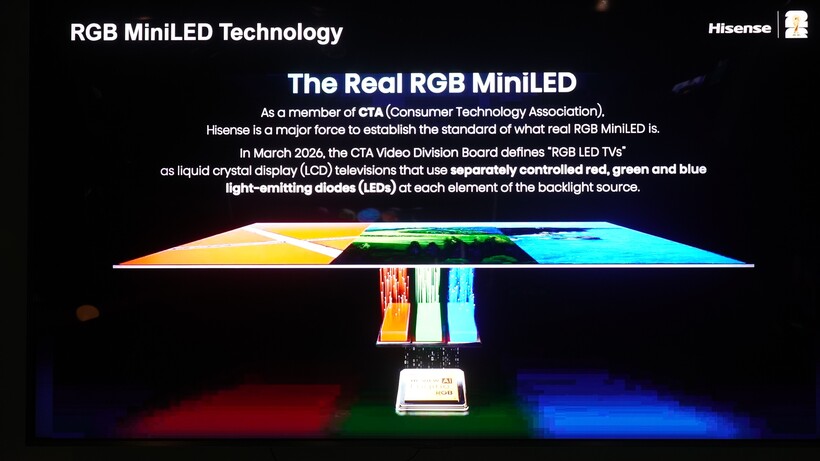
To that extent, it’s been involved in discussions with the CTA Video Divisions Board about determining the standard of ‘real’ RGB Mini LED. As we’ve seen with the Samsung/TCL dispute, it can open up accusations of not delivering true picture quality if some feel you are being misleading.
Advertisement
The definition, by the way, is “RGB LED TVs as liquid crystal display (LCD) televisions that use separately controlled red, green, and blue light-emitting diodes (LEDs) at each element of the backlight source.”
Advertisement
Seems simple enough, but if you’ve watched F1 this season, you’ll know how easy it is for some teams to fall behind.
Hisense is helping to establish the standards, which means it has a stake in what RGB is, and in aligning itself with RGB in marketing terms, the hope is that customers associate the tech first and foremost with Hisense.
Come at the King, you best not miss
Image Credit (Trusted Reviews)
But it’s not as if Hisense is the only player at the table.
Advertisement
The most obvious is Samsung, which will launch several RGB TVs. It’s had good and bad experiences in dictating market trends, winning with QLED and failing with 8K. However, those experiences mean Samsung has more knowledge when it comes to dealing with the ups and downs with new generations of TVs.
Advertisement
Hisense is building up a head of steam but Samsung is an established head. Even if the last few years have been rocky with usurpers to the throne (such as TCL), it is still in the lead, and has fended off challengers for the last twenty years. You can’t lose that level of experience.
But you can (eventually) beat it, but doing so takes a level of organisation. Hisense has been building its personnel by getting people who’ve worked at Samsung, LG, and Sony, but there are still times when Hisense’s thinking does not always seem joined up.
Organisationally, it can be hit and miss. For instance, Samsung have the confidence to hold one event and bring people from across Europe. Hisense is holding separate events across Europe and I can’t imagine they’ll be much different between them. A siloed approach is as effective as a unified one.
To continue the sports analogy, you only need to look at the difference between Arsenal and Manchester City to see the difference between a team that’s almost-there and a team that’s been past the finish line. The last inch is often the hardest to find.
Advertisement
Get ready, set…
Regardless, 2026 could be a pivotal year for Hisense. It’s built up a good reputation and goodwill with customers, and it’s delivering better products. It could be on the verge of something great, but it’s easier to chase than to be chased.
Advertisement
Hisense won’t be at the top of the TV table this year, but it’s planting seeds with its RGB Mini LED TVs. Get it right, and the success could propel it forward.
Hisense is establishing a foundation, but the foundation needs to be strong. We’ll see how strong the fruits of its labour are once the UR8S and UR9S RGB TVs launch later this year.
Caviar is launching the extravagant device to coincide with Apple’s 50th anniversary this year, hence its inclusion of the “50 Anniversary Edition” text on the rear. Read Entire Article Source link
We may receive a commission on purchases made from links.
Few things make you feel more despondent than when you get behind the wheel for a drive and your car won’t start. Congratulations — your battery’s dead! Not only is this an inconvenience on your whole day, but you end up having to spend a lot more money than you initially anticipated. Unfortunately, you’re backed into a corner and have to buy that new battery if you want your car to continue working.
While it’s great to recommend the best batteries for certain vehicles, these top-tier batteries aren’t always the most budget-friendly options. The cost of owning and maintaining a vehicle can be so high that finding any way to save a little bit of cash without sacrificing too much quality is of the utmost importance. That’s where a resource like Consumer Reports comes in handy. For whatever battery size your vehicle may use, CR has determined what it believes which car batteries are going to give you the best bang for your buck, ranging from the smallest sizes (24/24F) sizes to the largest (94R).
Advertisement
These may not necessarily be the best overall battery based on Consumer Reports’ expert testing or the satisfaction scores from actual owners, but they do inhabit that perfect middle ground. Some of these batteries are from the big name brands, while others are from smaller companies you may or may not have heard of. Here, we take a look at five car batteries — each a different size — that Consumer Reports believes will get you the best quality for the value.
Advertisement
Weize Platinum 24F AGM
We’re going to start with the 24/24F battery size. This is the smallest vehicle battery that Consumer Reports has tested and reviewed. You’ll typically find these batteries in vehicles produced by a number of the big name Japanese automakers, such as Honda, Toyota, Nissan, and their luxury brand counterparts. For this size, CR has determined that the best battery for a good price is the Weize Platinum 24F AGM.
This is most certainly a case of not sacrificing quality for price. Among all of the 24/24F batteries tested by the publication, the Weize Platinum has the second highest overall score of them all, barely beaten out by the Duralast Platinum 24F AGM. The reason for that battery’s number one placement comes down to it performing a little bit better than the Weize in cold weather, but the Weize still has very good numbers there as well. The Weize battery even has a “Green Choice” designation from CR, indicating a battery with a lower environmental impact than average.
Even though the two are close together in ratings, there’s a significant difference in their prices. The Duralast battery sells for $259.99, but you can get the Weize Platinum 24F AGM for just $159.99. Neither of these prices include the typical $22 refundable core charge you’ll have to pay when purchasing a new battery. That means getting this Weize battery will save you $100 for a product that performs just about as well as the top-ranked battery in its class. That’s a tough deal to pass up.
Advertisement
Weize Platinum 35 AGM
The love for Weize batteries from Consumer Reports doesn’t stop with the 24/24F sizes. For a variety of different sizes, the publication has found the brand to be the best value for the money that you can get on the market. One of those is the size 35 batteries; here, the Weize Platinum 35 AGM takes the cake. This is basically the same battery as the 24F model but made for vehicles that need that larger size. These are still predominantly found in cars from Japanese companies like Honda, Mazda, Subaru, and Toyota.
Unlike the 24F Weize battery though, the Weize Platinum 35 AGM doesn’t rank quite as highly among batteries of its size by Consumer Reports. Among all of the 35 batteries tested, it’s the lowest rated of the bunch, though it still manages to get a “CR Recommended” stamp of approval. The publication recommends a total of 13 batteries in this size range, more than triple the number of recommended 24/24F batteries. That being said, a battery ending up on the list is still a strong show of quality, and the ratings for things like cold weather performance and reserve capacity stack up very well against the competition.
Advertisement
The top-rated size 35 battery by Consumer Reports is the X2Power Premium AGM SLI35AGMDP, which sells for a whopping $369.99. You can get the Weize Platinum 35 AGM for just $159.99, the same price as the 24F model. It may not be the very cream of the crop, but it’s fairly close to that level. With that slight dip, you’re saving over $200, more than the cost of the Weize itself.
Advertisement
EverStart Platinum AGM H5/47
We move away from Weize for size 47 batteries. Also known as H5s, these are models that you’ll find in certain American vehicle brands like Buick and Chevrolet, as well as international ones like Volkswagen and Fiat. Even though there’s a Weize Platinum battery for this size, Consumer Reports hasn’t tested it. Instead, the best value for your money as determined by the publication is the EverStart Platinum AGM H5/47 battery.
EverStart is Walmart’s exclusive line of car batteries, and by and large, real world owners are quite happy with their EverStart batteries. CR agrees with these findings, as this EverStart H5 ties for second place in its rankings among all of the other batteries of its size the publication has tested. In that four-way tie with batteries made by DieHard, Duracell, and Interstate, the EverStart is the only one to be given the “Green Choice” designation for low environmental impact. This is something it shares with the top-rated Duralast Platinum AGM 47/H5 battery.
The difference in price between the EverStart and Duralast batteries isn’t quite as substantial as the previously mentioned ones, but it’s still savings that anybody would be happy with. The EverStart Platinum AGM H5/47 battery sells for $189, whereas that top-rated Duracell model goes for $259.99. That’s a roughly $70 discount for going from CR’s number one H5 battery to the number two; considering how the publication rates their respective performances, they truly are neck and neck competitors.
Advertisement
Weize Platinum QTF-70
Going to the size 48 — or H6 — batteries, we return to a very familiar face on this list. Weize is once again the brand that Consumer Reports finds to be the best quality for its value. The Weize Platinum QTF-70 is in the same line as the aforementioned 24F and 35 models, but this one is made for vehicles that need H6 batteries. You’ll see these across a wide spectrum of cars, SUVs, and trucks from brands all over the world, including Cadillac, BMW, Mercedes-Benz, Jeep, GMC, Volvo, and more.
Among all of the H6 batteries tested by CR, the Weize model is ranked fourth behind those produced by Champion, Odyssey, and Optima, with the Odyssey Performance 48-720 battery being at the top of the heap. The Odyssey does outperform the Weize when it comes to cold weather performance, but Weize has the edge with reserve capacity. The Platinum QTF-70 even has a distinction of being a battery with one of the longest lifespans you’ll find on the market. Either way, the two models aren’t too far off from one another, and there’s no area where CR finds the Weize battery to be lacking in any major way.
Advertisement
Like the two previous Weize models, the Platinum QTF-70 sells for $159.99. While it’s impressive that Weize has a standardized price for all of these batteries, it’s even more so when compared to the price of that top-rated Odyssey model, which retails for a massive $362.99. A $203 difference between two batteries that Consumer Reports believes to be fairly comparable is enough to make anybody think twice about buying.
Advertisement
DieHard Gold #65-2
For the final battery on this list, we go to a size that Consumer Reports has once again not tested a Weize-branded product. Size 65 batteries are made for larger SUVs and trucks, and you’ll find them primarily under the hoods of Ford and Mercury vehicles. To get the best bang for your buck in this category according to CR, you need to look to the DieHard Gold #65-2. DieHard is admittedly one of the best car battery brands on the market, and this particular model ranks fifth overall in the publication’s ranking of size 65 batteries, finishing just one spot below the Platinum 65 from the same company.
Even though the Platinum performs slightly better in cold weather and has a lower environmental impact, Consumer Reports still finds the DieHard Gold to be the best value. On the market, the Gold goes for $214.99. That’s just $20 less than the Platinum version, but even that small amount is enough for CR to recommended the Gold over it. That shows that it doesn’t find the difference in the two batteries to be that dramatically different.
You get even further savings when you compare the DieHard Gold to the top-rated battery of this size, the Super Start Platinum AGM 65PLT, which sells for $259.99. While $45 may not seem like the deal of the century — especially when compared to the hundreds of dollars other batteries on this list saves you — that’s still a good chunk of change you can put to something else you need. The DieHard Gold #65-2 gets you solid performance for a solid price.
Malicious ads are pushing fake Homebrew installers to Mac users, and the attack relies on trusting the first Google search result.
macOS Terminal
Attackers are buying Google ads to place a fake Homebrew site above the real one, then trick users into running a malicious Terminal command. The tactic is effective because it leans on routine behavior instead of technical exploits. Developers and everyday Mac users rely on Homebrew to install software, which makes it a high-value target. The real installation process already involves pasting a command into Terminal, so the fake version doesn’t immediately stand out. Continue Reading on AppleInsider | Discuss on our Forums


















































You must be logged in to post a comment Login