Over the years, the iPhone has evolved into the perfect everyday carry gadget. You could always make phone calls or text with it, but now you can record high-quality videos using its industry-leading camera system or play AAA titles like “Death Stranding” on the go. Despite the hardware continually improving, it’s the software that unlocks most of what the iPhone lets you do.
The App Store is home to almost two million apps, and it’s pretty easy to find a tool that does exactly what you’re looking for. Anything your iPhone can’t do out of the box, third-party app developers have likely already built a solution for it. That said, as time has passed, Apple’s own library of apps and services has grown.
The iPhone comes preloaded with essentials like Phone, Messages, Camera, and Clock — but it also has a handful of lesser-known apps tucked away on other pages. Some of them are mundane productivity-oriented offerings like Keynote, Pages, or Numbers — but we’re about to highlight five interesting apps by Apple you should try using on your iPhone.
Advertisement
Passwords
Adnan Ahmed/SlashGear
As our lives continue to move online, the number of credentials we create and manage also keeps on increasing. Using the same password across all your accounts is a terrible idea — but so is jotting them down on a piece of paper or an unencrypted notes app. There are several password managers out there, but if you primarily use Apple devices, you don’t need to chip in extra for a subscription to a third-party service anymore. The built-in Passwords app acts as a secure vault where you can store your login details.
Starting with iOS 18, any password you save will be automatically added to the Passwords app. It can also help you create stronger passwords. Saved credentials will then pop up when you try logging in to a website or app on your iPhone. You might need to enable Password AutoFill for this to work. To do so, navigate to Settings > General > AutoFill & Passwords, and flick the toggle on.
Advertisement
You will find all saved passwords within the app, which is guarded by Face ID or Touch ID on launch. The app also lets you manage Apple Passkeys, which offer a more secure and faster form of authentication. The Passwords app alerts you to any security concerns as well. For instance, there’s an orange exclamation icon for reused passwords and a red one for those that have appeared in password breaches.
Advertisement
Apple Games
Adnan Ahmed/SlashGear
Modern iPhones ship with some of the fastest mobile processors. The A19 Pro found in the iPhone 17 Pro family features a six-core CPU, 12GB of RAM, and a GPU powerful enough to run console-quality games. The previous few generations of flagship iPhones have also been advertised with gaming in mind. Popular AAA titles available for the iPhone include “Red Dead Redemption” and “Alien: Isolation,” but modern games like “Genshin Impact” are also a great measure of how capable the iPhone has become. Consequently, you may have noticed an Apple Games app on your device, which now comes preinstalled with iOS 26.
This is not to be confused with Apple Arcade, which is a paid subscription service that unlocks a catalog of games in the App Store. Instead, the Apple Games app acts more like a game launcher and curator — much like Steam on Windows computers. The “Library” tab displays all currently and previously installed games on your iPhone, with a quick shortcut to launch them. Tapping on a game will expand its page with additional information like recent updates, achievements, or ongoing in-game events.
The “Friends” tab lets you invite friends to play multiplayer titles like “Call of Duty: Mobile” together. You can also challenge your friends in supported games. If you have an Apple Arcade subscription, you can navigate to it faster using the Apple Games app. The “Home” tab lets you jump into recently played titles more quickly and lets you discover new games.
Advertisement
Journal
Adnan Ahmed/SlashGear
The Notes app on your iPhone does a really good job of letting you quickly jot down thoughts, make lists, or even create well-formatted documents on the go. It has good integration with Apple Intelligence’s Writing Tools, and you can even lock sensitive notes using Face ID or a passcode. While you could totally use it for journaling, Apple actually added a purpose-built solution for that. The Journal app comes preinstalled and offers a better interface for keeping a log of your memories.
You can create as many entries as you want and complement them with images, videos, audio snippets, and location details to add more context to your memories. The Journal app uses on-device machine learning to suggest content when you create new entries. This usually includes photos of a recent outing, which your iPhone recognizes as a notable event worth remembering. It can even suggest people you’ve hung out with.
We’ve covered the Journal app for iPhone in slightly more detail before, but it has since received a fresh coat of paint with the Liquid Glass design in iOS 26. You can also create separate journals for different aspects of your life. Once you’ve populated enough entries, the search function makes it easy to dig up old memories. All data within the Journal app is encrypted when your device is locked, but you can also add another layer of authentication to prevent those around you from peeping at your entries.
Advertisement
Apple Invites
Adnan Ahmed/SlashGear
Those who attend or throw a lot of parties know how the most chaotic part is planning and organizing the entire event. Sure, a curated text invitation containing details of the event and the location of the venue sent via iMessage often does the trick, but there’s got to be a more elegant way of doing it. That’s exactly what Apple Invites set out to solve. It’s a relatively new inclusion, and unlike other services on the list, it isn’t pre-installed on the iPhone — though you can grab it for free via the App Store.
Apple Invites lets you create, manage, or join invitations to events. You can invite people using their email address or share a joinable link. The app lets you create visually pleasing cards, with Apple Intelligence integration that lets you create images on the fly. You can add details about the venue, the day, and the time, and the app will lay out all the information neatly for all attendees to see. Though you can join invitations for free, you do need an iCloud+ subscription to create and send out invites.
Apple Invites works on Android and the web as well. The app features deep integration with Apple Music and allows you to create a shared playlist with other members. Participants can also chime in on the shared album and dump all photos from the day. This is a less messy version of spamming group chats with images.
Advertisement
Measure
Adnan Ahmed/SlashGear
Beyond apps for communication, gaming, and productivity, the iPhone comes preloaded with a few utilitarian services as well. Apps like Clock, Calendar, and Voice Memos are frequently used, but did you know you could also use your iPhone as a measuring instrument? The Measure app lets you use your iPhone’s camera and AR features to measure objects with surprisingly good accuracy.
The built-in Measure tool is as interesting as utility apps get. Any iPhone running iOS 12 or newer can be used as a measuring tool. Your iPhone can also automatically display measurements for rectangular objects when it detects them. For every other object, you can start a manual measurement by tapping the “+” button and panning your iPhone around.
Advertisement
There is better accuracy on iPhones with a LiDAR sensor. Guides appear on the edges of objects, making it easier for you to measure them more precisely. Once you’re done measuring, you can tap on the shutter button. This will save the image in your gallery with the measurements annotated. The app serves two functions — everything we’ve highlighted above falls under its measurement mode. If you switch to the “Level” tab, you can use your iPhone as a spirit level as well. This mode lets you check how horizontal a surface is.
Many a DIYer might be quick to tell you that their local Harbor Freight has aided in several of the projects they’ve undertaken in their home, yard, or garage. They’d likely also tell you the retailer has helped them accomplish those tasks while coming in under budget, as the family-owned hardware store chain has made its name by offering customers high-quality tools at prices that shouldn’t break the bank.
If you are familiar with the chain, you may already know that Harbor Freight Tools actually owns many of the notable brands whose tools appear in its stores, and that list includes those bearing the brand name of Quinn Tools. That brand is largely focused on the manufacture of non-powered hand tools, with Harbor Freight currently listing some 100 different offerings in the Quinn Tools lineup both online and through its various brick-and-mortar outlets.
If you’ve perused Quinn Tools products before, you’ve likely noted that they are particularly budget-friendly, even by Harbor Freight standards. Even within Quinn’s budget-minded parameters, there are items bearing its brand that are considerably cheaper than others. Budget basement pricing aside, some of those tools are still very much worth checking out if you are looking to save a few bucks on essential tools. Here’s a few handy Quinn Tools you can currently pick up from Harbor Freight for less than $25.
Advertisement
Three-Piece Scissors Set — $5.99
Scissors may not be something many people consider a tool in the proper sense, but a good set can be invaluable for folks working on smaller DIY jobs and virtually any level of crafting project. To that end, high-quality scissors can also be surprisingly pricey, depending on your needs and, of course, the retail environment you’re shopping in.
Advertisement
If you are shopping for quality scissors at Harbor Freight, you might be happy to learn you can currently purchase not one, but three such items from its Quinn Tools brand for a mere $5.99. For that low price, you get one large 9-inch scissor, one medium 8-inch scissor with a detachable serrated blade, and one small 5¼-inch pair. Each of those scissors is made of titanium-coated stainless steel and equipped with molded ergonomic grips for comfort.
As for their quality, Harbor Freight shoppers who’ve purchased the three-scissor set are almost universally happy with them, rating the tools at 4.8-stars out of 5. Those who rated the scissors at four or five stars claim that they are sharp, durable, and comfortable to use. Price is also a common point of praise, with some users noting that many other brands charge the same or even more for a single pair of scissors. Some users did note potential quality control issues, however, claiming that the 8-inch scissor in particular was prone to breaking. Others noted their scissors struggled to cut heavier items like cardboard.
Advertisement
Pry Bar Set — $11.99
As with any budget-minded brand, you’d be correct in assuming that there are a few products in the Quinn Tools lineup you’d be wise to avoid. The brand’s pry bars are clearly not among them, though, with its two-piece Set currently boasting a user rating of 4.9-stars. That set should be all the more enticing to Harbor Freight shoppers as it is currently selling for just $11.99.
That modest investment will net you one 8-inch pry bar for smaller jobs, and one 18-inch bar built for more heavy duty work. Per Quinn, the tools are ideal for demolition projects, aligning mechanical equipment, and any number of other jobs that might require a certain degree of leverage from users. To that end, the pry bars are made from heat-treated chrome-vanadium steel and boast a black oxide finish to protect against corrosion. The steel shafts also run all the way through the molded handle and are equipped with a beveled edge to provide maximum torque and leverage.
As noted, the pry bars’ esteem among customers is very high, with 99 of the 100 reviews posted on their Harbor Freight page being four or five stars, and the lone outlier being three stars. Users praise the set for its quality, durability, and variety, with many noting the small pry bar is an ideal alternative to using a screwdriver. Moreover, many note the 18-inch bar is great for engine work, while one and all agree it’s hard to beat the quality for the cost.
Advertisement
Precision Screwdriver Set — $14.99
Sometimes, a delicate hand is preferable for mechanical work, particularly when it comes to jobs where smaller screws and fixtures are part of the equation. If delicate is the order of the day in your work, then a precision screwdriver set is an absolute necessity, and that means this Quinn 12-Piece package is well worth a look.
Advertisement
That set is priced at $14.99, and includes 12 precision screwdrivers, each of which is made with three holding zones to make it easy for users to pivot between power, precision, and fast spin driving. The versatility is heightened by the set including precision slotted heads for hex, Phillips, and star head screws. They are also manufactured using S2 Steel for increased strength and durability. The screwdrivers are also color coded to make it easy to distinguish one driver style from another, with Quinn even including a handy carrying case for the lot.
Harbor Freight customers generally agree the set is worth the modest investment, rating it at 4.7-stars, while noting that the set provides excellent value and is ideal for repairing eye glasses and electronics, as well as other small precision jobs. Some YouTube reviews even compare it favorably to similar sets from Icon. However, one unsatisfied Harbor Freight customer noted they felt the tips on the drivers were too soft and not well-enough defined.
Advertisement
¼-inch Drive Chrome Socket and Ratchet Set – $19.99
For many, a socket and ratchet set is the very definition of a must-have tool. There are, of course, several different versions of socket and ratchet sets, all of which are handy in any number of situations. While Quinn Tools makes sockets and ratchets to fit most of those needs, one of the more common size sets you’ll find is ¼-inch, with the brand selling such a kit through Harbor Freight for $19.99.
That set comes with 21 individual pieces, including 10 SAE styled socket heads — sized 3/16-inch, 7/32-inch, ¼-inch, 9/32-inch, 5/16-inch, 11/32-inch, ⅜-inch, 7/16-inch, ½-inch, 9/16-inch – as well as 10 in Metric style — sized 5 millimeters, 6 millimeters, 7 millimeters, 8 millimeters, 9 millimeters, 10 millimeters, 11 millimeters, 12 millimeters, 13 millimeters, and 14 millimeters. It also includes a 72-tooth quick-release polished chrome-vanadium steel ratchet.
If you’re familiar with Quinn’s sockets, you may already know that they are fairly well-regarded by customers as a solid investment. So, it may not come as much of a shock that this socket and ratchet set is also well rated, with Harbor Freight shoppers rating it at 4.8-stars. That rating is based on more than 1,300 reviews, by the way, so it’s about as legit as you’ll find. Those users claim they use the set for everything from oil changes and light engine work to other small repairs, and generally agree it’s incredibly durable and versatile for the price, even as some claimed their ratchet malfunctioned with little usage.
Advertisement
Four-Piece Plier Set — $24.99
In the arena of must-have tools, pliers are pretty high on the list of devices any DIYer would need to add when assembling a home tool kit. Like any tool, buying a full set of pliers can add up with a quickness. If you’re not looking to splurge on a set of pliers, you’ll no doubt be interested to know that Quinn is selling a four-piece plier Set through Harbor Freight right now for $24.99.
Advertisement
Like the other items on this list, Quinn’s four-piece plier set has an impressive user rating, with customers awarding it a 4.7-star rating. And yes, like the other items on this list, price point is a major point of praise, with users happy enough to pay under $25 to add groove joint pliers, long nose pliers, diagonal pliers, and linesman’s pliers to their tool box. For the record, the quality of the tools themselves is another common point of praise, with some claiming they were surprised by the durability at the price point.
Some users did, however, note the exact opposite experience, claiming that their pliers broke or rusted soon after purchase. As for their makeup, the set is manufactured using forged and hardened steel, boast jaws with milled teeth, and are fit with hardened cutting edges. They are also designed with riveted joints to reduce wobbling during usage. Perhaps best of all, the set comes backed by a lifetime warranty from Quinn Tools, which should cover any potential issues.
Looking for the most recent Mini Crossword answer? Click here for today’s Mini Crossword hints, as well as our daily answers and hints for The New York Times Wordle, Strands, Connections and Connections: Sports Edition puzzles.
Need some help with today’s Mini Crossword? Read on for all the answers. And if you could use some hints and guidance for daily solving, check out our Mini Crossword tips.
If you’re looking for today’s Wordle, Connections, Connections: Sports Edition and Strands answers, you can visit CNET’s NYT puzzle hints page.
President Trump wants to show off the executives he has behind him on a trip to China, where he will discuss trade with President Xi Jinping. Still-CEO Tim Cook is rumored to be among the invitees.
If there’s one well-understood policy held by the Trump administration, it’s to show up when requested. One of the few times that Apple CEO Tim Cook didn’t show up resulted in a special tariff just for iPhones in May 2025.
It’s time for Cook to pick up the phone again, as President Trump is headed to China to speak to President Xi Jinping about trade. The discussions will likely be of little relevance to Apple, according to a report from Semafor, but Trump likes to have powerful individuals surround him on such trips.
These kinds of in-person events may increase for Cook as he steps down from his role as CEO on September 1. He’ll be the Executive Chairman where he will also act as a kind of political liaison.
Advertisement
It’s a role that Cook has likely chosen for himself, as he has borne the brunt of most of the political scandal that has occurred since Trump took office in both instances. It’s Cook’s name on the $1 million donation to the inauguration, the gold plaque in Trump’s office, and the reservation to each event after all.
And seemingly, Trump has taken the bait. Apple hasn’t changed anything about how the company operates in spite of immense pressure from the administration to do so.
For example, Apple just announced its latest Pride Band for Apple Watch even as other companies distanced themselves from progressive initiatives.
These interactions also meant Apple didn’t have to pay nearly as much as it could have when dealing with the illegal and seemingly random tariffs. It has also insulated Apple from being required to do the impossible and bring all iPhone production back to the United States.
Advertisement
Cook is also known for his diplomatic trips to China, so the latest invite will likely be just another day on the job. Time will tell if incoming CEO John Ternus will have to act similarly, or if Cook will be able to shield him from the responsibility.
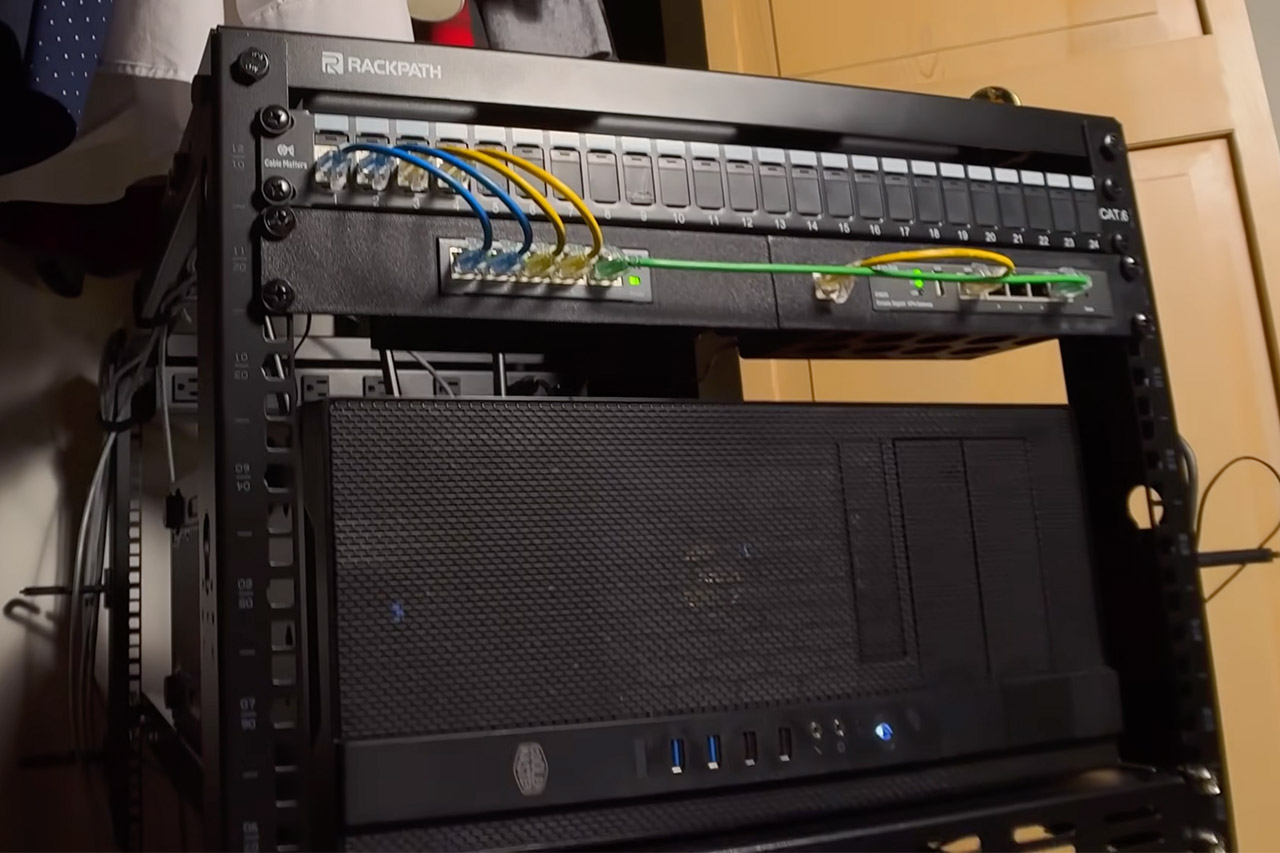
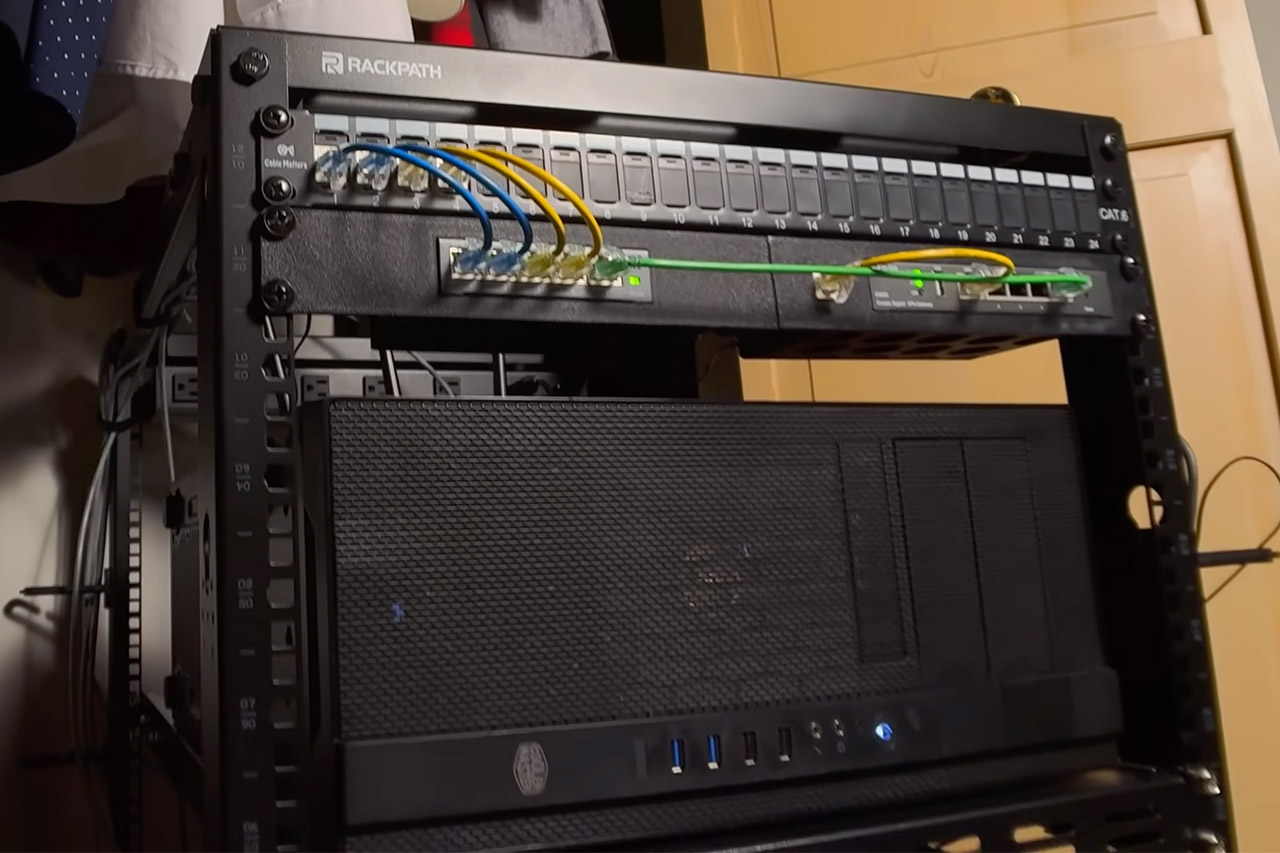
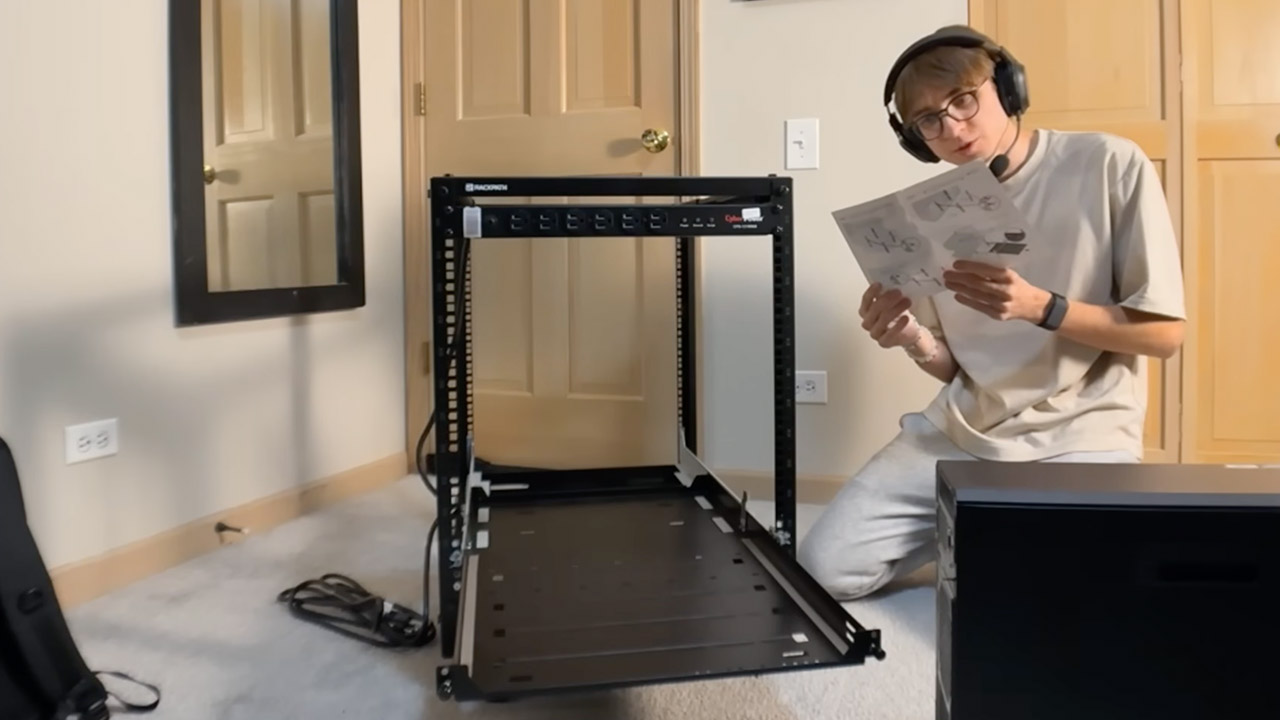
One computer enthusiast finally hit the wall with a crowded closet full of loose gear and realized something had to change. He set out to create a small data center that would run its own servers, manage networking, and keep everything neat enough to fit inside a regular room. He ended up with a 12U rack on wheels, complete with corporate hardware, unique cables, and smart mounts that kept everything accessible while remaining relatively compact.
The first step was to install the rack, as the adjustable rails and robust wheels made it simple to roll it into the closet to a reasonable depth without requiring any permanent adjustments to the area. It all came in at around $200, which is a fairly good value given that it gave him a lot of vertical space while also leaving flexibility to grow later if necessary. At the top of the rack, he installed a mountable power surge strip, which provided many outlets with built-in protection as well as ample distance to prevent the plugs from becoming jammed.
【AMD Ryzen 4300U True 4-Core CPU: Outperforms N95 & i3-10110U】KAMRUI P2 Mini PC is equipped with true 4-core AMD Ryzen 4300U processor built on…
【Integrated AMD Radeon Graphics: 2.5X Stronger for Tri 4K】The KAMRUI P2 AMD 4300U Mini PC have unlocked the full potential of the built-in AMD…
【Large Storage Capacity, Easy Expansion】KAMRUI Pinova P2 mini computers is equipped with 16GB LPDDR4 for faster multitasking and smooth…
The servers, the core brains of the operation, are essentially an HP Z4 G4 enterprise desktop put into a dedicated rack tray, providing him with considerable processing power for activities such as storage or virtual machines. He also has another tower-style machine with numerous drive bays that stacks alongside it, providing him with additional data storage capacity without the need for a full room. Both computers just bolt in using conventional hardware, and what was formerly a collection of distributed PCs became a single system ready to function 24/7.
Advertisement
Networking equipment is all about getting data flowing smoothly, so he installed a 5-port Gigabit switch and a tiny router in some custom 3D-printed brackets that just clip onto the rack rail. The best part is that the library allowed him to 3D print them for nearly nothing, so he now has off-the-shelf gadgets converted into rack-friendly components. A patch panel at the front of the rack keeps all the wires neat and tidy, directing each connection through designated ports rather than dangling all over the place.
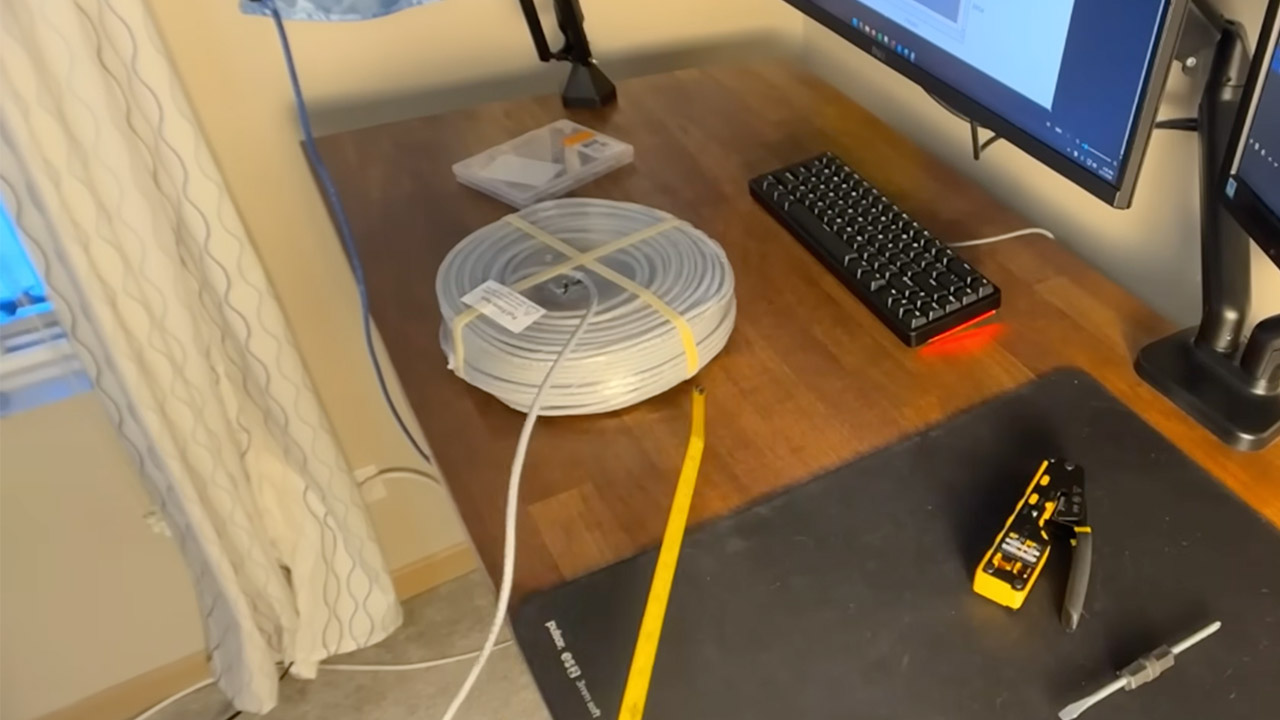
Cabling truly makes the difference between order and chaos, as he used 250 feet of Cat6e solid copper cable as the base material, then simply measured and crimped each segment before terminating on shielded jacks. He has varied lengths for different requirements, so he has a short one that goes to the modem and a longer one that connects the switch and router. He created a diagram of the entire system so that anyone could see how everything fits together at a glance. I learned a few lessons along the road, such as how to properly sequence the wires and which tools to use, but in the end, everything simply lays there looking flush and trustworthy.
So the power and accessories completed the package, as the surge strip provides electricity for the entire stack, and he included a mountable shelf to store tools or spare parts. The rack’s wheels allow the entire unit to slide in and out for repair before rolling back in without needing to be disassembled. The entire setup still fits within the closet footprint, demonstrating that real capabilities does not require a big warehouse.
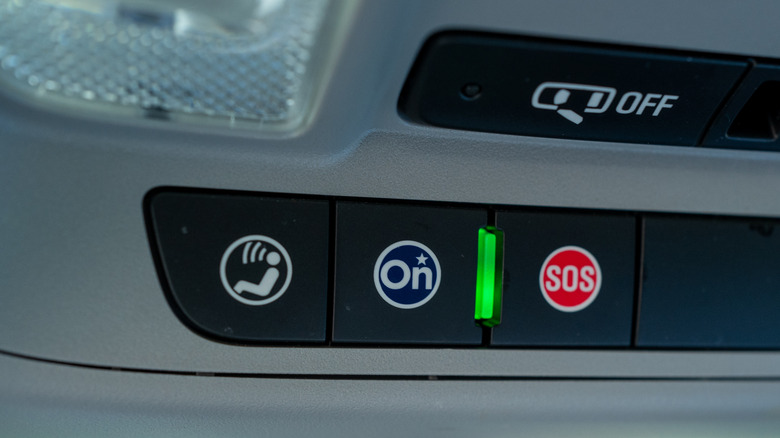
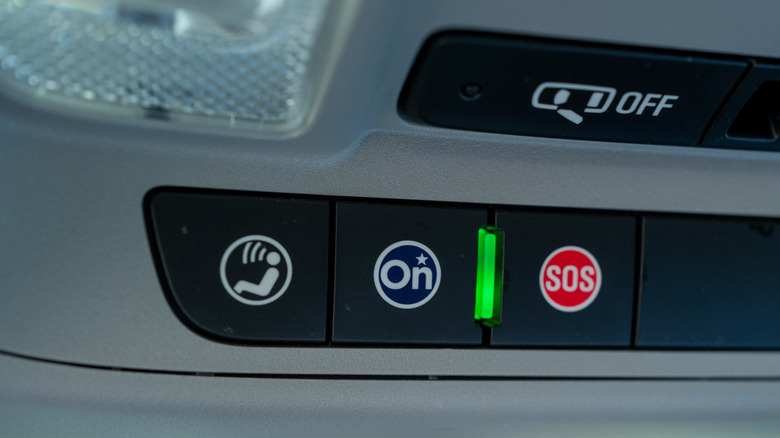
Following its settlement with the FTC earlier this year over its sale of drivers’ data to brokers, General Motors has now also reached a settlement in California. The company agreed to pay $12.75 million in civil penalties to settle the lawsuit led by Attorney General Rob Bonta on behalf of the people of California, and is banned from selling driving data to consumer reporting agencies for five years. The lawsuits came after a 2024 New York Times report revealed that GM collected consumers’ driving data through its OnStar program and sold this information to data brokers Verisk Analytics and LexisNexis Risk Solutions, which in turn could market the data to auto insurers.
In some cases, that driving data could be used by insurers to increase customers’ rates. However, in California, customers were likely spared this consequence, as laws in the state prohibit insurers from using driving data in this way. Nevertheless, the complaint alleges that GM violated consumers’ privacy by nonconsensually selling data that included people’s names, contact information, geolocation data and driving behavior data.
The settlement agreement stipulates that GM must delete any driving data it’s retained within 180 days “except for certain limited internal uses,” unless it has the customer’s express consent. It also requires GM to develop a privacy program to assess the risks of collecting data through OnStar, and report its findings to the DOJ and other agencies. In a statement on Friday, Bonta said, “Today’s settlement requires General Motors to abandon these illegal practices and underscores the importance of the data minimization in California’s privacy law — companies can’t just hold on to data and use it later for another purpose.”
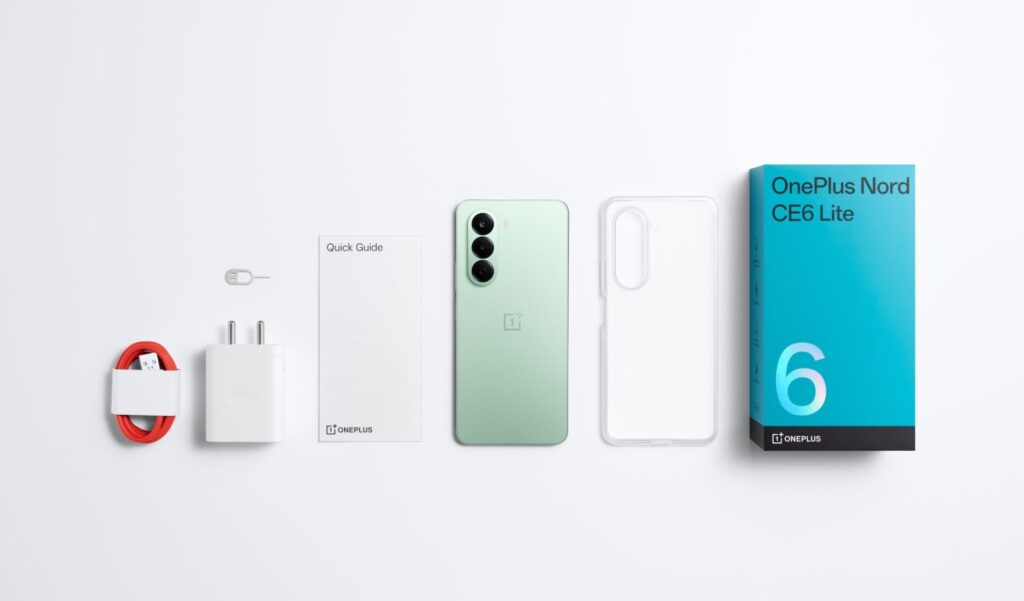
OnePlus has released its newest Nord CE 6 series phones in India. The new lineup includes the regular Nord CE 6 and the budget version, the Nord CE 6 Lite. The OnePlus Nord CE 6 is a phone that boasts an exquisite design, an AMOLED screen, and a Snapdragon chipset.
Design and Display Upgrades
The company OnePlus has made notable design changes to the new Nord CE 6 series. OnePlus has introduced some alterations to the design of its Nord CE 6 phone, including a different square-shaped rear camera module.
In terms of display, the Nord CE 6 features a large 6.78-inch AMOLED screen with a 144Hz refresh rate for smoother performance. On the other hand, the Nord CE 6 Lite includes a smaller 6.72-inch LCD screen. Both devices have been designed with a smooth visual experience in mind, especially when playing games or engaging with social media.
Performance & Cameras
The standard Nord CE 6 model comes with the Qualcomm Snapdragon 7s Gen 4 chip. This variant has been enhanced with a cooling mechanism to improve gaming and application speed.
The Nord CE 6 Lite model incorporates the MediaTek Dimensity 7400 Apex chip. It has been specifically designed for efficient performance and power consumption.
Advertisement
Both smartphones feature two rear cameras, with the 50MP main sensor as the most prominent feature. Video recording is supported at the 4K level, improving the quality of videos. The Nord CE 6 smartphone features a 32MP front camera, while the Nord CE 6 Lite has an 8MP front-facing camera.
Price and Availability
This OnePlus lineup ranges from Rs. 29,999 for the entry-level variant to Rs. 32,999 for the high-end variant. On the other hand, the OnePlus Nord CE 6 Lite is priced from Rs. 20,999 to Rs. 25,999. Also, an immediate discount of up to Rs. 2,000 is being offered on selected bank cards.
In terms of availability, the Nord CE 6 will go on sale in India starting May 8, while the Nord CE 6 Lite will become available from May 12. Both smartphones can be purchased through Amazon and the official OnePlus India online store.
How will work setups change if we spend more and more time talking to our computers? A recent feature in the Wall Street Journal looks at the rising popularity of dictation apps like Wispr, especially now that they can be connected to vibe coding tools, and what that might mean for office etiquette.
One VC said that visiting startup offices now feels like stepping into a high-end call center. And Gusto co-founder Edward Kim is apparently telling his team that in the future, offices will sound “more like a sales floor.” (As someone still scarred from the time his desk was briefly relocated to a sales floor, let me say: Oh no.)
Kim claimed that he only types now when he absolutely has to. But he admitted that constantly dictating in the office can be “just a little awkward.”
Similarly, AI entrepreneur Mollie Amkraut Mueller said her husband became annoyed with her new habit of whispering to her computer, so their late-night work sessions now involve sitting apart, or “one of us will stay in our office.”
Advertisement
But Wispr founder Tanay Kothari insisted that this will all seem “normal” one day, just as it’s become normal to spend hours staring at your phone.
Lower prices are in effect on Apple’s 14-inch and 16-inch MacBook Pro laptops, with fresh deals from just $1,499.
The steeper discounts can be found at Apple Authorized Reseller B&H Photo, with a wide range of sale prices offering up to $500 off MacBook Pro laptops. Grab new markdowns on M5, M5 Pro, and M5 Max models (and even a few blowout M4 Pro specials, too).
Whether you’re interested in a budget-friendly option, such as a 14-inch M5 MacBook Pro with 24GB of RAM and 512GB of storage that’s on sale for $1,499, or a loaded M5 Max 16-inch laptop with 128GB of RAM that’s $400 off, there’s a deal for nearly every budget.
Advertisement
We’ve included a breakdown of the offers by configuration below, but you can also peruse sale prices across retailers in our MacBook Pro Price Guide, which is organized by screen size and Apple Silicon chip.
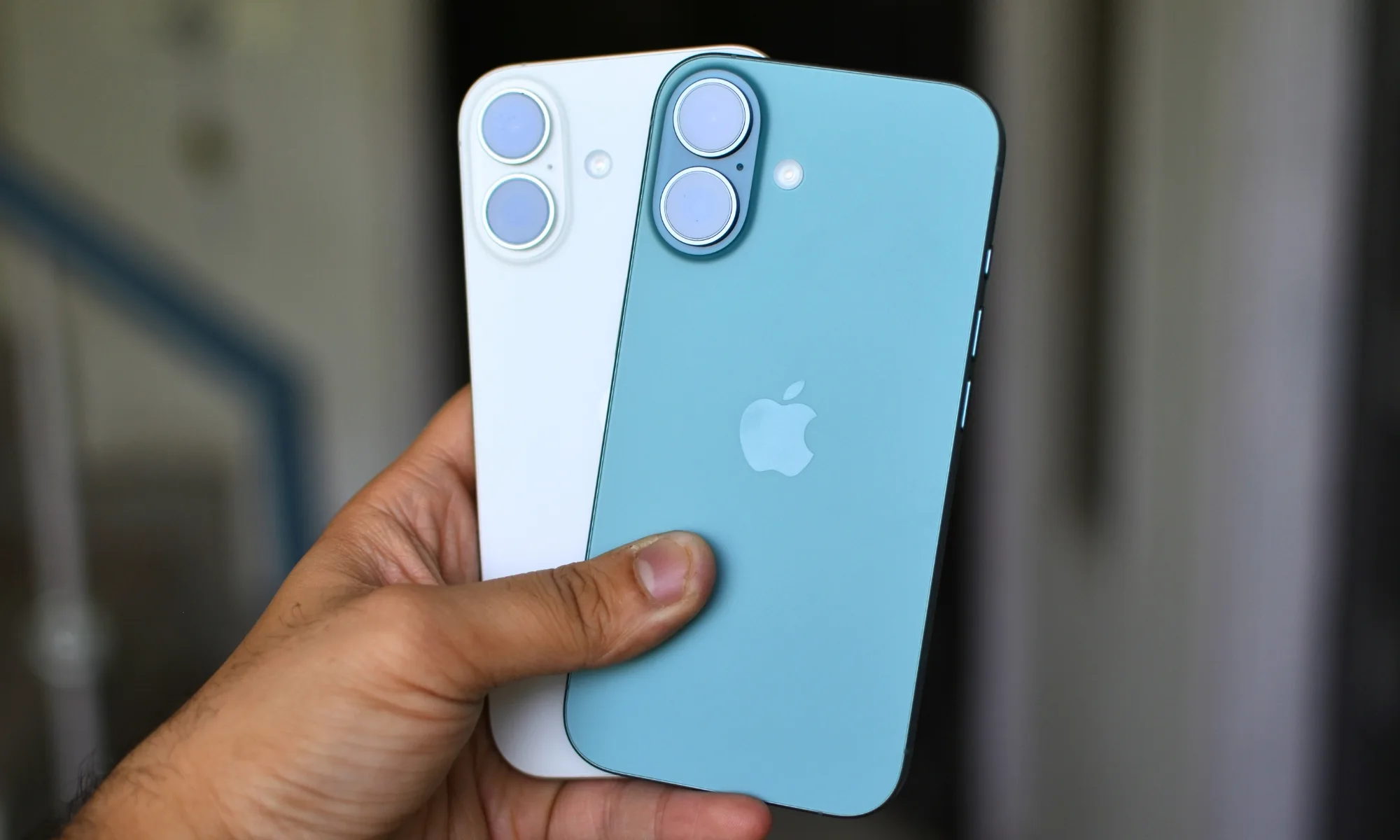
For a while, I had convinced myself that my next iPhone had to be a Pro. Not because I had genuinely thought about what I needed from a phone, but because the marketing slowly wore me down. The triple cameras, the titanium build, the ProMotion display, the idea that it could handle absolutely anything — it all created this lingering feeling that choosing the regular iPhone would somehow mean compromising. Like I would be missing out on the “real” experience. Then I stopped looking at spec sheets and started looking at my actual usage. And honestly, the entire argument for buying a Pro quietly fell apart.
Apple really knows how to make you doubt the regular iPhone
Apple is incredibly good at making the Pro feel essential. Every September, the keynote follows the same pattern. The regular iPhone gets its moment, sure, but the second the Pro models appear, the entire presentation shifts gears. Suddenly, it is all about the “best” cameras, premium materials, exclusive features, and cutting-edge performance. Even without saying it directly, the message lands pretty clearly: this is the iPhone you are supposed to want. The regular model almost starts to feel like the compromise option for people with simpler needs.
Shikhar Mehrotra / Digital Trends
And honestly, that strategy works. Not because Apple is misleading anyone, but because the Pro genuinely is a more capable phone. The cameras are better, the build feels more premium, the extra features are real, and for the people who actually use them, the higher price absolutely makes sense. The problem starts when “this is better” quietly turns into “I need this.” That is the leap many of us make without ever stopping to think about whether those extra features would actually change how we use our phones day to day.
I kept chasing Pro features I barely used
When I stopped thinking about how I imagined I used my phone and started paying attention to how I actually used it, the reality turned out to be pretty ordinary. Most of my day is spent doing the same things most people do: scrolling through social media, replying to messages, listening to music, watching the occasional YouTube video, reading things I am interested in, checking emails, using Maps, and taking calls.
And yes, I do take a lot of photos. But when I really thought about it, I realized I was not taking the kind of photos that truly demanded a Pro-level camera system. Most of my shots happen in good lighting, with little effort, and honestly, modern smartphones are already excellent at that. I was rarely in situations where I genuinely needed a dedicated telephoto lens or the extra computational photography tricks that Apple reserves for the Pro models. And on the few occasions where camera quality actually mattered for work, I usually had a proper camera with me anyway.
Then there was ProMotion — probably the feature I used most often to justify wanting a Pro iPhone. For years, the smoother 120Hz display felt like one of the clearest reasons to spend extra on the Pro models. And to be fair, the difference is real. Scrolling feels smoother, animations look nicer, and everything feels slightly more fluid. But over time, I realized something interesting: it was a feature I appreciated most when I was actively paying attention to it. In everyday use, my brain adapted pretty quickly, and the standard iPhone never really felt slow or frustrating to use. Now that the iPhone 17 lineup finally brings high refresh rate displays to the regular models as well, that whole justification has mostly disappeared for me. One of the biggest reasons to go Pro no longer feels exclusive, and the standard iPhone suddenly makes a lot more sense than it used to.
The vanilla iPhone is carrying lot more weight than people admit
The regular iPhone has become strangely easy to underestimate, mostly because the conversation around it is always framed by what the Pro models have that it doesn’t. But when you stop comparing spec sheets for a moment and look at the standard iPhone on its own, it is actually an incredibly complete device.
Shikhar Mehrotra / Digital Trends
The main camera is already excellent for the kind of photos most people take every day. Performance is rarely an issue either, especially now that the regular models often share the same core chip architecture as the Pro versions. Whether it is social media, gaming, multitasking, editing photos, or juggling a dozen apps at once, the phone handles it all effortlessly. The display is good, battery life has improved a lot over the years, and you still get the same software experience, the same long-term updates, and the same overall reliability that people buy iPhones for in the first place.
And honestly, for the way I actually use a phone — and probably for the way most people use one — the regular iPhone no longer feels like a compromise at all. It only starts to feel “lesser” when you compare it side-by-side with a checklist of Pro-exclusive features.
The moment I realized I was shopping for a fantasy version of myself
I am not trying to convince anyone not to buy a Pro iPhone. For some people, the extra features absolutely make sense. If you shoot a lot of video, regularly use the telephoto camera, care deeply about the premium build, or genuinely benefit from those advanced tools, then the higher price is probably justified. Those are real advantages. But they are also very specific advantages — the kind that come from understanding your own habits, not just getting swept up in the excitement.
Shikhar Mehrotra / Digital Trends
Before jumping ship, ask yourself one simple question: Which Pro features do I genuinely use right now? Not the ones that look impressive on paper, but the ones that actually show up in your daily routine. And once you look at your real usage honestly, the answer often becomes much clearer than you expect. Sometimes, the regular iPhone is not the “lesser” choice at all. It is simply the phone that already fits the life you actually live.
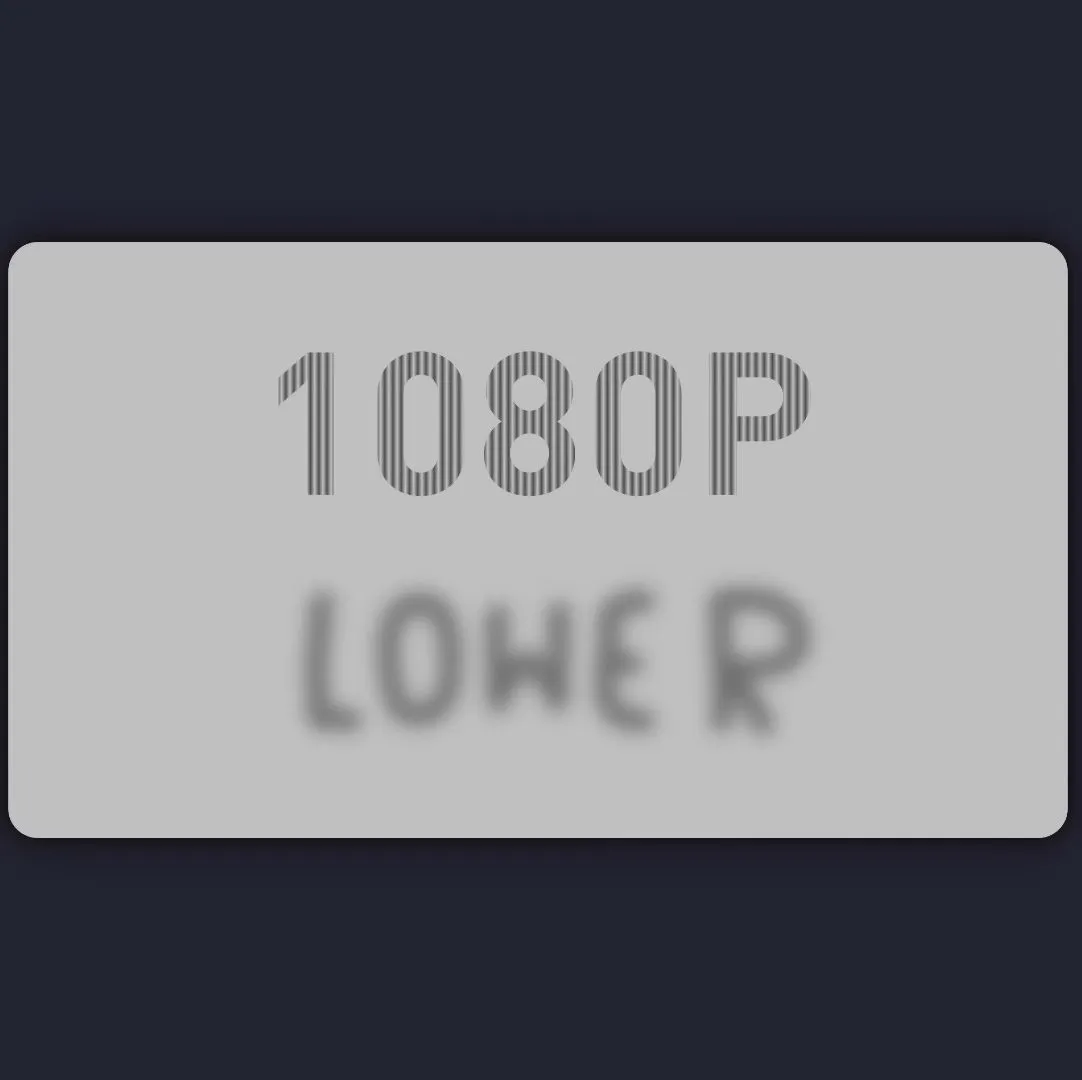
Watch it at 1080p, you get one thing; at 360p, the image is completely different. The hack relies on understanding precisely how YouTube cuts down videos — because if you haven’t uploaded a video there before, you might not know the creator doesn’t have to encode all of those options; they’re invited to upload in the highest possible definition, and YouTube reencodes the rest.
1080p and 720p films are shown at 60FPS, while 360p and below are 30FPS– so that’s one way to hide the difference. Since YouTube drops every second frame when encoding the lower-quality video, images you want in the HD version can be kept only in even-numbered frames that YouTube will remove. That seems easy enough, but how does [PortalRunner] avoid the low-quality image flickering in at 30 FPS when watching in higher definition?
Well, that relies on understanding exactly how downsampling works: going from 1080p to 360p means tossing out every third pixel in both the horizontal and vertical directions. If you’re careful, it turns out you can craft an image that vanishes when the 3×3 grid of pixels it’s made of at 1080p is averaged to a single background-colored pixel at 360p. [Portal Runner] is using vertical stripes here, but that’s not the only way to do it. Just to be sure the message came through loud and clear at 1080p, though, the original image, not the stripy one, is used on the odd-numbered, discarded frames.
Advertisement
Hiding the 1080p video is only half the battle: he needs to get those frames not to average specifically to the background color, but to make his new images. That’s a bit tricky, which is why the demonstration uses “1080p” and “lower” as its easter eggs: they fit well inside one another, with the characters lining up one-to-one. That’s without even getting into the hack he’s using with extra i-frames to create thumbnails on the timeline to tell you to ‘subscribe’. Look, it is YouTube, what else can you expect? We’re just glad to see a totally benign hack of the platform that’s holding so many hacks these days.


















![BITCOIN IS BREAKING CRITICAL RESISTANCE! [TRAP TRAP TRAP]](https://wordupnews.com/wp-content/uploads/2026/05/1778482707_maxresdefault-80x80.jpg)





























You must be logged in to post a comment Login