


Connect with us
DAPA Banner
DAPA Coin
DAPA
COIN PAYMENT ASSET
PRIVACY · BLOCKDAG · HOMOMORPHIC ENCRYPTION · RUST
ElGamal Encrypted MINE DAPA
🚫 GENESIS SOLD OUT
DAPAPAY COMING

Tech

Alito Helped Normalize Unreasoned Shadow Docket Orders. Now He’s Mad About One.

Published

on

from the oh-so-now-you’re-concerned? dept

A couple weeks back, Supreme Court watcher Steve Vladeck pointed out a fascinating “tell” by Justice Samuel Alito in dealing with stays that he will issue on shadow docket requests. If he is prone to agree with the underlying claim, he’ll issue an unbounded stay on a lower court’s ruling. If he is inclined to disagree with the underlying ruling, he issues a temporary stay with a short deadline before the stay is lifted. He noticed this in particular with the stay that Alito issued in response to the Fifth Circuit’s ruling blocking prescriptions of the abortion drug mifepristone without an in-person visit (an attempt to block the pills from being sent to the various Southern states covered by the Fifth Circuit). In that case, Alito had a short deadline before the stay would be lifted, in contrast to how he tends to treat such stays when he agrees with the result:

First, Justice Alito waited almost 48 hours to act—a period during which there was quite a lot of chaos across the country among doctors, pharmacists, and patients over whether and to what extent they were bound by Friday’s Fifth Circuit decision. 48 hours may not seem like a long time, but for comparison, in November, Alito issued an administrative stay in the Texas redistricting case just 68 minutes after Texas’s application for emergency relief was docketed by the Supreme Court (both of which happened after hours on a Friday night).

Second, and speaking of the Texas case, Alito’s administrative stays in the mifepristone case had something that his administrative stay in the Texas case didn’t—a deadline (next Monday at 5 p.m. ET). This follows a much broader pattern—in which Alito issues indefinite administrative stays in cases in which he appears to be sympathetic to the applicants, but imposes deadlines on the stays in cases in which he doesn’t. Before Monday, the last nine administrative stays in which Alito imposed deadlines were all cases in which at least one of the applicants had been the Biden administration. In contrast, Alito imposed no deadline in the Texas redistricting case; a potentially significant non-delegation case from 2024; and several other cases with … less … of an ideological valence.

To be sure, Alito isn’t the only justice to ever put a deadline on an administrative stay; Justices Gorsuch and Jackson have also each done it exactly once. And although the deadlines tend to create unnecessary tension and stress for both the parties and the Supreme Court’s press corps (who worry about what will happen if the deadline comes and goes with no action—which appeared to happen in the Texas SB4 immigration case in March 2024), they’re not especially significant beyond that. But it certainly seems like a petty way to treat parties differently based upon what you think of their claims.

Then, despite that short deadline (which, to be fair, was extended three days), the Supreme Court waited until 26 minutes past the deadline to issue its unexplained shadow docket ruling keeping the stay in place until after the rest of the proceedings play out (like a cert petition to the Supreme Court, and then a more complete ruling on the merits).

Advertisement

As a site that regularly calls out and complains about shadow docket rulings, and in particular unexplained shadow docket rulings, it’s unfortunate that the majority didn’t explain their reasoning — and equally unfortunate that Alito forced a rushed decision in the first place.

I know that the justices hate the term “shadow docket,” preferring either the “emergency” docket or the “interim” docket, but if they’re going to call it that they should really only use it for issues that are emergencies or for interim relief — the very limited number of scenarios where real unmitigated damage could be done in the interim until a thorough review has been conducted. But that’s just not the case most of the time. Relatedly, those rulings should have extremely narrow and limited precedential power. In theory that was the case until last year when some of the Justices (most notably, Justice Gorsuch) started whining about judges following actual full merits rulings as precedent, rather than magically applying unreasoned shadow docket decisions.

And while there is plenty of analysis elsewhere of the impact of last week’s late night ruling, I wanted to highlight the sheer hypocrisy* of Alito whining about the Justices not giving a reason for their stay. In his own dissent (which is likely why the ruling came out late, coming after Alito’s own needlessly imposed deadline), he starts off by complaining about the lack of any reasoning:

The Court’s unreasoned order granting stays in this case is remarkable.

Given how often Alito has signed onto other “unreasoned” shadow docket rulings when he agreed with them, it’s worth calling out the brazenness of complaining about the very practice he’s helped normalize.

Advertisement

* I use the word “hypocrisy” here deliberately for two reasons. First, because it is incredibly hypocritical. Second, because Alito’s ruling had an embarrassing typo, in which he referred to the litigation involving the Alliance for Hippocratic Medicine as the Alliance for Hypocritic Medicine. This typo was one of many that the Supreme Court had to issue corrections on the filing not once, but twice, before finally fixing this particular typo.

And while the Wall Street Journal can pretend that shadow docket critics don’t care about unexplained shadow docket rulings when they go in their favor, that’s bullshit. Unexplained SCOTUS rulings are bad no matter what. In an ideal world, Alito wouldn’t have imposed an artificially short deadline on the administrative stay, and the court would have given some explanation for its decision — rather than leaving us to read tea leaves from Alito and Thomas’s odd dissents.

For what it’s worth, Vladeck also does an excellent job pointing out the fundamental inanity and contradictions of both Alito and Thomas’s dissents in this case.

First, Justice Thomas went full Comstock Act, arguing that all dispensation of mifepristone through the mail is illegal—never mind that the Department of Justice took a different position as recently as 2022. Putting aside the (well-documented) weaknesses of the Comstock Act arguments, Justice Thomas is simply wrong to argue that parties “cannot, in any legally relevant sense, be irreparably harmed by a court order that makes it more difficult for them to commit crimes.” As the Trump cases have regularly illustrated, a party can be irreparably harmed (at least in view of a majority of the current Court—including Justice Thomas) by a court order that makes it more difficult for them to break the law. Justice Thomas also apparently saw no problem with the Fifth Circuit issuing nationwide relief under the APA—even though he joined a 2023 concurrence by Justice Gorsuch arguing that such universal vacaturs were likely not authorized by the APA. Needless to say, that inconsistency was … not addressed.

And then there’s Justice Alito’s dissent. Alito opened by claiming that “[w]hat is at stake is the perpetration of a scheme to undermine our decision in Dobbs.” Of course, Dobbs insisted that it was returning the question of abortion to the states, whereas the Fifth Circuit ruling would’ve required in-person doctor visits on a nationwide basis. In any event, though, the FDA first got rid of the in-person doctor-visit requirement in 2021—before Dobbs was decided. So the “scheme to undermine Dobbs” began … before Dobbs.

Advertisement

There’s more at the link.

But at a time when the Supreme Court keeps telling us we shouldn’t believe that they make decisions on partisan grounds, it sure would help if they actually stopped doing things differently depending on the partisan valence of each case — something Alito seems to do quite regularly.

It really seems like we need serious reform of the Supreme Court. I’ve already argued that we should increase the number of Justices to 100 or more (to the point where no single Justice matters so much anymore), but any serious reform needs to contend with the abuses of the shadow docket, and making sure that it really is only used for emergency situations where an interim ruling is necessary for maintaining the status quo until a full briefing on the merits can occur.

Justice Alito appears to want to have two different sets of rules, depending on his feelings towards the parties. That’s the opposite of supposedly blind justice. If the court fears that its rulings are seen as illegitimate, then it should start by making sure Alito stops treating parties very differently depending on how aligned they are with his personal ideological beliefs.

Advertisement

Filed Under: 5th circuit, abortion, clarence thomas, louisiana, mifepristone, samuel alito, shadow docket, supreme court

Source link

Advertisement
Continue Reading
Click to comment

You must be logged in to post a comment Login

Leave a Reply

Tech

Daily Deal: The Essential MATLAB & LabVIEW Mega Bundle

Published

on

from the good-deals-on-cool-stuff dept

The Essential MATLAB and LabVIEW Mega Bundle has 9 courses to help you improve your skills in programming and visualization. You’ll learn the basics of each and then go through hands-on courses building apps, learning about data analysis and visualization, and more. It’s on sale for $30.

Note: The Techdirt Deals Store is powered and curated by StackSocial. A portion of all sales from Techdirt Deals helps support Techdirt. The products featured do not reflect endorsements by our editorial team.

Filed Under: daily deal

Source link

Advertisement
Continue Reading

Tech

6 women in the research space whose careers you need to follow

Published

on

If you are a researcher and want to know more about the people driving innovation and change, then look no further than these six impressive women.

In all industries, there are the movers and shakers whose work often leads to the evolution of what is possible and the reimagining of what could be. The field of research, perhaps more than most, embraces those who are of a curious mind and have a vision for the future – think of people like Marie Curie, Rosalind Franklin and Alice Ball.

In the 20th century, these women were at the forefront of the research space and their work has gone on to impact the lives of people today as much as it did when first shared.

But who are the movers and shakers of today? Who are the women driving the research answering life’s most pressing questions?

Advertisement

Yvonne Buckley

Yvonne Buckley is a professor of zoology at Trinity College Dublin. She was also the founding co-chair of the All-Island Climate and Biodiversity Research Network, the senior editor of Journal of Ecology, a member of the National Carbon Budgets Working Group and a member of both the Royal Irish Academy and Academia Europaea. She leads a team of researchers, post-docs, PhD and undergraduate students aiming to better understand the fundamental drivers of animal and plant population processes. 

The discoveries she is a part of are often used to provide support for environmental decisions in the areas of biodiversity conservation, invasive species management and habitat restoration. Earlier this year, she was the recipient of the 2026 Royal Irish Academy Gold Medal in the Environmental Sciences, Geography and Geosciences in recognition of her outstanding contributions to science, research and scholarship.

Emer McGrath

Prof Emer McGrath is an associate professor in the College of Medicine, Nursing and Health Sciences at the University of Galway. She is also an adjunct associate professor at UT Health San Antonio, a consultant neurologist at Galway University Hospital, an investigator for the Framingham heart study and a research collaborator at the Boston University School of Medicine.

Her main focus at the moment is research around dementia risk factors and identifying biomarkers of the illness before the patient suffers memory loss and irreversible brain damage, which can make treatment significantly more complicated. 

Advertisement

Ieva Plikusienė

Ieva Plikusienė is a professor and senior researcher in the Faculty of Chemistry and Geosciences and the Faculty of Medicine at Vilnius University. Her area of research focuses primarily on the development of advanced biosensing systems, designed to detect early warning signs of illness in the human body. The aim of her work is to help source the best candidates for drug design and detect important cancer, viral or bacterial biomarkers.

In recognition of her contributions to the research and medtech spaces, Plikusienė was recently awarded the prestigious André Mischke Award from the Young Academy of Europe.

Sarah Gilbert

Prof Sarah Gilbert is a professor of vaccinology at the Pandemic Sciences Institute at the University of Oxford. Her chief research interest is the development of viral vectored vaccines that work by inducing strong and protective T- and B-cell responses. She has led work on influenza vaccine development as well as vaccines for different emerging pathogens, including MERS and Lassa virus. She is in frequent collaboration with colleagues working in the Clinical Biomanufacturing Facility and Centre for Clinical Vaccinology and Tropical Medicine at Oxford. 

In 2020, she was named the Oxford project leader for ChAdOx1 nCoV-19, a vaccine against the novel coronavirus SARS-CoV-2. If you are interested in vaccinology and related fields, such as future pandemic prevention, Gilbert’s career trajectory could offer some inspiration. 

Advertisement

Friederike Otto

Prof Friederike Otto is a renowned researcher and scientist operating at the intersection of climate science and environmental policy at Imperial College London.

She is the lead of World Weather Attribution (WWA), which is an international effort to analyse and communicate the impact of climate change on extreme weather events. She studies how major weather events, such as droughts, heat waves and storms, are intensified and made more frequent by changes in the climate. She is also interested in the merging of science, law and policy, and aims to better understand how scientific evidence can be used in legislation, litigation and more informal governance for resilient societies.

She has authored numerous reports, was recognised for her co-founding of WWA on the Time 100 list as one of the world’s most influential individuals, is the author of two non-fiction books – ‘Angry Weather’ and ‘Climate InJustice’ – and has had her work featured extensively in global media, including in The Economist, Financial Times, The New York Times, Der Spiegel, Times of India and the BBC, among others. 

Abeba Birhane

A cognitive scientist researching AI accountability, Prof Abeba Birhane is a principal investigator for the Artificial Intelligence Accountability Lab and assistant professor of AI in the school of Computer Science and Statistics at Trinity College Dublin. Her work ranges from the systematic examination of AI ecology and governance structures, to the execution of algorithmic audits. Also central to her research are goals of challenging and dismantling societal and historical inequalities and power asymmetries, holding responsible bodies accountable, and paving the way for a future marked by equitable AI systems that work for everyone. 

Advertisement

She has contributed to several peer and non-peer reviewed journals, and is a driving force in continued research into AI, ethics and the long-term, societal implications of the technology. She has also been the recipient of several awards and commendations, including a mention on the Time 100 most influential persons in AI 2023 list, and the Distinguished Paper Award 2024 at the IEEE Conference on Secure and Trustworthy Machine Learning.

Don’t miss out on the knowledge you need to succeed. Sign up for the Daily Brief, Silicon Republic’s digest of need-to-know sci-tech news.

Source link

Advertisement
Continue Reading

Tech

Pulse Space wins $40M contract from Space Force to work on space laser power system

Published

on

An artist’s conception shows a satellite receiving energy from a laser beam. (Credit: Pulse Space via Vimeo)

Bellevue, Wash.-based Pulse Space says it has received a $40 million award from the U.S. Space Force to develop technologies for laser-based power beaming and orbital tracking systems.

The startup, founded in 2022, is working on a system that would collect energy using solar arrays and send that energy via a laser beam to remote nodes in space. The technologies developed for the system could also be used to track objects in orbit and transmit data.

“This historic $40 million award is a defining moment for Pulse Space, and I am exceptionally proud of our team for making it happen,” Karl Stedman, Pulse Space’s founder and CEO, said today in a news release. “We are honored to partner with the United States Space Force to mature our laser-based technologies and are proud to share this massive step forward with our investors and shareholders. Pulse’s technical development platform is helping pave the way toward that future.”

Pulse Space was previously awarded a $1.9 million Air Force contract in support of its work on laser-based military communications systems. The company said its proposed satellite constellation would support “secure, high-bandwidth optical communication and energy delivery,” with the ability to transmit 29.7 kilowatts of power to a 3-meter (10-foot) target from 1,000 kilometers (621 miles).

The company is also on the Missile Defense Agency’s list of potential vendors for SHIELD contracts, with a ceiling of $151 billion. SHIELD — which stands for Scalable Homeland Innovative Enterprise Layered Defense — is a program that encompasses a broad range of work areas for the Pentagon’s Golden Dome missile defense initiative.

Advertisement

Pulse Space was one of the startups selected in 2024 for the Techstars Space Accelerator program, and last year the company partnered with Virginia-based Scout Space to work toward an in-orbit demonstration of laser power transmission.

In February, Pulse Space completed a $5.72 million seed investment round, according to Pitchbook. Its investors include Divergent Capital, GrayArch Partners, Shake and Bake Productions and Techstars.

Source link

Advertisement
Continue Reading

Tech

The Best Tech-Packed E-Bike Yet

Published

on


I had a chance to test out the Segway Myon e-bike at CES 2026, back in January and I’ve been thinking about it ever since. In Las Vegas, this bike blew me away. Now that I have one, I’ve found a few warts, but I’m still genuinely impressed.

I’m a 49-year-old, 270-pound man who is riding a bike for the first time in two weeks. Why it’s the first time in two weeks is a subject we’ll discuss in a little bit, but suffice it to say, it’s been a while since I’ve had the opportunity to get out and cruise. I biked from my home in Streamwood, IL over to the city of Elgin, along the river for a spell to the Illinois Prairie Path, on to the Great Western Trail, back over to Woodfield mall, and finally back to my home.

I just crossed my 50th mile on this trip. I’ve been biking for just over four hours in 87-degree heat. Overall, I’m tired, but I feel pretty good, and I have the bike under me to thank for it.

Advertisement

Put simply, this bike packs the most technology I’ve seen in a bike that costs less than $2,000. There’s a lot to love here, and it doesn’t cost much to love it — comparatively. $2,000 is a lot of money, but what you get compared to what you get in other e-bikes is outstanding. It’s no exaggeration to say that this sets the new standard for e-bikes in America.

Advertisement

Smooth riding

One of my favorite parts about this bike has to be the motor. It is incredibly powerful and very smooth. The bike uses a torque sensor to determine when assistance in needed. A torque sensor can tell how much effort you’re putting into pedaling and nudge you a little faster and a little harder. It doesn’t take much for it to kick in, but when it does it feels natural — as if you’re just pedaling a little bit harder. By comparison, a cadence sensor detects when the pedals move and engages the motor basically whether you need it or not. Overall, I vastly prefer torque sensors.

As far as the assistance is concerned, you can set your own level. For the most part, I left the assist level between one-quarter and one-half power. I basically never needed more than that; it was plenty. On the 50-mile journey that culminated my review period, I kicked it up to half power toward the end, both because I didn’t need to conserve the battery as much, it was largely uphill, and because I was getting pretty gassed.

Advertisement

It’s not cheating

Some people will look at someone riding an e-bike and consider them to be cheaters. I totally see where that opinion is coming from, but after this latest ride, I can very much assure you that is not the case. Basically, it’s like being in a four-hour spin class. That’s no joke. The Myon has a throttle as well, so it is possible to just cruise on this bike if you want, but that takes a big hit on the battery.

For one trip, I biked about 12 miles from my home to a newly-published geocache — I was the first to find it, thank you very much. On the way back, I decided to just let the bike do the work. The trip down used about 20% of the battery. The ride back depleted it by nearly 50%. You’re better off biking, using the motor to assist your pedaling, rather than just wholesale relying on the throttle. The motor is so powerful, you don’t need to turn up the assistance much at all, but your legs will be doing some work, for sure.

Advertisement

The tech packed in

The Segway Myon has a ton of useful tech built into it. Of course, there’s a bright, full color display in the middle of the handlebars. On each end is a turn signal that flashes the handlebars front and back so everyone knows where you’re going. The bike also has a lot of security features like Airlock, which allows you to unlock the bike just by having your phone nearby. When the bike is locked and it’s moved, the real wheel locks and won’t spin and a loud klaxon sounds indicating the bike is being moved without its owner nearby.

I found this feature to be a tad annoying — my phone didn’t unlock the phone or prevent the alarm from sounding nearly in time. Most of the time, I had to pull my phone out of my pocket and manually unlock the bike in the app just to shut it up. I like the idea of the locking rear wheel and alarm, but overall, Bluetooth doesn’t seem quick or reliable enough to make that connection and disable those features before they annoy you.

Moreover, the security features are hard on the battery — draining it by about 9% overnight. That’s not great. If you don’t ride your bike and don’t leave it plugged in, you may go out after three days and find a quarter of the battery drained. What would make this feature better would be a geofence that allows you to disable all those features when you are home, so the bike knows that it’s safe, so it can relax and save some battery.

Advertisement

Navigation with Here maps is (currently) terrible

The bike also comes with built in navigation, which is a really cool concept, but it’s fundamentally flawed in a number of ways. Most notably, navigation relies on app connectivity which, as I’ve already discussed, is far from perfectly. That’s already not great. The app has a navigation feature that remains hidden until you expose it. I had to edit the quick options in the app to locate navigation panel in order to actually use it, but that’s still not the worst part about the navigation.

The bike uses Here maps to navigate. I have a lot of respect for Here — it was the default navigation app for Windows Phone; I’m a fan. But Here maps is terrible for biking directions, and it’s worth reiterating that this navigation…is for a bike.

On any given route, I entered the destination on Google Maps and in the Segway navigation app, and without fail, Google had better directions. In one instance, Here wanted me to ride my bike on the shoulder of a thoroughfare with a posted speed limit of 45 mph while Google (rightly) directed me to the bike path that literally ran parallel to the road 50 feet to the north. It got to the point where I simply stopped using the bike’s (Here) navigation because it was, for all intents and purposes, useless.

Advertisement

Quality, but delicate construction

The build quality of the bike is very solid, and very heavy. The bike has a step-through frame, with an optional body bar. I left it off — I’m old and I prefer step-through frames. Each handlebar has a controller with buttons and switches that control the technology on board. A joystick on the left side switches you between screens, and rocker switch on the right controls the gears for the bike — electronic switching is quite handy by the way. In a couple of weeks, Segway will roll out an automatic gear switching feature. When I receive that update, I will test it and if it significantly improves the overall experience, I’ll be sure to update this review.

The problem I ran into (and the reason why I didn’t ride a bike for two weeks) was because at some point when either loading or unloading the bike from my car, the pedal assist rocker switch popped off and I lost it. Segway sent over a new control unit which required disassembly of the handlebar, and when I tried to reconnect the wires to the control board, I inadvertently bent delicate pins inside one of the connectors. I had to head to a bike shop where they were able to straighten the pins and get the connector working again.

When I looked more closely at the rocker switch that popped off I could easily see how it happened. The button had a small slot below it that could easily catch on a sharp edge and pop the button right off. The pins inside the connector are also a bit too easily bent for my taste. I hope Segway takes these notes to heart when designing its next bike.

Advertisement

Intuitive and easy

Overall, the bike is easy to ride and control. I sometimes found myself turning on the turn signal when I meant to adjust the pedal assistance because the rocker switches are identical left and right. Beyond that though, I love the idea of navigation built into the display, and media controls which you can adjust via that control screen.

The bike can also switch between being a class 2 and a class 3 e-bike. The difference is a class 3 e-bike can go up to 28 miles per hour, but that disables the throttle entirely. I left the bike in Class 2 mode for most of my review period because I like having the throttle if I need it, and 28 miles per hour is too fast for trail riding, which is where I spent most of my time. All that being said, I wouldn’t hate it if Segway made the switch a little easier to access.

Advertisement

Segway Myon pricing, availability, and verdict

I love this bike, paint points and all. I could see any one of the issues I ran into turning you off — that’s fair. But this is by far the best value you can find in an e-bike of this quality. The bike retails for $1,999.99 — you can buy the Segway Myon from the Segway store online, now. In the world of e-bikes, the average is around $1,200 to $1,500, so this bike is more expensive than other options. But the sheer amount of (useful, functional) tech built into this bike makes it worth it.

Other e-bikes have similar features — a color screen, a smooth torque sensor, turn signals — but no other bikes have all of these features for this low a price. Which is why, when I asked the bike shop how often they’ve sold one (since they started selling them earlier this year, 2026), they told me they sell about one per week.

Advertisement

But there is room for improvement. Here maps is basically a non-starter for navigation. It actually makes me wonder if Segway even tested the navigation before shipping it. I get Here maps is probably less expensive to license than bigger-name alternatives, but it’d almost be better to have nothing. 

I’d also like to see geofencing implemented to save the battery while you’re storing the bike at home.

But beyond that, this is absolutely a bike you should consider if you’re in the market. The overall experience is absolutely premium, and there’s just enough room for improvement that makes me really excited to see what the company will offer next year.

Advertisement


Source link

Advertisement
Continue Reading

Tech

Fixing A Dodgy Cheap Audio DAC

Published

on

One of the attractions of buying at the bottom end of the electronics market by mail order from China is that you never quite know what will come your way. Sometimes it’s a diamond in the rough, while with others it’s a mess. Occasionally along comes something which should work but doesn’t, and that’s the moment when you wonder if you could fix it. [Nyanpasu64] had just such a device, an HDMI to VGA converter with audio that didn’t work. What could be wrong?

The HDMI to VGA chip has an onboard audio digital-to-analog converter (DAC), and it’s a delta-sigma design. This type of DAC is frequently used in audio applications because it works by shifting its switching frequency many times higher than the input sample rate, thus reducing considerably the distortion. This one wasn’t performing as advertised though, and the problem turned out to be that switching frequency being all over the output. Clearly the filter wasn’t working, which led to the design of a new filter. The write-up is therefore an extensive dive into filter design, and in part also a discovery of the effect of impedance on them.

For a super-cheap module to cause so much work, one might ask why not simply spend a few more dollars and get a better one. But had they done that we wouldn’t have seen this write-up, so we’re sticking with team cheap.

Advertisement

We’ve looked at audio DACs, in the past.

Source link

Advertisement
Continue Reading

Tech

A Brief History Of The Crazy Old 7-Segment Display

Published

on

How old is the seven-segment display? Surely it is a product of the 1970s. After all, calculators started showing up, and the height of junior high humor was plugging 7734 into your calculator and showing it to someone upside down. Of course, for it to go mainstream, maybe they really originated in the 1960s, but no earlier than that, right? Actually, no. Sure, the LED seven-segment display had to wait for LEDs. But the actual idea is much older than that.

The concept of building numbers from a small set of reusable segments predates LED displays by decades. In fact, the basic idea appears in patents from the early 1900s and may have roots in even older mechanical signs and printing techniques.

The history isn’t entirely straightforward. Unlike vacuum tubes or transistors, segmented displays evolved gradually through a series of practical ideas rather than one defining invention.

Blacking out the Eight

While looking into the history of segmented displays, I was reminded of something I’d seen years ago in retail stores: reusable price tags printed with rows of eights.

Advertisement

Rather than printing every possible price, the clerk simply used a marker to black out portions of each figure, transforming an 8 into whatever digit was needed. Cover a few strokes, and the eight becomes a three. Remove a different set, and it becomes a zero or a five. It was, in essence, a manual segmented display.

Finding the exact origin of these price tags is akin to finding out where Romans bought sponges. They were inexpensive commercial supplies, not the sort of products that historians carefully documented. My recollection is from the middle of the twentieth century, but the underlying concept is almost certainly older.

Everything New is Old Again

George Mason’s 1898 21-segment display used 21 lamps and a complicated switch to display any digit or letter in a very stylish font. You can see a modern recreation of these ancient displays in the video below. While this is the basic idea, certainly, it is more ambitious than a simple 7-segment display.

Advertisement

I couldn’t determine that Mason’s displays were ever used for anything.

You could argue that an early 1903 invention by Carl Kinsley to draw characters telegraphically using six pens was an even better precursor, but using magnets to draw with pens on tapes hardly seems to qualify as a display, although figure 12 in the patent clearly shows the formation of numbers and even letters with this arrangement.

Digits of Patent

The direct parent of modern segmented digit displays appeared in the early 1900s (filed 1908; granted in 1910). Technically, this was an 8-segment display because it had a bar dedicated to forming a proper four, with the top-left part slanted. But removing that one segment is just an optimization. It may or may not have been the first, but by 1910, seven-segment displays were in use and not just curiosities on a workbench or dreams in a patent application.

Even for lit-up displays, the first implementations weren’t LEDs. Early displays used incandescent lamps or neon-filled tubes. By the 1930s and 1940s, segmented neon or incandescent indicators were appearing in industrial equipment and counters, instead of the common columns of ten neon bulbs, pointers, or rotating wheels.

Advertisement

Then, too, there were different approaches. Nixie tubes used individual character forms that lit up. Decatrons could count with ten different glowing points, each representing a digit.

Enter the LED

The real explosion came in the late 1960s when practical LED displays arrived. Suddenly, segmented displays could be compact, rugged, inexpensive, and operate at low voltages. Calculators, clocks, frequency counters, digital multimeters, and every imaginable piece of consumer electronics adopted them almost overnight.

Of course, it wasn’t just LEDs. Numitrons used seven tiny incandescent filaments. Vacuum fluorescent displays used segments with phosphor that glowed when excited. LCDs adopted the same pattern, blocking or passing light to produce the segments. But the key idea was something that lights up, arranged in seven segments.

Radio Shack’s 1976 catalog featured magnified LED displays.

Early LED displays often had all the diodes on a single die to reduce cost. That made them very tiny. It wasn’t unusual to see displays with magnifying bubbles to make it easier to read.

The important point isn’t whether they used exactly seven segments. Many didn’t. Some divided the numerals differently or used additional pieces to produce more attractive typography. The insight was the same: begin with the most complex digit and selectively remove strokes to create all the others.

Advertisement

Why Seven?

One of the reasons seven segments became the standard is that they strike a perfect balance (although not everyone agrees, as you can see in the video below). With fewer than seven elements, several decimal digits become difficult to distinguish. Adding more segments certainly improves appearance, but every additional segment increases wiring, decoding logic, manufacturing cost, and the number of possible failure points. Seven is the right number for — um — numbers. But what about letters?

You can make some compromises to show some letters. For example, old computers would display hex digits using seven segments, but the A would be uppercase and the B would be lowercase. You also had to light the top segment for the 6 to make it look different from a B. But you only need A-F for hex. If you need, say, the letter S, there’s no real way to make it not look like a 5 with 7 segments. But sometimes, the letters you can make are good enough.

Advertisement

There were also 8- and 9-segment displays that could do better with letters and special characters. You can increase the segments further to get more glyphs.

The Union Jack

Different segment counts for displays (public domain by [errorage])

The solution for full letter displays was to add more segments. Despite Mason, you didn’t really need 21. By the 1970s, fourteen-segment and sixteen-segment displays had become common in instruments, telephones, calculators, and video cassette recorders. Their pattern of diagonals and crossbars earned them the nickname “Union Jack” display because the arrangement resembles the British flag. These are also sometimes called starburst displays. You occasionally see 16-segment displays, too.

Even Today

Today, you have a plethora of options for adding alphanumeric screens to just about anything. Yet, you still see 7-segment displays hanging around.

The seven-segment display isn’t successful because it’s beautiful. It isn’t even especially flexible. It’s successful because it’s close to the minimum solution that works. It delivers readable numbers with very little hardware, whether the technology behind it is incandescent bulbs, neon, vacuum fluorescence, LEDs, LCDs, or even ink on a printed price tag.

Perhaps that’s why it has survived every technological transition for more than a hundred years. Good engineering ideas often outlive the technologies that first bring them to life.

Advertisement

And once you start looking for segmented displays, you’ll notice they’ve been hiding in plain sight for much longer than the digital age.

Featured image: [Arduino Enigma]’s marvelous Seven Segment Art Installation

Source link

Advertisement
Continue Reading

Tech

The enterprise AI challenge nobody solves with code generation alone

Published

on

Presented by SAP


Generating code with AI is fast, but getting that code to run reliably inside a large enterprise, integrated with live systems, governed for compliance, and maintainable over years requires foundational work that most organizations underestimate.

While 81% of all organizations have a detailed strategy, only 12–16% reach AI‑driven execution, says SAP’s Michael Ameling, CPO of SAP Business Technology Platform, and the reasons rarely come down to the quality of the generated code.

“Across industries, enterprises that have invested heavily in AI tooling are hitting a wall when generated code meets the reality of their existing environments, because generating code and operationalizing it are not the same problem,” Ameling says.

Advertisement

There are specific requirements for deploying AI-generated logic at enterprise scale: what data and integration readiness actually look like, how governance works when AI agents move from producing recommendations to executing workflows, and how development teams are changing their role as AI takes over more of the coding work.

Why AI code generation fails in enterprise production environments

The productivity gains from AI code generation are real and well-documented, but the ease of prototyping has given many organizations a misleading sense of how far along they actually are.

“Generating code is one thing,” Ameling says. “Enterprise customers, including multinationals and large organizations, need to ensure there are no compromises in compliance or security. Code that runs reliably for ten or twenty years, as it does at many of SAP’s largest customers, also has to be maintained, patched, and understood by whoever inherits it. Life cycle management, in other words, does not generate itself.”

The issue is rarely the generation quality. Teams build something compelling, then discover they lack access to the data it depends on, or the integrations it assumes, or the permissions required to run it in a real environment. The problem is essentially that AI amplifies an organization’s existing data and process maturity, but it can’t substitute for it.

Advertisement

This dynamic intensifies as AI moves from producing code to executing actions. Latency, cost, and system load all increase when logic runs continuously against live data rather than rendering a one-time output. The performance requirements of an autonomous agent operating across a multinational’s transaction systems are categorically different from those of a developer copilot.

How to connect AI-generated logic to fragmented enterprise systems

The architecture challenge that most enterprise AI projects underestimate is integration. Real enterprise environments are not clean slates: they combine cloud systems, legacy on-premise infrastructure, fragmented data stores, and dozens of business applications that were never designed to talk to each other. Getting AI-generated logic to operate reliably across all of them requires a layer that unifies data access, process context, and governance, and it has to be in place before any agent starts executing. And organizations that see AI as a reason to defer infrastructure modernization are making a mistake.

“The question is not whether to modernize or not. Of course you need to modernize,” Ameling says. “But the value you get on top of this is much higher with AI. Federated data access and harmonized process layers are not alternatives to upgrading a fragmented landscape, they’re what make the upgrade worthwhile.”

At the platform level, this translates into a set of practical requirements: structured data integration, end-to-end process visibility, and the ability to discover and connect to APIs across both modern and legacy systems. SAP’s approach with the Business AI Platform draws on tools including its Joule Studio, Integration Suite, Business Data Cloud, and SAP AI Agent Hub enterprise architecture layer to provide that context. The goal is to give AI-generated logic accurate, current knowledge of what a business is doing and how, rather than just access to raw data.

Advertisement

AI agents handle large challenges by dividing them into smaller, autonomous tasks, with each agent responsible for a specific domain, and all coordinated toward a shared outcome. A financial close, for example, involves dozens of discrete sub-processes. Agents handling each task in parallel, within defined constraints, can compress cycle times dramatically, but only if the underlying systems they interact with are coherent and accessible.

The governance and oversight that AI agents require in production

When AI moves from assistant to operational actor, the governance questions loom large, because agents that trigger workflows, update records, and interact with live business systems need the same accountability framework that applies to human employees, i.e., identities, defined privileges, and auditable behavior.

There are two distinct models:

Principal propagation, where an agent acts on a user’s behalf, inheriting that user’s permissions and scope.

Advertisement

System-triggered agents, where the agent operates under its own identity and role-defined privileges, functioning more like an automated HR role than a personal assistant.

Both models require the same underlying infrastructure: an agent hub where operators can see which agents exist, what APIs they can access, and what they are authorized to do. Observability also needs to be operationalized correctly for AI, combined with both technical and business evals.

“In production, openness is very important,” Ameling says. “We use OpenTelemetry as a framework, so we can integrate with other solutions, for end-to-end observability of the tool, third-party agents and the like.”

On top of that, standard technical evals, which test whether an agent produces consistent outputs, are necessary but not enough. Business evals assess whether an agent is actually moving the performance indicators it was deployed to improve, but it has to work end-to-end.

Advertisement

Where the testing happens is equally important. The traditional software development cycle across dev, test, and production environments breaks down when a model produces different outputs depending on whether it is running against test data or live data. Getting to trustworthy AI in production means accepting that validation looks fundamentally different from what engineering teams have practiced for decades, with live environment testing, even A/B/C testing to ensure outcomes are reliable.

How AI-driven code generation is changing software engineering roles

The role of the developer is not disappearing in this environment, but its center of gravity is shifting. The productivity multiplier is significant when developers can run multiple coding agents in parallel across open terminals, each working on a separate problem and each taking several minutes to complete. But it introduces a new kind of cognitive demand, because humans have to stay in the loop. That means tracking context across concurrent workstreams, evaluating outputs that range across large codebases, and making architectural judgments that no agent can be trusted to make alone.

“The more specific and complete the prompt, the less intervention is required, and developers are learning that bringing more context upfront pays dividends in reduced back-and-forth,” Ameling says. “But the output still needs to be understood, not just accepted.”

The competitive edge will remain intellectual property, not tooling. The companies that pull ahead will be those that most effectively encode their domain knowledge into the systems they build.

Advertisement

“A manufacturer’s process expertise, a financial institution’s risk logic, a logistics firm’s routing intelligence, these are the assets that AI can accelerate, but only if the organizations that hold them do the work to make them accessible and usable,” Ameling says. “Protect that, and apply AI to accelerate your differentiation.”


Sponsored articles are content produced by a company that is either paying for the post or has a business relationship with VentureBeat, and they’re always clearly marked. For more information, contact sales@venturebeat.com.

Source link

Advertisement
Continue Reading

Tech

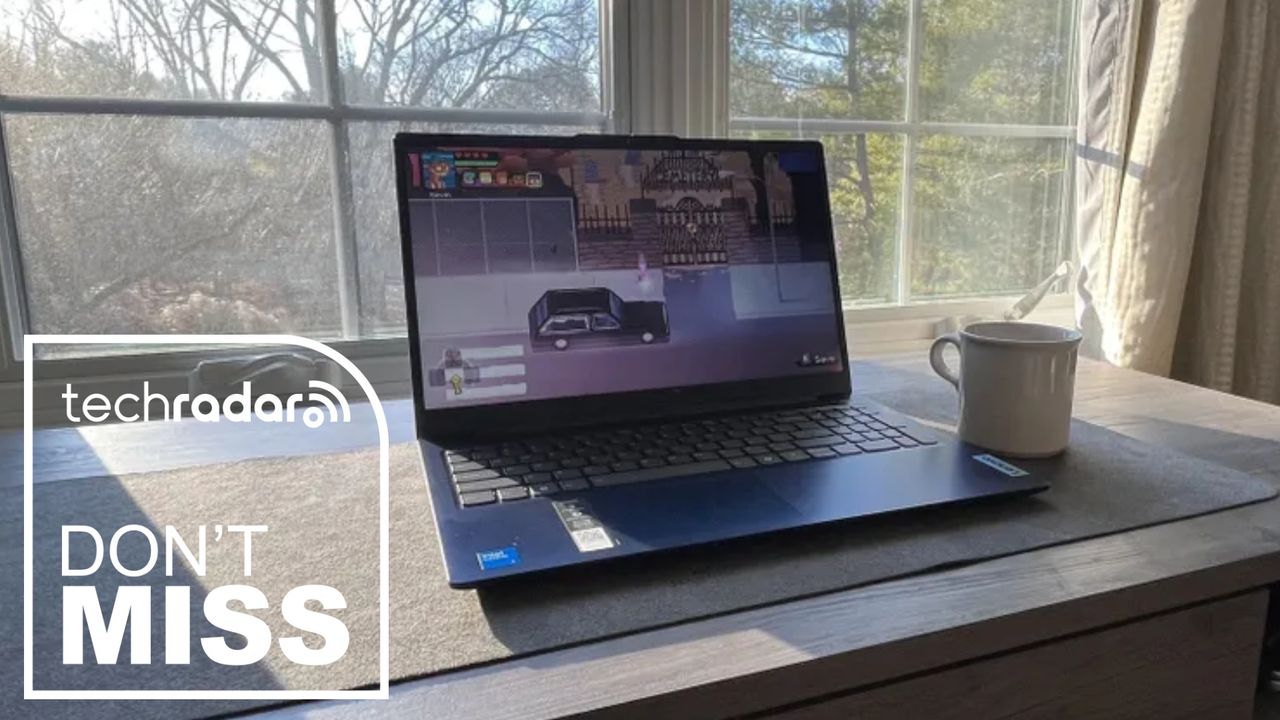
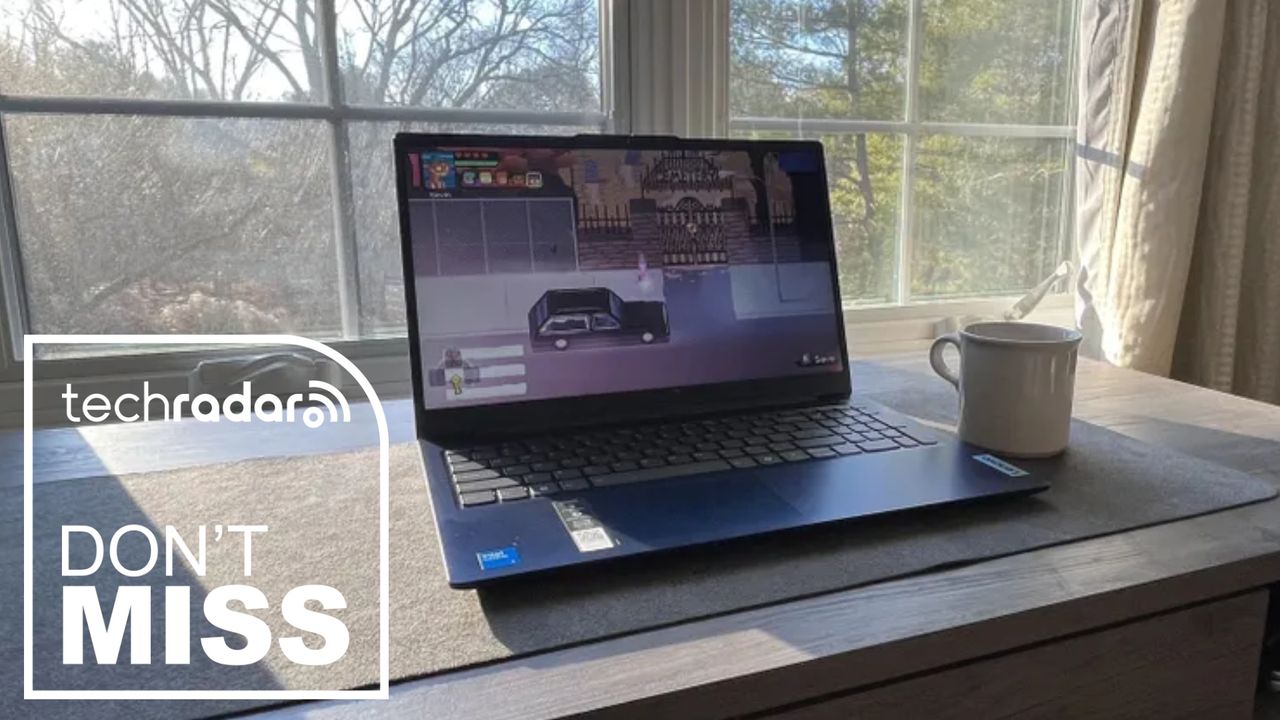
Lenovo IdeaPad Slim 3 deal is a ‘great value’ fuss-free work laptop

Published

on

If you just need a reliable Windows laptop for everyday use, this Lenovo deal is a genuinely good price – it’s an easy recommendation for remote and hybrid workers, and for my money, it ticks all the boxes for general business work.

So, right now, the Lenovo IdeaPad Slim 3i has dropped to £499 (was £599) at Argos. For an all-rounder business laptop, this one of the best budget picks around for under £500.

Inside, the machine is equipped with an efficient Intel Core i5 13420H processor and 16GB RAM, so essential office tasks, photo editing, browsing, and streaming won’t be a problem – no slowdowns or sluggishness here.

Advertisement

Today’s top Lenovo laptop deal

This is a budget-friendly configuration built around Intel’s Core i5-13420H, an 8-core, 12-thread chip from the 13th-gen Raptor Lake-H family, with four performance cores boosting up to 4.6GHz and four efficiency cores.

The 15.3in WUXGA (1920×1200) IPS panel uses a 16:10 aspect ratio, which gives you a bit more vertical space for documents and browsing than the more common 16:9 laptops in this price range. It’s rated at 300 nits with an anti-glare coating, with decent contrast and color accuracy (provided you calibrate it). That makes it ideal for creating images for, say, your work’s social media pages, though I wouldn’t recommend it for colour-critical tasks required by creative professionals.

16GB of RAM and a 512GB SSD is a sensible balance for this price point — enough headroom for normal multitasking across browser tabs, office apps, and streaming without feeling cramped. The laptop weighs 1.59kg and measures 17.9mm thick, with Lenovo quoting up to 14.5 hours of battery life, though real-world use — especially on the Intel variant — will likely fall short of that figure.

Advertisement

Connectivity is fairly standard for the budget class: two USB-A ports and one USB-C port, all capped at 5Gbps, plus HDMI 1.4 (so no native 4K60 output — you’ll need the USB-C port’s DisplayPort Alt Mode for that), a full-size SD card reader, and a 3.5mm headphone jack. Wi-Fi 6 and Bluetooth round out the wireless side.

Also consider

Source link

Advertisement
Continue Reading

Tech

I Built the Chemistry Platform I Needed in My Own Classroom

Published

on

As a current high school student, the first thing I noticed about chemistry was that it was not only hard because of math or vocabulary. It was hard because so much of it was invisible.

In class, I could write a chemical formula. I could memorize that a molecule had a certain shape or that a reaction moved in a certain direction. But much of chemistry did not feel like something I could touch, move, test, or explore. The most important parts happened in a way I would never see.

A Two-Dimensional Perspective

Chemistry is a subject built on relationships. Atoms connect, electrons move, bonds form, molecules bend, acids and bases shift equilibrium, gases respond to pressure and temperature, and reactions balance because matter must be conserved. When those ideas stay flat on a page, students memorize answers without understanding the system behind them.

Advertisement

As a rising 12th-grade student at Suitland High School in Prince George’s County, Maryland, I set out to build a solution because I wanted a serious chemistry workspace students like me could use. I wanted something visual and interactive that could run on school devices without complicated setup — without the need for students to create accounts, download resources, or collect student data. I also wanted something that could open in a browser and allow students to begin learning right away.

Atomency started from a simple question: What would chemistry look like if students could build, manipulate and test ideas instead of only reading about them?

I began by building a workspace where students could create molecules and see structure-based information. From there, I added VSEPR-style analysis so students could connect formulas to molecular geometry instead of treating shapes as something to memorize from a chart. Then I kept expanding it: I incorporated reaction simulations, nuclear decay tools, kinetics tool, acid–base and pH tools, gas-law models and assignment workflows to help teachers bring the platform into the classroom.

I built all of this independently while still being a high school student. That meant I was not just designing a product in theory; I was building from inside the problem. I knew what it felt like to sit in a classroom and need a better way to see what was happening. I knew what it felt like when a concept almost made sense, but the missing piece was the ability to interact with it.

Advertisement

A Three-Dimensional Solution

Students usually receive educational tools instead of imagining or creating them. But students notice things adults can miss. We notice when a website is too slow on a school Chromebook. We notice when a platform requires an account before we can try it. We notice when a tool looks impressive in a presentation but does not align with the way a classroom actually works.

Access shaped how I built Atomency. A chemistry platform should not require expensive software or perfect devices. It should not require students to provide personal information. It should not assume all students have tutors, can pay to access resources, and have personal laptops powerful enough to run advanced programs. If a tool is meant to help students, it should reflect students’ reality.

For me, that reality was a public school classroom where students needed more ways to understand chemistry. Chemistry can become a gatekeeping subject. If students fall behind early, later topics become harder because everything builds on earlier ideas. Atomic structure connects to bonding. Bonding connects to molecular geometry. Geometry connects to polarity. Reactions connect to stoichiometry and equilibrium. Once one link in that chain breaks, the whole subject can start to feel impossible.

Advertisement

I wanted Atomency to help repair those links by making the relationships clearer. Instead of only telling students that a molecule has a certain shape, the platform can help them see how structure connects to geometry. Instead of only practicing reaction-balancing in steps, students can work with reactions as systems. Instead of treating acids, bases, gases, kinetics and nuclear decay as separate units, students can see chemistry as a connected field where patterns repeat in different forms.

Early usage showed me that students and teachers were looking for a platform like this. Atomency’s aggregate GoatCounter analytics indicated 25,162 visits from Feb. 24 to May 24, 2026, with strong engagement in the builder and simulations, the molecular workspace where students can create molecules and see structure-based information. This mattered to me not because it made the platform look popular but because it showed that people were using the parts of the platform that matched the original reason I built it: to give students a place to experiment with chemistry visually.

Atomency has been featured by Eric Curts in Control Alt Achieve and mentioned by Middle School Matters. My AP Chemistry teacher, Dr. Glenn Soltes, described the platform as having meaningful instructional potential. These moments helped me understand that the platform was not just something I made for myself. Other educators could see value in it too.

Still, the biggest lesson I learned was that students should be taken seriously as designers of learning environments. We are close to the problems because we experience them every day. When students say a tool is confusing, inaccessible, slow or disconnected from the way they learn, that feedback is not a complaint. It is design information.

Advertisement

Educational technology should not only be built for students but also with students and by students. That does not mean every student must become a software developer. It means schools and education companies should recognize that students have insight, creativity and lived experiences that can improve tools inside real classrooms.

I built Atomency because I needed a better way to learn chemistry. But as the platform grew, it became about something larger than my own classroom. It became a way to ask what happens when a student is trusted not only as a learner but also as a builder.

Chemistry became easier for me to understand when I could make it visible. Maybe school technology can become better when student experience becomes more visible too.

Source link

Advertisement
Continue Reading

Tech

The 1X Neo Robot Has Freaky Fast Fingers

Published

on

Friendly home robots have been the dream of sci-fi for a long time. Docile, helpful machines that do your laundry, take out the trash, maybe make dinner, and clean up afterward too. But if robots are going to do all that, they’re going to need some hands to make all that happen.

1X, a Norwegian-American robotics company, today revealed details about the five-finger hands attached to its soft, helpful robot companion, Neo.

The hands are built with actuators designed to replicate how tendons in the arms move human hands. 1X says this gives Neo’s hands 25 degrees of freedom of movement, which is just a little less than the 27 degrees of freedom human hands usually have. Cameras and AI smarts help sort out the broader context of what the fingers are trying to grab. It’s a dexterous mix that gives the Neo bot a very broad range of motion. 1X says the hands can grip odd shapes and detect when something is slipping out of its grip. The fingers can also move extremely quickly and hyperextend in directions human digits can’t. They also have an IP68 waterproof rating, meaning the robot can wash its own hands.

Courtesy of 1X

Advertisement

It’s a range that the engineers have aimed to dial in to align with what a human can actually do. Jonathan Terfurth, 1X’s director of actuators and hands, says the range of motion might even be better than a human’s, enabling it to open doors, lift heavy objects, and even plug itself in when its battery starts to die.

“You want to be able to operate with a human who has never worked or interfaced with a robot, and you still want it to be safe and compliant and soft,” Terfurth says. “Range of motion can be a bit extreme, but we try to be very close to what humans can do so that we can live in the world.”

Together, this is part of a growing ChatGPT-esque moment for robotics, where bots have gone from clumsy claw machines to capable handlers, able to gently carry fragile objects and become increasingly helpful for managing menial daily tasks and boring office chores.

The humanoid robot market tends to be dominated by tough, hulking Terminators meant to be paraded out for some defense industry contract or another. 1X is taking a different tack for its robot. The Neo is a soft, supple robot wrapped in a 3D lattice shell. Its design is inspired by characters like Baymax, the affable robot from the Disney movie Big Hero 6. In limited quantities, early access pricing is $20,000 or $500 per month to have it in your home, though the lump sum will prioritize delivery for 2026.

Advertisement

Source link

Continue Reading

Trending

Copyright © 2025