The MacBook Air M5 is what happens when Apple keeps refining an already excellent laptop instead of reinventing it. On paper, the upgrades feel modest. The design is unchanged, the display is still 60Hz, and the M5 chip isn’t delivering the dramatic leap that makes last year’s model instantly obsolete. Yet after spending two weeks with it, none of that really matters.
What stands out is how effortless everything feels. The M5 delivers more performance than most users will ever need, battery life remains excellent, the keyboard and trackpad are still among the best in the business, and macOS Tahoe continues to benefit from Apple’s tightly integrated ecosystem.
The lack of an OLED display and the continued presence of the notch prevent it from being perfect, but they are minor complaints in an otherwise outstanding package.
If you’re coming from an Intel Mac, an M1 MacBook Air, or an ageing Windows laptop, the MacBook Air M5 is one of the easiest laptop recommendations I’ve made in years. It’s not revolutionary. It’s just exceptionally good at almost everything.
Advertisement
Apple MacBook Air M5 Specifications
Specification
Apple MacBook Air M5 (13-inch)
Model Name
Apple MacBook Air M5
Operating System
macOS 26 Tahoe
Processor
Apple M5 (10-core CPU)
NPU
16-core Neural Engine
Graphics
Apple 8-core GPU
Memory
16GB Unified Memory
Storage
512GB SSD
Display
13.6-inch Liquid Retina IPS Display
2560 × 1664 resolution
60Hz refresh rate
500 nits brightness
P3 Wide Colour Gamut
True Tone Technology
Support for 1 billion colors
Screen-to-Body Ratio
Not officially specified
Build Material
Recycled Aluminium Unibody
Color Options
Sky Blue, Silver, Starlight, Midnight
Camera
12MP Center Stage Camera
Wireless Connectivity
Wi-Fi 7
Bluetooth 6
Ports
2x Thunderbolt 4 / USB-C
1x MagSafe 3 charging port
1x 3.5mm headphone jack
Audio
Four-speaker sound system
Spatial Audio support
Dolby Atmos support
Three-microphone array
Keyboard
Backlit Magic Keyboard with Touch ID
Touchpad
Force Touch Haptic Trackpad
Battery
Built-in lithium-polymer battery
Battery Life (Tested)
13 hours 28 minutes
Charging
MagSafe 3 / USB-C charging
Cooling
Fanless passive cooling
Dimensions (W × D × H)
30.41 × 21.50 × 1.13 cm
Weight
1.24 kg
I bought the base-model MacBook Air M5, specifically the 13-inch version with 16GB of unified memory and 512GB of storage. No upgrades, no custom configuration, and no attempt to justify spending even more money on a laptop – instead, the version most people are likely to buy.
Here’s the short version of this review: stop worrying about performance.
Reviewers will show benchmark charts because that’s what we do. Those charts will tell you the M5 is faster than the M4. They are correct. The M5 is faster. Apple has once again made the number bigger.
The problem is that the numbers stopped mattering a while ago.
The M4 MacBook Air already had more performance than most people would ever need. The M5 simply adds even more horsepower to a machine that was never struggling in the first place. It is a bit like replacing a sports car with an even faster sports car when your daily commute consists mostly of traffic lights and roadworks.
What you actually notice is how effortlessly everything works.
Advertisement
I’ll admit that unboxing the MacBook Air gave me a genuine little buzz. Partly because it is a gorgeous piece of hardware. The Sky Blue finish is particularly lovely, looking silver from some angles before revealing a subtle blue tint when the light catches it.
The bigger reason is that I’m now in my late 30s, and this is apparently what excitement looks like. Some people buy concert tickets. I admire laptop finishes.
MacBook Air M5Moinak Pal/Digital Trends
Booting up takes around 30 seconds, although I should mention that about half of that time is spent entering my password incorrectly. Once you’re in, everything feels instant. Safari opens in less than a second. Apple Music launches before I’ve fully registered, clicking on it.
Coming from an ageing Windows laptop, the difference is striking. My old machine approached every task with the enthusiasm of someone being asked to help a friend move house on a Sunday morning. The MacBook Air M5, meanwhile, treats every request like it has had three coffees and a motivational speech.
And honestly, that’s the real story here. Not benchmarks, not charts, just a laptop that feels effortlessly fast all the time.
Advertisement
Design
Quick take: Apple’s familiar design remains elegant, portable, and surprisingly difficult to fault.
If you’ve seen a MacBook Air released at any point over the last three years, you’ve already seen the MacBook Air M5.
That’s not necessarily a criticism. Apple landed on a winning design back in 2022 when it introduced the M2 MacBook Air, and the company has spent the years since doing what Apple does best: changing almost nothing and hoping nobody notices. To be fair, when the design is this good, it’s difficult to argue with the strategy.
My review unit is the 15-inch model in Sky Blue, and I genuinely think it is the colour to get. Depending on the lighting, it shifts between silver and a subtle metallic blue. It is understated enough to take into a boardroom, but distinctive enough that you won’t immediately lose track of it among a sea of silver laptops in a coffee shop.
Advertisement
The chassis itself remains carved from aluminium and feels every bit as premium as you’d expect from a laptop at this price point. The flat surfaces and rounded edges strike a nice balance between modern and comfortable. Four years into this design language, it still looks elegant, even if it no longer turns heads the way it once did.
Then there is the notch.MacBook Air M5Moinak Pal/Digital Trends
Look, I know some people stopped noticing it years ago. I haven’t. Every time I open the lid, my eyes go straight to that little black chunk hanging down from the top of the display. Apple insists it is there to house the webcam. I understand the reasoning. I still don’t like it. It is the only part of the MacBook Air’s design that feels like a compromise rather than a deliberate choice.
Port selection remains functional rather than exciting. On the left side, you’ll find MagSafe charging alongside two Thunderbolt 4 ports. The right side gets a solitary 3.5mm headphone jack, which feels a bit lonely over there.
My biggest complaint is one I’ve had for years. I wish Apple would place a USB-C port on either side of the laptop. MagSafe is excellent and remains one of Apple’s smartest features, but giving users the flexibility to plug accessories or chargers into either side would make daily life just a little easier. Instead, you’re still occasionally doing the awkward desk dance where the cable is on the wrong side, and you’re trying to convince yourself it doesn’t bother you.
Advertisement
MacBook Air M5Moinak Pal/Digital Trends
The real magic of the MacBook Air, though, is how little you notice it when carrying it around. Even the larger 15-inch model feels absurdly thin and light. Sliding it into a backpack almost feels like you’ve forgotten to pack a laptop at all. The fanless design helps here, allowing Apple to keep the profile remarkably slim without sacrificing rigidity.
And somehow, despite having no fan whatsoever, the M5 chip barely seems to care. Whether I’m juggling browser tabs, editing photos, writing, streaming music, or bouncing between half a dozen apps at once, the MacBook Air remains cool, quiet, and completely unbothered. No noise, no drama, no sudden bursts of fan activity.
Just effortless performance wrapped in one of the best laptop designs Apple has ever produced.
Score: 9/10
Display
Quick take: A sharp, colour-accurate display that prioritises consistency over OLED flashiness.
Advertisement
Apple may call it a Liquid Retina display, but what you’re actually getting is a 13.6-inch IPS panel with a resolution of 2560 x 1664 and a standard 60Hz refresh rate. The screen is technically larger than its “13-inch” branding suggests, and that extra space is immediately noticeable when compared to smaller ultraportables.
It’s also a very Apple display in the best possible sense.
The MacBook Air’s panel is sharp enough that text looks printed onto the screen rather than rendered on it. Whether you’re writing documents, editing photos, or spending your afternoon with an unhealthy number of browser tabs open, everything looks crisp and clean.
Watching the recently released Spider-Man: Brand New Day trailer proved to be a particularly good showcase for the display. Spider-Man’s bright red-and-blue suit stood out vividly against darker cityscapes, while shadow-heavy scenes retained plenty of detail. The colors looked rich without feeling exaggerated, which is something Apple continues to do better than many rivals.
Part of that experience comes from Apple’s True Tone technology, which automatically adjusts the display’s colour temperature based on ambient lighting conditions. It sounds like a gimmick until you spend a few days using it. Then every other display starts looking slightly off.
Advertisement
MacBook Air M5Moinak Pal/Digital Trends
The MacBook Air’s display is also surprisingly colour accurate. In our usage, it delivers excellent coverage of both the DCI-P3 and sRGB colour spaces, putting it remarkably close to the more expensive MacBook Pro in terms of colour reproduction. For photographers, content creators, and anyone who cares about accurate colors, that’s impressive considering the Air uses a standard LED panel rather than the mini-LED technology found on Apple’s professional machines.
Of course, there’s one aspect of the display that remains divisive: the notch.
Nestled into the top of the screen, the notch houses the webcam and cuts into the menu bar. If you’re seeing it for the first time, it can look a little odd, particularly in light mode where the black cutout stands out against brighter backgrounds.
The good news is that the practical impact is almost nonexistent. Apple effectively uses the area above the traditional display boundary for the menu bar, meaning you still get a full 16:10 workspace below it. In other words, you’re not losing screen real estate. You’re actually gaining some.
MacBook Air M5Moinak Pal/Digital Trends
And when you’re watching films or YouTube videos, the notch mostly disappears from view because most content doesn’t extend into that section of the display anyway.
The only real criticism is that OLED displays are becoming increasingly common on premium Windows laptops. Those panels still offer deeper blacks and more dramatic contrast than Apple’s IPS technology can match.
Advertisement
Even so, the MacBook Air’s display remains one of the best laptop screens available today. It is bright, sharp, colour accurate, and comfortable to use for hours at a time. It may not have the visual fireworks of OLED, but it gets almost everything else right.
Score: 9/10
Keyboard, trackpad, and speakers
Quick take: Apple still sets the benchmark for everyday laptop usability and comfort.
If there’s one area where Apple continues to embarrass much of the laptop industry, it’s the everyday stuff. Not the processor. Not the AI features. The things you interact with hundreds of times every day.
Advertisement
Let’s start with the keyboard.
On paper, the MacBook Air’s keyboard isn’t particularly exciting. Key travel is relatively shallow compared to some traditional laptop keyboards, and mechanical keyboard enthusiasts will probably continue writing angry comments about it until the end of time. But in actual use, it’s excellent.
The layout is logical, spacious, and refreshingly free from unnecessary experimentation. The full-sized function row remains intact, the inverted-T arrow keys are exactly where they should be, and the entire keyboard feels precise and predictable. After a few minutes of typing, it simply disappears beneath your fingers, which is arguably the highest compliment any keyboard can receive.
As someone who spends most of the day staring at a blinking cursor and pretending deadlines don’t exist, I found typing on the MacBook Air genuinely enjoyable.
Advertisement
MacBook Air M5Moinak Pal/Digital Trends
My only complaint is a surprisingly petty one. Apple has continued its recent obsession with replacing text labels on keys like Tab, Shift, Enter, Caps Lock, and Delete with symbols. The icons are familiar if you’ve spent years using iPhones and iPads, but I still think actual words are clearer. This isn’t a functional problem by any means. Touch typists won’t care. It’s just one of those tiny design decisions that makes me wonder whether someone at Apple is being paid by the glyph.
The power button doubles as a Touch ID sensor and remains one of the most convenient authentication systems available on any laptop. A quick tap and you’re logged in before you’ve had time to remember what your password actually is.
Then there’s the trackpad.
At this point, reviewing Apple’s trackpads feels a bit like reviewing gravity. They’re so consistently good that it’s difficult to find new ways to praise them.
The large glass surface remains among the best in the business. It’s smooth, responsive, and absurdly accurate. More importantly, the haptic feedback system continues to perform its party trick of convincing your brain that you’re physically clicking something when, in reality, you’re not.
Advertisement
Unlike traditional trackpads that hinge from the top, the MacBook Air registers clicks evenly across the entire surface. Whether you’re clicking near the top, bottom, or corner, the experience feels the same. Once you get used to it, many Windows trackpads suddenly feel strangely primitive.
MacBook Air M5Moinak Pal/Digital Trends
macOS gestures are equally brilliant. Swiping between desktops, launching Mission Control, or zooming with pinch gestures all feel fluid and intuitive. Everything responds instantly, making navigation feel effortless.
The speakers deserve credit, too. Given how impossibly thin the MacBook Air is, the sound quality is genuinely impressive. Music sounds clear and detailed, vocals come through beautifully, and podcasts are crisp enough that you’ll suddenly realize how many people say “um” professionally.
That said, physics remains undefeated. While the four-speaker system delivers plenty of clarity, it can’t quite match the bass response of thicker laptops or Apple’s own MacBook Pro models. Drums sound punchy, but they don’t have the chest-thumping weight that larger speaker systems can produce.
Still, for a laptop this thin, the overall package is remarkably good. The keyboard is excellent, the trackpad remains the industry benchmark, and the speakers are more than capable of handling everything from work calls to late-night Netflix sessions.
Advertisement
In typical Apple fashion, none of these features is flashy. They just work exceptionally well, every single day.
Score: 9/10
Camera
Quick take: The 12MP webcam delivers sharp, natural video quality for every call.
Nestled inside the controversial notch is a 12MP webcam, and thankfully, it’s a genuinely good one.
Advertisement
Video calls on the MacBook Air look sharp, detailed, and natural. During testing, the camera captured everything with impressive clarity, including individual strands of hair and, somewhat less helpfully, every sign that I probably should have gone to bed earlier the night before. The camera is honest, perhaps a little too honest.
Still, that’s exactly what you want from a webcam. Colors look accurate, detail levels are strong, and image quality is comfortably ahead of the grainy, washed-out webcams that continue to plague many Windows laptops.
MacBook Air M5Moinak Pal/Digital Trends
Apple also includes its Center Stage feature, which automatically tracks and keeps you in frame as you move around during video calls. It’s a clever piece of technology that works surprisingly well, particularly if you’re the sort of person who likes to pace around while talking.
Personally, I rarely make much use of it because my video call strategy consists largely of sitting in one spot and trying not to accidentally leave myself on mute for half the meeting.
For most people, though, Center Stage is a nice bonus rather than a headline feature.
Advertisement
The bigger story is that the MacBook Air’s webcam is simply reliable. Whether you’re jumping into a work meeting, catching up with family, or pretending your camera isn’t on while frantically looking for a document, it delivers consistently excellent image quality with minimal effort required.
Score: 8/10
Software
Quick take: macOS Tahoe refines the experience while Apple’s ecosystem remains unmatched.
The MacBook Air M5 ships with macOS 26 Tahoe, which brings Apple’s biggest visual redesign in years. Whether that’s exciting or mildly concerning depends entirely on how much you enjoy translucent user interfaces.
Advertisement
The headline feature is something Apple calls “Liquid Glass,” a new design language shared across macOS, iOS, and iPadOS. In practice, this means menus, buttons,s and interface elements now have a glass-like appearance that reflects and refracts content behind them. Apple wants it to feel modern and dynamic. Cynics might describe it as the software equivalent of discovering the transparency slider in Photoshop and refusing to stop using it.
MacBook Air M5Moinak Pal/Digital Trends
When Liquid Glass was first revealed, reactions were mixed. Some people loved the fresh look, while others immediately began demanding Apple dial it back. To the company’s credit, it listened. Several tweaks during the beta period reduced some of the more aggressive visual effects, and the final version feels much more restrained.
Thankfully, macOS seems to be the platform that benefits most from the redesign. While Liquid Glass can occasionally feel a little overenthusiastic on iPhones and iPads, its implementation on the Mac is more subtle. After a few days of use, I largely stopped thinking about it, which is probably the best outcome for any interface redesign.
Beyond the visual refresh, Tahoe introduces several genuinely useful features.
Live Translation is one of the most impressive additions, bringing real-time language translation to Messages and FaceTime conversations. The revamped Phone app also makes its way to the Mac, allowing calls and communication features to feel more integrated across Apple’s ecosystem.
Advertisement
MacBook Air M5Moinak Pal/Digital Trends
Live Activities finally arrive on macOS as well, giving you quick access to ongoing tasks, deliveries, sports scores, and other real-time information without constantly switching between apps.
Spotlight search has also become smarter and more capable. Long-time Mac users already treat Spotlight as the fastest way to do almost anything, and Tahoe makes it even more useful. The less time spent digging through folders and menus, the better.
One feature that deserves special mention is Clipboard History. It sounds incredibly boring until you need it. Then it instantly becomes one of your favourite additions. Being able to revisit previously copied items saves a surprising amount of time and frustration.
Of course, there is also the elephant in the room: Apple Intelligence.
Last year, Apple made some very ambitious promises about AI-powered Siri features. Most of those features never arrived, and the company spent the following months explaining why they weren’t ready. It wasn’t Apple’s finest moment.
As a result, Tahoe takes a noticeably quieter approach to artificial intelligence. Apple Intelligence is still present, but it no longer dominates every conversation about the operating system. Frankly, that might be for the best.
Advertisement
MacBook Air M5Moinak Pal/Digital Trends
The real strength of macOS continues to be the ecosystem rather than any single AI feature.
My favourite example remains iPhone Mirroring. The ability to control your iPhone directly from your Mac still feels vaguely like witchcraft. Need a two-factor authentication code? Need to respond to a message? Need something from an app on your phone while that phone is buried somewhere in your house? iPhone Mirroring handles it all without forcing you to leave your desk.
Also, connectivity is future-proof. The MacBook Air’s N1 chip adds support for Wi-Fi 7 and Bluetooth 6, giving it a sense of readiness for the next generation of wireless devices and networks.
And that’s ultimately why macOS Tahoe works. The new design is nice, the AI features are fine, but the real magic remains Apple’s ability to make all of its devices feel like parts of the same machine. Few companies do that better.
Score: 9/10
Advertisement
Battery
Quick take: Dependable all-day battery life means one less thing to worry about.
Battery life continues to be one of the MacBook Air’s greatest strengths, even if it no longer feels quite as magical as it did when Apple Silicon first arrived and collectively made Windows laptop manufacturers very nervous.
In our testing, which included web browsing, video streaming, and some light gaming with the display set to 75 percent brightness, the MacBook Air lasted 13 hours and 28 minutes on a single charge. That’s comfortably enough to get through a full workday without spending half your afternoon hunting for a power socket.
More importantly, the battery life feels dependable. I never found myself nervously checking the battery percentage every hour or lowering screen brightness like a survivalist rationing supplies after the apocalypse. The MacBook Air simply gets on with the job.
Advertisement
MacBook Air M5Moinak Pal/Digital Trends
And if you do happen to run low, charging is refreshingly straightforward. Apple’s MagSafe connector remains one of the best charging solutions in the business, snapping into place with satisfying ease while also protecting your laptop from an accidental cable yank. Alternatively, you can charge through USB-C if that’s more convenient.
With a charger nearby, whether it’s MagSafe or USB-C, stretching the MacBook Air through an entire day of work is remarkably easy.
In short, battery life isn’t a headline-grabbing feature on the M5 Air. It’s something arguably more valuable: one less thing to worry about.
Score: 9/10
Performance
Quick take: The M5 chip makes an already fast laptop feel even faster.
Advertisement
The new MacBook Air 13 with Apple’s M5 chip feels like Apple is perfecting a formula it already perfected years ago. The base model sounds humble enough on paper (10-core CPU, 8-core GPU, 16GB RAM, 512GB SSD), but in day-to-day use, I rarely felt like I was using an “entry-level” machine. Even in my early testing, the laptop handled heavier workloads far better than I would have expected from something so thin and light.
My unit had a 10-core CPU with an 8-core GPU, so GPU performance will obviously vary if you go for the upgraded 10-core GPU option. But the combination of the M5 chip, faster storage, and ample memory makes this MacBook Air feel really fast. This will be more than enough machine for most users and even quite a few professionals.
MacBook Air M5Moinak Pal/Digital Trends
But what surprised me even more than the raw performance was the overall software experience on macOS Tahoe 2,6 which feels very polished. Apple’s latest OS is rich, well-organized, and deeply integrated into the wider Apple ecosystem. The more Apple devices you have,e the more this laptop starts to feel like the hub of everything.
Also, one gripe we had – Apple needs to ramp up its gaming portfolio, which currently consists of Cyberpunk 2077 and a couple of other games, fewer than the number of fingers you have on one hand.
MacBook Air M5Moinak Pal/Digital Trends
Liquid Glass provides a more uniform visual style across Apple’s ecosystem, whether you’re moving from an iPhone 17 Pro to the MacBook Air. Fortunately, Apple has toned the effect down a bit on macOS. It still looks modern and fresh, without making the desktop look too shiny or distracting.
The desktop experience itself is still one of the biggest strengths of macOS. I still find features like Stacks very useful in keeping files organized, and I like how widgets can stay in monochrome to minimize distractions. It’s clean without trying too hard to be futuristic.
Advertisement
Where it gets really impressive is in the ecosystem integration. I loved being able to mirror my iPhone directly to the MacBook Air and get phone notifications on the desktop. Universal Control still feels almost unbelievably smooth. I could seamlessly switch my work control between an iPhone and the MacBook sitting side by side without even thinking about it. And for someone coming from Windows stable, this feels like a huge step-up.
MacBook Air M5Moinak Pal/Digital Trends
Benchmarks and sustained load
Quick take: Benchmark gains are real, but everyday responsiveness is the bigger story.
Moving to benchmarks. The benchmark results indicate the base MacBook Air M5 is far more capable than its thin-and-light design would suggest. In the Blackmagic Disk Speed Test, the SSD managed to hit around 5.4 GB/s reads and 1.1 GB/s writes, which is fast enough for demanding workloads like 4K and even some 8K video editing.
On the other hand, the results on the AmorphousMemoryMark show a very high memory bandwidth, with read speeds over 124GB/s. In real-world use, this translates to zippy multitasking, faster app launches, and smooth handling of heavier creative workloads. Memory and storage performance on the M5 feels surprisingly near pro-level territory for a “Air” machine.
The MacBook Air M5’s benchmark numbers become far more impressive once you compare them with previous MacBook Air generations and modern integrated graphics solutions from the Windows side. In several GPU-focused 3DMark tests, the Air is now performing closer to entry-level gaming laptops than traditional ultraportables.
Advertisement
Moinak Pal/Digital TrendsMacBook Air M5 BenchmarkMoinak Pal/Digital TrendsMacBook Air M5 BenchmarkMoinak Pal/Digital trendsMacBook Air M5 BenchmarkMoinak Pal/Digital TrendsMacBook Air M5 BenchmarkMoinak Pal/Digital TrendsMacBook Air M5 BenchmarkMoinak Pal/Digital Trends
In Solar Bay, my unit scored 19,975 points at 1440 p.m. For perspective, verified online results show the MacBook Air M4 with a 10-core GPU averaging around 15,570 points in the same test. That means the M5 Air is delivering roughly a 28 percent jump in ray-tracing performance generation over generation. Even more interestingly, AMD’s Radeon 780M integrated graphics – one of the strongest Windows iGPU solutions right now – scores around 11,490 points in Solar Bay, putting the M5 comfortably ahead.
The same trend continues in Steel Nomad Light. My MacBook Air M5 scored 4,462 points, while the M4 GPU averages roughly 4,097 points online. That is not an earth-shattering jump, but it does show Apple steadily widening the gap between the Air and most integrated Windows graphics solutions. The Radeon 780M, for example, averages around 2,662 points in the same benchmark, which means the M5 Air is roughly 67 percent faster here.
The heavier Steel Nomad benchmark is where things become more realistic. My system scored 932 points, while Notebookcheck’s Apple M5 GPU database shows averages closer to 1,098 points. That suggests my 8-core GPU configuration is performing slightly below higher-end M5 variants, but still within the expected range for a fanless machine. By comparison, an M5 MacBook Pro with the 10-core GPU has posted scores around 1,138 points. So while the Air is clearly slower than actively cooled Pro models, the difference is smaller than you might expect.
Wild Life Extreme may be the most impressive result overall. My MacBook Air M5 scored 9,974 points at 4K resolution while running on battery power. Online M4 GPU averages sit around 9,591 points, while some optimized M5 systems reportedly cross 11,000 points. That puts the Air significantly ahead of older Apple Silicon chips like the M2 Pro, which typically scores around 10,955 points despite using a much larger and actively cooled laptop chassis.
The Geekbench 6 results show just how powerful Apple’s M5 chip has become for a thin-and-light laptop. My MacBook Air M5 scored 4,171 in single-core and 16,325 in multi-core CPU performance, putting it well ahead of most ultraportable Windows laptops and even ahead of several older MacBook Pro models. For perspective, the M4 MacBook Air typically scores around 3,800 single-core and 15,000 multi-core, meaning the M5 delivers a noticeable generational jump. GPU performance also looks strong, with an OpenCL score of 40,488. That places the Air comfortably above AMD’s Radeon 780M integrated graphics and close to entry-level discrete GPU territory in some creative workloads.
Advertisement
Moinak Pal / Digital TrendsMoinak Pal / Digital TrendsMoinak Pal / Digital TrendsMoinak Pal / Digital TrendsMoinak Pal / Digital Trends
The benchmark results paint a clear picture: the MacBook Air M5 is no longer just a great ultraportable. It is becoming a genuinely capable performance machine. Apple’s new M5 chip delivers noticeable gains across both CPU and GPU workloads, with the biggest improvements appearing in graphics-focused tests.
In Geekbench 6, the M5 scored 4,171 in single-core and 16,325 in multi-core performance, extending Apple’s lead over competing ultraportable chips from Intel and Qualcomm. These gains may not look dramatic on paper, but they contribute to the Air’s exceptionally responsive everyday experience.
The GPU results are even more impressive. In Solar Bay, the M5’s 8-core GPU scored 19,975 points, roughly 28 percent ahead of the M4 and significantly faster than AMD’s Radeon 780M integrated graphics. Similar trends appear in Steel Nomad Light and Wild Life Extreme, where Apple’s fanless laptop continues to close the gap with entry-level gaming hardware.
What’s most remarkable is that these results come from a silent, fanless machine. The MacBook Air M5 may not replace a gaming laptop or MacBook Pro, but it comfortably delivers some of the strongest performance currently available in the ultraportable category.
No, the MacBook Air M5 is still not competing with RTX 4060 or RTX 4070 gaming laptops. But compared to integrated GPUs like Radeon 780M, older Apple Silicon machines, and even the previous-generation M4 Air, these numbers show Apple’s fanless ultraportable has become a genuinely capable GPU machine for creative work, GPU acceleration, and lighter gaming workloads.
Advertisement
Score: 9/10
Final verdict
The MacBook Air M5 is a slightly frustrating product to review because there isn’t much left for Apple to improve.
The design is largely unchanged, the display remains excellent rather than revolutionary, the keyboard and trackpad continue to lead the industry, and the battery life is comfortably good enough to get through a full day. Even macOS Tahoe, despite its flashy Liquid Glass makeover, feels more like a refinement than a reinvention.
And yet, none of that feels like a criticism.
What Apple has created with the MacBook Air M5 is arguably the most complete mainstream laptop you can buy today. It is thin, light, silent, powerful, exceptionally well-built, and backed by one of the best software ecosystems in the industry. It handles everyday productivity with ease, powers through creative workloads without complaint, and delivers performance levels that would have been considered absurd for a fanless laptop just a few years ago.
Advertisement
The most impressive thing about the M5 MacBook Air isn’t how fast it is. It’s how little you think about its performance. Everything happens instantly. Apps launch without hesitation, multitasking feels effortless, and the laptop never gives you a reason to question whether it can handle the next task.
Sure, I would love an OLED display. I’d happily take an extra USB-C port. And yes, I still dislike the notch.
But those complaints feel minor when viewed against everything else Apple gets right.
The MacBook Air M5 isn’t exciting because it changes everything. It’s impressive because it proves Apple already figured out the formula years ago and continues to refine it.
Advertisement
For most people, this is not just the best MacBook to buy. It’s the best laptop, full stop.
Should you buy it?
Yes. For most people, the answer is remarkably simple: buy the MacBook Air M5 and stop overthinking it.
If you’re upgrading from an Intel MacBook, an M1 MacBook Air, or an ageing Windows laptop, the improvement will be immediately noticeable. You’ll get exceptional battery life, near-instant responsiveness, a fantastic keyboard and trackpad, excellent build quality, and a level of polish that very few Windows laptops can consistently match.
It’s also powerful enough that most buyers won’t come close to finding its limits. Whether you’re a student, office worker, content creator, programmer, or someone who simply wants a premium laptop that lasts for years, the M5 Air has more than enough performance in reserve.
Advertisement
The only people who should think twice are existing M3 or M4 MacBook Air owners. The M5 is faster, but not dramatically so. If your current Air is doing everything you need, upgrading purely for benchmark gains makes very little sense.
Similarly, professional video editors, 3D artists, and users running sustained heavy workloads may still be better served by a MacBook Pro with active cooling and a more powerful GPU configuration.
Everyone else can safely ignore benchmark charts and spec-sheet debates.
The base 13-inch MacBook Air M5 with 16GB RAM and 512GB storage hits a sweet spot that feels unusually difficult to fault. It offers enough performance to satisfy enthusiasts, enough simplicity to please casual users, and enough longevity to remain relevant for years.
In a market full of laptops that excel in one area while compromising somewhere else, the MacBook Air M5 stands out because it compromises remarkably little.
Advertisement
Buy it, use it, and spend the next five years worrying about something more important than laptop performance.
Alternatives you can try
If you’re considering alternatives to the MacBook Air M5, there are a few standout options depending on what matters most to you.
The 15-inch MacBook Air M5 is the obvious alternative within Apple’s own lineup. It delivers the same excellent performance, battery life, and fanless design as the 13-inch model, but with a larger display and improved speaker system. For users who spend long hours working on documents, spreadsheets, or creative projects, the extra screen space can be well worth the added cost.
The Microsoft Surface Laptop 7 takes a different approach, focusing on AI-powered features, a premium design, and impressive battery life. Its high-quality display and comfortable keyboard make it one of the best Windows laptops available, although ARM app compatibility can still be a consideration for some users.
Advertisement
Meanwhile, the LG Gram remains a compelling choice for anyone who prioritises portability. Despite offering larger display options, it stays remarkably lightweight and includes a generous selection of ports. Battery life is excellent, and its ultra-light design makes it particularly appealing for frequent travellers.
What makes the MacBook Air M5 stand out is its balance. It may not have the largest display or the most ports, but few laptops combine performance, battery life, build quality, silent operation, and ecosystem integration as successfully. It doesn’t dominate every category – it simply gets almost everything right.
How we tested it
I used the MacBook Air M5 as my primary laptop for over two weeks, relying on it exactly as most buyers would. During that time, it handled everything from writing and research to photo editing, media consumption, video calls, and the endless browser tabs that somehow become part of every workday.
The laptop travelled with me between home, café,s and workspaces, spending time both plugged in and running exclusively on battery power. Testing wasn’t limited to synthetic benchmarks or controlled workloads. Instead, I focused on understanding how the MacBook Air performs in real-world conditions where responsiveness, reliability, and battery life matter more than benchmark scores.
Advertisement
Daily usage included multitasking across Safari, Apple Music, productivity apps, messaging platforms, and cloud-based tools. I also spent time watching videos, testing the speakers, participating in video calls, and evaluating the overall macOS Tahoe experience.
The goal was simple: to find out whether the MacBook Air M5 remains the laptop most people should buy. Rather than treating it as a test device, I actually purchased it as my everyday computer and judged it on how well it disappeared into daily life while getting work done.
You can’t claim to be a passive host after vetting a creator’s channel, Google warned
The Court of Justice of the European Union (CJEU) has ruled that Google may not be able to claim intermediary liability protection for YouTube content it reviews as part of a commercial partnership with a creator.
The case stems from a €750,000 fine imposed on Google Ireland by Italy’s communications regulator in 2022 over YouTube videos promoting online gambling.
Advertisement
Before entering the revenue-sharing agreement, under which Google placed pre-roll ads on the creator’s videos, the company reviewed the channel’s content. The regulator argued that this examination undermined Google’s claim that it acted as a neutral intermediary exempt from liability.
Google appealed against the fine, and the case was referred to the CJEU. The court rejected Mountain View’s reading of the liability exemption, leaving Italy’s Council of State to decide the dispute.
The exemption still applies where “the service provider has neither knowledge of nor control over the information which is transmitted or stored.” However, in this instance, Google was aware of the content.
The court held that the exemption “does not apply” to a platform operator that agreed commercial terms with a channel where the operator “carried out an examination of the content of that channel,” including its main theme, its most-viewed or newest videos, or the associated metadata.
Advertisement
In effect, the ruling limits Google’s ability to rely on its “intermediary service provider” defense when it has reviewed a channel as part of a commercial partnership. In those circumstances, the platform may be unable to claim the liability exemption for the content at issue.
This doesn’t mean Google is liable for everything on YouTube, but the megacorp needs to be more careful with channels where it has commercial deals that come with a level of content review and specific knowledge that can forfeit intermediary status.
A Google spokesperson said: “We are disappointed by the CJEU’s decision, which we will need further clarity on. We will raise our arguments before the Council of State.” ®
Inkling is Thinking Machines Lab’s first big AI model launch, and comes a little more than a year after the start-up was founded.
Mira Murati’s Thinking Machines Lab has unveiled the first of its family of multimodal open-source models called Inkling. The model was the first from the start-up to be trained on Nvidia GB300 NVL72 systems, following a partnership agreement between the two companies earlier this year.
Inkling does not promise to be the strongest open or closed model available, but rather markets itself as one made to be customised. It has 975bn total parameters, with 41bn active, and supports a context window of up to 1m tokens.
“Inkling is designed to be broad. We trained it across agentic, reasoning, coding, instruction-following, factuality, vision, and audio tasks, rather than narrowly optimising for one domain,” Thinking Machines Lab said in a blogpost announcing the new model on Wednesday (15 July).
Advertisement
The model, available to download on Hugging Face, was trained using 45trn tokens of text, images, audio and video. It can accept inputs via text, images and audio, and produces text-only outputs. It is a ‘mixture-of-experts’ transformer that follows a similar design to DeepSeek-V3, according to its maker.
Inkling’s model card places it squarely around its open-weight contemporaries, including Kimi K2.5, Kimi K2.6, GLM 5.2 and DeepSeekV4 Pro, across various benchmarks.
The launch represents Thinking Machines Lab’s first major AI model showcase after more than a year under development.
Murati, who left OpenAI while its chief technology officer in 2024, founded her start-up just months after, with plans to make “AI systems more widely understood, customisable and generally capable”.
Alongside Inkling, the company is also launching, in preview, Inkling-Small – a lighter-weight model with 12bn active parameters that supposedly achieves strong performance with “even lower cost and latency”.
Nvidia has taken a liking to Thinking Machines Lab, having made a “significant” investment into the start-up alongside taking the company on for a multi-year partnership to develop its AI models. The partnership is expected to have cost the chipmaker several billion dollars.
Don’t miss out on the knowledge you need to succeed. Sign up for the Daily Brief, Silicon Republic’s digest of need-to-know sci-tech news.
ZTE showed the NaviX Ultra at WAIC, calling it the first agentic AI smartphone. It runs ByteDance’s Doubao agent. StepFun and Honor showed similar devices.
ZTE showcased the NaviX Ultra at the World AI Conference in Shanghai this week, calling it the world’s first agentic AI smartphone. The device, built under ZTE’s Nubia brand, runs ByteDance’s Doubao AI agent and can be activated by voice or a dedicated button. It comes in four colours and was prototyped in December at 3,499 yuan ($516). The initial 30,000 units sold out quickly and doubled in price on the used market.
ZTE was not alone. StepFun unveiled a device running a proprietary operating system with a built-in agent called Amoo. Honor, the smartphone maker spun off from Huawei, is showcasing an AI agent co-developed with Alibaba that will ship on new devices later this year. The idea is the same across all three: build an agentic layer into the operating system that lets AI execute tasks autonomously across apps, rather than bolting isolated AI features onto an existing interface. “Many so-called AI phones on the market simply stack AI functions on top of an existing system,” said Nubia chief Ni Fei. “That actually makes it more cumbersome for users.”
The timing is not coincidental. China’s smartphone shipments have fallen for five consecutive quarters as the memory crisis pushed component costs up and consumer demand down. IDC expects the global smartphone market to post its steepest annual decline on record in 2026. Chinese manufacturers, many of which sell budget devices with thin margins, are being squeezed hardest. AI phones are their escape route. IDC’s Arthur Guo said more than half of China’s smartphone market could be dominated by AI devices this year.
The launches also deepen the competition with Apple, which just received Beijing’s approval to roll out Apple Intelligence in China through partnerships with Alibaba and Baidu. “In terms of AI smart devices, we are ahead of Apple,” Ni said on Weibo in June. The AI boom that is killing the cheap smartphone is simultaneously creating the argument for a new kind of phone. Whether an agent that books flights and edits photos is enough to make people replace a device they already own is the question the market will answer by the end of the year.
I’ve always had a soft spot for devices that lean heavily into one aspect as their main identity. From phones that aim to replace a dedicated camera to devices with batteries larger than some power banks, these products know exactly what they were made for. They do not chase the same all-rounder brief as a typical flagship.
The Red Magic 11S Pro is a great example of this. I’ve always had a soft spot for devices that lean heavily into one aspect as their main identity. From phones that aim to replace a dedicated camera to devices with batteries larger than some power banks, these products know exactly what they were made for. They do not chase the same all-rounder brief as a typical flagship.
Moinak Pal/Digital Trends
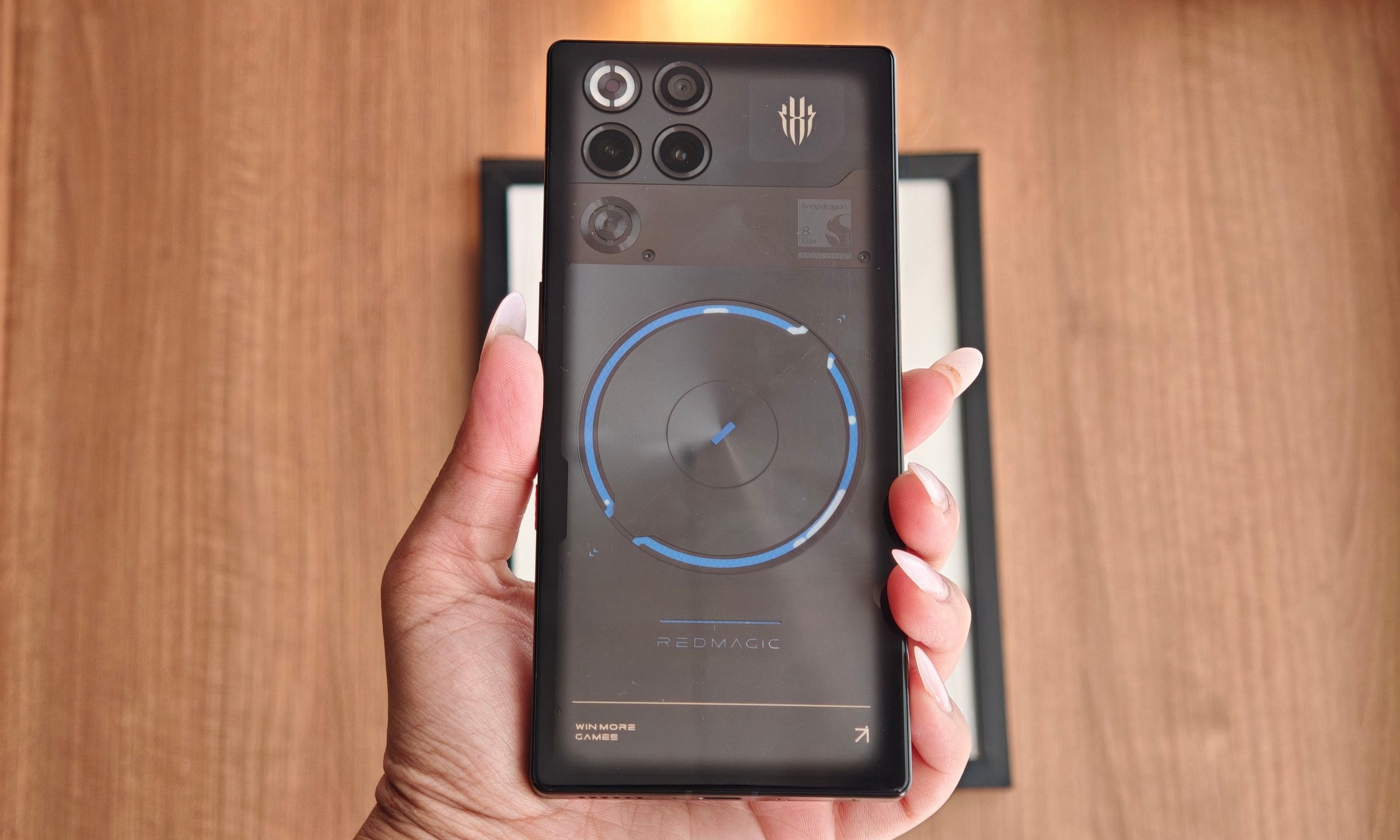
The Red Magic 11S Pro is a great example. It drops all subtlety with RGB lighting, a visible liquid-cooling loop, a physical fan, and dedicated gaming performance modes. Underneath all that gamer excess sits one of the most capable hardware packages available on any phone.
$799 buys an outrageous amount of hardware
Vikhyaat Vivek / Digital Trends
The Red Magic 11S Pro costs $799, which still puts it in premium territory. However, it sits hundreds of dollars below some mainstream flagships. That money goes toward a flagship processor, active cooling, a liquid-cooling system, shoulder triggers, a 144Hz AMOLED display, a 7,500mAh battery, and 80W wired and wireless charging. It also keeps the headphone jack, strong stereo speakers, and a charger in the box.
After reviewing this gaming phone, I kept wondering why more major brands do not take a similar approach. A heavily equipped phone can skip some prestige features and still deliver excellent hardware where its purpose demands it, along with sensible compromises elsewhere.
Nadeem Sarwar / Digital Trends
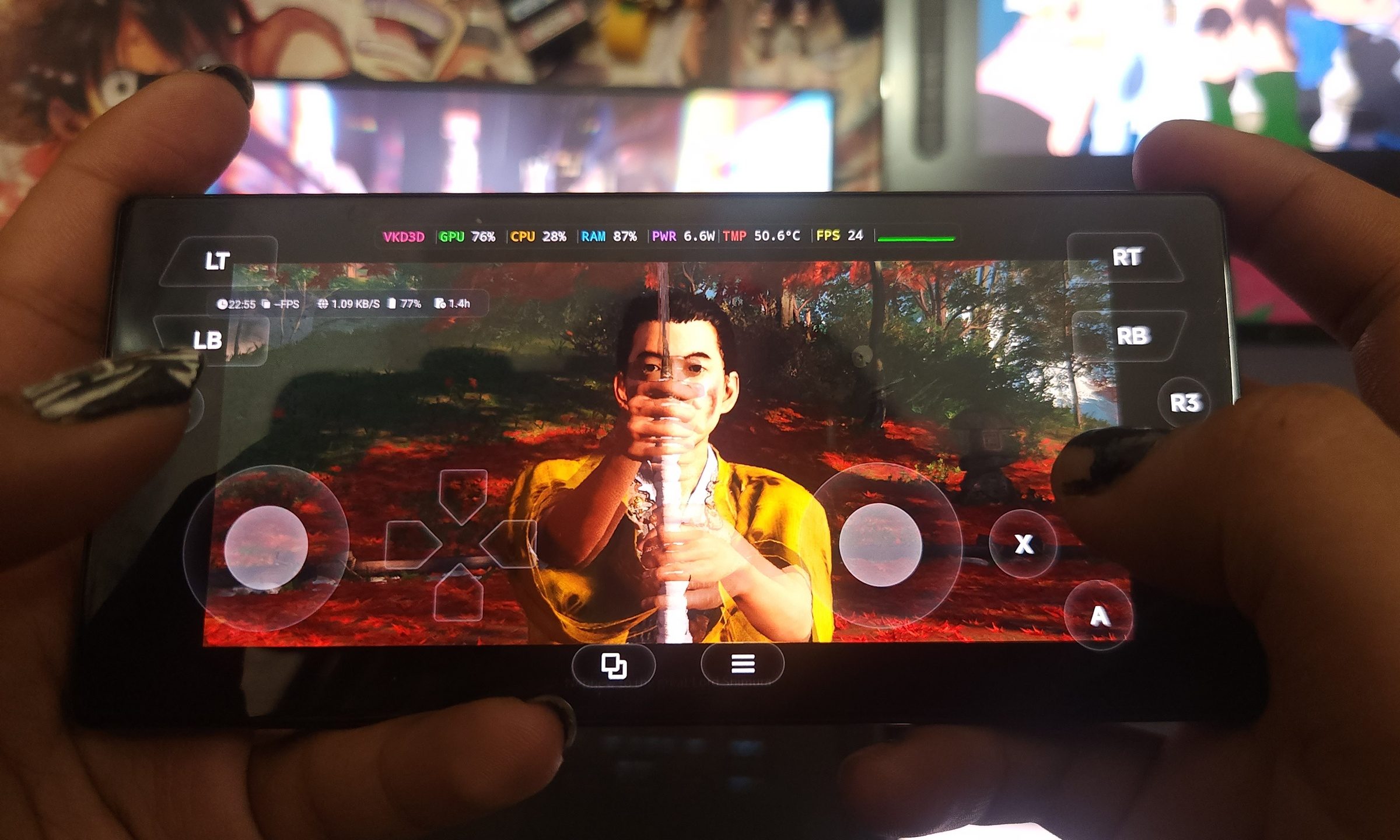
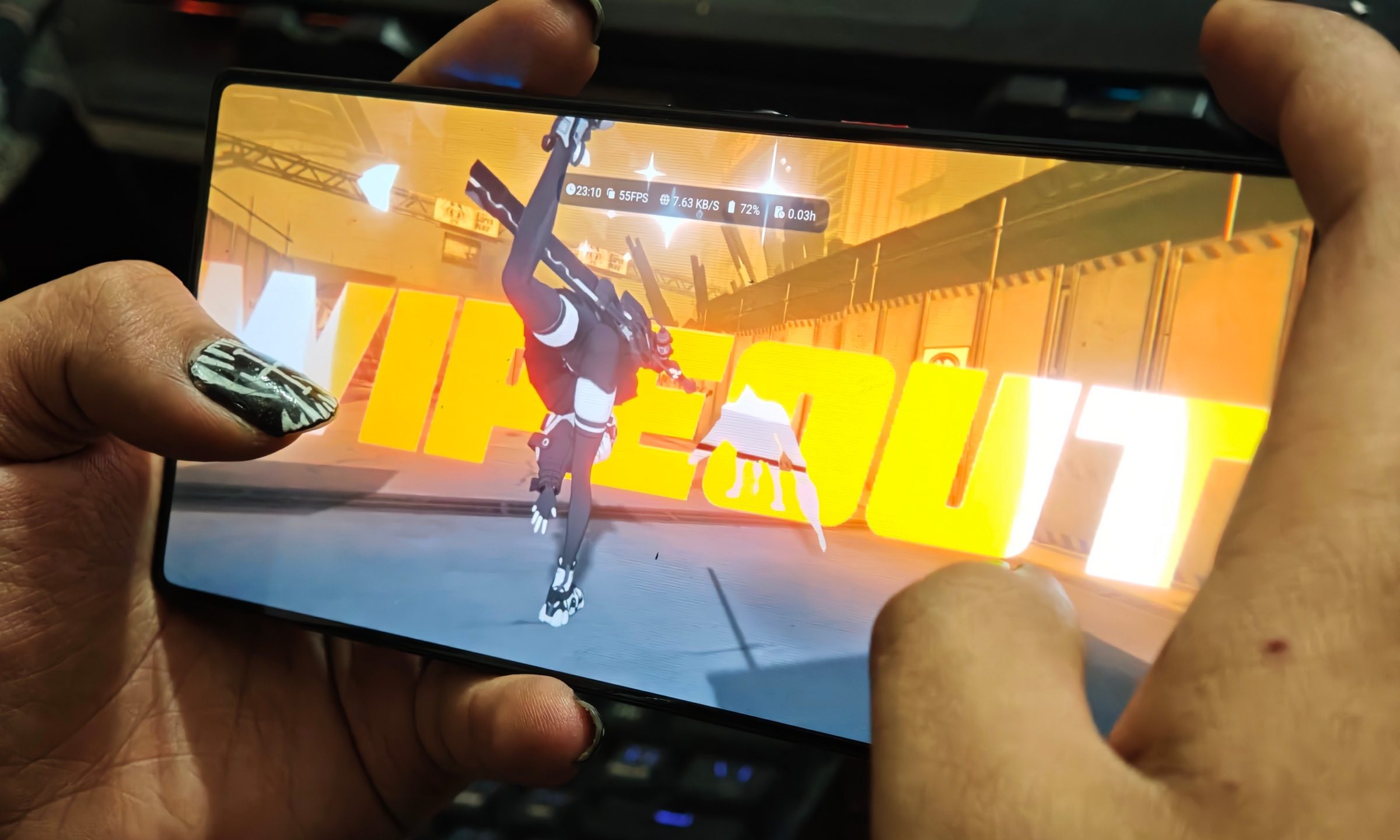
The Snapdragon 8 Elite Gen 5 Leading Version tore through Android games during my testing. It also gave me enough headroom to run Ghost of Tsushima Director’s Cut through GameHub, an experiment that reached more than 40fps after a bit of tweaking.
A large vapor chamber, liquid metal, an active fan, and flowing liquid cooling help sustain that performance. Most flagship phones still depend primarily on passive cooling, which can lead to performance dropping during longer gaming sessions. Vapor chambers are becoming more common on newer models, though their effectiveness varies between devices.
Advertisement
Vikhyaat Vivek / Digital Trends
The rest of the specifications are similarly loaded. You get up to 16GB of fast memory, UFS 4.1 storage, a responsive 144Hz display, touch-sensitive shoulder buttons, and that massive 7,500mAh battery. Every part serves the same goal: running games quickly, at high frame rates, for longer periods.
Red Magic spends according to its priorities
Mainstream flagships have a much broader job description. They are expected to deliver premium materials, advanced camera systems, long software support, ecosystem integration, AI features, slim bodies, and broad carrier availability. In fairness, that is a difficult balancing act. It takes years of research, development, and impressive engineering to achieve what modern flagship phones can do.
Fitting every one of those goals into a single product also costs money. Buyers eventually pay for the entire checklist, even when their own priorities cover only a fraction of it. Red Magic takes a narrower approach. The 11S Pro concentrates its budget around performance, cooling, battery capacity, and gaming-focused hardware and software.
Vikhyaat Vivek / Digital Trends
Even with that specialization, the phone’s versatility surprised me. The giant battery helps during gaming and regular daily use. Fast charging shortened the time I spent near an outlet, while bypass charging helped reduce the additional battery heat and stress created during longer gaming sessions.
The high-refresh display kept everyday navigation and gaming smooth and responsive. Performance was also one area I never had to worry about, regardless of whether I was playing a demanding game or simply moving through regular smartphone tasks.
The cuts are easy to spot, and somehow easier to live with
Reaching $799 requires compromises, and those cuts become much easier to accept when you know what you want from the device. The cameras land somewhere around midrange territory. Its 50MP main camera can take decent daylight pictures, and the ultrawide adds some flexibility. Photography-focused flagships still offer better processing, zoom, portraits, and low-light results. The under-display selfie camera also sacrifices image quality to preserve an uninterrupted screen.
Advertisement
Vikhyaat Vivek / Digital Trends
Overall software polish trails behind the likes of Samsung and Apple. RedMagic OS has some rough edges, and the official support policy promises only two major Android upgrades. Major competitors now support their phones for considerably longer. The device is also large, heavy, and visually loud. There is no official dust-resistance rating, and a basic feature such as eSIM is missing.
But do any of these features really matter to someone just looking to game on their phone? I’ve met plenty of people searching for a phone that can run games reliably at high frame rates. This does not only apply to competitive shooters. There are huge audiences for MOBA titles such as Mobile Legends, along with demanding action games, emulation, and increasingly ambitious mobile releases.
Big brands could learn from specialization
Apple and Samsung do not need to build phones with RGB fans or shoulder triggers. The real trick is how well Red Magic allocates its budget. Many premium phones chase universal appeal, creating packed specification sheets and steadily rising prices. A clearer identity could give buyers more affordable options without reducing every component to midrange quality.
Samsung S26 PlusMoinak Pal / Digital Trends
Imagine a creator-focused phone that spends heavily on cameras, storage, microphones, and display calibration while using a simpler design. Similarly, a battery-first flagship could trade an elaborate camera array for extreme endurance and faster charging. Even a compact performance phone could prioritize cooling and battery density.
Every model would make visible compromises. Buyers could then choose the expensive hardware that matches their actual needs instead of paying for a universal flagship package. In spite of all of its flaws, particularly around cameras and software support, the Red Magic 11S Pro never comes across as hollow or stripped down. Its extravagance stays focused on the areas that define it.
Give a phone a purpose, spend aggressively around it, and make cuts that don’t degrade the experience. A decked-out device can stay within reach when every dollar has somewhere useful to go.
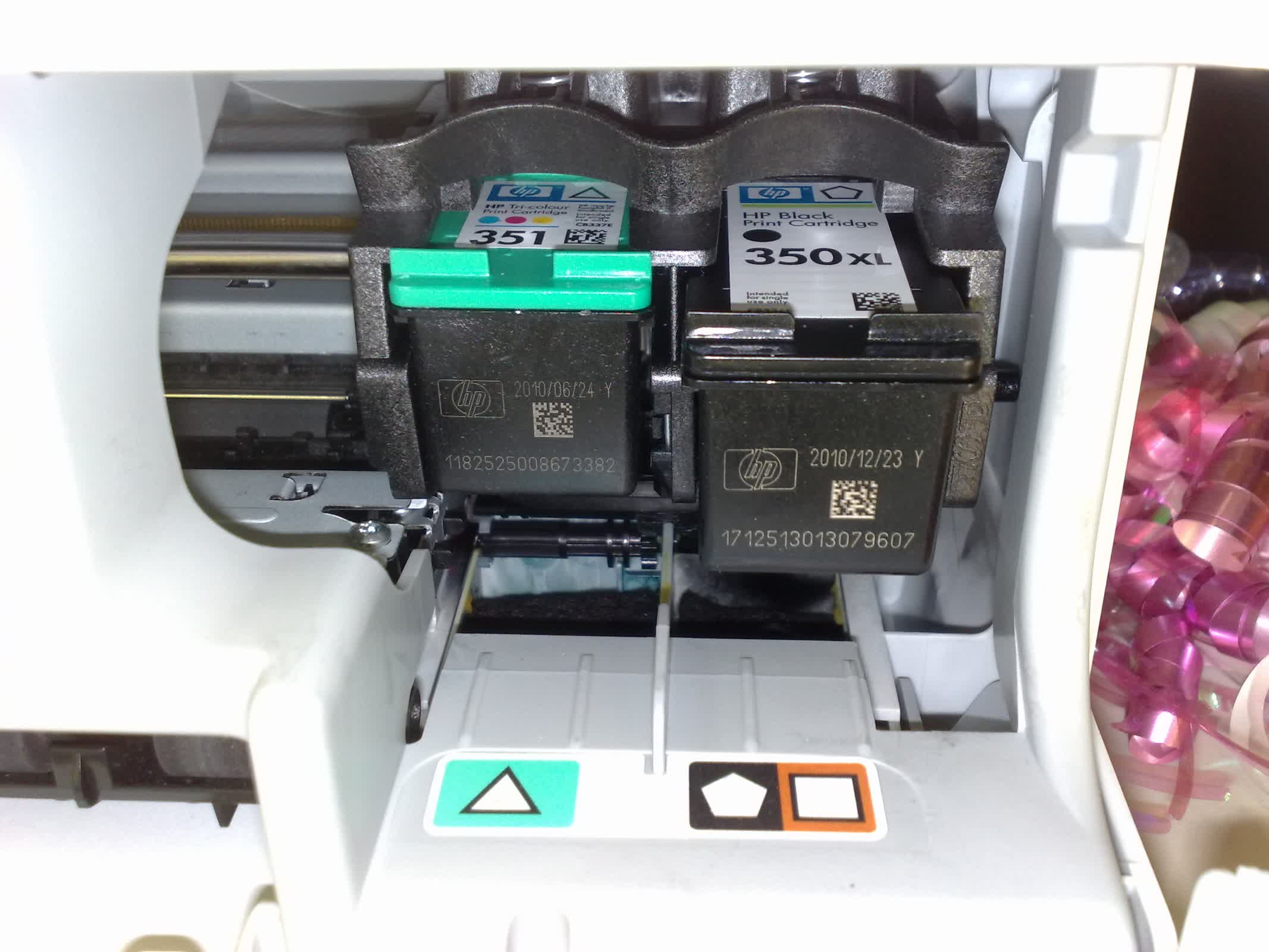
Cutting corners: India’s antitrust regulator has fined HP’s local unit and a group of resellers after finding they coordinated bids and pricing for government technology contracts. The Competition Commission of India said HP India worked with its channel partners to influence bids for computer procurements while controlling prices for ink cartridges, toner, and other printing supplies. The penalties total 1.4 billion rupees, or about $14.4 million.
The case centers on how bids were handled on the Government e-Marketplace, the country’s main public procurement platform. According to the regulator, HP India and five resellers coordinated their bids to increase the likelihood that one of them would win government contracts.
In its order, the commission said, “[C]ertain resellers approached HP India to help facilitate an arrangement that would enhance their chances of securing Government supply contracts against other competing HP India resellers.”
It said those efforts included limiting which resellers could participate in certain tenders, dividing contracts among themselves, and controlling the issuance of manufacturer authorization forms required to submit bids.
Advertisement
The regulator also pointed to practices such as intervening when bids came in below the platform’s pricing guidelines and arranging “cover” bids designed to make a preferred bidder appear more competitive.
The conduct extended beyond hardware. The commission fined HP India 119.8 million rupees for what it described as cartelization in the sale of consumables such as toner and cartridges. Another 21 resellers were fined a combined 35.2 million rupees.
The findings draw in part on WhatsApp messages exchanged between HP India and its Tier-2 reseller partners. In a separate order, the commission said those chats showed the companies operating “in a collusive arrangement” involving “bid rigging, including cover bidding, price fixation, and customer allocation during 2017 – 2020.” It said HP India played a central role in the scheme.
HP India pushed back against that characterization. The order notes that the company “humbly objects to HP India’s role being characterized as a ‘kingpin’ of the entire collusive arrangement.” It also argued that pressure in the printing supplies market played a role, saying high prices led some resellers to consider switching to counterfeit products in order to remain competitive.
Advertisement
“HP India was commercially forced into a position where it had to support the collusive arrangement adopted by the Tier-2 resellers,” the order reads.
The case highlights the economics of the printer business, where hardware sales are closely tied to recurring revenue from proprietary ink and toner. HP has faced criticism for restricting the use of third-party cartridges, including through firmware updates, as part of a strategy designed to keep customers within its ecosystem.
In India, those pressures appear to have extended into the reseller channel, where margins and pricing are closely linked to HP’s supply chain.
The Competition Commission has ordered HP India and its partners to stop the conduct and implement competition compliance programs within 60 days. HP has not publicly commented on the fines.
The country’s gambling authority ordered ISPs to block access to the prediction market’s website.
PJ McDonnell/Shutterstock
France is doubling down on preventative measures for its citizens trying to access Polymarket. The Autorité Nationale Des Jeux (ANJ), the country’s independent regulatory authority in charge of licensed gambling and betting games, announced this week that it ordered internet service providers to block access to Polymarket.
The ANJ’s latest decision follows its previous regulatory action from November 2024 that placed a geoblock on any financial transactions from French residents on the Polymarket website. Despite this ban on transactions, the agency said that the platform continued to grow in France thanks to users circumventing the block. According to ANJ, Polymarket saw 578,751 visits, 205,057 of which were unique visits, in the month of June from French residents. Now the ANJ wants to crack down harder on Polymarket, again emphasizing that the platform is considered an illegal gambling site.
According to the ANJ’s latest move, anyone caught advertising an unauthorized betting or gambling site could be fined up to 100,000 euros, or around $114,000. In the neighboring Spain, the government also ordered to block access to both Polymarket and Kalshi while it investigates if these sites break the country’s gambling laws. In the US, Minnesota passed a bill that bans prediction markets from operating in the state, while other states are filing lawsuits against Polymarket and Kalshi.
The takeaway: Unveiling a long-term roadmap is often seen as a damage-control strategy when a game or franchise is underperforming commercially. Many would likely describe the Fallout franchise’s current position as healthy, with Fallout 76 continuing to receive frequent content updates and the TV series recently earning several Emmy nominations. However, announcing four new games with no confirmed release dates just weeks after significant layoffs could be viewed as a proof-of-life roadmap for the series.
Bethesda has confirmed that Fallout 5, remastered versions of Fallout 3 and Fallout: New Vegas, and a new Fallout title from Obsidian Entertainment are in various stages of development. Further details remain scarce, and at least some of these projects are likely years away, but Microsoft and Bethesda are aiming to reassure fans that more Fallout content is on the way despite thousands of job losses across the Xbox division.
The remasters have been rumored for some time and are expected to follow a similar approach to The Elder Scrolls IV: Oblivion Remastered, which enhanced the 2006 classic with Unreal Engine 5-powered visuals. Meanwhile, rumors about Obsidian’s new Fallout project emerged earlier this month.
– Bethesda Game Studios (@BethesdaStudios) July 17, 2026
Chris Avellone, director of 2010’s Fallout: New Vegas, which remains a fan favorite, is expected to helm the new project. In recent interviews with Bloomberg and Windows Central, Bethesda head Todd Howard said that his studio and Obsidian are collaborating on the game. The involvement of Fallout creator Tim Cain, who recently joined Obsidian, remains uncertain.
Advertisement
Howard also confirmed that Fallout 5 is in pre-production, but Bethesda is currently focused on The Elder Scrolls VI. The next Elder Scrolls entry is arguably the most anticipated game from any Microsoft-owned studio. The sequel to The Elder Scrolls V: Skyrim – one of the best-selling role-playing games of all time – was announced eight years ago and likely remains several years away.
Although it has not reached the popularity of Fallout or Elder Scrolls, Starfield will continue receiving new content this year. Bethesda also hinted at plans for the Fallout franchise’s 30th anniversary, which the company will celebrate in Washington, D.C., next year.
The announcements are among the first signs of new Xbox CEO Asha Sharma’s plan to refocus Microsoft’s gaming division around major franchises, including Fallout and The Elder Scrolls. Fans expressed concerns about the development of ongoing and future projects from Bethesda, Obsidian, and other Microsoft-owned studios after Sharma announced that the Redmond firm would eliminate 3,200 jobs this year.
While acknowledging the difficulties of losing employees, Howard noted that Bethesda has recovered from similar situations in the past. However, an anonymous developer involved with id Software’s Doom franchise, another series Sharma aims to promote, warned that the significant loss of talent could hurt future projects.
Calculators are so ubiquitous and so familiar that they are easy to take for granted in many different ways. [lcamtuf] points out one that has probably never occurred to many of us: the user interface for a calculator is an unexpectedly complex thing.
The internal logic to support sequential inputs and multiple operators in a way that feels intuitive is a complex thing.
Resolving something like 1 + 2 = is pretty straightforward but complexity compounds rapidly after that, with numerous special cases. Let’s imagine one decides to program a simple calculator UI as a weekend project. The development process might look a little like this:
User types in 1 + 2 = and the calculator displays 3. What happens if the user immediately presses -?
No problem, just consider the result of the previous operation as an already-there input. So we’ll have 3 - for this next operation, and wait for more.
Unless we should have treated that - as a negative sign for whatever number is coming next, making it a negative number? No, ignore that. Just treat whatever results from pressing equals as a pre-typed input.
Unless the user hits a number. Because if they hit 2 (for example) then we’ll have a 32 and not a 2 which they probably, definitely don’t expect. So that’s a special case and we should insert a clear if that happens.
Oh, better clear if the user enters a decimal, too.
I’m going to need a coffee…
And that’s just the tip of the iceberg. Imagine trying to figure all this out for the very first time, without the benefits of habit and history to fall back on.
The fact is that supporting the apparently trivial behavior of a simple calculator requires an underlying complex state machine that deals with all kinds of special cases in order to make the UI feel intuitive. And that’s just for a basic four-function calculator; we haven’t even touched on how special keys like % should behave.
We know [lcamtuf] speaks from experience, not just because of their deep knowledge of calculator history but because they rolled their own calculator that uses voltmeters as digit displays and there’s nothing like actually implementing something to make one appreciate it.
More a rewrite really, and of a very early version: Linux 0.11 – in Rust
Earlier this week, Linux project leader Linus Torvalds told AI haters to fork off, and invited anyone who didn’t like his comments to fork the kernel. Well, here you go: linux-0.11-rs, a total reimplementation of the Linux kernel, done in langage de programmation du jour, Rust.
No, this isn’t really a response to the Emperor Penguin’s challenge – for a start, it looks like it was done with AI – but the timing was irresistible.
Advertisement
The new project is by an undergrad student at Beihang University in Beijing, China, under the handle Poseidon.
Never mind not being a fork – Poseidon’s kernel isn’t even really a port of Linux. It’s a rewrite, and a rewrite of a very early version. It’s based on Linux kernel 0.11, whose source code you can peruse on this mirror.
This was an early kernel from December 8, 1991 – just a few months after the initial release, Linux 0.01. Version 0.11 was the last release of that first year of Linux. It was followed by version 0.12 in January 1992, then the version number jumped to 0.95 in March, as the young Torvalds started counting down to kernel 1.0 – which arrived two years later.
If you read the 0.11 release notice, Torvalds said: “Linux-0.11 has a few rather major improvements, but perhaps most notably, is the first kernel where some other people start making real contributions.”
Advertisement
He goes on to say: “This is a major milestone, since it makes the kernel much more powerful than Minix was at the time.” It’s also when “Ted Ts’o shows up as a coder.”
Poseidon’s Rust rewrite is quite a lot bigger than the original. The hackers of the “Orange Site” have been dissecting it with much greater expertise than this vulture can offer. User “dminik” fed it to an automatic code analyzer, and Pajecawav’s Ghloc reckoned that it’s just over 47,000 lines of Rust.
Dminik breaks that down: “It’s about 15k lines of code for the kernel and the rest is various utilities, libraries and programs that can run on the kernel.”
In other words, linux-0.11-rs is more complete than just the kernel. It also includes the core OS as it stood at the end of the year it first appeared.
Advertisement
“Poseidon” also credits a tutorial on writing an OS kernel in Rust, which implies to us that this was not an entirely bot-driven effort. Some work has gone into it. Some of the Hacker News commentators call it a waste of tokens, or more pointedly a waste of water and electricity, but it seems to be a kid having some fun, playing around and experimenting. For us, that’s a good thing. We hope that they found the exercise instructive.
The Reg FOSS desk is not a fan of bot-slop, but we do approve of exploring and learning and having fun. At least for as long as code-generating LLMs are cheap and plentiful, it will be very hard to prevent youngsters and students from playing around and experimenting with them.
Nobody is ever going to deploy anything on a bot-generated rewrite of a prototype kernel from 35 years ago – and don’t forget that the original was itself written by a 22-year-old who was doing it “Just for Fun.” ®
US Air Force drone fires live missile during landmark autonomous aircraft test
Human pilots remain in control despite growing drone autonomy capabilities
YFQ-44A advances America’s plans for future robotic fighter operations
The US Air Force has successfully tested a Collaborative Combat Aircraft firing a live AIM-120 AMRAAM missile, marking a major step for autonomous combat systems.
The YFQ-44A drone, developed by Anduril Industries, launched the weapon against a digital target over the Mojave Desert during the historic test.
The event moves the Air Force closer to deploying unmanned aircraft designed to support human pilots during future air operations.
Latest Videos From
AI wingman drone moves from carrying weapons to firing them
The missile launch followed earlier testing phases where engineers confirmed the aircraft could safely carry the weapon and maintain stable flight.
Advertisement
The drone first carried an inert version of the AMRAAM before validating the communication links required between the aircraft, weapon systems, and human operators.
Air Force officials said the test involved more than simply releasing a missile because the weapon successfully tracked the simulated target during the engagement.
General Ken Wilsbach described the event as an important development toward delivering Collaborative Combat Aircraft capabilities to military operators.
Advertisement
Sign up to the TechRadar Pro newsletter to get all the top news, opinion, features and guidance your business needs to succeed!
“It wasn’t just an AMRAAM that came off, it was tracking the target,” Wilsbach said while discussing the test.
The Air Force has stressed that autonomous systems will not independently decide when to fire weapons, as human authorization remains required before any engagement.
The YFQ-44A, also known internally as Fury, is part of the first CCA development phase alongside General Atomics’ YFQ-42A Dark Merlin.
Advertisement
These aircraft are designed to operate with crewed fighters such as the F-35 and F-22 by providing additional sensors, weapons, and operational support during missions.
The Air Force expects CCA platforms to perform multiple roles beyond missile carriage, including electronic warfare, reconnaissance, and other battlefield tasks.
Officials believe these aircraft could increase combat effectiveness by allowing pilots to manage several unmanned systems during complex operations.
Advertisement
Air Force expands autonomous aircraft program
The successful missile test comes after the Air Force approved both CCA designs to move toward production in June 2026.
Anduril, Shield AI, and Collins Aerospace are competing to provide autonomous software for the aircraft, while the service continues developing future versions through multiple program increments.
Air Force officials have not disclosed total program costs or production numbers for the first manufacturing phase.
Advertisement
However, budget documents show the service requested about $1.4 billion for CCA development and nearly $1 billion for procurement during fiscal 2027.
The Air Force estimates the drones have reached a cost goal of about one-third of an F-35A fighter, which has an average flyaway cost of around $83 million in its current production lot.
Future CCA designs may require greater range, speed, and electrical power, especially for potential operations in regions where long-range weapons threaten U.S. bases.
However, American lawmakers have argued that future systems will need the ability to deploy from the continental United States and reach distant combat areas.































































You must be logged in to post a comment Login