Apple Wallet and Apple Pay work together in important ways, but they aren’t identical.
Stockcam/Getty Images
Apple Pay and Apple Wallet have distinct functionalities, even though the two names are often used interchangeably. Apple Wallet is an iPhone app (with a companion tool for Apple Watch) that acts a digital wallet to store digital versions of debit and credit cards, auto insurance cards, boarding passes, IDs and more. Apple Pay, on the other hand, is Apple’s digital payment service that lets you use your cards to make purchases at a physical location or online.
For Apple Pay in-store, you tap your iPhone on an NFC terminal and press the Side button twice. Your iPhone will then confirm it’s you with Face/Touch ID or your PIN to complete a purchase. Online Apple Pay usage is similar to services like PayPal, where you choose a card and authenticate. Regardless of what you buy or where, you’re using Apple Pay to purchase something with a card stored in your Apple Wallet.
Wallet can also hold plenty of items not directly tied to payments, like concert tickets or store loyalty cards. In this case, it acts as a secure place to hold these items and keep them easily accessible.
Advertisement
What happens when you pay with Apple Pay
Using a payment card with Apple Pay involves more than Apple Wallet storing your card details and passing them to the merchant. Instead, it creates a unique Device Account Number (DAN) for each card and stores this in the Secure Element, a chip on your device for securely storing sensitive info.
When you make a payment, Apple sends the DAN, along with a one-time security code specific to that transaction, to the merchant. The store never sees your real credit or debit card number. And Apple ‘s servers don’t keep identifying information about you with the transaction history.
Advertisement
This is also why an authentication step is required when using Apple Pay. Face ID can be awkward with tap-to-pay on a terminal, so you may want to scan your face before using the NFC touchpoint. As a fallback, you can use your passcode instead. Confirmation is also required for online purchases, whether it’s the App Store, a food app order or a purchase through Safari. Apple Wallet crosses paths with the payment process, since you can choose from any cards you have in your Wallet.
You can check the last four digits of a card’s unique Device Account Number in Apple Wallet. Open Apple Wallet, select a card, and tap thethree-dot (…) button followed by Card Details. There, tap Card Information, and after authenticating with Face ID, you’ll see the Apple Pay last four digits at the bottom. You can use this to distinguish purchases from Apple Pay compared to other ways you use the card.
Advertisement
Apple Cash is the person-to-person part
DenPhotos/Shutterstock
Sending money to a friend or family member is a function of Apple Cash, a feature that ties into Apple Pay. With Apple Cash, you can send or request money over iMessage or directly through the Apple Cash card in your Wallet using Tap to Cash. It’s as easy as selecting someone from your contacts, entering the amount you want to send and authenticating. Of course, the contact’s phone number has to be linked to their Apple Account, and they have to be eligible for Apple Cash.
After you receive some money, you’ll have access to an Apple Cash “card,” which usually sits near the top of your Apple Wallet. From its menu, you can add money through a debit card, set up recurring payments to others or transfer to your bank. Apple Cash is not a universal payment service; it’s only good for those with Apple devices. If the recipient has Android only, you’ll have to use another service like Venmo.
As we’ve seen, Apple Wallet and Apple Pay often interact, yet are separate and serve different functions. Apple Wallet is where all your digital payment options are stored. Apple Pay is how you pay merchants or make online purchases. And Apple Cash is how you send money to friends or family.
The “Surprise and Shine” September launch event was one of Apple’s crispest, most elaborate, and most loaded launch events in a while. Instead of leaving the minute details in the spec sheet or fine print, Apple actually included them in its keynote presentation, not just for its big reveal but for all the devices it unveiled on September 9, 2026.
While the ‘Surprise’ bit was covered by the new iPhone Duo, ‘Shine’ probably refers to the new colors in the iPhone 18 Pro lineup. Beyond these, Apple also announced two new Apple Watches and a refresh for the regular AirPods (not the Pro ones). Given that there’s a lot of ground to cover, here’s everything Apple announced at its September 2026 event.
iPhone Duo; Apple’s first foldable with split-screen multitasking
Apple finally has a foldable iPhone in its portfolio, and it’s called the iPhone Duo. With a form factor similar to the Galaxy Z Fold 8, the phone features titanium frames sandwiched between a Ceramic Shield back, a Ceramic Shield 2 front, and an IP68 rating. Speaking of the frame, the Duo is Apple’s thinnest iPhone when measured unfolded (5.2 mm vs. 5.6 mm on the iPhone Air).
When closed, it’s a 5.4-inch slab roughly the size of a passport. Unfold it, and it reveals a 7.6-inch, iPad-like screen better suited to landscape content than tall-body foldables like the Fold 8 Ultra and Pixel 11 Pro Fold. Both the screens are compatible with Apple’s USB-C Apple Pencil.Apple
Both panels use Super Retina XDR tech (Apple’s way of saying sharp OLED panels) with ProMotion (120Hz refresh rate with LTPO), always-on display support, and a nano-texture coating to cut down on glare (on the inner screen).
Under the Duo’s shiny hood sits the A20 Pro (2nm) chip and a custom vapor chamber, and together they deliver up to 40% better sustained performance than the A19 Pro (3nm). At the same time, the 2nm processing node makes the new chip much more efficient.
Advertisement
Despite having more computational power than the Snapdragon 8 Elite Gen 5 for Galaxy chipset on the Galaxy Z Fold 8, the iPhone Duo matches its rated wireless video playback duration at 26 hours. And yes, the foldable also supports MagSafe charging. Out of the box, Apple’s foldable runs iOS 27 with side-mounted navigation and true split-screen multitasking.
Apple
Camera-wise, Duo runs a 48MP Fusion Main sensor with a built-in 2x optical-quality crop, along with the same 48MP Ultra Wide found on the 18 Pro. It also has an under-display selfie camera on the inner screen. Thanks to the foldable screen, the Duo comes with genuinely new camera tricks, including a live outer-screen preview, a kid-focused animation cue, and a split-screen FaceTime mode.
Available in an eSIM-only configuration, the iPhone Duo (256GB) starts at $1,999 in the US. Unlike the iPhone 18 Pro models, pre-orders open on October 16, and general sales begin October 23. You can choose from two options: Night Sky and Star White.
Apple
iPhone 18 Pro lineup: Faster chip, bigger batteries, and more
The iPhone 18 Pro retains the same look and feel as the iPhone 17 Pro: a gigantic camera plateau at the back with a triple-camera setup, glass-and-aluminum design (with a color-matched glass back panel), and symmetrical bezels on the front. What’s new is a Burgundy finish, alongside returning favorites like Glacier, Silver, and Black.
On the display side, the Dynamic Island is physically smaller, but instead of showing two Live Activities, it can now show three, giving you more information at once. Otherwise, resolution, peak brightness, and maximum refresh rate remain the same.
Like the iPhone Duo, the iPhone 18 Pro’s performance gains come from the A20 Pro (2nm) chip and a redesigned vapor chamber with triple the surface area of last year’s model. So, whether you throw an hour-long gaming or video-editing session at it, the phone should retain peak performance better than the iPhone 17 Pro.
Advertisement
Software-wise, both phones ship with iOS 27, which brings refined Apple Intelligence features, the new Siri AI experience (still in beta), a refined Liquid Glass visual language, and iPhone Handoff, which lets you use one number on two paired iPhones.
Apple
The bigger story here is the variable aperture on the primary camera, a first for any iPhone. Six laser-cut blades physically adjust the opening on the 48MP Fusion Main camera, swinging from f/1.48 for low light to f/4 for sharper focus. A companion feature called Pro controls lets you control aperture, shutter speed, white balance, and a live histogram directly in the Camera app.
Apple has also introduced Reference Image, a security system designed to curb the spread of AI-manipulated photos. The Main camera’s sensor can now sign the metadata it captures, helping verify whether a picture is real or AI-generated. Battery life also improves dramatically on the new iPhones.
The iPhone 18 Pro can last up to 34 hours of video playback (up from 31 hours), while the iPhone 18 Pro Max goes up to 43 hours (up from 37 hours). Apple didn’t miss the opportunity to call this its largest single-generation battery jump. Charging keeps pace, with the 18 Pro hitting 50% in about 15 minutes on a cable (with a 60W charger) or 30 minutes wirelessly (with a 35W adapter).
Pricing lands at $1,199 for the iPhone 18 Pro (256GB) and $1,299 for the iPhone 18 Pro Max (256GB); both are up $100 from last year’s models. Pre-orders begin September 12, while general sales begin September 18.
Advertisement
Apple
Apple Watch Series 12 and Ultra 4: A health-first redesign
Both new watch lineups share a rebuilt Health Sensing System. Paired with the new S11 chip, it delivers the most accurate heart-rate tracking of any wearable (according to Apple). The larger optical sensors now sample heart rate every five seconds, while Heart Rate Variability (HRV) is measured up to 24 times more frequently than before.
The metric is split into two distinct readings, one tuned for day-to-day stress and recovery, and another for longer-term cardiovascular insight. Apple Watches then use that data to fuel a new feature called Readiness (a daily score from 0 to 10), something Whoop and Oura have been doing for years.
The Health app on iPhone is getting a couple of upgrades, too. It arrives later this year with a Longevity tab that includes a “Health Age” estimate and the option to book blood panels (roughly 50 biomarkers for $119) via nearly 2,000 Quest Diagnostics locations.
The S11 chip also introduces something unique but genuinely concerning: Audio Intelligence. The suite includes features like Live Rewind (which can replay the last 15 seconds of a conversation), automatic Siri-generated conversation summaries, and sound alerts for deaf and hard-of-hearing users.
AirPods 5: Improved noise cancellation at an affordable price
Apple’s latest open-ear AirPods 5 offer 50% more noise cancellation than AirPods 4, thanks to a new multiport acoustic architecture and next-gen Adaptive EQ. Transparency mode also sounds more natural, with a new Adaptive Audio mode that toggles between ANC and Transparency depending on what’s happening around you. If this sounds familiar, that’s because the AirPods Pro 3 already have it.
Then there’s Personalized Spatial Audio, which adapts to different ear shapes. Honestly, though, the feature most people will use daily is the hands-free Siri AI integration. Live Translation, initially reserved for AirPods Pro, is now baked into the entire lineup. Battery life goes up to 5 hours of ANC playback per charge, an hour longer than AirPods 4 managed with ANC on, and 22 hours total with the charging case.
On the hardware side, you can choose from two flavors. The standard AirPods 5 run $129, while there’s a $149 version that comes with a wireless charging case. The more expensive version also adds a force-sensor volume swipe right on the stem. Both versions are up for pre-order now, landing on shelves September 18.
Apple has officially unveiled AirPods 5, and the biggest surprise is not another AI feature or a marginal change to the charging case. Active Noise Cancellation is now standard on Apple’s least-expensive AirPods, with the new open-ear wireless earbuds starting at $129.
That is a significant change from AirPods 4, where consumers had to spend $179 to get ANC. Apple is also offering AirPods 5 with a Wireless Charging Case for $149, making the more expensive version $30 cheaper than the previous AirPods 4 with ANC while adding longer battery life and on-stem volume control.
Apple lowering the barrier to entry rather than moving it higher? Somewhere, an accountant in Cupertino needs to have their temperature checked.
ANC Is Now Standard on AirPods 5
The biggest change is straightforward: both AirPods 5 models include Active Noise Cancellation.
Advertisement
Apple claims the new earbuds can remove up to 50 percent more external noise than AirPods 4 with ANC, thanks to an all-new multiport acoustic architecture and improved computational audio algorithms. Apple is calling it the industry’s best ANC in an open-ear wireless headphone, although that claim is based on its own July 2026 testing against the bestselling open-ear wireless headphones commercially available at the time.
Open-ear ANC has always been a tricky proposition because the earbuds do not create the passive acoustic seal provided by silicone or foam eartips. Apple managed to make it surprisingly effective on AirPods 4 with ANC, and a claimed 50 percent improvement would be meaningful if real-world performance gets anywhere close.
AirPods 5 also include an improved Transparency mode designed to reproduce surrounding voices and environmental sounds more naturally. Adaptive Audio dynamically blends ANC and Transparency based on ambient conditions, while Conversation Awareness automatically lowers media volume when the wearer starts speaking.
That brings Apple’s complete noise-control suite into its $129 AirPods for the first time.
Advertisement
New Acoustic Architecture Targets Better Sound
ANC might dominate the headline, but Apple has also re-engineered the acoustic system.
AirPods 5 use an all-new multiport acoustic architecture inspired by AirPods Pro 3, combined with Apple’s next-generation Adaptive EQ. According to Apple, the system is designed to provide richer and more detailed sound across a wider range of ear geometries.
That last part matters more with an open-ear design than it might sound. Without an eartip creating a consistent seal, the relationship between the earbud, the listener’s ear, and the acoustic output can have a significant impact on bass response and tonal balance.
Advertisement. Scroll to continue reading.
Adaptive EQ attempts to compensate for those differences electronically, while the redesigned acoustic architecture handles airflow and sound delivery mechanically. Apple also says the changes make Personalized Spatial Audio more immersive and dynamic.
Advertisement
We will reserve judgment on all of that until somebody actually puts them in their ears. Our review of the AirPods Pro 3 found its expanded feature set impressive but its sonic balance less convincing than AirPods Pro 2, which proved that more computational horsepower does not automatically produce better music reproduction.
AirPods 5 Get Siri AI and Live Translation
Apple is also turning AirPods into a more important hands-free interface for Apple Intelligence.
When paired with an Apple Intelligence-supported iPhone, AirPods 5 can access Apple’s new Siri AI, which begins rolling out in beta with iOS 27. The upgraded assistant can use personal context from messages, emails, photos, and other information while also accessing broader world knowledge and performing supported actions inside apps.
That means users could ask Siri to play a song recommended in a message or find directions to a restaurant based on a reservation confirmation buried inside an email. Siri Interactions also allow users to respond by nodding their head for yes or shaking it for no, which has the additional benefit of making everyone around you wonder why you are suddenly arguing silently with yourself.
Advertisement
Siri AI launches in beta in English on September 14, with French, Japanese, Korean, Portuguese, and Spanish support scheduled for October. Apple notes that some functionality will vary by region and device, and Siri AI will not initially be available in the EU on iOS, iPadOS, or watchOS.
Live Translation is also supported on AirPods 5. After downloading the required languages in Apple’s Translate app, users can start a translation session by pressing both stems simultaneously, asking Siri, or using the Action button on an iPhone.
The feature uses ANC and computational audio to make translated speech easier to hear and requires a compatible Apple device running current software with Apple Intelligence enabled. Language and regional availability vary.
AirPods 5 With Wireless Charging Case Adds More Than Charging
The $149 version is where Apple’s two-model strategy becomes slightly more complicated.
AirPods 5 with Wireless Charging Case add wireless charging compatibility with Apple Watch chargers and Qi-compatible chargers while retaining USB-C. The $149 version also receives a redesigned battery that provides up to five hours of playback with ANC enabled, one hour longer than AirPods 4 with ANC. Total listening time with ANC reaches up to 22 hours when the charging case is included.
Advertisement
There is another useful difference: volume control.
The $149 AirPods 5 add a force sensor with volume swipe, allowing users to adjust playback volume by sliding a finger up or down the stem. This is the first time Apple has offered that control on its open-ear AirPods.
Advertisement. Scroll to continue reading.
For only $20 more than the standard version, wireless charging, longer battery life, and direct volume adjustment make the $149 model look like the obvious choice unless saving twenty bucks is the primary objective.
Advertisement
AirPods 5 vs AirPods 4
Volume slider on stem is only on AirPods 5 with Wireless Charging Case
Apple’s new pricing substantially changes the value proposition compared with the previous generation.
AirPods 4 launched at $129 without ANC, while AirPods 4 with Active Noise Cancellation cost $179. That second model also included the more capable wireless charging case.
AirPods 5 put ANC into both versions while keeping the base price unchanged.
Model
ANC
Wireless Charging
Battery Life
Stem Volume Control
Price
AirPods 4
–
–
5 Hours
–
$129
AirPods 4 with ANC
Yes
Yes
5 hours
–
$179
AirPods 5
Yes
–
4 hours
–
$129
AirPods 5 with Wireless Charging Case
Yes
Yes
5 hours
Yes
$149
What Makes AirPods 5 Unique?
The combination of an open-ear design and serious Active Noise Cancellation remains the defining feature.
Most high-performance ANC earbuds rely on silicone or foam eartips to create a seal that provides substantial passive isolation before their microphones and DSP do anything. AirPods 5 attempt to deliver meaningful noise reduction without sealing the ear canal, which should appeal to listeners who dislike the pressure, isolation, or fit of traditional in-ear designs.
Advertisement
Apple’s other advantage remains ecosystem integration. Siri AI, Live Translation, Personalized Spatial Audio, Adaptive Audio, Conversation Awareness, head gestures, and seamless integration with Apple devices combine into a feature set that is difficult for competitors to duplicate across an entire hardware and software ecosystem.
That doesn’t automatically make AirPods 5 the best-sounding wireless earbuds for $129 or $149. Sony, Technics, Bose, Samsung, Nothing, and other brands have turned this part of the market into a knife fight, and Apple’s continued reliance on its own ecosystem rather than broader high-resolution Bluetooth codec support will still matter to some listeners.
But bringing ANC to $129 changes the conversation rather dramatically.
AIrPods Compared
Specification
AirPods 4
AirPods 4 with Active Noise Cancellation
AirPods 5
AirPods 5 with Wireless Charging Case
Year introduced
Sept. 2024
Sept. 2024
Sept. 2026
Sept. 2026
MSRP
$129
$179
$129
$149
Headphone chip
H2
H2
H2
H2
Active Noise Cancellation
–
Yes
Yes
Yes
Adaptive Audio
–
Yes
Yes
Yes
Transparency mode
–
Yes
Yes
Yes
Conversation Awareness
–
Yes
Yes
Yes
Voice Isolation
Yes
Yes
Yes
Yes
Personalized Spatial Audio
Yes, with dynamic head tracking
Yes, with dynamic head tracking
Yes, with dynamic head tracking
Yes, with dynamic head tracking
Adaptive EQ
Yes
Yes
Yes
Yes
Bluetooth
Bluetooth 5.3
Bluetooth 5.3
Bluetooth 5.3
Bluetooth 5.3
Dust, sweat, and water resistance
IP54
IP54
IP57
IP57
Listening time per charge
Up to 5 hours
Up to 4 hours with ANC
Up to 4 hours with ANC
Up to 5 hours with ANC
Total listening time with case
Up to 30 hours
Up to 20 hours with ANC
Up to 20 hours with ANC
Up to 22 hours with ANC
Five-minute charge
Around 1 hour
Around 1 hour
Around 1 hour
Around 1 hour
Case charging
USB-C
USB-C, Apple Watch charger, or Qi-certified charger
USB-C
USB-C, Apple Watch charger, or Qi-certified charger
Charging case speaker
–
Yes
–
Yes
Find My support
–
Yes
Limited/no case speaker
Yes
Earbud controls
Force sensor
Force sensor
Force sensor
Force sensor with volume swipe
Live Translation
Yes
Yes
Yes
Yes
Siri Interactions
Yes
Yes
Yes
Yes
Compatibility & Availability
AirPods 5 can be preordered starting September 9 in the U.S. and more than 65 countries and regions. Both models arrive in stores on Friday, September 18.
Advertisement
Apple says full feature functionality requires AirPods 5 to be paired with an Apple device running the latest operating-system software. Personalized Spatial Audio requires a compatible iPhone with a TrueDepth camera to create the personalized listening profile.
Apple Intelligence launches with iOS 27 on September 14 on supported hardware and in supported languages. Live Translation also requires Apple Intelligence to be enabled and is not available in every country, region, or language.
Advertisement. Scroll to continue reading.
The Bottom Line
AirPods 5 are a more meaningful upgrade than their familiar appearance might suggest. Putting Active Noise Cancellation into the $129 model removes one of the biggest compromises associated with Apple’s least-expensive AirPods, while the new acoustic architecture, Adaptive EQ, improved Transparency mode, Live Translation, and Siri AI substantially expand what Apple’s mainstream wireless earbuds can do.
The $149 AirPods 5 with Wireless Charging Case look even more compelling. For only $20 more, buyers get wireless charging, up to five hours of ANC playback, 22 hours with the case, and on-stem volume control while still spending $30 less than the previous AirPods 4 with ANC.
Advertisement
None of that tells us whether AirPods 5 actually sound better, and Apple’s claim of best-in-class open-ear ANC deserves independent testing before anyone starts engraving the trophy. But Apple has made its most affordable AirPods significantly more capable without raising the $129 starting price.
The takeaway: The US Commerce Department is investing $300 million in three quantum-computing companies and taking minority ownership stakes in each as part of the deal. D-Wave Quantum, Rigetti Computing, and Quantinuum will each receive $100 million in CHIPS Act research and development funding. The investment is intended to expand quantum hardware research and strengthen US supply chains for advanced semiconductors and related technologies.
The awards are aimed at practical engineering work rather than quantum software. The companies are focused on building and manufacturing the components needed for larger, more reliable quantum systems, including processors, cryogenic equipment, semiconductor devices, lasers, and optical hardware.
Rigetti will use its funding to address the challenges of scaling superconducting quantum processors. The company said it plans to expand its cryogenic capacity and accelerate production at its specialized manufacturing facilities. It will also address technical issues that have made it difficult to build larger superconducting systems.
D-Wave said the funding will support microelectronics research and development, including advanced semiconductor prototypes for quantum technology. The British Columbia-based company said the work is intended to support scalable, high-performance quantum hardware.
Advertisement
Quantinuum’s project is centered on integrated photonics, which combines optical components and electronics in compact systems. The company said it will work with GlobalFoundries to fabricate next-generation ion traps and other electronic components. It also plans to work with Monarch Quantum on integrated lasers and optical components for its systems.
The Commerce Department will take a minority stake in all three companies as part of the grants. The structure gives the government a direct financial interest in companies developing domestic quantum and advanced hardware capabilities.
GlobalFoundries also finalized a separate $375 million agreement with the government to expand domestic quantum manufacturing. Under the five-year deal, the chipmaker will receive milestone-based research and development funding from the Commerce Department.
The company said the funding will help quantum hardware developers move from lab prototypes to commercial-scale manufacturing. It is intended to support the technologies needed to build scalable quantum processing units in the US.
Advertisement
GlobalFoundries has already received federal support for related work. In July, the government said it would take a 1% stake in GlobalFoundries and provide $300 million for silicon photonics development for data centers.
The latest grants show how federal quantum funding is shifting toward the hardware and manufacturing challenges facing the industry. Quantum companies still need to prove they can build systems at scale, rather than simply demonstrate advances in the lab.
At least four espionage groups, most with suspected links to China, are using a new exploit kit that chains two Chromium-based browser flaws and one Microsoft Windows bug to break into organizations’ networks in the US and Southeast Asia.
Mark Kelly, a threat researcher at email security shop Proofpoint, told The Register that the researchers don’t know exactly who was targeted, nor how, and so far the damage appears limited. “In terms of organizations targeted, we saw fewer than 20 organizations globally targeted across the activity highlighted,” he said. “However, the true number is almost certainly higher than this.”
Proofpoint’s threat hunters spotted the new kit, which they named BlueMoon, and said its first observed use started on August 28. This is when a Beijing-backed crew they track as TA412, also known as Violet Typhoon and APT31, used BlueMoon to “repeatedly” target non-governmental organizations (NGOs), mining companies, and physical commodity trading firms in the US.
Advertisement
TA412 is a cyberespionage group linked by US authorities to China’s Ministry of State Security (MSS), and American prosecutors previously charged seven alleged members with conspiracy to commit computer intrusions and wire fraud, alleging they broke into computer networks, email accounts, and cloud storage belonging to numerous critical infrastructure organizations, companies, and individuals.
Just days after Proofpoint documented the late-August activity, “several other espionage-motivated clusters began using BlueMoon, the majority of which have a suspected China nexus,” Kelly and fellow researchers Greg Lesnewich, Konstantin Klinger, Saher Naumaan, Julia Paluch, David Galazin, and Stuart Del Caliz said on Wednesday, noting that there may be other, non-China-nexus attackers using the exploit kit as well.
“BlueMoon was developed and deployed rapidly, and shared across multiple threat actors within days,” Kelly told The Register. “This may reflect a reduced cost and barrier to entry for this class of capability, which has historically been rare and high value, as AI agents increasingly enable threat actor exploit development. That is particularly true for open-source codebases such as Chromium, where publicly accessible upstream patches create a ‘patch-gap’ window for rapid reverse engineering and exploit development ahead of downstream stable releases.”
A Google spokesperson declined to comment beyond what Proofpoint wrote. Microsoft patched the Windows bug (CVE-2026-85880) on Tuesday, and a spokesperson reiterated that customers who applied that patch are protected.
Advertisement
BlueMoon attack chain
The kit chains together three vulnerabilities.
The first is a V8 type confusion (CVE-2026-85046) flaw that allows remote code execution and affects all Chromium-based browsers, including Google Chrome and Microsoft Edge. Google patched this bug in Chrome on September 3, and at the time warned that it “is aware that an exploit for CVE-2026-85046 exists in the wild.” Microsoft published a security advisory saying it fixed the flaw in Edge Stable version 152.0.4191.62 on September 2.
The second is a Chrome V8 sandbox escape. This one also affected all Chromium-based browsers. It does not have a CVE because Google doesn’t issue them for sandbox escapes.
Finally, the third bug is a privilege escalation vulnerability in Windows Advanced Local Procedure Call (CVE-2026-85880) that Microsoft patched on Tuesday, as noted above. Redmond also warned that this flaw had been exploited as a zero-day prior to the security update.
Advertisement
The Proofpoint researchers also note that both V8 vulnerabilities are what’s called “patch-gap” zero-days at the time of the observed activity. This means they were known and fixed in upstream Chromium source code – a change containing the fix for CVE-2026-85046 was committed on August 7. But they remained unpatched in the latest stable releases of Chrome and Chromium-based browsers available to the public for weeks.
“It is likely that the exploit kit developer used these publicly available Chromium patches to weaponize the browser exploit chain,” the researchers note.
From phishing to browser surveillance
The attacks start with a phishing email that tricks victims into clicking on an actor-controlled URL. This triggers the two V8 bugs to allow remote code execution and escape the browser sandbox. The attack chain then exploits the Windows bug to download multiple payloads including browser-surveillance malware, credential-stealing backdoors, and others, depending on the group using the exploit kit.
TA412’s first campaign, which began on August 28, used a range of lures. Some of the emails purported to come from university students interested in internships at the targeted organizations, and some were more target-specific exchanges, intended to build trust with the individual before ultimately sending a malicious link via email.
Advertisement
In these instances, the exploit chain “ultimately downloaded and ran a loader executable on the infected host, which then installed a malicious browser extension disguised as Google Gemini on the victim’s Chromium-based browser,” the team wrote.
This browser extension, which Proofpoint tracks as GemStone, allowed the Beijing spies to issue commands through a command-and-control (C&C) channel, steal cookies and other sensitive data, take screenshots, and inject a keylogger into a browser tab. The malware also contains a keyword monitor, which injects an attacker-specified keyword list into the top frame of each page, scans the HTML body for these keywords, and triggers a screenshot if it finds any.
A few days later, beginning on September 2, a second China-aligned spy crew that Proofpoint tracks under the temporary group designator UNK_LateNight used BlueMoon to target multiple US aerospace companies.
The phishing emails used request-for-quotation lures specific to defense industry organizations, and included links to attacker-controlled domains spoofing a variety of US aerospace companies. These websites also served the BlueMoon exploit kit and ultimately loaded a backdoor called ShadowPad, which has been shared among multiple China-aligned groups since 2019.
Advertisement
Around this same time, on September 2, another suspected espionage group that Proofpoint tracks as UNK_DoubleCheck targeted a Vietnamese manufacturing firm with messages sent from a compromised Southeast Asian government email address.
The fourth campaign began a day later, and involved suspected China-linked spy crew UNK_QuietRacket using BlueMoon to target government, consulting, and financial-sector organizations in Indonesia and Singapore. These phishing emails used lures related to Indonesian conferences, such as the Indo Startup Expo and Forum 2026 and the World Conference on Creative Economy (WCCE 2026).
Proofpoint warns that BlueMoon will likely be used by both cyberspies and financially motivated attackers.
“The broader dynamic revealed by this activity – rapid exploit development that leverages the open source patch-gap – is likely to recur beyond BlueMoon as this development model becomes accessible,” the team wrote. ®
Calif researchers found a zero‑click WeChat VoIP flaw enabling account takeover via calls
“WeWorm” spreads through ringing calls; victims need not answer to be compromised
Tencent patched in Android 8.0.77 and iOS 8.0.76; no exploitation seen in the wild
Security researchers have found a flaw in WeChat which allows malicious actors to take over people’s accounts on both Android and iOS devices – but what makes this flaw stand out is the fact that it’s a zero-click bug – victims need not do a thing to be compromised.
WeChat is a “super-app”, allegedly used by roughly 1.4 billion people, and is especially popular in China. It started as a communications app, letting users send messages, and make voice and video calls, and has evolved to function as a social network, allowing users to share photos and videos, as well as a payment app through which users can transfer money, pay for things, order food, book taxis, and even access government and business services.
Security researchers from Calif have now disclosed finding a ‘memory corruption’ issue in WeChat’s VoIP stack. For now, they decided not to share the technical details, and to instead demonstrate the flaw “at an upcoming conference.” To that end, they built a worm called WeWorm, capable of taking over target WeChat accounts and spread through phone calls made via the app.
Latest Videos FromTechRadar
Advertisement
A phone call would suffice
In practice, it works remarkably simple: an attacker uses WeChat to call a person they have in their contacts list (this is a prerequisite). They can use both an Android and an iOS device, and can call anyone, regardless of the model or the OS they’re using. As soon as the phone starts ringing, WeWorm gets to work, “worming” its way into the victim’s device.
The victim does not even need to answer the phone – having it ring is enough. If they answer, they’ll hear nothing but silence, yet the worm will continue operating. If they decline the call, the attack stops, but this is hardly a mitigation – the attacker can simply call again while the victim is asleep (or otherwise away from their device).
Within a few seconds, the attacker will have access to the victim’s WeChat account, including their messages, contacts list, and virtually anything else found in the app. What makes this bug particularly worrisome on the surface is the fact that WeChat can be used to transfer money and pay for things, but WeChat Pay has additional authentication and risk controls designed to prevent that from happening.
The good news is that there is no evidence of this flaw being exploited in the wild. The bad news is that this is not the first zero-click flaw found in modern-day smartphones, and most likely will not be the last one.
Sign up to the TechRadar Pro newsletter to get all the top news, opinion, features and guidance your business needs to succeed!
Advertisement
Tencent’s response
Calif said it responsibly disclosed its findings to WeChat’s parent company Tencent, who came back with a patch. Versions 8.0.77 for Android and 8.0.76 for iOS have apparently solved the problem, although
Tencent did not list any details in its patch notes, simply saying the version brought “bug fixes”, but in a statement shared with The Hacker News, it said the exploit has been “mitigated for all users”, and that it was applied server-side – users need not install anything, aside from the patch.
It’s also worth mentioning that WeChat has apps for HarmonyOS, Windows, Mac, and Linux. However, it would appear that Calif did not test those, and Tencent did not include them in its patch. The researchers did say that they would be looking into this same flaw in other products, too:
“This specific WeChat bug is one instance of the many unconventional attack surfaces that are present across many messaging apps,” they said. “We’re conducting more of this research across other apps and attack surfaces, while working with app developers on attack surface reduction. This may take an industry-wide effort, since some of it depends on the platform owners. Once that work is further along, we’ll share our progress, including the technical details of this WeChat bug.”
First look: Following years of fervent speculation, Apple finally unveiled its first folding phone, the iPhone Duo, at its ‘Surprise and Shine’ event in Cupertino, California. The company is betting big on its first foldable, with new CEO John Ternus calling it “the most transformational change to iPhone since the original.”
The iPhone Duo arrives with two “Super Retina XDR” ProMotion displays, including a large 7.6-inch folding panel on the inside and a smaller 5.4-inch screen on the outside. Both are protected by Ceramic Shield 2 and offer 3000 nits of peak outdoor brightness. They will both support the updated USB-C Apple Pencil with a future software update.
On the hardware side, the Duo is powered by the A20 Pro SoC, which comprises a 6-core CPU, a 7-core GPU, and a dual 16-core Neural Engine. Apple claims that compared to the A19 Pro, the new CPU and GPU are up to 20% and 40% faster, respectively, while being more power efficient. The Neural Engine reportedly offers 2x the compute power as the A19 Pro to run on-device AI models.
Built by TSMC on its 2nm node, the new chip incorporates a custom vapor chamber for improved thermal management.
Advertisement
Apple says that the new cooling solution makes the A20 Pro better than its competition at multitasking, gaming, and complex AI workloads. The company also claims that the new chip offers 35% better sustained performance than the iPhone 17 Pro.
The Duo sports a 48MP Fusion ultra-wide main camera on the outside, paired with a secondary 12MP 2x optical telephoto camera. The main sensor supports 4K 120fps recording and 4K time lapse in Dolby Vision HDR. Additionally, there’s a Center Stage camera on the front and an under-screen FaceTime camera on the inside for video calls.
The iPhone Duo is built out of Grade-5 titanium that adds structural rigidity and keeps the weight down. It also uses a 3D-printed hinge cover with a micro-blasted finish, offering a stark contrast to the mirror polish of the main frame. Apple also added antenna splits with ceramic fiber inserts to enhance the frame’s rigidity.
The foldable brings back Touch ID with an old-school fingerprint scanner integrated into the power button. It can also be unlocked using Face ID and with the Apple Watch. The device uses Apple’s in-house N1 networking chip for Wi-Fi 7, Bluetooth 6, and Thread connectivity, while the C2 cellular modem adds 5G mmWave support.
Advertisement
The Duo ships with iOS 27, but with several features designed specifically for the folding screen. One of the custom features is the Today View, which shows two Home Screens, including one with a vertically scrolling list of customizable widgets. Other changes include a redesigned Dynamic Island and a circular module on the status bar to show Wi-Fi, cellular strength, and battery information.
The iPhone Duo is available in Star White and Night Sky colorways, starting at $1,999 for the base $256GB model. Pre-orders begin October 16, with general availability from October 23.
A nearly identical exploit kit that targets critical vulnerabilities in both Chromium-based browsers and older versions of Windows is being actively used by at least four hacking groups, some of which have ties to the Chinese government.
Researchers from security firm Proofpoint said Wednesday that BlueMoon, the name they gave to the kit, chains three vulnerabilities together so the attackers using it can install malware of their choice. BlueMoon exploits two Chromium vulnerabilities and one in the kernel of Windows 10 (Oct 2018 Update), Windows Server 2019, Windows 10 2004, Windows Server 2022, and the initial release of Windows 11. All three vulnerabilities have received patches in the past 24 hours.
Deployed rapidly, widely shared
The attacks lacked the stealth found in many campaigns. More often, hackers want to exploit newly discovered vulnerabilities sparingly to lengthen their longevity. Proofpoint hypothesized that one reason for the widely used and visible exploit chain was to take advantage of a “patch gap” in the Chromium supply chain, which spans the time a patch is available from developers and the time that patch is incorporated into browsers such as Chrome and Edge. Another likely contributor was the use of AI, which can often spot vulnerabilities faster than discovery performed solely by humans.
Both these factors likely pushed the attackers to move quickly before a window of opportunity closed. Proofpoint said:
Advertisement
A fully weaponized Chrome exploit chain has historically been a high-value, rare capability. BlueMoon was developed, deployed rapidly, and shared across multiple threat actors within days in a manner that had high detection signals. This may reflect a reduced cost and barrier to entry for this class of capability, as AI agents increasingly enable threat actor exploit development. This is particularly relevant for open source codebases, such as Chromium, where upstream patches are publicly accessible prior to downstream consumers of the codebase applying the patch. This creates a window for threat actors to attempt to rapidly reverse engineer patches and develop exploits ahead of downstream stable releases.
The four groups targeted a wide range of organizations and companies. The groups and targets included:
Monitoring a home often means watching several things at once. Just as a car pulls into the driveway, a visitor might approach the front gate, or movement could catch your eye in the side garden. For many European homes, this is a familiar scenario.
The challenge becomes even more noticeable when a property includes a backyard, detached garage, or swimming pool. Installing another camera for every angle is one solution, but it also means more devices to set up, manage, and maintain.
Multi-lens cameras offer a more practical way to see more from a single device. While dual-lens models have pushed outdoor security in the right direction, they still face limitations. Because these lenses often capture activity independently, crucial details can slip through the cracks. Even designs pairing a fixed lens with a movable one can leave blind spots, and overall coverage remains inherently limited by having only two perspectives.
Both models share the triple-lens design at the heart of the 90f Triple series, pairing three lenses with three motors and dual rotations. Unlike a setup where one perspective remains fixed, this design gives the cameras greater freedom to adjust their viewing direction, reducing the pressure to find the perfect installation angle.
Imagine someone entering through the front gate, then heading toward a side garage. Or picture movement starting at the far edge of the garden and steadily approaching the house. EZVIZ’s Co-Detection technology enables all three lenses to work in unison to automatically track a target as it moves. This helps capture a more fluid, detailed picture rather than just disjointed views of the same space.
While the automation handles the heavy lifting, stepping in manually is just as fluid. You can set the lenses to operate independently and toggle between viewpoints with a quick tap. When a faraway subject needs your attention, the triple-lens 3K clarity and 12x lag-free mixed zoom help bring distant activity into clearer focus.
This flexibility makes the 90f Triple series suitable for a wide range of property layouts. Whether it’s a cottage with a deep garden, a terraced house with multiple outdoor zones, a sprawling farmhouse, or a small business managing an entrance and parking lot, the cameras are designed to meet different coverage challenges.
Maximum coverage without the alert fatigue
Smart Home Camera Display at IFA 2026 / EZVIZ
Seeing more is useful, but it can easily create a new problem if every bit of outdoor activity becomes another notification to check.
Both the H90f Triple and HB90f Triple use AI-powered human and vehicle shape detection to identify relevant activity. Familiar face recognition provides even more context by identifying people the cameras already know, making it easier to understand what is happening at a glance. Moreover, EZVIZ processes this feature locally at no additional cost.
Advertisement
Where the HB90f Triple differs is its power setup and additional battery-model features. For locations where wired power is inconvenient, its 10,400mAh rechargeable lithium battery works alongside an included 8W solar panel to minimize the need for manual maintenance. Whether you are monitoring a detached garage, a large garden, or a rural property, this setup provides greater flexibility over where the camera can be installed.
The HB90f Triple also features AOV 2.0 technology to close the potential gaps that can come from relying solely on event-triggered recording. If suspicious activity occurs, its built-in siren and red-and-blue warning lights serve as an active deterrent rather than merely recording the event.
For years, seeing more of a property meant installing another camera. EZVIZ is now drawing on its smart home expertise to make the case for a different approach. Moving from one lens to two gave outdoor security a new perspective, but three coordinated lenses allow a single device to monitor more of the spaces you actually want to keep in view. With the 90f Triple series at its IFA 2026 showcase, EZVIZ offers a compelling look at where multi-lens security is heading next.
Digital Trends partners with external contributors. All contributor content is reviewed by the Digital Trends editorial staff.
Apple hosted its annual iPhone launch event on Wednesday, and something we didn’t see — along with base iPhone 18 models, as Apple focused purely on premium devices — was a second iteration of its lightweight iPhone Air.
At just 5.6mm thick and weighing only 165 grams, last year’s $999 iPhone 17 Air gave buyers a middle-ground option between the base iPhone 17 and the iPhone 17 Pro models, and for a pretty reasonable price.
The Air’s pared-back features and slim profile would have been pivotal to designing Apple’s new folding phone, since foldables must be both slim and make similar compromises on specs — the Samsung Galaxy Z Fold 8 only has two rear lenses, compared with the three that come on other Galaxy models, and the iPhone Duo likewise has just two rear cameras.
Advertisement
We were hoping Apple would release another version of the Air with improved cameras and battery life, especially since that middle ground still exists. Some people just want a phone that’s slightly better than the base iPhone, and many people want a capable phone without having to spend upward of $1,199 — the cheapest phone Apple announced on Wednesday as it took the wraps off premium handsets like the iPhone Duo, iPhone 18 Pro and iPhone 18 Pro Max.
iPhone 18 Pro and Pro Max
Many people also don’t want a phone that folds. CNET’s survey of more than 2,600 adults last month found that 75% were not interested in a foldable iPhone and that most would want to spend less than $1,000 if they did get one. But the Duo costs between $1,999 and $3,199 — far exceeding the iPhone Air’s original $999 price tag.
Advertisement
Apple also raised the prices on its iPhone 17 lineup on Wednesday as it announced its new high-end handsets, leaving the middle ground with fewer options, even in previously available models. The iPhone 17 Air now starts at $1,099, with the price increases coming amid RAMageddon, the global memory shortage caused by the spike in AI tools. Apple continues to whittle down options for more budget-conscious consumers in a difficult economy.
We’re still holding out hope that the iPhone 18 Air has been pushed back until a rumored spring launch, where it could be unveiled alongside an iPhone 18 base model and a potential iPhone 18E, the budget follow-up to this year’s iPhone 17E.
IDC Worldwide Device Trackers Senior Research Director Nabila Popal likewise believes Apple is strategically withholding the second iPhone Air until next year to bundle with the iPhone 18 and iPhone 18E — launching a trio of more affordable smartphones to contrast with the premium trio of the iPhone 18 Pro, Pro Max and Duo that were just announced.
Advertisement
“It allows Apple to spread its shipments more evenly throughout the year and simultaneously allow the spotlight on the premium models this fall — especially the new iPhone foldable,” Popal said. “Apple is spreading its portfolio to a wider consumer demographic and giving consumers more choice.”
But for now, the lack of lower-end models means anyone wanting to upgrade their phone to a brand-new Apple handset will be stuck choosing between an $1,199 iPhone 18 Pro and up to an eye-watering $3,199 for a 2TB iPhone Duo.
Corinne Reichert
Senior Editor
Corinne Reichert (she/her) grew up in Sydney, Australia and moved to California in 2019. She holds degrees in law and communications, and currently writes news, analysis and features for CNET across the topics of electric vehicles, broadband networks, mobile devices, big tech, artificial intelligence, home technology and entertainment. In her spare time, she watches soccer games and F1 races, and goes to Disneyland as often as possible.
See full bio
Proton VPN Free is the best overall free VPN in this evidence-based comparison because it combines unlimited data, no advertising, open-source applications, and recurring independent no-logs audits. Windscribe Free is better for multiple personal devices, while hide.me is a strong alternative when unlimited data and no-email signup matter.
The important word is not just “free.” Every no-cost VPN imposes a trade-off somewhere, whether that means restricted server choice, a monthly data allowance, fewer features, one simultaneous connection, or an account requirement. This guide compares those limits using current provider documentation verified on September 8, 2026. No first-hand speed, latency, or streaming tests were supplied, so none are presented as our own results.
Quick Take: Best Free VPNs at a Glance
The table below focuses on what actually changes when you pay $0. Compare the data allowance first, then look at simultaneous connections, server choice, registration requirements, and the strength of the provider’s privacy evidence.
Best free VPN services compared by data limits, devices, registration, and free-tier restrictions
Rank
VPN
Free data
Connections
Registration
Best for
What you give up
1
Proton VPN Free
Unlimited
1 device
Account required
Always-on free use
Automatic connection to a limited free-server pool and fewer advanced features
2
Windscribe Free
2 GB/month without email; 10 GB/month with confirmed email
Unlimited personal devices
Email optional
Multiple devices and advanced controls
Monthly data cap and smaller server pool
3
hide.me Free
Unlimited
1 connection
No email or card required
Unlimited use without signup
Restricted speeds, limited locations, and no streaming-optimized servers
4
PrivadoVPN Free
10 GB full-speed allowance every 30 days, then restricted emergency/Lite access
1 connection at a time
Verified email required
Defined higher-speed workloads
Limited locations, one active device, and reduced post-cap performance
5
TunnelBear Free
2 GB/month
Current free-plan documentation does not clearly state a separate simultaneous-device allowance
Account required
Light occasional use
No country selection or split tunneling on the standard free tier
Proton VPN is the easiest recommendation when one device needs continuous protection because there is no monthly data ceiling. Windscribe becomes more attractive when several personal devices need VPN access. hide.me also removes the data cap, but its free tier restricts speed and location choice.
Advertisement
How We Evaluated Free VPN Services
Privacy Comes Before Price
A virtual private network, or VPN, creates an encrypted connection between your device and a VPN server. That can prevent the local network or internet service provider from directly inspecting traffic inside the VPN tunnel, but it also means the VPN operator occupies an important position in your network path.
That trust should not be granted simply because an application appears in an app store. The Federal Trade Commission’s VPN privacy guidance warns that VPN apps can receive extensive access to internet traffic and that some free services may fund themselves through advertising or information sharing. The FTC also notes that a VPN does not make a person completely anonymous.
For this reason, a free VPN gets more credit here when its privacy claims have evidence beyond marketing language. Useful signals include published source code, independent security assessments, no-logs audits, transparent descriptions of retained account data, and clear explanations of how the free service is funded.
An audit still has limits. It examines a defined system at a particular time. It does not guarantee that a provider can never make a configuration error, suffer a vulnerability, or change its practices later.
Advertisement
Data Caps and Speed Limits Are Not the Same Thing
A data cap is the total quantity of data you are allowed to transfer over a period. A speed limit restricts how quickly that data can move. The distinction matters because providers use both approaches.
For example, a 10 GB free VPN could run at normal available speed until that 10 GB is consumed. An unlimited-data service can remain connected indefinitely but may restrict free-user speeds or give paid customers more capacity.
Server congestion is another variable. Even when a provider says it does not impose a formal speed cap, a heavily used free server can still be slower because many customers share finite network resources. That is why this article does not translate “no speed limit” into a guarantee of a particular throughput.
Free VPN Business Models Matter
The most understandable free-VPN model is freemium. A freemium provider offers a restricted service at no cost and funds it partly from customers who upgrade to paid subscriptions.
Advertisement
That model explains why a free account might receive 10 GB instead of unlimited data, fewer server locations, or one connection rather than ten. It does not prove that the provider is secure, but it provides a clear economic reason for maintaining the free tier without needing to monetize browsing activity.
The evaluation therefore considers both technical restrictions and the transparency of the privacy model. A large free allowance does not compensate for unclear data handling.
The Best Free VPN Services in 2026
1. Proton VPN Free: Best Overall
Proton VPN Free takes the top position because its most important limitation is not data volume. The provider currently offers unlimited free data with no stated time limit, no advertising, and one simultaneous device.
The free application automatically connects to a server from Proton’s limited free-server pool rather than giving users the full location control of a paid account. Current official documentation identifies automatic free connections across the United States, Netherlands, Japan, Poland, Romania, Canada, Norway, Mexico, Singapore, and Switzerland. Proton also notes that free servers can become busy.
Advertisement
That makes the free plan especially practical for one laptop or phone that stays connected for long periods. You do not have to calculate whether normal browsing, software updates, cloud synchronization, or occasional video use will exhaust a monthly quota.
The privacy evidence is also stronger than a simple no-logs statement. Proton’s apps are open source, and its free-plan documentation states that the free service has no data limit and uses the same core privacy protections. Proton also publishes a recurring no-logs audit record, updated in June 2026 to include its fifth consecutive annual assessment.
The main compromise is control. Free users receive automatic server selection and do not receive the complete paid server network or features such as Secure Core, BitTorrent support, and Proton’s full premium server choices.
Best fit: one user who wants to leave a VPN connected without watching a data meter.
Look elsewhere if: you need several simultaneous devices or precise control over your exit country.
2. Windscribe Free: Best for Multiple Devices and Controls
Windscribe Free is a better fit when device count matters more than unlimited data. The free account can be used across unlimited personal devices, while the baseline monthly allowance depends on whether you provide an email address.
You receive 2 GB per month without an email. Confirming an email increases that allowance to 10 GB per month. Windscribe also runs optional promotions that can increase the cap, but those conditional bonuses are not treated as the standard allowance in this comparison.
Advertisement
The free tier includes more technical controls than many no-cost competitors. Current free-plan documentation lists its firewall leak protection, multiple VPN protocols, split tunneling, and limited R.O.B.E.R.T. domain filtering alongside a smaller server pool.
Windscribe is also unusually explicit about operational records. For free accounts, it says it retains the total bandwidth used during the current period so it can enforce the cap, plus a last-activity timestamp used to remove abandoned accounts. It states that it does not retain browsing destinations, DNS queries, or traffic-linked session histories.
This is a useful example of why “no logs” should not be interpreted as “no operational information of any kind.” A provider with a 10 GB cap needs some mechanism to determine when the account reaches 10 GB.
The biggest weakness is obvious: 10 GB can be generous for web browsing but restrictive for heavy video, large downloads, operating-system updates, or continuous cloud synchronization.
Advertisement
Best fit: users who want to protect several personal devices and value configuration controls.
Look elsewhere if: you expect to keep the VPN active during large data transfers every day.
3. hide.me Free: Best Unlimited-Data Alternative
hide.me is the strongest direct alternative to Proton for users who dislike monthly data caps. Its current free plan provides unlimited data, allows one simultaneous connection, and does not require an email address or payment card.
That last point creates a meaningful difference. A user can install the client and begin using the free service without tying the VPN account to an email address. The trade-off is that the free tier has restricted speed and a much smaller location pool than the paid service.
Current hide.me pages are not completely consistent about whether the free tier exposes seven or eight locations. Its pricing and free-VPN pages say eight, while one support comparison updated in 2026 lists seven named server locations. Because the provider’s own documentation conflicts, this article treats the exact count as changeable rather than presenting one number as definitive.
The provider has stronger privacy evidence than most free products. Its no-logs documentation describes independent assessments of its logging implementation and provides access to audit material. A 2024 Securitum assessment examined areas including server configuration, deployment processes, and the standardized VPN environment used by the service.
That audit is valuable evidence, but it remains a point-in-time assessment. It should not be interpreted as a permanent security certificate.
Advertisement
Best fit: one-device users who want unlimited data and prefer not to provide an email address.
Look elsewhere if: you need predictable high throughput, several simultaneous devices, or specialized streaming servers.
4. PrivadoVPN Free: Best for Defined Higher-Speed Workloads
PrivadoVPN Free uses a different model. Instead of offering unrestricted full-speed usage, it provides 10 GB of data every 30 days on its normal free service and then offers restricted emergency or Lite-mode connectivity after that allowance is consumed.
Current pricing documentation states that free users receive 10 GB every 30 days, access to a limited group of server locations, and one connection at a time. Its support documentation says older post-cap behavior limits the connection to 1 Mbps, while a January 2026 product guide describes the transition more generally as Lite Mode with adjusted performance parameters.
Advertisement
Because those descriptions are not perfectly aligned, the defensible conclusion is that full-speed usage is restricted after the 10 GB allowance. The exact post-cap behavior should be verified in the current application rather than treated as a permanent fixed number.
PrivadoVPN requires a verified email but not a credit card for its free account. Its applications can be installed on multiple supported devices, although only one free connection can be active at a time. That distinction prevents a common misunderstanding between “works on unlimited devices” and “unlimited simultaneous connections.”
The company states that the same no-log policy applies to free and paid users. However, a sufficiently strong current public independent no-logs assessment did not surface during this research pass, so this article treats that as a vendor claim rather than independently verified assurance.
Best fit: someone who needs a modest amount of normal-speed VPN traffic and can monitor the 10 GB allowance.
Look elsewhere if: public audit evidence or unlimited normal-speed data is a higher priority.
5. TunnelBear Free: Best for Light Occasional Use
TunnelBear’s free plan is increasingly best understood as a limited entry point rather than a full-time free VPN. It currently includes 2 GB of encrypted data per month.
The allowance is enough to learn the interface, protect occasional browsing, or cover a short period on an unfamiliar network. It can disappear quickly when large downloads, cloud backups, application updates, or video are involved.
Advertisement
TunnelBear also changed the free tier materially heading into 2026. Its December 2025 free-account announcement moved country selection and SplitBear split tunneling into the paid experience for ordinary free users. Free accounts retain VPN connectivity along with features such as VigilantBear and GhostBear.
The service has a substantial security-audit history. Cure53 has repeatedly examined TunnelBear applications, infrastructure, backend systems, server configurations, public-facing interfaces, and data-handling components. That transparency is meaningful, although the company’s own publications contain an inconsistency in how they number the most recent audit years. For that reason, it is more accurate to describe a long-running annual audit program than claim a precise total.
Best fit: occasional users who want a small free allowance from a provider with an established public security-assessment history.
Look elsewhere if: you want continuous protection, control over the exit country, or more than 2 GB every month.
What Does a Free VPN Actually Cost?
A $0 subscription still has an economic cost. The difference is that the provider collects it through restrictions rather than a payment at checkout.
The five services above show the main ways that happens.
Common free-VPN trade-offs and examples from current free plans
Trade-off
What it means
Current example
Data allowance
You can transfer only a fixed amount each month before the service stops or changes behavior
Windscribe and PrivadoVPN use monthly allowances; TunnelBear provides 2 GB
Server choice
You receive fewer countries or less control over the exact exit location
Proton automatically assigns free servers; all five restrict locations compared with paid service
Device limit
Only one active device may use the account at a time
Proton, hide.me, and PrivadoVPN limit the free tier to one active connection
Account information
More allowance may require registration details
Windscribe increases 2 GB to 10 GB when a user confirms an email
Feature restrictions
Advanced routing or location controls stay behind the paid tier
TunnelBear moved country selection and split tunneling to paid plans
Performance priority
Free infrastructure may be restricted or more congested
hide.me documents restricted free-tier speeds; Proton warns that free servers can become busy
These are not necessarily deceptive restrictions. Running VPN infrastructure costs money. The relevant question is whether the provider explains its boundary clearly enough for you to decide whether the free tier fits your workload.
Advertisement
Are Free VPNs Safe?
Some are defensible choices. The category as a whole is not automatically safe.
A VPN occupies a privileged position because traffic is intentionally routed through infrastructure operated by the provider. The encryption protects the connection between your device and the VPN server, but it does not remove the need to trust whoever operates that server.
This is why a credible free service should be evaluated using more than a lock icon and a statement such as “military-grade encryption.” Encryption can protect the tunnel while a poor privacy policy still permits problematic collection elsewhere.
Before installing a free VPN, check the following:
Advertisement
Identify the actual company. Know who operates the app and where its privacy policy applies.
Read what it collects. Separate browsing or connection logs from account information, crash diagnostics, bandwidth counters, and support records.
Understand how the free tier is funded. A paid upgrade model is easier to evaluate than an unexplained product with no obvious source of revenue.
Look for independent evidence. Public audits do not guarantee perfection, but they are stronger than an unsupported assertion that the service keeps no logs.
Check permissions. A VPN needs networking privileges, but unrelated access requests deserve scrutiny.
Verify the official download source. Install from the provider’s real website or its verified app-store listing rather than an advertisement or unofficial download mirror.
Check the free-tier security boundary. Determine whether free accounts use the same encryption and protocols or a technically different network implementation.
A free VPN also does not make an unsafe device safe. Malware can still run locally. A phishing site can still steal credentials you enter voluntarily. Cookies can still recognize your browser, and logging into an account can identify you regardless of the VPN exit address.
The practical goal is therefore narrower: protect a network path, reduce exposure to the local network and internet provider, and change the public IP address destinations normally see. Do not treat a VPN as an anonymity system or complete cybersecurity package.
Free VPN Limits That Matter in Practice
Some restrictions sound minor on a pricing page but become important during everyday use. The following table translates them into operational consequences.
How common free-VPN restrictions affect real usage
Limit
What happens in practice
Who should care most
2 GB data cap
Large downloads or prolonged video can consume the monthly allowance quickly
Video viewers, cloud-storage users, software developers
10 GB data cap
Comfortable for moderate browsing but still requires monitoring during heavier workloads
Travelers, students, remote workers
One connection
A phone and laptop cannot both stay protected through the same free account simultaneously
Multi-device users
Automatic server assignment
You cannot reliably choose a specific country whenever you connect
Travelers and users with jurisdiction-sensitive requirements
Restricted speed
Large transfers, video calls, and high-resolution media may feel less responsive
Heavy data users
No streaming servers
Provider-specific optimized infrastructure is unavailable on the free tier
Media users
No split tunneling
You may be unable to choose which applications bypass the VPN
Users of local-network devices or apps that reject VPN connections
A restriction also interacts with your device behavior. An operating-system update or cloud-photo upload can consume data without looking like deliberate VPN usage. If you select a capped plan, check whether background applications are transferring large amounts of data.
When You Should Not Use a Free VPN
A free VPN is useful when the workload fits its limits. There are cases where choosing one primarily because it costs $0 creates more friction than value.
Advertisement
Warning!
You regularly transfer large volumes of data. Monthly caps can make a free plan impractical, while speed-restricted unlimited tiers may not meet the workload.
You need several devices connected continuously. A one-device plan creates repeated disconnect-and-reconnect management.
You require a specific exit country. Automatic assignment or a small location pool may not provide the jurisdiction you need.
You depend on business support. A paid or managed service is normally more appropriate when downtime affects work.
Your employer provides a managed VPN. A company’s remote-access VPN is designed to connect authorized devices to company systems. It serves a different purpose from a consumer privacy VPN.
You face a high-risk targeted threat. Journalists, activists, political targets, or people facing sophisticated surveillance should use threat-model-specific professional guidance rather than assume that any general consumer VPN provides complete protection.
Public Wi-Fi is another case where the VPN should be only one layer. You should still confirm the correct network, update your device, disable unnecessary automatic connections, and protect important accounts with multi-factor authentication. Our public Wi-Fi safety guide covers those precautions separately.
If you routinely exceed free-tier limits, compare the restrictions against a full consumer VPN plan rather than creating multiple free accounts or constantly switching providers.
How to Choose a Free VPN
The simplest way to choose is to identify the restriction you are least willing to accept.
Decide whether you need unlimited data. If yes, start with Proton VPN Free or hide.me rather than a capped plan.
Count the devices that must be connected at the same time. Windscribe is the clearest choice here because its free tier supports unlimited personal devices.
Decide whether you want to provide an email. hide.me requires no signup, while Windscribe works without an email at a reduced 2 GB allowance.
Check server control. Do not choose Proton Free if manually selecting a specific country is essential to the workflow.
Inspect the privacy evidence. Prefer published audits, transparent logging explanations, and open-source software where available.
Check your operating system. Confirm that the provider supports the exact Windows, macOS, Linux, Android, iOS, browser, TV, or router environment you plan to use.
Identify what happens at the limit. Some VPNs stop normal usage, while others provide restricted fallback connectivity.
Download from an official source. Avoid lookalike websites, unofficial APK repositories, and sponsored search results whose domain does not match the provider.
For a concrete example, a person protecting one laptop during a month-long trip can prioritize Proton’s unlimited allowance. Someone switching among a phone, tablet, and laptop may prefer Windscribe even though the monthly cap is lower. A user who wants no email attached to the service may prefer hide.me.
If speed becomes the main problem after installation, that is a separate diagnostic issue involving server load, route distance, protocol choice, local congestion, and device performance. Check our VPN slowdown troubleshooting guide to fix the issue.
Advertisement
Key Takeaways
Proton VPN Free is the strongest overall option when unlimited data on one device matters most.
Windscribe Free is the better choice for several personal devices, but its standard allowance is 2 GB without an email or 10 GB with a confirmed email.
hide.me combines unlimited data with no-email signup, although the free tier restricts speed and location choice.
PrivadoVPN provides a useful 10 GB full-speed allowance but restricts users to one active free connection and limited locations.
TunnelBear’s 2 GB plan is best treated as an occasional-use tier rather than an always-on free VPN.
Do not assume that “no logs” means no operational account data at all. Read what a provider actually retains.
A free VPN should explain how it funds the service and what changes between free and paid accounts.
No consumer VPN makes you completely anonymous or replaces device security, account protection, HTTPS, or safe browsing habits.
Frequently Asked Questions
Which free VPN does not require a credit card?
None of the five services in this comparison requires a credit card merely to use the standard free tier. Account requirements differ, however. hide.me does not require an email or payment information, Windscribe can be used without an email at the lower 2 GB allowance, and PrivadoVPN requires a verified email.
Is there a free VPN with unlimited data?
Yes. Proton VPN Free and hide.me currently provide unlimited data. They impose different restrictions instead. Proton limits the free account to one device and automatically assigns servers from its free pool. hide.me permits one connection and limits free users by speed and server choice.
How long will 10 GB of free VPN data last?
There is no single duration because usage depends on what your applications transfer. Reading websites and messaging generally consume much less data than high-resolution video, game downloads, cloud backups, or operating-system updates. A 10 GB allowance may cover substantial lightweight browsing but can be consumed quickly by large media or file transfers.
Can I use one free VPN account on several devices?
It depends on the provider’s simultaneous-connection rule. Windscribe Free supports unlimited personal devices. Proton VPN Free and hide.me allow one active free connection, while PrivadoVPN allows installation on multiple devices but only one connection at a time. Always distinguish how many devices can install an app from how many can remain connected simultaneously.
Will a free VPN work if my internet provider blocks VPN connections?
Possibly, but there is no universal result. Some providers offer obfuscated or stealth protocols designed to make VPN traffic less obvious to restrictive networks. Blocking methods vary, and a protocol that works on one network may fail on another. Free tiers may also expose fewer anti-censorship options than paid plans.
Advertisement
Can a free VPN see my passwords?
A reputable VPN normally cannot read passwords sent through a properly configured HTTPS connection because HTTPS encrypts the content between your browser or app and the destination service. The VPN provider can still occupy an important position in the network path and may observe some connection metadata depending on its architecture and logging practices. This is another reason to choose a provider carefully rather than trusting any free VPN application.
Is a free VPN browser extension the same as a full VPN app?
Not always. A full VPN application can route traffic from the operating system and multiple applications through the encrypted tunnel. A browser extension may protect or proxy only browser traffic. Some extensions described as VPNs operate as proxies rather than full device-level VPN tunnels, so check the provider’s documentation before assuming the protection covers every application on the device.
Is a free VPN better than a paid VPN for occasional travel?
It can be. If you need VPN protection only for light browsing during a short trip, a reputable free plan may provide enough data and locations without a subscription. Paid service becomes more useful when you need predictable location choice, several devices, large transfers, advanced routing features, or consistent long-term support.


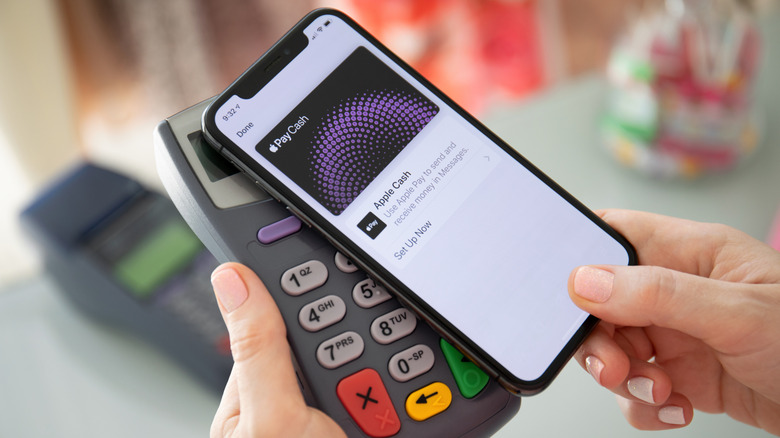

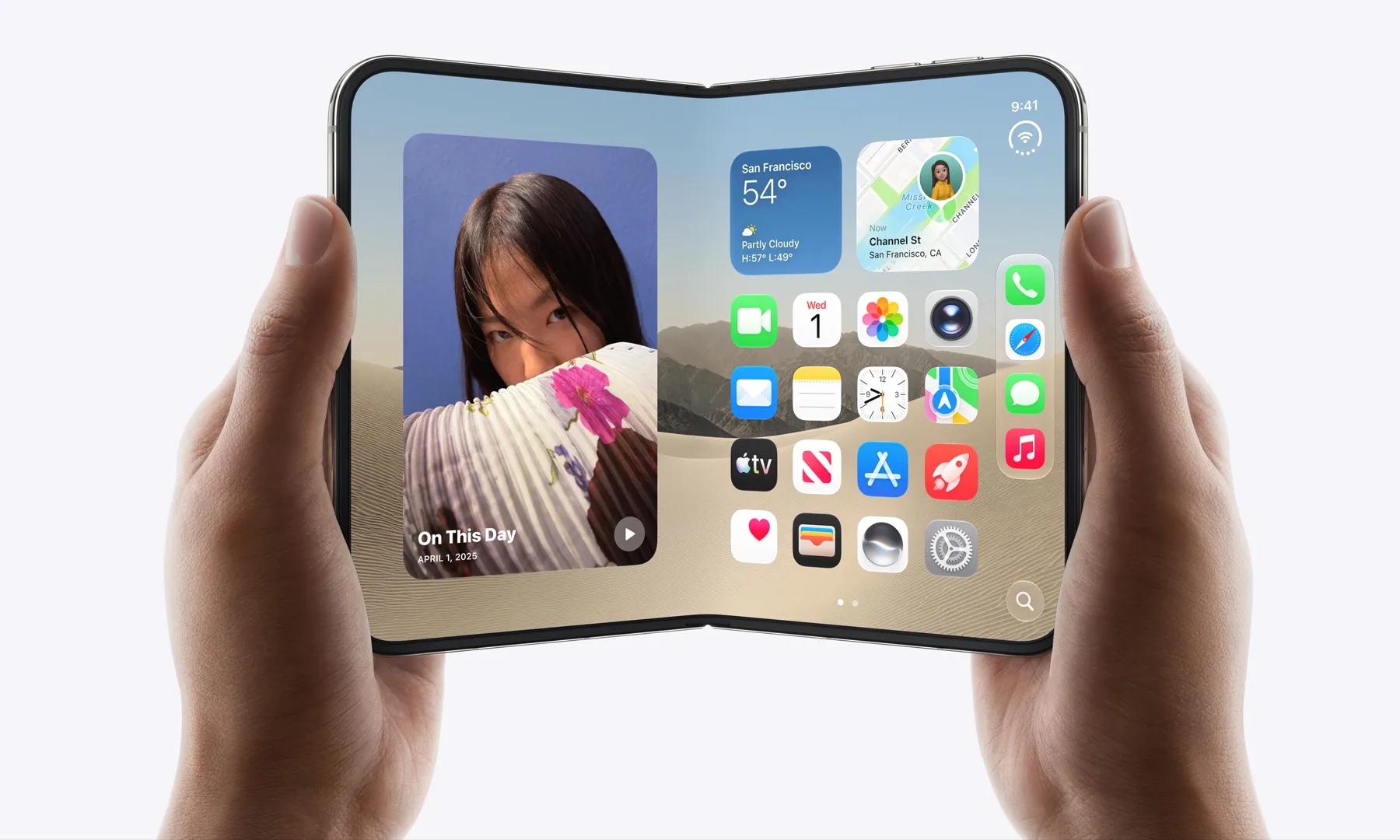
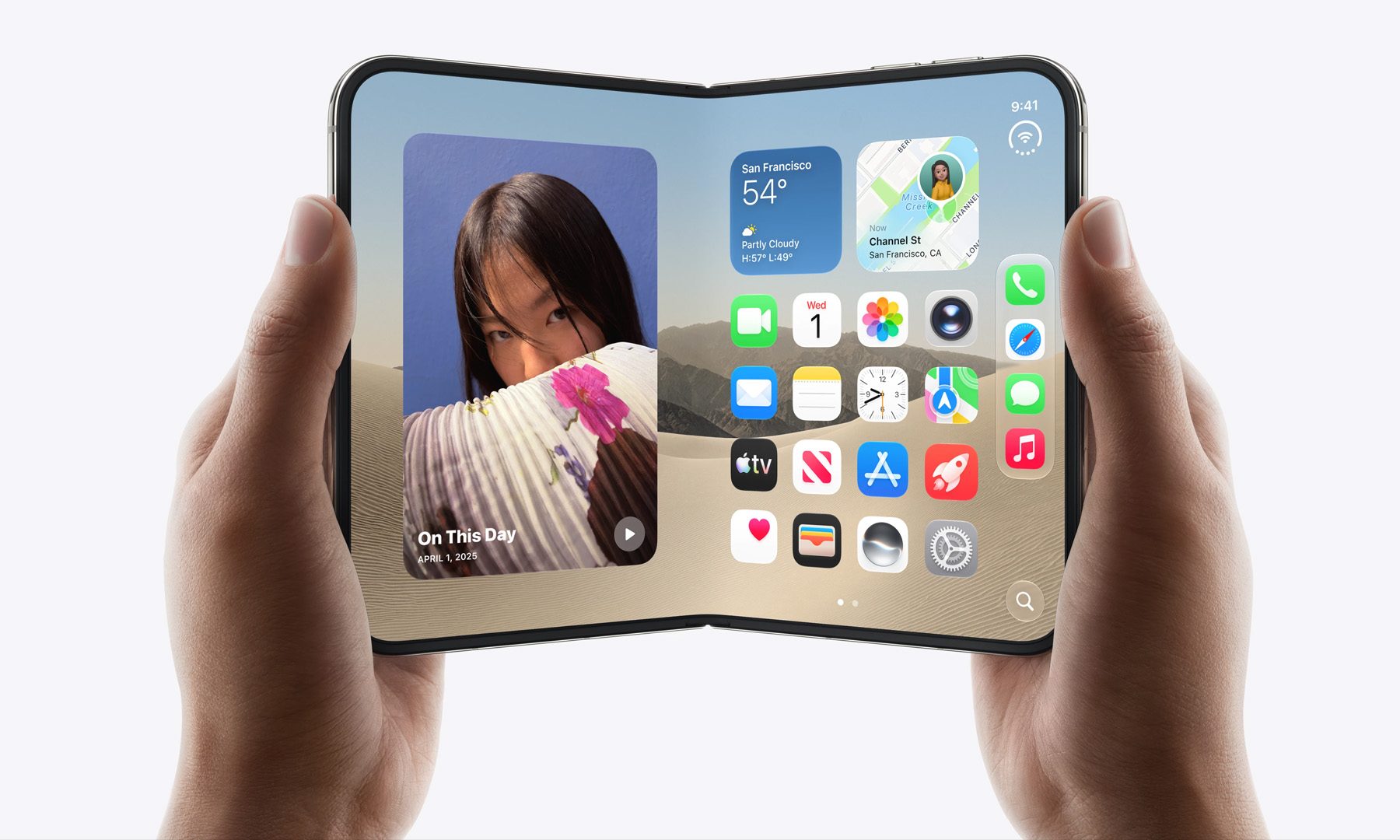
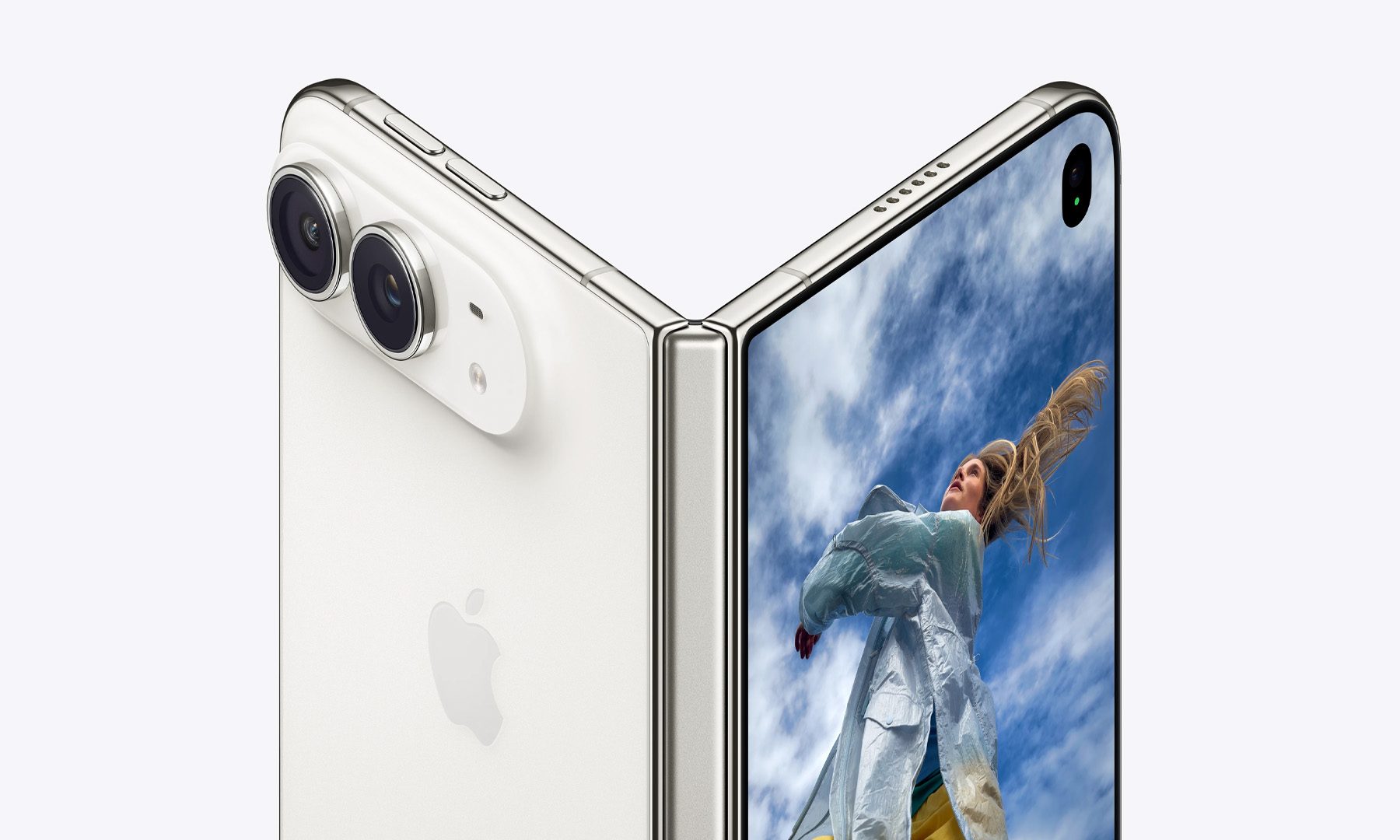

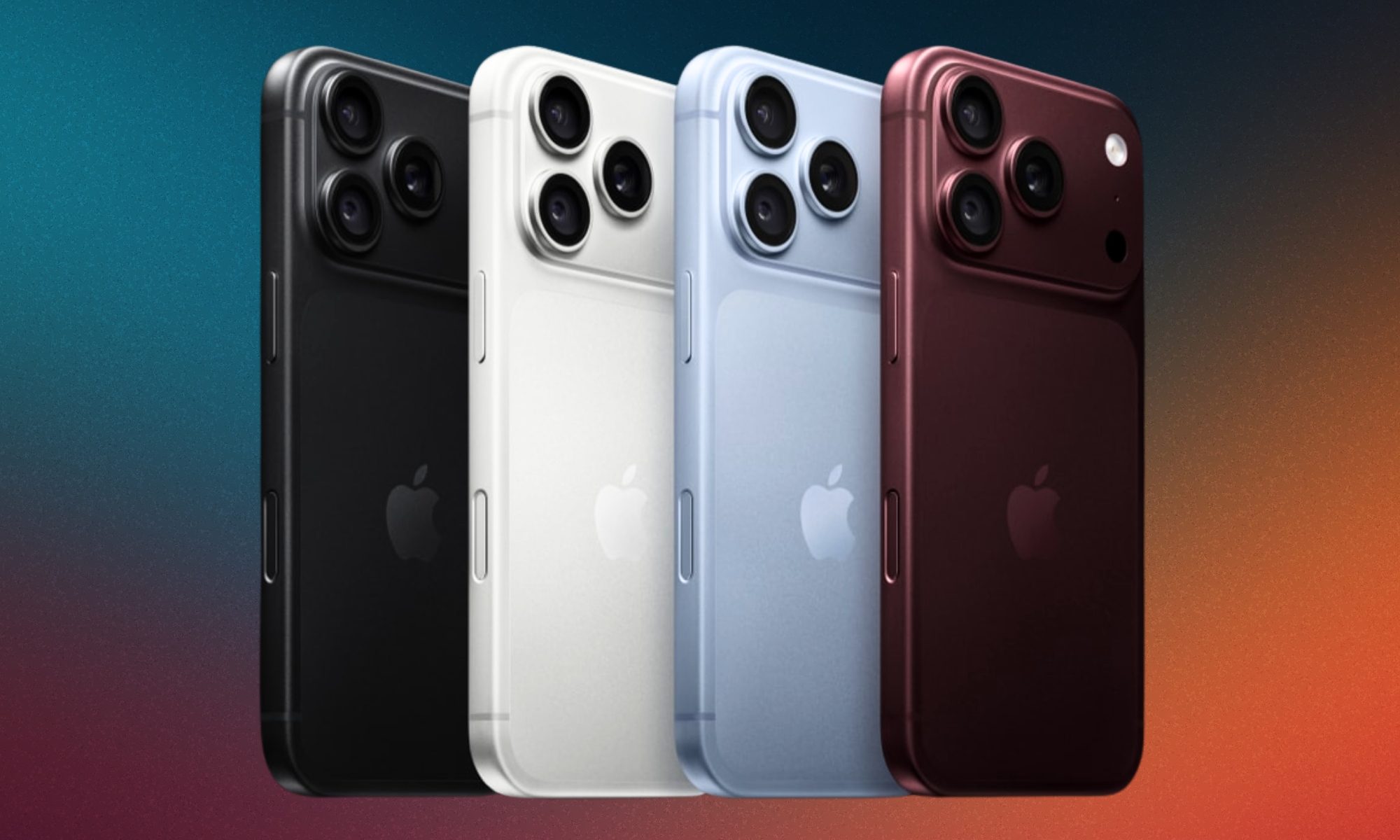


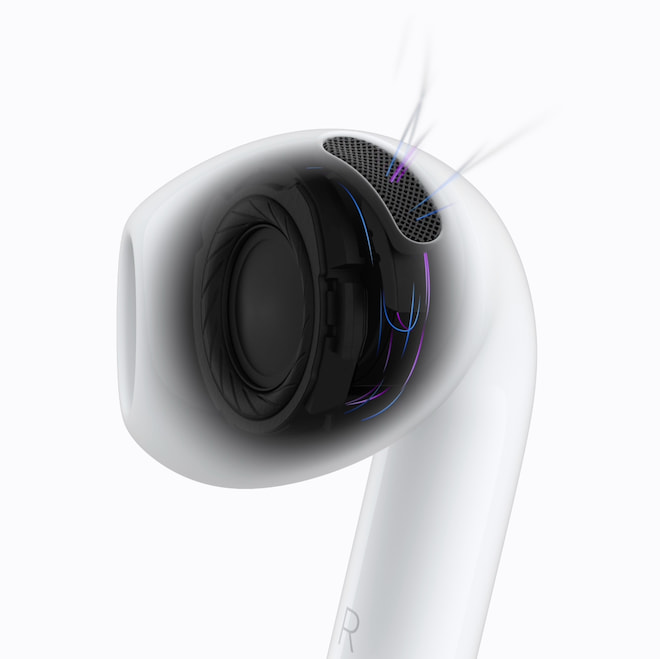











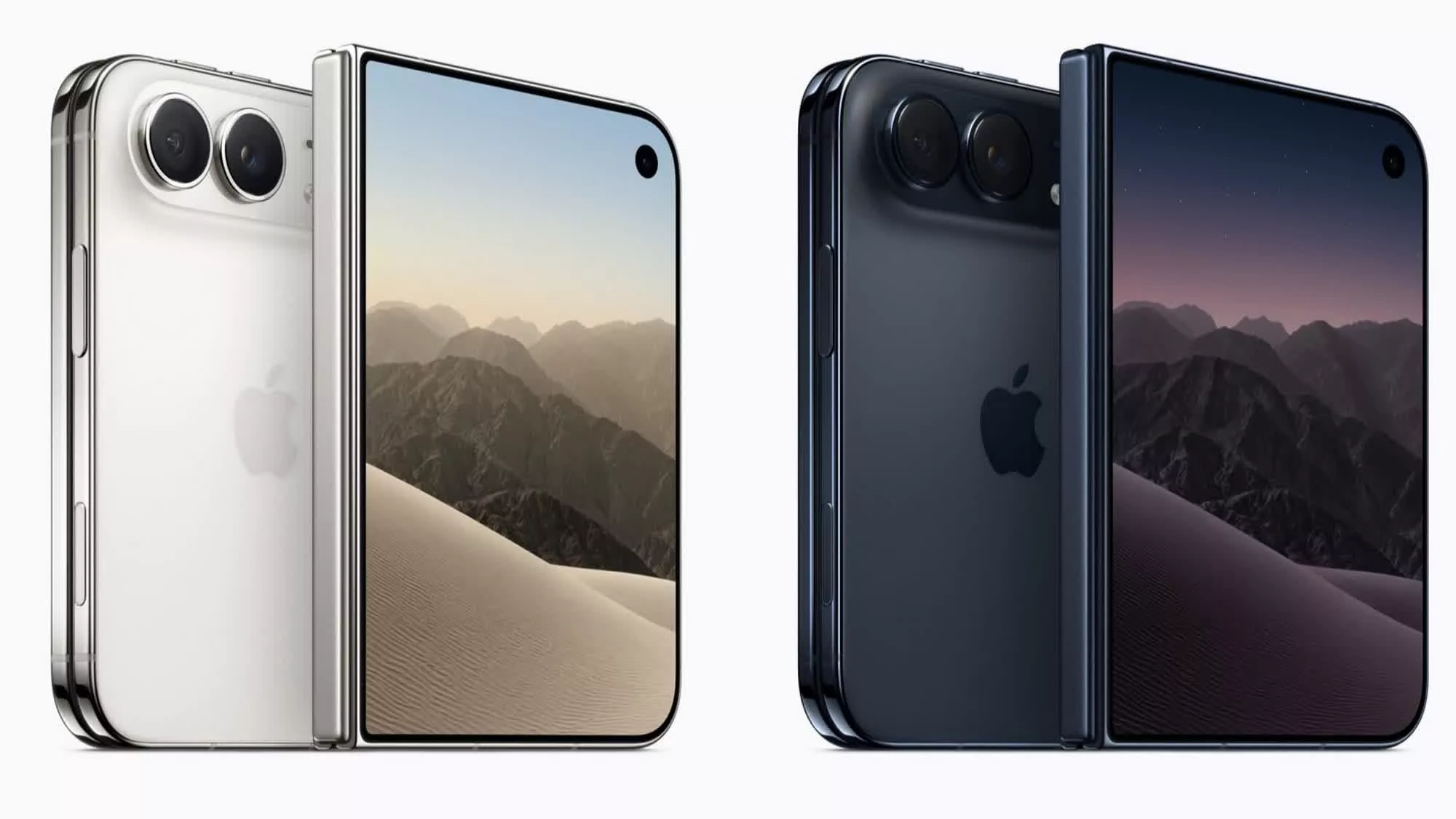



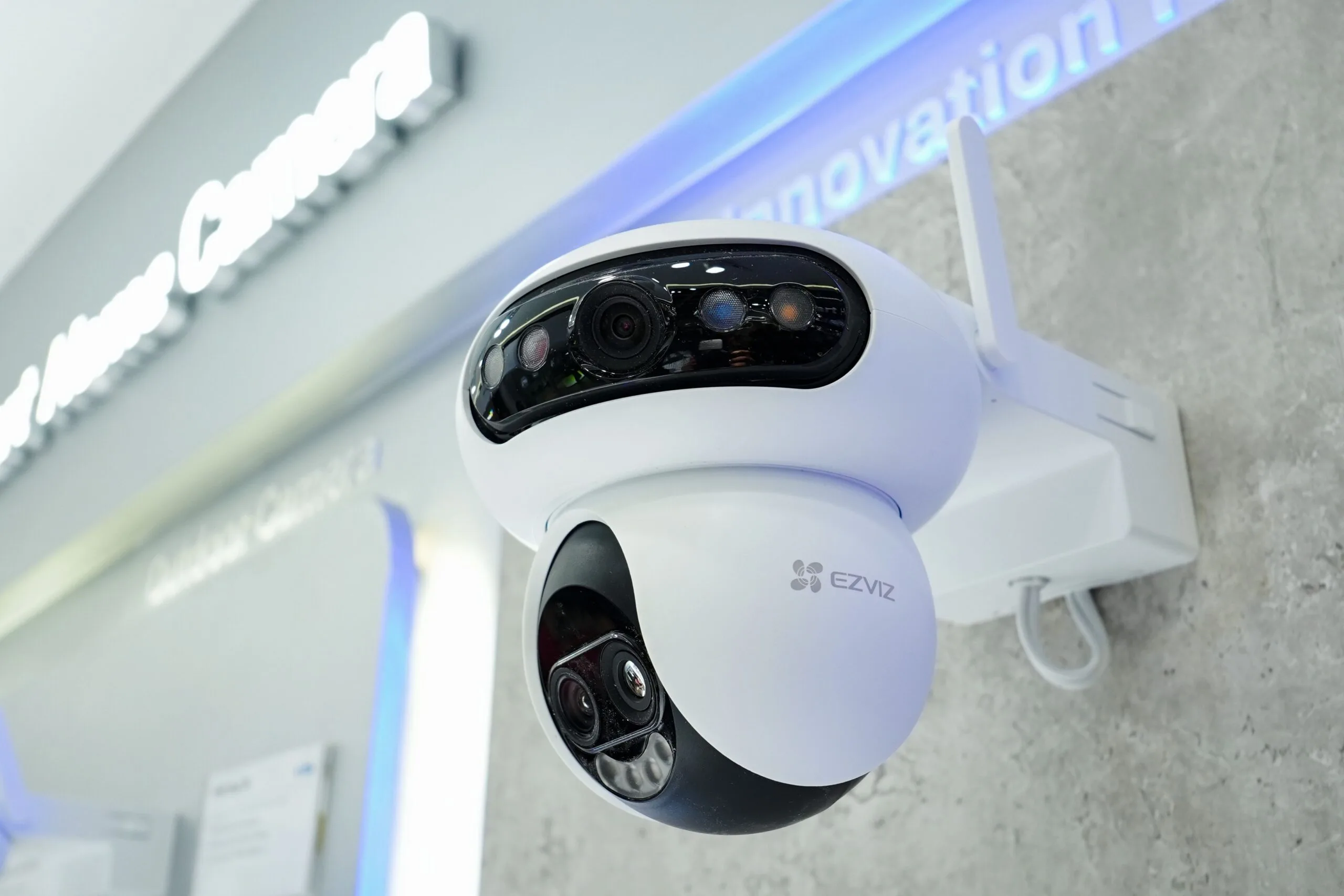
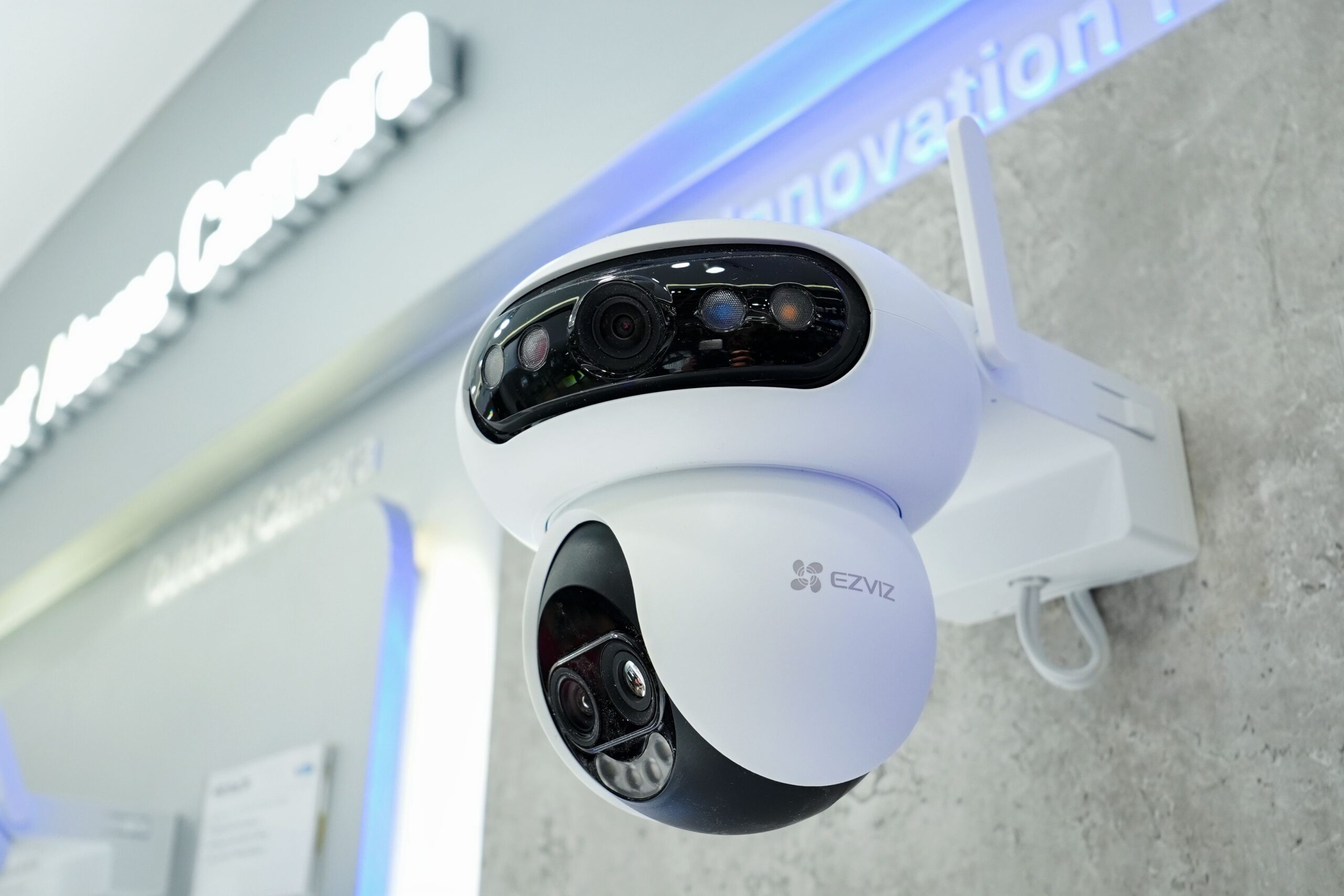

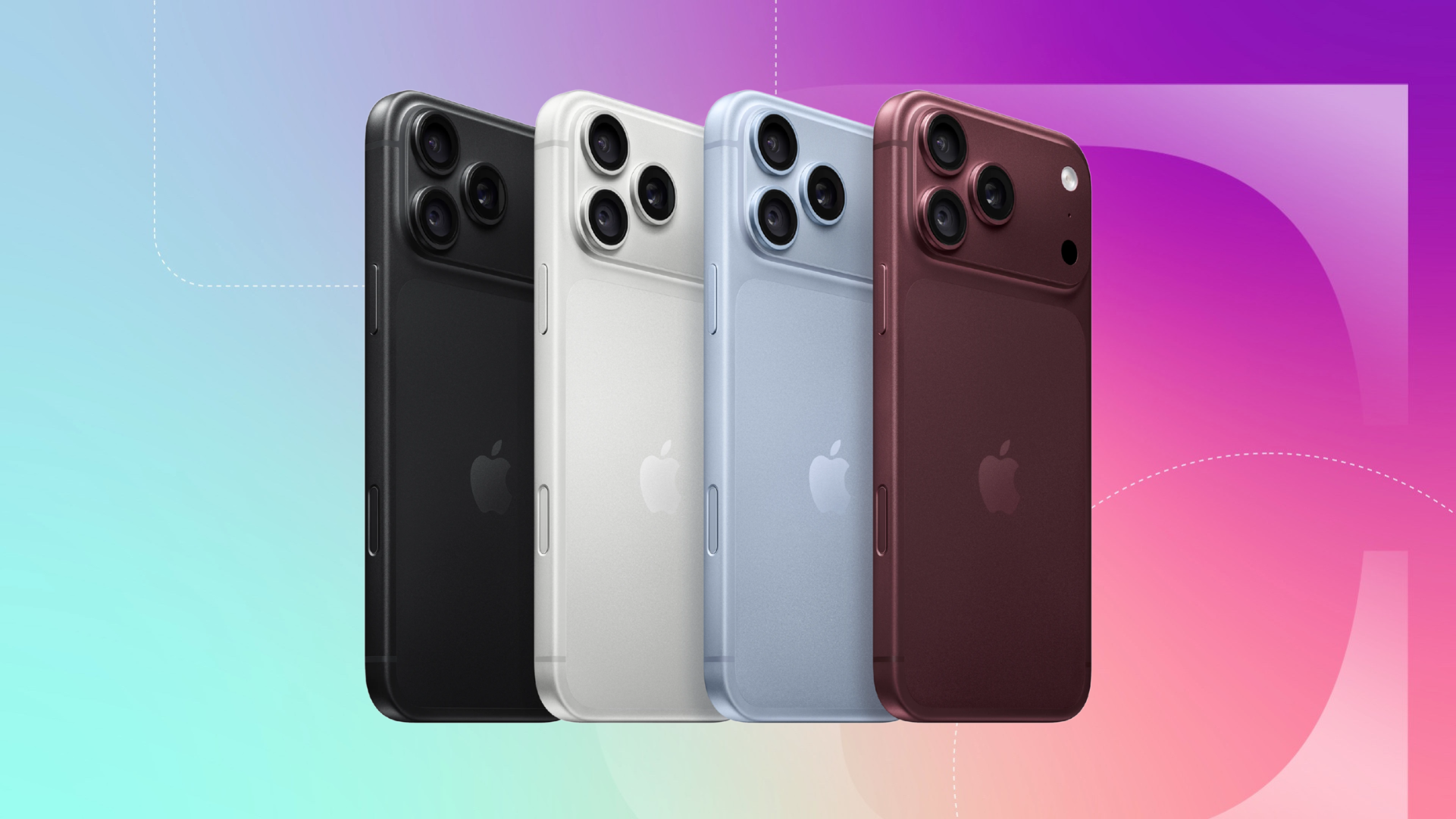


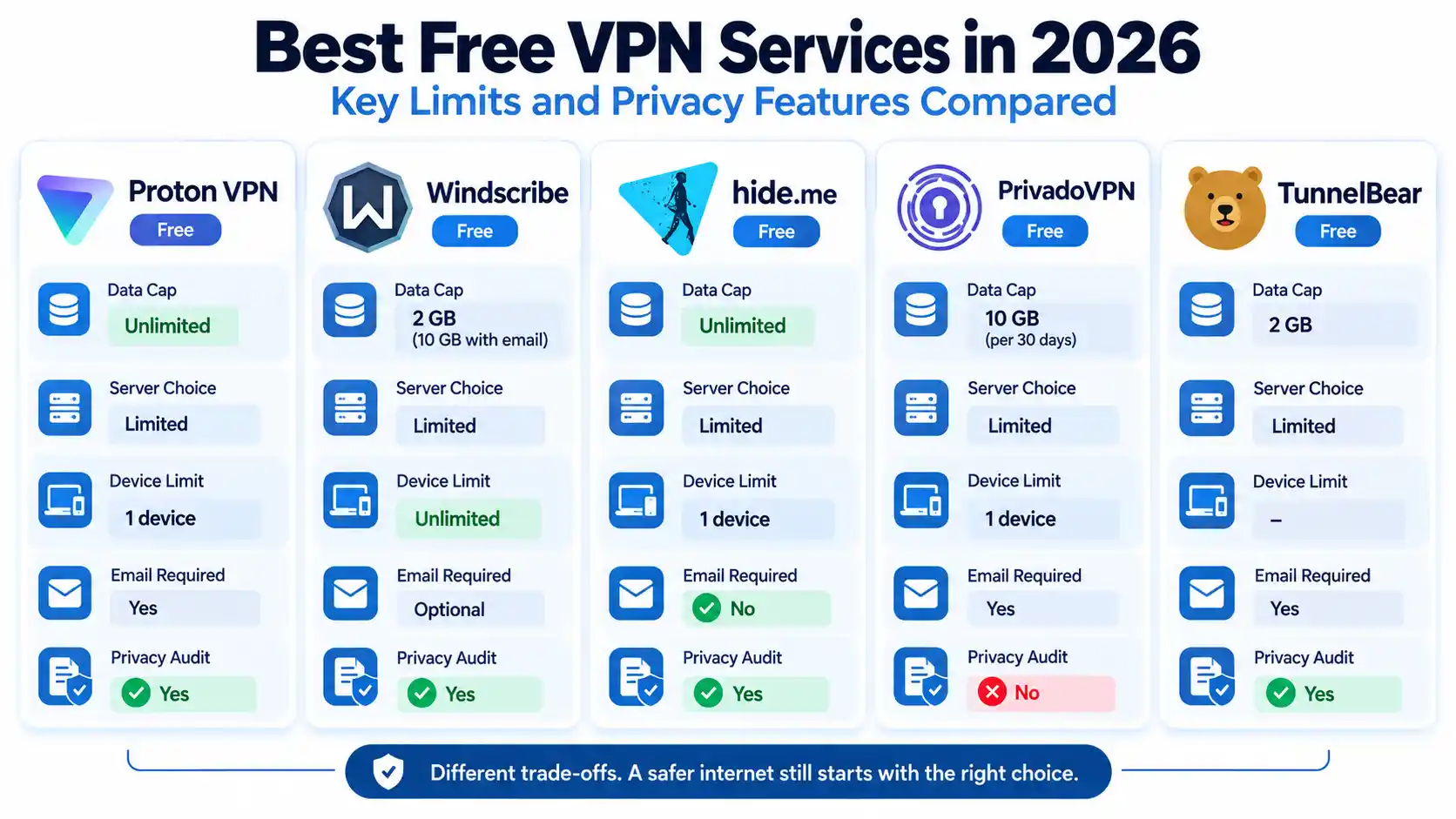
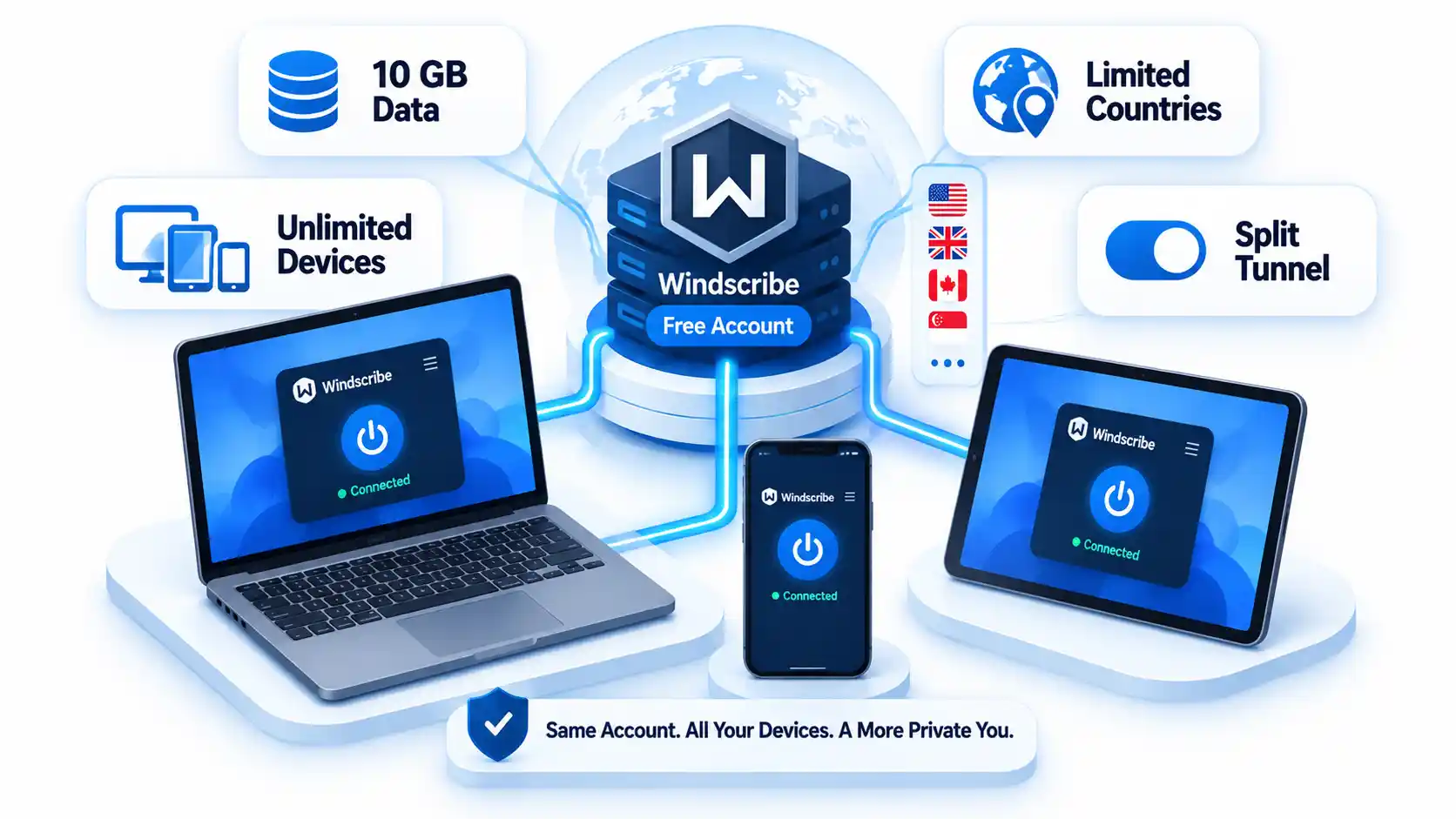
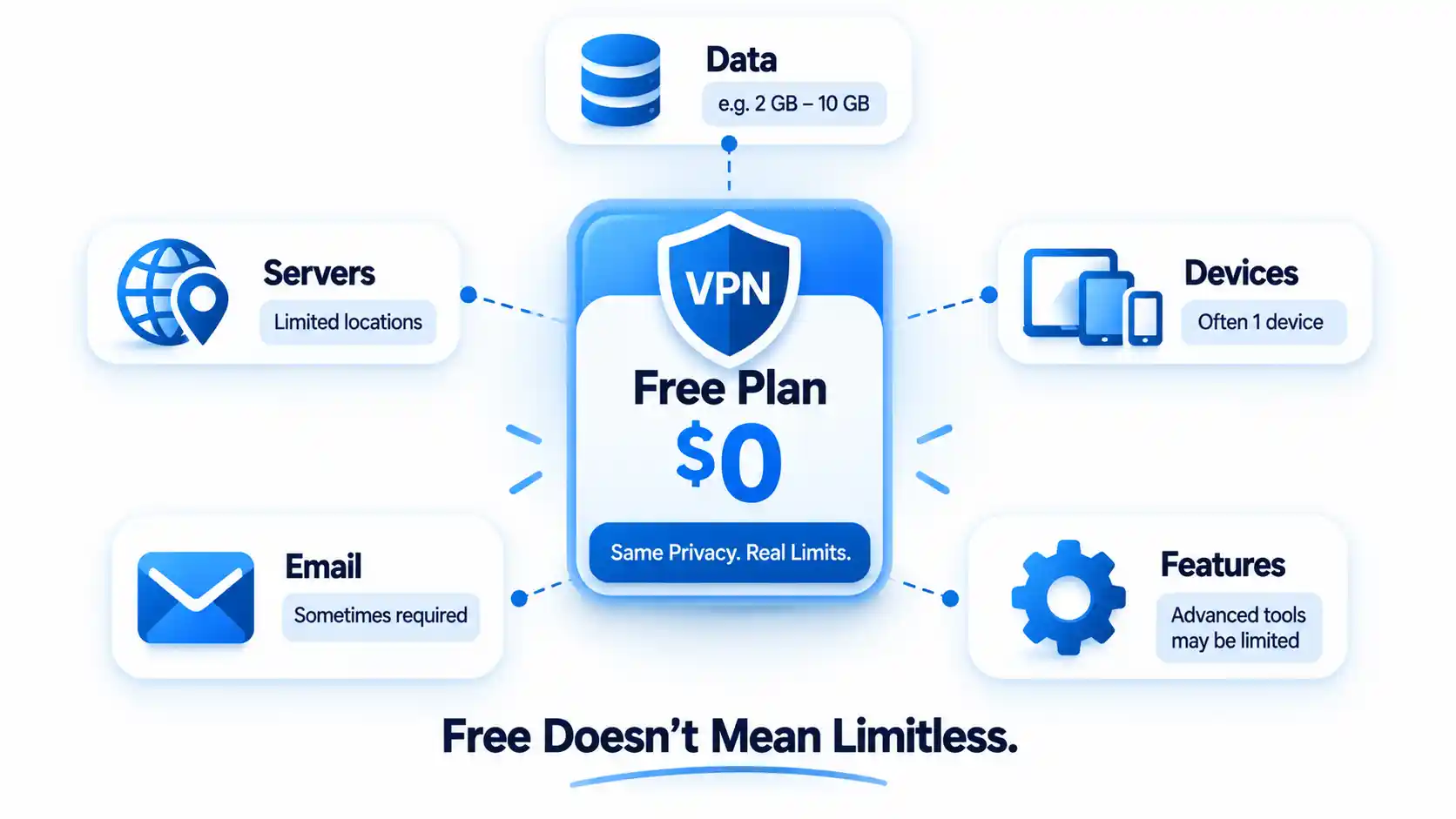
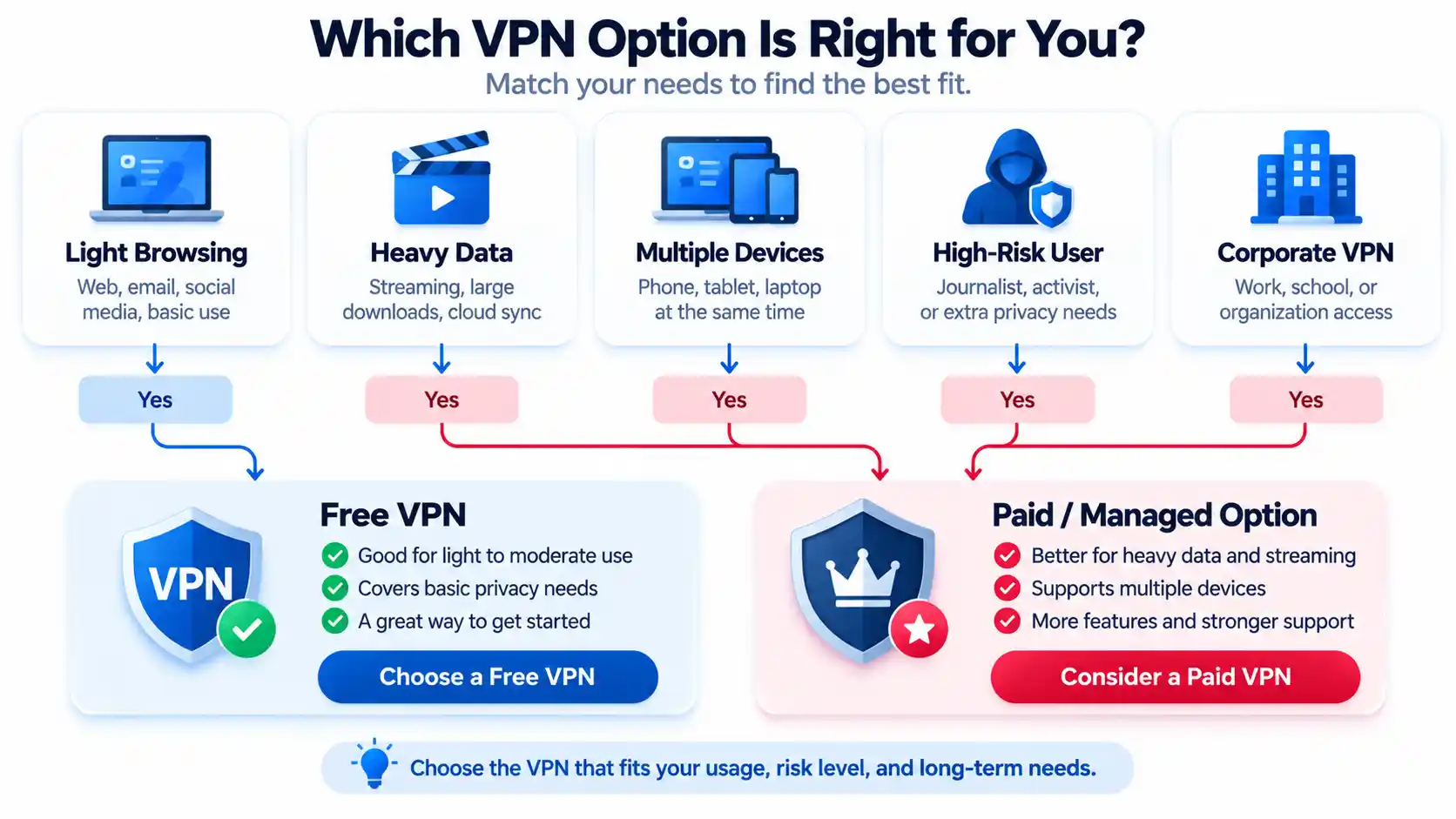
























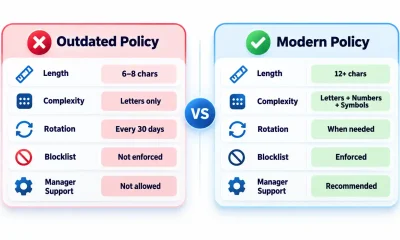







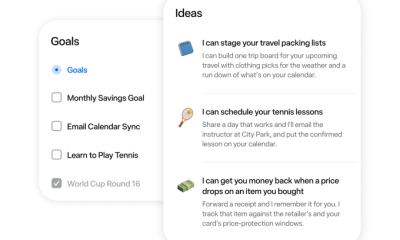







You must be logged in to post a comment Login