Connect with us

Tech

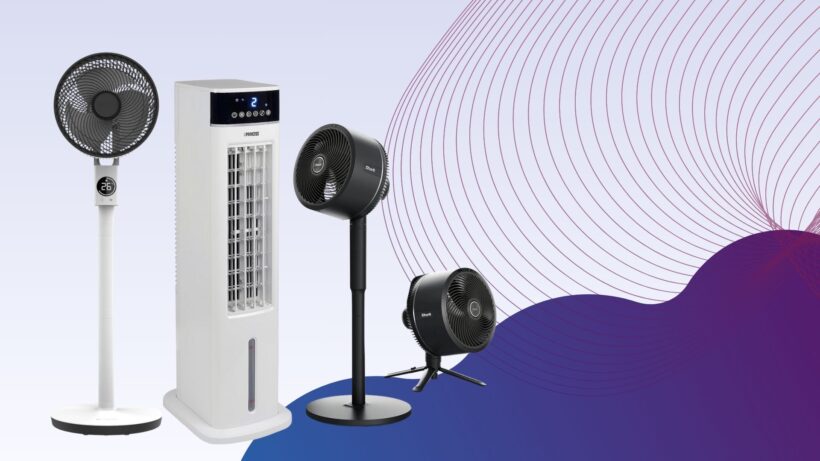
Best Fan 2026: Prepare for the summer heatwaves

Published

on

Best Fans 2025

There are few things worse than finding yourself in the middle of a heatwave, cursing the fact that you didn’t buy a competent fan ahead of time, but the fact that you’re reading this list at all means that you’re looking to avoid this situation at all costs, and we’re more than happy to help. After all, there’s so much choice out there that it can be all too easy to buy a fan that doesn’t really get the job done, but our testers have whittled down the very best fans to buy.

Before deciding on which fan to buy, the best bit of advice we can give is that there isn’t really an all-in-one fan that works for every scenario. There are plenty of options that each excel in one or two specific areas, which is why it’s worth having a think about where you’ll most need a fan to be placed.

For example, when talking about the best fan for a bedroom, you’ll want a tall standing fan or tower fan that packs enough power to throw a sizeable gust around the room, ensuring that you stay cool no matter which side of the bed you’re on. Offices tend to get on a lot better with bladeless fans as they’re quieter and safer to have out in the open, whilst anyone working from home will need a small desk fan that doesn’t take up much space.

There’s quite a lot to consider, but the best part is that thanks to the hard work of our tech experts, you don’t have to take a punt on a cheap fan that ends up being a waste of money. With every fan sent to our testing facility, we measure the decibels emitted from them as well as the strength of the airflow at various distances, so you can know right away if a fan fits your intended room.

Advertisement

At this point, we’ve reviewed more fans than we can count but only a handful have made their way into this list, ensuring that no matter which one you go for, you’ll be getting an excellent device in return. For when things get a bit too hot, you can also check out our round-up of the best electric heaters, while the best power stations can keep your fans ticking on even when you’re away from a power outlet.

Best fans at a glance

Advertisement

SQUIRREL_ANCHOR_LIST

Learn more about how we test fans

All fans are put through their paces in the same way, so that we can accurately compare the performance of each one. We start by measuring air flow in metres per second (m/s). We measure at 15cm and 1m, to see how performance drops off, and at minimum and maximum fan speeds, to see what the range is. Ideally, a fan should offer a good range of speeds, ranging from a gentle breeze to a full on blast of air.

We also measure how loud fans are, at minimum and maximum speeds. You can find out more in our detailed guide to how we test fans.

Advertisement
Shark TurboBlade TF200SUK

Best fan

Trusted Score

Advertisement


Pros


  • Highly adjustable

  • Very powerful

  • Quiet


Cons


  • Basic LED read-out

  • Relies on remote control

It’s taken some time but Shark has managed to match Dyson when it comes to putting out a fan that’s not only powerful but great to look at and a conversation piece in its own right. For all this and more, the Shark TurboBlade TF200SUK is easily one of the best fans you can buy right now.

Advertisement

While the TurboBlade does have a wonderfully appealing aesthetic, it’s the fan’s malleable frame that harbours its true selling point. The key portion of the fan that delivers airflow can be rotated from its default vertical position to a horizontal one, which makes it brilliantly suited for when you have multiple people sitting on a sofa, all in need of cooling.

The TurboBlade can even oscillate up to 180° which is almost unheard of and just makes the Shark fan better suited than most when it comes to successfully cooling an entire room. For a smaller room however you can always set the oscillation to either 45° or 90° in a pinch.

There are 10 airflow speeds in total so you have a good amount of flexibility over the style of cooling available, although for the moments when a heatwave is in full swing, you can toggle the boost mode to go even further. If you’re coming in from outside and you’re struggling to cool down then this is exactly the type of fan that gets you back to feeling comfortable in almost no time at all.

If you have the TurboBlade set up in your bedroom then you can easily toggle the various modes from the comfort of your covers, all thanks to the included remote control. With the control in hand you can tweak the settings to have a cooling breeze throughout the night, and set a timer to go along with it to help conserve power.

Advertisement
Duux Whisper Flex 2

Quietest fan

Trusted Score

Advertisement


Pros


  • Supremely powerful airflow

  • Plenty of oscillation options

  • Very quiet at the lower levels

  • Absolutely no shortage of smart features


Cons


  • Battery pack is sold separately

  • The remote control can sometimes be fiddly

Dutch brand Duux has put out some strong contenders for this very list over the last few years, but none of them can hold a candle to the outstanding Duux Whisper Flex 2. While its name might be a bit of a mouthful, there is one key giveaway that alludes to one of the fan’s best features: it is whisper quiet when in operation.

Advertisement

At the lower stages of airflow, you’d have to be fairly close to the fan in order to pick up on any sound at all, and even cranking the intensity all the way up to the maximum, the Flex 2 emits the type of sound that can easily blend into the background after a few minutes, making it ideal for an office environment or a bedroom.

Also working in the Flex 2’s favour is the amount of control you have over the airflow itself. There are 30 levels of speed available, so you can have a slight breeze or a full-on gust, depending on what your needs are. There’s also a ‘Natural Wind’ mode that more closely mimics the feeling of wind touching your skin when you’re outdoors.

On top of the power available here, the Flex 2 also works great in cooling an entire room thanks to both horizontal and vertical oscillation. This is particularly helpful if you have an office where some people are sat down at their desks, whilst others utilise a standing set-up.

You also have no shortage of control options with the Whisper Flex 2, with a responsive touch panel on the device itself, a remote control and an accompanying app which lets you tweak all of the available settings entirely from your smartphone. You can even set schedules for when you would like the fan to switch on, and at what intensity, so the Flex 2 can work around your routine.

Advertisement
MeacoFan Sefte 10 Pedestal Air Circulator

Best fan for circulation

Trusted Score

Advertisement


Pros


  • Very powerful

  • Lots of fan speeds

  • Very quiet

  • Vertical and horizontal oscillation


Cons


  • Fiddly to convert between desktop and pedestal modes

A fan isn’t just about direct cooling, it’s about shifting stuffy, stale air around and refreshing a room. That’s where the MeacoFan Sefte 10 Pedestal Air Circulator comes in. A completely new design from the company’s previous air circulators, the new model has a new motor, and a refreshed design.

Advertisement

Cleverly, the fan comes with two columns that lock into place. You can use none of these columns for desktop mode, or one or two to adjust the height of the fan. It’s a little slow moving between different heights and modes, but the flexibility is appreciated.

The main fan has an on/off button and fan speed selector, but you need the remote for the main features, which include three modes each of vertical and horizontal oscillation, fan speed, a night mode and eco mode (the fan speed is adjusted based on the ambient temperature).

With 12 fan speeds on offer, the MeacoFan Sefte 10 Pedestal Air Circulator can deliver everything from a gentle breeze (2m/sec at 1m) to a full-on intense stream of air (4.2m/s at 1m). Impressively this fan is quiet, moving between 36.9dB on its quietest setting (effectively background noise) and 53.8dB on its highest setting.

If you want the widest range of fan speeds and the best air circulation, this is the fan to buy.

Advertisement
Dyson Cool CF1

Best smart desktop fan

Trusted Score

Advertisement


Pros


  • One of the best looking desk fans you can buy

  • Easy to use controls

  • Brilliantly silent oscillation


Cons


  • Not the best buy for those on a budget

  • Airflow is a bit more spread out than most desk fans

A welcome upgrade to a classic design, the Dyson Cool CF1 Desk Fan is a new version of a classic.

Advertisement

While the fan retains the classic desktop design, with the round head and fanless design, there’s an immediate welcome change: physical controls on the front of the fan’s body.

Rather than having to use the remote (although one is still provided), the fan’s controls allow for physical control over fan speed, the sleep timer and oscillation.

This fan is also compatible with the MyDyson app, which gives full remote control (including more granular sleep controls) – it’s a welcome addition.

The Dyson Cool CF1 Desk Fan is a brilliant desktop fan, with air speeds varying between a very gentle breeze to a 2.5m/s gust of fresh, stable air. It’s also a quiet fan, ranging from 37dB on its lowest setting (background noise) up to 59.5dB on its highest setting.

Advertisement

There are cheaper fans, but the quality of the airflow, the range of speeds and silent operation make this the best if you’ve got the money for it.

Shark FlexBreeze Portable Fan FA220UK

Best indoor/outdoor fan

Trusted Score

Advertisement


Pros


  • Pedestal or desktop modes

  • Integrated battery

  • Very quiet

  • Mister helps cool you down


Cons

Advertisement

  • Hard-to-read LCD

  • Basic fan speed control

If you’re looking for a versatile cooling fan that can be used in a variety of different ways and boasts genuinely useful extras then the Shark FlexBreeze Portable Fan (FA220UK) is one for you.

The FA220UK can be set up as both a pedestal or desktop fan, providing either a whole-room or a personal cooling. To enable desktop mode, simply lift out the fan head and place it wherever you need.

This adjustable fan head is also useful as it allows you to angle and direct the airflow, regardless of what mode it’s in.

Not only that but the fan has been designed for both indoor and outdoor use, and even includes a misting attachment which gently sprays you with a cooling mist of air when you’re outdoors.

Advertisement

For even more convenience, the FA220UK works either when connected to mains, or solely on battery power, with an LCD battery indicator showing you when it’s time to recharge. We found that, perhaps unsurprisingly, battery life varies depending on how you use the fan, surviving up to 24-hours on the lowest fan speed and just two hours when set to the maximum.

Controlling the fan is simple and, naturally, there are a couple of ways to do this. Either use the buttons on top of the device or the included remote control which usefully sticks magnetically to the back of the fan itself.

There are five fan speeds to choose from, ranging from a gentle breeze to what our reviewer described as a “full-on wind tunnel”. On its lowest setting, we measured airflow at 1.1 metres per second when 15cm away and found the fan reached just 32.1dB of noise.

With the maximum setting enabled, we measured the airflow at 4.6 metres per second with sound peaking to 50dB which, although noticeable, is certainly not loud enough to distract or disturb.

Advertisement

If you’re looking for a truly versatile fan that can be used in numerous ways, has multiple speed levels and boasts extra features then we’d seriously recommend the Shark FlexBreeze Portable Fan FA220UK.

Dr. Prepare 13-inch Dual Oscillating Tower Fan

Best budget tower fan

Trusted Score

Advertisement


Pros


  • Compact

  • Powerful air flow

  • Excellent value


Cons

Advertisement

  • Slightly waspy noise

The Dr. Prepare 13-inch Dual Oscillating Tower Fan is a relatively small tower fan that’s as at home on a desk as it is on the floor. Rather than having one set of fan blades, this model has two that work together. The result is more powerful airflow than you might expect from such a model.

Measured on its highest setting, we detected air flor at 1.7m/s at 1m away. At this kind of power, this fan can cool more than one person. Impressively, the fan is also quiet: just 48.5dB from 1m away, and 40.8dB on its minimum speed: that’s barely a whisper. Our only complaint is that the fan makes a slightly waspy noise in operation.

Controls are simple on this device: three power settings and three timers (two, four or eight hours). There’s no remote control or oscillation; if you want those features, look elsewhere on the list. If you want a cheap, small, tower fan, this is a great choice.

Advertisement
Princess Smart Heating and Cooling Tower

Best fan and heater

Trusted Score

Advertisement


Pros


  • Powerful heating and cooling

  • Useful smart app and voice control

  • Doesn't take up much space


Cons


  • Doesn't display fan mode on LCD

  • Could do with a lower fan speed

The Princess Smart Heating and Cooling Tower is a powerful fan and heater that can be used year-round, has an accompanying smartphone app and is compatible with Alexa and Google Assistant.

Although the Tower itself is tall, it doesn’t take up as much floor space as the Dyson Purifier Hot+Cool Formaldehyde, making it much better suited for small and mid-sized rooms.

Advertisement

Controlling the Tower is easy with either the included remote control or the Climate smartphone app. While both allow you to adjust the fan speed, switch between cooling and heating modes and set timers in one-hour increments, the app also lets you to set schedules and routines with Alexa and Google Assistant.

Overall we found the Tower to be impressively powerful across both heating and cooling abilities, although it does have the edge when in Heat mode. In fact when Heat mode was enabled we found that airflow from 15cm away was 40°C in both the highest and even the lowest setting.

With cooling (fan) mode, we measured air speed at 3.08m/s at its maximum setting which then fell to 1.31m/s at 1m which, although are decent scores, are trumped by more powerful fans such as the VonHaus 35″ Tower Fan.
For a device that can be used all year round, the Princess Smart Heating and Cooling Tower is a versatile choice. Although the Dyson Purifier Hot+Cool Formaldehyde can heat, cool and even act as an air purifier, the Princess Smart Heating and Cooling Tower is a much more budget-friendly option.

Advertisement
MeacoFan 260C Cordless Air Circulator

Best fan for flexibility

Trusted Score

Advertisement


Pros


  • Light and small

  • Long-lasting internal battery

  • Powerful air movement


Cons


  • No oscillation

If you need a fan where cables won’t reach, say to a garden on a hot day or in a tent when you go camping, the MeacoFan 260C Cordless Air Circulator is the model for you. Thanks to its integrated battery, charged via USB, you can run this model for up to 14 hours without having to go anywhere near a power socket.

We’ve seen small, portable models before, and they’ve usually been a bit rubbish. Not so with the MeacoFan 260C Cordless Air Circulator, which has a lot of power, reaching a maximum air speed of 2.3m/s from 15cm away. That’s enough air to give you a cooling dose of air. There are four fan speeds in total, with the lowest running at 49.7dB, or quiet enough to sleep through.

Advertisement

As this is a portable model, you lose out on some features that bigger models have: you don’t get a remote, there are only four fan speeds and there’s no oscillation. If you need any of these options, look elsewhere, but if you want a flexible fan you can take everywhere this is the best model that we’ve reviewed.

VonHaus 35" Tower Fan

Best fan for power

Trusted Score

Advertisement


Pros


  • Powerful air circulation

  • Reasonably quiet performance

  • Ioniser, three wind modes, and a remote

  • Comparatively narrow base

  • Two-year warranty (with registration)


Cons

Advertisement

  • Could do with a lower fan speed

Tower fans are a great space saver but they often sacrifice power to get a slimmer body. Not so with the VonHaus 35″ Tower Fan, which manages to deliver some of the best fan performance that we’ve seen, both up close and across a room.

At full power, the fan delivered air speed at 4.8m/s, which only dropped at 2.8m/s at one metre and an effective 1.6m/s at two metres. That’s enough air speed to keep you cool at a distance, making the VonHaus 35″ Tower Fan a suitable fan to cool an entire room. Our one minor complaint about fan speed is that the lowest setting is still a relatively powerful 4m/s at 1m – we’d have liked a slightly lower minimum speed.

High fan speeds often come with noise, but that’s a trap that the VonHaus 35″ Tower Fan avoids. At 53.9dB on maximum, this fan is pretty quiet for the fan speed; however, at minimum, the fan is still 53.1dB, which is a little loud for sleeping with.

There is a remote control and a display that shows you what the current temperature and fan setting is. This display is a little hard to read, but we can forgive this minor issue, given how good the fan is. Even better, the VonHaus 35″ Tower Fan is one of the cheapest fans that we’ve tested, too. If you’re after a powerful tower fan at a great price, look no further.

Advertisement
Netta 32-inch Tower Fan

Best budget tower fan with natural air flow

Trusted Score

Advertisement


Pros


  • Good value

  • Lots of control options

  • Remote control


Cons


  • Not ideal for larger rooms

At just under £40, the Netta 32-inch Tower Fan is a little cheaper than many other products on this list, yet it’s packed with features. As well as three regular speed settings, there are two types of airflow: natural wind mode varies fan speed to make it feel more natural; wind mode uses one fan speed.

Advertisement

Alongside these controls, there’s a timer (one, two or four hours) and oscillation mode (65° angle). If you don’t want to walk to the fan, then there’s also a remote control that attaches magnetically when not in use.

We found this a good fan for small- to medium-sized rooms. On its high setting, the fan reached an airspeed of 3.2m/s at a distance of 15cm. That’s good but there are more powerful fans that are better suited to larger rooms. At this speed, we found that the fan wobbled slightly, too. At 1m distance, the fan speed was still a decent 2.2m/s, providing a noticeable cool airflow. We were impressed with how quiet this fan was: at 15cm, we measured it at 66.2dB, and at 1m, it was just 50.3dB.

If you want a well-priced fan for a medium-sized room, then this one is a good choice.

Advertisement
Evapolar evaSMART

Best personal evaporative cooler

Trusted Score

Advertisement


Pros


  • Super-quiet

  • Effective cooling

  • Useful smart features


Cons


  • Expensive

  • No temperature-based smart actions

We’ve been impressed with Evapolar’s previous personal evaporative coolers, and the Evapolar evaSMART is the best yet. It’s a little expensive compared to other evaporative coolers, but its smart features and envelope of cold air make it well worth the cash.

This model uses a water tank, which lasts for between four and nine hours, depending on the temperature and humidity level. In either case, it’s enough water to get you through most of a hot night.

Advertisement

Unlike a fan, which can’t affect the actual temperature, the evaSMART can reduce the temperature of the air it blows at you: we measured a 3C drop. This is a small amount, but the cooling envelope of air around us made us feel much cooler than if we’d just used a fan.

Air flow isn’t particularly fast. At full speed, just 15cm from the grille, we measured air at 1.9m/s, but the wind speed was unmeasurable by 1m. As this is a personal fan that physically cools the air, the evaSMART doesn’t need to blow air any faster. In fact, at times it felt too cold sitting in front of this cooler.

Although you can control the fan from its on-body controls, there’s also a smart app for remote control (including changing the colour of the light), plus Amazon Alexa and Google Assistant Skills.

It’s a touch on the expensive side, but if you want a small cooler that can keep you comfortable while you work or sleep, this one is very effective.

Advertisement
Princess Smart Air Cooler

Best evaporative cooler

Trusted Score

Advertisement


Pros


  • Powerful fan

  • Subtly effective cooling

  • Smart features including scheduling and voice control


Cons


  • No temperature or other sensors

  • No dedicated remote control

  • Not as effective as aircon

Sitting somewhere between an air conditioning unit and a fan, the Princess Smart Air Cooler uses a tank of water to cool the air through evaporation. This makes it more effective than just a fan on a hot summer’s day, although this model is also a powerful fan in its own right.

Advertisement

Externally, this looks like a regular fan, although there’s a difference when you look at the base: this holds a 3.5-litre water tank, which can also hold the two provided ice packs (these go in your freezer and cool the water in the fan).

A small pump sucks up water and trickles it down a membrane inside. As the fan blows air over the water, it evaporates, cooling the air. We measured a drop in air temperature blown of 2°C, which isn’t as powerful an effect as with an air conditioner, but is an improvement over a fan.

Plus, the Princess Smart Air Cooler costs a lot less to run than an air conditioner. We measured power and this air conditioner will cost around 2p per hour to run at current costs.

The Princess Smart Air Cooler is a powerful fan, too. At 1m away, the fan is capable of blowing air at between 2.5m/s and 4.1m/s, so you can feel its full effect even in a larger room. We didn’t find this fan noisy, but it does have a slightly annoying whine to it.

Advertisement

We found the Princess Smart Air Cooler easy to control, with all of the options you need on the front panel and the remote. Plus, this is a smart fan, so you can control it via the decent app, which also provides voice control via Amazon Alexa and Google Assistant.

If you’re looking for a powerful fan that will blow colder-than-room-temperature air and doesn’t cost a fortune to run, this is a great choice.

Advertisement
Duux Globe

Best desktop fan for power

Trusted Score


Pros

Advertisement

  • Quiet and powerful

  • Horizontal and vertical oscillation

  • Low power consumption


Cons


  • On-fan controls are confusing

  • Only three speeds

If you’re looking for a compact table fan that’s easy to use and powerful, yet quiet enough so that it shouldn’t disturb you, then the Duux Globe is a fantastic choice.

While the Globe does lack some of the smart features found in its pricier counterparts, it sports everything you need to keep cool and comfortable at home. With a curved fan head that rests on a neat conical base, the Globe can sit atop desks and most surfaces without taking up much space.

Although we deemed its touch-sensitive controls basic, with only three speeds to choose from and a timer that only counts down from just one or three hours, the included remote control does cover more features, including adjusting the swing.

Advertisement

Overall we were left impressed by the Globe’s airflow and measured its windspeed at 2m/s from 15cm away at its lowest setting, which fell to a gentle 1.1m/s when measured from a metre’s distance.

At full power however, the Globe propelled air at up to a whopping 4.6m/s from 15cm away. At this speed, the Globe sounded at 65dB, making it a reasonably quiet fan for the level of power provided. In fact, we found that when out of the air flow, the figures fell to 35.9dB, making it a seriously quiet fan with the level of power included.

Even with such power, the Globe is extremely efficient and consumes just 6W of energy when set to full speed.

Advertisement
Acerpure Cool AC551-50W

Best fan and air purifier

Trusted Score

Advertisement


Pros


  • Powerful fan

  • Excellent air purifier

  • PM2.5, PM1 and volatile gas sensors


Cons


  • Unreliable app

The Acerpure Cool AC551-50W is a mighty two-in-one appliance that works as both a fan and an air purifier. 

Its appearance might appear somewhat clunky, with a small fan on top of a fairly big purifier but this is actually a thoughtful design that enables the fan to oscillate horizontally and vertically. 

Advertisement

While this version doesn’t have a germicidal UV-C lamp like the AC553-50W alternative, it still sports a four-stage filter with PM2.5, PM1 and volatile organic compound (VOC) sensors. At this price, these filters are seriously impressive.

Controlling both the fan and purifier is via touch-sensitive controls and display on the device, which enables you to configure different speeds for both. While the fan can be turned off independently, there isn’t an option to switch the air filter off which means it’s always running unless you turn the whole device off. 

You can also connect the air purifier to the Acerpure app via a shared Wi-Fi network, however we must say this proved to be a seriously underwhelming and frustrating process. Not only was it tricky to set up but the app was slow to reflect air quality readings from the purifier’s onboard sensors. Hopefully an update will fix this in the future.

Otherwise, we were seriously impressed with the purifier’s performance. During our testing we found the Acerpure Cool managed to bring the PM2.5 sensor down from the maximum 999 level within just four minutes. After eight minutes, the room air was deemed “moderate” and, finally, after 13 minutes the room was almost free of particulates. 

Advertisement

If you don’t want to splurge on a standalone fan, then the Acerpure Cool AC551-50W is a brilliant option as its built-in purifier can be used year-round. While we had difficulties with the app, the purifier improved a room’s air quality within 15 minutes while the fan’s 10 speed settings offered versatility.

Duux Rize

Best fan for home working

Trusted Score

Advertisement


Pros


  • Super long battery life

  • Extendable stem

  • Decent power


Cons

Advertisement

  • No timer function

  • No smart features

If you regularly move between working from home and working in an office, and you just want a reliable desk fan that can be easily transported between those two locations then the Duux Rize is one of the best picks out there. With a built-in battery that’s rechargeable via USB-C, this is one of those rare fans that can truly operate anywhere.

You don’t have to worry about it running out of power either as it can last for up to 15-hours on a single charge, which is more than enough to get you through the working day. Even though it’s small enough to fit within a tote bag, you can lengthen the stem and tilt the fan upwards, giving you more range of airflow that works well if you have a standing desk.

Of course, regardless of any extra capabilities, every desk fan needs to bring the power where it counts and thankfully the Duux Rize is no slacker when it comes to keeping you cool. There are four stages of airflow but even at the lowest setting, you’ll still be getting a wonderfully cooling breeze that covers a good amount of space.

When cranking the power all the way up to its maximum setting, we were able to pick up on a powerful 3.1m/s air flow from 15cm away, which can bring your temperature down in next to no time. It’s also surprisingly quiet too, so you won’t run the risk of annoying your coworkers whilst the Duux Rize is on.

Advertisement

As a final point, there is an on/off oscillation mode available on the Duux Rize which, when paired with the added height available via the stem, can allow the device to take on the persona of a room fan when needed. Alternatively, this means that you can help to spread the airflow across two desks rather than just one.

MeacoFan Sefte 8" Portable Battery Air Circulator

Best portable desk fan

Trusted Score

Advertisement


Pros


  • One of the quietest desk fans around

  • Slick design

  • Replaceable battery

  • Magnetic holster for the remote


Cons

Advertisement

  • Not the most portable desk fan

  • No USB-C charging

While the Duux Rize is arguably the best portable fan on this list, the MeacoFan Sefte 8″ Portable Battery Air Circulator is a great alternative that trades some portability in favour of more powerful airflow and a few extra settings. You won’t be fitting MeacoFan’s device into a tote bag anytime soon, but we think the trade-off is well worth it.

Even just to look at the MeacoFan Sefte 8”, you can tell that this is a desk fan that means business. It has no less than 12 airflow settings, so you have a wide range of options to suit a light breeze or a full-on gust depending on how hot the room is. One feature we absolutely loved, and would appreciate more manufacturers adopting, is the Eco mode which automatically sets the airflow based on the room’s temperature.

Although being a larger desk fan, the Sefte 8” still boasts a stylish design that uses a wonderful two-tone aesthetic to stand out. You can even angle the fan upwards to offer a reprieve from the heat if you’re at a standing desk.

In spite of its many features, what arguably impressed us the most was MeacoFan’s consumer-friendly practices. For starters, the battery on the Sefte 8” is fully replaceable so there’s no need to upgrade to an entirely different fan once the battery starts to go, and there’s a three-year warranty included as standard.

Advertisement

There’s even a remote that magnetically attaches to the centre of the fan itself when not in use. With the remote in tow, you can change the airflow levels, activate oscillation and more. If you do misplace the remote however then the built-in control panel on the base of the Sefte 8” can also do the job.

Shark TurboBlade Cool + Heat TH200UK

Best year-round fan

Trusted Score

Advertisement


Pros


  • Powerful fan

  • Hugely flexible design

  • Smart remote control

  • Powerful heating


Cons

Advertisement

  • Can't turn lights off

  • Can't switch mode using the remote

As much as we love the Shark TurboBlade TF200UK, there’s no denying that when the winter months start to rear their head, much like with any fan, it goes largely unused or simply put away until the following year. Thankfully, the Shark TurboBlade Cool + Heat TH200UK solves this problem by providing a device that can be used all year round, regardless of the temperature.

Aside from looking a lot cooler than your average fan, the blade system works really well for directing airflow to where you need it to be. Just rotate the fan to your liking and you’ll enjoy a cooling gust right away. In fact, when using the fan at full power, we were impressed to see 1.9m/s of airflow from a distance of one metre, and when you factor oscillation into the mix, this fan works well for cooling a bedroom or living room.

Of course, during the colder months of the year, you can just swap over to the heat mode and feel the chill slip away as you settle in and relax. If you live in a flat or house without heaps of storage then having an all-in-one device like this can be a big win, and it’ll save you from having to pick up a fan and a heater separately.

One handy feature where energy consumption is concerned is the built-in thermostat which helps to regulate the temperature between 16°C and 32°C. This is especially helpful when using the heating element as you won’t need to have it switched on constantly as it’ll trigger when it’s needed. For anyone looking to keep better tabs on their energy consumption, this is a big win.

Advertisement

There’s no app to use with this device, although that might be preferable to some who don’t want yet another smart home app installed on their phone. Instead, the TH200UK has a remote control included which makes thing easy, giving you quick access to the various modes and airflow speeds onboard. While the TH200UK is definitely a bit pricier than most options on this list, its year-round versatility is hard to match which is why it’s a solid investment.

FAQs

Can a fan cool a room?
Advertisement

A fan can’t change a room’s temperature; it merely circulates air. However, the breeze from a fan on your body aids sweat evaporation, which makes you cooler. In humid environments, fans don’t work so well, as less sweat evaporates.
For this reason, you may want to think about buying a dehumidifier, too, which will improve a fan’s performance and make your room feel more comfortable. The increased air circulation can also stop a room from feeling stuffy.
To actually cool a room you need something that can lower the air temperature. Air conditioning is the main option in this instance, but a second option is to use an evaporative cooler. These feature a tank of water, which slowly evaporates to help cool the air, and work best in dry, hot climates.

How does humidity affect cooling?

Fans make you feel cooler by helping sweat evaporate from your body. How effective a fan is, depends largely on how humid it is. When there’s high humidity, it’s hard for sweat to evaporate, so a fan doesn’t do much to help cool you. This is why on humid days we tend to think of them as being hot and sweaty. Conversely, when humidity is lower, it’s much easier for evaporation to happen, which is when fans feel the most effective.
You can use this knowledge to your advantage and purchase a dehumidifier for those sweltering days. With a dehumidifier sucking moisture out of the air, the effectiveness of fans goes up. A dehumidifier will also make an evaporative cooler more effective, too.
Air conditioning units can also operate as dehumidifiers. So, if you have a portable unit but find it too loud to sleep with, you can run it before you go to bed in dehumidifier or cooling mode, and then switch to a fan at night. That way, you get the best of both worlds: a cool and less humid environment to go to sleep in with a fan to keep you cool during the night

Advertisement
Which fan type is for you?

Desktop fans are the traditional models. These let you tilt the fan to direct airflow; you turn on the oscillation mode to let the fan sweep from side to side.
Pedestal fans look like tall desktop fans, and are designed to stand on the floor. Typically, they have larger blades, so take up more room, but this makes them more powerful. With most models offering height adjustment, in addition to pivot and oscillation, pedestal fans are easier to configure for the perfect cooling breeze.
Tower fans take up very little floor space and blow air out of a tall column. For the reduction in size you do sacrifice some power, and you don’t get height or pivot adjustments either – just oscillation. As a result, you may need to use a tower fan closer to you, but they’re a great choice where space is at a premium.

Advertisement
What other options should I look for?

Noise is important, particularly if you want to sleep with a fan turned on. We’ve measured every fan’s sound levels at both maximum and minimum to help you decide.
A fan with a remote control can be a good option if you want to adjust settings on the fly. This is particularly true in the bedroom, where you may not want to get out of bed to turn off your fan. On that note, look for a fan with a sleep timer so that it will shut off after a set time.
More advanced options on high-end fans include air filters to help clean the air, or heating elements so that you can keep warm in the winter.

How does evaporative cooling work?
Advertisement

Evaporative coolers use a tank of water and a pump. As water evaporates it cools the air, letting these fans blow out air that’s colder than the ambient temperature: think of how it feels if you spray yourself with water on a hot day. The good thing about evaporative coolers is that they’re cheaper to run than an air conditioner and work with windows open. The downside is that they don’t work very well where it’s humid and water can’t evaporate.
Performance also differs depending on the level of humidity: evaporative coolers work best in very dry environments where the effect of evaporation is to also increase humidity for a more comfortable environment. Fortunately, UK summers tend to be hot but not that humid, so evaporative coolers work fairly well. However, they don’t reduce the temperature of a room as air conditioning will and work best when you’re in the cooling line of the fan.

Should I buy a fan that’s also an air purifier?

Air purifiers are a good way to boost the internal comfort of your home. They’re designed to filter out impurities in the air, including pollutants, allergens, dust and, in some cases, gasses. By filtering these out of your air, you get cleaner, purer air inside your home, which is beneficial to all but particularly those with respiratory problems or allergies.
While you can buy standalone air purifiers, it means that you end up with multiple boxes around your home. Having an air purifier built into a fan gives you a dual-purpose design. The main thing to watch out for is whether or not there’s a diffuse mode, where air can be directed out the back of the fan: that way, you can use the purification features in the colder months, without getting a blast of cold air.

Advertisement
Are smart features worth it?

Smart features don’t change what a fan is capable of, but they do let you control them automatically via an app and, possibly, via voice using Amazon Alexa or Google Home. The benefit, for most people, is one of laziness, as you can control your fan without having to stand up and move. However, some models let you do some clever things. For example, with Dyson smart fans, you can programme automatic routines, such as automatically turning the fan off when a motion sensor detects that nobody is in the room, helping save energy. The downside of smart fans is that they’re typically more expensive. A cheap workaround is to use an old fan with physical controls connected to a smart plug: this won’t let you choose the fan speed but will let you turn the fan on and off remotely.

Advertisement
What should I look for with fan speed controls?

All fans can adjust the amount of air that comes out of them by adjusting how fast their blades spin: the slower they go, the lower the air flow. Having control over the air flow is very important for different situations, and where you sit. So, as our tests show, the slower the fan speed, the less the impact is at distance, so if you sit further from the fan or want to cool more people, you need a higher fan speed. Conversely, if you’re sitting at a desk and just want to cool yourself, then you can get by with a lower fan speed, which will also mean that you don’t blow papers around on your desk.
There’s also a difference in noise at different fan speeds, with lower fan speeds quieter, and faster louder. This is important at night, where you may want a slower, more gentle and quieter fan speed, rather than roar of full cooling power.
Generally speaking, the more fan speeds a fan has, the greater the difference between minimum and maximum power, giving you a greater range of options for cooling. Some fans, on the other hand, have few cooling speeds, so you get little difference between full power and low power.

Advertisement

Test Data

  Shark TurboBlade TF200SUK Duux Whisper Flex 2 MeacoFan Sefte 10 Pedestal Air Circulator Dyson Cool CF1 Shark FlexBreeze Portable Fan FA220UK Dr. Prepare 13-inch Dual Oscillating Tower Fan Princess Smart Heating and Cooling Tower MeacoFan 260C Cordless Air Circulator VonHaus 35" Tower Fan Netta 32-inch Tower Fan Evapolar evaSMART Princess Smart Air Cooler Duux Globe Acerpure Cool AC551-50W Duux Rize MeacoFan Sefte 8" Portable Battery Air Circulator Shark TurboBlade Cool + Heat TH200UK
Sound (low) 38.5 dB 36.9 dB 37.0 dB 32.1 dB 40.8 dB 48.5 dB 40.8 dB 31.5 dB 43 dB 31 dB 59.7 dB 37.5 dB 38.7 dB 34.8 dB 38.5 dB
Sound (medium) 42.9 dB 41 dB 46.5 dB 38.1 dB 45.5 dB 46.5 dB 47.5 dB 67.7 dB 51.7 dB 43.5 dB 42.9 dB
Sound (high) 55.2 dB 53.8 dB 59.5 dB 50 dB 48.5 dB 60.1 dB 59.5 dB 53.1 dB 50.3 dB 47.5 dB 62.1 dB 63 dB 62.2 dB 54.0 dB 54.5 dB
Time to clear smoke 600 sec
Air speed 15cm (low) 1.07 m/s 1.4 m/s 2.48 m/s 0.0 m/s 1.1 m/s 2 m/s 1.31 m/s 1.6 m/s 4 m/s 2.6 m/s 5.2 m/s 2 m/s 1.4 m/s 0.0 m/s 1.2 m/s
Air speed 15cm (medium) 2.42 m/s 2.6 m/s 3.84 m/s 2.2 m/s 3.2 m/s 2.5 m/s 2.9 m/s 6.6 m/s 2.0 m/s 2.0 m/s 2.4 m/s
Air speed 15cm (high) 5.5 m/s 3.7 m/s 5.7 m/s 2.5 m/s 4.6 m/s 2.8 m/s 3.08 m/s 2.3 m/s 4.8 m/s 3.2 m/s 1.9 m/s 7.7 m/s 4.6 m/s 3.1 m/s 3.1 m/s 3.7 m/s
Air speed 1m (low) 0 m/s 1.0 m/s 2 m/s 0.0 m/s 0.8 m/s 1.1 m/s 0 m/s 2.2 m/s 1.7 m/s 2.5 m/s 1.1 m/s 0.0 m/s 0.0 m/s
Air speed 1m (medium) 1.14 2.2 3 1.0 2.4 1.5 1.9 3.2 1.0 1.8 1.1
Air speed 1m (high) 2.27 m/s 3.0 m/s 4.2 m/s 2.0 m/s 3.6 m/s 1.7 m/s 1.31 m/s 1.2 m/s 2.8 m/s 2.2 m/s 4.1 m/s -0.4 m/s 2.0 m/s 2.6 m/s 1.9 m/s
Air volume 1m (low) 31.9 m³/h 0.4 m³/h
Air volume 1m (high) 52.8 m³/h
Advertisement

Full Specs

  Shark TurboBlade TF200SUK Review Duux Whisper Flex 2 Review MeacoFan Sefte 10 Pedestal Air Circulator Review Dyson Cool CF1 Review Shark FlexBreeze Portable Fan FA220UK Review Dr. Prepare 13-inch Dual Oscillating Tower Fan Review Princess Smart Heating and Cooling Tower Review MeacoFan 260C Cordless Air Circulator Review VonHaus 35" Tower Fan Review Netta 32-inch Tower Fan Review Evapolar evaSMART Review Princess Smart Air Cooler Review Duux Globe Review Acerpure Cool AC551-50W Review Duux Rize Review MeacoFan Sefte 8" Portable Battery Air Circulator Review Shark TurboBlade Cool + Heat TH200UK Review
UK RRP £177.99 £179.99 £248.99 £199.99 £42.99 £199.99 £29.99 £40 £59.99 £239 £129.84 £69.99 £111 £79.99 £79.99
USA RRP $1 $199.99 $229 Unavailable Unavailable Unavailable
EU RRP €159.99 €238 Unavailable €83.99 Unavailable €69.99
CA RRP Unavailable Unavailable Unavailable Unavailable
AUD RRP Unavailable Unavailable Unavailable Unavailable
Manufacturer Shark Duux Meaco Shark Princess Meaco VonHaus Evapolar Princess Duux Acer Duux Meaco
Quiet Mark Accredited Yes No No Yes No
Size (Dimensions) 750 x 750 x 1120 MM 34 x 34 x 95 CM 340 x 340 x 1098 MM 35.5 x 14.7 x 55 CM 35 x 35 x 94 CM 109 x 381 x 109 MM 230 x 230 x 1020 MM 166 x 140 x 268 MM 280 x 280 x 800 MM 20 x 20 x 80 CM 217 x 184 x 207 MM 280 x 220 x 760 MM 260 x 260 x 330 MM 253 x 253 x 850 MM 18.4 x 20.6 x 34 CM 261 x 211 x 384 MM 350 x 299 x 1167 MM
Weight 4.2 KG 5.4 KG 1.8 KG 5.67 KG 889 G 3.56 KG 1.8 KG 4.3 KG 2.5 KG 6.34 KG 1 KG 2.3 KG 9.2 KG
ASIN B081RFZ17K B09443QC51 B07DTHYKPP B099FL132N B082Y949L2 B079ZYLWRM B09XBJYM9Q B0922L4FNY B0BBRF984W B0FM9CR2RF
Release Date 2025 2025 2024 2025 2024 2019 2021 2021 2021 2023 2020 2021 2021 2024 2025 2025 2025
First Reviewed Date 26/06/2025 17/06/2025 24/06/2024 16/06/2025 25/06/2024 06/07/2023 27/01/2022 19/06/2020 05/07/2019 21/08/2023 06/07/2021 28/07/2022 06/07/2021 05/08/2024 16/06/2025 23/06/2025 05/11/2025
Model Number TF200SUK MeacoFan Sefte 10 Pedestal Air Circulator Shark FlexBreeze Portable Fan FA220UK Dr. Prepare 13-inch Dual Oscillating Tower Fan Princess Smart Heating and Cooling Tower MeacoFan 260C Cordless Air Circulator VonHaus 35″ Tower Fan Netta 32-inch Tower Fan Evapolar evaSMART ‎01.357250.02.001 Duux Globe AC551-50W
Voice Assistant No
Modes Heating, cooling
Stated Power 2200 W
Remote Control Yes Yes Yes Yes Yes Yes Yes Yes Yes Yes Yes Yes
App Control Yes Yes Yes Yes Yes Yes
Filter type HEPA13
Max room size 45 m2
Smoke CADR 306
Number of speeds 10 30 12 10 5 3 10 4 3 3 100 3 3 4 4 12 10
Auto mode Yes
Filter replacement light Yes
Fan Type Tower Room fan Pedestal or desktop fan Personal fan Battery or mains powered, desktop or pedestal fan Tower fan Heater and fan Cordless desktop Tower Tower Evaporative cooler Tower Desktop Personal fan Desk fan Fan heater
Oscillation Yes (45°, 90°, 180°) 90 degrees Yes (20°, 30° and 65° vertical, 30°, 75° or 120° horizontal) 15, 40, 70 degrees Yes (up to 180°) No Yes No 70-degrees horizontal Yes No Yes, horizontal 90-degrees horizontal, 80-degrees vertical 90 degrees 70 degrees Yes (45°, 90°, 180°)
Timer Yes (one, two, four, eight and 12 hours) 1-12 hours Yes (one-hour intervals up to 12 hours) Yes Yes (one-hour intervals up to five hours) Yes (two, four and eight hours) Up to 24 hours No Up to eight hours Yes Yes Yes, 1-24 hours 1,3 hours No No Yes (1, 2, 4 and 8 hours)
Night Mode Yes Yes Yes Yes Yes Yes Yes Yes Yes Yes Yes
Water tank size 1.3 3.5
Heat mode No No No No Ceramic heater with thermostat No No No No No No No No Yes (16°C to 18°C)
Heater type Fan heater
Heat settings Three
Thermostat Yes
Safety features Overheat protection, tip-over protection

The post Best Fan 2026: Prepare for the summer heatwaves appeared first on Trusted Reviews.

Source link

Continue Reading
Click to comment

Leave a Reply

Your email address will not be published. Required fields are marked *

Tech

Harnessing Plasmons for Alternative Computing Power

Published

on

Much has been made of the excessive power demands of AI, but solutions are sparse. This has led engineers to consider completely new paradigms in computing: optical, thermodynamic, reversible—the list goes on. Many of these approaches require a change in the materials used for computation, which would demand an overhaul in the CMOS fabrication techniques used today.

Over the past decade, Hector De Los Santos has been working on yet another new approach. The technique would require the same exact materials used in CMOS, preserving the costly equipment, yet still allow computations to be performed in a radically different way. Instead of the motion of individual electrons—current—computations can be done with the collective, wavelike propagations in a sea of electrons, known as plasmons.

De Los Santos, an IEEE Fellow, first proposed the idea of computing with plasmons back in 2010. More recently, in 2024, De Los Santos and collaborators from University of South Carolina, Ohio State University, and the Georgia Institute of Technology created a device that demonstrated the main component of plasmon-based logic: the ability to control one plasmon with another. We caught up with De Los Santos to understand the details of this novel technological proposal.

How Plasmon Computing Works

IEEE Spectrum: How did you first come up with the idea for plasmon computing?

Advertisement

De Los Santos: I got the idea of plasmon computing around 2009, upon observing the direction in which the field of CMOS logic was going. In particular, they were following the downscaling paradigm in which, by reducing the size of transistors, you would cram more and more transistors in a certain area, and that would increase the performance. However, if you follow that paradigm to its conclusion, as the device sizes are reduced, quantum mechanical effects come into play, as well as leakage. When the devices are very small, a number of effects called short channel effects come into play, which manifest themselves as increased power dissipation.

So I began to think, “How can we solve this problem of improving the performance of logic devices while using the same fabrication techniques employed for CMOS—that is, while exploiting the current infrastructure?” I came across an old logic paradigm called fluidic logic, which uses fluids. For example, jets of air whose direction was impacted by other jets of air could implement logic functions. So I had the idea, why don’t we implement a paradigm analogous to that one, but instead of using air as a fluid, we use localized electron charge density waves—plasmons. Not electrons, but electron disturbances.

And now the timing is very appropriate because, as most people know, AI is very power intensive. People are coming against a brick wall on how to go about solving the power consumption issue, and the current technology is not going to solve that problem.

What is a plasmon, exactly?

Advertisement

De Los Santos: Plasmons are basically the disturbance of the electron density. If you have what is called an electron sea, you can imagine a pond of water. When you disturb the surface, you create waves. And these waves, the undulations on the surface of this water, propagate through the water. That is an almost perfect analogy to plasmons. In the case of plasmons, you have a sea of electrons. And instead of using a pebble or a piece of wood tapping on the surface of the water to create a wave that propagates, you tap this sea of electrons with an electromagnetic wave.

How do plasmons promise to overcome the scaling issues of traditional CMOS logic?

De Los Santos: Going back to the analogy of the throwing the pebble on the pond: It takes very, very low energy to create this kind of disturbance. The energy to excite a plasmon is on the order of attojoules or less. And the disturbance that you generate propagates very fast. A disturbance propagates faster than a particle. Plasmons propagate in unison with the electromagnetic wave that generates them, which is the speed of light in the medium. So just intrinsically, the way of operation is extremely fast and extremely low power compared to current technology.

In addition to that, current CMOS technology dissipates power even if it’s not used. Here, that’s not the case. If there is no wave propagating, then there is no power dissipation.

Advertisement

How do you do logic operations with plasmons?

De Los Santos: You pattern long, thin wires in a configuration in the shape of the letter Y. At the base of the Y you launch a plasmon. Call this the bias plasmon, this is the bit. If you don’t do anything, when this plasmon gets to the junction it will split in two, so at the output of the Y, you will detect two equal electric field strengths.

Now, imagine that at the Y junction you apply another wire at an angle to the incoming wire. Along that new wire, you send another plasmon, called a control plasmon. You can use the control plasmon to redirect the original bias plasmon into one leg of the Y.

Plasmons are charge disturbances, and two plasmons have the same nature: They either are both positive or both negative. So, they repel each other if you force them to converge into a junction. And by controlling the angle of the control plasmon impinging on the junction, you can control the angle of the plasmon coming out of the junction. And that way you can steer one plasmon with another one. The control plasmon simply joins the incoming plasmon, so you end up with double the voltage on one leg.

Advertisement

You can do this from both sides, add a wire and a control plasmon on either side of the junction so you can redirect the plasmon into either leg of the Y, giving you a zero or a one.

Building a Plasmon-Based Logic Device

You’ve built this Y-junction device and demonstrated steering a plasmon to one side in 2024. Can you describe the device and its operation?

De Los Santos: The Y-junction device is about 5 square [micrometers]. The Y is made up of the following: a metal on top of an oxide, on top of a semiconducting wafer, on top of a ground plane. Now, between the oxide and the wafer, you have to generate a charge density—this is the sea of electrons. To do that, you apply a DC voltage between the metal of the Y and the ground plane, and that generates your static sea of electrons. Then you impinge upon that with an incoming electromagnetic wave, again between the metal and ground plane. When the electromagnetic wave reaches the static charge density, the sea of electrons that was there generates a localized electron charge density disturbance: a plasmon.

Now, if you launch a plasmon by itself, it will quickly dissipate. It will not propagate very far. In my setup, the reason why the plasmon survives is because it is being regenerated. As the electromagnetic field propagates, you keep regenerating the plasmons, creating new plasmons at its front end.

Advertisement

What is left to be done before you can implement full computer logic?

De Los Santos: I demonstrated the partial device, that is just the interaction of two plasmons. The next step would be to demonstrate and fabricate the full device, which would have the two controls. And after that gets done, the next step is concatenating them to create a full adder, because that is the fundamental computing logic component.

What do you think are going to be the main challenges going forward?

De Los Santos: I think the main challenge is that the technology doesn’t follow from today’s paradigm of logic devices based on current flows. This is based on wave flows. People are accustomed to other things, and it may be difficult to understand the device. The different concepts that are brought together in this device are not normally employed by the dominant technology, and it is really interdisciplinary in nature. You have to know about metal-oxide-semiconductor physics, then you have to know about electromagnetic waves, then you have to know about quantum field theory. The knowledge base to understand the device rarely exists in a single head. Maybe another next step is to try to make it more accessible. Getting people to sponsor the work and to understand it is a challenge, not really the implementation. There’s not really a fabrication limitation.

Advertisement

But in my opinion, the usual approaches are just doomed, for two reasons. First, they are not reversible, meaning information is lost in the computation, which results in energy loss. Second, as the devices shrink energy dissipation increases, posing an insurmountable barrier. In contrast, plasmon computation is inherently reversible, and there is no fundamental reason it should dissipate any energy during switching.

From Your Site Articles

Related Articles Around the Web

Source link

Advertisement
Continue Reading

Tech

Apple AirTag (2026) review: Simply better

Published

on

It’s hard to tell the difference between Apple’s second-generation AirTag and the almost-five-year-old original just by looking at them. In fact, the only way to tell is the many scratches on my old tracker, picked up from all those years attached to my keyring, living in my pocket.

While the price is still $29, Apple’s latest tracker packs some core upgrades. The new AirTag has a second-generation ultra-wideband (UWB) chip that extends its Precise Finding range up to 50 percent, though it requires an iPhone 15 or newer to do so. It’s also apparently 50 percent louder and has a new, higher-pitched chime. Still no keyring hole, though.

Image for the large product module

Apple/Engadget

Apple has improved its Bluetooth tracker in practically every way, making it louder and extending its detection range.

Advertisement
Pros
  • Precise Finding is far more useful
  • Louder and easier to hear
  • Same price as the original AirTag
Cons
  • Still lacks a keyring hole
  • Apple’s AirTag accessories are too expensive

The new AirTag looks… the same. It’s arguably the most understated hardware design Apple has ever made, with no buttons or ports, just a company logo on one side. It’s made from a combination of a stainless steel plate and a (now 85-percent recycled) plastic enclosure. It’s like a thick coin, a little bigger than a quarter, and slips into any small pocket or wallet. The battery can be replaced by rotating the backing off, but it’s still solid enough that I never felt there was a risk of coming off accidentally.

Apple’s accessories to attach the AirTag to your keys are still more expensive than the tracker itself. However, compared to when the original tracker launched, there’s now a rich collection of third-party options from the likes of Mophie, Belkin and more, many of which are more reasonably priced at around $15. A $35 keyring for a $29 tracker is a very tough sell, Apple.

Apple's new AirTag promises increased range and a louder ring chime.

Apple’s new AirTag promises increased range and a louder ring chime. (Mat Smith for Engadget)

Setting up a new AirTag is just as effortless as its predecessor. Pull out the plastic tag, connecting the battery, and a notification will pop up on your nearby iPhone. You can then name it, assign it to an item and it’ll join your list of findable Apple hardware.

I’ve been testing the range of the new AirTag, and if anything, the 50 percent increase in Precision Finding range is a conservative estimate. Naturally, tracking can be affected by building structure, walls, a lack of nearby Find My network devices and other interference, but the next-generation AirTag’s “getting closer” screen consistently appeared on my phone when I was around 80 feet away. The older tracker, however, needed me to be around 30-40 feet away to do the same. The benefit of Precision Finding was limited on the debut AirTag, because its range was so tiny — especially in busy environments. The hardware upgrades now make it truly useful. The new AirTag is also faster to connect and more responsive to my movements and sudden turns, thanks, I expect, to the new ultra-wideband chip.

Advertisement

You can now also use newer Apple Watches (Series 9, Ultra 2 and up) with precision location detection. After updating her Apple Watch Series 11 to the latest software, my colleague Cherlynn Low reported that locating the new AirTag was pretty much the same as on an iPhone. She did find it slightly counterintuitive to have to first add the Find My shortcut to the Control Center on the watch instead of going to the Find My Items app to do so, but ultimately, once she did that, it mirrored the existing setup for Precision Finding on iPhones.

Apple's new AirTag promises increased range and a louder ring chime.

Apple’s new AirTag promises increased range and a louder ring chime. (Mat Smith for Engadget)

Apple also redesigned the AirTag’s speaker assembly, which it says makes sounds 50 percent louder. Possibly the most effective audio upgrade is a higher-pitched chime that’s easier to hear over ambient noise and in busy public spaces. I could hear it ringing out from the other side of my gym’s locker room, while inside a locker, over music playing in the background. My old AirTag was inaudible until I was a few feet away from my locker. I always thought the sound on the original AirTag was a little too low-key for something you were urgently trying to find. (I’d love to be able to customize the chime, though.)

It’s the Find My network that makes the AirTag shine. Apple’s massive footprint of over a billion devices, from iPhones to Macs, continues to offer a tracking range and finer precision than GPS and Bluetooth alone. If anything, this network is even more built out since the launch of the first Apple tracker.

Since we tested the first AirTag, Apple has added multiple new features, usually through iOS updates, that expanded the utility and versatility of its trackers. In iOS 17, you could share an AirTag through Family Sharing. In iOS 18.2, Share Item Location allowed you to share your tracking information with third parties (such as airlines or train companies), improving the chances of finding the AirTag.

Advertisement

There have also been subsequent safety upgrades, including expanding unknown tracker alerts to Android devices without needing to install an app. Apple also reduced the time an AirTag takes to emit a sound when separated from its owner, shifting the interval to a random range between 8 and 24 hours. At launch, this was a three-day span.

Wrap-up

Apple's second-gen AirTag.

Apple’s second-gen AirTag is still $29. (Mat Smith for Engadget)

Do you need the new AirTag? While improved in every way, it’s pretty much the same device. However, the AirTag’s simplicity and ease of use are second to none when it comes to Bluetooth trackers. If you already own a single AirTag for your keys or wallet, upgrading to the second-gen iteration and repurposing the old one to track, say, your luggage, makes a lot of sense. You get the more precise location tracking and sensing for your smaller item, while you can reduce your bag anxiety if your suitcase doesn’t make it to your destination.

There’s no doubt the second-gen AirTags are improved, and thankfully, upgrading to the new capabilities doesn’t come at too steep a cost.

Source link

Advertisement
Continue Reading

Tech

EDR killer tool uses signed kernel driver from forensic software

Published

on

EDR killer tool uses signed kernel driver from forensic software

Hackers are abusing a legitimate but long-revoked EnCase kernel driver in an EDR killer that can detect 59 security tools in attempts to deactivate them.

An EDR killer is a malicious tool created specifically to bypass or disable endpoint detection and response (EDR) tools, along with other security solutions. They typically use vulnerable drivers to unhook the protections on the system.

Usually, attackers rely on the ‘Bring Your Own Vulnerable Driver’ (BYOVD) technique, where they introduce a legitimate but vulnerable driver and use it to gain kernel-level access and terminate security software processes.

Wiz

The technique is well-documented and very popular, but despite Microsoft introducing various defenses over the years, Windows systems are still vulnerable to effective bypasses.

Encase is a digital investigation tool used in law enforcement forensic operations that enables extracting and analyzing data from computers, mobile devices, or cloud storage.

Advertisement

Huntress researchers responding to a cybersecurity incident earlier this month noticed the deployment of a custom EDR killer that was disguised as a legitimate firmware update utility and used an old kernel driver.

The attackers breached the network using compromised SonicWall SSL VPN credentials and exploiting the lack of multi-factor authentication (MFA) for the VPN account.

After logging in, the attackers performed aggressive internal reconnaissance, including ICMP ping sweeps, NetBIOS name probes, and SMB-related activity, SYN flooding exceeding 370 SYNs/sec.

The EDR killer used in this case is a 64-bit executable that abuses ‘EnPortv.sys,’ an old EnCase kernel driver, to disable security tools running on the host system.

Advertisement

The driver’s certificate was issued in 2006, expired in 2010, and was subsequently revoked; however, because the Driver Signature Enforcement system on Windows works by validating cryptographic verification results and timestamps, rather than checking Certificate Revocation Lists (CRLs), the operating system still accepts the old certificate.

Although Microsoft added a requirement in Windows 10 version 1607 that kernel drivers must be signed via the Hardware Dev Center, an exception was made for certificates issued before July 29, 2015, which applies in this case.

The kernel driver is installed and registered as a fake OEM hardware service, establishing reboot-resistant persistence.

Establishing persistence on the host
Source: Huntress

The malware uses the driver’s kernel-mode IOCTL interface to terminate service processes, bypassing existing Windows protections such as Protected Process Light (PPL).

There are 59 targeted processes related to various EDR and antivirus tools. The kill loop executes every second, immediately terminating any processes that are restarted.

Advertisement
KillProc implementation
Source: Huntress

Huntress believes that the intrusion was related to ransomware activity, although the attack was stopped before the final payload was deployed.

Key defense recommendations include enabling MFA on all remote access services, monitoring VPN logs for suspicious activity, and enabling HVCI/Memory Integrity to enforce Microsoft’s vulnerable driver blocklist.

Additionally, Huntress recommends monitoring for kernel services masquerading as OEM or hardware components and deploying WDAC and ASR rules to block vulnerable signed drivers.

Modern IT infrastructure moves faster than manual workflows can handle.

In this new Tines guide, learn how your team can reduce hidden manual delays, improve reliability through automated response, and build and scale intelligent workflows on top of tools you already use.

Source link

Advertisement
Continue Reading

Tech

Segway Cube 1000 Handles Everything From Weekend Camping Trips to Keeping Essential Home Circuits Running During an Outage

Published

on

Segway Cube 1000 Portable Power Station
Segway designed the Cube 1000 power station, priced at $330 (was $500), around a 1024Wh LiFePO4 battery, which can last for over 4,000 charge cycles without significantly losing capacity, equating to around a decade of regular operation. The starting capacity is 1 kWh, but customers can connect up to four additional 1 kWh expansion packs wirelessly, with no wires required, for a total of 5 kWh as needed.


The power station can deliver 2200 watts consistently from the AC side, with a unique R-Drive mode capable of handling brief 4400 watt power surges. That is more than enough to cover most common household appliances, including refrigerators, microwaves, power tools, and even medical equipment such as CPAP machines. There are three AC outlets to go with a decent array of DC options: plenty of USB-A and USB-C ports (one of which is a 100 W fast charge connector for laptops), a 12v car-style plug, and some other DC outputs for flexibility.

Sale


Segway Portable Power Station Cube 1000, 2200W AC Outlets, 1024Wh LiFePO4 Battery, Expandable Battery…
  • High-Power Performance: The Segway Cube 1000 from the Cube Series boasts an impressive 2200W AC power, expandable to 4400W with R-drive function,…
  • Robust Build: With an IP56-rated design and a LiFePO4 battery capable of lasting over 4000 cycles, the Cube 1000 guarantees durability and reliability…
  • Rapid Recharging: Enjoy quick recharging with 1kWh in just 1.2 hours, supporting 1250W AC and 800W Solar Charging with an exceptional 97% efficiency…


Filling it up is also simple, as it can be fully charged in around an hour and a half to two hours using a 1250w AC input, or you can just connect it to some solar panels to get up to 800w at 97% efficiency. Car charging is also accessible, albeit at a slower rate. One useful feature is that the unit can accept both AC and solar input in many circumstances, allowing you to charge more quickly during the day.

Advertisement

Segway Cube 1000 Portable Power Station
It’s also a nice-looking product, with an IP56 rating on the battery pack (the entire unit is IPX3), which means it can survive dust and strong water jets, making it ideal for use outside or in the garage. Durable construction combines with a simple, cube design that keeps everything stable even when piled together.

Segway Cube 1000 Portable Power Station
The Segway-Ninebot app allows you to check battery levels, alter settings, and manage power flow remotely. The item has a clear display that allows you to see the important information at a glance. Standard safety features include overload, short circuit, and temperature extremes protection; it can even withstand temperatures of up to 113 degrees Fahrenheit.

Segway Cube 1000 Portable Power Station
You get a total of 12 outputs to power all of your devices, from phones to laptops to lights to tiny fridges, without having to continually juggle cords. In practical terms, that 1024Wh base can recharge your phone about 80 to 90 times, power a small fridge for many hours, or power a laptop and some lights for the evening.

Source link

Continue Reading

Tech

Coinbase reveals insider breach did take place, customer info compromised

Published

on


  • Coinbase contractor improperly accessed data of ~30 customers without authorization
  • Insider was fired; victims notified and offered identity theft protection services
  • Incident echoes 2025 case where cybercriminals bribed support agents to steal customer data worth $400 million

Coinbase has confirmed it experienced an insider breach when a contractor accessed data on roughly 30 customers, without proper authorization.

“Last year our security team detected that a single Coinbase contractor improperly accessed customer information, impacting a very small number of users (approximately 30),” a Coinbase spokesperson told BleepingComputer.

Source link

Advertisement
Continue Reading

Tech

Waiting for memory prices to drop? Intel CEO says the shortage isn’t easing anytime soon

Published

on

If you’ve been waiting for the global memory shortage to ease anytime this year and hardware prices to drop, Intel CEO Lip-Bu Tan has some bad news. Speaking at a recent Cisco Systems conference, Tan said the crunch will likely last at least two more years.

According to Bloomberg, Tan cited information from two key players in the memory space who reportedly told him, “There’s no relief until 2028.” The timeline aligns with recent comments from Micron’s Christopher Moore, VP of Marketing for its Mobile and Client Business Unit, who said tight supply conditions are likely to linger for the foreseeable future.

The prolonged shortage is being driven largely by the explosive growth of AI infrastructure, which is soaking up memory at an unprecedented scale. With memory manufacturers increasingly focused on serving data centers and AI workloads, supply for consumer devices is being squeezed. For buyers, that could mean paying more for laptops, phones, PC components, and even TVs.

AI demand could keep your next hardware upgrade expensive

Nvidia’s next wave of AI hardware could make the situation even worse. According to Tan, the company’s latest Rubin platform will drive demand even higher. AI is going to “suck up a lot of memory,” Tan said, which could further tighten supply for consumer electronics.

Advertisement

For consumers, this means the pressure on hardware pricing is unlikely to ease anytime soon. Devices may continue to ship with higher price tags or more modest memory configurations unless memory supply expands significantly or demand from AI infrastructure slows. Until then, buyers may need to plan upgrades carefully or hold onto existing hardware longer than usual.

Source link

Advertisement
Continue Reading

Tech

You’re over 50 and just got laid off from Big Tech: Here’s what to do next

Published

on

(Photo by Glenn Carstens-Peters on Unsplash)

My inbox is filled with friends and colleagues looking to discuss life after Big Tech. It’s no surprise that older workers seem to be disproportionately affected by recent layoffs in Seattle as tech companies (Amazon, Meta, Expedia, etc.) are rolling out layoffs driven by over-hiring in the pandemic, the shift to AI and performance-related house cleaning.

Most 50-somethings who just got laid off from Amazon are in full frenzy mode. They are hit by the shock of a broken promise. They worked their butts off to get into Big Tech. They have been paid handsomely for 10, 20, or 30 years. And now they find themselves on a list and a Zoom meeting with an HR admin doing mass layoffs. Kids are in college or headed there at $60-100k per year. Health care costs are running $2-3k per month for the family. You stretched to buy that Seattle or Bellevue home with the $5-6k monthly payment. Aging parents need support. Your spouse is asking how he or she can help. 

Panic. The instinct is to move fast, fill the calendar, make something happen. Send out resumes. Call back that recruiter from six months ago. Network like crazy. Hit LinkedIn. The adrenaline rush to figure it out right now.

My advice: Stop. Take a breath.

At 50+, this isn’t just another job transition. This may be your last chapter. You’ve got one more career opportunity and maybe 25-to-30 healthy years left, if you’re lucky. 

Advertisement

Time is the most precious resource. Why would you spend any of them doing something that doesn’t light you up?

People come out of big tech companies — Amazon, Microsoft, Google — with incredible skills and experience. They can do almost anything. And that becomes the problem. When you can do anything, how do you choose?

Find the horizon with the Four Elements

Every business needs a strategy. You are now a “business of one.” It’s important to do the hard work to figure out where you want to go before you hit the road and start driving. There are many ways to determine your goals and priorities in life. I am a big fan of Career Coach Tim Butler from Harvard Business School and his latest book called “The Four Elements.” 

Advertisement

The framework is simple but powerful:

Step 1: Find your flow
Think about three times in your career when you were completely engaged. Lost track of time. Felt like you were doing exactly what you were meant to do. Write down what made those moments special. Synthesize the commonalities into one sentence.

Step 2: Identify your signature skills
What were you particularly effective at? Not what your job description said you should be good at – what actually energized you and created impact? Think of three times when you were maximally effective. What patterns do you see?

Step 3: Define your ideal environment
Come up with five adjectives that describe where you feel at home at work. Then write the opposites. For me? Playful vs. Serious. Team vs. Individualistic. Mission Driven vs. Bureaucratic. Those polarities tell you a lot.

Advertisement

Step 4: Map your constraints (Horizons)
Who needs you right now? Spouse/kids/parents/siblings. What are your financial obligations? Mortgage/college/parents/children. What matters most in this next phase of life? Money? Giving back? Spirituality? Friendships? Travel?

Step 5: Brainstorm with AI
Take the data from Steps 1-4 and have a conversation with your favorite LLM. Mine is Claude, but this exercise works with ChatGPT, Gemini, or Copilot. I also uploaded the swaths of personality tests and work output that I have been most proud of in my career (strategies, business plans, presentations, execution reports). My personal project on Claude now knows me, my strengths and weaknesses better than anyone on the planet (save my wife ☺).

When I did this exercise and looked at my answers, a pattern emerged. I thrive in rapid-growth, high risk environments with strong teams, focused on customer value, with lots of freedom to experiment and execute. I need work that feels mission-critical. And at this stage, I want to work on things I’m curious about, with people I like, with a strong social purpose.

Nikesh Parekh. (LinkedIn Photo)

Career Sprints: Test before you commit

After you’ve done the soul searching, here’s the next part most people skip: run experiments.

Advertisement

I call them “career sprints.” Come up with a thesis – two or three directions you might want to go. Then figure out low-cost ways to test them before you commit to another five years.

Want to buy a home services business? Find someone who runs one and offer to work for free for three months. See if it actually gives you energy or if it just seemed like a good idea.

Thinking about working in retail? Same thing. Use your severance to do full-time work either free or paid and go deep enough to know if you’d want to spend the next five years doing it.

I did this in 2015. I got tired of selling ads and software in online real estate. I wanted to find my purpose. I thought maybe I wanted to work at a nonprofit, so I spent three months at a large homeless shelter. Loved the mission and the people. But the work? Too slow and not enough strategic execution. I felt like was just turning the crank and I wasn’t excited enough about the day-to-day work. Then I tried venture capital for six months (my third time in VC). VC involves lots of meetings, lots of ego, and lots of social events. Personally, I really like building new businesses and working with a team to charge the hill. I like being on the field and not on the sideline or in the owner’s box. So investing wasn’t a fit for me.

Advertisement

Those experiments saved me from making expensive and time-consuming mistakes. (Or at least making those mistakes as I have made plenty others).

At 50+, with kids launching and maybe 5-to-15 good working years left, you can’t afford to waste time on something that doesn’t energize you. You could probably slot back into a product management role without thinking too hard. You could go make bombs or drones. There’s demand for all of it.

But is that how you want to write your last chapter?

If you’re laid off at 50+, here’s what I’d do:

Advertisement

1. Take 30 days minimum (90 is better) to clear your brain
Don’t take meetings. Don’t send resumes. Don’t start networking. Don’t take that recruiter call. Just let yourself breathe. Give yourself the grace of not having it all figured out immediately.

2. Do the Four Elements exercise
Get the book or use the free exercises online. Upload your answers into Claude or ChatGPT and have a conversation about it. AI isn’t going to tell you what to do, but it’ll help you see patterns you might miss.

3. Come up with a thesis
Based on what you learned, what are 2-to-3 directions that actually excite you? Not what makes logical sense. What makes you want to wake up in the morning?

4. Run career sprints to test your thesis
Before you commit, find ways to experiment. Work for someone in that space for free. Shadow people. Get your hands dirty. See if it gives you energy or drains you.

Advertisement

5. Set the strategy, then get tactical
Once you know the direction, then you can update the resume and start networking with purpose. 

When you’re 50+ and laid off, people treat it like a crisis. 

You’ve been given a gift — the chance to reset, to choose differently, to not just optimize for salary and title but for meaning and energy and the kind of life you actually want to live. Take the time. Do the work. Figure out what chapter you want to write before you start writing it.

And if you found this helpful, consider reaching out to and helping a friend who has been laid off recently or is going through a hard transition.

Advertisement

Source link

Continue Reading

Tech

Databricks’ serverless database slashes app development from months to days as companies prep for agentic AI

Published

on

Five years ago, Databricks coined the term ‘data lakehouse’ to describe a new type of data architecture that combines a data lake with a data warehouse. That term and data architecture are now commonplace across the data industry for analytics workloads.

Now, Databricks is once again looking to create a new category with its Lakebase service, now generally available today. While the data lakehouse construct deals with OLAP (online analytical processing) databases, Lakebase is all about OLTP (online transaction processing) and operational databases. The Lakebase service has been in development since June 2025 and is based on technology Databricks gained via its acquisition of PostgreSQL database provider Neon. It was further enhanced in October of 2025 with the acquisition of Mooncake, which brought capabilities to help bridge PostgreSQL with lakehouse data formats.

Lakebase is a serverless operational database that represents a fundamental rethinking of how databases work in the age of autonomous AI agents. Early adopters, including easyJet, Hafnia and Warner Music Group, are cutting application delivery times by 75 to 95%, but the deeper architectural innovation positions databases as ephemeral, self-service infrastructure that AI agents can provision and manage without human intervention.

This isn’t just another managed Postgres service. Lakebase treats operational databases as lightweight, disposable compute running on data lake storage rather than monolithic systems requiring careful capacity planning and database administrator (DBA) oversight.

Advertisement

 “Really, for the vibe coding trend to take off, you need developers to believe they can actually create new apps very quickly, but you also need the central IT team, or DBAs, to be comfortable with the tsunami of apps and databases,” Databricks co-founder Reynold Xin told VentureBeat. “Classic databases simply won’t scale to that because they can’t afford to put a DBA per database and per app.”

92% faster delivery: From two months to five days

The production numbers demonstrate immediate impact beyond the agent provisioning vision. Hafnia reduced delivery time for production-ready applications from two months to five days — or 92% — using Lakebase as the transactional engine for their internal operations portal. The shipping company moved beyond static BI reports to real-time business applications for fleet, commercial and finance workflows.

EasyJet consolidated more than 100 Git repositories into just two and cut development cycles from nine months to four months — a 56% reduction — while building a web-based revenue management hub on Lakebase to replace a decade-old desktop app and one of Europe’s largest legacy SQL Server environments.

Warner Music Group is moving insights directly into production systems using the unified foundation, while Quantum Capital Group uses it to maintain consistent, governed data for identifying and evaluating oil and gas investments — eliminating the data duplication that previously forced teams to maintain multiple copies in different formats.

Advertisement

The acceleration stems from the elimination of two major bottlenecks: database cloning for test environments and ETL pipeline maintenance for syncing operational and analytical data.

Technical architecture: Why this isn’t just managed Postgres

Traditional databases couple storage and compute — organizations provision a database instance with attached storage and scale by adding more instances or storage. AWS Aurora innovated by separating these layers using proprietary storage, but the storage remained locked inside AWS’s ecosystem and wasn’t independently accessible for analytics.

Lakebase takes the separation of storage and compute to its logical conclusion by putting storage directly in the data lakehouse. The compute layer runs essentially vanilla PostgreSQL— maintaining full compatibility with the Postgres ecosystem — but every write goes to lakehouse storage in formats that Spark, Databricks SQL and other analytics engines can immediately query without ETL.

“The unique technical insight was that data lakes decouple storage from compute, which was great, but we need to introduce data management capabilities like governance and transaction management into the data lake,” Xin explained. “We’re actually not that different from the lakehouse concept, but we’re building lightweight, ephemeral compute for OLTP databases on top.”

Advertisement

Databricks built Lakebase with the technology it gained from the acquisition of Neon. But Xin emphasized that Databricks significantly expanded Neon’s original capabilities to create something fundamentally different.

“They didn’t have the enterprise experience, and they didn’t have the cloud scale,” Xin said. “We brought the Neon team’s novel architectural idea together with the robustness of the Databricks infrastructure and combined them. So now we’ve created a super scalable platform.”

From hundreds of databases to millions built for agentic AI

Xin outlined a vision directly tied to the economics of AI coding tools that explains why the Lakebase construct matters beyond current use cases. As development costs plummet, enterprises will shift from buying hundreds of SaaS applications to building millions of bespoke internal applications.

“As the cost of software development goes down, which we’re seeing today because of AI coding tools, it will shift from the proliferation of SaaS in the last 10 to 15 years to the proliferation of in-house application development,” Xin said. “Instead of building maybe hundreds of applications, they’ll be building millions of bespoke apps over time.”

Advertisement

This creates an impossible fleet management problem with traditional approaches. You cannot hire enough DBAs to manually provision, monitor and troubleshoot thousands of databases. Xin’s solution: Treat database management itself as a data problem rather than an operations problem.

Lakebase stores all telemetry and metadata — query performance, resource utilization, connection patterns, error rates — directly in the lakehouse, where it can be analyzed using standard data engineering and data science tools. Instead of configuring dashboards in database-specific monitoring tools, data teams query telemetry data with SQL or analyze it with machine learning models to identify outliers and predict issues.

“Instead of creating a dashboard for every 50 or 100 databases, you can actually look at the chart to understand if something has misbehaved,” Xin explained. “Database management will look very similar to an analytics problem. You look at outliers, you look at trends, you try to understand why things happen. This is how you manage at scale when agents are creating and destroying databases programmatically.”

The implications extend to autonomous agents themselves. An AI agent experiencing performance issues could query the telemetry data to diagnose problems — treating database operations as just another analytics task rather than requiring specialized DBA knowledge. Database management becomes something agents can do for themselves using the same data analysis capabilities they already have.

Advertisement

What this means for enterprise data teams

The Lakebase construct signals a fundamental shift in how enterprises should think about operational databases — not as precious, carefully managed infrastructure requiring specialized DBAs, but as ephemeral, self-service resources that scale programmatically like cloud compute. 

This matters whether or not autonomous agents materialize as quickly as Databricks envisions, because the underlying architectural principle — treating database management as an analytics problem rather than an operations problem — changes the skill sets and team structures enterprises need.

Data leaders should pay attention to the convergence of operational and analytical data happening across the industry. When writes to an operational database are immediately queryable by analytics engines without ETL, the traditional boundaries between transactional systems and data warehouses blur. This unified architecture reduces the operational overhead of maintaining separate systems, but it also requires rethinking data team structures built around those boundaries.

When lakehouse launched, competitors rejected the concept before eventually adopting it themselves. Xin expects the same trajectory for Lakebase. 

Advertisement

“It just makes sense to separate storage and compute and put all the storage in the lake — it enables so many capabilities and possibilities,” he said.

Source link

Continue Reading

Tech

Oregon theater marquee joked about ‘Melania’ movie, and manager says Amazon pulled the film

Published

on

The Lake Theater & Cafe marquee after Amazon complained about a previous message that took a shot at the new film “Melania.” (Lake Theater & Cafe Photo via Instagram)

The new “Melania” documentary film was released by Amazon MGM Studios to 1,778 theaters across the country. Make that 1,777 now.

The manager of the Lake Theater & Cafe in Lake Oswego, Ore., just outside of Portland, said a marquee he put up for the theater’s screening of the film about First Lady Melania Trump managed to upset Amazon enough that the company pulled the film.

“To defeat your enemy, you must know them. Melania starts Friday,” read the marquee, as seen in a photograph accompanying a story in The Oregonian.

In an Instagram post on Monday, Lake Theater & Cafe said “the higher ups” at Amazon were upset with the marketing move and that Sunday was the last showing of “Melania” at the theater. A new marquee said Amazon got “mad” and all “Melania” shows were canceled, and that patrons could show their support instead at a nearby Amazon-owned Whole Foods Market.

GeekWire reached out to Amazon for comment, and we’ll update if we hear back.

Advertisement

Marquee messages are apparently a running joke at the Lake Theater. On the theater’s website about page, there are numerous voicemails from passersby reacting to previous messages. The page also has a photo of a marquee that read, “Not getting the Taylor Swift movie because her music’s not even good.”

In a blog post, manager Jordan Perry expounded on why the theater even booked a two-week run of “Melania,” the reaction from both sides of the political spectrum, and how much money the screening made for Amazon founder Jeff Bezos.

“To fill a screen, why not get this inexplicable vanity piece from the current president’s wife?” Perry wrote. “I mean, it just seems so weird that it even exists (who wants a movie about Melania lol?), and wouldn’t it then be exponentially weirder, to the point of being funny, to show it here, at your obviously anti-establishment, occasionally troublemaking, neighborhood cinema?”

Perry said he had no interest in trying to get people to vote one way or another. He said he was more interested in helping people be more “open-minded, compassionate, and well-informed.” He added that for each $11 ticket sold, $5.50 went to Amazon MGM Studios.

Advertisement

“We contributed, in all, $196 to the Jeff Bezos Trust Fund this week (far more to the ‘Hamnet’ Trust Fund, thank you, ‘Hamnet’ lovers),” Perry said.

“Melania” pulled in much more than that in a total weekend box office of $7 million — the largest opening haul for a non-concert documentary in 14 years, according to The New York Times. The film finished third for the weekend behind horror thriller “Send Help” ($20 million) and horror sci-fi mashup “Iron Lung” ($18 million).

Amazon spent $75 million to acquire the rights and market the film, which was directed by Brett Ratner (“Rush Hour,” “X-Men: The Last Stand”) and provides an inside look at the 20 days leading up to the 2025 presidential inauguration.

Backlash around the film was not limited to a small theater in Oregon. Critics torched the film as propaganda in early reviews. Bus stop ads and billboards in Los Angeles have been defaced. And Amazon CEO Andy Jassy and Apple CEO Tim Cook were among those who took heat for attending a private White House screening of the film on the same day protester Alex Pretti was killed in Minneapolis by federal agents.

Advertisement

Watch the “Melania” trailer below:

Source link

Advertisement
Continue Reading

Tech

The OnePlus 16 could have a much better zoom camera and a massive battery

Published

on

OnePlus is tipped to deliver a major camera upgrade with its upcoming flagship, the OnePlus 16, expected later in 2026.

According to a new leak, the device will feature a 200MP telephoto sensor measuring 1/1.56 inches, a significant jump from the 50MP 1/2.76-inch telephoto lens found on the OnePlus 15. This change could dramatically improve zoom performance and image detail, while also introducing telephoto macro capabilities for close-up shots.

The leak, shared by @OnePlusClub on X, suggests OnePlus is finally addressing criticism of the OnePlus 15’s scaled-down camera system. That model shipped with smaller sensors and lacked Hasselblad colour tuning, leaving photography enthusiasts underwhelmed despite strong performance elsewhere.

The OnePlus 16’s rumoured telephoto upgrade would put it in line with rivals such as Oppo’s Find X9 series, which already offers telephoto macro functionality. 

Advertisement

Advertisement

Beyond the camera, the OnePlus 16 is rumoured to pack a 9,000mAh battery, up from 7,300mAh on its predecessor, alongside a display refresh rate exceeding 200Hz. These specifications suggest OnePlus is targeting both endurance and gaming performance.

The handset is also expected to run Qualcomm’s next flagship chipset, though it remains unclear whether it will use the rumoured Snapdragon 8 Gen 6 or the top-end 8 Elite Gen 6. For those weighing up their next upgrade, our best Android phones guide offers a broader look at the competition.

Leaks around the OnePlus 16 highlight a shift in priorities. The OnePlus 15 impressed with raw performance thanks to the Snapdragon 8 Elite Gen 5 and a larger battery, but its camera compromises were seen as a step back from the OnePlus 13.

Advertisement

Therefore, the rumoured 200MP telephoto sensor could mark a return to form, especially for users who value versatile photography. However, until OnePlus confirms details, these specifications remain speculative.

These leaks suggest OnePlus is preparing to position the OnePlus 16 as a more balanced flagship, combining performance with meaningful camera improvements. If accurate, the upgrade could make the device one of the most compelling Android options in 2026, particularly for those who demand strong zoom capabilities without sacrificing everyday usability.

Advertisement

Source link

Advertisement
Continue Reading

Trending

Copyright © 2025