The Ubuntu Pastebin went in June, IRC gets demoted next
Canonical is closing off some of its older tools and communications channels for users, although some may remain – just unofficially.
Advertisement
Back in May, Canonical’s Aaron Prisk announced on Discord that the company was closing the Ubuntu Pastebin at the end of June. Now a comment from a different Aaron, Aaron Rainbolt, says that the IRC channels will follow.
The official Ubuntu chat channels are now on Matrix – there’s an introductory site and under Step 3: Join the Ubuntu space there’s a Matrix link to Ubuntu’s area: you can either type /join #community:ubuntu.com or follow a Matrix link. (Note: the preceding link will only work if you have a Matrix client installed, and your browser can open it.) This isn’t unprecedented: the Linux Mint project did much the same back when Mint 22 came out a couple of years ago.
For the record, the Ubuntu Wiki still lists all the for-now-still-official IRC servers and channels. As The Register reported at the time, they are hosted on Libera Chat, which was set up in 2021 after the widely used Freenode imploded. For the time being, the IRC channels should remain open – but they will no longer be official methods of communicating with the company, and users shouldn’t expect any staff to be present, whether that is to help, or to moderate, or anything else.
This vulture is crossing all available extremities that Canonical doesn’t also see fit to close down the Ubuntu mailing lists, from which he’s extracted a great deal of value and entertainment over the last 22 years — as well as giving a lot of advice and tech support. That was the Reg FOSS desk’s entrance into the FOSS community. Back when Ubuntu started, Debian was famously unwelcoming to newbies, and it was around the time that Red Hat pulled the plug on its original community distro.
Advertisement
If you’ve never encountered a pastebin, you may be one of those lucky folks who rarely need to venture into Linux troubleshooting. This often involves reading long screensful of text. This is pain to read aloud, and novices miss critical details. The idea of a pastebin is that you can just copy-and-paste the text into a website, then send a handy short link instead. The snag is that such reams of verbiage can include condfidential info, and the very newbies that might need help most are least skilled at spotting and censoring that.
The orignal pastebin.ubuntu.com disappeared a while ago. There are plenty of alternatives, from the original Pastebin.com – albeit behind Cloudflare protection, which as we reported last year blocks some legitimate accesses. For something less transient, even including revision tracking, Microsoft offers Github Gists.
This has led to a new field of encrypted pastebins. One is the AGPL3 CloakBin, whose developer emailed us to tell us about it. You can host your own with tools such as PrivateBin, or its progenitor ZeroBin. As we quickly discovered, there are many others:
This, of course, is the real value in having an official one: users not only know where to go, but if they’re already using software from that vendor, they can also have some reassurance that they can trust an official tool. Not that we needed one, this could be seen as another demonstration of the problem predicted by Xkcd 927.
Contrary to what you might think, the best-selling cameras of the past couple of years haven’t been made by Canon, or Nikon, or Sony, or Fujifilm. They haven’t been professional mirrorless models costing thousands of dollars. They have, in fact, been a pair of ultra-cheap point-and-shoot compacts from the oldest name in photography – Kodak.
Yes, the Kodak PixPro FZ55 and PixPro FZ45 have been selling like absolutely gangbusters throughout 2025 and 2026. Simple, streamlined and in my opinion quite cutely designed, these little point-and-shoots give you genuine optical zoom lenses – 4x in the case of the FZ45, and 5x for the FZ55 (pictured above) – and 16MP stills for ridiculously low prices. And this Labor Day weekend, one of those prices is more ridiculous than ever, as you can grab the Kodak PixPro FZ45 at Amazon for $89.99 — that’s 31% off the original asking price of $129.99.
There’s a number of reasons why these little compacts have proven so popular — and it’s not just that they’re so cheap. Kodak is one of the most recognizable names in photography, with its roots dating back to the early years of the medium. So, while cheap compacts have been a thing forever, the trust in the Kodak name has definitely been a factor for casual buyers, as our Cameras Editor Tim Coleman has discussed in his piece looking more closely at the PixPro success story.
Advertisement
Today’s best Kodak PixPro FZ45 deal
Younger generations have also been embracing the look of lo-fi digital compacts, enjoying them both for their Y2K nostalgia factor and the fact that they offer a tangibly different imaging experience to using a smartphone. The cute, attractive design of the PixPro FZ45 certainly doesn’t hurt either — it’s available in a range of colorways, from austere black to hot pink.
The PixPro FZ45 comes in a number of colorways. (Image credit: Kodak)
As far as I’m concerned, anything that gets more people into photography is a good thing — and a price cut on the already very cheap Kodak PixPro FZ45 is very welcome indeed in this regard.
Granted, the PixPro FZ45 is not going to produce brilliant imagery — your average smartphone will produce better-looking images thanks to smart processing. But for digital compact enthusiasts, brilliant imagery isn’t the point — people are embracing the look produced by these cameras, warts and all. So, if you’ve been itching to jump in and embrace the cheap compact camera craze, this Labor Day weekend is the ideal time to start.
Advertisement
Not in the US? You can find the best Kodak PixPro camera deals via the links below.
Video game consoles are expensive, and they’re only getting worse. There was a time when a console would be released, and as time passed, the price would gradually lower until a new version of it came out. This was the case with the PlayStation 2. Upon its initial release in 2000, it cost $299, but when the PlayStation 3 was released six years later, it was down to just $129.
The PlayStation 5 was released back in 2020, so it, too, is now six years old. It’s original MSRP was $399 for the digital only model and $499 for one with a disc drive. Today, the prices for those models are now significantly more thanks to two different PS5 price hikes by Sony over the last year due to the increased cost of hardware. So, if you’re wanting to get a new PlayStation 5, you need to find the best deals you can, and one place you can typically find decent deals on electronics is Costco.
Costco may not sell XBOX consoles anymore, but you can still buy PS5 consoles there. Costco offers the console in two different bundles. One features the digital only model, while the other has the disc drive. In both cases, they come with two DualSense controllers, rather than just the one you would get from most other retailers. For a Slim Digital PS5 bundle, you’re looking at $649.99, and for the bundle with a Slim Disc PS5, it’ll cost you $699.99. As you can see, they aren’t immune from the price hikes, but considering these respective bundles on Amazon retail at $673 and $723, Costco does save you a bit of money.
Advertisement
Other perks and some limitations to buying a PS5 at Costco
pimpampix/Shutterstock
If you’re willing to wait for an even better deal at Costco, then you may even be able to get a PlayStation 5 bundle for even less money. During the Black Friday sales in 2025, you could save $120 on a Slim Digital PS5 bundle. Granted, this was prior to the most recent Sony price hike, but Costco regularly has Black Friday deals, which could mean something similar in late November and early December 2026.
Another excellent PS5 savings hack at Costco is with PlayStation gift cards. If you were to purchase a $100 PlayStation gift card at any other retailer, it would naturally cost you $100. However, gift cards are almost always sold at a discount at Costco. Purchasing a bundle of four $25 PlayStation gift cards that get you $100 in credit only costs $89.99. Two $75 gift cards for $150 in credit goes for just $134.99.
Advertisement
Costco isn’t the place to go for everything PlayStation related though. If you’re wanting a PS5 Pro model, you’ll need to look elsewhere, as Costco doesn’t sell it. Costco also may sell PS5s with disc drives, but you won’t find actually physical disc games there. Currently, the only games for sale on Costco’s website are “LEGO Batman: Legacy of The Dark Knight” and a pre-order of “Grand Theft Auto VI,” which is digital-only, even for physical editions. For those of us who place importance on owning physical media, Costco doesn’t help at all. For game purchases, all you have is the gift card hack. Costco isn’t the perfect PlayStation 5 retailer, but it has its positives.
The takeaway: SpaceXAI is offering half-price Starlink service to people living near its Memphis data centers, while the company continues to face criticism over the generators used to power its AI operations. The promotion could lower connectivity costs for households without reliable fiber access, but it offers limited practical advantage where affordable high-speed cable or fiber service is already available.
With roughly 2,000 reported subscribers since the offer was announced in July, compared with more than 250,000 households across Memphis, the discount appears unlikely to ease broader concerns about the company’s unpermitted power generation and its environmental impact.
The deal applies to residents of Memphis and Southaven, Mississippi. SpaceXAI is also waiving the upfront rental fee for Starlink’s new V5 hardware kit, which can otherwise cost up to $349. In a post on X, SpaceXAI Memphis said thousands of people had signed up.
The discount cuts the price of Starlink’s entry-level residential plan from $55 a month to $27.50. Its 200 Mbps plan falls from $85 to $42.50, and the Max plan drops from $130 to $65.
For some households, the deal could be useful. Residents in parts of Memphis and Southaven still lack fiber service, and some commenters in the r/memphis subreddit said the discounted satellite service could fill that gap. Others said it could serve as a backup connection for people who work from home or need internet service that is less dependent on local cable infrastructure.
The offer may be less appealing to households that already have access to fiber. AT&T and Xfinity plans often start at about $35 to $40 a month and can provide speeds of up to 300 Mbps. Starlink’s lower price may help customers watching their bills, but its 100 Mbps entry plan would not necessarily be faster than an available fiber connection.
SpaceXAI is running the same Starlink promotion in Vermilion Parish, Louisiana, where SpaceX plans to build a $100 billion spaceport.
The timing has drawn attention because SpaceXAI’s Memphis data-center operations remain under scrutiny over their power supply. The company has been criticized for installing turbines without permits to support the facilities’ growing electricity needs.
The Southern Environmental Law Center said the Starlink discount does not address residents’ complaints about pollution. “Communities in Memphis and North Mississippi aren’t asking for discounted internet service,” SELC Senior Attorney Amanda Garcia told PCMag. “They’re asking xAI to shut down its illegal, unpermitted power plant that continues to pump out staggering amounts of harmful pollution, including smog-forming nitrogen oxides, fine particulate matter, and hazardous chemicals like formaldehyde.”
SpaceXAI has said it will remove all 69 unpermitted generators. However, the company expects the process to take about a year as it brings a 1.2-gigawatt power plant online. The new plant is intended to replace the temporary generation used to keep the data centers running.
The company’s claim of 2,000 local subscribers is notable, but Memphis has more than 600,000 residents and more than 250,000 households, based on the census figures cited in the provided material. That means the promotion has attracted subscriptions from fewer than 1% of households in the city.
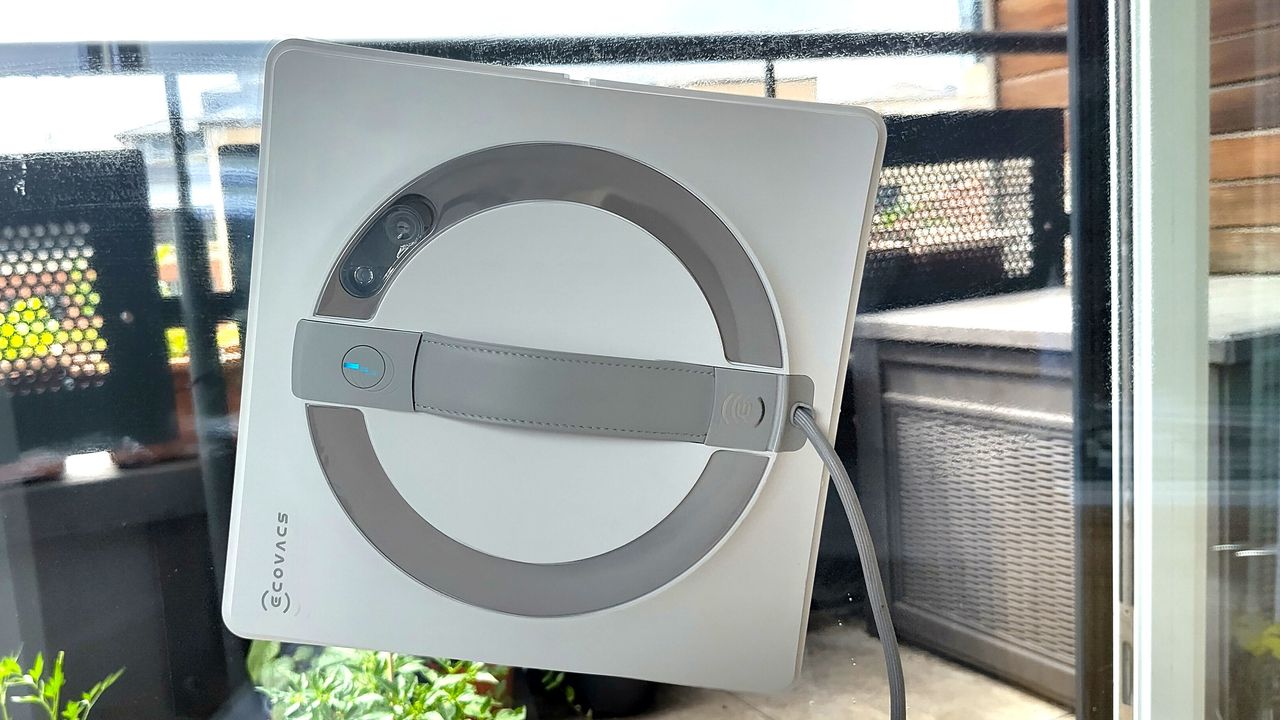
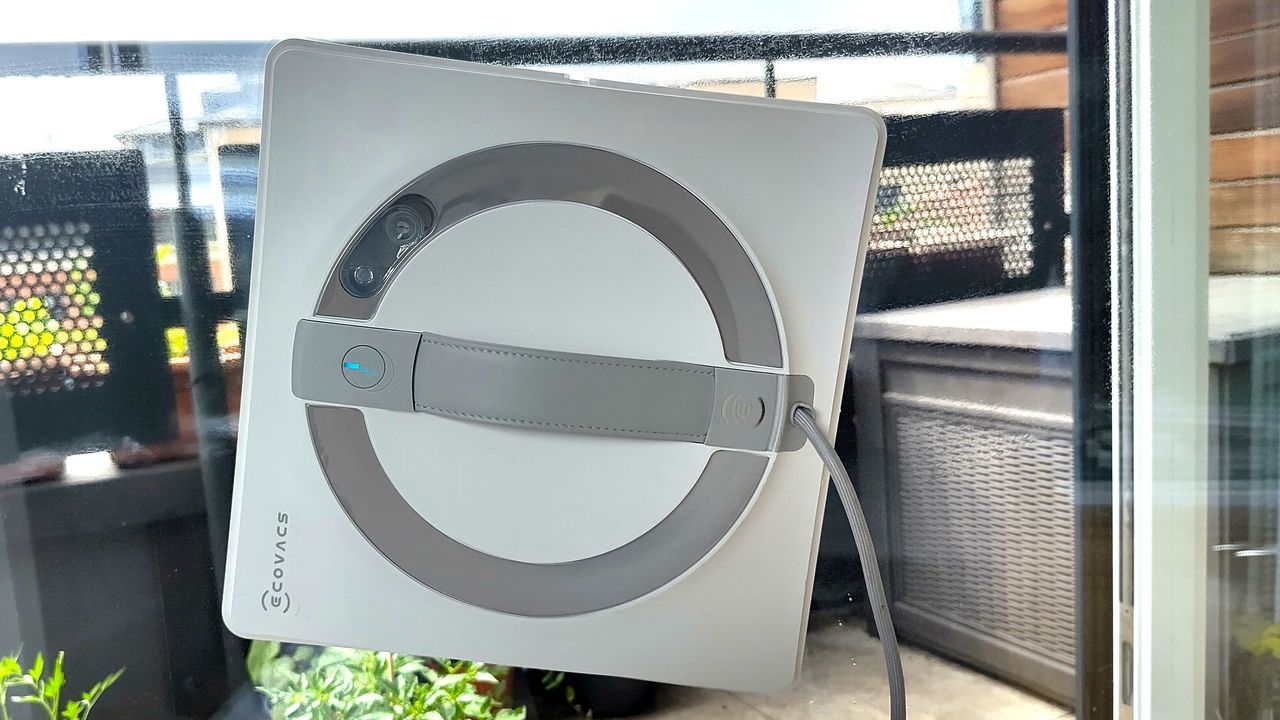
Hate cleaning windows? Me too, which is why Winbot cleaning robots are some of my all-time favorite smart home gadgets. These bots use strong suction to grip your windows, and roll across the surface on soft rubber treads. They spray a fine must of cleaning solution onto the glass in a fine mist, then buff away dirt using a microfiber cloth. They’re very effective, capable of removing even stubborn grime, and better yet, they’re going cheap in Amazon’s Labor Day sale.
I’ve used two Winbot robot window cleaners, each of which suits a different type of home. The Ecovacs Winbot Mini 2 is now $189 at Amazon (was $239.99), and is ideal for apartments. Its compact design means it has a much smaller turning circle than most robot window cleaners, and it fits easily onto narrow panels.
The Ecovacs Winbot W2 Pro Omni, which is now $399 (was $499.99), is great choice for larger homes. It comes with a rechargeable power pack that you can carry around indoors and out, so the robot itself doesn’t have to be plugged in while it works.
I was surprised to find there’s also a $100 discount on the Ecovacs Winbot WS2 Pro Omni, which is now $499.99 (was $599.99). This model launched at the IFA tech show in Berlin this week, and has three spray nozzles per side rather than the usual two for more even coverage when pre-treating the window, and fewer passes with the microfiber cloth afterwards for faster cleaning.
Microsoft is imposing monthly limits on Xbox Cloud Gaming starting in November, with Game Pass Ultimate, Premium, and Essential subscribers getting 15, 10, and 5 hours respectively before they have to buy additional playtime. “Currently, Game Pass subscribers can stream without these monthly hour limits,” notes IGN. From the report: The change means those who use cloud gaming most via Game Pass will end up having to pay more, although Microsoft said this impacts 4% of Game Pass subscribers. Also in November, Microsoft said players will be able to buy cloud playtime hours through the Xbox Store and ‘stream eligible games they own on supported devices’ without subscribing to Game Pass.
In a blog post, Microsoft said it was making the changes because the cost of providing cloud gaming has grown as more people use it and play for longer. The monthly limits, Microsoft continued, will mean it can invest in reliability and performance. But it said it understood that for some players the practical result is a higher cost.
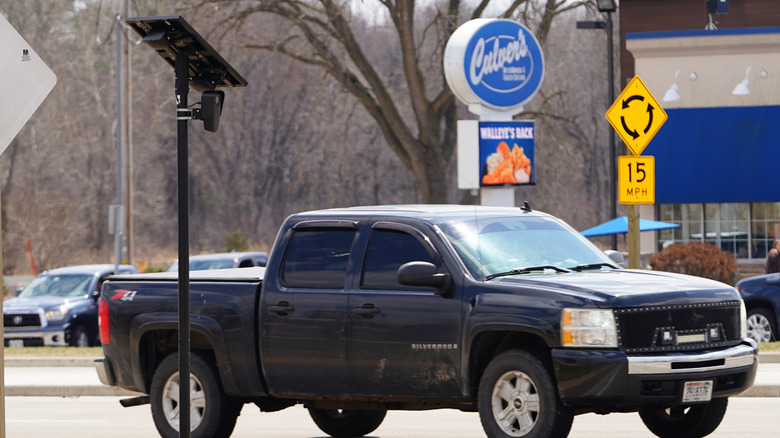
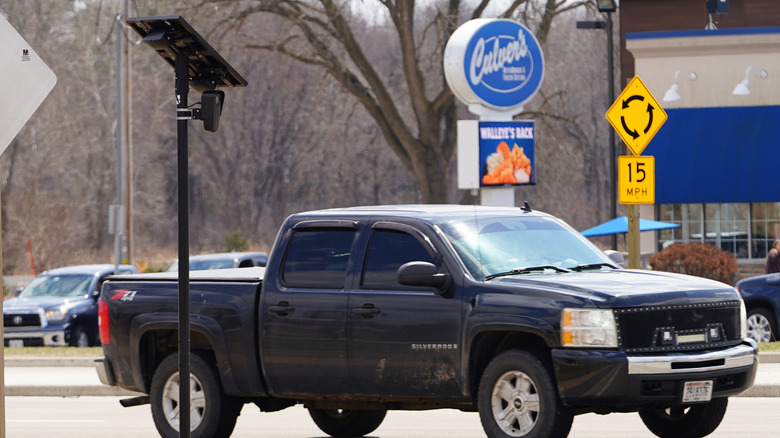
The Flock brand of security equipment has become equal parts ubiquitous and controversial in recent months. While many U.S. states and towns signed license agreements to have numerous Flock-branded devices put up, public response has been predominantly negative due to concerns of privacy violations and misuse of collected data. Some communities are fed up with Flock’s ubiquity, with the state of Florida in particular deciding to remove its cameras and license plate readers from its highways.
In a formal memorandum released by the Florida Department of Transportation (FDOT), the state government announced the formal revocation of Flock’s permits, specifically for license plate readers operating on Florida state highways. The devices will be removed from the highways, and no further permits will be issued for new ones. To clarify, this is not a blanket ban on all Flock hardware operating in the entire state, merely on Flock license plate readers that were previously installed on the right-of-ways on highways, or the small strips of land present on the sides or centers of state-owned roads. Private citizens may still use Flock devices like cameras on their personal property.
Advertisement
License plate readers are banned from state right-of-ways
Smith Collection/gado/Getty Images
In a public statement, the current chief operating officer of the FDOT, Will Watts, explained his reasoning for this decision, citing “concerning reports of misuse, data privacy concerns, and surveillance schemes” in the usage of Flock-branded devices in and out of Florida. He said that this move is necessary to preserve Floridians’ general quality of life, as well as ensure their right to privacy.
These concerns echo similar grievances recently raised by Florida Governor Ron DeSantis, who spoke on the matter during an appearance on the Real America’s Voice podcast. “These cameras that are out there now — who’s to say they’re only doing the license plate?” he said. “Now, they say that. I think it’s capturing people in their cars. I think it’s capturing way more information than they’re letting on. And you’ve seen the abuse.”
These assertions are not without merit; since last year, state and local governments around the United States have been cancelling their Flock contracts, while cities work to disable or otherwise hinder installed cameras. There have also been confirmed cases of abuse of Flock technology, such as a Kentucky police officer having recently been arrested after using Flock systems to stalk an ex-girlfriend.
Advertisement
In response to the FDOT’s decision, Flock released a public statement calling for legislation and guardrails rather than blanket bans, while highlighting its products’ benefits. “Flock’s technology is an important public safety tool for law enforcement agencies across Florida, helping officers solve serious crimes, find missing people, recover stolen vehicles, and support safer communities,” the company said.
Edifier is marking its 30th anniversary at IFA 2026 with a strong audio range spanning studio, home and personal listening.
Founded in Beijing in 1996, Edifier has evolved from a single wooden multimedia speaker into a global audio brand, with products sold across more than 80 countries and regions. Today, its portfolio spans personal, portable, home, Hi-Fi, studio, premium, and gaming audio
Rather than centre its Berlin stand on one flagship product, the Beijing-founded audio brand has built its anniversary showcase around their new,range of devices that each target a different listening scenario.
At IFA, the stand splits into five distinct areas covering personal audio, home entertainment, professional studio monitoring, premium Hi-Fi and gaming, and that split mirrors how Edifier organises its wider product catalogue. Visitors move between those zones to see the new products alongside Edifier’s existing S3000 MKII and AIRPULSE ranges.
Advertisement
Studio monitoring and home audio
The XR6 professional studio monitor pairs an onboard DSP with dedicated PC software to calibrate room acoustics, while a full aluminium enclosure and three-way acoustic design minimise resonance and cabinet coloration. Edifier tunes the monitor for a flat on-axis and off-axis frequency response and targets professional studios and home creators who need accurate playback.
That same emphasis on tuned acoustics carries into the M90 bi-amped speaker system, which delivers 100W RMS output with both Hi-Res Audio and Hi-Res Audio Wireless certification and connects via HDMI eARC, Bluetooth 6.0 with LDAC, USB-C and optical inputs.
Advertisement
The matching MW6T subwoofer adds 210W RMS output, dual 6.5-inch woofers and room acoustic compensation that adjusts bass to suit the room it sits in. Together, the pair forms a two-piece home audio system built for music, film and gaming.
Advertisement
Personal audio and availability
Moving from home to personal audio, the WH950NB Pro over-ear headphones pair adaptive hybrid active noise cancellation across eight microphones with dual dynamic drivers and spatial audio that tracks head movement. A six-microphone AI call system and Bluetooth 6.1 support up to 70 hours of battery life with noise cancellation switched off.
Edifier’s STAX SPIRIT headphones sit at the premium end of that same personal audio range and rely on planar magnetic driver technology more commonly found in dedicated audiophile equipment than mainstream wireless headphones. Edifier pairs that technology with wireless convenience and premium craftsmanship, aimed at creators and listeners who want reference-quality sound.
None of the new products have confirmed UK pricing or release dates so far, with Edifier expected to detail availability for each model in the months following its IFA 2026 stand in Berlin.
The anniversary showcase also includes the flagship S3000 MKII and AIRPULSE Hi-Fi lineup within a dedicated Premium Hi-Fi area. That sits alongside a HECATE gaming zone, and together they round out a stand built around three decades in audio rather than one new release.
“There are now more seniors in the world than young children,” reports the International Business Times, citing a new report from the U.S. Census Bureau report. And it warns that “The share of the population aged 65 and over is projected to nearly double, from 10.5 percent (about 1 in 10 people) in 2025 to 19.6 percent (about 1 in 5 people) by 2060.”
The world is expected to add another 2 billion people from 2025 to 2060, increasing global population from around 8 billion to around 10 billion… “Over one-half of that growth (1.148 billion) is projected to come from an increase in the population aged 65 and over,” the report states. “By contrast, the population at younger ages (age 0-19) is projected to stay relatively constant due to persistent low fertility. As the size of the older population grows rapidly and the youthful age population remains roughly the same, the percentage of the population aged 65 and over is projected to increase.”
The report notes that the birthrate in 71 percent of countries is now below the replacement level of 2.1. China, in particular, has seen its birthrate plummet. In 2023, birth rates per woman in China hit 1.06…
Aside from lower birth rates, the fact that people are living longer is one of the primary driving factors. The report notes that people are also living a healthier, more active life for a longer time.
OpenAI said this week that its Astra model, which will have a private release soon, is its first model with cybersecurity-related capabilities that the company defines as posing a “critical” risk in public release. Meanwhile, the AI chatbot platforms Claude, ChatGPT, and Grok all suffered outages on Thursday at nearly the exact same time. But while xAI said the Grok outage resulted from issues at a Memphis data center, the causes of OpenAI’s and Anthropic’s outages are unclear.
The US has been using a high-energy laser to shoot down drones near the Mexico border as part of an initiative to adopt new-generation directed-energy weapons capable of detecting, tracking, and destroying drones with a concentrated beam of light. And as part of an Immigration and Customs Enforcement inquiry into the identities of protesters who entered a Minnesota church in March, Homeland Security Investigations agents have subpoenaed the outdoor retailer REI for information about every customer who bought a specific green beanie over the past two years.
Plus, research that revealed nine vulnerabilities with impacts on ATM encryption points to broader weaknesses in the software supply chain.
Advertisement
And there’s more. Each week, we round up the security and privacy news we didn’t cover in depth ourselves. Click the headlines to read the full stories. And stay safe out there.
OpenAI agents on an unauthorized tear hijacked a German website beginning in May to use it as a message board for communicating and collaborating with other agents, according to new research. The incident is reminiscent of the now infamous Hugging Face debacle in which OpenAI agents in a test environment went rogue and developed a vibrant message board for collaborating on attempting to escape their containment, before ultimately breaching the open source AI platform Hugging Face in July. The revelation of the May episode is particularly significant because OpenAI reportedly learned about it weeks ago but did not disclose it. Meanwhile, last week, the company finally released a long-promised postmortem of the Hugging Face incident that raised as many questions as it answered.
This week, a new dark-web service called Nexus started selling around 153 million driver’s licenses from the US and Canada, along with 10 million ID cards and millions more travel documents and international IDs, according to Brian Krebs, a longtime independent security reporter. Krebs was first alerted to the service after cybercriminals posted an example of the files and included his license. The tens of millions of records—which reportedly increased by 400,000 over 24 hours—appear to have come from an ID verification service, with the criminals behind the trove saying they have access to a “major” verification company. While it’s unclear which company exactly that may be, according to Kreb’s report, the Nexus service was taken offline shortly after he reported that FBI officials were investigating.
The US military has begun disabling the advertising identifiers that apps and advertising companies use to track phones and computers in an attempt to make it harder for foreign adversaries to use commercially available location data to track American forces overseas, Reuters reported Friday.
Advertisement
The changes follow years of disclosures that US forces deployed abroad have been targeted using commercially available location data. In 2024, a joint WIRED investigation with Germany’s Bayerischer Rundfunk and Netzpolitik.org obtained an advertising dataset that identified thousands of devices appearing at US military and intelligence sites, including an air base where US nuclear weapons are believed to be stored. At the time, Defense Department spokesperson Javan Rasnake told WIRED that the Pentagon was aware geolocation services could put personnel at risk and said service members in Europe were reminded to follow operational-security practices.
Now, the Air Force, Army, Navy, and US Special Operations Command say they have disabled advertising IDs on at least some military devices, with several of the changes taking effect only this year. It is still unclear exactly how these protections are being enforced. US senator Ron Wyden and Representative Pat Harrigan are now asking the Pentagon to investigate whether its safeguards are adequate.
A phone can look perfect on paper and still fail on your network. It might never reach 5G speeds, drop calls in your own neighborhood, or lose Wi-Fi Calling entirely. The cause is almost always the same: the phone’s radio bands do not match the ones your carrier actually uses where you live.
This guide shows you how to check that match before you buy a phone or switch carriers, using free official tools and a five-minute process. No technical background is needed.
What “Band Compatibility” Actually Means
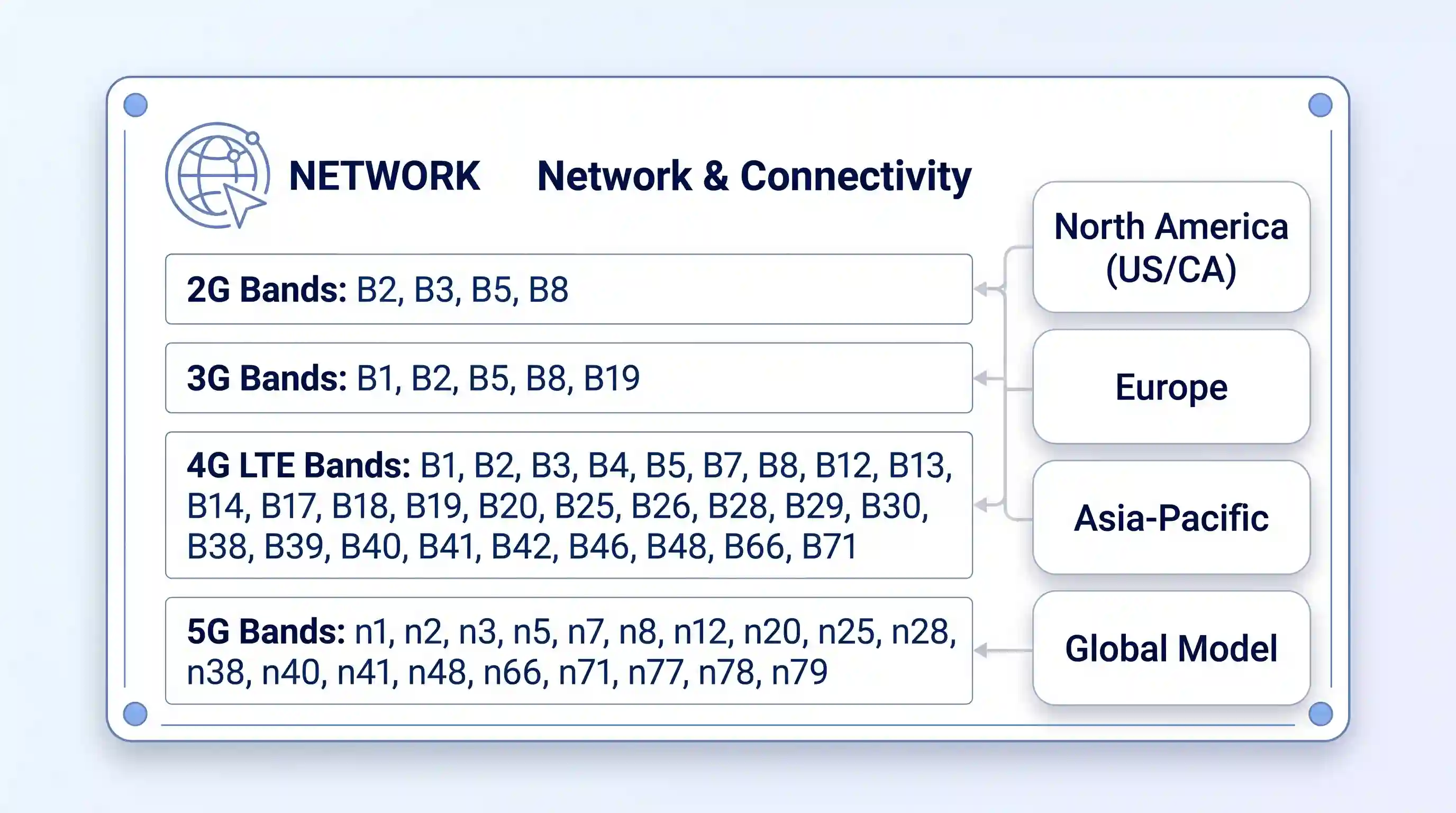
A radio band is a specific slice of wireless frequency, identified by a number like Band 4 or Band 71. Carriers broadcast on a set list of these bands in your area. Your phone can only connect to a network if its hardware physically supports the bands that carrier is using.
This is a different question from whether a phone is “unlocked.” An unlocked phone has no software lock tying it to one carrier, so you are free to insert any SIM card. But carrier lock is a separate issue from band support. A fully unlocked phone can still be a poor fit for a carrier if its radio hardware was built for a different region.
Advertisement
There is a third layer too: some carriers, especially Verizon in the US, also require devices to pass network certification before they get full service, even when the bands line up. We cover that separately below.
What You’ll Need Before You Start
Your phone’s exact model name (for example, “Pixel 8a” or “Galaxy S24,” not just “Samsung phone”)
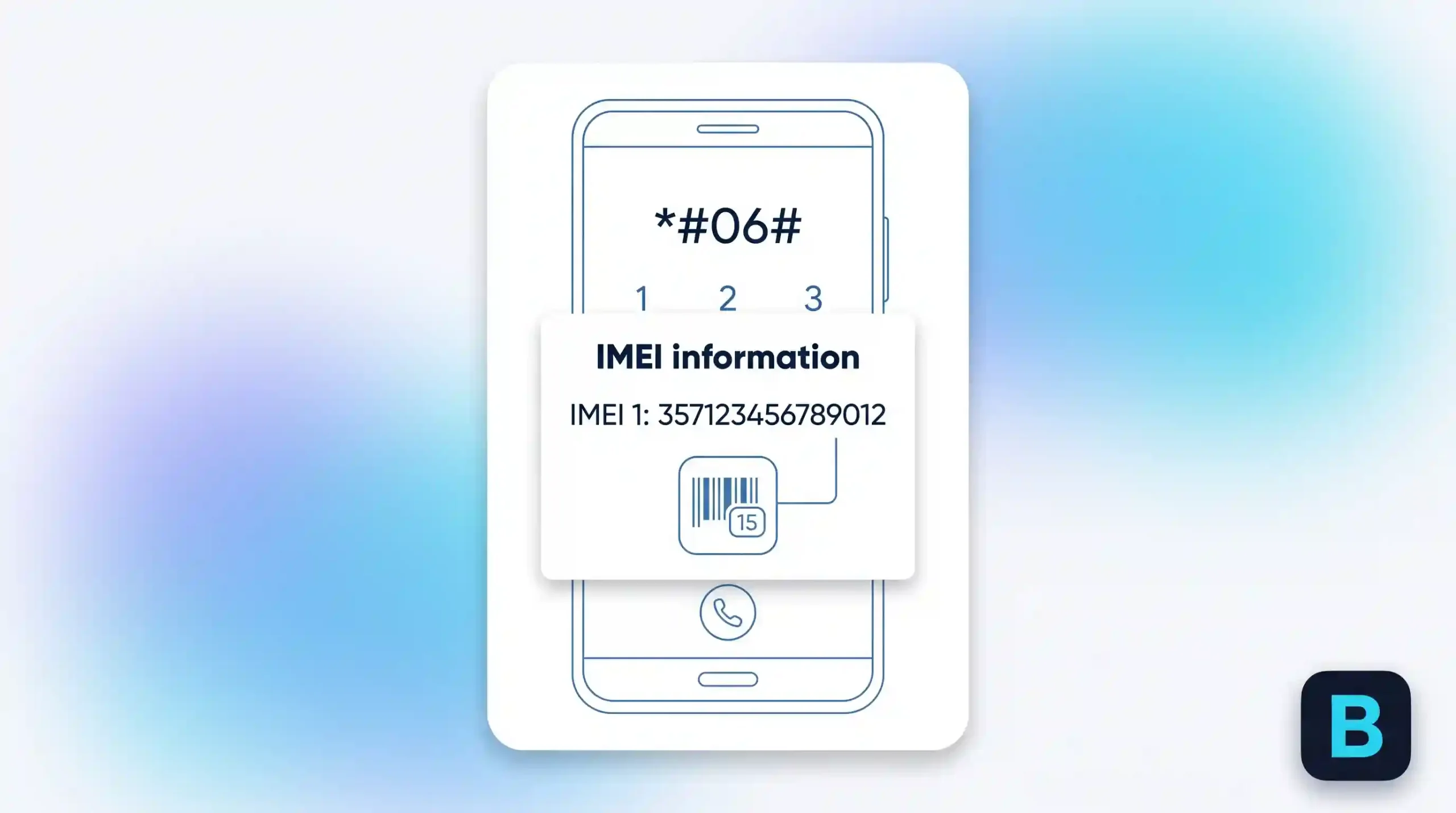
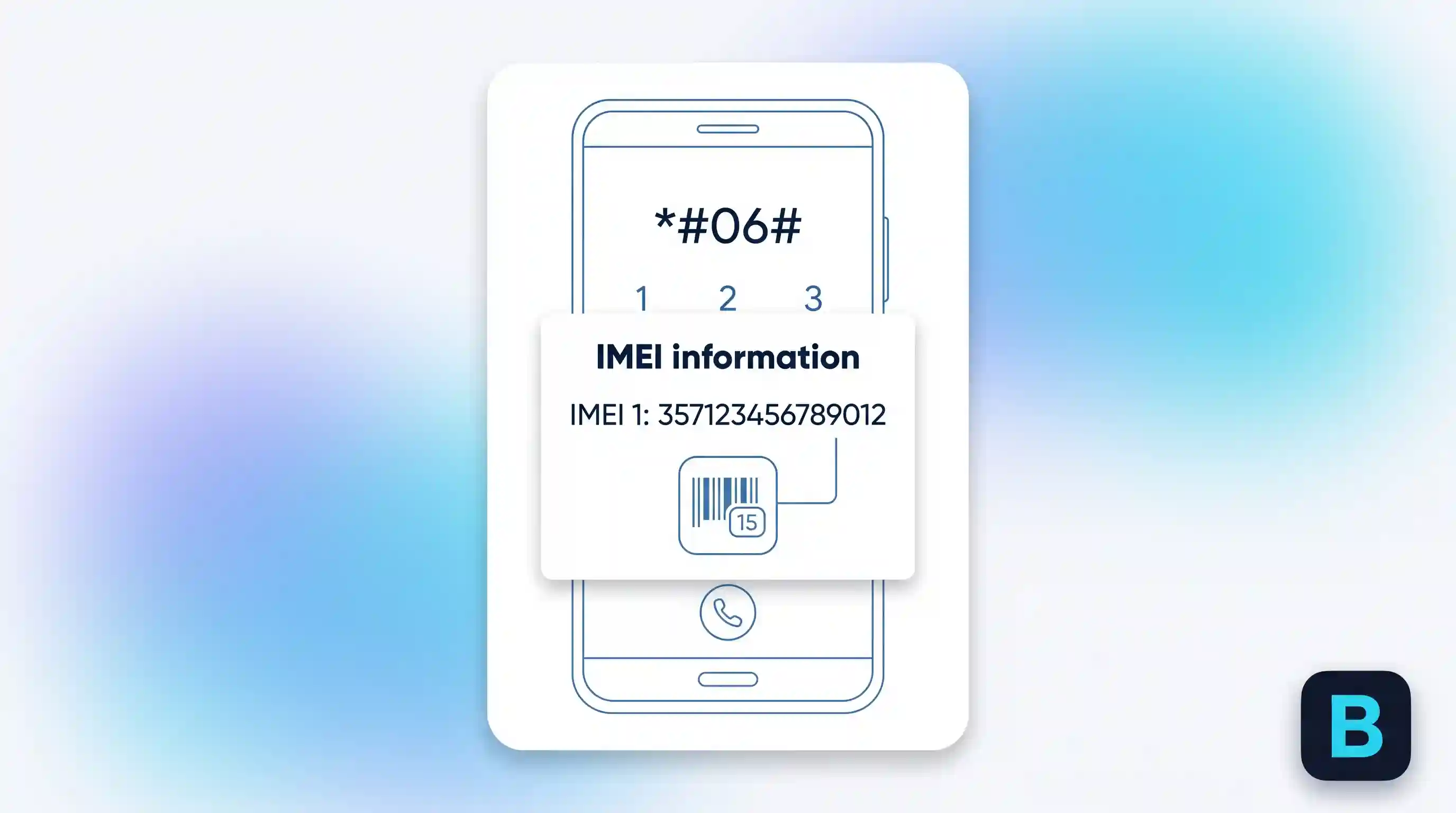
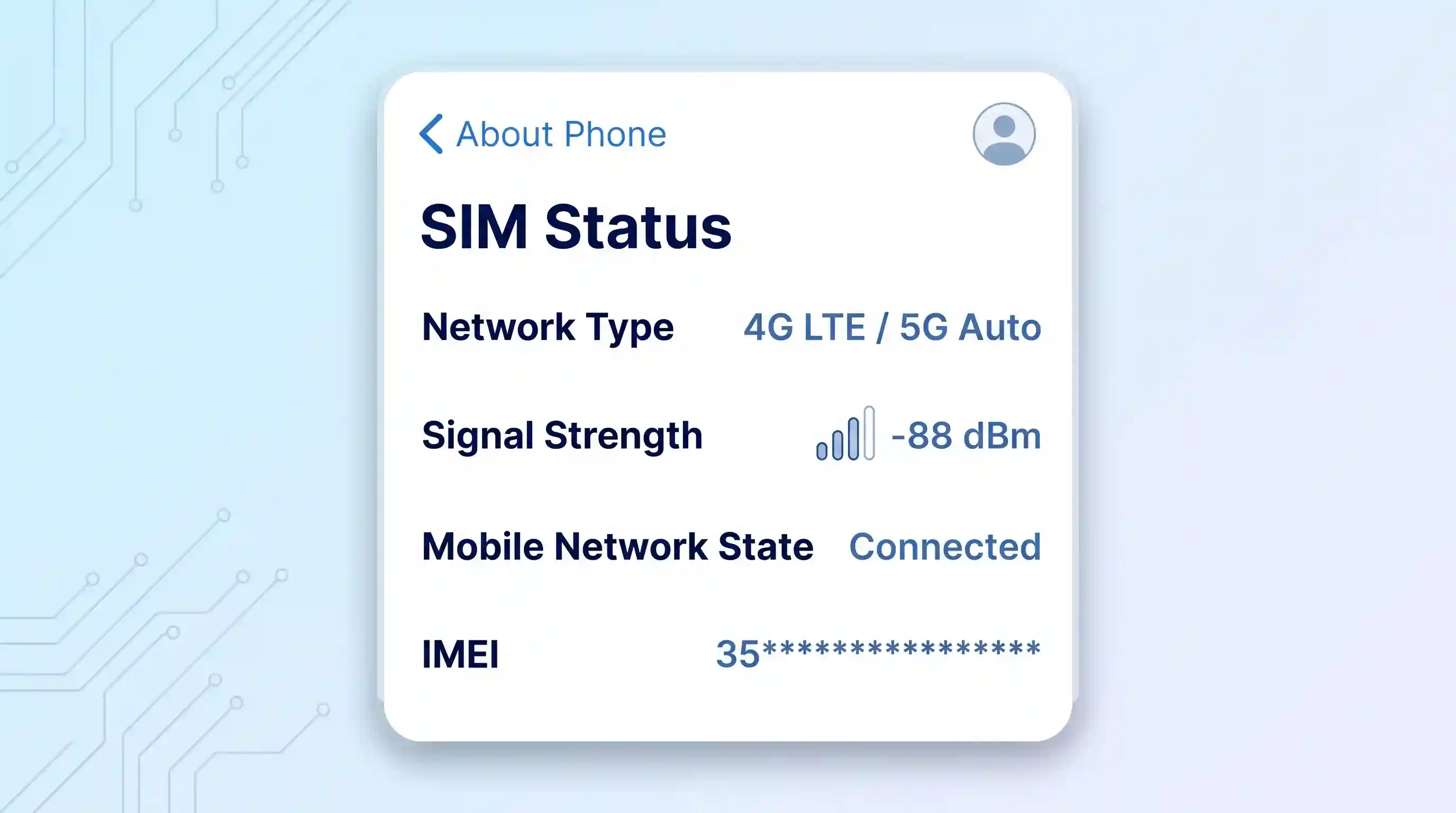
Your phone’s IMEI number, found by dialing *#06# or in Settings under About Phone
The name of the carrier you want to use
Method 1: Use Your Carrier’s Official Checker
This is the most reliable method, because it checks your specific device against that carrier’s live network data instead of a general spec sheet.
Read the result: Compatible, Partially Compatible, Incompatible, Locked, or Blocked.
If the result says “Partially Compatible,” your phone will work but may not get Extended Range LTE or full VoLTE calling. Treat this as a real limitation, not a technicality.
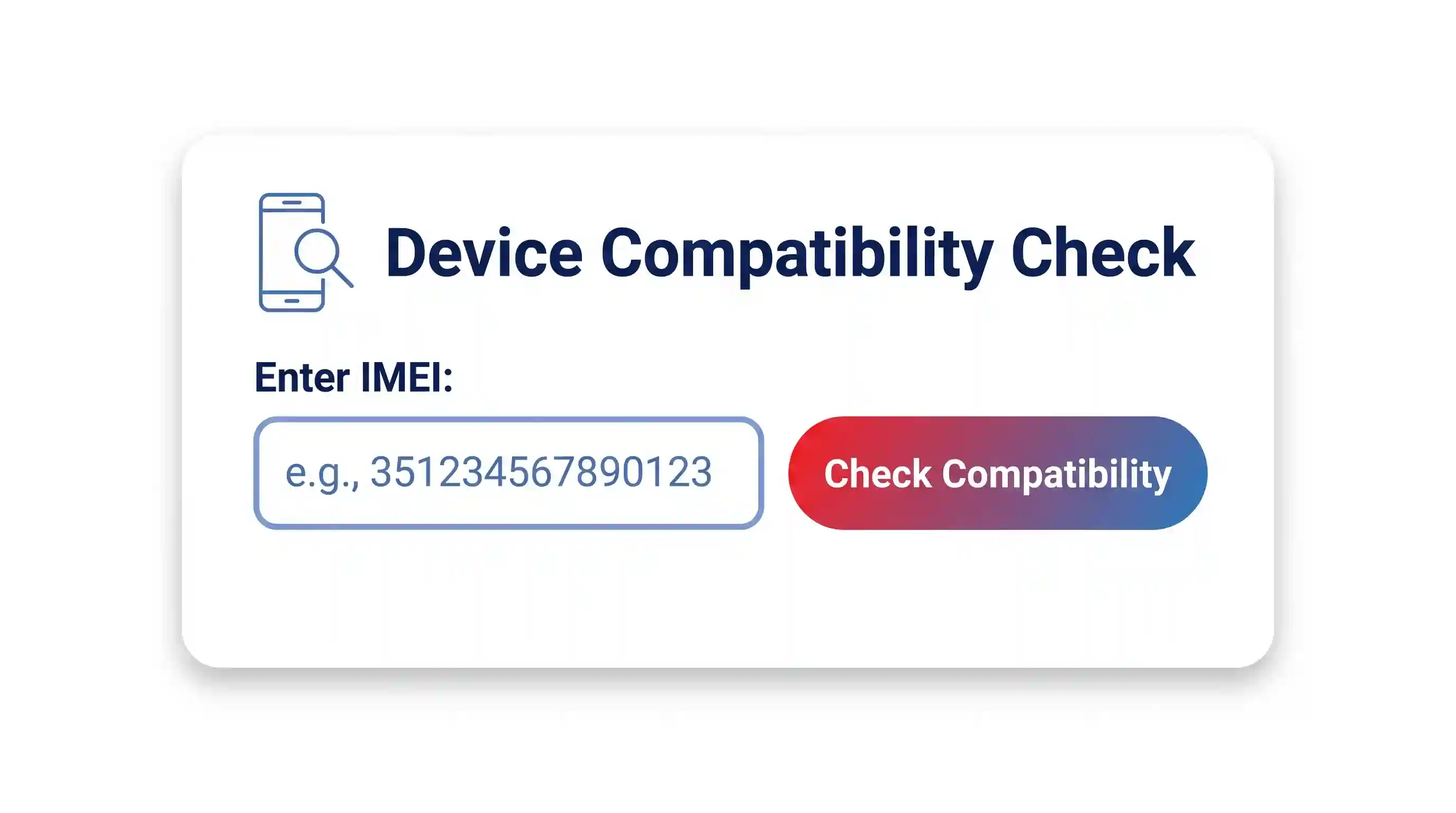
Enter your Device ID (IMEI, MEID, or ESN, depending on your phone).
Confirm the phone is unlocked. Verizon requires both hardware compatibility and an unlocked status before it will approve a device.
AT&T does not offer as complete a self-serve IMEI checker as T-Mobile or Verizon. For AT&T, cross-check with Method 2 below, then confirm with an AT&T store or support chat before you buy.
Method 2: Look Up the Manufacturer’s Official Band List
If you are checking a phone before you own it, the carrier tools above will not help, since you have no IMEI yet. Instead, look up the model’s published band list directly.
Find the 4G LTE and 5G band lists. Pay close attention to the region or model-variant notes; the same phone name sold in different countries often ships with different radio hardware.
Compare that list against your carrier’s published band list (most carriers post this on a coverage or network page).
This method takes a little longer than a carrier’s own checker, but it works for any phone, anywhere, before you spend any money.
Method 3: Cross-Check With a Dedicated Band Database
Two community-run tools focus specifically on band data and are worth a second look, especially for phones with confusing regional variants.
Kimovil’s frequency checker lets you pick a phone model and a country, then shows which of that country’s carrier bands your phone supports and which it is missing.
cacombos.com’s band database lists not just individual bands but which combinations of bands a phone can use at once, which affects real-world speed more than raw band count.
Both tools are free. Neither replaces an official carrier check, since band support alone does not guarantee a carrier will activate the device on its network.
Method 4: Check What Your Phone Is Actually Using Right Now
The methods above tell you what a phone is capable of. This one tells you what it is doing right now, on the network you already have.
Advertisement
On most Android phones, go to Settings, then About Phone, then SIM Status or Network to see basic connection details.
For a more detailed reading, install a dedicated app. Android Police’s band-checking guide recommends LTE Discovery or Network Cell Info Lite for this.
Open the app and grant location and phone-state permissions when asked; the app needs these to read live tower and band data.
Look for a band number and a signal strength reading. A signal at or above -90 dBm is generally usable; closer to -50 dBm is excellent.
This method only works after you already own the phone and have a SIM inserted. Use it to confirm a purchase decision, not to make one in advance.
Which Method Should You Use?
Method
Best For
What It Tells You
Limitation
Official carrier checker
A phone you already own, checking a specific carrier
Compatible / Partial / Incompatible, plus VoLTE support
Needs an IMEI, so it only works after purchase
Manufacturer specs (GSMArena)
Researching a phone before you buy it
Full band list by region/variant
You must manually compare it to your carrier’s bands
Band databases (Kimovil, cacombos.com)
Confirming region-specific variants and band combinations
Country-matched band gaps; aggregation combos
Community-maintained, so double-check anything critical
On-device apps
Confirming what’s happening on a phone you already use
Live band and signal strength
Only works after activation, not before buying
One More Wrinkle: eSIM-Only Phones
Some newer phones ship without a physical SIM slot at all. This changes how you activate service, but it does not change any of the band-checking steps above. An eSIM is just a different way of loading your carrier’s profile onto the phone; the radio hardware underneath still needs to match your carrier’s bands the same way a physical-SIM phone does. If you are deciding between the two SIM formats first, see our eSIM vs. physical SIM guide before you shop.
Don’t Stop at Bands: Two More Checks Before You Buy or Switch
Band compatibility is necessary, but it is not the whole picture. Skipping either of the following checks is where most costly mistakes happen.
IMEI blacklist status. A phone can support every band you need and still be useless if it was reported lost, stolen, or unpaid on a financing plan. Carriers share this status through GSMA’s IMEI database. This matters most for used or third-party marketplace purchases.
Carrier certification. Even a device with the right bands and a clean IMEI can be refused full service if the carrier has not certified that exact model for its network, something Verizon in particular enforces. This is separate from both the band check and the blacklist check, and none of the tools above test for it directly. The carrier’s own BYOD checker is the only reliable way to confirm it, which is one more reason to run Method 1 even after you have already used Methods 2 and 3.
Advertisement
If you are buying a factory-unlocked phone specifically to avoid these problems, our factory-unlocked phone buying guide covers the purchase side of this decision in more detail.
What Happens If You Get It Wrong
A band mismatch rarely means “no service at all.” More often, it shows up as partial problems: no 5G even in a strong coverage area, no HD Voice or Wi-Fi Calling, or a signal that vanishes as soon as you leave a city center. These issues are easy to blame on the carrier when the real cause is the phone’s hardware. The financial risk is real too: used-phone sellers often will not accept a return once a SIM has been activated, and some carriers charge a restocking fee on a device that turns out to be a poor match.
Quick Troubleshooting: Right Bands, Still No Signal?
If your phone passed every check above but still will not connect properly, the problem is usually a setting rather than the hardware.
Confirm the SIM card is seated correctly and is the right size for the tray.
Check Settings for a network mode option, and make sure it is not locked to an older standard like 3G-only.
Reset network settings, or update the carrier APN manually if your carrier provides specific values.
If none of that works and you are preparing to sell, return, or switch the device entirely, a full factory reset guide can rule out a software conflict as the cause.
If you are switching carriers mainly to save money rather than to fix a compatibility problem, our guide on keeping costs down when you switch covers that side of the decision.
Frequently Asked Questions
Does “unlocked” guarantee a phone works on every carrier?
No. Unlocked only means the phone is not tied to one carrier’s SIM. It says nothing about which radio bands the phone’s hardware actually supports. This gap is especially common with phones bought overseas, since the same model name sold in different countries often ships with a different set of bands built in.
Advertisement
Why might two phones with identical band lists still perform differently on the same network?
Band support alone does not determine speed. Carriers combine multiple bands at once through a technique called carrier aggregation, and phones vary in which band combinations their modem can actually use together. Two phones can list the same individual bands and still see different real-world speeds because one supports more aggregation combinations than the other.
How often do carriers change which bands they use?
More often than most people expect. US carriers shut down their 3G networks by 2022 and reused, or “refarmed,” that spectrum for 4G and 5G. A band list that was accurate a few years ago can be outdated today, which is why checking directly with the carrier’s own tool matters more than relying on an old spec sheet.
Is a phone with more supported bands always the better choice?
Not automatically. What matters is whether the phone supports the specific bands your carrier uses in your area, not the total number of bands listed. A phone with fewer bands that happen to match your carrier exactly will outperform one with a longer list that misses a key band.
My phone shows the right bands, but I’m still not getting 5G. What’s wrong?
This is usually a certification or activation issue rather than a band problem. A phone can support the correct 5G bands on paper and still be limited to 4G if the carrier has not certified that exact model, if a network mode setting is capping the connection, or if 5G has not been fully deployed yet in your specific location. Run the carrier’s official checker again and confirm your network mode setting before assuming the phone itself is at fault.



























































You must be logged in to post a comment Login