When Disney announced back in May that Millennium Falcon: Smuggler’s Run in both Disneyland and Hollywood Studios was getting an update with new missions, it was widely viewed as a welcomed but fairly minor update to the popular attraction. At its D23 conference this weekend, Disney Imagineers are offering a deep dive into how that update happened and a peek behind the curtain at all the tools used to make that update a reality.
For the uninitiated, there’s quite a bit of sleight of hand involved in how Smuggler’s Run works. Each version of this ride has multiple cockpits that rotate around on a massive set of plates, so more people can quickly get on and off the ride. This means there are 28 iterations of the same ride environment inside both the California and Florida versions of the Star Wars: Galaxy’s Edge attraction. According to Disney Imagineers Asa Kalama and Angela Jay, each one of those 28 cockpits is powered by five 4K projectors driven by eight graphics cards to make the whole thing work.
The upgrade to Smuggler’s Run back in May added a lot of complexity to the ride, allowing riders to choose between different worlds to travel to for your unique adventure. To make something like that possible, every single one of the 224 graphics cards was upgraded to a new Nvidia Blackwell card and the whole game was updated to Unreal Engine 5. This allowed the platform as a whole to be more flexible, but it also allowed the testing environment to get an upgrade as well.
Advertisement
A big part of the Imagineering Pavilion at D23 this year is dedicated to a live demo of the developer console used to test Smuggler’s Run and its many new updates. This includes virtual buttons to simulate all the functions in the cockpit, screens dedicated to all the readouts you see while on the ride and, of course, multiple perspectives of the game itself.
Some testing is done within virtual reality headsets so they can see the same way you would by sitting in the ride, while other times people are sat in an office with a phone or tablet that has all the buttons laid out. Nearly all of it happens on a computer just like the one in the ride to make sure everyone gets the same experience.
One other important thing to know about Smuggler’s Run is how incredibly popular it is. If you’re a regular in either theme park, you know this ride always has a line, and nobody likes it when a popular ride is offline, even if it’s for very cool upgrades. That’s why Imagineers set off working overnight for weeks to successfully update the hardware and the software for this ride, and the result was zero downtime.
It’s clear from the way Kalama and Jay talked about the work on Smuggler’s Run in 2026 that more is coming for the most famous hunk of junk in the galaxy. It’s clear this work wasn’t just for helping the Mandalorian and Grogu take out Imperials, as made clear by a new partnership with Fortnite where your gameplay in Smuggler’s Run will carry over. This ride has now not only been future-proofed for more upgrades later on, but the success of what seemed at first like a fairly minor update to the software likely means Smuggler’s Run will be able to feel new and interesting for years. If you’re not sure why that’s important, remember that Indiana Jones in Disneyland is still running Windows XP.
Russell Holly is a Managing Editor on the Commerce team at CNET. He works with all of CNET to assemble top recommendations as well as helping everyone find the best way to buy anything at the best price. When not writing for CNET you can find him riding a bike, running around in Jedi robes, or contributing to WOSU public radio’s Tech Tuesday segment.
See full bio
Private drone companies can now request access to US Army testing ranges
Companies no longer need existing government partnerships before requesting range access
Five military facilities across America and Morocco are joining the programme
Private drone companies without existing government contracts can now request access to the US Army test ranges nationwide.
The arrangement removes a requirement for companies to have existing government partnerships before requesting access to military ranges.
Army Secretary Dan Driscoll framed the change as an effort to cut through bureaucratic obstacles facing smaller defense contractors.
Latest Videos FromTechRadar
Advertisement
What companies can access and where
Five ranges now fall under this new access system, spanning four US states and one overseas location.
Dugway Proving Ground in Utah specializes in long-range fires testing for companies developing precision strike capabilities, whilst West Cibola Range in Arizona currently focuses exclusively on drone and counter-drone system evaluations.
Camp Shelby in Mississippi and Camp Grayling in Michigan round out the domestic testing locations available.
The fifth site, the Africa Multidomain Training and Experimentation Center, sits in Morocco.
Sign up to the TechRadar Pro newsletter to get all the top news, opinion, features and guidance your business needs to succeed!
Beginning in September 2026, Camp Grayling will host a recurring test simulating degraded electromagnetic conditions found in Ukraine.
Advertisement
This quarterly event will let companies trial drone and counter-drone systems against jamming and disrupted signals.
To get access to any of these sites, companies will have to apply through testrange.army.mil, though the Army cannot guarantee a specific site or timeline.
“A company with a good idea shouldn’t need a team of lawyers and a program of record just to prove their equipment works,” said Dan Driscoll, Army Secretary.
Advertisement
“So we fixed that. One front door — testrange.army.mil — a real person to walk you in, and on the other side, everything the modern battlefield demands: contested airspace, degraded signals and the space to test at real scale.”
The pressure driving this shift
The expanded access reflects urgency inside the Pentagon around accelerating drone and counter-drone development timelines.
The Defense Department recently formed Joint Interagency Task Force 401, a unit built to streamline counter-drone procurement.
Advertisement
That task force has already stood up an online marketplace connecting military buyers directly with technology suppliers.
Behind this push sits a separate concern, with reports suggesting depleted Patriot missile interceptor stockpiles nationwide.
The United States reportedly used roughly two-thirds of its Patriot interceptor inventory during its recent conflict with Iran, as Washington appears to have underestimated how quickly a prolonged confrontation with Iran could consume its most valuable air-defense interceptors.
However, Defense Secretary Pete Hegseth disputed a CNN report claiming military commanders had flagged critically low interceptor stockpiles.
Advertisement
Regardless of that disagreement, the Pentagon continues pressing defense contractors toward faster production of essential weapons systems, and the range initiative sits within a broader goal of hastening development for drones, counter-drone tools, and interceptors.
Leading this effort is the US Army Test and Evaluation Command, working alongside several partner organizations nationwide.
Those partners include the Mississippi and Michigan National Guard units, along with U.S. Africa Command’s regional support.
For companies previously locked out by lengthy contracting requirements, this shift represents a meaningfully lower barrier to entry.
Do you believe in the power of positive journaling, but for some reason, you can’t take out the time or the effort to put pen to paper? If the answer is yes, and the above question describes your predicament, Adiaro may have a neat solution for you. The company makes jewelry in a whole bunch of styles and colors, but the center of it all is the charm gemstone that comes equipped with an NFC tag.
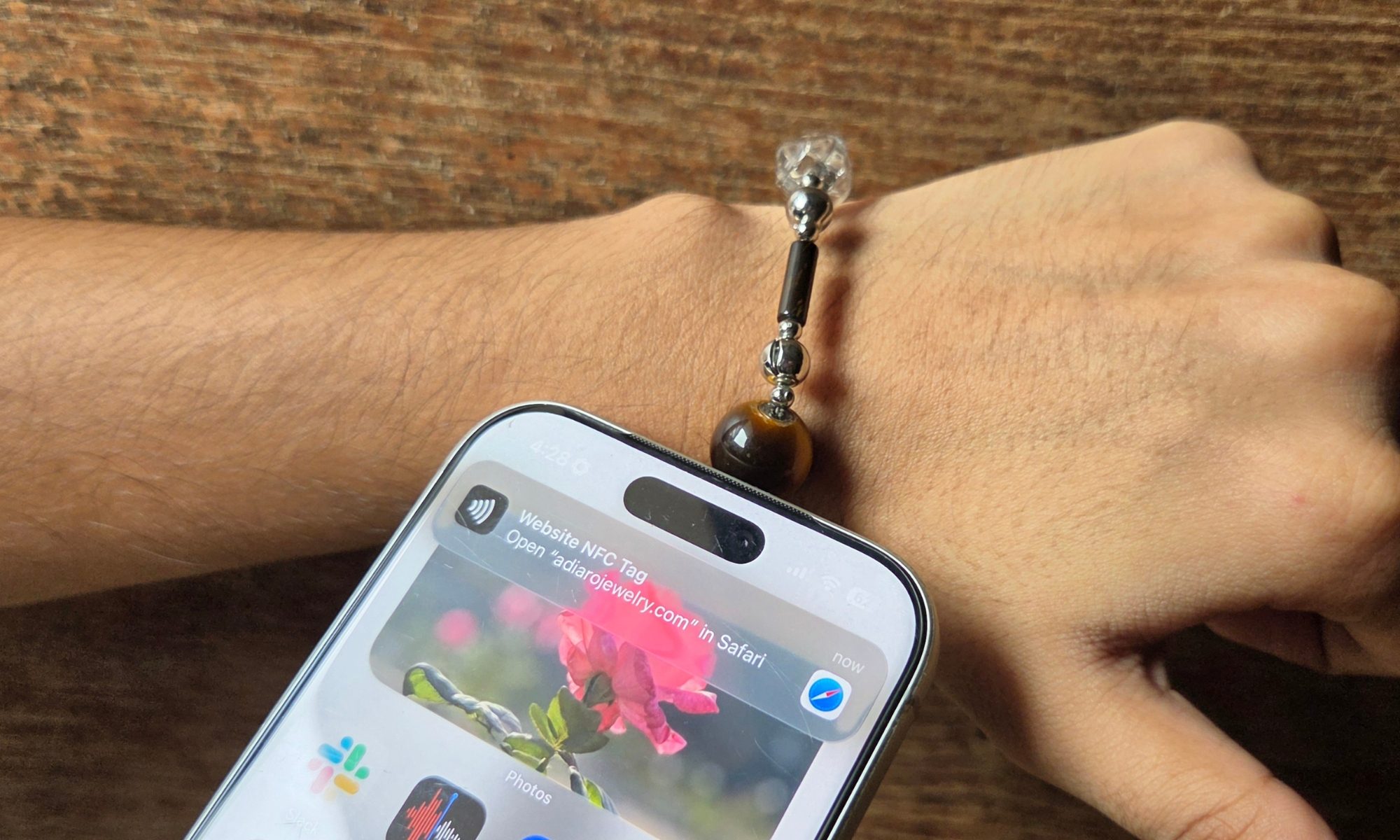
All you need to do is tap your phone against the gem, and it opens a digital journal for you that is also linked to your Google or Apple account. Does it work? Yeah, if you mind the end result, and not the medium. It comes in a variety of gem choices, too. So, if you are someone who believes in the healing power of certain gems, consider this bracelet as the perfect hybrid solution that asks about your mood, lets you vent, use it as a diary, and build an emotional calendar.
What is this?
Nadeem Sarwar / Digital Trends
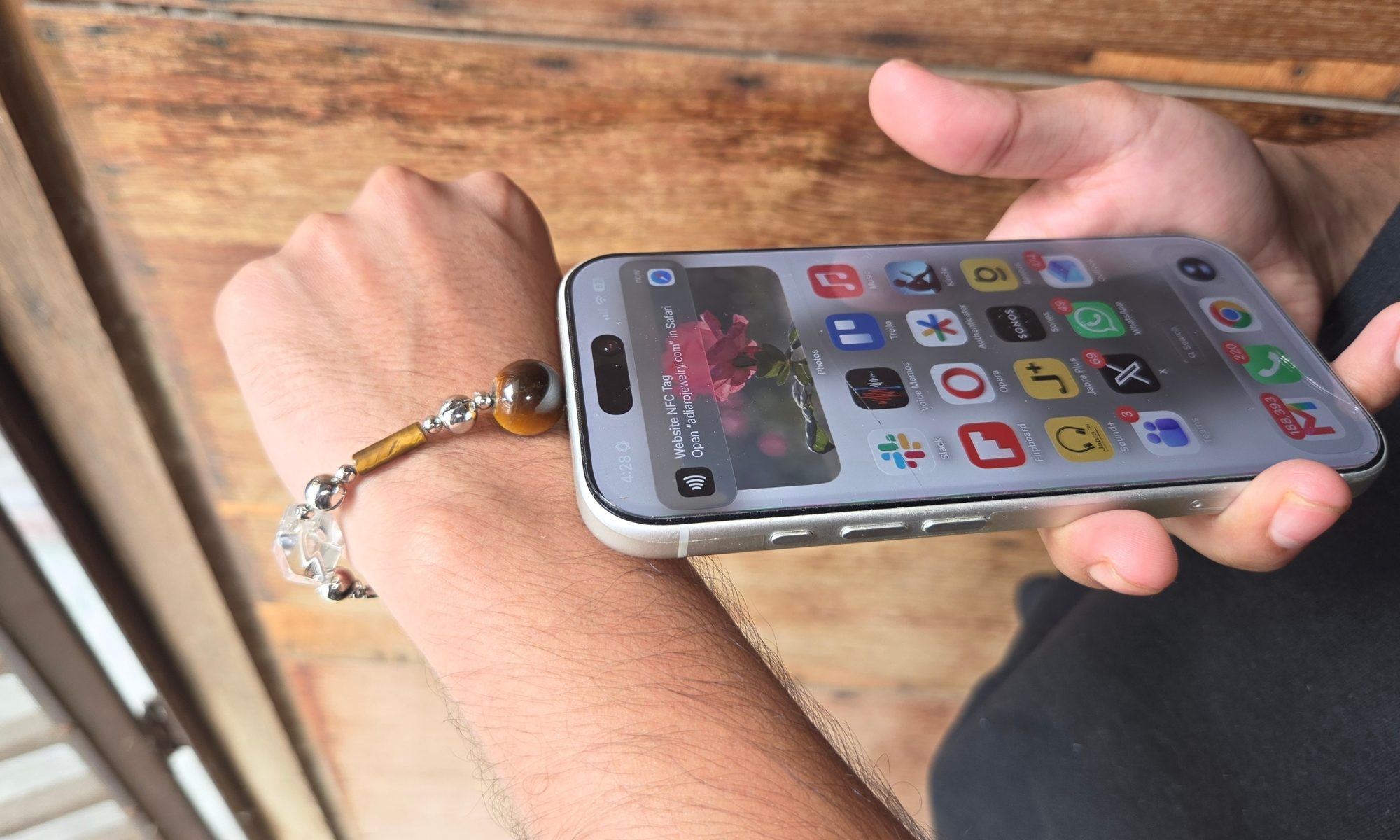
It’s a bracelet that wants to blend the spiritual side of gem-based healing with the scientifically proven benefits of journaling. How? Well. at the heart of the gemstone is an NFC tag, and when you tap your phone on it, you get access to a web-based journal app. It works pretty reliably, though, on a few occasions, I’ve found myself inadvertently triggering the notification by simply placing the phone near the Adiaro bracelet in my pocket, or on the table.
Nadeem Sarwar / Digital Trends
I tried the Adiaro Tiger Eye Balanced Chain bracelet, but you can also pick between amethyst, obsidian, white and golden jade, rose quartz, and turquoise options. You can also try an entirely different style with the bead-heavy grounded bracelet, and separately purchase the gem charms in different shapes and colors at $19 apiece.
Nadeem Sarwar / Digital Trends
Attaching them is pretty easy, thanks to a magnetic clasp system that looks like a chrome bead and separates into two halves. As far as the build quality goes, the Balance chain feels pretty high-end. The metal finish is pretty sharp, and there are no loose ends or poor craftsmanship visible on this one.
How does it work?
Nadeem Sarwar / Digital Trends
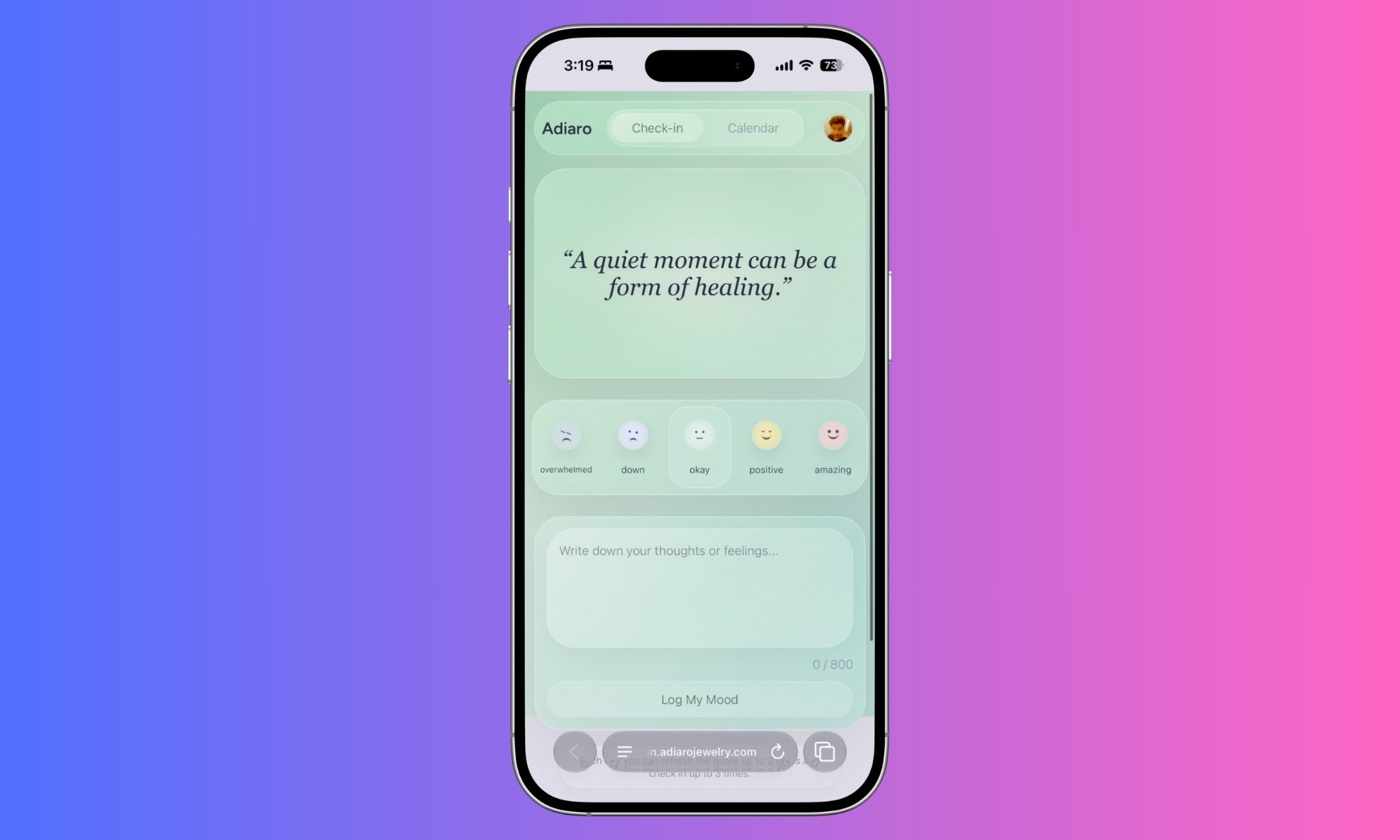
Well, think of this bracelet as more of a hidden digital diary than a piece of jewelry. As soon as you tap your phone against the gem charm, it triggers a notification that subsequently opens a web-based digital journal app. At the top, you see a thoughtful quote that varies on a day-to-day basis.
Underneath, you can pick between five different moods to reflect your emotional state in that moment. The spectrum starts at “overwhelmed” and slowly progresses to “amazing.” And finally, there’s a dedicated text field where you can describe your mood in 800 characters.
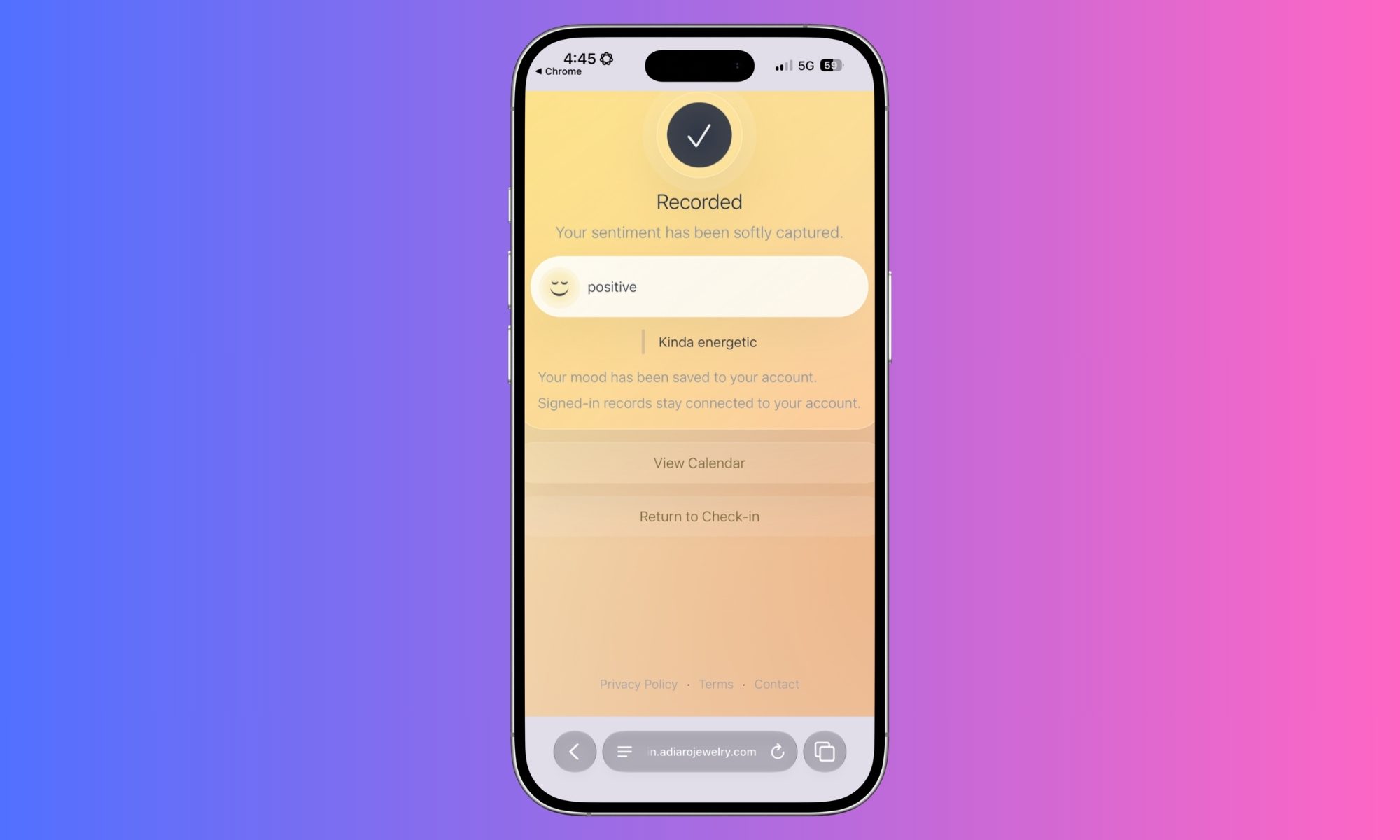
It’s a tad limiting, especially considering the fact that voice-typing on a phone is a lot quicker and far more convenient than writing in a diary using a pen. Once you are done with your digital journaling, it is saved as a log that is synced with your Google Drive or iCloud Drive.
Advertisement
Nadeem Sarwar / Digital Trends
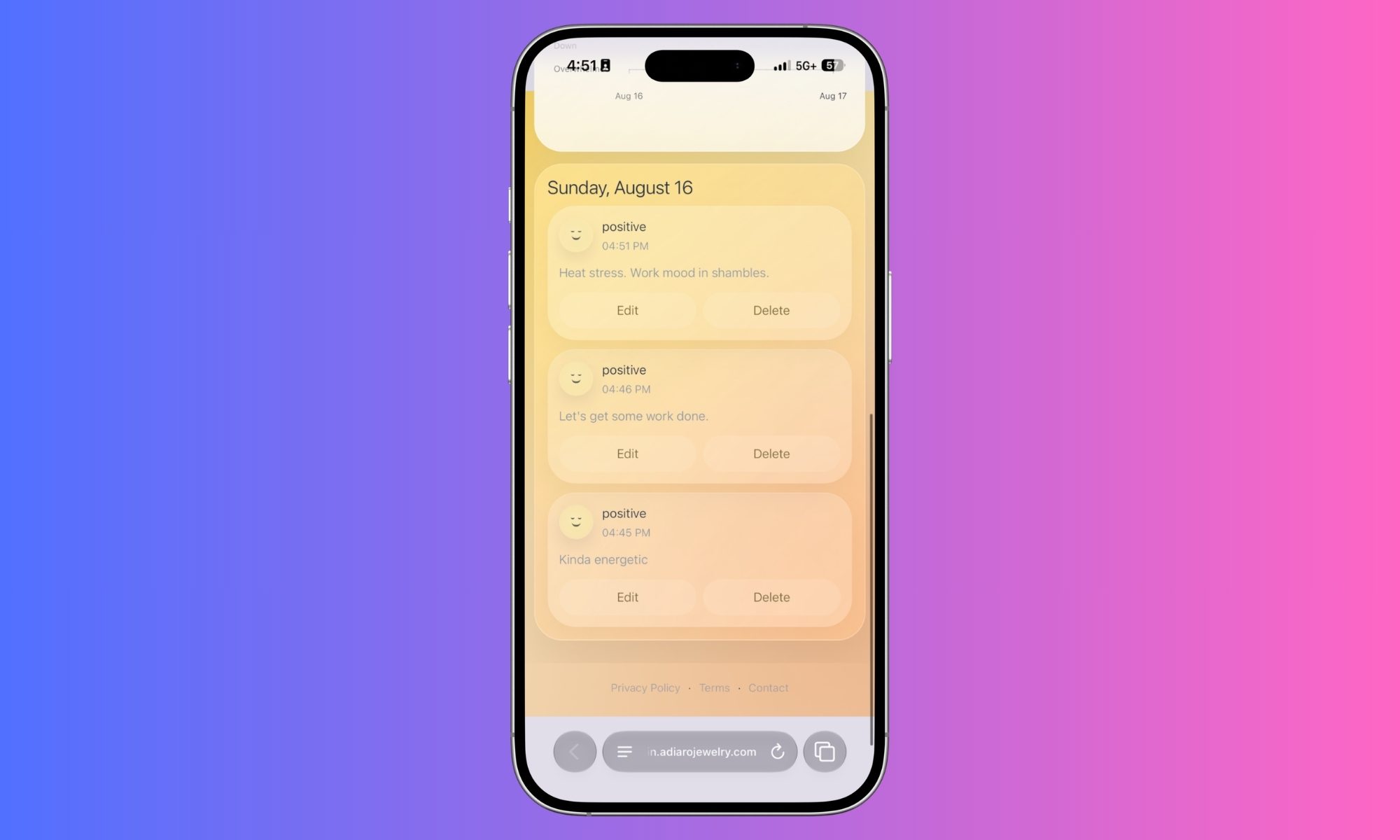
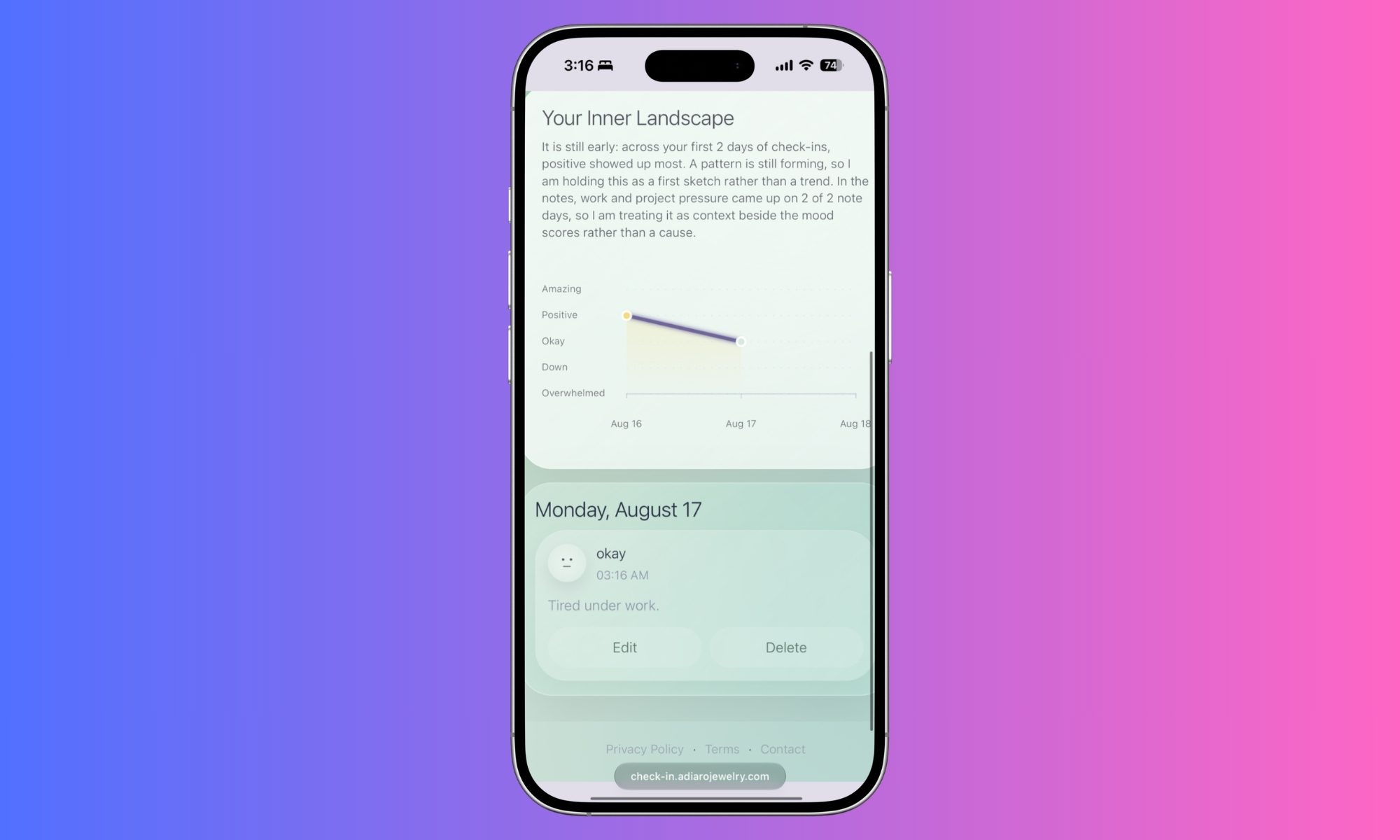
All your mood entries and ruminations are recorded. The Adiaro app creates a progressive map that shows how your mood has changed over the past few days and what kind of thoughts occupied your mind. I like the approach. It’s almost like taking a look into the past few days and assessing how your mental state and energy levels have been at a certain time of the day, or midway through a certain activity.
The broad idea is that, aside from just journaling through a day, you can also check the mood calendar and try to find patterns, depending on the details you have shared in your notes and how your mental state has been. It may not work for everyone. But for some, it can prove to be beneficial.
For example, over a span of three weeks, I noticed that my mood affirmations were usually amazing at noon, and I was high on energy and willing to take on challenging assignments. As the evening passed, I was generally tired, even though my energy levels were consistent, but I felt a certain sense of stress.
Nadeem Sarwar / Digital Trends
Acting on the data at hand, I tried to adjust my work hours and shifted low-priority tasks to the evening slot. It was not a magical cure, but it did help me accomplish a few pending tasks that I kept postponing and felt stressed about. Your mileage might vary depending on how you journal and what kind of actionable insights you can get from the mood calendar.
What about the science?
I have never maintained a diary for journaling, nor have I poured my heart out on an obscure blog. But I know a lot of people who do it, and I see them feel good about it. One of my friends says it’s an escape route from the events that give them anxiety and offers a safe space to vent it all out. Broadly, they see it as a channel of relief.
Nadeem Sarwar / Digital Trends
Adiaro is building on that relief pathway. It might sound like a placebo, or make-believe kind of solution, but there is scientific backing behind the approach. A research paper published in the peer-reviewed JMIR Mental Health journal, positive affect journaling (PAJ) can tone down mental distress and trigger and enhance well-being, serving as an effective intervention.
As part of a randomized trial, patients living with different medical conditions and elevated anxiety symptoms were asked to perform a 15-minute web-based journaling task. The task was performed thrice a week, and the whole experiment lasted 12 weeks. At the end of the trial, the team found that web-based positive affect journaling was linked to lowered mental distress among the participants, lower anxiety, and perceived stress.
Advertisement
Nadeem Sarwar / Digital Trends
It also said to have triggered greater perceived personal resilience and encouraged social integration. “Overall, the findings from this study suggest that PAJ has potential utility as an intervention for managing mental distress, particularly elevated anxiety symptoms, and other aspects of well-being among general medical patients. This is consistent with, and extends, prior research on positive writing interventions as a way to improve aspects of health and well-being,” says the research paper that was published in 2018.
Another paper published in the Family Medicine and Community Health journal arrived at a similar conclusion after an analysis of multiple clinical trials and peer-reviewed papers that explored the link between journaling and mental health. Broadly, it sees journaling as a low-cost, low-risk method to manage mental health symptoms, but not as a replacement for proper medical care.
Nadeem Sarwar / Digital Trends
“This meta-analysis provides further affirmation that journaling as an intervention has merit and can be an efficacious adjunct when prescribed and implemented properly. The findings of this study can be applied in primary care practice by using journaling as a low-risk, low-resource intensive adjunct to standard therapy for patients with mental health concerns,” notes the research paper.
Does that mean Adiaro’s smart jewelry is one of those helpful solutions described in scientific research on the benefits of journaling? Not explicitly, but it gets pretty close to the fundamental. At the end of the day, it’s a journaling solution that also comes with the added benefit of a mood calendar. Only this time, instead of opening a diary, you tap a phone against the bracelet’s jewel and tap on a screen.
Should you buy?
Nadeem Sarwar / Digital Trends
If you are someone who is not averse to the idea of wearing a bracelet on a daily basis and want to give journaling a try, Adiaro’s bracelet is worth a try. It looks gorgeous, doesn’t ask you to pay for a subscription, and doesn’t even require an app download. All your journals are neatly synced to your Google account, and the mood calendar comes in handy without slapping you with a learning curve.
If you believe in the power of positive journaling, you should get one. The only caveat is that it costs nearly as much as a fitness band, and some of them actually come with guided meditation exercises. They don’t quite let you do the journaling part, but they offer a lot more value, especially if you’re someone who also wants to keep an eye on your body vitals and track your exercises. Alternatively, you can just try Apple’s Journal app on the iPhone, a mood tracker app, or have an AI chatbot like Gemini build your own mood dashboard in a few minutes.
How we tested
I tested the Adiaro bracelet as a smart journal for a period of three weeks. In that span, I wore it on a daily basis and used it to log my mood and jot down my thoughts. I did not bind myself to a fixed routine for journaling, and I only did it when I felt the need to note down my positive thoughts and tired ruminations. I used an iPhone 17 Pro and used my Google account to sync and save my journal notes.
Advertisement
FAQ (Frequently Asked Questions)
Is it customizable?
Yes, you can get it in a variety of styles, colors, and gemstone choices.
What sizes does it come in?
It offers free size adjustment. The metallic band can be adjusted to fit wrist sizes from 15 to 22 centimeters (5.9 to 8.7 inches).
Can you change the charm gemstone?
Yes, the bracelet comes with a magnetic stainless steel charm system that lets you easily swap the gemstone.
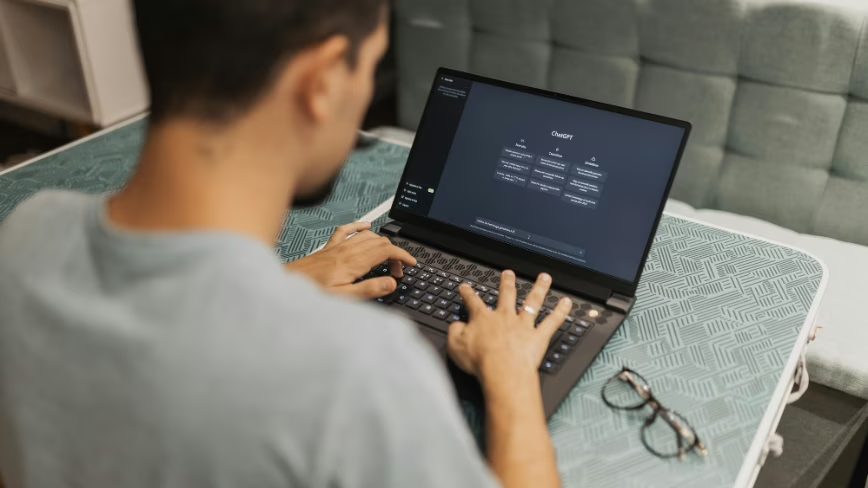
OpenAI has launched Computer History, a ChatGPT feature that records clicks, keystrokes, keyboard shortcuts and app switches on macOS to build a searchable memory. The memory files are stored locally as unencrypted plain text, and the feature is not available in the EEA, Switzerland or the UK.
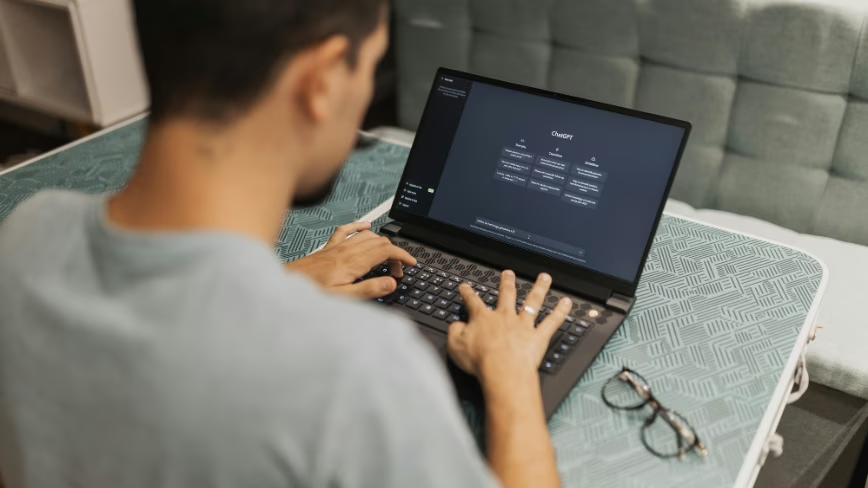
OpenAI has given ChatGPT a record of what you do on your Mac. Computer History logs clicks, keystrokes, keyboard shortcuts and app switches through the operating system’s accessibility framework, then turns them into a searchable memory the assistant can draw on.
It is narrower than it sounds. The feature takes no screenshots, no screen recordings, no microphone input and no system audio, and private browsing is excluded.
That restraint is a deliberate correction. Computer History replaces Chronicle, the Codex feature that captured the screen to build context, and it swaps images for input events.
Advertisement
One thing did not change. The memory files are plain-text Markdown held locally without encryption, so any program running under the same macOS account could read them.
Consent is layered more carefully than most launches. On Business and Enterprise workspaces an administrator has to enable it, the individual user has to agree separately, and Memories has to be switched on.
Users also get real controls. Apps and websites can be added to include or exclude lists, and recording can be paused from the menu bar.
Retention is short at the raw end. Temporary event files sit on the machine for 48 hours before deletion, and OpenAI says it processes them on its servers without keeping them afterwards unless legally required.
Advertisement
Training is where the line gets soft. OpenAI says the memory files are not used to train models, but that when memories surface as context in later chats, those chat contents may still become training data depending on a user’s settings.
The company’s own documentation is unusually frank about the risks. It flags heightened exposure to prompt injection, advises against using the feature with communication apps unless everyone involved has agreed, echoing a problem the industry has yet to solve around recording other people, and recommends excluding anything handling health, financial or personal data.
Europeans cannot try any of it. The feature is unavailable in the European Economic Area, Switzerland and the United Kingdom.
India is replacing the Su-30MKI’s ageing Russian radar with Virupaksha
The new radar could detect conventional fighters 300 to 400 kilometres away
Virupaksha is expected to detect stealthier aircraft beyond 200 kilometres
India’s Su-30MKI fleet, built on a Russian airframe design, is now getting a distinctly homegrown upgrade to its detection system.
The Defence Research and Development Organisation is developing a new radar called Virupaksha to replace the aircraft’s ageing Russian-origin unit.
This radar swap forms a core element of the broader Super Sukhoi modernisation programme currently awaiting final government clearance.
Latest Videos FromTechRadar
Advertisement
Indian radar could transform the Su-30MKI’s detection capabilities
The Super Sukhoi programme aims to elevate the aircraft to a more advanced fighter jet class through this sensor overhaul.
In simple terms, that means the jet would gain sharper detection abilities without needing an entirely new airframe.
Indian officials have estimated the cost for an initial batch of 84 aircraft at ₹60,000 to ₹65,000 crore (about $6 billion), but it still awaits final approval from the Cabinet Committee on Security.
Astra Microwave Products, a private contractor, is building a key radar component, the Active Antenna Array Unit (AAAU), alongside DRDO engineers.
Sign up to the TechRadar Pro newsletter to get all the top news, opinion, features and guidance your business needs to succeed!
The AAAU works like the radar’s eyes, scanning the sky for threats electronically instead of using a spinning dish.
Advertisement
It houses roughly 2,400 small transmitting and receiving parts made from a material called Gallium Nitride, which is more power-efficient than older materials.
In practical terms, this material lets the radar see farther, run cooler, and resist enemy jamming more effectively than older designs.
It also keeps the whole unit relatively lightweight, which matters when fitting new technology into an existing aircraft.
Advertisement
Once complete, the radar is expected to detect conventional fighter-sized aircraft between 300 and 400 kilometres away.
Against stealthier aircraft designed to evade detection, its range is still expected to exceed 200 kilometres, a major improvement over the current system.
Virupaksha radar moves closer to completion
Astra Microwave has told investors that its portion of the radar programme remains on schedule for completion within months.
Advertisement
The company expressed hope that the full Virupaksha radar system could be finished by the end of this year.
“The Active Antenna Array Unit remains on schedule despite the scale and complexity of the underlying technology,” said a company spokesperson.
Completing this radar on time would mark a meaningful milestone for the wider Super Sukhoi modernisation effort.
It would also suggest that India’s domestic defence electronics industry can deliver advanced radar systems without major delays.
Advertisement
Whether the full 84-aircraft upgrade eventually proceeds still depends on Cabinet approval and future budget decisions.
Until that approval arrives, the radar’s fabrication progress remains the clearest sign of how quickly the broader programme is moving forward.
For a country still reliant on imported fighter jet technology, a homegrown radar like this represents a notable shift in capability.
It shows India attempting to pair a foreign-designed airframe with an increasingly self-built sensor and detection system.
“As Sony soldiers ahead with their plans to end hard copies for new PlayStation games, players are fearing a future which will force them to pay more and own less,” writes Kotaku.
What will prices do in a world with no physical copies to share or sell? One former Square Enix executive speculates this could actually drive down the price of games:
“Digital on the PS store will likely get cheaper,” posted Jacob Navok, former Square Enix business strategist. “Current prices are tied to retail. Without physical discs holding digital hostage we’ll see a larger spectrum of pricing similar to steam.” Navok says that the digital-only landscape will pit major publishers in constant, dynamic competition with each other… “The more the Playstation store becomes digital only, the greater this trend will accelerate,” Navok follows up. “You will see more sales and dynamic pricing similar to Steam because publishers will compete among themselves to a greater extent.”
[O]n the other end newer games are getting increasingly expensive, even on digital platforms. The fact that Grand Theft Auto VI will be a purely digital release has not caused its price point to budge.
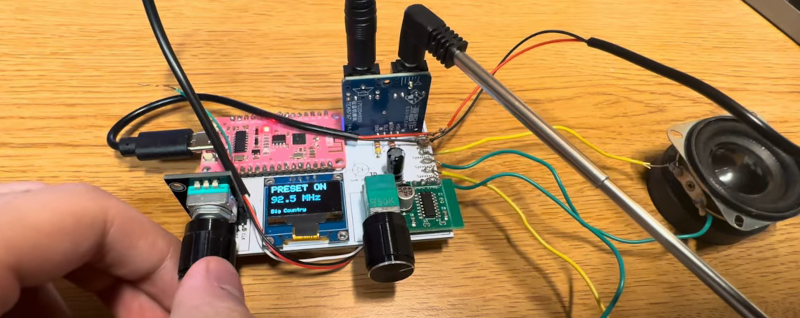
It used to be a rite of passage to build some sort of AM radio receiver. Many people started with a crystal radio, of course, but you’d graduate to maybe a TRF or superhet design. FM radio projects were not as common, because demodulating an FM signal was harder, as was making things work in the 100 MHz range. These days, though, you can get everything on a chip like the TEA5767, and [turtushig22-blip] has an open design that uses that device on a breakout board, a display, a knob, and an external amplifier. An ESP-32 pulls it together. You can see two videos about the project below.
Unlike older FM radio designs, the TEA5767 doesn’t require any adjustments. RF goes in, and stereo audio goes out. You can control the device through I2C or a 3-wire serial interface.
Software-wise, you send a five-byte control word and the chip sends back five status bytes. You don’t set the frequency directly, but provide a PLL divisor. For example, with a 32 kHz reference crystal, setting 100.1 MHz would be: 4*(100.1 MHz + 0.225 MHz)/0.032768 MHz = (about) 12247.
The radio uses a 225 kHz IF and can autonomously seek stations. You can select whether the search is up or down, and the minimum acceptable signal strength. One unusual feature: the TEA5767 can select the positive or negative mixer output, which might be useful for image rejection in some cases.
Advertisement
The output is purely analog, and there’s no RDS/RBDS decoder. So don’t expect station information on the OLED display. Still, a nice, easy FM radio build. Naturally, not the first TEA5767 build that we’ve seen. Or even the second.
Dario Amodei wrote on X that the most accurate criticism of AI companies including Anthropic is that they have not yet delivered on their promises, and that only genuine breakthroughs will win public trust. It lands as Anthropic prepares a listing that backers expect to value it at $2trn.
Dario Amodei has conceded the case against his own industry. “The most accurate criticism of AI companies, including Anthropic, is that we haven’t yet delivered on our big promises to benefit the world,” Anthropic’s chief executive wrote on X on Saturday.
His prescription is blunter than the admission. “At this point, saying that AI will cure cancer is more a cliché than it is inspiring, and most people think it is deceptive,” he wrote. “The thing that will work is actually curing cancer.”
The timing gives it weight. Anthropic is weeks from a listing its backers expect to value the company at $2trn in October, a price that rests almost entirely on what the technology will do rather than what it has done.
Advertisement
The public evidence supports his premise. Pew found half of American adults more concerned than excited about AI in daily life, against 10% who were more excited, up from 37% concerned when the question was first asked in 2021.
He does not accept that his own warnings caused it. “I do not agree that my messaging has been disproportionately negative,” he wrote, pointing to Machines of Loving Grace, his 2024 essay arguing that AI could transform the world for the better.
His explanation is broader and harder to test. Public distrust of AI companies, he argued, reflects decades of scepticism towards corporations generally, and “AI is just the latest iteration of it.”
Others were unconvinced that breakthroughs are enough. An OpenAI employee replied that the pharmaceutical industry delivers advances constantly and remains among the least trusted sectors there is.
Advertisement
People will judge AI companies on more than results, she wrote, listing pricing, access, lobbying, opacity, how the gains are shared and who ends up holding the power.
Yann LeCun made the argument Anthropic is least comfortable with. The only way forward is AI that is “widely available, shared, and open,” the former Meta chief AI scientist wrote, a position Anthropic rejects for its frontier models while Meta presses Washington the other way.
Amodei ended with a schedule. Anthropic hopes for “incredible results in the coming years and some early glimmers in the coming months,” which puts the listing comfortably ahead of the glimmers.
Google has added some smart theft-detection features to Android in recent years.
Alejandro J. Vivas/Shutterstock
For years, Android anti-theft protection was more reactionary than proactive. Users are all too familiar with traditional warnings and protocols, like shielding your phone when entering your PIN, utilizing location services and avoiding easily guessed passwords. Fortunately, anti-theft tools are finally getting better at preventing theft with the help of AI and Google’s built-in Theft Protection suite.
If your phone is snatched out of your hand, for instance, new motion-sensing theft detection will quickly lock it down. If a thief kills your connection by pulling your SIM card or switching to Airplane Mode, the Offline Device Lock feature triggers a countdown, locking the screen in short order. These are nifty new features that avoid annoying false positives with usage limitations and active use checks.
Even better, you don’t have to dig deep into your device settings to find and activate theft protection measures. As long as your device is running Android 10 or newer, the feature is bundled into Google Play Services. Keep in mind that some entry-level or budget smartphones running Android Go Edition with low RAM, Android tablets and devices lacking the full range of Google Play Services may not have some or all of Google’s security suite features.
Advertisement
How to Enable Anti-Theft Features On Android?
The primary settings to look for are under Google’s Theft Protection menu. Settings menus aren’t universal with Android phones, so there may be a degree of variation between devices. For Samsung users, the order is typically Settings → Security and Privacy → Lost Device Protection → Theft Protection.
Google Pixel phones are similar, but slightly different: Settings → Security & Privacy → Device Unlock → Theft Protection. The most prominent feature is Theft Detection Lock, and it’s best to start there. This uses motion and sudden disconnection indicators (like your phone being snatched and moved quickly) to lock down your phone screen automatically. After you turn it on and confirm, your device will now respond to aggressive or sudden movement.
Advertisement
Next, enable Offline Device Lock so your screen stays protected if a thief disables your mobile data or Wi-Fi by switching Airplane Mode on. The lock will kick in shortly after disconnect and doesn’t require a local connection to do so. Last but not least, set up Remote Lock. This lets you lock your phone from anywhere by visiting android.com/lock, entering your phone number and following the prompts. Google’s Find Hub app is no longer your sole fallback option, and Remote Lock works even if the thief moves the phone to another network.
How Can You Prevent Thieves from Turning Off Your Device?
photoschmidt/Shutterstock
You’ll never fully take advantage of the Theft Protection features if you don’t use a PIN, biometrics and a more complicated password than your first name. Besides, Google explicitly requires a screen lock for Identity Check and other device-protection tools, so you may as well set it up properly. On Pixels and newer Android phones, Identity Check can periodically re-verify using your biometrics or PIN, especially when you’re off your regular beaten path and away from work or home.
Enable Theft Detection Lock and Offline Device Lock so your phone auto-locks and remains that way, even if the thief yanks it offline. If they try to power it down or keep it in Airplane Mode, your data remains secure behind the screen lock, completely shielded. On Samsung Galaxy phones, there is a dedicated Theft Protection page that ties into Samsung’s own lost-device tools as well.
Advertisement
Make sure Remote Lock is enabled and your phone number is verified, so you can lock your phone down from any browser the moment you realize your phone is gone and you didn’t leave it on top of the car or inside the refrigerator. Hey, it happens.
OpenRouter helps customers to select different AI models to perform different tasks, depending on their specific needs and budget. The company announced in May that it had raised a $113 million Series B, at a reported $1.3 billion valuation. (Investors include Sequoia, Andreessen Horowitz, Menlo Ventures, and Alphabet’s Capital G.)
At the time, OpenRouter CEO Alex Atallah described the company as the equivalent of Stripe for AI, because it provides customers with a single access point for different systems and prevents lock-in. The startup also claimed to have 8 million global users and to provide access to more than 400 models.
The Wall Street Journal reported last month that Stripe and OpenRouter were in acquisition talks. Now, Bloomberg said those discussions have led to a deal price of more than $7 billion.
Advertisement
A Stripe spokesperson told TechCrunch that the company does not comment on rumors or speculation.
Although stock launchers give you a clean setup for your phone’s home screen, they’re pretty limited in terms of customization. The cracks start showing up when you try to move widgets to any part of your screen, change the icons, or even change how your app drawer behaves. While brands like Samsung do provide a good deal of customization with their skin, One UI, there are still many features that these Android skins do not touch upon. That’s an issue that a third-party launcher can easily resolve, and Android has been generous in letting you swap yours.
The Google Play Store is filled with great launchers, with some of them like Nova Launcher attaining legendary status. But that is also a problem. With so many launchers available both through official and third-party sources, it becomes extremely difficult to pick the right one. Things get tricky because most of them behave the same way as the other, while others get abandoned by their developers within a year or two. The good thing is that we have done the heavy lifting of finding the best Android launchers for you, so you don’t have to go through the hassle.
The five Android launchers below take a genuinely different approach to what your home screen should look and feel like. So, if you’re bored with your stock home screen and want something fresh, here are the best Android launchers you must try in 2026.
Advertisement
Smart Launcher 6
Most launchers hand you a blank grid and expect you to organize it yourself. Smart Launcher 6 skips that step and actually behaves smartly. It automatically sorts every app you install into categories, making it easier for you to locate apps in the sea of apps you have on your phone. So, your games get grouped, messaging apps and communication apps get grouped, and tools get grouped. Most of us love grouping similar apps, but on other launchers, that needs to be done manually. With Smart Launcher 6, this tedious task is done automatically.
Advertisement
It has been downloaded more than 50 million times, which shows how widely used this launcher is worldwide. In fact, I’m also using Smart Launcher 6 on my Galaxy S24 Ultra, ditching the Samsung One UI, which is known to have a few features that you should turn off immediately. This launcher also throws in a customizable news reader with RSS support. This ensures that headlines can sit right on your home screen alongside your apps. One of the best things about Smart Launcher 6 is that it pulls matching colors from your wallpaper to its icons, folders, and search bar.
This ensures the phone looks cohesive rather than mismatched. It’s one of those customization options that you’d have to set manually in other launchers, but Smart Launcher 6 handles it automatically. You can also change fonts; the search bar doubles as a shortcut for contacts and calculations, and the free tier includes a customizable dock and unlimited home pages.
Advertisement
Niagara Launcher
If Smart Launcher 6 is about organizing apps, Niagara Launcher is about ditching most of them. Instead of a home screen full of tiles, app icons, and folders, Niagara Launcher gives you a plain, alphabetical list of apps running down one side. These apps are reachable with your thumb no matter how big your phone is. It’s built for one-hand use, and everything else about this launcher follows from this idea. The animations are fluid, and we like how the letters animate in a diagonal cascade as you scroll through the list of apps.
If you’re tired of the layout your phone offers, Niagara Launcher offers a new layout, which is a strong fit for foldables and other unusually shaped phones (like the Galaxy Z Fold8), since a scrolling list adapts to an odd aspect ratio far better than a fixed grid ever could. The app comes with a limited but good library of themes, which you can apply in just a single tap. You can swipe right on the home screen to reveal extra shortcuts without leaving the home screen.
When it comes to customization, you can change app icons, clock style, fonts, add a widget stack, customize the gestures (like double-tap to turn off the screen), and much more. The best thing about Niagara Launcher is that you don’t get a single ad, even in the free version of the app, which is rare to see.
Advertisement
Octopi Launcher
Octopi Launcher is fairly new compared to the others in this list. It markets itself as “the home screen launcher that tries to be different,” and it earns that line. It lets you organize your app drawer with tags instead of folders, run auto-scrolling widget stacks, and pin a widget so it floats on top of your home screen instead of taking up a fixed spot. Another nice thing about Octopi Launcher is that you can have separate layouts in portrait and landscape modes, or go a step further and have different setups for each screen of a foldable phone.
Advertisement
You can resize icons, and swiping on one in a particular direction can open a second app entirely, a small touch that saves a surprising number of taps for your most used pair of apps. If you have a foldable, then you’ll love Octopi Launcher since it gives you the option to have different layouts for the inner and outer display. While some prefer having that extended home screen setup when they switch from the outer to the inner display, there are many people who like to keep the outer display less distracting and have everything else for the bigger inner display.
Octopi Launcher also comes with the option to hide the status and navigation bars, the index bar, and enable reachability mode for the app drawer, with private space and work profile support as well. You can unlock additional features by opting for a one-time payment.
Advertisement
Lawnchair
If you love how your friend’s Google Pixel launcher looks, but you have a Samsung Galaxy phone, you don’t need to look anywhere else, as Lawnchair does the job perfectly. On its official website, it says “no clever tagline needed,” which is true because it gives you a Pixel-style launcher that ships on Pixel phones minus the restrictions. You get the same clean look as the official Pixel launcher, the same At a Glance widget, and full support for Material You’s wallpaper-based theming.
Because it is open-source, Lawnchair picks up new Pixel Launcher features almost as fast as Google ships them, since the code is public and the community can track new changes. No root access is required to enjoy Pixel Launcher features, which makes it highly approachable for people who haven’t touched a custom ROM and want that Pixel-like experience. If icon customization is your thing, Lawnchair does that pretty well, too.
Lawnchair supports QuickSwitch, a community add-on that improves the recent-apps screen for anyone running a Magisk-modified phone. Though this part is optional, most people will never need it. Lawnchair is entirely free, and there’s no subscription plan to remove ads or unlock features. It’s actively maintained on GitHub with regular releases and is also available on the Play Store.
Advertisement
Kvaesitso
I love trying out new launchers as I love customizing my phone. One of the best launchers that I have recently tried aside from the Octopi Launcher is Kvaesitso. While the name is pretty complicated, the idea behind this launcher is pretty simple — it treats search as the main way to interact with your phone, not a fallback for when you can’t find an icon. Open the Kvaesitso launcher, and you are handed a search field first. You can type in to pull up apps, contacts, calculator results, calendar entries, and even files in your phone’s internal storage.
Advertisement
This negates the need to open the app drawer, open the app and then perform the tasks you want to. Kvaesitso is fully open-source, comes with no ads, no tracking, and no reliance on Google Play services, which makes it a perfect choice among users who install their apps through Play Store alternatives like F-Droid. Kvaesitso is one of the fastest Android launchers you must try, since it has a small installer, minimal background overhead, and it gets out of the way instead of adding unnecessary animations for its own sake.
To be honest, Kvaesitso won’t please those audiences who want a heavily decorated home screen setup. It’s meant for those who are looking for productivity and want to strip away unnecessary bloat that most modern launchers rely on.




















































You must be logged in to post a comment Login