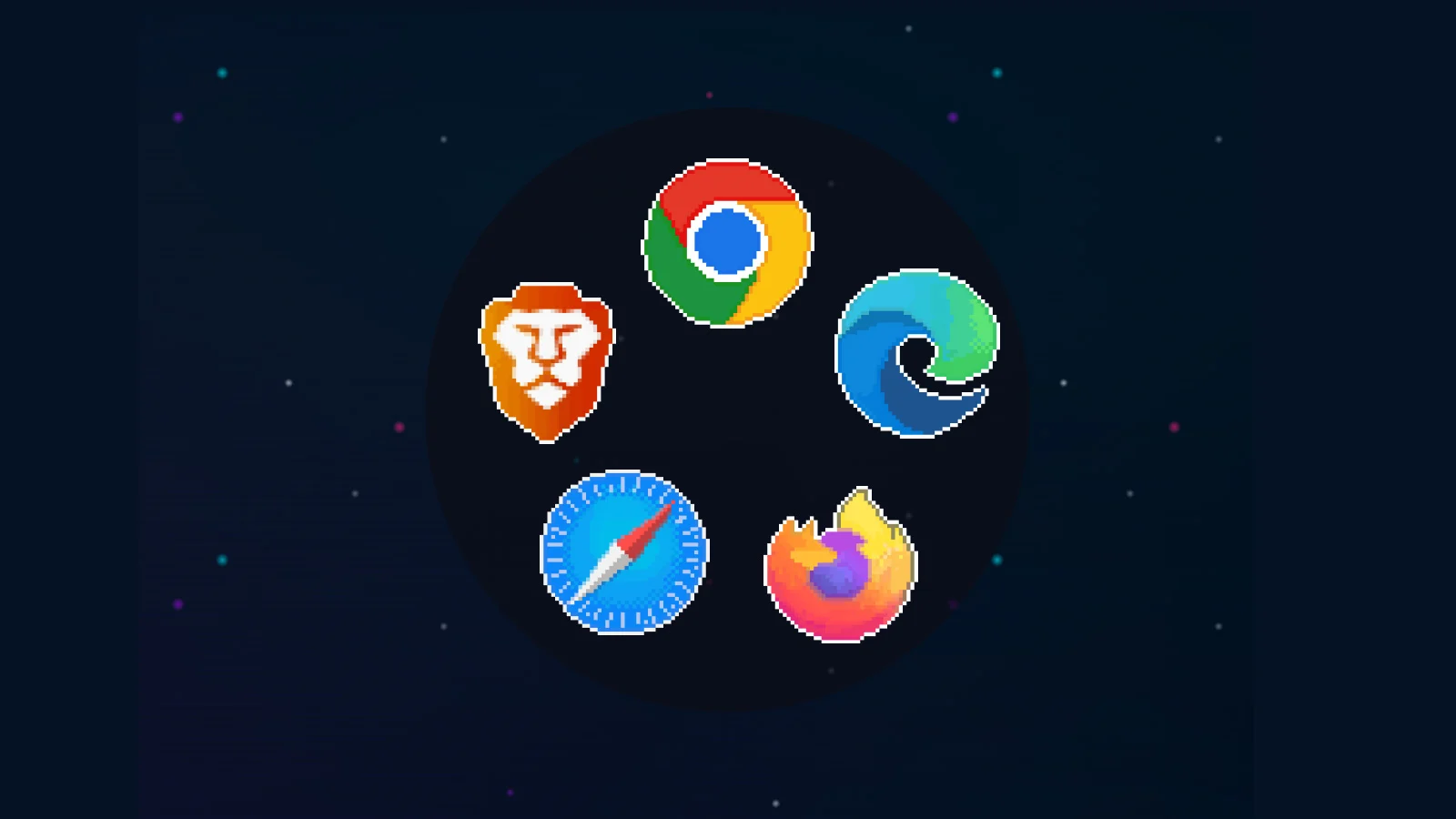








Most enterprise work now happens in the browser. SaaS applications, identity providers, admin consoles, and AI tools have made it the primary interface for accessing data and getting work done.
Yet the browser remains peripheral to most security architectures. Detection and investigation still focus on endpoints, networks, and email, layers that sit around the browser, not inside it.

The result is a growing disconnect. When employee-facing threats occur, security teams often struggle to answer a basic question: what actually happens in the browser?
That gap defines an entire class of modern attacks.
Advertisement
At Keep Aware, we’ve called this a “safe haven” problem for attackers, where the target has now become this central point of failure
Browser Attacks Seen in 2026 Leaving Little Traditional Evidence
What makes browser-only attacks hard to deal with isn’t a single technique. It’s that multiple attack types all collapse into the same visibility gap. We continue to see these attacks into 2026:
Common browser-based attack types
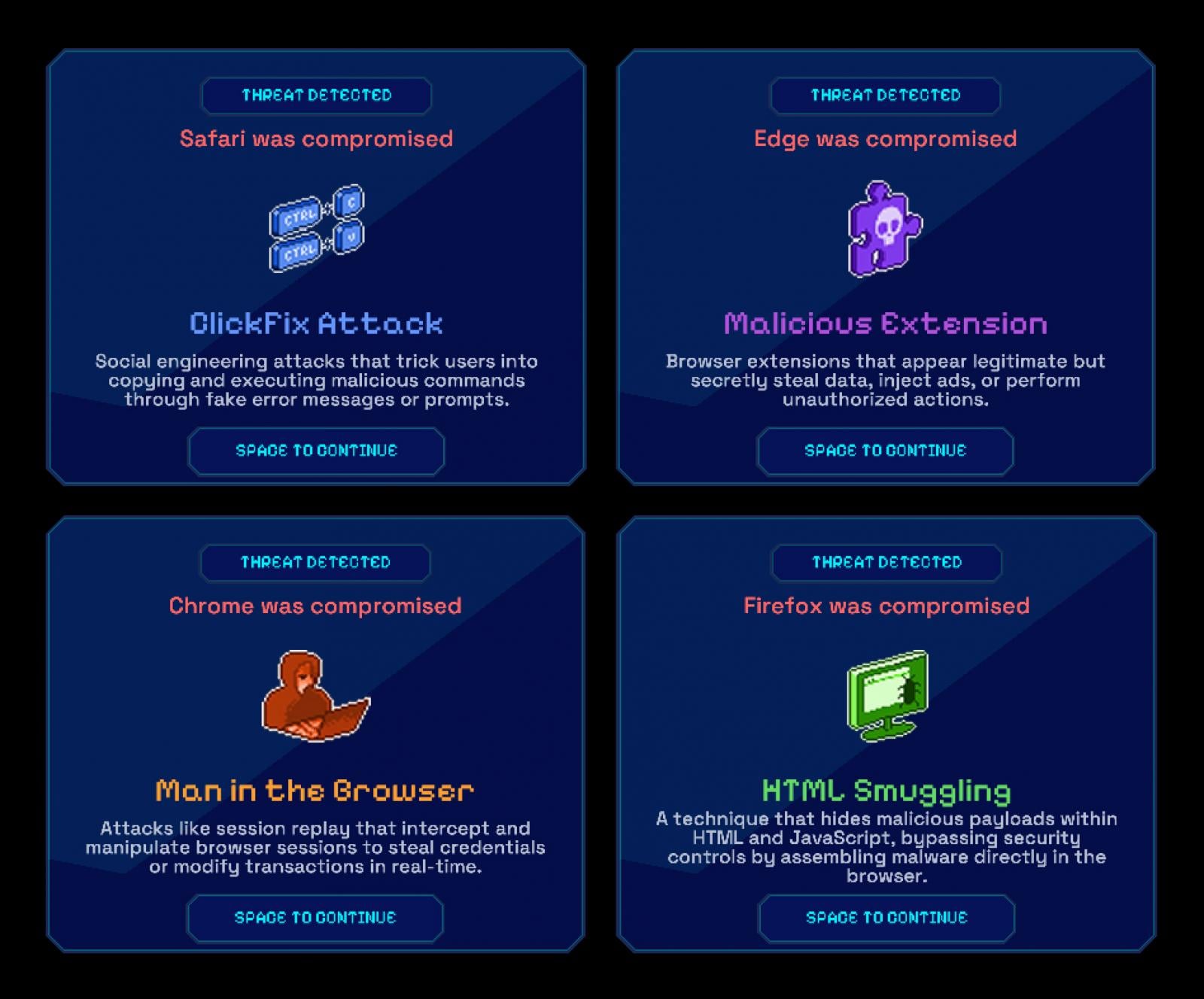
ClickFix and UI-Driven Social Engineering
Possibly the largest browser-driven attack vector in 2025, users are guided by fake browser messages or prompts to copy, paste, or submit sensitive information themselves. No payload is delivered, no exploit fires, just normal user actions that leave almost no investigation trail.
Malicious Extensions
Seemingly legitimate extensions are installed intentionally and then quietly observe page content, intercept form input, or exfiltrate data. From an endpoint or network perspective, everything appears to be normal browser behavior. When questions arise later, there’s little record of what the extension actually did.
Man-in-the-Browser (and AitB, BitB, …) Attacks
These attacks abuse valid browser sessions rather than exploiting systems. Credentials are entered correctly, MFA is approved, and activity appears authorized. Logs confirm a real user and a real session, but not whether the browser interaction was manipulated or replayed.
Advertisement
HTML Smuggling
Malicious content is assembled directly inside the browser using JavaScript, bypassing traditional download and inspection points. The browser renders content as expected, while the most critical steps never become first-class security events.
Why EDR, Email, and SASE Miss These Attacks by Design
This isn’t a failure of tools or teams. It’s a consequence of what these systems were designed to see, and what they were not.
EDR focuses on processes, files, and memory on the endpoint. Email security tracks delivery, links, and attachments. SASE and proxy technologies enforce policy on traffic moving across the network. Each can block known bad activity, but none are built to understand user interaction inside the browser itself.
When the browser becomes the execution environment, where users click, paste, upload, and authorize, both prevention and detection lose context. Actions may be allowed or denied, but without visibility into what actually happened, controls become blunt and investigations incomplete.
Advertisement
When browser interactions are visible, prevention becomes precise and defensible.
See how Keep Aware allows teams to use browser-level data to block risky behavior and continuously refine policy.
What stood out wasn’t a lack of controls; it was a lack of observable behavior that those controls could learn from.
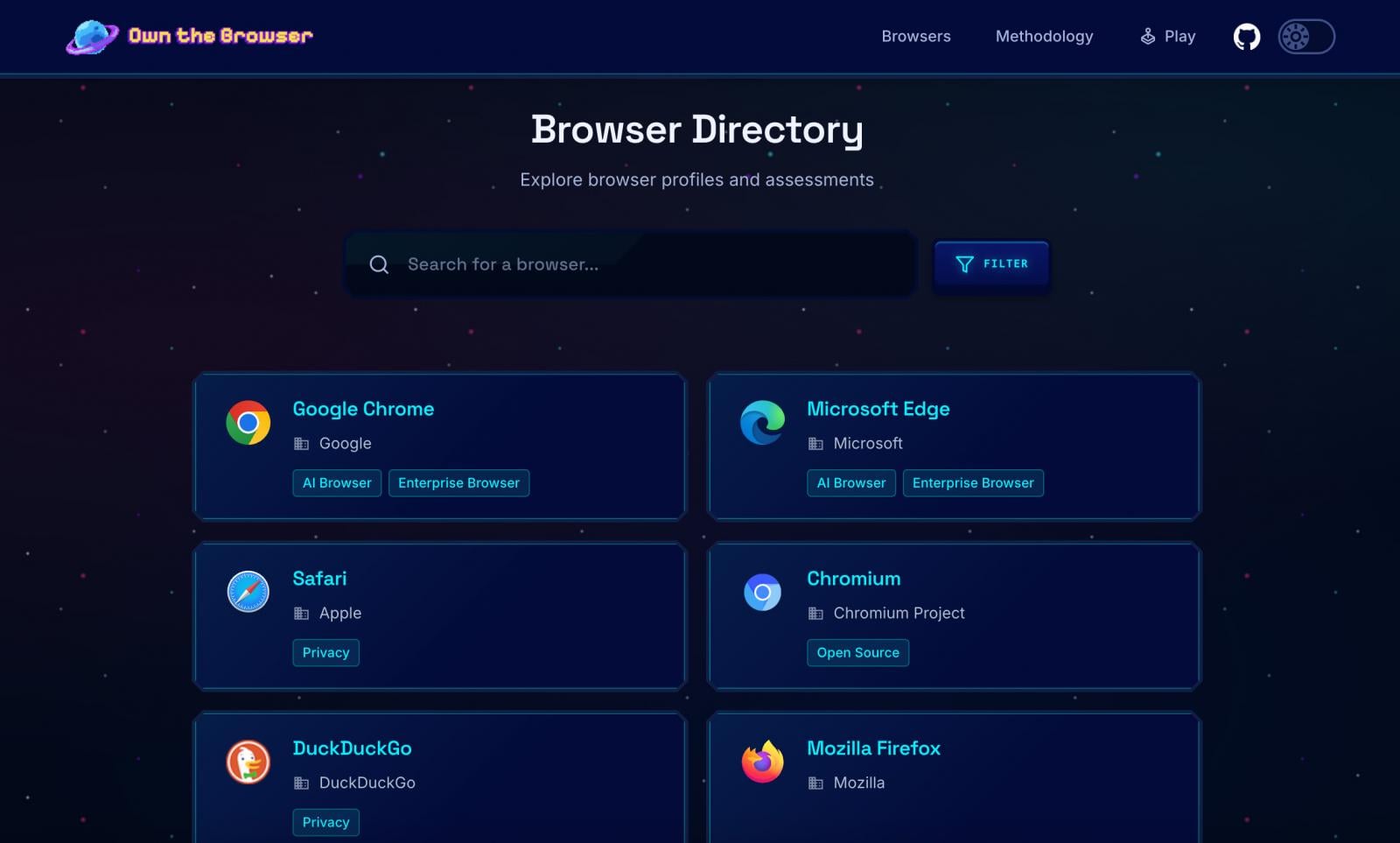
Browser Directory on Own the Browser
Across consumer, enterprise, and emerging AI-native browsers, policies are widely deployed. What’s missing is structured visibility into how those policies actually play out in real user behavior. Without that insight, prevention stays blunt, and policies rarely evolve or improve.
AI Tools and AI-Native Browsers Are Widening the Gap
AI is accelerating this problem by increasing both the volume and subtlety of browser-based data movement.
Tools like ChatGPT, Claude, and Gemini normalize copying, pasting, uploading, and summarizing sensitive information directly in the browser. AI-native browsers, built-in assistants, and extensions streamline these actions even further.
From a control standpoint, much of this activity appears legitimate. From a prevention standpoint, it’s difficult to evaluate risk without context.
Advertisement
Policies can allow or block actions, but without observability into how data is being used, teams can’t adapt controls to match reality.
As AI-driven workflows become routine, prevention that isn’t informed by browser-level behavior quickly falls behind.
What Browser-Level Observability Changes: Before and After Incidents
When browser activity becomes observable, security teams don’t just investigate better; they prevent more effectively.
Seeing how data actually moves through the browser allows teams to set smarter, more targeted controls: preventing risky actions at the moment they occur, while preserving evidence when something does go wrong.
Advertisement
Detection improves because behavior can be evaluated in context. Response improves because incidents are reconstructable. Policies improve because they’re informed by real usage, not assumptions.
This creates a feedback loop: observability informs prevention, prevention reduces risk, and every incident, blocked, paused, or allowed, sharpens policy over time.
That leads to a simple question: if this class of attack happened in your environment today, could you both prevent it and explain it? If not, that’s the gap Keep Aware is built to close. See what browser-level visibility enables across prevention and response.
Boerner, a computer engineer turned cybersecurity practitioner, began as a SOC analyst tackling network threats across Texas agencies. Specializing in network and email security, he later honed his expertise at IBM and Darktrace, working with organizations of all sizes. Seeing a critical gap between security teams and employees—where strong defenses still let threats through—he founded Keep Aware to make the browser a cornerstone of enterprise security.
Good morning! Let’s play Connections, the NYT’s clever word game that challenges you to group answers in various categories. It can be tough, so read on if you need Connections hints.
What should you do once you’ve finished? Why, play some more word games of course. I’ve also got daily Strands hints and answers and Quordle hints and answers articles if you need help for those too, while Marc’s Wordle today page covers the original viral word game.
SPOILER WARNING: Information about NYT Connections today is below, so don’t read on if you don’t want to know the answers.
Advertisement
NYT Connections today (game #973) – today’s words
(Image credit: New York Times)
Today’s NYT Connections words are…
TIMER
GAG
DRILL
BIT
ROUTINE
SYMBOL
CENTS
LENGTH
NUMBER
SILENCE
GRIND
MUZZLE
HABIT
FACED
INHIBIT
UPPERCASE
NYT Connections today (game #973) – hint #1 – group hints
What are some clues for today’s NYT Connections groups?
Advertisement
YELLOW: Keep someone quiet
GREEN: Familiar story
BLUE: Code to gain entry
PURPLE: Begin with a low number
Need more clues?
We’re firmly in spoiler territory now, but read on if you want to know what the four theme answers are for today’s NYT Connections puzzles…
Sign up for breaking news, reviews, opinion, top tech deals, and more.
NYT Connections today (game #973) – hint #2 – group answers
What are the answers for today’s NYT Connections groups?
Advertisement
YELLOW: SUPPRESS
GREEN: SAME OLD STUFF
BLUE: FEATURES OF A STRONG PASSWORD
PURPLE: WORDS AFTER “TWO”
Right, the answers are below, so DO NOT SCROLL ANY FURTHER IF YOU DON’T WANT TO SEE THEM.
NYT Connections today (game #973) – the answers
(Image credit: New York Times)
The answers to today’s Connections, game #973, are…
Advertisement
YELLOW: SUPPRESS GAG, INHIBIT, MUZZLE, SILENCE
GREEN: SAME OLD STUFF DRILL, GRIND, HABIT, ROUTINE
BLUE: FEATURES OF A STRONG PASSWORD LENGTH, NUMBER, SYMBOL, UPPERCASE
PURPLE: WORDS AFTER “TWO” BIT, CENTS, FACED, TIMER
My rating: Hard
My score: 1 mistake
I often get a sense of deja vu when playing Connections, seeing words and sometimes categories that have appeared in the game before.
Today, though, what I thought was a repeated group about stand-up comedy (GAG, BIT, ROUTINE, NUMBER) led to a mistake.
Glory followed, however, as I gained my ’25 Purple First’ badge after spotting theWORDS AFTER “TWO” link between BIT and FACED and spread it out to include CENTS and TIMER. Victory grabbed from the jaws of defeat.
Advertisement
Yesterday’s NYT Connections answers (Saturday, February 7, game #972)
YELLOW: PIPS ON A DIE FIVE, FOUR, THREE, TWO
GREEN: SYMBOLS USED IN ARITHMETIC DIVIDED BY, EQUALS, MINUS, PLUS
BLUE: PUNCTUATION MARKS COLON, ELLIPSIS, PERIOD, QUOTATION MARK
PURPLE: LOWERCASE LETTERS I, L, T, X
What is NYT Connections?
NYT Connections is one of several increasingly popular word games made by the New York Times. It challenges you to find groups of four items that share something in common, and each group has a different difficulty level: green is easy, yellow a little harder, blue often quite tough and purple usually very difficult.
On the plus side, you don’t technically need to solve the final one, as you’ll be able to answer that one by a process of elimination. What’s more, you can make up to four mistakes, which gives you a little bit of breathing room.
It’s a little more involved than something like Wordle, however, and there are plenty of opportunities for the game to trip you up with tricks. For instance, watch out for homophones and other word games that could disguise the answers.
It’s playable for free via the NYT Games site on desktop or mobile.
England will start their 2026 T20 World Cup campaign against Nepal on February 8 in Mumbai. England has won 2 T20I World Cups so far, first in 2010 and then again in 2022. However, the last time they toured India for an ICC event during the 2023 50-over World Cup, they were knocked out in the group stages after finishing at 7th (out of 10 teams) on the points table. They’ll be keen not to repeat the same mistakes on similar Indian pitches.
England will draw immense confidence from their 3-0 win over hosts Sri Lanka in the recently concluded T20I series. All-rounders Jacob Bethell, Will Jacks, and Sam Curran were the key for them in the victory, and the fans will be hoping they continue their good form in the World Cup as well. Along with this, the experience of Jos Buttler and Phil Salt at the top of the order will be crucial for the English. And of course, who can forget their domineering captain Harry Brook, who will be keen to show his worth after recent controversies.
Advertisement
Nepal, on the other hand, is only playing its third T20 World Cup. They first qualified in 2014, but failed to do so for the next three editions. Led by captain Rohit Paudel, Nepal features some experienced players in the likes of Dipendra Singh Airee, mystery-spinner Sandeep Lamichhane, and finisher Aasif Sheikh.
The England vs Nepal match will be played at the Wankhede Stadium – a red soil pitch that tends to favor the batsmen, which makes England hot favorites to win. However, Nepal does possess the talent to cause an upset.
Keep reading as we explain how to watch the England vs Nepal T20 Cricket World Cup live stream online from wherever you are, including options to watch for FREE.
Advertisement
Can I watch England vs Nepal for free?
How to watch England vs Nepal from outside your country
Below we’ve got you covered with your official broadcasting options for cricket-loving countries (and the US!), but if you’re overseas you’ll soon discover that you can’t watch your usual service because of geo-restrictions.
You can get past these blocks, however, by using the best VPN to change your streaming device’s IP address to your usual location.
Use a VPN to watch the England vs Nepal T20 World Cup live stream from anywhere:
Advertisement
How to watch England vs Nepal in the UK
How to watch England vs Nepal in the US
How to watch England vs Nepal in India
Advertisement
How to watch England vs Nepal in Pakistan
How to watch England vs Nepal in Australia
How to watch England vs Nepal in New Zealand
How to watch England vs Nepal in South Africa
Advertisement
England vs Nepal T20 World Cup 2026 Q+A
When and where is the England vs Nepal match?
The England vs Nepal T20 World Cup 2026 match will be played on February 8 at the Wankhede Stadium in Mumbai at 3pm IST / 6:30am ET.
England vs Nepal T20 World Cup 2026 squads
England: Harry Brook (c), Rehan Ahmed, Jofra Archer, Tom Banton, Jacob Bethell, Jos Buttler, Sam Curran, Liam Dawson, Ben Duckett, Will Jacks, Jamie Overton, Adil Rashid, Phil Salt, Josh Tongue, Luke Wood
We test and review VPN services in the context of legal recreational uses. For example: 1. Accessing a service from another country (subject to the terms and conditions of that service). 2. Protecting your online security and strengthening your online privacy when abroad. We do not support or condone the illegal or malicious use of VPN services. Consuming pirated content that is paid-for is neither endorsed nor approved by Future Publishing.
Crime 101is ready to stake its claim for a place in the pantheon of crime films.
One of 2026’s crop of new movies, Crime 101, based on Don Winslow’s novella namesake, is billed as a seat-gripping heist thriller that might make for a perfect date night this coming Valentine’s Day weekend. And, with Marvel actors Chris Hemsworth, Halle Berry, Mark Ruffalo, and Barry Keoghan among its A-list cast, it’s certainly got the star power to get bums on seats.
According to writer-director Bart Layton, though, Crime 101‘s true ace up the sleeve is its nostalgia factor. Raised on a healthy diet of neo-noir, action thriller and crime-comedy films, Layton is nothing if not a crime-genre disciple.
Advertisement
So, in an exclusive interview ahead of Crime 101‘s worldwide release on Friday, February 13, I had to ask Layton what he considered to be the Mount Rushmore of crime movies. These are the four he picked.
Heat (1995)
Where to stream:Hulu and Plex (US); Netflix and Disney+ (UK and Australia) Runtime: 2 hours and 50 minutes Rotten Tomatoes (RT) score: 84% (critics); 94% (audience)
Advertisement
“If you’re shooting in Los Angeles, it’s hard not to look beyond Heat, right?” Layton said. “For most people, I think it’s the pinnacle of the entire genre. It’s endlessly brilliant and rewatchable.”
He’s not wrong. The nearly three-hour-long crime drama is a timeless flick that’s influenced countless entertainment and pop culture properties, including Christopher Nolan’s Batman trilogy and the universally popular Grand Theft Auto videogame franchise. Heck, Heat became so entrenched in the zeitgeist upon its mid-1990s release that it actually inspired real-life crimes, including the 1997 North Hollywood shootout.
Sign up for breaking news, reviews, opinion, top tech deals, and more.
For those who might not have seen it, the genre-defining, Michael Mann-directed movie follows LAPD Lieutenant Vincent Hanna’s (Al Pacino) relentless pursuit of professional thief Neil McCauley (Robert De Niro) after a robbery led by McCauley goes awry. Cue a compelling game of cat and mouse as Mann shows off his mastery skills behind the camera and Pacino and De Niro display their unquestionable talents in front of it.
Advertisement
Bullitt (1968)
Bullitt (1968) Official Trailer – Steve McQueen Movie – YouTube
Where to stream: Hoopla (US); rent or buy (UK); HBO Max (Australia) Runtime: 1 hour and 53 minutes RT score: 98% (critics); 85% (audience)
“We wanted to bring this style of film back to the big screen,” Layton revealed when speaking about Bullitt, the ’60s era Steve McQueen vehicle.
Advertisement
Based on Rupert Fish’s 1963 novel Mute Witness, it stars McQueen as Frank Bullitt, a San Francisco police detective who leads the investigation into the murder of a witness he was assigned to keep safe.
A film tailor-made to showcase McQueen’s natural acting abilities, Bullitt is best known for its absorbing car chase that was well ahead of its time. Indeed, the 1968 Academy Award winner for Best Editing created the benchmark for chase sequences upon its release, with the set-piece regularly featuring on ‘best of’ lists and being described as “the one, the first, the grandaddy, the chase on the top of almost every list” by Time magazine. With Crime 101 set to feature its own vehicle-based chase sequences, Bullitt‘s influence will definitely be felt.
Advertisement
The Sting (1973)
The Sting Official Trailer #1 – Paul Newman, Robert Redford Movie (1973) HD – YouTube
Where to stream: Netflix (US); rent or buy (UK); Paramount+, Foxtel, and Binge (Australia) Runtime: 2 hours and 9 minutes RT score: 93% (critics); 95% (audience)
A 1973 crime caper, The Sting “was a really formative movie for me,” Layton mused – and anyone who’s watched it on one of the world’s best streaming services will agree it’s up there with the very best films of its kind.
Starring Paul Newman and Robert Redford, it tells the tale of professional grifters Henry Gondorff and Johnny Hooker, who join forces to con mob boss Doyle Lonnegan (Robert Shaw) out of a sizeable amount of cash.
Another big-screen adaptation of a literary work – The Sting is based on David Maurer’s 1940 book The Big Con: The Story of the Confidence Man, which documents the lives of real-life con men – it marked filmmaker George Roy Hill’s second time directing Newman and Redford. Hill had worked alongside the celebrated actors four years earlier in Butch Cassidy and the Sundance Kid. Little surprise, then, that The Sting proved to be another hit for the trio after the aforementioned 1969 Western buddy flick.
Where to stream: Fubo, Plex, and MGM+ (US); Mubi and MGM+ (UK); MGM+ (Australia) Runtime: 2 hours and 2 minutes RT score: 80% (critics); 81% (audience)
“I think most people would immediately point to any of Michael Mann’s stuff,” Layton added of the auteur behind crime genre classics such as Collateral, as well as other multi-award-winning features like The Last of the Mohicans.
Advertisement
It’s Thief, a 1981 film that was just the second movie Mann ever directed, which books the final spot on Layton’s all-time favorite crime movies. Fronted by James Caan, it introduces us to Frank, a jewel thief and ex-con trying to escape his life of crime.
Spoilers notwithstanding, it’s hard not to compare Caan’s protagonist to that of James Davis, Crime 101‘s main character, who’s portrayed by Hemsworth. If you want to get a sense of the story and themes that may be at play in Layton’s latest cinematic offering, Thief is well worth streaming on MGM+, which you can add to your Prime Video subscription as a channel add-on.
Meta is taking a surprising turn in the world of social apps: it’s testing a standalone version of Vibes, a feature that lets users create and discover AI-generated short videos, and giving it its own dedicated home outside the broader Meta AI app. The move, first reported by TechCrunch, reflects Meta’s belief that AI-created video content might be compelling enough to warrant its own space on your phone.
Meta
Originally launched in September 2025 inside the Meta AI experience, Vibes lets people generate or remix short vertical clips using AI tools, then browse a feed populated entirely by synthetic videos. Instead of watching humans film themselves, every piece of content you encounter in Vibes is made, or at least significantly shaped, by AI. That feed has gained enough traction that Meta now wants to see how the concept plays out as a separate app with a more focused environment for video creation and discovery.
What Meta wants from the standalone Vibes app
Breaking Vibes out into its own application could serve multiple purposes. For one, it gives Meta a cleaner, single-purpose platform that’s easier to build around than trying to shoehorn the AI-generated video experience into a multipurpose AI assistant. Meta says that users are increasingly leaning into the format, creating, discovering, and sharing AI-generated clips with friends at a growing rate. Though, to be fair, the company hasn’t shared exact usage numbers yet.
AI video generated by Sora depicting Karl Marx, who died in 1883.Nadeem Sarwar / Digital Trends
The standalone app’s focus on synthetic vertical video puts it in more direct competition with other emerging AI video platforms like OpenAI’s Sora, which also blends social feeds with AI content creation tools. By giving Vibes its own identity, Meta can experiment with features tailored specifically to video creation, discovery algorithms, and possibly even monetization paths like freemium subscriptions that unlock more advanced creation tools in the future.
Meta is currently testing Vibes in select markets and has kept the rollout modest so far, but early interest suggests the company sees a future where AI-crafted media isn’t just a side project, but a core creative format. Whether users will embrace a world where every scroll is an algorithm’s idea of entertainment, instead of someone’s real-life clip, remains to be seen.
When Dr. Carolina Gutierrez’s physics students used artificial intelligence to solve problems, something unexpected happened: The answers were wrong. But instead of provoking frustration, those mistakes sparked the kind of learning teachers hope for. Students began asking why, adjusting their prompts and developing critical thinking skills that went beyond computational accuracy.
This is the kind of AI integration educators want — not shortcuts, but tools that deepen learning and engage students in authentic problem-solving. As AI becomes increasingly common in classrooms, teachers are moving beyond curiosity and caution to ask practical questions: How do we use these tools responsibly? How do we ensure equity? And how do we help all students benefit?
“We try to move past AI for efficiency,” explained Jessica Garner, senior director of innovative learning at ISTE+ASCD. “That’s a great place to start, but we focus on how AI can help make education what it should be for students — transforming the learning experience.” Garner leads GenerationAI’s Communities of Practice, which bring together educators in yearlong cohorts to explore shared problems of practice around AI. “We intentionally include educators from varied roles, regions and backgrounds — district leaders, administrators, classroom teachers, skeptics, novices and experts,” she said. “Through virtual and in-person convenings, participants learn, test ideas and support one another as they examine how AI can responsibly enhance teaching and learning in their own contexts.”
Recently, EdSurge host Carl Hooker moderated a webinar that brought together members of these communities to highlight practical solutions for implementing AI in K-12 classrooms. The panel included Garner; Dr. Craig Perrier, a high school social studies specialist in Virginia, who uses AI to support new standards and universal design for learning; Hannah Davis Ketteman, a digital learning coach in Texas, who works with teacher cohorts to integrate AI into assignments and assessments; and Gutierrez, a high school science teacher in Houston, who supports emergent bilingual students with AI-guided lessons.
Together, they discussed strategies for building student confidence, scaffolding learning and ensuring all students benefit from innovation.
Advertisement
EdSurge: How do you help teachers who are hesitant about using AI?
Davis Ketteman: As a digital learning coach, a big part of my job is teaching teachers how to use these tools. The spectrum of AI literacy among teachers can be surprising. Empowering teachers will ultimately empower students to become AI literate.
Scaffolding has been really important. People have a lot of opinions about tools like MagicSchool or SchoolAI, but those [simplified platforms with pre-built templates] can be great entry points for teachers who feel uncomfortable or aren’t confident with prompting. If we can give them small successes with tools that feel relevant and practical, they can build confidence and eventually move into larger language models. Starting with a small win helps them expand more easily.
What’s at the heart of your work with your problem of practice?
Advertisement
Perrier: For me, it’s personalization and adaptive learning. In Virginia, students earn verified credits for graduation, often through curriculum-embedded performance assessments based on the Inquiry Design Model.
The challenge is that the materials aren’t always accessible. For example, a primary source for an inquiry on the Crusades included a speech by Pope Urban in Middle English. No ninth grader can read that effectively. So we began using tools like MagicSchool and ChatGPT to modify texts to appropriate reading levels or summarize articles. The problem of practice was: How can we use AI to support the new standards and be emblematic of Universal Design for Learning?
This year, we extended that approach to podcasts and infographics. We used NotebookLM to create podcasts. But then we were surprised by how hard it was to find an AI-based infographic maker. We’d say, “Generate an infographic about the causes of the Civil War,” and the images might look like World War II, or the background language would be nonsense. It just wasn’t a good match for what we needed. We finally landed on Napkin AI through connections in the GenerationAI cohort.
Teachers can now offer a menu of accessible resources so every student can engage meaningfully. It’s shifted the mindset from “My students can’t do this” to “My students absolutely can.”
Gutierrez: For me, it’s about critical thinking and problem-solving, especially in AP Biology. It’s moving students from describing parts to asking: If I change this, what happens?
Advertisement
We use Gizmos, which lets students simulate being vets or doctors and interpret symptoms. I combine that with guided work using AI to generate prompts. For example, when my physics students used AI to solve problems, the answers were sometimes wrong. That led them to ask why and to learn how to adjust prompts or parameters, developing real critical thinking skills.
Hands-on work makes this even more visible. Using AI-generated guides, students followed step-by-step protocols for mini-labs. Breaking complex work into small, manageable steps helped students feel confident and engaged, especially my emergent bilingual learners. They began to participate, understand and stay invested. Quiet students took on leadership roles.
Once students learned how to ask better questions, use prompts effectively and think critically, they became empowered to manage their own learning.
Davis Ketteman: At the core, my work is really about critical thinking and problem-solving. Many teachers are wondering how to navigate a more boxed curriculum while maintaining autonomy. We’ve been talking about evaluating AI output and adapting it for the class.
Advertisement
One teacher I work with teaches math models to seniors. She reworked a budget project where students research a job, find a salary and build a budget. This time, students start by defining what “affordability” means. Then they draw a random life change, like a new roommate or a sick relative, and adjust their budgets. Finally, they present and redefine affordability as a group.
The evaluation this project demands from both teacher and students is astounding. And for students who aren’t strong in math, we focus beyond computation. They analyze what the output means in context. Seeing those light bulbs go off has been amazing.
What advice would you give to educators looking to implement AI?
Gutierrez: First, keep an open mind about the tools you use, what you’ll learn and whose perspective you’re approaching the work from. Are you thinking about the student experience, or are you using it to enhance your lessons?
Learn to pivot when challenges arise. Don’t give up at the first obstacle. AI is a valuable tool, and just as we adapted to computers, it’s becoming part of our classrooms. If we guide students responsibly, they can navigate it safely.
Advertisement
Davis Ketteman: I have two pieces of advice. First, start where you are. AI can feel intimidating, but tools like ChatGPT are still new. Find one small task — maybe cleaning up slides — and try it.
Second, just do it. Opportunities come when you put yourself out there. Apply for webinars or presentations that interest you. Don’t let self-doubt hold you back. Find your people, network and get involved.
Perrier: This falls under self-awareness. You need to be aware and comfortable that you can’t keep up with everything in AI. Some feel they have to be first to know and first to use, but I’m comfortable knowing I can’t do it all.
Stay networked. Find your community, like the one Jessica leads. Being connected opens possibilities instead of constantly chasing them.
Advertisement
Garner: This makes my heart happy. The ways they are working with AI are exactly what we want to see!
Through GenerationAI, ISTE+ASCD and six coalition partners are bringing together a diverse group of educators to examine the impact of generative AI on education and to give educators time and space to consider its use in a safe and responsible way. Join the movement at https://generationai.org to participate in our ongoing exploration of how we can harness AI’s potential to create more engaging, equitable and transformative learning experiences for all students. Sign up here.
Looking for the most recent regular Connections answers? Click here for today’s Connections hints, as well as our daily answers and hints for The New York Times Mini Crossword, Wordle and Strands puzzles.
It’s Super Bowl Sunday! Today’s Connections: Sports Edition is all about the big game. If you’re struggling with today’s puzzle but still want to solve it, read on for hints and the answers.
Connections: Sports Edition is published by The Athletic, the subscription-based sports journalism site owned by The Times. It doesn’t appear in the NYT Games app, but it does in The Athletic’s own app. Or you can play it for free online.
Hints for today’s Connections: Sports Edition groups
Here are four hints for the groupings in today’s Connections: Sports Edition puzzle, ranked from the easiest yellow group to the tough (and sometimes bizarre) purple group.
Yellow group hint: Signal-caller’s numbers.
Advertisement
Green group hint: Prince rocked it in the rain.
Blue group hint: Best player in the big game.
Purple group hint: Comes after this event’s name.
Answers for today’s Connections: Sports Edition groups
Pomodoro timers are a simple productivity tool. They help you work in dedicated chunks of time, usually 25 minutes in a sitting, before taking a short break and then beginning again. [Clovis Fritzen] built just such a timer of his own, and added a few bonus features to fill out its functionality.
The timer is based around the popular ESP32-S2 microcontroller, which has the benefit of onboard WiFi connectivity. This allows the project to query the Internet for things like time and date updates via NTP, as well as weather conditions, and the value of the Brazilian Real versus the American dollar. The microcontroller is paired with an SHT21 sensor for displaying temperature and humidity in the immediate environment, and an e-paper display for showing timer status and other relevant information. A button on top of the device allows cycling between 15, 30, 45, and 60 minute Pomodoro cycles, and there’s a buzzer to audibly call time. It’s all wrapped up in a cardboard housing that somehow pairs rather nicely with the e-paper display aesthetic.
Apple could allow more AI on the CarPlay dashboard
This is a rumor outlined in a new Bloomberg report
Apps such as ChatGPT and Gemini might show up
Apple CarPlay has traditionally been quite restrictive when it comes to the types of apps it allows on your vehicle dashboard, but it seems that third-party chatbots such as ChatGPT and Gemini might soon be able to claim spots on the CarPlay interface.
This is according to Mark Gurman at Bloomberg, who usually knows what he’s talking about when it comes to Apple‘s future and as-yet-unannounced plans. Support should arrive in the “coming months”, the report says.
According to people familiar with the matter, Siri won’t be replaced as the default voice-activated assistant on CarPlay. However, users will be able to launch and access voice-enabled alternatives from their CarPlay dashboard, if they want to.
It’s not clear exactly when we’ll see this: more iOS 26 updates are due soon, while iOS 27 is due to be unveiled around June time (when Apple has its regular Worldwide Developers Conference), but Gurman doesn’t give a specific timeframe for the roll out.
More intelligence on Apple devices
ChatGPT is currently integrated in Siri (Image credit: Apple)
If this does come to pass, it’s another concession from Apple when it comes to AI. We know that the long-planned, next-gen upgrade for Siri has been delayed until sometime this year, while competitors like Google and OpenAI have pushed on with their chatbots.
Siri was enhanced with ChatGPT smarts in iOS 18, providing true generative AI capabilities – based on Large Language Models or LLMs – to Apple devices. This integration remains in place today while Apple works on upgrades for its own Apple Intelligence.
Advertisement
Earlier this year Apple announced a major partnership with Google to have Google’s AI models power the next generation of Siri, which should appear with iOS 27 at some point. However, this will be more of a behind the scenes integration than the ChatGPT one.
Sign up for breaking news, reviews, opinion, top tech deals, and more.
These deals are separate to what Apple seems to be planning with CarPlay, but it’s another sign of Apple being prepared to open up its platforms to other AI chatbots – at least for now (of course it helps to avoid scrutiny from regulators too).
I love Nintendo Switch Online (NSO). Of course, it opens up access to online multiplayer and comes at a genuinely modest price. But what I appreciate more than anything is how NSO supplies a healthy dollop of retro titles from Nintendo’s illustrious history.
Yes, there are some incredible games available through NSO. All-time classics like Super Metroid, The Legend of Zelda, and Super Mario Bros. feature, and they still feel amazing to play to this day. But these legendary titles are known by just about every gamer. What about the titles that don’t get as much hype or attention? What about the games that are must-plays, even if they didn’t sell millions upon millions of copies?
Well, I’m here to share some of my favorite NSO hidden gems with you. I’ve got games from a range of genres, across a number of platforms, so there really is something for everyone on this list. I’ve personally played and enjoyed each of these, and believe that everyone with NSO should give them a go.
Advertisement
Before I get into my list, though, it’s worth noting that you’ll need the Nintendo Switch Online + Expansion Pack to access Nintendo 64, Gameboy Advance, or GameCube titles – with the latter being exclusive to the Nintendo Switch 2. With that out of the way, let’s take a look at my selections!
1. Chibi-Robo! (GameCube)
(Image credit: Nintendo)
Chibi-Robo! is a game like no other. It’s quirky, charismatic, and surprisingly deep, with a story that will almost certainly bring a tear to your eye.
Chibi-Robo is a helper robot, purchased by George Sanderson – a former toymaker who is now unemployed, and is said by his wife, Helen, to have a serious spending problem. Their daughter, Jenny, is seemingly living in a world of her own and chooses to wear a frog mask and speak in ribbits, rather than the English language. The family is clearly in a dark place, and this shows more and more as the narrative unfurls.
Although the game largely follows Chibi’s aim to help out other toys – and to perform seemingly simple cleaning tasks around the house – it really feels like the little robot helps a family to heal over the course of the game. And through his actions, Chibi-Robo manages to bring them closer together once again – it’s so considered for a game that appears silly and goofy on the surface.
Advertisement
Sign up for breaking news, reviews, opinion, top tech deals, and more.
Gameplay-wise, Chibi-Robo! is an absolute blast. Basic tasks like scrubbing the floor with a toothbrush feel genuinely enjoyable and interactive. Helping out other toys, the Sandersons, and even animals can earn you Happy Points – used to upgrade abilities and obtain new capabilities. And discovering secret items is very rewarding, meaning it’s great fun all round.
What’s really special to me, though, is this game’s incredible sound design. Yes, the soundtrack is phenomenal, and especially memorable, but there’s more to it than that. Every step Chibi makes creates a bizarre little noise – and so does just about every action that characters take. This makes the cast feel so full of life, and breathes so much color into the world of Chibi-Robo!
If you’ve got a Nintendo Switch 2, Chibi-Robo! Is the game I’d recommend the most on this list – it’s a true delight. And given that a physical copy on the GameCube costs a fortune – especially here in the UK – it’s great to see this title so readily available. Now, how about giving us Doshin the Giant, Nintendo?
Advertisement
2. Sin & Punishment (N64)
(Image credit: Nintendo)
I’d never heard of Sin & Punishment before randomly deciding to play it through NSO’s Nintendo 64 catalogue, but that’s pretty understandable given that it was a Japan-only release back in 2000. But I’m very thankful that I stumbled across it.
Sin & Punishment is a rail-shooter co-developed by Treasure and Nintendo itself, and takes place in a dystopian world smeared by global warfare and famine. Scientists genetically engineer a species for consumption in northern Japan, but these creatures mutate into monsters known as Ruffians. It is up to teenagers Saki and Airan to stop the Ruffians – as well as Japan’s corrupt Armed Volunteers – and protect Earth.
Advertisement
Now, as straightforward as this may sound, the narrative is told in a way that feels densely layered and mysterious. There are a lot of dark themes thrown into the mix here, which meld perfectly with the intense gameplay and eye-catching yet unnerving visuals.
Although it took me a while to get the hang of this title’s control scheme, it really grew on me throughout my first playthrough. Sin & Punishment is a fairly challenging title, with some daunting boss fights to tackle along the way. This may not make it sound like the most accessible game out there, but it’s definitely worth sticking with.
One of my favorite games of all time is Shin Megami Tensei III: Nocturne. It’s a title that conjures up an almost tangible sense of weight on the protagonist, and the haunting atmosphere is incredibly immersive. To me, Sin & Punishment does a lot of the same things – so much rests on Saki and Airan, and the game’s exceptional soundtrack, expressive graphical style, and vivid storytelling almost absorb you into their world.
Advertisement
3. Smash Tennis (SNES)
(Image credit: Nintendo)
Bit of a change of pace here, because I’m recommending a sports game! Yes, I’m a massive fan of Namco’s Smash Tennis, which was released in 1993, but still feels so smooth to play, and unbelievably addictive.
The game was developed by Hideo Yoshizawa – the creator of one of the most stylish video games ever made (and a real favorite of mine), R4: Ridge Racer Type 4, as well as the beloved 2.5D platformer, Klonoa. And although Smash Tennis was only released in Japan and the PAL region back on the SNES, NSO opened it up to users in North America as well.
There’s nothing especially crazy about Smash Tennis – there are no gimmicks, no wacky power-ups, and only a couple of game modes. But honestly, I actually like that. It’s a streamlined, brilliantly executed tennis game, with such tight gameplay and a nice variety of court types to keep things fresh. There are also quite a few characters to play as, each with varying strengths and weaknesses, and I was fixated on taking each of them to tournament glory when I got my original Switch many moons ago.
Even if you’re not the biggest tennis fan in the world, I highly recommend giving this one a go. The fast-paced gameplay, personality-filled character animations, and enticing pixel art are just an absolute joy.
Advertisement
4. Kuru Kuru Kururin (GBA)
(Image credit: Nintendo)
This is one of the whackier picks on my list, and a title that I was shocked to see in the Gameboy Advance classics catalogue when it dropped. Yes, I’d long been intrigued by Kuru Kuru Kururin, a top-down puzzle game which was released in Japan and PAL regions only in 2001 – seems to be a bit of a theme, doesn’t it?
For me, this is the definition of a great pick-up and play title. Levels are brief, the story is straightforward, and the gameplay is infectious. Essentially, you control a spinning stick, which you have to guide through a maze without hitting the walls. Think of it almost as a wire loop game in a more colorful and virtual form.
You’ll play as the titular Kururin – a bird who goes in search of his brothers and sisters after they mysteriously disappear. Kururin will gradually take on harder and harder level designs – some of them proving to be very tricky indeed. But beating the more challenging stages is incredibly gratifying, and outdoing your friends’ high scores is oh-so-satisfying.
Advertisement
As I’ve mentioned with a few of these titles, a lot of my adoration for Kuru Kuru Kururin comes from the audio-visual experience that it provides. Its vibrant, cartoon-style visuals are to die for, and the soundtrack is full of upbeat bangers. If you want a short game that you can pick up and finish over the course of a few days, this is a must-play.
5. Tonic Trouble (N64)
(Image credit: Nintendo)
And lastly, I want to give a shout-out to a zany 3D platformer that goes by the name of Tonic Trouble. Is this the most polished or well-rounded game on the list? No, it honestly isn’t. But do I love it anyway? You bet I do.
One day, Ed the alien is cleaning the storage room onboard a ship hurtling through space, when he discovers a pesky critter. After attempting to crush it, he feels exhausted and takes a good sip from a can of tonic. But wait. The can drops down and down, out of the ship, and onto planet Earth. It lands directly into a river, polluting the waters and causing multiple species to mutate. Not good.
Advertisement
Oh, and it also turns out that a drunkard named Grögh drank from the can, and he now plans to use them and take over the world. Very not good. So, then, Ed comes down to Earth and is tasked with finding the container and assisting in the creation of an antidote to be used against mutants. It’s an outlandish, yet humorous and light-hearted story.
But what makes Tonic Trouble stand out? For me, it’s a combination of the eccentric, almost surreal character models, energetic music, and psychedelic style. It’s a creation that is very much of its time, but it oozes charm and offers pretty engaging gameplay across its runtime.
I grew up playing blockbuster 3D platformers like Crash Bandicoot 2: Cortex Strikes Back, as well as Spyro the Dragon, so I’m a real lover of this genre. And if, like me, you’re a fan of these sorts of titles, I’m almost certain that you’ll have fun with Tonic Trouble.
And of course, you can also follow TechRadar on YouTube and TikTok for news, reviews, unboxings in video form, and get regular updates from us on WhatsApp too.
The best Nintendo Switch 2 games to play right now
Need a new iPhone but aren’t sure which model to go for? We’ve got you covered.
We’ve reviewed both the two cheaper handsets in Apple’s current flagship series, the iPhone 17 and iPhone Air, and highlighted the key differences between them here.
Once you’re finished here, our best smartphones guide lists our current favourite handsets. Not sure if iOS is for you? Make sure you visit our best Android phones guide instead.
Specs table
iPhone Air
iPhone 17
Dimensions
74.7 x 156.2 x 5.64 mm
71.5 x 149.6 x 7.95 mm
Screen Size
6.5-inch
6.3-inch
Weight
165g
177g
Material
Titanium
Aluminium
Rear Cameras
48MP Fusion
48MP Fusion + 48MP Fusion
Front Camera
18MP Center Stage
18MP Center Stage
Refresh Rate
120Hz ProMotion
120Hz ProMotion
Processor
A19 Pro
A19
Battery Life
Up to 27 hours
Up to 30 hours
Wired charge speed
20W
40W
MagSafe charge speed
20W
25W
Price and Availability
The iPhone 17 is the cheapest of the two, with a starting price of £799/$799 for the 256GB handset.
Advertisement
Advertisement
SQUIRREL_PLAYLIST_10207955
The iPhone Air, on the other hand, is a more expensive option compared to the Plus model it has replaced, with a starting RRP of $999/£999.
SQUIRREL_PLAYLIST_10207952
Advertisement
Design
iPhone Air is the thinnest iPhone ever, as 5.64mm
iPhone Air doesn’t have a physical SIM slot
Both have the Camera Control and Action buttons
While the iPhone 17 looks similar to the iPhone 16 before it (and then some), the iPhone Air is a complete redesign that looks unlike any other iPhone. At just 5.64mm thin and weighing 165g, the iPhone Air is impossibly thin and feels incredibly light in hand.
You’d be forgiven for thinking that such a thin phone might feel too delicate to use, however this isn’t the case at all. Not only did we conclude that the iPhone Air feels balanced in-hand, but it’s also fitted with Ceramic Shield 2 at its front and Ceramic Shield at its back too. This means the handset is protected from scratches, although the front boasts three times the protection as the back, according to Apple’s claims.
Advertisement
In addition, much like the rest of the iPhone line-up, the iPhone Air has an IP68 rating too and is fitted with both the Camera Control and Action Button too.
Keep in mind that the iPhone Air doesn’t have a physical SIM slot and relies on an eSIM instead. If you already have a physical SIM then don’t worry, as it’s easy to turn your SIM into an eSIM – as long as your network provider allows it. The iPhone 17, on the other hand, still sports a physical SIM slot.
Advertisement
Otherwise, as mentioned earlier, it’s business as usual with the iPhone 17, and this isn’t a bad thing. Sure, it’s not quite the major redesign as the iPhone Air, but it feels reassuringly familiar in hand too. Alongside an IP68 rating and Camera Control and Action buttons, the iPhone 17 also benefits from Ceramic Shield 2 but on both the front and back.
As it’s such a radical redesign, and feels great in hand, we’ll give this win to the iPhone Air. Having said that, the iPhone 17 is still undoubtedly a well-designed handset that’ll suit most.
Winner: iPhone Air
Advertisement
Advertisement
Screen
Both have 120Hz ProMotion displays
iPhone Air has a larger 6.5-inch screen compared to the iPhone 17’s 6.3-inch
The Dynamic Island remains on both
Once reserved for the Pro models, Apple has now finally introduced its 120Hz ProMotion technology to its entire flagship lineup. This means the iPhone 17 and iPhone Air benefit from an LTPO-enabled 1-120Hz refresh rate – and the difference is clear. Animations and gaming on the iPhone 17 feels brilliantly smooth, especially when compared to the likes of the iPhone 16.
iPhone Air. Image Credit (Trusted Reviews)
As mentioned earlier, the iPhone Air has a slightly larger display at 6.5-inches compared to the iPhone 17’s 6.3-inch panel. We found both screens were pleasures to use, although arguably the iPhone Air is the happy medium between the iPhone 17 and iPhone 17 Pro Max’s 6.9-inch display.
Otherwise, as both are OLED panels, you can expect vibrant colours and deep, inky blacks too.
Winner: iPhone Air
Advertisement
iPhone 17. Image Credit (Trusted Reviews)
Camera
The iPhone Air has just one single camera at its rear while the iPhone 17 has dual 48MP lenses
Neither handset has a dedicated zoom lens
Both have an 18MP square lens front camera
If photography is important to you, then straight away we’d recommend opting for the iPhone 17 Pro or one of the best camera phones instead. That’s not to say the iPhone Air or iPhone 17 are bad at taking pictures, it’s just that they lack some of the more advanced features that keen photographers will likely have grown accustomed to.
Even so, the iPhone Air has the least versatile camera hardware of the two, as it sports a single 48MP Fusion sensor at its rear. At this price point, a phone with just one rear camera feels like a major step back although it does have some admirable features.
Advertisement
iPhone Air camera bump. Image Credit (Trusted Reviews)
Firstly, the iPhone Air can jump to 2x zoom without too much sacrifice, and overall it’s able to take impressively detailed images with rich yet accurate colours. Even in low lighting conditions, we found the iPhone Air was confident and didn’t take an age to snap a photo at night.
Advertisement
Image captured on iPhone Air. Image Credit (Trusted Reviews)
Instead, the iPhone 17 is fitted with a 48MP main and a 48MP ultrawide rear lens, with the latter seeing a jump from 12MP on the iPhone 16. Yes, the iPhone 17 misses out on the iPhone 17 Pro’s dedicated telephoto lens, but for most users it’s still an excellent snapper. With this in mind, if you’re not quite a keen photographer but do enjoy snapping great shots for sharing on social media, then we’d recommend you lean more towards the iPhone 17 than the iPhone Air.
Image captured on iPhone 17. Image Credit (Trusted Reviews)
However, avid selfie takers will appreciate both the iPhone Air and iPhone 17’s front camera. Both have an 18MP square sensor that allows you to take both portrait and landscape shots without moving the phone. It may sound small, but it makes it so much easier to take selfies and group shots.
Winner: iPhone 17
Performance
Although the iPhone Air is powered by the A19 Pro chip, it’s not quite the same one as the iPhone 17 Pro
The iPhone 17 runs on the A19 chip
We noticed the iPhone Air had an occasional tendency to heat up
Advertisement
In terms of sheer power, the iPhone Air sits in-between the iPhone 17 and iPhone 17 Pro, thanks to its A19 Pro. Although at first glance, this may seem like the same chip used in the iPhone 17 Pro, the iPhone Air’s own has one less GPU core and doesn’t boast the same cooling chamber.
iPhone 17. Image Credit (Trusted Reviews)
So what does that really mean? In practice, this means the iPhone Air is great for short bursts of more intensive tasks but doesn’t quite offer the same sustained performance as the iPhone 17 Pro. Plus, as all the phone’s components are housed in the camera bump, it has a tendency to get warm.
Otherwise, the iPhone 17 runs on Apple’s A19 chipset. While it may fall slightly short of either the iPhone Air or iPhone 17 Pro’s A19 Pro performance, in reality the handset should be powerful enough for most users. In fact, unless you’re playing demanding AAA console titles or editing multiple 4K video streams, you’re not likely to notice a difference between A19 or A19 Pro.
Advertisement
Winner: iPhone Air
Software
Both ship with iOS 26
Apple Intelligence is present on both but remains something of an afterthought
Advertisement
Both the iPhone 17 and iPhone Air ship with iOS 26, which is an easy-to-use operating system that, even despite the new Liquid Glass design, will feel familiar for most veteran iPhone users.
In addition, the entire iPhone 17 series (and the iPhone 16 series for that matter) is fitted with the Apple Intelligence toolkit. While some of the features are interesting, such as Writing Tools and Image Playground, generally it still feels as if the toolkit is more of an afterthought and is easily forgotten.
iPhone Air. Image Credit (Trusted Reviews)
Essentially, although we appreciate iOS 26, Apple Intelligence probably shouldn’t be the sole reason you opt for an iPhone Air or iPhone 17.
Winner: Tie
Advertisement
Battery
Neither are two-day phones, although the iPhone 17 offers slightly more endurance
Both support Qi2 wireless charging
Both took around 80 minutes to recharge
Advertisement
It’s worth mentioning that if you’re coming from an Android like the OnePlus 15 with a huge 7300mAh cell, then you may struggle with either the iPhone 17 or iPhone Air’s battery performance. Neither are terrible by any means, but they’re both pretty modest.
We found that the iPhone Air struggled the most, as while after light use-days the phone ended with around 20% battery remaining, heavier days required a top-up in the early evening. In comparison, the iPhone 17 usually ended most days with at least 20% left in the tank.
However, for more convenient charging you can opt for a compatible wireless charger to keep both handsets topped up during the day.
Otherwise, wired charging is still pretty slow, especially when compared to the Honor Magic 8 Pro’s 100W speeds.The iPhone Air actually slightly surpassed the iPhone 17, with a 100% charge taking around 80 minutes while the latter took 85 minutes.
Advertisement
Verdict
Generally speaking, for most users we would recommend the iPhone 17 over the iPhone Air. Sure, the iPhone Air boasts a gorgeous design but its tendency to heat up, single rear camera and lower battery life means it’s simply not as reliable as the iPhone 17.
Advertisement
Not only that, but with the inclusion of ProMotion technology, an admirable chip and welcome camera upgrades, the iPhone 17 is one of the easiest iPhones to recommend in a long time.