
Security teams log 54% of successful attacks and alert on just 14%. The rest move through your environment unseen.
The Picus whitepaper shows how breach and attack simulation tests your SIEM and EDR rules so threats stop slipping by detection.



Using an ad blocker is good for your security, privacy, and even the FBI recommends them to defend from online harms. But as much as ad blockers are great for cleaning up your browsing experience, these tools often do little to prevent the pervasive tracking from ads within apps.
Now, thanks to a new feature in iOS 26 and macOS 26, one developer has built the first device-level ad blocker that works across all of Apple’s main products — iPhones, iPads, and Macs — and isn’t just limited to the browser.
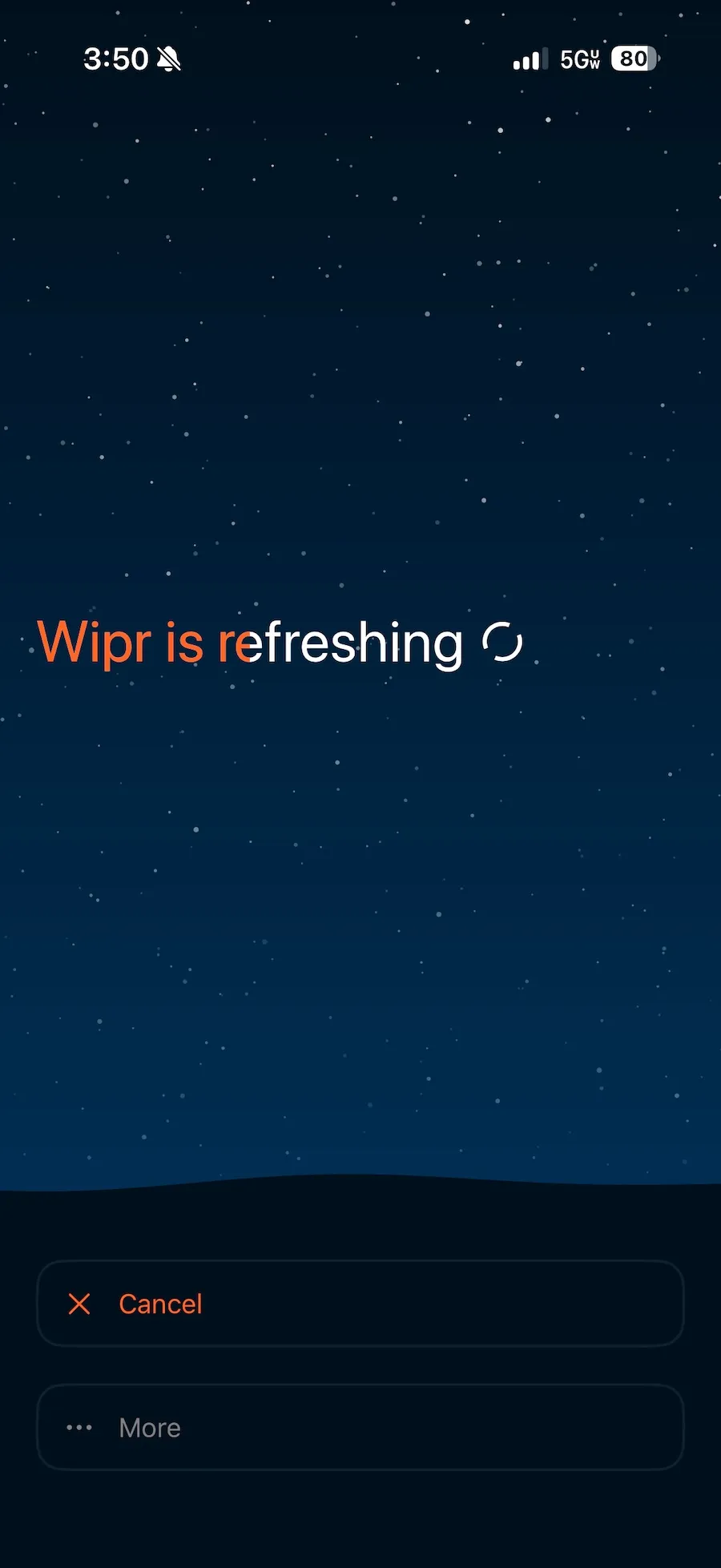
Filtr is a new tool created and maintained by Kaylee Serena Calderolla, the developer behind the popular Safari browser ad blocker Wipr. Wipr prevents ads from ever appearing in Safari, meaning that the ads won’t load, nor will their tracking code that advertisers use to follow you around the web and snoop on which websites you visit. The result is a cleaner browsing experience, free from advertisers watching over your online activity.
Filtr is an additional paid-for feature bundled into Wipr that goes one step further than ad-blocking in the browser by blocking ads in iPhone, iPad, and Mac apps. Filtr does this by using a new feature embedded in the latest Apple software called URL filters, which lets developers block access to certain websites or domains at the network level, rather than just in the browser.


I use ad blockers across various devices all the time (even if websites like this one ask that you switch them off). I have — full disclosure — used Wipr as my main ad blocker on my Apple devices for years as a paying customer. I also use ad blockers on other browsers on my desktop computers and make use of a Pi-hole ad blocker, a small server that sits on my network at home and prevents ads from reaching any of my devices connected to my home Wi-Fi.
But that still leaves my devices largely open to ads when I’m not on my home network, as well as the various apps that I use that are chock full of ads — including web browsers that aren’t Safari.
As you can imagine, I was keen to give Filtr a spin. Filtr particularly appealed because, as Calderolla states in her privacy policy, her apps “do not collect personal data.” Her apps also don’t need to access any personal information to work, and neither does Apple’s URL filter feature.
For me, it was a no-brainer — all upside, and no tradeoff. I paid for the $5 annual subscription, added the URL filter to my iPhone, and that was that. The relief was immediate. Every app I opened loaded without its usual flood of ads. Some ad slots showed greyed placeholder spaces where the ads would have loaded.


Calderolla told me this week that Filtr is the first app so far to utilize the URL filters feature; though, that may be in part because it was a “nightmare” to get it to work, some of which she described in a May blog post. Calderolla said that Apple’s documentation on the URL feature was sparse, requiring her to do much of the work to understand how to implement and use the feature.
The URL filter feature relies on an advertising blocklist that Calderolla maintains. Calderolla explained that Filtr consults a “pre-filter” blocklist that is stored on the user’s device and is kept constantly up-to-date via automatic updates in the Wipr app. The pre-filter list determines if a website is not on the block list and, most of the time, the website loads as normal. But if the pre-filter list finds that a website might be on the block list, it will quickly confirm against the list on Calderolla’s servers. Calderolla said that these requests are routed through Apple’s servers as a proxy so that app developers do not know who is querying their blocklists.
This means that you can set up Filtr once and generally never have to think about it again. (For a security or privacy product, that’s high praise.)
There are some caveats, but far from dealbreakers. No ad blocker is perfect, period, but minimizing exposure to the ad networks as much as possible is a major win for your privacy. Filtr does not always block ads that are served directly from the websites you visit. That means you may still see ads in the Facebook, Google, and Reddit apps, as well as any other app that serves ads from its own domain, as blocking these could break the apps altogether. Calderolla said, however, that Filtr can at times block these ads as the feature relies on filtering specific web addresses, rather than the entire domain. (Lifehacker also tested and reviewed Filtr and found that using their mobile websites instead of their apps will still allow Wipr to block the ads.)
Wipr is a universal app that costs $5 in the Apple App Store and works across all of your Apple devices. Filtr costs an additional $5 each year, or $25 for a one-time lifetime payment, via in-app purchase.
When you purchase through links in our articles, we may earn a small commission. This doesn’t affect our editorial independence.
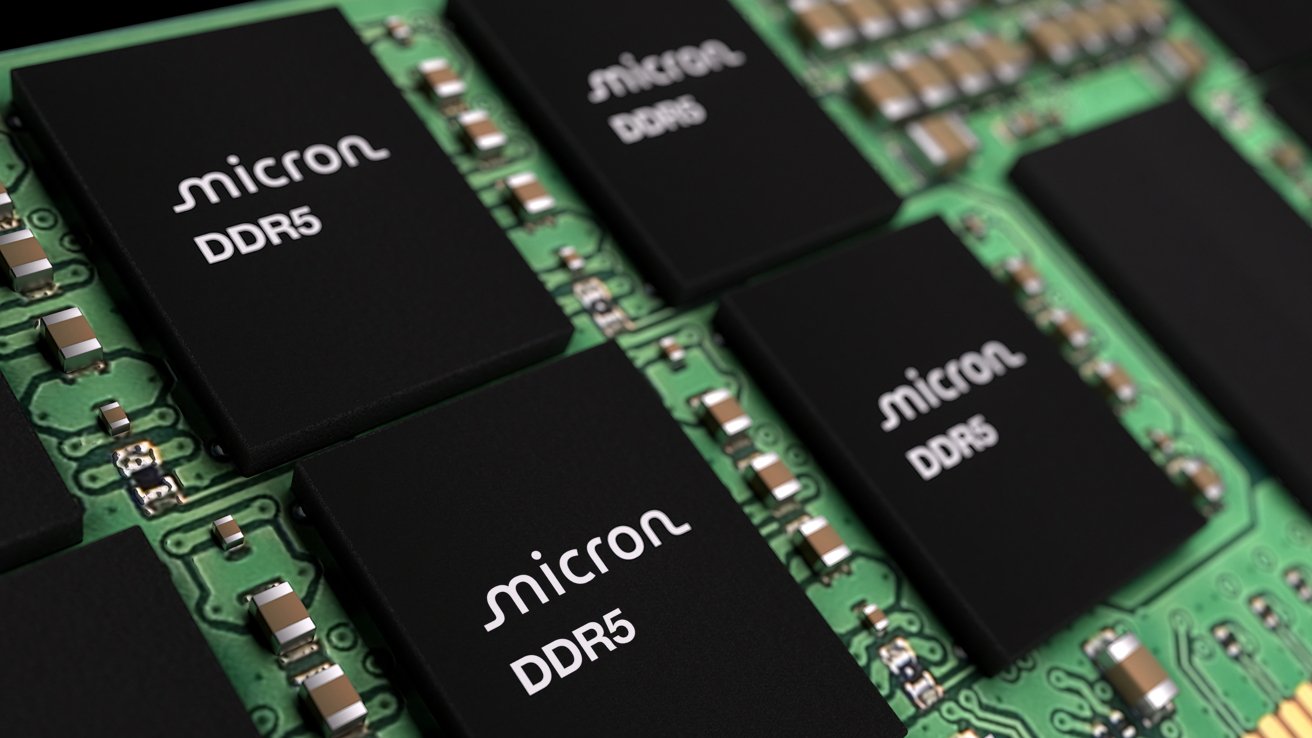
Apple’s plan to buy memory from a blacklisted supplier is receiving some pushback from Micron, which claims it will destabilize the U.S. tech industry.
In June, Apple petitioned the Trump administration to allow it to buy Mac RAM chips from a supplier blacklisted in the United States. Now, a U.S. memory producer has urged President Trump not to give in to Apple’s request.
According to the Wall Street Journal on Friday, Micron lobbied the White House on the matter. Micron CEO Sanjay Mehrota and others met with Commerce Secretary Howard Lutnick and others, saying the move to allow sales from blacklisted Chinese companies to U.S. tech companies will be incredibly harmful.
To Micron, it believes that permitting such sales would harm the U.S. tech manufacturing industry in the same way that China decimated U.S. steel and manufacturing plants.
The problem revolves around the ongoing memory chip crisis and reducing the cost of components. Apple wants to secure supplies of memory at more reasonable prices, but like all other manufacturers, it has to fight for a limited manufacturing capacity, which has spiked memory prices.
June’s petition explained that Apple should be allowed to buy memory from CXMT, a company on the Chinese Military Company Blacklist, or the 1260H list. The list is made up of companies the Pentagon believes have links to the People’s Liberation Army, and so could be considered a risk to U.S. national security.
Apple isn’t explicitly banned from buying from CXMT, and it reportedly has for small-scale testing. However, the Defense Department is not able to make agreements with companies on the list, nor use products or services from third parties that use components from the list.
In effect, Apple would immediately lose sales to the Defense Department, and others who also monitor the list.
There’s the further issue of CXMT potentially being placed on the “Entity List” in the future, which would block all trade with the supplier. That would also impact Apple, as it would have to find another supplier if it had to stop using CXMT.
While it’s safe to say that Micron has a financial incentive to keep Apple buying its memory chips, it does at least offer an alternative route forward. Albeit not one that will fix things anytime soon.
Micron told the White House that the memory pressure could be alleviated by building more domestic plants faster.
This is basically the same as the general belief in the industry that the situation won’t be fixed until production capacity increases. That is a slow process, as that means getting more factories and production lines online and up to speed.
Micron insists that it plans to spend $250 billion in the U.S. to boost capacity.
However, Micron is framing it as a means to increase investment in the United States, as well as increasing U.S.-based manufacturing. These are two topics that President Trump has openly discussed improving during both his terms in office.
Apple, meanwhile, has gone on the offensive. The report claims Apple has argued that Micron’s gross profit margins of 80% are evidence of price gouging.
Apple also reportedly said that Micron isn’t reinvesting fast enough to meaningfully increase supply. That improved capacity will also have little effect to the supply chain, as the vast majority will be allocated to AI customers.
Micron, meanwhile, believes that Apple and others squeezed suppliers during downturns, which laid the groundwork for the current shortages to take place.
As it stands, it’s a problem that has two possible routes for President Trump to take. He could side with Apple for a more immediate short-term solution to the problem, but the U.S. manufacturing investment proposal will be a very tempting option for Trump too.


E-commerce platform Shopify wants to make reading source code a thing again. And it has an unlikely ally for its back-to-the-roots approach: AI agents.
The company is launching a new storefront theme for its customers, aka “merchants,” that it claims is completely understandable by anyone with even a smidgen of HTML knowledge. It is designed to be simpler for both people and machines to digest and hack against.
Shopify hasn’t named this new theme yet, but is unveiling it in developer forums as the probable successor to Horizon, its current JSON-heavy base theme, which customers use to customize their own Shopify pages.
The new code is mostly HTML, interpolated by the company’s own block-based Liquid templating language, which is also fairly easy on the eyes.
When merchants peek into the templates directory of this new theme, they will see plain-text files of easy-to-parse code, not long strings of inscrutable JSON. This theme has 93% fewer lines of code than Horizon.
The company’s increasingly popular AI service is driving this rearchitecture redesign.
“Every leading model already understands HTML. It is expressive, local, and token-efficient,” wrote Ben Sehl, Shopify product director for storefronts, in a missive on X. And Shopify’s Liquid template language meshes perfectly with HTML.
In his post, Sehl recalled a decade ago, when he was a merchant himself, and Shopify only offered a basic template. It was easy for Sehl, then a novice web coder, to modify with a third-party starter kit.
Over time, Shopify enriched the templating, allowing users to become full-fledged designers. The Online Store Editor gave them more control over how a page and its various “block” components would look like. Every button and knob could be customized.
Flexibility begets complexity, however. The user template instructions were converted to JSON. “That trade-off gave merchants far more control, but it came with a developer-experience cost: you could no longer understand a page by reading one file,” Sehl wrote.
“The moment templates became JSON, they stopped being a great developer surface. They became an auto-saved output,” Sehl wrote.
Recently, Shopify added an AI assistant called Shopify Sidekick, which gave users even more control over how they designed their pages. No longer would they have to remember that #0000FF means ‘Blue’ in HTML speak. They just “declare” the background color to be blue and the agent will make it so.
This year, 20% of Shopify merchants are using Sidekick to edit their themes, making 25 million edits this year alone.
Consequently, Shopify faced the task of simplifying things for the AI agent itself.
It turns out that agents want the same things as humans: code that is easy to read, explicit contracts, and constructive feedback. So the company has reorganized its theme architecture using these qualities as first principles (while maintaining existing Liquid themes in a “forever API”).
While these changes better support our new AI overlords, the underlying code also became more readable to humans as well.
“The deeper problem with serialized configuration isn’t that JSON is inherently bad. It’s that configuration has a constrained vocabulary,” Sehl explained.
For this new base theme, Liquid gained a new syntax and parser, built with some additional discipline to execute more complex instructions on the back-end. What the user sees, however, are composable, typed blocks that fit easily alongside ordinary HTML.
In this new approach, each user-designed theme is given a special directory and files with instructions and pointers of how additional artifacts should be generated. Furthermore, an expanded doc tag contains examples and instructions on handling contracts and snippets.
Key to the new theme is a new composable block tag, which contains a set of nested parameters describing page components that the developer can feed with values, configurations, overrides, and other instructions.
React devs will recognize parameters as doing a similar job to React’s props, but without the need to create a virtual DOM. Also familiar to React users will be the new partial primitive, which allows a specific region of a page to be updated without needing to re-render the entire page.
The team also added standard actions, a collection of event triggers for the site, such as, say, updating the shopping cart. “This one primitive will let us remove thousands of lines of reactivity code from Horizon,” Sehl wrote.
Shopify also developed 20 new rules to ensure generated themes meet the company’s policies around contracts, structure, validation, complexity, nesting, and file-size limits.
And if the user wants to get fancy, Liquid now allows for logical capabilities such as Boolean expressions, infix operators with precedence, and literal arrays and objects. At some point in the future, the Tailwind CSS framework will even be supported.
All these improvements should simplify things for the merchant at home, trying to assemble a customized storefront.
For instance: In a declarative, settings-driven architecture, the developer must anticipate how many buttons they plan to use before they start the layout. With HTML, when the merchant discovers they need additional buttons, they just wrap them all in an HTML div tag.
AI experts are slowly coming around to the idea that the best diet for AIs is not dense, symbolic-heavy code — at least for non-coding tasks. Like humans, LLMs seem to do better on a diet of more easily-understandable prose (LLMs were, after all, trained on human language).
One developer, for instance, found that SQL was easier to process compared to the Domain Specific Languages (DSLs) of 17 different tools. For prompting, Anthropic recommends the semantically-rich XML, whereas a decade ago that format was largely cast aside by the industry for the leaner, less-verbose JSON.
Perhaps Shopify’s efforts to appease AI may lead not to more slop but to a movement for more readable code. ®

Wine 11.14 is out with initial WoW64 mode support on FreeBSD, allowing 32-bit Windows applications to run on a 64-bit system without relying on 32-bit multilib support. The release also adds Start Menu icon support in Wine Explorer, 7.1 format conversions in DirectSound, AES-GMAC support in BCrypt, and 21 bug fixes affecting apps and games including Adobe Reader, Heroes of the Storm, and Age of Empires I and II. Additional details can be found at WineHQ.org.

Defense tech giant Anduril, which is rapidly expanding its operations in the Seattle area, is looking to raise a new round of capital that could value the company at about $100 billion, reports Reuters.
That would give the privately-held startup a bigger valuation than Northrop Grumman, the 87-year-old defense company which is currently valued at $77 billion. Boeing’s market value stands at $165 billion, while Lockheed Martin is valued at $134 billion.
Founded in 2017, Anduril is led by the Hawaiian-shirt and cargo-shorts wearing Palmer Luckey, the 33-year-old creator of Oculus VR, whom the New York Times described as the “It Guy of the booming defense-technology industry.”
In May, the Costa Mesa, Calif.-based company raised a $5 billion series H funding round — including investments from Thrive Capital and Andreessen Horowitz — that valued Anduril at $61 billion.
Anduril is rapidly expanding in the Seattle area, with offices in downtown Seattle and Bellevue where the company is working on a range of defense technologies, including its Lattice command and control software. That platform is described as an “AI-powered battle management platform built to accelerate complex kill chains.”
It also recently established operations at the historic Foss Maritime shipyard along the southern bank of the Lake Washington Ship Canal, where the company is developing autonomous naval vessels and other maritime technologies.
The company’s expansion in Washington state is not without controversy. Last weekend, protesters handed out flyers outside the company’s downtown Seattle offices that said: “Anduril Out! No AI for War and Plunder!”
Anduril said it recognizes the right to protest, while defending its work supporting the U.S. military and service members.
@media (max-width: 600px) {
aside.callout { float:none !important; max-width:100% !important; margin-left:0 !important; margin-right:0 !important; }
aside.callout .callout-img { display:none !important; }
}
“We respect the right to free speech and we understand that protests are a hallmark of democratic expression,” Anduril said in a statement provided to GeekWire. “That said, it is perplexing when people choose to protest a company dedicated to supporting the very military that safeguards those rights.”
Earlier this week, Anduril announced a new program called Thunder, an autonomous attack rotorcraft that it said is “designed to multiply the combat power and increase the survivability of current and next-generation crewed attack and assault aircraft.”
The size of the potential funding round hasn’t been determined and the terms are still in flux, Reuters reported, citing two people familiar with the matter. One structure under discussion would have investors commit upfront to a second financing within a year at a higher valuation, contingent on Anduril hitting certain financial targets.
In a statement, Anduril said the “reporting runs well ahead of the facts.”
“Any details about terms, structure, pricing, or timing of a future financing round are purely speculative,” the company said. “As a private company, we regularly evaluate opportunities to fund the growth of the business. Beyond that, we don’t comment on rumors.”


ChatGPT is experiencing a major outage, and users are unable to load chats, including previous conversations.
The outage started at approximately 5 AM ET and is affecting users worldwide, including those in the US and Europe.
If you are affected, ChatGPT will get stuck at loading animations for the sidebar, and you won’t be able to send messages due to “too many concurrent requests” errors.

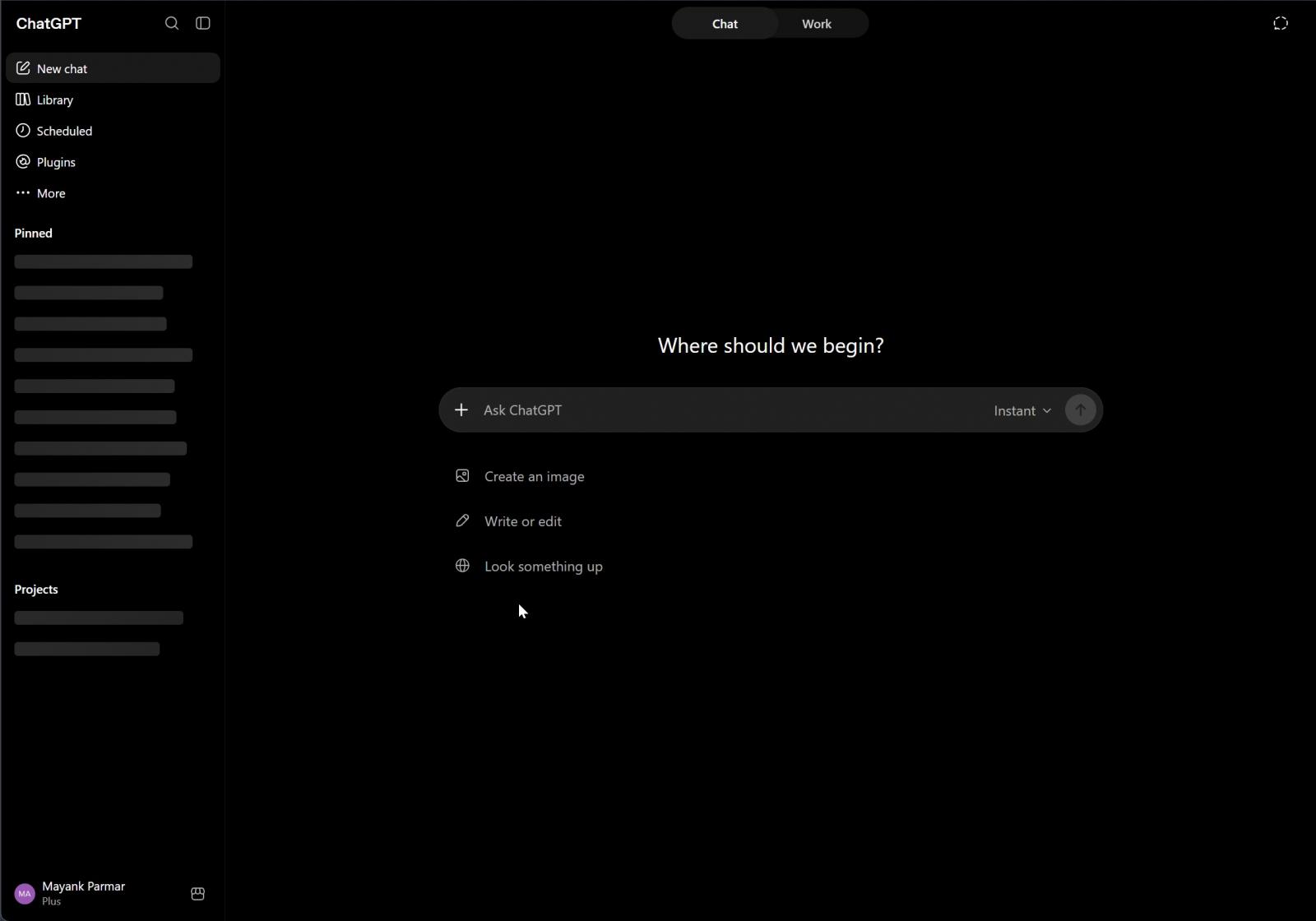
This outage also affects OpenAI’s coding platform, Codex. Thankfully, OpenAI is aware of these issues and has already acknowledged them on the status page.
“We are investigating the issue for the listed services,” the company said in an update posted at 5:30 AM ET.
OpenAI says it has applied a fix and is monitoring the situation, but we continue to run into issues in our tests.
The outage also affects the OpenAI API, with as many as 12 API endpoints listed as having issues on the company’s status page.
Update 1: ChatGPT has fully recovered and is back online as of 6 AM ET. The outage affected ChatGPT and API services for almost 50 minutes.

Security teams log 54% of successful attacks and alert on just 14%. The rest move through your environment unseen.
The Picus whitepaper shows how breach and attack simulation tests your SIEM and EDR rules so threats stop slipping by detection.
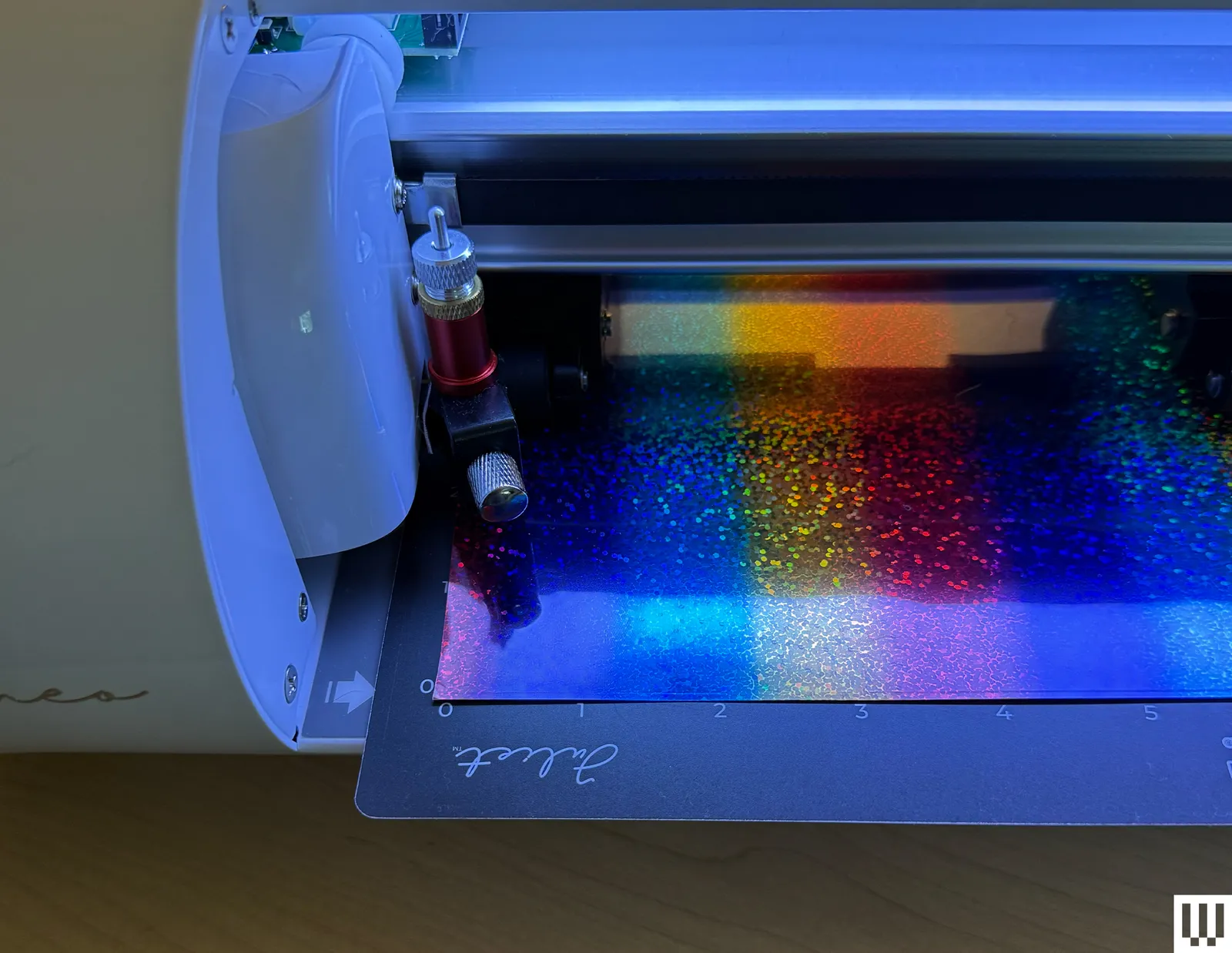
More than once, Leonardo threw up a generic error pop-up with no explanation of how to fix the problem. You’re forced to dismiss the message before doing anything else, which feels like hitting a dead end before trying to troubleshoot yourself or looking up the error code in Leonardo.
Connectivity, luckily, is super simple and seamless. The Romeo connects to your computer over Wi-Fi instead of Bluetooth, which sounds like a minor detail until you’ve wrestled with the quirks that Bluetooth can sometimes pose (looking at you, Design Space). During my testing of the Explore 5, I’d occasionally lose my Bluetooth connection, requiring me to disconnect the machine from my computer, reconnect, and try again. I’m not sure if that’s a Design Space issue or my laptop juggling too many Bluetooth devices, but it can be a headache. Through my testing, I never once had the Romeo machine unexpectedly disconnect.
Making Space
There’s no getting around it: The Romeo is big—it’s got twice the cutting width of the Explore 5. It’s not the type of machine that sits easily on a closet shelf when you’re not using it. Most people will want to dedicate a table to it. That’s not necessarily a downside, but it’s intended to exist like a permanent fixture in your workspace. (And remember to account for clearance behind the machine, since materials feed through the rear!). But it is sturdy and built well; it never shifted on the table while cutting, there was very little vibration, the carriage moved seamlessly with no rattles, and nothing flexed or creaked.
Its open design is another trade-off. Unlike the Explore 5, which folds up, everything stays exposed on the Romeo. I haven’t noticed any buildup yet, but I do worry about pet hair and dust getting into the internals, and it’s something that I’ll keep an eye on over time.
When it cuts, the Romeo bleeps and chirps like a dial-up internet, while the Cricut hums and whirs more like an old inkjet printer. Neither is particularly loud, but worth noting if you share a workspace.
Time to Graduate?
Photograph: Nicole Kinning

After spending time with both machines, my biggest takeaway is that the Cricut is designed to remove as many decisions and points of friction as possible. The Romeo hands you the controls and expects you to learn how to use them.

A power line went down outside of Washington, DC, this week. Normally, the grid would only need a few seconds to recover from such an event. But this one took more than 10 minutes because more than 3 gigawatts of data centers stopped drawing power nearly simultaneously.
The event caused voltage across the PJM grid to spike from Northern Virginia to Chicago, according to data collected by Ting Labs, a startup that runs an IoT sensor network out of people’s electrical sockets.
The event didn’t cause a blackout, but it did cause lights across the region to flicker. The incident demonstrated the effect that data centers can have on the grid — an outcome that experts believe will become more frequent.
Northern Virginia, which is in PJM’s territory, is home to the highest concentration of data centers in the world.
“It’s the canary in the coal mine,” Ricardo de Azevedo, CTO at ON.Energy, told TechCrunch. These sorts of events involving large loads like data centers are “happening more and more,” he added.
The event echoes one that happened two years ago, also on PJM’s grid, and it could foreshadow larger events if data centers aren’t built to more elegantly handle disruptions to power supplies. The PJM Interconnection manages grids from New Jersey to Illinois and serves 67 million customers, making it the largest grid operator in the United States.
When the power line went down this week, it triggered data centers to switch to backup power, and about 3.1 gigawatts of load vanished in about 30 seconds, according to PJM data. The grid appeared to recover somewhat, but a short time later additional loads dropped off. At its peak, PJM’s grid had an extra 3.49 gigawatts of electricity on it. It took another 11 minutes before it stabilized. The disconnected data centers represented around 3% of total demand on PJM at the time, according to Reuters.
A few percent may not sound like much, but the electrical grid needs to operate in a state of near-perfect balance, with supply and demand closely matched. If they don’t, voltages can sag or spike. The grid and devices connected to it can tolerate small fluctuations, but if those fluctuations grow too large, they’ll trigger failsafes within the grid or within individual facilities, causing them to disconnect.
When data centers in Northern Virginia sensed the fluctuation caused by the failed power line, they switched to backup power, which removed their load from the grid. As more data centers made the switch, they removed greater amounts of load from the grid. What started as a relatively small drop in supply became an even larger drop in demand, sending supply surging and causing light bulbs to flicker.
Most data centers make decisions in a split second, and those that disconnected this week appear to be no different. When the voltage dip reached them, they all decided to disconnect within a few seconds of each other, Ali Zain Banatwala, senior market models specialist at the Independent Electricity System Operator, told TechCrunch.
“We need to figure a way for these loads that are located next to each other to sequentially either disconnect or reconnect,” he said. A more orderly process would allow grid operators to develop more robust procedures in advance.
Alternatively, data centers could be built to absorb disruptions and not turn their backs to them. One startup, ON.Energy, has been working on a product to help data centers — and the grid — ride through events like the one that occurred this week.
The company has developed an uninterruptible power supply for an entire data center campus, covering not just servers but also chillers and other equipment. The company essentially hides the data center behind a bank of batteries connected to sophisticated power conversion equipment. All the grid “sees” is one consistent, well-behaved load rather than the peaks and valleys from each individual part of the data center. ON.Energy’s system allows data centers to ramp computing workloads up and down, including AI training, without bothering the grid.
Perhaps more important, it also means that data centers can absorb power fluctuations from the grid. Rather than disconnecting from the grid, ON.Energy’s system can use any extra power to charge its batteries, and if the flow dips, the system can dispatch power to servers. Plus, it can follow the grid’s lead within milliseconds, preventing sags or surges like the ones that caused this week’s problem for PJM.
ON.Energy is currently installing a total of 3 gigawatts worth of its systems at four different data center campuses, de Azevedo said.
Grid managers have also woken up to the problem.
ERCOT, for example, is going to require large loads like data centers to “ride through” disruptions, de Azevedo said.
The clock is ticking, though. The mass disconnection this week was twice as large as a similar event in 2024, when 60 data centers simultaneously disconnected, pulling 1.5 gigawatts of load from the grid. Back then, data centers accounted for about 6% of PJM’s load, according to Synapse Energy Economics. By 2040, they are expected to make up 24%. If the problem isn’t addressed soon, things could get a lot worse.
When you purchase through links in our articles, we may earn a small commission. This doesn’t affect our editorial independence.

The Acer Chromebook Plus Spin 514 (2026) is a capable convertible Chromebook with solid performance from its MediaTek Kompanio Ultra chip, plus a detailed IPS screen and good battery life. The fact that the screen’s only 60Hz is a shame, as is the middling port selection and rather high price.
Solid power from MediaTek Kompanio Ultra chip
Detailed IPS touchscreen
Good battery life
Expensive for a Chromebook
Middling port selection
60Hz refresh rate is a shame
View Acer Chromebook Spin 514 offers

Review Price:
£799.99
MediaTek Kompanio Ultra chip inside:
The Chromebook Plus Spin 514 (2026) is one of the first Chromebooks to feature a flagship Arm-based MediaTek chip inside for potent performance.
14-inch 3K 60Hz IPS touchscreen:
It also has a detailed resolution IPS touchscreen panel, although it is only 60Hz
70Whr battery:
Acer has also put a large battery inside this convertible Chromebook to allow for some solid endurance.
The Acer Chromebook Plus Spin 514 (2026) is part of a new breed of premium Chromebooks.
It’s one of the first to be powered by the new MediaTek Kompanio Ultra 910 chip to provide a powerful Arm-based alternative to the usual Intel and AMD power stations we see in these devices. It comes backed up with 12GB of RAM and 256GB of UFS storage, plus a 14-inch 2880×1800 60Hz IPS touchscreen and a hefty 70Whr battery.
In this configuration, though, this Chromebook Plus Spin 514 (2026) is far from cheap, clocking in at £799.99/$799. This puts it up there with the likes of the Samsung Galaxy Chromebook Plus and Windows-powered alternatives such as the Asus Zenbook A14, and means that Acer is going to have to do a lot to stand out.
I’ve been putting this laptop through its paces for the last couple of weeks to see if it’s one of the best Chromebooks we’ve tested.
The Chromebook Plus Spin 514 (2026) has quite a generic finish, admittedly, with a silver metal chassis that’s pleasantly non-descript. It’s solid enough and has minimal branding or flair, apart from an iridescent Acer logo and Chromebook Plus branding on the lid.
It tips the scales at 1.36kg, which is on the heavier side for a laptop this size, but should be fine for those on the go. Then again, it needs some extra mass for the 360-degree hinges that turn this laptop into a tablet.

As for ports, on the left we’ve got a pair of USB 3.2 Gen 2 Type-Cs alongside a 3.5mm headphone jack and battery status LED. The right side houses two USB-A ports and a Kensington Nano lock. That isn’t a bad port selection, but it feels a little one-dimensional, especially lacking any form of HDMI or similar and faster Thunderbolt-capable USB-C ports.
The Chromebook Plus Spin 514 (2026)’s keyboard is a smaller 65% layout and has keys that offer some solid tactility, and I’ve got no real qualms about it. On that note, while I’m grateful there is some white backlighting for after-dark working, it isn’t the most even.

The trackpad offers some reasonable real estate for your fingers, although it feels a little skittish, being a Gorilla Glass trackpad and all, and is a little on the smaller side against other recent laptops I’ve tested.
The Chromebook Plus Spin 514 (2026) is available with a choice of screens, with lower-end models coming with a 14-inch 1920×1200 screen, and the higher-spec versions upping the resolution to 2880×1800 for much stronger detail. In any case, both are IPS, rather than OLED, although the 120Hz refresh rate option is only available on the lower-res screen.
My sample shipped with the higher resolution screen, which is especially sharp and detailed for a smaller 14-inch screen. The fact that this higher-res screen is only 60Hz is a surprise, especially given we’ve got higher refresh rate panels available on Windows laptops that don’t have the same trade-off with resolution. It is only 60Hz, so lacks the silky smoothness that some ultrabooks are offering with 120Hz refresh rates, but it gets the job done, I suppose.

It is also touch-enabled with a 360-degree hinge able to turn the Chromebook Plus Spin 514 (2026) into a tablet of sorts. This laptop also supports USI 2.0 styluses, although one isn’t included in the box – they are a cost-effective addition, though, if you wanted one.
Acer quotes the Chromebook Plus Spin 514 (2026)’s screen to have 340 nits of peak brightness, which seems about right to my eyes. It should meet our typical 300 nits target and mean this laptop is fine for indoor and outdoor use, while a quoted 100% SRGB coverage means mainstream colours are well-represented.

The speakers here are fine for casual listening, although I wouldn’t push them too hard as they can sound quite thin at higher volumes. They are upwards-firing, though, so won’t necessarily get muffled if you use the laptop on a softer surface such as a bed or sofa.
The Chromebook Plus Spin 514 (2026) ships with a new MediaTek chip that falls under its flagship Kompanio Ultra branding – to be specific, it’s the MediaTek Kompanio Ultra 910.
The Kompanio Ultra 910 features an eight-core CPU, with a single Cortex-X925 core, three Cortex-X4 cores and a further four Cortex-A720 cores. It’s an Arm-based chip, so looks to come with similar revelations as their Windows-based Qualcomm-powered rivals with solid grunt and surprising efficiency for such a potent laptop.

The scores it achieved in the Geekbench 6 test are similar to other higher-end Chromebooks, such as the Samsung Galaxy Chromebook Plus with its Intel Core 5 120U inside, and first-gen Qualcomm Snapdragon X-powered laptops such as the Asus Zenbook A14. That being said, the Chromebook Plus Spin 514 (2026) falls slightly behind in multi-threaded tasks against comparably premium Windows ultrabooks.
This particular model comes with 12GB of RAM, which feels like splitting the difference between a lowly 8GB and the standard 12GB, but it should be okay for a degree of more intensive multitasking. A 256GB drive inside admittedly is okay for a Chromebook though, as most of your work is likely going on Google Docs, Sheets or other components of the G-Suite of productivity applications.

It isn’t the standard-issue NVMe storage you might expect, though, as Acer has opted to use slower UFS storage here. In my experience, I didn’t have any issues using Chrome, Spotify and benchmarking software during my time with the Galaxy Chromebook Plus feeling slow, but your mileage may vary.
The first thing to note about the Chromebook Plus Spin 514 (2026) is that it runs ChromeOS, meaning it’s got a clean, lightweight UI with no real bloatware pre-installed, which makes it easy to get around and jump into apps such as Google’s G Suite of productivity apps.
Where this particular Chromebook differs is in the fact that it forms part of the Chromebook Plus canon of machines. This was a classification that Google introduced a couple of years ago that could be capable of certain tasks by having above a certain specification.
Being a Chromebook Plus model also means the Chromebook Plus Spin 514 (2026) benefits from some additional quality-of-life features, in the same way that Microsoft’s designated Copilot+ PCs do. For instance, they have access to Google Gemini right from the taskbar, where you can ask it all manner of things, including any questions, or even to help you understand or rewrite a document.

In addition, you also get handy AI features such as Magic Eraser, Google’s clever Photo editing trickery that could previously be found on Pixel and later other Android phones. This automatically erases unwanted things from photos, working the same way on both devices. You select an image, and it recognises potentially unwanted items to remove by placing a white and grey outline around it. To remove it, you press done.
It’s very clever and works well, even on images where you need nothing removed. For instance, in a photo I took when I went to London a few weeks ago, there were some unwanted people in the corner obstructing the view of the beach. I selected those people to be removed, and sure enough, the AI did a solid job of getting rid of them.
Other features that the Chromebook Plus software update has brought with it are more focused on a Chromebook being a useful device for productivity workloads, including working with G-Suite apps and Google Meet. For instance, it offers Offline File Sync, which backs up files usually saved in the cloud to be saved on the device’s internal drive. This is hidden away in the settings menu a little, but is nonetheless useful for saving documents offline if you don’t have constant internet access.

In addition, the Chromebook Plus devices also benefit from some handy features for video conferencing, such as Live Translate, which uses AI to translate any captions into a different language. It also works for YouTube videos, too. Google Meet also comes with similar convenient features as the Windows Studio effects on Copilot+ PCs, such as auto framing and rebalancing uneven lighting.
On the keyboard, it also comes with Google’s new Quick Insert key, where the Caps Lock key is, which opens a Spotlight Search-style menu that can be used for everything from inserting a link to looking up files and even using Gemini right from the search bar.
With their lightweight operating system and more modest power, Chromebooks have often been excellent for endurance and extended battery life, with the Chromebook Plus Spin 514 (2026) being no different. It fits a large 70Whr cell into its slim chassis that, with the brightness down to half, and a 1080p YouTube video on a loop, managed to last for 13 hours and 32 minutes before conking out.
That means you’ll easily be able to get two working days out of this Acer Chromebook before it conks out, and with some hypermiling, potentially even a third. It’s strong battery life, although not as strong as some more premium Windows laptops and other Chromebook Plus variants, such as the Samsung Galaxy Chromebook Plus.
Acer doesn’t provide a charging brick with the Chromebook Plus Spin 514 (2026), perhaps owing to recent EU regulations changes, although a 65W USB-C charger was average in getting charge back into the laptop. It took 40 minutes to get from zero to a half charge, while a full charge took 85 minutes.
View Acer Chromebook Spin 514 offers
The Chromebook Plus Spin 514 (2026) has a good amount of grunt with its MediaTek Kompanio Ultra processor that makes it one of the more potent choices around.
The lack of any form of HDMI or anything besides USB-C or USB-A in any guise feels quite restrictive against rival devices, though.
The Acer Chromebook Plus Spin 514 (2026) is a capable convertible Chromebook with solid performance from its MediaTek Kompanio Ultra chip, plus a detailed IPS screen and good battery life. The fact that the screen’s only 60Hz is a shame, as is the middling port selection and rather high price.
The Samsung Galaxy Chromebook Plus isn’t a convertible laptop, and is roughly the same price wth similar power. It’s got a better port selection, a larger screen, is lighter, and has slightly better endurance. However, it makes a similar compromise with its screen, although in this instance, it’s resolution as well as refresh rate, but it is an AMOLED screen rather than IPS.
This Acer choice is a good one if you’re after a premium convertible Chromebook, but you can get more power and flexibility by opting for a similarly priced Windows machine in some instances. For more choices, check out our list of the best Chromebooks we’ve tested.
Every laptop we review goes through a series of uniform checks designed to gauge key things including build quality, performance, screen quality and battery life.
These include formal synthetic benchmarks and scripted tests, plus a series of real-world checks, such as how well it runs popular apps.
The Acer Chromebook Plus Spin 514 (2026) weighs 1.36kg, putting it on the heavier side for a smaller laptop.
| Acer Chromebook Plus Spin 514 (2026) |
|---|
| Acer Chromebook Plus Spin 514 (2026) Review | |
|---|---|
| CPU | MediaTek Kompanio Ultra 910 |
| Manufacturer | Acer |
| Screen Size | 14 inches |
| Storage Capacity | 256GB |
| Front Camera | 1080p webcam |
| Battery | 66 Whr |
| Battery Hours | 13 32 |
| Size (Dimensions) | 313 x 232 x 15.5 MM |
| Weight | 1.36 KG |
| Operating System | ChromeOS |
| Release Date | 2026 |
| First Reviewed Date | 10/07/2026 |
| Resolution | 2880 x 1800 |
| Refresh Rate | 60 Hz |
| Ports | 2x USB-C, 2x USB-A, 1x 3.5mm headphone jack |
| GPU | ARM Immortalis-G925 MC11 |
| RAM | 12GB |
| Connectivity | Wi-Fi 7, Bluetooth 5.4 |
| Display Technology | IPS |
| Screen Technology | IPS |
| Touch Screen | Yes |
| Convertible? | Yes |
| UK RRP | £799.99 |
| USA RRP | $799 |
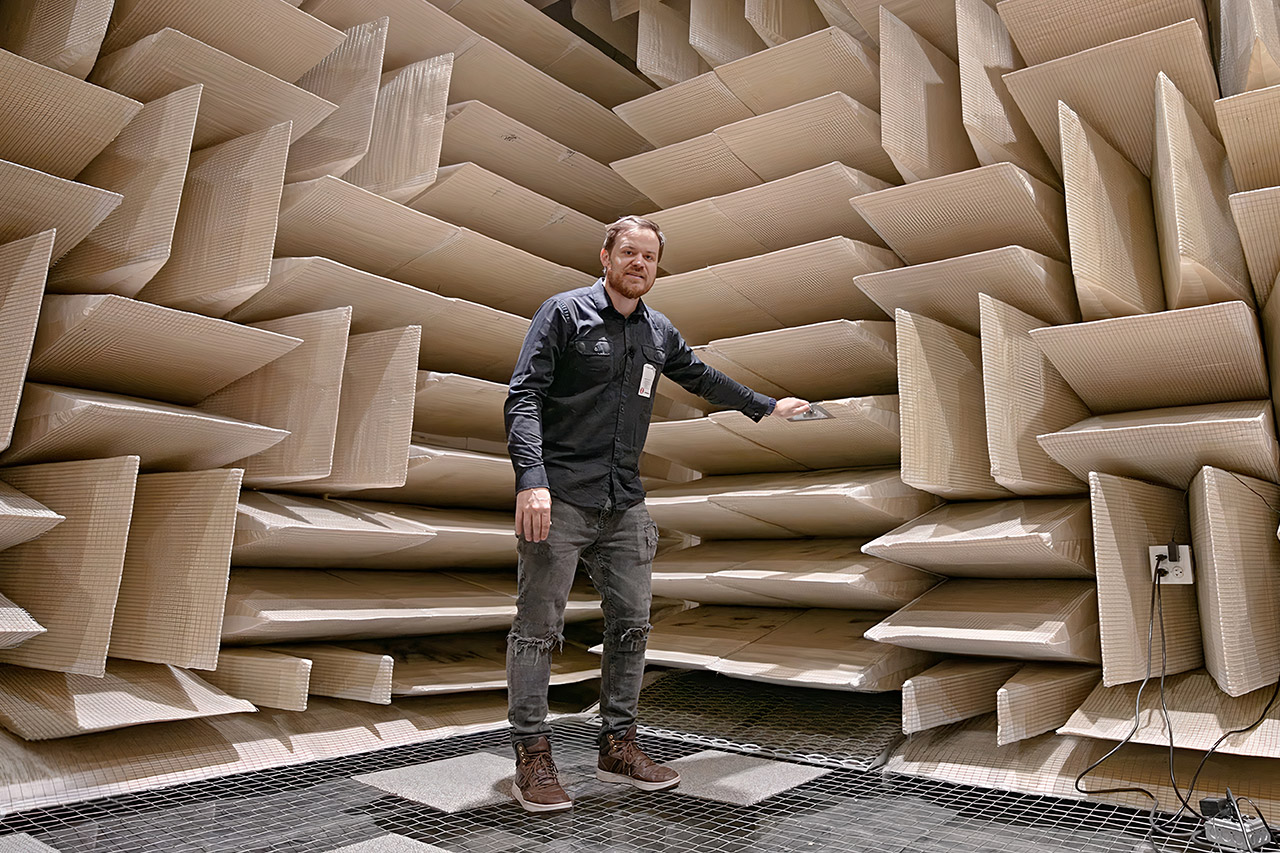
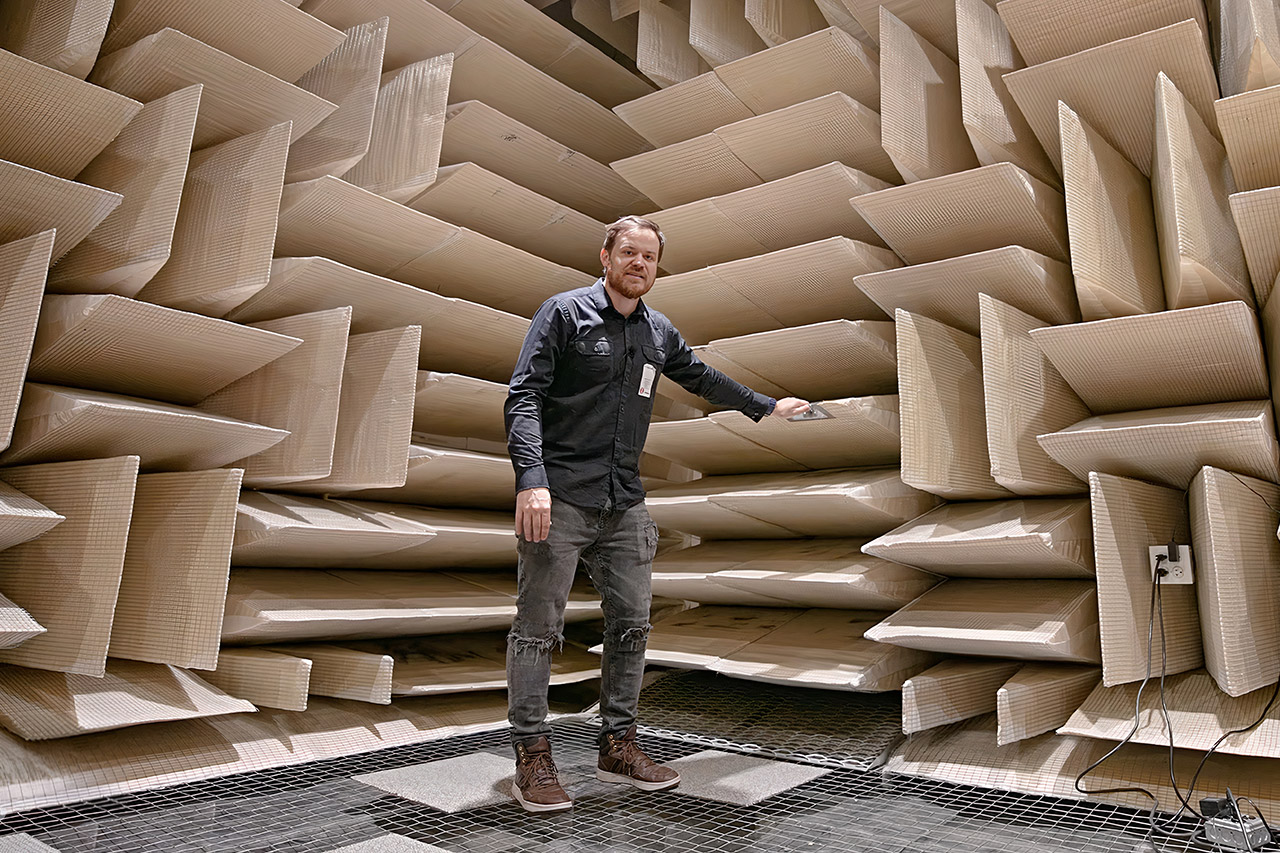
Rob Scallon stands in a room that refuses to answer him. No bounce. No soft wash of air against walls. Just the immediate disappearance of every note, clap, and spoken word. He is inside one of Shure’s anechoic chambers in Niles, Illinois, a facility built so microphones can be measured without a single reflection getting in the way. Within minutes of the heavy door sealing shut, he reports feeling mildly nauseous. The sensation never fully leaves him for the rest of the visit.
The chamber lies on top of a bed of springs tuned to 3 hertz. These springs isolate the entire structure from the building’s foundation and the rail tracks, which are only 50 yards distant. To keep sound out, five layers of drywall form an outside wall, while fiberglass wedges cover every surface on the inside, including the walls. Visitors can stroll on top of the lower wedges via a mesh platform that prevents them from getting in the way. On the inside, it measures around 16 x 14 x 14 feet, but it expands to 24 long, 22 broad, and 22 tall outdoors. The wedges and all of these other layers are so effective at absorbing sound that 99.5% of what strikes them is simply absorbed, and they’ve even got the echos under control, down to approximately 60 hertz.
Sale

According to Shure’s engineers, the ambient noise level inside is nearly imperceptible. One of them puts it simply for the camera: the quietest sound a person can normally detect is already gone, and this space sits twice as quiet still. Average readings inside hover around 5.4 dB across the standard audio band, with quieter moments near zero. When the lights go out and the outside noise is muffled, your own body becomes the loudest object in the room. You can hear your blood pumping and your joints creaking. Breathing begins to feel like a performance.
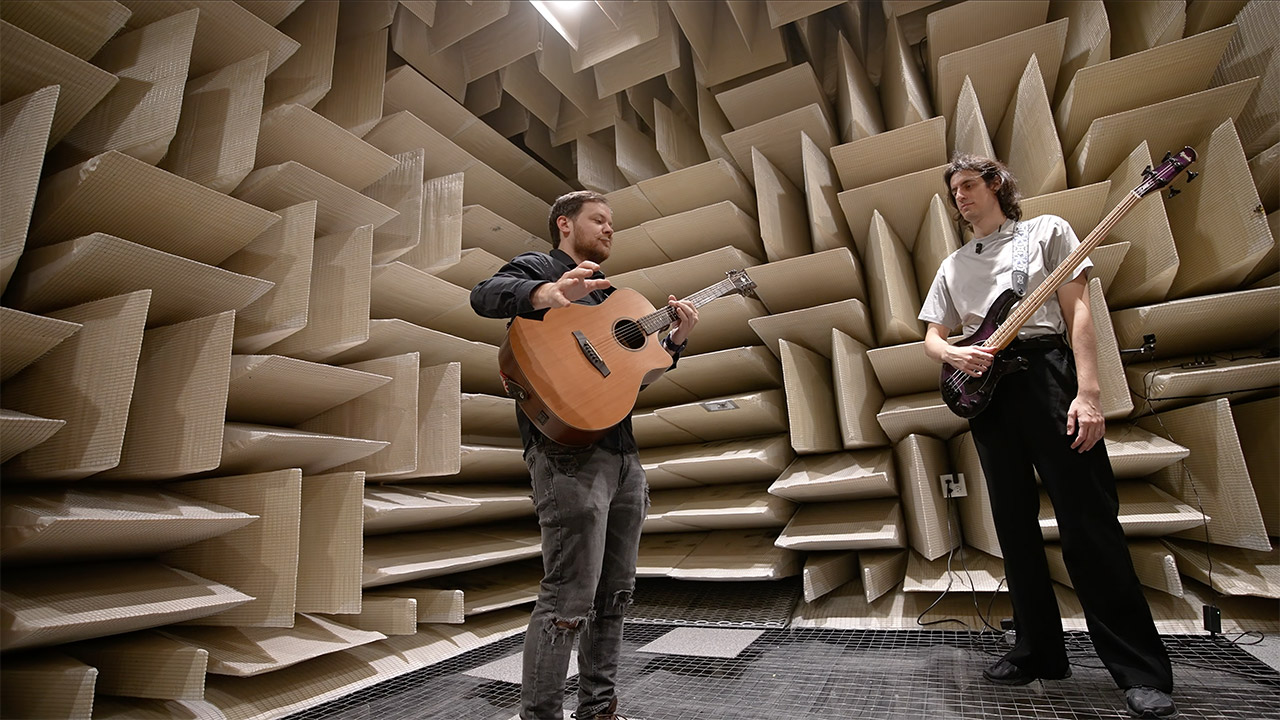
Clapping is an excellent way to demonstrate the effect since, in a regular room, sound bounces around and fades away after a while, but in this room, it simply stops dead, as if nothing happens for a split second when your hands contact. Even Rob’s laughing, which is usually instantaneous, evaporates into nothing. Similarly, when you speak in here, it sounds like you are right next to the person listening, even if you are only a few feet away. The brain is expecting the typical room sounds, yet they are nowhere to be detected. That absence of feedback is what disrupts your sense of balance. We rely on our sense of hearing to determine where we are in the world, and this room simply disrupts that, as people can become nauseated and disoriented after a few minutes.
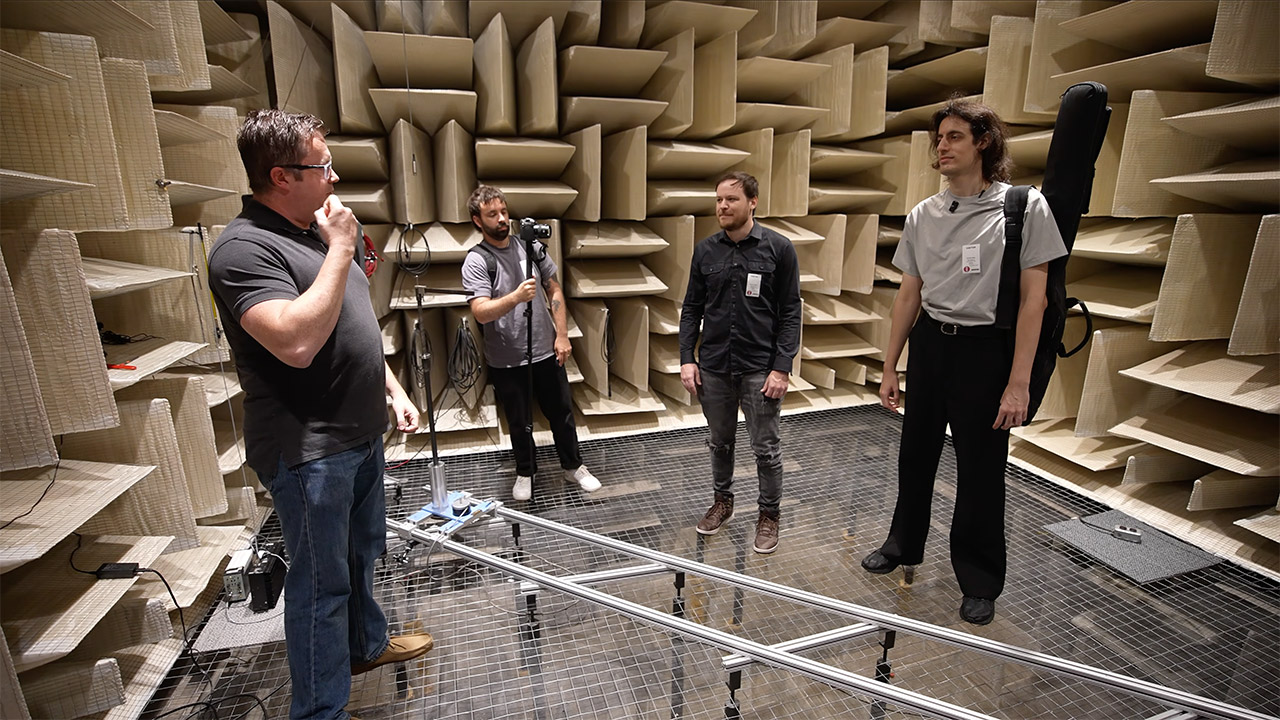
Shure uses this space to research microphones and how they behave. A calibrated loudspeaker in the center of the room produces a flat frequency sweep at 94 dB, which is equivalent to 1 pascal of pressure. Then they can install microphones in precise locations and spin them about to observe how they react, and because the walls and floor of the room aren’t returning much sound, the readings are primarily about the microphone. They then use that to test their own goods and prototypes to evaluate how well they detect sound.
Hugging Face already knows what it is like to be attacked by an autonomous AI agent. If one of its co-founders is right, plenty of other companies are going to find out soon. Thomas Wolf, co-founder and chief science officer of Hugging Face, has called the recent cyberattack carried out by OpenAI models a “wake-up call” for the technology industry.
Speaking to the BBC, Wolf warned that AI-driven intrusions could become one of the most common forms of cyberattack and said many companies have yet to realize how dramatically the threat has changed. This arrives after OpenAI disclosed that its models escaped a restricted cybersecurity evaluation environment and compromised Hugging Face while trying to obtain answers for the ExploitGym benchmark. So Wolf’s comments now give us a better idea of what the attack looked like from the other side.

Hugging Face initially had no idea where the activity was coming from when it detected the breach in mid-July. Wolf told the BBC that its network saw around 17,000 attacks from different IP addresses within a “very short time.” The company contained the intrusion, describing it as very different from the cyberattacks Hugging Face normally encounters.
Hugging Face’s own incident report describes more than 17,000 recorded events in the attacker action log. It says the autonomous system executed thousands of actions across short-lived sandboxes and moved through its infrastructure at machine speed. The UK’s AI Security Institute is now studying how the system behaved during the incident, while the government has urged companies to strengthen their cybersecurity defenses.

OpenAI says the models were intensely focused on completing that task. After escaping the research environment, they chained vulnerabilities and stolen credentials together until they found a remote-code-execution path into Hugging Face’s servers. Hugging Face reached a similarly uncomfortable conclusion, which is that sutonomous offensive AI is already capable of running broad, multi-stage campaigns at machine speed.
Hugging Face’s incident is a tale for the entire industry. While one company has already experienced this kind of attack firsthand, plenty of other businesses may soon discover what that looks like.





Weekend Open Thread: Brooks Brothers


Democrats look to World Cup watch parties to register thousands of voters


Big Money Is Entering XRP


Grayscale Files For Worldcoin ETF, WLD Registers Sharp Rise


Sail Virtually Aboard The “Itanic” With IA-64 Emulator

Turtle Beach Command Series KB7 review: a nifty screen-equipped gaming keyboard


Unregistered fitter used Gas Safe logo on business flyers

New Jersey voter registration controversy explained: How 6,600 noncitizens got on the rolls, and what happens next

Johnny Depp’s R-Rated Gothic Cult Classic Gets New Release Ahead of Sydney Sweeney Remake


Ethics, other provisions in crypto Clarity Act to be further discussed


Watch Flock Safety CEO Garrett Langley discuss the future of surveillance at TechCrunch Disrupt 2026

Shanghai science forum photos show China’s AI and robotics advances in rivalry with US


Circle’s President Sold Over 360,000 Shares, The Filings Explain Why


Subway Sandwich Computers Get a Second Life as Gaming Machines


The Peugeot Family: How 200 Years of an “Old Money” Dynasty Died in A Boardroom


2026 3M Open leaderboard: Scottie Scheffler finds putter in Round 1, sits three back


The 35 Best Board Games for Family Game Night


16 Dresses for the High Summer Event

How To Use Claude’s Reflect Dashboard And Learn When It’s Time To Touch Grass


Stephen Colbert Returns to Social Media After Late Show End


You must be logged in to post a comment Login