Connect with us
DAPA Banner

Tech

From Bot Signups to Account Takeovers

Published

on

A bot conducting fraud

Modern fraud attacks look like a relay race where different tools and actors handle each stage of the journey from signup to cash-out.

When you only inspect one signal at a time, such as IP or email, attackers simply shift to a different part of the chain and still succeed.

Bot characteristics

Anatomy of a Modern Fraud Chain

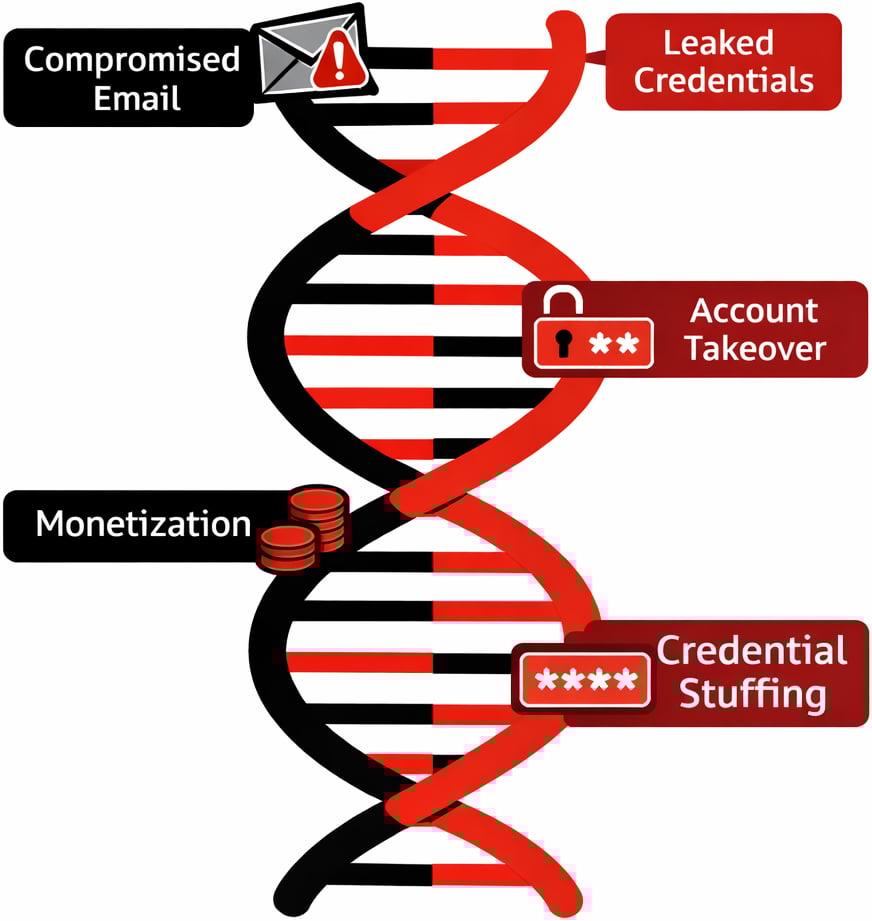
A typical attack chain starts with automation to create scale. Attackers use bots and scripts to open large numbers of accounts with minimal human effort, often rotating infrastructure to avoid rate limits and simple bot rules.

Those bots are usually powered by “aged” or compromised emails and leaked credentials so that every account looks like it belongs to a long standing user instead of something created yesterday.

Advertisement

Residential proxies then mask traffic behind real consumer IP ranges, making traffic appear like normal home users rather than data centers or known VPN services.

Once those accounts are established, they shift tactics from automation to slower, human driven sessions to blend into normal usage.

At this point the chain reaches account takeover and monetization, using malware links, phishing, and credential stuffing outputs to log in, change details, and push through high value transactions.

Throughout this lifecycle, the tools are mixed and matched. A single actor may move from a headless browser and proxy at signup to a mobile device emulator and different proxy provider at login, then hand off access to another party who specializes in draining funds or exploiting promo campaigns.

Advertisement

This is exactly why a point in time, single signal check rarely tells the full story
Bot DNA

False Positives from Siloed Checks

When teams lean on one dominant signal, such as IP reputation, false positives become a daily problem. Legitimate users on shared Wi Fi, mobile carrier NATs, or corporate VPNs can inherit the poor reputation of a small number of bad actors on the same ranges, even though their intent is clean.

Blocking by email alone has similar issues, since free webmail domains are used by both sophisticated attackers and completely normal customers.

Identity centric controls on their own also hit a wall. Static data checks, like simple name and document matches, are easy to spoof for synthetic identities built from real data fragments.

Advertisement

Device centric controls that only look for rooted phones or emulators can miss fraudsters operating on seemingly normal devices that have been compromised earlier in the chain. Even bot specific solutions can create blind spots when they work alone.

Once a credential stuffing campaign ends and attackers pivot to manual logins with the same stolen credentials, pure bot tools see only “human” traffic and approve it. The result is a pattern where high risk users are blocked while determined adversaries adapt and slip through.

Multi-Signal Correlation in Practice

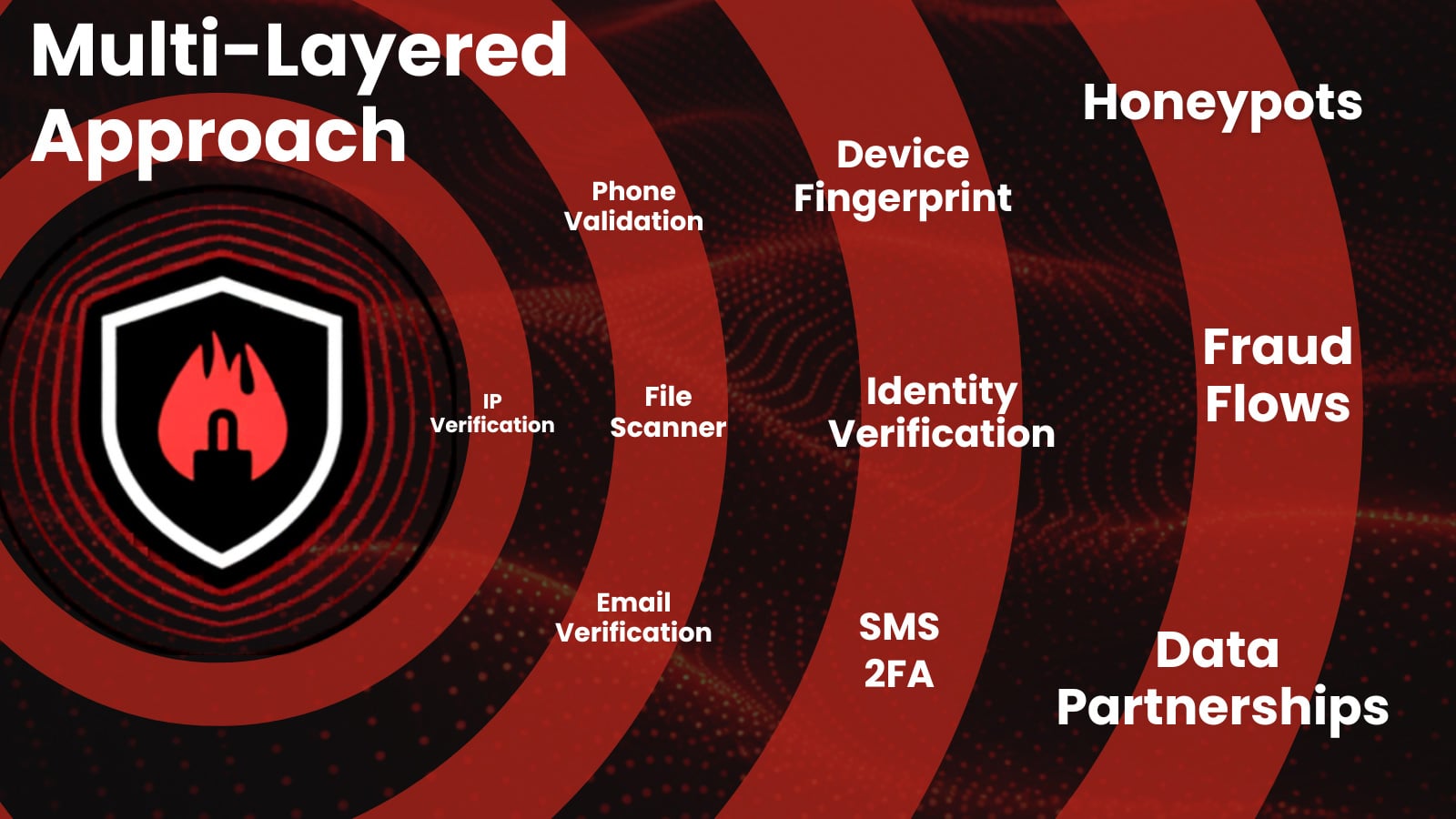
Effective fraud defense comes from correlating IP, identity, device, and behavioral signals at every step of the journey instead of evaluating each one in isolation.

An IP that looks slightly suspicious on its own becomes clearly abusive when tied to dozens of new accounts on the same device fingerprint and similar behavioral patterns during the first session.

Advertisement

Likewise, a user with an apparently normal device and clean email reputation can still be high-risk if login behavior reflects credential stuffing patterns or access follows known malware distribution campaigns.

Modern decision engines improve accuracy by weighing hundreds or thousands of data points together rather than enforcing rigid rules on a single attribute.

For organizations, that means unifying what were once separate views. IP intelligence, device fingerprinting, identity verification, and behavioral analytics should feed the same risk model so that each event is scored in context, not as a disconnected log line.

This multi signal approach is the most reliable way to raise the bar for attackers while reducing friction for genuine customers.

Advertisement

Prevent chargebacks. Stop account takeover. Recover revenue. 

Leading enterprises use IPQS data to power their fraud prevention strategies, don’t leave yourself vulnerable. Seamlessly integrate with our APIs to reduce friction, prevent more fraud, and secure your business.

Free Sign Up

Case Study: Stopping Coordinated Signup Abuse

Consider a self service SaaS platform that offers a generous free tier and trials. As the product grows, abuse appears in the form of thousands of signups used to scrape data, test stolen cards, or resell access under the radar.

Early countermeasures rely on blocking certain IP ranges and obvious disposable email domains, but this only dents the problem and begins to impact small teams and freelancers on shared networks.

Advertisement

By shifting to a multi-signal model, the platform starts scoring signups across IP, device, identity, and behavior together.

New accounts that reuse the same device fingerprint with different emails, come from IPs recently seen in automated traffic, or immediately exhibit scripted behavior are grouped into coordinated abuse clusters instead of being evaluated one by one.

This lets the team apply precise responses, such as challenging only high risk clusters with additional verification or silently limiting their capabilities while letting low risk signups proceed without friction.

Over time, feedback from confirmed abuse and confirmed good users trains the scoring model, driving down false positives while pushing organized attackers to spend more effort for less return.

Advertisement

Outpacing Fraud Trends

Attackers are no longer tied to a single tool or weak point in your stack. They combine proxies, bots, synthetic identities, leaked credentials, and malware infrastructure across multiple stages, which means that single signal defenses will always lag behind.
Multi layered approach

To keep pace, fraud teams need correlation across IP, identity, device, and behavior in one coherent risk view rather than a collection of disconnected checks.

From here, the conversation shifts to how to operationalize that unified model, integrate it into existing workflows, and measure its impact on both loss reduction and customer experience.

Book a free consultation with a fraud expert today!

Advertisement

About IPQS

IPQS is a founder-led, self-funded company built on a simple principle: fraud prevention should be driven by real intelligence and a multi-layered approach. From day one, we’ve focused on owning the full lifecycle of our technology—developing and maintaining our own global data network, honeypots, and fraud intelligence specialists. This approach gives our customers a distinct advantage: faster insights, greater accuracy, and complete transparency into how decisions are made. By staying independent, we prioritize long-term innovation over short-term gains, continuously evolving our platform to stop fraud before it starts.

Sponsored and written by IPQS.

Source link

Advertisement
Continue Reading
Click to comment

You must be logged in to post a comment Login

Leave a Reply

Tech

3 Handy Ways To Use A UV Flashlight Around The Home And Garage

Published

on


What if we could turn off the lights, flip on a flashlight, and watch the world transform in a dim purple glow? If you’re a fan of forensic crime dramas, or you’ve used ultraviolet tools at work to detect counterfeit money, then you know that a UV flashlight can open a new world of exploration. But UV light isn’t just a tool for police procedurals — you can harness its power at home.

Visible light, or light that we see with our naked eye, is only a tiny portion of the spectrum. Invisible light, like infrared and UV, remains unseen by the eye, but we often use it in our daily lives. We use X-rays to diagnose broken bones and microwaves to re-heat last night’s burritos. 

UV light may not be able to warm up your snack, but a UV flashlight, or black light as it’s sometimes called, causes substances to fluoresce, making the invisible, visible. You may have one sitting in your junk drawer, an oddity that you don’t know how to use, or perhaps you’ve invested in a multi-use tool that includes a UV light. Here are three ways that you can put that UV flashlight to work around the house — just be careful: extended exposure to UV light can cause skin irritation, and you’ll want to avoid direct eye contact. A standard long-wave, portable flashlight should be safe when used properly, but be sure to read all instructions first.

Advertisement

Exploring nature

If you have an aversion to creepy crawlies, you may want to skip to the next section, but if you or your family are entomophiles (people interested in bugs and insects), grab that UV flashlight and read on! Some insects and arachnids actually glow under UV light, like scorpions and some millipedes. Fungi or mushrooms are also often fluorescent. Whether you’re hoping to see these creatures on a camping trip or looking to keep them out of certain spaces, try using UV light to spot them.

You can also use a UV light to attract other insects that won’t glow under the light. Called blacklighting, the process involves using a UV light to attract moths and other insects at night to observe or collect them. This may be a fun project to do with your kids on a warm evening if they like bugs.

Advertisement

Insects and arachnids aren’t the only things found in nature that will glow under UV light. Some minerals and gemstones do as well, including fluorite and opals. In Michigan, syenite rocks containing fluorescent sodalite glow under UV light. Known locally as Yooperlites, these rocks are even featured on the state’s tourism website!

Advertisement

Leak detection

If you’re an at-home DIYer, you should definitely have a UV flashlight in your arsenal of handy tools. It can come in handy to detect automotive, HVAC, and even plumbing leaks. To detect leaks in your vehicle, you’ll need to pick up a UV leak detection kit and pinpoint where the potential leak is located. The kit will have a special dye that will illuminate when your UV flashlight hits it. You simply add the dye to the fluid that you think may be leaking, such as the engine oil or air conditioning refrigerant, run the appropriate system for a few minutes, and then use your flashlight to check for leaks.

The process is similar if you’re looking for a leak in your HVAC or plumbing systems. Inject the appropriate dye, run the system or your water for a few minutes, then use your flashlight and look for fluorescence. In all instances, you’ll want the room to be as dark as possible so you can easily spot that telltale glow.

Advertisement

Spotting pet stains

This may be one of the most common household uses for UV flashlights: seeking out that potential mess made by your cat, dog, or even your wayward hamster. Potty accidents are just part of the package deal when it comes to pet ownership. Whether you have a new puppy, an elderly pet, or strife within the household that’s leading to your cat marking its territory, accidents happen. If you’re getting a whiff of urine but can’t find it, try darkening the room and deploying that UV flashlight. Urine and other biological fluids contain phosphorus that naturally glows, but you’ll need a UV light to see it.

If the mess is recent and still damp, it may not glow, but wet messes are easier to spot with the naked eye and may not require a UV flashlight. Make sure the room is dark, and get close to suspicious surfaces, or you may miss the soiled area. While other things glow under a black light, urine should appear yellow. You may see a puddle, splashes, or drips that will disappear once you turn off the UV light, so mark the spot for clean-up first and invest in a good upholstery cleaner.


Advertisement

Source link

Continue Reading

Tech

Intel Core Ultra 7 270K Plus Review: AMD Needs to Respond

Published

on

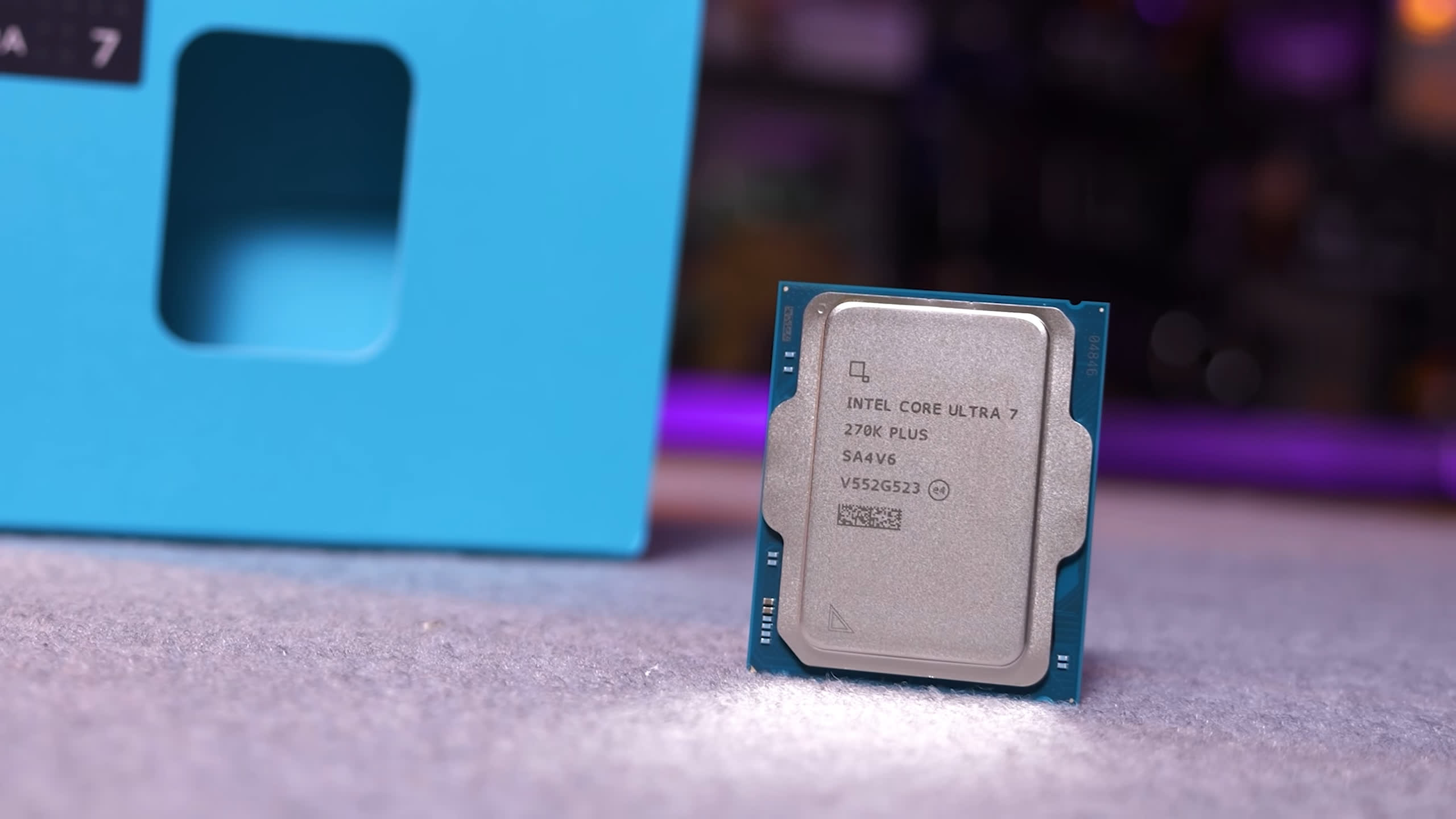
Intel’s Core Ultra 7 270K Plus pushes beyond the 250K Plus with more cores and cache for $300. It costs more, but could be a strong value for high-end productivity workloads.

Read Entire Article
Source link

Continue Reading

Tech

Mac Gaming Takes an Unexpected Turn With the M5 Max MacBook Pro

Published

on

Apple MacBook Pro M5 Max Windows Gaming Test
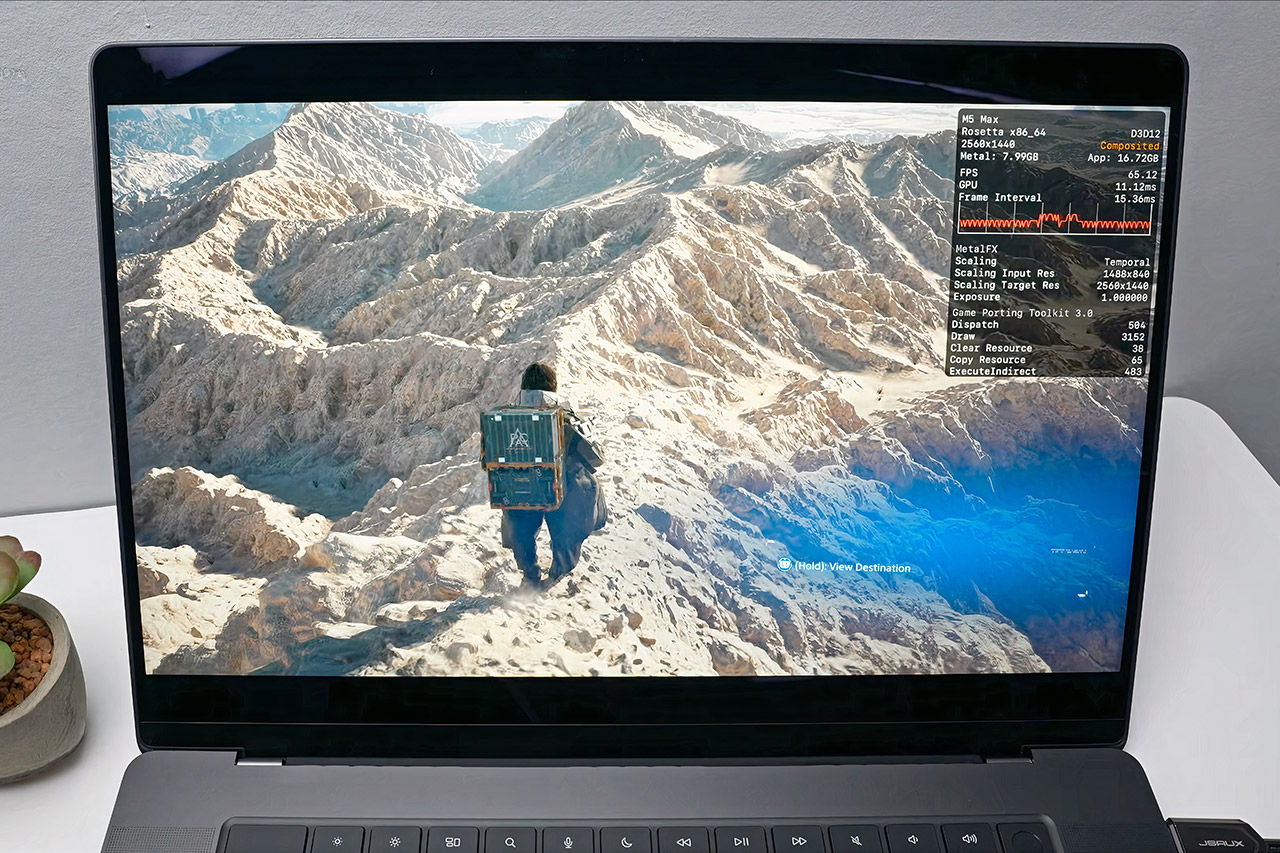
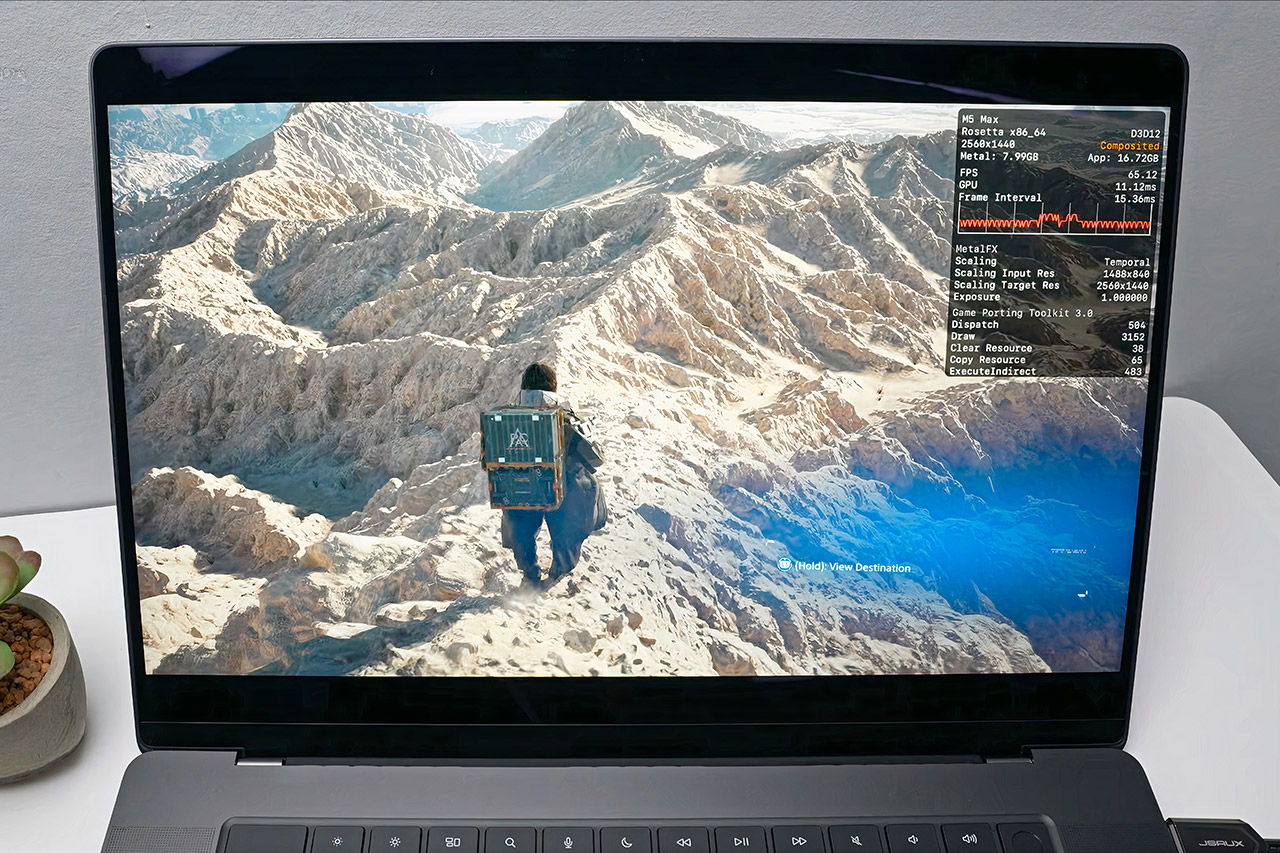
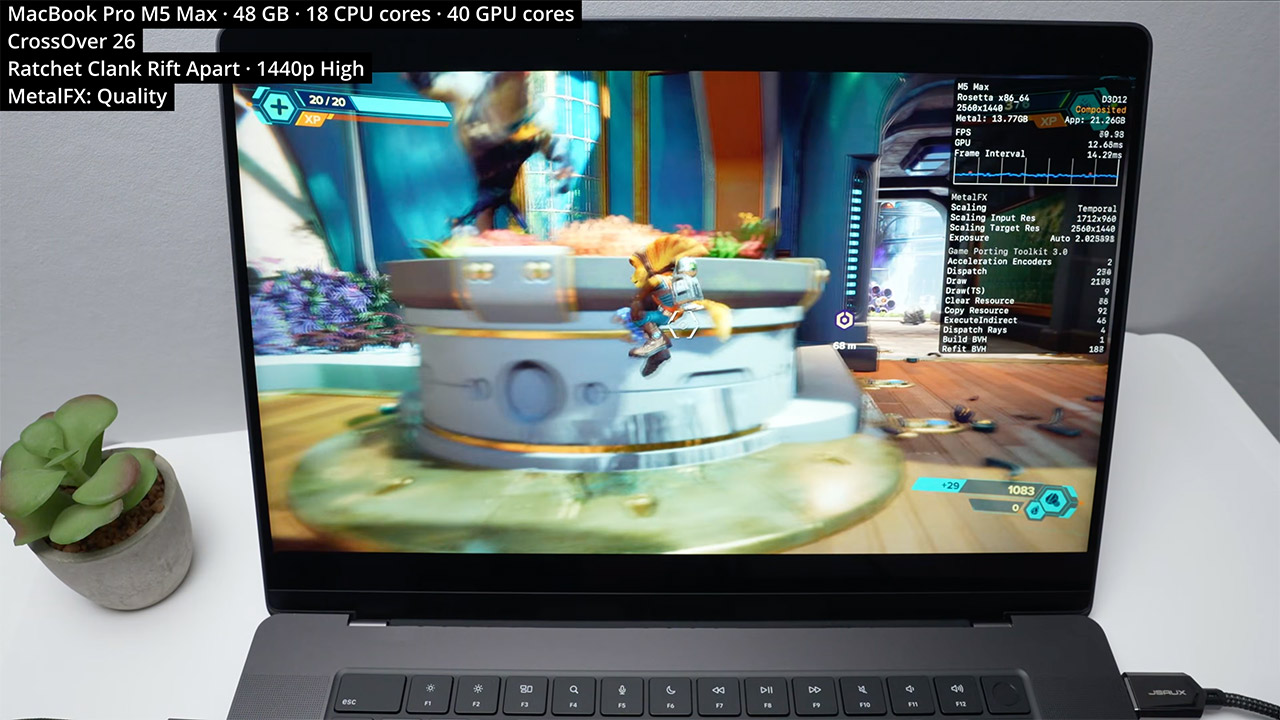
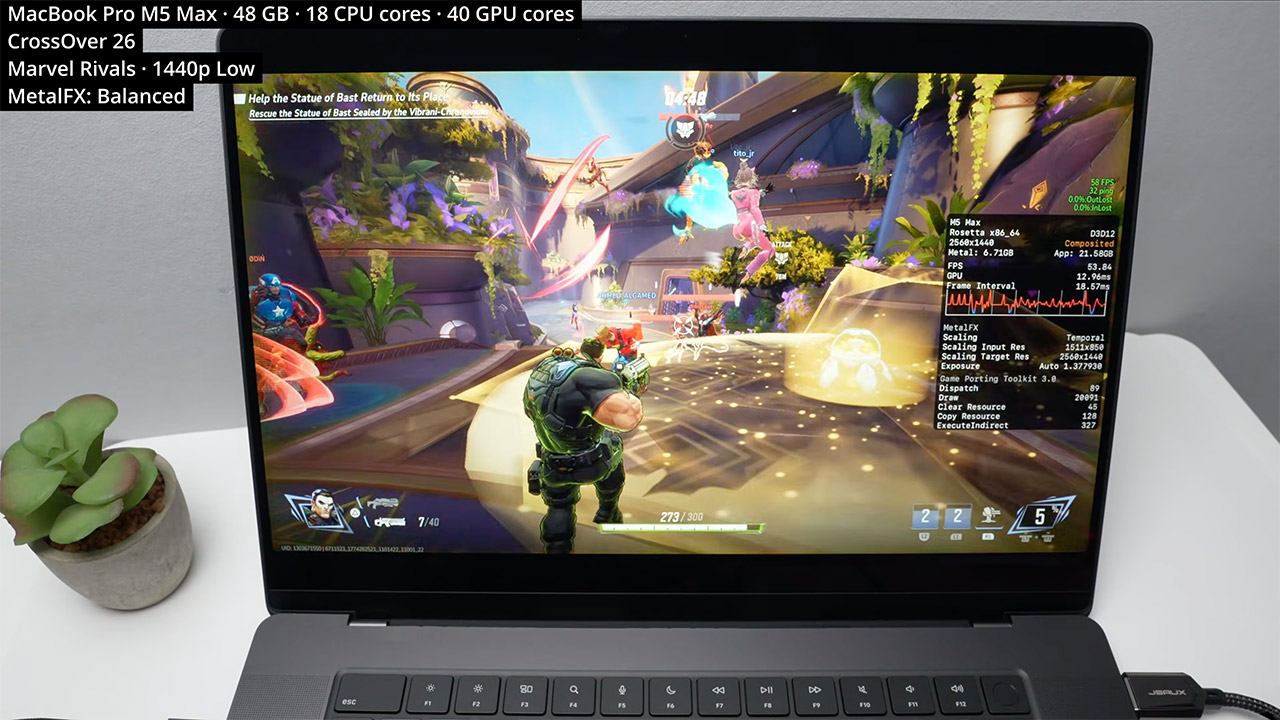
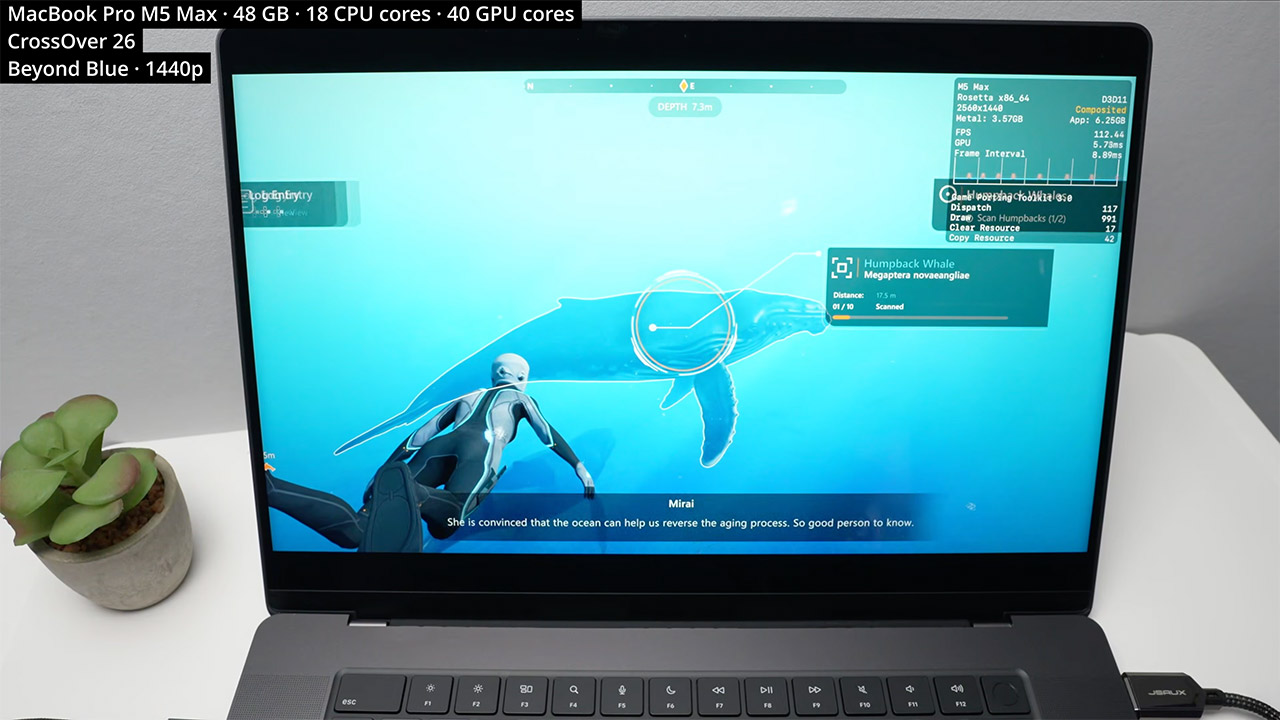
When Apple dropped the M5 Max into the latest MacBook Pro, the obvious question was how far the chip could be pushed beyond the usual creative and productivity workloads. Andrew Tsai decided to find out, loading up 20 Windows games and running them through the CrossOver translation layer. The results were surprising to say the least, with the MacBook delivering solid frame rates in demanding titles that were never designed with Apple silicon in mind.


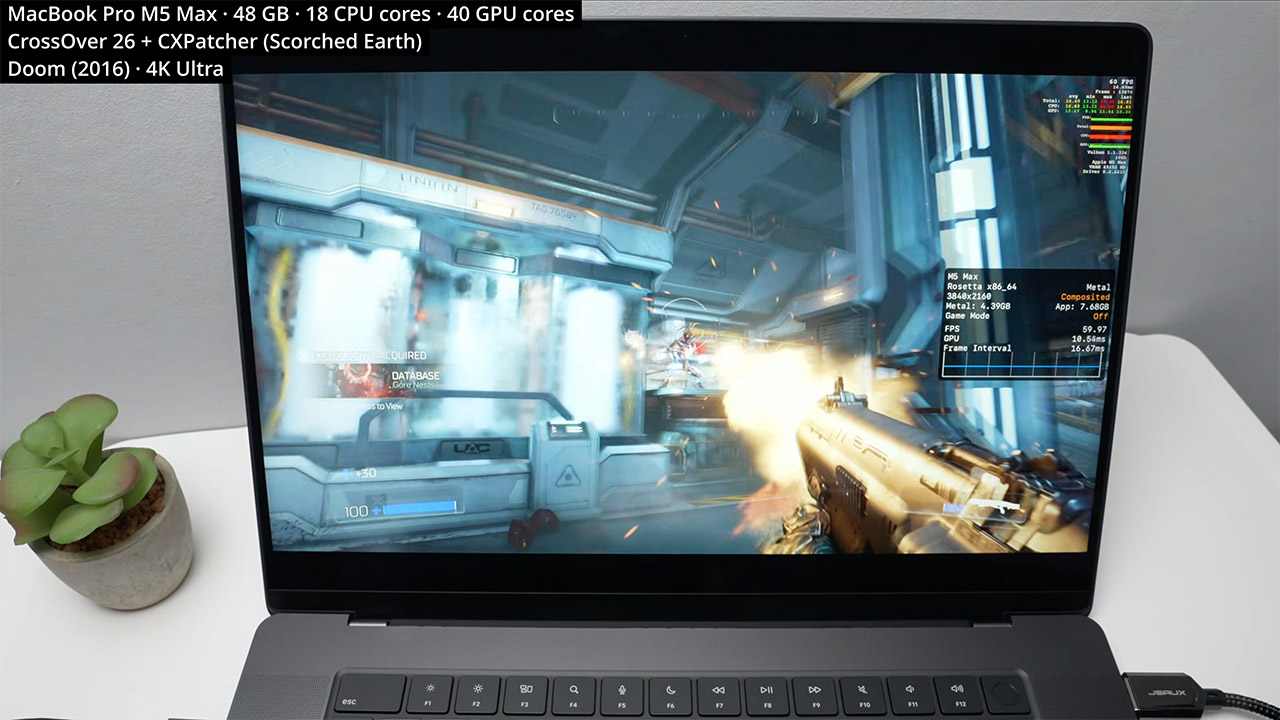
CrossOver handles the translation work, converting Windows game instructions into something macOS can process and swapping DirectX calls for Metal, with MetalFX upscaling available to sharpen visuals without hitting performance. Tsai ran everything on a fully loaded MacBook Pro with the 40 core GPU version of the M5 Max, 48GB of memory, and 18 CPU cores. Most games were tested at 1440p with a handful pushed to 4K, adjusting settings throughout to keep frame rates as smooth as possible.


Apple 2026 MacBook Pro Laptop with Apple M5 Max chip with 18-core CPU and 32-core GPU: Built for AI…
  • FAST RUNS IN THE FAMILY — The 16-inch MacBook Pro with the M5 Pro or M5 Max chip brings next-generation speed and powerful on-device AI to personal…
  • BUCKLE UP — Along with a next-generation CPU, faster unified memory, and up to 2x faster SSD storage,* M5 Pro and M5 Max feature a more powerful GPU…
  • BUILT FOR AI — Apple silicon, and every major component that powers it, is designed to run demanding on-device AI workloads like LLM inference and…

Apple MacBook Pro M5 Max Windows Gaming Test
DOOM from 2016 opened the session by running at a locked 60 frames per second in 4K on ultra settings, helped along by a MoltenVK tweak that Tsai found works particularly well on the M5 series. Wolfenstein Youngblood matched that result at 4K with online play running without issue, and Wolfenstein 2 handled maximum detail at 4K just as comfortably. The more demanding titles required a little more work. Death Stranding 2 needed a patch from the CrossOver beta to clear up some water and geometry glitches, but settled into a steady 50 frames per second at 1440p on medium with MetalFX upscaling. Black Myth Wukong pushed past 50 frames per second at the same resolution on medium settings with MetalFX handling 66 percent of the rendering load, and Horizon Forbidden West held a consistent 50 frames per second at 1440p on medium with quality upscaling engaged.

Apple MacBook Pro M5 Max Windows Gaming Test
Ratchet and Clank Rift. Apart felt entirely at home, achieving 60 frames per second at 1440p on high with MetalFX quality setting on. Kingdom Come Deliverance 2 was likely the standout performance, exceeding 80 frames per second and reaching 100 at 1440p high while scaling from a lower internal resolution. The rest of the lineup carried the momentum forward. Ready or Not achieved 100 frames per second at 1440p high, with MetalFX handling 80% of the scaling work. Sekiro achieved 60 frames per second on its top setting, and Elden Ring matched it at 4K. Ghost of Tsushima operated at a consistent 70 to 80 frames per second at 1440p high resolution, with quality upscaling from 960p. Final Fantasy 7 Rebirth settled at 52 to 53 frames per second at 1440p low, with temporal anti-aliasing and 66 percent scaling, implying that going to 1080p will smooth things down even more.

Apple MacBook Pro M5 Max Windows Gaming Test
This setup will not replace a high-end Windows gaming rig with a dedicated discrete GPU, but it does make a convincing case for the MacBook Pro’s ability to hold its own when necessary. Creative workers have long relied on these devices for video editing, photo work, and 3D rendering, and now they can now play Windows-only titles on the same gear without having to carry a separate device. Battery life lasts quite well during gaming sessions, thanks to the efficient architecture that keeps power use under control, and connecting external disks or docks is simple, with no surprises on the storage or port front.

Apple MacBook Pro M5 Max Windows Gaming Test
Tsai wrapped up by noting that console emulation is looking increasingly promising on this technology, with the 40 core GPU providing the raw power to tackle demanding scene translation and rendering in real time. For those already using a MacBook Pro with the M5 Max, the takeaway is simple. A substantially wider collection of games is now available on your existing system, with no new hardware required and no complicated workarounds in the way.
[Source]

Source link

Advertisement
Continue Reading

Tech

Austria is pursuing a social media ban for kids under 14

Published

on

Austria is the latest country to prepare a social media ban for its children, but it’s going even further than others by including anyone under 14. In a press release, the Austrian government said it has introduced a comprehensive catalogue of measures meant to shield minors from the harms of social media. According to the press release, an official bill will be introduced by the end of June.

Andreas Babler, a vice chancellor and leader of the Social Democratic Party of Austria, said the government’s efforts would include the new age restriction, improved media literacy and clear rules for social media platforms. Austrian lawmakers didn’t detail what the upcoming rules would be, but the country is likely to follow in the footsteps of many others who have or are pursuing similar bans. While Australia was the first to implement a social media ban for anyone under 16, other European countries like Spain and the UK are also looking into comparable restrictions.

More recently, Indonesia approved new regulations that would prevent anyone under 16 from using social media platforms like TikTok, YouTube and Roblox. Indonesia’s social media ban just went into effect, but the country only specified that the law’s implementation would be carried out gradually until all platforms are in compliance, according to AP.

Source link

Advertisement
Continue Reading

Tech

Play A .WAV Instead Of Typing Line After Line Into Vintage Microcomputer

Published

on

[Casey Bralla] got his hands on a Rockwell AIM 65 microcomputer, a fantastic example of vintage computing from the late 70s. It sports a full QWERTY keyboard, and a twenty character wide display complemented by a small thermal printer. The keyboard is remarkably comfortable, but doing software development on a one-line, twenty-character display is just not anyone’s idea of a good time. [Casey] made his own tools to let him write programs on his main PC, and transfer them easily to the AIM 65 instead.

A one-line, twenty-character wide display was a fantastic feature, but certainly lacking for development work.

Moving data wasn’t as straightforward in 1978 as it is today. While the Rockwell AIM 65 is a great machine, it has no disk drive and no filesystem. Programs can be written in assembler or BASIC (which had ROM support) but getting them into running memory where they could execute is not as simple as it is on modern machines. One can type a program in by hand, but no one wants to do that twice.

Fortunately the AIM 65 had a tape interface (two, actually) and could read and store data in an audio-encoded format. Rather than typing a program by hand, one could play an audio tape instead.

This is the angle [Casey]’s tools take, in the form of two Python programs: one for encoding into audio, and one for decoding. He can write a program on his main desktop, and encode it into a .wav file. To load the program, he sets up the AIM 65 then hits play on that same .wav file, sending the audio to the AIM 65 and essentially automating the process of typing it in. We’ve seen people emulate vintage tape drive hardware, but the approach of simply encoding text to and from .wav files is much more fitting in this case.

The audio encoding format Rockwell used for the AIM is very well-documented but no tools existed that [Casey] could find, so he made his own with the help of Anthropic’s Claude AI. The results were great, as Claude was able to read the documentation and, with [Casey]’s direction, generate working encoding and decoding tools that implemented the spec perfectly. It went so swimmingly he even went on to also make a two-pass assembler and source code formatter for the AIM, as well. With them, development is far friendlier.

Advertisement

Watch a demonstration in the video [Casey] made (embedded under the page break) that shows the encoded data being transferred at a screaming 300 baud, before being run on the AIM 65.

Source link

Advertisement
Continue Reading

Tech

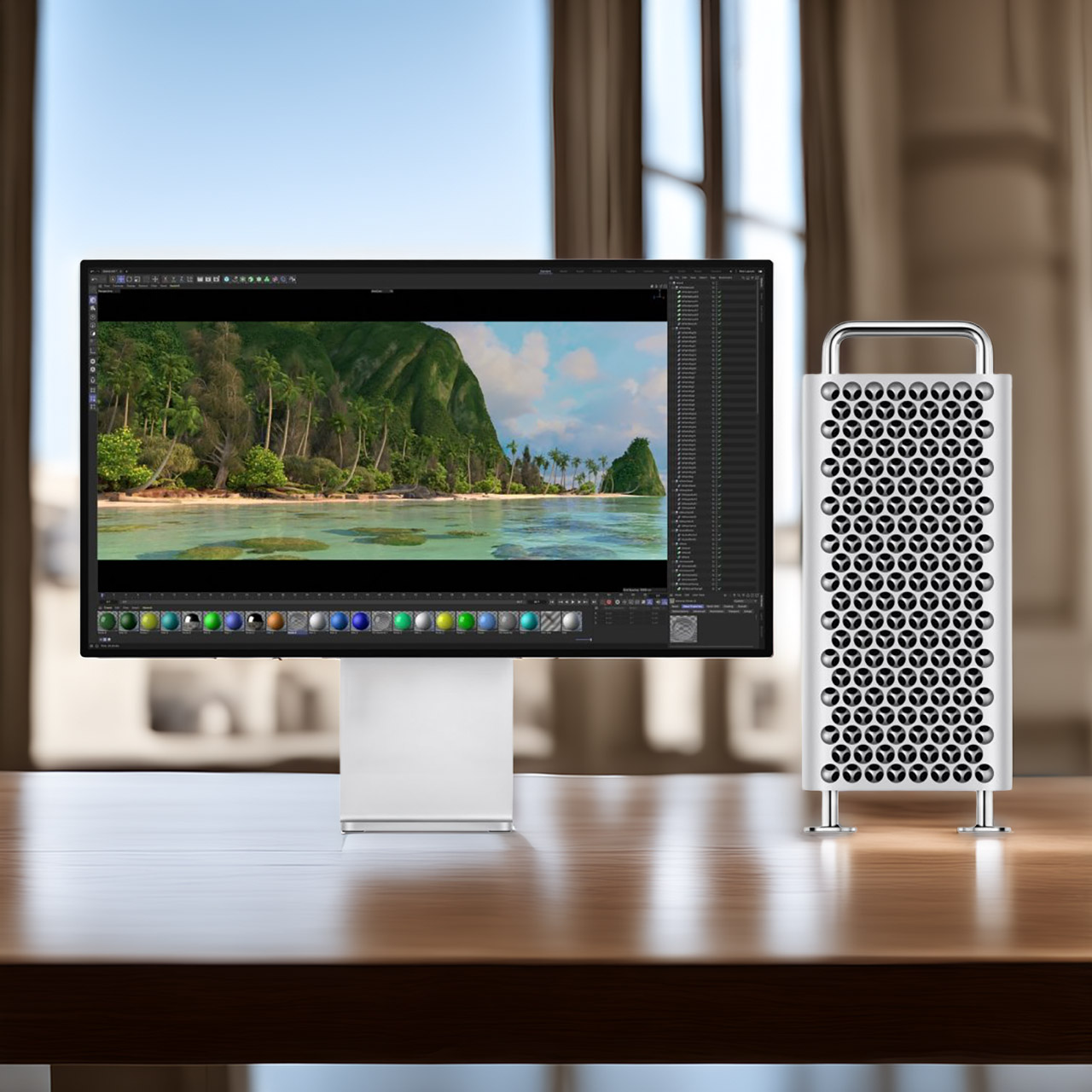
Apple Mac Pro’s Journey Ends After Two Decades of Evolution and Stagnation

Published

on

Apple Mac Pro Discontinued Announcement
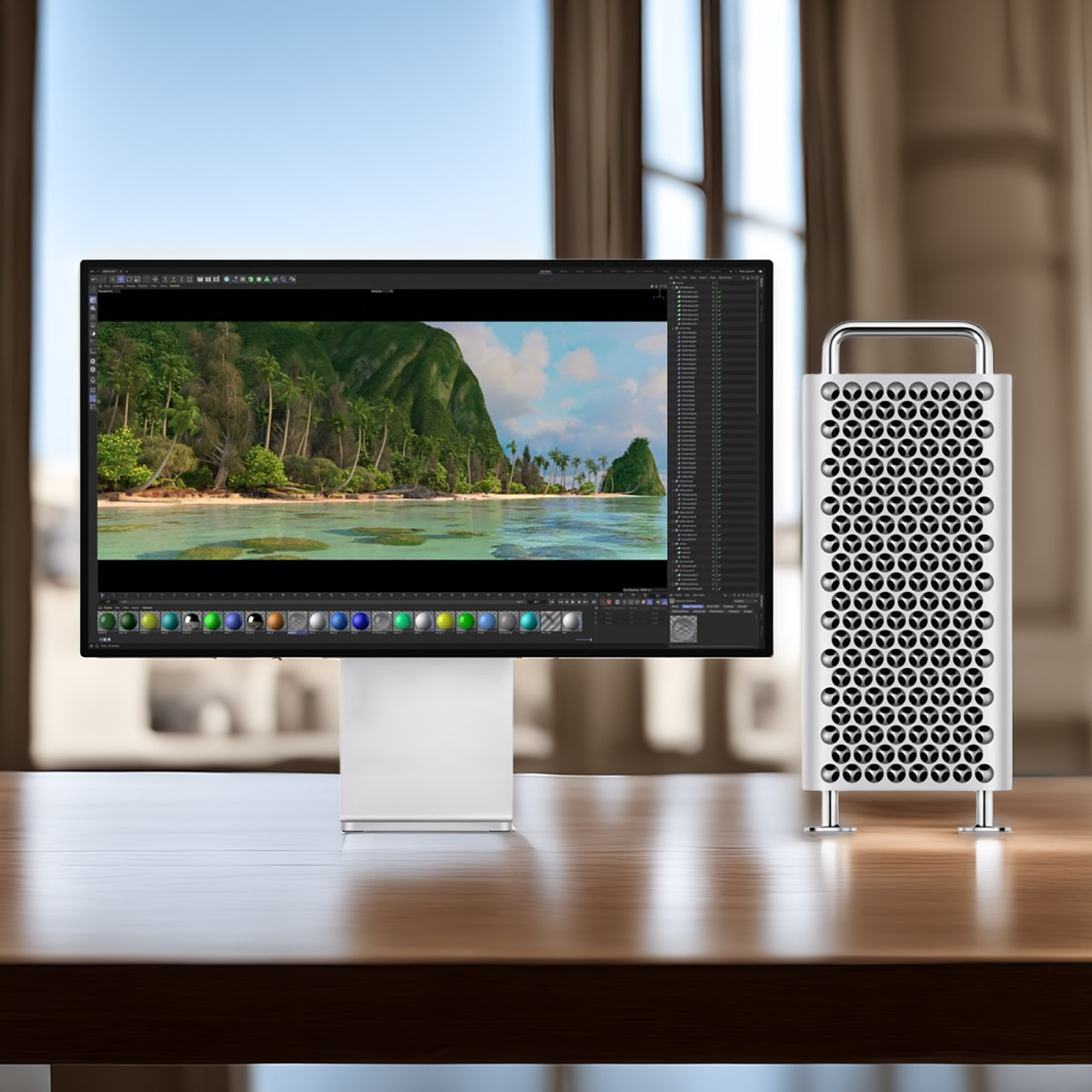
Apple has quietly pulled the Mac Pro from its online store, bringing an end to a machine that spent nearly two decades as the definitive choice for creative professionals who needed every last bit of computing muscle available. Built on the Power Mac foundation, the early towers earned their place in post-production houses and research labs by offering the kind of internal expandability that let users slot in extra storage, graphics cards, and specialized hardware as their needs grew, a level of flexibility that made them genuinely hard to walk away from.


Then 2013 arrived and Apple replaced the tower with a compact cylinder that looked striking but quickly revealed its limitations. The tight design restricted airflow badly and left no room for standard expansion cards, forcing users onto external connections that never matched the speed or flexibility of internal options. Heat built up fast under heavy workloads and upgrades were a headache. By 2017 Apple was publicly acknowledging the design had not worked out and promising something better.

Sale


Apple 2025 MacBook Pro Laptop with Apple M5 chip with 10‑core CPU and 10‑core GPU: Built for AI…
  • SUPERCHARGED BY M5 — The 14-inch MacBook Pro with M5 brings next-generation speed and powerful on-device AI to personal, professional, and creative…
  • HAPPILY EVER FASTER — Along with its faster CPU and unified memory, M5 features a more powerful GPU with a Neural Accelerator built into each core…
  • BUILT FOR APPLE INTELLIGENCE — Apple Intelligence is the personal intelligence system that helps you write, express yourself, and get things done…


Three years later the Mac Pro returned in a tower form that earned the immediate nickname of cheese grater thanks to its perforated metal shell. PCIe slots, multiple drive bays, and support for high end graphics cards gave professionals the modular flexibility they had been asking for, and it felt like Apple had genuinely course corrected. The goodwill did not last long though. The 2019 model received just one meaningful update over its entire lifespan, a move to the M2 Ultra chip in 2023, and then nothing.

Advertisement

While all of that was playing out, the Mac Studio had been quietly making the Mac Pro look increasingly hard to justify. Comparable or better performance in a fraction of the size and at a significantly lower price, driven by the same Apple silicon that eliminated the need for traditional internal expansion in the first place. Most users found they could handle even demanding workloads without ever needing to open a case. The Mac Studio also received regular chip updates that kept it ahead of the larger tower in real world performance, and sales figures suggested most buyers had already figured that out for themselves.


With demand fading and no next generation tower waiting in the wings, the decision to discontinue the Mac Pro was more a matter of when than if. There is no replacement coming. The Mac Studio now sits at the top of the desktop lineup, with the Mac mini handling lighter professional workloads and the iMac covering the all-in-one end of the market.
[Source]

Source link

Advertisement
Continue Reading

Tech

BGIS Grand Finals Day 3 Schedule, Format & Points Table

Published

on

As we said, day 2 was the day of comebacks in the BGIS Grand Finals, with teams like K9 and NINZ showing what they are actually made of. Unfortunately, no one could topple Soul, as they finished first in the standings, which means they do have a real chance of clinching that championship today. However, a challenge could be coming from both GodLike and Genesis, who are just behind in the standings. The final day is here, and anything can happen. Here’s what the schedule looks like for today.

BGIS 2026 Grand Finals Day 3 Schedule & Timing

Like yesterday, the live broadcast will begin at 12:30 PM IST. Fans can catch the games like on Krafton’s YouTube channel in Hindi, English, and a few other regional languages. Or, if you want to support your team live, head over to the Chennai Trade Center. Tickets are available on the Swiggy Scenes app, and there’s free entry available, too. Maps for today will include:

  • Match 7 — Rondo
  • Match 8 — Erangel
  • Match 9 — Erangel
  • Match 10 — Erangel
  • Match 11 — Miramar
  • Match 12 — Miramar

The BGIS Grand Finals format is pretty simple. 16 teams compete in 18 matches over three days. Points are awarded for each finish, and also for how long a team survives. In the end, the team with the most total points (position + finish) will be the winners.

BGIS 2026 Grand Finals Standings After Day 2

Team Name Wins Pos. Pts Fin. Pts Tot. Pts
SOUL 2 37 80 117
GENS 0 26 88 114
GODL 2 28 68 96
VE 1 30 59 89
VS 1 31 54 85
OG 1 27 58 85
RNTX 0 15 63 78
WF 2 34 43 77
LEFP 0 24 40 64
MYTH 0 21 43 64
RGE 0 22 39 61
K9 1 23 37 60
NINZ 1 19 37 56
NBE 1 21 30 51
TT 0 12 36 48
WELT 0 14 27 41

Source link

Advertisement
Continue Reading

Tech

IKEA spring bedroom trends: refresh your space with muted gray and seafoam accessories

Published

on

Warmer weather is on its way, and your bedroom deserves a springtime refresh. My favorite bedroom trend right now is soft heather gray and fresh seafoam blue, and IKEA is the place to head if you want to embrace the look without breaking the bank. Below, I’ve rounded up my top picks as inspiration for your own bedroom.

There are charming bud vases and delicate floral bedding to bring in a touch of nature, and the curvy glass Tokabo table lamp reminds me of a mushroom. I’ve also been won over by the Solskydd portable Bluetooth speaker, which can stand on its base or be mounted to a wall, where it looks almost like a piece of understated artwork.

Source link

Advertisement
Continue Reading

Tech

How to watch Gent-Wevelgem 2026: Free Streams for the UCI WorldTour Race

Published

on

Watch Gent-Wevelgem 2026 live streams as the climbers try escape the sprinters on the cobbles of the Kemmelberg in one-day Belgian Classic now officially called In Flanders Fields – from Middelkerke to Wevelgem. Or will the race come down to a bunch kick into Wevelgem after 240 tough kilometers across Flanders Fields?

Source link

Continue Reading

Tech

WhatsApp update makes switching phones and freeing up storage easier

Published

on

WhatsApp is rolling out a batch of updates that simplify phone switching, reduce storage clutter, and introduce new AI-assisted features across iOS and Android.

The headline change is a revamped chat transfer tool that moves WhatsApp history from an iPhone to an Android device entirely within the app, dropping the previous requirement for a physical cable connection or third-party software in favour of a local Wi-Fi transfer.

Although the process still carries a time caveat, with WhatsApp noting that transfer duration will vary depending on the volume of data involved, it’s certainly more seamless than the previous method.

However, it’s worth noting that Android to iPhone transfers remain unchanged for now, so you’ll need a wired connection to make the switch over to Apple’s platform.

Advertisement

iPhone users are also gaining dual-account support with this update, bringing iOS in line with Android, which has offered the ability to manage two separate WhatsApp accounts on a single device for some time.

Advertisement

A new storage management feature makes it easier to find and delete large media files from chat history without removing conversations themselves, addressing one of the more persistent complaints from users on devices with limited internal storage.

Photo editing receives an upgrade through Meta AI integration and allows users to remove objects, swap backgrounds, or apply visual styles to images directly within WhatsApp before sending them.

Advertisement
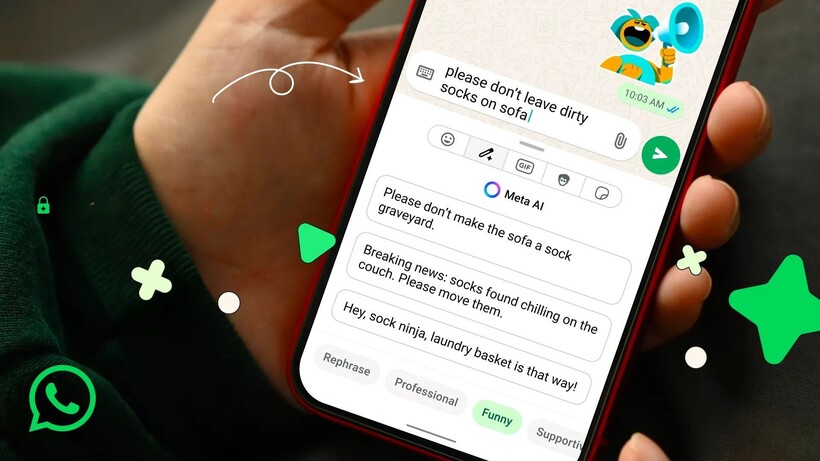
Writing Tools on WhatsApp Writing Tools on WhatsApp

An AI Writing Help feature joins the update as well, generating suggested replies based on conversation context in a manner that mirrors writing assistance tools already present in Apple Intelligence and Samsung’s Galaxy AI.

WhatsApp is also introducing sticker suggestions tied to emoji searches, offering an alternative way to add reactions and expressions within chats without manually browsing sticker packs.

Advertisement

The update is currently rolling out across iOS and Android, with some features already available to users depending on their region and app version.

Advertisement

Source link

Continue Reading

Trending

Copyright © 2025