
Tech
How Long Should Michelin Latitude Tour HP Tires Last & Do They Have A Warranty?



There’s no shortage of marketing materials trying to convince you to buy Michelin Latitude Tour HP tires. But what about real life? Can drivers really expect the balance of durability, comfort, and great all-season performance that Michelin promises? According to customer reviews, real-world lifespan will vary for these tires depending on your driving habits and specific road conditions.
Latitude Tour HP tires are designed for on-road SUVs and 4×4 vehicles. They use a special “Terrain-Proof” compound, which is said to help resist wear across a wide range of environments. They also have “StabiliGrip Technology,” which is just a fancy way of saying specially positioned sipes for less vibration and noise while you drive.
Michelin’s warranty information says drivers can expect treadwear to last anywhere from 30,000 to 55,000 miles, depending on the tire’s speed rating. (H-rated versions have a 30,000-mile warranty, W-rated models have 45,000 miles, and V- or H-rated versions get up to 55,000 miles.) These are some of the best treadwear ratings in Michelin’s catalog. The numbers give us a good idea of how long the tires are expected to last, but that’s under normal conditions. Actual results will vary depending on things like rotation and alignment.
What people with Latitude Tour HP tires have to say
Mileage-based warranties are one thing, but actual drivers’ experiences are something completely different. The reviews on Michelin’s site paint a much clearer picture of what you can expect to get out of your Latitude Tour HPs. This is a good thing. Plenty of drivers say the tires exceeded expectations, with some sets lasting well beyond 80,000 miles. That’s not to say everybody’s experiences are the same, of course. Some users experienced uneven or premature wear, requiring replacement as early as 40,000 miles. It just goes to show how much real-world durability is influenced by driving style, road conditions, vehicle setup, and even weather.
For when something does go wrong with the tire, Michelin backs the Latitude Tour HP with a comprehensive warranty package beyond the treadwear figures mentioned earlier. They’re also covered by a standard limited warranty for defects in materials and workmanship. That warranty lasts for up to six years post-purchase (or until the usable tread is depleted, whichever comes first). They also fall under the Michelin Promise Plan, which includes a 60-day satisfaction guarantee and free roadside assistance.



After a vague report that some companies were seeking to build “large” data centers in Seattle, Mayor Katie Wilson is exploring a moratorium on new data centers.
This seems like the typical performative, hypocritical stunt we expect from our politicians. A distraction from harder issues, like ensuring we don’t retrace Cleveland’s history as the economic landscape fractures.
It is easy to ban data centers when you don’t have any (hello Maine!). Seattle’s high real estate and electricity prices mean “large” data centers in the city simply aren’t competitive. We have long had colocation facilities serving local businesses, but they’re quite small by modern standards.
Banning large data centers in Seattle is like banning cattle grazing in midtown Manhattan. Seattle just isn’t going to attract the cutting-edge AI and hyperscaler data centers that require lots of land and power. The Texas panhandle is a better place to put those.
Using data centers to complain about data centers (by posting on Facebook) carries more than a whiff of hypocrisy. Wouldn’t a sincere commitment to “environmental justice” and “economic resilience” mean not using any dastardly data centers? The mayor could abandon all online political messaging. Or order city departments to stop using any data center services.
(Oddly, the City of Seattle’s data center is in Spokane. Which says something about the competitiveness of data centers in Seattle and/or the city’s inclination to support local businesses.)
The Means of Production
A self-proclaimed socialist, Comrade Katie has realized the socialist ideal of owning the means of production, at least of our city-owned utilities. But with ownership comes accountability and responsibility.
By drawing a line against new data centers, she would remove the easiest scapegoat for her performance. No blaming Big Tech. No pointing to AI. What remains is a testable proposition: will Seattle have affordable, reliable power?
Some challenges loom.
Affordable and Reliable Power
Seattle City Light already charges some of the highest electricity prices in Washington, a state that generally enjoys low power costs thanks to abundant hydropower.
Mayor Wilson’s first move was to fire the head of City Light and nominate a replacement with no utility experience. After pushback from both the employees’ union and the City Council, a new leadership search has begun. No explanation has been provided for why the previous CEO was fired or what the mayor’s strategy is for City Light (or, for that matter, anything economic).
Seattle City Light has announced accelerating price increases, well above inflation, for the coming years:
Effective January 1, 2026, you will see the previously approved average rate increase of 5.4% start appearing on your bill.
Business customers can expect to see overall bill increases between 4% to 7%, depending on their customer class and consumption profile.
Looking ahead to 2027 and beyond, we anticipate annual rate increases of 7 to 10%
The utility also needs to nearly double its capacity—from 2,000 to 3,800 megawatts in the next seven years—independent of any data centers. A growing population, electric vehicles, heat pumps, and broader electrification are all driving load growth.
It will take deft management to keep our grid both affordable and reliable. A moratorium on new data centers isn’t enough to keep the lights on in Seattle, and solutions that don’t fit on a bumper sticker seem like a stretch for the political class.
Fresh Water on Tap
While we’re looking at city-owned utilities, Seattle Public Utilities faces serious challenges of its own. The utility recently received a striking vote of no confidence in its ability to provide its most basic service: water.
Eastside cities across Lake Washington, united as the Cascade Water Alliance, get their water from Seattle’s reservoirs. They have concerns about Seattle’s investment and maintenance, and after much analysis and negotiation, the Eastside is switching to get its water from Tacoma:
“[Tacoma Public Utilities’] proposal offered longer supply certainty, greater financial benefit, and an opportunity to move towards a regionalized water system.”
You can read a lot between those lines. The fact it will take 15 years to transition Eastside taps to Tacoma water suggests deep concerns about Seattle’s ability to deliver.
Beyond maintenance worries, this customer exodus also means the smaller remaining base of ratepayers will bear the system’s fixed costs, pointing to higher water bills ahead for Seattleites.
No Excuses
If data centers aren’t coming—and can’t be blamed—then rising electricity prices, capacity shortages, and reliability issues rest squarely with the mayor. The same goes for water.
Grandstanding about data centers is easy. Making difficult and unsatisfying tradeoffs to ensure our city utilities deliver is the hard part.
So by all means, ban the large data centers that were never coming. Clear the field. Remove the distractions.
We can focus entirely on how our city utilities perform under Mayor Wilson.
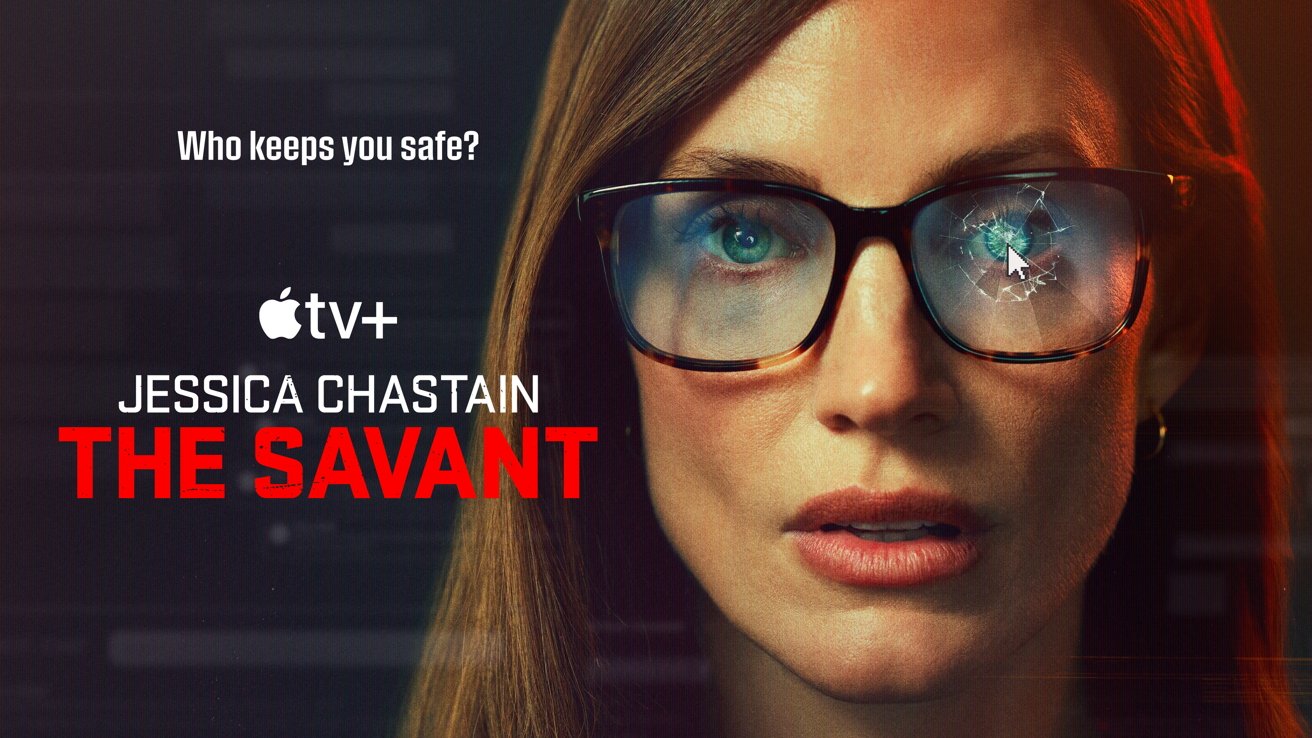
The Charlie Kirk assassination drove Apple to postpone the release of a politically charged series called “The Savant.” The decision led to pushback, but a new release has been set for July 2026.
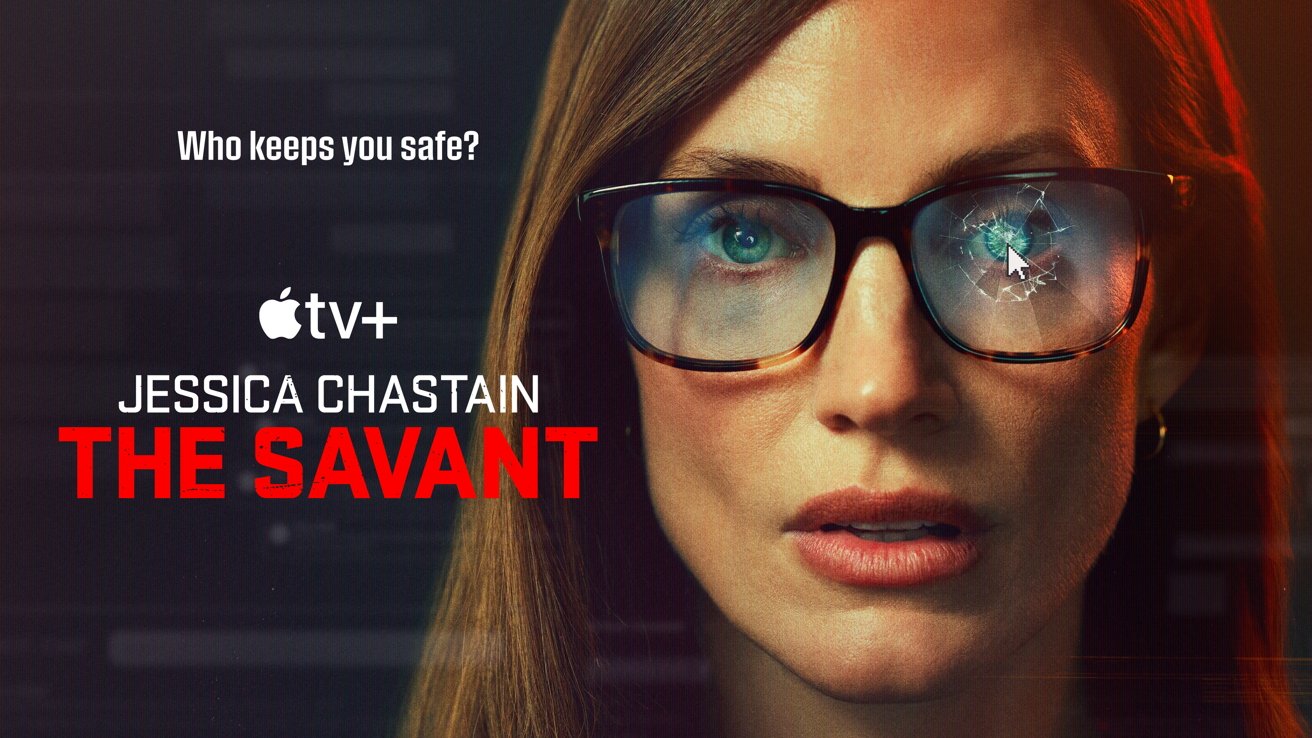
‘The Savant’ will debut in July
The more products and services that Apple offers, the more likely it is to cross paths with modern events. While Apple had nothing to do with the murder of Charlie Kirk, it felt the need to push a show’s debut that hit a little too close to home.
According to a report from Variety, The Savant will finally debut in July 2026, nearly a year from its original air date. Apple hasn’t updated its release date information on the website, but the news comes direct from show lead Jessica Chastain.
Continue Reading on AppleInsider | Discuss on our Forums


Photo credit: 2 Warps to Neptune
In 1974, Nintendo kicked off their coin-operated arcade era with Wild Gunman. This game required players to step up, pull a handgun from a holster, and face off against some unfriendly live-action gunslingers on a projection screen. Footage came from authentic film reels filmed on site in Japan, capturing the wild west-style shootouts in all their gritty grandeur. Timing was everything here. You could only draw and shoot after your eyes flashed and the word “FIRE” appeared on the screen. Get it right, and you’ll come out on top. If you mess up, draw too soon, or miss your shot, you will lose the duel.
Roughly a hundred units left the factory, the majority of which either stranded in warehouses or fell apart over time due to neglect. Today, just one original cabinet remains intact, and it is kept locked away in a private collection. That meant that for about 50 years, no one outside of that collection had the opportunity to play the game as it was intended. Everything changed when Callan Brown got wind of something unusual. The Canadian arcade collector and repair specialist spotted an eBay listing for the original 16mm film reels used in the Wild Gunman arcade cabinet, reportedly sourced from the warehouse of a retired operator in Saskatchewan. Recognizing their rarity, he moved quickly, placed the winning bid, and brought the reels home for his collection.
Sale

Numskull Quarter Arcades TMNT Turtles in Time Collector’s Edition Mini Arcade – 1/4 Scale Authentic…
- Officially licensed 1/4 scale TMNT Turtles in Time arcade cabinet by Konami built in wood for collectors and fans of retro arcade machines and mini…
- Features the original Turtles in Time arcade ROM delivering authentic beat-’em-up action for enthusiasts who love Teenage Ninja Mutant Turtles and…
- Includes mirror screen and vibrant cabinet artwork to replicate the original arcade game’s sci-fi visuals and immersive retro aesthetic
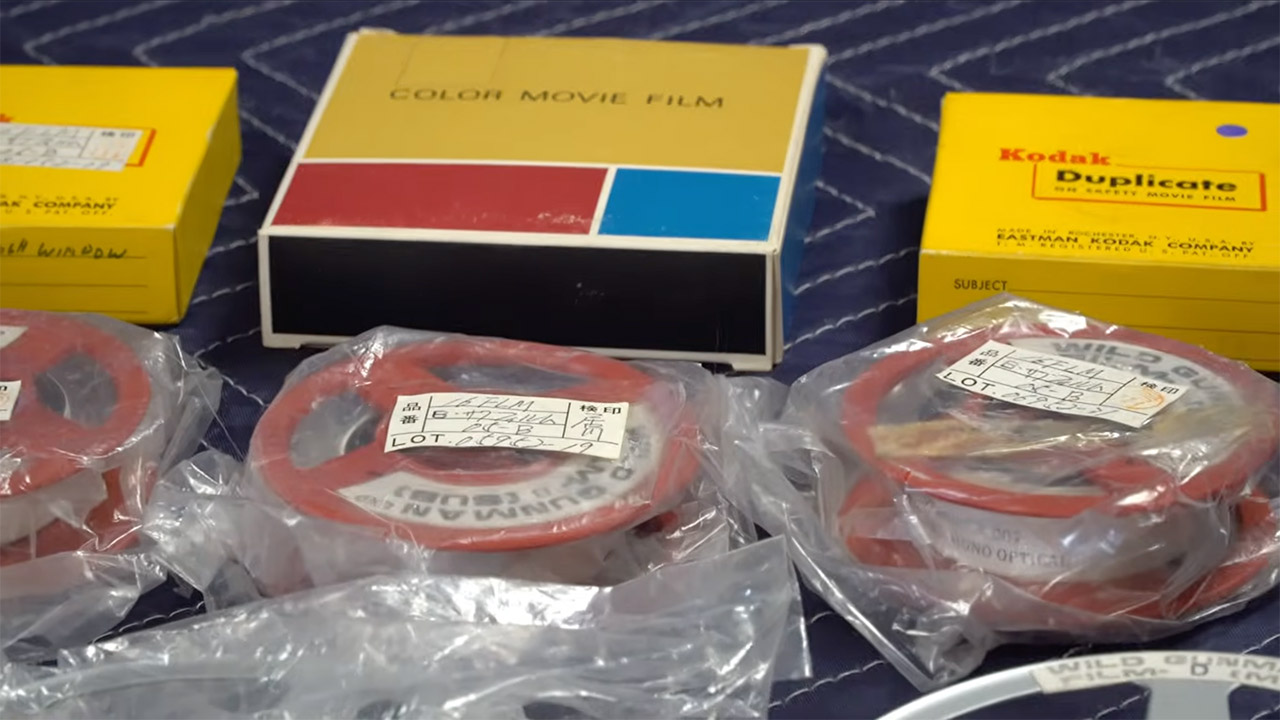
Brown first had to preserve the reels before sending them to a competent facility in Toronto for scanning. Some of the reels showed scratches and dust from years of intensive use, while others appeared to be in perfect condition. He stored the worst pieces safely while keeping the better frames. Unfortunately, two of the four duel sequences remain absent, but there was enough solid content to bring the basic game experience back.
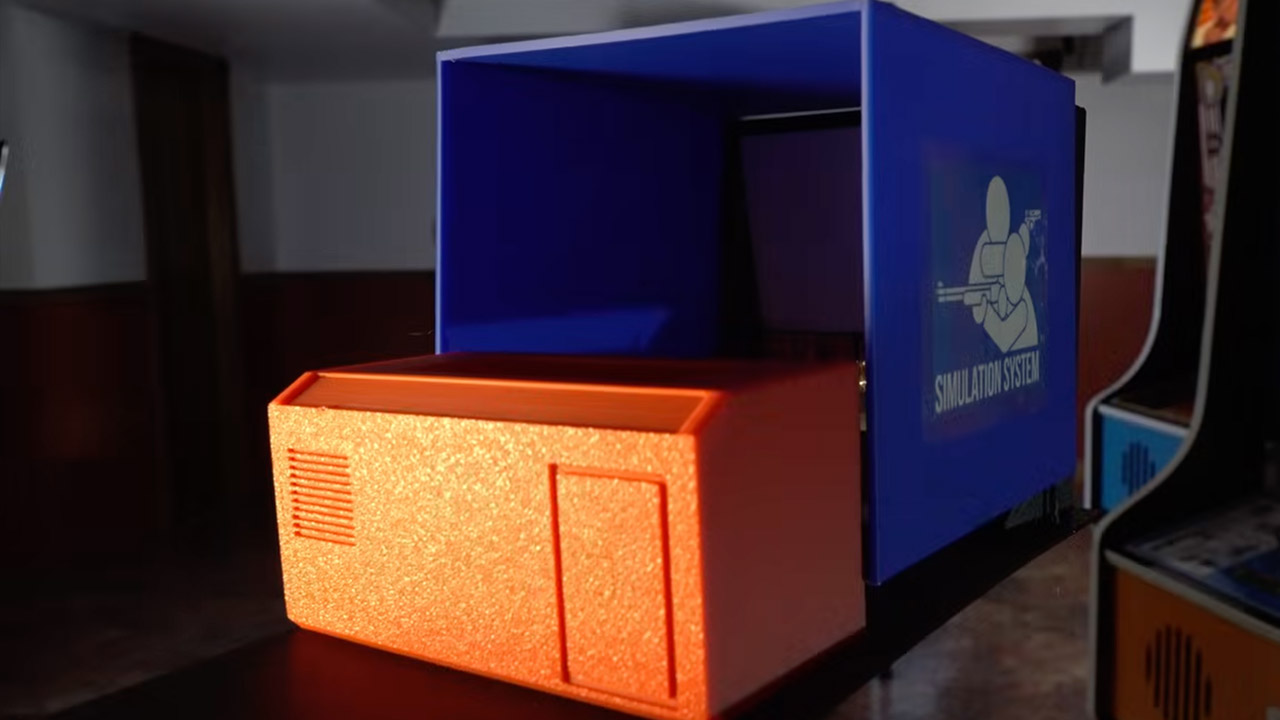
Brown then began the rebuild by creating a basic scale model on his workshop, but things quickly became out of control. The next thing he knew, he was drafting full-size designs, cutting plywood sheets for the cabinet frame, and assembling it piece by piece. His wife, Natasha, worked hard to hand stitch the cloth side panels so they matched the original design flawlessly. On his 3D printer, the front control panel was crisp and clear, and the LED lights worked. Brown even printed the gun’s body and attached it with infrared sensors that tracked movement in the same manner that classic console controllers did.

A single digital projector now manages film playback inside the cabinet, and everything runs on custom Unity code written by Brown. It reads the player’s time, selects the appropriate film clip, verifies the shot position, and awards a badge if the player hits a clean shot. Insert two quarters into the coin slot, and the machine will scream to life. The attract loop plays on the screen, allowing the user to grab the gun. A gunslinger appears on the screen, his eyes flare, and you receive the command to fire. Draw quickly but not too quickly, and then land that shot as the victory music begins to play. Everything feels just like the original game from the 1970s.

A new email from Sony says that PlayStation will require players to verify their age later this year to keep using communication features like messages and voice chat. Insider-Gaming reports: The initiative comes from the goal of providing “safe, age-appropriate experiences for players and families while respecting their privacy” and providing “meaningful control over their gaming experiences.” The age-verification process will be implemented globally, and players will need to verify their age to continue using PlayStation communication services, such as messages and voice chat. If the player opts not to verify their age, they can still use other services, such as games, trophies, and the store. Only the communication experience will be affected if you choose not to verify your age. PlayStation didn’t provide a date for when players will need to begin the verification process.

from the not-today,-second-rate-satan dept
Despite a bunch of Republican lawmakers being extremely (and mostly performatively) upset that their communications were accessed during investigations of the January 2021 insurrection attempt, the current version of the Trump administration seems to prefer a clean re-authorization of the surveillance powers it so recently deemed a dangerous part of the “deep state.”
The FISA court recently blessed an extension of this NSA collection, provided the government fixed the most problematic parts of it — that being other IC agencies’ warrantless access to US persons’ communications via “backdoor” searches of the foreign-facing surveillance dragnet.
Trump was having none of this, pressing the GOP to simply give the administration an un-reformed, un-repaired Section 702 that would presumably allow it to engage in the same abuses it was crying about less than a half-decade ago.
Fortunately for every American only allowed to vote by proxy every two-to-four years for surveillance reform, there is still no clean re-authorization on the books. The senator whose name is synonymous with surveillance reform — Ron Wyden — recently had this to say in his Bluesky post:
Update on where things stand on FISA: this deal is a win. We got the House to back down from an 18 month extension, buying us time to negotiate on real reforms. I’ll be fighting like hell for reforms that put your privacy first, and will have more to share soon.
Not that congressional majority leader Mike Johnson wasn’t trying his damnedest to round up GOP support for a clean renewal that would give Trump what he wanted, and very little of what the GOP actually wanted, given its years of complaining about the FBI’s warrantless access to their communications.
Johnson apparently decided he could slip this one past the goal line by holding a couple of quick votes as time ran out on the current congressional session. Here’s James Baratta with the details for The American Prospect:
Johnson’s dazzling play to reauthorize Section 702 of the Foreign Intelligence Surveillance Act (FISA) by five years ended in an excruciating defeat, as the bill failed after 20 Republicans joined Democrats in striking it down. One major reason it lost was that the warrant language baked into that measure not only would have codified existing law, but also would have made it easier for Section 702–acquired data to be used against Americans in criminal proceedings.
The 200-220 vote was called at 1:22 early Friday morning.
Baratta’s report refers to this as an “eleventh hour” burst of activity, but it’s actually well past that hour. We’re looking at 13th to 14th hour desperation here, especially since Johnson went back to the well again shortly after this first defeat.
The other shoe dropped during the vote on a rule to consider a clean 18-month extension of Section 702. That rule also failed at 2:07 a.m. in a 197-228 vote.
Given that the average congressional rep is pushing 58, both votes occurred well after bedtime. It’s a testimony to the resistance to clean re-authorization of Section 702 powers that these many reps were still on the floor to shut down Mike Johnson twice.
It also shows that Mike Johnson isn’t actually leading the Republican party. He’s restricted to doing whatever Trump wants, even if that clashes with what many party members want. To get skunked twice in two hours is embarrassing, which means Johnson may not remain majority leader for long, even if Democrats can’t flip the House following the mid-terms.
The good news is this: Congress only has until the end of this month to get a re-authorization passed. If it hopes to prevent this surveillance power from lapsing, Johnson and his fellow surveillance hawks are going to have to make some concessions, which may (finally!) include warrant requirements for searches of US persons’ communications by IC agencies with access to NSA collections.
On the other hand, when push comes to shove, far too many Republicans are willing to be Trump’s doormat and argue against their own interests, along with the interests of the constituents. But this is the most concerted challenge to Section 702 mounted yet. Even the Snowden leaks didn’t manage to get this done. But even if reforms are finally put in place, the public should remember GOP lawmakers did this because they want to shield themselves from domestic surveillance. That it might better protect their constituents is just an unavoidable side effect of their self-interest.
Filed Under: backdoor searches, gop, mike johnson, nsa, section 702, surveillance abuse, trump administration, warrantless searches

Tim Cook is stepping down as the CEO of Apple and transitioning to a role as the company’s executive chairman, effective September 1, the company announced on Monday. John Ternus, Apple’s senior vice president of hardware engineering, will replace Cook as CEO.
Cook’s departure had been speculated upon in recent months. In an era when every other Big Tech company has thrown significant resources at developing advanced AI, Apple is widely perceived as a laggard. Ternus’ old job will fall to Johny Srouji, who was elevated to chief hardware officer from a senior vice president on Monday. Srouji has been instrumental to Apple’s development of custom computer chips.
Cook’s legacy at Apple will be tied to the company’s tremendous financial growth over the past two decades. When he took over as CEO in 2011, the company’s market capitalization was around $350 billion; it is now north of $4 trillion. More than 2.5 billion people around the world used an Apple device as of January, according to the company.
During Cook’s tenure Apple launched both the Apple Watch and AirPods, important anchors for the company’s accessories unit, which generated nearly $36 billion in revenue during the last fiscal year. Its services business, which keeps consumers locked into Apple hardware and now accounts for over a quarter of the company’s total sales, grew from about $3 billion a quarter at the end of 2011 to about $30 billion in the final three months of last year.
But some of the projects developed under Cook, such as Apple’s self-driving car, were less successful. Apple Vision Pro, the company’s delayed foray into virtual reality headsets, was widely considered to be too expensive and failed to gain traction. While Cook expertly managed Apple’s production cycles during the global pandemic and quickly diversified the company’s supply chain when it encountered pressure from tariffs, Cook’s legacy is likely to be that of an operations master rather than a product innovator.
Cook’s dealings with China are also a part of his operational legacy, as China became not only a critical hub of manufacturing but also an important consumer market for Apple. As of last year, Apple held the top spot in smartphone market share in the country, with an estimated 22 percent. In recent years, though, Apple has faced scrutiny over what some lawmakers allege is the use of forced labor involving Uyghur Muslims by its contractors. Apple also reportedly tried to lobby against certain provisions in a 2020 bill that would have prevented forced labor in China.
Cook, like many tech CEOs, has cozied up to President Donald Trump since Trump’s return to the White House—sometimes even standing, grim-faced, beside the president at public events. Cook personally donated $1 million to Trump’s inauguration festivities in early 2025. He also appeared at Trump’s inauguration itself, alongside Elon Musk, Sundar Pichai, Jeff Bezos, and Mark Zuckerberg. In an odd display of fealty last August, Cook presented Trump with a custom Apple plaque that was nested in a 24-karat gold base. He also attended a private screening of the Melania documentary at the White House, hours after a federal immigration agent shot and killed nurse Alex Pretti during a street protest.
In 2014, the typically private Cook announced that he is gay in an op-ed in Bloomberg Businessweek. At the time, Cook wrote that being gay gave him a deeper understanding of “what it means to be in the minority and provided a window into the challenges that people in other minority groups deal with every day.” His experience had taught him to “rise above adversity and bigotry,” Cook wrote. He also cited concern for children being bullied as a motivation for him to speak out about his own experiences.
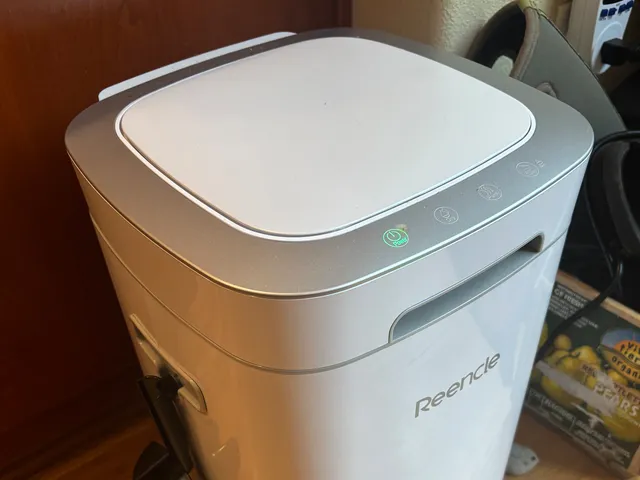
The countertop kitchen composter is a lovely vision. Instead of a smelly bucket of vegetable scraps and coffee grounds breeding fruit flies on your counter or attracting rats to your backyard, you could just put it all into a nifty electric gadget, and at some undetermined point in the future, you’ll have a bountiful supply of nutrient-rich compost to use in your garden.
Unfortunately, none of the more popular electric machines quite do this. Even though some of these devices are marketed as “composters” and have instruction booklets and apps detailing all the ways in which one can use compost, the vast majority of kitchen composters are just going to grind up and dry your food scraps. Your waste output will be greatly reduced in volume and will no longer smell, but if you’re hoping to put eggshells and banana peels into a machine and magically scoop out the kind of compost you’d buy at the garden center, that’s just not going to happen.
That said, you can mix small amounts of these grounds into potting soil in very small ratios, or use them as feeder for a “real” compost pile, but most of these machines are meant for those wanting to reduce the volume of food waste their household produces. This is itself a legitimate goal, as cast-off food makes up 24 percent of municipal solid waste, resulting in the release of methane, a destructive greenhouse gas, as it breaks down in the landfill.
Or maybe you’d just like your food grounds to be odor-free and shelf-stable before adding them to your green waste bin for municipal composting or your backyard compost. In any case, despite critics’ cries of greenwashing and corporate astroturfing, there is still value to these devices. They make people more aware of their food waste. They don’t use as much power as you think they would (around 1 kilowatt-hour was typical). And my top pick, the Reencle Prime, even produces something close to compost.
Read on for our assessment, and once you’re done, check out some of our other kitchen-related guides, including the Best Coffee Makers, Best Toaster Ovens, Best Meat Subscription Boxes, and Best Meal Kit Delivery Services.
Updated April 2026: I’ve added the Terra II from GEME and Clear Drop’s Organics Collector to the section of other devices I’ve tried and ensured up-to-date links and prices. I’m currently testing a composter from Airthereal.
Table of Contents
Best Overall
-Reviewer-Photo-SOURCE-Kat-Merck.jpg)
Reencle
Prime Electric Composter
As I mentioned above, none of these machines makes truly ready-to-use compost, but the Reencle Prime comes closest to a traditional compost bin. Popular in South Korea years before it appeared in the US, the Reencle arrives with a starter bag of ReencleMicrobe (which can be purchased separately for $65) containing activated carbon, wood pellets, glucose, and a trio of patented microbes ready to chow down. There’s also a prefilled carbon filter that slots into the back.

At 14 x 15 x 22 inches, the Prime is too large for a kitchen counter, but it conveniently operates much like a heated trash can. The lid can be opened via a sensor at the bottom or a button on the control panel, and in goes your organic matter. That’s it. There are no cycles, tablets, or auxiliary buckets to worry about. Even the app is totally optional. Within hours to days, depending on the item, the scraps are broken down into a material resembling a cross between dirt and sawdust.
The smell isn’t always pleasant, but it can usually be mitigated by using the control panel’s Dry and Purify buttons or by adding what, in composting lexicon, is called “browns”—dry, carbon-rich materials like bread or shredded paper.

Photograph: Kat Merck
The Reencle also tends not to smell when it’s being fed its preferred diet of 1.5 pounds of scraps per day. Unlike other machines, it can also accept meat and dairy. For larger households, there’s the Reencle Gravity ($649), which is a couple of inches taller and can accept 3.3 pounds of waste a day. I also tested this and found it to be significantly quieter than the Prime—not that the Prime is noticeably loud, only about 30 decibels—but the Gravity is nearly silent, which is a nice bonus.
When the volume reaches the fill line, the Reencle grounds can be scooped out, mixed with potting soil at a 1:4 ratio, and left to cure for three weeks (I used a large tub in my garage). Afterward, it can be used for both outdoor and indoor plants. I have used this resultant mix to positive effect both indoors and outdoors.

Verdict
A great compact tablet for students that doesn’t skimp on performance and includes a brilliant stylus in the box? The Lenovo Yoga Tab has a lot to like.
-
Great, compact size
-
Good performance for the price
-
Stylus included
-
Just three years of updates
-
Bloatware
Key Features
-

Review Price:
£479
-
Stylus included:
Bundled with the Lenovo Tab Pen Pro
-
Quad-speaker setup:
Two tweeters and two woofers
-
3.2K resolution:
11.1-inch IPS LCD
Introduction
Tempted by the iPad Air’s set of features, but would rather spend a little less at the checkout? The Lenovo Yoga Tab might be the alternative you’ve been waiting for.
I have to hand it to Lenovo, there aren’t too many companies out there that offer quite the same degree of variety in the world of tablets compared to the likes of Apple and Samsung, but the brand has absolutely no shortage of options to the point where practically every type of budget is catered for.
Sitting below the premium-level Lenovo Yoga Tab Plus, the standard Lenovo Yoga Tab is still a fairly feature-packed tablet, but thanks to a starting price of £479/$549.99, it’s more affordable than crucial options like the iPad Air M4 and the Samsung Galaxy Tab S10 FE.
Of course, even with a head start on price, the question remains as to whether or not Lenovo can do enough with the Yoga Tab to lure potential adopters.
Despite having reviewed countless tablets from other brands, this is the first Lenovo tablet I’ve ever had the pleasure of testing, and I’ll gladly admit that I should have been paying more attention to the company’s output sooner.
Design
- Very compact build
- Only 6.2mm thick
- Just two colourways available
Being unfamiliar with Lenovo’s design language when it comes to the company’s tablets, I wasn’t too sure what to expect, but I found myself pleasantly surprised from the very first moment that I held the Yoga Tab. This is a slick tablet that brilliantly tows the line of having a decently sized display (11.1 inches) but without ever feeling cumbersome, making it a solid option for some entertainment on the go.

At just 6.2mm thick and with a starting weight of only 458g, the Lenovo Yoga Tab, from a pure design perspective, is exactly what I want from a tablet most of the time. Having recently used the excellent OnePlus Pad Go 2, as much as I loved its larger frame for a bit of productivity when working from home, it’s a little too large to be my go-to tablet if I’m travelling and would rather have something compact that can more easily fit into my carry-on luggage, which is exactly what the Yoga Tab can do.
Even though I’ve been using the device without a case for the duration of this review, because the tablet itself is so slim, I don’t think that bringing a case into the mix will diminish its portability in any meaningful way.
However, one feature that I wish the Yoga Tab had pinched from more affordable Lenovo Idea Tabs is a helpful kickstand for easy viewing. I’ve had to constantly prop the Yoga Tab against several objects, but because the backing doesn’t provide a tangible grip, this has often led to me saving the tablet from sliding away at the last second.
There are two colourways available, Seashell and Luna Grey, the former of which I’ve had in for testing. Both models have a semi-professional look about them, so if they are brought into a meeting they won’t look out of place, but I do wish that they had a bit more of a personality to them. Even the iPad Air M4, despite being a more premium tablet, comes with a hint of colour.
For the sake of consistency, however, I’d recommend picking up the Luna Grey option as it’s colour matched with the included Lenovo Tab Pen Pro, creating a better look overall.

Screen
- 11.1-inch IPS LCD panel
- 3.2K resolution
- 144Hz refresh rate
As I’ve said before, an 11.1-inch panel is the sweet spot as it’s big enough to provide a far more immersive viewing experience than my smartphone, but it’s not too large as to feel cumbersome in the hand, which can be an issue with larger tablets like the 13-inch iPads and the Samsung Galaxy Tab S11 Ultra.
In terms of the display itself, it packs a 3.2K resolution which helps to keep everything looking crisp, whether that’s on the homescreen or when scrolling through the likes of Netflix and Disney Plus for your next watch. It’s also IPS LCD, so no OLED here, although that isn’t too surprising, as you typically have to spend a bit more in order to enjoy self-lighting pixels on a tablet.
Still, the colours look great, and when diving into my go-to stream of Avengers: Infinity War, I did find myself getting drawn into the action.
The refresh rate can also top out at 144Hz, which is great news for gamers. It’s shown off in its best light when running through a couple of matches in titles like Call of Duty Mobile, but even when giving Balatro a spin (although the game is far from the most taxing one out there), all of the animations and card twists look buttery smooth on this display.
One thing I would have liked to see is a slightly higher brightness than the current peak of 800 nits. It certainly gets the job done in most scenarios, but I did spot a bit of dimming around the edges of the display when viewing webpages with a white background. If you’re coming up from a much older tablet then this probably won’t be noticeable, but I did find the OnePlus Pad Go 2 to be a better performer in the brightness department.

The Yoga Tab’s display is nice and responsive though, which was great to see when I was rearranging apps to have everything set up in just the right multitasking configuration. This also applies to instances of using the Pen Pro, with minimal delay present to make you feel connected with your writing.
Cameras
- 13MP main camera
- The 2MP macro camera feels like an odd addition
- 13MP front-facing camera
As much as I love tablet computers, their cameras are barely an afterthought in how I use them, and, as ever, I would not recommend choosing a tablet based on the sensors it includes. Still, if you do need to rely on cameras occasionally for scanning a document or jumping into a Zoom call, then you won’t be disappointed with what the Lenovo Yoga Tab has to offer.
On the back, there’s a 13MP wide-angle camera that can take okay pictures if you need a reference point for something, but start zooming into the shots, and you’ll notice that the detail falls apart pretty quickly. As I mentioned before, this camera is far better suited for scanning documents when needed, and I was impressed to see that even on my dimly lit desk, the camera was able to take a decent scan of a document, which could then be tweaked after the fact to distinguish the text a bit better.

What I can’t quite wrap my head around is the inclusion of a secondary 2MP macro camera on the rear. This is exactly the type of useless feature that the Lenovo Yoga Tab could have done without, as it would have been much nicer to see Lenovo’s efforts focused elsewhere, or to have the price be just a tad more affordable.
At the very least, the front-facing 13MP ultra-wide camera does a great job of capturing everything around you, so if you and several other people near you want to hop onto a video call, there’s a good chance that you’ll all appear on the screen without any need for jostling.
Performance
- Solid power from the Snapdragon 8 Gen 3
- Gaming works like a charm
- Tremendous speakers
Powering the Lenovo Yoga Tab is the Snapdragon 8 Gen 3 chipset which, despite being a few years old now, is still capable of fairly impressive performance. After all, this is the same chipset that used to be reserved for flagship phones, including the Samsung Galaxy S24 Ultra.
I did encounter a slight slowdown during the early phase of using the tablet, whilst everything was installing in the background, with the whole thing freezing on me for a few seconds before responding, but beyond that initial period, I have very much enjoyed my time with the Lenovo Yoga Tab.

Because of the relatively compact size of the device, I’ve enjoyed catching up on the latest headlines, scrolling through the BBC News website with ease, as well as constantly jumping back and forth between the likes of Amazon, Currys and John Lewis on the hunt for any tech or gaming deals I can get my hands on.
When I fancied a bit of interactive entertainment, I was able to connect an Xbox controller over Bluetooth and absolutely decimate my way through a round of Call of Duty: Mobile (anyone using touchscreen controls didn’t stand a chance). Everything ran smoothly, and I didn’t pick up on any instances of lag or screen tearing, something which was partially helped by the 144Hz refresh rate.
Multitasking is also handled incredibly well on the Lenovo Yoga Tab, with my typical use case of having Google Docs open next to the Chrome browser proving to be no issue whatsoever. When pushing it a bit further, I was even more impressed in having BBC News open on one side, Balatro playing on another, and a windowed Disney Plus stream in the corner, all without the tablet buckling. If you’re a student who needs a bit of distraction as you revise, this set-up is perfect.
Test Data
Lenovo Yoga Tab
OnePlus Pad Go 2
Samsung Galaxy Tab S10 FE Plus
Geekbench 6 single core
2220
1003
1230
Geekbench 6 multi core
5758
3082
3545
Geekbench 6 GPU
13300
2602
–
3D Mark – Wild Life
4445
874
1348
3D Mark – Wild Life Stress Test
3893 %
98.8 %
–
The only area where I saw limitations in the chipset was when playing more demanding 3D titles. To the Yoga Tab’s credit, it handled the exploration sections of Honkai Star Rail rather well, but it was in the game’s battles that I would spot the occasional frame jump. Still, that’s not bad for a tablet of this price, and unless you’re a serious gamer, I don’t think you’re going to hit the performance ceiling of this tablet very often (if at all).

Saving the best for last, what really gave me pause about this tablet is its speakers. I didn’t anticipate anything special from a tablet this compact, but the quad-firing set-up provides one of the best soundscapes I’ve ever come across in a tablet. Getting to run through my usual test streams has been an absolute joy, and there’s a serious amount of weight provided. If you’re on the road and the Lenovo Yoga Tab is your only source of entertainment, then I don’t think you’ll be disappointed.
Software
- Android with the Lenovo ZUI overlay
- An unfortunate amount of bloatware
- Just three major software updates
As far as the user experience goes, the Yoga Tab uses Lenovo ZUI, and although this was my first experience with this specific Android overlay, I will say that I grew to like it over the course of the testing period. The UI isn’t quite as stylish as OnePlus’ Oxygen OS, but everything is clearly labelled which I appreciated.
For example, you can easily dive into a bit of multitasking by tapping on the three dots that sit at the top of an app, wherein you can have apps sit side by side or have several windowed apps around the screen. Unfortunately you can’t do 90/10 multitasking wherein a second app sits largely out of the way on the side of the display, but can be called upon quickly with a single tap, so it’s not quite as robust an experience as what you’ll find with Open Canvas on OnePlus tablets.
Still, Lenovo’s approach to simplicity also carries over to the quick-access controls for the Pen Pro, wherein you can jot down notes, use Google’s Circle to Search or scribble on a screenshot of whatever’s on the display. I’m not typically a fan of using stylus pens on tablets either, but with the way the software is laid out and the Pen’s very satisfying haptic feedback, I found myself picking it up fairly often.

Instead of having Google News pop up when swiping right from the homescreen, you’re greeted with an entertainment hub that’s mostly centred around Google services. By default, the first thing you see is a Google TV dashboard which collates all of your key streaming services, but you can also access your library of Google Play Store games and any purchased Google Play Books.
Personally, I could do without most of those options, but having quick access to Google TV is great, especially as it cuts down on needing to jump from one streaming app to another in search of what you want to watch.
What I didn’t appreciate seeing was a decent amount of bloatware preinstalled on the device. Before I ever started downloading my own apps, the likes of Adobe Express, CapCut and Perplexity were already present, alongside (strangely enough) two separate drawing/painting apps. It’s something I fully expect to see at the budget end of the market, but at £479 the Yoga Tab is much closer to the mid-range sector.
Even with the bloatware at play, what really stands out as a major knock against the Yoga Tab is that it only carries a promise of three OS updates from the time of launch. Usability is extended slightly by four years of security updates, but it’s not great when you consider that Apple and Samsung offer far in excess of that, so if you don’t want to upgrade your tablet in just a few years, then I recommend looking elsewhere.
Battery life
- 8660mAh cell
- 45W charging
- Charges to full in one hour and 28 minutes
If you do plan on using the Lenovo Yoga Tab either as a productivity device or for getting through your studies, you won’t have much to worry about in terms of battery life. There’s a sizeable 8860mAh silicon carbon cell crammed into this tablet, impressive given its slim build, but it’s meant that I haven’t ever really had to worry about topping it up as I’ve gone about my day.

You can get a larger 10200mAh battery by opting for the more expensive Lenovo Yoga Tab Plus, but unless you really plan on spending hours editing high-quality videos in LumaFusion or CapCut, I don’t think you’ll need the extra grunt.
Charging is also set at 45W, which is fair for a tablet of this price. It’s the same charging speed as the more expensive Samsung Galaxy Tab S10 FE, although if battery is your main concern, then you can get 66W charging (and a bigger cell) on the Xiaomi Pad 8 Pro.
When using a 65W charger, which effectively allows the Yoga Tab to reach its 45W capacity, it took only 1 hour and 28 minutes to reach a full charge, which isn’t bad. Getting to the 50% mark only took 43 minutes, so if you’re in a rush, then you can get back enough juice to get you through a few lectures.
Should you buy it?
You need a compact tablet for university
With good speeds, a stylus included and a slim build that’s easy to carry around, the Lenovo Yoga Tab is a great option for students.
You want a tablet for the long haul
With just three years of software updates provided by Lenovo, the Yoga Tab doesn’t offer the same type of futureproofing as you’ll find with Samsung devices.
Final Thoughts
As someone who spent most of their undergraduate and postgraduate years preferring to use a tablet rather than a laptop, the Lenovo Yoga Tab is exactly the type of device I would have loved to have during my studies. This isn’t to say that adults won’t enjoy using this tablet, only that I think the Yoga Tab excels best as an all-in-one device for students.
The Snapdragon chipset makes multitasking very easy, and with a stylus included, you can take down handwritten notes in a pinch – perfect for when you’re brainstorming with a study group. When you’re ready to call it a day, it’s the combination of quick access to Google TV and the surprisingly powerful built-in speakers that allow the Yoga Tab to work just as well as an entertainment device.
Above all though, it’s the compact nature of this tablet that makes it feel very inviting to use. The lightweight stature makes it simple enough to carry one-handed, and you’ll barely notice its presence when flung in a backpack.
I do wish that the tablet came with a longer period of software support, and the presence of bloatware does make the experience feel a little less premium than the competition. The iPad Air M4 and the Samsung Galaxy S10 FE Plus remedy both of these issues, but they do cost a bit more than Lenovo’s tablet. Alternatively, if you want a great productivity tablet for less than the OnePlus Pad Go 2 is also worth a look.
If you still haven’t made up your mind then check out our guide to the best tablets.
How We Test
We test every mobile phone we review thoroughly. We use industry-standard tests to compare features properly and we use the phone as our main device over the review period. We’ll always tell you what we find and we never, ever, accept money to review a product.
- Used as a main tablet for over a week
Tested and benchmarked using respected industry tests and real-world data
FAQs
There is a stylus included by default with the Lenovo Yoga Tab, but you’ll have to pay more for a bundle that also includes a keyboard case.
Test Data
| Lenovo Yoga Tab | |
|---|---|
| Geekbench 6 single core | 2220 |
| Geekbench 6 multi core | 5758 |
| Geekbench 6 GPU | 13300 |
| 3DMark Solar Bay | 8083 |
| AI performance | 3622 |
| Time from 0-100% charge | 98 min |
| 30-min recharge (included charger) | 35 % |
| 15-min recharge (included charger) | 18 % |
| 3D Mark – Wild Life | 4445 |
| 3D Mark – Wild Life Stress Test | 3893 % |
Full Specs
| Lenovo Yoga Tab Review | |
|---|---|
| UK RRP | £479 |
| USA RRP | $549.99 |
| Manufacturer | Lenovo |
| Screen Size | 11.1 inches |
| Storage Capacity | 256GB |
| Rear Camera | 13MP wide, 2MP macro |
| Front Camera | 13MP |
| Video Recording | Yes |
| IP rating | Not Disclosed |
| Battery | 8660 mAh |
| Size (Dimensions) | 255.5 x 165.8 x 8.3 INCHES |
| Weight | 458 G |
| Operating System | Android 16 |
| Release Date | 2025 |
| First Reviewed Date | 09/04/2026 |
| Resolution | 3200 x 2000 |
| Refresh Rate | 144 Hz |
| Ports | USB-C |
| Chipset | Snapdragon 8 Gen 3 |
| RAM | 12GB |
| Colours | Luna Grey, Seashell |
Tech
PowerLight’s laser power beaming system keeps a drone in the air for hours during Pentagon test flights


Kent, Wash.-based PowerLight Technologies says its laser power beaming system has been used successfully to keep a military-grade, fixed-wing drone in the air for hours during a series of tests for the Department of Defense.
The flight demonstrations concluded this month at the Poinsett Electronic Combat Range at Shaw Air Force Base, S.C. The tests were conducted in partnership with Kraus Hamdani Aerospace, sponsored by U.S. Central Command and the Pentagon’s Operational Energy – Innovation Directorate.

PowerLight’s system was installed on a KHA K1000ULE drone, which operates under a recently awarded $270 million deployment contract from the AFCENT Battle Lab. The flight tests demonstrated end-to-end operation of a kilowatt-class wireless power system, from target acquisition and precision tracking through beam delivery and safety management.
During the tests, the beaming system acquired and tracked the drone at altitudes up to 5,000 feet, delivering power while steering and focusing the infrared laser beam in real time.
PowerLight, formerly known as LaserMotive, started out more than 15 years ago with power-beaming systems capable of keeping small quadcopters in the air continuously. The latest tests marked the first demonstration of a wireless system capable of sustained, autonomous power delivery at operationally relevant ranges and power levels for a large, fixed-wing military drone.
Currently, such drones must land to refuel or recharge once their onboard power source is depleted. Continuous wireless power could theoretically keep them airborne indefinitely.
PowerLight’s system was developed through the Power Transmitted Over Laser to Uncrewed Aircraft Systems program, or PTROL-UAS, sponsored in part by U.S. Central Command.
“The Poinsett Range demos prove what we built, and set the stage for the roadmap for this capability that scales from a single transmitter to a distributed network, increasing power output, altitude and range, sustaining multiple aircraft simultaneously across a theater,” PowerLight Technologies CEO Tim Jenks said today in a news release.
Jenks pointed out that PowerLight’s technology could also be used to counter enemy drones. “The same autonomous targeting, precision beam control and real-time system intelligence that keeps a friendly platform aloft has direct applicability to directed-energy counter-UAS strategies,” he said.
In addition to its work for the Department of Defense, PowerLight has worked on systems that could transmit power to 5G base stations, underwater robotic vehicles and lunar rovers.
Tech
OpenAI Codex Chronicle captures your Mac screen to build AI context, with cloud processing and no encryption
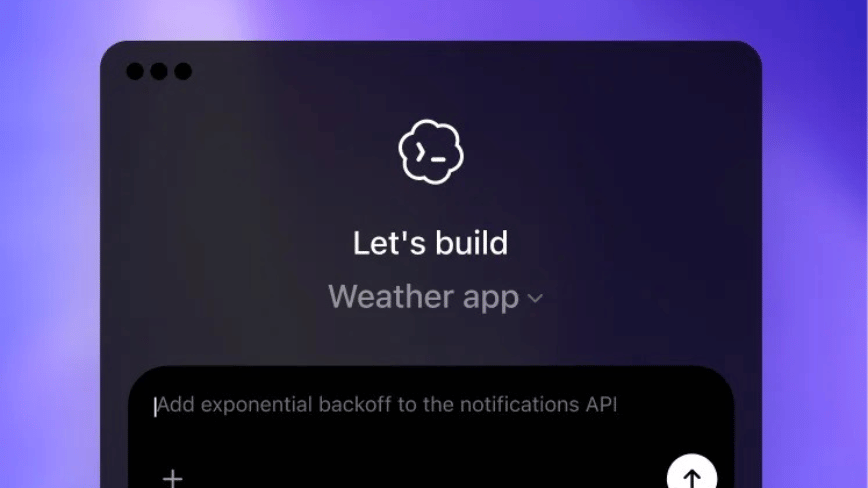
Summary: OpenAI’s Codex for Mac has added Chronicle, a research preview feature that periodically captures screenshots, sends them to OpenAI’s servers for processing, and stores text summaries as local unencrypted Markdown files to give the AI assistant passive context about user activity. The feature is unavailable in the EU, UK, and Switzerland, requires a $100+/month Pro subscription and Apple Silicon, and represents OpenAI’s first implementation of ambient screen-aware AI on desktop, choosing cloud processing and utility over the local-first privacy architecture adopted by competitors like Screenpipe and the now-defunct Rewind AI.
OpenAI’s Codex desktop app for Mac has gained a feature called Chronicle that periodically captures your screen, processes the content into text summaries, and stores those summaries as local memory files that give the AI assistant context about what you have been working on. The feature, released as a research preview, means Codex can now understand your recent activity without you having to explain it. It also means OpenAI is sending screenshots of your desktop to its servers for processing, a design choice that puts Chronicle in direct tension with the privacy-first direction that much of the industry has been moving toward.
Chronicle is part of a broader update that transformed Codex from a coding assistant into a general-purpose AI workspace. The 16 April release, titled “Codex for (almost) everything,” added computer use capabilities that allow Codex to operate Mac apps with its own cursor, an in-app browser, image generation, persistent memory, and more than 90 plugins. Over one million developers have used Codex, and usage doubled following the launch of the GPT-5.2-Codex model in December.
How Chronicle works
Chronicle runs background agents that periodically capture screenshots of your display. Those screenshots are sent to OpenAI’s servers, where they are processed using OCR and visual analysis to generate text summaries. The summaries are saved as Markdown files in a local directory at ~/.codex/memories_extensions/chronicle/. When you subsequently prompt Codex, those memory files are included in its context window, allowing it to understand what applications you were using, what documents you were reading, what code you were writing, and what conversations you were having, all without you restating any of it.
The raw screen captures are stored temporarily under a system temp directory and automatically deleted after six hours. OpenAI states that screenshots are not stored on its servers after processing and are not used for training. The generated memories, however, persist indefinitely as unencrypted plain text files on your machine.
Greg Brockman, OpenAI’s president, described the feature as “an experimental feature giving Codex the ability to see and have recent memory over what you see, automatically giving it full context on what you’re doing. Feels surprisingly magical to use.”
The privacy architecture
Chronicle requires macOS Screen Recording and Accessibility permissions. It is available only on Apple Silicon Macs running macOS 14 or later, and only to ChatGPT Pro subscribers paying $100 or more per month. It is not available in the EU, UK, or Switzerland, a geographic restriction that strongly suggests OpenAI recognises the feature’s incompatibility with GDPR’s requirements around data minimisation and purpose limitation.
The comparison with Microsoft Recall is instructive. Recall, which launched on Windows Copilot+ PCs, takes screenshots every few seconds and stores them in an encrypted local database, with all processing handled by a neural processing unit on the device. No screenshot data leaves the machine. Chronicle takes the opposite approach: processing happens in the cloud, but only text summaries are retained locally. Recall encrypts its database and requires biometric authentication via Windows Hello. Chronicle stores its memories as unencrypted Markdown files accessible to any process running on the computer.
OpenAI’s own documentation acknowledges the risks explicitly. Chronicle “increases risk of prompt injection” because malicious content on a website you visit could be captured in a screenshot and interpreted as instructions by the AI. The memories directory “might contain sensitive information.” And the feature “uses rate limits quickly,” meaning Pro subscribers may find their Codex usage constrained by Chronicle’s background activity.
OpenAI recommends pausing Chronicle before meetings or when viewing sensitive content. Users can pause and resume via the Codex menu bar icon. The recommendation is itself revealing: it acknowledges that the feature will capture things it should not, and shifts the burden of managing that risk to the user.
The category and its casualties
Screen-aware AI assistants have had a turbulent history. Rewind AI, the most prominent early entrant, rebranded to Limitless before being acquired by Meta in December 2025. The Mac app was shut down and screen capture disabled. Microsoft’s Copilot has lost 39% of its subscribers in six months, partly due to trust issues that extend to Recall. A security researcher demonstrated in early 2026 that Recall’s encrypted database could still be exploited, reinforcing concerns that had dogged the feature since its announcement.
The open-source alternative Screenpipe offers a local-first approach: continuous screen and audio capture processed entirely on-device, with a $400 lifetime licence and no recurring cloud dependency. Perplexity’s Personal Computer software takes yet another approach, turning a Mac mini into a persistent AI agent with access to local files and apps, though it too relies on cloud processing for its core intelligence.
The pattern across the category is consistent: the more useful a screen-aware AI becomes, the more data it needs to process, and the harder it becomes to reconcile that data appetite with user privacy. Chronicle opts for utility over privacy architecture, betting that OpenAI’s promise not to store or train on the data, combined with the six-hour deletion window, is sufficient to earn user trust. Whether that bet pays off depends entirely on whether users believe the promise and whether OpenAI can maintain it as the feature scales.
The ambient computing context
Chronicle arrives as the industry converges on the idea that AI assistants should understand your context without being told. Apple is testing AI smart glasses designed as ambient input channels for Apple Intelligence. Slack’s recent AI overhaul turned Slackbot into a desktop agent with deep context about your work communications. OpenAI itself is developing a screenless hardware device with Jony Ive that is explicitly positioned for an “ambient AI” era. Gartner predicts more than 40% of large enterprises will deploy ambient intelligence pilots by 2026.
The thesis is that AI becomes dramatically more useful when it has passive, continuous access to what you are doing rather than requiring you to articulate your needs from scratch each time. Chronicle is OpenAI’s first implementation of that thesis on desktop, and it works: by Brockman’s account and the feature’s design, eliminating the need to re-explain context to an AI assistant is a genuine productivity gain.
But the thesis has a cost. Privacy-first alternatives like Proton’s AI tools demonstrate that useful AI can run on open-source models locally without sending user data to anyone’s servers. The question Chronicle poses is not whether screen-aware AI is useful. It plainly is. The question is whether the cloud-processed, trust-dependent model that OpenAI has chosen will survive contact with the regulatory environment that has already excluded it from three jurisdictions, and with users who have watched enough AI companies promise data privacy only to quietly revise their terms when the economics demanded it.
Peter Mandelson scandal disaster for Scottish Labour ahead of election

Tariff refund system launches as thousands of companies file claims

Stars Who Have Showed Off Their Baby Bump in Style



-

 NewsBeat7 days ago
Trump and Pope Leo: Behind their disagreement over Iran war
-

 Fashion3 days ago
Weekend Open Thread: Theodora Dress
-

 News Videos6 days ago
Secure crypto trading starts with an FIU-registered
-

 Sports4 days ago
NWFL Suspends Two Players Over Post-Match Clash in Ado-Ekiti
-

 Crypto World7 days ago
SEC Proposes Certain Crypto Interfaces Don’t Need to Register as Brokers
-

 Business2 days ago
Powerball Result April 18, 2026: No Jackpot Winner in Powerball Draw: $75 Million Rolls Over
-

 Crypto World3 days ago
Russia Pushes Bill to Criminalize Unregistered Crypto Services
-

 Politics8 hours ago
Gary Stevenson delivers timely reminder to register to vote as deadline TODAY
-

 Politics3 days ago
Palestine barred from entering Canada for FIFA Congress
-
 Business4 days ago
Creo Medical agree sale of its manufacturing operation
-

 Politics2 days ago
Zack Polanski demands ‘council homes not luxury flats for foreign investors’
-

 Crypto World3 days ago
Russia Introduces Bill To Criminalize Unregistered Crypto Services
-

 Tech2 days ago
Auto Enthusiast Scores Running Tesla Model 3 for Two Grand and Turns It Into Bare-Bones Go-Kart
-

 Tech5 days ago
‘Avatar: Aang, The Last Airbender’ Leaked Online. Some Fans Say Paramount Deserves the Fallout
-

 Tech6 days ago
Microsoft adds Windows protections for malicious Remote Desktop files
-

 Crypto World6 days ago
X Launches New Cashtag Feature for Stocks and Crypto: X
-

 Sports7 days ago
Younger Than Sachin Tendulkar: Vaibhav Sooryavanshi Set To Make Historic India Debut
-

 Entertainment6 days ago
Prince Carter Brings Fans Front Row and Backstage at Boys 4 Life Tour
-
 Entertainment6 days ago
Dave Portnoy Slams Dianna Russini: ‘Makes Zero Sense’
-

 Sports5 days ago
British climbers complete new route in Swiss Alps
You must be logged in to post a comment Login