

Connect with us

Tech

How to adjust Liquid Glass transparency in iOS 27

Published

on

Liquid Glass was first introduced with iOS 26 and, since its implementation across compatible devices, the design has been met with dividing opinions. 

Fortunately with iOS 27 it’s now possible to adjust the level of transparency that Liquid Glass has. So whether you want to embrace the fluidity of Liquid Glass, or you want a clearer and more opaque finish on your iPhone, there’s an option for you.

It takes just a few moments to adjust the liquid glass transparency in iOS 27, and we’ve detailed the steps below.

For more on iOS 27, check out our 14 tips and tricks guide to help you make the most of this year’s iPhone software update.

Advertisement

What you’ll need:

Advertisement

The short version:

  • Open Settings
  • Tap Appearance
  • Open Liquid Glass
  • Scroll the slider accordingly
  1. Step 1.

    Open Settings

    Remember that you’ll need to make sure you’ve installed iOS 27 before you get started. We’ve detailed the steps on how to download iOS 27 and which iPhones are eligible to receive the update in our Troubleshooting guide below.

  2. Step 2.

    Tap Appearance

    Scroll down the Settings app until you see Appearance.

  3. Step 3.

    Open Liquid Glass

    Select the Liquid Glass option, which is about halfway down the Appearance page.

    Advertisement
  4. Step 4.

    Scroll the slider accordingly

    Here you’ll see a slider that allows you to precisely adjust the level of transparency that Liquid Glass has. Scrolling the slider towards the left-hand side of the page will result in a more transparent design, whereas scrolling to the right will increase the level of opacity instead.

    When you adjust the slider, you’ll see a preview of the level of transparency in the widget above. 

    Once you’re finished, you can either press the back button or simply close the app.

Troubleshooting

How to download iOS 27
Advertisement

To download iOS 27, firstly make sure your iPhone is eligible to support the update. The following devices will support iOS 27: 

iPhone 17 series
iPhone Air
iPhone 16 series
iPhone 15 series
iPhone 14 series
iPhone 13 series
iPhone 12 series
iPhone SE (second- and third-gen)
iPhone 11 series

Once you’ve confirmed you’re sporting an iPhone 11 or newer, visit your Settings app and tap General. From here, simply select Software Update where you’ll be told whether iOS 27 is available for download and installation.

Just note that your phone won’t be usable while iOS 27 is installing, and you should allow up to an hour for the whole process too.

Advertisement

Source link

Advertisement
Continue Reading
Click to comment

You must be logged in to post a comment Login

Leave a Reply

Tech

Think you can spot a ChatGPT image? Take my real-or-AI quiz and see how many fool you

Published

on

OpenAI launched ChatGPT Images 2.5 last week, bringing all sorts of impressive upgrades to the way it generates images. The company says the latest model will bring us “sharper details, faster generation, more precise editing, and better tools for creating and sharing.”

We’ve already identified the new features of ChatGPT Images 2.5 you’ll actually use, like Sketch for turning quick drawings into polished images, templates for things like posters and better editing tools.

Source link

Advertisement
Continue Reading

Tech

Future Motion Turns a Onewheel XR Classic Into a Self-Balancing Track Cart

Published

on

Onewheel XR Classic Self-Balancing Track Cart
Future Motion’s Santa Cruz shop looks out on the Pacific. About thirty feet from the door sits a stretch of abandoned railroad Kyle Doerksen had been staring at for years. In September 2026 he pulled a bone-stock XR Classic off the shelf and decided that line was going to carry a Onewheel.


The plan was simple: insert a railroad axle through the hole that ordinarily houses the hub motor. First, lift the motor out of the way. Teach a gearless direct-drive engine to pull a chain rather than spinning a hub while keeping the self-balancing board’s brain intact, allowing the rider to maneuver by leaning. They cut up the stock frame and added some CNC mounts in the middle so the motor could sit on top of the deck instead of taking up the former wheel space. Then they slapped some massive steel rail wheels from eBay, weighing over 70 pounds, onto an axle that now serves as the original center line. The first test run consisted of just the axle and wheels on the tracks, with no motor or board, to ensure that the gage was accurate. When the steel slid easily over the steel, it was very much a green signal.


INMOTION E20 Electric Unicycle with Dual Tires for Easier Self-Balancing
  • Safe & Reliable: Certified to ANSI/CAN/UL 2272
  • Unlike traditional electric unicycles, which typically have one wheel and one tire, the INMOTION E20 features a single wheel with dual tires. This…
  • The E20 is designed for simplicity and stability. Our proprietary dynamic self-balancing algorithm maintains both front and rear balance…

Onewheel XR Classic Self-Balancing Track Cart
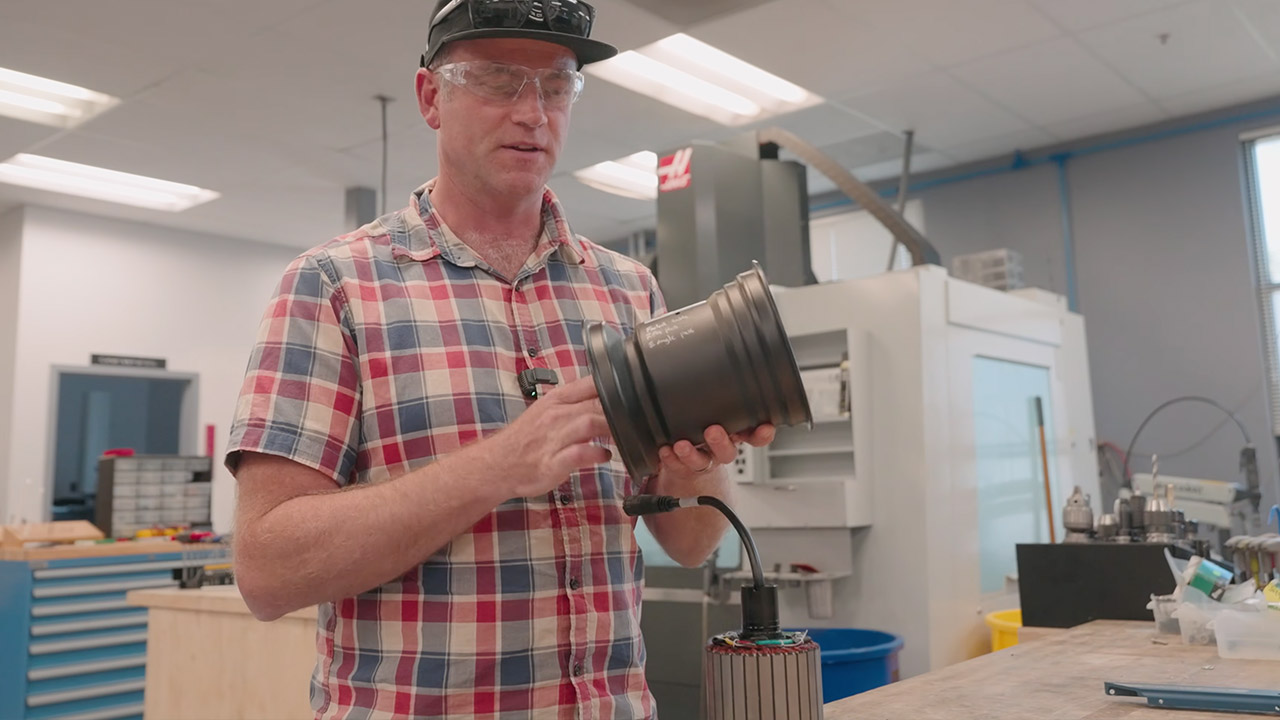
Kyle disassembled the hub and turned the housing on a lathe until the flanges were tiny enough for a chain sprocket to fit. He needed a custom end cover to go onto the motor for a bike sprocket. The chain then drops from the sprocket to the train axle. Bearing carriers began as 3D printouts, but they had to be sanded down to clear some wire, and after the fit was correct, they were simply cut out of aluminum.

Onewheel XR Classic Self-Balancing Track Cart
The same sensors that keep a standard Onewheel upright continue to power the self-balancing feature. Lean forward, and the controller nudges the hub in that direction, but now it rotates a sprocket rather than a wheel. Rails lock the item left to right, but the rider may still alter the pitch with their ankles and toes. The result is a good guided cart that nevertheless responds to the rider.

Onewheel XR Classic Self-Balancing Track Cart
The first time they moved the thing and turned the cart on, it was noisy, but eventually everything settled down. Kyle thought the motion was incredibly smooth, “like butter.” The crew claimed it looked like flying and was so smooth it hurt their minds. So they started chanting “all aboard” for a cause. Future Motion isn’t selling a conversion kit, though; instead, he’s talking about riding out to Capitola or Davenport and how there are a plethora of self-balancing rail cars just waiting to be created. For the time being, the Rail Board consists of a converted XRC, a couple of heavy eBay wheels, a length of chain, and a quiet small section of track outside the office, complete with a rider.

[Source]

Source link

Advertisement
Continue Reading

Tech

Snap Introduces A Standalone AI Assistant, Specs Intelligence

Published

on

Unlike most of its social media rivals, Snap hasn’t made many big bets on AI. The company has added a bunch of generative AI-powered features to Snapchat, but it hasn’t made the technology a central focus.

Now, the company is introducing a new standalone AI assistant alongside its redesigned AR glasses. Called Specs Intelligence, the “anticipatory AI service” will feature prominently in Snap’s hardware, but will also have dedicated desktop and mobile apps for those who don’t have a pair of glasses.

Snap doesn’t describe Specs Intelligence as an agent or assistant, but its description will sound familiar to anyone who followed Meta’s recent Muse announcement. “Specs Intelligence builds an understanding of your goals, priorities, relationships, and routines from the apps and tools you choose to connect,” the company explains in a blog post.

Specs Intelligence is separate from Snapchat and sounds much more productivity-focused than anything we’ve previously seen from the company. The assistant relies on connections to users’ outside accounts, like Google, to surface timely reminders and other relevant info based on what it knows about you. For example, the company says, it could highlight “questions to ask, and things to remember” before a meeting or show travel plans ahead of a trip. It’s also able to organize info into different “corners” based on the context in which you need them, like keeping family-related tasks separate from work deadlines.

Advertisement

If you do have a pair of AR Specs, the assistant can surface relevant info directly into your field of view. Specs owners will be able to ask it questions by saying “Hey Specs.” The feature wasn’t available during my demo with Specs, though I was able to launch a browser window by saying “Hey Specs,” but it sounds similar to some aspects of how Meta AI works with the company’s glasses.

It also seems like Snap is hoping to get ahead of some of the privacy concerns people have had with Meta’s approach. The company says it won’t use Specs intelligence to train its AI models or serve ads and that “Snap personnel cannot view or access the personal content you use with the service.”

Snap is making a limited version of Specs Intelligence available in the US to try now via the Specs app on iOS. The preview version will allow users to connect their Google accounts to see “insights about where you spend your time and attention” but won’t feature proactive suggestions. The “full early-access” version will be invite-only to start and only available with Specs’ Mac app. Anyone interested can sign up for the waitlist now.

Source link

Advertisement
Continue Reading

Tech

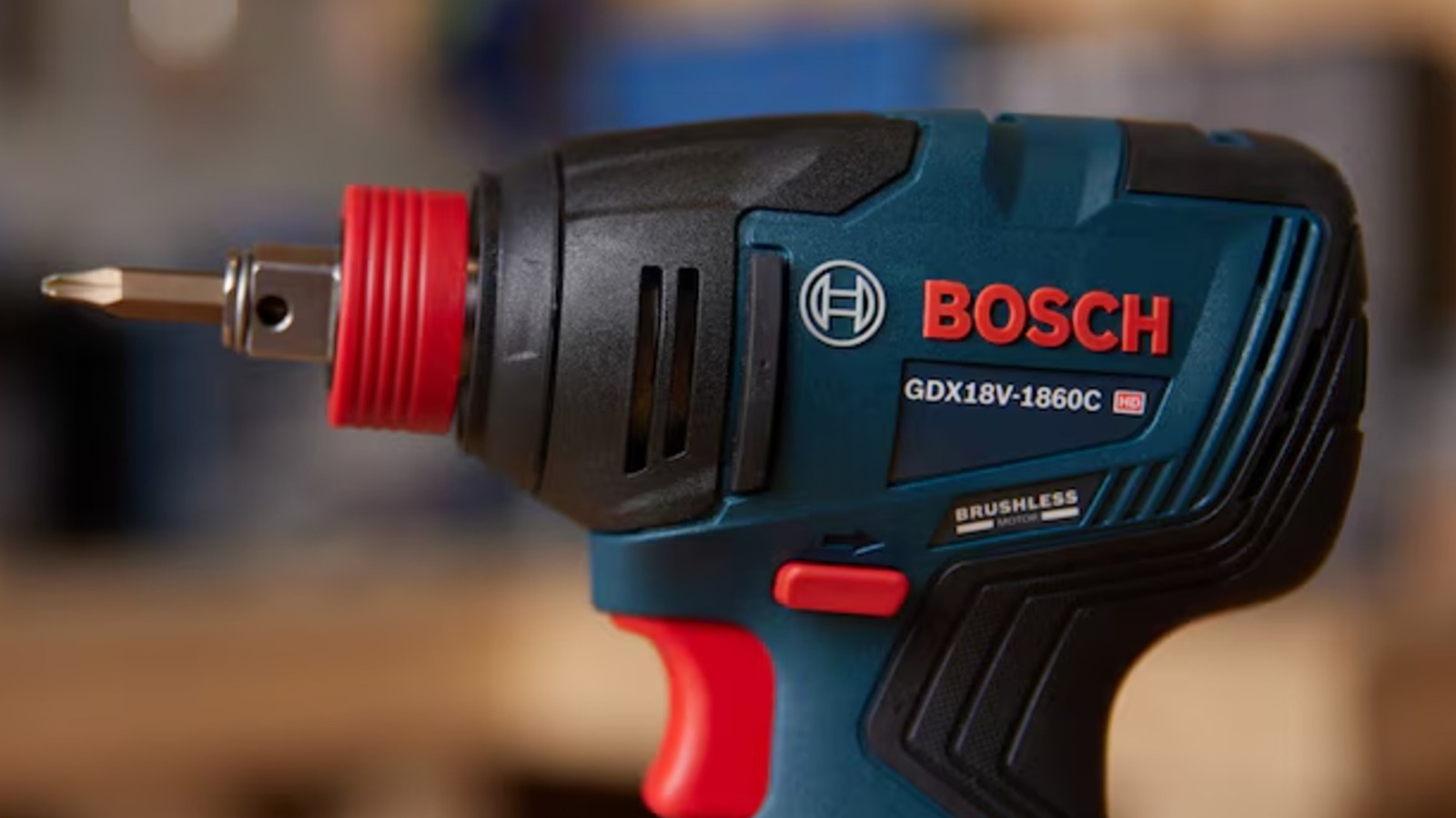
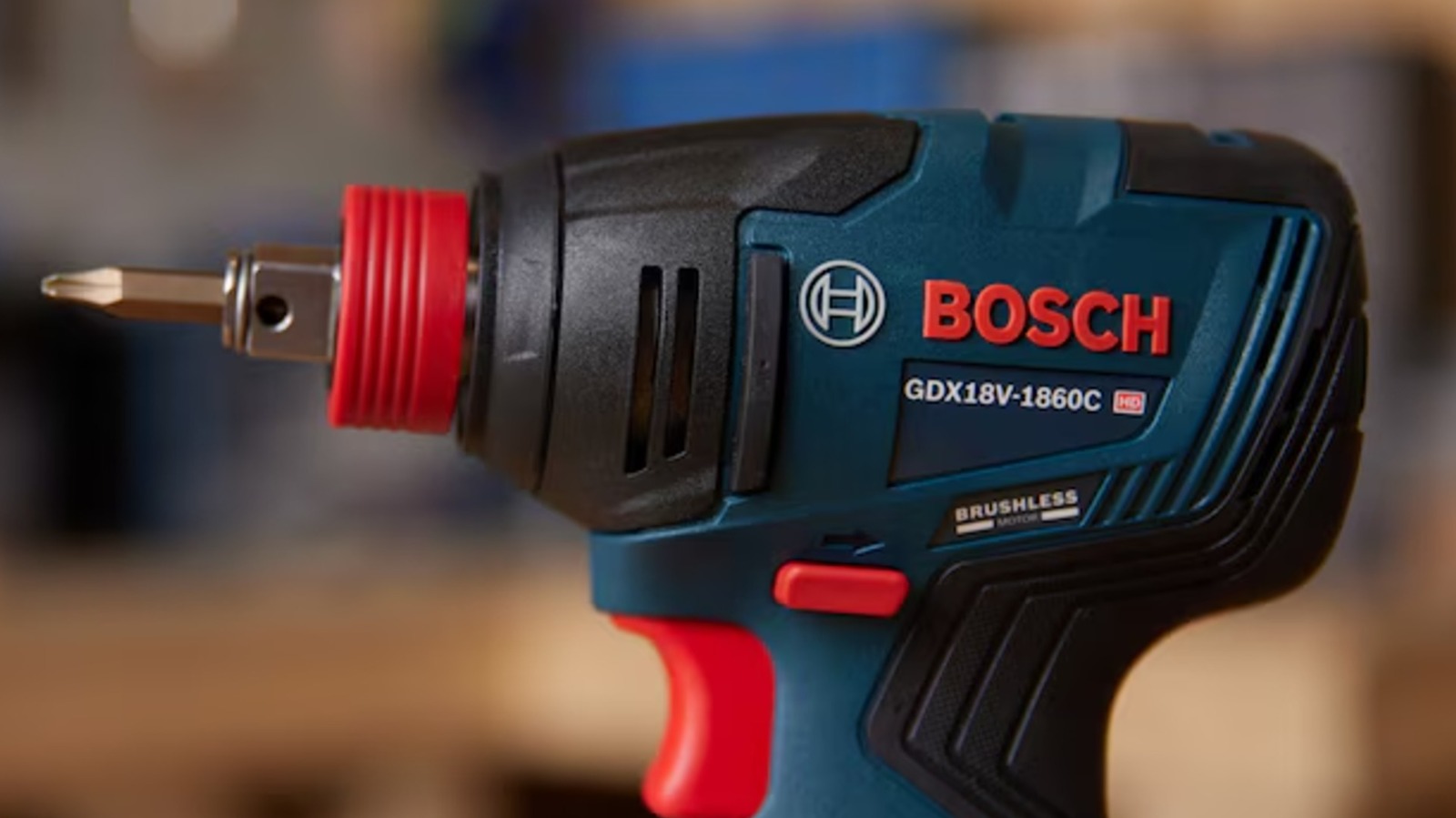
Can You Use Harbor Freight Batteries On Bosch Power Tools?

Published

on


We may receive a commission on purchases made from links.

Just about every major hardware brand uses its own power and battery framework. If you’re already using tools and accessories in that system, great. However, it can be annoying to buy brand new batteries for new tools when you already have batteries at home, especially given how expensive they can be. For example, a single 18V 6Ah battery pack for the Bosch power tool system will run you $159 at Lowe’s. By contrast, a comparable pack from one of Harbor Freight’s in-house brands like Bauer would run you less than half that at $69.99.

Advertisement

If you’re thinking that the simplest solution to this little snafu is to just use that cheaper Harbor Freight battery on your Bosch tools, you will sadly need to think again. Despite both batteries serving the same purpose, the precise means by which they connect to their respective tool systems are completely different, which means you simply can’t just clamp a Harbor Freight battery onto a Bosch tool. Technically speaking, there are unofficial adapters you could use to circumvent this disconnect, but using these kinds of unauthorized accessories comes with pros and cons, and could end up doing a lot more harm than good.

Advertisement

Harbor Freight’s batteries won’t fit on Bosch tools

It’d be fair to assume that a power tool battery is a power tool battery; it clips onto the bottom of a tool and gives it power. The reality of the situation, though, is that every brand’s power systems work a little bit differently. In fact, they work just differently enough that there’s no native overlap between them.

Harbor Freight offers a handful of different in-house power tool brands, including Bauer, Hercules, and Atlas. If, for example, you take a look at the connector rails on top of a Bauer battery and compare them to the rails on top of a Bosch power tool battery, you’ll immediately see the problem. The connector rails and panels on these batteries are shaped completely differently, with the Bauer battery having six prongs and curving sides, and the Bosch battery having four prongs, straight sides, and a dip in the middle. Because of these differences in connector shape, it’s effectively impossible for a Bauer battery to clip onto a Bosch tool. The same goes for both Hercules and Atlas batteries. All of them have different connector rails, which means none of them can link up.

As for why this is, it’s mostly for legal purposes. Ensuring a tool can only receive batteries from its own system is the best and simplest way to prevent tools from being misused and incurring branding headaches, while also helping to ensure you keep buying accessories in the system.

Advertisement

There are unofficial adapters, but using them is risky

You might be thinking, “If the big problem is that the batteries can’t connect to the tools, couldn’t an adapter solve it?” You certainly wouldn’t be the first to think this. In fact, there’s an entire unofficial ecosystem of adapter devices designed to facilitate connections between different power tool brands’ batteries and tools, including Harbor Freight’s batteries and brands like DeWalt. Sadly, this seemingly perfect solution is a little too good to be true.

There are two big problems with attempting to use an adapter to connect a Harbor Freight battery to a Bosch tool. Firstly, all power tool adapters are strictly one-to-one. This means, rather than any battery from Harbor Freight, you would specifically need an adapter to connect, for instance, Bauer batteries to Bosch tools, and only to Bosch tools.

Advertisement

The second, and much bigger, problem is that using a power tool adapter circumvents its inherent safeguards. Connecting a battery to a power tool doesn’t just deliver power; the devices communicate with one another to send power in a safe, optimal fashion. Using an adapter disables these communication channels and forces power through directly. The tool may turn on, but it may not receive enough power from the battery to function properly. Worse, it could receive entirely too much power, causing it to perform unsafely or even burn out. Using battery adapters is a violation of both Harbor Freight and Bosch’s warranties, which means if you break your tools and batteries because of them, neither brand will help you.


Advertisement

Source link

Continue Reading

Tech

‘We’re not stopping’: Salesforce UK&I CEO calls for greater training and skills as it continues on its “mission” to boost workers across the country

Published

on


  • Salesforce UK&I CEO pushes her skilling “mission” across the country
  • Salesforce doubles down on UK&I recruitment and upskilling goals
  • Jobs could be repatriated back to the UK from abroad

Salesforce’s UK&I CEO has doubled down on her company’s commitment to investing in skills training and upskilling of young people.

With the UK recently seeing a change in Prime Minister, Zahra Bahroloumi was asked in a media roundtable attended by TechRadar Pro what her outlook for the future looked like.

Source link

Continue Reading

Tech

The end of ‘rip and replace’? New survey finds businesses are sticking it out with legacy tech

Published

on


  • Report finds 57% of UK organizations opted to extend legacy system use rather than replace the tech
  • This is despite almost half of UK businesses are scaling AI
  • Meanwhile, over three quarters of UK businesses have gone over budget on modernization, with over two thirds have paused or abandoned the process

Does technological progress necessarily mean replacing old gear? New research from Ensono claims businesses are keeping hold of legacy tech, with older systems extended and upgraded to support modern applications.

This is happening while businesses scale their AI use, focusing budgets on affordable upgrades for existing PCs, laptops, and servers on one hand, and embracing AI on the other. It’s a balancing act, one that is being managed by around 52% of businesses – 57% in the UK, and 48% in the US.

Source link

Advertisement
Continue Reading

Tech

Daily Deal: The Premium Microsoft Office Training Certification Bundle

Published

on

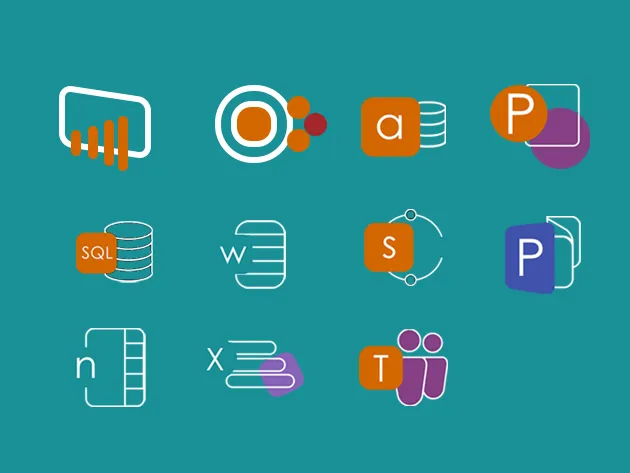
The Premium Microsoft Office Training Certification Bundle has 11 courses geared to help you master essential skills and raise your expertise. Popular programs like Word, Excel, PowerPoint, and Teams are covered, while more advance programs get introduced as well, including SharePoint, Access, PowerBI, and Microsoft SQL Server. You’ll gain a better understanding of how each program works and how they can all interact together. It’s on sale for $30.

Note: The Techdirt Deals Store is powered and curated by StackSocial. A portion of all sales from Techdirt Deals helps support Techdirt. The products featured do not reflect endorsements by our editorial team.

Source link

Continue Reading

Tech

An iOS 27 Bug Can Temporarily Freeze Your iPhone

Published

on

If you’re here because your newly updated iPhone suddenly froze while you were using it, don’t panic. There’s an iOS 27 bug that can temporarily freeze your phone if you happen to do a series of swipes. As 9to5Mac notes, it’s not going to ruin your device permanently, and you can get out of by doing a force restart. A force reboot is the first thing you should do when you’re troubleshooting issues with any device, as it will clear your RAM and close programs that could be causing you problems. 

Since your iPhone is frozen, and you can’t access the power icon, you’ll have to press and quickly release the volume up button and then do the same with the volume down button. Afterward, press and hold the side button until the Apple logo appears, and you know your phone is going through a restart. Take note that you may have to press on that button for more than 10 seconds. 

In case you haven’t encountered the bug yet and were wondering how it’s triggered, it’s by swiping down the Notification Center and the Control Center in quick succession. You’ll then see buttons and icons stuck at the top of the screen, and you’ll find your iPhone unable to register your swipes and taps. Apple will likely roll out a fix for this in the future, but for now, you may want to memorize our instructions for force restarts above. 

Advertisement

Source link

Continue Reading

Tech

Persona wants its AI band to become the assistant you always have with you

Published

on

Personal AI devices don’t have a great track record so far. The Humane AI Pin was the first big disaster. Even after raising hundreds of millions of dollars, the pin never really took off. Rabbit R1 was another interesting project that focused on AI actions, but it couldn’t deliver on its promises.

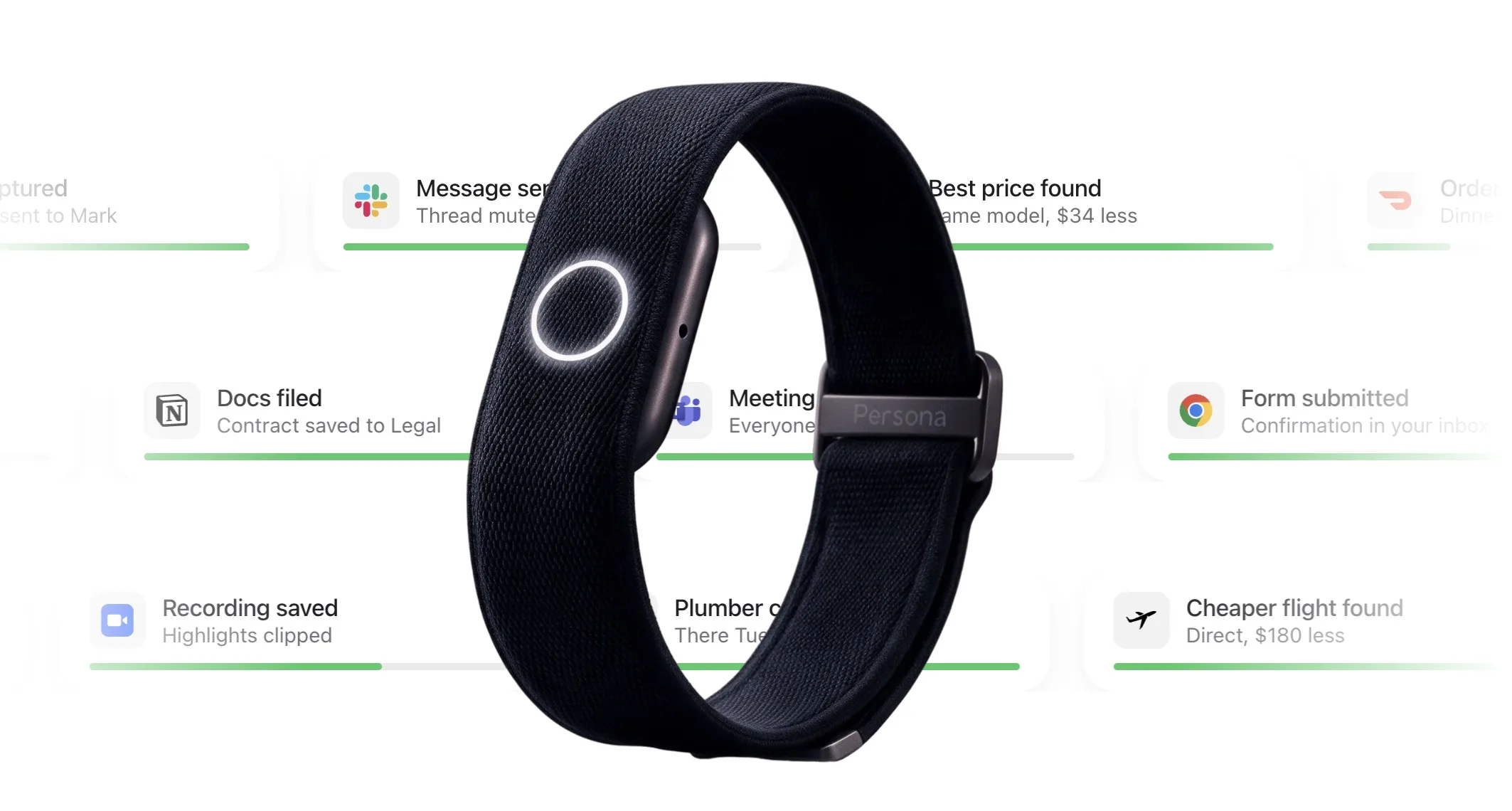
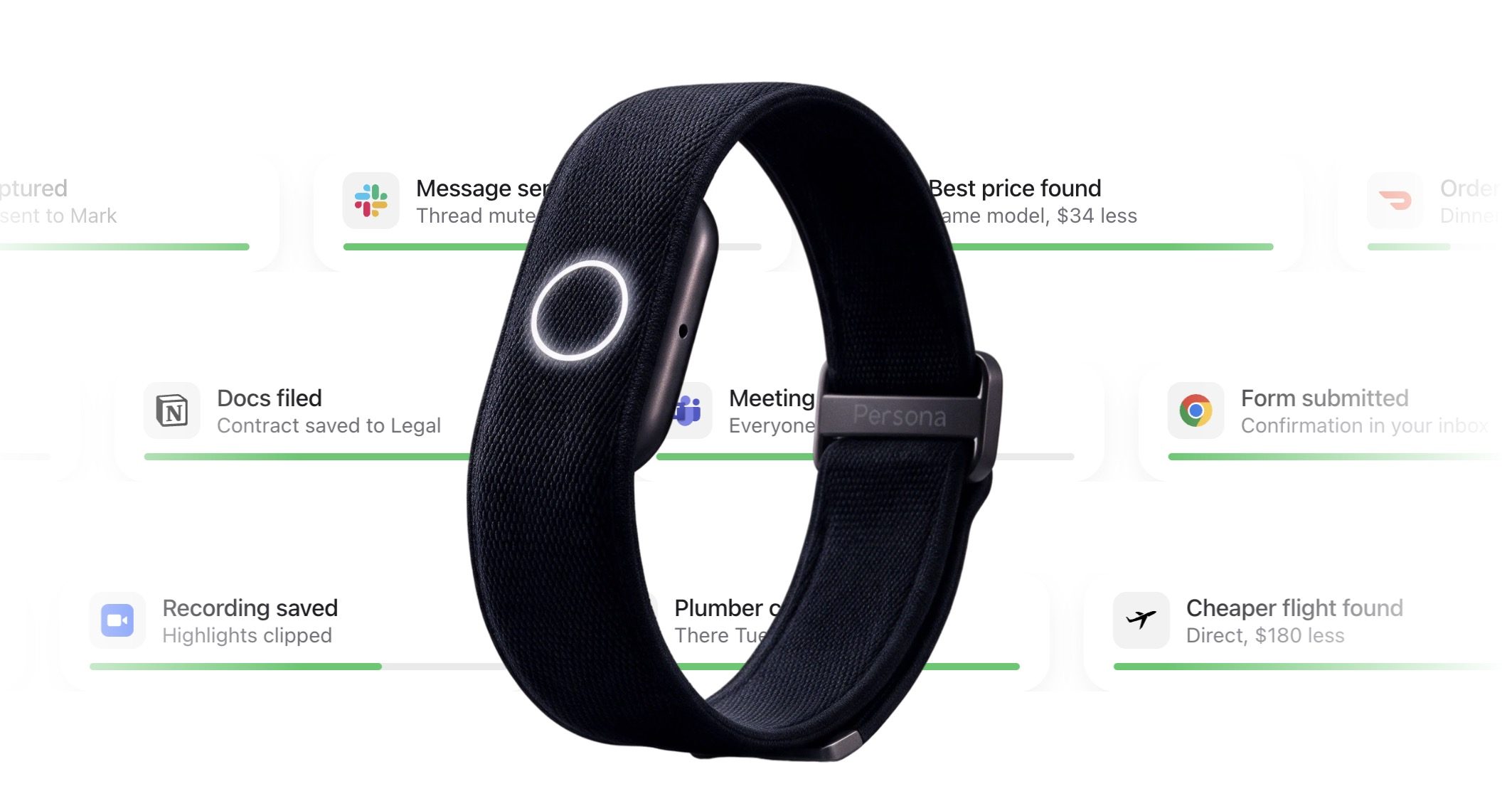
Now, a new brand called Persona is entering the space with an AI wristband that, similar to Rabbit, wants to perform actions for you. Whether it can deliver on its promises remains to be seen, but the product looks interesting, and here’s everything it promises to do.

What is Persona actually building?

Persona just raised $5 million to build a new way for us to interact with AI, and its first product is the Persona Band. You talk to it, and it can make calls, book appointments, and send messages for you. It figures out what needs to happen and then checks back with you before doing anything, either with a quick voice reply or a simple tap.

Which features make the band stand out?

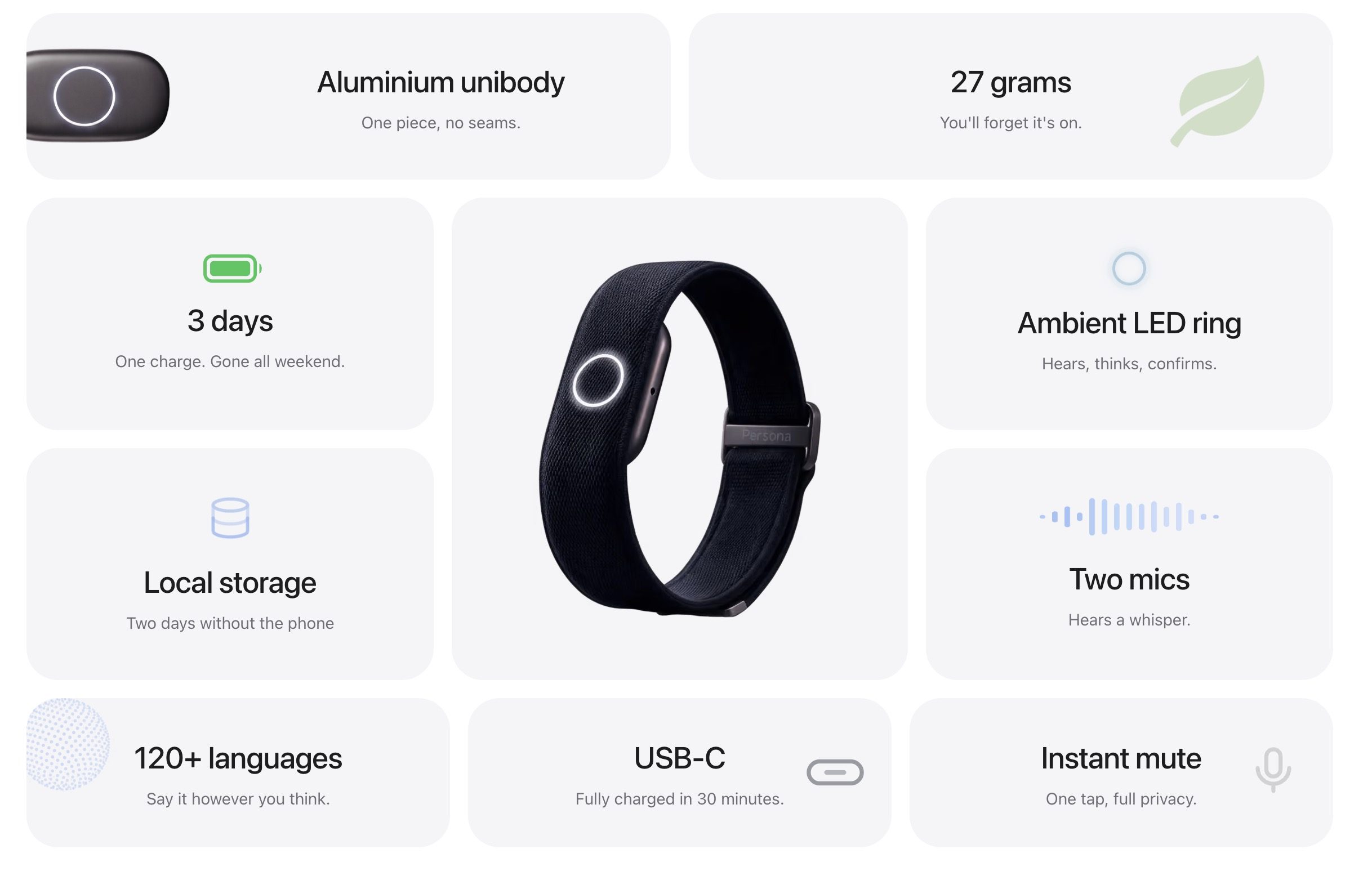
The wristband packs in more than just voice commands. It uses two microphones designed to pick up even a whisper, so you don’t have to talk loudly or repeat yourself in a crowded room. It can store up to two days of activity without needing your phone nearby, so you are not tied to carrying your device everywhere to stay connected. 

NEW: Persona built an AI wristband that can make calls, book appointments, and send messages for you.

You just talk to it, then approve what it wants to do with your voice or a tap.

Advertisement

-Makes calls, books appointments and handles messages
-Two microphones are designed to catch a… pic.twitter.com/5LcMd7GROY

— Ritwik Pavan (@ritwikpavan) September 16, 2026

Battery life is rated at three days, and a full charge takes only 30 minutes, so you are rarely without it for long. There is also a one-tap mute that instantly switches on privacy mode, and the band supports more than 120 languages, making it useful well beyond English speakers.

Preorders for the Persona band start at $179. Given how the Humane Pin and Rabbit played out, it’s fair to stay a little skeptical, but head to Persona’s website if you want to reserve one and read more.

Advertisement

Source link

Continue Reading

Tech

The hardest AI security problems now live in what an agent is permitted to do

Published

on

OWASP’s 2026 Top 10 for LLM applications moved excessive agency from sixth to third and dropped improper output handling from fifth to tenth, in the first edition weighted partly on incident data. Europe’s Cyber Resilience Act began requiring 24-hour vulnerability reports on 11 September, but it governs products rather than how an agent is deployed.

Excessive agency has moved from sixth place to third in OWASP’s 2026 top ten for LLM applications, and improper output handling has fallen from fifth to last. The hardest problems now sit outside the model, Steve Wilson argues.

Excessive agency is not about what a model says. It is about what it has been handed: the tools, credentials and scopes it can reach once it answers.

The 2026 edition was the first weighted partly on recorded incidents, 6,639 of them, counting for a quarter of the ranking against three quarters practitioner consensus.

Advertisement

Wilson co-led the project with Rock Lambros and is chief AI officer at Exabeam, a security company. Read the column as both things at once.

His prescription is unglamorous. Read-only tools instead of general connectors, requests inside the user’s own scoped identity, a policy enforcement point between the model and anything downstream, and human approval for anything hard to reverse. It echoes the gap a founder described to us in August, between what an agent can do and what it should be authorised to do.

Europe started a clock five days ago.

Since 11 September, manufacturers have had 24 hours to warn their national response team of an actively exploited vulnerability, under the Cyber Resilience Act. A fuller notification follows at 72 hours, through a platform ENISA switched on the same day.

Advertisement

Penalties reach EUR 15M or 2.5% of worldwide turnover. The rest of the regulation applies from 11 December 2027.

Our own reporting found the bottleneck is not obtaining a bill of materials but trusting one. A list is worth only the confidence you can place in it.

The mismatch is what the clock points at. The Act governs products with digital elements, and lawyers reading it place cloud-delivered software outside, which is how most agents reach a customer.

Four teams broke AI agents four ways in ten days this summer, and the same flaw ran through all of them. The failures sat in the ecosystem around the model, not the model.

Advertisement

Wilson’s own figures make the point. On his internal red team suite the oldest model fails 17% of the time and the newest 2%, and he says 98% is nowhere near good enough when every failure leaks data.

The one European report anybody has confirmed came under the AI Act, not this one. OpenAI filed an incident report over agents that occupied a German wiki. Agency is falling between two regimes.

Source link

Advertisement
Continue Reading

Trending

Copyright © 2025