OpenAI and Microsoft are facing another copyright lawsuit from news publishers, with The Seattle Times and Newsday accusing the companies of using their paywalled articles to train AI systems without permission.
The lawsuit was filed in the Southern District of New York and alleges that the companies scraped paywalled content and included it in training datasets used for ChatGPT, Microsoft Copilot and the new AI-powered Bing. The publishers claim the AI tools can reproduce entire passages and closely paraphrase journalists’ work.
The case adds to a growing legal fight over how AI companies obtain the vast amounts of copyrighted material needed to develop increasingly capable models.
Publishers say AI is using work they paid to produce
For The Seattle Times and Newsday, the dispute is about more than individual articles. The publishers argue that their reporting represents substantial investment and should not be absorbed into AI training systems without consent or compensation.
Advertisement
Seattle Times president and CEO Alan Fisco told employees that the newspaper felt strongly about defending content that it spends millions of dollars a year producing.
The publishers are seeking the destruction of existing copies of the allegedly used material, along with training datasets or AI models that incorporate it. If successful, such a demand could have implications well beyond these two newspapers, particularly for how AI companies handle copyrighted and paywalled material.
Shimul Sood / Digital Trends
OpenAI, however, disputes the underlying premise. The company said it uses publicly available materials that it considers grounded in fair use for model training. Microsoft said it was surprised by the lawsuit but indicated that it was willing to explore solutions with the publishers.
For ordinary users, the case matters because AI-generated answers increasingly compete with the original sources that produce news and information. A ruling could influence what material AI assistants are allowed to learn from and potentially change how publishers make their work available to AI companies.
Another legal battle could shape the AI-news relationship
OpenAI and Microsoft are already involved in other copyright disputes, including an ongoing case involving The New York Times and other publishers. The Times has argued that AI products compete with news organisations by reproducing their work without sufficiently transforming it under fair-use protections.
Advertisement
The US Department of Justice recently filed a Statement of Interest in that case, arguing that siding with The New York Times could hurt local newsrooms and independent journalism. The DOJ also said AI could potentially help smaller publishers compete with larger news organisations.
Rachit Agarwal / Digital Trends
That creates a complicated backdrop for the latest lawsuit: AI companies need huge datasets to improve their systems, while publishers want control and compensation for the journalism those systems consume.
The next step will be the legal proceedings in New York, where the court will have to consider the publishers’ claims and the companies’ fair-use arguments. For now, the dispute leaves one question hanging over the AI boom: who gets to decide how journalism becomes training data?
While there are plenty of ways to limit notifications on our digital devices and avoid distraction overload, there’s nothing inherently wrong with these alerts. They just need to be well managed and kept in their place.
Keeping notifications useful and timely can help you get more done in the day, not less, and Windows 11 comes with built-in tools for setting up custom notifications that run on a schedule you specify.
You can use these scheduled notifications however you want. Maybe you need reminders to take breaks, or you want to make sure you devote specific blocks of time to certain projects, or you need alerts for when it’s time to go and pick the kids up.
However you want to use these custom notifications, here’s how to set them up—plus some extra apps that can help too.
Advertisement
Custom Notifications in Windows 11
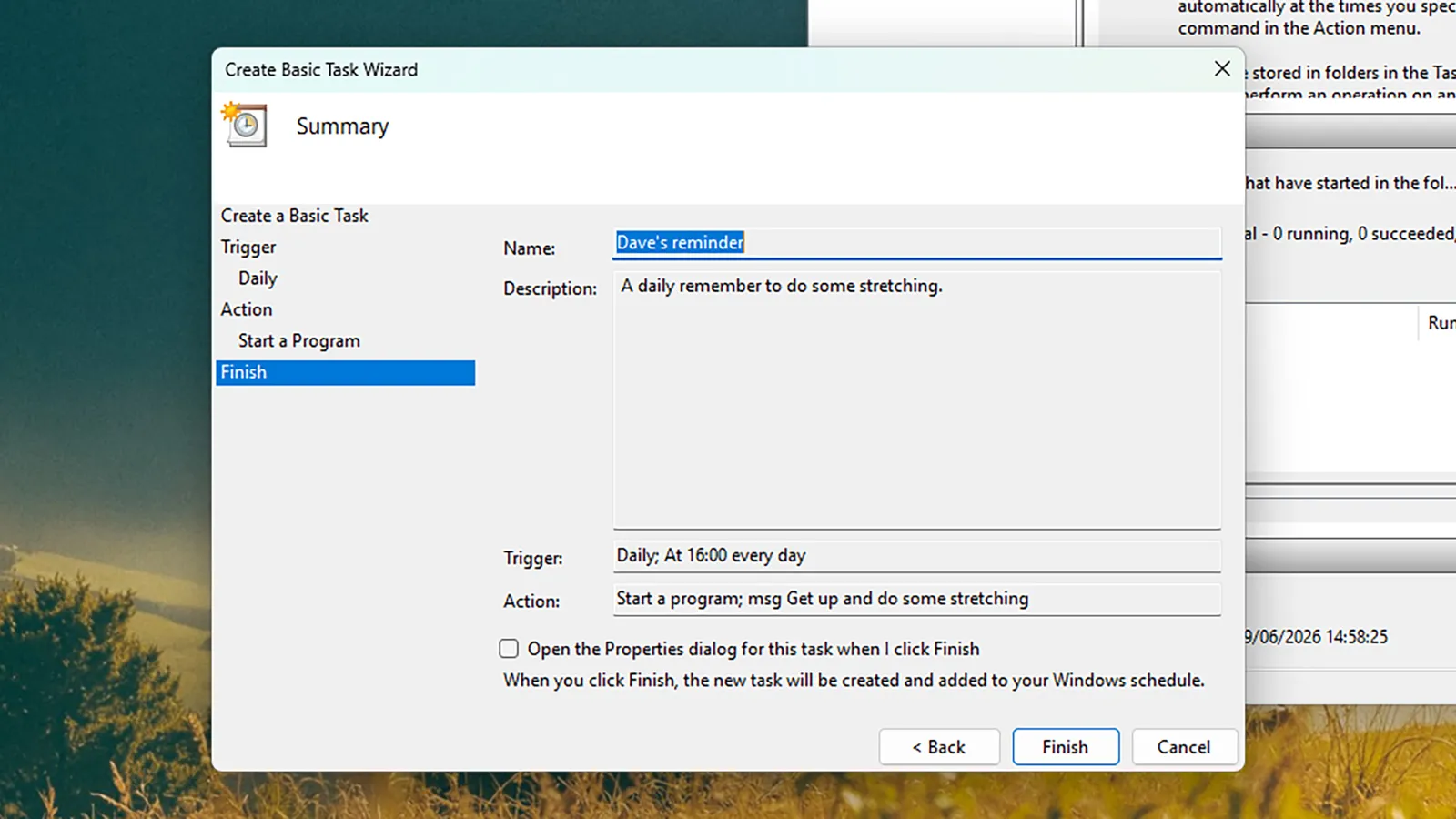
Task Scheduler gives you a clean, simple way of creating alerts.Screenshot: David Nield
If you want to set up custom notifications in Windows 11 without turning to an app, the Task Scheduler is the utility you want. Type “task scheduler” into the search box on the taskbar or the Start menu, then select it when it appears.
Open the Action menu, choose Create Basic Task, and then give it a suitable name and description so you can identify it later. Click Next, and you can set the frequency of the notification: Your options are Daily, Weekly, Monthly, One time, When the computer starts, When I log on, and When a specific event is logged, so there’s a lot of flexibility.
Click Next again, and if you’ve chosen a recurring task then you can set exactly when it recurs—4 pm every afternoon, for example. Click Next, then choose Start a program, and select Next again. This opens up the dialog box screen for composing your notification.
In the Program/script field, you need to enter “msg,” and in the Add arguments (optional) field, you put your actual notification text: “Reminder: get up and do some stretching” or whatever it happens to be. With another click on Next you can review your notification, and then choose Finish to confirm.
Advertisement
Your notification is created, and will pop up at the specified time, whether or not Task Scheduler is open. If you ever need to edit or delete the task, you can head back to Task Scheduler to find it—it’ll be listed under the Task Scheduler Library heading, and you can right-click on the task to make changes.
Setting Notifications Through Apps
You’re also able to set reminders through the built-in Clock app.Screenshot: David Nield
The appeal of the Task Scheduler is that it’s built right into the Windows operating system, so you don’t need any other apps running to get your notifications, but there are ways to do this with apps as well. The Microsoft Clock app comes preinstalled with Windows, for example, and lets you set custom alarms.
Generally, we do not look at the gentle patter of raindrops on a surface with much concern, but according to a study by [Zhongyuan Ni] et al. in Nature, we should probably regard these droplets with a little scrutiny for their corrosion potential. What they found is that these drops can gather a significant electric potential as they gently slide down a surface, with over 1 kV measured. By first having droplets charge up on an insulating surface before hitting a target metal surface, they were able to induce significant corrosion.
Despite the target metal surface being coated with a protective layer, these charged droplets managed to gradually break down the coating, exposing the bare metal. In this example, a Teflon coating was used, with water droplets containing a small amount of dissolved sodium chloride to simulate natural raindrops.
It was postulated that this causes dielectric breakdown of the insulating protective coating, as the charged water drop acts as one electrode and the — often grounded — metal surface as another electrode. Subsequent investigations on the samples showed that this appears to be indeed the case.
Advertisement
A potential defense here would be to discharge any water before it can reach sensitive surfaces, but it’s not a straightforward problem to solve. As noted in the study’s conclusion, charged droplets can also be generated in clouds and waves, in addition to the insulating materials demonstrated in the study. It’s also a phenomenon that can cause issues anywhere charged droplets occur, such as in a wide range of industrial processes.
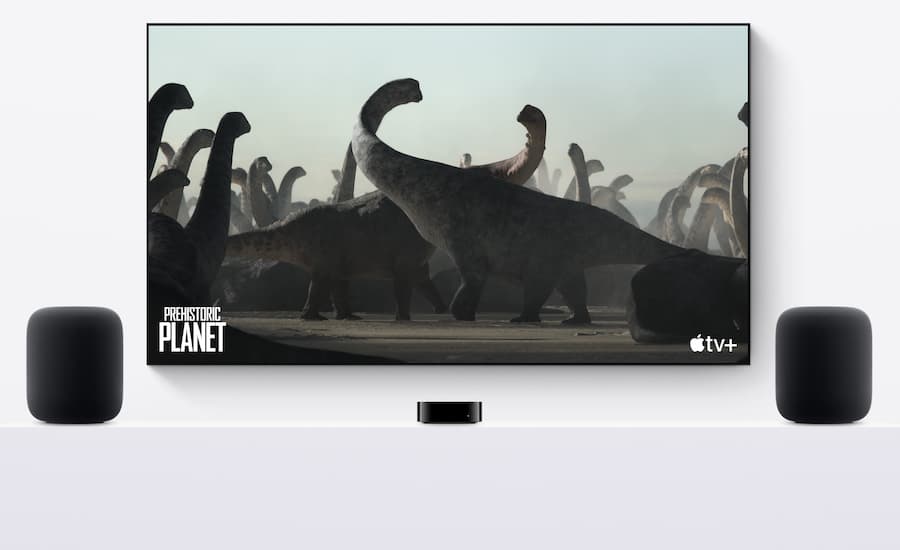
Apple has spent years insisting that one or two HomePods can handle home theater duties. To be fair, a stereo pair of 2nd generation HomePods can reproduce Dolby Atmos with an Apple TV 4K, and Apple’s computational audio does a respectable job of making two speakers positioned at the front of a room sound considerably larger than they actually are.
But two speakers are still two speakers, and new code discovered in audioOS 27 beta 8 suggests Apple is experimenting with something considerably more ambitious: a four-HomePod surround system using separate front-left, front-right, rear-left, and rear-right speakers. If Apple actually ships it, HomePod could evolve from an unusually capable stereo TV solution into something much closer to a legitimate wireless home theater platform.
That would put Apple into a very different fight.
What Is Apple Actually Testing?
Based on the code discovered, Apple has created tuning configurations for four 2nd generation HomePods arranged around the listening position. References in the software include front-left, front-right, rear-left, and rear-right speakers, along with automatic room calibration, speaker-position mapping, timing adjustment, bass management, EQ, dialogue enhancement, and separate processing modes for movies and music.
Advertisement
For stereo content, Apple also appears to be experimenting with two approaches: spatializing music across all four speakers or preserving conventional stereo playback through only the front pair.
That is considerably more sophisticated than simply grouping four AirPlay speakers and telling them to play the same thing. Timing correction and speaker-position mapping would be essential because four HomePods positioned around a room will rarely be equidistant from the listener, while bass management becomes particularly interesting when each full-size HomePod contains its own 4-inch high-excursion woofer.
Apple already uses computational audio, room sensing, and automatic bass correction within individual HomePods. Coordinating those capabilities across four separate locations could give the company far more control over imaging and surround placement than its existing one- or two-speaker implementation.
Apple HomePod 2nd Generation Stereo Pair
There Is Also Mystery Hardware
The beta code also contains references to a tuning system called “Forklift,” which reportedly combines two 2nd generation HomePods with two speakers carrying an unidentified AID12007 hardware designation. That identifier does not correspond to any currently available HomePod.
Advertisement
What exactly is it? Nobody outside Apple appears to know.
It could represent a future HomePod mini, a third-generation full-size HomePod, or another unreleased Apple audio product. There is currently no evidence that Apple plans to sell dedicated wireless surround speakers, so anything more specific would be speculation.
The presence of both configurations is nevertheless interesting because Apple may be testing more than one approach: four existing full-size HomePods in one arrangement and a combination of current and future hardware in another.
Advertisement. Scroll to continue reading.
Advertisement
The code also references a new “Party Mode” for stereo-paired HomePods designed to create a more diffuse sound field across a room rather than optimizing playback around a tightly focused listening position. That could be useful for music, but the home theater work is considerably more consequential.
What We Don’t Know
Apple has not announced a four-HomePod surround system, and there is no guarantee that anything discovered in beta software will become a commercial feature. The Home app and Apple TV currently provide no way to configure four HomePods as a permanent home theater system, and Apple’s current implementation supports either one HomePod or a stereo pair with Apple TV 4K.
We also don’t know whether existing 2nd generation HomePods would be supported, whether new hardware would be required, what AID12007 actually represents, or how Apple would map Dolby Atmos channels across four speakers. There is no indication of a dedicated center speaker or wireless subwoofer, no confirmed release date, and no evidence yet that Apple intends to describe the finished system as 4.0, 5.1.4, 7.1.4, or anything else.
That last point is worth emphasizing. Four physical speakers do not necessarily equal four audio channels. Modern spatial-audio systems routinely use beamforming and virtualization to reproduce more channels than there are physical enclosures, and the current HomePod already supports Spatial Audio with Dolby Atmos using its five-tweeter beamforming array and computational processing.
Advertisement
The missing physical center channel would still present an interesting challenge. Movie dialogue is normally anchored to the center speaker, so Apple would need to generate a convincing phantom center or use another computational technique to keep dialogue locked to the screen across multiple seating positions. HomePod already offers Enhance Dialogue, but we do not yet know how Apple would incorporate that technology into a four-speaker layout.
Physics, annoyingly, still does not accept firmware updates.
Apple HomePod 2nd Generation (2023 model)
Why This Matters
HomePod has always occupied a slightly odd position in Apple’s ecosystem. At $349, the 2nd generation model is considerably more capable than the average smart speaker, with a 4-inch high-excursion woofer, five beamforming tweeters, room sensing, automatic bass correction, computational audio, and Spatial Audio with Dolby Atmos.
Buy two and Apple already gives Apple TV 4K owners a surprisingly capable wireless television system. The obvious limitation is that all of the physical speakers remain at the front of the room, forcing Apple to create much of the surround experience through processing.
Advertisement
Real rear speakers would fundamentally change that. Surround information could originate behind the listener rather than being simulated entirely from the front, while four independently powered HomePods would give Apple multiple low-frequency sources and significantly more acoustic output to work with.
At the current $349 price, four HomePods would cost $1,396 before adding an Apple TV 4K. That is not inexpensive, but it puts the concept directly into premium soundbar and wireless home theater territory.
More importantly, Apple could finally give HomePod an upgrade path. Someone could theoretically start with one speaker, move to a stereo pair, and eventually expand into surround sound without discarding the hardware they already own.
Sonos has built a rather successful business around exactly that idea.
Advertisement
Advertisement. Scroll to continue reading.
Sonos Is the Obvious Competitor
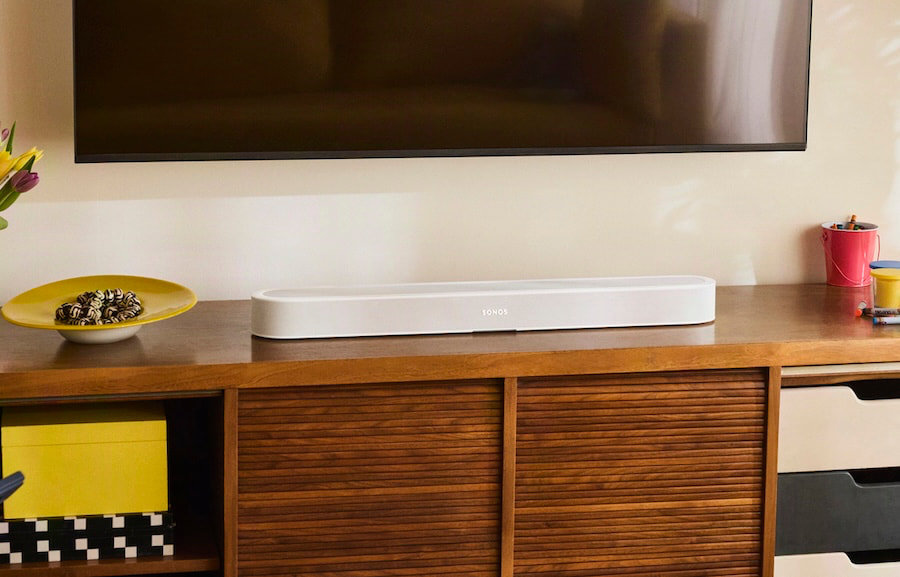
The newly introduced Sonos Beam Ultra makes that comparison particularly timely. The $699 compact soundbar moves Sonos to a true 7.1.2 Dolby Atmos architecture with nine drivers, including dedicated upward-firing height drivers, while retaining Trueplay room correction and the ability to expand the system with wireless surround speakers and a Sonos Sub.
2026 Sonos Beam Ultra Soundbar
That means someone can start with Beam Ultra and gradually turn it into a larger home theater system instead of buying everything on day one. Sonos also has the advantage of HDMI eARC connectivity and years of experience integrating soundbars, surrounds, subwoofers, headphones, and multiroom audio into one platform.
The larger Arc Ultra pushes the concept further with a claimed 9.1.4 presentation and can similarly be expanded with wireless surrounds and subwoofers. Apple would therefore be entering a category where Sonos already offers consumers clear steps from a single soundbar to a much larger immersive system.
Advertisement
Apple’s potential advantage would be architectural. Instead of relying on a soundbar to perform most of the front-channel work, four HomePods could distribute amplification, bass reproduction, beamforming, and computational processing around the entire room.
Whether that sounds better is something we can worry about if Apple actually lets anyone buy it.
Sony May Be an Even Closer Comparison
Sony BRAVIA Theatre Quad is a Four Speaker Surround Sound System
The Sony BRAVIA Theatre Quad may actually be the more interesting technical comparison because it also abandons the conventional soundbar layout. Sony uses four separate wireless speaker enclosures positioned around the listening area and employs 360 Spatial Sound Mapping to create additional virtual speaker positions within the room.
That sounds remarkably close to the problem Apple appears to be trying to solve. Sony also has a clever solution for the missing physical center speaker: compatible BRAVIA televisions can participate in the system through Acoustic Center Sync, helping anchor dialogue directly to the screen.
There is currently no evidence that Apple plans anything comparable with a television’s internal speakers, but the similarity between Sony’s four-speaker architecture and the audioOS testing is difficult to ignore.
Advertisement
Apple Would Also Be Moving Beyond Google
Google has also pushed further into television audio by allowing one or two Google Home Speakers to operate with the Google TV Streamer, giving consumers another wireless alternative to a conventional soundbar.
Apple adding physically separate rear speakers would move HomePod considerably beyond that type of two-speaker arrangement. More broadly, Apple, Google, Sonos, Sony, Samsung, and others are all chasing the same consumer: someone who wants immersive television sound but has little interest in an AVR, speaker wire, or seven individual loudspeakers scattered around the living room.
Traditional home theater is not disappearing, but the middle of the market is becoming increasingly wireless.
The Bottom Line
Apple has not announced a four-HomePod surround system, and beta code should never be confused with a product announcement. Features get tested internally and disappear all the time.
Advertisement
Advertisement. Scroll to continue reading.
But references to four physical speaker positions, room calibration, speaker mapping, timing correction, bass management, dialogue processing, multiple listening modes, and unidentified future hardware suggest that Apple is investigating something considerably more ambitious than another HomePod software update.
If Apple turns HomePod into an expandable wireless surround platform, it would create an obvious bridge between television speakers and a traditional component home theater system while placing Apple directly against Sonos Beam Ultra and Arc Ultra, Sony BRAVIA Theatre Quad, and other increasingly sophisticated wireless solutions.
For now, four HomePods surrounding the sofa remain an experiment. The important part is that Apple finally appears to be asking what happens when HomePod stops pretending that two speakers at the front of the room are enough.
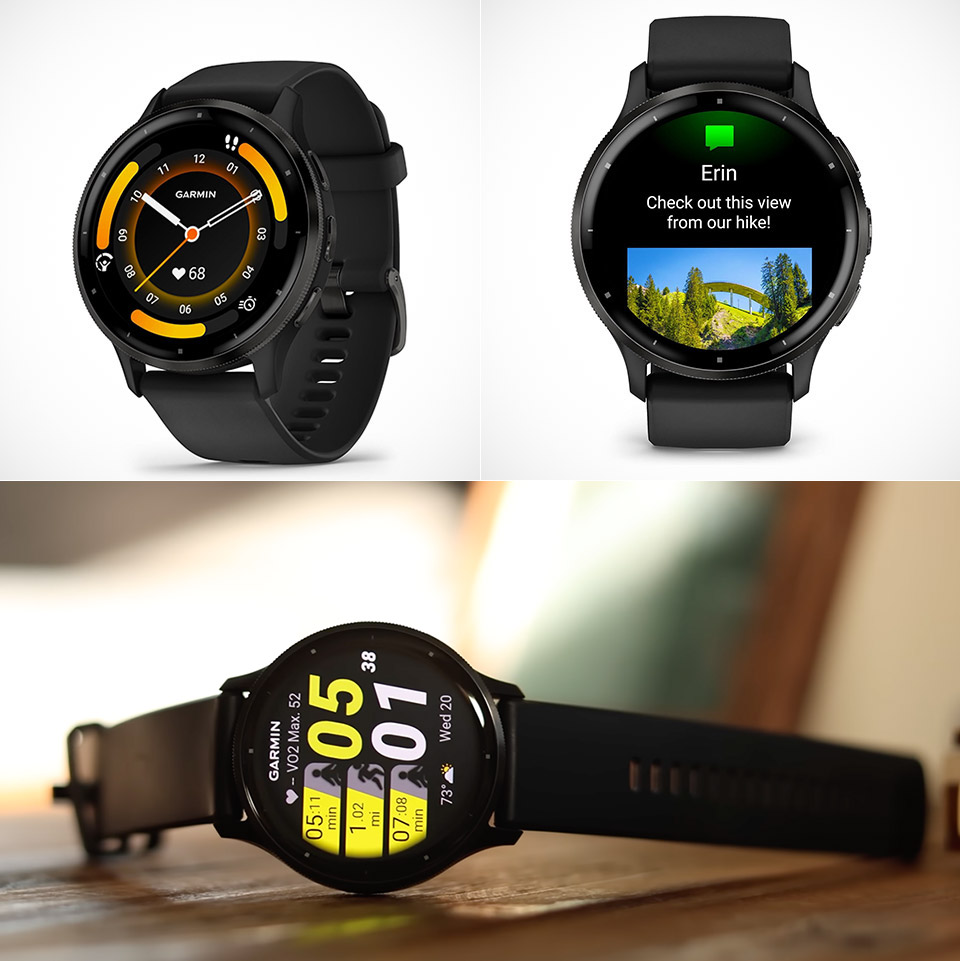
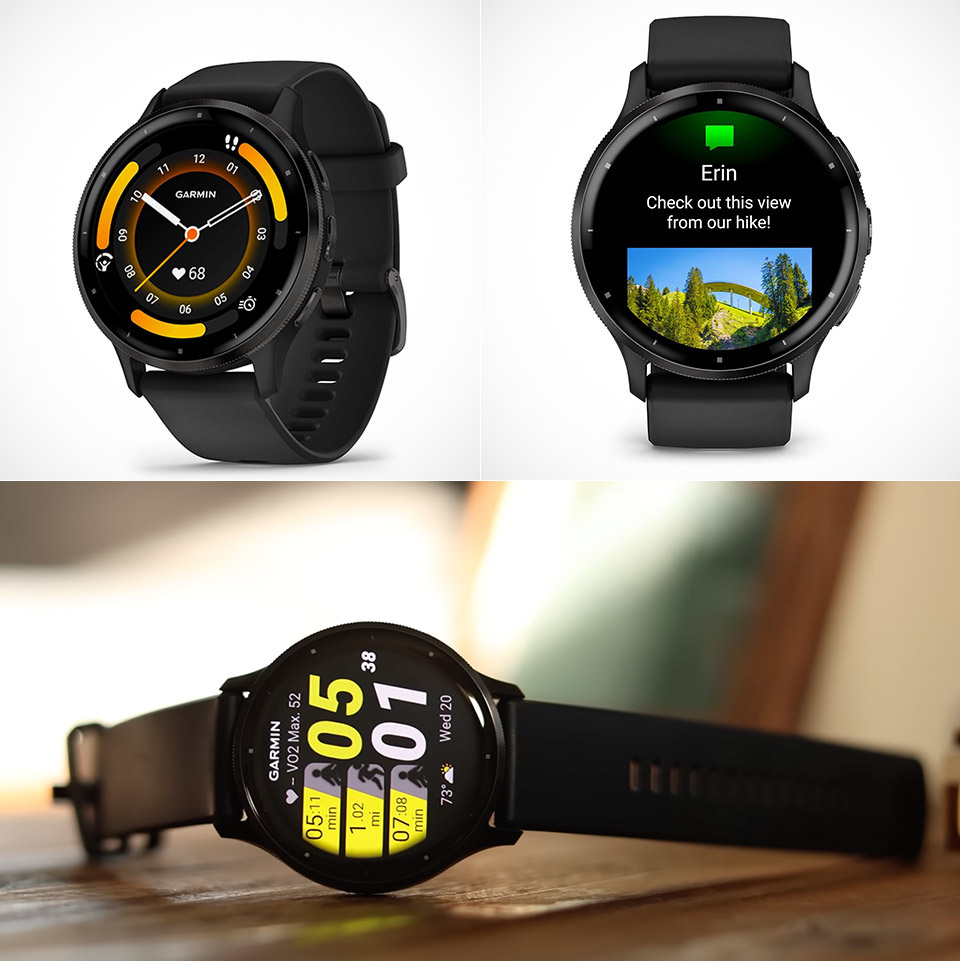
Fitness coaches still name Garmin Venu 3 when someone wants one watch for training, sleep, and a full workday without living next to a charger. The 45mm AMOLED model is currently on sale at $291.90 (was $449.99). A few years later it remains the easy recommendation, now often priced well under launch while Garmin’s newer Venu 4 asks $549 and spends some of that extra money on training tools most casual athletes never open.
A 1.4-inch AMOLED screen sits below a sheet of Corning Gorilla Glass 3, with a stainless steel bezel wrapping around a fiber-reinforced polymer shell. It’s very little at 45 by 45 by 12 millimeters, and it weighs roughly 47 grams with the 22 millimeter silicone strap attached. Leaving the screen on all the time is an option. It has a water resistance rating of 5 ATM, which means you may take it in the pool or shower. There are two model sizes to choose from: the Venu 3, 45mm, which is most popular with guys and those with larger wrists, and the smaller 41 millimeter Venu 3S, which has a battery life of 10 days.
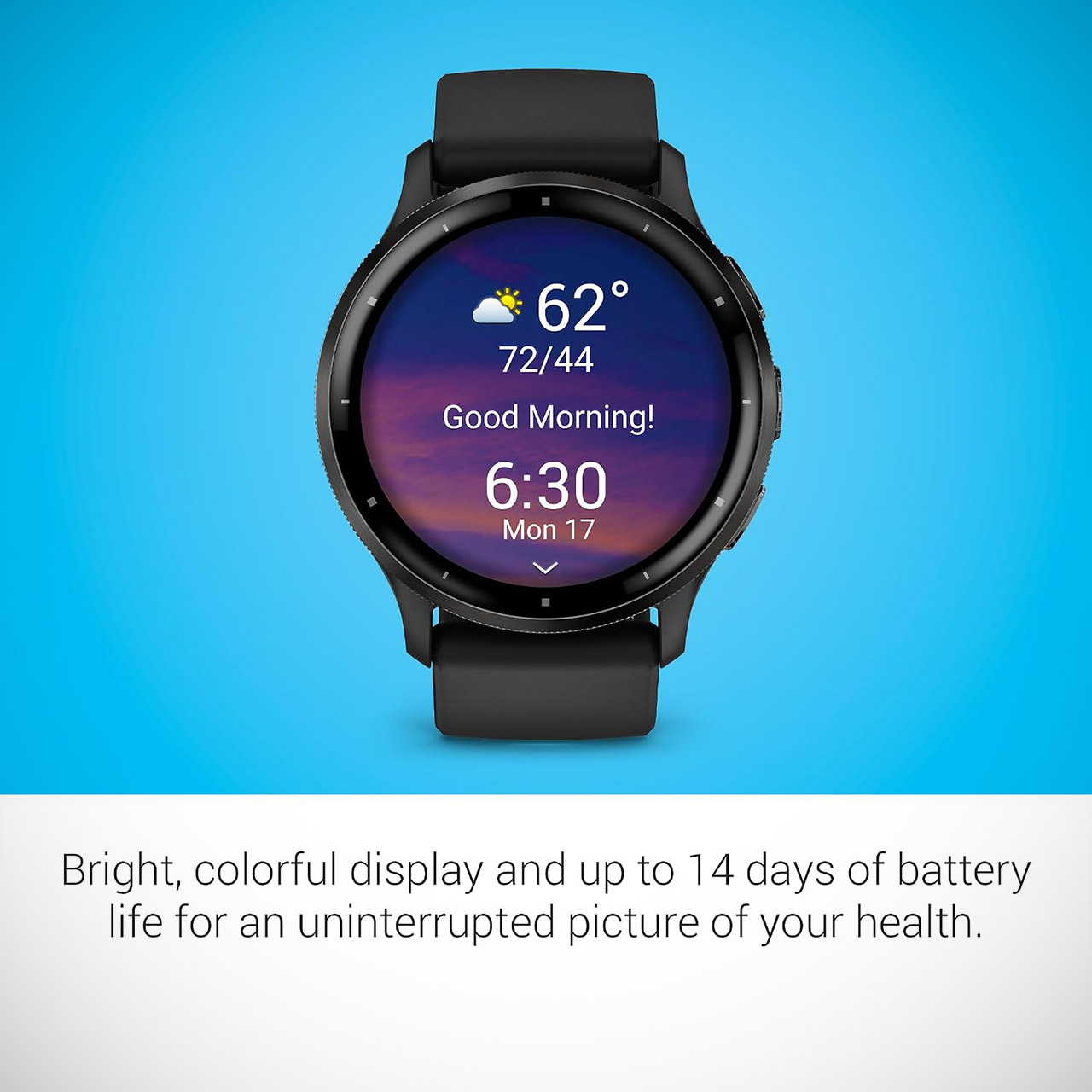
Designed with a bright, colorful display, get a more complete picture of your health, thanks to battery life of up to 14 days in smartwatch mode
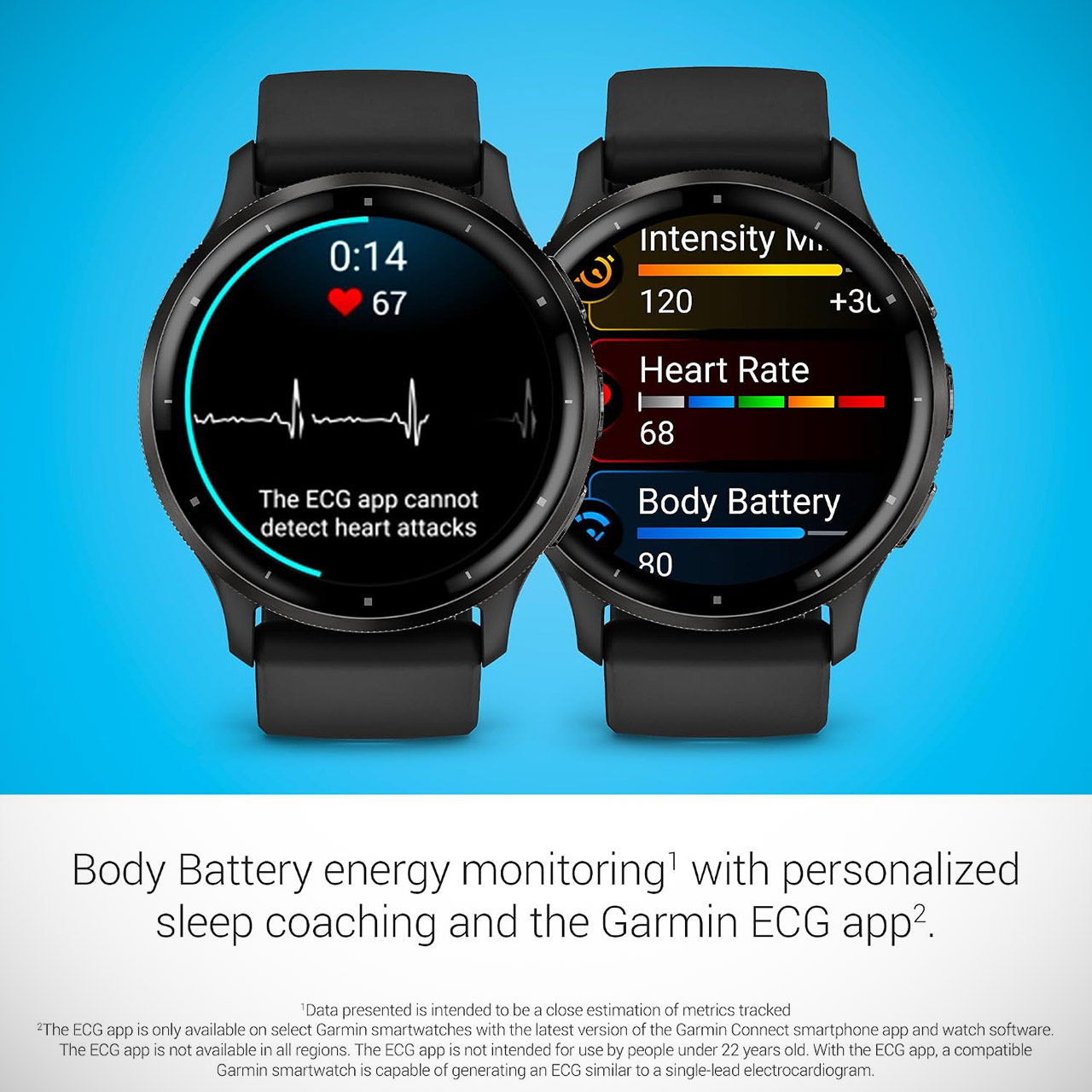
Body Battery energy monitoring helps you understand when you’re charged up or need to rest with even more personalized insights based on sleep…
Get a sleep score and personalized sleep coaching for how much sleep you need – and get tips on how to improve plus key metrics such as HRV status to…
Garmin claims you can get 14 days out of the 45mm Venu 3 in ‘smartwatch mode’, and keeping the screen on all the time would only reduce that to 5, but if you switch to ‘battery saver mode’, you can get 26 days. In GPS mode, it lasts 26 hours, 20 hours if you have three satellite systems active at the same time (GPS, GLONASS, and Galileo), and 11 hours if you want to stream music during that session. In real life, assuming you have all of the typical things going on, such as messages and an active lifestyle, you should be able to recharge in 10 to 12 days.
Advertisement
The Elevate V5 heart rate sensor is pretty solid, with 6 LEDs that track a steady run or an indoor spin session with similar accuracy to a chest strap, and only starts to show up the sharper peaks in an interval session, and best of all, it locks onto your location quickly even when you’re on some pretty dense urban routes. The GPS performs well in deep woodlands and city canyons. The standard sensor complement is present, including a pulse oximeter, barometric altimeter, compass, gyroscope, accelerometer, thermometer, and ambient light, all of which are packed in the same location. Oh, and if you update the software, you will receive an FDA-approved on-demand ECG test that can be exported as a PDF from Garmin Connect.
Body Battery is a simple number that integrates sleep, stress, naps, and workout activities to determine how much energy you have in the tank. It’s actually rather beneficial for structuring your day based on how you’re feeling. The Sleep Coach understands when you want to go to bed and how long you want to sleep, and then tells you how well you did. Its also got an automatic nap detector now, so it’ll even track a 20 minute doze on the couch and add it into the recovery math. And in the morning, it will inform you how well you slept, your HRV state, and a brief overview of the day ahead. It’s also tracking stress and breathing while doing all of this, and it almost makes you forget the device is even there.
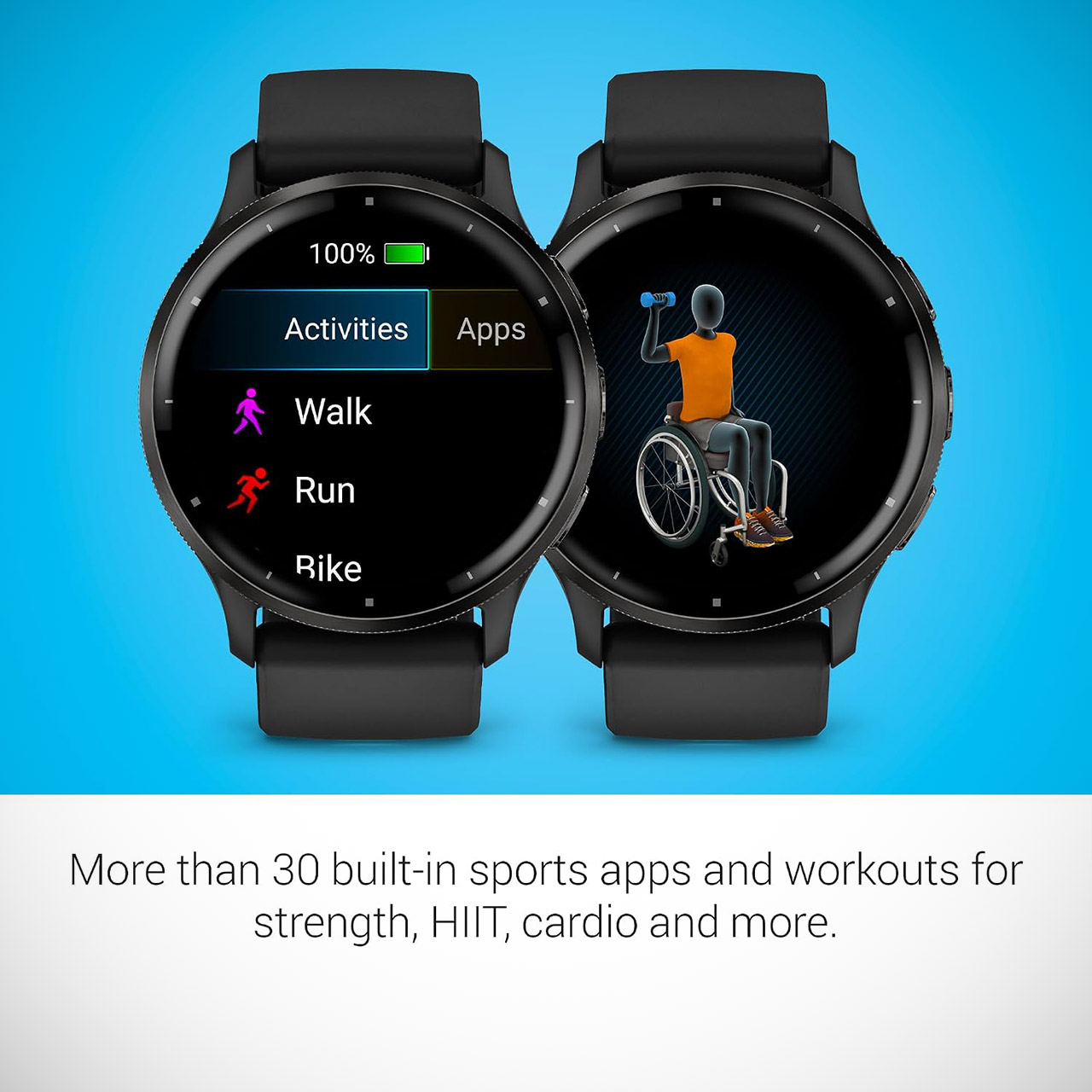
Over 30 built-in workout profiles include running, cycling, pool and open water swimming, HIIT, weight training, golf, pickleball, meditation, and even wheelchair workouts, all with engaging animated graphics on the display. You can see your VO2 max reading, how long it will take to recover, how many high-intensity minutes you’ve squeezed in, and even receive helpful strength training advice on screen. The Forerunner is the obvious choice for hardcore runners who still want running dynamics, PacePro, and multi-temperature training, but for the rest of us who spend our time at the gym, sitting at a desk, and sneaking off for a hike on weekends… well, we get all the numbers we need without having to wear a thing that looks like a racing computer to dinner.
You can even take calls or send texts from the wrist, since it will connect to your phone and ask your voice assistant any queries you may have. Android phone users may even send SMS via the watch, while iPhone users can use voice answers or pre-written responses. You can store roughly 650 songs from Spotify, Deezer, or Amazon Music on its 8GB storage, so you can still listen to music while running without your phone. Of course, Garmin Pay works with banks that support it. Connect IQ apps can be installed on the device, however the variety is far lower than that of an Apple Watch or a Wear OS device.
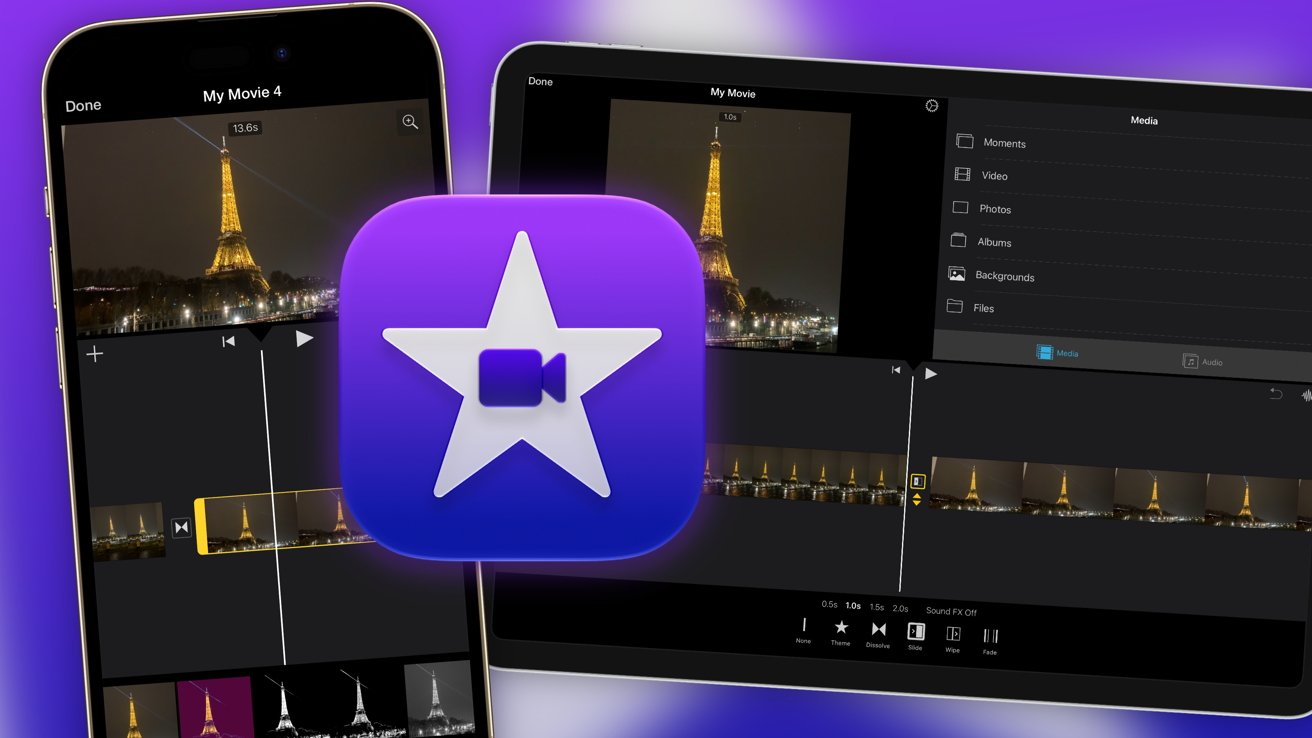
Take your first steps to becoming the next Mr Beast, or make your vacation recap more bearable to watch, by using iMovie. Here’s how to get started using it on iPhone and iPad.
iMovie is free in iOS 27 and iPadOS 27
Video is a type of media that most of the world enjoys every day. It’s a fantastic tool for sharing ideas and experiences with others, and in a way that can be much easier to digest than text or photographs alone. Social Media has a massive appetite for video, with almost all platforms focusing on the medium. It’s also something you must master if you want to get seen online in 2026. Continue Reading on AppleInsider | Discuss on our Forums
IFA Berlin has often been a place to see cutting-edge tech, cool concepts, and interesting prototypes (or should we say weird?). While there certainly have been some of those this year, like iRobot’s Roomba Duo, various humanoid demos, and a flying car concept, 2026 has felt more muted than last year. We’re still seeing the same demos of things like the Saros Rover and the Dreame Cyber X concept. Instead, what I’ve seen is companies really trying to drill down on perfecting the products and product lines that work for them.
Here are the trends I saw at IFA Berlin 2026 that drew my attention and are worth watching for next year.
Dust mites and allergies are the new target for robot vacuums
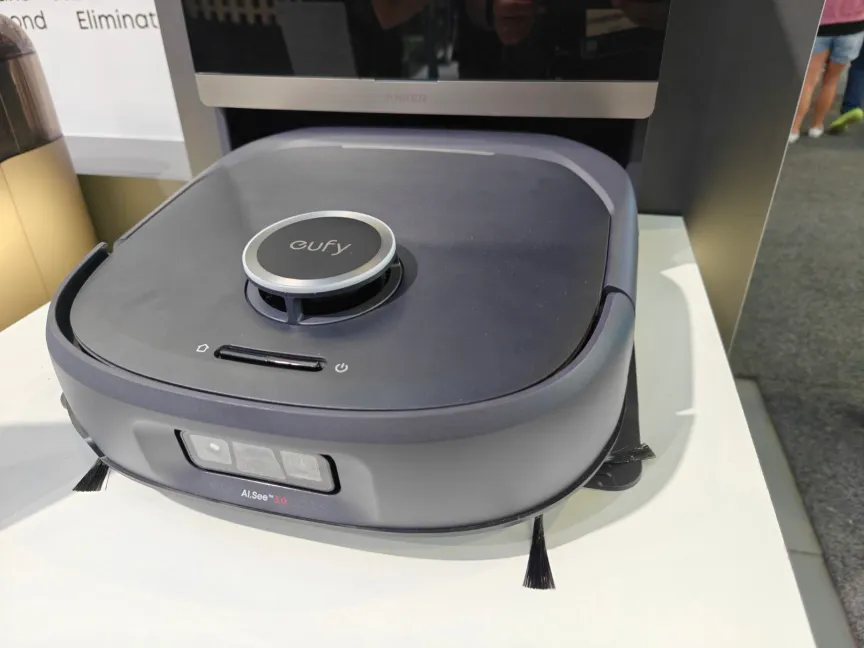
The Eufy E35 Omni was at IFA, but they didn’t run it.Ajay Kumar/CNET
Robot vacuums have become pretty good maintenance tools for cleaning up dust and pet hair, but if you’re someone with asthma or serious allergies, you likely still need a good HEPA-certified vacuum and air purifier to keep things manageable. Well, that’s the new target of companies like Anker with the Eufy Omni E35 and Ecovacs with the Deebot X12S Omnicyclone. Both are certified by different organizations to prove they work as claimed. The X12S was tested by the SGS Testing & Control Services Singapore and, in testing, removed an average of 97.44% of dust mite allergens and 95.45% of dust mites from carpet. The Omni E35 also claims the ability to remove a slightly higher 99% of dust mites and has Asthma and Allergy Foundation of America certification.
Realistically, the percentage difference isn’t particularly significant. What’s notable here is that companies are actively seeking out certifications that prove their robot vacuums are capable of robust levels of cleaning and sterilization, that it’s suitable for maternal health, newborns and allergy sufferers. This might sound niche, but as someone who has three asthmatic cats and occasionally seasonal allergies, I’m interested to see if it lives up to the testing claims.
This is something we’re likely to see more of as robot vacuums become established not just for cleaning but for sanitizing as well, with models that can deploy steam, UV light, and sprays. In the same way air purifiers became increasingly common over the past decade as an easy way to cleanse your air and reduce allergies, we may see certified, high-quality robot vacuums take on the same role.
Deep cleaning is the new challenge to overcome
If you’ve been following robot vacuums at all, one thing you’ve probably noticed is that they’ve gotten pretty good at vacuuming, but mopping can still be a challenge with older and dried-on stains. An old spill of tomato sauce, red wine or ketchup on tile is still going to require you to use elbow grease to remove it — I speak from experience.
Pretty much every company is trying to address this cleaning gap by using different mopping options, ranging from roller mops that self-clean with more downward pressure measured in newtons, as with iRobot and Eufy’s new lineup, which increases the pressure to 14N or 18N, depending on the model. That’s a simple and theoretically easy solution, just give the robot vacuum the elbow grease it’s missing, and iRobot has tried to do that for the vacuuming side of things too by adding a “skirt” that drops down on the Roomba 875 Combo that significantly increases suction strength on the already substantial 35,000 pascals.
Advertisement
The key problem with this strategy, though, is that robot vacuums are size-constrained, and unless you try something like iRobot’s Duo, which incorporates a floor washing unit combined with a mobile docking station, you’re never going to get the power of a real wet and dry mop, let alone an upright or canister vacuum.
Another way companies at IFA have tried to address this is Ecovacs Deebot X12S Omnicyclone, which incorporates high-pressure water sprayers to saturate old stains and help work them out of hard surfaces. Clever idea, but questionable implementation with the X12S. As I watched, I completely missed its ketchup-stain target and instead doused the floor, but it still managed to remove the mess. The 875 Combo uses a hot steam spray from the bottom of the unit to help loosen the stain, but no demos were offered, so I can’t know how it works in practice until we lab test it.
The humanoid robots were a big yawn this year
Ajay Kumar/CNET
I’m sorry to say that humanoid robot demos were just plain boring this year. Yeah, there are dancing robots and robots that can do backflips, like the PrimeBot T1 and Q1, and ones that can sort laundry or pick things like Dreame’s robot butler and SwitchBot’s Onero H1. Yawn. The real issue is that these things still don’t do anything more than what they did last year, and as I wrote in my cover story, the timeline for these robots is a lot further away than we’d hope and a lot more expensive. With a realistic timeline ranging from five to 10 years for partially functional home assistants that can do things like fold laundry and prices that will be closer to $100,000 than $10,000, I expect us to get many more years of IFA humanoid demos without actually getting a humanoid robot that you can buy and use in your home.
Part of why I’m not particularly impressed by any of these humanoid demonstrations is that robot vacuums have gotten so good. We’ve stopped talking about whether they can clean well or avoid objects easily. The newest models we’ve tested at CNET lab do an amazing job of it, and IFA demonstrations reinforced it for me as I watched Dreame’s X60 Ultra Complete Pro perfectly weave through obstacles with remarkable speed and responsiveness that I don’t typically associate with robot vacuums. The downside is that a Dreame representative confirmed to me that currently there are no confirmed plans for the model to come to the US, and with the added complication around the FCC ban and uncertainity around waivers, many of the more interesting new models may be delayed, though most companies have told me that they plan to move ahead with their launch plans.
This also affects humanoids, since a large share of the parts required for these advanced robots is sourced from Chinese supply chains. If the FCC ruling remains in effect without waivers, expect progress on US humanoids to freeze for the next decade as domestic supply chains are painstakingly built, while China races ahead with its already advanced models.
Balcony solar is a great idea whose time has come
For those who aren’t familiar with it, balcony solar is simply putting a plug-in solar panel on a balcony or other outdoor space and using it to store solar power and use it to power your appliances and devices when energy prices are high. It’s really intended for people who live in apartments or other homes where you might be a renter or don’t have the option of putting solar panels on the roof for a full system. Bluetti’s Balco 260 and Balco 500, Jackery’s Solar Vault 3 Series and EcoFlow’s Stream plug-in solar are all examples of this, which I saw at their booths, though it’s hard to really give impressions for a stationary battery that’s not in use.
Some of these weren’t necessarily IFA releases either and have been launched earlier in the year, such as the Solar Vault 3 Series. What I will say is that all of these systems are scalable, meaning you can add additional batteries based on your needs, connect more solar panels and use smart transfer switches or other power management.
With New Jersey becoming the 10th US state to legalize the use of balcony solar power (something that’s already quite popular in Germany and the European market), I do expect to start seeing these being used in the US to help defray our ever-increasing energy costs. New Jersey’s law is particularly beneficial since it restricts the ability of property management or HOAs to stop you from using balcony solar, though you’re going to want to dig into the laws for your state before installing it. In most cases, it should work with a standard AC outlet, but if you want to feed power back to the grid, things get a little more complicated and may require an electrician’s installation.
With nearly every major power station company releasing its own version, I expect adoption to start in the US, especially in New Jersey and New York, where people typically don’t have the option to install a solar panel on their roofs but face high energy costs. However, a Bluetti representative at the company’s IFA booth told me that they’ve currently paused their rollout due to uncertainty around — you guessed it — FCC regulations. So while I do think adoption will happen regardless, since, by all indications, Jackery and EcoFlow are moving ahead, US supplies of home batteries and solar panels may be affected.
Advertisement
Dyson had one of the strongest showings this year as a tech company
At IFA 2026, we’re seeing all the upgraded, AI-powered, repairable, camera-equipped tech. And then some.Tara Brown/CNET
Dyson hasn’t really been just about vacuums for a long time, even though it still has that perception when I mention it to people like my parents. Dyson was off-site at IFA this year, but it still drew tons of attention because its releases entered brand-new product categories, including the famous $500 Dyson CameraJet, which integrates a water flosser into an AI-optimized electric toothbrush to clean interdental gaps. It’s Dyson’s first entry into the category, and unlike vacuums and air purifiers, it’s not necessarily a natural fit where there’s a lot of overlapping tech and development that can be carried over.
Dyson’s new HushJet air purifiers are a total redesign.Tara Brown/CNET
However, Dyson didn’t rest on its laurels, with a total of 11 new products, something smart home managing editor David Watsky noted as being a much faster pace than what the company has released in the past. This includes multiple robot vacuum models with cutting-edge capabilities across price points, redesigned HushJet air purifiers, and new beauty products such as its first dryer brush and next-gen hair straightener. With competitors like Roborock, iRobot, Dreame, Narwal, Mova, Shark and others all coming out with a vast array of products and models on a yearly basis, I can’t help but wonder if Dyson is feeling the pressure to keep up in the pace and frequency of its releases.
Definitely a space worth watching if you’re a Dyson fan.
As usual, some of the best products at IFA can’t actually be purchased by Americans
Robot lawnmowers doing a synchronized fan dance isn’t something I knew I needed.Dillon Lopez/CNET
I’m talking about Dreame and Mova specifically here, though there are other examples like Anker and Ecovacs, with the latter having Tineco and Yeedi as sub-brands. Walking through their booths, I was struck by the sheer number of products they cover. You have the robot vacuums, cordless vacuums, wet and dry vacuums, robot lawn mowers, pool robots, window cleaning robots, air purifiers, smart pet tech like feeders and litter boxes, beauty tech like hair dryers and smart mirrors, humidifiers, fans and cooling, home battery backups, automotive, home security, home appliances, smart lighting, and other product categories I’m surely forgetting.
It’s an incredible, overwhelming number of products that make Dreame and Mova jacks-of-all-trades and almost overwhelming to cover. According to the hefty product brochure a Dreame representative handed me, the company had over 40 product releases for IFA, and I’d estimate a similar number for Mova. Many of these are products that won’t be sold in the US, which was the case for nearly the entire lineup of both companies, so that means we don’t cover them very much at CNET.
But walking into their booth at IFA always reminds me that there’s an entire universe of excellent, quality product options out there that American consumers don’t have access. It’s tragic, and with the current uncertainity about what you can actually sell in the American market and regulations and tariffs that can change overnight, I don’t expect that to change soon.
Editors’ note: Ajay Kumar’s travel costs for the IFA conference were covered by Roborock. The judgments and opinions of CNET are our own
Ajay Kumar
Smart Home & Robotics Editor
Advertisement
CNET’s Smart Home & Robotics Editor covering robot vacs, home appliances, smart home, and yard & outdoors. Built CNET’s lab-exclusive testing methodology and lab awards.
See full bio
Though I’ve been working from home for the past 15 years, both freelance and full-time, this often means needing to be available 24/7, so I typically carry my laptop everywhere I go—including sports practices, day trips, and vacations.
I have used many laptop backpacks in this time, and the dividing line between a work backpack that’s comfortable and fits seamlessly into your daily routine and one that’s aggravating at every turn is a fine one. If you’ve got limited closet space, it also helps if the backpack can pull double duty and be used for travel and/or hiking. The backpacks below are ones either I or another WIRED reviewer have used extensively in real life, taking on planes, hiking trails, vacations, and work trips.
Updated September 2026: I’ve added the Paramount Daypack Lite 20L and the Navigator Backpack to my main picks. I’ve also included the Eagle Creek Tour Lite Travel Pack, North Face Base Camp Voyager Pro, Bagsmart Moss Backpack, Brown Buffalo Conceal Pack, and GoRuck G1 to our honorable mentions list.
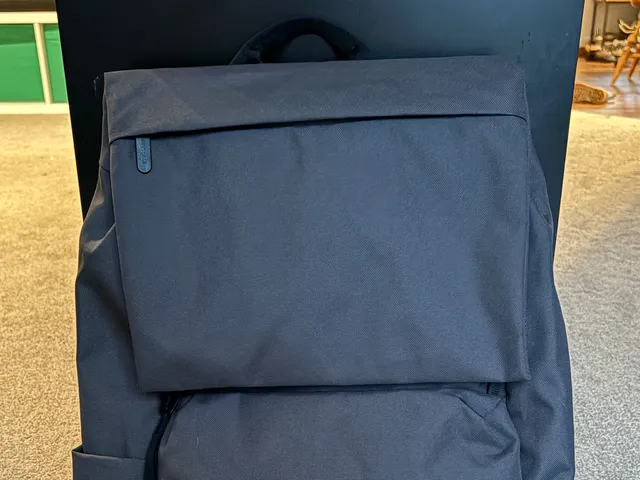
I took this backpack on a weeklong work trip, where I bitched about it endlessly to everyone who would listen. However, I must fairly and objectively conclude that this bag offers tremendous value for the money. It’s a light, attractive, rucksack-style backpack that’s sleek and understated enough for work, and it’s under $120. The 27-liter capacity accommodated enough gear for a full day’s worth of travel, from a scarf for the plane to a water bottle, snacks, and other in-flight accouterments. It has a slim profile and lies close to your back, so it’s not hard to carry and won’t swing into people on the subway. The pockets are very minimal—just an exterior laptop pocket, an interior tablet sleeve, an interior zip pocket, and two large catch-all pockets—but they work if you already put your belongings in pouches anyway.
Certain design elements just felt cheap. I didn’t like the curved zipper that gives you access to the main compartment—zippers that don’t run straight are doomed to get stuck. One of the catch-all pockets is annoyingly located on the cover flap, where anything inside will flap and bang around. The luggage pass-through is a bare piece of webbing. However, it all works: it’s light, affordable, and looks nice. The fabric is also water-resistant, so you can wear it in the rain! For most people, that’s all that really matters. —Adrienne So
Best Laptop Bag for Commuting
Thule
Paramount Daypack Lite 20L
Advertisement
Thule’s newest addition to its already solid backpack lineup was made specifically for schlepping gear to and from work on a daily basis, and it shows. The silhouette is sleek and aerodynamic, making it suitable for bike commuting (there’s even a loop on the front to attach a bike light), and it’s just big enough for a laptop, several notebooks, and maybe a jacket without feeling too big or bulky. The water bottle holder on the side is stretchy for a variety of sizes.
I also love the amount of organization inside for smaller things like pens and notebooks (the flap folds down for access to the interior, too, so you can access these things next to your desk), as well as the hidden yet easily accessible small pocket under the flap for wallet, keys, and phone. It’s not the roomiest pack, so you’re not carrying gym gear in this or taking it on an overnight trip, but if you’re just going to and from the office with basics and a laptop, this is the most well-engineered option I’ve tried.
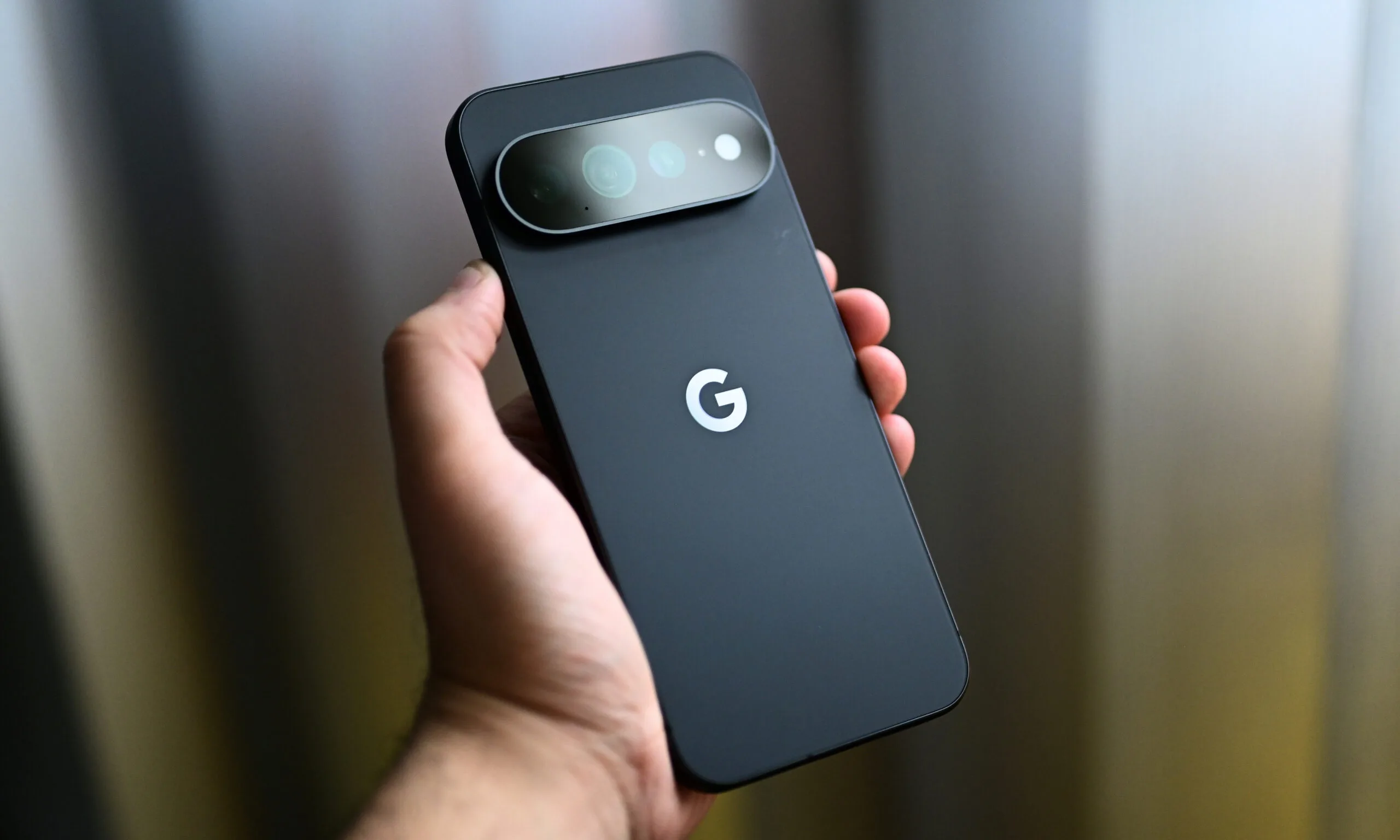
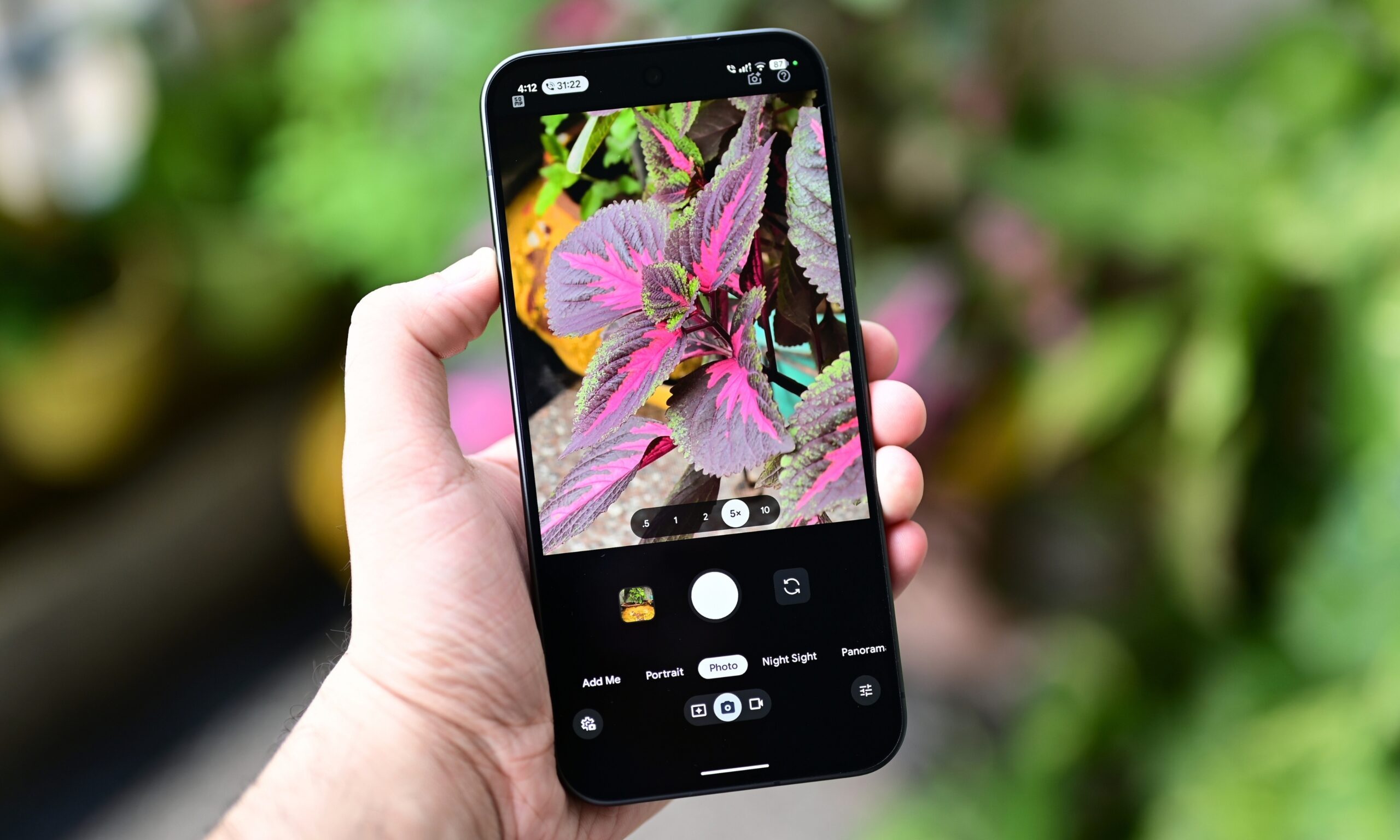
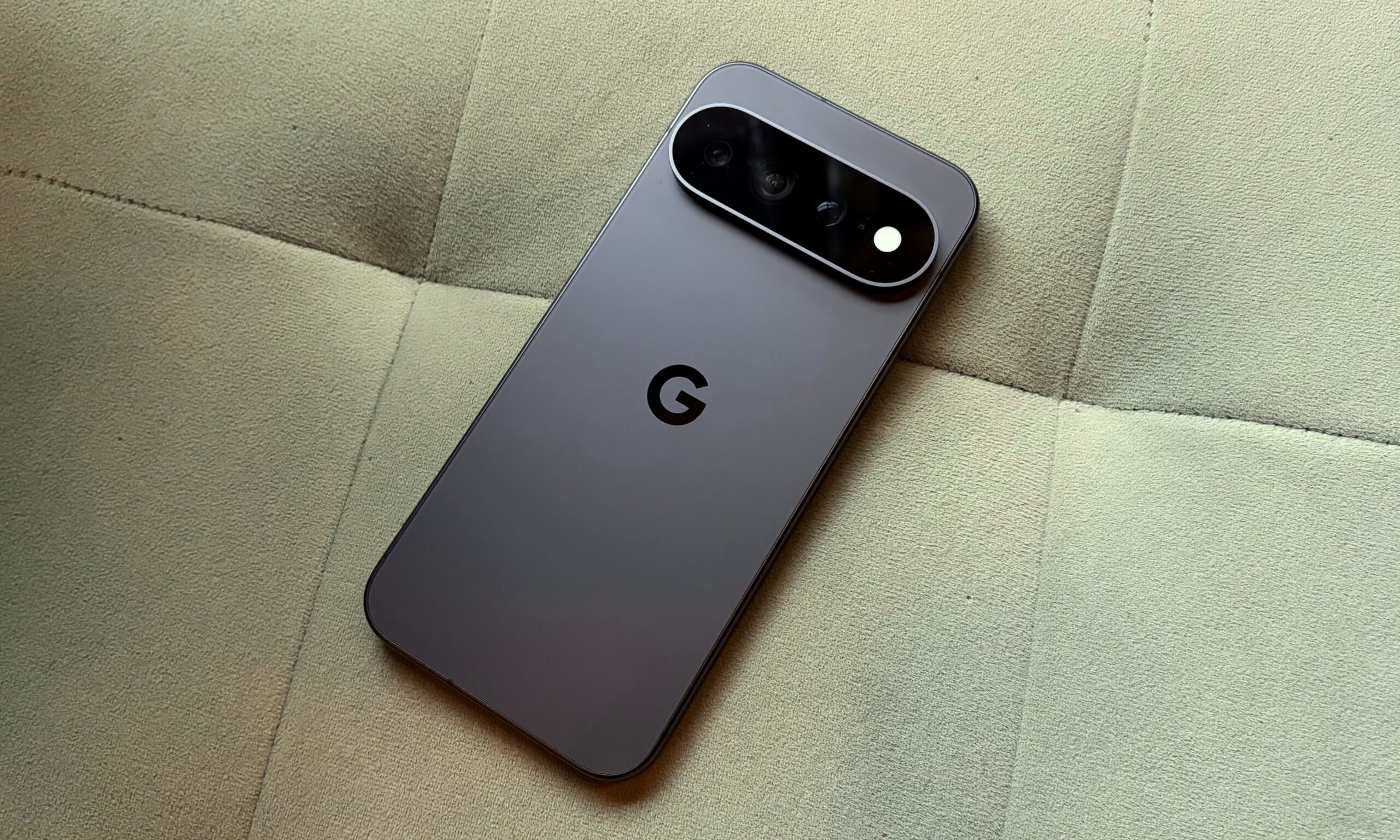
Over the last two weeks, I’ve captured more than 1,000 pictures with the Pixel 11 Pro XL. It’s undoubtedly one of the best camera smartphones available in the US right now, especially since the Chinese Ultra flagships aren’t officially sold here.
It doesn’t have a four-camera setup like the S26 Ultra, but the telephoto and ultrawide cameras feature bigger sensors this year, which add detail and clarity to pictures, especially those captured after sunset.
Shikhar Mehrotra / Digital Trends
The wait is where things fall apart
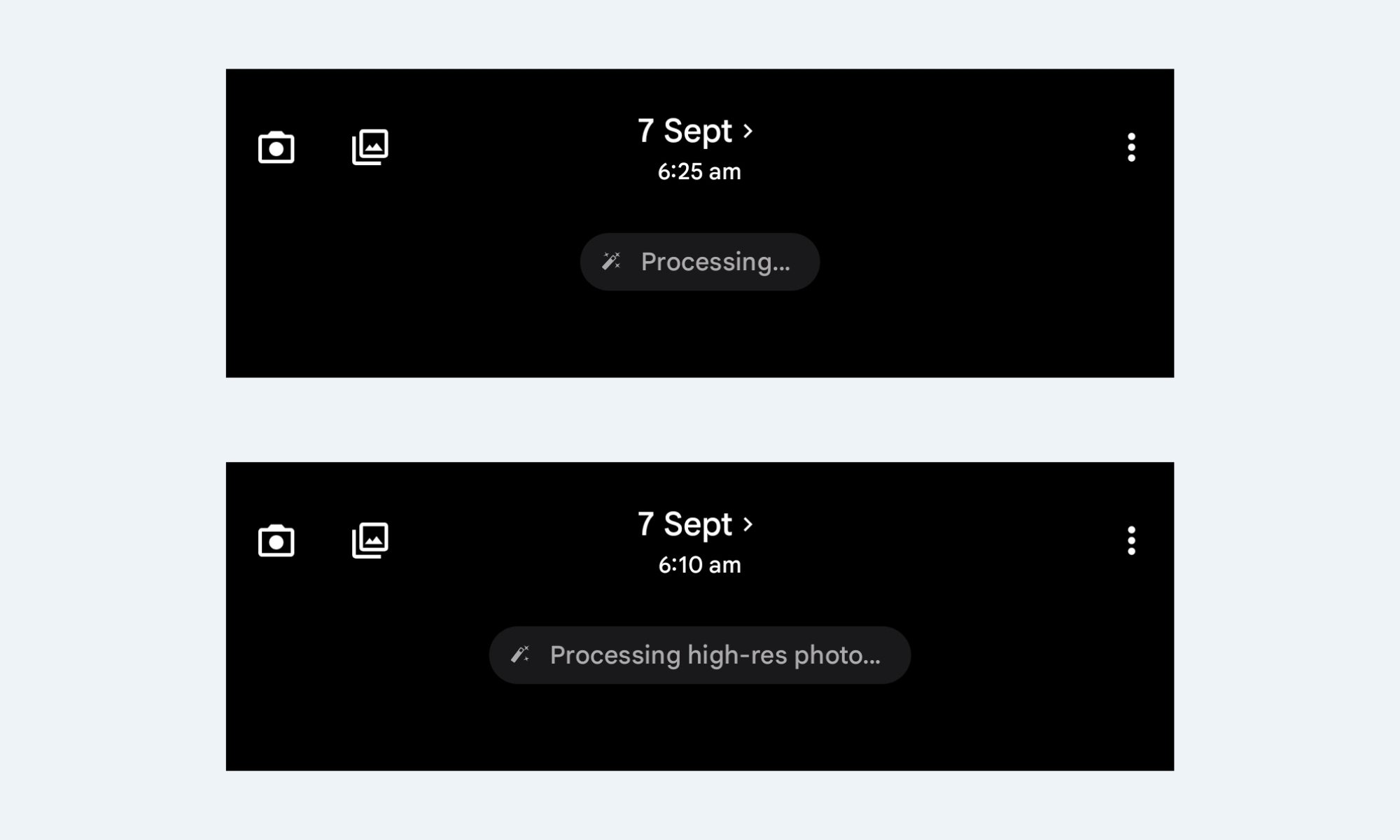
I like the camera array on the Pixel 11 Pro XL, but there’s a reason why it didn’t score a perfect 10/10 in my review, something that annoys me to the core almost every time I point the Pixel at a scene and press the shutter button: it’s what comes after that. It doesn’t matter whether you’re capturing a picture at the default resolution (12MP) or increasing it to 50MP; the photos always take a few seconds to be ready.
As someone who likes to play around with a smartphone camera, capture back-to-back pictures of the same frame from multiple angles and zoom levels, and has a habit of viewing the pictures and deleting them on the spot, I found myself more annoyed with the Pixel 11 Pro XL than any other phone I’ve tested recently.
Shikhar Mehrotra / Digital Trends
I noticed this very early on in the testing period, something that I’ve already mentioned in my review. At 12MP, the phone takes about a second or two to process a picture, stacking tone mapping, sharpening, and noise cleanup that give Pixel photos their signature look. And that’s sort of fine. Even my iPhone 17 takes a second or two to process pictures and add that extra bit of detail.
50MP mode is where it gets bad
However, when you set the resolution to 50MP, the real problem begins. The Pixel 11 Pro XL consistently takes around two seconds or more to process high-resolution pictures. In fact, I’ve seen the “Processing high-res photo…” message so many times that I didn’t even need to look up the exact phrasing while writing this.
Advertisement
This isn’t something that will bother you on the regular days, when you aren’t using the camera as much. If you don’t bother checking a picture on the spot, you’d probably never notice this as well. However, on days when you’re out with friends for the weekend, on vacation with family, or capturing dozens of pictures for a review, the gap between pressing the shutter and actually holding a shareable photo is quite apparent.
Shikhar Mehrotra / Digital Trends
Now, don’t get me wrong. The shutter speed is quite good, and so is the overall camera performance. But it doesn’t really matter whether I’m using the primary camera, any other lens in the array, a regular or a portrait picture, for that matter; the lag shows up consistently. Try capturing a couple of 50MP pictures in a row and previewing them, and you’ll see what I mean.
The phone really looks like it’s buckling under the weight of multiple high-resolution pictures at once, taking around three to four seconds before I can see one.
Shikhar Mehrotra / Digital Trends
So, who’s actually to blame?
It’s not like other phones don’t take time to process pictures, but it’s not as apparent or consistent as it is on the Pixel. Given that the processing time isn’t as noticeable and annoying on flagships with more powerful chipsets, I’d point to the Tensor G6’s modest peak performance well before I’d point to Google’s computational photography pipeline.
Setting aside the Tensor G5-relative performance gains, it doesn’t feel reasonable to wait more than a few seconds for my pictures to surface, especially given the phone’s premium asking price. At $1,299 (for the base variant with 12GB of RAM and 256GB of storage), I’d like my photos to show up with a little more urgency, not saunter in four to five seconds after I capture them.
I’m looking forward to Google fixing this, because waiting for pictures really undermines the exceptional Pixel camera experience.
Bloomberg’s Mark Gurman reports that Schiller’s decision — he will remain involved in the company as an Apple Fellow working on unspecified projects — was driven in part by a desire to spend more time with his family and on philanthropy.
But apparently there was another factor in Schiller’s thinking: New CEO John Ternus and services chief Eddy Cue seek to improve App Store margins and bring in more recurring revenue.
Of course, Apple’s management of the App Store, as well as its share of App Store payments, has been an ongoing source of developer criticism and even been the subject of major lawsuits.
Advertisement
In Gurman’s telling, there wasn’t a big fight over Ternus and Cue’s strategy. But Schiller believed that trying to squeeze more profits from the business would only increase conflict with governments and developers, so he decided to step down and avoid getting involved.
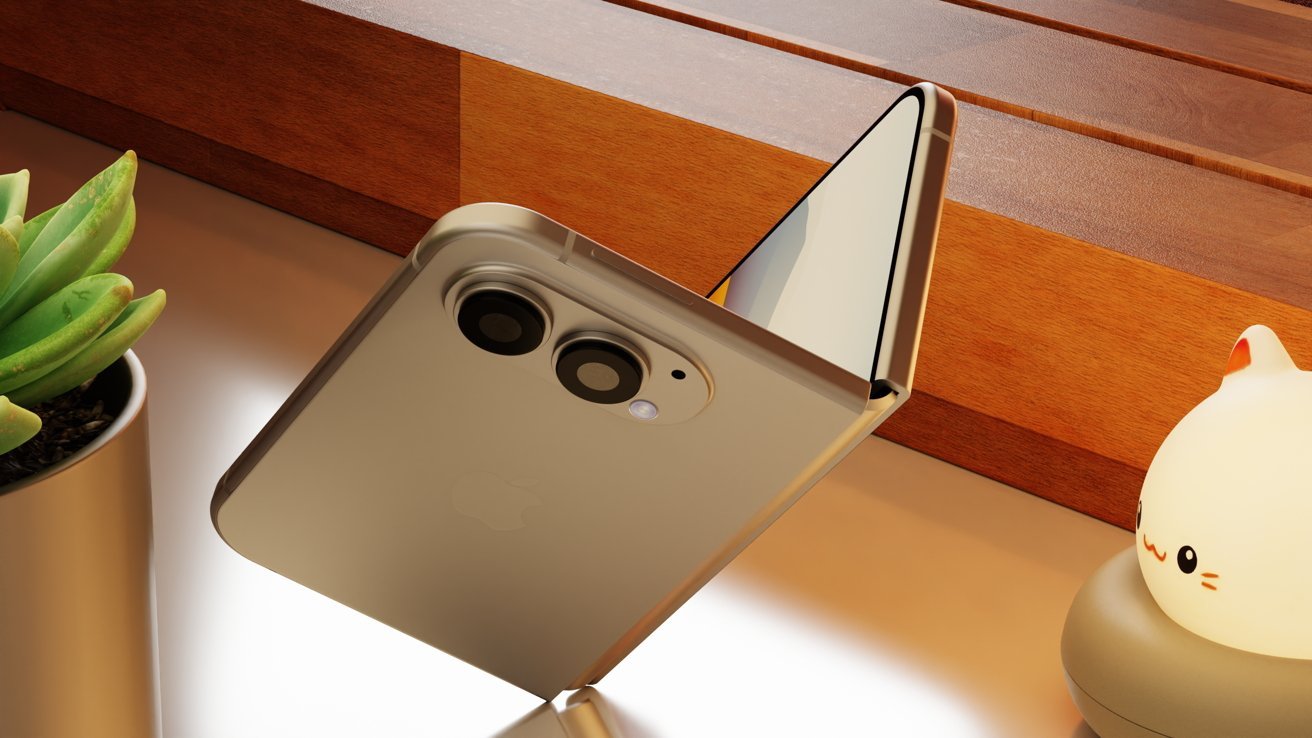
Mass production of the iPhone Ultra has been underway for at least some weeks, but quality control inspections are reportedly rejecting all but a few.
Reports have varied for months over whether the iPhone Ultra is delayed because of manufacturing problems, or whether those have been resolved. Now according to Nikkei Asia, however, production has been very slow.
Reportedly, Apple introduced a further inspection and verification process for the device during August. An unspecified source said that the additional process is concerned with production quality rather than there being manufacturing problems.
“The surface flatness and the performance of the hinge are among the details where Apple is asking for better production yields,” said the source. All of this has “pushed back commercial production for weeks,” although suppliers are working “around the clock.”
Advertisement
Previous reports had concentrated on issues regarding the hinge of the iPhone Ultra. At one point it was claimed that Apple was having to redesign it from scratch, but then a subsequent report said the existing liquid metal design would become an industry standard.
It appears that the design is no longer an issue, but the complexity of it may be why yields are low. This further verification stage was presumably introduced because Apple wasn’t satisfied with the quality of the iPhone Ultra devices being produced.
Reportedly, manufacturing slowed in late August to no more than a few hundred units per day. The iPhone Ultra reportedly entered its manufacturing test phase in April 2026, and by July it was claimed that full production was underway.
It’s surprising, though, that it appears to have taken into August for Apple to implement corrective measures over the quality control. Nikkei Asia has a reputation for being poor at extrapolating Apple’s plans, but a very good one for its sources within the supply chain.
Advertisement
Despite the bottleneck, it is still expected that Apple will announce the iPhone Ultra at its September 9 event. Separately, there had already been reports that supplies might be constrained, and that consequently Apple may initially only release the iPhone Ultra in the US.













-Reviewer-Photo-SOURCE-Adrienne-So.jpg)













































You must be logged in to post a comment Login