2016 and 2019 installations must meet the October 2025 baseline to reach cloud-hosted inboxes
Microsoft is upping the ante on Exchange Server security, warning that outdated on-premises systems will soon be blocked from sending email to Exchange Online.
Advertisement
From the second week of September, Exchange Server 2016 and 2019 machines that send email to Exchange Online through an inbound connector of the OnPremises type must be patched to the final public update baseline released in October 2025, according to Microsoft.
“This update level was released almost a year ago,” Microsoft stated, “and all organizations should have updated to it.”
Microsoft has been advancing its “oldest acceptable version” for some time, but this change takes the baseline to the final public update for Exchange 2016 and 2019. Any subsequent increase would leave only customers enrolled in the Extended Security Update (ESU) program or those who have migrated to Exchange Server Subscription Edition able to meet it.
Organizations may retain on-premises Exchange servers to support hybrid deployments, applications, or other systems that depend on them for email.
Advertisement
According to Microsoft, throttling and blocking apply only to servers sending email to Exchange Online through an inbound OnPremises connector. Other delivery methods are unaffected, and the policy does not necessarily cover “all servers in your organization.”
The company added: “This might change in the future,” which doesn’t sound sinister at all.
Administrators must balance the need to apply security patches promptly against the risk that an update introduces problems of its own – something Microsoft has, to put it delicately, caused in the past.
Some administrators responding to the announcement were more than a little perturbed, although Microsoft has applied throttling and blocking to “significantly out of date” Exchange Server installations for several years.
Advertisement
The announcement gives administrators advance notice of a change Microsoft says would have happened anyway. “With or without this announcement, the change would have been made (just as it was made in the past, without any announcement),” explained Microsoft Principal Project Manager Nino Bilic.
“The bottom line is that admins really need to understand that updating Exchange should be done on time.” ®
You have to know you’re fucking up when your largest and best-paying customer base is increasingly noping out of contract renewals. That more than anything is probably what provoked ALPR maker Flock Safety to start implementing a few guardrails for use.
It seemingly had no problem with being the target of negative press for most of the past couple of years. Every time the press (or politicians) came gunning for it, it would either claim the reporting was misleading or suggest those criticizing it were opposed to public safety.
For the first time ever, Flock has finally added some stuff to its products that’s meant to address months of reporting on abusive use by cops and abusive actions by the company itself. Flock’s tech has aided and abetted acts of stalking by police officers all over the nation, with new incidents seemingly reported daily. To that end, Flock has added some new default settings that limit retention periods, demand more info from officers performing searches, and flag potential misuse for review by police departments using its tech.
But it’s too little and far too late. “Too little” because while these new restrictions are on by default, they don’t seem to affect any systems already in use and can easily be switched off by law enforcement agencies. While you’d think more cops shops would welcome additional reporting that might flag misuse of ALPR databases, most seem perfectly content to allow local journalists to operate as unofficial, unpaid interns who will do the work Internal Affairs doesn’t seem interested in doing itself.
Advertisement
And it really doesn’t matter whether or not Flock’s CEO believes the company is the “first” to do anything about police misconduct. The rest of the country doesn’t believe him. Nor does it trust Flock. Flock is getting kicked to the curb with escalating frequency, as Cyrus Farivar reports for Ars Technica.
Communities from Lansing, Michigan, to Pflugerville, Texas, are ending their relationship with Flock, largely over concerns regarding out-of-control surveillance, unwanted data sharing, high expenses, and reports of police abusing the tool.
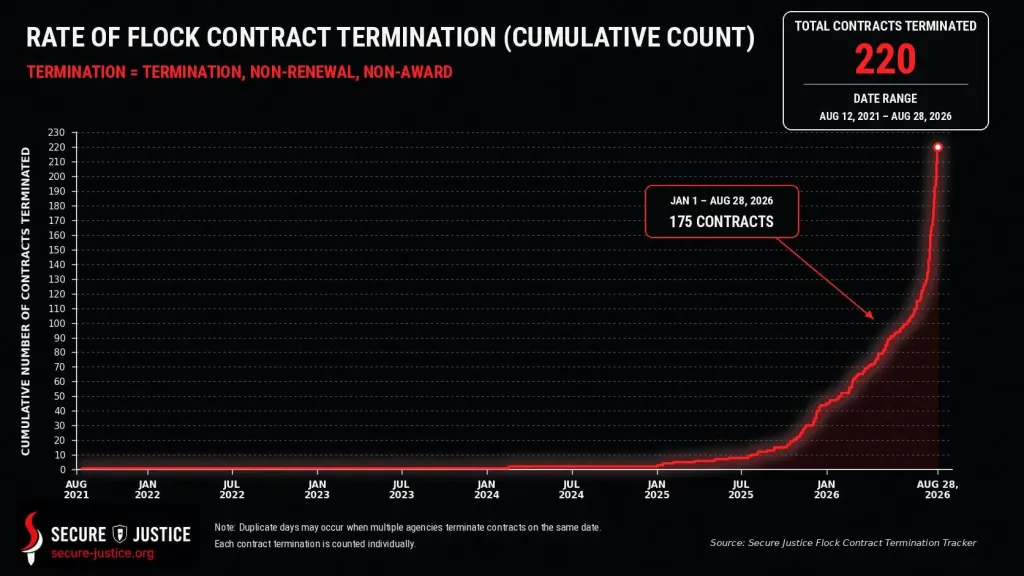
If you like your charts with hockey sticks, Secure Justice has one for you — one that has already been updated twice since Ars Technica first published its piece on August 28:
Advertisement
Here’s a closer look at the updated chart, which tallies another 10 Flock drops since August 26, bringing the new total to 96 in August alone.
This trend will continue. Flock doesn’t seem capable — much less willing — to provide ALPR tech that can be trusted by the public or even the law enforcement agencies utilizing it.
If you want more anecdotal evidence of Flock’s apparent desire to engage in self-destructive actions, just ask a cop.
In a public letter, Bellingham (MA) Police Chief Kenneth Fitzgerald stated that last year, Flock “tried to modify some of the terms of our service and access, while the contract was still in place.” He said this “raised concerns for me about our relationship with the company.”
Then, during a recent criminal investigation, Fitzgerald was further incensed when the department learned a feature called Flock “Free Form” was available through the cameras used by the department — an “Al-powered tool that can search video information using plain-language searches,” the chief said.
He said he was unaware of the AI features on the cameras and does not believe Flock “clearly explained or identified” them to the department.
Advertisement
“Those features go beyond what most people would think of as a traditional license plate reader,” Fitzgerald said. “That concerned me because I had previously told the public, based on our understanding of the system, that our Flock technology was a license plate reader only.”
Looks like hubris to me — the thing that seems to plague nearly every tech company that secures a dominant position in the market. Flock assumes all cops will want their surveillance tech to be increasingly pervasive and invasive. So, it implements new features without giving anyone a head’s up and then plays the victim when legislators, the general public, and even cops themselves decide they no longer want Flock in their cities.
And that makes Belligham only one of four PDs in Massachusetts that have chosen to terminate Flock contracts since the beginning of this month. Flock is losing ground everywhere in the nation and due to its willingness to ignore everything up to this point, it’s not going to be able to prevent the bleeding from continuing indefinitely.
And while this is certainly good news for Americans’ privacy, rest assured there are plenty of smaller companies that aren’t nearly as nationally infamous waiting to fill the void Flock leaves behind.
The SUV champions over the sedan in the U.S., now accounting for 52% of new vehicle sales in 2025, up from 46% in 2021 and 38% in 2016, according to GCBC. This makes sense in certain aspects because an SUV can be superior compared to sedans and other types of vehicles. For one, it is higher off the ground, it typically has more space, and it can go on terrains that most passenger cars can not.
People also love SUVs because they give you a more commanding position over the road, you see better, and can often place the car more easily into parking spots. Even though they can be quite big, they are also often boxy, which can also help you position them correctly. All in all, the sedan has a hard time competing with an SUV it the eye of the modern buyer, and as the trend is continuing, the gap is likely to widen.
This has also led many automakers to discontinue their sedans entirely. In 2025, we lost the Chevrolet Malibu, the Nissan Altima, Volvo’s S60/S90, the Subaru Legacy, and the Acura TLX. Still, plenty of the reasons people flock to SUVs don’t hold up, and a lot of common SUV myths are actually pretty exaggerated once you look closer, which is why we need to talk about the four ways sedans beat SUVs where it really matters.
Advertisement
Performance and handling
Where the sedan typically loses to the SUV in terms of utility, it makes up for it in the performance department. Granted, the market is now filled with super SUVs that can do 0-60 mph in around the three-second mark, but when the road gets technical, twisty, and tight, they are still no match for a dedicated performance sedan.
Advertisement
Take the 543-horsepower BMW M3 CS, for example. Compare it to the much more powerful, much more expensive, and much more compromised 640-horsepower Audi RS Q8 Performance. Around the Nürburgring Nordschleife, the M3 CS completed the lap in 7 minutes 28 seconds. The Audi RS Q8 performance was lapped at 7 minutes and 36 seconds — almost eight seconds behind the M3, despite having 100 horsepower more.
That gap comes down to physics. An SUV’s higher body sits further from the road, so more weight shifts side to side under cornering load, forcing the suspension and tires to work harder just to keep the car flat. That same height and mass also means bigger brakes doing more work to shed speed, and they fade sooner under repeated hard stops than a sedan’s.
The RS Q8 performance is still the fastest SUV ever officially tested on the Nürburgring, and the number it posted is genuinely absurd for something this tall and heavy. Still, the fastest sedan on the Nürburgring, the Porsche Taycan Turbo GT with the Manthey Kit, managed 6 minutes and 55 seconds. No matter how hard automakers try, you are never going to make a racing horse out of a bull, unless it’s a Lamborghini, of course.
Advertisement
Fuel economy
Lajst/Getty Images
Gas prices are at record highs, and as things stand, it is unclear whether that will become a bit worse, or a lot worse in the future. For someone who owns a gas-guzzler SUV, this is particularly important because SUVs, on average, use 20% to 30% more fuel compared to a smaller passenger car.
If the SUV in question is a more performance-oriented SUV, like the previously mentioned Audi RS Q8, those numbers can become ludicrous. For example, the RS Q8 performance carries an EPA-estimated 16 MPG combined rating — 14 MPG in the city and 20 MPG on the highway. Edmunds‘ own testing loop returned even less, with the outlet recording just 13.3 MPG.
Compare that to a proper performance sedan like the BMW M340i, EPA-rated at 29 MPG combined — 27 MPG in the city and 33 MPG on the highway — despite packing a 382-horsepower turbocharged inline-six and hitting 60 mph in about four seconds. That’s nearly double the RS Q8’s combined figure from a car that isn’t a hybrid and isn’t sacrificing much in a straight line either.
Advertisement
That difference comes down to good old physics, not engineering wizardry. A sedan’s smaller footprint and lower ride height cut through the air more efficiently, making it more slippery and more efficient. A sedan also has lighter overall weight, which means the engine works less to move it. Even smaller hybrid SUVs with exceptional gas mileage can get into the 40s, while the most efficient sedans out there can even get close to 60s.
Advertisement
Price and value
Brandon Woyshnis/Getty Images
A pretty major and immediately noticeable difference between SUVs and normal cars is pricing. This one you can notice directly on the window sticker. Even within the same automaker’s lineup, badge-for-badge, the SUV will typically cost more to buy. Take Toyota, the best-selling brand in the world, for example. The 2026 Camry starts at $29,600, and the 2026 RAV4 opens nearly $2,500 higher at $31,900, despite the RAV4 sharing the Camry’s platform underneath. That gap holds at the top too. So, no matter where in the lineup you look, the RAV4 is always comparably more expensive. At least part of that premium comes down to simple physics again.
The RAV4 is heavier. That means more material, more structure, and a bigger bill to build it. That extra weight and height also tend to mean pricier tires, larger brakes. In general, SUVs are simply priced higher. KBB rounded up the numbers for Cox Automotive’s assessment of mid-size SUV vs mid-size sedan pricing for June 2025, and the difference listed was that SUVs are, on average, 46% more expensive.
The BMW 3-Series starts at $48,000, the X3 starts at $51,300. The new Mercedes C-Class starts at $49,650, the GLC starts at $52,400. No matter how you look at it, chances are that buying an SUV is going to require more money.
Advertisement
Rollover protection and pedestrian safety
Gorodenkoff/Shutterstock
In many people’s eyes, an SUV seems safer than a sedan. That holds merit, but not always. For example, an SUV is higher off the ground and taller, and pure physics dictates that it is a lot easier to experience a rollover in an SUV compared to a sedan. This comes down to the center of gravity relative to the track width of an SUV, a ratio NHTSA calls the Static Stability Factor.
A taller vehicle with a higher center of gravity scores worse on this measurement, and the ratings reflect it. Among different vehicles rated by the NHTSA, SUVs typically landed at two or three stars for rollover resistance. On the other hand, most regular passenger cars scored four or five. According to IIHS’s 2024 fatality data, rollover crashes accounted for 20% of all car occupant deaths that year, compared with 33% of SUV occupant deaths.
Electronic stability control has narrowed that gap significantly since 1999 when these numbers were comparably a lot worse, but the physics haven’t changed. This also extends to pedestrian safety, where SUVs are consistently more dangerous to the people outside the car. In 2023, the IIHS ran the largest study of its kind, examining nearly 18,000 pedestrian crashes, and found that vehicles with a hood height above 40 inches were about 45% more likely to cause a pedestrian fatality compared to one with its hood under 30 inches.
Add a bit of speed into the mix, and the numbers are even worse. A separate IIHS study of Michigan crashes found that, at 20 to 39 mph, 30% of pedestrians struck by SUVs died, compared with 25% of those hit by cars, and above 40 mph, virtually every SUV-pedestrian collision in that sample proved fatal.
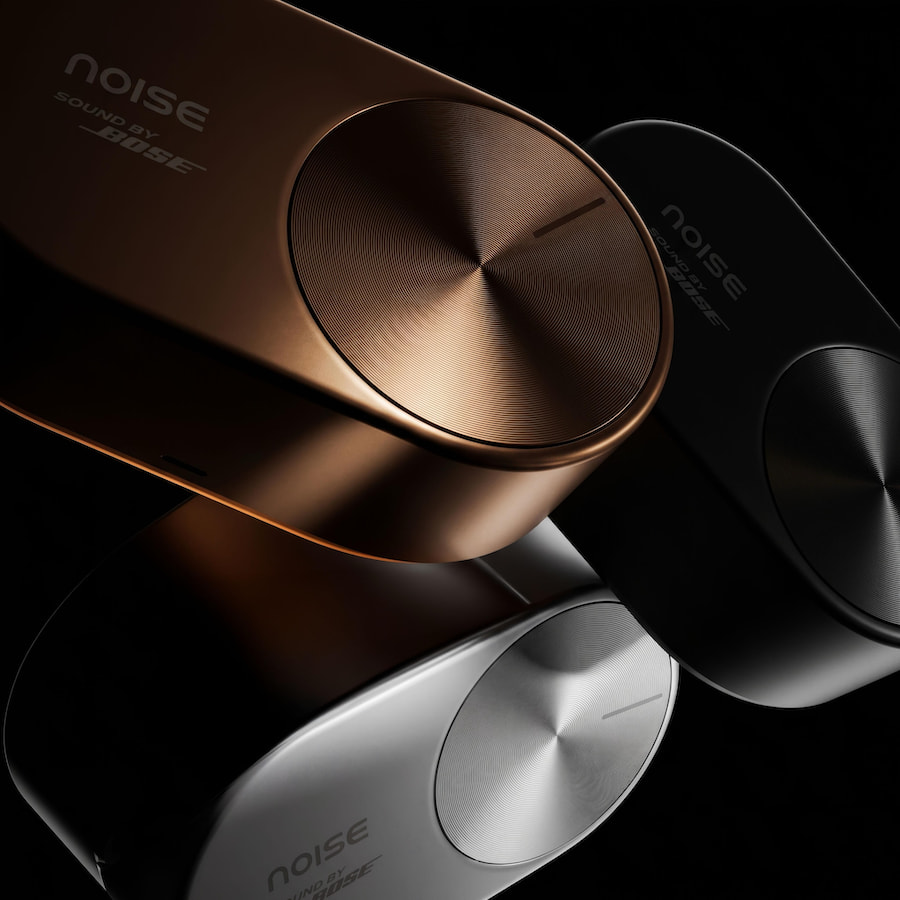
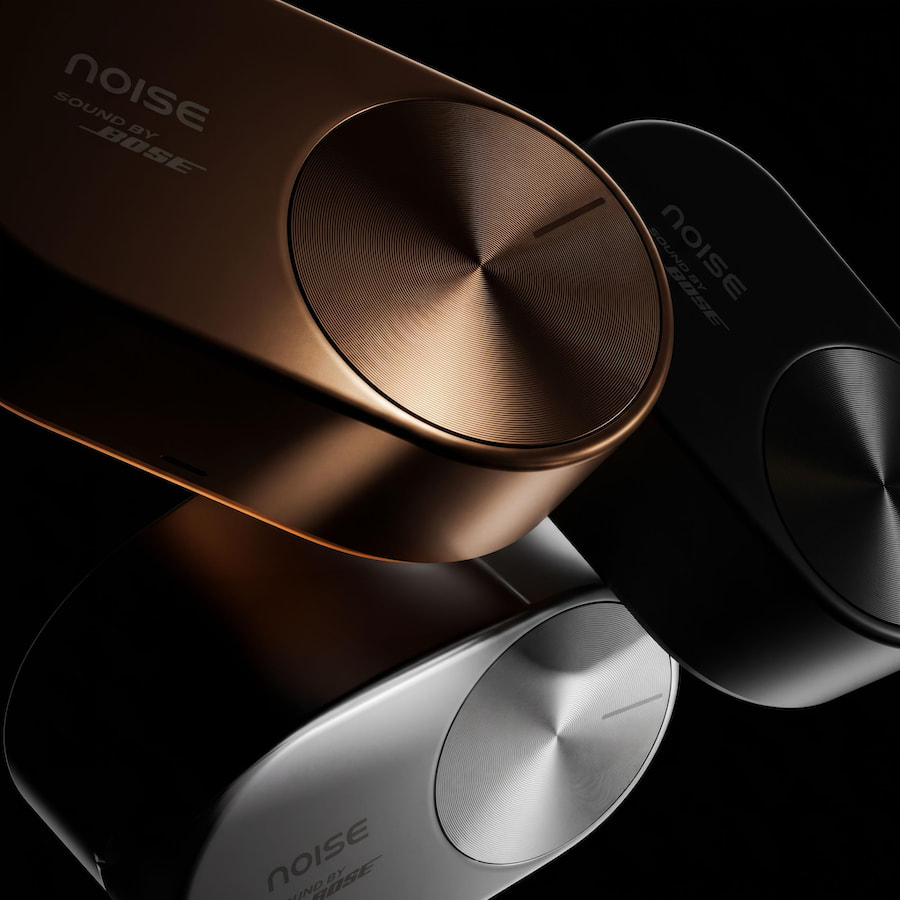
Bose already sells one of the best-known open-ear earbuds on the market. Now an Indian consumer electronics company in which Bose owns a minority stake has unveiled a premium clip-on alternative developed in collaboration with Bose.
That makes the new Noise Master Buds Open, unveiled at IFA Berlin 2026, considerably more interesting than another pair of wireless earbuds joining an increasingly crowded open-ear category. The earbuds use a clip-on design that leaves the ear canal unobstructed and feature Sound by Bose technology, although Noise has not yet disclosed pricing or most of the final commercial specifications.
The official announcement is rather thin on those details, but public pre-launch documentation associated with the product’s FCC certification fills in some of the blanks. It lists 10mm drivers, Bluetooth 5.4, IPX5 water resistance, six-hour battery life and a weight of just 4 grams per earbud, along with Spatial Audio, Audio Boost and compatibility with the Noise Audio app.
Noise plans to start selling Master Buds Open in late September 2026, with pricing and individual market availability still to come.
Advertisement
Related Reviews:
Who Is Noise?
North American readers can be forgiven for asking.
Noise was founded in India in 2014 by Amit Khatri and Gaurav Khatri, initially selling smartphone cases before expanding into wireless headphones, earbuds, smartwatches and other connected devices. It has since become one of India’s largest wearable brands, with Counterpoint Research reporting that Noise maintained its leadership of India’s smartwatch market in 2024 while also ranking among the country’s largest TWS brands.
So this is not a tiny startup ordering generic Bluetooth earbuds from a catalog and hoping Instagram handles the rest. Noise has built a substantial consumer electronics business in India and has been working to expand internationally.
The relationship that matters most here began in December 2023, when Bose acquired a minority stake in Noise as part of the Indian company’s first outside funding round. The companies said they planned to collaborate on audio products and research, a partnership that subsequently produced the premium Master Series, including Master Buds, Master Buds 2 and the over-ear Master Buds Max.
Advertisement
Master Buds Open extend that collaboration into another rapidly expanding part of personal audio.
Not Actually Noise’s First Open-Ear Earbuds
There is one detail in the announcement that deserves clarification. Noise says Master Buds Open mark its entry into open-ear audio, but the company’s existing catalog already includes products such as ALT Buds Open ($99), Pure Pods ($55) and ALT Clip ($99) models using open-ear or clip-on configurations.
A more precise description is that Master Buds Open represent the Master Series’ first open-ear model and the first Noise open-ear product featuring Sound by Bose technology. That’s arguably more interesting anyway because Noise already knows how to compete at the affordable end of open-ear audio; this is its attempt to move the concept farther upmarket.
Advertisement. Scroll to continue reading.
Advertisement
What Makes Master Buds Open Different?
The obvious differentiator is the Bose relationship, but we need to be careful about what that actually means. Noise says Master Buds Open were developed in collaboration with Bose and feature Sound by Bose technology, but it does not say they use Bose OpenAudio technology, Bose drivers or the acoustic hardware found inside Bose Ultra Open Earbuds.
Existing Noise Master products describe Sound by Bose primarily in terms of acoustic tuning and collaboration. Until either company publishes more technical information about Master Buds Open, there is no reason to assume Bose supplied specific hardware. A logo is not a teardown.
What we can confirm is an unusually lightweight design. The pre-launch manual lists each clip at only 4 grams, which is notably lighter than many current clip-on rivals and could matter more in everyday use than another page of Bluetooth features.
Open-ear earbuds are frequently worn for hours during work, exercise or commuting, so reducing the amount of hardware hanging from the ear has obvious ergonomic benefits. The harder problem is acoustic: an open design has to produce convincing bass and intelligible vocals without the physical seal of an in-ear monitor while also controlling sound leakage.
Advertisement
That is where Bose’s involvement becomes particularly interesting.
FCC Documentation Fills In the Blanks
Noise says complete specifications will arrive closer to launch, but the user manual associated with FCC ID 2BKRS-BUDSOPEN01 already provides a useful preview.
Each Master Buds Open uses a 10mm driver and connects over Bluetooth 5.4, with a stated wireless range of 10 meters. The earbuds carry an IPX5 rating, making them resistant to sweat and water jets but not suitable for submersion, while charging is handled through a USB-C case weighing 52 grams.
Battery life is listed at six hours per charge and 22 hours total with the case, although those should be treated as pre-launch figures until Noise publishes its final specifications. The same manual also says the case can recharge the earbuds five times, which does not mathematically reconcile with the stated six-hour runtime and 22-hour total.
Advertisement
Rather than invent a sixth form of arithmetic, we’ll wait for Noise to clarify it.
The manual also identifies Spatial Audio and Audio Boost modes, along with support for the Noise Audio app. Still missing are final details about Bluetooth codecs, microphone configuration, multipoint connectivity and exactly how the spatial processing works.
Those are more useful questions than counting how many times the word “premium” appears in the press release.
Open-Ear Audio Is Getting Much Bigger
Noise is entering the premium end of a category with significant momentum. Omdia reported that global Open Wireless Stereo (OWS) shipments exceeded 10 million units during Q3 2025, up 69% year over year, while open-ear shipments also expanded rapidly in India during 2025.
Advertisement
Advertisement. Scroll to continue reading.
The attraction isn’t difficult to understand. Open-ear earbuds allow listeners to hear their surroundings, avoid the plugged-ear sensation of conventional IEMs and can be more comfortable during long listening sessions.
The compromise has traditionally been sound quality, particularly bass extension and isolation. Every manufacturer now claims to have solved that problem, so our ears will ultimately have to settle the argument.
Two Main Competitors
Bose Ultra Open Earbuds — $299 MSRP
Bose Ultra Open Earbuds
Yes, Bose is effectively competing with a product developed by a company in which Bose itself owns a minority stake. Audio remains a wonderfully uncomplicated business.
The Bose Ultra Open Earbuds use a cuff-style design and proprietary OpenAudio technology to position sound near the ear without blocking the canal. They offer Immersive Audio, Bluetooth multipoint, IPX4 water resistance and up to seven hours of standard stereo playback.
Advertisement
Bose launched them at $299, although promotional pricing can be substantially lower. Until Noise announces pricing, we cannot know whether Master Buds Open will compete directly on cost, but based on the rest of the Master Series it would be surprising to see them priced at Bose levels.
Sony LinkBuds Clip — $229.99 MSRP
Sony’s LinkBuds Clip attacks the same problem from another direction. The $229.99 clip-on earbuds use a 0.39-inch driver and include Bluetooth 5.3, multipoint connectivity, DSEE processing, 360 Reality Audio and IPX4 water resistance, with battery life rated at up to nine hours per charge.
Sony also includes a Sound Leakage Reduction mode, addressing one of the less charming aspects of open-ear audio: occasionally sharing your playlist with people who did not request it.
Sony has an established app, mature global distribution and years of wireless-audio experience. Noise may have a very different weapon if it can get the pricing right.
Noise Master Buds Open Specifications
The following combines Noise’s IFA announcement with information contained in pre-launch documentation associated with the product’s FCC certification.
Advertisement
Specification
Noise Master Buds Open
Design
Clip-on open-ear
Driver
10mm
Weight
4g per earbud
Bluetooth
5.4
Bluetooth Range
10 meters
Water Resistance
IPX5
Battery Life
6 hours per charge*
Total Battery Life
22 hours with case*
Earbud Charging Time
1 hour*
Case Charging
USB-C
Case Weight
52g*
Spatial Audio
Yes*
Audio Boost
Yes*
Companion App
Noise Audio*
Bose Collaboration
Sound by Bose technology
Price
To be announced
Availability
Late September 2026
*Listed in pre-launch product documentation and subject to confirmation when final commercial specifications are released.
Price & Availability
Noise says Master Buds Open will become available in late September 2026 through retail stores, major e-commerce platforms and gonoise.com. Pricing and specific regional availability have not been announced.
The product has already received FCC certification in the United States, and Noise operates a U.S. online storefront. That makes a U.S. launch plausible, but FCC approval should not be confused with confirmation that the product will actually be sold here.
Advertisement. Scroll to continue reading.
Advertisement
We will update the story when Noise provides final U.S. pricing, availability and commercial specifications.
The Bottom Line
Noise is considerably more important in the global wearable market than many North American consumers probably realize, and its relationship with Bose gives Master Buds Open a hook most inexpensive open-ear products cannot claim.
The lightweight clip design is promising, the preliminary specifications are competitive, and Noise already has experience selling aggressively priced wireless products. The unanswered question is whether Sound by Bose can help close the sonic gap between affordable OWS products and premium competitors from Bose, Sennheiser and Sony.
Final pricing will matter enormously. If Noise can deliver genuinely good open-ear sound at the kind of pricing we’ve seen from the rest of its Master Series, Bose may have helped create a surprisingly dangerous competitor.
With three straight wins, Les Kiss’ Australia tenure is off to the perfect start, and victory against Argentina in Mendoza would be another huge step forward. Across three previous multi-game series, the Wallabies have never secured a sweep on Argentine soil, and to do so now they’ll have to break a telling pattern.
Argentina and Australia have alternated wins in their past six meetings, a run of results that illustrates both the Pumas’ improvements and the Wallabies’ inconsistencies.
The 1st Test in San Salvador de Jujuy was a back-and-forth thriller, which ended with both sides effectively punching themselves out, exhausted, in their pursuit of victory. The tourists shot to a 10-point lead and just about managed to outlast the Argentina fightback to stagger out 27-21 winners, thanks in no small part to the immense exploits of back rower Rob Valetini.
Advertisement
Tom Wright will earn his 50th cap at Estadio Malvinas Argentinas, where Ben Donaldson will step in for Carter Gordon at fly-half and Len Ikitau and Joseph-Aukuso Sua’ali’i will start at center for the first time under Kiss.
Felipe Contepomi, who’s lost multiple players to the Top 14, has also reshuffled at fly-half, with Santiago Carreras shifting to full-back and Nicolas Roger slotting in. With this set to be Argentina’s final home Test of the year, the visitors can expect a particularly hostile reception.
Read on as we explain how to watch Argentina vs Australia 2nd Test for free.
Advertisement
Can you watch Argentina vs Australia 2nd Test for free?
Yes. Argentina vs Australia is being shown on free-to-air RugbyPass TV in the US.
Traveling abroad right now? You can use a VPN to watch Argentina vs Australia for free as if you were right at home.
Use a VPN to watch Argentina vs Australia 2nd Test live streams
A VPN is handy piece of software that can make your device appear as if it’s back in your home country, so you can unlock your usual service. The best VPN right now? We recommend NordVPN – it does everything and comes with up to 75% off.
Advertisement
How to watch Argentina vs Australia 2nd Test live streams in the US
Argentina vs Australia is available to live stream for FREE on Rugbypass TV in the US.
RugbyPass TV has live coverage of a range of international rugby, including Rugby’s Greatest Rivalry and the Nations Championship, plus an on-demand library stuffed with full-game replays, classic matches and documentaries.
Outside of the US? Use a VPN while you’re traveling away from home to unlock your stream.
Advertisement
How to watch Argentina vs Australia 2nd Test live streams in the UK
In the UK, Argentina vs Australia is being shown on Sky Sports Action.
Sky Sports packages start at £22 per month for existing Sky subscribers and rise to £35 per month for those without a Sky subscription.
You can also watch the Pumas vs Wallabies game unfold via a NOW Sports membership that carries the Sky Sports channels.
Advertisement
If you’re out of the UK but still want to tune in, explore the VPN route set out above, which will help you access your subscriptions from anywhere.
How to watch Argentina vs Australia 2nd Test live streams in Australia
In Australia, Los Pumas vs Wallabies is exclusive to Stan Sport.
Stan Sport costs AU$20/month on top of a Stan subscription, which itself starts at AU$9.99/month.
Advertisement
Not in Australia right now? You can simply use a VPN like NordVPN to watch the action as if you were back home.
How to watch Argentina vs Australia 2nd Test live streams in New Zealand
In New Zealand, Sky Sport NZis showing the Argentina vs Australia game on the Sky Sport 2 channel.
You can access Sky Sport through satellite TV or get a live stream, with the Sky Sport Now subscription service starting at NZ$29.99 per day or NZ$59.99 per month.
Advertisement
Those outside of New Zealand can use NordVPN to gain access to their home streaming service.
How to watch Argentina vs Australia 2nd Test live streams in South Africa
The Argentina vs Australia game is being shown on SuperSport in South Africa.
SuperSport is the home of live rugby in South Africa, including coverage of the Springboks and the United Rugby Championship. You’ll need a DStv access package to watch the game, with prices starting at Rs99/month for the streaming version.
Advertisement
Abroad right now? Use a VPN to tell your device that you’re back home and you’ll be good to go.
How to watch Argentina vs Australia 2nd Test live streams in Canada
(Image credit: Other)
The Argentina vs Australia game is available to watch on Premier Sports in Canada.
A monthly pass costs CA$29.99. You’ll need either the CA$79.99 six-month pass or the CA$139.99/year annual subscription to tune into the whole tournament.
Advertisement
If you’re out of Canada but still want to catch the action, explore the VPN route set out above, which will help you access your accounts from anywhere.
Team News
Argentina team: Santiago Carreras, Rodrigo Isgró, Luico Cinti, Faustino Sánchez Valarolo, Ignacio Mendy, Nicolás Roger, Simón Benítez Cruz; Joaquín Moro, Guido Petti, Pablo Matera (c), Franco Molina, Efraín Elías, Pedro Delgado, Ignacio Ruiz, Boris Wenger
Replacements: Leonel Oviedo, Mayco Vivas, Francisco Moreno, Tomás Lavanini, Juan Martín Scelzo, Facundo Cardozo, Gonzalo Bertranou, Mateo Soler
Advertisement
Australia team: Tom Wright, Max Jorgensen, Joseph-Aukuso Sua’ali’i, Len Ikitau, Filipo Daugunu, Ben Donaldson, Ryan Lonergan; Harry Wilson (capt), Fraser McReight, Rob Valetini, Jeremy Williams, Josh Canham, Taniela Tupou, Billy Pollard, Angus Bell
Replacements: Josh Nasser, Aidan Ross, Massimo de Lutiis, Lukhan Salakaia-Loto, Charlie Cale, Kalani Thomas, Carter Gordon, Isaac Henry
What is the Argentina vs Australia 2nd Test start time?
The scheduled Argentina vs Australia kick-off time on Saturday, September 5 is 6pm ART local time in Mendoza, which is 2pm PT / 5pm ET / 10pm BST.
That’s 7am AEST / 9am NZST on Sunday, September 6 in Australia and New Zealand.
Advertisement
What is the Argentina vs Australia head-to-head?
Argentina and Australia have contested 44 competitive games. Los Pumas have won 10 of them, and the Wallabies 31. Three have ended all-square.
In Argentina, the head-to-head stands at 6-11-1.
Can I watch Argentina vs Australia on my mobile?
Of course, most broadcasters have streaming services that you can access through mobile apps or via your phone’s browser. For example, RugbyPass TV has a dedicated app.
We test and review VPN services in the context of legal recreational uses. For example: 1. Accessing a service from another country (subject to the terms and conditions of that service). 2. Protecting your online security and strengthening your online privacy when abroad. We do not support or condone the illegal or malicious use of VPN services. Consuming pirated content that is paid-for is neither endorsed nor approved by Future Publishing.
We spend hours testing every product or service we review, so you can be sure you’re buying the best. Find out more about how we test.
Sony Bravia 5: Two-minute review
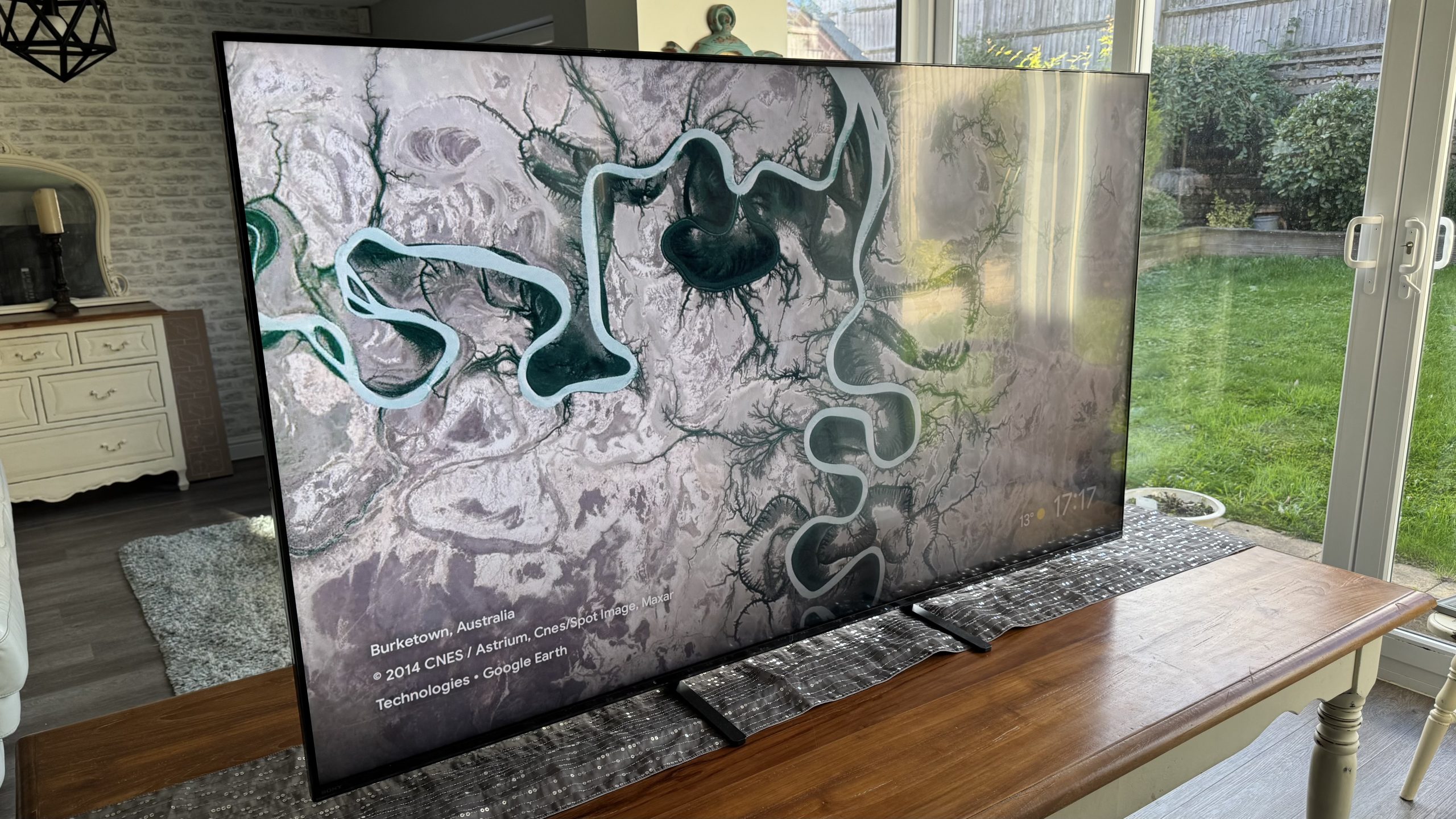
The Sony Bravia 5 is a mini-LED TV with crisp images, strong contrast and great gaming features. It occupies that level in Sony’s TV range where the brand has historically struggled to maintain its high standards. The Bravia 5, though, bucks this trend in pretty spectacular fashion.
The Sony Bravia 5 retains both mini-LED lighting and local dimming, for starters, as well as an 120Hz panel to keep gamers happy. Sony says the Bravia 5 LCD panels are still made to the brand’s Master Backlight Drive standard too, and they’re equipped with a full up-to-date version of the Google TV smart system.
Advertisement
There are ‘catches’ to this promising specification, of course. In particular, the Bravia 5 won’t benefit from as many dimming zones as the step up Bravia 7, or achieve so much brightness. In reality, though, the 65-inch Bravia 5 (AKA the K65XR55) delivers much less of a step down from Sony’s mid-range models than expected based on past Sony lines. Pictures are vibrant, crisp, full of contrast and just way less compromised than previous generations of the same level of Sony TV would have been.
Latest Videos FromTechRadar
Add punchy, clean and detailed audio to its surprising picture talents, and the Bravia 5 is the Sony value TV we’ve always wanted.
Advertisement
Sony Bravia 5 review: Price and release date
The LG B6 delivers deep black tones and crisp textures (Image credit: Future)
Release Date: July 2025
55-inch: $1,399.99 / £1,299 / AU$1,999
65-inch: $1,499.99 / £1,499 / AU$2,299
75-inch: $1,999.99 / £1,799 / AU$2,899
85-inch: $2,399.99 / £2,299 / AU$3,899
98-inch: $4,999.99 / £4,499 (around AU$8,570)
While the Bravia 5 is affordable by Sony TV standards, $1,499.99 / £1,499 / AU$2,299 is no longer cheap for a 65-inch TV.
The Bravia 5 retains much more of Sony’s mid-range — and even premium — TV DNA than expected based on similarly positioned models in previous Sony ranges, though. As a result, it has at least the potential to take a clear performance edge over more affordable rivals.
Sony Bravia 5 review: Specs
Swipe to scroll horizontally
Screen type
Advertisement
Backlight Master Drive VA mini-LED with local dimming
Sizes available
55, 65, 75, 85 and 98 inches
Refresh rate
Advertisement
120Hz
Resolution
4K
HDR support
Advertisement
Dolby Vision, HDR10, HLG
Audio support
40W acoustic multi-audio speaker system featuring dual full-range (bass reflex) speakers and two ‘frame’ tweeters; Dolby Atmos and DTS:X decoding
Smart TV
Advertisement
Google TV (plus all main UK terrestrial broadcaster catch up apps for UK buyers)
HDMI ports
4 (two full HDMI 2.1)
Advertisement
Sony Bravia 5 review: Benchmark results
Sony Bravia 5 review: Features
(Image credit: Future)
Mini-LED lighting
Direct lighting with local dimming
Bravia XR processor
As I’ve hinted more than once already, the Sony Bravia 5 is packing much more feature heat than I would have expected it to, based on Sony TV ranges of the past.
Sign up for breaking news, reviews, opinion, top tech deals, and more.
This is particularly true of the screen hardware at the Bravia 5’s heart. Designated one of Sony’s Master Backlight Drive panels, it is illuminated by mini-LEDs driven by a local dimming system that, according to my own counting efforts, operates across an impressive 240 zones. That’s 240 areas of the image that are capable of receiving their own light level, independent of their neighbors, according to the needs of the image.
The Bravia 5’s panel is a VA type, too, which should further enhance contrast (though maybe not viewing angles). Meanwhile, even this far down Sony’s range, the brand’s consistently impressive XR processor is still on hand to power all the constituent parts of the TV’s pictures. On top of this, rather than dropping down to 50/60Hz, the panel also maintains a native 120Hz refresh rate.
Advertisement
Meanwhile, its support for high dynamic range images extends to Dolby Vision, as well as the more basic HDR10 and HLG formats. Sony is also unusual in the TV world for automatically applying an HDR upgrade to SDR sources on some of its picture presets. There’s no interest from Sony, though, in the HDR10+ format designed as an open-source alternative to Dolby Vision.
The Bravia 5’s connections keep up with its step-up siblings. So you get four HDMIs (though only two support the TV’s full range of gaming features like VRR and ALLM), USB media playback support, and wireless support that includes Wi-Fi, Bluetooth 5.3, built-in Chromecast, Apple Airplay, and Apple HomeKit.
(Image credit: Future)
Sony’s TV business has long traded on its ‘from camera to TV’ product chain, and the potential for accuracy that this can bring. So as usual the Bravia 5’s Professional Mode setting, at least, will have been tuned alongside one of Sony’s professional mastering monitors, and the set is equipped with a bunch of so-called Calibrated modes designed to replicate as closely as possible the mastering standards of the Prime Video, Netflix and Sony Pictures Core video streaming services.
Buying a Bravia 5 entitles you to 10 free films and 24 months of access to Sony Pictures Core too, by the way, complete with its unique high-bandwidth streaming speeds for enhanced picture quality.
Advertisement
Further ‘third party’ endorsement finds the Bravia 5 earning an IMAX Enhanced badge, indicating that it has been deemed capable of doing justice to the special noise-limiting mastering processes and potential shifting aspect ratios associated with the IMAX Enhanced system. IMAX Enhanced titles are available on Sony Pictures Core and Disney+.
The Bravia 5’s audio setup is pretty potent by mid-range TV standards. It offers two full range Bass Reflex-design drivers and two separated tweeters getting 10W a piece to deliver both Dolby Atmos and DTS:X soundtracks — the latter even includes the special tweaked version of DTS:X associated with IMAX Enhanced content.
Sony Bravia 5 review: Picture quality
Impressive brightness and light control
Bold but also natural colour
Genuine 4K sharpness and excellent 4K upscaling
The Sony Bravia 5’s image quality instantly changes the fortunes of this level of Sony’s TV range, leaning much more towards the Sony TVs above it than those below.
Particularly great to see is how much contrast the Bravia 5 retains for this level of Sony’s range. Black colors look deep and strikingly consistent, exhibiting minimal issues with backlight blooming around bright objects or general areas of clouding. That’s despite the fact the screen is capable of hitting nearly 900 nit brightness peaks on a 10% HDR window and sustaining an OLED-beating 595 nits with a full 100% HDR window.
Advertisement
Combining Sony’s backlight structure and XR Processor, the Bravia 5 can maintain more intensely bright highlights against dark backdrops than you’d expect for its price tag, despite how limited the clouding around such highlights is. This combination of bright stand-out objects and limited clouding is very difficult to achieve with locally dimmed TVs, yet the Bravia 5 makes it look easy.
Dark scenes look stable, too, in the sense that you never feel aware of the sudden brightness jumps or obvious ‘handovers’ between different dimming zones as bright objects move around a dark backdrop.
(Image credit: Future)
Many screens with strong contrast performances are often capable of good color reproduction too — and this trend continues with the Bravia 5. In its Standard preset, it produces strikingly vibrant, rich and bold tones (actually upgraded to HDR if you’re watching an SDR source) that still feel balanced, full of subtlety and nuance, and connected to source tones for the most part. They feel more like amplifications of source content colors rather than aggressive departures from them.
Unfortunately, the Bravia 5 pushes this amplification effect way too far in the Vivid preset, which is best avoided. But the Standard setting is an excellent bright room option, as well as actually being delicate and balanced enough to hold up as a dark room movie night option if your image tastes tend towards the bright and vibrant.
Advertisement
Unlike most other TV brands, Sony doesn’t offer a Filmmaker Mode preset for AV fans who favor ‘as the director intended’ viewing. Its Professional Mode, though, does pretty much the same thing, with an emphasis on trying to match the image as closely as possible to Sony’s professional video mastering monitor.
Using Portrait Display’s Calman Ultimate software, G1 signal generator and C6 HDR5000 colorimeter, the accuracy of the Bravia 5 Professional mode was easy enough to demonstate. Errors recorded in both SDR and HDR across the board came in at well under the 3.0 DeltaE 2000 average beyond which errors might become visible to the human eye.
(Image credit: Future)
The Bravia 5’s Professional mode doesn’t just measure well. It also looks subjectively lovely, packed with the subtle texturing, immaculate color balance, and remarkable light control for a lower mid-range LCD TV. The benefits of Sony finally being able to introduce a superior core panel in a TV at the Bravia 5’s level are arguably at their most obvious in the Professional preset, in fact, given that this mode uses relatively few processing tools to help ‘boost’ its appearance.
Inevitably, given it’s far from the most premium TV in Sony’s range, there are a few limitations to the Bravia 5’s picture performance. Dark scenes in the Professional mode look a little grayer than they do in Standard mode, and backlight blooming around bright objects can become more noticeable if you view the TV from an angle. Strangely, certain shades of red can look a bit over-ripe during dark scenes, and some dark shots also take on a slightly green undertone.
Advertisement
Finally, some of Sony’s preset choices don’t actually help the Bravia 5’s pictures at all. Motion processing only really helps 24p movie sources if it’s switched to its True Cinema mode, for instance, with other settings tending to generate unwanted digital side effects or leave the image looking unnaturally smooth. I’d also recommend turning off the noise reduction features, especially with native 4K sources, to ensure the screen’s impressive native sharpness isn’t unnecessarily softened away.
The Bravia 5’s issues are mild enough or easy enough to fix, though, that they don’t stop it from being an all-round excellent picture performer for its money.
Picture quality score: 4.5 / 5
Sony Bravia 5 review: Sound quality
(Image credit: Future)
Impressive clarity and detailing
Sound doesn’t suffer with distortions
Bass is a bit lightweight
The Bravia 5’s sound joins its pictures in being impressively expressive and clean, working within the speaker’s limitations rather than pushing things beyond their breaking point as so many integrated TV sound systems are wont to do.
Even the brightest, shrillest treble sounds are produced without sounding thin or brittle, while the mid-range is clean and pretty expansive, able to cope with the ebbs and flows of even quite dense action scenes without sounding forced, muddy or compressed.
It uses its four-speaker system well to create a fairly large soundstage, too — one that’s well populated with accurately placed, crisp but never overstated details.
Advertisement
My only complaint is that the Bravia 5 feels a bit light in the bass department. Dinosaur footprints, rumbling space ships, meaty explosions and the like don’t hit with quite as much heft as I’d like. At the same time, though, not even Hollywood’s most extreme bass moments cause the Bravia 5’s speakers to succumb to distracting crackles or distortions.
Sound quality score: 4 / 5
Sony Bravia 5 review: Design
(Image credit: Future)
Multi-point foot attachment
Recycled plastic remote control
Minimal frame
The Bravia 5’s design doesn’t feel like much of a step-down at all from Sony’s Bravia 7 series. Its screen frame is extremely narrow, distracting scarcely at all from the pictures within, and it also stays fairly trim around the back for a lower mid-range LCD TV.
Its feet look a little basic when attached to such an elegantly minimalistic screen, perhaps. But Sony has thoughtfully provided the option to attach them either quite close together or out towards the TV’s bottom corners, depending on the width of the furniture you want to stand the TV on.
Build quality is good, too, and despite its relatively affordable position in Sony’s current TV range, it ships with two remote controls. The sleeker, more modern and more feature-rich handset is made largely made from recycled plastic, as part of Sony’s wide-ranging attempts to make the TV production process greener.
Sony Bravia 5 review: Smart TV & menus
LG’s webOS 26 is easily one of the best smart TV platforms around (Image credit: Future)
Google TV smart system
YouView for full UK app coverage
Optional Bravia Cam
The Sony Bravia 5 runs the latest Google TV system very well, avoiding the sluggishness the system sometimes causes on less powerful TVs. Google TV carries pretty much all of the most popular and important video streaming services, and Sony has helpfully worked round Google TV’s blind spot when it comes to some of the UK’s most popular terrestrial broadcaster catch up services by adding the YouView app.
Google TV can still feel a little overwhelming in its presentation and doesn’t feel as intelligent as some rival smart systems when it comes to recommending content based on your viewing habits. The smarter of the two remote controls Sony provides, though, makes navigation of the menus feel straightforward. On top of this, you can access a good range of features and issue quite complex search instructions just by talking to the Bravia 5 via the Google Assistant voice recognition system.
Advertisement
You can even add basic gesture control features to the Bravia 5 if you cough up £200 for one of Sony’s Bravia Cam accessories. This add-on camera can also detect your location in the room and adjust the TV’s picture and sound settings accordingly, as well as issuing audio warnings if it detects anyone getting too close to the screen. I’m not personally convinced Bravia CAM does enough to justify its price, but if the features I’ve just described sound good to you, then fill your boots!
Smart TV & menus score: 4.5 / 5
Sony Bravia 5 review: Gaming
(Image credit: Future)
4K/120Hz support
VRR support
Perfect For PlayStation 5 support
The Sony Bravia 5 is fairly, rather than brilliantly, well specified as a gaming display. For instance, while it does support 4K game feeds at 120Hz refresh rates, it only does so over two of its HDMIs, rather than all four. It also doesn’t stretch the refresh rate support to 144Hz or even 165Hz, like some rival TVs currently do.
Similarly, while the Bravia 5 supports variable refresh rates, that support doesn’t extend to the AMD Freesync or Nvidia G-Sync systems. There is support for auto low latency mode switching, though, so the TV can automatically switch into its fastest responding picture mode when a game source is detected. While in this mode, the Bravia 5 takes just 13.3ms to render 60Hz gaming feeds.
There’s support, too, for Sony’s unique Perfect For PlayStation 5 features, comprising a PS5-specific version of automatic game mode switching, and an excellent system where a connected PS5 is able to tell which Sony TV model it’s attached to, and automatically optimize its HDR output accordingly.
You can also call up a dedicated gaming menu when the Bravia 5 is in Game mode, containing information on the game feed and a few helpful gaming assistants. Finally, the actual gaming experience when using one of the two wide-bandwidth HDMIs is very enjoyable. The TV’s vibrant, exceptionally sharp and contrast-rich pictures provide a perfect fit for today’s usually HDR and 4K graphics, while the rapid response time and VRR support means gaming never feels sluggish or laggy.
Advertisement
(Image credit: Future)
Sony Bravia 5 review: Value
Not so long ago, spending $1,499.99 / £1,499 / AU$2,299 to get a 65-inch TV as good and feature rich as the Sony Bravia 5 would have felt like a great deal. Recently, though, TCL in particular has drastically shifted the TV value ‘window’, with its bright, vibrant and gaming-friendly 65-inch C7K currently going for just £779.
The Bravia 5 does offer more precision and balance in its pictures than the TCL C7K, but the price gap is big enough to mean you may feel like holding out for a special offer on Sony’s model, or searching beyond the most popular electronics retailers for a better deal.
Advertisement
Should I buy the Sony Bravia 5?
Swipe to scroll horizontally
Sony Bravia 5 scorecard
Attributes
Notes
Rating
Features
Advertisement
Aside from a few gaming limitations, the Bravia 5 is well featured for its money.
4.5 / 5
Picture quality
Vibrant, bright, sharp and contrast rich pictures reveal the presence of more excellent Sony backlighting and video processing systems.
Advertisement
4.5 / 5
Sound quality
While bass heads might wish for a bit more low frequency impact, the Bravia 5’s sound is clean, punchy, detailed and unusually well staged.
4 / 5
Advertisement
Design
With its choice of foot position, elegantly minimalist frame, slender frame and strong build quality, the Bravia 5 looks premium enough to match its price.
4 / 5
Smart TV and menus
Advertisement
Google TV runs stably and reasonably slickly on the Bravia 5, making it easy to access the huge array of content options it offers. The set up menus are well organised and graphically rich, too.
4.5 / 5
Gaming
Only two HDMIs support the Bravia 5’s full array of gaming features, and those features don’t include absolutely everything some rivals offer. However, the exclusive to Sony TVs Auto HDR ‘Perfect For PlayStation 5’ feature is excellent, and the screen feels responsive and immersive.
Advertisement
4 / 5
Value
While the Bravia 5 is well priced for a Sony TV that performs as well as this one, competition at this price level is brutal these days.
3.5 / 5
Advertisement
Buy it if…
Don’t buy it if…
Sony Bravia 5 review: also consider
Swipe to scroll horizontally
Header Cell – Column 0
Sony Bravia 5
Advertisement
TCL C7K
LG C5
Samsung QN90F
Price (65-inch)
Advertisement
$1,499.99 / £1,499 / AU$2,299
$899.99 / £779 / AU$2,295
$1,399.99 / £1,599 / AU$2,699.99
$1,599.99 / £1,399 / AU$2,899
Advertisement
Screen type
Backlight Master Drive VA mini-LED with local dimming
Mini-LED with local dimming
WRGB OLED
Advertisement
Mini-LED with local dimming
Refresh rate
120Hz 4K
144Hz (up to 288Hz at lower resolution)
Advertisement
144Hz
120Hz (up to 165Hz with Motion Xcelerator technology)
HDR support
HDR10, HLG, Dolby Vision
Advertisement
Dolby Vision, HDR10, HLG
Dolby Vision, HDR10, HLG
HDR10, HDR10+, HLG
Smart TV
Advertisement
Google TV (plus all main UK terrestrial broadcaster catch up apps for UK buyers)
Google TV with YouView
WebOS 25
Tizen OS
Advertisement
HDMI ports
4 (two full HDMI 2.1)
4 (two HDMI 2.1)
4 x HDMI 2.1
Advertisement
4 x HDMI 2.1
How I tested the Sony Bravia 5
Tested over three weeks
Tested with 4K Blu-rays, multiple streaming platforms and resolutions, Freeview HD broadcasts, and HD Blu-rays
Reviewed in both dark and light dedicated test room conditions, on its feet in both corner and mid wall positions
I tested the Sony Bravia 5 over a three-week period in a variety of room conditions — including using it as a regular living room TV for more than a week.
I checked out streamed content at a variety of resolutions from all of the main video streaming platforms, including Sony’s exclusive Sony Pictures Core high-bandwidth services. I also watched tuner channels and fed it a selection of our regularly used test Blu-rays and 4K Blu-ray discs. Gaming was explored using a PlayStation 5, an Xbox Series X and a gaming PC.
Objective testing was performed using Portrait Displays’ Calman Ultimate analysis software, G1 signal generator, and C6 HDR5000 light meter.
DoD controls on mobile ad identifiers haven’t stopped military location data turning up for sale
The US military’s effort to prevent troops from being tracked by adversaries through purchased location data hasn’t worked as well as anticipated, and lawmakers want to know why.
Advertisement
US Senator Ron Wyden (D-OR) and Rep. Pat Harrigan (R-NC) on Friday asked for an investigation by the Defense Department Inspector General into policies that have only partially stanched the flow of location data that allows military personnel to be tracked and targeted.
In May, Wyden, Harrigan, and a bipartisan group of 12 other members of Congress released details about how commercially purchased location data – often captured by mobile apps and advertising SDKs – can be used to identify where US military personnel gather and to target those locations. They noted that the DoD has been aware of this threat since at least 2016.
The lawmakers urged Defense Department CIO Kirsten A. Davies to take steps to mitigate this risk, including turning off advertising identifiers on DoD smartphones and issuing a policy requiring the disabling of advertising identifiers on all personal devices brought into DoD facilities or overseas.
Since then, various military branches have blocked advertising identifiers on government-issued devices. According to the letter, “several DoD components – the Army, Air Force, Navy and Marine Corps, and Special Operations Command – confirm that they now disable advertising IDs on government-issued devices to protect their personnel from such threats.”
Advertisement
But that hasn’t entirely eliminated the availability of location data tied to US military personnel. Citing ongoing reports, Wyden and Harrigan want to know why location data pinpointing the movement of troops continues to be available.
“We commend these service branches for implementing this cybersecurity defensive best practice on government devices,” they said in their letter [PDF] to the DoD IG. “However, recent reports regarding the continued availability of commercial location data originating from DoD facilities raise troubling questions.”
The two lawmakers speculate about the reason DoD policies have fallen short. One possibility, they say, is that some parts of the DoD turned off their advertising identifiers only as recently as July. Another, they say, is that disabling ad identifiers may no longer be sufficient to limit the availability of location data. And the third is that the location data is coming entirely from the personal devices of DoD personnel and contractors.
Zach Edwards, staff threat researcher at Infoblox, told The Register in an email that it’s good to hear all the military branches have disabled advertising IDs on their phones because it will make members of the military and their families safer, especially those serving in combat zones overseas.
Advertisement
“This change will essentially ensure that military device location data isn’t being included in bulk data sales being done by numerous vendors,” he said. “It’s truly unfortunate that Google and Apple have not effectively reformed their mobile advertising IDs, even after it’s been well documented that it’s the primary piece of data being used by data brokers to connect up people’s mobile phone location data for bulk sales.”
Mobile advertising identifiers (MAIDs), Edwards explained, serve as join keys for tracking people – they can link different datasets.
“So one core benefit is that military data won’t be available for sale via data brokers, who will sell to literally anyone with a pulse and a credit card,” said Edwards. “But the other slightly less obvious benefit is that this MAID was also being broadcast to all ad systems participating in the auctions.”
Edwards said that while states like California, Vermont, Texas, and Oregon have data broker registries, he’s unaware of any Russian or Chinese ad tech vendors who have registered. And those companies, he said, partner with Western publishers and mobile apps to collect data anyway.
Advertisement
“I think it’s important to appreciate that these ad tech companies in Russia and China have also likely been getting MAID data from the programmatic ad tech auctions from members of the military, and companies in those countries have an obligation to share it with the state without any ability to appeal or provide any external notice,” he said. ®
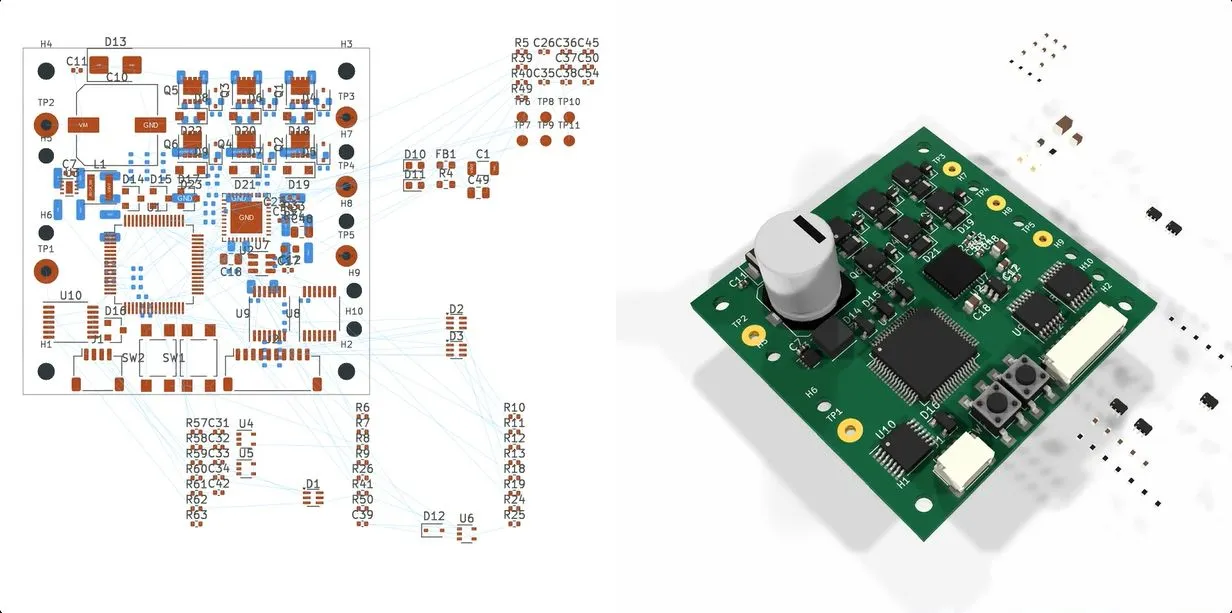
With the recent release of its GPT-6 Astra model, OpenAI explicitly pushed the claim that it is capable of designing complete circuit boards in KiCad, starting from a provided schematic and outputting a fully routed PCB that theoretically could be sent off to be manufactured. This of course raises the question whether this is just a nifty party trick that works under strictly controlled conditions like most auto-routing tools, or whether there’s more to it. In a recent [EEBench] blog post, OpenAI’s claims are put to the test.
Back in 2024, we looked at how LLMs handle circuit board design, starting with the schematic. The conclusion was that you might as well just do it all by hand. Tracking progress here, [EEBench] is an electrical engineering agent benchmark that tests how effective these so-called AI agents are at performing useful hardware engineering work. As their methodology already makes clear, creating a populated and routed PCB from a schematic is just one step of many.
Consequently, GPT-6 Astra scores 69.3% (+/- 10%) on their benchmark, roughly in the same ballpark as Claude Opus 5, albeit cheaper and faster. It should be noted that [EEBench] is run by the developers behind Atopile, which is a code-based system for creating PCBs in KiCad with a strong focus on use by such AI agents.
Advertisement
Despite this, the blog post makes it clear that there is still a long way to go before hardware engineers can receive their pink slips and take up another profession. After all, while vibe-coding a quick prototype PCB can be a nice shortcut, for a one-off project PCB, most boards are expected to handle all the edge cases, be fully validated by multiple independent engineers, and have passed stringent testing before committing to a production run.
CyberTraining 365 is the best training destination for you and your team. Here you can Master Cyber Security techniques such as Analyzing Malware, Penetration Testing, Advanced Persistent Threats, Threat Intelligence Research, Reverse Engineering, and much more. This online academy offers 3,877 up-to-date modules on all the latest technologies and industry standards. These courses are aligned with the National Cybersecurity Workforce Framework developed by the National Initiative for Cybersecurity Education (NICE). It’s on sale for $80.
Note: The Techdirt Deals Store is powered and curated by StackSocial. A portion of all sales from Techdirt Deals helps support Techdirt. The products featured do not reflect endorsements by our editorial team.
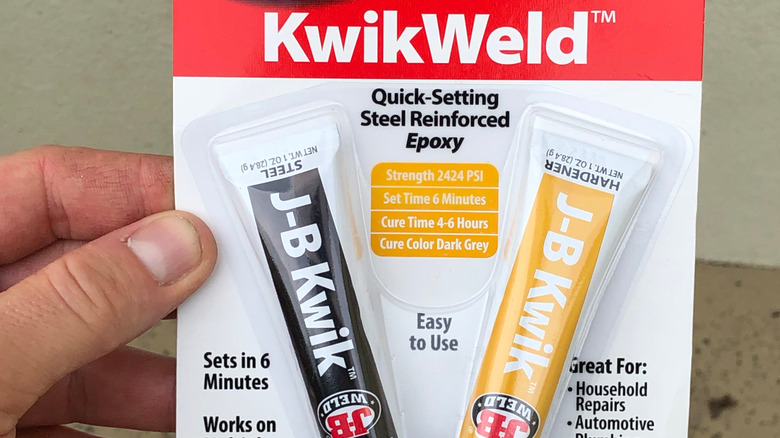
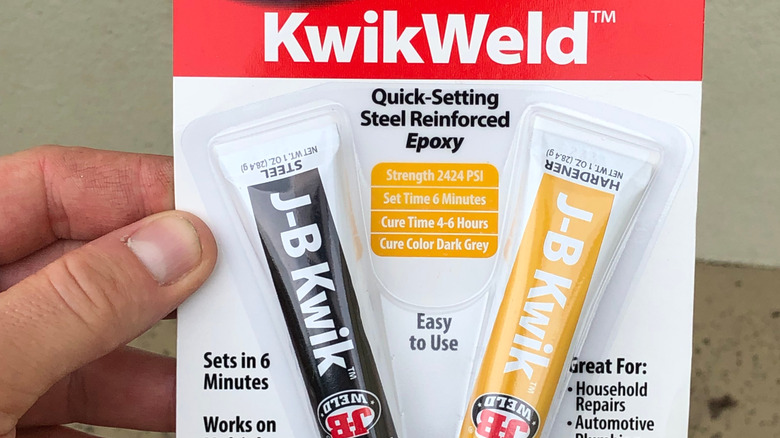
If you’ve ever been in need of a super-strong adhesive, epoxy is a godsend, and J-B Weld’s two-part Twin Tube is some of the best. J-B Weld products have a huge number of uses, from metalworking and woodworking to sealing up small holes, but like any adhesive, one it’s been exposed to the air, the clock is ticking.
The good news is that, even though you’re likely to have leftovers, they’ll last you a long time. J-B Weld says its twin tube epoxy can last up to three years if properly sealed, kept in a cool, dark place and, most importantly, if the resin and hardener never mix inside the packaging. It’s nice to have a little extra epoxy in reserve, in case you run into exotic use cases like “fixing” a specific USB vulnerability.
Fortunately, because J-B weld stores the resin and hardener separately, it’s much less vulnerable to air exposure than traditional one-part adhesives. The chemical curing reaction only actually kicks off after the two components are dispensed from the tube and mixed, after which the epoxy set in around four to six hours, and fully cured after about a day or so.
Advertisement
Other J-B Weld products have different timelines
Colleen Michaels/Shutterstock
While the twin tube epoxy is no replacement for proper welding tools for metalwork, J-B Weld produces a whole line of products to cover various disciplines and use cases. Its MarineWeld, for instance, is great for aluminum, other metals and composites, and fiberglass, and shares the same, roughly three-year lifespan of the original formula. In fact, J-B Weld says the three-year shelf life is applicable to all of its Twin Tube and syringe-format products.
Longevity varies for some of the company’s other offerings, however. J-B Weld makes a number of putty sticks, sealants, adhesives, and other single-component products. According to an official FAQ, while you can expect the putty sticks to last around the same three years as the Twin Tube epoxy, the super glue may only survive up to a year and a half after opening. These sort of adhesives and sealants are more vulnerable to surface contamination from air exposure or moisture than the Twin Tube products.
Advertisement
To stretch their lifespan, close them as soon as you’re done using them, and make sure the packaging is sealed up as tightly as possible. Epoxy putty should stay wrapped in its original plastic film or container, and needs to be replaced when it dries out and cracks. The same goes for any sealant or adhesive that’s hardened in the nozzle or separated beyond remixing.
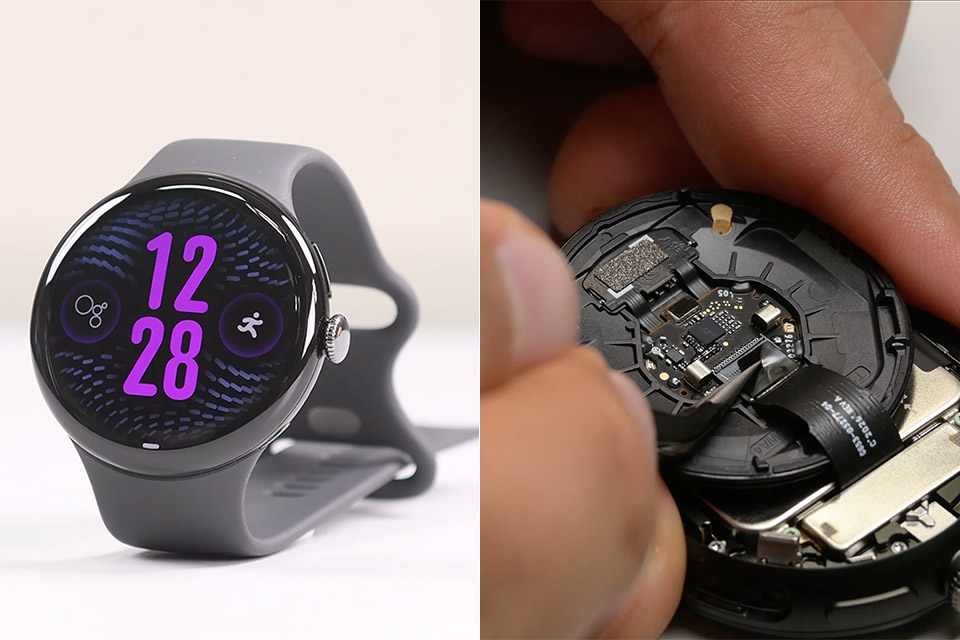
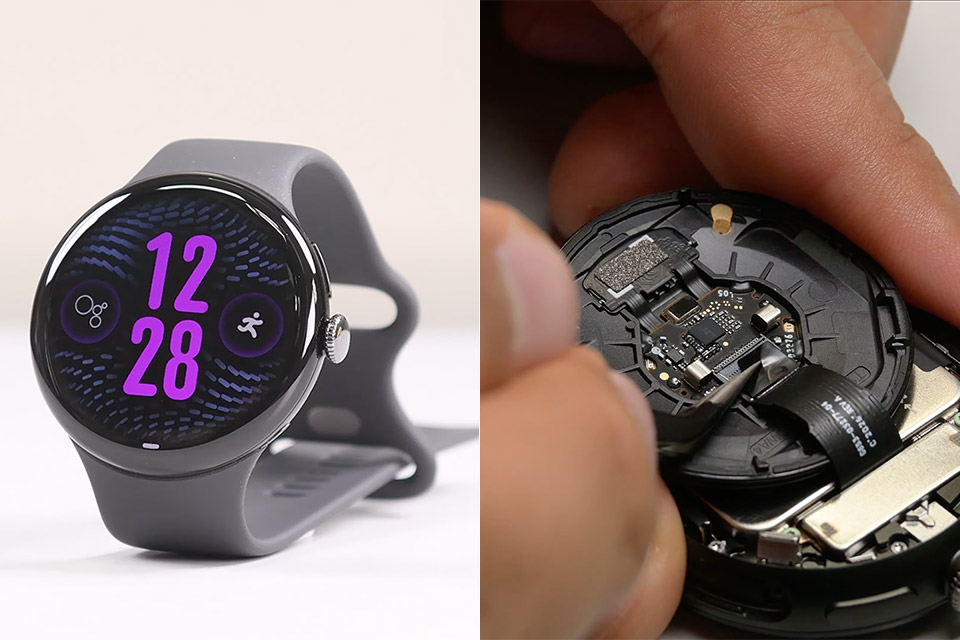
Most smartwatches get glued shut, live a short life, and then sit in a drawer. Google’s Pixel Watch 5 still refuses that fate. iFixit’s teardown team opened the 45 mm model and handed it a provisional 9 out of 10 on the smartwatch repairability scale, the same mark last year’s Pixel Watch 4 earned, with a few small changes that make the job even clearer once you are inside.
Opening the case feels more like servicing a dive watch than taking apart a little phone. Interior latches are released with two Torx screws, the rear sensor glass is removed, and reusable O-ring gaskets replace a smear of adhesive for water resistance. IP68 and 5 ATM certifications remain in place since the seals provide the function that glue typically accomplishes. You don’t need a heat gun to get started. You’ll need a driver, some patience, and the knowledge not to lose a screw on the carpet.
The new Google Pixel Watch 5 offers a smarter way to a healthier you.[1,2]; Designed for Gemini Intelligence, get proactive help, and personalized…
Precision-crafted to do it all: The Google Pixel Watch 5 features the domed Actua 360 display with scratch-resistant Gorilla Glass and up to 40 hours…
Metrics that matter: Advanced sensors help you stay ahead of your health and wellness; and Google Pixel’s most accurate heart rate tracking is…
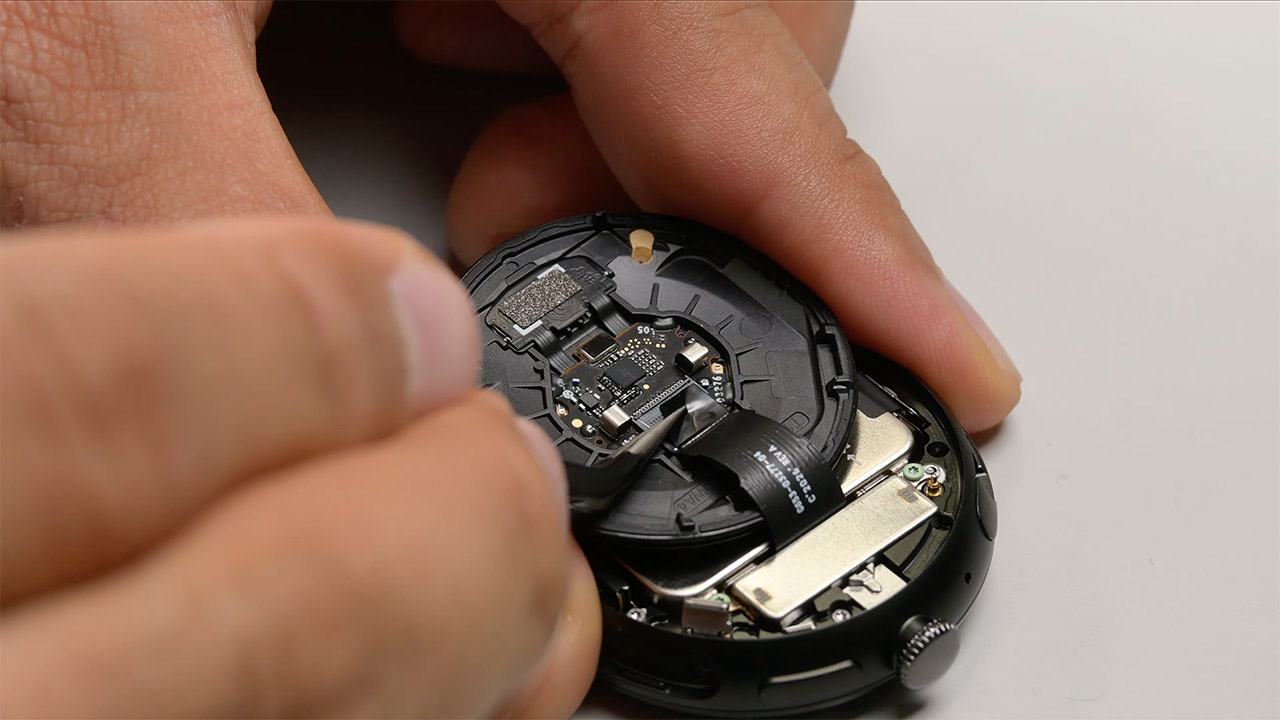
The most common type of repair is battery replacement, and Google has simplified that process. After the latches are removed, a few green screws guide you toward the vibration motor and ultimately the cell itself. The color coding is new to this generation. The 45 mm watch has a 465 mAh battery, which is 2.2 percent higher than last year’s 455 mAh unit, and the printed face of the battery even directs you to Google’s repair hub if you stumble in without a plan. Pull the connector, lift the cell, and the exhausted battery work is complete. iFixit has already produced a guide specifically for this exchange.
Screen work takes longer, but you still have a removable display and a gasket that can be replaced while the casing is open, which is important because those rings wear. Before the panel can be removed, you must first remove several screws of various lengths, a bracket, and a press connector. According to iFixit, that procedure is the only spot where a future Pixel Watch may become simpler. The site already has guides for the screen, back sensor glass, battery, and vibration motor, so you won’t have to guess based on a paused video.
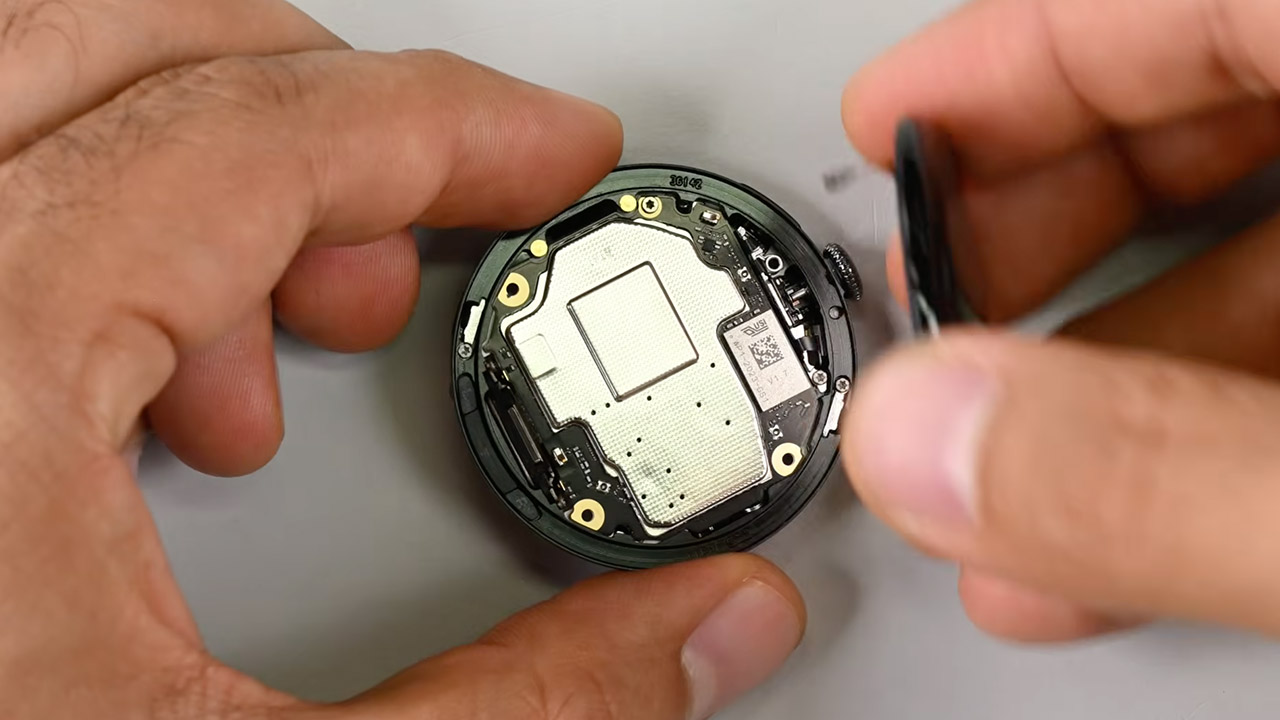
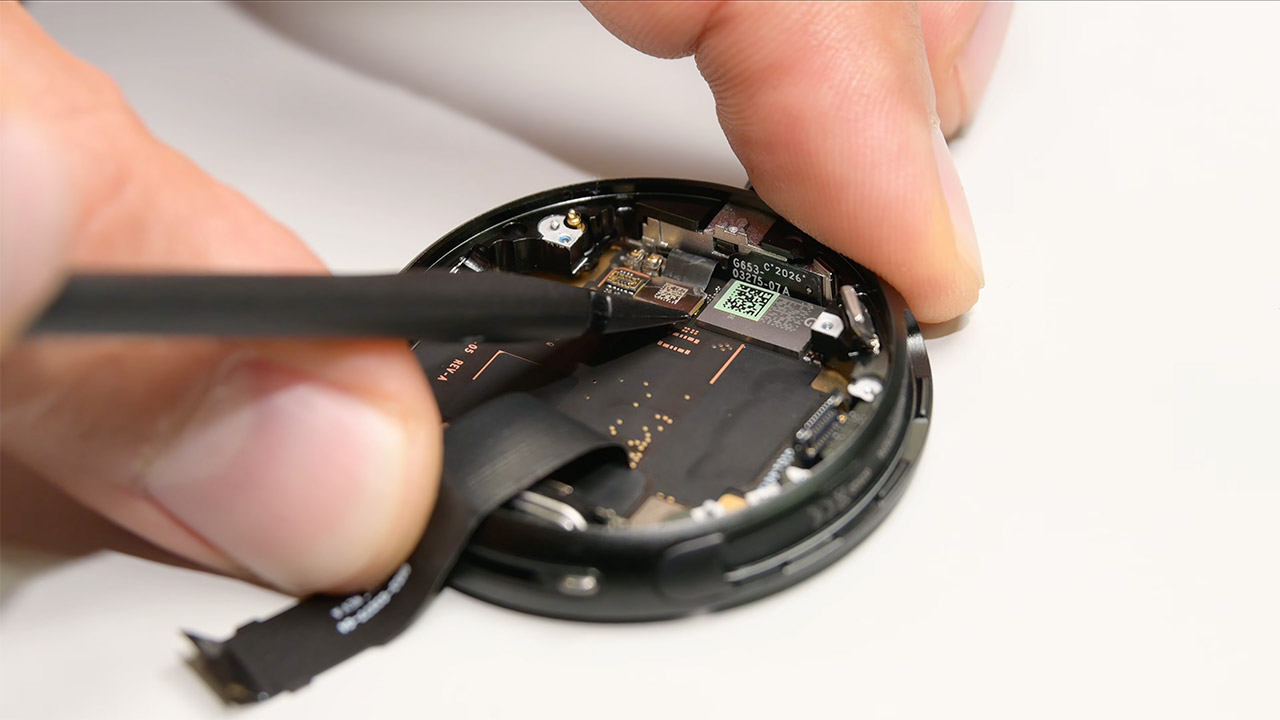
The mainboard is mounted within the chassis using a single screw and a press connector on the reverse side. LTE variants feature a small antenna pogo pin on the edge. Drop that pin, and you’ll be on your knees for the rest of the afternoon. The hardware around that board has been upgraded: Qualcomm’s Snapdragon W5 Gen 2 Accelerated platform, 64 GB of storage, and 3 GB of memory. Google claims a 20% speed increase over Pixel Watch 4. None of the additional silicon comes in the way of disassembling the watch. [Source]
































































You must be logged in to post a comment Login