One of the most interesting BSD variants of the 2010s, NextBSD, has come back to life under new management. The Reg FOSS desk is intrigued.
Aside from the homepage, there’s a GitHub repository – but beware, this is separate from the old one, whose repo is still there although the most recent changes were seven years ago. The new project also has a project history giving credit where it’s due.
The main man behind the revival is Joe Maloney, known on GitHub as pkgdemon. In case his name rings a bell, we’ve mentioned him before: he put together the Gershwin desktop in GhostBSD. Soon after we covered Gershwin on GhostBSD, he asked the maintainers if he could take over the NextBSD project. He did have a relatively minor role in the original – you can see his list of commits.
The original NextBSD project was started by FreeBSD co-founder Jordan Hubbard in 2015 – its Wikipedia article has some of the history. The plan was to port some of the components of Apple’s Darwin OS to FreeBSD. Darwin is the Unix foundation on which macOS and Apple’s other OSes are built: it’s open source and the code can be pulled direct from GitHub. Some of the initial goals are explained in this presentation from the original team.
Advertisement
The reasoning goes like this… Apple’s various operating systems, from macOS to iOS to the cut-down ones in the Apple Watch and Apple TV, are all built from a single common core, derived from NeXTstep. That was built on Mach and BSD UNIX, which were Free Software – the term “open source” didn’t exist yet. Apple’s OSes are sophisticated, highly developed, and are used in billions of customer-facing devices with next to no technical support.
Today, much of Apple’s OSes are open source. Along with the XNU kernel, which handles inter-process communication using Mach IPC, there’s its init system launchd, IOkit for handling devices and drivers, the Apple System Log facility and its logging daemon syslogd, and much more.
Although Apple shares much of the BSD-based text-mode parts of its OS, the lower-level parts – the XNU kernel and drivers – are designed and built purely for Apple hardware. When OS X was still quite new, there were various efforts to take the Darwin OS and build versions for PC hardware. OpenDarwin started in 2002, but ended in 2006. It was followed by PureDarwin, which put out releases in 2015 and 2019, and was still maintained as recently as 2024. There were others, including GNU Darwin and DarwinBSD.
Just how difficult it is to make this all work is demonstrated by the way that all these projects ultimately faltered or ended. So the NextBSD plan is to take the FreeBSD kernel, the most capable of the FOSS BSD kernels, but replace FreeBSD’s traditional and server-focused userland with the relevant parts of the publicly available Apple code.
Advertisement
The rebooted NextBSD-redux is not based on a fork of the decade-old code. FreeBSD has moved on substantially in that time, and so have macOS and Darwin. This is a new project by a new developer, but it picks up the same overall plan, aims to assemble the same puzzle pieces, and shares the same intended goal.
In places, it does draw on a little of the same code, though. The NextBSD-redux README describes what’s working so far, with a lot more detail in the porting notes. Although there’s no graphical desktop yet, that’s underway as well. Naturally enough, it’s Maloney’s own Gershwin, and the current status is described in the gershwin-on-nextbsd repository.
For us, perhaps the key aspect of NextBSD – both the original version and NextBSD-redux – is that it isn’t an effort to build something completely new from scratch. It’s an effort to cherry-pick and combine elements of existing separate FOSS projects, and assemble them into a useful whole.
The inspiration it shares with Maloney’s Gershwin desktop is clear. Gershwin combines components taken from the GNUstep Project, plus the window manager from the Xfce desktop, plus other components, aiming to create a broadly Mac-like desktop environment.
Advertisement
Outside of the efforts to create a FOSS PC OS based on Apple Darwin, or a Mac-like desktop environment, there have been several other efforts to create a macOS-like OS from existing FOSS parts. What’s encouraging is that many of them share code with one another.
Gershwin on GhostBSD was not the first effort to put a macOS-like desktop on a BSD OS. In 2023, we reported on helloSystem 0.8. It was the second look at this prototype OS in The Register after an earlier article in 2021. helloSystem was being put together by Simon “ProbonoPD” Peter, the creator of the AppImage cross-distro packaging format. helloSystem was based on a graphical distro of FreeBSD called FuryBSD, but unfortunately that project shut down in 2020. ProbonoPD moved over to help with Gershwin development instead.
helloSystem was not ProbonoPD’s first rodeo either. Before that, he had a Linux-based live distro based on GNUstep, called LIVEstep, and he was also one of the core team behind PureDarwin.
In the same vicinity, there is also a very ambitious project called ravynOS. As its FAQ file back in 2022 acknowledged: “We have been in fact working with helloSystem! As some people have noticed, Release 0.2.X was basically helloSystem. (That was the second PoC. The first had been built on vanilla FreeBSD and had no GUI at all.)”
Advertisement
Although ravynOS may have started out as a fork of helloSystem, it was more ambitious. From its early days, it aimed for some limited degree of macOS binary compatibility, thanks to a project called Darling. These days, its architecture starts with Darwin 19.6, which corresponds to macOS 10.15 “Catalina.” The new NextBSD uses some of ravynOS’s libraries, such as the libxpc library, which came out of the original NextBSD project.
There’s one aspect of the project restart that will alienate some people, though: he is using AI. The Team section of the homepage says it’s Maloney and Anthropic’s Claude Code.
We asked him how and for what he was using it. He told The Register: “From my perspective, AI is a force multiplier here. It is my team of developers, but I am steering the entire thing. I can understand that won’t be for everyone. If others happen to like it, awesome. If others happen to contribute later, awesome. I selfishly just enjoy doing it, and want it to exist for myself. I can think of no better name for the project than NextBSD.
Advertisement
“I get and understand the skepticism around AI people have, because I am not sure how much I trust AI-generated code myself, especially without review from humans. In my case, AI has always been more of an effort to accelerate my knowledge of what code does faster, versus not learning anything. With that said, I would still understand the reservations people would have in production environments.”
At the moment, the oldest commits in the nextbsd-redux repository are only two months old. He told us that he didn’t do all this development in just that brief period.
“I’ve had two iterations of this work before anything migrated outside of my personal GitHub account into an org. The first iteration was entirely vibe coded just to see if it could be done with a sockets-only version of launchd, without Mach and LaunchDaemons for devmatch and devd.
“The entire time, I was documenting everything extensively at pkgdemon.github.io. I did things like compare FreeBSD’s mechanisms for kernel module loading to Linux and Darwin. I figured out what the gaps were. I confirmed that Darwin had solutions to fill the gaps that I wanted to fill, but I would need Mach. This is where I started using AI more heavily for months of just planning, researching, refining plans.
Advertisement
“So for the second iteration, I repeated the same work with just a Mach kernel module only, and launchd in a single repo. Then I took a few things like libxpc, last updated by RavynOS, and first created by the original NextBSD developers to act as the glue for launchd bootstrap. There were a few glue components like that, where there were no code drops from Darwin that NextBSD had written alternatives for, and rayvnOS continued to carry forward. That is where the NextBSD original code lives on; the rest is clean room. This is also where I began to more interactively review every code change with Claude Code developing automated testing all the way through – starting only with a Mach kernel getting loaded, let’s write tests that cover every part of it, etc.
“Specifically for the third iteration, I broke everything out into repos for things like the kernel itself, modules to be converted to kexts, the superset of tooling from Darwin. This is where I moved to cross building everything natively in GitHub with automated tests to gate everything. So in that sense, AI tooling is involved in almost every stage of things still, but so am I if that makes any sense.”
This vulture is intensely skeptical about the use of LLMs for writing code, but for such an interesting experiment as this, we’re willing to suspend our disbelief. Currently, NextBSD is more about experimentally trying to bring together components and code from very different sources, and get them working together. We’d be fascinated to see if NextBSD can get to the stage of being a working OS that can run on a laptop, bringing elements of Apple’s userland to FreeBSD’s very solid kernel. We’re happy to see this project back and in active development, and we hope it delivers interesting results. ®
Turns out decades-old email tricks still work against some LLM-powered email filters
Notice more spam getting through that corporate email filter lately? Attackers are using a technique known as “text salting,” which hides benign-looking words intended to confuse some AI-powered email filters, says cybersecurity firm Barracuda.
The email security outfit said on Thursday that it had detected more than one million retail-themed phishing attacks using text salting since April. It’s not a new technique by any stretch and has been used to fool traditional secure email gateways for years, but Barracuda says it can also confuse machine-learning and LLM-based security tools.
Advertisement
Text salting involves peppering (sorry) a malicious email with random, harmless-seeming words in order to fool an email scanning system into thinking there’s nothing off about the flavor of a message (sorry again), tricking the system into passing it to its recipient for consumption (I’ll stop with the food jokes here).
Pour a pile of salty text on top of an email and a human reader would probably get suspicious, however, so attackers typically use one or more of three flavor variations (okay, I’m done – promise) to hide the additives from human readers, but not automated scanners, per Barracuda.
Typical techniques include CSS cropping, which sets the visible window small enough that a human won’t see the hidden filler text; text manipulation to move the salty copy outside the visible screen; and zero font techniques which insert misleading words between suspicious phishing copy that’s visible to a machine but not a human.
The end result of each of those techniques is a message that reads less malicious, more gibberish to a machine, leading it to assume the email is fine, and which looks exactly as the attacker intended when viewed by a human.
Advertisement
Modern email security systems have largely adapted to these techniques, with newer tools able to remove hidden text to see what a reader is supposed to see, sounding alarms when a lot of hidden stuff is inserted in an email, and the like. AI, however, hasn’t managed to follow suit, says Barracuda.
“Text salting and related techniques can be used to confuse AI-driven content analysis engines by flooding the email with random terms that encourage the AI system into making an incorrect classification decision,” the company wrote in its report – just like those early 2000s SEGs. What a technological leap we’ve made!
LLMs, Barracuda explained, are typically designed to process email text and source code plainly, with no understanding of whether text is visible or hidden from a user. They can be trained to do so, but that just means most tools probably aren’t doing that by default.
So, what can enterprises do to stop the flow of salty spam to their employees? Barracuda recommends a layered approach to email security rather than relying solely on keyword detection, including checking sender reputation, authentication results, embedded URLs, HTML-rendering techniques, and differences between user-visible and hidden content.
Advertisement
Ditching that AI spam filter might not be a bad idea, either. ®
An anonymous reader quotes a report from Ars Technica: As smoke from hundreds of burning wildfires spread across Canada and the United States, the first three operational satellites in the Google-backed FireSat program successfully launched into orbit. The satellites will begin providing wildfire detection capable of spotting even small fires in the United States, Australia, and Europe before the end of the year. The launch of the microsatellites aboard a SpaceX Falcon 9 rocket from Vandenberg Space Force Base in California on July 7, 2026 marks a transition to “initial operational capability” for the FireSat constellation managed by the nonprofit Earth Fire Alliance. After a three-month testing period, the three satellites will begin actively providing data to fire agencies while covering every fire-prone region on Earth at least twice per day.
FireSat represents the first satellite constellation purpose-built for detecting wildfires, including spotting smaller fires that other satellites may miss. The satellites were designed by California-based satellite manufacturer Muon Space and have received over $15 million from Google to support initial deployment. Other notable financial supporters include the Bezos Earth Fund that committed $26 million. Each satellite is equipped with multispectral imaging that can peer through smoke and clouds and detect fires as small as five by five meters — about 16 by 16 feet. That capability was proven by a FireSat Protoflight satellite that launched in March 2025 and collected more than one million images, while showing it could detect low-intensity blazes invisible to existing satellites.
The “early adopter” organizations that will start using FireSat data this year include fire agencies in California, Colorado, Australia, and Portugal. As more satellites launch, the FireSat program aims to provide the latest imagery anywhere in the world on an hourly basis by 2029. Such imagery would eventually become available every 20 minutes once the full constellation of more than 50 satellites is launched by the early 2030s. Detection of small wildfires before they burn out of control could prove extremely helpful. The Earth Fire Alliance has projected that even an hourly revisit rate by the FireSat constellation could help save more than $1 billion in fire damage costs and prevent nearly 22 million tons of carbon emissions, along with protecting 3,500 homes and 1.3 million acres of land.
To assist with that capability, Google Research plans to use the company’s AI models to compare operational FireSat data with historical images in order to accurately identify very small fires and to inform predictive modeling of wildfires. Google celebrated the launch of the first operational FireSat satellites by describing the event as “another tangible step forward in putting practical AI to work for climate resilience.”
Amazon asks users not to panic as it works to fix the bug
Your AWS billing estimate might look just a little inflated right now. If you woke up to find an email from Amazon Web Services this morning telling you that you’d gone over your billing threshold by a few hundred million dollars, don’t panic: Something’s gone wrong in the AWS Billing Console, the company admitted.
An open issue on the AWS Health Dashboard (archived copy at the time of writing) popped up at 1:33 am Pacific time on Friday informing users that Cost Explorer was “reflecting inaccurate estimated billing data.” As of writing, the issue is still unresolved despite AWS trying several different things to get it fixed.
Advertisement
The company apparently identified the root cause within an hour and a half of beginning its investigation, only describing it as “an issue with unit pricing within the estimated billing computation subsystem.”
AWS followed up by pausing estimated bill updates, saying customers would continue to see the inflated figures already displayed, but that those estimates would not increase further.
“The displayed billing estimates do not reflect actual usage and charges,” AWS explained, noting that customers don’t need to take any action, like, we imagine, flooding the help portal with tickets telling them what they already know, for instance.
“Once the issue has been mitigated, we expect full resolution to take multiple hours as we work through recomputing the estimated billing data,” AWS added.
Advertisement
After we first published this article, Amazon updated the issue page to indicate that it had identified the root cause and mitigated the underlying issue. The company says that it’s begun backfilling data in the Cost Management Console to correct billing numbers, and that all customers should see corrected amounts by Saturday, July 18 at noon pacific time.
We owe HOW much?
Users took to Reddit and Hacker News this morning to report they’d received overage emails for massive amounts – we weren’t exaggerating with that hundreds of millions opening line. If anything, it was an understatement.
Screenshots posted in the Reddit thread showed one user whose AWS charges totaled just $0.19 last month receiving an estimated bill of nearly $2.5 billion. Others in the thread claimed to have received estimated monthly charges ranging from $126,000 to as much as $2.5 trillion. Hacker News users similarly reported estimates in the billions.
Amazon said the figures shown in customers’ accounts were inaccurate estimates rather than actual charges. As for when users might see their billing portal reflect an accurate number, that could take a while.
Advertisement
AWS declined to explain the issue aside from pointing us to the dashboard page linked above. We’ll be keeping an eye on this developing story and update it as we learn more. ®
Updated at 1903 to show that Amazon has updated its issue page with a resolution.
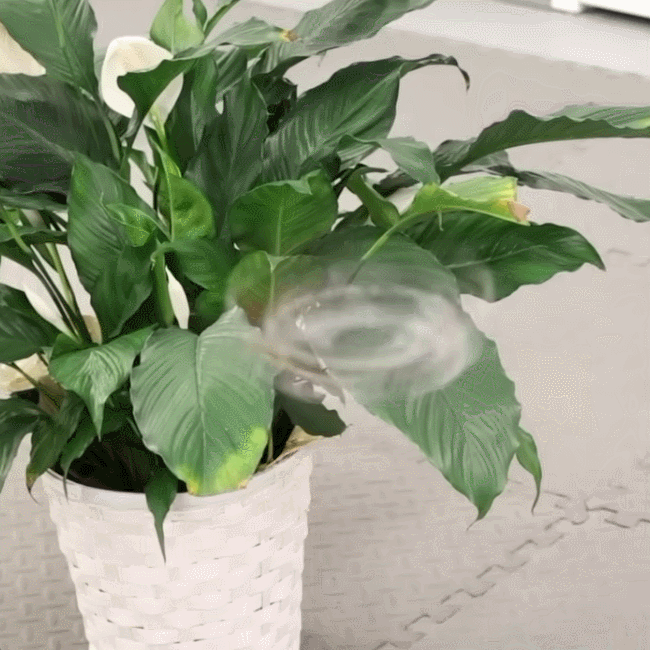
Researchers demonstrate that something interesting happens when a small drone with a spindly airframe spins at a high speed: it very nearly turns invisible. The spidery device is shown mounted in its launcher in the image above. The dark blur at the rightmost side is an outlet on the wall behind the drone, not motion blur from a moving part.
There’s not much to do about the noise, but a high-speed spin becomes nearly invisible.
There’s not a lot of detail about the Phantom Twist’s hardware design but it appears to use a downward-angled motor for lift, relying on a high-speed control system to maneuver and maintain altitude.
This does away with the need for a wing, at the cost of only being stable while rotating at a high speed. We imagine it is also a touchy design that depends greatly on being balanced just so.
Advertisement
A hand launcher spins the device up before releasing it for flight. The visual effect once it is up and running is pretty striking; see for yourself in the short video, embedded just below.
Forrester’s research measures several countries’ ability to develop, operate and secure critical technologies independently of foreign governments’ influence.
Forrester has published the findings of its new ‘Global Sovereignty Forecast, 2025 to 2030’ report, which takes a look at how AI and technology sovereignty is likely to evolve across 14 major global economies between now and 2030.
The study measured countries’ ability to develop, operate and secure critical technologies independently of foreign governments’ influence.
What was discovered is that despite significant investment in sovereign AI, chip manufacturing, cloud infrastructure and national technology capabilities, it is projected that global tech sovereignty will advance slowly over the next few years, with China and the US maintaining a lead position.
Advertisement
The average tech sovereignty score across all 14 countries assessed – which were Australia, Brazil, Canada, China, France, Germany, India, Italy, Japan, Mexico, South Korea, Spain, the UK and the US – predicts only a minimal rise from 39pc in 2025 to 40pc in 2030.
Each country was analysed across nine dimensions of technology sovereignty: government AI investment; cloud sovereignty; technology workforce availability; AI model development; data centre capacity relative to technology spending; data centre autonomy; semiconductor production; software creation; and rare earths processing.
With China and the US recording the highest overall tech sovereignty scores at 82pc and 79pc respectively, the report suggests that tech sovereignty will remain concentrated among a small number of geopolitical and economic powers. If other regions are serious about closing capability gaps and reducing tech dependencies, they will need to commit to strategic partnerships and alliances.
Key highlights
Perhaps unsurprisingly given the recent worldwide focus, across all technology dimensions, semiconductor manufacturing was found to have the strongest projected improvement. The US’s and South Korea’s chip production scores are set to increase from 45pc in 2025 to 79pc in 2030. Meanwhile, Japan is expected to jump from 36pc to 53pc, China from 40pc to 51pc and India from 0pc to 13pc.
Advertisement
However, the report also noted that even amid the improvements, semiconductors and software will remain among the most significant sovereignty challenges due to concentrated chip supply chains and a handful of dominant software providers.
Sovereignty was also divided in terms of which country in North America you belong to. While the US is forecast to remain a global leader, Canada is expected to improve modestly, going from 33pc to 34pc. Mexico will continue to remain the lowest among the 14 countries assessed at 20pc, highlighting the region’s uneven distribution of technology power.
It was also noted that Europe’s largest economies are likely to remain overly dependent on resources from foreign technology providers. Sovereignty scores in Germany and Spain will only rise by two percentage points from 34pc in 2025 to 36pc in 2030, France will rise from 33pc to 35pc, the UK from 30pc to 32pc and Italy from 27pc to 29pc.
“Despite these improvements, Europe’s lower scores reflect significant dependencies on chips, cloud, software and data centre capacity,” said the report.
Advertisement
Commenting on the report, Dario Maisto, a principal analyst at Forrester said: “Ongoing geopolitical volatility, AI competition and semiconductor supply chain risks have put tech sovereignty firmly in the spotlight.
“Today, tech sovereignty is concentrated in the hands of a few global leaders, creating an uneven competitive advantage for some countries. To compete in the AI era, nations must understand their strategic dependencies and build durable partnerships that safeguard their data, infrastructure and long-term autonomy.”
Don’t miss out on the knowledge you need to succeed. Sign up for the Daily Brief, Silicon Republic’s digest of need-to-know sci-tech news.
Apple stock ended trading on Friday as the world’s most valuable publicly traded company, overtaking Nvidia for the first time since April 2025 after a sustained recovery for the iPhone maker met a sharp selloff in chip stocks.
Apple shares closed at $333.74, leaving the company with a market capitalization of approximately $4.88 CAP trillion. Nvidia ended down about 3.5% on the day, with a value of about $4.86 trillion.
The distinction is largely symbolic, and a lead this narrow could disappear during the next trading session, if not in after-hours trading over the weekend. Still, Apple’s return to the top caps a striking reversal from the tariff, China, and artificial intelligence concerns that weighed on its shares the last time it held the position.
Apple took a difficult route back to the top
Apple entered the spring of 2025 facing doubts about whether its first Apple Intelligence rollout could drive meaningful upgrades. The company confirmed on March 7 that its more personalized Siri features were taking longer than expected.
Advertisement
Tariff fears added a more immediate financial threat. Apple shares lost about 15% during the first half of 2025 as investors considered the company’s reliance on Asian manufacturing.
At the time, Tim Cook warned that tariffs could add about $900 million in costs during the June quarter. It ultimately paid $800 million, but has filed for a refund of those, which Apple says will be used to expand US manufacturing.
Nvidia moved in the opposite direction. Surging demand for AI processors carried the chipmaker back to the top of the market in June 2025, past $4 trillion the following month, and briefly beyond $5 trillion in October.
Apple’s underlying business nevertheless began producing results that were difficult for Wall Street to dismiss. Revenue rose 10% to $94 billion during the June 2025 quarter, followed by an 8% increase to $102.5 billion during the September quarter.
Advertisement
Strong early demand for the iPhone 17 helped Apple reach a $4 trillion valuation in October. Services continued producing record revenue and substantially higher margins than the company’s hardware divisions.
Apple shares lost about 15% during the first half of 2025
Momentum accelerated during fiscal 2026. Apple reported an all-time record of $143.8 billion for the holiday period, up 16%, followed by a March-quarter record of $111.2 billion, up 17%.
The March quarter set records for total revenue, iPhone revenue, earnings per share, and Services. Greater China returned to strong growth despite earlier concerns over local competition and delayed Apple Intelligence features.
Wall Street changed how it views Apple’s AI strategy
Apple previewed Siri AI at WWDC in June, demonstrating the personal context, onscreen awareness, app control, and conversational features promised in 2024. The technology is due with the fall operating-system updates and is already available to beta testers.
The launch reinforced Apple’s strategy of adding AI to products and services without matching the massive infrastructure spending of Microsoft, Alphabet, Amazon, and Meta. As investors question those returns, Apple can leave much of the model and data-center expense to partners while distributing AI features across more than two billion active devices.
Advertisement
The March quarter set records for total revenue, iPhone revenue, earnings per share, and Services
Apple is also nearing its first CEO transition since 2011. Tim Cook will become executive chairman on September 1, with hardware engineering chief John Ternus succeeding him, but the planned handoff has done little to slow the stock’s rise.
Nvidia’s decline helped Apple finish the job
Apple didn’t retake the top position because of a single announcement or earnings report. Its valuation recovered over more than a year, while Nvidia’s decline on Friday erased enough market value to allow Apple to move ahead.
Nvidia’s role in the AI industry hasn’t diminished. Its processors remain central to the data-center expansion that pushed the company past Apple, and even a modest rebound could reverse their positions again.
Apple’s return instead suggests Wall Street no longer sees massive AI spending as the only credible path to growth.
After spending much of 2025 as the industry’s most conspicuous AI laggard, record iPhone sales, Services growth, a China recovery, and a tangible Siri roadmap have made Apple’s restraint look more like strategy than failure.
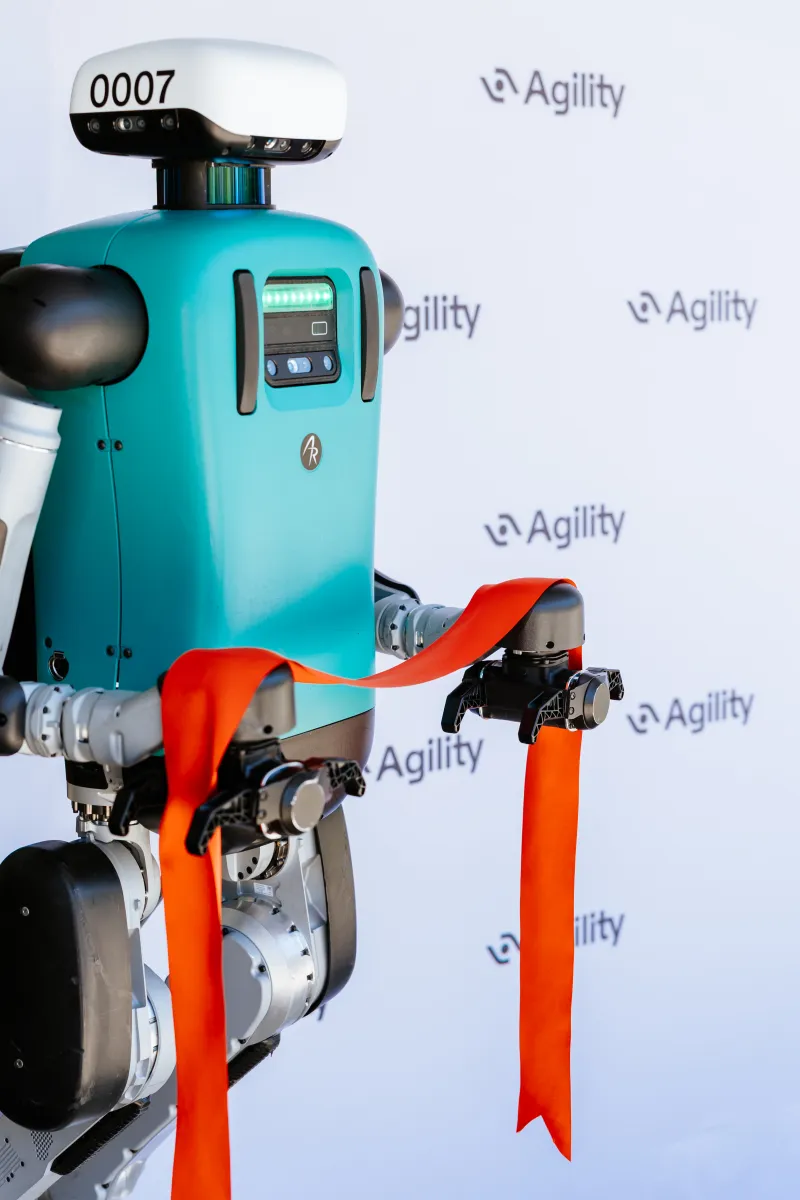
Agility Robotics is opening a 60,000-square-foot facility to train its humanoid robots in Fremont, California, just up the highway from the factory where Tesla is expected to start manufacturing its Optimus robots this year.
Tesla has increasingly bet on Optimus. Elon Musk recently said he expects it to be “the biggest product ever” once it’s “useful outside of Tesla sometime next year.”
While Agility doesn’t have Tesla’s capital, it does have a robot, Digit, that is already useful in the real world. The robot is already generating revenue, carrying totes and bins in manufacturing and warehouse settings for customers like Amazon, GXO, Schaeffler, and Toyota Motor Manufacturing Canada. The company says it has secured $300 million in contract orders for its robots.
“It’s great to have [Tesla] in the same area as us, because really, for a long time Agility was out there alone, and it’s good to have others in the humanoid space,” CEO Peggy Johnson told TechCrunch. “We have commercialized. We now know what it takes to walk into these facilities and meet their safety bars, their regulatory bars, compliance, plug into their IT infrastructure, plug into their warehouse management system.”
Advertisement
Agility hasn’t disclosed how many Digits that it has built or deployed, but outside observers estimate that dozens have worked in pilot or revenue-generating deployments. The company has said, for example, that Digits have moved 100,000 totes at a GXO logistics facility.
Johnson is currently leading Agility through a reverse-merger that is expected to make it the first pure-play humanoid robot company on the public markets later this year. Founded in 2015 by a group of researchers who developed new techniques that allow robots to safely walk on two legs, Agility is trying to capitalize on its lead over a newer generation of AI-inspired robotic startups like Figure, 1X, the Bot Company, or Sunday Robotics.
While the arrival of transformer-based neural networks that helped give rise to LLMs also promises major advancements in robotic behavior, Agility is taking a practical approach to autonomy.
“When you think about self-driving cars, you know, as a non-humanoid example, you really don’t want the anti-lock brake controller under AI control,” Agility co-founder and chairman Damion Shelton told TechCrunch. “The analog with humanoids is all the safety stuff needs to go through a path that’s not generative AI, right? You don’t want to get creative with your safety stack.”
Advertisement
What AI does do, however, is deliver on the promise of scale.
“One of the first times [Bruce Leak, the Quicktime inventor who serves on Agility’s board] asked us how we were going to go about coding applications for the robot, we didn’t really have a good answer,” Shelton said. “The number of things you can imagine a robot doing is far larger than the number of engineers who can program robots. And generative AI answers that question definitively.”
The new facility is designed to accelerate the company’s robotic deployments. Johnson says more than 30 customers are in talks with the company about deploying Digit, and the new facility will be where the six-foot-tall robot learns new skills in environments similar to those it will experience in the field.
Unlike many of the newer entrants to the humanoid space, Agility isn’t planning to offer in-home humanoid robots anytime soon. It’s a view that jibes with that of most independent robotics experts, who believe today’s most powerful robots aren’t safe enough for consumer use. Digit operates in a human-free space right now, but the version 5, expected to be unveiled this fall, will have the ability to sense humans and won’t need to be kept in a robot-only zone.
Advertisement
Co-founder and chief robot officer Jonathan Hurst said there is plenty of work to keep Agility busy in manufacturing and logistics alone.
“Let’s start with the bins and the totes, and then let’s do the picking and the kitting,” Hurst told TechCrunch. “And then let’s like start working on cardboard, which is really hard, and loading and unloading tractor trailers and things like that. Okay, now we’re at 100 million robots, you know? A trillion-dollar company.”
When you purchase through links in our articles, we may earn a small commission. This doesn’t affect our editorial independence.
Microsoft will end OneDrive synchronization support next month for older versions of Windows 10, leaving users without client updates, fixes, or technical assistance.
According to a post on the company’s Message Center, OneDrive sync app updates will continue on Windows 10 22H2 until October 10, 2028, but will stop for earlier versions from August 15, 2026.
Advertisement
No support means no more updates, fixes, or security patches, although the service itself won’t suddenly stop working. However, users running into problems cannot expect Microsoft to fix them.
The move should not come as a surprise. Support for Windows 10 21H2, the last official release before the final 22H2, ended on June 13, 2023. The message mentions Windows 10 22H1, although this was never officially released by Microsoft – the company switched to an annual release cadence after 21H2.
According to Microsoft, “this change aligns OneDrive support with the Windows lifecycle policy and helps Microsoft focus ongoing investments on supported operating systems.”
Microsoft 365 file synchronization services will also be affected, although, again, nothing will necessarily stop working immediately. Microsoft stated: “Existing installations may continue to function, but future functionality is not guaranteed.”
Advertisement
Users still clinging to Windows 10 versions before 22H2 will have to use the web interface to access OneDrive, which is a good deal less convenient than desktop synchronization. Alternatively, there’s always the upgrade to Windows 11 that Microsoft would dearly like users to make, although OneDrive synchronization on Windows 10 22H2 should be fine until 2028.
There are plenty of alternatives for cloud synchronization. For organizations looking for something a little more sovereign, there are always options like Nextcloud, which told The Register that its synchronization software would work on Windows 10 1809 or later. As with Microsoft, Windows 11 is the recommendation. However, unlike Microsoft, Linux is also an option. ®
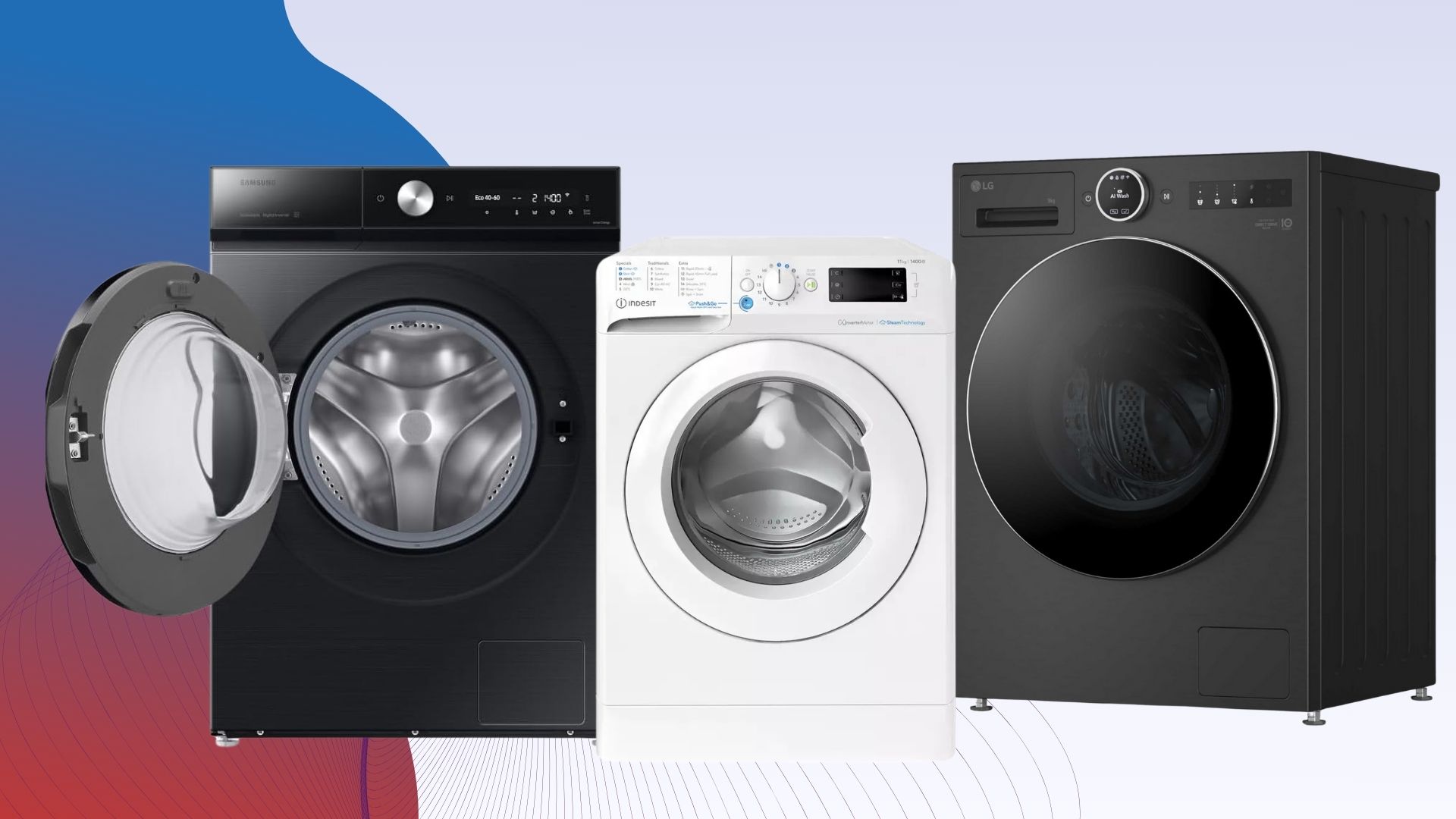
With a mammoth 11kg drum, low running costs and impressive performance, the Indesit BWE 111496X WV UK is a great choice for larger households.
The machine is controlled via the dial on its front, with all its available cycles listed on the front drawer too. Alongside standard cycles, such as Eco 40-60 and Cottons, you’ll find Indesit’s special modes for duvets, fast washes and steam modes.
There’s also the Push and Go button, which can be found on other Indesit appliances, and allows you to start a 30°C cycle by pressing and holding it down. Whether this is really useful is debatable, as we’d argue it’s easier to just select your own cycle.
For each wash you have the option to adjust the temperature and spin speeds, plus there’s a button that allows you to select a stain type, upon which the cycle will then adjust to specifically target that kind of mess.
Advertisement
Although this sounds like a clever idea in theory, this stain setting is only compatible with the White cycle, yet the only way to know that is through process of elimination as the manual doesn’t mention this.
Aside from these quirks, the Indesit BWE 111496X WV UK is otherwise easy and intuitive to use.
To begin our tests, we ran the Eco 40-60 cycle which costs an inexpensive 29p to run. Here we found washing performance to be good, although tough stains did struggle to come out. However when we moved to the 20°C wash, not only did running costs drop to just 14p but stain removal was excellent too.
Although the aforementioned White wash at 60°C, with the stain setting enabled, cost a pricier 59p, it’s worth noting that we found it excellent for removing deep, engrained stains with ease.
Advertisement
There’s even a dedicated Ariel Pod setting, which runs at 30°C and costs 35p. Although using pods is convenient, we found stain removal to be a mixed bag, so we wouldn’t recommend opting for this cycle.
Although slightly fiddly to use at first, if you need a large washing machine that performs well and doesn’t have high running costs then the Indesit BWE 111496X WV UK is a fantastic choice for most households.
The Acer Swift Go 14 AI (2026) is a fantastic Windows laptop with brilliant battery life, a charming and stylish look, a fantastic port selection and solid Panther Lake power. It’s also more affordable than some of its key rivals, although it makes some small sacrifices on its OLED screen.
The Swift Go 14 AI (2026) features a mid-range Intel chip inside that balances performance and endurance rather well.
14-inch 1920×1200 60Hz OLED screen
Advertisement
It also has a serviceable OLED screen for productivity workloads with reasonable resolution and responsiveness.
65Whr battery
Advertisement
The Swift Go 14 AI (2026) also has surprisingly lengthy endurance from a more modest-sized battery inside.
More stylish than its predecessor
Fantastic port selection
Excellent endurance
Squirrel Widget
Introduction
The Acer Swift Go 14 AI (2026) might just be one of the most compelling laptops I’ve seen so far in 2026.
Advertisement
Against last year’s Acer Swift Go 14 AI, it’s been redesigned with a different chassis, includes one of Intel’s new Panther Lake processors, a 14-inch OLED screen and excellent battery life. For £1299/$1299 for the model I have with a Core Ultra 7 355 chip inside, that isn’t too bad in price considering today’s market.
Advertisement
At this kind of money, though, the Swift Go 14 AI (2026) is hardly alone in its endeavours. Key rivals include the Asus Zenbook A14 (2026), the Dell XPS 14 (2026) base model, and the Lenovo Yoga Slim 7x Gen 11, which are all vying for your hard-earned money if you’re in the market for a capable compact laptop in 2026.
I’ve been putting the Swift Go 14 AI (2026) through its paces for the last couple of weeks to see if it can come out on top as one of the best laptops we’ve tested.
Advertisement
Design and Keyboard
Much more stylish than last year’s model
Far-reaching port selection
Excellent keyboard and trackpad
Acer has given the Swift Go 14 AI (2026) quite the spruce-up against last year’s model, ditching its rather nondescript grey chassis for a pleasant blue colour with silver accents across the lid. It gives this more affordable laptop a bit more style and class that puts it up there into a more premium price bracket in terms of looks.
It’s primarily constructed of anodised aluminium, which gives it some strength and keeps the weight to a reasonably light 1.24kg. That makes this an easily portable laptop, given the compact stature, although it isn’t quite as light as either the Zenbook A14 (2026) or even Acer’s own Swift Edge 14 AI.
Advertisement
Image Credit (Trusted Reviews)
Port-wise, we’ve got a pair of USB4-capable Type-C ports on the left with power delivery and display powers, plus a USB-A and full-size HDMI port on the left. The right side houses a further USB-A port, a 3.5mm headphone jack and a microSD reader. That’s fantastic for such a thin laptop, and puts dearer choices to shame.
So too does the keyboard and trackpad arrangement. The Swift Go 14 AI (2026) features a tactile and short travel on its 65 percent layout keyboard that’s a joy to type on for extended periods, while it’s also white backlit for added vividity for after-dark working.
Image Credit (Trusted Reviews)
The trackpad is made of a material Acer calls OceanGlass, which is recycled ocean-bound plastic. It’s a smooth and slick trackpad with that surface, and has a good amount of real estate for your fingers. If you have videos or music playing, it can also open a contextual menu on the trackpad for media playback, which is neat.
In terms of sustainability, Acer incorporates 21% post-consumer recycled (PCR) plastic throughout the device, including the aforementioned OceanGlass trackpad. They also utilise 100% recyclable paper packaging, which boosts their credentials.
Advertisement
Advertisement
Display and Sound
Solid detail, although 60Hz refresh rate is a shame
Excellent brightness, contrast and black level
Middling speakers
Acer has bundled the Swift Go 14 AI (2026) with a serviceable OLED screen – it’s a compact 14-inch 1920×1200 resolution choice that’s okay for a more affordable laptop. The 60Hz refresh rate is fine, too, although it is a shame it isn’t higher to aid general zippiness.
That being said, this is a capable screen with deep blacks and lovely contrast, as measured by my colorimeter. Here, I measured a 0.03 black level and 13610:1 contrast ratio. A 6700K colour temperature is also right where it should be.
Image Credit (Trusted Reviews)
A peak SDR brightness of 382.3 nits makes this panel suitable for indoor and outdoor work, although it isn’t quite as vibrant as some of the competition. There is HDR support for added vibrancy in supported content, with DisplayHDR True Black 500, too.
The Swift Go 14 AI (2026)’s panel also impresses with its excellent colours. I saw perfect 100% coverage of the sRGB colour space and 99% DCI-P3 coverage, plus an excellent 95% coverage of the trickier Adobe RGB gamut. This makes this screen suitable for productivity and more colour-sensitive workloads alike.
Advertisement
Advertisement
Image Credit (Trusted Reviews)
As for the speakers, this laptop comes with downwards-firing units that are just fine for casual listening with some okay volume, although they lack the crispness and body of stronger options.
Performance
New Panther Lake chip inside
Meagre graphical performance
Fast SSD, although meagre capacity
The Swift Go 14 AI (2026) has seen a move to a run of new processor options, with my sample shipping with a mid-range Panther Lake choice from Intel – the Core Ultra 7 355.
It is technically a current-gen Intel chip, but doesn’t look to move the needle too much from last year’s Core Ultra 7 255. As with other non-X-prefixed Panther Lake chips I’ve tried in other laptops, performance has only moved a handful of percentage points in the Geekbench 6 and Cinebench R23 tests, although it remains decently strong in single- and multi-threaded workloads.
Image Credit (Trusted Reviews)
Advertisement
3D performance is reasonable, although without the beefed-up Arc B390 integrated graphics you’ll find with higher-end Panther Lake chips, you are left lacking if you want to use the Swift Go 14 AI (2026) for any prolonged creative tasks or gaming tasks.
This model comes with 16GB of RAM, providing enough headroom for multitasking and some intensive loads, plus a 512GB SSD which feels a little stingy in my book. It’s nonetheless a brisk PCIe Gen 4 drive, with measured reads and writes of 7087.70 MB/s and 5666.23 MB/s.
Software
Windows 11 installed
Lots of Acer-specific apps
Copilot+ PC functionality is also here
The Swift Go 14 AI (2026) comes running proper Windows 11, although it comes with some unnecessary apps or shortcuts, such as a taskbar one for Booking.com, oddly.
There are more Acer-specific apps than anything else, such as Acer Jumpstart, which provides a link to the brand’s website, and AcerSense, which gives you access to check your system’s vitals and change settings around, such as power modes and such.
Advertisement
Image Credit (Trusted Reviews)
Advertisement
Elsewhere, this is also a Copilot+ PC and has enough AI power to warrant the inclusion of Microsoft’s tools. Chief among these is the addition of the Copilot assistant, which you can ask questions and to undertake tasks, if you so wish.
In addition, there is also generative AI functionality baked into the Photos and Paint apps, if you want it. The most useful set of AI tools with the Swift Go 14 AI (2026) is the Windows Studio effects for the webcam, which provides convenient means of auto framing, background blur and even making sure you maintain eye contact.
Battery Life
Lasted for 20 hours 51 minutes in the battery test
Capable of lasting for two to three working days
Acer bundled a modest 65Whr capacity cell inside the Swift Go 14 AI (2026), which is actually smaller than the 75Whr battery found in last year’s model. Nonetheless, with Intel’s efficient processor inside, I had high hopes for this laptop’s endurance, not least because of how strong the last model was. Acer quotes it to last for up to 22 hours on a charge, for reference.
In the PCMark 10 video loop battery test at the requisite 150 nits of brightness, this latest variant lasted for 20 hours and 51 minutes. That’s easily enough to get through two to three working days before it’ll need recharging, and is up there with some of the best laptops we’ve tested in terms of battery life.
When it comes to recharging, the Swift Go 14 AI (2026)’s compact 65W charger was quite fast in getting go-juice back into the laptop, taking 35 minutes to get it back to 50%, while a full charge took 75 minutes.
The Swift Go 14 AI (2026) excels on numerous fronts, with solid grunt, a fantastic port selection and brilliant battery life.
Advertisement
You want a stronger screen
The OLED screen here is generally strong, but it lacks in resolution and refresh rate against some of the competition.
Advertisement
Final Thoughts
The Acer Swift Go 14 AI (2026) is a fantastic Windows laptop with brilliant battery life, a charming and stylish look, a fantastic port selection and solid Panther Lake power. It’s also more affordable than some of its key rivals, although it makes some small sacrifices on its OLED screen.
This is because it’s only 60Hz and 1920×1200 resolution, although I levelled the same criticism at the Asus Zenbook A14 (2026), which costs more than Acer’s choice. Even then, the Dell XPS 14 (2026) base model doesn’t come with an OLED panel nor as beefy performance from a Core Ultra 5 processor inside.
The Lenovo Yoga Slim 7x Gen 11 is beefier with its Snapdragon X2 Elite inside, and it comes with a higher-res OLED screen, is a touch lighter and offers very similar endurance. However, it’s also a lot more expensive than the Swift Go 14 AI (2026), and Acer’s choice has a better port selection for what it’s worth.
Advertisement
It seems that every time I try to level some form of criticism at the Swift Go 14 AI (2026), it throws it back in my face by being the most well-rounded choice in its price class. That’s hard to argue with, especially with the competition in mind. For more choices, check out our list of the best laptops we’ve tested.
How We Test
This Acer laptop has been put through a series of uniform checks designed to gauge key factors, including build quality, performance, screen quality and battery life. These include formal synthetic benchmarks and scripted tests, plus a series of real-world checks, such as how well it runs popular apps and extensive gaming testing.
FAQs
What processor does the Acer Swift Go 14 AI (2026) use?
The Acer Swift Go 14 AI (2026) we were sent uses an Intel Core Ultra 7 355, one of Intel’s new Panther Lake chips.






















































You must be logged in to post a comment Login