A new NYT Strands puzzle appears at midnight each day for your time zone – which means that some people are always playing ‘today’s game’ while others are playing ‘yesterday’s’. If you’re looking for Saturday’s puzzle instead then click here: NYT Strands hints and answers for Saturday, September 19 (game #930).
Strands is the NYT’s latest word game after the likes of Wordle, Spelling Bee and Connections – and it’s great fun. It can be difficult, though, so read on for my Strands hints.
Want more word-based fun? Then check out my NYT Connections today and Quordle today pages for hints and answers for those games, and Marc’s Wordle today page for the original viral word game.
Advertisement
SPOILER WARNING: Information about NYT Strands today is below, so don’t read on if you don’t want to know the answers.
Latest Videos FromTechRadar
Advertisement
NYT Strands today (game #931) – hint #1 – today’s theme
What is the theme of today’s NYT Strands?
• Today’s NYT Strands theme is… Putting on airs
NYT Strands today (game #931) – hint #2 – clue words
Play any of these words to unlock the in-game hints system.
PURE
GRASS
BURST
TOAST
SIXTY
BRAIDS
NYT Strands today (game #931) – hint #3 – spangram letters
How many letters are in today’s spangram?
• Spangram has 11 letters
Advertisement
NYT Strands today (game #931) – hint #4 – spangram position
What are two sides of the board that today’s spangram touches?
• First side: right, 1st row
• Last side: left, 7th row
Right, the answers are below, so DO NOT SCROLL ANY FURTHER IF YOU DON’T WANT TO SEE THEM.
Advertisement
NYT Strands today (game #931) – the answers
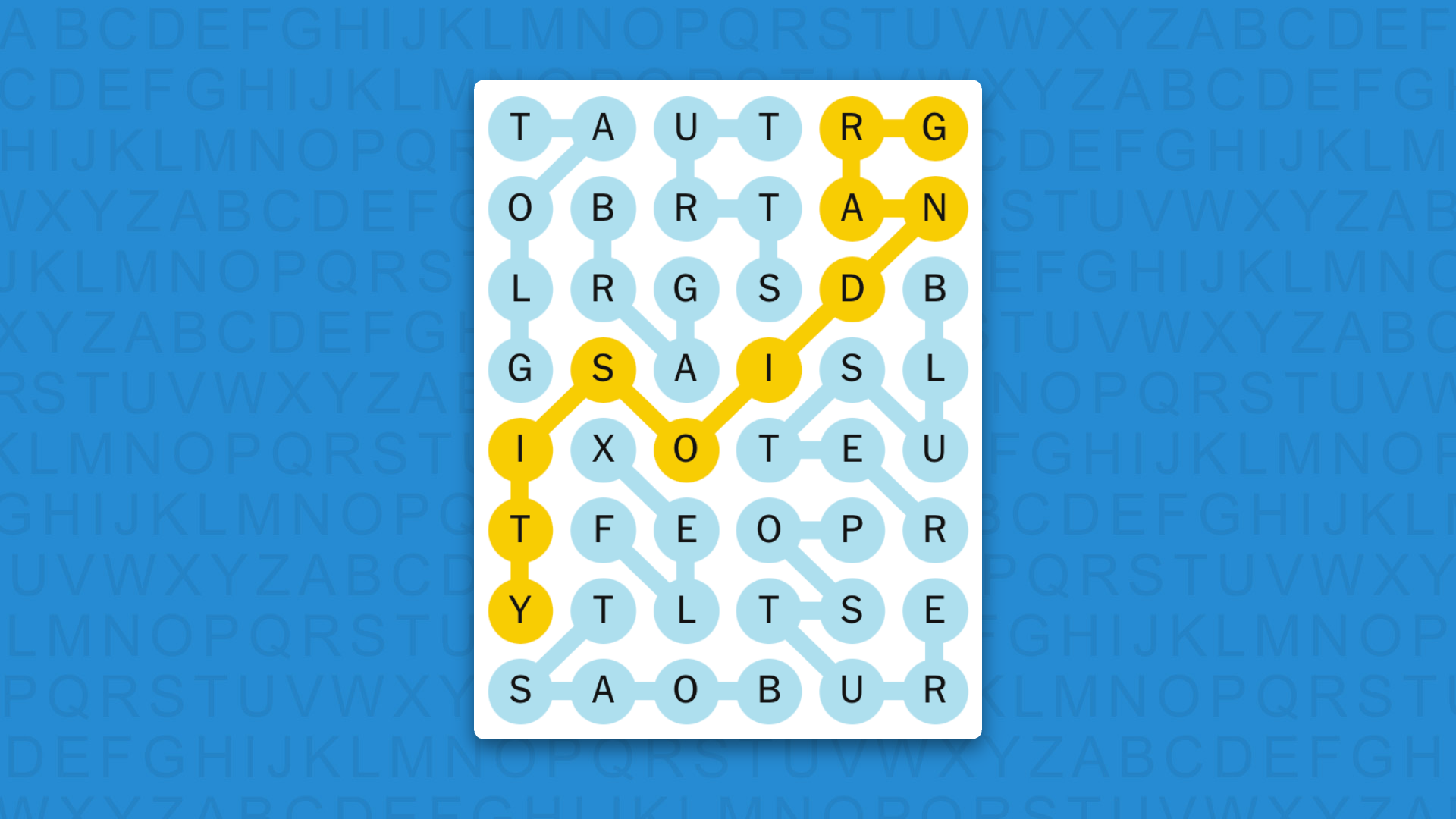
(Image credit: New York Times)
The answers to today’s Strands, game #931, are…
Advertisement
BOAST
BRAG
FLEX
GLOAT
STRUT
BLUSTER
POSTURE
SPANGRAM: GRANDIOSITY
My rating: So easy
My score: Perfect
A left-to-right spangram aside, this was a fairly straightforward search once I’d bagged my first word, but that’s probably because I’m the greatest Strands player that the world has ever known.
Sign up for breaking news, reviews, opinion, top tech deals, and more.
And it’s not just me saying that. Everyone says so.
I have never lost a single game of Strands and I never need to use a hint because it’s all so easy — probably the easiest way to spend two minutes in the world, actually, because that’s how long it takes me to complete even the hardest Strands game. Two minutes! Actually, probably closer to 120 seconds.
(Not really!)
Advertisement
Yesterday’s NYT Strands answers (Saturday, September 19, game #930)
ARRR
HEARTIES
AVAST
MATEY
SAVVY
YOHOHO
SPANGRAM: TALKLIKEAPIRATE
What is NYT Strands?
Strands is the NYT’s not-so-new-any-more word game, following Wordle and Connections. It’s now a fully fledged member of the NYT’s games stable that has been running for a year and which can be played on the NYT Games site on desktop or mobile.
I’ve got a full guide to how to play NYT Strands, complete with tips for solving it, so check that out if you’re struggling to beat it each day.
Watch Warriors vs Knights in the second NRL 2026 semi-final of the weekend, as the Wahs of New Zealand seek a third win of the season over the Newcastle side with a place in the preliminary finals the prize for Sunday’s victors.
It’s probably fair to say that the Warriors didn’t expect that they’d be in this predicament when the regular season came to its close. Their sensational season ended with a second-place finish on the ladder, finishing level on points with minor premiers Penrith. But Andrew Webster’s men were well beaten by the Dolphins in their qualifying final in Auckland, with a long list of injuries finally taking their toll.
For Newy, it’s the chance for a place in a first prelim final for 13 years. Justin Holbrook has worked wonders to take the Knights from the wooden spoon last year to the top eight this time around, and they dispatched the Rabbitohs last time out in relative comfort. In Greg Marzhew and Dominic Young, they have two of NRL’s top try scorers and, in defense, the tackling machine that is Phoenix Crossland. They’ll head across the Tasman Sea with high hopes of avenging their two losses to the Wahs this year.
Advertisement
The top-ranked Penrith Panthers await the winner in the preliminary finals next weekend.
Here’s how to watch Warriors vs Knights from anywhere in the world.
Can you watch Warriors vs Knights for free?
Yes. Every game in the NRL finals series 2026 is being shown on free-to-air Channel 9 and 9Now in Australia – including this New Zealand Warriors vs Newcastle Knights showdown.
Advertisement
NRL fans in the US can also watch this crucial matchup on Fox One thanks the platform’s free 3-day trial.
Traveling abroad right now? You can use a VPN to watch the NRL Finals Series 2026 for free as if you were right at home.
Use a VPN to watch Warriors vs Knights live streams
A VPN is a handy piece of software that can make your device appear as if it’s back in your home country, so you can unlock your usual streaming services. The best VPN right now? We recommend NordVPN – it does everything and comes with up to 75% off.
Advertisement
How to watch Warriors vs Knights live streams in the USA
NRL fans in the US can watch Warriors vs Knights in the NRL Semi-Final 2026 on either FS2 or Fox One.
Dedicated streaming service Fox One costs $19.99 per month after a 3-day FREE trial.
If you want a more comprehensive cable alternative, access to the Fox One app is also available through a Sling TV plan. It comes with the provider’s Select ($29.99 a month) and Blue plans ($54.99 a month).
Advertisement
FS2 is carried by several other OTT streaming platforms as well, including YouTube TV and Fubo – both of which offer new customers a free trial.
One further way to watch this and the rest of the 2026 NRL finals is through the dedicated Watch NRL streaming platform. It costs $72 for an NRL Finals Pass that includes all the remaining games.
Outside of the US? Use a VPN whilst you’re traveling away from home to unlock your stream.
Advertisement
How to watch Warriors vs Knights live streams in Australia
In Australia, the Warriors vs Knights semi-final is on the free-to-air Channel 9 and via the 9Now streaming service.
If you’re out of Australia but still want to tune in, explore the VPN route set out above, which will help you access your accounts from anywhere.
Advertisement
How to watch Warriors vs Knights live streams in New Zealand
Sky Sport NZ is the NRL rights holder in New Zealand. The action from Auckland will go out on Sky Sport 1 on TV.
You can access Sky Sport through satellite TV or get a live stream with the Sky Sport Now subscription service starting at $29.99 per day or $59.99 per month.
Overseas?NordVPN will give you access to your home streaming service.
Advertisement
How to watch Warriors vs Knights live streams in the UK
Warriors vs Knights is being shown on Sky Sports in the UK, via the Sky Sports Mix channel.
Sky Sports plans start from £35 a month or £20 if you’re an existing Sky television subscriber. Alternatively, grab a Now Sports subscription from £14.99 a day or £34.99 a month.
NRL obsessives can also watch this and every other game of the season with on the dedicated Watch NRL platform. It costs £57 for the remainder of the season.
Advertisement
Outside the UK right now? Use NordVPN to access your preferred coverage of the NRL Finals Series 2026.
How to watch Warriors vs Knights live streams in Canada
Warriors vs Knights coverage in the NRL is going out online via Sportsnet in Canada. Log in with your cable details or, of you’re a cord cutter, grab a Sportsnet+ streaming service subscription (from $29.99 a month / $249.99 a year).
The Watch NRL platform will also show the fixture – click through for pricing.
Advertisement
If you already subscribe to one of these services but find yourself outside Canada this weekend, download a VPN and watch NRL Semi-Finals 2026 as if you were back at home.
How to watch Warriors vs Knights live streams in Rest of World
Every single match of the 2026 NRL Premiership season, including the Qualifying and Elimination Finals, will be shown on the dedicated Watch NRL streaming platform, which is available in all territories except for Australia, New Zealand, the Pacific Islands and other selected sanctioned jurisdictions (e.g. Russia, Belarus, Cuba, Iran, North Korea).
Check the website for pricing in your region. Once subscribed, you can stream Watch NRL on phones, tablets, laptops, or the Apple TV app.
Advertisement
Many countries also show games on TV and online through their domestic broadcasters.
What is the Warriors vs Knights start time?
Sunday, September 20 at 6.05pm NZT local time. That’s 2.05am ET in the US, 7.05am BST in the UK or 4.05pm AEST in Australia.
What are the Warriors vs Knights teams?
Warriors
1. Taine Tuaupiki, 2. Charnze Nicoll-Klokstad, 3. Ali Leiataua, 4. Adam Pompey, 5. Alofiana Khan-Pereira, 6. Chanel Harris-Tavita, 7. Te Maire Martin, 8. James Fisher-Harris, 9. Wayde Egan, 10. Mitchell Barnett, 11. Kurt Capewell, 12. Jacob Laban, 13. Erin Clark Replacements: 14. Sam Healey, 15. Tanner Stowers-Smith, 16. Demitric Vaimauga, 17. Eddie Ieremia-Toeava, 18. Jett Cleary, 20. Morgan Gannon
We test and review VPN services in the context of legal recreational uses. For example: 1. Accessing a service from another country (subject to the terms and conditions of that service). 2. Protecting your online security and strengthening your online privacy when abroad. We do not support or condone the illegal or malicious use of VPN services. Consuming pirated content that is paid-for is neither endorsed nor approved by Future Publishing.
The announcement is published under SpaceXAI, the name xAI has carried since July after SpaceX acquired it in February. Coverage still calls the company xAI, and its own footer does not.
Read the accuracy claim precisely
The company says the model is twice as accurate as Grok Voice Transcribe 1.0. That is a comparison with its own predecessor, not with anyone else’s model.
Against the field it makes a narrower claim, that it ranks first for accuracy among 32 streaming models on the public Artificial Analysis leaderboard, and describes itself as one of the most accurate rather than the most accurate. The hedge is the company’s own and is worth keeping.
Advertisement
Its internal charts compare against ElevenLabs Scribe v2 and Deepgram Nova-3. Those are vendor-run evaluations against vendor-chosen comparators, which is normal and is not the same as an independent test.
The price is the actual news
Holding price while claiming a doubling of accuracy is a statement about the market rather than the model. Speaker labelling, word-level timestamps and key term biasing are all included at no extra cost.
Those were billable features not long ago. Transcription is being priced as a commodity input, and the companies selling it are competing on what they can bundle.
SpaceXAI is explicit about it. The model is trained on what it calls a unique dataset of live, noisy, multilingual audio recorded across a diverse set of environments.
It also describes the pipeline that produces that audio. Grok Voice powers tens of thousands of customer-support calls a day, transcribes millions of hours of video narration, and runs the assistant in Tesla vehicles.
Clean-speech accuracy is solved. What is left is telephony, accents, crosstalk and in-car commands, and the edge there belongs to whoever has the most real conversations flowing through their systems.
The evaluation sets are the detail to notice
The company says it measures word error rate on four internal sets drawn from production traffic. They are customer-support telephony, conversations with Grok, short multilingual voice commands, and spoken credentials.
Advertisement
That last set is described as account codes, phone numbers, email addresses and addresses read aloud. It is a standing evaluation corpus of people reading out their own identifying details.
Nothing in the announcement says how that material is obtained, retained or consented to. It may well be covered by enterprise terms, and the announcement does not say.
The European question that follows
A customer-support call has two parties and only one of them has a contract with the AI vendor. The caller reading out an account number has agreed to nothing.
Voice recordings are personal data in Europe, and a set built specifically around spoken credentials is about as sensitive as transcription data gets. Purpose limitation and retention are the obvious questions, and they are answerable.
The headline improvement is multilingual, and specifically short phrases. On the company’s own 19-language set of voice-assistant utterances, word error rate falls from 20.6% to 6.8%.
Short commands give a model almost no context to identify the language, which is exactly the in-car problem. The largest reported gain lands on the use case SpaceXAI owns outright through Tesla.
Atlassian says it found the model more accurate than its existing supplier and now transcribes every Loom video with it. That is a real switch by a named buyer, which is worth more than a benchmark chart.
Version 1.0 is being deprecated within weeks, with pinning available during the transition. Customers on the old model are being moved whether or not they asked.
What to watch
Watch whether anyone asks about the credentials corpus. It is the one genuinely novel disclosure in the announcement and nobody has picked it up.
Watch the price floor. At 10 cents an hour the model is nearly free, and the business is the audio flowing through it.
Last night, in a clip viewed more than eight million times, AI actress Tilly Norwood glitched mid-interview and unexpectedly began speaking Chinese on the Piers Morgan Uncensored show.
Norwood has been the subject of much controversy and mainstream commentary for starring in an upcoming AI-generated film, Misaligned.
Her creators run a “Talking Tilly” service that lets anyone video-call the AI character behind the viral moment, so today I tried it for myself, and read the fine print most callers won’t.
A face scan before you can say hello
Before your first call connects, you must pass an automated age check.
Advertisement
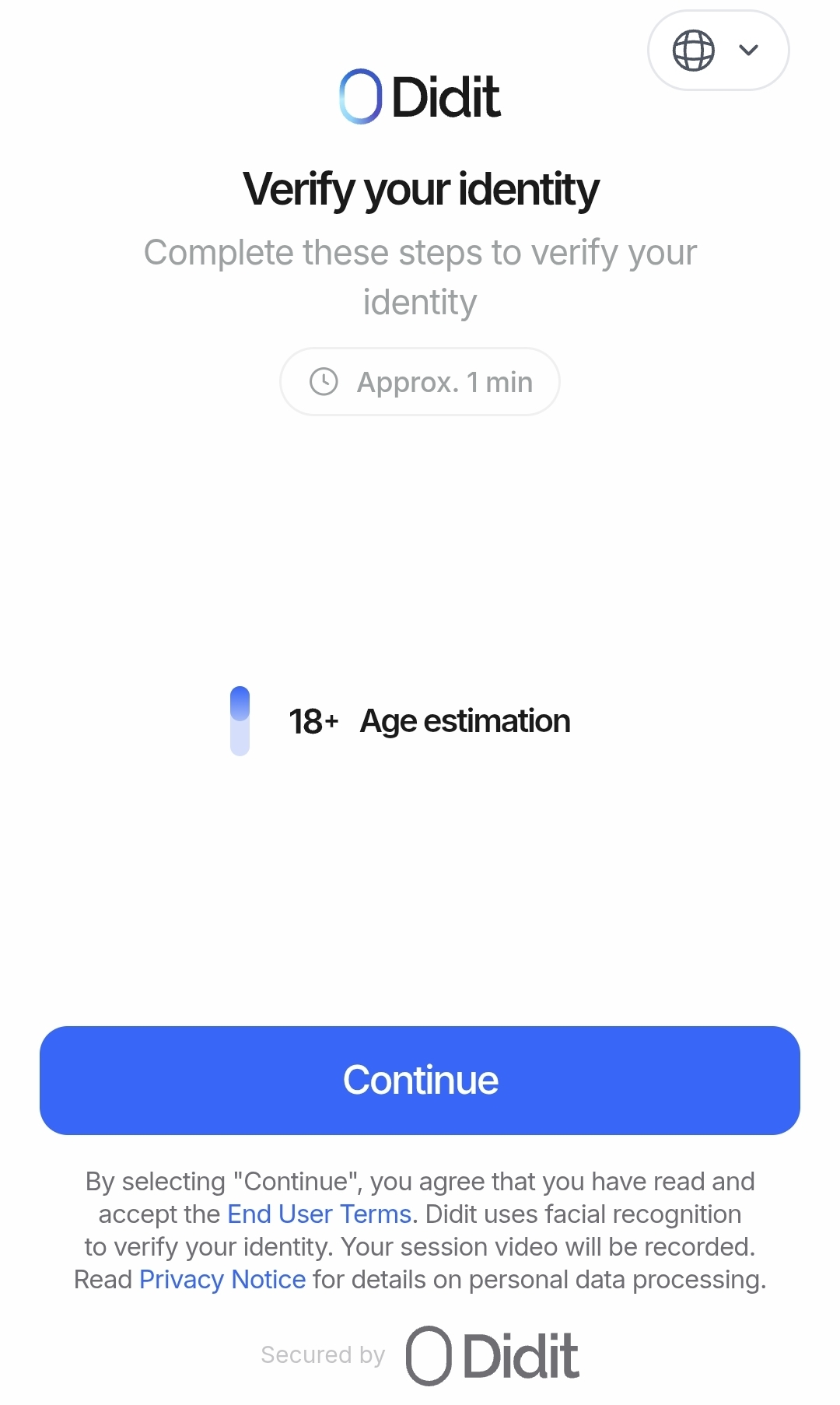
A video selfie is analysed by Didit, a Spain-based identity verification provider, to estimate your age, with a government photo ID upload as the fallback if the estimate is unclear.
Viral AI actress live video call hotline prompts you for a video selfie
(BleepingComputer)
Xicoia Ltd, the UK company behind Tilly, states the selfie travels from your device directly to Didit, that no faceprint or biometric template is created, and that neither the selfie nor any ID image is kept after the check; the company says it retains an approximate age band and a reference number instead.
The check cannot be skipped, applies to callers worldwide, and was only added to the service’s terms this month, alongside a workplace-use ban and new automated safety systems.
The face scan is not the only analysis running.
During every call, the system watches your camera feed and listens to your tone of voice to infer your emotional state, so the character can, in the company’s words, respond in a way that fits the mood.
Advertisement
The privacy policy is candid that this “cannot be switched off for an individual call.” If you don’t want it, don’t call.
Notably, both the age check and the mood-sensing rely on legitimate interests rather than consent as their legal basis, a choice Xicoia’s own version history shows was made in September.
Calls are recorded, transcribed, and processed live by US providers, with the character’s responses generated by Google’s Gemini model via conversational video platform Tavus.
The safety systems have teething problems, too.
Advertisement
An automated classifier screens each call’s transcript for abusive language and withholds your recording if it flags one.
One of my three calls, a conversation about the weather and news headlines, was withheld for “hateful or abusive language” that never occurred. The policy says a human reviewer can release wrongly flagged recordings, though recordings are permanently deleted after 24 hours either way.
Free for five minutes, then the meter starts
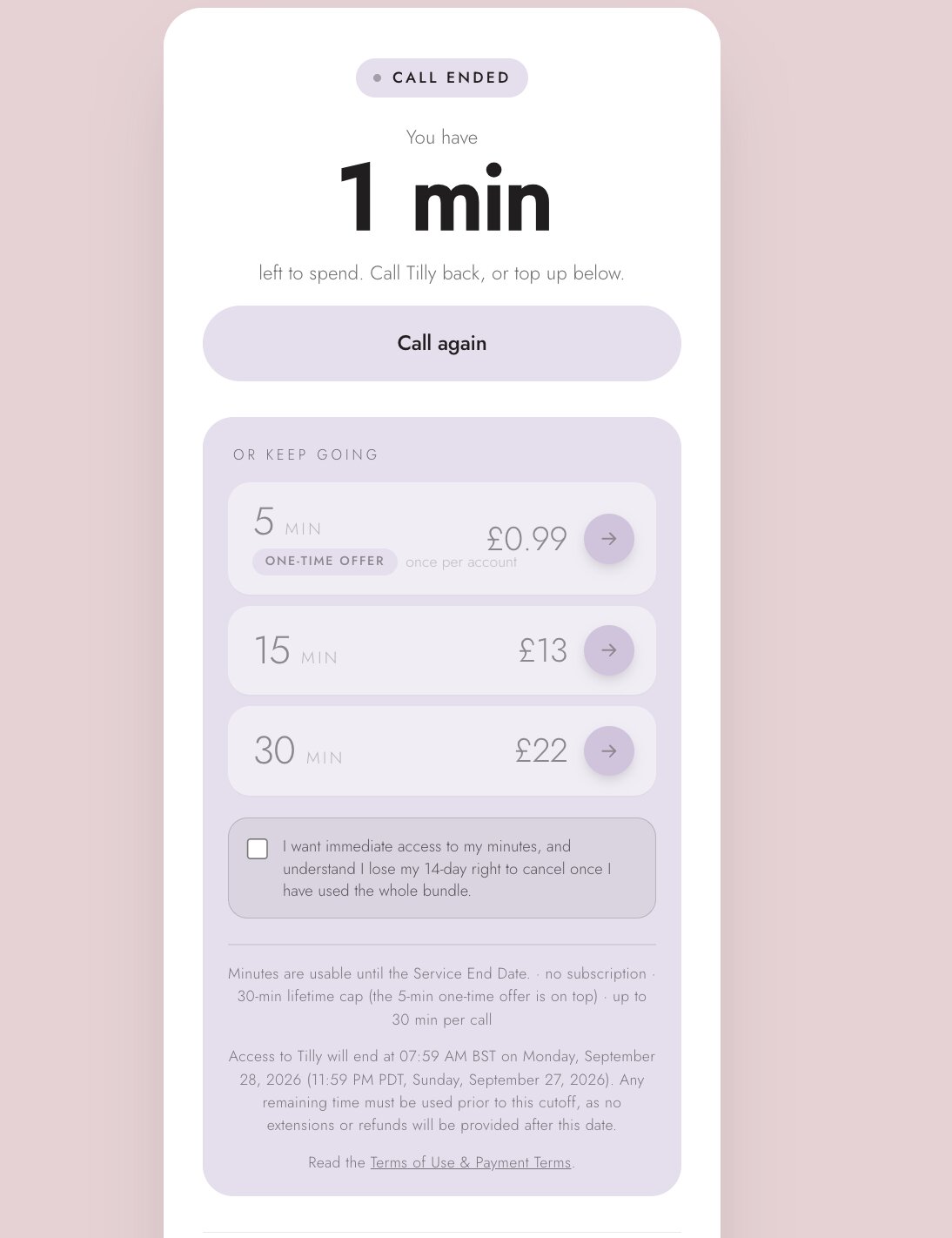
The first five minutes are free. After that, callers are prompted to buy time: £0.99 for a one-time five-minute starter, £13 for 15 minutes, £22 for 30, capped at 35 purchased minutes per person.
Users get free 5 minutes with Tilly before being asked to pay up
(BleepingComputer)
The fine print matters more than usual here, because the whole service is a limited engagement.
Every minute, free or paid, expires when Talking Tilly shuts down permanently on September 27, and unused minutes are forfeited.
Advertisement
Transcripts are retained for up to eight weeks and may be reviewed by Xicoia staff and third-party partners, while the character keeps memory of your previous conversations to personalise future ones, deletable on request.
In line with where the UK is heading
An 18+ face scan to talk to a chatbot may sound novel, but it is consistent with the UK’s direction of travel.
Adult sites serving UK visitors have required ID uploads or facial age estimation since July 2025 under the Online Safety Act, and the government’s under-16 social media ban will make similar checks a fact of life for anyone opening a new social media account from spring 2027.
The UK government’s announcement of that ban specifically flagged AI companion chatbots for 18+ enforcement (even though the service’s safety docs insist “Tilly is not a companion”), which likely explains why a viral AI character picked up a biometric age gate mid-run.
Advertisement
The side effect being, a compliance decision driven by UK regulation now face-scans callers everywhere, from Manchester to Ohio.
Accident or marketing?
Xicoia, founded by Tilly’s creator Eline van der Velden, describes the character as an awareness project intended to show how far AI video has come.
EXCLUSIVE: AI actress Tilly Norwood glitches and starts speaking CHINESE during her interview with Piers Morgan and real-life actor Tom Conti…
On my call, Tilly’s own explanation of the Piers Morgan moment was that it “wasn’t exactly the approved version of the answer.”
She also gave me the weather in her “cloud” in Fahrenheit, despite being nominally British.
Advertisement
Talking Tilly goes offline for good at 11:59 PM Pacific on September 27, days after the Piers Morgan appearance.
Whether last night’s slip was truly accidental, as Tilly cheerfully claimed to me today, or a well-timed stunt from the Misaligned crew, is known to Tilly alone.
Update September 19th, 4:31 PM ET: Following publication, Xicoia’s team reviewed the withheld recording and released it, confirming the flag was a false positive.
Advertisement
Join Mikko Hyppönen and security leaders from the NFL, CHANEL, and Atlassian for a two-hour digital summit on what AI-speed attacks change, what defenders should stop doing, and how to validate, decide, fix, and re-validate at machine speed.
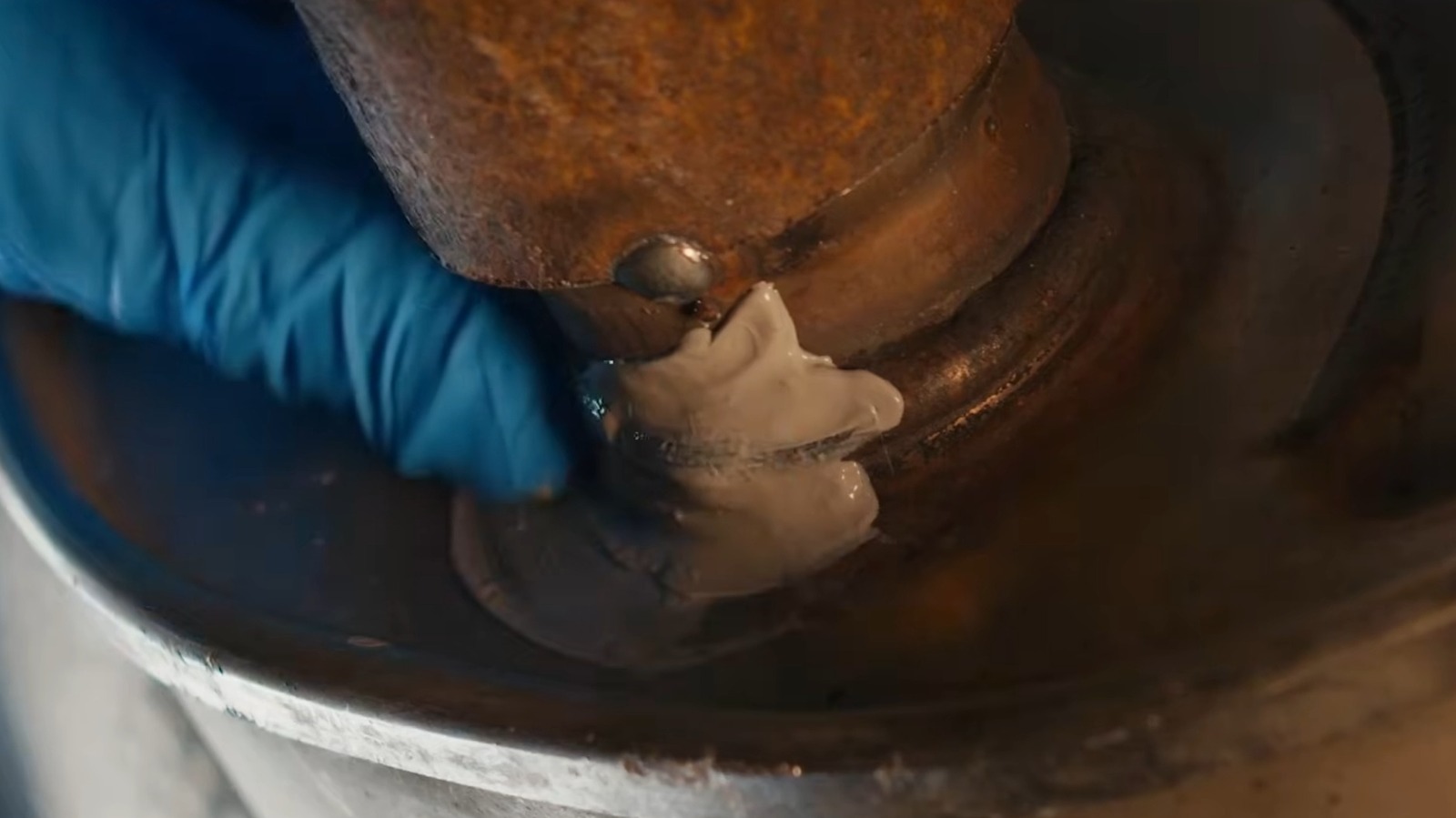
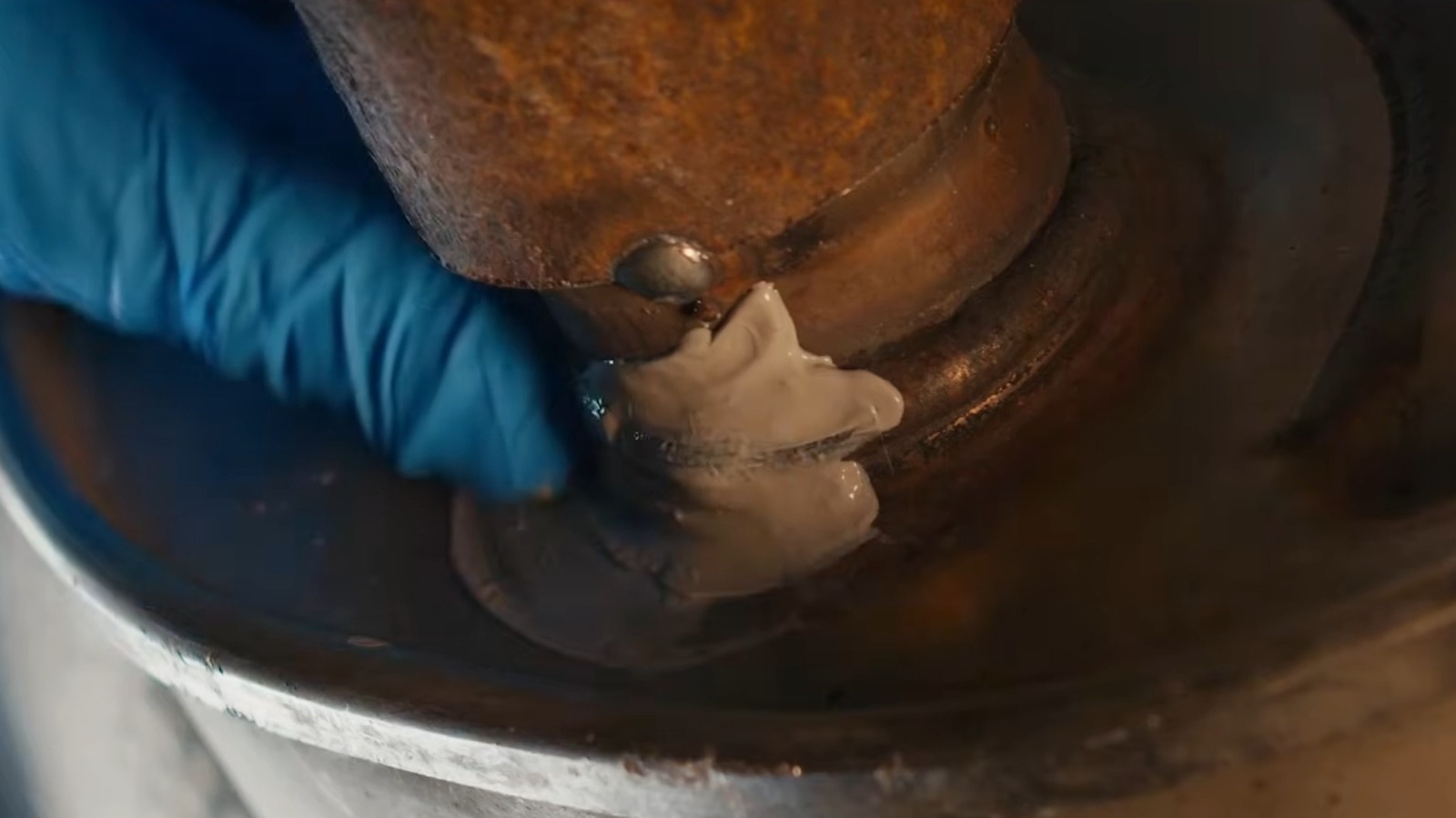
On paper, J-B Weld appears like something of a miracle product. Slap some onto a cracked or hole-covered surface, let it dry and cure per the instructions, and it should be good as new. Many have found success with the product in the automotive space, using it for patch jobs of all kinds. With that said, there is some nuance to using it on vehicles, especially if you want to give it a whirl on a dilapidated exhaust system. If all you have on hand for such a repair is the standard J-B Weld formula, don’t expect it to hold up very well.
There are just some things J-B Weld shouldn’t be used on. The issue with using J-B Weld’s original adhesive on exhaust is that it’s not designed for this use case. Exhaust systems generate extreme amounts of heat when driving, ranging from 400 to 500 degrees to around 1,000 degrees Fahrenheit in some instances. Regular J-B Weld is only able to withstand up to 550 degrees. Even in the coolest areas of your exhaust system, it’s unlikely to last long, regardless of whether it’s covering a split seam, hole, or cracking joint.
Advertisement
That said, there’s more to the J-B Weld catalog than the original epoxy. There are products out there specifically for exhaust repair, though they too have their own limitations.
Advertisement
What to know about exhaust-specific J-B Weld products
J-B Weld’s product line has more than a few exhaust-specific options when repair time comes. There’s Exhaustweld fiberglass wrap, which can endure 1,000-degree-plus high exhaust temperatures and cover failing pipes that need reinforcement. Exhaust system sealant is ideal for cracks and areas like joints and seams, and Mufflerseal muffler cement for, as the name implies, crumbling mufflers. All of these products, along with others from the brand, can patch up worn exhaust systems. At the same time, they’re far from perfect, meaning they have some unignorable drawbacks that won’t get you out of an automotive bind.
First off, J-B Weld is explicitly clear on product packaging that these exhaust-specific products have their physical limits. For example, if a muffler has come detached, no J-B Weld product — exhaust- or muffler-specific or otherwise — of any tensile strength can reconnect it permanently. Between the routine high heat of the exhaust system and bumps and jumps of regular driving, it’ll crack and disconnect sooner than later. To top it all off, there’s the simple fact that even these J-B Weld products aren’t one-to-one replacements for actual welding. J-B Weld products are meant to last for a bit, but they arent’ permanent fixes in these cases. Even when used correctly, they’ll wear away, bringing you right back to square one. Thus, they’re more so temporary fixes than anything substantial.
If you check your vehicle over for exhaust leaks and find some, J-B Weld products intended for exhaust repair could help in the short term and for small, non-structural repairs. However, you should always be aware of what these adhesives can and can’t do; otherwise, you may be severely let down by their performance on the road.
The ShinyHunters extortion gang breached the Clop (aka Cl0p) ransomware operation’s data leak site, defacing the Tor site and allegedly stealing server data and the private keys for its onion service.
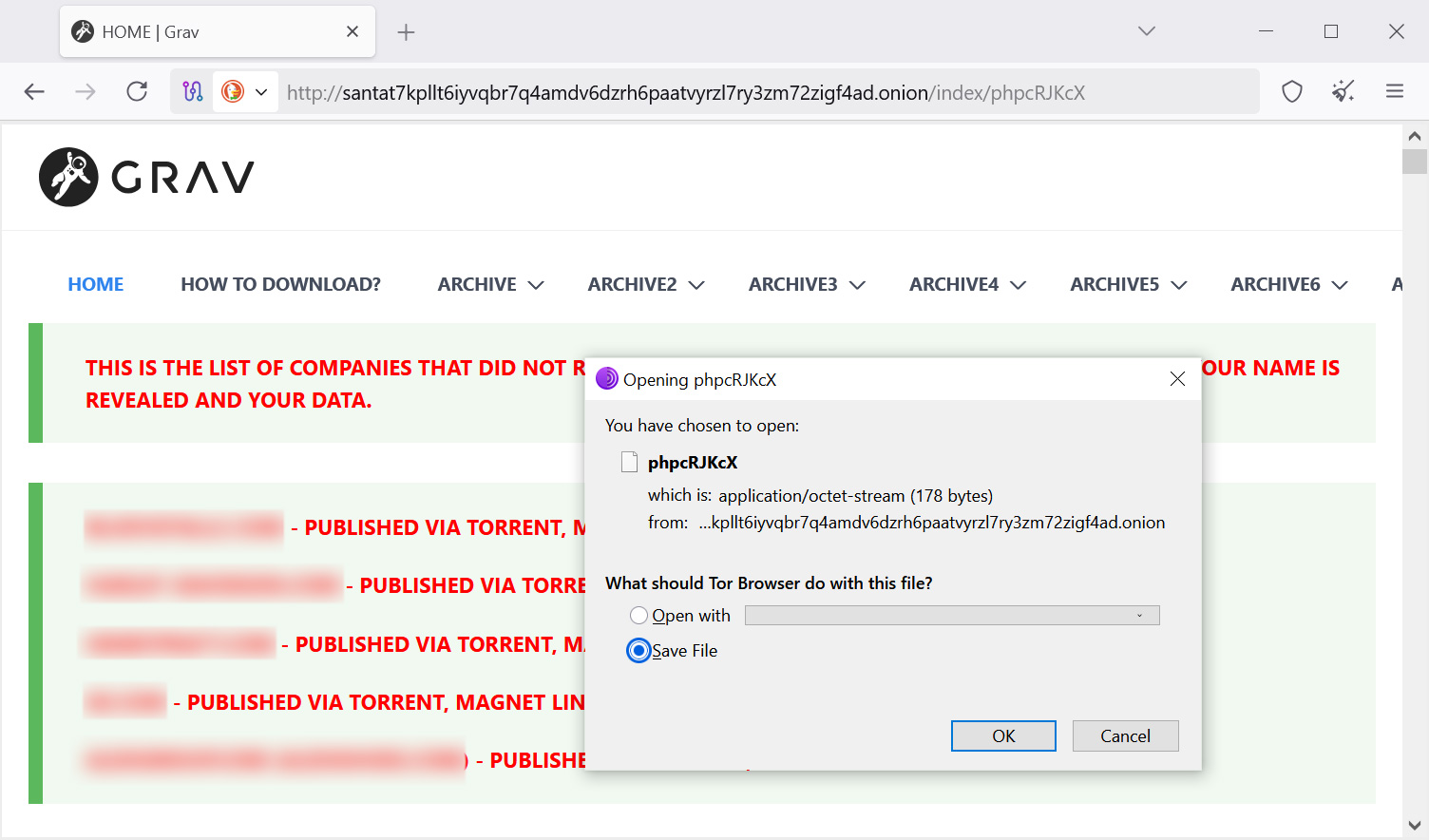
The attack began Friday night when ShinyHunters exploited what they claim is an unauthenticated file upload vulnerability in Grav CMS, which they used to upload a small text file to Clop’s site.
File downloaded from Clop’s data leak site Source: BleepingComputer
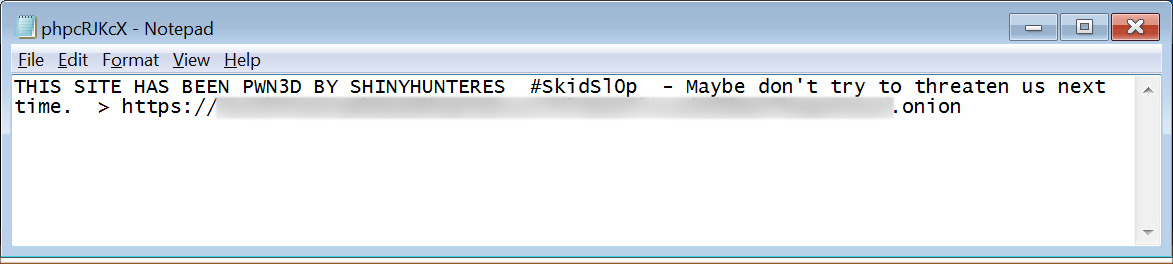
The small text file contained a message from the threat actors to the Clop ransomware gang, warning not to threaten them and including a link to ShinyHunter’s own data leak site.
“THIS SITE HAS BEEN PWN3D BY SHINYHUNTERES #Skids10p – Maybe don’t try to threaten us next time,” read the uploaded file.
File uploaded to Clop’s data leak site Source: BleepingComputer
The file also contained a link to the ShinyHunters data leak site.
BleepingComputer confirmed that the file had been uploaded to Clop’s server and could be downloaded directly from the ransomware gang’s Tor site.
Advertisement
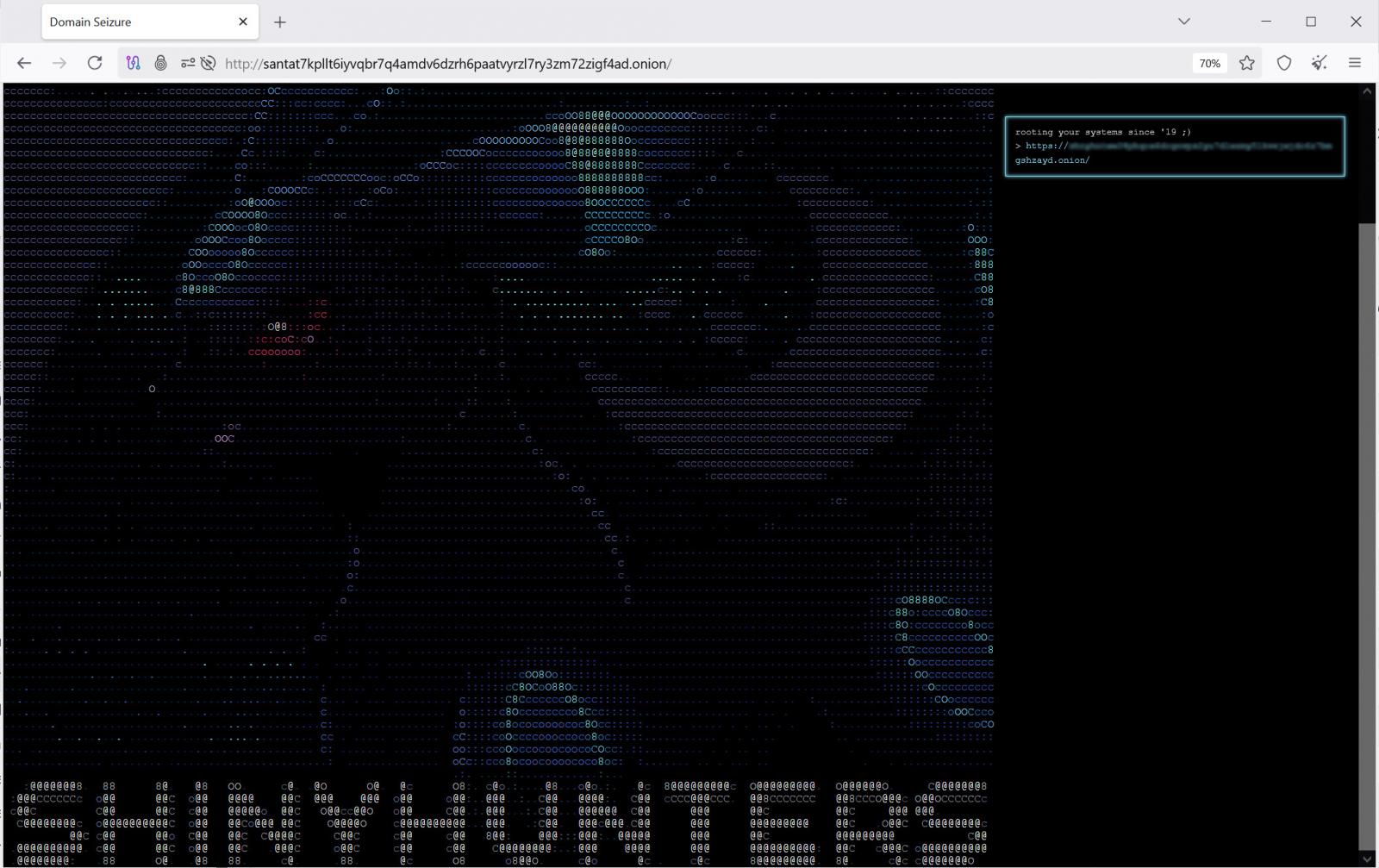
Several hours later, ShinyHunters told BleepingComputer that they had “completely defaced” the Clop site.
Visiting the site confirmed it had been replaced with a page displaying ASCII art of Umbreon, the Pokémon used as ShinyHunters’ logo. The defacement also included a link to the group’s Tor site and the message, “rooting your systems since ’19 ;)”.
Clop’s data leak site defaced by ShinyHunters Source: BleepingComputer
At the time of this writing, the defaced page is still being served from Clop’s infrastructure, according to ShinyHunters.
ShinyHunters claims data theft
ShinyHunters told BleepingComputer it gained “full access” to the server and stole source code, Grav CMS plugins, system logs, and other data.
“The data we stole includes source codes, gravCMS plugins, and other things. We are still downloading and reviewing them,” ShinyHunters told BleepingComputer.
Advertisement
The threat actors also claim to have stolen all files stored under /var/log, which could contain system activity, authentication logs, and potentially, the IP addresses of those who connected to it.
ShinyHunters also claims to have obtained the private keys used by Clop’s Tor onion service.
“We have their onion keys. So if they kick us out it wouldn’t matter at all because we control the private keys to host the same exact onion URL,” the threat actor claimed.
If the keys are valid, it would allow the threat actors to operate a Tor site using Clop’s existing onion address on servers they control.
Advertisement
BleepingComputer has independently confirmed the defacement and earlier uploaded file but has not independently verified ShinyHunters’ claims that it stole server logs, source code, or Clop’s onion private keys.
ShinyHunters says it is now reviewing the allegedly stolen data.
When asked what they planned to do with the stolen information, the threat actor responded, “Going to extort them.”
The group says it plans to publish a message on its own leak site instructing Clop to contact them within 72 hours.
Advertisement
Cybersecurity researcher VXDB told BleepingComputer the Umbreon artwork now displayed on Clop’s leak site is the same as what was used in the August 2020 defacement of the HackForums website, which ShinyHunters also claimed at the time.
Feud between cybercrime groups
ShinyHunters says the attack is retaliation for threats allegedly made by a Clop representative during an ongoing feud between the cybercrime groups.
According to ShinyHunters, a Clop representative threatened to identify group members and made violent threats after ShinyHunters disrupted a Clop data theft campaign.
In October 2025, Clop exploited multiple vulnerabilities in Oracle E-Business Suite servers, including a zero-day flaw tracked as CVE-2025-61882, to steal data from organizations in extortion campaigns.
Around the same time, threat actors calling themselves “Scattered Lapsus$ Hunters,” including ShinyHunters, leaked a proof-of-concept exploit that Oracle later confirmed matched an exploit used in the Clop attacks.
At the time, ShinyHunters told BleepingComputer the exploit had originally belonged to them and that Clop obtained it without authorization.
ShinyHunters claims that tensions escalated after the Oracle campaign, with a Clop representative allegedly threatening members of the group.
Advertisement
“During the Oracle EBS campaign they ran and stole from me last year, someone from cl0p personally messaged me and said, and I quote (translated from Russian): I have more money than you and all of your people combined, I’ll kill you soon,” ShinyHunters told BleepingComputer.
BleepingComputer has not independently verified these allegations and has contacted Clop about the breach and the allegations made by ShinyHunters and will update the story if we receive a response.
Join Mikko Hyppönen and security leaders from the NFL, CHANEL, and Atlassian for a two-hour digital summit on what AI-speed attacks change, what defenders should stop doing, and how to validate, decide, fix, and re-validate at machine speed.
Good morning! Let’s play Connections, the NYT’s clever word game that challenges you to group answers in various categories. It can be tough, so read on if you need Connections hints.
What should you do once you’ve finished? Why, play some more word games of course. I’ve also got daily Strands hints and answers and Quordle hints and answers articles if you need help for those too, while Marc’s Wordle today page covers the original viral word game.
SPOILER WARNING: Information about NYT Connections today is below, so don’t read on if you don’t want to know the answers.
Advertisement
Latest Videos FromTechRadar
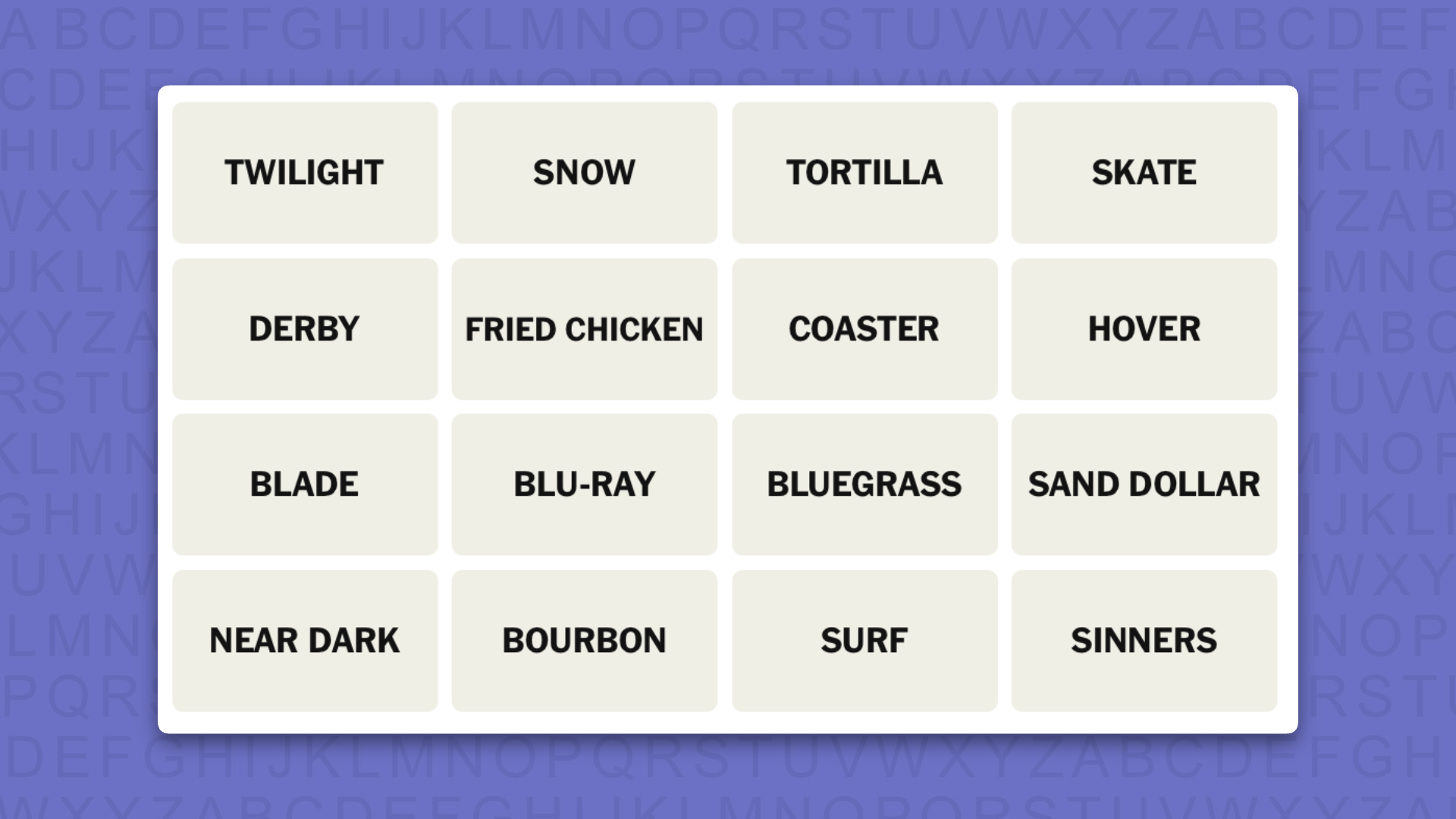
NYT Connections today (game #1197) – today’s words
(Image credit: New York Times)
Today’s NYT Connections words are…
TWILIGHT
SNOW
TORTILLA
SKATE
DERBY
FRIED CHICKEN
COASTER
HOVER
BLADE
BLU-RAY
BLUEGRASS
SAND DOLLAR
NEAR DARK
BOURBON
SURF
SINNERS
NYT Connections today (game #1197) – hint #1 – group hints
What are some clues for today’s NYT Connections groups?
Advertisement
YELLOW: Circular items
GREEN: Connected to a southern state
BLUE: Bloodsucking films
PURPLE: Add a word the rhymes with “chord”
Need more clues?
We’re firmly in spoiler territory now, but read on if you want to know what the four theme answers are for today’s NYT Connections puzzles…
Sign up for breaking news, reviews, opinion, top tech deals, and more.
NYT Connections today (game #1197) – hint #2 – group answers
What are the answers for today’s NYT Connections groups?
Advertisement
YELLOW: ROUND FLAT THINGS
GREEN: ASSOCIATED WITH KENTUCKY
BLUE: VAMPIRE MOVIES
PURPLE: _____BOARDS YOU RIDE ON
Right, the answers are below, so DO NOT SCROLL ANY FURTHER IF YOU DON’T WANT TO SEE THEM.
NYT Connections today (game #1197) – the answers
(Image credit: New York Times)
The answers to today’s Connections, game #1197, are…
GREEN: ASSOCIATED WITH KENTUCKY: BLUEGRASS, BOURBON, DERBY, FRIED CHICKEN
BLUE: VAMPIRE MOVIES: BLADE, NEAR DARK, SINNERS, TWILIGHT
PURPLE: _____BOARDS YOU RIDE ON: HOVER, SKATE, SNOW, SURF
My rating: Easy
My score: Perfect
I would like to propose a new Connections achievement badge: Yellow First.
I know it doesn’t happen by design but, for me at least, it’s also quite rare that I haven’t managed to spot the so-called easiest group of the game — although today I think any group could have been classified as a yellow on any other day.
There is also the fact that the only thing I was unfamiliar with, SAND DOLLAR, was one of the tiles in ROUND FLAT THINGS. My excuse is that we don’t have this type of urchin in the UK — in my ignorance I thought it was something to do with Las Vegas casinos.
Advertisement
Yesterday’s NYT Connections answers (Saturday, September 19, 2026, game #1196)
GREEN: FEATURES OF A KID’S DRAWING: HOUSE, STICK FIGURE, SUN, TREE
BLUE: ASSOCIATED WITH SWINGING LONDON IN THE 1960S: CARNABY STREET, MINISKIRT, MOD, TWIGGY
PURPLE: STARTING WITH ABBREVIATED MATH FUNCTIONS: COS LETTUCE, LOG CABIN, SIN CITY, TAN LINE
What is NYT Connections?
NYT Connections is one of several increasingly popular word games made by the New York Times. It challenges you to find groups of four items that share something in common, and each group has a different difficulty level: green is easy, yellow a little harder, blue often quite tough and purple usually very difficult.
On the plus side, you don’t technically need to solve the final one, as you’ll be able to answer that one by a process of elimination. What’s more, you can make up to four mistakes, which gives you a little bit of breathing room.
It’s a little more involved than something like Wordle, however, and there are plenty of opportunities for the game to trip you up with tricks. For instance, watch out for homophones and other word games that could disguise the answers.
It’s playable for free via the NYT Games site on desktop or mobile.
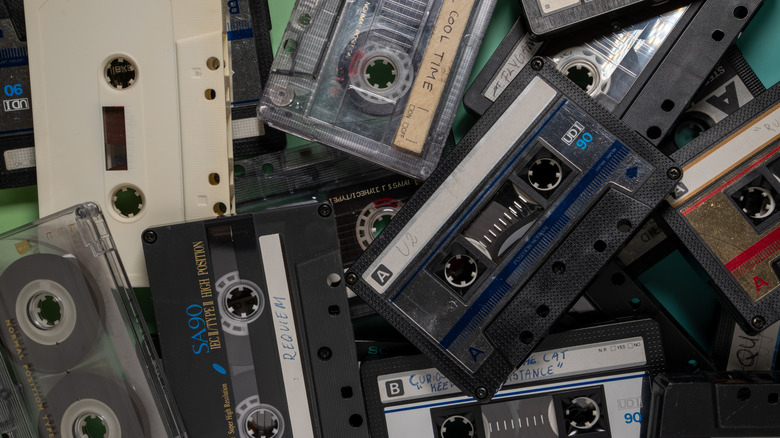
You might not want to keep your old tapes in the attic.
Sabphoto/Shutterstock
If you grew up in the 1980s, chances are you had a collection of cassette tapes. Remember those? The media format, about the size of a large stack of credit cards, was the primary way we listened to music in the ’80s before being overtaken by CDs in the ’90s and eventually streaming services like Spotify. If you’re like me, you may still have many of them stored in a shoebox. But how long are these tiny tapes expected to last?
The general belief is about 30 years, but this is based on ideal storage conditions. Cassette tapes will deteriorate over time even under the best conditions since the coating that binds the tapes will eventually lose lubrication and detach. But the primary deciding factor for longevity is storage. I personally have cassette tapes that are more than 30 years old and still play just fine (thanks mom and dad for having a player around to try them!).
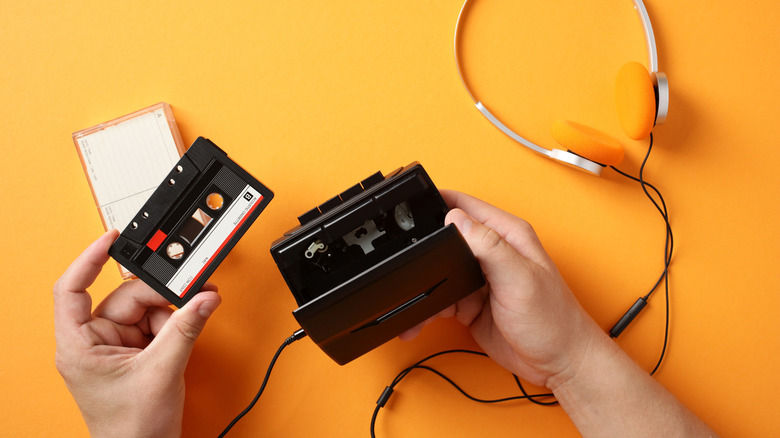
It’s not a bad idea to digitize your cassettes using a digitization service or by connecting a player to your computer and recording to digital files using a service like Audacity. before they do deteriorate to preserve those custom playlists and memories. But for now, if you still have cassettes from the ’70s and ’80s, as long as they’re stored well, they could play for decades to come.
Advertisement
Proper storage and care is important
flashberg/Shutterstock
Before looking at how to store them, it’s important to understand how cassette tapes work. Inside are two reels, like mini movie reels, connected by a thin strip of magnetic tape and covered by a shell. When you press play, the tape slides on the magnetic head that reads magnetic patterns, which translates to audio. The electrical signals are sent through an amplifier to strengthen the sound, so you hear it more clearly through speaker or headphones.
As long as the cassette tape remains in good order, it will play. But it requires proper storage. One big thing that can impact the life of a cassette tape is temperature, including storing them in an environment that is too hot or cold or where temperature fluctuates often. But it’s mainly about humidity too. You should also avoid exposure to sunlight, moisture, dust and dust mites, critters and magnetic fields.
Store them in a cool and dry place, with a temperature at 59 to 73°F and 25-55 percent humidity. Always keep them in their protective cases and wipe down the exterior from time to time to get rid of accumulated dust, even gently using a Q-tip. Don’t forget to clean the player’s tape heads as well. Play the tapes from time to time, too. Along with losing lubrication, the binder coating can get sticky without use.
Advertisement
Those who grew up in the Blockbuster era know, “be kind, rewind” is a VHS mantra that holds true for cassette tapes as well. When you’re done listening, rewind the cassette to the beginning (hopefully using the rewind button versus a pencil) to help minimize stress and uneven winding.
Tap into that nostalgia for decades to come
Savanevich Viktar/Shutterstock
Under improper conditions, the lifespan of a cassette tape can drop from 30 years down to as few as five. You might be tempted to pop them into a box in the attic, but consider temperature fluctuations, moisture and humidity levels, even beams of constant sunlight from a window. If you’re firm on storing them in the attic, use a plastic tub versus cardboard.
But with the right storage and care, cassettes could theoretically last up to 100 years, preserving fond memories to hand down for generations. From pre-recorded cassettes to ones with songs you recorded off the radio (with the DJ’s voice inevitably at the beginning and end of each track) to mixtapes created for everything from parties to road trips, break-ups and lovers, they hold a lot of nostalgia. With the vinyl resurgence and Gen Z already helping iPods make a comeback, it’s only a matter of time before cassette tapes and Walkmans are trending again, too.
Advertisement
The biggest issue you may run into with playing cassettes is not necessarily worry about if the tapes still work but how to listen. You have probably already replaced your old boomboxes with the best portable Bluetooth speakers. But you can still find retro players that combine streaming with cassette decks, and affordable Walkman-style portable cassette players to keep the music going and relive the olden days.
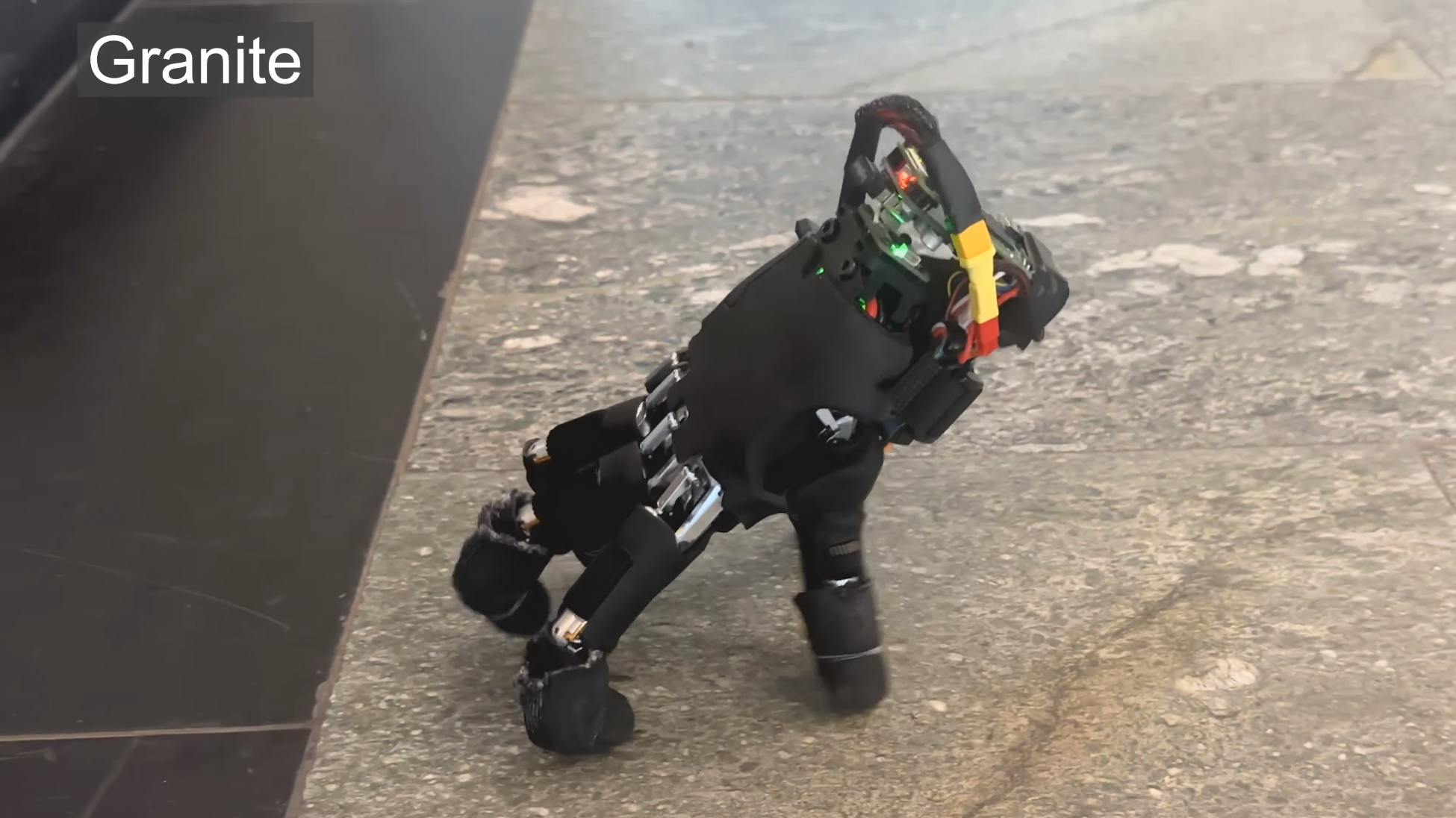
Although it wasn’t apparently designed with this in mind, it seems particularly fortuitous that this walking robotic hand was released in time for Halloween. Designed by researchers from ETH Zurich, the slightly unsettling disembodied hand can use its fingers as legs to traverse terrain, push small objects around, and operate a keyboard.
The researchers started from commercially-available robot hand, equipped it with a battery and Raspberry Pi Zero 2 W, and developed neural net-based software to control it. The hand has twenty joints, four per finger, and the neural net iteratively outputs the next joint state, based on previous movements, the state of the hand, and the hand’s current goal. To train the net, the researchers built a simulated model, then used this for reinforcement learning; this yielded a faster walking speed than an adapted quadrupedal motion model did.
The hand was trained to move in a straight line, turn, recover from a fall, and press the keys of a keyboard (since it doesn’t have a camera, though, it can’t operate a keyboard by itself). The fall recovery is impressive to watch: in 21 out of 25 tests, it was able to right itself within twenty seconds. Due to the hand’s geometry, it drifts to the right while walking, so a constant correction needed to be applied. It did, however, manage to successfully cross fourteen varying surfaces, ranging in roughness from a rubber mat to gravel and grass. It even managed to push light objects toward goals.
The authors envision this kind of autonomous hand enabling greater freedom for a larger robot, such as a robot arm: if it needs to reach something farther away, the hand simply detaches and walks over. Regardless of the use to which they put in, such a project is already within reach of hackers; we’ve seen a few robotic hand projects here over the years.
When I’m asked about smart home gadgets, I typically suggest people start at their front door, such as with a video doorbell or smart lock. Smart locks, in particular, are an obvious first step (and only step, if you prefer) into smart home tech, and they can benefit nearly anyone with a front door.
But many people without a smart lock in their lives still don’t know what it is, how it works or why they should spend money on one. It’s time for a clear explanation of this important home technology, and why I’m such a fan.
These powerful, connected locks are useful every day. We’ve tested the latest to find the best.
Advertisement
Smart lock basics
Retrofits typically only require replacing the thumb turn.
Amazon
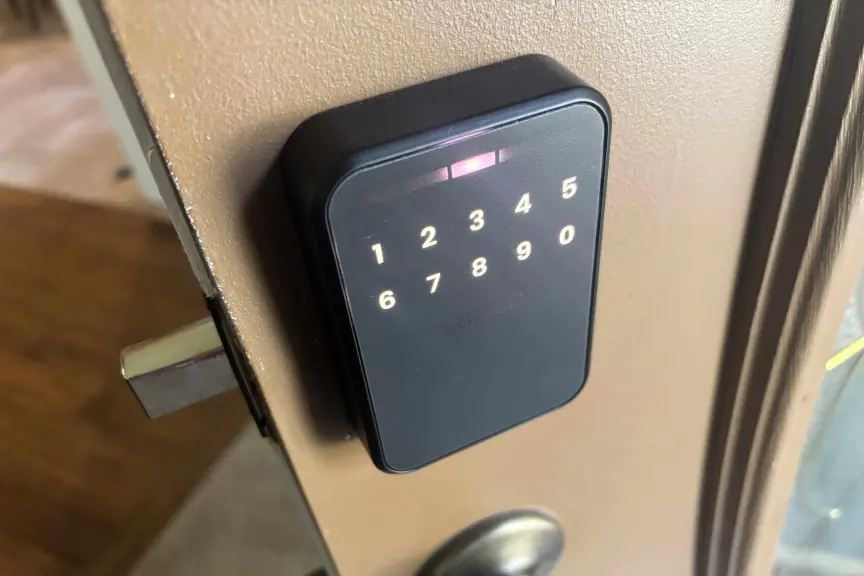
A smart lock replaces the standard deadbolt found on nearly any front door (and many other doors) in a residential building. Many models replace the deadbolt entirely, which tends to allow extra features like keypads and fingerprint readers. Other types replace only the indoor thumb turn, the knob used to move the deadbolt — a smart lock style called a retrofit — which is often cheaper and easier to install. Either way, the door handle below the lock is usually left untouched.
Once set up, the smart lock connects to your Wi-Fi router and lets you control it from your phone using a corresponding app. This allows you to operate the lock remotely, anywhere you can connect to the internet (like at work, or on vacation). That ability comes with several valuable tricks.
The inside thumbturn is usually the only part of a lock replaced in a retrofit.Tyler Lacoma/CNET
With remote locking and unlocking, you don’t have to be at home to let a pet sitter or guest inside. Most smart lock apps also let you create temporary passcodes or digital passkeys for guests, which grant access and then auto-delete after the timeframe ends.
These locks can also send alerts to your phone, notifying you when the door is locked or unlocked. You can review a history of locking/unlocking in the app, or even set the door to automatically lock after a set amount of time, so no one ever forgets to lock the door again. Those features are also handy for keeping track of someone in an aging-in-place situation.
Advertisement
That’s only the start of what a high-quality smart lock can do.
Smart lock access methods
From keypads and digital wallet keys to fingerprints, smart locks offer new ways to protect your home.Schlage
Another one of my favorite things about smart locks is the different access methods they open up (heh), some of which may be far better for your daily life than the classic key.
Most locks not only have app controls but can sense when an authenticated mobile device is near, and automatically unlock with a swipe. That’s getting both easier and more common now that the Aliro protocol has been established this year, helping smart locks connect to digital wallets (Google, Apple, Samsung and so on) that you probably already use, making pass management very easy.
Other locks focus on fingerprint scanners, a biometric option that I found highly accurate and quite speedy in all my testing. It takes only a couple of minutes to add your family’s fingerprints, and then you don’t have to worry about people losing their keys or needing access to the home when you aren’t around.
More advanced smart locks can do a little of everything.Tyler Lacoma/CNET
Some people may prefer to stick with the classic keypad, another common component of smart locks. Keypads let you change and swap codes and issue temporary codes to workers or visitors, which isn’t as easy to manage with a fingerprint sensor. Both work well in my testing, but keypads take longer to set up and the different designs may confuse some first-time users.
A number of smart locks combine all these access options and more, so you can choose your preferred method. Most include an emergency key slot or standard key slot, too. However, some of the most advanced models I’ve tested skip old-school keys entirely, so users don’t have to worry about anyone picking the lock.
Advertisement
Smart lock installation and compatibility
Smart lock installation is surprisingly easy if you’ve got a screwdriver and a little time.Tyler Lacoma/CNET
Don’t worry about how difficult a smart lock is to install. As I mentioned, they’ll work with most standard deadbolt designs, and are typically a DIY project. You shouldn’t need more than a sturdy screwdriver for a full deadbolt replacement.
Most locks have alternative options for slightly different deadbolt placements. Take a look at my guide on how to install a smart lock to learn – well, everything you need to know.
Important note: Renters should also check their lease and see what their landlord or property management company says. Typically, installing a new deadbolt is a step too far for tenants, although a retrofit may be more permissible. But landlords usually prefer to handle anything related to locks themselves. There are even smart locks made specifically for them.
Battery life and smart locks
Batteries are always installed on the inside housing, typically AAs.
Tyler Lacoma/CNET
How do smart locks accomplish all their tricks and maintain their Wi-Fi connections? The lock’s indoor housing also houses the battery. Some locks run on two to four AA batteries. Others use proprietary rechargeable batteries that you need to remove and recharge from time to time.
Either way, these batteries typically last at least a few months and up to a year, depending on how often the door is activated. Apps generally give you warnings or alerts when battery power is low. Some models are designed to last longer, like Lockly’s Lyro Lasta, which packs in eight batteries and adds a sleep mode to help the lock last up to three years.
Advertisement
Smart locks include emergency ways to charge up and unlock the deadbolt when necessary, like if your Wi-Fi is down or the batteries suddenly fail.
After testing smart locks from all the top brands, I’ve found the best picks for you and your wallet.
Advertisement
Smart lock costs
So, I’ve praised this home add-on pretty thoroughly, but how much will something like this cost? Smart locks aren’t especially cheap, but they offer a wide range of prices and models, so most buyers can find an option that works for them.
If you’re focused on your budget and want to save money, I suggest looking for a retrofit model for your current deadbolt. Basic retrofits only cost around $70 to $100, as you can see on my best affordable smart locks list. You can even find some full deadbolt replacements for around $100, such as from Wyze, but these are rarer.
The most compact and advanced the lock, the more expensive they tend to be.Tyler Lacoma/CNEt
In the $150 to $200 range, smart locks start gaining many more capabilities, including advanced access options, better durability ratings and more compact sizes. I suggest most homeowners start here if they’re looking for a worthwhile upgrade with plenty of useful capabilities.
Head over to my smart lock buying guide for much more information on picking a lock that’s right for you, and what to consider when buying. Many companies offer smart locks, so you’ll have your pick of options. Some of my favorites that I’ve personally tested are Schlage, Yale, Level and August, all reliable brands with a history in locking technologies.
Advertisement
Since many locks are compatible with the smart home standard Matter, you don’t always have to use the brand’s own app to control them. Locks tend to work well with Apple Home, Google Home, Alexa and SmartThings, although you find your control options more limited when it comes to complex settings.
Now you know everything important about smart locks, so when are you going to get your own? My guide to the best smart locks is one of the best spots to get started.
Tyler Lacoma
Senior Editor / Home Security and Smart Home
Tyler has worked on, lived with and tested all types of smart home and security technology for over a dozen years, explaining the latest features, privacy tricks, and top recommendations.
With degrees in Business Management, Literature and Technical Writing, Tyler takes every opportunity to play with the latest AI technology, push smart devices to their limits and occasionally throw cameras off his roof, all to find the best devices to trust in your life. He always checks with the renters (and pets) in his life to see what smart products can work for everyone, in every living situation.
Living in beautiful Bend, Oregon gives Tyler plenty of opportunities to test the latest tech in every kind of weather and temperature. But when not at work, he can be found hiking the trails, trying out a new food recipe for his loved ones, keeping up on his favorite reading, or gaming with good friends.
See full bio
Fender is a name synonymous with music, but Bluetooth speakers aren’t exactly the first thing that comes to mind when you think of the brand. That’s where German audio company Teufel comes in. The two have teamed up for the ROCKSTER series, combining Teufel’s audio engineering with the unmistakable design influence of Fender.
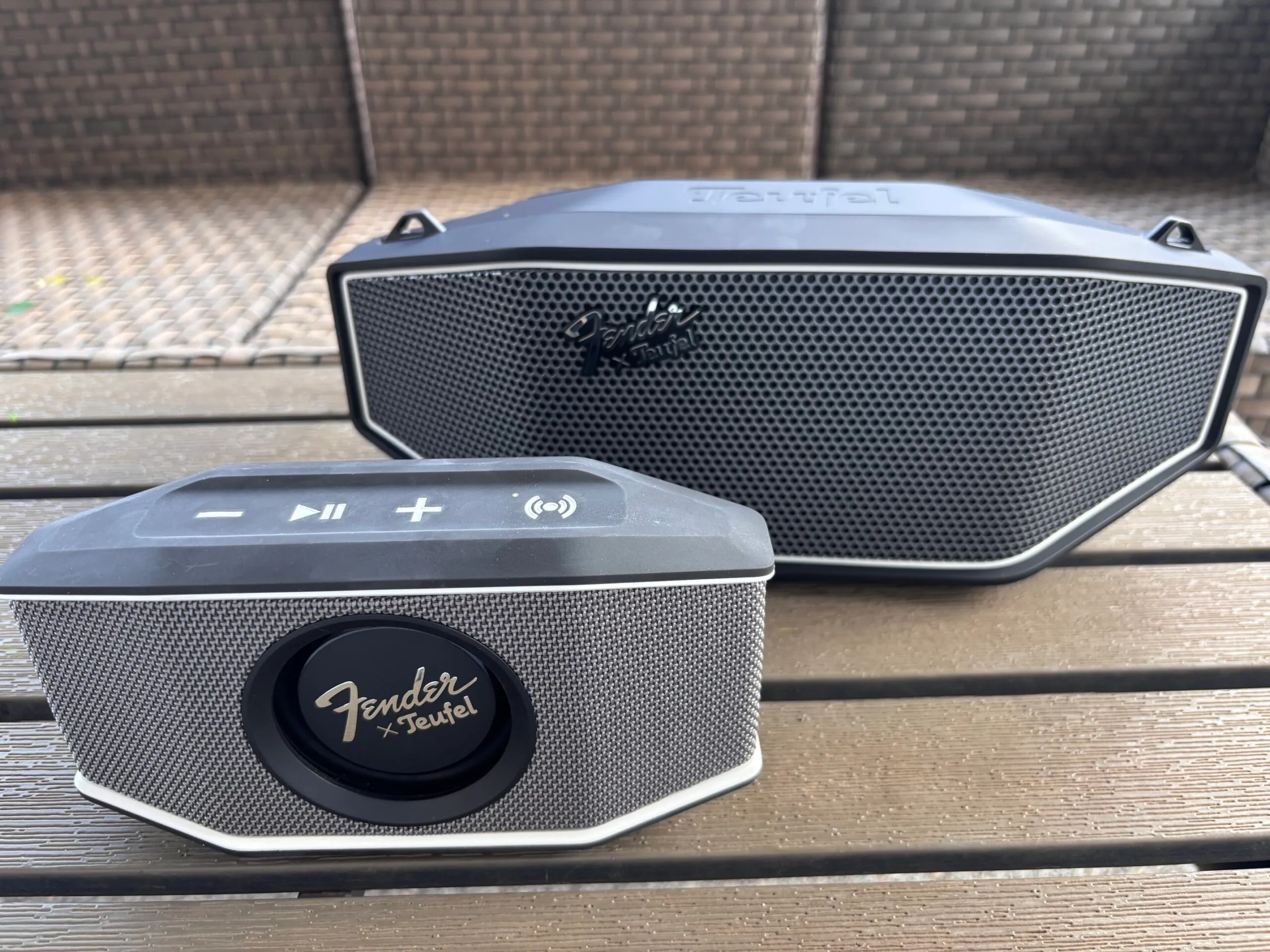
The lineup includes three speakers, ranging from the ultra-portable ROCKSTER GO 2 to the much more powerful ROCKSTER AIR 2. I spent time with the two models that will probably make the most sense for everyday listeners: the ROCKSTER GO 2 ($99.99) and the ROCKSTER CROSS ($199.99). Both manage to produce surprisingly punchy sound without giving up the portability that makes a Bluetooth speaker convenient in the first place.
The ROCKSTER GO 2 is small, but definitely not quiet
The ROCKSTER GO 2 is the smaller of the two, measuring just 8.3 inches wide and weighing 1.6 pounds. At that size, it’s incredibly easy to take just about anywhere. I could easily toss it into a beach bag or backpack for a day out without having to think much about the extra space or weight.
What surprised me was just how loud it gets. During my testing, I had the GO 2 playing downstairs and could still hear it upstairs over the dryer. That’s a lot of volume from something this compact. I also think it would be perfect for a garage gym, where you want enough volume to compete with other noise without dedicating much space to a speaker.
Advertisement
Inside are two 50mm aluminum full-range drivers paired with a passive bass radiator on the front. That radiator also happens to be one of my favorite design details. You can actually watch it move along with the music, particularly when the bass kicks in. It’s a small touch, but it gives the GO 2 a little more personality than the average portable Bluetooth speaker.
Its size also makes the GO 2 particularly well suited to outdoor use. It has an IP67 rating for dust and water protection, making it a practical option for the beach, camping, or just spending time outside. Teufel rates the battery for 15 hours at medium volume, with up to 28 hours available in Eco Mode.
Setup couldn’t have been much easier. I paired the GO 2 directly with my phone over Bluetooth and started listening. I didn’t need to download an app or work through any additional setup first.
The ROCKSTER CROSS takes things up a notch
The ROCKSTER CROSS is the larger of the two, but I still wouldn’t call it a big speaker. It measures 15 inches wide and weighs 5.3 pounds, and the included Fender guitar-style carrying strap makes it easy enough to move around when you want to take it outside or bring it along somewhere.
Advertisement
The difference I noticed immediately was the sound. The CROSS sounds fuller and clearer than the GO 2, with considerably more bass behind it. Inside my house, it had no trouble carrying from room to room. I could hear it throughout the entire house without an issue, and I could even hear it clearly over the vacuum while I was cleaning. That isn’t usually the case.
The bass was probably the biggest surprise. The CROSS uses a 5-inch woofer along with two passive radiators, and you can absolutely hear the difference. The bass is surprisingly powerful for a speaker that’s still relatively compact and easy to carry around.
But sheer volume isn’t what impressed me most about the CROSS. It’s the clarity that comes along with it. Even when I really turned it up, the sound stayed crisp and clear instead of tearing too much at high volume levels.
Taking it outside only made its power more apparent. There’s enough volume here that I can’t imagine needing much more for a backyard party or larger gathering. Teufel also includes an Outdoor Mode designed to improve the listening experience outside.
Advertisement
Like the GO 2, the CROSS was simple to get running. I connected it directly to my phone over Bluetooth and started listening. It also has an IPX5 rating for water resistance and a battery rated for up to 16 hours at medium volume.
So, which one would I choose?
Digital Trends
The reason to pick between these two has as much to do with where you’re going to use them as it does sound quality.
I’d grab the GO 2 for the beach, camping, a day at the park, or a garage gym. It’s small enough that bringing it along doesn’t require much thought, yet it gets loud enough that I never felt like I was listening to a tiny speaker. The CROSS is the one I’d reach for at home or for a backyard party.
You’re giving up some of the GO 2’s grab-and-go convenience, but in return you’re getting noticeably better bass, more clarity, and enough output to cover a much larger space. The Fender influence is easy to spot on both speakers, from the branding and design details to the guitar-style carrying strap included with the CROSS.
With the GO 2, I get a speaker small enough to take practically anywhere without constantly wishing it had more volume. The CROSS gives me the bass and power I’d want for a party without requiring a massive speaker to get there. And after spending time with both, that’s what surprised me most about this collaboration: Fender and Teufel didn’t just make Bluetooth speakers that look the part. They made two speakers that make you want to keep the music going.



























































You must be logged in to post a comment Login