





Connect with us
DAPA Banner

Tech

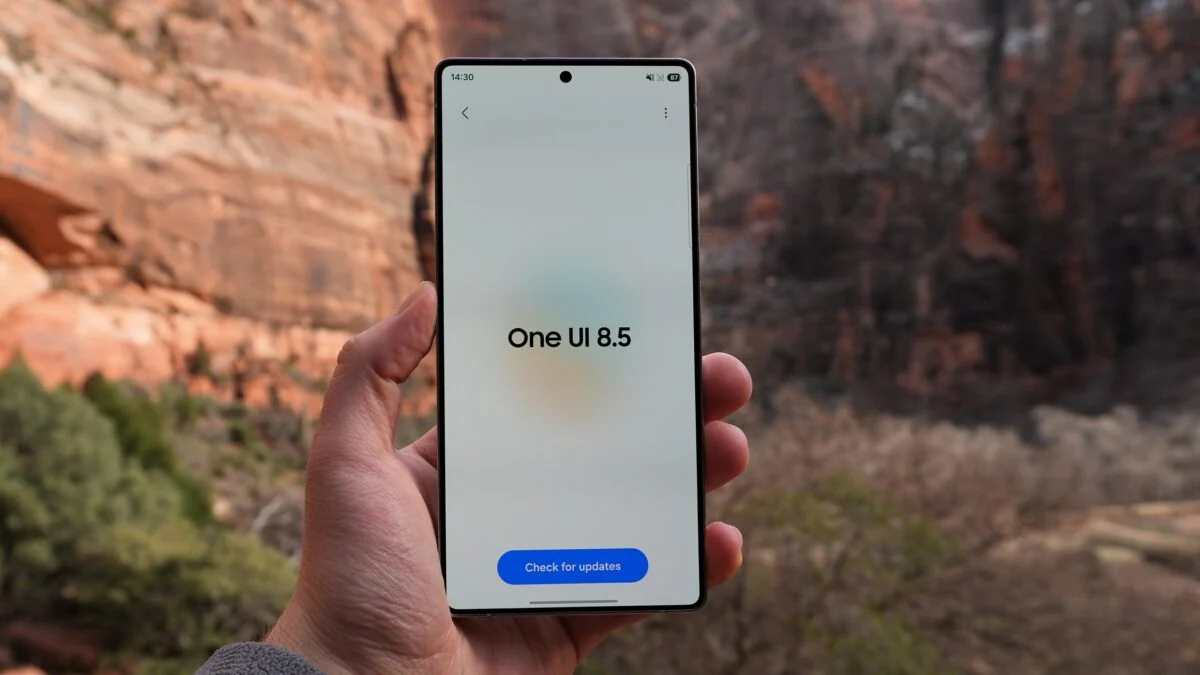
One UI 8.5 beta brings new life to older Galaxy phones

Published

on

Samsung is widening the reach of its next big Android update, with One UI 8.5 beta now rolling out to a wave of older Galaxy devices. This is not just rolling out to its latest flagships.

After spending months in testing on the Galaxy S25 series, the beta programme is expanding to include last year’s premium phones, foldables and even tablets. Newly supported devices include the Galaxy S24 lineup, Galaxy Z Fold 6 and Flip 6.

In addition, the Galaxy Tab S11 range is supported as well. This is a clear sign Samsung is speeding up its software rollout strategy.

The update is currently available in select regions including the UK, US, Korea and India. Users are able to sign up through the Samsung Members app. Once enrolled, a banner guides you through the process. Notably, Samsung tweaked this process slightly with the One UI 8 release.

Advertisement

This wider rollout lands alongside continued testing on newer hardware. The Galaxy S25 range is already on its eighth beta. Meanwhile, the Galaxy Z Fold 7 and Flip 7 are on their second, suggesting Samsung is getting closer to a stable release.

Advertisement

While Samsung hasn’t detailed every new feature in this phase, One UI 8.5 is expected to refine the experience introduced with One UI 8. Likely, it will focus on performance tweaks, UI polish and AI-driven features rather than a complete overhaul. Furthermore, it also ships pre-installed on the upcoming Galaxy S26 series. Therefore, this gives us a good idea of where Samsung’s software is heading next.

For owners of slightly older Galaxy devices, this is a notable shift. Samsung has been steadily improving its update commitment. Also, bringing beta access to a broader range of devices earlier in the cycle is part of that push.

Advertisement

There’s no exact date for the full release just yet, but Samsung says more devices will join the beta programme in April. So, if your phone isn’t on the list yet, it might not be waiting long.

Source link

Advertisement
Continue Reading
Click to comment

You must be logged in to post a comment Login

Leave a Reply

Tech

5 Fun Gadgets You Didn’t Know You Can Buy At Best Buy

Published

on


We may receive a commission on purchases made from links.

With online outlets like Amazon making it easier than ever to buy electronics from your couch, and even major retailers like Target and Walmart stocking their stores with a wide range of tech offerings, specialty retailers like Best Buy might be seen as obsolete in some corners of the consumer realm. Even as its brick-and-mortar operations are shrinking, the retail chain continues to soldier on, with over 1,000 locations in the United States and Canada, making it one of the last brands standing in the big box electronics arena.

Advertisement

If you’ve been inside an actual Best Buy store in recent years, you know the outlets continue to focus largely on the sale of heavy-hitters like major appliances, televisions, mobile devices, audio equipment, and computers. Gaming gear has, of course, become a big part of what Best Buy is offering to its shoppers these days as well, with the store carrying consoles and accessories fit for even the most hardcore of gamers.

Apart from those standard electronics store standouts, Best Buy has also begun stocking its stores and online outlets with items that are, perhaps, less sought-after by your average consumer. In fact, there are quite a few fun gadgets, big and small, that are now being sold through the retailer. Here are a few you may be surprised to find in stock at Best Buy, either online or in-store.  

Advertisement

Ivation Electric Wine Aerator and Dispenser

When one thinks of kitchenware that you’d typically find at Best Buy, things like refrigerators, stoves, blenders, and air fryers are probably the more common items that come to mind. There’s little reason to think anyone would expect to find a gadget in stock that might help them bolster their Oenophilic endeavors on the home front. If, however, you are a wine lover, Ivation’s Electric Wine Aerator and Dispenser would appear to be just such a gadget. 

Now, there are undoubtedly a lot of wine lovers out there who would prefer not to leave the delicate process of aerating their vino to such a gadget. If you’re a little more casual about the process, the Ivation device could be an easy way to change the way you aerate and consume your wine. The USB-rechargeable — charging cable included — mounts to the top of most standard wine bottles, and pours wine with the simple press of a button. The aerator function is optional, and can be activated by an On/Off button located at the base of the pouring stem.

The device can reportedly pour up to 30 standard-sized bottles of wine per charge, and is currently selling for $39.99 through Best Buy’s online outlet. Ivation also claims it is dishwasher safe for easy cleaning, and backs up the device’s quality by way of a 1-year warranty for parts and labor. Needless to say, this would make a fun gift for any wine lover in your life.

Advertisement

Pegasus Mini Hover Helmet

From the outside looking in, there would be no particular reason for sports fans to spend much time shopping at Best Buy. After all, even as some sports-related items are currently listed on its online outlet, Best Buy is hardly known for selling much in the way of such equipment. That’s even more true of sports memorabilia, which might be considered fringe at best for an electronics store. Given that fact, you’d surely be surprised to learn you can actually buy team-centric novelty items and even baseball cards through Best Buy online. If you’re looking for a slick way to elevate the way you rep your favorite team, there’s even a gadget or two in stock that can help you do so. That list includes Pegasus’s Mini Hover Helmet, which Best Buy is currently selling for $74.99. 

Advertisement

The Hover Helmet’s name is pretty self-explanatory, with Pegasus’s design team utilizing magnetic technology to suspend and display a chrome helmet in mid-air. It may sound complicated, but this is essentially a plug-and-play sort of device that can be put into action with little effort from users. It’s also small enough that it can be displayed without taking up too much space on a tabletop or bookshelf. Unfortunately, it does not look like Best Buy is currently stocking hover helmets for every sports team that uses one. Even still, it appears that there are plenty of NFL and MLB franchises for sports fans to choose from.

Advertisement

Ikarao Karaoke Machine

There are, arguably, two types of people in the world: those who absolutely love taking the mic and belting out their favorite tunes on karaoke night at the local pub, and those who avoid putting on such a public display at all costs. We do, however, have a sneaking suspicion that even some folks in the latter category might still enjoy singing their hearts out behind closed doors. Whether you enjoy kicking out the jams sing-along style with your pals or entirely on your own, a karaoke machine might make a fun addition to your array of fun home entertainment gadgets.

Yes, you can buy a karaoke machine through Best Buy, and for our money, Ikarao’s looks to be one of the best available from the retailer. For the record, at $699.99, Ikarao’s Karaoke Machine is also one of the more expensive units being sold through the retailer. It’s worth noting, though, that it is an all-in-one sort of setup, which includes a speaker, two microphones, and a 13.3-inch high-definition touch screen that should make it easy for performers to read lyrics as they sing. Yes, both the microphone and speaker are fully rechargeable, providing up to 10 hours of playback per charge.

According to customers who have rated the karaoke machine 5 stars overall on its Ikarao product page, that package is second to none in terms of sound quality and overall performance. It also comes backed by a 12-month warranty and lifetime tech support, not to mention six months of free access to KaraFun’s Prime karaoke platform.  

Advertisement

Breville Espresso Dosing Funnel

Over the past few decades, coffee culture has become a permanent fixture in the daily lives of many people. So much so that, even as the corner coffee shop remains a great place to hang out and discover your new favorite roast, more and more discerning drinkers have taken to crafting the perfect cup at home by way of a few handy coffee gadgets. As satisfying as that endeavor can be for coffee connoisseurs, they’d likely still tell you that crafting the perfect cup can sometimes get messy. That’s especially true if said cup requires a shot or three of espresso, as grinds can spill out everywhere during the tamping process.

For those who don’t often work with espresso, “tamping” is the process of compressing the ground beans into the handheld portafilter. This is done before attaching it to the espresso machine and processing water through the grounds, and is intended to ensure water distributes evenly through the filter. As you’ve likely surmised, it’s very common for grounds to spill out on the counter during the process. You can, however, prevent such spillage with Breville’s cleverly designed Dosing Funnel, which will help you reduce mess and waste for just $19.95.

Advertisement

The gadget is easy to use too, as it affixes securely to the portafilter prior to the introduction of grounds, and allows easy tamping without worry of spillage. Best Buy shoppers largely rave about the device, with many calling it a “must-have” in their written reviews and others praising the dosing funnel for its overall design and build quality.    

Advertisement

Chirp Halo Muscle Stimulator

Working out is not the definition of “fun” for everyone, but plenty of folks get their jollies at the gym or running laps. Some even utilize clever smart fitness gadgets to aid in their workouts. If you count yourself among that crew, you are no doubt well aware that how you ramp down from those workouts can be every bit as important for your body as how you ramp up. Thus it is that many fitness brands are now making gadgets to help in recovery. You might be surprised to find such an item available through Best Buy, but the Chirp Halo Muscle Stimulator is currently selling through the company’s online outlet for $179.99.

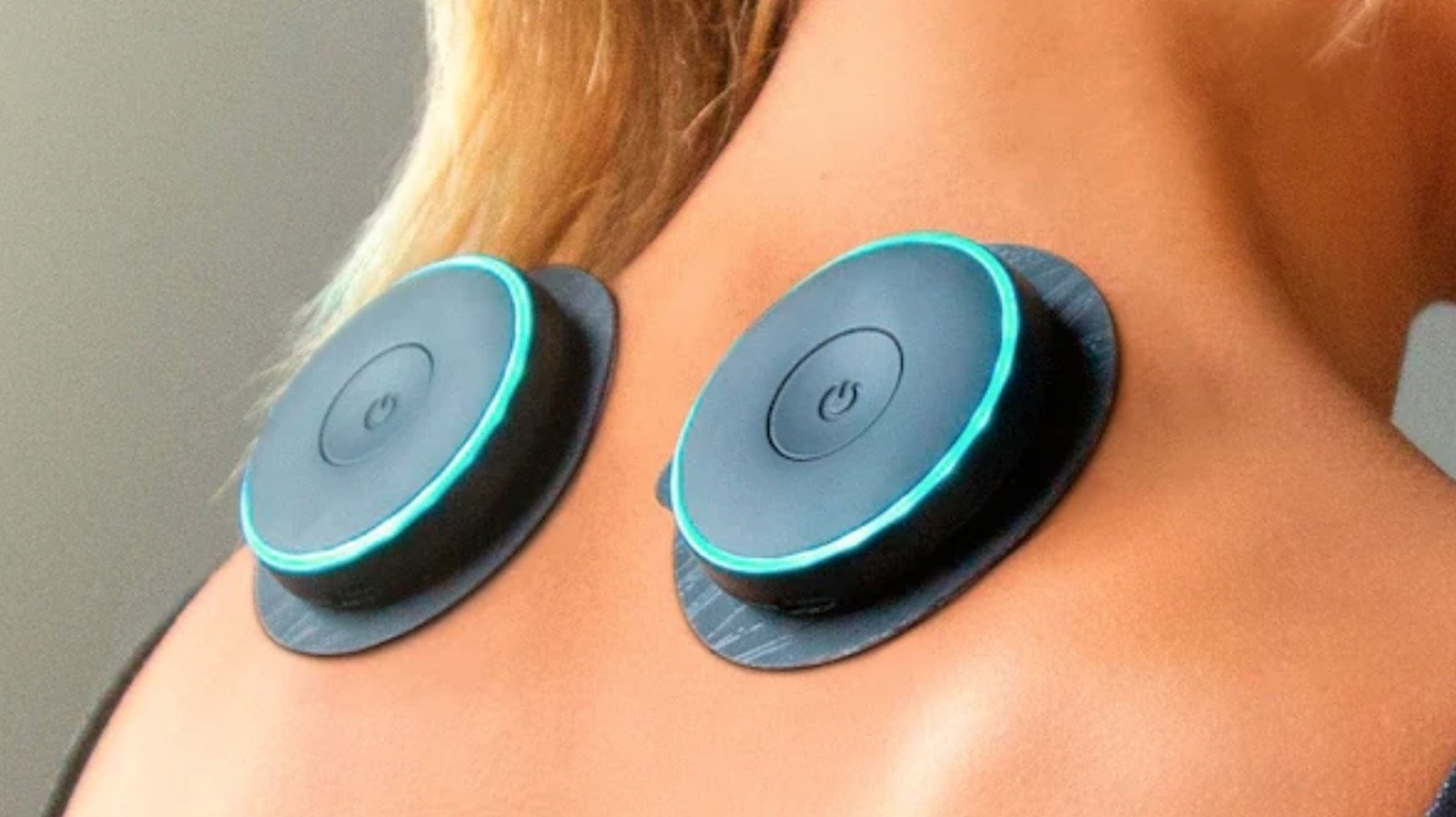
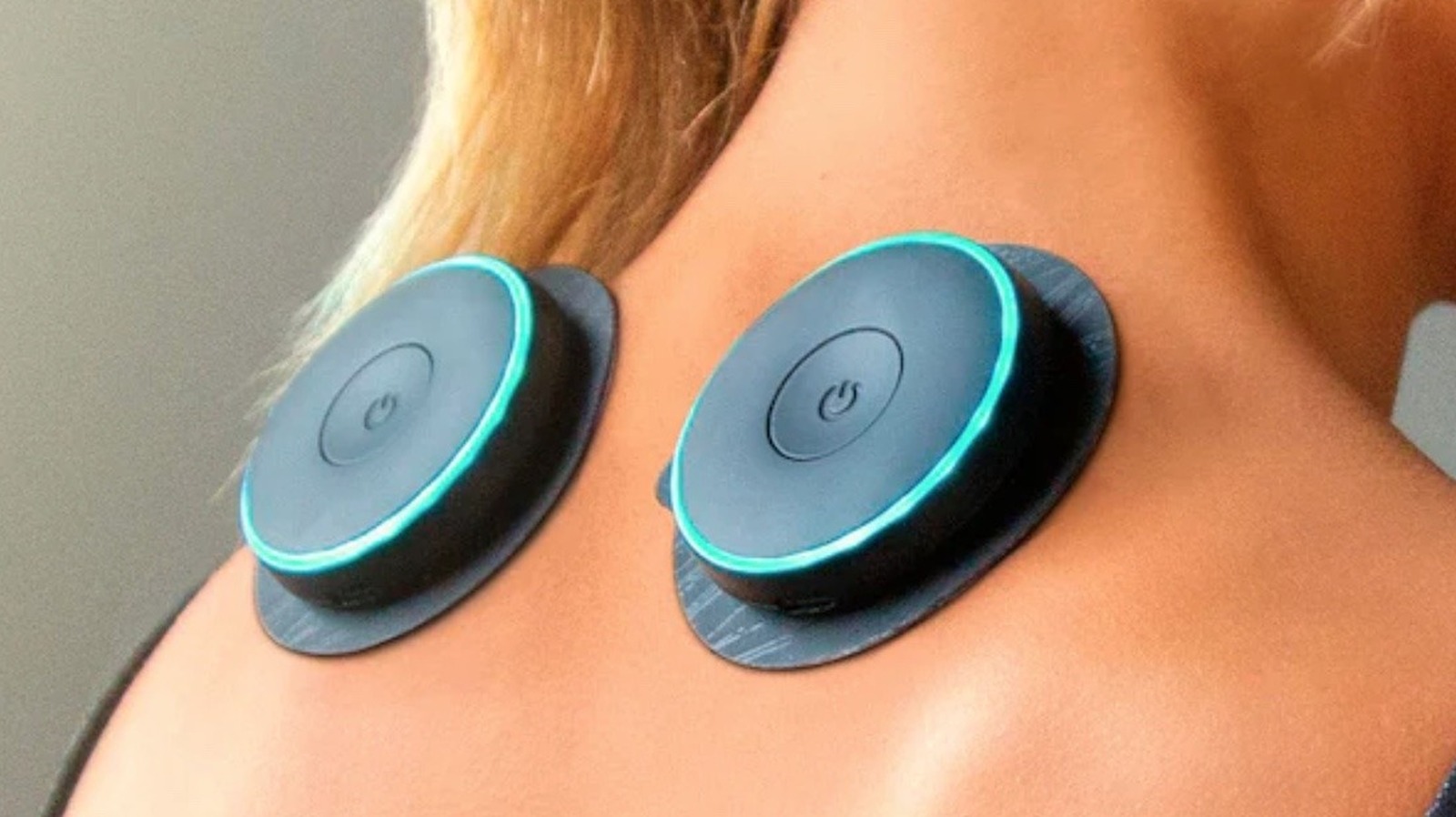
Per Chirp, the device is designed for more than just post-workout recovery and may offer pain relief for users who can’t always get professional help. From the look of things, these muscle stimulators are easy to use as well, with users sticking one of the two included rechargeable wireless “pucks” to sore parts of their bodies. The pucks then stimulate muscles in the region via a method selected through a handheld controller. If you need guidance about where to place those pucks, Chirp offers it through a free-to-download app.

Users are largely pleased with the Halo Muscle Stimulator, rating it at 4.7 stars on its Best Buy page, and praising it for its effectiveness and ease of use. Some, however, believe the battery life may not be quite as robust as Chirp claims. A CNN tester seemingly backed those claims up in their own largely positive review.

Advertisement


Source link

Advertisement
Continue Reading

Tech

BGIS Grand Finals Day 2 Highlights: Soul Finish Strong, Genesis Dominate

Published

on

Day 2 of the BGIS Grand Finals was chaotic in the best way possible. A variety of teams got into the top three, but Soul was ultimately the one left without a challenge. Genesis also showcased some of the best assault gameplay. They ranked second without winning a single game. Here’s everything that happened on the second day of the BGIS Grand Finals 2026.

Match 7 & 8: OG Bounce Back, Genesis Go Ruthless

The day kicked off with instant action. Nebula was put under heavy pressure early and lost three players quickly to Team Tamilas. OG, on the other hand, came out firing with five finishes within the first circle itself. LEFP was the first team to be wiped out after getting caught in a crossfire while rotating into the zone. K9 followed soon after, continuing their rough tournament run.

Soul looked strong early with 7 kills, but were surprisingly eliminated early by VE, missing out on position points. WF and RNTX also fell quickly, while GodLike couldn’t get going and was eliminated with just a single point. That opened the door for OG, MYTH, and VS. MYTH were taken out first by OG, and from there, OG sealed the deal with a much-needed chicken dinner.

The second match started with MYTH getting caught off guard by Genesis, who carried forward their momentum from Day 1. RGE and NINZ were the first teams to go, followed by VE in a shocking early exit. NBE’s struggles continued, and GodLike once again had a middling outing.

Advertisement

But the story of this match was Genesis. They were relentless, picking up 15 kills and dominating the lobby. In the final moments, it came down to Genesis, LEFP, and WF. Genesis had the zone disadvantage and were taken out by LEFP, but WF—who had zero kills until then—stepped up and wiped LEFP to steal the chicken dinner.

Match 9 & 10: Chaos, Upsets, and Early Exits

BGIS Image

The third match had chaos written all over it. MYTH was dismantled early by multiple teams and eventually finished by Genesis. OG, coming off a chicken dinner, had a shocking exit after losing a straightforward 4v1 against LEFP.

One of the biggest moments was GodLike taking down VS in a bold play that got the crowd going. The final zone was insane, with Soul, GodLike, and NIMZ playing some of the best BGMI we’ve seen so far. GodLike were taken out first thanks to NIMZ’s grenades, followed by Soul, who were down to a single player.

The fourth match began cautiously, with teams playing it safe for position points. MYTH got things rolling by picking off WF players, eventually eliminating them. Soul tried an aggressive push but lost two players in the process. Genesis’ early exit from a shack was one of the biggest surprises. Nebula, OG, and GodLike were also eliminated quickly, with Revenant Xspark playing a key role in third-party fights. Soul was eventually taken out in 7th place due to the playzone.

Match 11 & 12: Nebula Comeback, Soul Finish Strong

The fifth match started explosively, with LEFP losing three players to VE in a drop clash. TT and NINZ both found themselves in messy fights and were left with just one player each. WELT was the first full team to go after a fight involving K9 and a GodLike third party. WF, LEFP, and VS followed, while K9 made a major blunder and was eliminated without scoring. Genesis crossed the 100-point mark in this game, but the real story was Nebula. After a rough run, they finally showed what they were capable of—securing a chicken dinner with over 10 kills.

Advertisement

The final match of the day had everything. LEFP started strong by wiping WF without losing a player. K9 tried to bounce back by taking down VS, but couldn’t sustain momentum and was eliminated early. A chaotic mid-game fight between Nebula, RNTX, Genesis, and MYTH saw multiple teams getting wiped out. Genesis was regrouping when Soul third-partied and eliminated them. GodLike once again fell early, and Soul found themselves in a strong position heading into the final zones. The final fight took place in a church compound, with five teams battling for control. But the zone shifted away, forcing everyone into the open.

In the end, it came down to Soul, LEFP, and OG. LEFP were bombarded with grenades, OG were eliminated, and Soul closed it out to secure their first chicken dinner of the day. For the full standings, click here.

Source link

Advertisement
Continue Reading

Tech

These 40 Amazon Spring Sale Tech Deals Are Actually Good. We Checked the Price History (2026)

Published

on

After a relatively quiet few months, Amazon is bringing back another of its famously invented shopping holidays. The Amazon Spring Sale is in its third year, running now through March 31. Like during last year’s event, Amazon is promising customers thousands of deals across various daily, themed categories.

Of course, as we’ve seen in the past with Prime Day, Black Friday, and Cyber Monday, the true discounts on good products will likely be buried among junk deals on shoddy wares. The WIRED Reviews team tests gear all year long, and we fact-checked discounts on the products we actively recommend to our friends, family, and readers. We’ve highlighted the best deals from the Amazon Spring Sale below.

Be sure to check out our other deals coverage for vacuum discounts, smart bird feeders, and more.

Updated March 27, 2026: We’ve added additional deals, removed expired discounts, and checked for accuracy throughout.

Advertisement

WIRED Featured Deals:

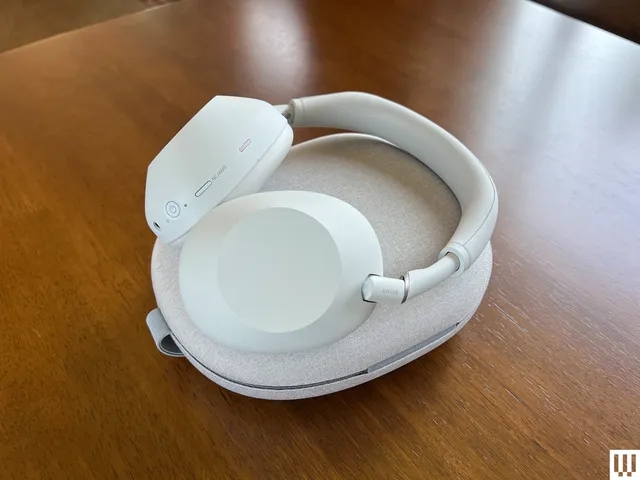
Image may contain: Electronics, Headphones, Dining Table, Furniture, and Table

Our audiophile reviewers test more headphones than anyone would deem sane or necessary. The Sony WH-1000XM6 are the pair they’ve declared the best wireless headphones of all, with “the best noise reduction on Earth.” You’ll also get 30 hours of battery life, multipoint Bluetooth pairing, folding ear cups and a travel case, sparkling and clear sound, and fabulous controls. They’re nearly perfect. When they’re not on sale for this price, they’re selling for the full MSRP. If you’re in the market, now is the time—or, if you’re not ready right now, wait until the next time they’re on sale for this price.

Source link

Continue Reading

Tech

WWDC, Apple Music Genius, and ads in Apple Maps, on the AppleInsider Podcast

Published

on

Apple has announced the dates for its annual WWDC and hinted that this is when the new Siri is coming, plus it’s released AI features in Apple Music, and says ads are coming to Apple Maps, all on the AppleInsider Podcast.

Dark background with glowing silver text reading WWDC26, light flaring around the numbers, and a small black circle in the upper right corner containing white lowercase letters ai
WWDC is coming

As reluctantly predicted, it now looks as if the new and revised Siri will debut in full at WWDC — although we might get some improvements in iOS 26.5. While anyone who finds Siri continues to be broken, will cross their fingers for the update, Apple has released iOS 26.4.
Among its updates are the usual exciting new emoji, but also a Genius feature for having Apple Intelligence produce an Apple Music playlist for you. Equally, though, Apple Music continues to step up its human-curated playlists, too.

Continue Reading on AppleInsider | Discuss on our Forums

Source link

Continue Reading

Tech

Huawei just dropped a monster AI chip claiming 2.87x Nvidia H20 performance and massive memory gains under heavy restrictions

Published

on


  • Huawei introduces Atlas 350 with significant FP4 compute performance claims
  • New accelerator card focuses on inference workloads and multimodal AI processing
  • Huawei Atlas 350 delivers higher memory capacity and improved bandwidth efficiency

Huawei has officially launched the Atlas 350 accelerator card, featuring its new Ascend 950PR processor, at the Huawei China Partner Conference 2026 in Shenzhen.

The company claims this NPU delivers 1.56 PFLOPS of FP4 compute performance, which is reportedly 2.87 times higher than Nvidia’s H20.

Advertisement

Source link

Continue Reading

Tech

3 Handy Ways To Use A UV Flashlight Around The Home And Garage

Published

on


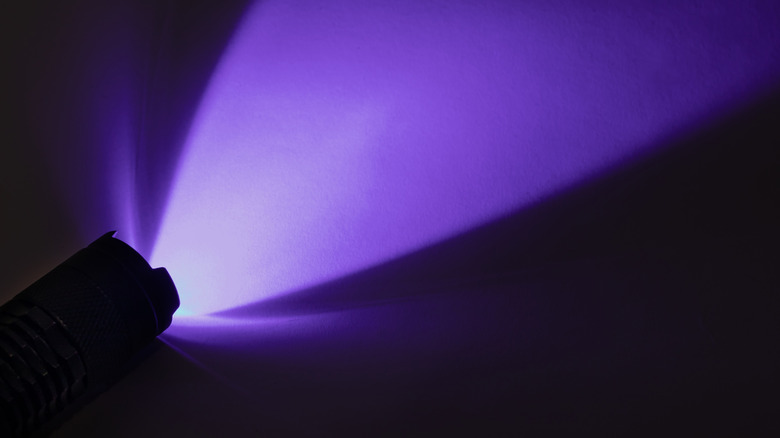
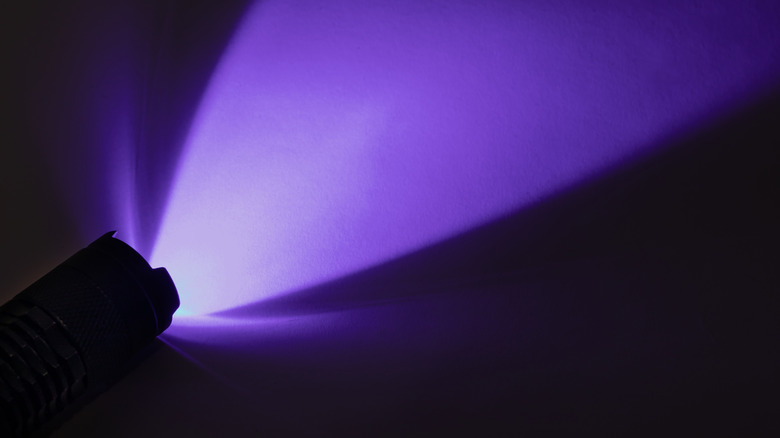
What if we could turn off the lights, flip on a flashlight, and watch the world transform in a dim purple glow? If you’re a fan of forensic crime dramas, or you’ve used ultraviolet tools at work to detect counterfeit money, then you know that a UV flashlight can open a new world of exploration. But UV light isn’t just a tool for police procedurals — you can harness its power at home.

Visible light, or light that we see with our naked eye, is only a tiny portion of the spectrum. Invisible light, like infrared and UV, remains unseen by the eye, but we often use it in our daily lives. We use X-rays to diagnose broken bones and microwaves to re-heat last night’s burritos. 

UV light may not be able to warm up your snack, but a UV flashlight, or black light as it’s sometimes called, causes substances to fluoresce, making the invisible, visible. You may have one sitting in your junk drawer, an oddity that you don’t know how to use, or perhaps you’ve invested in a multi-use tool that includes a UV light. Here are three ways that you can put that UV flashlight to work around the house — just be careful: extended exposure to UV light can cause skin irritation, and you’ll want to avoid direct eye contact. A standard long-wave, portable flashlight should be safe when used properly, but be sure to read all instructions first.

Advertisement

Exploring nature

If you have an aversion to creepy crawlies, you may want to skip to the next section, but if you or your family are entomophiles (people interested in bugs and insects), grab that UV flashlight and read on! Some insects and arachnids actually glow under UV light, like scorpions and some millipedes. Fungi or mushrooms are also often fluorescent. Whether you’re hoping to see these creatures on a camping trip or looking to keep them out of certain spaces, try using UV light to spot them.

You can also use a UV light to attract other insects that won’t glow under the light. Called blacklighting, the process involves using a UV light to attract moths and other insects at night to observe or collect them. This may be a fun project to do with your kids on a warm evening if they like bugs.

Advertisement

Insects and arachnids aren’t the only things found in nature that will glow under UV light. Some minerals and gemstones do as well, including fluorite and opals. In Michigan, syenite rocks containing fluorescent sodalite glow under UV light. Known locally as Yooperlites, these rocks are even featured on the state’s tourism website!

Advertisement

Leak detection

If you’re an at-home DIYer, you should definitely have a UV flashlight in your arsenal of handy tools. It can come in handy to detect automotive, HVAC, and even plumbing leaks. To detect leaks in your vehicle, you’ll need to pick up a UV leak detection kit and pinpoint where the potential leak is located. The kit will have a special dye that will illuminate when your UV flashlight hits it. You simply add the dye to the fluid that you think may be leaking, such as the engine oil or air conditioning refrigerant, run the appropriate system for a few minutes, and then use your flashlight to check for leaks.

The process is similar if you’re looking for a leak in your HVAC or plumbing systems. Inject the appropriate dye, run the system or your water for a few minutes, then use your flashlight and look for fluorescence. In all instances, you’ll want the room to be as dark as possible so you can easily spot that telltale glow.

Advertisement

Spotting pet stains

This may be one of the most common household uses for UV flashlights: seeking out that potential mess made by your cat, dog, or even your wayward hamster. Potty accidents are just part of the package deal when it comes to pet ownership. Whether you have a new puppy, an elderly pet, or strife within the household that’s leading to your cat marking its territory, accidents happen. If you’re getting a whiff of urine but can’t find it, try darkening the room and deploying that UV flashlight. Urine and other biological fluids contain phosphorus that naturally glows, but you’ll need a UV light to see it.

If the mess is recent and still damp, it may not glow, but wet messes are easier to spot with the naked eye and may not require a UV flashlight. Make sure the room is dark, and get close to suspicious surfaces, or you may miss the soiled area. While other things glow under a black light, urine should appear yellow. You may see a puddle, splashes, or drips that will disappear once you turn off the UV light, so mark the spot for clean-up first and invest in a good upholstery cleaner.


Advertisement

Source link

Continue Reading

Tech

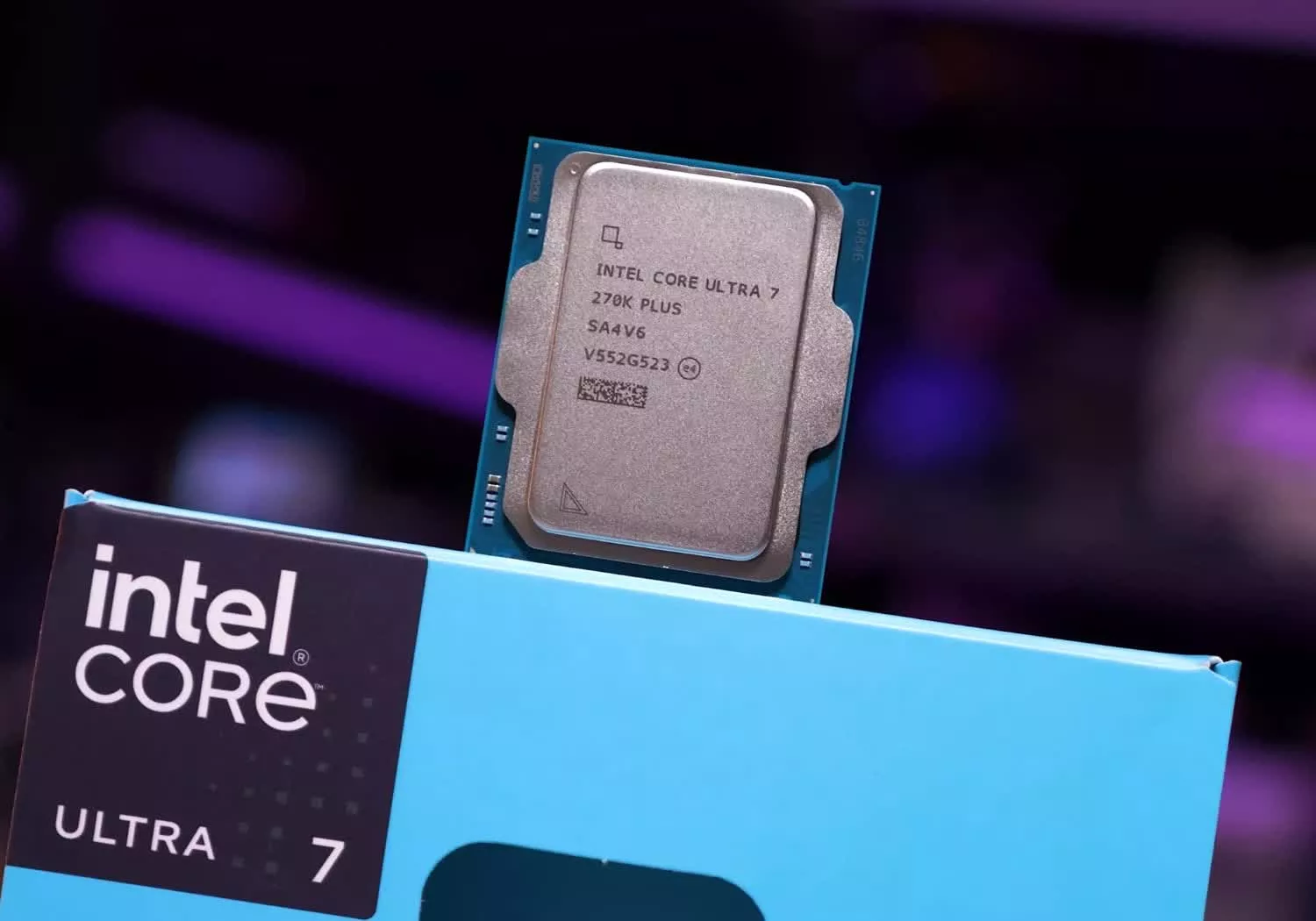
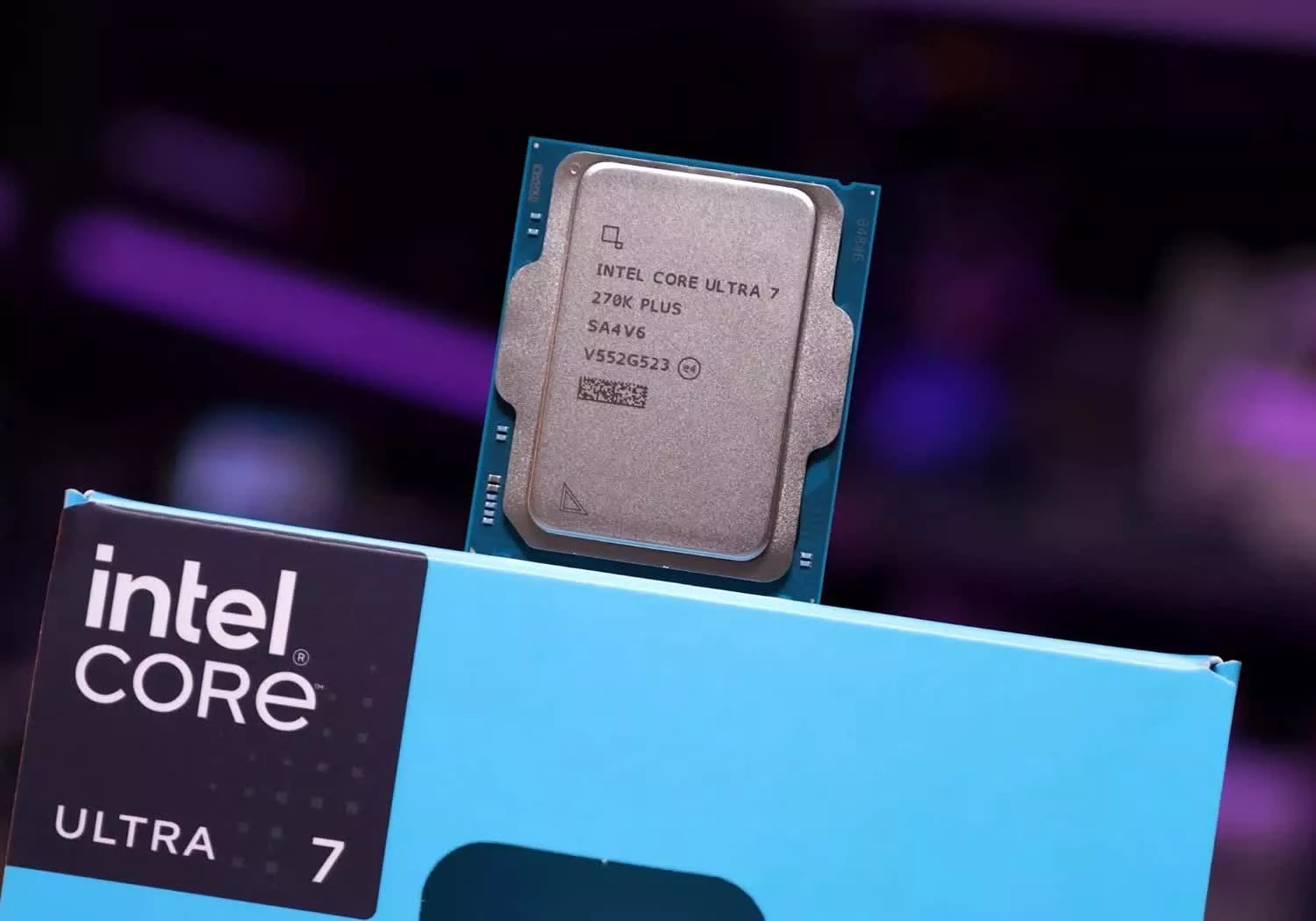
Intel Core Ultra 7 270K Plus Review: AMD Needs to Respond

Published

on

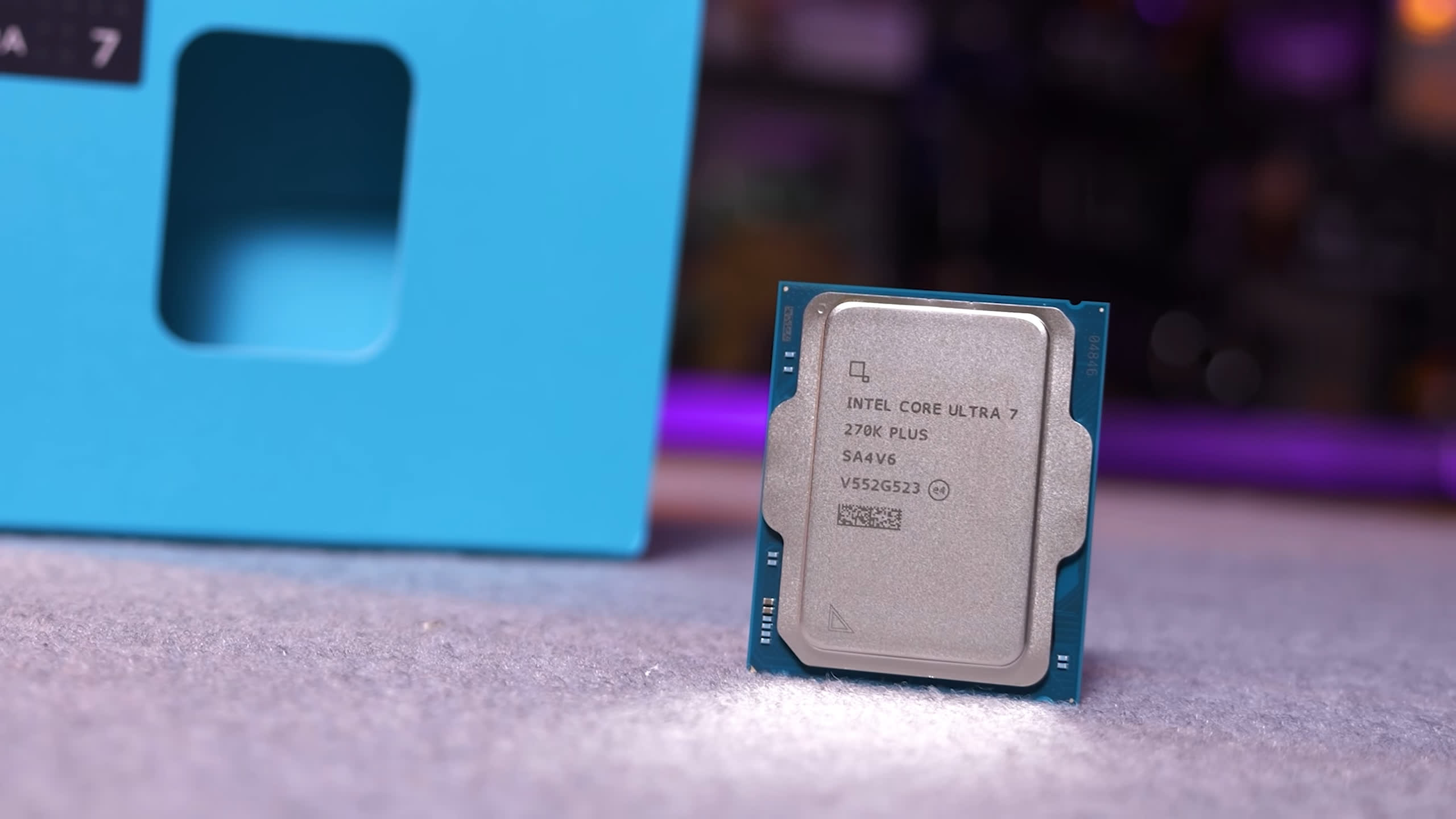
Intel’s Core Ultra 7 270K Plus pushes beyond the 250K Plus with more cores and cache for $300. It costs more, but could be a strong value for high-end productivity workloads.

Read Entire Article
Source link

Continue Reading

Tech

Mac Gaming Takes an Unexpected Turn With the M5 Max MacBook Pro

Published

on

Apple MacBook Pro M5 Max Windows Gaming Test
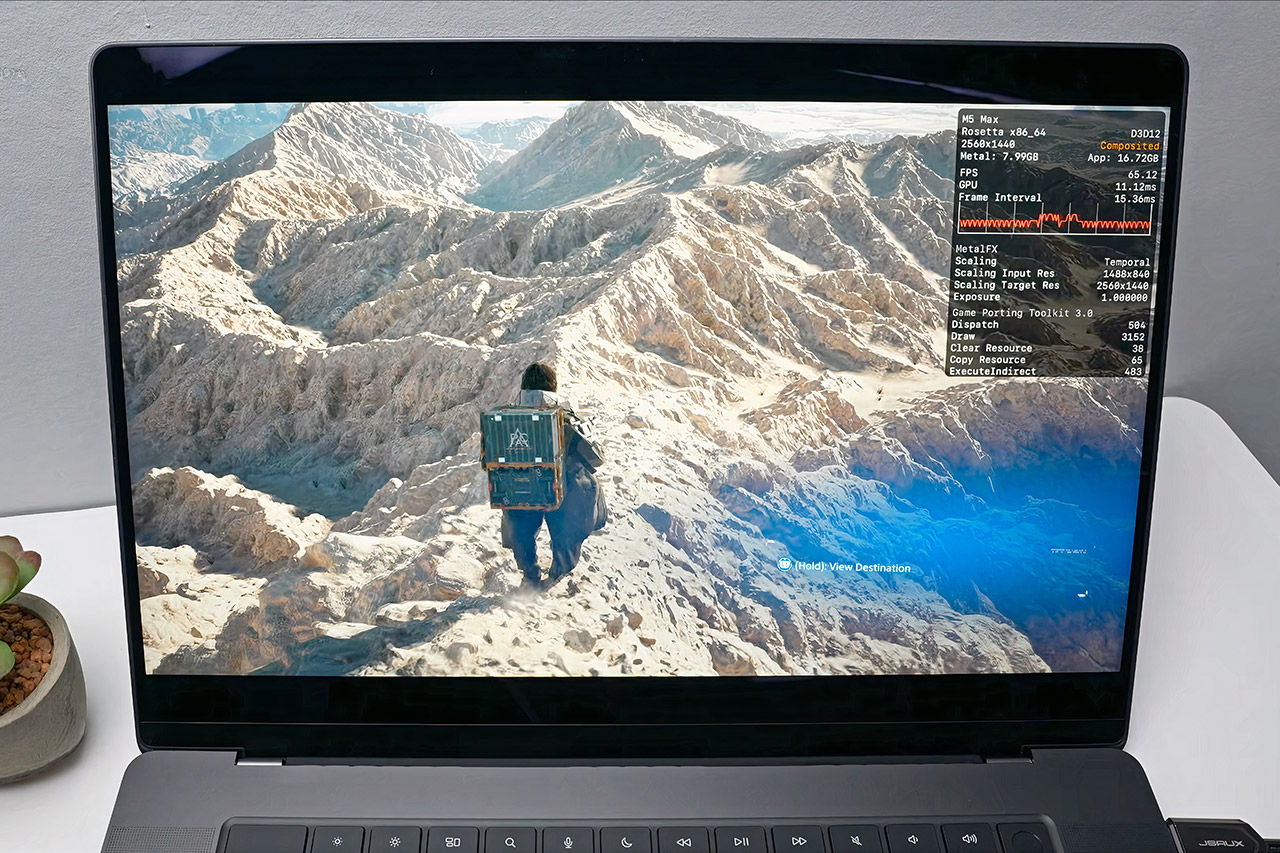
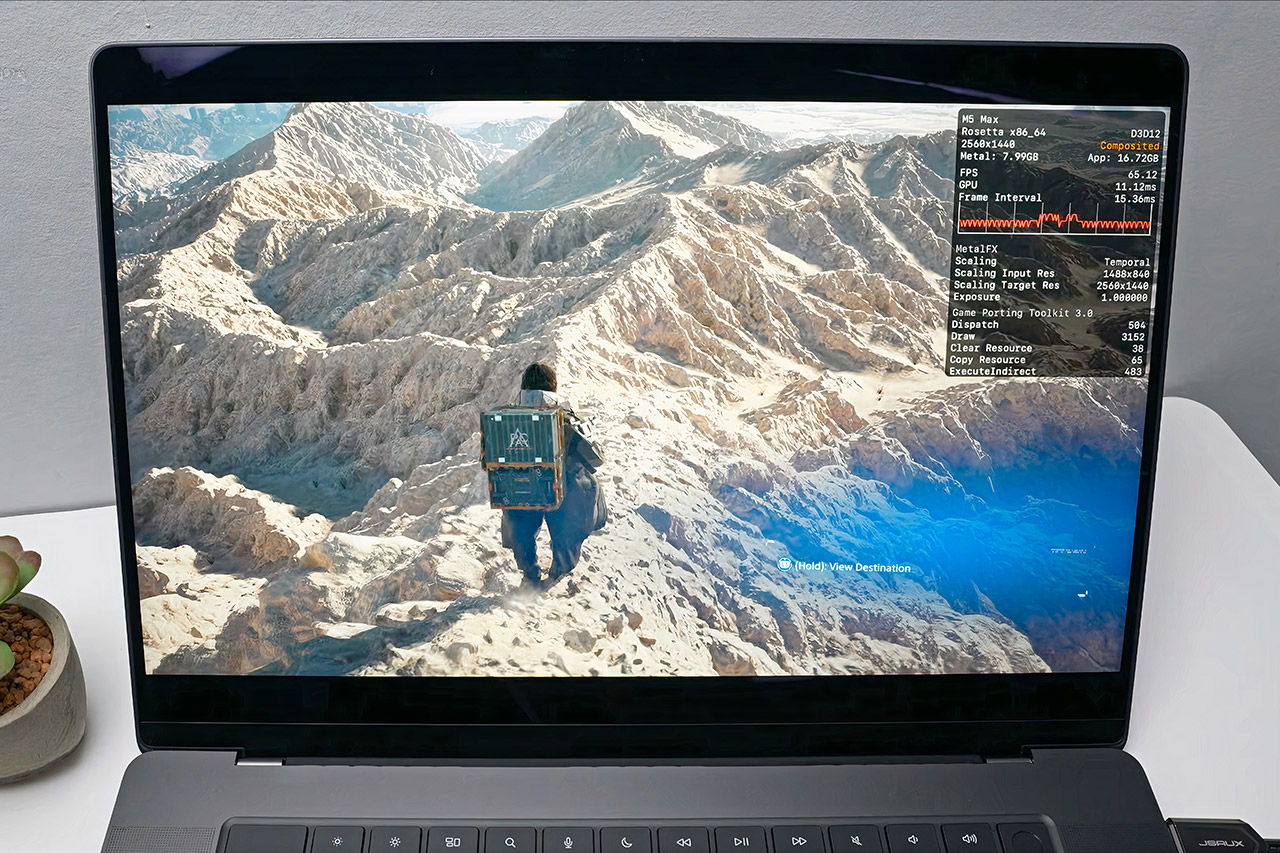
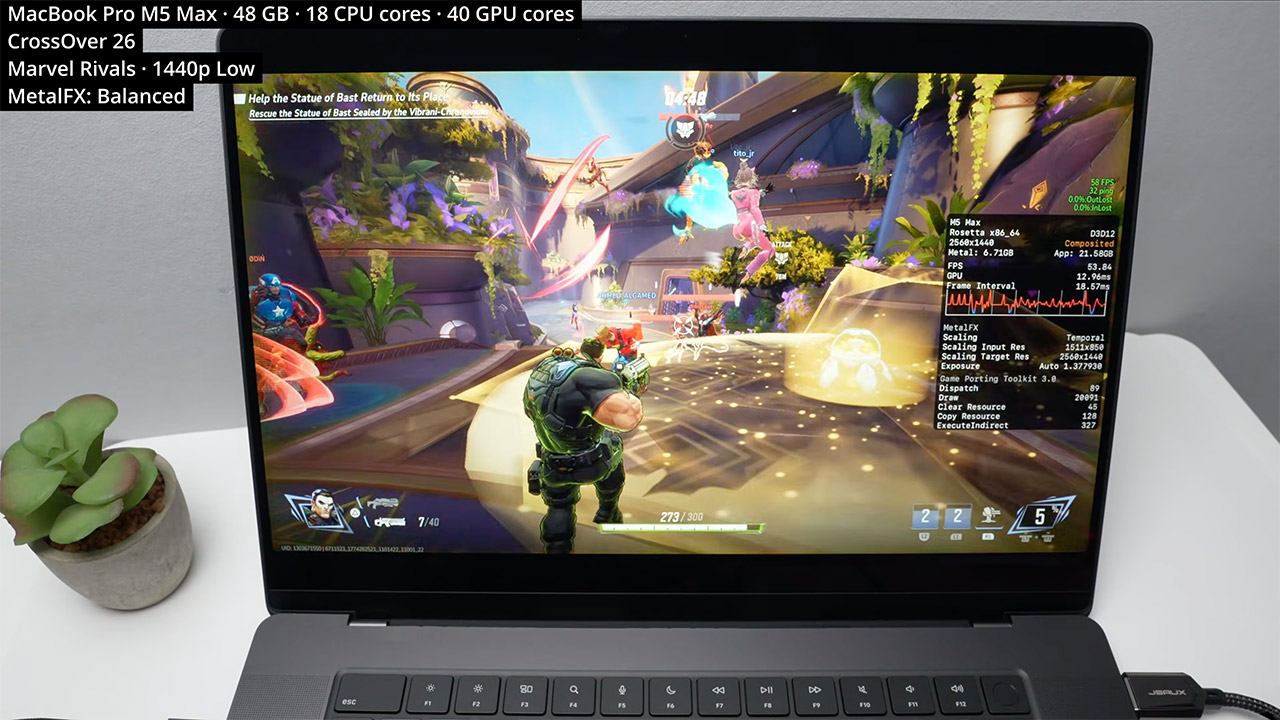
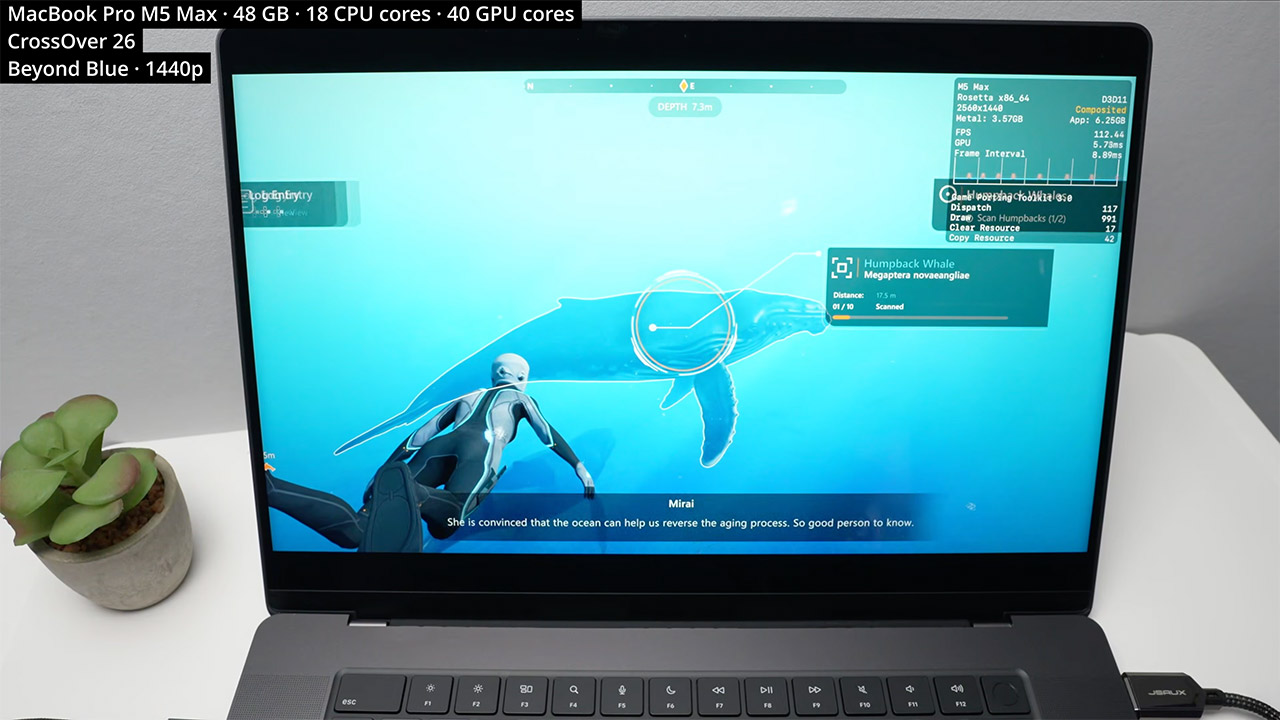
When Apple dropped the M5 Max into the latest MacBook Pro, the obvious question was how far the chip could be pushed beyond the usual creative and productivity workloads. Andrew Tsai decided to find out, loading up 20 Windows games and running them through the CrossOver translation layer. The results were surprising to say the least, with the MacBook delivering solid frame rates in demanding titles that were never designed with Apple silicon in mind.


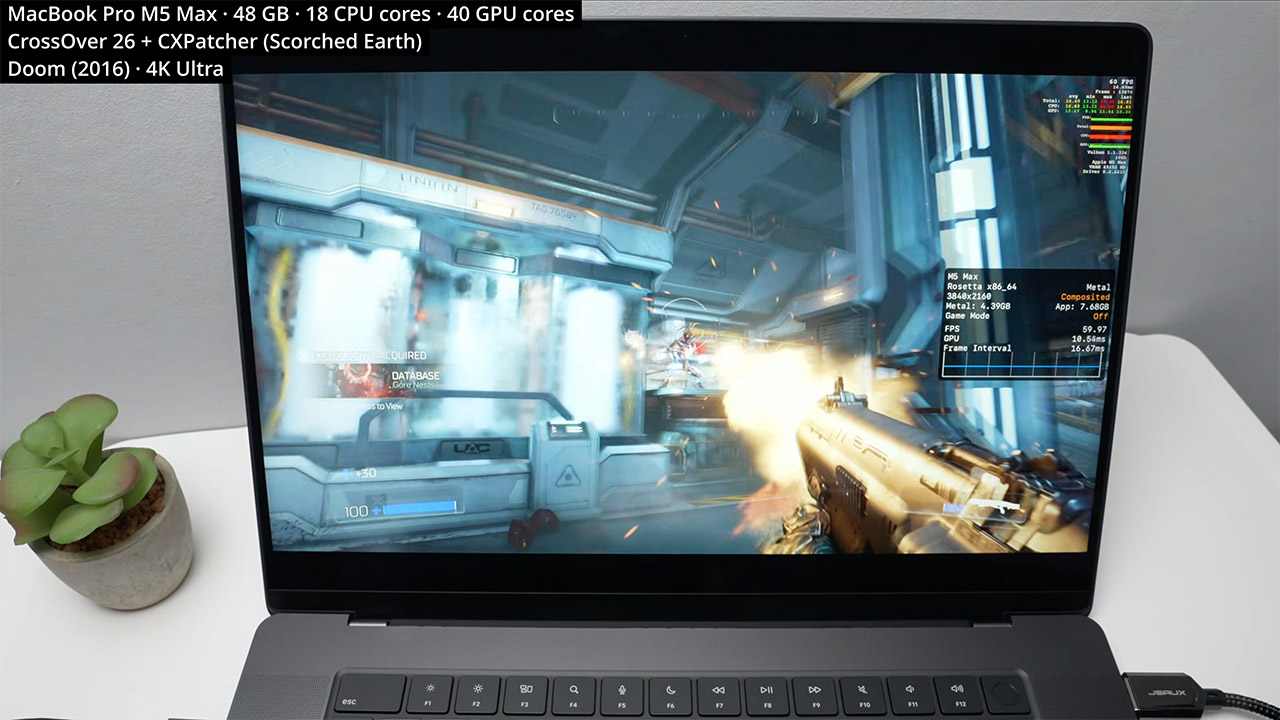
CrossOver handles the translation work, converting Windows game instructions into something macOS can process and swapping DirectX calls for Metal, with MetalFX upscaling available to sharpen visuals without hitting performance. Tsai ran everything on a fully loaded MacBook Pro with the 40 core GPU version of the M5 Max, 48GB of memory, and 18 CPU cores. Most games were tested at 1440p with a handful pushed to 4K, adjusting settings throughout to keep frame rates as smooth as possible.


Apple 2026 MacBook Pro Laptop with Apple M5 Max chip with 18-core CPU and 32-core GPU: Built for AI…
  • FAST RUNS IN THE FAMILY — The 16-inch MacBook Pro with the M5 Pro or M5 Max chip brings next-generation speed and powerful on-device AI to personal…
  • BUCKLE UP — Along with a next-generation CPU, faster unified memory, and up to 2x faster SSD storage,* M5 Pro and M5 Max feature a more powerful GPU…
  • BUILT FOR AI — Apple silicon, and every major component that powers it, is designed to run demanding on-device AI workloads like LLM inference and…

Apple MacBook Pro M5 Max Windows Gaming Test
DOOM from 2016 opened the session by running at a locked 60 frames per second in 4K on ultra settings, helped along by a MoltenVK tweak that Tsai found works particularly well on the M5 series. Wolfenstein Youngblood matched that result at 4K with online play running without issue, and Wolfenstein 2 handled maximum detail at 4K just as comfortably. The more demanding titles required a little more work. Death Stranding 2 needed a patch from the CrossOver beta to clear up some water and geometry glitches, but settled into a steady 50 frames per second at 1440p on medium with MetalFX upscaling. Black Myth Wukong pushed past 50 frames per second at the same resolution on medium settings with MetalFX handling 66 percent of the rendering load, and Horizon Forbidden West held a consistent 50 frames per second at 1440p on medium with quality upscaling engaged.

Apple MacBook Pro M5 Max Windows Gaming Test
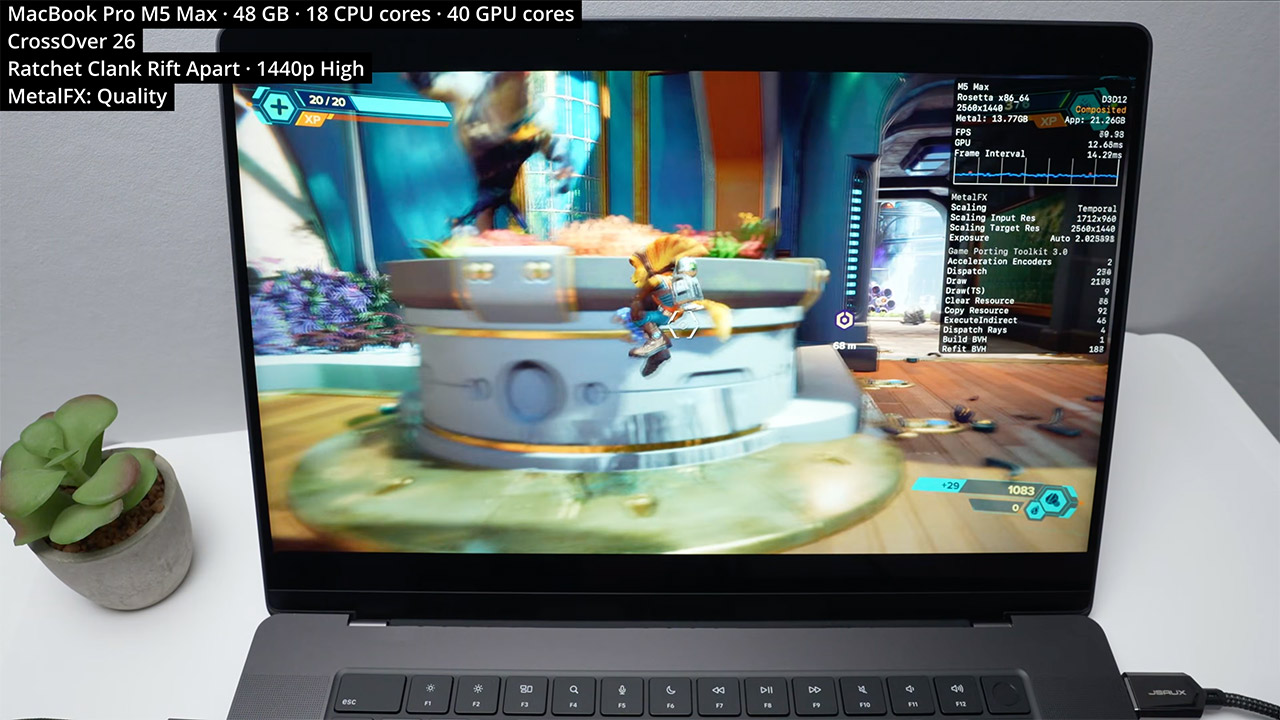
Ratchet and Clank Rift. Apart felt entirely at home, achieving 60 frames per second at 1440p on high with MetalFX quality setting on. Kingdom Come Deliverance 2 was likely the standout performance, exceeding 80 frames per second and reaching 100 at 1440p high while scaling from a lower internal resolution. The rest of the lineup carried the momentum forward. Ready or Not achieved 100 frames per second at 1440p high, with MetalFX handling 80% of the scaling work. Sekiro achieved 60 frames per second on its top setting, and Elden Ring matched it at 4K. Ghost of Tsushima operated at a consistent 70 to 80 frames per second at 1440p high resolution, with quality upscaling from 960p. Final Fantasy 7 Rebirth settled at 52 to 53 frames per second at 1440p low, with temporal anti-aliasing and 66 percent scaling, implying that going to 1080p will smooth things down even more.

Apple MacBook Pro M5 Max Windows Gaming Test
This setup will not replace a high-end Windows gaming rig with a dedicated discrete GPU, but it does make a convincing case for the MacBook Pro’s ability to hold its own when necessary. Creative workers have long relied on these devices for video editing, photo work, and 3D rendering, and now they can now play Windows-only titles on the same gear without having to carry a separate device. Battery life lasts quite well during gaming sessions, thanks to the efficient architecture that keeps power use under control, and connecting external disks or docks is simple, with no surprises on the storage or port front.

Apple MacBook Pro M5 Max Windows Gaming Test
Tsai wrapped up by noting that console emulation is looking increasingly promising on this technology, with the 40 core GPU providing the raw power to tackle demanding scene translation and rendering in real time. For those already using a MacBook Pro with the M5 Max, the takeaway is simple. A substantially wider collection of games is now available on your existing system, with no new hardware required and no complicated workarounds in the way.
[Source]

Source link

Advertisement
Continue Reading

Tech

Austria is pursuing a social media ban for kids under 14

Published

on

Austria is the latest country to prepare a social media ban for its children, but it’s going even further than others by including anyone under 14. In a press release, the Austrian government said it has introduced a comprehensive catalogue of measures meant to shield minors from the harms of social media. According to the press release, an official bill will be introduced by the end of June.

Andreas Babler, a vice chancellor and leader of the Social Democratic Party of Austria, said the government’s efforts would include the new age restriction, improved media literacy and clear rules for social media platforms. Austrian lawmakers didn’t detail what the upcoming rules would be, but the country is likely to follow in the footsteps of many others who have or are pursuing similar bans. While Australia was the first to implement a social media ban for anyone under 16, other European countries like Spain and the UK are also looking into comparable restrictions.

More recently, Indonesia approved new regulations that would prevent anyone under 16 from using social media platforms like TikTok, YouTube and Roblox. Indonesia’s social media ban just went into effect, but the country only specified that the law’s implementation would be carried out gradually until all platforms are in compliance, according to AP.

Source link

Advertisement
Continue Reading

Tech

Play A .WAV Instead Of Typing Line After Line Into Vintage Microcomputer

Published

on

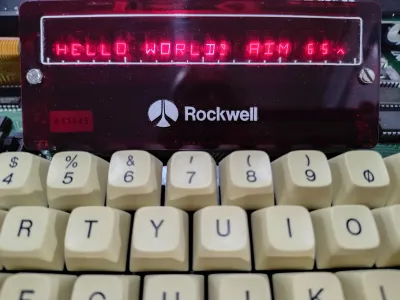
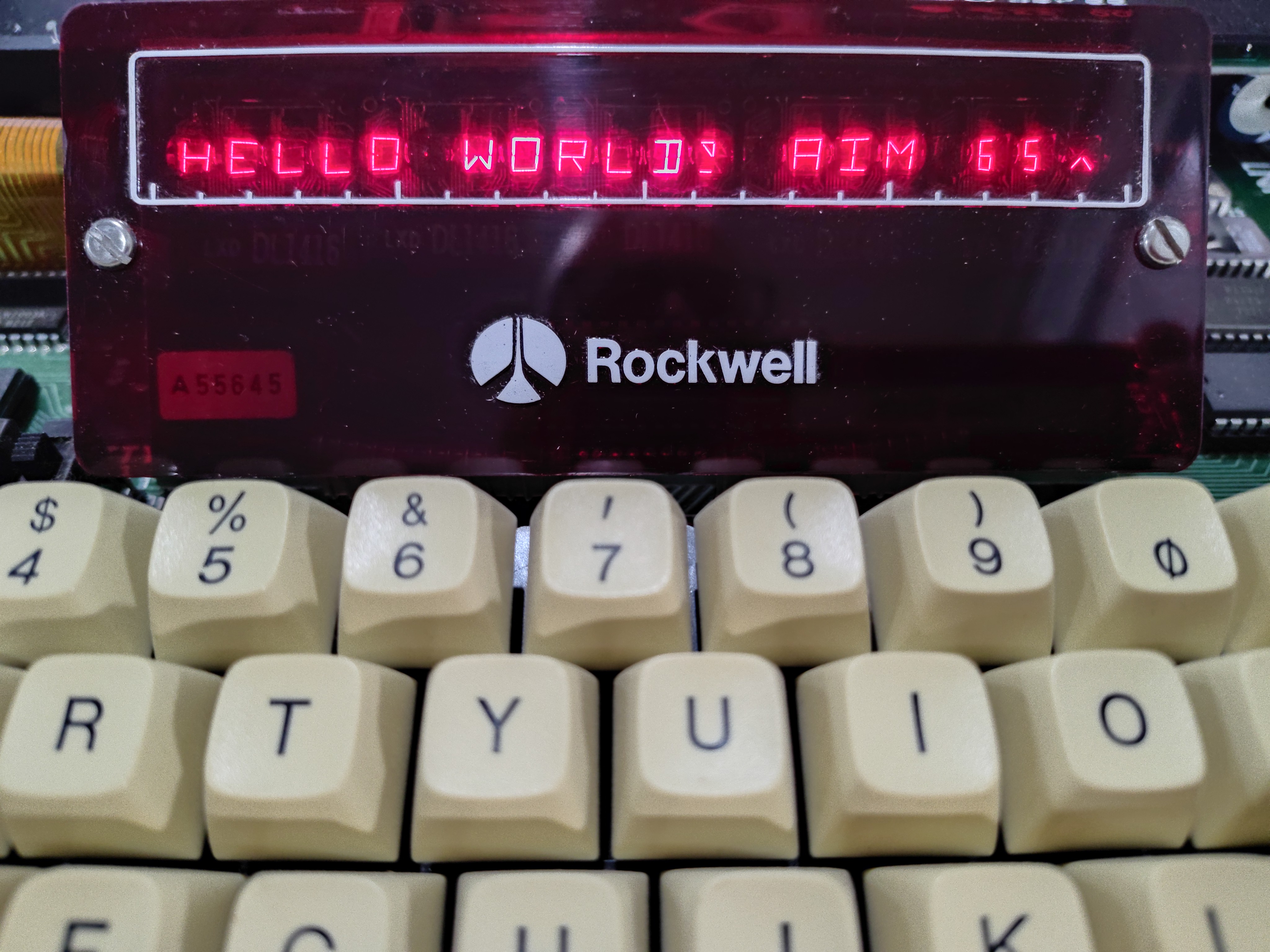
[Casey Bralla] got his hands on a Rockwell AIM 65 microcomputer, a fantastic example of vintage computing from the late 70s. It sports a full QWERTY keyboard, and a twenty character wide display complemented by a small thermal printer. The keyboard is remarkably comfortable, but doing software development on a one-line, twenty-character display is just not anyone’s idea of a good time. [Casey] made his own tools to let him write programs on his main PC, and transfer them easily to the AIM 65 instead.

A one-line, twenty-character wide display was a fantastic feature, but certainly lacking for development work.

Moving data wasn’t as straightforward in 1978 as it is today. While the Rockwell AIM 65 is a great machine, it has no disk drive and no filesystem. Programs can be written in assembler or BASIC (which had ROM support) but getting them into running memory where they could execute is not as simple as it is on modern machines. One can type a program in by hand, but no one wants to do that twice.

Fortunately the AIM 65 had a tape interface (two, actually) and could read and store data in an audio-encoded format. Rather than typing a program by hand, one could play an audio tape instead.

This is the angle [Casey]’s tools take, in the form of two Python programs: one for encoding into audio, and one for decoding. He can write a program on his main desktop, and encode it into a .wav file. To load the program, he sets up the AIM 65 then hits play on that same .wav file, sending the audio to the AIM 65 and essentially automating the process of typing it in. We’ve seen people emulate vintage tape drive hardware, but the approach of simply encoding text to and from .wav files is much more fitting in this case.

The audio encoding format Rockwell used for the AIM is very well-documented but no tools existed that [Casey] could find, so he made his own with the help of Anthropic’s Claude AI. The results were great, as Claude was able to read the documentation and, with [Casey]’s direction, generate working encoding and decoding tools that implemented the spec perfectly. It went so swimmingly he even went on to also make a two-pass assembler and source code formatter for the AIM, as well. With them, development is far friendlier.

Advertisement

Watch a demonstration in the video [Casey] made (embedded under the page break) that shows the encoded data being transferred at a screaming 300 baud, before being run on the AIM 65.

Source link

Advertisement
Continue Reading

Trending

Copyright © 2025