By which we mean it bought someone else’s with other people’s money
OpenAI can’t have inexperienced consultants derailing the AI hype train, so it’s launching a consultancy of its own to help enterprises find the value in its models necessary to justify the spending, revenue that Sam Altman’s company desperately needs to cover its infrastructure costs.
To support the endeavor, OpenAI has agreed to acquire UK-based AI consulting firm Tomoro. The terms of the acquisition weren’t disclosed.
Advertisement
Tomoro will form the backbone of the OpenAI Deployment Company, which will operate as a standalone business unit tasked with helping enterprises find the value that they’ve been missing from the AI flag bearer’s models.
But don’t worry, McKinsey. OpenAI’s new Forward Deployed Engineers (FDEs) are only there to make sure you don’t sour enterprises on AI by dragging them down an expensive rabbit hole that fails to deliver value.
The new company is backed by the usual assortment of AI-crazed venture capitalists and private equity firms, but several consultancies, including Capgemini, Bain, and yep, McKinsey, have agreed to plow billions into the venture.
OpenAI says that its AI consultancy will launch with more than $4 billion of investments.
Advertisement
Presumably, these consultancies will call in OpenAI’s FDEs when they need help proving AI can boost productivity and/or cut payroll.
According to OpenAI, a typical enterprise engagement will look a bit like this: OpenAI’s FDEs will launch a diagnostic to determine where AI can create the most value, then carry out a select set of PoCs.
If successful, the FDEs will then design, build, and deploy production systems that tie into enterprises’ existing customer data and tools.
The experience gained from these integrations will no doubt be used to improve OpenAI’s models and services.
Advertisement
The acquisition of Tomoro would bring approximately 150 FDEs and deployment specialists into OpenAI’s new consultancy unit. The deal is expected to close in the coming months, subject to regulatory approvals.
Whether enterprises should hitch their saddle to OpenAI’s success at a time when inference providers and model devs are already jacking prices in an effort to get their infrastructure costs under control is another matter entirely.
As we reported last week, with the launch of GPT-5.5, OpenAI once again increased its API pricing. For one million tokens, GPT-5.5 is priced at $5 (input), $0.50 (cached input), and $30 (output), double that of its predecessor. But don’t worry, OpenAI says the model might be more frugal about how it uses those tokens. ®
This win underscores the global standard of Malaysia’s technology sandboxing framework, where we competed with over 1,000 nominations from 29 Asia-Pacific markets to secure gold.
For context, the Stevie Awards is a global premier business award competition that evaluates thousands of the world’s most respected executives, entrepreneurs, innovators, and business educators.
Advertisement
Securing its spot on the list distinguishes the NTIS programme as a prominent regional industrial and technological player. The panel of judges even praised the programme as one that sets a new benchmark for strategic technology planning.
“This award belongs to the entire Malaysian innovation ecosystem. By working alongside regulators, industry partners, and government agencies, NTIS has proven that a collaborative ‘living lab’ approach can yield extraordinary economic results,” he added.
A cornerstone of Malaysia’s innovation ecosystem
Image Credit: MRANTI
A national government initiative spearheaded by MOSTI with Malaysian Research Accelerator for Technology and Innovation (MRANTI) as its lead secretariat, NTIS provides a structured platform for researchers and startups to efficiently validate high-growth technologies like autonomous systems and advanced robotics.
It’s a dynamic and open innovation ecosystem that allows researchers and entrepreneurs to test their products and services in a live environment. Participants are then able to qualify for grants to bring their products and services to market, thereby bridging the gap between innovative concepts and being commercially viable.
Advertisement
Since its inception in 2020, the programme has matured from a strategic pilot into a cornerstone of Malaysia’s innovation ecosystem.
It has delivered substantial results under the 12th Malaysian Plan (RMKe-12), including but not limited to:
facilitating over RM17.8 million in total commercialisation value,
distributing RM142.2 million in funding to support 229 high-impact projects,
catalysed the creation of 333 high-income jobs, strengthening the nation’s technical workforce,
generating RM122.8 million in export value through 14 focused international projects, and
managing a robust portfolio of 66 Intellectual Properties (IPs), with 36 new IPs filed to safeguard local innovation.
Each of these government agencies play crucial roles in coordinating the nation’s innovation ecosystem and advancing the growth of local innovators.
En route to becoming a high-tech nation
Image Credit: MRANTI
Bagging this award signals a major shift in Malaysia’s approach towards economic development, where we’re moving beyond just focusing on technological progress. Instead, we’re now focusing on getting our homegrown innovations adopted, commercialised, and ready to deliver real impact to the nation.
Ashran Dato’ Ghazi, the CEO of MRANTI and the lead secretariat of NTIS programme expressed, “Winning the Gold Stevie Award is a testament to Malaysia’s unwavering commitment to becoming a high-tech, high-income nation.”
Advertisement
In alignment with this, YB Datuk Chang Lih Kang shared that moving forward, the NTIS programme will be scaling its efforts in accelerating market adoption and expanding the global presence of Malaysian technologies under the 13th Malaysian Plan (RMKe-13).
As NTIS enters its next chapter, it’ll be shifting the focus towards “Deepening Impact” through its Global Testbed & Sandbox Alliance (GTSA), facilitating cross-border collaboration and regulatory harmonisation.
HIDDEN is an outdoor escape room game that allows players to explore Singapore’s neighbourhoods & history
Singapore is not short of escape rooms, ones that are usually built indoors and feature puzzles for participants to solve for them to beat the game and “escape” the room.
However, there is one business that is taking the concept of escape room outdoors, and that is HIDDEN.
We spoke with HIDDEN co-founders, Lim Yee Hung, 40 and Loh Jun Wei, 40, to find out how they captivate “thousands of people” weekly with their game that blends the physical world with the virtual.
Returning home inspired HIDDEN
(L to R): Lim Yee Hung and Loh Jun Wei, the two co-founders of HIDDEN./ Image Credit: HIDDEN
Having been in the United Kingdom for 14 years, Yee Hung had spent his time there as a terrain analyst in London for Deloitte and a property developer, particularly specialising in theme park projects.
One of his projects was Castle Black from Game of Thrones, for which he signed a license with HBO to turn it into a theme park.
Advertisement
When COVID-19 hit, Yee Hung sold off his projects in Britain and returned to Singapore, where he taught himself to code and built HIDDEN with his co-founder and ex-JC classmate, Jun Wei. The duo launched in May 2022, a time Yee Hung called “perfect” during the circuit breaker period.
“People loved that it got them out of the house, having fun learning about their own backyards, while still being compliant with social distancing rules,” he said.
Despite spending close to two decades away from Singapore, Yee Hung said he never really lost touch with home. Instead, returning made him realise just how much the country had changed while he was away.
“When I left Singapore in 2007, Marina Bay Sands, Gardens by the Bay, and Jewel didn’t exist. The population was under five million. Coming back, it was a very different Singapore: over six million people, a new skyline, and a new energy to the city,” Yee Hung recalled.
Advertisement
At the same time, many of the places from his childhood had disappeared too, from the neighbourhood shops he used to frequent, to the flat he grew up in and the fields where he played football.
That sense of loss eventually became the inspiration behind HIDDEN Singapore. To Yee Hung, the game was a way of preserving both the Singapore that no longer exists and the present-day Singapore that could one day disappear too.
It was my way of preserving the Singapore that’s gone and the Singapore now that we will no doubt miss 10 years from today, because Singapore changes so, so fast.
Digging through Singapore’s archives to build HIDDEN
Players during a HIDDEN game./ Image Credit: Lim Yee Hung
Drawing from his experience working with global brands like HBO, Yee Hung wanted HIDDEN to go beyond surface-level storytelling and create experiences that genuinely immerse people in Singapore’s history and culture.
“When you’re working at that level, it’s not enough to just capture the vibe. You’re expected to do the research, really understand the source material, the characters, the story, and the world. And more importantly, your work has to add to it, not just reference it,” he shared.
While working on the Castle Black theme park project, Yee Hung became deeply familiar with the Game of Thrones universe, even down to the exact spots where key scenes involving Jon Snow took place. That experience taught him the importance of treating source material with depth, care, and respect.
Advertisement
It was a philosophy he carried over when building HIDDEN.
In the foreground are the Singapore Improvement Trust flats in Redhill Close. Yee Hung’s archival research, including oral history interviews, uncovered unexpected insights into Redhill’s past, revealing accounts of gang activity and secret societies that once operated in the area./ Image Credit: National Archives of Singapore
Instead of creating generic sightseeing trails, Yee Hung and Jun Wei spent around six months developing and coding the game. This included researching Singapore’s archives, piecing together historical materials and identifying the core narrative behind each neighbourhood.
Rather than developing a standalone app, they intentionally chose to have a chatbot integrated into WhatsApp as the platform to make the experience more accessible, especially for older users, while also making interactions feel more immersive by allowing players to “chat” directly with in-game characters.
How the game works
All this being said, you might be curious how the game actually works. HIDDEN turns Singapore’s architecture and neighbourhoods into a real-life immersive game.
Led by Void Deck Cat, the game’s in-house mascot and WhatsApp chatbot, players receive clues that guide them on quests across Singapore. By analysing architecture and their environment, they solve puzzles while unlocking historical photographs and stories.
Advertisement
Players interact with HIDDEN’s Void Deck Cat throughout the game./ Image Credit: HIDDEN
As players explore different locations, they can text their answers to the chatbot or ask for hints if they get stuck.
Players start at a designated location, where they scan a QR code to begin. Each adventure has its own theme and starting point. For example, the MONOPOLY: Katong-Joo Chiat experience begins at the Singapore Visitor Centre.
Black Earth Auction House is one of the places explored in HIDDEN’s MONOPOLY-themed adventure./ Image Credit: HIDDEN
All public adventures are self-guided and take around 60 minutes to two hours to complete. Each experience is priced from S$29.90 and comes with merchandise as well as freebies from local merchants exclusive to that adventure.
While the game can be played solo, Yee Hung recommends playing in groups of two to five so everyone can actively take part in solving clues. There are currently seven public adventures and seven corporate adventures available across Singapore.
As players move through neighbourhoods, they interact with Void Deck Cat via WhatsApp, receiving clues that prompt them to observe their surroundings.
Along the way, players can also unlock perks that direct them to local independent businesses such as pineapple bakery Kele for breaks and surprise rewards. In MONOPOLY-themed games, players even receive MONOPOLY money to spend at participating merchants.
Advertisement
At the end of the game, players submit their final answers and receive a summary page showing their completion time, missed clues, and the photos taken during their journey.
Strong reception locally and abroad
Building on its strong early traction since launch, HIDDEN has gone on to win the TripAdvisor Travellers’ Choice Award in its first year and has continued to receive it annually.
Yee Hung also shared that the experience has attracted more than 100,000 players to date, including both locals and tourists, with many returning to try different adventures.
Players during a HIDDEN game./ Image Credit: Lim Yee Hung
In addition, HIDDEN has secured major partnerships with brands such as Hasbro and the National Gallery Singapore, for its MONOPOLY and FRAMED tours respectively.
However, Yee Hung noted that the early days came with significant business challenges. These included convincing people to try a completely new concept, designing experiences that would genuinely delight players, and persuading local businesses and venues to participate in an untested format with no established track record.
Advertisement
With limited marketing budgets at the start, the team relied heavily on organic growth. “Word of mouth is free and so much more powerful,” he said.
On the operational side, Yee Hung also highlighted the technical demands of running HIDDEN at scale. The team had to ensure their systems could handle thousands of simultaneous chatbot interactions without crashing, which led them to build proprietary technology capable of managing the “heavy lifting” seamlessly.
They also had to carefully pace game sessions to avoid overwhelming their independent F&B partners with sudden surges of players.
(L to R): Hidden Aotearoa CEO Andrew Te Whaiti, Hidden Group CEO Lim Yee Hung, Singapore High Commissioner to New Zealand William Tan, Ngati Kahungunu ki Tamaki-nui-a-Rua chair Hayden Hape, Te Papa Foundation chairman Aaron Hape and Hidden Group COO Loh Jun Wei at the launch event of Hidden Aotearoa./ Image Credit: HIDDEN
In November 2024, HIDDEN expanded beyond Singapore into its first overseas market.
Yee Hung shared that the company became the first Singaporean business to sign a partnership agreement with a Māori tribe, Ngāti Kahungunu ki Tāmaki-nui-a-Rua in New Zealand, to develop outdoor adventure games rooted in Māori cultural stories. One of these projects is Hidden Aotearoa.
Advertisement
He noted that while the technology framework remains the same, the approach to storytelling changes completely depending on context. “The backend tech stays the same, but the cultural lens shifts entirely,” he said.
Reflecting on building Hidden Aotearoa for a New Zealand context, he added: “We learnt from our Māori partners that we mustn’t try to tell other people’s stories for them.”
In the future, Yee Hung sees continued global expansion on the cards. “I want HIDDEN to join the likes of Lego and IKEA, to become a global brand, bringing joy to people in cities all over the world,” he said.
Looking to upgrade your current desktop setup but aren’t sure where to start? Well, if your current keyboard is showing its age and just isn’t as responsive as it used to be, then getting a new keyboard is a solid way to kick things off. For the gamers and fast typers out there, you may be better suited with one of the best mechanical keyboards.
For those not in the know, mechanical keyboards use individual switches for every single key, instead of a membrane system that’s typically found on laptops and older keyboards. Although there’s no denying that mechanical keyboards are louder to type on, and probably aren’t the best option for use in a shared space, they do come with a ton of benefits.
For starters, because of the more refined and less squishy nature of the keys themselves, you can type at a much faster speed which is great for anyone who uses Microsoft Word or Google Docs for their day-to-day work. While this is a great boon for productivity, the real benefit of the tactile sensation that only mechanical keys provide can be found in gaming.
Mechanical keyboards do a far better job at keeping you locked in with the action, and when you’re playing fast-paced titles like Counter-Strike 2 or Rainbow Six Siege, which require lightning-fast reaction times, playing with anything other than a mechanical keyboard can be a disastrous idea.
Advertisement
Although there are some gaming laptops that come with mechanical keys built in, your best bet is to buy one separately, especially if you’re gaming at a desk. Our team of experts have put together this very guide to pair you with the right mechanical keyboard for your needs. For more buying advice, check out our breakdowns of the best gaming monitors and the best gaming mice.
Best mechanical keyboards at a glance
Advertisement
SQUIRREL_ANCHOR_LIST
Learn more about how we test keyboards
We use every keyboard we test for at least a week. During that time, we’ll check it for ease of use and put it through its paces by playing a variety of different genres, including FPS, strategy and MOBAs.
Advertisement
We also check each keyboard’s software to see how easy it is to customise and set up.
Pros
Wonderfully sturdy
Immensely powerful hall-effect switches
Lightweight and powerful software
Cons
Some may prefer a smaller layout
Pros
Gorgeous aluminium chassis
Fast HE switches
Capable software
Cons
Expensive
Software’s UI could do with a little more polish
Pros
Fast and responsive switches
Durable aluminium chassis
Quality touches including PBT keycaps
Pros
Space-age design is rather cool
Responsive switches
Solid software customisation
Cons
Expensive
Some may want a wireless choice
Pros
Clever and unique layout
Responsive feel
Versatile connectivity and software
Cons
Quite a niche option
Quite expensive
Pros
Sleek looks
Powerful hall effect switches
Competent software
Pros
Impeccable build quality
Powerful switches with rapid trigger
Fantastic software
Cons
Expensive
Some may prefer a wireless keyboard
Pros
Wonderfully clever modularity
Excellent soft-tactile typing feel
Convenient software control
Cons
Can be quite expensive
PBT keycaps would have been a worthwhile addition
Pros
Excellent build quality
Powerful switches with rapid trigger
Convenient software programming
Cons
Some rivals have more advanced switch features
Some may prefer a wireless connection
Pros
Especially potent hall effect switches
Solid build quality
Powerful software
Cons
Quite expensive
Battery life not as strong as other Keychron models
Wonderfully sturdy
Immensely powerful hall-effect switches
Lightweight and powerful software
Some may prefer a smaller layout
Advertisement
There’s been a definite trend as of late to make mechanical keyboards smaller and more compact so that they can be easily transported from one location to another, and whilst that’s been great for people who are always on the move, it does leave something to be desired for the full-sized keyboards of old. Thankfully, the Keychron K4 HE does away with this trend completely.
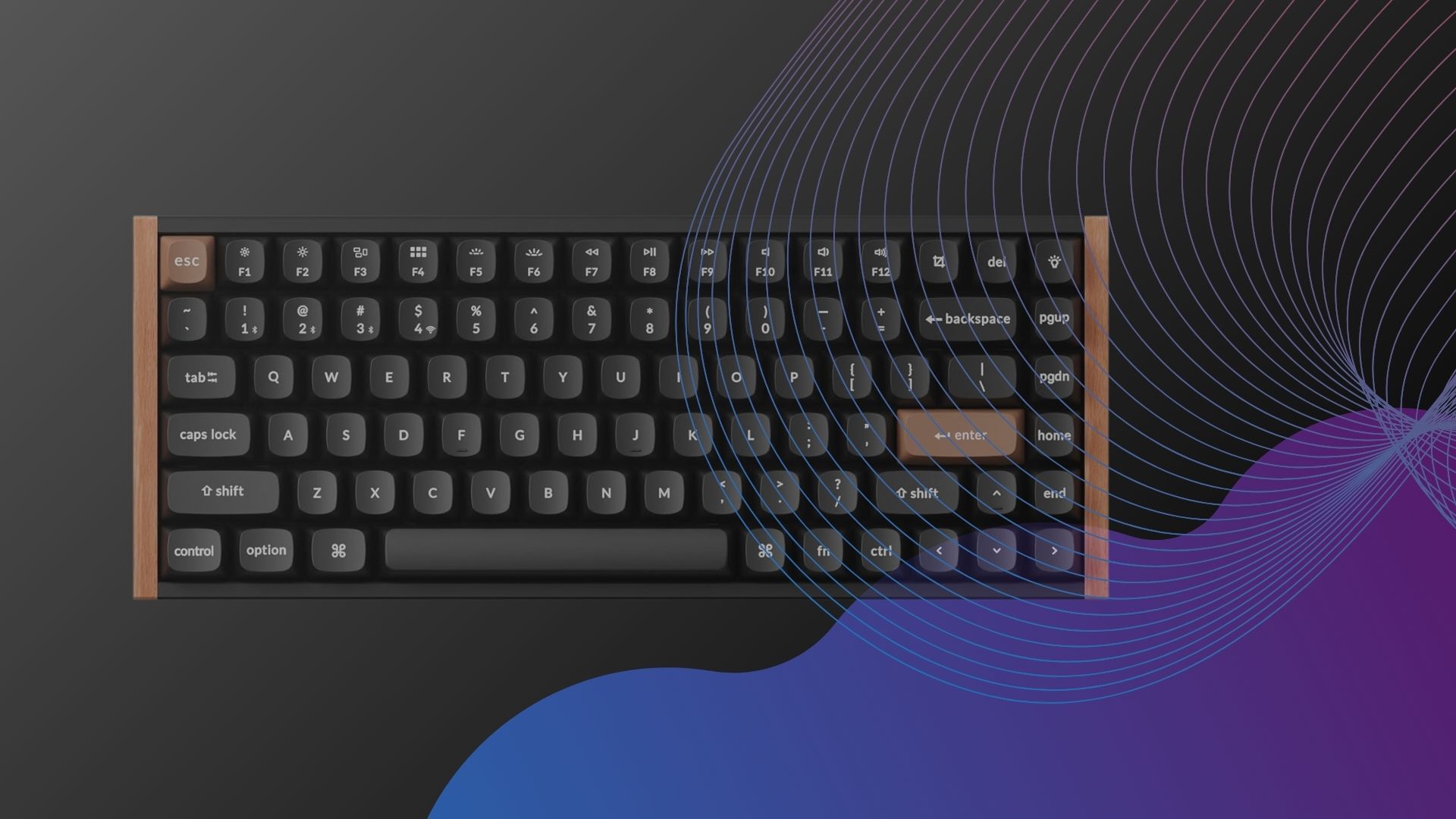
Not only is there a full row of function keys on the K4 HE, there’s also a number pad which makes it great for both spreadsheets and games that require plenty of input options. Don’t think that the larger frame comes at the expense of the aesthetic – there are rosewood accents on either side of the keyboard that really help it to stand out, and the light brown colouring of the Esc and Enter keys just pops whenever you look at them.
Beyond the design, there is a ton of functionality here, with wonderfully clicky hall effect switches. Thanks to the benefits that rapid trigger brings to the table, the keys reset almost instantly once they’ve been pressed, so super fast touch typers out there will get on brilliantly here when it comes to typing up documents and emails.
If you have a home office set-up that includes more than one device then you’ll be glad to know that the K4 HE can connect to up to four devices at one. This is perfect for jumping between a tablet and a laptop, or even your smartphone. You’ve got Bluetooth connectivity as well as 2.4GHz functionality via a receiver, so you have plenty of flexibility in this area.
Advertisement
What tops the whole thing off brilliantly is the fact that this is a keyboard you won’t have to charge all that often, even after long stints away from a power outlet. You can anticipate 110 hours of use from a single charge, which is great news for when you’re heading off on a work trip. As a final note, there’s also RGB lighting which can be customised via Keychron’s launcher, providing a bit of personal flair to the proceedings.
Gorgeous aluminium chassis
Fast HE switches
Capable software
Advertisement
Expensive
Software’s UI could do with a little more polish
Although it certainly won’t be for everyone, Gravastar is known for its dedication to a sci-fi like aesthetic across its major products, and that remains true for the Gravastar Mercury V60 Pro. Sure, it might look a little out of place on a desk that also gets used for work during the day, but there’s no denying that if you want a mechanical keyboard with a little extra sauce from a visual standpoint, then this is a great option to go for.
The unique aluminium frame, which showcases a handful of lights on the side of the keyboard, is unlike anything we’ve seen (outside of other products from Gravastar itself) and it’s not just for show either. The V60 Pro also has quite a durable feel about it, giving you plenty of confidence that you can type away at speed and never really have to worry about the impact.
Despite its more bombastic design, the V60 Pro doesn’t take up unnecessary space on your desk thanks to a compact 65% layout, so if you only have a small surface area to work with then you won’t have any issues here. The keys themselves use Hall effect switches so they’re also designed to last a long time, which is always great news for consumer value.
Advertisement
Depending on how you like to play, the V60 Pro packs adjustable actuation points so that you can tweak things to your liking. If you prefer having as little travel as possible in order to instigate quick movements or minimise reload time as much as possible, then you can do just that.
Pro gamers won’t have any issues with staying locked into the action thanks to a blazingly fast 8000Hz polling rate, creating no discernible delay when in use. The only area where the V60 Pro could have had some improvement is in the UI of the accompanying Gravastar software which, despite being feature-packed, is more convoluted than it needs to be.
Advertisement
Fast and responsive switches
Durable aluminium chassis
Quality touches including PBT keycaps
You wouldn’t normally associate Sony with PC gaming, aside from the fact that a few PS5 exclusives like Returnal and The Last of Us Part I have come out of their walled garden and are now available to play on PC, but the brand does have a solid presence in this arena. There are quite a few headsets and monitors that are worth talking about, but in the keyboard space, it’s the Sony Inzone KBD-H75 that steps up as a great option.
Right off the bat, this is a wired keyboard, so you won’t be able to indulge in the wireless lifestyle that Sony is typically known for with its DualSense controllers, but the benefit of a wired connection is the super-fast 8000Hz polling rate which allows the Inzone KBD-H75 to be a shoo-in for pro gamers.
On top of the responsiveness, the Inzone KBD-H75 is very durable thanks to two separate factors: the aluminium chassis and the PBT keycaps. On the former, the Inzone KBD-H75 could take a knock or two when in transit and you wouldn’t have to worry about it having a major impact on performance. PBT keycaps on the other hand are, by design, more capable of withstanding everyday use than regular keycaps, so they’ll hold up well over time.
Advertisement
This is a 75% layout keyboard so the keys have a bit more space to spread out, although you might prefer having something a tad more compact if you’re picky about having larger tech items on your desk. Still, with a bit more space to play around with, the Inzone KBD-H75 boasts a very helpful volume dial which we found to be very tactile.
Because the Inzone KBD-H75 comes from such a widely recognised brand, there is a price to pay for that reassurance as the £250/€300 tag is a lot higher than what you’d typically expect to pay for a mechanical keyboard. Still, because it works so flawlessly and packs a high-end build to boot, you are getting an amazing keyboard in return for the asking price.
Advertisement
Space-age design is rather cool
Responsive switches
Solid software customisation
Expensive
Some may want a wireless choice
Even by Gravastar’s standards, which lean heavily into head-turning, almost sci-fi-esque designs, the Gravastar Mercury V75 Pro feels like a whole new thing entirely. Sure, it’s got the space-age look of a Gravastar keyboard with RGB lighting on the sides and at the front, but the top of the keyboard looks almost like an abstract painting that’s splattered with ink of all colours.
Of course, there’s no denying that this type of look won’t be to everyone’s tastes but when you’ve tested so many mundane and unexciting products as we have, when something comes along with a more distinctive look, it just helps to raise the bar and remind companies that tech doesn’t have to just follow the crowd where looks are concerned.
Advertisement
When it comes to the performance side of things, the V75 Pro actually isn’t too different to Gravastar’s V60 Pro. Both of these keyboards have a high 8000Hz polling rate, so if you’re a pro gamer in need of a more responsive-feeling set of inputs then either of these options is a great choice.
The two keyboards also use Hall effect switches which can minimise the time it takes for your input to be registered, and it’s a more durable system that’s better designed to last over time. Still, if you want to minimise the time even further, you can change the actuation points, giving you the edge during fast-paced titles.
Where they differ is that the V75 Pro uses a larger 75% layout, which includes a volume rocker for quick access to audio controls, and the keyboard itself is wired while the V60 Pro is wireless. The V75 Pro is a tad more expensive too with a price tag of £229.95/$239.95, but for the design alone, we think it’s a worthy purchase.
Advertisement
Clever and unique layout
Responsive feel
Versatile connectivity and software
Quite a niche option
Quite expensive
Even though it looks like something that’s come straight out of the 90s, the Keychron Q60 Max is very much a premium keyboard in every sense of the word. With a £202.99/$199.99 asking price, the Q60 Max is bound to be too expensive for anyone wanting to stick to a reasonable budget, but if you are able to hold off and save a bit more, this is one keyboard that’s worth every penny.
Advertisement
As you may have spotted, this is far more of a compact option than a lot of other mechanical keyboards as it uses a much smaller 60% layout. This is a byproduct of its unique KKHB layout which makes a few key changes to key placement to allow for a fast typing experience. This includes having the Ctrl button moved to where the Caps Lock would usually sit.
The HHKB system does take some getting used to at first, but once it all makes sense, you’ll wonder how you ever tried to get work done without it. Because it’s more of a productivity-focused device, the Q60 Max is designed less with gaming in mind, and you’ll see that there are no dedicated arrow keys whatsoever. This isn’t to say that the keyboard can’t be used for gaming though, far from it.
If you do like to indulge in a bit of gaming after the working day is done then you’ll appreciate the gasket-mounted build of the Q60 Max, something that paves the way for a slightly bouncier feel that’s very enjoyable to type on. The keys themselves are hot swappable too, so you can tweak things to match your preferred aesthetic.
Where the Q60 Max really comes into its own however is with connectivity. Not only can you use the keyboard wirelessly via a 2.4GHz receiver, but there’s Bluetooth functionality so you can connect with up to four devices at one time. To minimise any sense of input lag, you can use the Q60 Max over a wired USB-C cable too.
Advertisement
Sleek looks
Powerful hall effect switches
Competent software
When it comes to PC gaming, very few companies carry quite the same gravitas as Asus, which is why it’s such a reliable brand when it comes to buying products that you know will adhere to a certain degree of quality. Thankfully, the Asus ROG Falchion Ace HFX keeps that reputation running by offering a very slick gaming keyboard that doesn’t leave you wanting for features.
Advertisement
Easily the best thing going for the Ace HFX is its overall design. If you’re not a big fan of the more bombastic gaming keyboards (like the ones from Gravistar) that would simply look too out of place during an average work day, then the Ace HFX fits the bill nicely. It’s compact with a 65% layout, but if you switch off the RGB lighting then you might not think that this particular keyboard has anything to do with gaming.
When you do dive into a gaming session however, this is where the Ace HFX really comes to life. Because the keyboard uses Hall effect keys (alongside PBT keycaps for better durability over time), you’re able to customise the actuation points to suit your playstyle.
If you want to limit the amount of time it takes for a key to register, so you can go through crucial inputs like reloading and crouching quickly, then you can do just that here. In fact, that sense of customisation only continues through Asus’ Armory Crate software, wherein you can change the RGB lighting to how you prefer it.
Advertisement
Across the top of the keyboard is a touch bar which can be used to quickly control the brightness and volume, and the keyboard itself boasts an 8000Hz polling rate for super-fast response times. The only real negative we can level at the Ace HFX is that at £239.99/$199.99, it costs quite a bit more than the competition, but the asking price is certainly worth it as far as we’re concerned.
Impeccable build quality
Powerful switches with rapid trigger
Fantastic software
Advertisement
Expensive
Some may prefer a wireless keyboard
Just like Asus, SteelSeries is another brand that instils a high level of confidence when it comes to PC gaming accessories. After all, the company makes some of our favourite gaming headsets right now, and thankfully a lot of that understanding over what PC gamers want has carried over into the SteelSeries Apex Pro Mini Gen 3.
Living up to the ‘Mini’ in its name, this particular SteelSeries keyboard is ideal for gamers who only have small desks to work with, or if you want to travel with a mechanical keyboard that won’t take up too much space in your bag. With a 60% layout, the Apex Pro Mini Gen 3 has taken away all but the bare essentials so you can lock in with each gaming session (who needs a number pad for FPS titles anyway?).
The keyboard also features SteelSeries’ new and improved OmniPoint 3.0 switches, which are the company’s take on Hall effect switches and are just as brilliant to use. Typing feels snappy and immensely satisfying, so even if you are just working on documents and reports throughout the day, the Apex Pro Mini Gen 3 is a great keyboard to have on hand.
Advertisement
Of course, it’s the ability to change the actuation points of those OmniPoint 3.0 switches that makes it such a great buy for gamers, as it’s ideal for pro gamers who have a very specific setup when they play. This might include a super-fast means of crouching to avoid fire at the last second, or to save time on reloading in between fights.
What really takes this keyboard to another level is the ability to tap into SteelSeries’ GG software, which offers up a ton of customisation. You can select from various presets, and even have the RGB settings change from one game to the next, something that adds a nice bit of visual flare if you like to stream your playthroughs.
Advertisement
Wonderfully clever modularity
Excellent soft-tactile typing feel
Convenient software control
Can be quite expensive
PBT keycaps would have been a worthwhile addition
If you’re a streamer on Twitch then there’s a good chance that you’ve already been eyeing up some of the gaming picks on this list, but for all that streaming entails, you’re better off getting a keyboard that provides more functionality than your average device. To that end, the Mountain Everest Max is just the thing thanks to its modular design.
With proprietary ports around the keyboard, you can add a handful of extras to the Everest Max including a number pad, which can go on either the left or the right, and backs a handful of quick access buttons along the top for your favourite apps/websites. It’s not too different from what you might find on the Elgato Stream Deck, but at least you don’t have to buy an entirely separate device here.
Advertisement
There’s also a media dock attachment that can go along the top of the Everest Max, making it very easy to change the volume and playback in a pinch. There’s even a small display on the dock that can show key bits of information like the current performance of the CPU, and which gaming profile the keyboard is currently set to (you can have multiple for different genres).
When it comes to the core typing experience, the Everest Max uses the phenomenal Cherry MX switches which are by far some of the best switches that money can buy. In our testing, we were impressed by how light a touch they require, and there’s almost a rhythmical quality to their sound. Most importantly however, they are responsive and can keep you locked into the action without any feeling of delay.
Another boon for the streamers out there is the fact that Mountain’s Base Camp software can be integrated with OBS Studio, so you can seamlessly enable recording and transitions whenever you need to. It would have been nice if the Everest Max included PBT keycaps for better durability in the long run, especially as the £249.99/$249.99 asking price certainly isn’t cheap, but there’s still a lot to like here regardless.
Advertisement
Excellent build quality
Powerful switches with rapid trigger
Convenient software programming
Some rivals have more advanced switch features
Some may prefer a wireless connection
For anyone in the market after a great gaming keyboard that feels great to type on, offers all of the main features you could possibly want and at a price that’s reasonable, look no further than the Logitech G Pro X TKL Rapid. Sure, it might have a name that doesn’t easily roll off the tongue, but there’s no friction to be had when using this exemplary keyboard.
Advertisement
The TKL Rapid’s analog switches utilise the brilliance of Hall effect design to offer up customisable actuation points. This is achieved thanks to the use of magnetics at the switch, so the actuation point can be reduced, giving you the chance to engage with core game mechanics at a faster pace. It can be as simple as crouching more quickly to avoid enemy fire, or opening up the team chat at a faster rate so you’re not vulnerable for too long.
Like a lot of our favourite mechanical keyboards, the TKL Rapid uses a tenkeyless design so you won’t see a number pad here. By ditching the num pad, the keyboard itself is far more compact and from a visual perspective, it allows your mind to focus on the keys that are actually going to be important in the middle of a game.
You can find even smaller options on this list, but by having a slightly larger build than a 60/65% layout keyboard, Logitech has been able to add a dedicated row of media controls at the top. If you’re the type of person who likes to listen to music as they work or game, then being able to change the volume or skip a track quickly is a huge boon.
The one thing to note is that this keyboard runs on a wired connection only, so you don’t have the same freedom of movement that wireless keyboards can provide. Still, given the aforementioned price tag of the TKL Rapid, this feels like a fair trade-off, and you’re still getting high-end PBT keycaps that are designed to last well into the future.
Advertisement
Especially potent hall effect switches
Solid build quality
Powerful software
Quite expensive
Battery life not as strong as other Keychron models
Advertisement
For any professionals who love to wind down after work with a spot of gaming, and as such require a keyboard that can be used all day without issue, the Keychron Q1 HE is a great pick. Not only does it pack all of the crucial features you would want from a mechanical keyboard, but its design also stands out from the crowd in just the right way.
The playful jump between white, black and a few keycaps in red provides the Q1 HE with an eye-catching look, but not one that’s overly distracting (something which could be said about Gravistar keyboards, even though they are great for gaming). This is very much the type of keyboard that could be sat in an office and wouldn’t feel too out of place.
There’s a good size to the Q1 HE as its 75% layout ensures that you have dedicated arrow keys, a proper function key row and page up/down keys, all of which can be very helpful when scrolling through documents or spreadsheets. What’s great is that the Q1 HE is also ready to meet you with the particular devices you use.
Advertisement
For example, you can use a 2.4GHz connection via the included dongle to get things started on your PC or laptop, but if you want to get to typing on your tablet or even a smartphone then you can do just that over a Bluetooth connection. Of course, if you’re gaming and you want to do away with any sense of delay with your inputs then you can use the keyboard over a wired connection too.
Speaking of gaming, you have the ability to change the actuation points on this keyboard via the accompanying software, which is perfect for a title like Counter-Strike 2 where every second counts and any chance to minimise input delay can end up tipping the scales in your favour. Although the battery life is a solid 100 hours, this is actually lower than a lot of Keychron’s other mechanical keyboards, so it might be worth checking out the company’s wares if you value battery life above all.
Advertisement
FAQs
Do mechanical keyboards make you type better?
Mechanical keyboards are traditionally said to help improve typing, given their more accurate and precise keypresses, and (depending on the switch you have) the feedback you receive with each input.
Is Asus better than Razer?
Advertisement
This is a subjective question, but for what it’s worth, there are a pair of brilliant Asus keyboards featured in the list above.
Electric bikes were responsible for nearly a third of all calls – 520, to be exact – in the UK last year. Unsurprisingly, retrofitted models were involved in more incidents compared to those that shipped with batteries from the factory. For comparison, there were only 149 calls for ebike fires in 2022. Read Entire Article Source link
The complaint, filed on behalf of California residents, alleges Meta earns up to $7bn a year from “high-risk” scam ads and tolerated the practice. The county wants restitution, civil damages, and an injunction.
Santa Clara County has sued Meta Platforms in California state court, alleging the company profits from scam advertising on Facebook and Instagram in violation of California’s false-advertising and unfair-business-practices laws.
The lawsuit, filed on Monday in Santa Clara County Superior Court on behalf of all California residents, alleges that Meta earns as much as $7bn in annual revenue from advertisements that bear clear signs of fraud.
The complaint says Meta “largely tolerated” the misconduct and established internal guardrails to block scam-reduction efforts that cost the company too much money.
The county also alleges that Meta allowed middlemen to sell ad accounts that were protected against enforcement and that the company targeted scam ads at users who had clicked on similar fraudulent listings before.
Advertisement
The complaint draws on internal documents first reported by Reuters in November 2025, which indicated that Meta’s own projections expected more than 10% of its 2024 annual revenue, roughly $16bn, to come from advertising scams and banned goods.
Earlier private litigation from the Consumer Federation of America cited the same set of documents.
The lawsuit seeks restitution for affected California residents, civil damages and an order prohibiting Meta from continuing the alleged practices.
Meta did not immediately respond to a request for comment. The company has previously said it removes scam content and has dedicated teams working to enforce its policies.
Advertisement
In April it filed its own lawsuits against advertisers involved in celebrity-impersonation scams.
Santa Clara County’s complaint is the latest in a multi-front legal challenge over Meta’s advertising platform.
A class-action filed in Washington, DC, by the Consumer Federation of America covers similar ground. Japanese regulators, the UK’s Online Safety Act enforcement team and the Australian Competition and Consumer Commission have all opened parallel inquiries into scam-advertising practices across the company’s platforms in the past twelve months.
The Santa Clara case is being handled by the county counsel’s office, and a scheduling order is expected within thirty days.
Google I/O is a week away, but Android is getting its own stage first.
The company announced last weed that The Android Show: I/O Edition is returning on Tuesday, May 12, a virtual showcase it says will explain why this is “one of the biggest years for Android yet,” according to Google. The event arrives one week before Google I/O 2026, giving Android its own runway before Google’s broader developer conference turns to AI, Gemini, Chrome and the rest of the company’s sprawling software universe.
Google I/O 2026 runs May 19 to 20 at Shoreline Amphitheatre in Mountain View, California, and online. The company has already framed this year’s event around AI breakthroughs and updates across its major product lines, including Android and Gemini.
Advertisement
It hasn’t said what will be announced during this year’s Android Show. But last year’s I/O Edition wasn’t just a teaser reel. Google used it to introduce Android 16, Wear OS 6, a major Android design refresh, expanded Gemini features across devices and new safety tools meant to protect users from scams and other threats.
That makes this year’s show worth watching even before the main I/O keynote begins. Android has become one of the clearest places where Google’s AI ambitions show up in everyday life: on phones, watches, tablets, cars, TVs and whatever new device category Google pulls into its ecosystem next.
Watch this: Google I/O 2026: New Gemini, Smart Glasses and a Whole New Laptop OS. Here’s What to Expect
How to watch Google’s Android Show
The Android Show: I/O Edition will stream virtually on May 12 through Google’s Android event page and YouTube. Google I/O begins one week later, with the keynote scheduled for May 19 at 10 a.m. PT (1 p.m. ET, 6 p.m. BST).
Advertisement
CNET will be following the event for any Android, Gemini and device-related announcements.
In modern game development and animation, performance and smooth transitions are everything. How smoothly a game works says a lot about its performance. No one wants to play a game that lags. Therefore, an AI sprite sheet generator was introduced to solve this problem. Loading multiple small files for a single animated character sounds simple, but it requires lots of attention. Want to explore some of the best AI sprite sheet generator tools?
Start reading to find the best tool for an AI sprite sheet generator that fulfills your needs and requirements.
What is a Sprite Sheet?
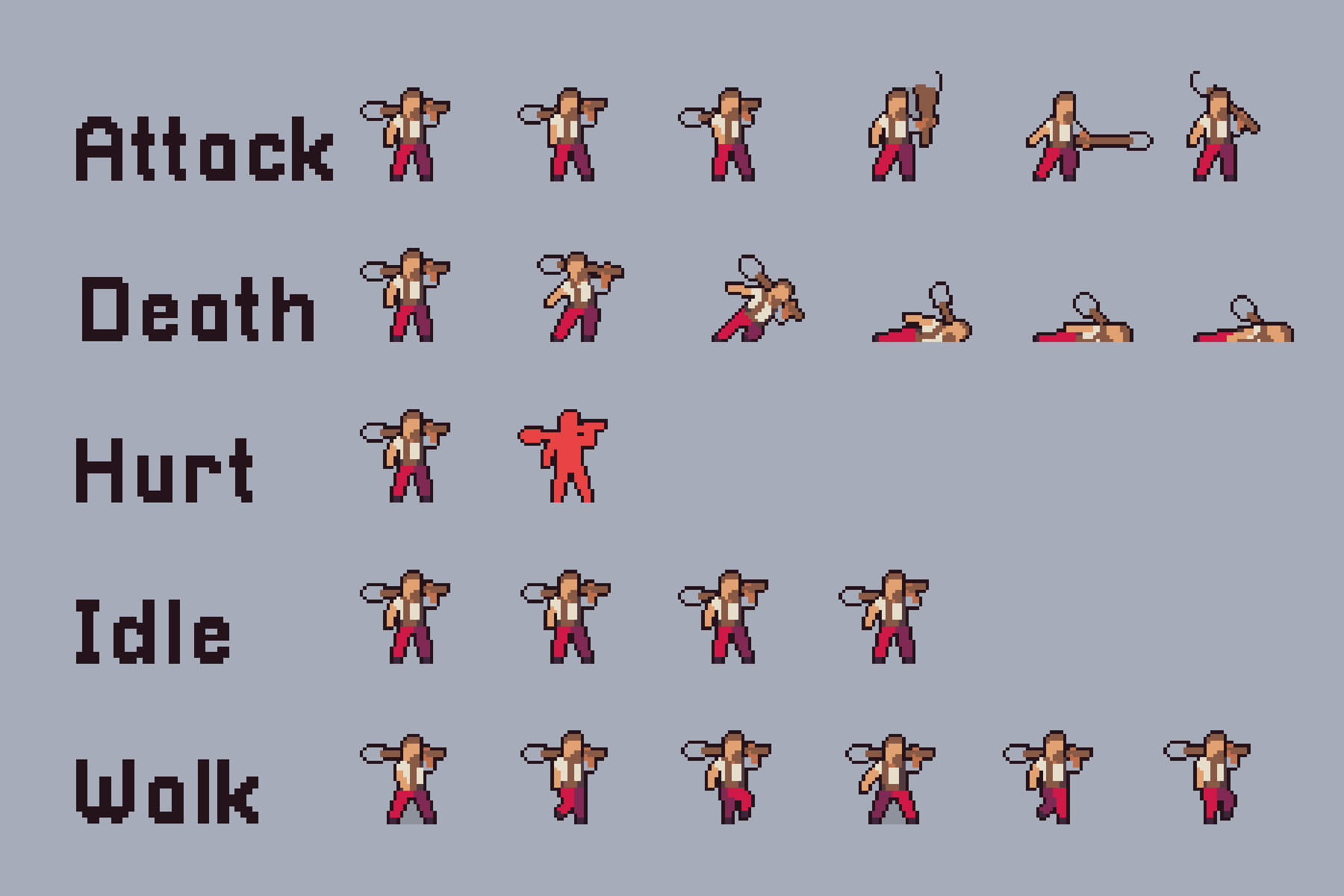
A combination of several smaller images (sprites) to create a single image is called a sprite sheet. It is arranged in a grid-packed layout. It helps in speeding up the loading and closing times. It is mainly used to create game characters and UI icons.
Instead of loading numerous individual image files, developers use a sprite sheet to make the game or application fast and more responsive. Sprite sheet works using separate data files like JSON, XML, or CSS, and maps the name of each sprite to its original coordinates, i.e., X, Y, or Width, Height.
Advertisement
Each of these small graphics represents a character frame, an icon, or an item. Instead of loading several images, the program simply loads this sprite sheet and picks out the part that is needed while displaying or animating a program or game.
Benefits of Sprite Sheet
Sprite sheets are useful in many ways. It increases the performance by managing HTTPS requests and providing faster response times. It also provides storage with better compression and lower VRAM (Video Random Access Memory) usage. Let’s understand the benefits based on performance, memory, animation, and workflow development.
Performance
One file is downloaded instead of several smaller files, which leads to fewer HTTP (Hypertext Transfer Protocol) requests and consequently speeds up the loading time.
With a single sprite sheet, you will only need to bind one texture instead of switching between several sprites.
Storage and Memory
A PNG file with a single header, color palette, and compression is more useful than multiple separate files.
GPU works more efficiently with fewer sprites and more textures, leading to lower usage of VRAM.
With similar pixels across sprites, compression becomes easier.
Animation
Reduces the loading delays as all frames are pre-loaded to eliminate any frame drop delays.
Minimizes the risk of individual frame loading at different leads, giving the same texture to different UV regions.
It works well with shaders and animation systems, reducing the risk of different frames loading at different speeds and times.
Workflow and Development
Increase the workflow by automating frame generation using an AI sprite sheet generator.
Save time on alignment and spacing using a faster process for animation pipelines.
Top 3 Best AI Sprite Sheet Generators
With the growing popularity of AI over the years, many free and paid best AI sprite sheet generators have entered the market. Explore the top 3 AI tools for generating a sprite sheet.
Ludo AI
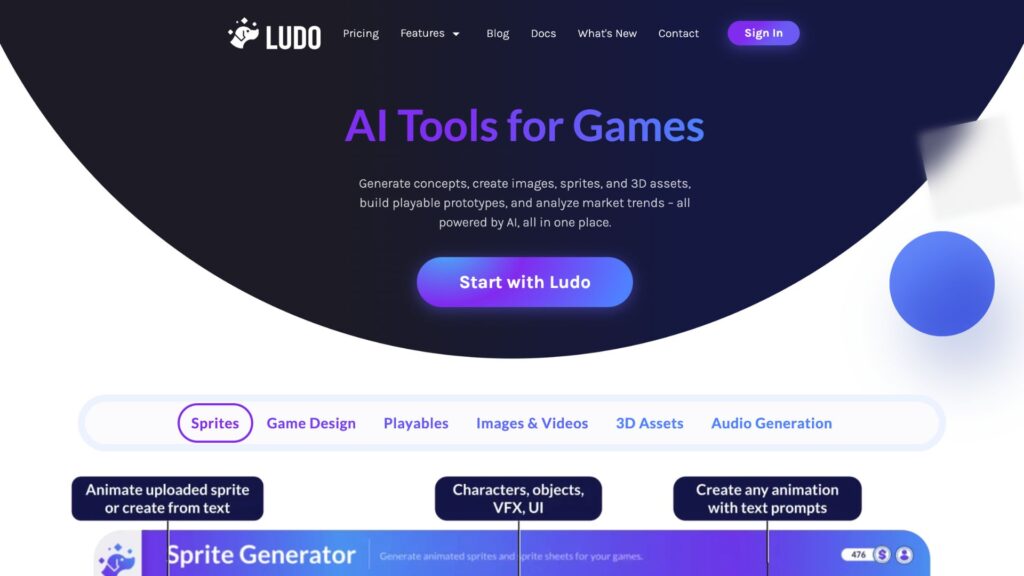
It is a paid sprite sheet generator that comes with several features, including a sprite generator, where you can create characters, objects, and VFX. Apart from that, it also has features for designing games, audio generation, playables, images, videos, and 3D assets. According to its official site, Ludo AI helps in increasing your productivity by 10x using a single platform. These are some of the key features:
Sprite Generator
3D Assets Generator
Game Ideator
Video Generator
Market Scorer
It provides three pricing plans:
Aspect
Indie
Pro
Studio
Pricing
$15/monthly, paid annually
$35/monthly, paid annually
$300/monthly, paid annually
Yearly credits
3,000 credits
12,000 credits
120,000
Projects
5 active projects
Unlimited active projects
Realtime collaboration
For more pricing details, visit the Logo AI official pricing site.
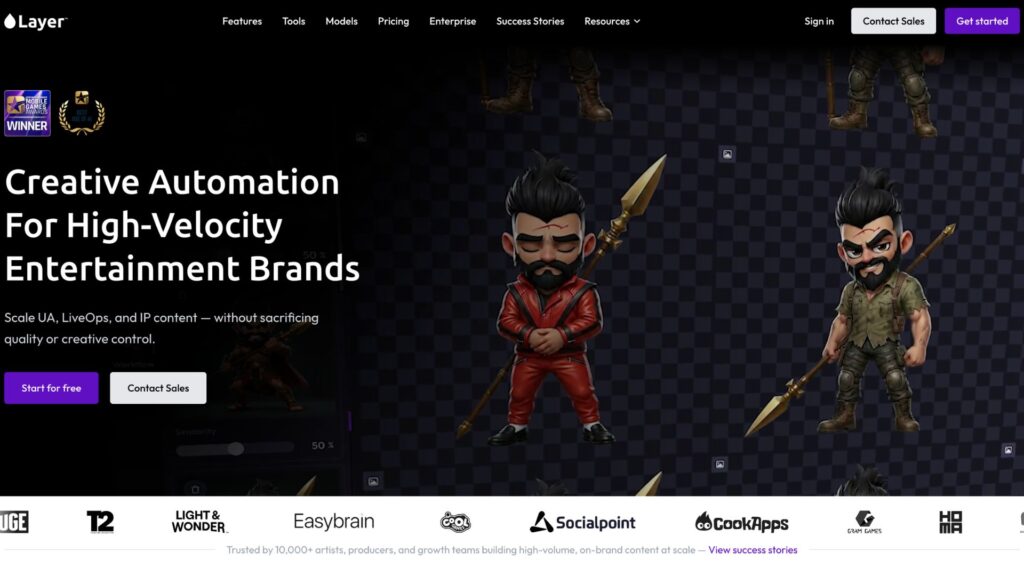
Layer AI
It provides a suite of tools for animation designers. Many popular gaming brands are its clients. Gaming platforms like LBC, Games United, Cosmic Lounge, Ace Games, and more are some of the most recognizable brands of Layer AI. Some of its top features include:
Sprite Sheet Generator
Placing Characters Into a Scene
Animate a Character
Outfit Change
Style transfer to Scene and Items
Image To Sprite
Sketch to Art Style
It is basically an AI animation tool that helps in editing and generating animated characters. It provides 3 flexible subscription plans based on team size
Aspect
Small Studio
Mid-Sized Studio
Enterprise
Price
$60/month
$300.00/month
$10,920.00/month
Team Size
1-10
10-25
More than 25
Images
200 Images
3,450 images
50,000 images
Videos
100 Seconds
220 seconds
10,400 seconds
3D Models
10 Models
25 models
830 models
Audio
300 hours
1325 hours
249,450 hours
Each plan comes with customizable features; you can choose the best fit based on your business needs and requirements. For more details related to its price, visit the official pricing page.
Advertisement
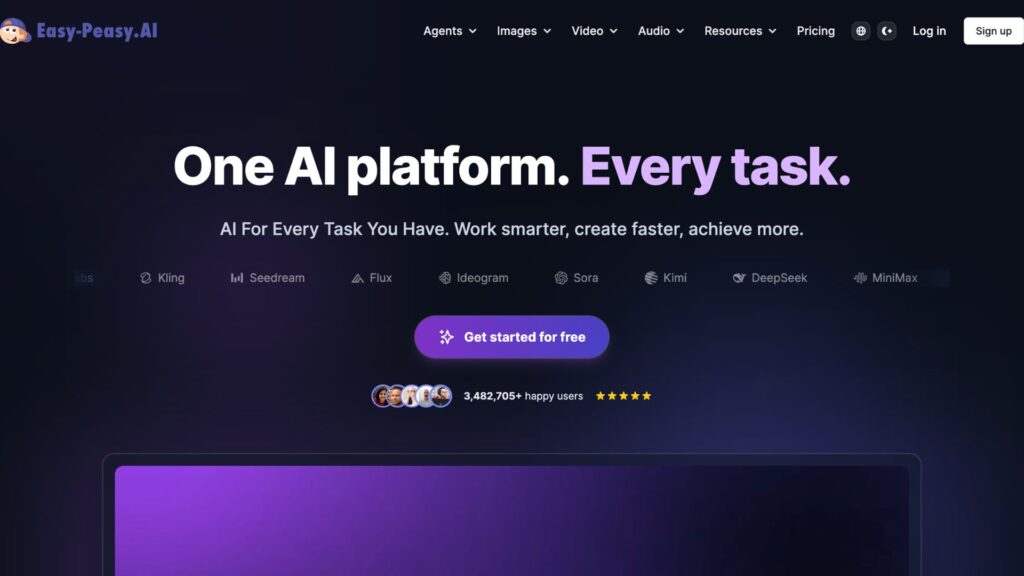
Easy Peasy AI
The tool provides several features needed for creating a sprite sheet. It is an all-in-one tool that helps in creating images, videos, and audio. Some of the key features of Easy Peasy AI are:
Text to Character Generator
Art Prompt Generator
Logo Maker
Sprite Sheet Builder
AI Music Generator
You can try it before purchasing, as it comes with free trials with no credit card required. It has 4 pricing options, including one for a free plan.
Aspect
Free
Starter
Unlimited 50
Unlimited
Price
$0/month
$8/month
$12/month
$16.5/month
Bots
1
2
3
4
Text-to-Speech
1,000 characters
25,000 characters
50,000 characters
75,000 characters
Credits
1 image credit
200 image/video credits
300 image/video credits
400 image/video credits
It provides several features, including 35+ languages available. For more details related to the price, visit the official pricing page of Easy Peasy AI.
Before purchasing an expensive plan, you can try some of the free AI Sprite Sheet Generators tools available. Explore the best free AI sprite generator tools below.
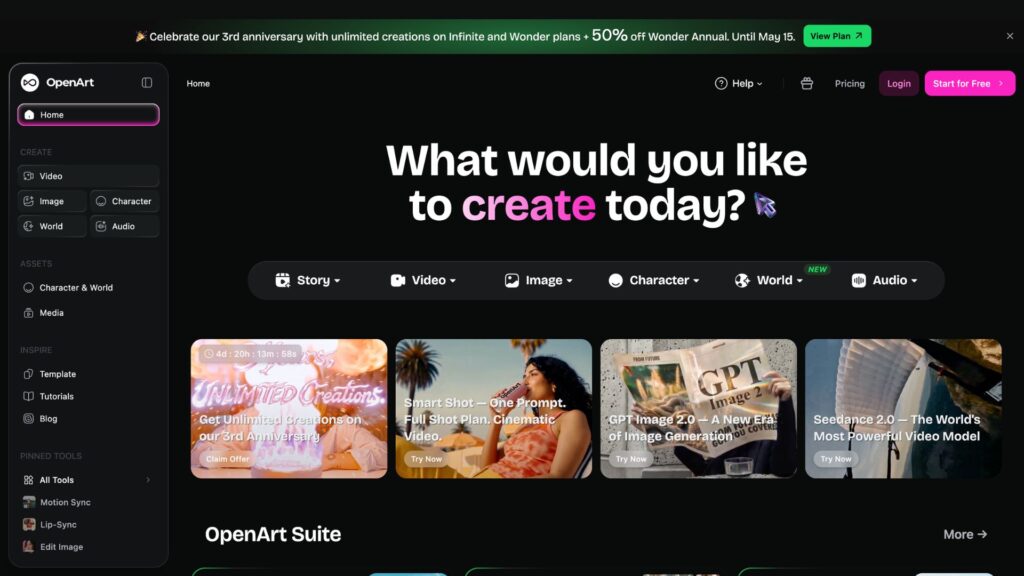
OpenArt
With the help of this tool, you can create characters and visuals, and can also lip sync those characters. You get a one-time 40 credits, which you should use within 7 days from the start date. You need to pay for more credits. Let’s take a look at the pricing overview of OpenArt.
Pricing Plans
Free
Essential
Advanced
Infinite
Credit
40 for 7 days
4000 credits/month
12,000 credits/month
24,000 credits/month
Parallel generations
4
8
16
32
Images
None
4000
12,000
24,000
Videos
None
50
150
300
For more feature-related details, check out its official page.
Advertisement
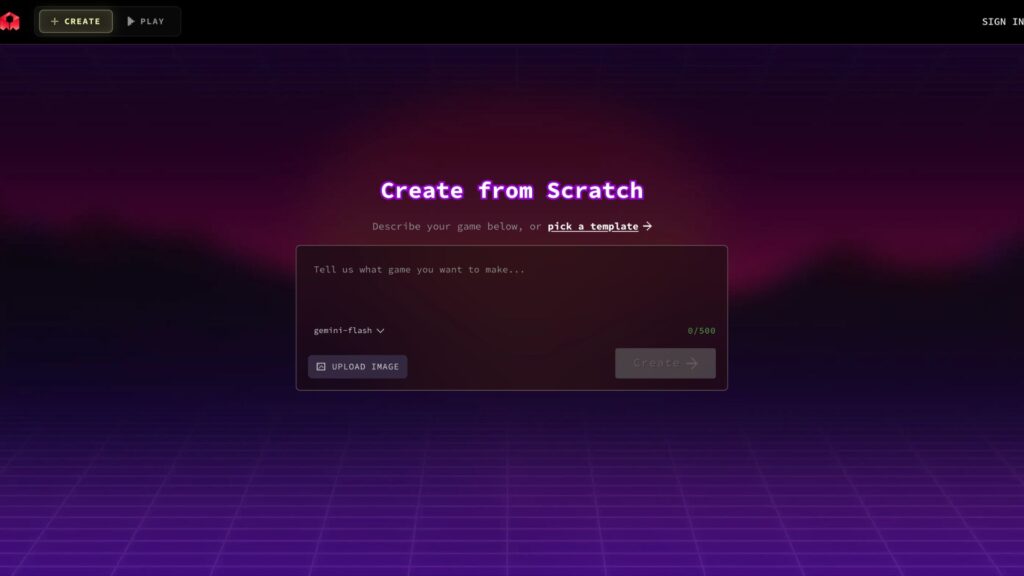
Rosebud AI
With this tool, you can create free sprite sheets for games. It has provided a solution to 2D, which is a time-consuming process of game development. You can create an all-new game using this free AI sprite sheet generator tool. It doesn’t have many features, but it is one of the best free AI sprite sheet generator tools.
It is completely free and doesn’t require any money transactions.
Use Case of Sprite Sheet
Sprite sheets are mainly used by web developers, game developers, graphic designers, UI/UX designers, and pixel art designers.
For game animation: It is useful for making a game character walk, run, and jump within a single sheet. Game developers, pixel artists, and Unity programmers mostly use it for animation.
2D game and tiles: different titles, i.e., ground, wall, and trees, are packed in a single sheet to build maps quickly. Game designers, level designers, and environment artists use sprite sheets to generate 2D games and tiles.
Advertisement
Website buttons and icons: Icons like home, search, settings, and social media icons are shown using a single image with CSS positioning. UI/UX, engineers, and web developers use it for updating and creating websites and apps for a simpler and clearer interface.
Web animation: Web developers, motion designers, and frontend engineers use a sprite sheet to add animated logos or loading spinners. It is done by moving the sprite sheet using CSS for the final result.
How to Create a Sprite Sheet?
Creating a Sprite Sheet is not difficult, especially when using an AI sprite sheet generator. Let’s understand how sprite sheets work, so that you can create your own characters.
Step 1: Prepare images for your desired animation character. Add the type, animation, frame count, and direction. Use frames, e.g., 4,8,12, or 16 for more image placements. At last, mention the side view, isometric view, or top down.
Step 2: Use individual frames: Add multiple images representing the animated steps of the characters. For this process, you can use tools like Aseprite, Adobe Photoshop, or Piskel. (Maintain a uniform style and remember to keep the same canvas size, i.e., 64×64 pixels).
Step 3: Align the frames: Remember! All the frames must have the same height and width. Align all the characters from the same baseline and remove the background to avoid misalignment.
Step 4: Arrange frames into a grid: Place all the frames into one single sprite sheet. Some of the common layouts are horizontal, vertical, and diagonal strips.
Step 5: Use an AI sprite sheet generator to avoid misalignment and save time. Use AI tools like Layer AI or Ludo AI for automatic alignment.
Step 6: Check the final file for exportation: Use a PNG image for better transparency. Grid and packed are the best layouts for gaming characters.
Step 7: Optimize the sprite sheet for performance: Look for empty spaces and remove them. Compress the texture if it is a large file, and convert sprites into one sheet.
Tips to Make an Effective Sprite Sheet
Use similar-sized frames for each animated image.
Add padding and borders to avoid texture bleeding (color leaking from one image to another).
Keep one animation per sheet, for example, walk, run, or still.
Select the right format of image for transparency. (Use PNG)
Add frames tightly to save space and memory in the sprite sheet.
Check every aspect after arranging the images in a named folder.
After months of buildup, end-to-end encrypted RCS messaging has finally made it to iOS, allowing Android and iPhone users to enjoy enhanced security between platforms when texting.
Apple continues to make progress on its end-to-end encrypted (E2EE) RCS messaging, following a few months of testing on iOS 26.4 developer betas. Now, it appears that the feature is ready for larger public testing.
On Monday, Apple announced that E2EE RCS messaging will roll out for iPhone users running iOS 26.5 with a supported carrier, and Android users on the latest version of Google Messages. This means that, provided the aforementioned criteria are met, RCS messages can’t be read while being sent between devices.
Users will see a new lock icon in RCS chats when a message is encrypted. Apple has included a list of participating carriers on a support page.
Advertisement
Apple notes that this is still technically a beta test of the feature, and will likely roll out in phases. Encrypted will be automatically enabled over time for both new and existing RCS conversations.
Apple began testing E2EE RCS messaging in the first iOS 26.4 developer beta in mid-February. Testing was very limited, as it was exclusively for iPhone users with iMessage disabled.
Fortunately, about one week later Apple rolled out the second iOS 26.4 developer beta, allowing Android and iPhones to trade fully encrypted RCS messages for the first time.
Apple initially announced that it would be offering end-to-end encryption to RCS messaging on iOS in March 2025.
An interactive “Sunscore” visualization on Redfin shows the path of sunlight on GeekWire’s offices in Seattle. (Image via Redfin)
What’s it take to be a neighbor with a sunny disposition? Perhaps more sunlight, for starters.
Seattle-based real estate brokerage Redfin launched “Sunscore” on Monday, a new interactive feature that lets home searchers see how much natural light a property receives throughout the day.
The 3D map offers a property-level sun-path visualization, tracking sunlight and the shadows cast by surrounding terrain, buildings and trees. Different times of day and times of the year are analyzed to provide a full picture of potential shadows. Properties are scored 0-100 — the more sunlight, the higher the score.
“We know from customer feedback that sunlight is a priority for house hunters,” said Ariel Dos Santos, Redfin’s chief product and design officer, in a news release. “When you tour a home, you want to see brightly lit spaces with natural light pouring through windows. Sunscore gives home searchers that information upfront in a simple-to-understand way.”
A recent Redfin survey found that nearly 70% of people say the amount of sunlight in their home affects their satisfaction with their living situation, and 11% say it’s non-negotiable when searching for a home.
Advertisement
And the amount of light a home receives isn’t just a mood-booster or an aesthetic factor; the score on property-level sunlight can be also help homeowners measure the potential for solar energy and long-term cost savings.
Sunscore is developed by Austria-based Shadowmap, and the partnership with Redfin-owned Rocket is a U.S. exclusive. The feature is now available on all for-sale homes listed on Redfin.com and will be available on Redfin’s iPhone and Android apps later this year.
Who else is feeling physically sick every time they tune into Half Man? That’s testament to Richard Gadd’s incredible character creation, but my word is Ruben absolutely vile.
As we’re finding out, the show follows brothers Niall (Jamie Bell) and Ruben (Gadd) through 30 years of their lives, exploring the highs and lows of their turbulent relationship. Frankly, “lows” is putting things politely.
Things will probably get worse than what we’ve already seen. But when will Half Manepisode 4 be released on HBO Max and BBC iPlayer?
Advertisement
Latest Videos From
What time can I watch Half Man episode 4 on HBO Max and BBC iPlayer?
























![Samson Mow Just Said The UNTHINKABLE About Bitcoin & Ethereum! ["It's a Fake Crash"]](https://wordupnews.com/wp-content/uploads/2026/05/1778531899_maxresdefault-80x80.jpg)
































You must be logged in to post a comment Login