Connect with us
DAPA Banner
DAPA Coin
DAPA
COIN PAYMENT ASSET
PRIVACY · BLOCKDAG · HOMOMORPHIC ENCRYPTION · RUST
ElGamal Encrypted MINE DAPA
🚫 GENESIS SOLD OUT
DAPAPAY COMING

Tech

Report warns employees are increasingly asking AI questions they previously have asked their co-workers

Published

on


  • Report finds 74% of regular AI users now pose questions to AI instead of human colleagues
  • New workers are missing out on vital social interactions for company culture
  • Employees say they feel more self-sufficient and comfortable making decisions

While the jury is still out on whether AI could be set to replace human workers or severely impact their scopes by automating major parts of their workflows, one thing is clear – humans are increasingly happy to use AI as a colleague and collaborator.

A new MyIQ analysis of nearly 22,500 adults found around three in four (74%) regular AI users now pose the questions they would formerly have asked colleagues to AI.

Source link

Continue Reading
Click to comment

You must be logged in to post a comment Login

Leave a Reply

Tech

Seattle judge deals blow to Kalshi, rejects prediction market’s federal defense

Published

on

GeekWire Illustration

A judge in Seattle issued a preliminary injunction against Kalshi, finding that Washington state is likely to prove that the fast-growing prediction market is running illegal online gambling.

The ruling by King County Superior Court Judge John McHale, issued Monday, does not immediately halt Kalshi’s operations in the state. McHale granted the injunction in the case brought by Washington AG Nick Brown, but deferred the specifics until early next month.

McHale rejected Kalshi’s argument that oversight by the U.S. Commodity Futures Trading Commission preempts state gambling laws. That has been the basis of Kalshi’s defense against regulators across the country. Washington is the latest state where a court has shot it down.

Kalshi quickly pushed back on the ruling.

“States don’t have jurisdiction to regulate prediction markets. Many courts — including the Third Circuit — have made this clear,” spokesperson Jacki McGavick said in a statement. “We’re disappointed to see Washington State continue wasting taxpayer dollars.”

Advertisement

In his ruling, McHale said Kalshi “willfully ignored” a December 2025 notice from the Washington State Gambling Commission that event-based contracts were not authorized in the state, and cited a Kalshi ad showing a text exchange where one user tells another: “I found a way to bet on the NFL even though we live in Washington.”

Kalshi’s platform lets users bet “yes” or “no” on thousands of events across sports, elections, entertainment, and so-called “mention markets” — wagers on whether public figures will say specific words. The New York-based company, which markets itself as a federally regulated “prediction market,” takes a transaction fee on each bet.

Washington has some of the strictest gambling laws in the country: the legislature banned internet gambling in 2006, and while the state allows a lottery, horse racing, and tribal-casino gambling, online betting is broadly prohibited and sports wagers are legal only in person on tribal lands.

The order requires Kalshi to preserve all records tied to Washington users, including logs, communications, geolocation data and marketing materials.

Advertisement

The specific operational terms of the injunction are still being determined: McHale gave both sides until Aug. 3 to submit proposed language, with a full order to follow by Aug. 5.

Source link

Continue Reading

Tech

TSMC might set up a price hike that could come straight for your next phone, laptop, or tablet

Published

on

My wallet flinched the second I saw the words “TSMC” and “price increase” in the same headline, and honestly, yours should too.

Turns out the company behind the silicon powering basically every flagship device out there, including Apple’s A-series and Qualcomm’s Snapdragon processors, is reportedly about to make all of it a little pricier.

So how big of a price hike are we actually talking about?

According to Nikkei Asia, later confirmed by Reuters, sources familiar with TSMC’s pricing strategy say the company plans to raise chip prices between 5% and 10%, depending on the customer and the chip, starting in 2027. 

That number only sounds forgettable until you run the math. A single 3nm wafer from TSMC (the one that is sliced into individual chips) currently runs around $19,500. Bump that up 10%, and you’re suddenly looking at roughly $21,450 per wafer. 

Now multiply that by the hundreds or thousands of wafers a company like Apple or Qualcomm contracts out each year, and that “small” percentage turns into a genuinely massive number. We could be talking about millions of dollars worth of additional cost here.

Advertisement

TSMC hasn’t confirmed anything officially, telling reporters it doesn’t comment on pricing strategy, though a spokesperson did admit the company’s approach is “strategic, not opportunistic.”

Is this actually happening, or just rumor mill noise?

I wouldn’t bet against it. TSMC’s own CEO has already said prices could climb, pointing to AI chip demand that won’t be satisfied for years, while insisting increases won’t happen “abruptly.” TSMC has raised prices before, so this fits a pattern rather than breaking one. 

Manufacturers unwilling to eat the cost do have an alternative in Samsung’s 2nm process (the one that forms the base of the Exynos 2600 chipset), though switching foundries isn’t exactly a quick fix.

I’ve watched memory and storage prices already squeeze device costs upward this year. Stack a TSMC hike on top of that, and 2027 is shaping up to be an even more expensive year to upgrade anything with a good chip inside it.

Advertisement

Source link

Continue Reading

Tech

Victory! Flock Ends Rollout Of Audio “Distress Detection” Of Human Voices

Published

on

from the i-am-distressed-by-flock-surveillance dept

Reversing course, Flock Safety—the surveillance technology vendor most known for its extensive network of automated license plate readershas announced that it will end a pilot for its acoustic gunshot detection devices to identify signs of “human distress.”

In October 2025, EFF warned the public that Flock was rolling out a new feature called “Distress Detection” that would be deployed through their acoustic gunshot detection devices (formerly known as Flock Raven, now called Audio Detection). This feature purported to use high-powered microphones scattered throughout a city to search for sounds of human distress, with original advertisements from the product indicating it would search for “screaming.” (Since the publication of our original blog post, Flock quietly amended the ad on this webpage to say “distress” instead of “screaming.”)

Now, Flock has published a blog post stating that “[a]fter careful consideration and community consultation, we decided to remove the feature.” Good riddance. 

We said it when the product was announced and we’ll say it again: this was a misguided and dangerous feature because of the civil liberties concerns it poses, the possibility it could summon armed police to every loud interaction happening on the street, and because in several places this type of spying would be illegal under state eavesdropping laws

Advertisement

We were not quiet about this potential new feature. Flock even mentioned our concern about Distress Detection in an attempt to rebut our opposition to the mass surveillance their products enable.

The suspension of Distress Detection, however, does not mean that these high-powered microphones are now magically safe or beyond our concern. Acoustic gunshot detection is still a dangerous and often highly inaccurate technology that has resulted in real world harm, as in Chicago where it resulted in police shooting at children lighting fireworks. As Flock itself states, “No acoustic system is perfect, and we don’t claim otherwise.” But police response to a situation where they believe guns are actively in use seems like a pretty high-stakes situation to be making, selling, and deploying technology known to be imperfect. Flock’s devices also listen for more than just gunshots. Their marketing materials admit to be listening for “community disruption,” which includes “non-violent” threats like car sideshows and fireworks. 

Flock’s failed attempt to roll out Distress Detection teaches us a few important lessons about the current state of police surveillance. First, we should not assume that just because these companies are large and well-funded, that does not ensure that they are complying with local privacy laws before floating new products to customers. Second, companies roll out and police adopt invasive technology under the justification that it will be used to address our society’s very worst crimes. However, both the companies and police will leverage deployed surveillance infrastructure to introduce new uses without necessarily seeking the consent or approval of the public. Gunshot detecting microphones eventually being used to listen for screaming is exactly the type of mission creep that we’ve seen happen with other pieces of surveillance technology, including Flock’s license plate readers. Finally, gun violence is too serious and complex of an issue to purport to solve with one flawed piece of technology. It has become too easy for police and cities to listen to the fancy marketing pitches of tech companies claiming they’re going to solve all crime instead of doing the hard work of addressing the root causes of societal issues. And, in the meantime, that technology creates more problems and hazards for the communities they blanket in police surveillance. 

As we’ve also seen with people across the country pushing back on Flock license plate reader contracts in their communities, public pressure can sometimes work to influence both companies and lawmakers that control a city’s purse strings to discontinue or divest from harmful products. Flock’s decision to end “Distress Detection” for human voices is a win.  

Advertisement

Originally posted to EFF’s Deeplinks blog.

Filed Under: distress detection, microphones, privacy, surveillance

Companies: flock, flock safety

Advertisement

Source link

Continue Reading

Tech

Meta is testing an AI bedtime story app for people with no imagination

Published

on

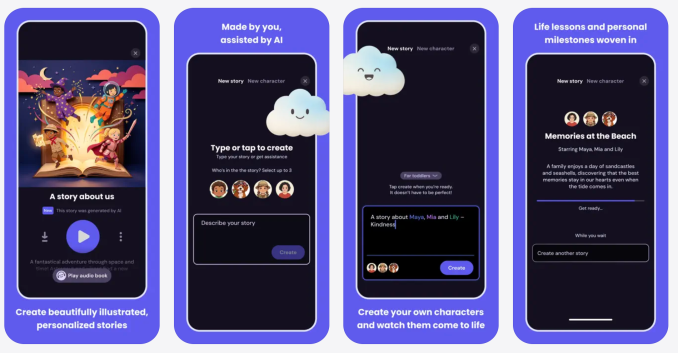
Meta is working on an AI storytelling app called StoryKit, which creates AI-generated children’s stories with custom characters, settings, lessons, and music. As the App Store listing assures parents, “You don’t need to write a single word.”

At last, a tech company has found a way to outsource humanity’s oldest pastime: using our imaginations.

StoryKit was first spotted in the App Store by 9to5Mac. Meta confirmed to TechCrunch that the company is piloting StoryKit in select countries to see how parents like it. A Meta spokesperson described StoryKit as a creative storytelling app used to craft personalized, imaginative storybooks for children and noted that it uses AI safety filters with no social features and is only available to users over the age of 18.

To generate a story in the app, you first select a character, which you can create by “[snapping] a photo of their favorite toy or person to bring them to life,” according to the description in the App Store. Then you describe the world of your story and choose a lesson, so that you can “weave in values like kindness, courage, or empathy without it feeling like a lecture.”

Advertisement
Image Credits:StoryKit (opens in a new window)

The good news about StoryKit is that it could be a lot worse. Meta regularly ships boneheaded ideas like Instagram deepfake generators and “pervert glasses.” Comparatively, is it so bad to doom children to soulless bedtime stories? Should we have expected anything better from the company that promised us a utopian world of virtual reality work meetings?

Humans have their faults, but if we’re good at anything, it’s making stuff up. We’ve been telling stories for as long as we’ve existed. We don’t even have to spin up original tales of fairy princesses and dragon slayers. We have always drawn from mythology, fables, and other stories — the blockbuster movie of the summer is literally an ancient myth that originated from this same tradition of oral storytelling.

Parents lead exhausting, busy lives, but it has always been possible to survive bedtime without using an inherently uncreative technology that calculates the most predictable response to a prompt.

You could see how it might be tempting to pull up StoryKit when your kid rejects your bookcase full of children’s books and demands that you improvise an intergalactic tale about a turtle and a hedgehog who are best friends and solve space mysteries. But do we really want to reject a chance at whimsy and silliness and instead outsource these moments of connection to reading AI-generated scripts from our smartphones?

Perhaps the moral of the story here is that we can choose not to live in a world where children are raised on bedtime stories written by large language models. Meta’s vision of the future may be antisocial and bleak, but we have the power to reject that reality.

Advertisement

When you purchase through links in our articles, we may earn a small commission. This doesn’t affect our editorial independence.

Source link

Continue Reading

Tech

A go-to Affordably-priced smart thermostat

Published

on

The Aqara W200 smart thermostat is the first to take advantage of Apple’s Adaptive Temperature technology for Apple Home, and that’s a big deal for users.

At least in the U.S., two or three big players largely have a stranglehold on the premium smart thermostat market. If you want a nice-looking smart thermostat, you’re likely opting for Ecobee, Nest, or Honeywell Home.

Aqara is looking to shake that up with its W200, which first launched at CES 2026. It’s compact, well-designed, and is the only model that currently supports Adaptive Temperature for Apple Home.

This thermostat supports Apple Home, Amazon Alexa, Google Assistant, and Matter, among others. As a bonus, it can double as a hub.

Advertisement

Let’s dig in, and I’ll explain why this thermostat is so enticing to any Apple user.

Aqara W200 thermostat review: Upscale design, affordable price

The Aqara W200 is a sleek-looking thermostat, easily catching your eye from across the room. It’s a rounded square and includes an optional back trim plate that can cover a larger opening on the wall.
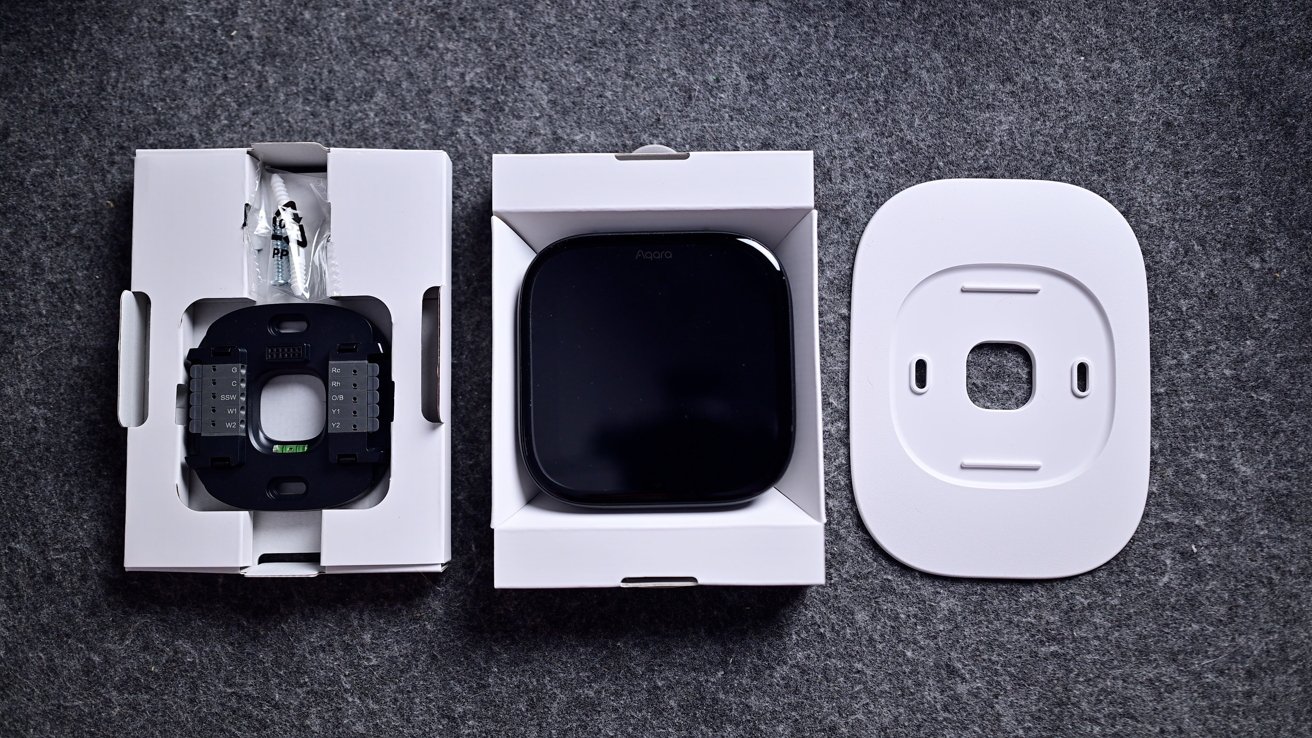
Smart home device components on gray fabric: a wired square sensor in packaging, a glossy black square device in an open box, and a separate white mounting plate with center cutout

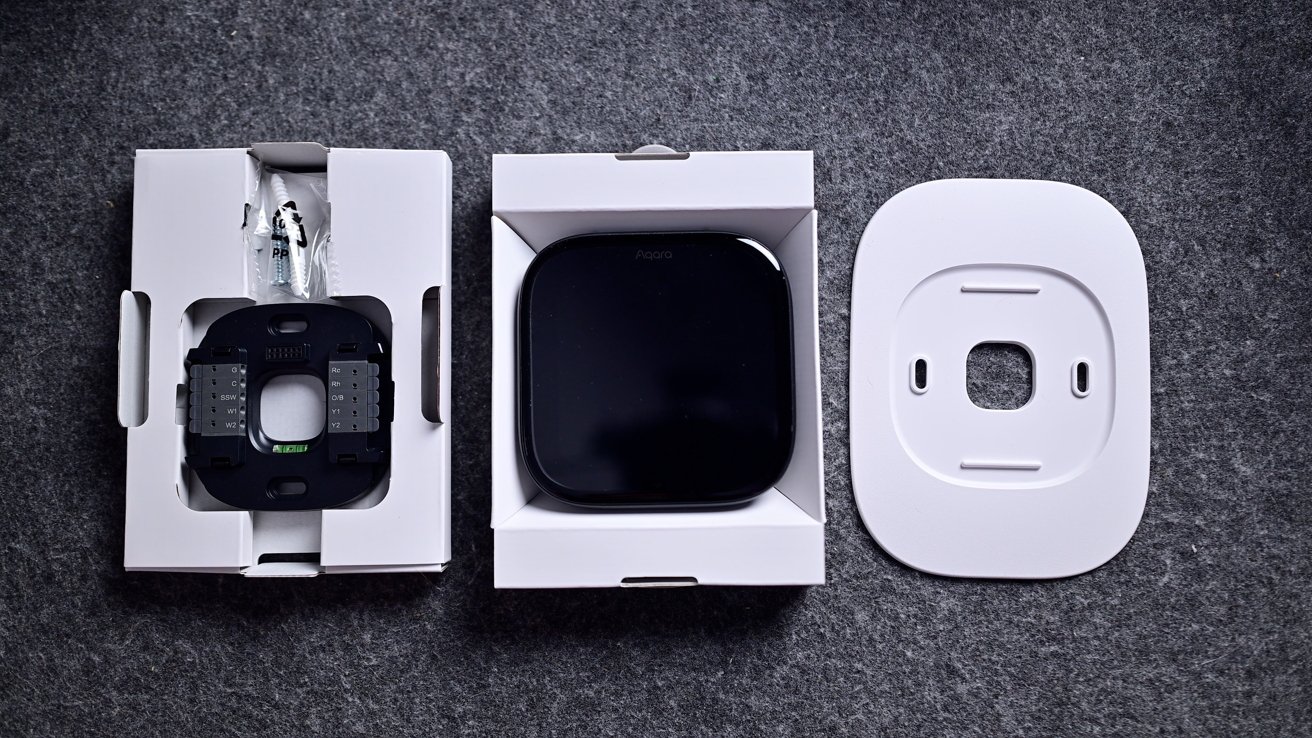
Aqara W200 thermostat review: You get (almost) everything you need in the box except a C-Wire adapter

For my install, I still had some legacy screw holes that I chose to hide. I could have spackled them and painted them for a cleaner look, but for that, I’d have to still have some of that original paint around.

Advertisement

If you aren’t comfortable installing a thermostat, it’s easy to find a handyman to do so, but it’s not particularly difficult. That’s especially true if you’re coming from an old smart thermostat, as it’s just an easy move of the wires from one bracket to the other.
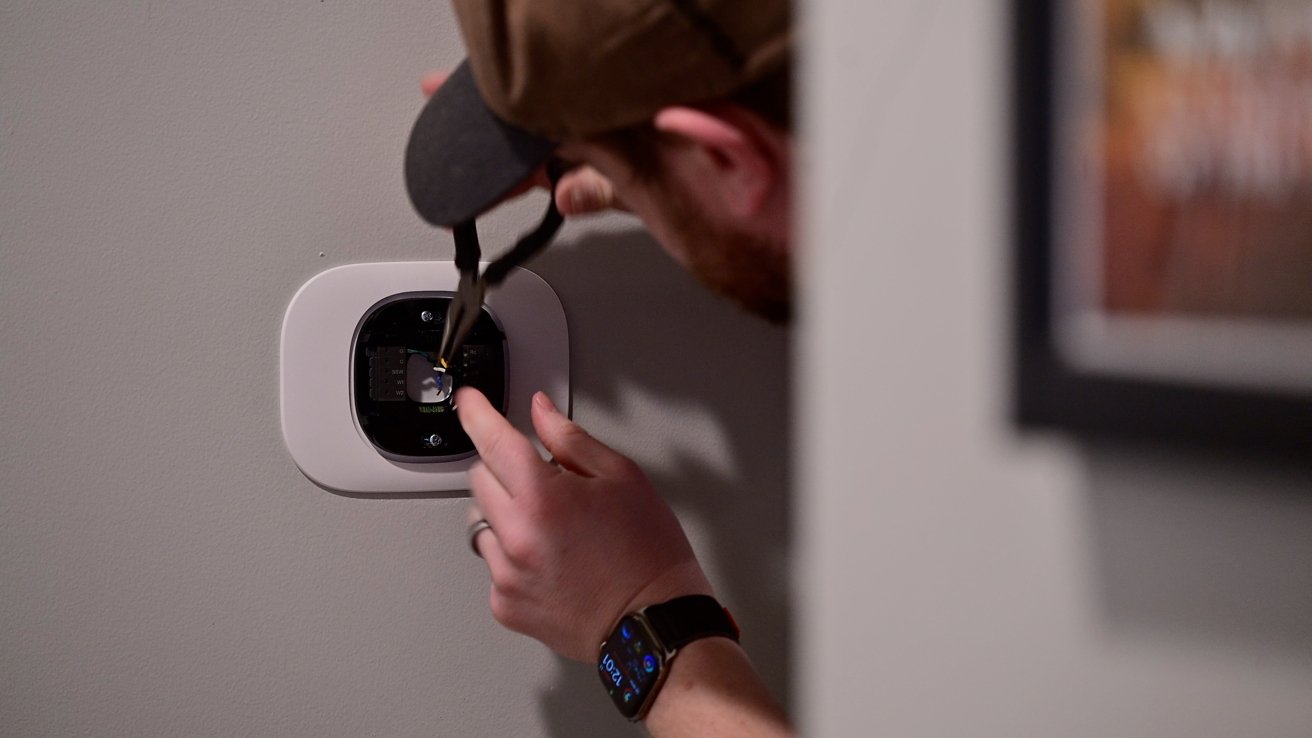
Man wearing a cap and smartwatch uses a screwdriver to install or adjust a smart thermostat on a gray wall, with a framed picture partially visible to the side

Aqara W200 thermostat review: It took only a few minutes to complete the install

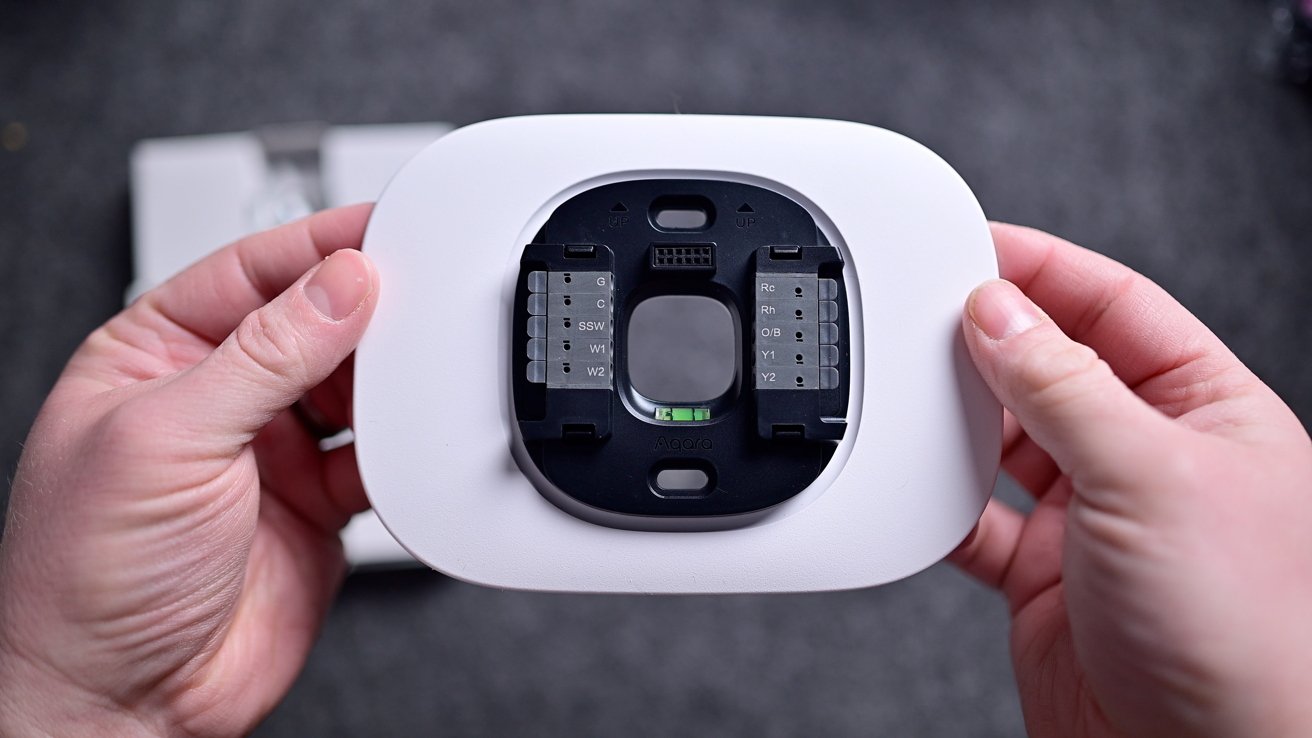
Going from my old Ecobee, I first turned off the breaker and then pulled my thermostat off the wall. I then took a reference photo and moved each of the wires from the Ecobee bracket to the Aqara bracket with the same label.

I had it installed in just a few minutes. If you need the C-wire power adapter, it is available as an extra purchase.
Advertisement
Hands holding a white rectangular smart thermostat base, showing exposed wiring terminals and connection points against a blurred gray background

Aqara W200 thermostat review: I needed to use the trim plate to cover a larger hole

In my case, I didn’t use it, but the Aqara app also walks you through this installation process. Each step is clear, and I think that most homeowners who consider themselves even a little handy can manage to get it hooked up in less than 15-30 minutes.

The thermostat isn’t metal like Nest or Ecobee Smart Thermostat Premium, but it still looks good nonetheless. It’s all black with a customizable 4-inch touchscreen on the front and a 480×480 pixel resolution.

From a distance, the screen nearly blends right into the body of the thermostat. On top are two grilles on the corners, as well as microphone inputs, used for two-way communication with a video doorbell.
Advertisement
Smart thermostat mounted on a wall, screen showing digital clock face and theme settings with options labeled Classic and Lightflash, surrounded by a white rectangular frame

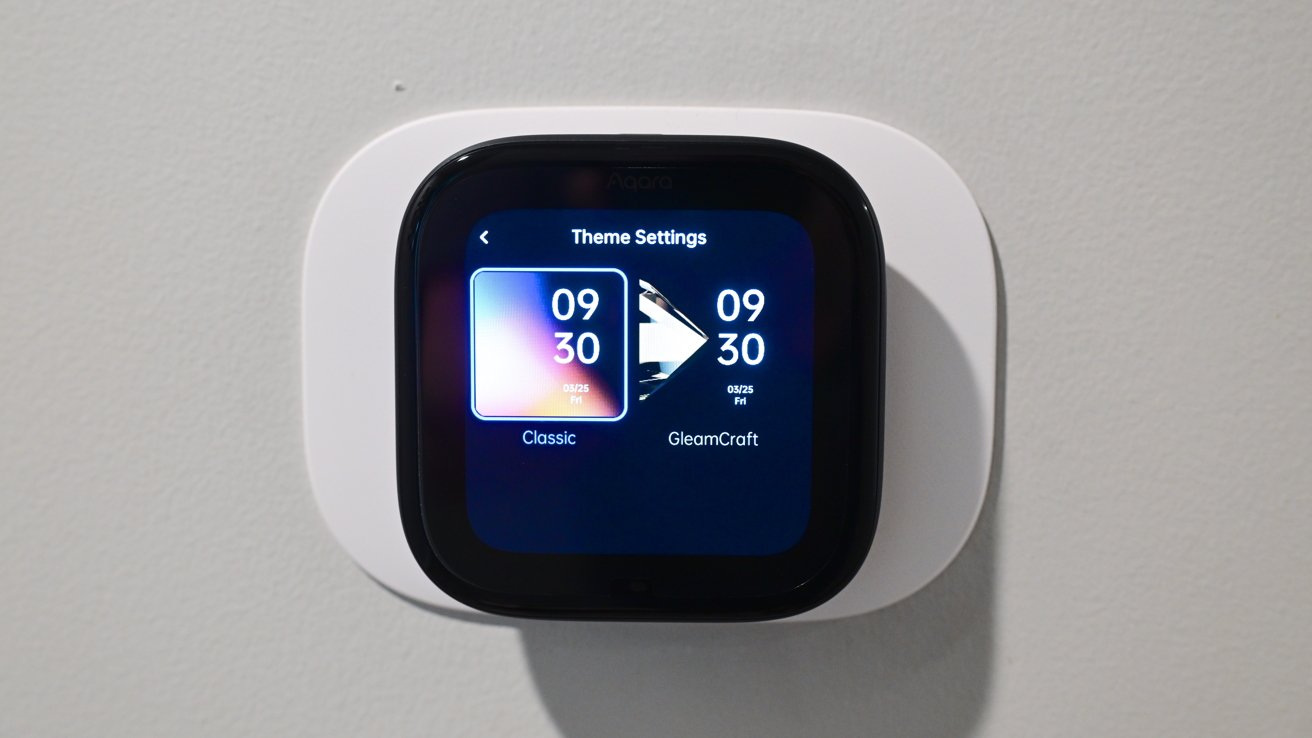
Aqara W200 thermostat review: You have two themes to choose from

Currently, the W200 has two themes for users to choose from for appearance: classic or GleamCraft. Interestingly, they’re labeled in the Aqara app as “free,” possibly implying the ability to purchase additional themes in the future.

These themes change the general color scheme of the thermostat, while screensavers are what show on the screen when idle. As you approach the thermostat, the screensaver fades to the temperature interface.

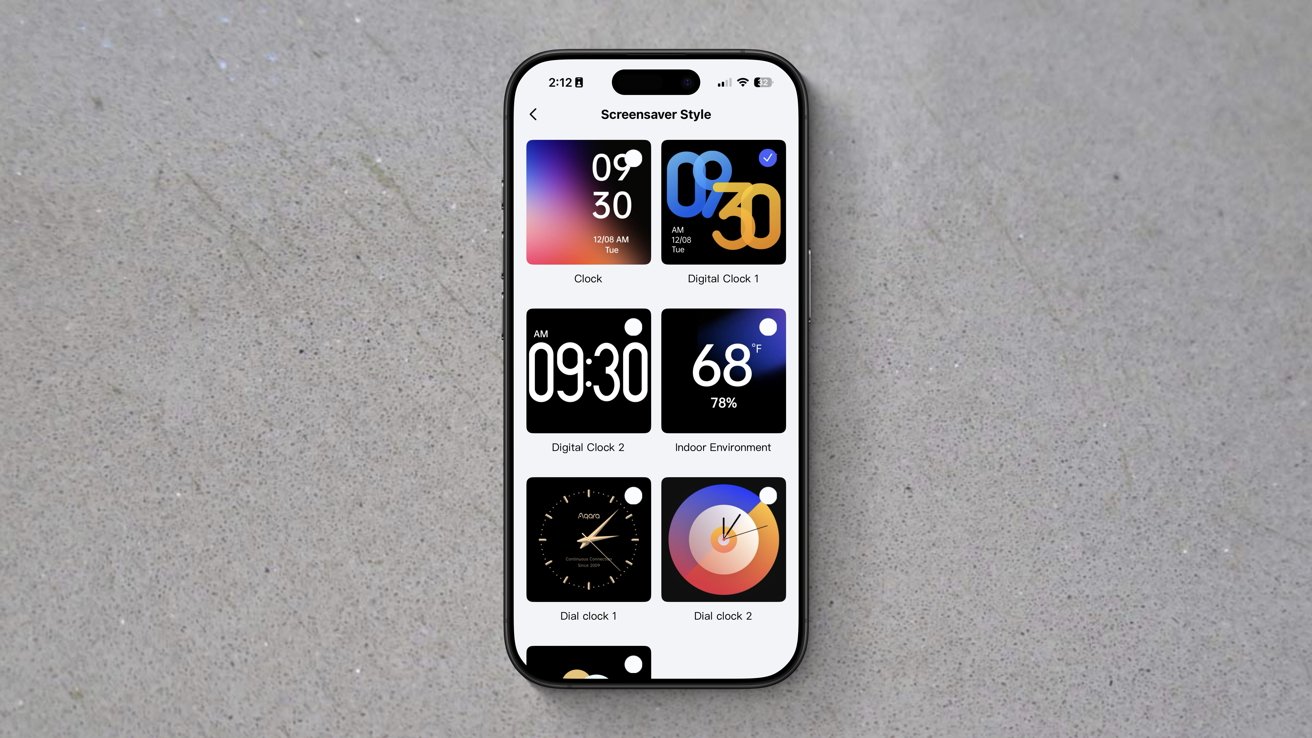
There are currently seven screensavers to choose from, though I wish there were more. This is a longstanding grievance of mine with similar devices.

Advertisement

A software feature like screensavers is exceedingly basic. They just require a bit of design, but exist as a single interface screen and don’t otherwise require many system resources.
Smartphone on gray surface displaying a customization screen with six colorful lock screen and clock style options arranged in a grid.

Aqara W200 thermostat review: There are seven themes, but I still want more

I think that seven is paltry, especially considering one of them is just showing the weather. Three of them have bright orange and blue colors, while the only dial-based clock is gold.

In my home, I’m not looking for vivid colors on the thermostat, and gold doesn’t match our decor. It may be nitpicking, but I’d love a few more styles, or at least the ability to adjust the colors.

Advertisement

The W200 is using mmWave radar to detect your presence and your approach. When it detects you walking up, that’s what triggers the screensaver to go away or to wake the thermostat if the display was asleep.

Out of the box, my W200 was not triggering this properly, which I partially blame on its installation location. It’s right around the corner, so I don’t walk up to it head-on.

Luckily, this is a user-adjustable setting in the Aqara app. I could change the screen activation distance, and now it works perfectly.

Using the touchscreen is easy and intuitive. You see a large number representative of the current temperature and an arced slider showing the target temperature.

Advertisement

You can run your finger along the slider to adjust the target temperature up or down, or you can press the +/- buttons on either side.
Square smart thermostat mounted on a plain wall, touchscreen lit with a dark interface showing highlighted heat mode option and additional options for cool, auto, and off

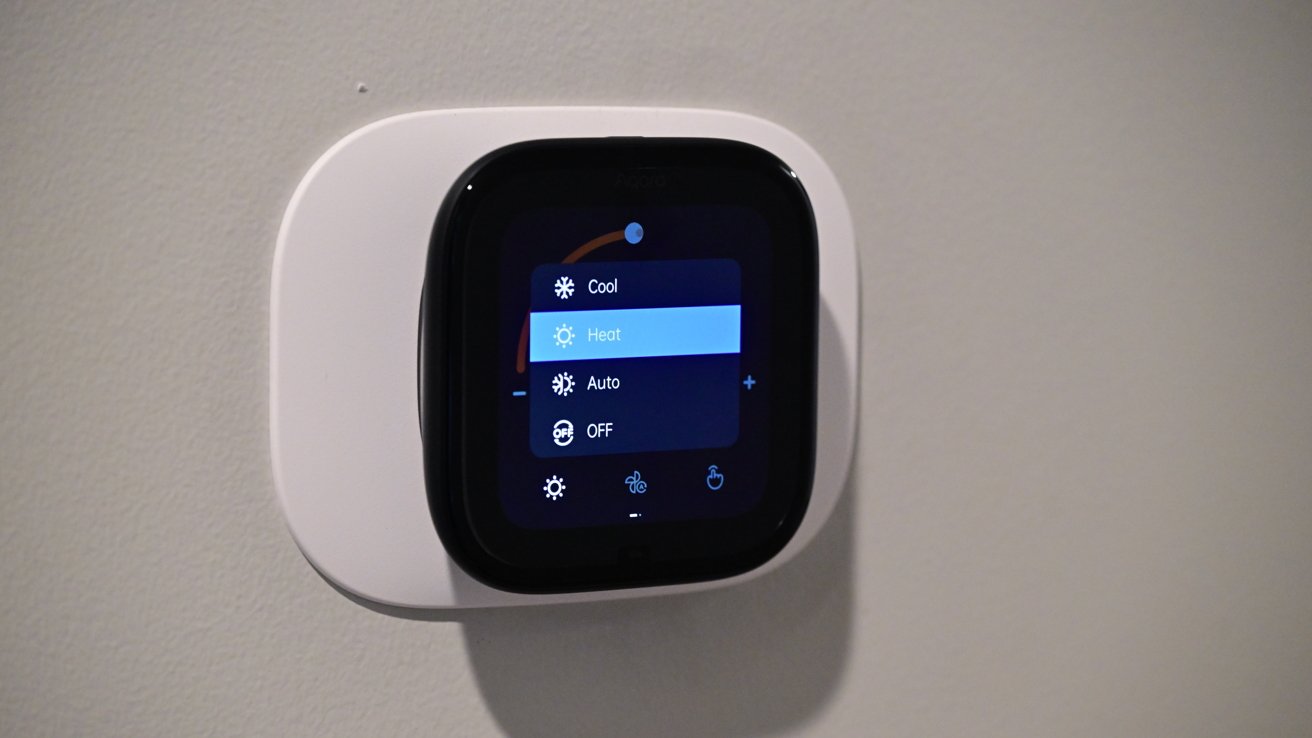
Aqara W200 thermostat review: Heating mode enabled

Along the bottom of the display, you have touch controls for mode (heat/cool/auto), fan, and what kind of control (manual/home/away/vacation). These extra controls probably could have been hidden, as I’ve rarely used them in my two months with this thermostat.

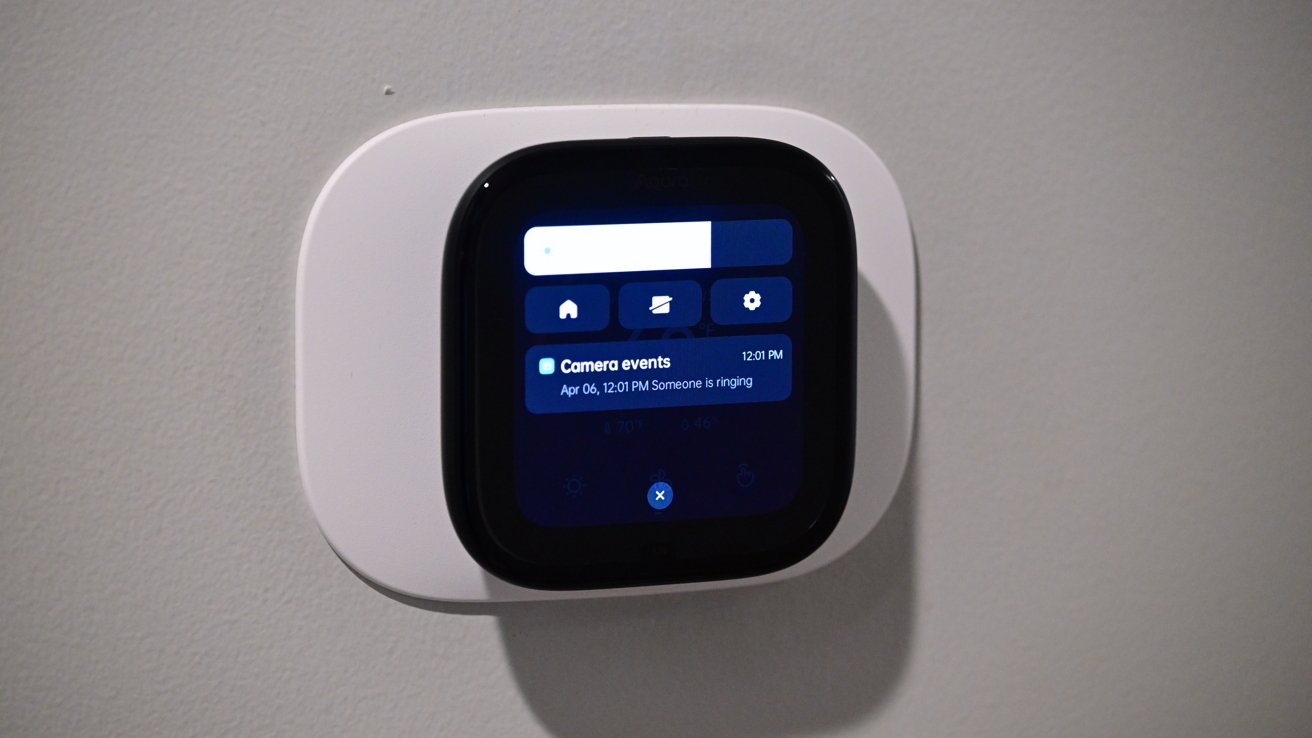
If you swipe down from the top, you get a slider for the screen brightness, a display toggle, and settings. It will also show any doorbell notifications that come through.
Advertisement
Wall-mounted smart home touchscreen display with rounded white frame showing a dark interface, including home icons and a notification about recent camera events on a gray wall

Aqara W200 thermostat review: Slide down from the top to access quick settings

Using the Aqara app, you can set up a secondary screen, but we’ll talk about that more in a few minutes as we get into the Aqara ecosystem.

Aqara W200 thermostat review: Doubling as a smart home hub

These days, it becomes a lot to unpack the varying degrees of smart features baked into a product. Take a look at a smart thermostat from 15 years ago, and while you could create schedules, you were more or less limited to controlling your thermostat from your phone.

Nest was most innovative, calling it a “learning” thermostat that would automatically adjust based on your interactions with it as well as your location. In 2026, it does a whole lot more.

Advertisement

The Aqara W200 is not just a smart thermostat, but it also acts as a Matter hub, integrates into various ecosystems, and has unique features amongst Aqara’s own product line.
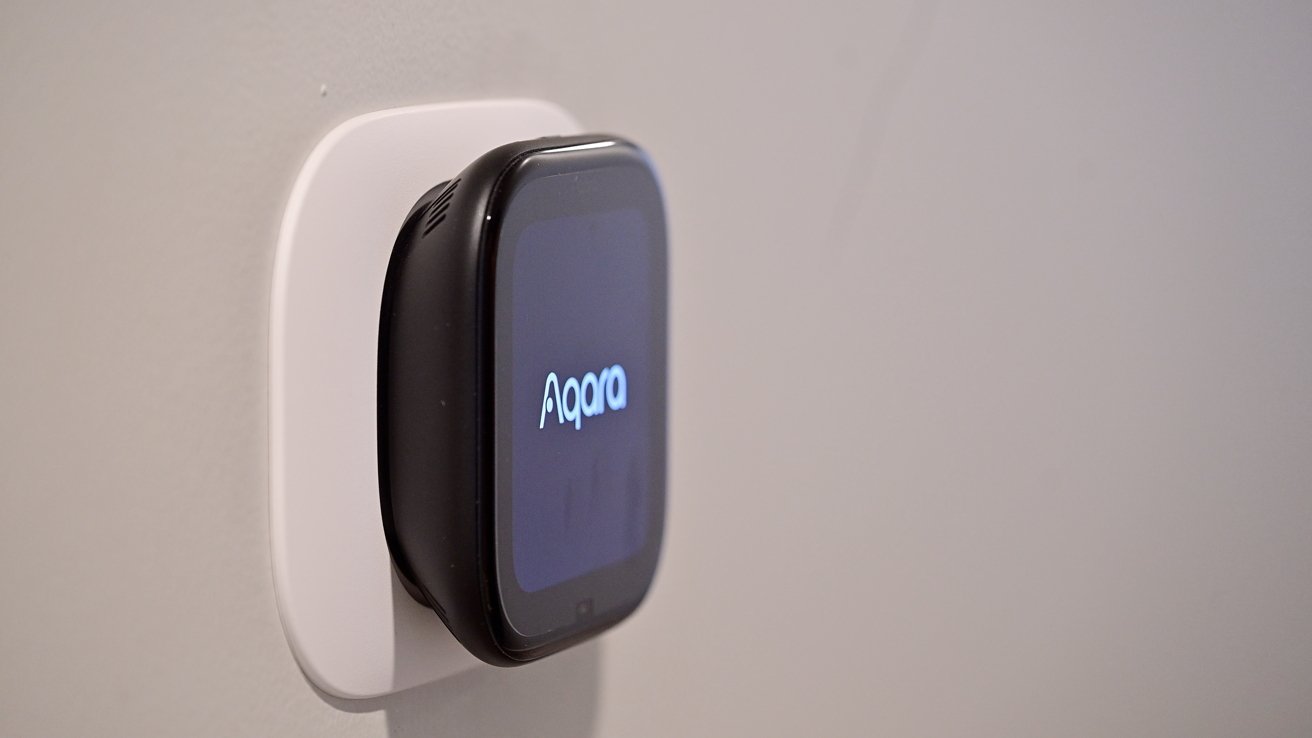
Small black Aqara smart device with a glowing screen mounted on a white wall plate against a plain light-colored wall

Aqara W200 thermostat review: Aqara logo on boot

As a refresher, Matter is the new unifying smart home standard. A device can get certified with Matter and automatically work with any compatible ecosystem.

This makes it easier for device manufacturers to get certifications. Multiple ecosystems can support the device at the same time, too, like Apple Home and Samsung SmartThings.

Advertisement

In this case, it doesn’t make a massive difference as the W200 has native support for Apple Home and all the major platforms. It also has uniquely Apple features, like Adaptive Temperature and Clean Energy Guidance.

The big benefit is that this can act as a hub. It can bring support for different devices into Apple Home by way of Matter.
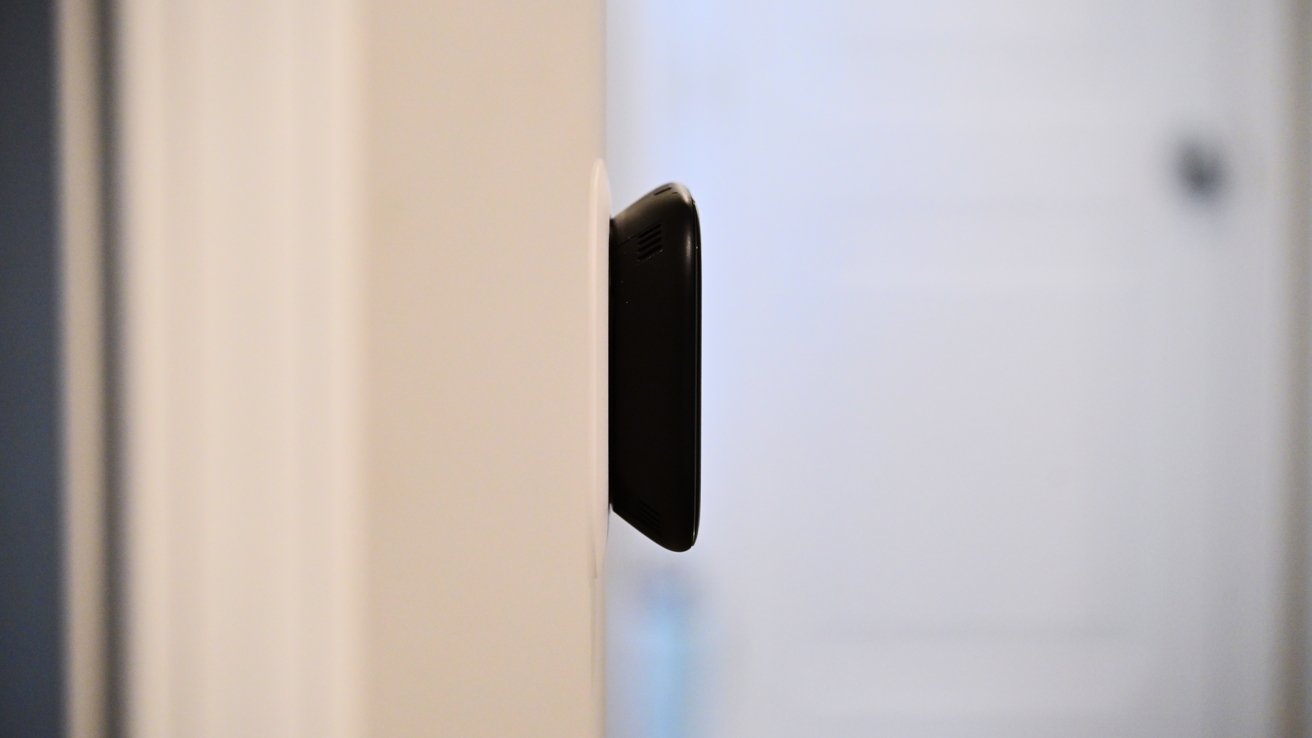
Side view of a narrow black rectangular device mounted on a light-colored wall inside a house, with a softly focused white door and hallway in the background

Aqara W200 thermostat review: The Aqara W200 sticks out a bit from the wall

You can connect up to 50 child devices with both Thread and Zigbee. Light switches, smart plugs, room sensors, and other devices that may not connect natively can all be bridged via this hub.

Advertisement

If the thermostat is in a good central location, this may be an ideal smart hub. It’s always connected to power and has both 2.4GHz and 5GHz Wi-Fi for a strong, reliable wireless connection.

Aqara W200 thermostat review: Aqara ecosystem

Acting as a hub is beneficial, but I also see a lot of value in the larger Aqara ecosystem. Aqara is doing everything right by being platform agnostic, supporting all ecosystems, while also bringing added value when used with other Aqara products.

So you can use this thermostat by itself with your ecosystem of choice, no problem at all. If you happen to choose a few Aqara products, the experience gets better. It’s similar to Apple’s approach with accessories like AirPods that just work better with its own products.

If you pair a remote Aqara FP300 sensor with the W200, you can use that as a room sensor and prioritize that when heating or cooling the home. This is akin to other premium thermostats with room sensors.

Advertisement

Even better is the Aqara Climate Sensor W100, which can show a room’s temperature and humidity. The sensor has buttons, which can act as a remote control for the thermostat, making it easy to adjust the temperature, right from your desk, counter, or bed.
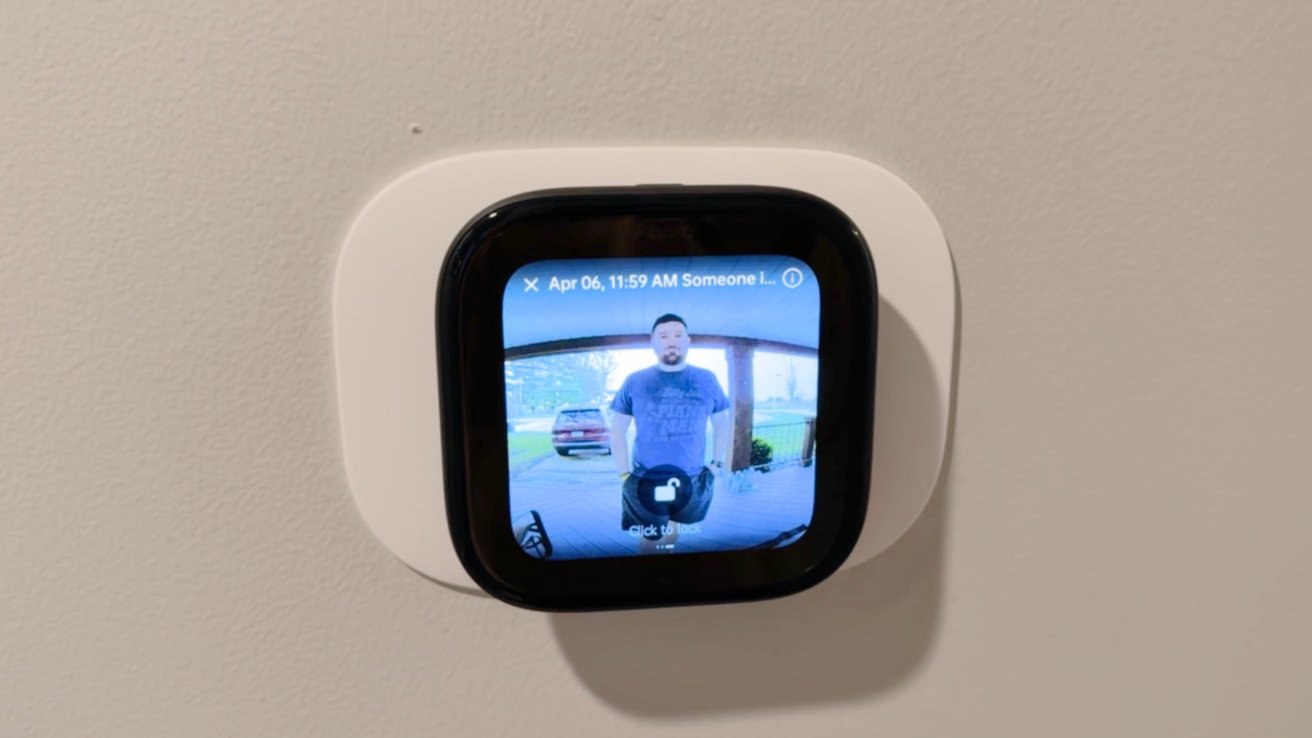
Square smart home display on a wall showing a video doorbell feed of a man standing outside under a carport, with a parked vehicle visible in the background

Aqara W200 thermostat review: When someone rings your Aqara doorbell, it shows on the thermostat

Borrowing a feature that Ecobee did, the W200 can show a live video feed from your doorbell when using an Aqara video doorbell. That includes the brand new G400 or wireless G4/G410.

When the doorbell rings, and you see the alert or hear the chime, you can use two-way communication to talk to the person standing at your door. Even better, if you have an Aqara door lock, you can unlock the door for them.

Advertisement

I’m a big fan of Ecobee and its premium thermostat, but Aqara has a much larger ecosystem of products that can offer unique experiences. I love how Aqara door locks and the W100 can bring more value, and I’m sure the offerings will expand.

Ecobee also doesn’t support Matter, let alone act as a Matter hub. The one thing Ecobee does have is Siri built into the thermostat.
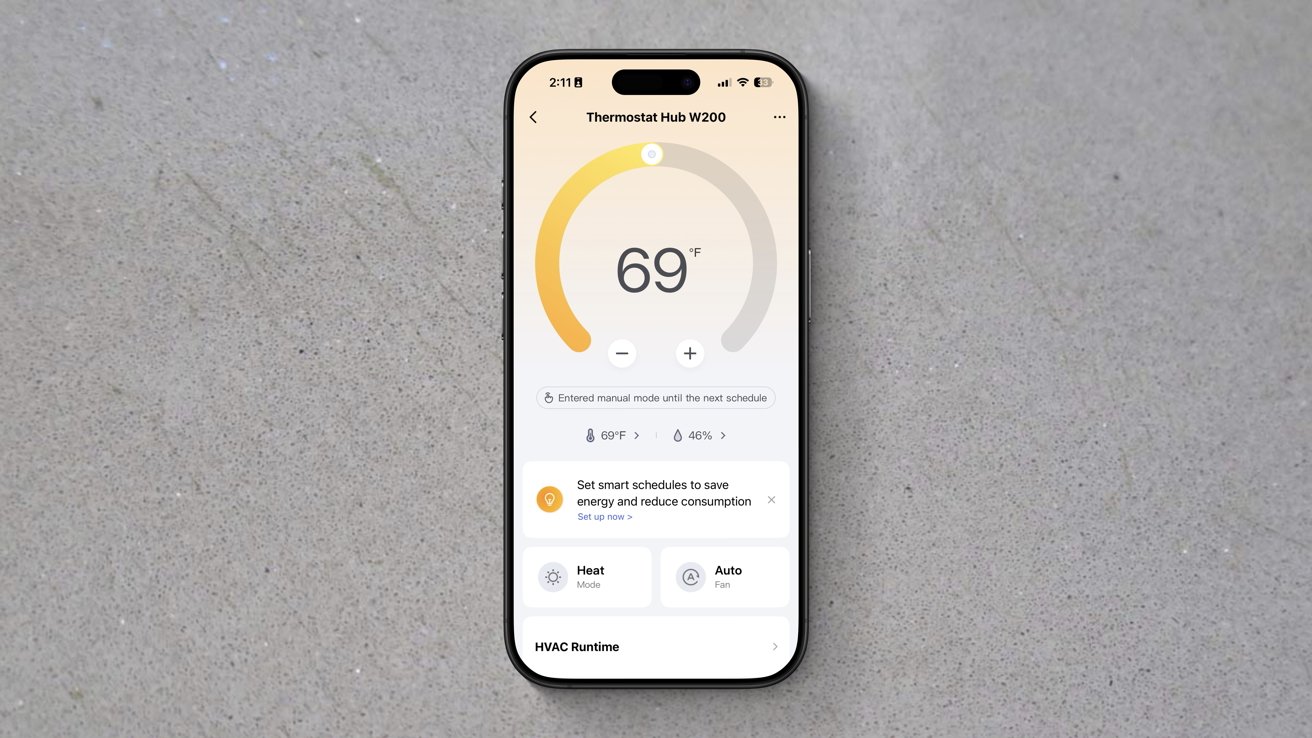
Smartphone displaying a thermostat app set to 69 degrees, with a circular temperature gauge and controls for scheduling, heat and cool modes, and automatic energy-saving options on a plain gray surface

Aqara W200 thermostat review: Aqara app has a ton of settings

Aqara does this on its wall panel, but not the thermostat, and I think that’s a better play. With the wall panel, you can put Siri into any wall switch in your home, whereas the thermostat is limited to where your wiring is located.

Advertisement

In my case, the thermostat is in a hallway, which works great for the doorbell integration, but Siri, not as much. It’s between multiple rooms that all have their own HomePods.

If you swipe from right to left, the W200 thermostat can show additional screens. Users can create and customize these additional screens from the Aqara app.
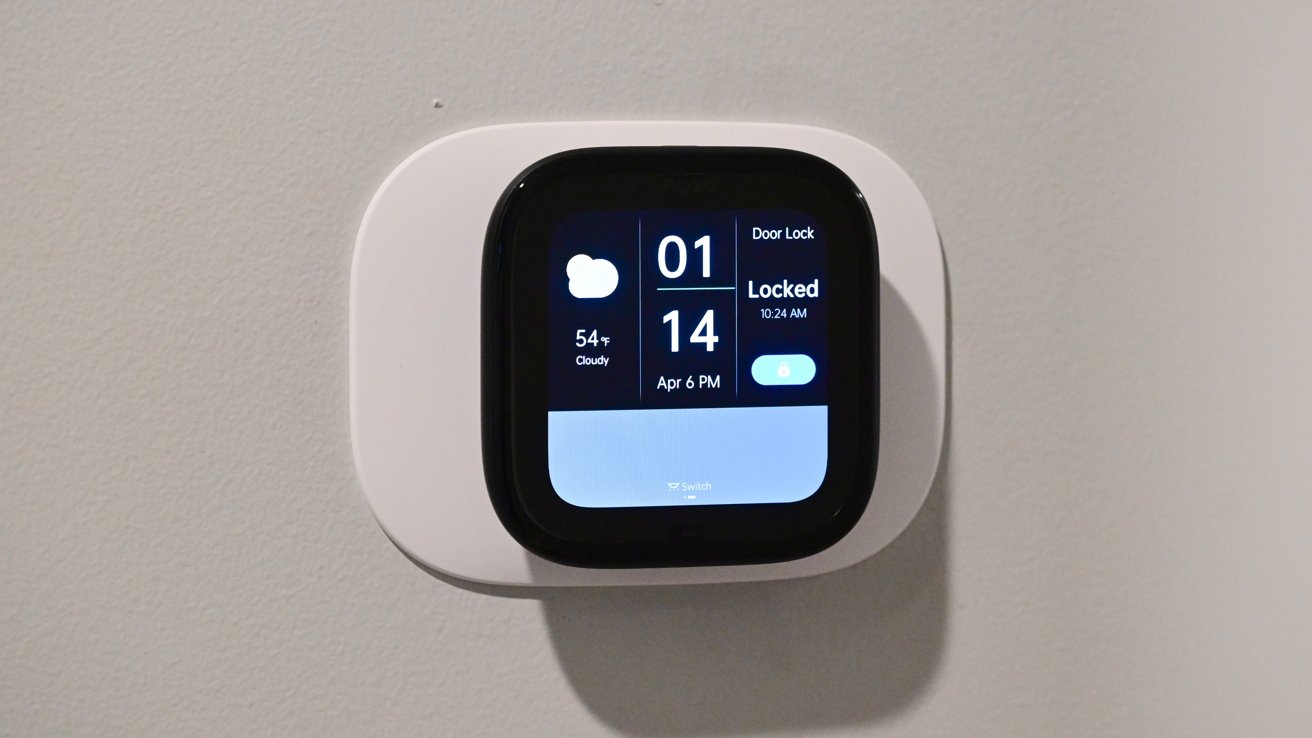
Smart home wall-mounted touchscreen panel displaying time, date, weather, and door lock status; the interface shows the door locked with a toggle switch on a light-colored wall

Aqara W200 thermostat review: You can add screens to the W200 to control other devices

There are a bunch of layouts in different grid patterns to choose from. Each of the grid spaces can show different information, like the weather, time, or other devices.

Advertisement

In my home, I set it to toggle off the lights in our toddler’s room, the local weather, the time, and the lock for our bedroom door. At least until our toddler figures out how that one works.

The more Aqara or Matter devices you add, the more options you have for these screens. It very much makes me want to invest more in Aqara devices.

If there was one feature I would like to see Aqara add, it’s the ability to pause your HVAC routine when a door has been open for too long. You can create an automation that pauses when a door is open, but it’s harder to get it to resume its programming, let alone to set durations as Ecobee does.

Aqara W200 thermostat review: Apple Home-exclusive features

Apple Home support is what makes the W200 particularly well-suited to the average Apple user. The thermostat shows in the Home app, like every other Apple Home accessory.
Advertisement
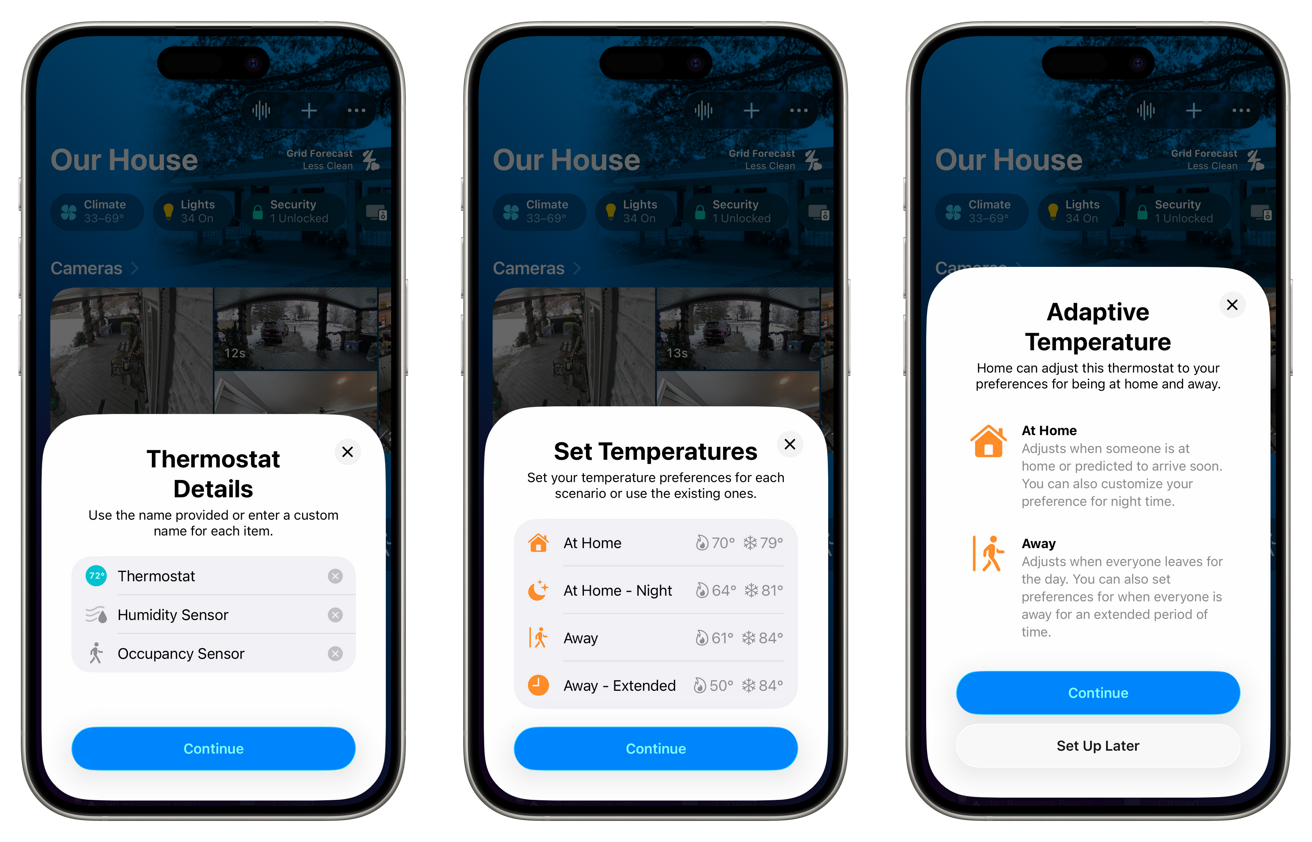
Three smartphone screens showing a smart home app setup: thermostat details, temperature presets for different scenarios, and adaptive temperature explanations with options for at home and away, each with a continue button

Aqara W200 thermostat review: Setup is easy in Apple Home

You can adjust the temperature, change the mode, and put it into any scenes or automation routines that you’d like. This is all standard for a smart thermostat.

The W200 has that mmWave radar sensor, which is exposed to the Home app. The sensor shows as an occupancy sensor, which can control other home accessories, like turning on the lights in the room when a person is in it and turning them off after they leave.
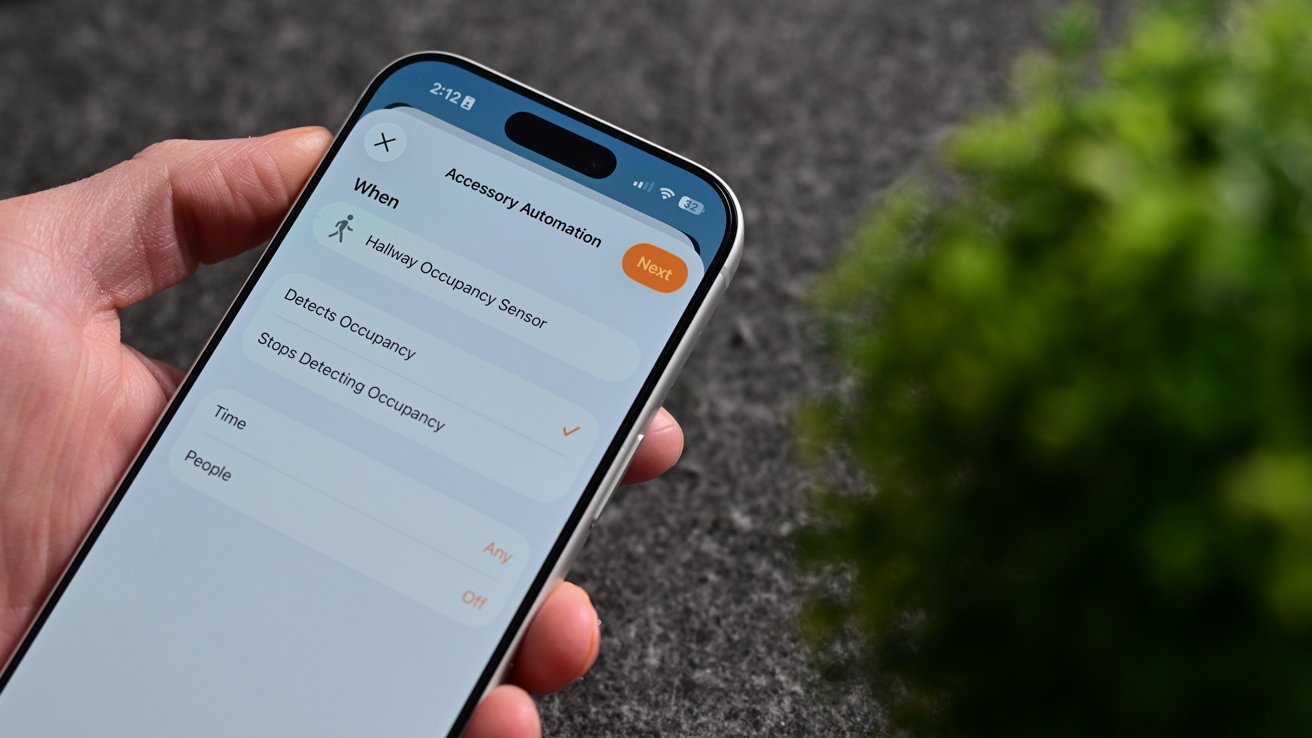
Hand holding a smartphone displaying an accessibility automation settings screen beside a blurred green plant on a dark textured surface

Aqara W200 thermostat review: The mmWave radar works as an occupancy sensor for automations

Advertisement

What’s even more unique is support for both Adaptive Temperature and Clean Energy Guidance. The latter of which I wasn’t able to fully test.

With other smart thermostats, they can change your temperature mode (away versus home) based on your location. You leave the house, and it detects this and changes the mode to away.

As you arrive home, it also detects this and puts it into home mode. The problem is that this is always reactive, not proactive.

It’s been a particularly cold winter, and my family and I were away for the weekend. While away, we had our home set into away mode that dropped the home temperature to around 55 degrees.
Advertisement
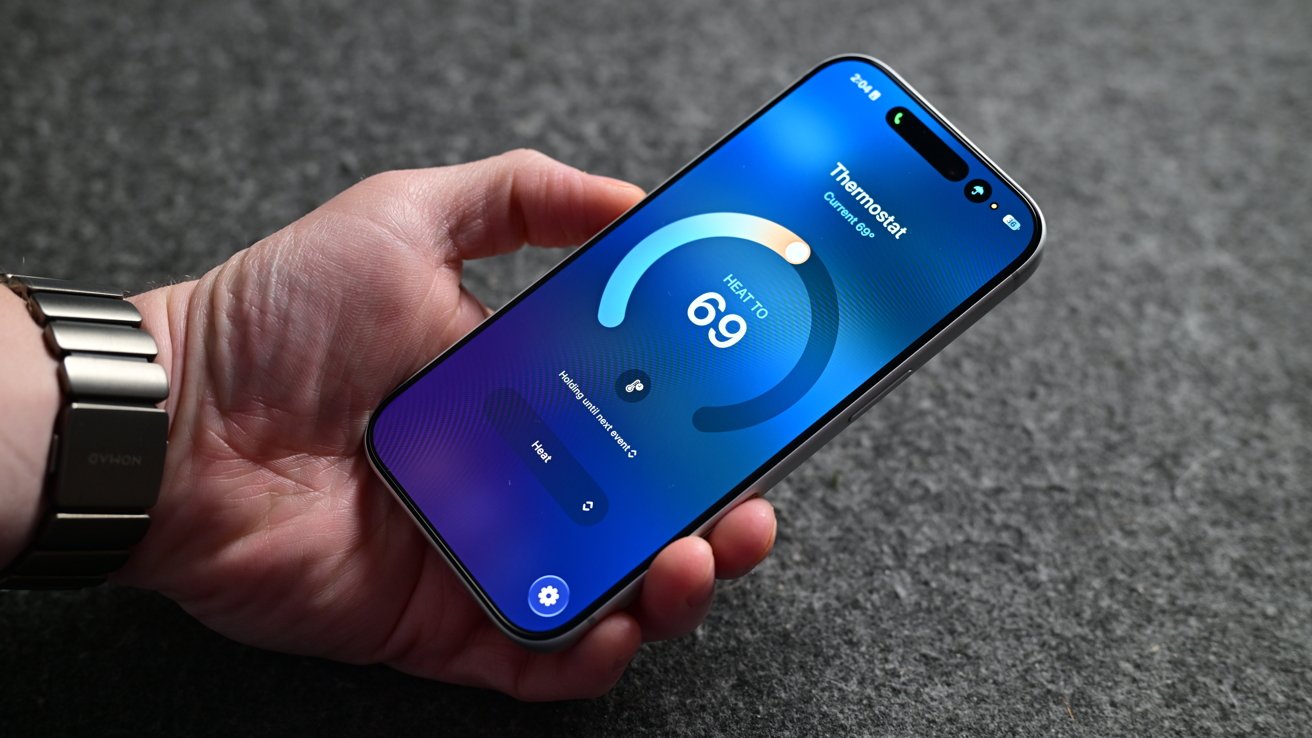
Hand holding a modern smartphone displaying a blue fitness or health app screen with a large circular progress bar and the number 69 on a dark fabric background

Aqara W200 thermostat review: Viewing the Aqara W200 in the Home app

When we arrived home to our Ecobee thermostat, it correctly switched to home mode and started heating our home back up to a comfortable temperature. The problem was that we were already standing in a cold home.

We had a baby who was only a few months old, who was tired, cranky, and ready to go to bed. The house was cold enough that we didn’t want to put her down until the temperature had risen.

Not to mention my other half is always cold and was quite unhappy that the temperature was sub-60 degrees inside and below zero degrees outside. This is just one recent example of other thermostats being problematic for comfort.

Advertisement

Adaptive Temperature has largely solved these issues.

What happens is that Apple takes what it knows about you to proactively adjust the thermostat. Think about when you get into the car, and Maps seemingly already knows where you’re going based on history.
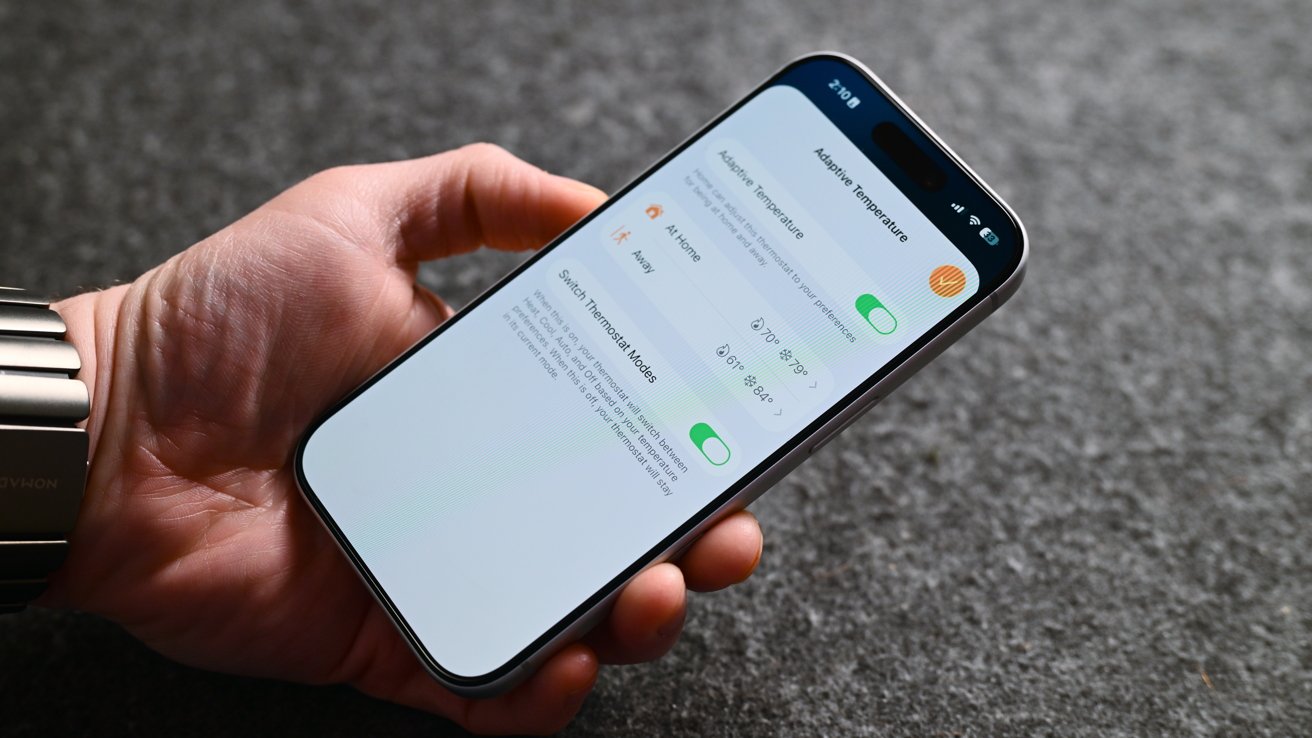
Hand holding a smartphone displaying a settings screen with toggle switches and options on a gray textured surface, showing accessibility or notification controls turned on and off

Aqara W200 thermostat review: Adaptive Temperature predicts when you’ll be home

Your iPhone also has access to your map routing, your schedule, and more, so it can guess when you’ll be heading home. This all gets processed locally on your device, making it very private.

Advertisement

Since installing the W200, our home has been far more comfortable, especially as we come and go. I’ve also got a lot fewer complaints from my partner.

Clean Energy Guidance is the other new feature here that we haven’t seen implemented before now. For those who live where energy prices change based on time of day and who are using a supported energy provider, this can be toggled on in the Home app.

It will make small adjustments to your home’s climate to reduce electricity usage based on the time of day to save money. You shouldn’t even notice this is happening, as it is designed not to impact overall comfort.

Unfortunately, supported providers are very limited at the moment. If you live outside that area, you can potentially use Grid Forecast, which will try to reduce usage when energy is less clean, which is what I have enabled.

Advertisement

Aqara W200 thermostat review: The smart thermostat for Apple users

There’s very little not to love about the Aqara W200 smart thermostat. It checks nearly every box I could ask for.

There are a few small features and changes I’d like to see rolled out, i.e., more screensavers and door sensors, but otherwise, it is an exceptional device. Apple users won’t be able to find a more full-featured option.
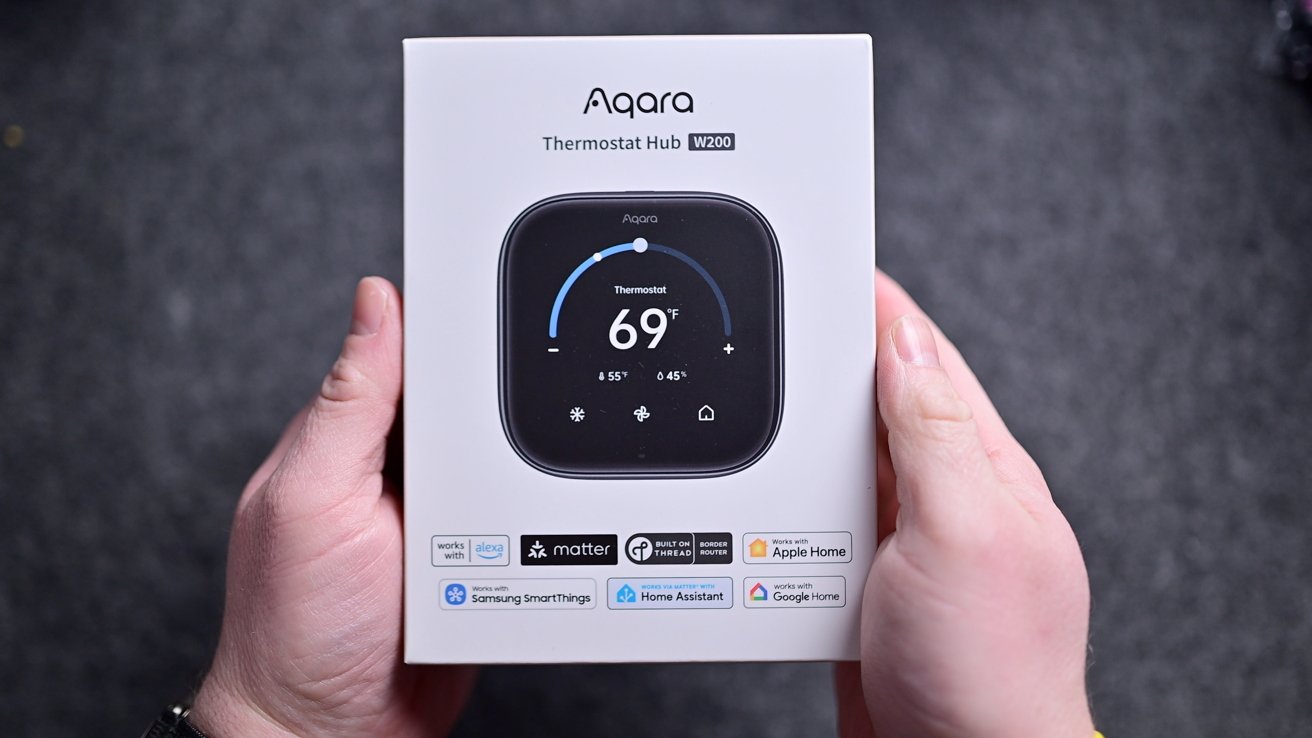
Hands holding a white Aqara Thermostat Hub box showing a smart thermostat set to 69 degrees, with app and smart home compatibility icons displayed beneath the product photo

Aqara W200 thermostat review: Aqara W200 in the box

That’s all before you consider the price. It’s launching with a price tag of $159.99, barely above the Ecobee Essential thermostat.

Advertisement

The Ecobee Essential thermostat is priced at $139, but doesn’t even include the trim plate. That’s an extra $14.99, but it’s included with the Aqara.

This costs close to the $129 Nest, but is closer to competing with the premium learning thermostat, Ecobee Premium, or Honeywell Home X8S. It’s cheaper than its competition and offers more features.

Soon, we’ll see other thermostats launching with Apple’s Adaptive Temperature, but I’m unsure if any others will offer the value that Aqara is offering. Right now, this is the smart thermostat that Apple users should opt for.

Aqara W200 thermostat review: Pros

  • Clean, simple design
  • Aggressively priced
  • First to support Apple Adaptive Temperature & Clean Energy Guidance
  • Customizable appearance
  • mmWave radar to trigger automation routines
  • Support for Apple Home & Matter, plus works as a hub
  • Easy install
  • Supports Thread, Zigbee, & Wi-Fi (2.4GHz & 5GHz)
  • Deep integration with other Aqara devices

Aqara W200 thermostat review: Cons

  • No white model
  • Limited screensavers and themes
  • No auto-pause based on contact sensor state

Aqara W200 thermostat rating: 5 out of 5

The Aqara W200 thermostat hub is available now in North America for $159.99 on Amazon. It’s launching in Apple Stores in September 2026 for $169.99 in an exclusive matte finish.

Advertisement

Source link

Continue Reading

Tech

Samsung Steps Into US Credit Cards With the Galaxy Card, Competing Directly with the Apple Card

Published

on

Samsung Galaxy Card Credit Card Launch
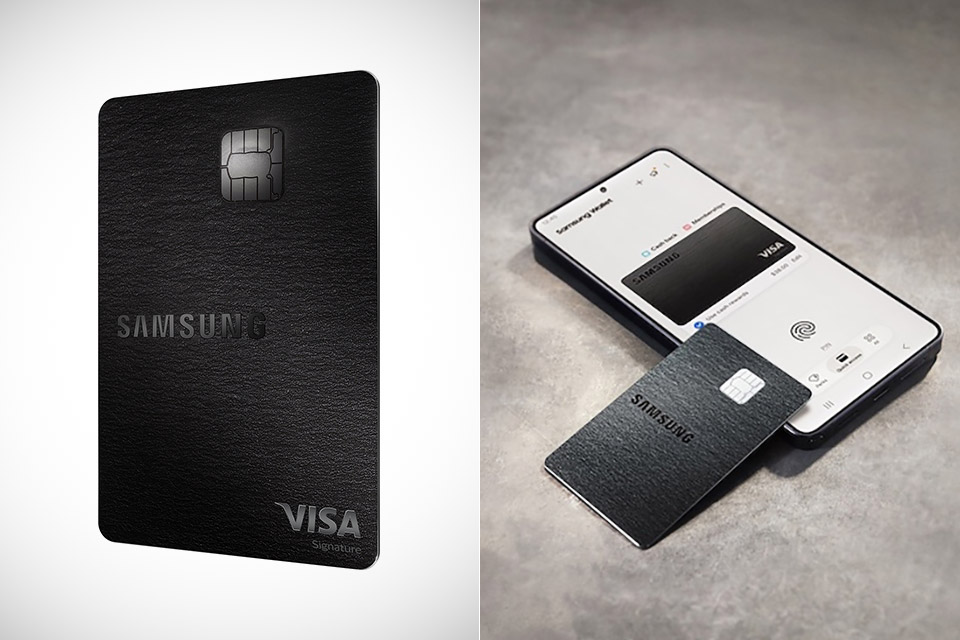
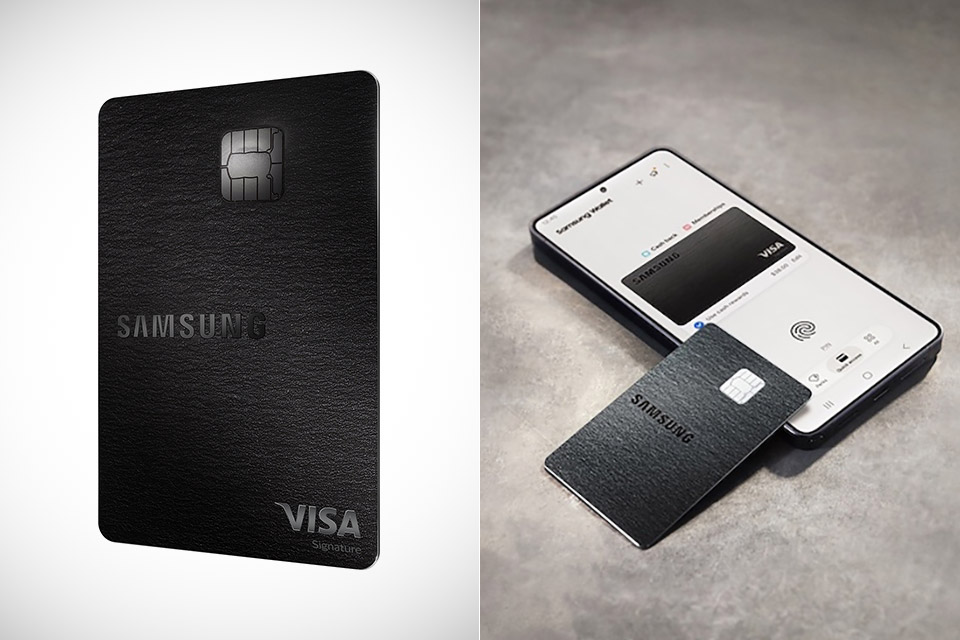
Samsung has entered the US credit card market with the Galaxy Card, its first such product in the country. The card comes from a partnership with Barclays US Consumer Bank and runs on the Visa network. Applications for early-access customers opened July 21, while the public can apply starting July 22 online or at any Samsung retail store.


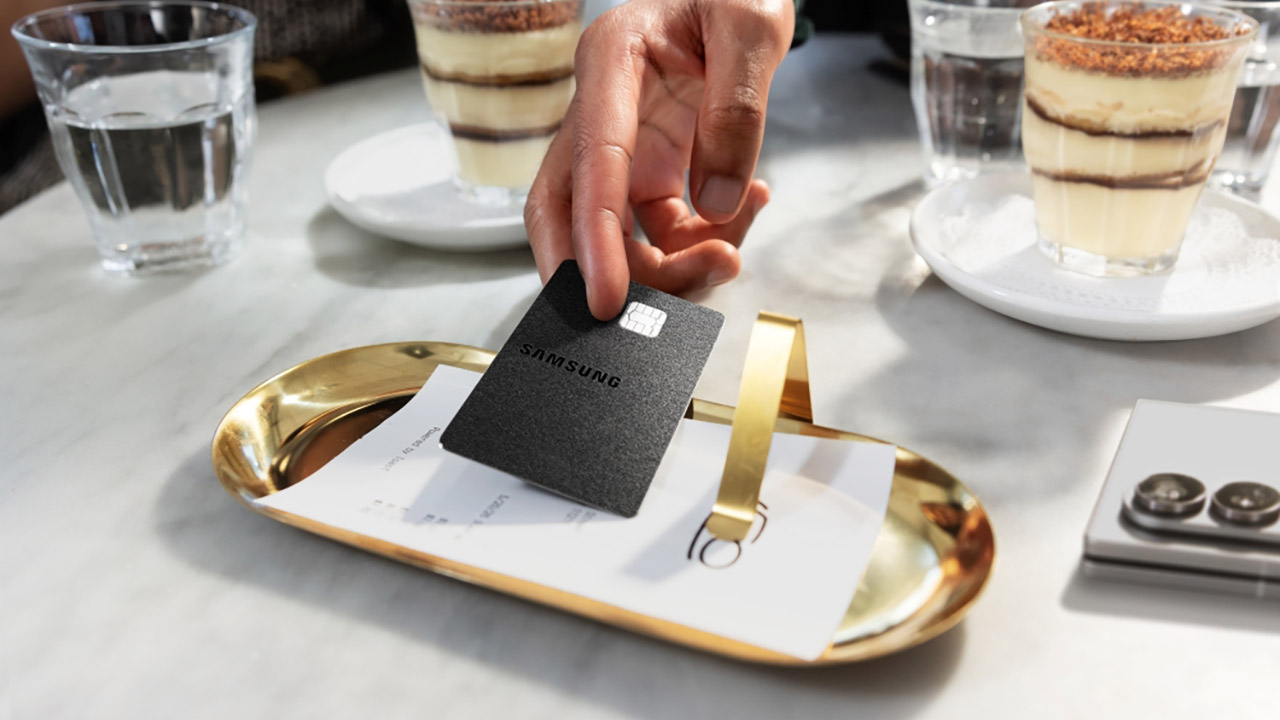
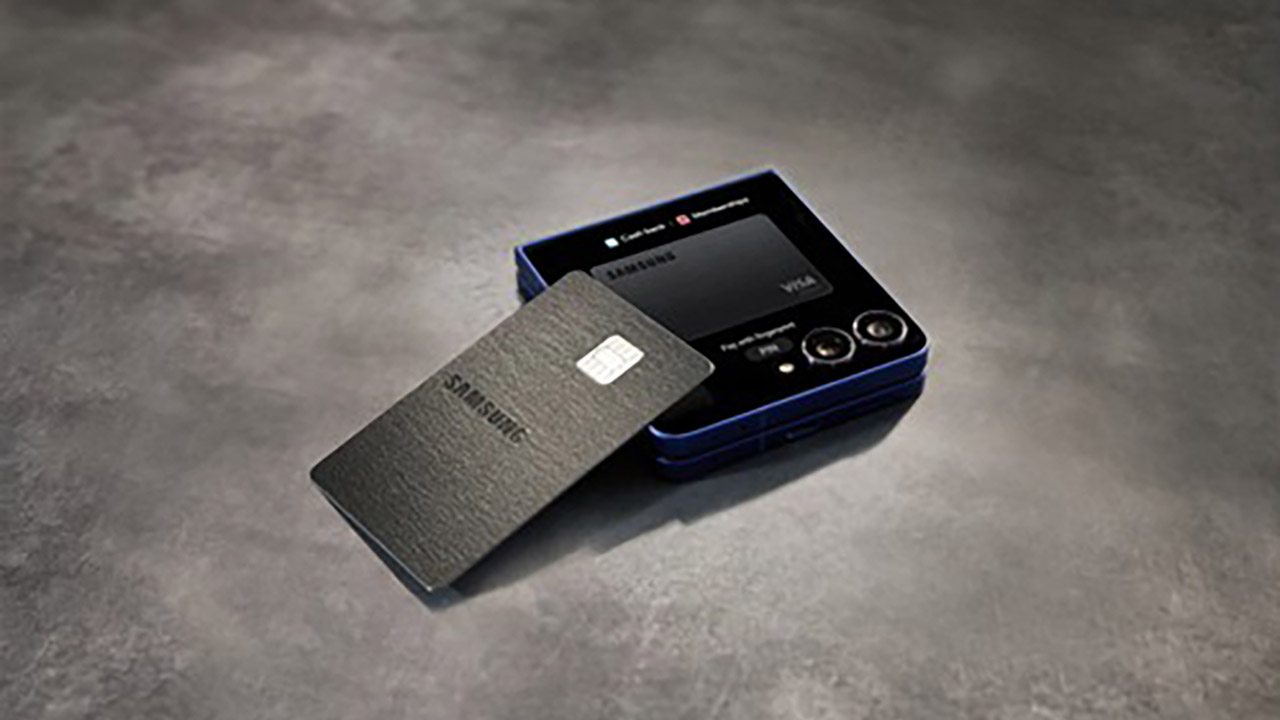
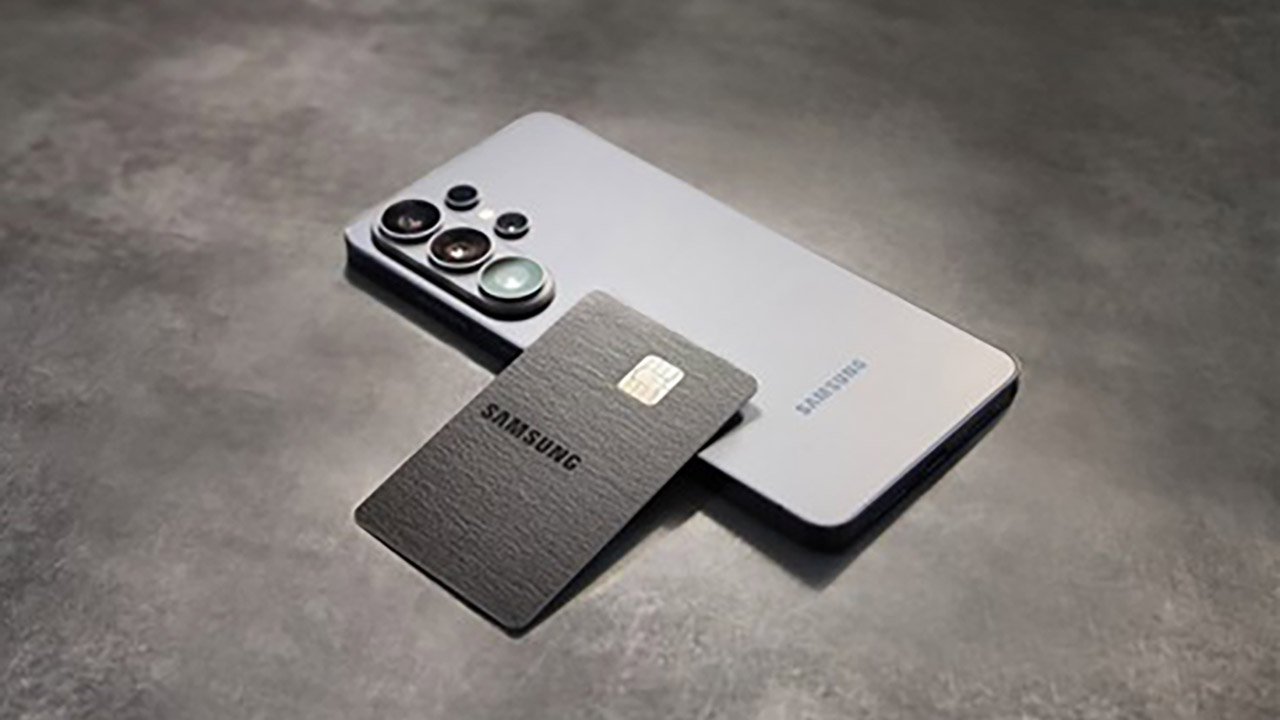
This new offering comes in two forms: a virtual card that appears in Samsung Wallet as soon as you receive approval, and a sleek black metal counterpart with the Samsung emblem that will be delivered to you later. Once inside the wallet, it is stored alongside all of your other payment cards, digital IDs, passes, and keys, all of which are protected by Samsung’s Knox security. From there, you can track your spending, get rewards, and remain organized without ever leaving the Samsung Wallet app on a compatible Galaxy phone.

Sale


Samsung Galaxy S26 Ultra, Unlocked Android Smartphone, 512GB, Privacy Display, Galaxy AI, AI Camera…
  • PRIVACY DISPLAY: Automatically hide your screen from those beside you. The built-in privacy display can be preset¹ to turn on when receiving…
  • TYPE IT IN. TRANSFORM IT FAST: Enhance any shot in seconds on your smartphone by using Photo Assist² with Galaxy AI.³ Add objects, restore details…
  • NIGHTS, CAPTURED CLEARLY: From gigs to city lights, record and capture moments after dark with clarity using Nightography so your photos and videos…

Cash rewards are the main attraction here, and they apply to purchases made directly from Samsung, whether online at Samsung.com, in one of their experience stores, via the Shop app, the Galaxy Store, Care+, or any linked service, since they all earn you 5%. Put the card in your Samsung Wallet, and you’re looking at 3 percent for those purchases. Streaming services such as Netflix, Disney+, and Spotify pay you 2 percent, while everything else earns you 1 percent.

Advertisement


New sign-ups who spend $2000 during the first three months of creating an account will receive a $200 cash rewards bonus. If you pay for or renew a Samsung VIP Advantage membership with the Galaxy Card, you’ll get a 20% discount (on top of the 5% cash rewards rate). This card comes with no annual fee, which is a relief for some.

Samsung Galaxy Card Credit Card Launch
Barclays is presenting the Galaxy Card as the first digital wallet credit card of its sort, which means that all transactions take place within Samsung Wallet rather than a separate banking app. Visa acceptance takes care of the rest, so you know it’ll work anywhere Visa does. You can also use it to finance a Galaxy device purchased straight from Samsung, allowing you to pay for new phones, tablets, and other items over time.

Samsung Galaxy Card Credit Card Launch
In terms of incentives, this appears to be a better offer than the Apple Card, especially if you spend a lot of money on Samsung products or use Samsung Wallet on a frequent basis. Apple presently offers 3% on Apple purchases and certain partners, 2% on Apple Pay transactions, and 1% on everything else. Samsung’s arrangement focuses more on their platform, although it also offers daily return on streaming and general purchases.

Samsung Galaxy Card Credit Card Launch
In the grand scheme of things, it’s clear that Samsung wants to make its handsets, wallet software, and the money consumers spend every day inextricably intertwined. For those who already own a few Samsung products, the increasing benefits on direct Samsung purchases and Samsung Wallet spending are a compelling reason to retain your purchasing habits within the Samsung ecosystem. On July 22, the program became available to the general public, giving anyone in the United States a simple online option to enter and check if the card fits their shopping habits.

Source link

Advertisement
Continue Reading

Tech

Who’s Building That Data Center?

Published

on

One of the biggest “David versus Goliath” stories in tech right now is the towns beset by AI data center projects they may or may not have asked for. Powered By Who is tracking data center development in the US on this convenient map.

Currently, there are over 2,100 data centers being tracked by the project ranging from proposals to sites fully up-and-running. While you have to build bypasses data centers to keep the internet running (which we’re partial to here at Hackaday), there are certainly questions around the amount of power and water consumed by these sites, the emissions they’re sending into the surrounding community, and who exactly is reaping the benefits.

Whether you’re pro, against, or ambivalent about the proliferation of “AI” data centers, the map offers an engaging way to look at what projects are happening around the nation, especially when you start looking at clusters and how that interacts with the power generation and political makeup in a region. It’s particularly interesting how only three states account for roughly 70% of all the projects. Let us know if there’s a similar tracker in your area if you’re from one of the other parts of the globe!

Advertisement

Looking past the debate, there’s a lot of interesting engineering involved in keeping these data centers cool, although there are questions about where that heat ends up going. DC distribution inside the site, underwater data centers, and even putting them in space are some of the solutions for keeping the cooling loads tamed.

Source link

Advertisement
Continue Reading

Tech

Tapo C246D 2K Indoor / Outdoor HybridCam Boasts Two Lenses That Work Together and Keep Up With the Action

Published

on

Tapo C246D 2K Indoor / Outdoor HybridCam
Most security cameras force a choice. You either get a wide view that shows everything but leaves details fuzzy, or a tighter lens that catches faces and license plates while leaving big parts of the room or yard uncovered. Tapo’s C246D, priced at $54.99 (was $70), refuses that trade-off by packing two separate 2K sensors into one compact body.


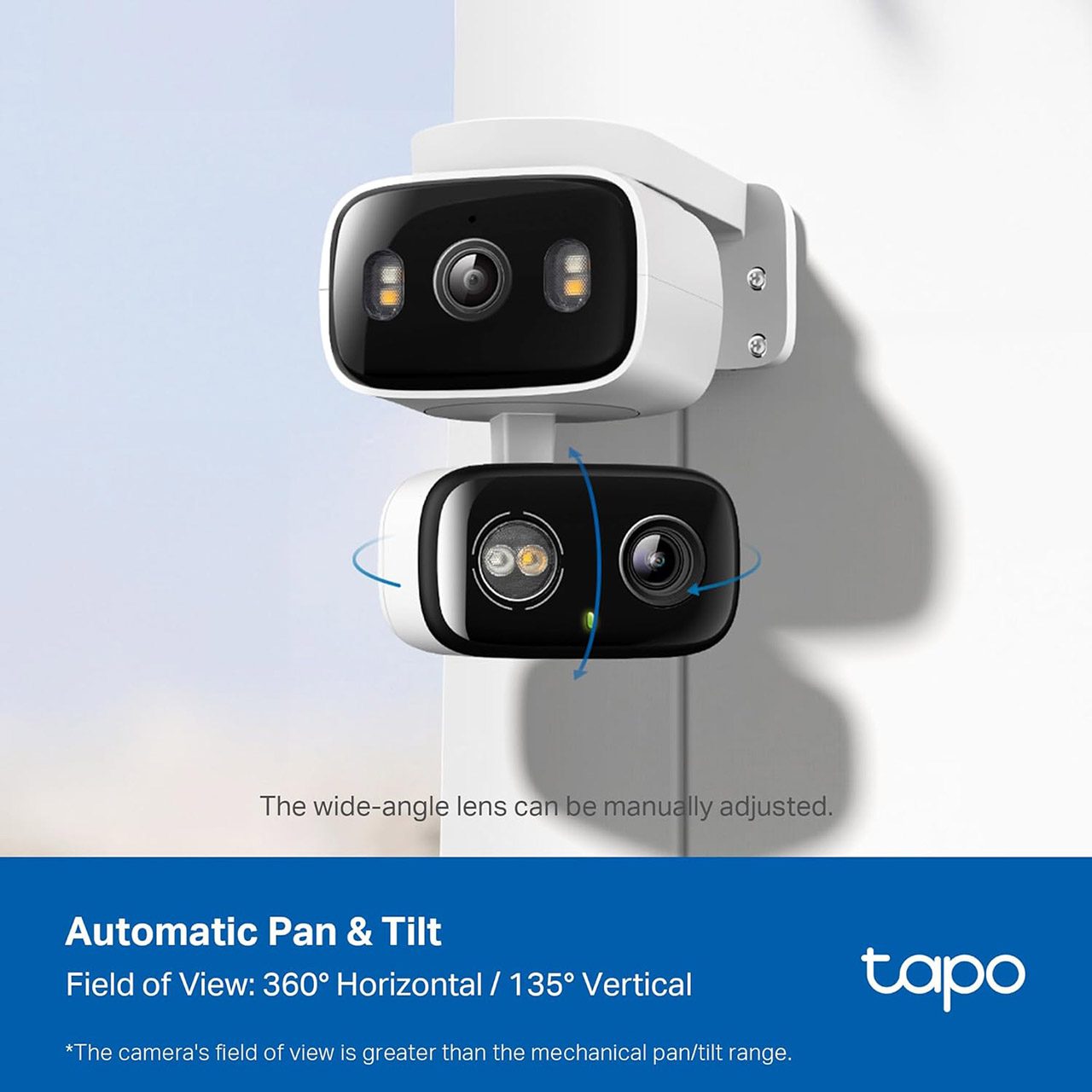
A lens sits steady and wide, providing a massive 125 degrees of view with a 2.8mm optic. The second lens, however, is a 6mm telephoto unit that can pan and tilt on its own, and both of these lenses record at 2304 by 1296 resolution and 15 frames per second. You get the full picture and the close-up all on the same live broadcast, without having to switch cameras or buy a new gadget.

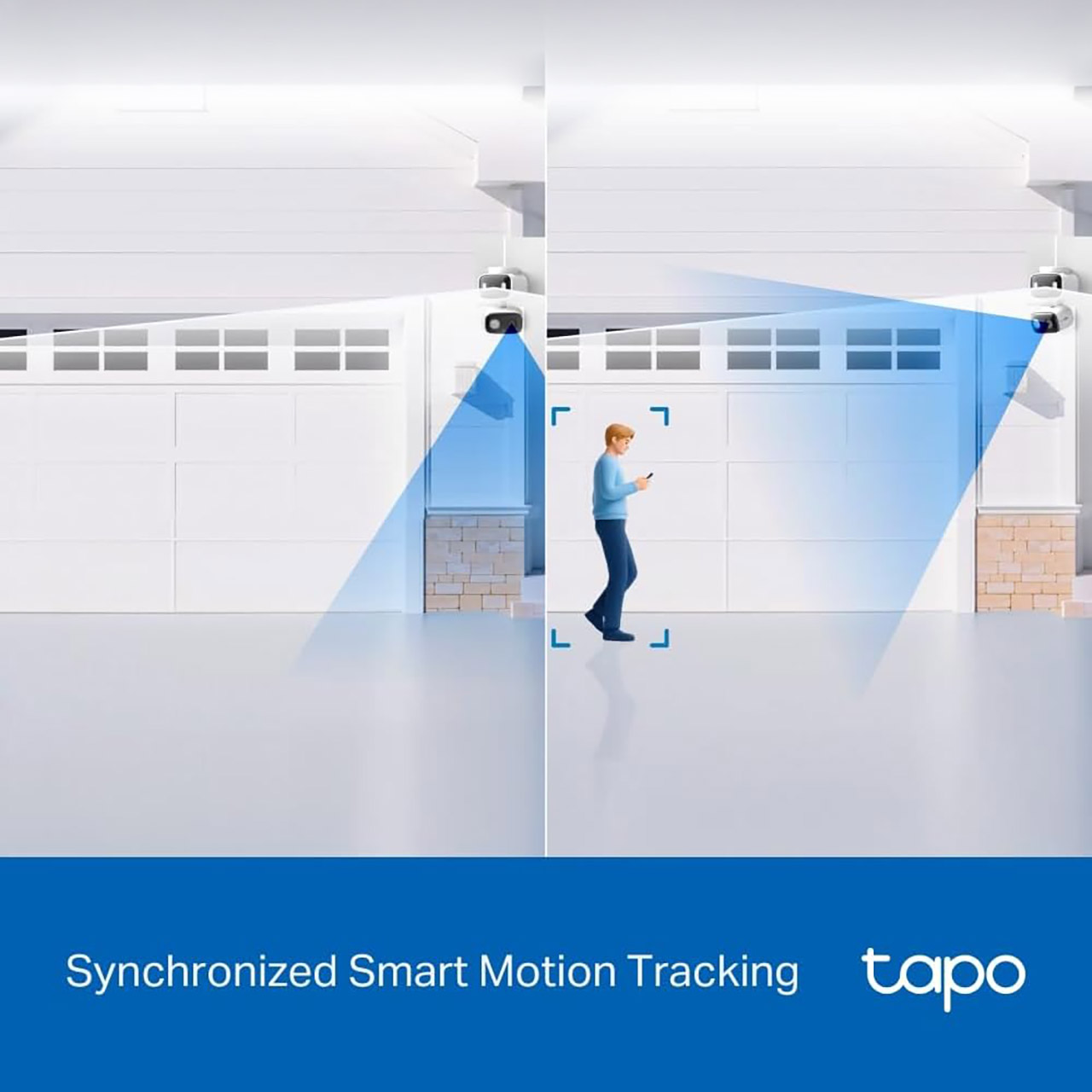
When the wide lens detects movement, it automatically swings across and locks onto the subject. This synchronized tracking makes a significant difference in day-to-day operations. A person going across the driveway or a puppy racing through the living room remains nicely centered in the tighter frame, but the wide perspective keeps an eye on the rest of the environment. You can even press any point in the Tapo app’s wide view to have the pan-tilt lens zoom in on it. The Tapo also lets you configure up to eight preset patrol stations, allowing the camera to cycle around all of your essential regions on a fixed timetable.

Tapo C246D 2K Indoor / Outdoor HybridCam
The camera itself has an IP65 rating, allowing you to mount it almost anyplace. You can place it under an eave on your porch, on a shelf inside, or even on a wall. During installation, you may even move the fixed wide lens 360 degrees and tilt it slightly by hand to ensure that everything is just correct before switching to the motorised lens. Power is supplied via a 3 metre wire and a normal 5v converter. There is no battery option, however the wire is long enough to fit almost anywhere.

Tapo C246D 2K Indoor / Outdoor HybridCam
Nighttime illumination is provided by three built-in spotlights for full-color video and several 850nm infrared LEDs that can reach up to 40 feet in black and white mode. The camera will automatically switch between the two based on the lighting, and a starlight sensor ensures that both lenses can produce usable images even in low light. On the hardware side, a 99db siren and two-way audio with noise reduction complete the package.


Amazon Basics 128GB microSDXC Memory Card with Adapter for Smartphones, Drones, Cameras, Full HD, Read…
  • 128GB Micro SD Card compatible with smartphones, tablets, cameras, GoPro/action cameras, laptops, desktop computers, DSLRs, drones, gaming consoles…
  • Ideal for recording and storing Full HD/4K/5K videos, high resolution photos, and other data types
  • Read speed up to 200MB/s. Write speed up to 150MB/s. For optimal smartphone experience includes UHS-I, U3, Class 10 and A2 speed classes. Note: to…

The AI detection works without a subscription; it can recognize people, pets, cars, babies crying, broken glass, and even specific animal noises, and then sends a snapshot and a notification. Activity zones allow you to ignore the street or the neighbor’s garden if you like. Footage is saved locally on a 512GB microSD card, or in Tapo Care cloud storage if you wish. You can even use Alexa, Google Assistant, or SmartThings to operate everything, including live viewing and simple voice requests.

Advertisement

Source link

Continue Reading

Tech

NYT Strands hints and answers for Wednesday, July 22 (game #871)

Published

on

Looking for a different day?

A new NYT Strands puzzle appears at midnight each day for your time zone – which means that some people are always playing ‘today’s game’ while others are playing ‘yesterday’s’. If you’re looking for Tuesday’s puzzle instead then click here: NYT Strands hints and answers for Tuesday, July 21 (game #870).

Strands is the NYT’s latest word game after the likes of Wordle, Spelling Bee and Connections – and it’s great fun. It can be difficult, though, so read on for my Strands hints.

Want more word-based fun? Then check out my NYT Connections today and Quordle today pages for hints and answers for those games, and Marc’s Wordle today page for the original viral word game.

Advertisement

Source link

Advertisement
Continue Reading

Tech

This inflatable 24-foot drone can fly for 10 hours, travel 500 miles, and reportedly fit inside a normal car

Published

on


  • Celeste Ecoflyers daS10, an inflatable drone, can reportedly fly for more than 10 hours
  • Its 8-meter pneumatic wing replaces much of a conventional aircraft structure
  • The drone can reportedly cover approximately 500 miles in one direction

A French aerospace startup is developing a 24-foot inflatable drone designed to remain airborne for more than 10 hours while covering roughly 500 miles one way.

The company recently completed early flight testing for the drone dubbed daS10, which uses a pressurized textile envelope and pneumatic wings.

Source link

Advertisement
Continue Reading

Trending

Copyright © 2025