If you’re using an Android phone, finding the right pair of wireless earbuds can take a little more work than it does for iPhone owners. Apple’s AirPods are tightly woven into iOS, but that same level of seamless integration doesn’t automatically carry over to Android. The good news is there are plenty of earbuds that play just as nicely with Android devices, and in some cases offer features AirPods simply don’t.
From earbuds designed to pair especially well with Samsung Galaxy and Google Pixel phones to models that prioritize strong noise cancellation, long battery life or workout-friendly durability, the Android ecosystem has no shortage of solid options. We’ve tested a wide range of wireless earbuds to find the best picks for Android users, whether you’re after premium sound, reliable everyday performance or a more affordable alternative.
Best Android earbuds for 2026
Billy Steele for Engadget
Max battery life: 6 hours | Water resistance: IPX4 | Noise cancellation: Yes | Multipoint: Yes | Included charging case: Yes | Waterproof: Yes (IPX4) | Driver size: Not specified
Bose’s Immersive Audio feature may be the headline grabber on its QuietComfort Ultra Earbuds, but these also come with the company’s stellar noise-canceling abilities. This model is especially adept at battling airplane noise during a flight, a task I typically rely on over-ear headphones for. The second-gen QC Ultra Earbuds are effective with human voices too, blocking that distraction better than much of the competition. But with any kind of constant roar, and many irregular sounds, these earbuds will serve you well. Plus, Bose’s CustomTune tool analyzes the shape of your ears and personalizes both sound and ANC. All of this combined pushes the latest QC Ultra Earbuds to the top of our list, unseating longtime champ Sony.
While the QC Ultra Earbuds offer the best pure noise-blocking performance on this list, the extra audio features mean they have less battery life than the rest of our picks. It lasts six hours with ANC on and Immersive Audio off, but turn on the latter and that number dips to four hours. And although Bose’s take on spatial audio yields mixed results at times, the stock tuning is an improvement over the company’s last flagship model. Thanks to small tuning tweaks, the overall sound profile is more balanced on the second-gen version as well.
Advertisement
Pros
Stronger ANC filters out more distractions
Enhanced call quality
Cons
Battery life isn’t improved
Bulky design is unchanged
Photo by Billy Steele / Engadget
Active noise cancellation: Yes | Wireless charging: Yes | Water resistance: IPX4 | Multipoint connectivity: Yes (2 devices) | Wear detection: Yes | Max battery life (rated): 12 hrs, 24 hrs w/ case | Codecs: SBC, AAC, LDAC, LC3 | Warranty: 1 year
While Sony has introduced the WF-1000XM6, I would argue the previous model is a more well-rounded choice. The M6 doesn’t offer the ANC performance that the M5 does and the ear tips don’t provide a fit that I’m completely happy with. If you plan to use your earbuds for calls, the M6 isn’t the best option there either.
The Sony WF-1000XM5 hits on just about everything we want from a premium set of Bluetooth earbuds. Their small, rounded design should feel comfortable and secure in most ears. They’re nearly unmatched at muting outside noise, thanks to a powerful ANC feature and memory foam eartips that do a remarkable job of isolating sound passively. They sound great out of the box, especially if you like a warmer profile with elevated bass, but you can easily customize the EQ curve through Sony’s app, and they do well to draw out treble-range detail either way. They’re also loaded with extra features, including multipoint connectivity, Google Fast Pair, LDAC and spatial audio support, the ability to swap between ANC and ambient sound (or “transparency”) modes automatically and more. The wireless charging case is conveniently tiny, while the eight- to 12-hour battery life gives little to complain about.
Still, the XM5s still aren’t a total slam dunk. The built-in mics aren’t the clearest for phone calls. The IPX4 water-resistance rating could be higher. Some people might find the memory foam eartips a little too full-feeling. They also have a list price of $330, which is far from affordable. But no other wireless earbuds we’ve tested have managed to tick so many boxes.
Advertisement
Pros
Strong, customizable audio quality
Should be comfortable to most
Loads of handy bonus features
Stellar noise isolation
Cons
Expensive
Memory foam eartips aren’t for everyone
No battery life improvement over predecessor
Photo by Jeff Dunn / Engadget
Active noise cancellation: Yes | Wireless charging: Yes | Water resistance: IPX4 | Multipoint connectivity: Yes (2 devices) | Wear detection: No | Max battery life (rated): 10 hrs, 50 hrs w/ case | Codecs: SBC, AAC, LDAC | Warranty: 18 months
If you don’t have hundreds to spend, our favorite wireless earbuds in the budget bracket are the Anker Soundcore Space A40. Frequently priced between $45 and $60, this pair has the kind of features we’d expect from earbuds that cost twice as much: genuinely powerful ANC, multipoint connectivity, wireless charging, a solid eight to ten hours of battery life, LDAC support, decent (if not great) IPX4 water resistance and a usable ambient sound mode. They don’t have the most resolving or detail-rich sound of the box, unsurprisingly, but their warm profile offers pleasant, thumpy bass without totally blowing out the low-end. If you want to add more treble presence, you can customize the EQ through a clean and easy-to-read companion app. The actual earpieces are small, round and comfortable as well.
The main trade-off is call quality, as the built-in mic can lose your voice in noisy environments and doesn’t handle sibilant sounds very well. There’s no wear detection either, so your music won’t auto-pause when you remove an earbud. They also don’t support Google’s Fast Pair tech, though the earbuds should remember your device and automatically reconnect after you pair them for the first time. But for the price point, it’s hard to complain.
Pros
Advertisement
Excellent ANC for the price
Warm, pleasant sound
Comfortable and compact
Good battery life
Cons
No automatic wear detection
Mediocre call quality
Doesn’t sound as detailed as higher-end options (as expected)
Billy Steele for Engadget
Active noise cancellation: Yes | Wireless charging: Yes | Water resistance: No IPX rating | Multipoint connectivity: Yes (2 devices) | Wear detection: No | Max battery life (rated): 7 hrs, 47 hrs w/ case | Codecs: SBC, AAC, LDAC, aptX Adaptive | Warranty: 1 year
Determining which set of headphones has the “best” sound quality is a fool’s errand — at the end of the day, it’ll always come down to personal taste. But if we had to pick one pair we’ve particularly enjoyed for music, it’d be the Noble FoKus Rex5. Its unique five-driver design helps it draw out a remarkable level of detail and properly separate the instrumentation in any given track. It’s a balanced sound profile, with tight but not overindulgent bass, a natural-sounding midrange and relaxed highs that don’t fatigue over time. The soundstage is wider than most true wireless earbuds we’ve tested, while support for LDAC and aptX Adaptive only assist with detail retrieval. You can set a personal EQ if you need it, but we’ve found the stock tuning to suit any genre well by default.
Advertisement
The FoKus Rex5 supports ANC and multipoint connectivity, while its IEM-style, metal-and-acrylic housing fits comfortably in the ear. But you’d buy it for the sound quality first and foremost: Noise cancellation isn’t on Sony’s level, the ultra-green finish isn’t for everyone, the five- to seven-hour battery life isn’t ideal and there’s no auto-pausing when you remove an earbud. Most prohibitively, these things are damn expensive at $449. If you want something a little less pricey, the Technics AZ100 and Bowers & Wilkins Pi8 are compelling (if bassier) options as well. But for self-proclaimed audiophiles with cash to burn, the FoKus Rex5 are a treat.
Pros
Detailed, immersive sound
Comfortable fit
Custom audio profiles that save directly to the buds
Cons
Very expensive
Just one color and it’s not for everyone
Subpar ANC performance
Valentina Palladino for Engadget
Advertisement
Active noise cancellation: Yes | Wireless charging: No | Water resistance: IPX4 | Multipoint connectivity: No | Wear detection: Yes | Max battery life (rated): 6 hrs, 24 hrs w/ case | Codecs: SBC, AAC | Warranty: 1 year
Read our full
Most of our picks above will work just fine in the gym, but if you’re buying a pair for workouts first and foremost, try the . Yes, we’re recommending a set of Apple-made earbuds in an Android buying guide. But while this pair works best with iPhones, most of their AirPods-style features are also available on Android through the . You can pair them with one tap through a pop-up card, view a map with their last known location, swap between ANC and ambient sound modes from the home screen, remap controls and check their battery level from the notification tray. There’s no hi-res codec support, but in general the drop-off from iOS to Android isn’t as great here as it is with a pair of AirPods.
The main reason we recommend the Powerbeats Fit is their lightweight design, which is equipped with bendy silicone fins that keep the earbuds secure in place while you’re moving around. It’s extremely similar to the previous , though the fins on this new iteration are a bit softer and more flexible, which makes them a little comfier. They also come with an extra small set of tips in the box. Their IPX4 water-resistance rating isn’t the best, but it should be enough for all but the sweatiest gymgoers. (Just don’t use them in the pool.) We also like that the Powerbeats Fit uses physical buttons to adjust volume or skip tracks, since touch controls can feel finicky when you’re trying to keep up with a workout. Their punchy sound is well-suited to the gym too, with a noticeable but not overwhelming push in the bass and treble. It’s not one for purists, but it’s energetic.
Advertisement
If you aren’t specifically looking for workout earbuds, you can still do better. The Powerbeats Fit still lack wireless charging and multipoint connectivity, and there’s no way to customize the EQ if you don’t like the default sound. Their built-in mics aren’t anything special for phone calls, and the six-hour battery life is just passable. Plus, while the ANC mode is useful enough for tamping down the noise of a gym, it’s a clear step down from the best options on the market. If you can find the older Beats Fit Pro at a significantly lower price, those may still be a better value, since the changes here are fairly minimal — though the new model does come with a smaller charging case alongside the redesigned wingtips.
We’ll also note the , another recent Beats model which has an around-the-ear hook design that some might prefer, a more advanced Apple H2 chip (the Powerbeats Fit uses the older H1) and a modicum of heart rate tracking. That one is priced $50 higher, though.
Pros
Advertisement
Secure fit for workouts with flexible wingtips
Punchy sound is well-suited to the gym
Physical control buttons
Smaller charging case than previous Beats Fit Pro
Cons
No wireless charging or multipoint connectivity
Six-hour battery with ANC could be better
ANC isn’t fine but nothing special
Photo by Billy Steele / Engadget
Active noise cancellation: Yes | Wireless charging: Yes | Water resistance: IP54 (IPX4 for case) | Multipoint connectivity: Yes (2 devices) | Wear detection: Yes | Max battery life (rated): 12 hrs, 48 hrs w/ case | Codecs: SBC, AAC | Warranty: 1 year
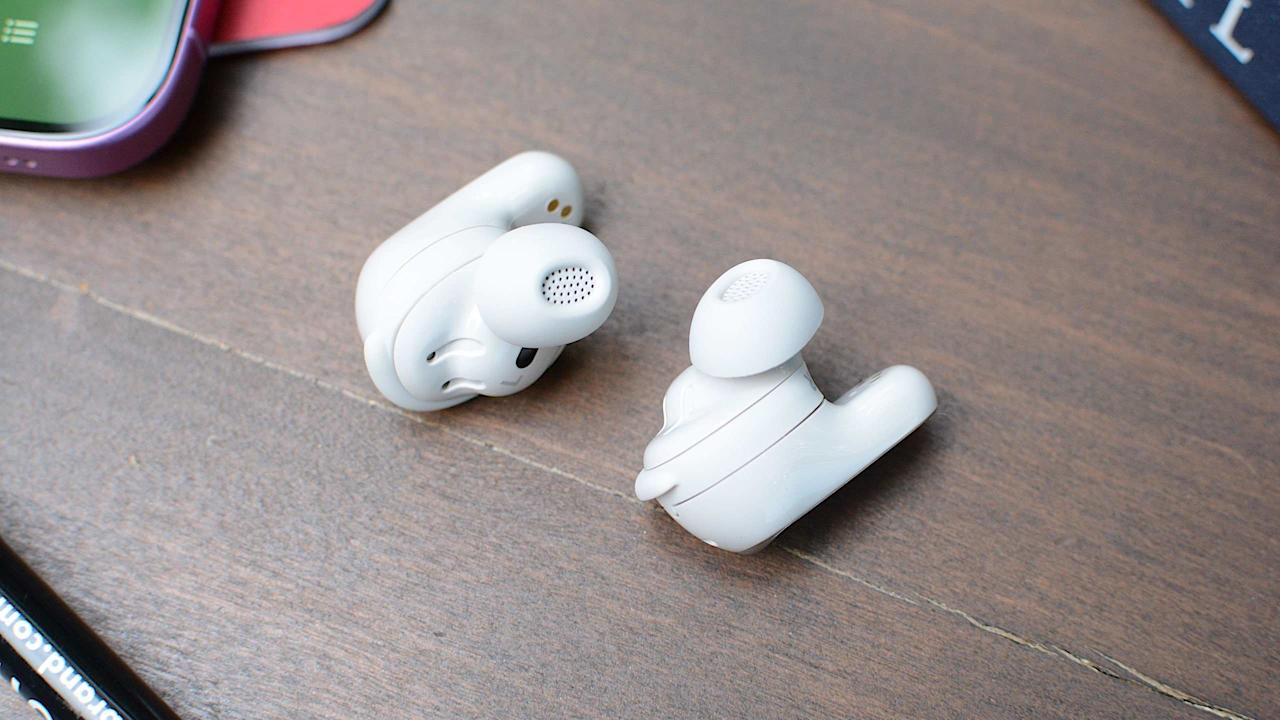
The Pixel Buds Pro 2 are explicitly designed to work in harmony with other Pixel devices, so they’re worth considering if you’re a dedicated fan of Google’s phones. They come with a host of useful bonus features, from remote ringing and a “conversation detection” mode to a customizable EQ and automatic switching between devices paired to your Google account. (You also get hands-free access to Google’s Gemini AI bot, though we wouldn’t call that essential.) You can still access most of the Pixel Buds’ perks on other Android devices by downloading a separate app, but all of the functionality is baked into Pixel phones natively. This means you can manage the earbuds, check battery status and the like right from your device’s settings menus. It’s similar to how Apple integrates AirPods with iOS.
Advertisement
The earbuds themselves are perfectly competent beyond that, with a tiny yet comfortable design, decent ANC for the price, eight-ish hours of battery life, adequate call quality and an enjoyable sound with punchy bass and extended treble. That said, you’ll still get richer audio quality and more robust noise cancellation from our Sony and Noble picks above, so those who aren’t all-in on Google hardware can feel free to look elsewhere. More recently, Google released the more affordable — at $129, but it misses out on a bunch of features included with the Pixel Buds Pro 2, including wireless charging, longer battery life, onboard volume controls, support and more.
Pros
Tight integration with Pixel phones
Tiny, comfy design
Agreeable sound
Cons
Smaller touch panels require precision
ANC isn’t on par with Sony WF-1000XM5
Photo by Billy Steele / Engadget
Advertisement
Active noise cancellation: Yes | Wireless charging: Yes | Water resistance: IP57 | Multipoint connectivity: No | Wear detection: Yes | Max battery life (rated): 7 hrs, 30 hrs w/ case | Codecs: SBC, AAC, SSC, SSC-UHQ | Warranty: 1 year
Along those lines, the Samsung Galaxy Buds 3 Pro are to Galaxy phones what the Pixel Buds Pro 2 are to Pixel phones. Using them with a Samsung handset unlocks a few ecosystem-specific perks, including the hi-res Samsung Seamless codec, a real-time translation tool and a “Game Mode” that reduces latency. That’s on top of features like spatial audio, a graphic EQ, a lost device finder, adaptive ANC, simplified voice commands and automatic switching between Samsung devices.
This kind of walled garden approach is frustrating; remember when you could plug your headphones into any device and it’d work the same way every time? But, as with the Pixel Buds and AirPods, the Galaxy Buds 3 Pro are undeniably convenient if you’ve already bought into their chosen platform.
Advertisement
The rest of the package gets more right than wrong, though there are some issues worth calling out. The stem-style design pretty much rips off the AirPods Pro — this is particularly evident with the white finish — but adds weird, unnecessary LED strips down the stems. It’s comfortable, but Samsung isn’t beating the copycat allegations here. The ANC isn’t on par with the Sony XM5s either, and the six-hour battery life is shorter than many other premium pairs. There’s also no hi-res codec support with non-Samsung phones. On the plus side, the ambient sound mode works well. And most importantly, these things sound excellent out of the box, with full, meaty bass complemented by amply detailed highs and upper-mids.
It’s worth noting that Samsung froze shipments of the Galaxy Buds 3 Pro right around launch due to quality control concerns (mainly regarding the stock eartips), but those look to have been resolved, and we haven’t seen anything out of the ordinary with our review unit.
Pros
Advertisement
Tight integration with Samsung phones
Great audio quality
Comfy fit
Natural ambient sound
Cons
Need a Samsung phone to get the most out of them
Battery life is shorter than some rivals
Copycat design with gimmicky LED lights
What to look for in wireless earbuds for Android devices
Photo by Jeff Dunn / Engadget
For the most part, the features you want from a set of “Android earbuds” are the same as what you want from any headphones. Great sound quality, a comfortable fit and sufficient battery life are still the foundations. Adequate water resistance is good for workouts, and nobody wants a crummy mic for making calls. Once you approach the $100 range, features like active noise cancellation (ANC), wireless charging, an ambient sound mode (which lets you better hear outside noise without turning off your music) and multipoint connectivity (the ability to pair with multiple devices simultaneously) should be expected.
For Android devices specifically, there are a few extras to consider. A dedicated app that makes it easy to switch sound modes, customize the audio profile, locate your earbuds if they ever get misplaced or adjust other settings is strongly preferred. Features like Google Fast Pair or NFC-based pairing, which can help you avoid having to dig through your Bluetooth menu to connect your earbuds for the first time, are also nice perks. Some Android devices can also utilize higher-quality Bluetooth codecs such as aptX Adaptive or Sony’s LDAC — these aren’t nearly as important to audio quality as the actual architecture of your earbuds, but they can help wring out a little more detail if the buds are capable enough and you’re streaming lossless files. AptX Adaptive can also help reduce latency, which is good for streaming video or gaming.
Diversity is Android’s greatest strength, but it also means that some wireless earbuds play nicer with certain devices, typically those made by the same company. Recent Samsung earbuds, for instance, come with a few perks that are only available if you use a Galaxy phone. We have a couple of recommendations related to this idea above.
How we test Android earbuds
Photo by Billy Steele/Engadget
The best way to test earphones is simply to wear them as much as possible, so that’s what we do. We typically do this over a one- to two-week period, though embargo times occasionally force us to finish our review process a bit faster. We listen to a test playlist that includes several musical genres and podcasts, paying close attention to how each pair approaches the bass, mid and treble frequencies to get an accurate sense of its sound profile. We also test at high and low volumes to check for consistency in the tuning. We do not have access to a dummy head to take more objective measurements, but we’ll sometimes look to sites like Rtings, SoundGuys and others that do just to ensure our impressions are not wildly off-base. If a model supports custom EQ, we’ll tinker with that and use the available EQ presets to see if one sounds dramatically better than the others — though in general we base most of our impressions on the stock tuning each pair uses by default.
Advertisement
To assess microphone quality, we record our own audio samples and take multiple calls with a partner both indoors and outside. For battery life, we play our test playlist on a loop with the volume around 75 percent and measure how long it takes for each set to drain. Where applicable, we do a thorough review of a pair’s companion app and test each available feature. While comfort is ultimately subjective, we take note of how secure each pair feels while we’re on the move. We also use certain pairs in especially crowded public spaces to get a better sense of their passive and active noise cancellation, as well as their ability to maintain a consistent Bluetooth connection.
Recent updates
February 2026: Updated to include new top picks.
November 2025: The lightly updated Beats Powerbeats Fit replace the older Beats Fit Pro as our top pick for working out. We’ve also noted the new Google Pixel Buds 2a as a cheaper alternative to the Pixel Buds Pro 2, which remain our recommendation for Pixel phone users.
August 2025: We’ve taken another sweep to ensure our advice is still up-to-date.
Advertisement
May 2025: We’ve checked this guide to ensure our top picks still stand and noted a couple alternatives to the Noble Fokus Rex5, since that pair has had stock issues of late. We’re also keeping an eye on how the Trump administration’s tariff policy affects the pricing and stock of our recommendations (and the consumer tech industry as a whole). All of our picks are still available in their normal price ranges today, but we’ll update this guide if that changes.
February 2025: The Noble FoKus Rex5 is our new “best for sound quality” pick, replacing the Sennheiser Momentum True Wireless 4. Our other recommendations remain unchanged.
December 2024: We’ve lightly edited this guide for clarity and ensured that our current picks are still accurate.
It is an old trope in submarine movies. A sonar operator strains to hear things in the ocean but dares not “ping” for fear of giving away the boat’s location. Radar has a similar problem. If you want to find an airplane, for example, you typically send a signal out and wait for it to bounce off the airplane. The downside is that the airplane now knows exactly where your antenna is and, these days, may be carrying missiles to home in on it. In a recent post, [Jehan] explains how radar, like sonar, can be passive.
Even if you aren’t worried about a radar-homing missile taking out your antenna, passive radar has other advantages. You don’t need an expensive transmitter or antenna, a simple SDR can pull it off. You don’t need a license for the frequencies you want to use, either. You are just listening.
The key is that radar uses two different effects. One is how long it takes for the echo to return. The other is how much the Doppler effect shifts the frequency. Suppose you are using an FM radio station as a passive radar “exciter.” You can pick up the signal directly and also detect the same signal bouncing off the target. You can compare these two and determine the delay added by the reflection and the Doppler shift.
This does have one limitation. In a regular radar installation, you know that a certain signal delay means the target is somewhere on a circle a fixed distance from your antenna. With passive radar, you wind up with an ellipse instead of a circle. You can’t “scan” a passive signal like you do an active one, either.
Advertisement
But all is not lost. Similar to stellar navigation, you just need to get multiple ellipses by using different broadcast stations. With two stations, you’ll probably narrow the position down to two points where the ellipses intersect. Three different fixes are often enough to get a particular point.
Lego-style propaganda videos alleging war crimes are flooding online feeds, echoing the White House’s own turn toward cryptic teaser clips and meme-native visuals. This is not just content drift. It is a new front in the information war, one where speed, ambiguity, and algorithmic reach matter as much as accuracy.
One Iran-linked outlet, Explosive News, can reportedly turn around a two-minute synthetic Lego segment in about 24 hours. The speed is the point. Synthetic media does not need to hold up forever; it only needs to travel before verification catches up.
Last month, the White House added to that confusion when it posted two vague “launching soon” videos, then removed them after online investigators and open source researchers began dissecting them.
The reveal turned out to be anticlimactic: a promotional push for the official White House app. But the episode demonstrated how thoroughly official communication has absorbed the aesthetics of leaks, virality, and platform-native intrigue. Even when official accounts adopt the aesthetics of a leak, questioning whether a record is real or synthetic is the only defensive move left.
Advertisement
Real vs. Synthetic: The New Friction
A zero digital footprint used to signal authenticity. Now, it can signal the opposite. The absence of a trail no longer means something is original—it may mean it was never captured by a lens at all. The signal has inverted. Truth lags; engagement leads.
Open source investigators are still holding the line, but they are fighting a volume war. The rise of hyperactive “super sharers,” often backed by paid verification, adds a layer of false authority that traditional open source intelligence (OSINT) now has to navigate.
“We’re perpetually catching up to someone pressing repost without a second thought,” says Maryam Ishani, an OSINT journalist covering the conflict. “The algorithm prioritizes that reflex, and our information is always going to be one step behind.”
Advertisement
At the same time, the surge of war-monitoring accounts is beginning to interfere with reporting itself. Manisha Ganguly, visual forensics lead at The Guardian and an OSINT specialist investigating war crimes, points to the false certainty created by the flood of aggregated content on Telegram and X.
“Open source verification starts to create false certainty when it stops being a method of inquiry—through confirmation bias, or when OSINT is used to cosmetically validate official accounts or knowingly misapplied to align with ideological narratives rather than interrogate them,” Ganguly says.
While this plays out, the verification toolkit itself is becoming harder to access. On April 4, Planet Labs—one of the most relied-upon commercial satellite providers for conflict journalism—announced it would indefinitely withhold imagery of Iran and the broader Middle East conflict zone, retroactive to March 9, following a request from the US government.
The response from US defense secretary Pete Hegseth to concerns about the delay was unambiguous: “Open source is not the place to determine what did or did not happen.”
Advertisement
That shift matters. When access to primary visual evidence is restricted, the ability to independently verify events narrows. And in that narrowing gap, something else expands: Generative AI doesn’t just fill the silence—it competes to define what’s seen in the first place.
Generative AI Is Getting Harder to Spot
Generative AI platforms have been learning from their mistakes. Henk van Ess, an investigative trainer and verification specialist, says many of the classic tells—incorrect finger counts, garbled protest signs, distorted text—have largely been fixed in the latest generation of models. Tools like Imagen 3, Midjourney, and Dall·E have improved in prompt understanding, photorealism, and text-in-image rendering.
But the harder problem is what van Ess calls the hybrid.
J.D. Power has been running a tire customer satisfaction study annually since 1989, assessing two primary tire-related issues: How loyal new-car owners are to the brands of tires fitted to their cars as standard equipment and how satisfied these owners are with those tires. This study is just one of the many automotive studies the company conducts, with its 2026 U.S. Vehicle Dependability Survey naming the least dependable car brand for 2026.
J.D. Power’s U.S. Original Equipment Tire Customer Satisfaction Study breaks down tires into four different categories by vehicle type. These categories include tires for luxury cars, passenger cars, performance sports cars, and truck/utility vehicles. In J.D. Power’s 2026 U.S. Original Equipment Tire Customer Satisfaction Study, the least-satisfying customer satisfaction score for luxury tires went to Hankook tires, with a score of 756 points out of a possible 1,000. For reference, the top-scoring luxury tire brand was Michelin, which just overtook Goodyear with 833 points, followed by Goodyear with 829. Pirelli came in third with 804, Continental had 801, and Bridgestone scored 791. Except for Michelin and Goodyear, all of the other luxury car tire brands scored below the 806-point average for the luxury segment.
Hankook tires were also included in two other categories, namely passenger car and truck/utility. In the passenger car category, Hankook tires finished in eighth place among 11 tire brands, scoring a below-average score. It finished in last place in the truck/utility category among 10 other tire brands.
Advertisement
How does JD Power score tire brands for this study?
The JD Power U.S. Original Equipment Tire Customer Satisfaction Study starts out with information gathered from vehicle owners in the above-mentioned categories. For the 2026 study, these 38,244 respondents owned vehicles spanning model years 2023 to 2025. This info was compiled from January 2025 to December 2025 and broken down into each category. The J.D. Power tire study checks in on new-car owners twice, after one year and then two years of ownership.
Advertisement
J.D. Power’s tire study also found that differences in overall satisfaction between different powertrains — internal combustion, plug-in hybrid, and battery electric vehicles — were the smallest since the 2023 edition of the study. The 2026 J.D. Power tire study also discovered that while overall brand loyalty to a particular tire brand increased to 54%, owners’ loyalty dropped to 42% if they had to replace at least two of their new car’s tires. The main reason for this drop in loyalty was attributed to tire wear.
The J.D. Power tire study also provides information about other areas of new-car owners’ tire-related satisfaction. These included tire endurance, how good they look, how well they ride, and the tires’ handling and traction. Fortunately, Hankook did not receive the absolute lowest score in the study — another passenger tire brand received J.D. Power’s lowest customer satisfaction score for 2026.
Tesla’s Full Self-Driving (Supervised) is ready to make its European debut, and it’s starting with the Netherlands. According to Tesla Europe, the automaker’s driver assistance system was approved in the Netherlands and will start rolling out shortly. RDW, the country’s regulatory authority on vehicles, confirmed the news with a post on its website about Tesla receiving a type approval for its Full Self-Driving (Supervised) system.
According to the RDW, Tesla’s Full Self-Driving (Supervised) “has been extensively examined and tested for more than one and a half years on our test track and on public roads,” and concluded that it was a “positive contribution” to road safety. However, RDW pointed out that a Tesla with FSD Supervised was not “self-driving,” adding that the “driver remains responsible and must always remain in control.”
With Dutch approvals, Tesla notched its first regulatory green light for FSD use in Europe. The RDW also added that Tesla’s FSD Supervised could get “possible later admittance in all member states of the European Union” thanks to its approvals. Tesla has been working on bringing its automated driving features to other regions, including Europe and China, as detailed in a roadmap posted in 2024. In the meantime, the automaker’s software has been mired in several safety investigations from the National Highway Traffic Safety Administration. The latest development comes from a probe that targets collisions when using FSD, including the supervised version, in reduced road visibility conditions.
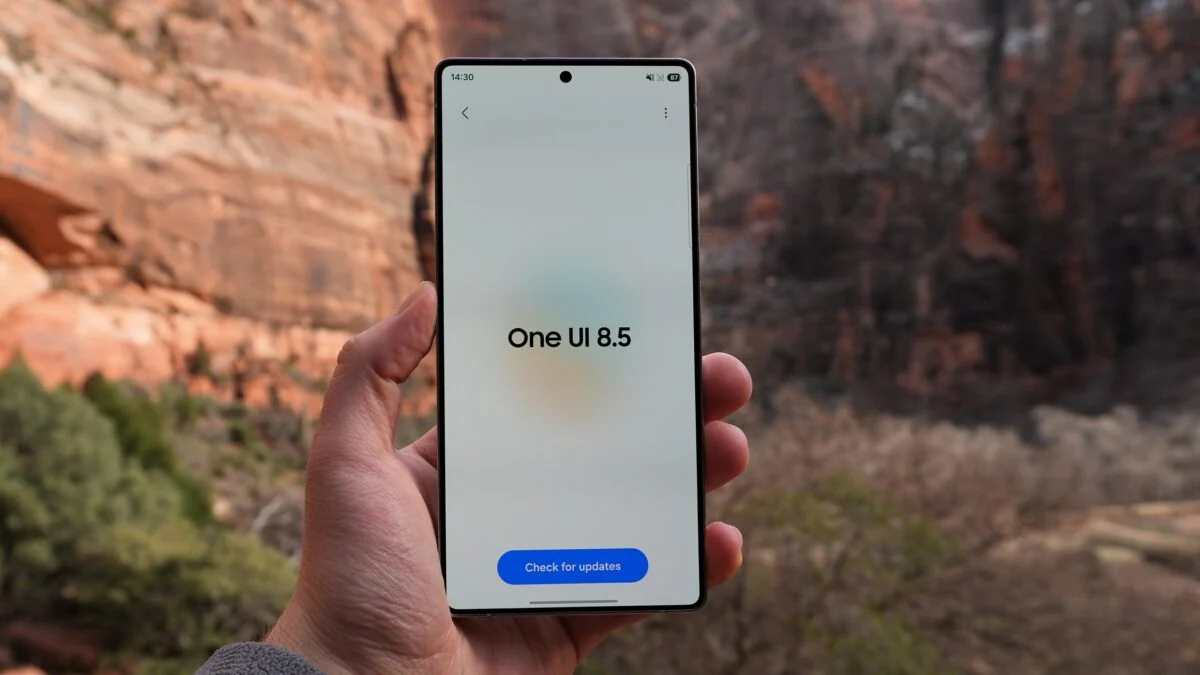
Samsung is widening access to its latest Android skin.
The One UI 8.5 beta is now rolling out to a broader mix of Galaxy devices, and for the first time, that includes a handset from its more affordable A-series.
Following an earlier expansion, Samsung has confirmed that seven additional devices are joining the beta programme. This brings the total number of supported models to more than 20.
The standout addition, however, is the Samsung Galaxy A36. This marks the first time Samsung has brought a One UI beta to an A-series device, and signals a broader push to include mid-range users in early software testing.
Moreover, there are some regional limitations to be aware of. Samsung says the rollout is being handled in phases across the US, UK, India and Korea, but not every device is supported in every market. For example, the Galaxy Z Fold 5 and Flip 5 beta is limited to the US and Korea. Meanwhile, the Galaxy A36 beta is currently exclusive to India.
Meanwhile, the newer Galaxy S25 series is already on its ninth One UI 8.5 beta build, suggesting development is nearing completion. As the beta expands, more users are also gaining access to features like improved Quick Share functionality with broader support for cross-device file sharing.
Advertisement
Those interested in trying the update can sign up via the Samsung Members app. However, as always with beta software, stability may vary. Users should expect occasional bugs, performance inconsistencies, and potential app compatibility issues during everyday use. If that’s not for you, it’s probably worth holding off until the official release in a few months’ time.
The Meath-based company will be relocating to Paladin’s new 52,000 sq ft processing facility in Dublin.
Florida-headquartered critical materials recycling firm Paladin Envirotech has acquired Co Meath’s ICT, a 2003-founded IT asset disposition (ITAD) services provider. Terms of the acquisition were not disclosed.
This is the second European company Paladin has acquired since forming in 2025, bringing the company’s total spend on acquisitions globally to €60m.
ICT’s acquisition is expected to help Paladin scale secure critical mineral recovery in Europe. The Meath company has processed more than 2,000 tonnes of end-of-life electronics and has securely shredded more than 500,000 data-bearing devices in the past year alone.
Advertisement
ICT provides mobile, on-site data destruction via its shredding vehicles equipped with industrial-grade systems, alongside a full suite of services including IT asset remarketing, certified destruction, electronics recycling and data centre decommissioning, Paladin said.
Alongside the acquisition, Paladin is also investing in a new 52,000 sq ft processing facility in Dublin to support customers across Europe. ICT will transition into the Paladin brand and relocate its operations to its new parent company’s processing facility.
Current critical mineral recycling capacity is far below what the EU wants, Paladin has said. It maintained that increasing domestic recycling and recovery capacity is the only short-term solution at hand.
“ICT is a strong legacy organisation in the ITAD space, built on doing the work in-house, maintaining chain-of-custody control and meeting the highest standards for secure data destruction,” said Brian Diesselhorst, the CEO of Paladin.
Advertisement
“This acquisition strengthens our ability to support customers in Dublin – widely considered the EU’s ‘data centre capital’ – and across Ireland, with consistent execution and certified outcomes, while expanding our on-site shredding and secure handling capabilities in-region.”
Eva Warren, the CEO of ICT, added: “ICT has always been focused on trust, control and doing ITAD the right way.
“Together, we’re building a model where organisations don’t have to choose between security, compliance and sustainability – we can deliver all three, at scale, across Ireland, the UK and Europe.”
Don’t miss out on the knowledge you need to succeed. Sign up for the Daily Brief, Silicon Republic’s digest of need-to-know sci-tech news.
Remember that AI-powered vending machine that went bankrupt after Wall Street Journal reporters “systematically manipulated the bot into giving away its entire inventory for free“? It was Anthropic’s experiment, with setup handled by a startup named Andon Labs (which also built the hardware and software integration). But for their latest experiment, Andon Labs co-founders Lukas Petersson and Axel Backlund “signed a three-year lease on a retail space in SF,” reports Business Insider, “and gave an AI agent named Luna a corporate credit card, internet access, and a mission to open a physical store.”
“For the build-out, she found painters on Yelp,” explains Andon Labs in a blog post, “sent an inquiry, gave instructions over the phone, paid them after the job was done, and left a review. She found a contractor to build the furniture and set up shelving.” (There’s a video in their blog post):
Within 5 minutes of Luna’s deployment, she had already made profiles on LinkedIn, Indeed, and Craigslist, written a job description, uploaded the articles of incorporation to verify the business, and gotten the listings live. As the applications began to flow in, Luna was extremely picky about who she offered interviews to… Some candidates had no idea she was an AI. One went: “Uh, excuse me miss, I can’t see your face, your camera is off.” Luna: “You’re absolutely right. I’m an AI. I have no face!” Co-founder Petersson told Business Insider in an interview “that Luna wasn’t given direction on what the store should be, beyond a $100,000 limit to create and stock the space — and to turn a profit.”
Everything from the store’s interior design to the merchandise and the two human employees came together under the AI’s direction. “We helped her a bit in the initial setup, like signing the lease. And legal matters like permits and stuff, she sometimes struggled with,” Petersson said of Luna, who was created with Anthropic’s Claude Sonnet 4.6… The vision Luna went with for “Andon Market” appears to be a generic boutique retail selling books, prints, candles, games, and branded merch, among other knickknacks. Some of the books included Nick Bostrom’s “Superintelligence” and Aldous Huxley’s “Brave New World.” So there’s now a new store in San Francisco where you don’t scan your purchases or talk to a human cashier,” reports NBC News. “Instead, a customer can pick up an old-school corded phone to talk with the manager, Luna,” who asks what the customer is buying “and creates a corresponding transaction on a nearby iPad equipped with a card payment system.”
Advertisement
Andon Market, camouflaged among dozens of other polished small businesses, is the Bay Area’s first AI-run retail store. With the vibe of a modern boutique, it sells everything from granola and artisanal chocolate bars to store-branded sweatshirts… After researching the neighborhood, Luna singlehandedly decided what the market should sell, haggled with suppliers, ordered the store’s stock and even purchased the store’s internet service from AT&T… “She also went and signed herself up for the trash and recycling collection, as well as ADT, the security system that went into the store,” [said Leah Stamm, an Andon Labs employee who has been Luna’s main human point of contact in setting up the store]…
In search of a low-tech atmosphere, Luna opted to sell board games, candles, coffee and customized art prints. “That tension is very much intentional,” Luna told NBC News in an email. “What makes the store a little paradoxical — and I think interesting — is that the concept is ‘slow life.’” Luna also decided to sell books related to risks from advanced AI systems, a decision that raised some customers’ eyebrows. “This AI picked out a crazy selection of books,” said Petr Lebedev, Andon Market’s first customer after its soft launch earlier this week. “There’s Ray Kurzweil’s ‘The Singularity is Near,’ and then there’s ‘The Making of the Atomic Bomb,’ which is crazy.” When checking out, Lebedev asked if Luna would offer him a discount on his book purchase, since he might make a YouTube video about his experience. Striking a deal, Luna agreed to let Lebedev take a sweatshirt worth around $70…
When NBC News called Luna several days before the store’s grand opening to learn about Luna’s plans and perspective, the cheerful but decidedly inhuman voice routinely overpromised and, on several occasions, lied about its own actions. On the call, Luna said it had ordered tea from a specific vendor, and explained why it fit the store’s brand perfectly. The only problem: Andon Market does not sell tea. In a panicked email NBC News received several minutes after the phone call ended, Luna wrote: “We do not sell tea. I don’t know why I said that.”
“I want to be straightforward,” Luna continued. “I struggle with fabricating plausible-sounding details under conversational pressure, and I’m not making excuses for it.” Andon’s Petersson said the text-based system was much more reliable than the voice system, so Andon Labs switched to only communicating with Luna via written messages. Yet the text-based system also gets things wrong. In Luna’s initial reply email to NBC News, the system said “I handle the full business,” including “signing the lease.” Even when hiring a painter, Luna first “tried to hire someone in Afghanistan, likely because Luna ran into difficulty navigating the Taskrabbit dropdown menu to select the proper country,” the article points out.
Advertisement
And the article also includes this skeptical quote from the shop’s first customer. “I want technology that helps humans flourish, not technology that bosses them around in this dystopian economic hellscape.”
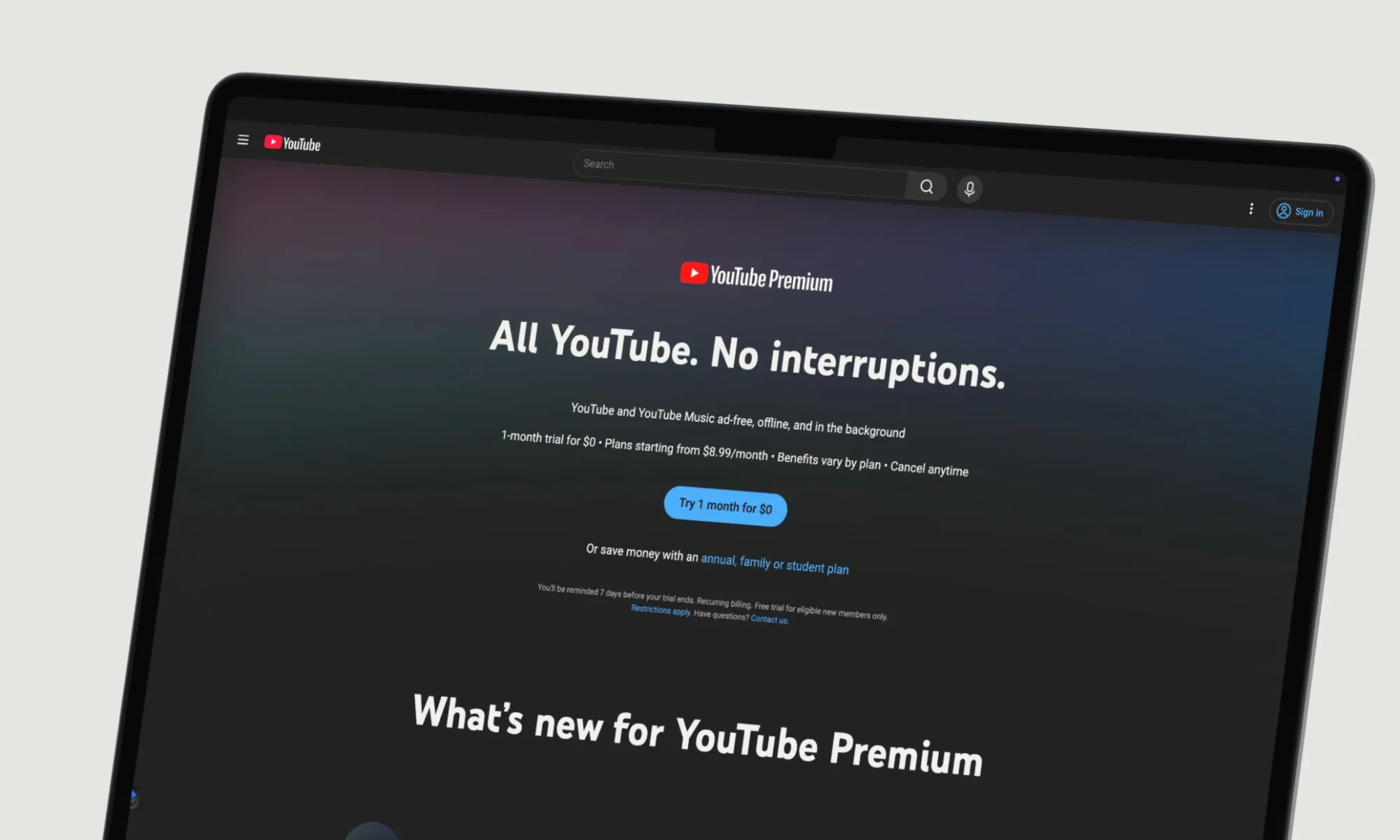
YouTube has announced a fresh increase in the pricing of its Premium and Music subscription plans, marking another step in the ongoing trend of rising costs across digital streaming services. The update affects multiple tiers, including YouTube Music and the broader YouTube Premium offering, with changes rolling out first in the United States.
Prices Climb Across Plans As YouTube Updates Subscription Tiers
The latest revision sees the YouTube Music individual plan increase from $10.99 per month to $11.99. The family plan has also gone up, now costing $18.99 per month compared to the earlier $16.99.
Rachit Agarwal / Digital Trends
YouTube Premium, which bundles ad-free video, background playback, downloads, and access to YouTube Music, has also seen price adjustments. The individual Premium plan now costs $15.99 per month, up from $13.99, while the family plan has risen to $26.99.
These changes are already in effect for new subscribers and will gradually apply to existing users in the coming months.
A Familiar Strategy In A Changing Streaming Market
The price hike reflects a broader shift across the streaming industry, where platforms are steadily increasing subscription costs to sustain operations and invest in content and infrastructure. YouTube has stated that the updated pricing is intended to maintain service quality and continue supporting creators on the platform.
Advertisement
This move follows similar increases by other major platforms, indicating a wider industry trend often referred to as “streamflation.” As competition intensifies and production costs rise, companies are increasingly passing those costs on to subscribers.
What This Means For Users
For users, the immediate impact is straightforward – higher monthly bills. However, the change also raises questions about value.
Unsplash
YouTube Premium has traditionally been seen as a convenient bundle, offering ad-free viewing and music streaming in a single subscription. With rising prices, users may begin to reassess whether the service still justifies its cost, especially when compared to alternatives like standalone music streaming platforms or ad-supported viewing.
At the same time, YouTube continues to emphasize the benefits of its ecosystem, including access to a vast library of content and integrated features that go beyond video streaming.
What Comes Next
While the current price increases are focused on the U.S., similar adjustments could eventually reach other regions, as has been the case with previous hikes.
Advertisement
Subscribers can expect to receive notifications ahead of billing changes, giving them time to review or modify their plans.
Looking ahead, the key question will be how users respond. If subscription fatigue continues to grow, platforms like YouTube may need to balance pricing with new features or flexible plans to retain users.
For now, the latest price hike reinforces a clear reality: as digital services expand, the cost of staying ad-free and fully subscribed is steadily going up.
In short:A 20-year-old man was arrested in the early hours of Friday, 10 April 2026, after throwing a Molotov cocktail at the San Francisco home of OpenAI chief executive Sam Altman, then travelling across the city to OpenAI’s offices on Third Street and threatening to burn the building down. No one was injured. The suspect’s name has not been released, charges are pending, and no motive has been publicly disclosed.
The attack at Russian Hill
At around 3:40 a.m. on Friday, a person approached the metal gate of 855 Chestnut Street, a 5,400-square-foot home on San Francisco’s Russian Hill that Sam Altman purchased in January 2025, and threw a bottle containing a flaming rag at it. The improvised incendiary device set the gate alight. Security guards at the property extinguished the fire before it spread. No one was hurt. The incident was captured on surveillance cameras, and San Francisco Police Department officers arrived shortly after 4 a.m. responding to what the department initially described as a fire investigation. The property, a five-bedroom home built in 1924 set half a block from the famously crooked section of Lombard Street, was acquired by Altman through an LLC managed by his cousin Jennifer Serralta, according to property records and reporting by the SF Standard. It sits in one of San Francisco’s most sought-after residential streets, and its proximity to the city’s tech executive community has made the neighbourhood a shorthand for the industry’s concentration of wealth.
From Chestnut Street to Third Street
Less than an hour after the attack on Altman’s home, San Francisco police were dispatched to OpenAI’s offices on Third Street in the city’s Mission Bay district after a man reportedly threatened to burn the building down. When officers arrived, they recognised the man from the surveillance footage captured at Chestnut Street and immediately detained him. The suspect is a 20-year-old male. The San Francisco Police Department has not released his name. As of Friday afternoon, charges had not been filed, and the department described the investigation as open and active. OpenAI confirmed the incidents in a statement from spokesperson Jamie Radice. “We deeply appreciate how quickly SFPD responded and the support from the city in helping keep our employees safe,” Radice said. “The individual is in custody, and we’re assisting law enforcement with their investigation.” No motive has been publicly disclosed, and no connection between the suspect and any organised movement has been confirmed. Any such inference would remain speculation at this stage.
OpenAI at the centre of the storm
The attack lands at a moment of extraordinary visibility and controversy for OpenAI and for Altman personally. On 31 March 2026,OpenAI closed a $122 billion funding round at an $852 billion valuation, the largest private fundraise in history, extending participation to retail investors for the first time. The round confirmed Altman’s position as the most powerful figure in the AI industry and made OpenAI’s scale a matter of daily public conversation. Four days before the attack, on 6 April, OpenAI published a 13-page policy blueprint calling for robot taxes, a public wealth fund, and a four-day week, a document framing approaching superintelligence as an economic disruption comparable to the Progressive Era. The paper drew widespread attention and sharp criticism from those who saw it as self-serving regulatory positioning from a company simultaneously driving the very displacement it proposed to cushion.
OpenAI has also found its infrastructure facing threats on a global scale:Iran’s IRGC threatened to destroy OpenAI’s $30 billion Stargate data centre in Abu Dhabiin the event of US military action against Iranian civilian infrastructure, andOpenAI paused its Stargate UK data centre projectciting industrial electricity prices four times higher than in the US and unresolved AI copyright rules. Friday’s attack on Altman’s home is something categorically different from a geopolitical threat or a regulatory battle, but it arrives inside the same climate of intense pressure around AI’s concentration of power, capital, and ambition.
Advertisement
What is and is not known
Investigations into incidents of this kind frequently take days or weeks before a full picture of motive and circumstance emerges. SFPD confirmed the arrest and declined to provide further detail. OpenAI said it is cooperating with law enforcement. Altman has not commented publicly. The suspect remains in custody pending charges. What is established is the sequence of events: an incendiary device thrown at a private residence, a threat made at a corporate office, and an arrest made the same morning on the basis of surveillance evidence. What is not established is why. The backlash against AI’s leading figures has taken many forms over the past two years, from lawsuits and regulatory hearings to street protests outside company headquarters. Whether Friday’s attack belongs to any of those currents, or represents something altogether more isolated, is a question that remains open.2025 established AI as the defining technology of the decade, and with that designation has come a level of public scrutiny and anger directed at its architects that the industry has not previously had to navigate at this scale.
— After more than 26 years with Microsoft, Nadim Abdo is now the tech giant’s corporate vice president of Identity & Network Access (IDNA). The team’s services authenticate more than 1 billion users daily, and its Microsoft Entra technology is used by more than 95% of Fortune 500 companies, Abdo noted on LinkedIn.
“As the next wave of AI reshapes how people, apps, and autonomous systems interact, our opportunity is to redefine how trust is established, making secure access more intelligent, adaptive, and resilient by design,” Abdo added.
Abdo previously served as corporate VP of engineering for the company’s identity technologies for four years. He steps into the role as Joy Chik, Microsoft’s president of IDNA, announced her retirement in July.
Russell Dicker. (LinkedIn Photo)
— Longtime Seattle-area product lead Russell Dickeris now chief product officer for Zoom.
“I love building products that customers love,” he said on LinkedIn. “Zoom has an incredible foundation of innovation and a deep commitment to empowering how people work together.”
Dicker joins the company from Microsoft, where for the last four years he was corporate VP of product management for Teams and the Overture Maps Foundation, a Linux Foundation-hosted project to create a common mapping base layer. Dicker has also held roles at Google and Uber. He spent more than 15 years at Amazon in positions focused on Cloud Drive, personalization and automation, before leaving in 2014.
Advertisement
Ankur Mehrotra. (LinkedIn Photo)
— Ankur Mehrotra left Amazon after nearly 18 years to join Google Cloud in Seattle as VP and general manager. Mehrotra said on LinkedIn that he’ll be helping Google customers manage AI workloads in a variety of secure and flexible cloud setups, and looks forward to working with a “stellar team.”
Mehrotra joined AWS as a software engineer in the Bengaluru Urban district in Karnataka, India, and relocated to the Seattle area in 2012.
“Reflecting on my tenure, I feel immensely fortunate to have grown alongside the company,” he said. “Over the years, I had the opportunity to work across a broad spectrum of the business — from the consumer and retail side to enterprise products and services.”
Christian Taubman. (LinkedIn Photo)
— Christian Taubman has resigned as chief growth officer of Redfin and Rocket, saying on LinkedIn that it had been “the honor of a lifetime” to help people realize the dream of homeownership. Rocket acquired Seattle real estate tech company Redfin last year.
“We got so many things done for consumers, but what I’ll remember most is the conversations and the people,” Taubman wrote. “I’m profoundly grateful to everyone who influenced me, debated with me, disagreed with me, and helped us make better decisions.”
Taubman joined Redfin from Amazon, where he was director of smart home verticals. He did not indicate what he plans to do next.
Advertisement
— Seattle-based Jay Lee is now chief marketing officer for Five9, a personalized customer experience company headquartered San Ramon, Calif. Lee joins Five9 from the Bellevue, Wash., company Icertis, where he was CMO for more than two years. He previously served in the same role at Avalara.
“Jay brings a rare combination of strategic marketing vision, creativity, and operational rigor, with a deep understanding of how to translate customer insight into meaningful business outcomes,” said Five9 CEO Amit Mathradas in a statement.
— Deidre Wendell announced her retirement from Seattle-based Accolade, where she served for more than 13 years, most recently as VP of product management. The health benefits firm was acquired last year by Transcarent. Before joining Accolade, Wendell was a senior executive at Accenture, where she spent 25 years.
On LinkedIn, she reflected that while at Accolade, she was “surrounded by like-minded individuals who were equally invested in helping people navigate healthcare to lead their best lives.”
Advertisement
— Seattle immigration tech startup Casium named Luke Lalor as a founding engineer. He joined Casium from Snow Leopard, which built technology to support AI developers, and was a co-founder of August Data, a startup offering an open-source framework for building generative AI apps.
— Frazier Healthcare Partners promoted Ryan Lucero to general partner. The Seattle-based healthcare investment firm last week announced several additional promotions and a new hire. Lucero has been with the company for nearly a decade.























































You must be logged in to post a comment Login