Modern heat pumps, of which air conditioners are a subset, seem like simple machines in theory. They just move heat from one place to another. But in order to operate efficiently, they need specific temperatures and humidities on either side of the pump or they can behave in non-ideal ways. [GreatScott!] noticed this when his air conditioner worked well during a heatwave, but started acting anemic once the outside air temperature cooled down. At once point it was barely able to bring his indoor house temperature below the temperature outside, and he went on a deep dive to investigate why this would be and then found a way trick his air conditioner into working outside its designed temperature range.
Many things can cause this behavior, and some of them are indicative of malfunctions like low refrigerant levels or problems with the compressor or control circuitry. But [GreatScott!]’s unit is pretty new so it was unlikely to be something like that. To investigate, he built a circuit with a small heater which is paired to the outdoor heat exchanger’s temperature probe, tricking the control circuitry into working in a different mode. With a few temperature sensors inside and outside, this was enough to kick the air conditioner into high gear and start outputting cold air again.
While noting that we aren’t HVAC experts, there are a few things that could cause this. One of which is high indoor humidity which might be likely for Germany in the summer, or the outdoor condenser needing a certain temperature or pressure range to operate efficiently. Whatever the case, [GreatScott!] decided to remove his creation to keep from inadvertently damaging his air conditioner. It is possible, however, to use a bit of machine learning to find out more about why one’s HVAC system isn’t behaving as well as it should.
Its a misconception that cybersecurity can simply be added once a new technology is complete.
Prof Dr Madhusanka Liyanage’s work at University College Dublin involves researching how future communication networks can be secured and reinforced.
Liyanage’s academic career has taken him across the world, beginning with a degree in electronic and telecommunication engineering at the University of Moratuwa in Sri Lanka, then postgraduate courses in telecommunications engineering at the Asian Institute of Technology in Thailand and ubiquitous networking and computing at Université de Nice Sophia Antipolis in France.
Following this, he completed his Doctor of Science in Technology at the University of Oulu in Finland, focusing on scalable security in communication networks. Today, he works as a professor of network security at UCD and leads the University’s NetsLab – which he founded – where he work across the future network security.
Advertisement
“A major part of my work is also building research communities. I have supervised and mentored researchers at different career stages, contributed to international standardisation and cybersecurity activities, and worked closely with industry,” he says.
“I am particularly interested in ensuring that research does not remain only in academic publications but progresses towards technologies, standards and commercial solutions that can have a real-world impact.”
What inspired you to become a researcher?
I have loved mathematics since childhood. It was something that came naturally to me, and I particularly enjoyed solving difficult problems and finding answers that were not immediately obvious.
One experience that had a strong influence on me was representing Sri Lanka at the International Mathematical Olympiad (IMO) in Athens in 2004. It gave me the opportunity to meet talented young mathematicians from around the world and experience an international scientific community at a very young age. I have also always loved travelling, meeting people and experiencing different cultures, so that experience showed me how science could open doors to the wider world.
Advertisement
Looking back, research fits my personality very naturally. I enjoy discovering new things and working on problems where the answer is not already known. I also value the independence research gives me to choose important problems, develop my own ideas and pursue areas that genuinely interest me.
Research also combines two things I particularly enjoy: travelling with a purpose and collaborating globally. Academic work has allowed me to visit many countries, work with researchers from different cultures and build international collaborations around shared scientific challenges.
Can you tell us about the research you’re currently working on?
My main research focus is the security and privacy of future mobile networks. A significant part of this work is now moving towards AI-native security and autonomous network resilience.
Future networks will increasingly use AI not simply as an application running over the network, but as part of the network itself. AI will help networks optimise resources, detect attacks, make decisions and potentially respond to security incidents automatically.
Advertisement
I currently coordinate ‘Shield-6G’, a major European research project developing security technologies for future 6G networks. One of our ambitions is to move from networks that simply detect cyberattacks towards networks that can understand threats, assess their impact and autonomously adapt their defences.
At the same time, my research is evolving towards what I describe as sustainable security-by-design. Security mechanisms themselves can consume significant computing power and energy. For example, large AI models, continuous cybersecurity monitoring, federated learning and post-quantum cryptography can all impose additional computational and energy costs.
My current research therefore asks a broader question: How do we build 6G systems that are secure, intelligent and resilient, while also being sustainable, explainable, legally compliant and economically practical?
We are investigating areas including energy-efficient AI security, federated and distributed intelligence, explainable cybersecurity, post-quantum security, zero-trust architectures and regulatory compliance.
Advertisement
This work is very interdisciplinary. My team collaborates with researchers in AI, cybersecurity, telecommunications, distributed systems and privacy, as well as telecommunications operators, technology companies, SMEs and international research partners.
In your opinion, why is your research important?
6G is expected to become part of the fundamental digital infrastructure supporting society in the 2030s and beyond.
We are not simply talking about faster mobile phones. Future networks could support autonomous transport, industrial automation, connected healthcare, digital twins, intelligent cities, robotics, immersive applications and enormous numbers of interconnected devices.
That also means that a cybersecurity failure could have consequences far beyond losing access to the internet. A compromised communication network could potentially disrupt transportation, healthcare, energy systems or other critical infrastructure.
Advertisement
At the same time, the nature of cyberattacks is changing. Attackers can also use AI to automate attacks, discover vulnerabilities, manipulate data or target the AI models controlling future networks.
This is why I believe security must be designed into 6G from the beginning, rather than added after the technology has been developed.
There is also a question of trust. If an AI system automatically blocks a service, isolates part of a network or makes another security-critical decision, operators and users need to understand why that decision was made. Security therefore has to include not only protection against attacks but also explainability, privacy, accountability, resilience and regulatory compliance.
Ultimately, my research is about making sure that society can benefit from the enormous opportunities offered by future connectivity without compromising security, privacy or trust.
Advertisement
Tell us about your work as the director of NetsLab
I founded and lead the Network Softwarization and Security Labs (NetsLab) at UCD, with a primary focus on security and privacy for future 5G and 6G communication networks.
One thing I am particularly proud of is that NetsLab has developed into a highly international research environment and one of the world’s leading 5G/6G security research labs. Our researchers span Ireland, Finland, Sri Lanka, India and Belgium, and we work closely with both academic and industrial partners across the globe.
An important aspect of NetsLab is combining theoretical research with real experimentation. We have developed a private mobile network and a 5G/6G AI-RAN research testbed at UCD, which allows researchers to evaluate new cybersecurity and networking technologies under realistic conditions rather than relying entirely on simulations.
We also actively encourage joint experimentation with industry. Companies can work with our researchers to integrate technologies into the testbed, conduct experiments, validate cybersecurity solutions and investigate how new ideas perform in realistic mobile-network environments. This provides an important bridge between academic research and industrial deployment.
Advertisement
I also see my role as Director as being much broader than managing projects. I want NetsLab to be an environment where PhD students and early-career researchers can develop their own ideas, lead research activities, collaborate internationally, work directly with industry and, where appropriate, take their research towards commercialisation. Building researchers is as important to me as building technology.
What commercial applications do you foresee for your research?
Commercialisation is already becoming an important outcome of our research, rather than something I see only as a future possibility. NetsLab has already been the home for several start-ups.
One example is GenShield AI, where research in AI-driven cybersecurity is being translated into practical tools for testing and protecting AI-enabled systems. We are currently progressing the technology and developing products that can move beyond research prototypes towards solutions that organisations can actually deploy.
Another good example is Luxima, which shows how we can take expertise developed in AI, automation, data management and trustworthy digital systems and apply it well beyond our traditional telecommunications and cybersecurity domains. The platform uses AI to automate EU Digital Product Passports, including filling missing product and sustainability information and integrating with existing business systems such as ERP and GS1 platforms.
Advertisement
For me, this is an important example of how research expertise can cross disciplinary boundaries and be transformed into practical solutions for entirely different industries. It also demonstrates how the knowledge we develop through research can create new commercial opportunities in areas such as sustainability, regulatory compliance and digital product traceability..
Looking ahead, I see several particularly strong commercial opportunities. One is AI-based anomaly detection. Future networks will generate enormous amounts of operational and security data, making it increasingly difficult for human teams to manually identify sophisticated attacks or abnormal behaviour.
Intelligent systems capable of continuously learning what constitutes normal behaviour and detecting deviations could become an important component of future telecommunications and critical-infrastructure security.
Another major opportunity is post-quantum cybersecurity testing. Organisations will eventually need to understand whether their existing systems, devices and applications are prepared for the transition to quantum-resistant cryptography.
Advertisement
This creates opportunities for platforms that can test cryptographic readiness, identify vulnerabilities, evaluate post-quantum algorithms and support organisations during the migration towards quantum-safe systems. There are also strong opportunities around AI security testing, explainable cybersecurity, privacy-preserving federated learning, zero-trust architectures and Security-as-a-Service.
Our objective is therefore not simply to publish research. Where appropriate, I want to see our research progress through the entire innovation pipeline – from an academic idea, to an experimental prototype, to testbed validation, intellectual property, a commercial product and ultimately a technology that organisations can use.
What are some of the biggest challenges you face as a researcher in your field?
One of the biggest challenges is that the technology and the threat landscape are developing simultaneously.
We are trying to secure networks that do not fully exist yet. Researchers are currently defining 6G architectures while AI technologies, quantum computing, cloud-edge systems and cybersecurity threats are all evolving at extraordinary speed.
Advertisement
A second challenge is balancing competing requirements. The most secure solution is not necessarily practical if it introduces excessive latency, requires enormous computing resources or consumes too much energy. Future security therefore has to balance protection, performance, scalability, energy consumption and cost.
AI creates another difficult challenge. AI can make cybersecurity significantly more adaptive and autonomous, but AI systems themselves can be attacked, manipulated or deceived. If we allow AI to make security-critical decisions, we also need mechanisms to explain, audit and challenge those decisions.
Post-quantum security presents a similar problem. Moving towards quantum-resistant cryptography is necessary, but introducing new cryptographic mechanisms across billions of devices and complex communication infrastructures will be a major engineering challenge.
Finally, research in this area cannot happen in isolation. Solutions have to work across different vendors, technologies and regulatory environments. That means researchers must increasingly work with industry, standards organisations, policymakers and other disciplines alongside traditional academic research.
Advertisement
You’ve had a wealth of experience studying across universities globally. Has that shaped how you approach your research work?
Absolutely. I have studied and worked in several countries, including Sri Lanka, Thailand, France, Finland and Ireland, and I have collaborated extensively with universities and researchers across many other parts of the world.
That experience has given me much more than academic knowledge. It has allowed me to experience different cultures, different approaches to research and different ways of working.
Research culture can vary significantly between regions. Expectations around independence, teamwork, communication, supervision, deadlines and research quality are not necessarily identical everywhere. Working in different systems has helped me understand the strengths of these different approaches and, importantly, understand the expectations and working styles of researchers and students coming from different backgrounds.
It has also helped me establish a very strong international network. Many collaborations that started through studying, visiting universities or working with researchers in different countries have developed into long-term research partnerships, joint publications, student exchanges and international research projects.
Advertisement
This experience is particularly valuable when leading a multinational research group. NetsLab includes researchers from many different cultural and educational backgrounds. Understanding these differences helps me create a more balanced team, communicate expectations clearly and provide different researchers with the type of support they need to perform at their best.
I have also learned that there is no single research culture that has all the answers. Different systems have different strengths. I try to combine the best elements I have experienced – strong scientific standards, independence, collaboration, openness, practical experimentation and international engagement.
Ultimately, working across different countries has made me a much more internationally minded researcher and has helped me build the diverse, multinational research environment that we have today.
Are there any common misconceptions about this area of research? How would you address them?
Advertisement
One misconception is that 6G simply means a faster version of 5G.
Speed will be only one aspect of 6G. The bigger transformation is likely to come from intelligence, automation and the integration of communication, sensing, computing and AI. Networks themselves will increasingly make decisions and adapt to their environments.
Another misconception is that cybersecurity can simply be added once a new technology is complete. History repeatedly shows us that this approach is extremely difficult and expensive. Security, privacy and resilience need to be considered during the architectural design process.
There is also sometimes an assumption that AI will solve cybersecurity automatically. AI is extremely powerful, but it introduces its own vulnerabilities. AI models can be poisoned, manipulated, deceived or biased. An intelligent defence system therefore also needs to be secured.
Advertisement
And finally, perfect security does not exist. The objective is not to build a network that can never be attacked. The aim is to build systems that can prevent as many attacks as possible, detect attacks quickly, understand what is happening, limit the damage and recover rapidly.
That idea of resilience will become increasingly important as networks become more autonomous.
What are some of the areas of research you’d like to see tackled in the years ahead?
One of the most important areas for me is resilience and autonomous networks.
Advertisement
Future networks will become too large, dynamic and complex to depend entirely on humans responding manually to every cybersecurity incident. I would like to see networks evolve from systems that simply detect attacks and generate alerts towards systems that can detect, understand, respond to and recover from attacks autonomously.
The important word here is resilience. It may not always be possible to prevent every attack. Future systems therefore need the ability to continue operating during an attack, isolate compromised components, reorganise themselves, recover services and learn from what happened.
This becomes particularly interesting as AI agents become part of network operations. We could eventually have networks in which intelligent agents continuously monitor the infrastructure, analyse threats and coordinate defensive actions. However, those autonomous decisions must themselves be secure, explainable and subject to appropriate human oversight.
The second major area I would like to see accelerated is post-quantum security and crypto-agility.
Advertisement
Many communication systems being designed today may still be operational when sufficiently powerful quantum computers become available. We therefore need to prepare those systems now. The challenge is not simply inventing post-quantum algorithms; it is understanding how to deploy them across enormous, heterogeneous infrastructures containing billions of devices.
Crypto-agility will be particularly important. Future systems should be able to change cryptographic algorithms and security mechanisms without requiring the entire infrastructure to be replaced. Ideally, networks should be capable of identifying cryptographic weaknesses and migrating towards stronger mechanisms in a controlled and increasingly automated way.
Beyond these two areas, I see major opportunities in AI security, privacy-preserving distributed intelligence, explainable cybersecurity, sustainable security and automated regulatory compliance.
My longer-term vision is a future communication network that is not simply fast and intelligent, but secure, resilient, autonomous, quantum-ready and trustworthy by design.
Advertisement
Don’t miss out on the knowledge you need to succeed. Sign up for the Daily Brief, Silicon Republic’s digest of need-to-know sci-tech news.
While battery swapping has struggled to take off in much of the world, Canadian auto parts giant Magna International believes the model could work at scale in India, where millions of two- and three-wheelers and a fast-growing delivery economy create a different set of economics.
And it’s placing that bet on Yuma Energy, a Bengaluru-based firm that operates a battery-swapping network for electric two- and three-wheelers. Yuma, which spun out of Indian mobility startup Yulu in early 2023, has completed more than 60 million swaps to date and now has about 100,000 batteries deployed across its network.
Magna is now investing another $35 million in Yuma, increasing the auto supplier’s stake from the 51% it took when the joint venture was formed, Yuma managing director Muthu Subramanian said in an interview. As a result, Yulu’s 49% stake will be diluted. Subramanian declined to disclose the new ownership split.
Yulu and Yuma are Magna’s only startup investments in India, the company confirmed to TechCrunch. In 2022, Magna committed a combined $77 million to the two businesses, with $25 million going to Yulu and $52 million to the battery-swapping joint venture.
Delivery riders can lose valuable time, and revenue, while charging their EVs. Subramanian estimates that only about 10% to 15% of vehicles used by gig workers in India are electric today, leaving considerable room for operators such as Yuma if more of those riders switch from gasoline-powered vehicles.
“With Indian gig workers’ high runtime on a daily basis, an EV makes absolute sense in terms of cost of ownership,” Subramanian told TechCrunch. “Uptime is important.”
Yuma is targeting those high-mileage riders, arguing that swapping is more practical than fast charging. A battery, Subramanian said, can be exchanged in under two minutes, while even a 20- or 30-minute fast charge takes a rider off the road and requires more space and power to serve multiple vehicles at once.
Advertisement
However, building that convenience is expensive, as Yuma has to keep its batteries and swapping infrastructure ready before enough riders arrive to fully utilize them. “It’s a capital-intensive business, and the unit economics will play out at scale,” Subramanian said.
Yuma is not profitable yet, though some of its older swapping stations are already EBITDA-positive, Subramanian said. The firm operates more than 400 stations with over 2,500 charging units and ended the financial year in March 2026 with about ₹1 billion (about $10.5 million) in revenue. It is targeting EBITDA break-even within the next two quarters, Subramanian told TechCrunch.
Getting there will still require Yuma to build ahead of demand. The firm plans to use the bulk of Magna’s investment to expand its swapping infrastructure and double its fleet of about 100,000 batteries over the next 12 to 18 months.
Yulu still accounts for the vast majority of Yuma’s 60 million lifetime swaps, though that dependence has started to ease as about 15% to 20% of swaps in the latest quarter came from customers other than Yulu, Subramanian told TechCrunch.
Advertisement
Beyond Yulu, Yuma now serves more than five fleets and has integrated its batteries with more than 10 vehicle platforms, including models from Kinetic Green, Motovolt, BGauss, and Quantum Energy. The firm expects non-Yulu customers to account for about 25% of its swaps within the next two years, Subramanian said.
Earlier this month, Yulu raised $93 million to grow its electric two-wheeler fleet. Yuma will therefore need to expand its network to keep pace with its largest customer and accommodate newer fleets using its batteries.
Yuma operates its battery-swapping network across 18 Indian cities, including Bengaluru, Hyderabad, Mumbai, and the Delhi region, as well as Jaipur, Lucknow, Indore, Coimbatore, Kochi, and Kolkata. With the fresh capital, the firm plans to expand into Chennai and Pune in the coming quarters while adding more stations in cities where it already operates.
India will remain Yuma’s focus for at least the next 12 to 18 months. However, Subramanian told TechCrunch that the firm plans to take the model overseas as part of its longer-term roadmap. Southeast Asian markets including Vietnam and Thailand, as well as parts of Africa, could be attractive because of their large two-wheeler markets, he said, though Yuma has yet to begin discussions about entering them.
Advertisement
Unlike operators that simply run swapping networks, Yuma designs and manufactures its own battery packs and charging units. The firm makes battery packs at its facility in Chennai and charging units in Bengaluru, giving it control over both the hardware and the network that manages them.
When you purchase through links in our articles, we may earn a small commission. This doesn’t affect our editorial independence.
Not too long ago, there was a time when Kindles were the default choice for electronic reading devices. Then came Kobo, which became fairly popular. A few upstarts also came along the way, with Onyx Boox being one of the boldest entrants in the segment. Well, Amazon played it safe with Kindle, and so did Kobo.
These new names began experimenting with the form factor, and it started redefining what it actually means to have a reading gadget in your bag, or pocket. From a mini tablet, we reached massive slates with stylus support. And then, extremely pocketable e-readers that stick to the back of your phone. Somewhere in between, we got a whole class of e-readers that look exactly like your phone.
The DuRoBo Krono is one such device. It looks like a phone, but tries to stand out with a clever scrolling dial on the side. You get minimalist software, but it does not try to restrict you, thanks to full support for Android and the Google Play Store. It also has a few clever tricks that turn it into a neat AI-powered voice note-taker.
The rest of the package is fine. The screen is decent for reading. The battery life is amazing. You can even look at it as a minimalist music streaming device. And it doesn’t cost an arm and a leg, either. Overall, if you are chasing a versatile device and have been dreaming of an e-reader that looks like a phone, this is a fantastic pick.
Advertisement
DuRoBo Krono design and build quality
Nadeem Sarwar / Digital Trends
The biggest appeal here is a phone-like form factor. If you’re someone who dreads the idea of carrying a mini slate for reading and wants something that feels natural in your hands, you pick the DuRoBo Krono. It’s almost as thick and tall as my iPhone 17 Pro, but lighter than the Apple flagship.
It’s a unibody shell made out of sturdy plastic, with a cylindrical metallic hump running horizontally near the top edge at the back. It looks like a metallic axis. Near the left edge, it has breathing lights, and on either end, you will find the power button and the metallic smart dial that looks like the crown wheel on the Apple Watch.
Nadeem Sarwar / Digital TrendsNadeem Sarwar / Digital TrendsNadeem Sarwar / Digital Trends
The Dial, as DuRoBo likes to call it, is pretty smart. Depending on what you are doing, it can handle volume adjustment, brightness levels, and, of course, going up and down the page you are reading. And when you long-press the dial, it enters the voice mode for the Spark AI, where you can instantly record some voice notes, while the AI helps you with transcription and even summarization.
Overall, the build quality is pretty sturdy. It doesn’t feel cheap. The plastic shell has a matte-like finish that makes the device a tad easier to grip, and it doesn’t get smudged either, especially if you have sweaty palms. What really grinds my gears is the thick bezels upfront, but we’ll get into it later.
Nadeem Sarwar / Digital Trends
The position of the smart dial is also pretty thoughtfully executed. If you’re a right-handed person, depending on the size of your palms, you will have either your middle finger or your index finger within a comfortable reach of the dial for scrolling the page or adjusting the backlighting levels. And if you are left-handed, your thumb is naturally resting on the dial, and you don’t have to readjust the device in your hands.
The big appeal, as I mentioned earlier, is to have a device that is pocketable and doesn’t make you stretch out your palms, or make them hurt after an extended reading period. Nothing feels more natural than a smartphone in your hand, and that’s exactly what the DuRoBo Krono is after. It feels like a secondary phone in your pocket, and to a large extent, also works like it.
Score: 8/10
Advertisement
DuRoBo Krono display
Nadeem Sarwar / Digital Trends
Running the show on the DuRoBo Krono is an E Ink Carta 1200 HD display, which measures 6.13 inches across and offers a resolution of 824 x 1648 pixels, which translates to a pixel density of 300 ppi. That’s plenty of sharpness for reading text. And even if you fire up the occasional picture book and have the display quality set to quality or clarity modes, you won’t struggle with making out what’s on the screen.
As you switch to a new frame or have enabled the speed preset for scrolling pace, the transition will make those images look like a sea of black and gray dots, with plenty of shimmering to go with it. But overall, for reading, I have no complaints. During daytime or even in rooms with dim light, I barely ever felt the need to turn on the front light. With the brightness level set to zero, you get a pristine white canvas that tries to ape the look of real paper.
If you’re a night owl and prefer to read in the dark, the front light comes in handy. What I appreciate the most is that you can adjust the temperature of the screen, taking it from a bright white color to an amber shade that is a lot more comfortable to gaze at for binge reading. The only issue is the refresh rate, which is something no commercially available e-ink device has managed to figure out at the hardware level.
Nadeem Sarwar / Digital Trends
So, when you’re reading an article or a book, and have shifted the pages to scrolling mode instead of the traditional slide-based page view, the scrolling animations are smooth, but as you try to zoom in and zoom out, you feel that visual jitter very clearly. There’s no escaping that.
For reading books or any text-first content, I would suggest sticking with the speed preset because the scrolling is a lot smoother, and you don’t see any text shimmer. Furthermore, if you switch to the quality or clarity preset, it doesn’t actually create any difference in the visual quality of the text appearing on the screen. It will only make the interactions feel unnecessarily slow.
I got the job done by sticking to the speed mode. But there is a bit of an odd hiccup, and I blame it on the software rather than the hardware.
Advertisement
Nadeem Sarwar / Digital Trends
So, when I am using the built-in reader, which is simply named “Read” on the DuRoBo Krono, I cannot access the three-level refresh mode controls. It doesn’t work for the random article PDFs that I have saved on my system, nor does it work for the PDF books that I have downloaded on the device. But as soon as I switch to a third-party app, like the Kindle app downloaded from the Google Play Store, these three controls appear in the quick settings panel.
I hope DuRoBo fixes this odd problem. But as far as the raw reading pleasure goes, I don’t have any fundamental complaints about it. The display is sharp, bright, and feels easy on the eyes. And if your ultimate goal is a phone-like device to handle your reading habits, you won’t be disappointed by the DuRoBo Krono.
Score: 8/10
DuRoBo Krono Software
Nadeem Sarwar / Digital Trends
The software is the most controversial part of the DuRoBo Krono experience. The company went with a minimalist UI, which I believe suits the purpose. On the home screen, you just get six core controls. You can customize it and place your most frequently used apps, or stick to the default options. It’s almost identical to what you get with Niagara and Mako launchers on Android.
Personally, I like it a lot. I’ve used a bunch of phone-like e-reader devices, and all of them have the same home screen launcher look as your average Android smartphone or an iPhone. And that familiar look takes away from the inherent appeal of a device that is intended for losing yourself in pages.
Of course, you have full Google Play support, and you can download whichever app you want and put it right on the main screen for quick access. But this minimalism also comes at a cost. I almost feel like the company didn’t put any effort into creating a standout reading experience on the DuRoBo Krono.
Advertisement
Nadeem Sarwar / Digital Trends
It’s so bare-bones that you often find yourself frustrated by the lack of even the most basic controls and page customization options. For example, when you’re reading a book, the only two controls available on the screen are changing the reading mode and opening the content list. In the top right corner of the screen, you get the bookmark option, and that’s all.
Only when you long-press on a word or passage do you get access to some basic formatting controls like underline, highlight, annotation, and copy.
The only standout tool is the AI explainer, which itself feels pretty slow. I almost never used it after a few attempts at trying to find the meaning or context. Functionally, this AI tool works fine, but it’s just so slow that I forgot its existence. The answers you get after summoning it sound exactly like how ChatGPT or Gemini would tell you the meaning and context of a word or passage.
Nadeem Sarwar / Digital Trends
There is no option to engage in a back-and-forth chat about it. Visually, when you tap on the expand button of the AI window, it takes you to a page that looks like a combination of a dictionary and thesaurus, with some added context in a conversational tone. It might come in handy from time to time if you’re trying to look up the meaning of a word or seeking background information on a name, location, or event.
The built-in text-to-speech feature, on the other hand, is also bare-bones. The recitation tone is extremely mechanical, and the only control you get is the speed. That’s all. You can’t even change the voice of the reader. The only occasion where I used the built-in Read app on the DuRoBo Krono is when I just wanted to skim through an article or a research paper. That’s all.
But if you’re someone who is particular about having control over the reading experience, you will want a third-party app. The Kindle app, for example, will let you play with different fonts, adjust their size, the spacing, the page layout, margins, text alignment, background color, enable page scrolling with the volume button, and pick between a whole bunch of custom themes that will save you plenty of time.
Advertisement
Nadeem Sarwar / Digital Trends
The Kindle app is not the best reading app out there. But compared to the Read app that ships on the DuRoBo Krono, Amazon’s app feels like a quantum leap in terms of customization options and useful features. But that’s not the only issue I have with the software experience.
As mentioned above, the refresh mode controls are implemented haphazardly. Additionally, beyond brightness and backlight color controls, you don’t get anything else. For comparison, on the Onyx Boox series of e-reader devices, you get at least five levels of display refresh rate, dark color enhancement, and a light color filtering slider. And these are the core controls that are implemented universally across the software experience, not just the built-in reader app.
But I also have a counterargument to make here. Compared to reading on a seven-inch or eight-inch slate, or even a device with a more squarish form factor, you don’t really need as many controls on a smartphone-sized screen. You are predominantly buying the DuRoBo Krono because it looks and feels just like your phone, and you are basically chasing that form factor for reading books.
If that sounds like you, there is not a lot that you’re missing. As I mentioned earlier, you just might like this stripped-down, minimalist, and no-frills software experience. You simply unlock the device, fire up the reading app of your choice, and start scrolling through pages, without even tapping on the screen.
Nadeem Sarwar / Digital Trends
Of course, it runs Android, so there is no hassle when it comes to accessing your books and having to worry about supported formats. You just download the required app or the cloud drive apps like Google Drive or Box, and quickly access all your books and reading material. All you need to do is scan the QR code or type in the IP address in your web browser’s URL field to access the file transfer dashboard.
This is not your typical cloud sync system. Instead, it’s a locaI network that lets you quickly drag and drop the files stored on your laptop and access them on the DuRoBo Krono within a matter of seconds. You can move your local music files, pictures, books, documents, and more without having to worry about any sign-in hassles.
Advertisement
I would go as far as claiming that the DuRoBo Krono is a perfect device for people who are chasing a digital detox. If you’re worried about the constant barrage of notifications, this one offers a respite. You can simply move your music files and the reading material on the DuRoBo Krono and never have to worry about linking it to the internet at all.
Score: 7/10
DuRoBo Krono performance and AI
Nadeem Sarwar / Digital Trends
The DuRoBo Krono comes equipped with an unspecified octa-core processor, paired with 6 GB of RAM and 128 GB of onboard storage. There is no microSD card slot on this one, which is a shame. You also don’t get a 3.5-amp headphone jack, which leaves the USB-C port as the only hardware-level interface available to you.
Now, for a reading device, the onboard hardware is more than enough. But as you download more Android apps, you might start to see some sluggishness. For example, if you’re trying to switch between different apps that are running simultaneously in the background, the jitters are noticeable. In hindsight, those slow UI interactions also have to do with the fact that this is an inherently slow screen, not even your usual 60Hz panel available on even dirt-cheap phones.
So, what you see in terms of slow transitions and animations can be blamed more on the screen than the processor itself. In general, the durable kernel felt pretty snappy to me, whether it was scrolling the Internet, checking my Feedly lists, reading a book, watching the occasional podcast video on YouTube, or listening to music on Spotify.
Advertisement
What sets the Turbo Chrono apart from other phone-like e-reader devices is the built-in integration of an AI-powered notetaker. DuRoBo calls it Spark. You can access it by long-pressing the dial. The broad idea is that when you get that creative spark, you don’t have to open a dedicated app or access a device.
Nadeem Sarwar / Digital Trends
Simply press the button, record your voice note, and save it. The onboard transcription system turns your voice notes into text, and there is also an AI Summarizer at your disposal. As far as transcription accuracy goes, I would say it’s around 90% accurate at identifying the words. It mostly struggles with proper nouns or words that are not inherently a part of the English language lexicon.
It’s just funny that the Spark AI misread the very name of the device and transcribed it as “durable kernel” in front instead of “DuRoBo Krono.” Would I trust it as a note-taking device for recording my interviews and getting them transcribed? I would say yes. It’s not quite as accurate as a dedicated solution like WisprFlow or Willow Voice, but it more or less gets the job done.
Besides English, you also get native support for Dutch, German, French, Spanish, Portuguese, Chinese, Japanese, and Korean. Unfortunately, there is no option available in the Spark AI app to add additional language modules. For those that are not available, you can simply install any other third-party transcription app from the Google Play Store and get the job done.
Score: 7/10
Advertisement
DuRoBo Krono battery life
Nadeem Sarwar / Digital Trends
The DuRoBo Krono comes equipped with a 3,950 battery. That’s like half of what you get on a modern-age Chinese flagship phone these days. But when you pair this with a monochrome screen and modest processor, the per-charge mileage is downright amazing.
My reading habits are rather haphazard. Some days I spent only an hour reading a book, while seated in a cafe or just slouching on my sofa. I shifted into binge mode and spent three to four hours reading in one go.
With that kind of use in usage pattern, combined with the occasional 15-30 minute interviews, the DuRoBo Krono went a whole week in my most recent endurance test, and still had about 24% juice left in the tank.
Nadeem Sarwar / Digital Trends
Now, it’s extremely hard to specify just how many hours this device is going to last, and that’s because that would depend on a number of factors. Do you turn on the screen backlight? What is the brightness level? Do you use the device for listening to music, either offline or streamed through the Internet? How is your daily AI usage and voice note-taking within the Spark app? You get the drift.
But if you’re solely looking at the DuRoBo Krono from the perspective of a reading device that looks like a phone, this one will easily go beyond a week, and even survive a couple. Even if it lasts one week with mixed usage, I’ll still call it a win.
Score: 8/10
Advertisement
Should you buy?
Nadeem Sarwar / Digital Trends
The DuRoBo Krono is rather a straightforward pick. If you need a minimalist reading device that looks like your phone, offers a no-frills reading and scrolling experience, and takes you away from the digital noise of a regular smartphone, it’s an easy pick. The battery life is enough to support your marathon reading sessions, lasting days in a row.
The display is versatile enough to suit daytime readers as well as night owls. On the software side, it takes an utterly minimalist route. But if you find that limiting, you can go ahead and download any app of your choice from the Google Play Store. That’s the flexibility that you don’t get with devices from the likes of Amazon.
On the flip side, there are still a few rough edges with the software, but nothing that can’t be fixed. And, hey, it can also double as your dedicated AI-powered note-taking and transcription device, without burdening you with any subscription. So there’s that hidden perk. Overall, at its current asking price of $280, the DuRoBo Krono is a meaningful addition to your everyday carry.
Why not try?
Boox Palma 2 Pro: Boox no longer officially sells the Palma 2, so your only option is either trying to find it from a third-party store or picking the BOOX Palma 2 Pro. Priced at $379.99, this one comes with a color e-ink panel, offers far more rewarding software, and even supports stylus input.
Bigme HiBreak: Priced at $250, the Bigme HiBreak is a full-fledged smartphone, not a dedicated e-reader. The perks of picking this one include a paper-like color display, a built-in camera, a hybrid slot for accommodating a 4G SIM, and a microSD card, alongside a faster screen refresh rate technology.
Advertisement
XTEINK X4: If you are chasing the ultimate minimalist heating device, you should try out the XTEINK X4, which only costs $80 in the US. It’s pretty small, attaches magnetically to the back of your phone, and offers a solid battery life for a device of its size. If you want the warm backlight convenience, the X4 Pro model will serve you well at $99 a pop.
How I tested
Nadeem Sarwar / Digital Trends
I carried the DuRoBo Krono with me for a spell of four weeks and used it as my primary reading device. In that spell, I paired it with my smartphone via WiFi hotspot to occasionally download Android apps and add books to my library from the Kindle store and Google Drive.
I also compared it against a bunch of devices from rival brands, including Onyx Boox and XTEINK, to gauge the display quality, reading experience day-to-day, software performance, and reading conveniences. I also tested a variety of files, including PDFs, TIFFs, WAVs, and EPUBs, to consume audio-visual content in different formats.
FAQ (Frequently Asked Questions)
What is the screen size on the durable DuRoBo Krono?
You get a 6.13-inch 300 PPI E Ink Carta 1200 HD panel on the device.
What operating system does it run?
The DuRoBo Krono ships with a heavily skinned version of Android 15 out of the box.
Advertisement
What are the key hardware specs?
The device comes equipped with an octa-core processor, 6GB of RAM, and 128GB.
Is there a microSD card slot on the device?
No, there isn’t. All file transfers either happen in wireless mode or while connected via the USB-C port.
Does it offer cellular connectivity support?
No. In order to connect the DuRoBo Krono to the Internet, you will have to join a Wi-Fi network or mobile hotspot.
Dark Matter is officially back on Apple TV, and its season 2 premiere picks up seven months after everything fell apart last season. We know Dark Matter Season 1 used up all the material that author Blake Crouch wrote in his original novel. In a way, that story was already over, though it left plenty unfinished for the people who are now displaced in its aftermath.
Had Crouch signed away the rights and walked off, I’d have written off this season as a cash grab riding the first season’s success. Instead, he wrote every new episode alongside Jacquelyn Ben-Zekry, pushing the story somewhere his own book never went.
Jennifer Connelly and Joel Edgerton in Dark Matter Season 2 Episode 1Apple TV
Episode 1 of Dark Matter season 2 is mostly about the show setting the table. A lot happens as we see where everyone is and how they’re holding up, and the story so far is genuinely engaging. It also left me with a few things I can’t stop turning over.
Questions I’m hoping Season 2 will answer
The episode opens with agent Mitchel MacNamara staring down a pile of genetically identical corpses, confidently assuming it’s cloning. He’s obviously wrong, but watching him chase the truth is going to be one of this season’s ongoing threads.
So the first question is: how did all these other Jasons end up dead? Season 1’s finale gave us a chaotic pileup of doppelgangers converging on the same reality, but the show hasn’t spelled out whether these deaths came from Jasons turning on each other, or something more deliberate, like a version of Jason trying to protect the secret of multiversal travel by eliminating witnesses. It’s the kind of mystery that could go a lot of different directions, and MacNamara’s investigation seems built to drag us through all of them.
Advertisement
If every choice creates a Jason, what about everyone else?
Jason, Daniela, and Charlie have spent seven months building a normal life in the woods, and that doesn’t last long. Another Jason, desperate and unraveling, finds Daniela alone in the house, refuses to leave, and forces her to shoot him. Cleaning up the body drags them back into the box entirely, and once inside, nothing goes smoothly.
Apple TV
Every choice creates a new Jason. That’s the rule this entire multiverse runs on, and it’s why we have so many Jasons cluttering this multiverse in the first place. But Daniela and Charlie have now traveled through that same box too, just far less than Jason has. Does that mean a few other versions of Daniela and Charlie exist somewhere, shaped by choices we’ve never actually seen them make? The show hasn’t touched this yet, and I wonder whether the writers have plans to deal with this or just quietly hope nobody notices.
Here’s what we learned, though
Ryan and Amanda spend most of the episode assuming their box is dead weight. It’s been relocated to a different part of the city, and Amanda’s working theory is that the move itself severed whatever connection powered it in the first place. As far as they know, they’re stranded.
Alice Braga and Jimmi Simpson in Dark Matter Season 2Apple TV
Except they’re not. When Jason briefly steers his family into that same world, the visit ends up creating a new, functional box that Ryan and Amanda can now actually use. I’m guessing the next episode will show whether they can actually put it to use, which would confirm that moving a box doesn’t necessarily kill its connection to a world. As long as someone out there is still thinking about that world, the link holds. That’s bad news for the Dessens, who are hoping to disappear for good by destroying the box once they find their next favorite world.
My thoughts on the Dark Matter season 2 premiere
One episode isn’t much to judge a season on, and I’m not going to pretend I have this show figured out yet. But Episode 1, “A Quiet Life,” did what a premiere is supposed to do: it made me care about where all these scattered pieces are heading. And I’m sticking around to find out what happens next. I just hope the show remembers to actually answer these questions before season 2 runs out of episodes.
Meanwhile, I’ve got one eye on Silo too, its season 3 finale, “Troy,” lands this Friday, September 4, and it’s finally set to reveal how the world actually ended.
Microsoft is investigating a widespread service issue causing authentication issues, connection problems, email delays and failures, and various other issues for Microsoft 365 customers.
It first acknowledged this incident (tracked under EX1464935 in the admin center) at 5:30 PM UTC, when it began investigating a stream of reports from users on social media regarding multiple issues affecting Exchange Online.
However, while Exchange Online is the most impacted service, Microsoft revealed in a new incident report (MO1465074) that this outage also impacts multiple other Microsoft 365 services, including OneDrive for Business and SharePoint Online, Microsoft Teams, Microsoft Purview, and Microsoft Defender XDR.
According to outage tracking service Downdetector, tens of thousands of Outlook and Microsoft 365 users are affected and experiencing issues receiving emails via Outlook and accessing Microsoft cloud services.
Advertisement
Microsoft says the list of Exchange Online symptoms includes:
Delays or failures when sending or receiving email messages.
Delays, failures, or incomplete results when searching for content within Exchange Online mailboxes.
Authentication-related errors when accessing Exchange Online services.
Difficulties accessing or performing actions within Exchange administration experiences.
Intermittent failures affecting mailbox operations and message delivery workflows.
Although the company has yet to reveal which regions are impacted, it has classified this outage as an incident, which is typically used to describe critical service issues with noticeable user impact.
”We’ve isolated a common failure pattern across affected Exchange Online requests that is associated with authentication and protocol connectivity,” Microsoft added in the latest admin center update.
“We’re analyzing service telemetry to identify the underlying source of impact and validate potential remediation options. Additionally, we’re continuing to assess the scope of impact and monitor for additional affected scenarios.”
Microsoft has addressed multiple Exchange Online outages in recent months, most recently in June, when it mitigated a widespread service issue affecting the mail flow pipeline for customers across North America, Asia-Pacific (APAC), and Europe.
Advertisement
In April, it also resolved Exchange Online mailbox access issues that had intermittently impacted Outlook mobile and macOS users for weeks, and an Exchange Online outage that prevented users from accessing their mailboxes via Outlook on the web, Outlook desktop, Exchange ActiveSync, and other Exchange Online connection protocols.
Update August 31, 14:29 EDT: Microsoft blames the outage on core authentication configuration issues.
“We’ve identified issues related to a core authentication configuration used by multiple internal services within the Exchange Online infrastructure,” Microsoft said. “We’re performing a manual test on the individual server level to reset to configurations to validate if this resolves the issue.”
Update August 31, 15:09 EDT: Microsoft now tracks this outage under MO1465074 and says the incident also affects OneDrive for Business and SharePoint Online, Microsoft Teams, Microsoft Purview, and Microsoft Defender XDR.
Advertisement
Overall prevention scores can hide what happens after initial access. Once attackers are using valid credentials, prevention drops sharply.
The Blue Report 2026 measures defenses technique by technique across 338 million simulations run in customer production environments.
TP-Link has unveiled two new Wi-Fi 8 routers at IFA 2026
The Archer 9 Ultra is a traditional router with a smart design and coverage of up to 3,600 square feet
The Deco 8 Ultra is a mesh system, and a 3-pack is good for a home of up to 9,800 square feet
TP-Link has revealed the world’s first Wi-Fi 8 routers at IFA 2026, with two models arriving in the form of a standard router and a mesh Wi-Fi offering.
These are the Archer 9 Ultra router and the Deco 8 Ultra, the latter being the mesh Wi-Fi system. Both are built around TP-Link’s Wi-Fi 8 StabilityEngine.
With the Deco 8 Ultra, you’re getting a tri-band (including 6GHz) Wi-Fi 8 mesh system offering a speed of 22Gbps (19Gbps in Europe). A 3-pack of these cylindrical routers can cover a home of up to 9,800 square feet, with support for 200+ devices.
Latest Videos FromTechRadar
Advertisement
The Archer 9 Ultra boasts a tri-band speed of 19Gbps and bristles with 18 antennas, delivering coverage of up to 3,600 square feet in your home (or 3,000 square feet in Europe).
TP-Link underlines three key benefits of these routers thanks to Wi-Fi 8. First, they are more reliable with a greater number of devices hooked up, and they also cope much better with interference. Finally, Wi-Fi 8 allows for a better wireless connection at the edge of the system’s effective range.
Handling devices more reliably is facilitated by Dynamic Sub-band Operation (DSO) and Non-Primary Channel Access (NPCA) tech. The former ensures every connected device gets only the bandwidth it needs — so more is open for other usage — and NPCA opens a second channel if the main one gets too busy. Or as TP-Link puts it, “Every device gets its own fast lane.”
Advertisement
New modulation technology in these routers helps to deal with interference from other devices or nearby networks (like your neighbor’s Wi-Fi), and boosts performance at longer distances from the router.
Sign up for breaking news, reviews, opinion, top tech deals, and more.
There are also Enhanced Long Range (ELR) and Distributed Resource Units (DRU) features with these Wi-Fi routers, which further strengthen the wireless signal at the edge of its reach.
TP-Link notes, “ELR extends the router’s usable range, while DRU concentrates a device’s limited uplink power into a narrower band so it can be heard clearly from far away. Uploads, calls, and camera feeds hold where they used to stutter.”
Advertisement
Both routers benefit from a smart and contemporary design, with a minimalist and streamlined look. TP-Link argues that it needs to make its hardware look good so it won’t be hidden away in a cupboard or under a table.
Gary Chang, Lead Industrial Designer at TP-Link, commented, “We stopped building a piece of networking equipment and started designing for the home. When a router’s design becomes something people want to display, it ends up exactly where it performs best.”
Advertisement
Analysis: ready for the future of Wi-Fi
(Image credit: TP-Link)
Wi-Fi 8 doesn’t deliver any speed boost over Wi-Fi 7, at least not in terms of raw performance — but it does aim to improve performance by delivering a stronger signal when you’re further away from the router, and a more reliable connection overall. Part of that strategy is to better deal with interference from other wireless networks (or appliances in general), and as TP-Link observes, this is a big part of the puzzle here.
We don’t yet have a release date (or price) for the Archer 9 Ultra or Deco 8 Ultra, but the expectation is that these routers will ship later this year. Of course, to get the benefit of a Wi-Fi 8 router, you’ll need devices that support the new wireless standard, too — and they won’t be here for a while yet.
Indeed, the Wi-Fi 8 standard itself is still a draft and not finalized, and the likes of smartphones and laptops won’t arrive with Wi-Fi 8 support until next year (and there probably won’t be very many of them, either, to begin with).
That said, your Wi-Fi 7 (or earlier) devices will still run just fine on a Wi-Fi 8 router, because as ever, the new standard is fully backwards compatible — you just won’t get the benefits that Wi-Fi 8 phones and laptops will (when they arrive).
Advertisement
That said, some of the improved traffic management and interference reduction tech in these routers will still help with devices that don’t support Wi-Fi 8. However, buying a Wi-Fi 8 router later this year when these TP-Link models (and others) emerge is more about future-proofing than anything else for now.
The viral fervor we saw earlier this year around OpenClaw, the open source AI harness that turns powerful language models into autonomous workers the user can message via their favorite channels (Telegram, iMessage, WhatsApp, Discord etc), has cooled off substantially from its peak in March 2026.
But over the weekend, OpenClaw’s creator Peter Steinberger and current team of co-developers gave the world — especially enterprises — a reason to look at it again, announcing OpenClaw 2.0, billed as the most significant update to the harness and surrounding platform yet.
OpenClaw 2.0 seeks to transform what began largely as a personal agent harness into something increasingly designed for teams, shared infrastructure and enterprise workflows.
OpenClaw 2.0 introduces a rebuilt browser interface that brings conversations, files, approvals, configuration and live agent activity into a common workspace. It adds shared cloud sessions and multi-user collaboration. And it expands the security model with stronger sandboxing, role-based permissions, approval controls, secrets handling and auditing.
Advertisement
Together, those additions move OpenClaw closer to being infrastructure that an organization could deploy for employees rather than simply a powerful agent an individual developer runs locally.
They also sharpen a competitive question surrounding the project: whether OpenClaw has addressed the security and isolation concerns that helped inspire newer alternatives such as NanoClaw.
The answer is increasingly yes at the capability level — but not necessarily by default.
OpenClaw wants to become the shared agent layer
Released under the official name of v2026.8.1, the update spans installation, messaging, memory, skills, models, automations, browser and native applications, plugins and security.
Advertisement
Steinberger described the development of OpenClaw 2.0 as an exercise in using the product to build itself.
“Two months ago, we started the mission to ‘build OpenClaw with OpenClaw,’” Steinberger wrote on X early on August 31.
Over that period, he said, OpenClaw gradually moved its team away from individual local coding harnesses and toward team.openclaw.ai, a shared agent environment aware of what team members are working on.
“Multiplayer coding + infinite compute with nodes and cloud sessions has been a game changer for how we build,” Steinberger wrote, adding that local harnesses now “feel like relics of the past.”
Advertisement
That claim points toward one of the more important changes in OpenClaw’s enterprise proposition.
The dominant model for AI coding agents has generally been individual: a developer runs an agent in a terminal, IDE or desktop application, gives it access to a repository and lets it execute work within that environment.
OpenClaw 2.0 is pushing toward something different. Agent sessions can become persistent workspaces that outlive a single terminal or employee. They can be shared with colleagues, executed across other machines or cloud workers, and supervised through a browser.
For enterprises, that potentially turns the agent from an employee-level productivity application into a shared operational layer.
Advertisement
A new UI could broaden OpenClaw beyond developers
New OpenClaw UI promotional screenshot. Credit: OpenClaw
The redesigned Control UI is central to that strategy.
OpenClaw has shifted away from an Overview-first web application and made conversations the primary interface. Threads sit in a sidebar, while the active conversation occupies the main workspace. Files, approvals, settings and ongoing agent activity remain accessible around it.
The design deliberately brings OpenClaw closer to the interaction model employees already know from OpenAI’s ChatGPT, Anthropic’s Claude, Google’s Gemini and other conversational AI products.
Advertisement
That lowers an important barrier to enterprise adoption. Open-source agent frameworks are often powerful precisely because they expose low-level configuration, terminals, tools and runtime controls. Those same characteristics can make them difficult to deploy beyond engineering organizations.
OpenClaw 2.0 attempts to preserve the underlying control while putting a conversational interface on top of it. An employee can ask an agent to perform work without treating the terminal as the primary product interface. But OpenClaw does not hide what is happening underneath. The Control UI can surface session files, terminal activity, Git-backed changes, pull-request state, browser activity and interactive dashboards.
The release also places more emphasis on observability during agent execution. Tool calls and results are paired more clearly, file changes can appear as focused diffs, command activity is easier to inspect, and long-running background tasks can remain visible alongside the conversation. That combination matters for enterprise use.
Employees get a simpler interface for delegating work. Technical users retain access to the artifacts and execution state behind the conversation. Administrators gain a centralized place to configure and supervise the system.
Advertisement
The redesigned Settings workspace now encompasses agents, memory, plugins, MCP servers, devices, communication channels and device pairing. OpenClaw also consolidates model-provider administration, including credential status and, where providers expose it, model availability, quota, account balance, budget and spending information.
Limited-access browser users can request administrator privileges rather than automatically receiving them, with another administrator required to approve the escalation.
These are not especially flashy agent features. For companies deploying AI systems to dozens or hundreds of employees, they may be among the most important additions in the release.
Multiplayer sessions turn agent context into shared context
OpenClaw 2.0 also expands the agent from a personal workspace into a collaborative one.
Advertisement
Shared cloud sessions allow another employee to enter work already in progress without discarding the context accumulated by the agent.
Multi-user Gateways — the service that connects users and agents to tools, files, credentials and other resources — can track who created a conversation and which prompts were submitted by identified participants.
Owners and administrators can determine whether another user can read a session, suggest changes, work in draft mode or participate directly.
The interface adds session ownership, participant attribution, presence and even typing indicators. For coding teams, that introduces a workflow closer to collaborative software development than traditional AI chat.
Advertisement
A developer could initiate a task and allow an agent to work on it remotely. Another engineer could inspect the resulting changes. A senior engineer or administrator could approve an operation requiring additional privileges. The work does not have to remain attached to the laptop or terminal where it started.
Sessions can also move execution to paired devices or cloud workers while maintaining the broader workspace.
For enterprises experimenting with long-running agents, that is significant. Persistent agents need mechanisms for shift changes, escalation, supervision and ownership transfer. Otherwise, organizations simply create fleets of personal agents whose state disappears into individual user environments.
OpenClaw is attempting to turn that state into collaborative infrastructure. Already, some teams outside the developers of the open source project are adopting it.
His team had already been using OpenClaw agents through Discord, where developers could assign tasks, run commands and interact with their development environment. But he said that model still felt like “messaging a bot”: developers could share access to an agent without actually sharing the agent’s working context.
The new multiplayer WebUI changed that, he wrote, because two developers could open the same live session, see the same history and artifacts, and add information without first exporting or reconstructing what the agent had already done. “We were working inside the same context,” Colin wrote.
In one example, another developer was taking over a project he had been working on; instead of preparing a traditional handoff document, Colin joined the developer’s existing agent thread and added the missing project context directly. “The session itself became the handoff document,” he wrote.
Advertisement
For enterprise teams, that is a useful illustration of why persistent multiplayer sessions may matter beyond convenience: agent context can become a shared work artifact rather than information trapped inside one employee’s private conversation.
Colin’s deployment also illustrates both the enterprise potential and the remaining security boundary. His team runs its OpenClaw Gateway on a development server reachable through GitHub authentication, Cloudflare Access and a Cloudflare Tunnel, with the Gateway itself listening only on the server’s loopback interface rather than an exposed public port.
But he explicitly cautioned that this does not make the shared Gateway a multitenant environment. The developers already trust one another with the repositories, tools and agent capabilities behind it. As he put it, Cloudflare controls who can enter the workspace, while OpenClaw tracks who created, owns or contributed to the work; stronger separation still requires separate infrastructure.
Security becomes much more enterprise-oriented
That shift creates a corresponding security problem: a shared agent can potentially act with broader organizational authority than one running on a developer laptop.
Advertisement
OpenClaw 2.0 responds with considerably more granular controls.
Approvals can now be tied to a specific request, command, session and person. Command permissions can be constrained to specific arguments and working directories. For script-backed execution, OpenClaw can verify that the script being executed still matches what was originally reviewed.
Sessions can operate under different permission levels, including read-only, guarded, workspace and full-access modes, with the highest level restricted to administrators.
Organizations can also define operator roles that require sandboxed execution for sessions created by specific identities. OpenClaw says those requirements cannot be bypassed using elevated execution or host overrides; if the required sandbox cannot be provisioned, execution fails rather than silently falling back to the host.
Advertisement
Credentials receive additional protection.
OpenClaw’s team-scoped Secret Store distinguishes protected secrets from ordinary environment data available to the agent. For supported requests, a protected credential can be substituted into a Gateway-hosted HTTPS request without exposing that credential directly to the model.
OpenClaw can also reference external systems including 1Password and Vault.
Auditing has expanded around execution identity, approvals, session actions and outbound messages. Plugin installation can trigger capability reviews associated with the specific artifact being installed.
Those controls address questions enterprises inevitably face when deploying agents: Who initiated an action? Which agent performed it? What resources could it access? Who approved the operation? And what happens to those permissions when work moves between people or machines?
Advertisement
NanoClaw still takes a different approach to security
OpenClaw’s changes also make the comparison with open source, enterprise-friendly rival NanoClaw more nuanced.
NanoClaw is one of several subsequent projects to emerge around the idea that AI agents need stronger isolation and simpler security boundaries. Its architecture places operating-system-level containment at the center of the design.
NanoClaw runs agents inside Docker containers, limits those containers to explicitly mounted filesystems and runs their processes as an unprivileged user. Sessions and agent groups can remain isolated rather than automatically sharing files and conversation history.
Its credential architecture follows the same principle. Supported outbound requests can pass through OneCLI’s Agent Vault, allowing credentials to be injected by a gateway rather than placed inside the agent container itself. NanoClaw also provides an optional egress-lockdown mode that puts agents on an internal Docker network and routes supported external traffic through the gateway.
Advertisement
OpenClaw 2.0 can now reproduce many elements of that hardened model. It supports Docker and Podman sandboxes, per-agent and per-session sandbox scopes, configurable read-only or read-write workspace access, role-enforced sandboxing, remote execution nodes and disposable cloud workers.
The key difference is the starting posture. OpenClaw’s documentation explicitly says sandboxing and execution approvals are off by default. Its baseline configuration assumes a trusted single operator and permits host execution unless administrators configure stronger restrictions. NanoClaw makes isolation more fundamental to how agent execution is structured.
So does OpenClaw 2.0 have security parity with NanoClaw?
In terms of available controls, it is much closer than before. In terms of defaults and architectural philosophy, no. An enterprise can configure OpenClaw into a substantially hardened environment, but it has to make that decision deliberately.
Advertisement
One Gateway is still one trust domain
Another limitation is particularly important for larger organizations. OpenClaw says a Gateway should be treated as a single trust domain.
Its new multi-user permissions are designed to govern collaboration among trusted users. They should not be treated as hard isolation between mutually untrusted tenants.
For organizations requiring stronger separation — between business units, customers or other security domains, for example — OpenClaw recommends separate Gateway instances, described as “cells,” with separate state, credentials and workspaces.
Fleet tooling for managing those cells remains experimental.
Advertisement
That distinction could matter significantly for enterprises considering OpenClaw as a centrally operated service.
Role-based access inside one Gateway may be sufficient for a trusted engineering department or internal team. It is a different proposition from a multi-tenant platform intended to isolate customers or users who should be assumed hostile to one another.
NanoClaw has its own configuration requirements and limitations, and even its stronger outbound-network lockdown remains optional. But its smaller architecture and container-centric execution model may appeal to organizations that want a narrower security boundary that is easier to reason about.
OpenClaw is optimizing for a broader problem.
Advertisement
OpenClaw’s biggest advantage may be the control plane
The tradeoff is product breadth.
NanoClaw emphasizes a relatively small codebase, container isolation and customization through code and skills. Its second-generation architecture supports owner, administrator and member roles, and a separate monitoring dashboard can provide visibility into deployments.
OpenClaw 2.0 is trying to build a much broader operational environment.
Its Control UI combines employee interaction, live execution, files, approvals, terminals, code review, model-provider configuration, devices and shared sessions.
Advertisement
That gives OpenClaw a potential advantage for enterprises that need not only secure agent execution but a usable control plane around it.
Security teams care about isolation. Platform teams also need deployment, authentication, model configuration, auditing and policy enforcement. Employees need an interface they can actually use. Managers need a way to understand what is running. Developers need access to the underlying files and tools when something goes wrong.
OpenClaw 2.0 increasingly tries to serve all of those constituencies through one system.
What is OpenAI’s role?
OpenClaw says 933 contributors, including 569 first-time contributors, participated in the release, which includes more than 16,000 pull requests — roughly half of all pull requests ever merged into the project.
Advertisement
Interestingly, the release was not shared by Steinberger’s employer, OpenAI. Recall that the Austrian developer announced on Feb. 14, 2026 that he was joining OpenAI to work on bringing agents to a broader audience, a move OpenAI CEO Sam Altman publicly confirmed the following day.
But OpenClaw was not folded into OpenAI. Steinberger said at the time that OpenClaw would move to a foundation and “stay open and independent,” while OpenAI would support the project. OpenClaw now says it is stewarded by the OpenClaw Foundation, an independent 501(c)(3), with OpenAI listed alongside Microsoft, GitHub, NVIDIA, Atlassian, Tencent and other organizations as partners.
Based on the available public information, OpenClaw 2.0 should therefore be understood as an OpenClaw Foundation release, not an OpenAI product or OpenAI software release, despite Steinberger’s employment at OpenAI and OpenAI’s financial and organizational support for the project.
Enterprise readiness now depends on configuration
OpenClaw 2.0 does not eliminate the security risks associated with autonomous agents, and its own documentation identifies limitations.
Advertisement
Secret Store values, for example, are not themselves encrypted at rest and rely on filesystem protections. Protected credential substitution does not cover every possible execution path, including some raw sockets, containers, remote nodes and provider-native harnessesIts multi-user permissions are collaboration controls, not hostile-tenant isolation.
Those caveats should prevent enterprises from interpreting OpenClaw 2.0 as secure-by-default agent infrastructure.But they also illustrate how much the conversation around the project has changed. The relevant comparison is increasingly not simply OpenClaw versus NanoClaw. It is a container-first, constrained system such as NanoClaw versus a deliberately hardened OpenClaw deployment that provides a substantially broader employee and administrator experience.
NanoClaw retains a strong proposition for organizations prioritizing a small attack surface, container-first execution and architectural simplicity.
OpenClaw is making another bet: that enterprises ultimately need an agent platform to function as both runtime and workplace.
Advertisement
OpenClaw 2.0 provides many of the primitives needed to build that environment — sandboxing, permissions, protected credentials, approvals, identity, auditing and isolated deployments — alongside a browser interface designed to make the system accessible to employees who will never configure an agent from a terminal.
The remaining caveat is important: enterprises have to turn those primitives into policy. OpenClaw 2.0 doesn’t automatically make OpenClaw enterprise-ready, but it does make an enterprise-grade OpenClaw deployment far easier out-of-the-box.
And as Steinberger’s description of OpenClaw’s own development process suggests, the long-term ambition may be larger still. Rather than giving every employee another AI assistant, OpenClaw is positioning the agent itself as shared infrastructure — a persistent layer where people, models and compute collaborate on the same work.
An anonymous reader quotes a report from Ars Technica: President Trump yesterday demanded that the Federal Communications Commission punish or rebuke an NBC journalist for saying he has “mixed results” in his election endorsements. In the latest example of how Trump is using the FCC to harass reporters and news organizations that he dislikes, he said Meet the Press host Kristen Welker “will be reported to the FCC for rebuke or punishment” for what he claimed was a “purposeful inaccuracy.” “Kristen Welker, the Unpopular ‘Hostess’ of the once great Meet the Press, now considered Meet the Fake Press, just stated that Donald Trump has ‘mixed results’ on his Endorsements of Candidates, when the recent WINS of Darline Graham and Mike Mazzei, stand at 100% for the U.S. Senate, and 98% for the U.S. House, recently and over the longterm. How can anyone be allowed to say this, working for freely given Public Airwaves? Results are attached. Because of this purposeful inaccuracy, she will be reported to the FCC for rebuke or punishment,” Trump wrote in a Truth Social post.
A separate post from Trump yesterday said, “THE FAKE POLLS USED BY OUR CROOKED MEDIA ARE OUT OF CONTROL, AND SOMETHING MUST BE DONE ABOUT IT. FCC TO THE RESCUE! President DJT.” Trump also posted a rant on Friday about New York Times journalist Maggie Haberman, calling her “an unattractive person both inside and out” who “should be forced to turn over any and all money that she’s made through her fake reporting on me.” Trump referred to Haberman throughout his post as “Maggot Haberman.” Trump’s post about Welker included an image purporting to show he has near-perfect results in his endorsements this year. “The Press is a Disgrace to our Nation, and I hope that Chairman Brendan Carr, and the fine people of his Commission, will take this Threat to our Country very seriously,” Trump wrote. Perhaps indicating that he will refer additional journalists for FCC punishment, Trump wrote that Welker “is not the only one. The Radical Left News is going out of their way to harass, demean, and libel anything ‘TRUMP.’” The FCC website says the commission “cannot prevent the broadcast of any particular point of view,” and that it “generally will not intervene” in complaints about “one-sided news reports” because “it would be inconsistent with the First Amendment to replace the journalistic judgment of licensees with our own.”
As noted by Ars, FCC Chairman Brendan Carr has “made it clear he takes orders from Trump, abandoning his previous position — which he held under Democratic presidents — that the FCC must operate independently of White House interference.”
Carr could use the commission’s regulatory authority over licensed broadcasters to open an investigation into Welker, potentially creating pressure on NBC and its affiliated stations through licensing proceedings or other FCC actions. The most likely vehicle would be the FCC’s rarely enforced news distortion policy, which Carr has repeatedly revived to target coverage he considers misleading; historically, however, the policy required an unusually high evidentiary bar and was seldom enforced.
When Donkey Kong 64 debuted on the Nintendo 64 in 1999, Rare sent five Kongs on a quest to reclaim a thousand Golden Bananas, recover stolen riches, and deliver one very long rap. Rainchus, Ballaam, Killklli, Umed, and collaborators released DK64 Rekongpiled, also known as DK64 Recompiled, and the campaign now runs as a regular Windows, Linux, or macOS. You still need to point the software at a legally dumped US cartridge image. No assets are included with the download. After selecting one file, the original game code is executed on your computer rather than within an emulator.
Static recompilation is the way to go, as Wiseguy’s N64 Recompiled project works by reading ancient machine code, converting it to C code, and then compiling that C code for newer CPUs. RT64 handles frame drawing, allowing for higher resolution, refresh rate, and screen form than the original N64; it is no longer stuck in the 1990s. Gameplay speed stays the same even when the picture updates far faster than 30 frames a second. Objects, terrain, scrolling textures, screen effects, and the HUD all follow the higher rate. Default output matches the monitor’s refresh. An in-game slider handles the cap, because outside limiters can introduce stutter.
BUILDABLE ARCADE CABINET – Relive the fun of playing an iconic arcade game with the LEGO Donkey Kong Arcade (72051) building set for adults ages…
AUTHENTIC ARCADE GAME DETAILS – Create a Donkey Kong arcade level featuring Jumpman, Donkey Kong and Lady, including iconic details like the…
WORKING JUMP AND DODGE PLAY – Pull the lever on the left side of the base to release one barrel at a time, then move Jumpman with the joystick and…
Widescreen and ultrawide layouts operate with any aspect ratio, and the effects are adjusted so that everything fits properly on a wide panel. The HUD elements on an ultrawide display can still be restricted to a 16:9 block. Any graphical flourishments that only make sense in 4:3 are left alone to avoid looking janky. The draw distance is significantly greater than it was on the original console, which is especially handy in the jungle and factory levels, which were typically packed. Cut scenes have also been revamped to take over the entire screen rather than being contained within a box.
Finally, the controls feel current. The keyboard and mouse are cleanly mapped. Controllers perform as intended. Gyro aiming is, as expected, an option, with a 1.0.One patch solved an issue that caused the axs to flip at once. You may configure the stick deadzones and axis inversion in a simple menu that saves your preferences across sessions. Input delay is kept to a minimum, so bonus games no longer seem like they’re up against the hardware.
System requirements are fairly modest. You only need a GPU that supports Direct3D 12 Shader Model 6 or Vulkan 1.2, which is pretty much any GPU built in the past 15 years or so. This comprises a GeForce GT 630 from 2012, a Radeon HD 7750, and an Intel HD 510 class GPU. If you’re using an x86 system, you’ll also require AVX. Just make sure your drivers are up to date. The 1.0.1 patch, released on August 29th, 2026, fixed a crash on an AMD Radeon 9070 XT running Windows. [Source]
“The open ADB port plays the central role,” Plume researcher Gergely Eberhardt wrote in an email. “Combined with root access, a single pm install command can silently install any APK. This bypasses every one of Android’s default protections at once: signature verification, the “unknown sources” restriction, the permission-review dialog, and Play Protect scanning.”
Intruders at gates
The open ADB, along with the default presence of apps that have built-in proxy functionality, creates a dangerous mix that makes SuperBox a potent threat.
“This combination results in further infections involving additional residential proxies or IoT botnets, and the attackers are often the very customers of the primary proxy network,” Plume wrote. “The device owners get multiple bots they never asked for and are not aware of, all competing for the same hardware, and an IP address whose reputation now reflects whatever those bots utilize it for.”
Some of the proxy networking services that make use of SuperBox take measures to prevent their customers from accessing the local networks of SuperBox users. The recently disrupted Popanet, for instance, blocks local IP address ranges from outside the local network. Even then, Popanet users can access local IPs by specifying the special wildcard address 0.0.0.0, which Android then routes to the SuperBox IP 127.0.0.1. From that vantage point, proxy users can access the rest of the local network.
Advertisement
Monday’s post also reported that even the Popanet network was facilitating live exploit attempts. Plume wrote:
The internal-network protection issue that we described in the previous part isn’t just a theoretical concern. To confirm whether anyone is actually exploiting it, we ran a controlled experiment. We joined the Popanet network as a residential exit node and instructed the host that any connection coming through the tunnel targeting either port 5555 or 5858 (these are the most common ADB ports) would be redirected to our local honeypot. From the operator’s perspective, our node looked like any other regular residential endpoint serving customer traffic; from the inside, every attempt aimed to reach an ADB port through our node was captured.
We let the node run for over three weeks; over that period, the honeypot recorded 1,352 distinct attempts at reaching the ADB through the gap we identified earlier. All the attacks could be split into two families of loopback addresses targeting the local machine. The first is 0.0.0.0, supplied either as a raw address or embedded in a hostname via a wildcard DNS service such as nip.io. The second is 127.0.0.1, which the proxy blocked via isLoopbackAddress() as we explained earlier.
An email sent to info@mysuperboxtv.com seeking comment didn’t receive a response before this story’s publication.


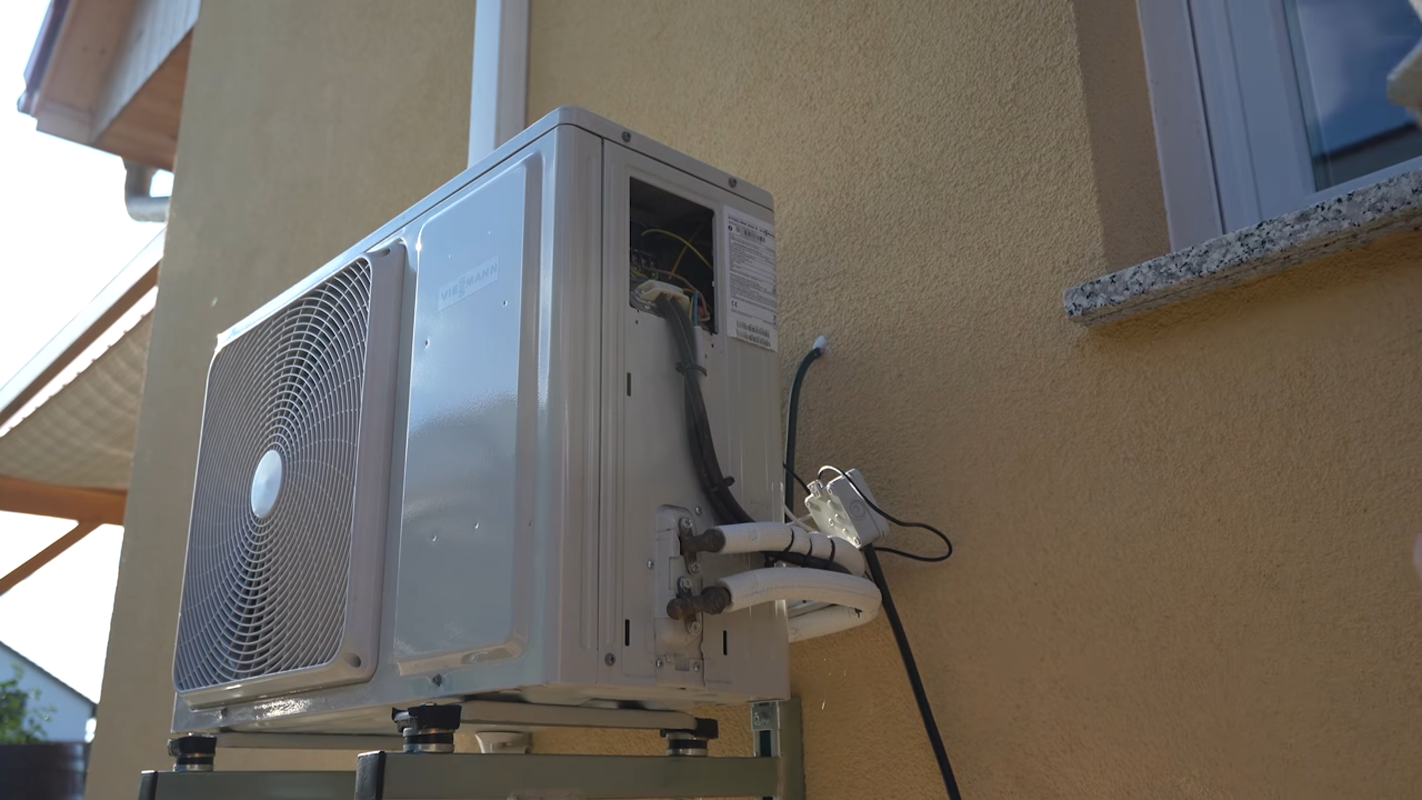


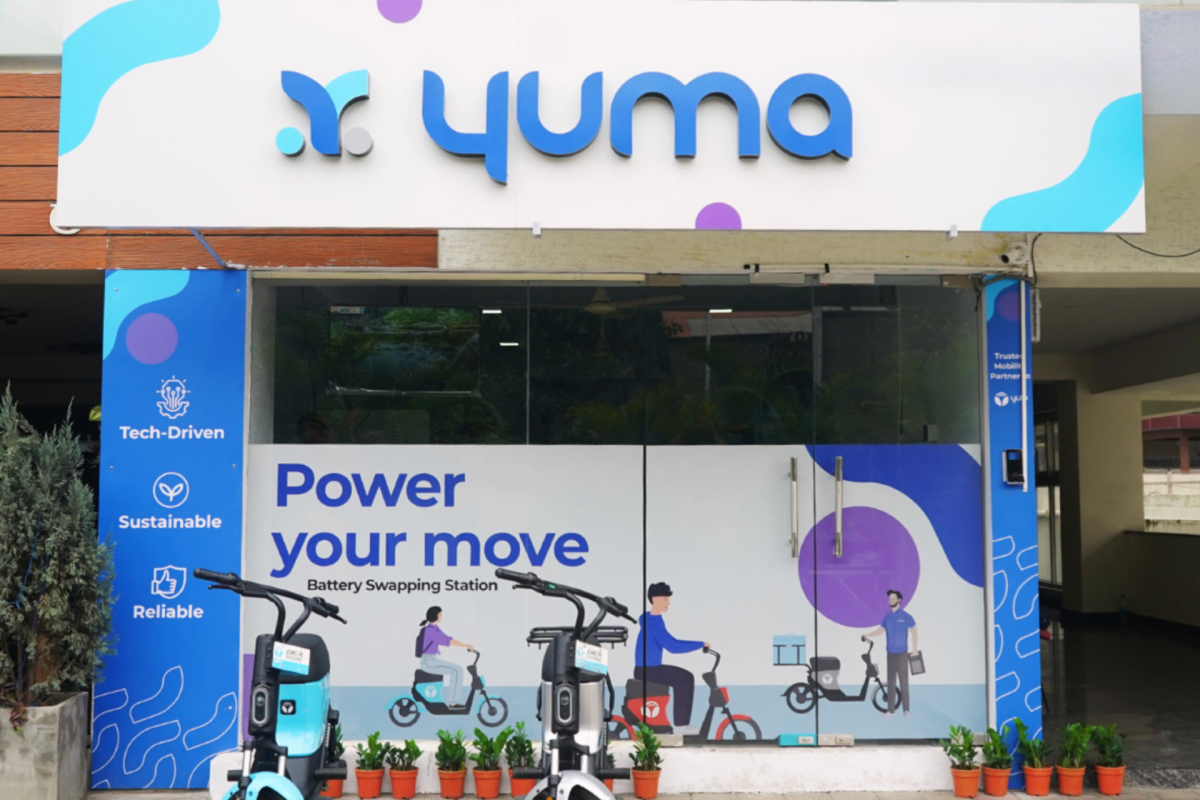


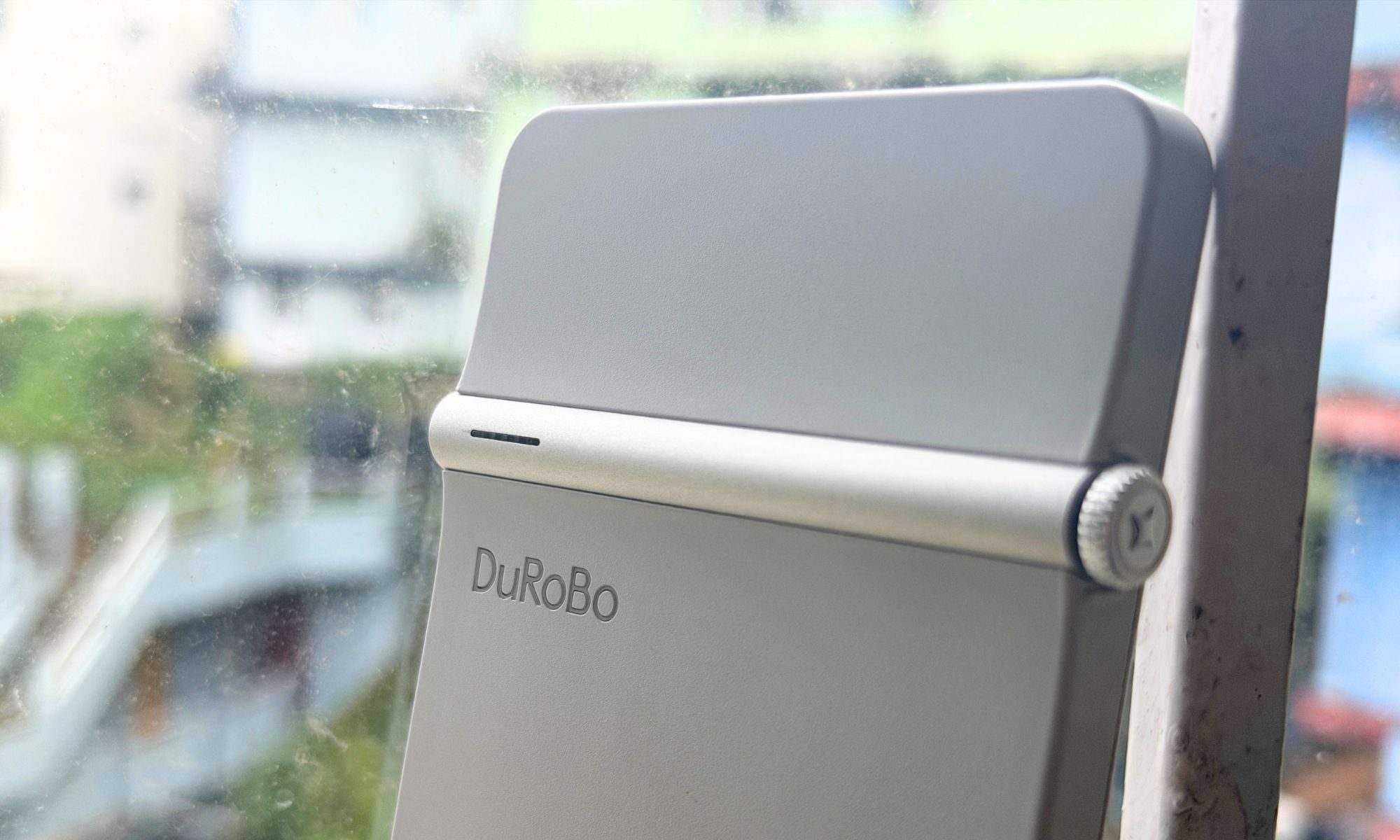



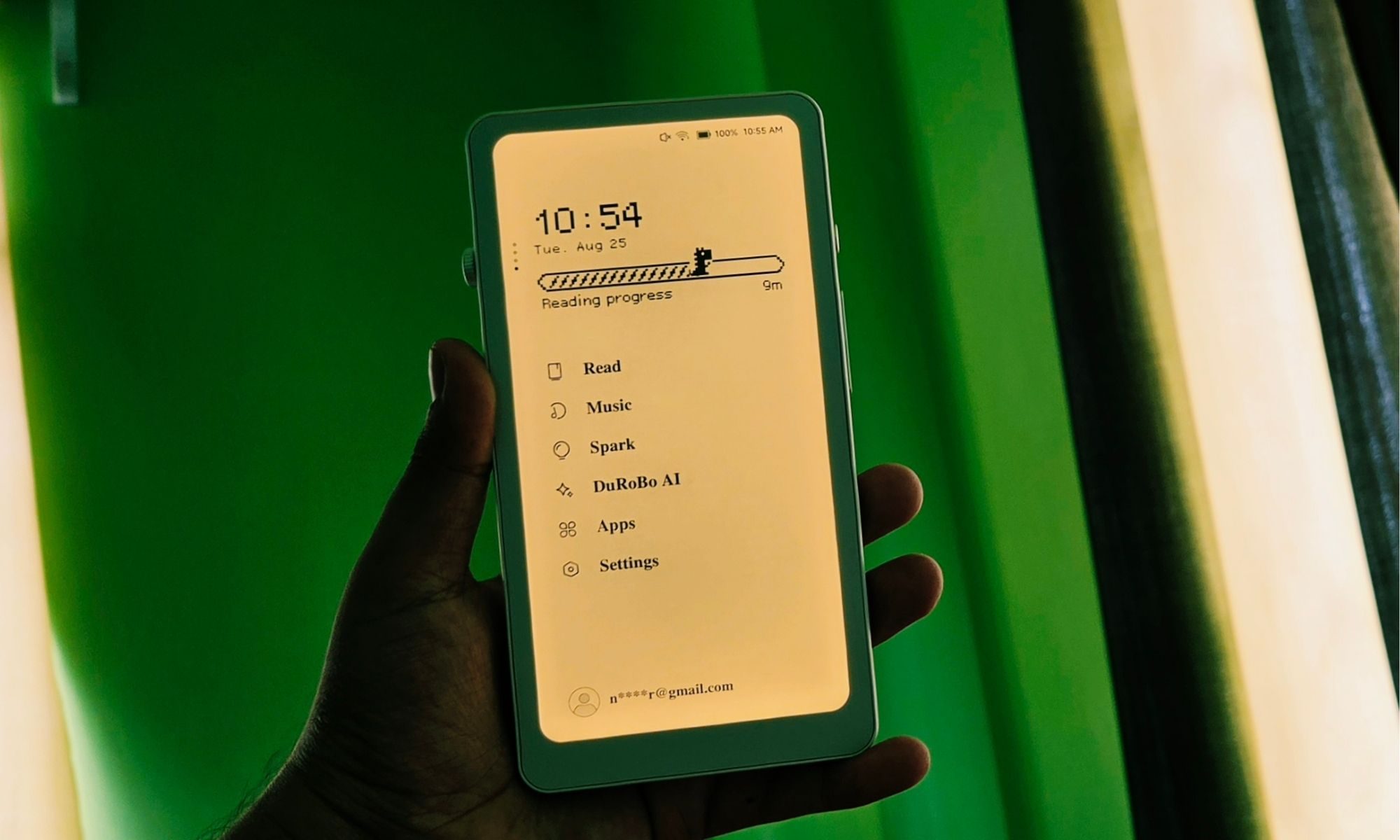


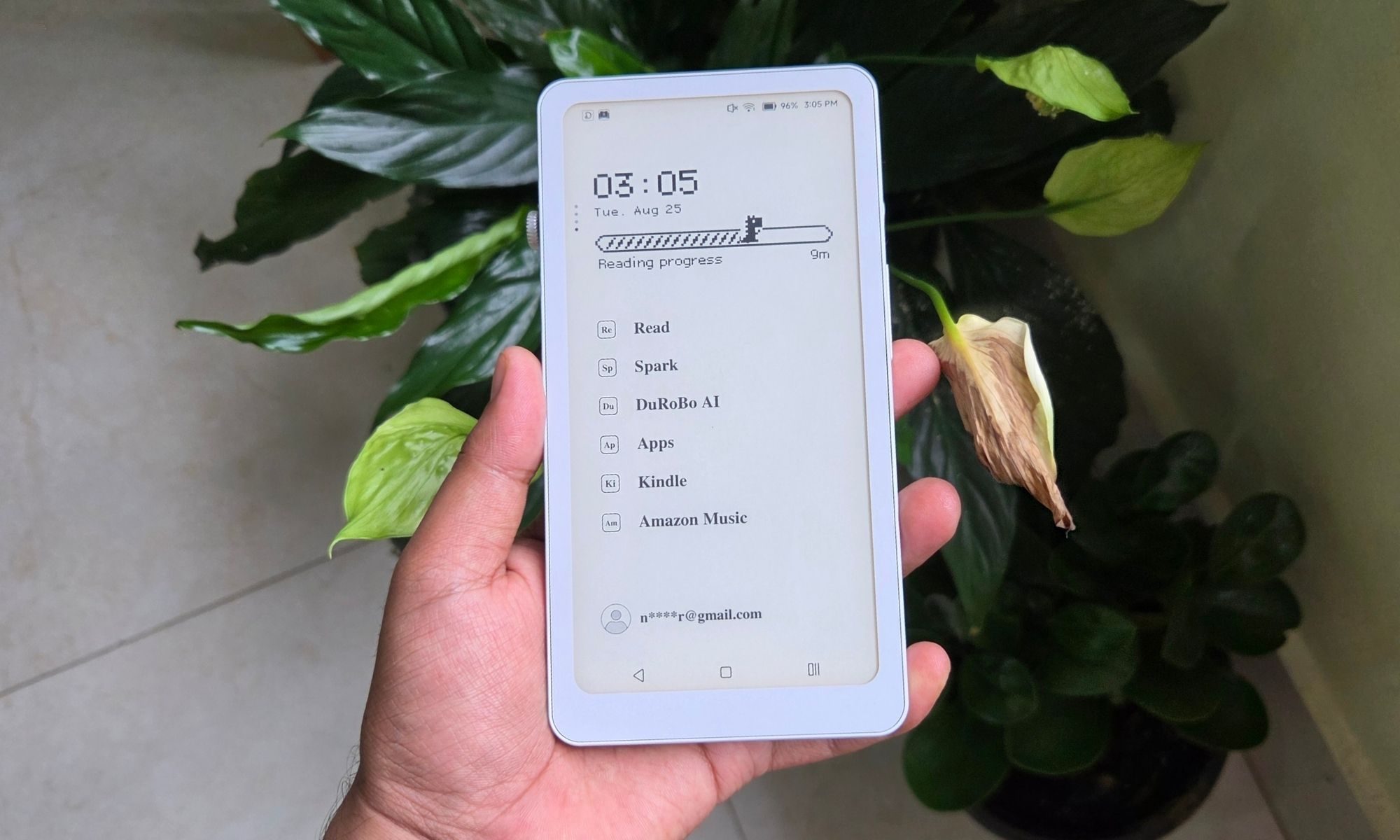
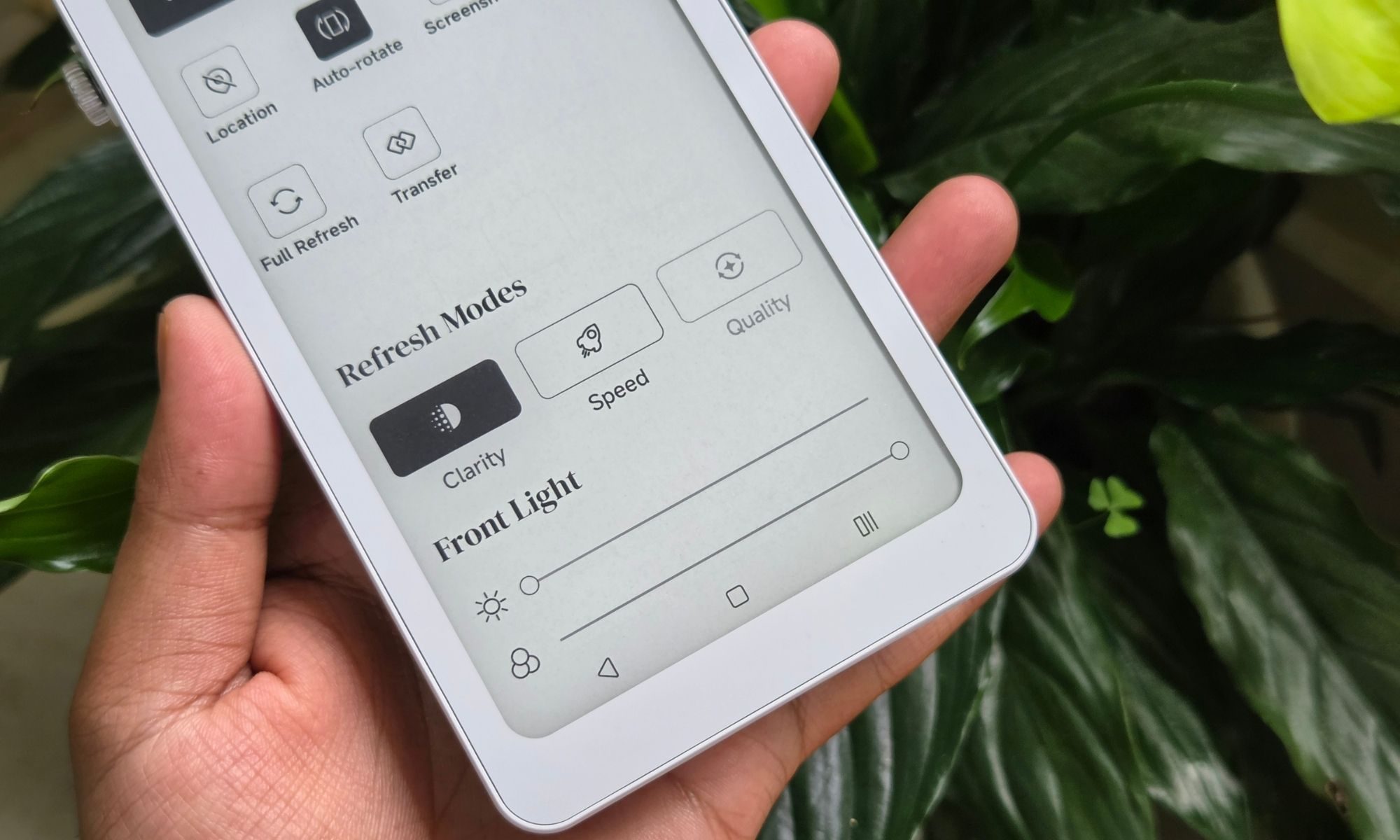
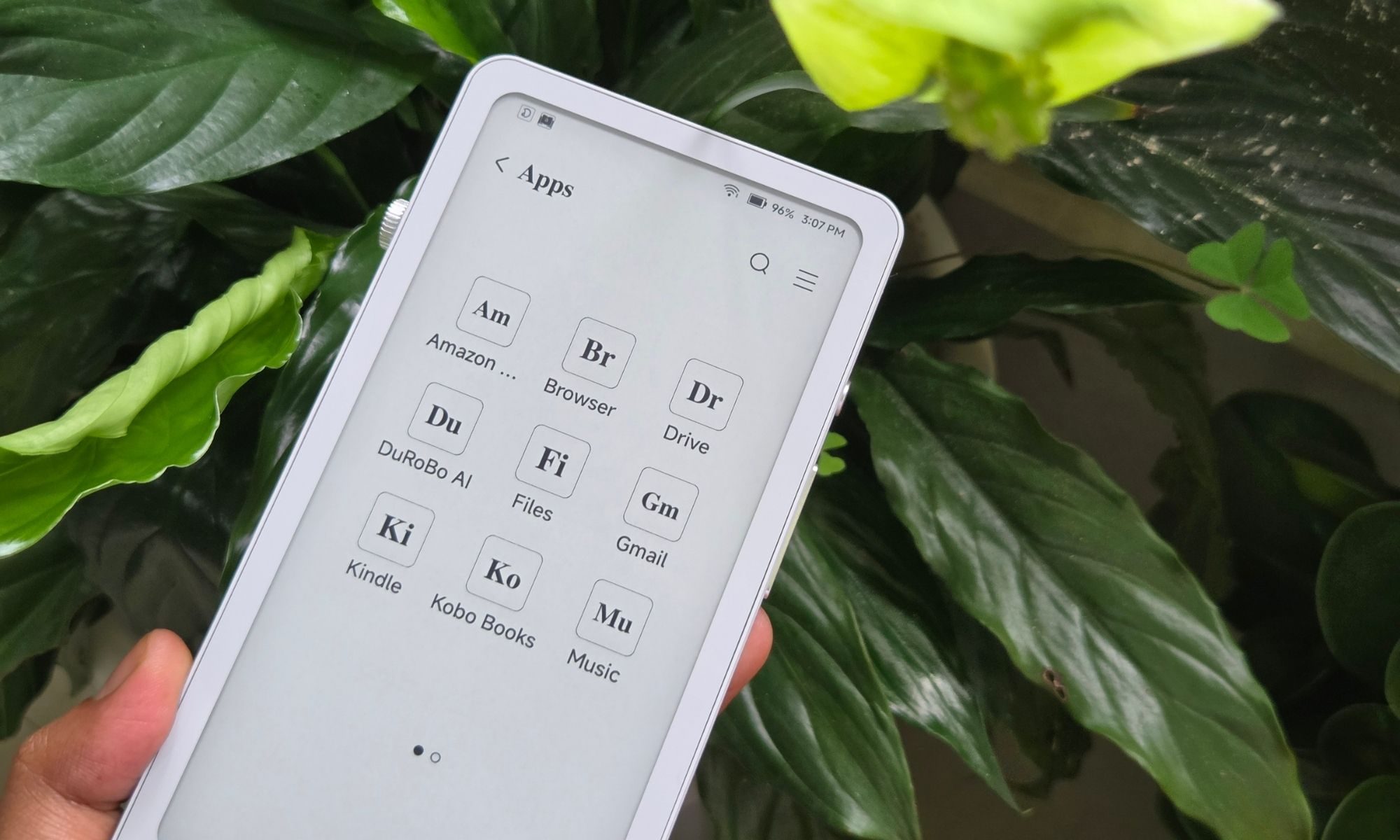

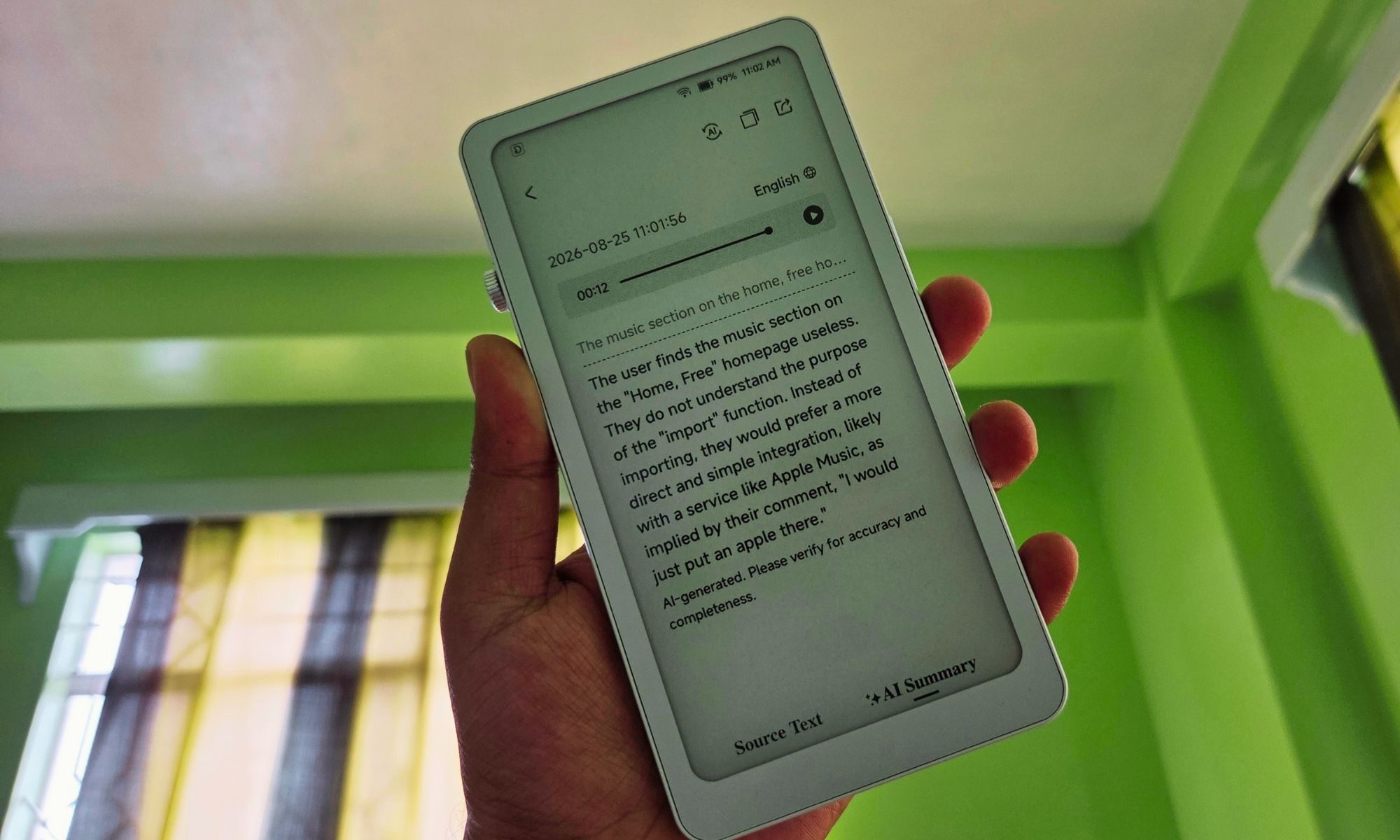
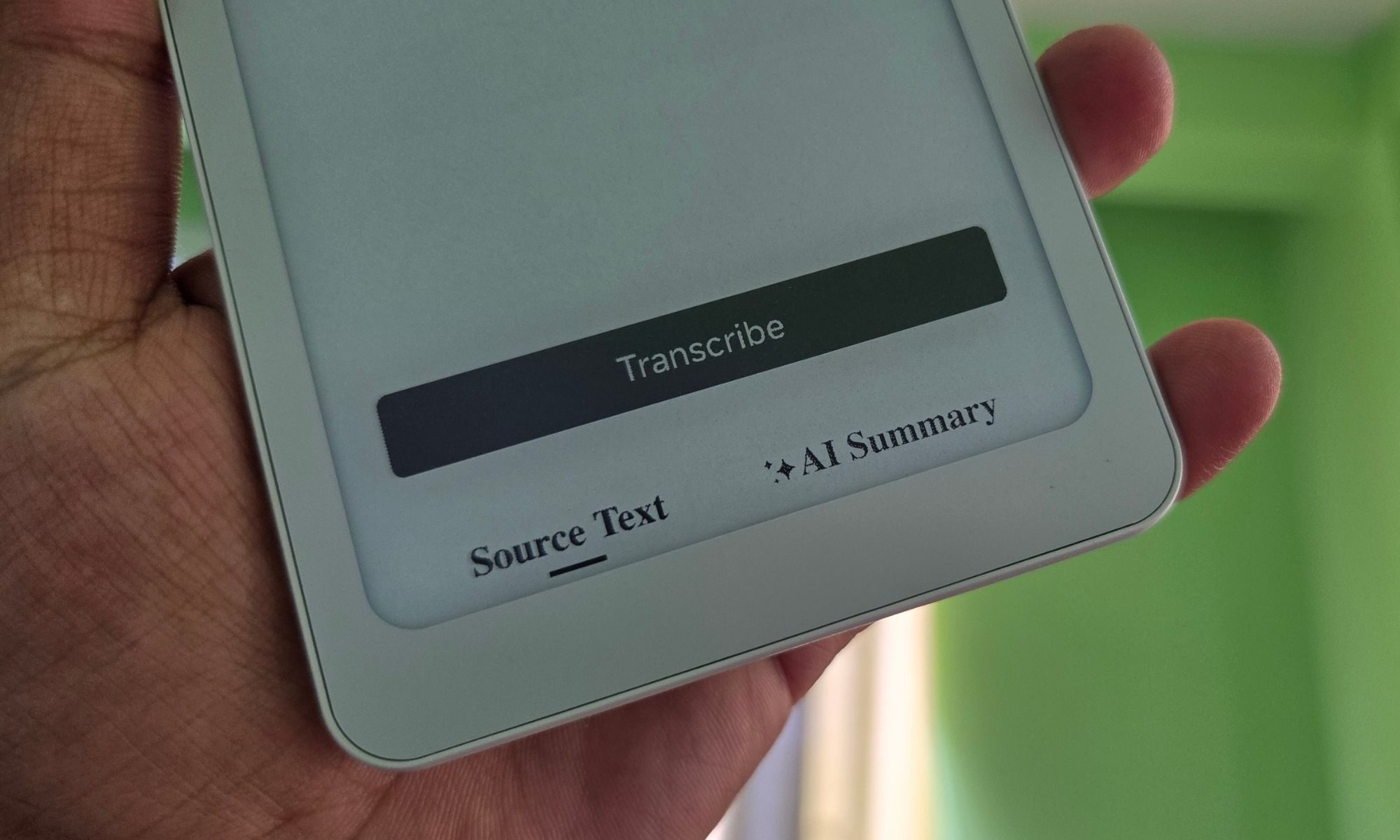
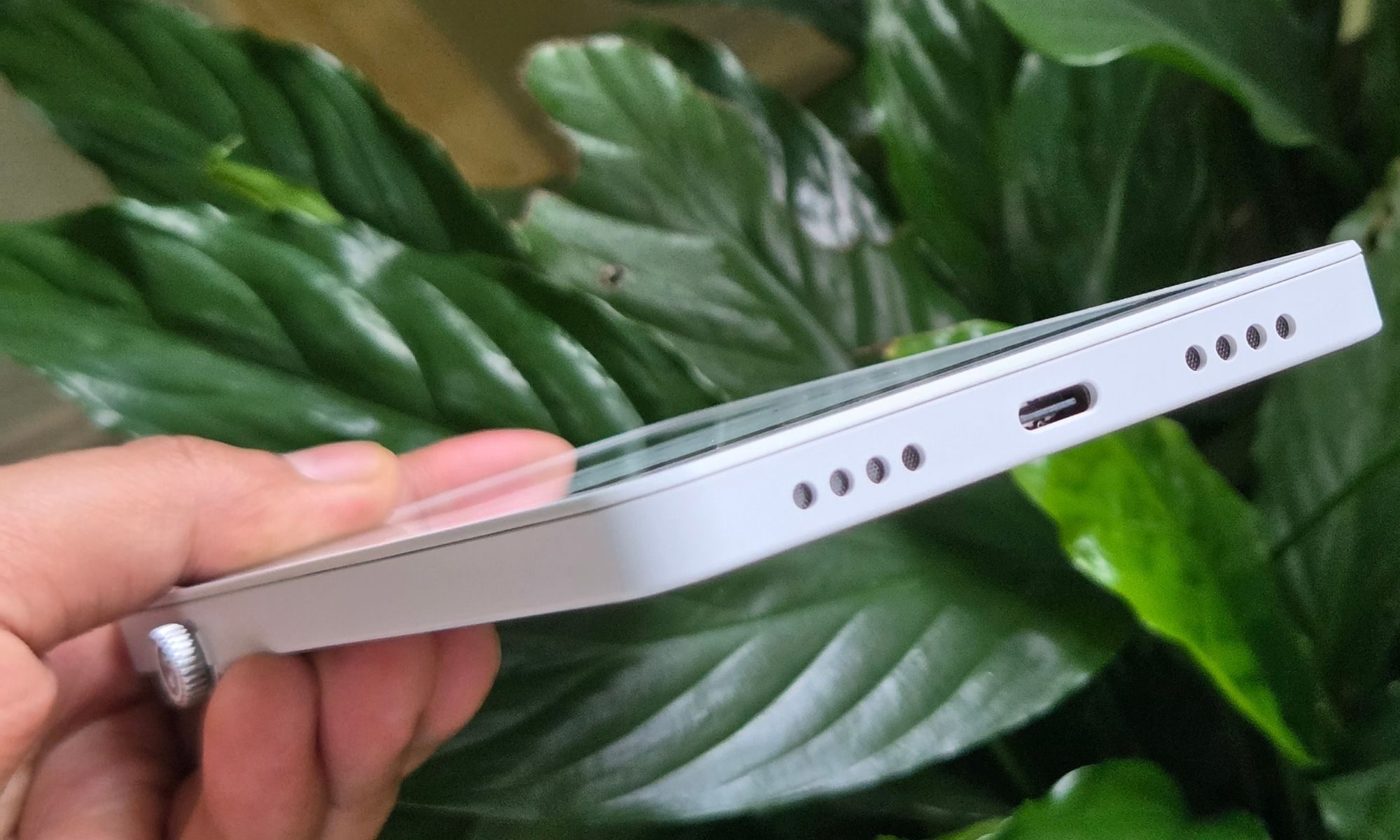

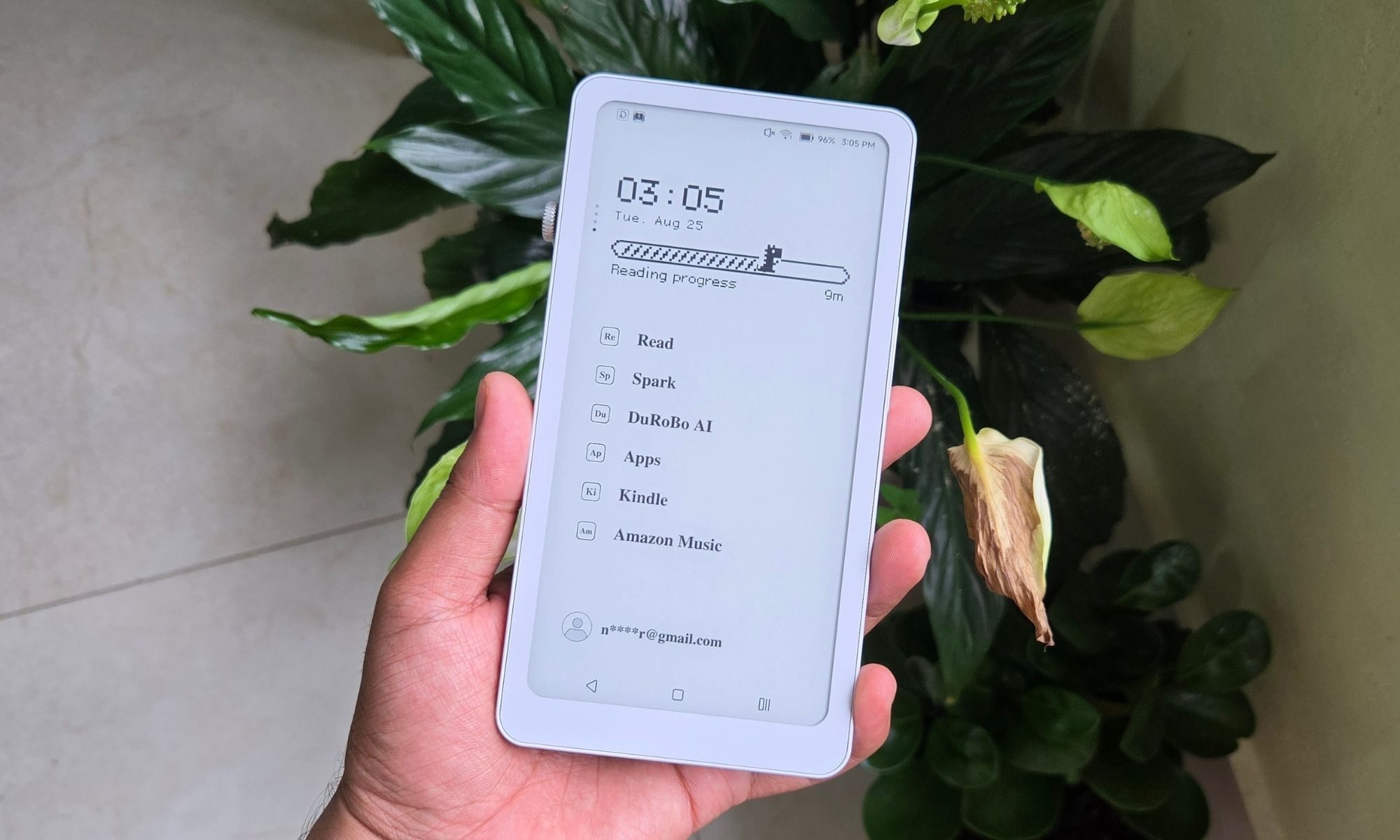






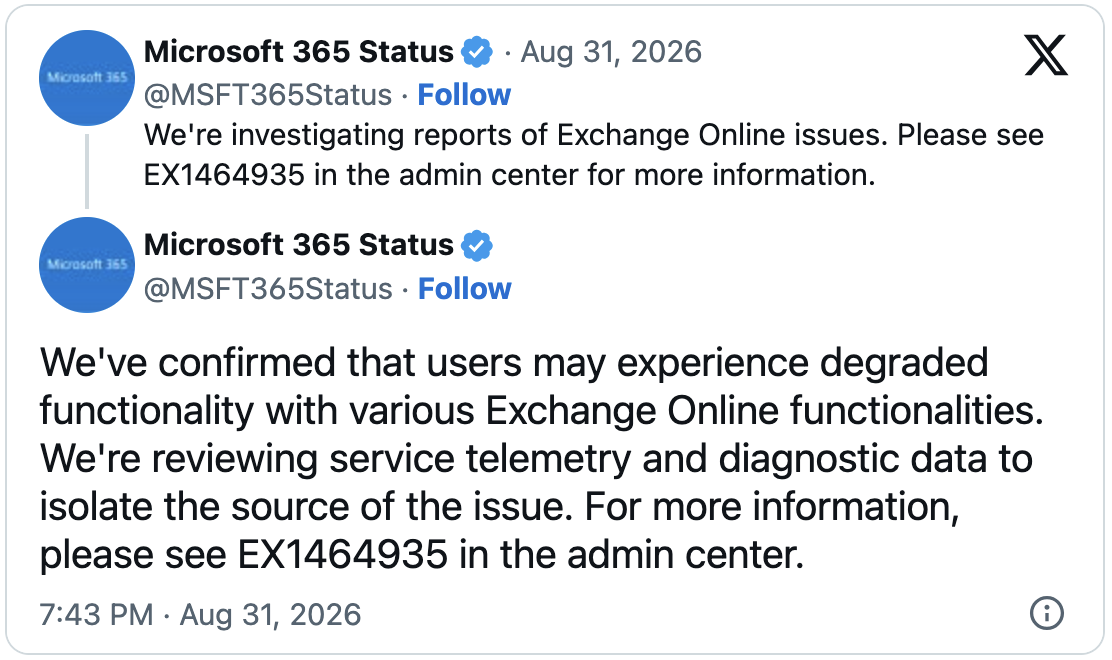





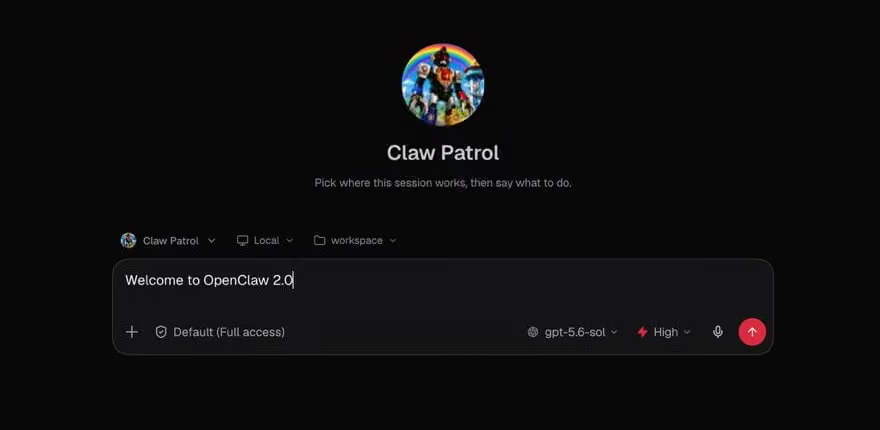















































You must be logged in to post a comment Login