TL;DR
Claude Guillemot, who co-founded Ubisoft in 1986 and led gaming peripherals maker Guillemot Corp, has died at 69 in a plane crash in western France.





Claude Guillemot, who co-founded Ubisoft in 1986 and led gaming peripherals maker Guillemot Corp, has died at 69 in a plane crash in western France.
Claude Guillemot, one of five brothers who co-founded Ubisoft in 1986, has died in a plane crash near the coastal town of La Baule in western France. He was 69. Guillemot and a flight instructor from Rennes were both killed when their twin-engine Cessna 421 crashed in a field near La Baule aerodrome on the afternoon of 19 June.
French authorities confirmed that the aircraft was on fire when emergency crews reached the scene. Guillemot, a member of a local flying club, had departed Rennes and was travelling to an aviation gathering that was expected to draw more than 100 aircraft to the area. The cause of the crash has not been determined, and an investigation is underway.
Ubisoft confirmed the death in a statement, saying the company was “deeply saddened to learn of the death of Claude Guillemot.” The five Guillemot brothers, Claude, Yves, Michel, Christian, and Gérard, founded Ubisoft on 28 March 1986 in the Brittany village of Carentoir. What began as a software distribution business grew into one of the largest video game publishers in the world, behind franchises including Assassin’s Creed, Far Cry, Just Dance, and the Tom Clancy series.
Claude served as Executive Vice President in charge of operations at Ubisoft and sat on the company’s board of directors. His brother Yves remains chairman and chief executive of Ubisoft, which employs roughly 19,000 people across more than 40 studios worldwide.
Outside Ubisoft, Claude was chairman and CEO of Guillemot Corporation, the family’s publicly traded holding company that owns Thrustmaster, a major manufacturer of gaming peripherals including racing wheels, flight sticks, and controllers, and Hercules, which makes audio and DJ equipment. Guillemot Corp reported revenue of €197.7 million in its most recent fiscal year.
The Guillemot family’s grip on Ubisoft has been a recurring topic in the gaming industry. Despite holding roughly 11% of outstanding shares, the family maintains control through France’s Florange Act, which grants double voting rights to long-term shareholders. In 2022, Tencent, the Chinese conglomerate that has aggressively expanded its gaming portfolio, invested approximately €300 million in Guillemot Brothers Limited, the family’s private holding company, acquiring a 49.9% economic stake while receiving only 5% of voting rights.
That deal was widely interpreted as a defensive move, allowing the Guillemots to maintain control of Ubisoft while keeping Tencent’s influence capped. Tencent also holds a direct stake of approximately 9.46% in Ubisoft and invested €1.16 billion in Vantage Studios, a new Ubisoft subsidiary created in 2025 to manage the company’s biggest franchises. The question of whether Tencent and the Guillemot family would eventually pursue a full buyout has lingered for years, with no deal materialising as of June 2026.
Ubisoft has faced significant headwinds in recent years, including studio closures, layoffs affecting hundreds of employees, and a corporate restructuring that split the company into five creative divisions. The successful launch of Assassin’s Creed, a franchise that has expanded beyond games into film and television, helped stabilise the company after a difficult 2024, with Assassin’s Creed Shadows surpassing five million players within four months of its March 2025 release.
Claude Guillemot’s death comes at a particularly complex moment for the family business he helped build. Ubisoft is navigating activist investor pressure, an ongoing strategic partnership with Tencent, and a broader gaming industry contraction that has seen tens of thousands of jobs eliminated across the sector since 2023.
He is survived by his brothers and his family. French media reported that tributes from the gaming industry and the Brittany business community began arriving within hours of the announcement.


Seattle startup Gradial continued its hot funding streak, raising another $65 million for its agentic AI platform that automates enterprise marketing.
The Series C round was led by Insight Partners alongside existing investors VMG, Madrona, and PruVen Capital.
Gradial raised $35 million in December and said in a blog post this week that it’s raised over $110 million in the past 16 months, calling it “a testament to the rapid growth” Gradial has seen across its business.
Axios reported that the new round values Gradial at $675 million.
Gradial works by plugging agents into the marketing tools enterprises already use — Adobe, Salesforce, Sitecore — and handling the operational work of getting content live: authoring, QA, brand compliance and routing updates through existing approval chains.
The company also watches for gaps in AI-generated search results, with agents that can draft and publish fixes automatically — without a human queuing up an agency ticket.
Customers include AWS, Prudential, T-Mobile, Vanguard, Kaiser Permanente, and US Bank.
The company was launched in 2023 by four co-founders who met at Dartmouth College: CEO Doug Tallmadge previously worked at SpaceX as a software engineering manager; chief growth officer Anish Chadalavada is a former AI strategy manager at Microsoft and investor at Point72 Ventures; CTO Deip Kumar also worked at SpaceX and Microsoft; and COO Anup Chamrajnagar worked at Point72.
The funding will help Gradial grow its 100-person company across engineering, sales and marketing, according to Axios.

Just as last week was ending, the US government forced Anthropic to pull its two newest models, Fable 5 and Mythos 5, citing national security concerns after Amazon researchers allegedly found a way to bypass Fable 5’s guardrails.
Cybersecurity researchers have since signed an open letter calling the move dangerous, and Anthropic itself noted the same jailbreaks exist in other models. So is this a genuine security concern, or just the latest chapter in a messy relationship between Anthropic and the Trump administration?
On this episode of TechCrunch’s Equity podcast, hosts Anthony Ha, Sean O’Kane, and Rebecca Bellan unpack what the ban means for developers building on Anthropic’s platform and for anyone watching the IPO, why it might accidentally be good for the company, and more of the week’s headlines.
Subscribe to Equity on YouTube, Apple Podcasts, Overcast, Spotify and all the casts. You also can follow Equity on X and Threads, at @EquityPod.


Professional car thieves have leaned on a quiet radio trick for years to slip past keyless entry systems. Mark Rober, the former NASA engineer known for his glitter bomb videos and hands-on builds, wanted to see exactly how that trick works and whether regular people could defend against it. His latest experiment delivers a clear answer on both fronts.
Rober started by buying a customized relay attack device from a dark net seller accessed through Tor for $12,000 in Bitcoin. Rober believed the risk was worthwhile and put the expensive gadget through a series of preliminary tests after the source provided him with detailed instructions and a warning about self-destruct capabilities in case anyone became too inquisitive. This worked since it could unlock and even start a car, but it took some time and required periodic signal frequency modifications.
When you deconstruct the technology behind these devices, it becomes pretty straightforward. The majority of modern cars transmit a low-pitched radio signal every few seconds to determine whether the accompanying key fob is nearby. When the fob receives the signal and answers with the right code, the car recognizes that the owner is close enough to start the engine or unlock the doors. This is exploited by thieves who creep up on the vehicle and send a louder signal in the direction of the fob, which might be anywhere, such as inside a home or an office. The fob replies as if it is right next to the vehicle.

Rober was determined to make the same car-unlocking device faster and less expensive. He went to a local store, bought a cheap, basic baby monitor for only $12, and tore it up right away. The wireless components of the monitor are ideal for handling that kind of signal, so he tinkered with them to get them to pick up the car’s signal and then rebroadcast it at full blast just next to the fob. He spent less than $200 on his do-it-yourself version, which was a fraction of the price of a real one.

After that, Rober began testing his creation. He would move the antenna around and adjust the power levels in suburban areas until he could consistently unlock the car in ten seconds. After that, he advanced to real-world trials in a controlled setting. Additionally, he was able to obtain a CT scan of the original device without activating its self-destruct features, which greatly aided him in determining which components are truly essential and which may be replaced with less expensive baby monitor technology.

The clincher came when he took the device for a ride in a brand new 2026 Hyundai Sonata, courtesy of streamer JasonTheWeen. Rober got into the car and hotwired it during a Twitch live stream while Jason was busy gaming; since the entire process was being seen by a live audience, it was a slam dunk proof of concept. Later, as promised, Rober presented Jason with a spanking new Rivian.

Then Rober became a little more mischevious, stashing a Sonata with a dozen GPS trackers buried inside in a dangerous neighborhood with a reputation of snatch-and-grab auto thefts. He left it there for five days to see what would happen if someone decided to try their luck – and sure enough, they did. The tracker data revealed that after receiving a parking penalty, the automobile wound up in an impound yard, where a high-definition camera filmed a youngster driving it away.

Rober was first interested in seeing the hack in action, but he soon began to consider how to prevent it from happening again. He discovered that you can effectively stop a relay by simply placing the fob in a metal tin or wrapping it in aluminum foil; bam, the signal is blocked. Problem fixed. Although Rober discovered a few additional solutions to the problem, he also learned that some car manufacturers, such as Kia, are willing to send out free software updates to close the gap.

Why you can trust TechRadar
We spend hours testing every product or service we review, so you can be sure you’re buying the best. Find out more about how we test.
The Dreo Smart Misting Fan 516S is a device that came to me when I needed it most. It was a sweltering day in the UK — a nation with little in the way of air conditioning, but lots of humidity. But as I sat there at my desk sweating profusely, my editor handed Dreo’s new misting fan to me, and I have to say, it’s been a lifesaver.
But what exactly is the Dreo Smart Misting Fan 516S? Well, it’s a device designed to deliver “mess-free cooling,” and is best-suited for desks and tables. I’ve spent the last three weeks with Dreo’s fan, and have used it at my desk, at the kitchen table, and even in a controlled testing space at Future Labs. And for the most part, it’s proved to be quite an impressive performer — though it’s not totally without its flaws. So, here’s how I’d rate my experience overall.
First of all, let’s talk about who this fan is for. In my view, this is best suited for someone who’s sat at their desk and wants a personal fan, but one they can also set on a bedside table on hotter evenings too. I’d not necessarily recommend it to keep the whole family cool on the sofa, though — it’s still pretty compact, and the fan head is relatively small, meaning you don’t get the huge amount of coverage that some of the best fans can provide.
So, how does the 516S fare when used at a desk? In my case, it was great. I found the mist setting to work exceptionally well, and it added a nice degree of coolness without making any mess or feeling too intense. There were 12 speeds to select, and it was easy to switch between the three mist levels depending on how hot I felt. What’s more, it can oscillate 150 degrees horizontally, up to 20 degrees up, and 10 degrees down, making it easy to tailor coverage to your specific space. Dreo states that the 516S can cool a room by 3C / 5.4F at a max speed of 8m/s.
Setting up misting is pretty straightforward too. Simply fill up the detachable 1.3L water tank, slot it into the fan, and you’re good to go. You have to flip the tank upside down before inserting it, and this can lead to a bit of minor leakage, but I never found this to be a big issue. The tank is also large enough to keep misting for hours on end — 12 hours, according to Dreo — and I never felt that I had to refill it too regularly. And if you’re not in a misty mood, then fear not — it’s easy to switch over to a fan only mode, which works nicely too.
Even when using the mist mode, I found the fan to run pretty quietly, which was especially useful when trying it out at night. I didn’t find it difficult to drift off to sleep with the fan at a middling speed, and it certainly couldn’t cut past my Sony WH-1000XM6 headphones when trying it during the workday. One caveat, however, is that the Turbo mode — for those who want maximum power — can get fairly noisy. This could frustrate some when trying to watch TV or listen to music, but the mode did still work well when I needed a thorough blast of cold.

There are a number of other ways to customize your experience, though, such as a timer, a humidity preference setting, and a child lock system. Such options can be accessed through a number of control methods: touch controls, a remote, voice commands, or a companion app. This level of versatility is always welcome, and the inclusion of Alexa and Google voice assistants is pretty neat, especially given the 516S’s modest price — more on that later.
I will say, however, that the physical touch controls are… a little temperamental. Sometimes I found myself pressing a button over and over again trying to get it to function properly. That’s pretty frustrating, and often pushed me to reach for the remote instead. It’s no dealbreaker, especially with the various alternative control methods, but it’s worth noting all the same.
Before we sum up, let’s talk about design. This fan is decent-looking, with an easy-to-clean plastic exterior, attractive lighting on the control panel, and a transparent water tank, so you always know when it’s time for a refill. There’s also a practical carry handle, and you can easily dismantle the fan if you need to make a fix. The power cable is integrated, and you won’t be able to use this fan wirelessly, but for the cost, that’s understandable.
Speaking of cost, the 516S will typically set you back $99.99 / £99.99 (about AU$140), which in my view, is a very fair price. Sure, there are cheaper options available in this size-class, but you get mess-free and effective misting, a wide range of speeds, and a wide number of control methods, all without having to break the bank. So if you’re looking for a fan to use at your desk, or a personal cooling solution while watching TV for instance, I think the Dreo Smart Misting Fan 516S is well-worth considering.

The Dreo Smart Misting Fan 516S has a fairly modest price tag for all of the tech it crams in. It’s typically available for $99.99 / £99.99 (about AU$140), although I have seen it discounted with some online retailers. The fan released in April 2026 as part of Dreo’s 2026 summer lineup.
|
Speeds |
12 |
|
Oscillation |
150 degrees horizontal, 30 degrees vertical |
|
Weight |
5lbs / 2.3kg |
|
Dimensions |
7.9 x 8.6 x 15.7 inches / 201 x 219 x 400mm |
|
Control |
Touch, remote, app, voice |
|
Timer |
Yes |
|
Additional modes |
Fan only, Turbo |

|
Attribute |
Notes |
Score |
|---|---|---|
|
Features |
Wide control options, plenty of modes and speeds, mist and fan only options, wired power only. |
4.5 / 5 |
|
Performance |
Mess-free misting works well, decent coverage, usually quiet unless using Turbo mode. |
4 / 5 |
|
Design |
Decent looking, easily detachable water tank, touch controls could be better. |
4 / 5 |
|
Value |
Cheaper options exist, but a good performer at a relatively modest price. |
4 / 5 |

I spent three weeks testing the Dreo Smart Misting Fan 516S, using it at home on my desk and the kitchen table, and even trying it in a controlled environment at Future Labs.
During this time, I tested out all of the various features, sifted through the multiple connectivity and control options, and made sure to try the fan both with and without misting activated. During the majority of the testing period, I was using the fan on high temperature days with high humidity, making for a natural and authentic testing process.
More generally, I’ve tested tons of gadgets here at TechRadar across the course of multiple years. I’ve covered home and lifestyle products, audio gear, video games, and more as part of our dedicated reviews team.
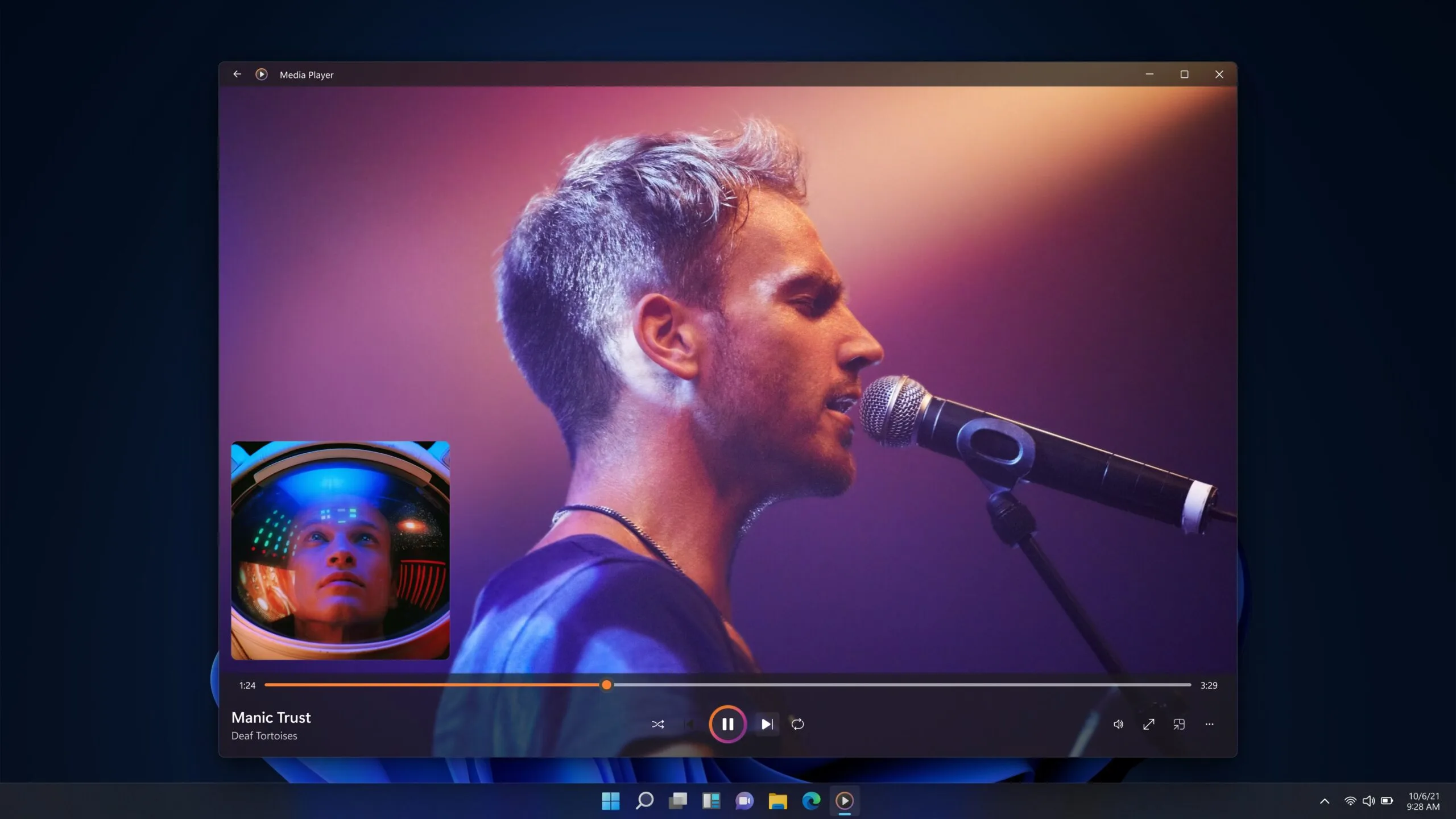
Microsoft has released a new Insider Preview update for the modern Windows 11 Media Player. However, the app is facing criticism after tests revealed it uses more memory and opens local video files more slowly than the classic 17-year-old Windows Media Player.
The update adds some useful fixes, including better captions, clearer codec errors, and improved file recognition. But the biggest complaints remain higher RAM usage and paid codec support for some common video formats. The update is not available to everyone yet. Media Player version 11.2605.14.0 has only arrived on Experimental Insider builds as part of Microsoft’s June 12 Insider Preview releases.

The update brings several small but practical changes. Caption styling now follows Windows system caption settings, so users can adjust font size, color, and background from the operating system. Media Player also shows an indexing banner when it is scanning a fresh media library, which should make it clearer why some songs or videos are not showing up yet.
Microsoft has also improved file recognition to reduce playback errors, added clearer missing codec messages, blocked unnamed playlists, fixed a crash linked to play queue editing, and cleaned up some visual issues. These are useful fixes, especially for an app that ships as the default media player on Windows 11.
The problem is that these fixes do not address the biggest complaints. According to Windows Latest, the modern Media Player used around 377MB of RAM while idle, compared with about 103.4MB for the legacy Windows Media Player. The newer app also took longer to open a local video file in testing.

For a modern piece of software, this is a bad look. Opening and playing a local video should be one of the easiest things a media player does. If Microsoft’s newer app is slower at that than the version that shipped with Windows 7 nearly 17 years ago, something has clearly gone wrong.
The codec situation is another frustration. HEVC, also known as H.265, is now common on phones, including iPhones and many Android devices. But Windows users may need Microsoft’s paid HEVC Video Extensions app from the Store to play those files in Media Player. The extension costs $0.99.
There is some context here. HEVC is tied to patent licensing, and Microsoft has to account for royalties. Even so, the user experience is not great. Someone can shoot a video on a modern phone, move it to a Windows machine, and then be asked to pay extra just to play it in Microsoft’s own media app. Fortunately, Windows users are not stuck with that setup. Free alternatives like VLC Media Player and MPV can play HEVC videos without requiring Microsoft’s paid codec extension.
Windows 11 version 24H2 has also removed built-in AC-3 support, which can affect Dolby Digital audio playback. For now, the update shows Microsoft is improving Media Player, but the app needs to be faster, lighter, and less dependent on paid codec add-ons to win users over.

Like every piece of gear you wear on your body day in and day out, fitness trackers are incredibly personal. The right tracker for you should be comfortable, accurate, and tailored to your lifestyle, including your preferred workouts and health goals. Do you bike, row, or strength train? Do you run on trails for hours at a time, or do you just want a reminder to stand up every hour? Do you want to wear it on your wrist or your finger, or tuck it into your sports bra?
No matter what your needs are, there’s never been a better time to find a powerful, sophisticated tool to help optimize your workouts or jump-start your routine. We test dozens of fitness trackers every year while running, climbing, hiking, or just doing workout videos on our iPads at night, to bring you these picks.
Our top choice for most people is the Garmin Vivoactive 6 ($300), which works well with Android and iOS, but we also vouch for the latest Oura Ring 5 ($399) and the budget-friendly Google Fitbit Air ($100). For more wearables, check out our guides to the Best Smartwatches, Best Smart Rings, and Best Sleep Trackers.
Jump To

Garmin makes some of the most accurate fitness trackers on the market, and the Vivoactive 6 is the best midrange option for most people. It strikes a solid balance between smartwatch features and fitness tracking, with support for both iPhone and Android users.
Why WIRED recommends: The Vivoactive 6 is accurate, comfortable, and packed with useful wellness features without feeling overwhelming. It uses Garmin’s proprietary algorithms to power features like Morning Report and Body Battery, which provide daily insights into your sleep, recovery, and readiness. It also has built-in satellite connectivity and GPS, so you can track outdoor workouts without bringing your phone along. There’s also incident detection, which alerts emergency contacts if it detects a serious fall.
Garmin’s biggest advantage remains its free Connect platform, which enables health and fitness tracking without requiring a subscription. The company also continues to add new software features through regular updates without putting them behind a paywall.
The trade-offs: Garmin launched Connect+, a $70-per-year subscription with extras like live tracking and access to Garmin’s AI-powered Active Intelligence. Former editor Adrienne So doesn’t think most people need it, but it’s worth noting if you’re looking for a completely subscription-free experience. The Vivoactive 6 may also feel like overkill for casual users who only want basic activity and sleep tracking.

The gaming news site Aftermath reports:
Four gamers are suing Sony Interactive Entertainment for allegedly breaking a California law that requires digital storefronts selling games to make it clear people are buying licenses, not actually owning the games.
Sony Interactive Entertainment’s PlayStation store uses language like “Buy Now” and “Confirm Purchase,” lawyers wrote in a complaint filed on Thursday… “In reality, consumers who ‘purchase’ digital games through PlayStation do not obtain ownership of those products,” lawyers wrote. “Instead, PlayStation grants only a limited, revocable license to access the software, subject to multiple restrictions contained in a separate Software Product License Agreement”….
[T]he PlayStation store does have a disclosure. Above the “Confirm Purchase” button, there’s a note: “By selecting [Confirm Purchase], you agree to complete the purchase in accordance with the PlayStation Terms of Service before using this content. You further acknowledge that your purchase of this digital product amounts to a license subject to the Software Product License Agreement.” These four gamers aren’t satisfied with that; they said in the complaint that it’s too small, and that “a reasonable customer completing a purchase would not necessarily notice this disclosure.”
“It’s a proposed class action complaint, meaning the group of four gamers is asking a judge to grant them class action status.”

In January a college student posted a video showing him winning $100,000 on Polymarket — one of 145 that appeared to show bets adding up to almost $410,000, reports the Wall Street Journal. “But none of those bets were real.”
Instead its creator was “one of dozens of mostly college-age creators Polymarket paid to film themselves making fake trades and sometimes scoring fake wins,” the Journal reports, citing interviews with the creators an an analysis of more than 1,100 of their videos:
Polymarket built near-perfect copies of its website, then instructed creators to make simulated trades on those dummy sites and hide that they were being paid by Polymarket. To get the videos to go viral, Polymarket has recruited a social-media army to copy and re-post creators’ footage. Though the New York-based company has been banned from offering its primary crypto platform in the U.S. since 2022, the social-media creators are paid to specifically target U.S. users, who can still access the site with a virtual private network…
Polymarket hired and worked closely with a marketing contractor to promote the site. In a message reviewed by the Journal, that contractor told its social-media army to repost content made by 10 Polymarket creators in particular… These creators didn’t initially identify themselves as paid by Polymarket, although one offered a $20 bonus code in his social-media bio… The company instructed creators not to disclose they are paid, according to creators who have worked with the company. They said the pay often added up to $2,000 to $3,000 a month…
A handful of videos the Journal reviewed also contained short glimpses of URLs indicating the sites were test environments for Polymarket engineers… Creators said they send the finished videos to Polymarket for review. If a video isn’t engaging enough, or if it bears obvious signs of being faked, Polymarket will ask for the videos to be reshot, the creators said… Polymarket sends creators bullet-point guidance on what to say, according to creators who have worked with the company and a recruiting website… Polymarket’s viral clipping campaign racked up more than 140 million views on TikTok, YouTube and Instagram, according to the analytics provider Tubular…
Internal materials show that Polymarket and Virality promote videos showing how easy it is to conduct insider trades on the platform. Polymarket has paid clippers to promote at least 19 videos discussing opportunities to use inside information or other tactics to manipulate markets.
America’s advertising laws “require people who are paid to endorse a product to disclose their ties,” the article notes, “although there is some gray area about what’s permitted.” (After the Journal‘s investigation, the creators started adding “@polymarket partner” to their bios, the article points out._ And when asked for a comment, Polymarket “said it plans to conduct a comprehensive audit of active promotional content.”
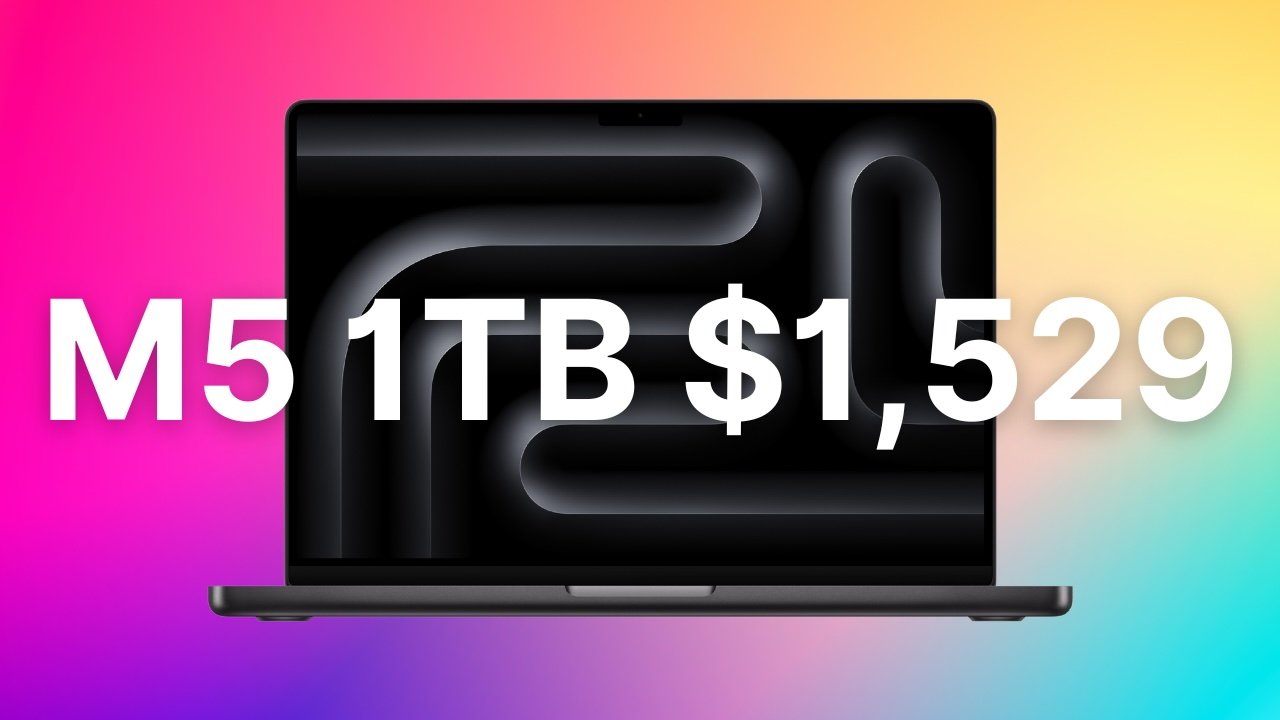
B&H’s bonus coupon drives the price of Apple’s 1TB MacBook Pro with an M5 chip down to $1,529.
The $170 total discount at B&H is in the form of a $150 instant markdown stacked with a $20 in-cart coupon.
Buy 14″ MacBook Pro M5 for $1,529
With the combined savings, the standard 1TB M5 MacBook Pro 14-inch configuration in Space Black is reduced to $1,529, which is the lowest price available per our 14-inch MacBook Pro M5 Price Guide and beats Amazon’s price by $20. Along with 1TB of storage, this configuration has 16GB of unified memory and the 10-core M5 chip.
According to B&H, supply is limited at the discounted price, so now is the time to grab the deal. B&H’s online checkout closes for 24 hours on Friday night, further limiting the window to snap up the savings.
B&H is including free 2-day shipping on this configuration as well, putting the laptop in your hands quickly. Those with B&H’s Payboo card can also take advantage of special financing or a sales tax refund in qualifying states.
You can shop even more MacBook Pro deals in our Apple Price Guides, which are updated throughout the day.

The Swift Boost rescue mission will soon head to space.

The NASA Swift Boost mission is on track to launch later this month to rescue the Neil Gehrels Swift Observatory, whose orbit is decaying faster than anticipated. In other words, the space telescope is falling is too fast, and the agency intends to rendezvous with it and keep it in space for a few more years than it would have lasted without intervention. According to the publication Space, launch has been set for June 27.
NASA teamed up with Arizona company Katalyst Space last year to build LINK, a robotic spacecraft designed to dock with the observatory and tug it to a higher orbit. On June 9, engineers at NASA’s Wallops Flight Facility in Virginia finished installing LINK to a Northrop Grumman Pegasus XL rocket. A few days later, on June 12, they attached the rocket to the belly of a Northrop Grumman plane called Stargazer. The plane left Wallops on June 18 for Kwajalein Atoll in the South Pacific Ocean where it will take off in a week’s time.
Stargazer will carry Pegasus XL to an altitude of around 40,000 feet before releasing it in the air. The rocket will free fall for a few seconds before firing its motors and delivering LINK to space in approximately 10 minutes. While all satellites in orbit lose altitude over time, the Swift telescope’s orbital decay has been faster than most. NASA explains that it’s because the observatory has been experiencing more atmospheric drag than anticipated due to recent increases in the sun’s activity.
“Given how quickly Swift’s orbit is decaying, we are in a race against the clock, but by leveraging commercial technologies that are already in development, we are meeting this challenge head-on,” said NASA’s Shawn Domagal-Goldman when the agency’s partnership with Katalyst was announced.
The Swift telescope launched in 2004 to study gamma-ray bursts, though it’s now being used as a general-purpose multi-wavelength observatory. NASA says Swift serves as a “dispatcher” when a sudden event takes place in the universe, providing critical information that allows other observatories to follow up and learn more. For instance, it detected the location of an X-ray source, which turned out to be a 13-billion-year-old supernova, based on the data that was subsequently gathered by other observatories like the James Webb telescope.





No Jackpot Winner as $257 Million Prize Rolls Over to $269 Million Monday Draw


Weekend Open Thread: Miami – Corporette.com

Zimbabwe Requires Crypto Businesses to Register Annually Under New FIU Regulations

Wall Street Week Ahead: Investors see Micron earnings as pulse check of AI rally momentum

Matt Damon’s Viral Sci-Fi Thriller Has Taken Over HBO Max


As AI companies race to go public, who else is along for the ride?


Anthropic staff to meet White House officials next week, Axios reports

Bitcoin could crash to $48,000, if this historical pattern is triggered

what doctors are seeing in ebike crashes


HIVE shares jump as $220M AI deal speeds Bitcoin mining pivot

Warning of disruption as Cardiff Crossrail works to start

Tributes to former deputy head teacher at Cambridge school among death and funeral notices

Kate Middleton Glare Goes Viral After Kids Booed At Royal Event


“Israel’s” ban on ICRC visits ruled illegal, but Knesset moves to stop them permanently


Financial Accounting | Last Day Revision Strategy and Booster | CMA Inter – June 2026


XRP ETFs Outperform As Bitcoin And Ethereum Funds Extend Outflow Trend


Over 400 Arch Linux packages compromised to push rootkit, infostealer


Singer Oliver Tree dies aged 32 in helicopter crash in Brazil


Invesco Quality Income Fund Q1 2026 Commentary

Market Preview: SpaceX (SPCX) IPO Record, Federal Reserve Meeting, and Iran Nuclear Agreement




You must be logged in to post a comment Login