For years, consumer VPNs were easy to explain: choose a server, create an encrypted tunnel, and route your traffic through it. The product category was built around a fairly simple idea, and the buying criteria followed the same logic, speed, server count, and price.
That description is becoming less complete.
The way people connect to the internet is now far more fragmented than it was when VPNs first became mainstream consumer software. A laptop may spend the morning on home Wi-Fi, the afternoon on a corporate network, and the evening tethered to a phone. A smartphone can move between Wi-Fi and cellular data repeatedly without the user thinking about it. Travel adds hotel networks, airports, roaming, and increasingly eSIMs.
The network keeps changing. The expectation that connectivity should remain private, usable, and largely invisible does not.
Advertisement
Connectivity has become the harder problem
This changes what users need from a VPN. Encryption still matters, but the practical question is no longer simply whether a tunnel can be created. It is whether that connection remains usable when the network around it changes.
That helps explain why protocol choice, once something largely left to technically minded users, is becoming more relevant. WireGuard has become a popular option partly because of its deliberately lean design and focus on performance. But different protocols can respond differently to network conditions, leaving room for alternatives when the obvious choice is not the most practical one.
The point is not that users should spend their day manually comparing protocols. Ideally, they should not have to think about them at all. Giving the software more than one way to establish a protected connection simply gives it more room to adapt.
GnuVPN is a useful example of that approach. The service supports several connection options, including WireGuard, OpenVPN, SoftEther, and AmneziaWG. WireGuard can serve as an everyday option, while the alternatives provide other ways to establish a connection when network conditions become less straightforward.
Advertisement
The same principle applies beyond protocols. A service intended to sit quietly in the background of everyday internet use also needs to work across the devices people actually use.
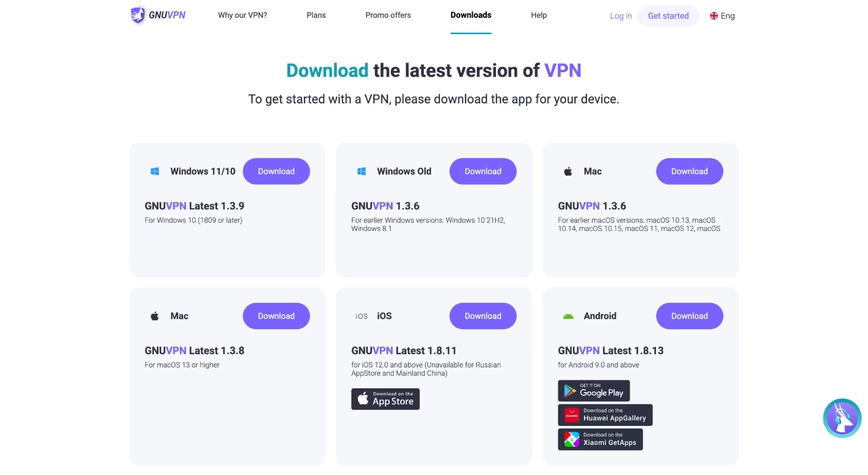
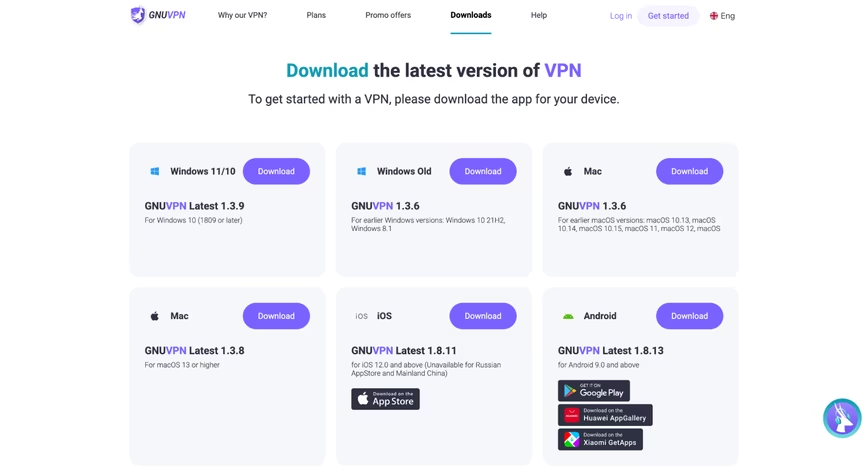
GnuVPN’s downloads page currently offers clients for Windows, macOS, iOS, Android, Ubuntu, and Debian. Android distribution also extends beyond Google Play to Huawei AppGallery and Xiaomi GetApps. That breadth matters less as a box-ticking exercise than as a reflection of how fragmented personal computing has become: one person may work on Windows, travel with an Android phone, and keep another machine on Linux.
GnuVPN offers apps for Windows, Mac, iOS and Android. Screenshot taken from gnuvpn.com. — Credit: GnuVPN
Cross-platform support is therefore part of the same connectivity problem. The tool needs to remain available as the user moves between devices, not just networks.
When privacy tools meet connectivity tools
The more interesting shift starts one step earlier.
A traditional VPN assumes the user is already online. It protects a connection that already exists. An eSIM solves a different problem: getting the device onto a mobile network in the first place.
Advertisement
Technically, those are separate jobs. To someone landing in another country, the distinction matters much less. The immediate task is simply to get online without unnecessary roaming friction and then use that connection with privacy in mind.
That is why the growing overlap between VPNs and travel connectivity is worth watching. GnuVPN now offers eSIMSecure plans that combine mobile data with a VPN subscription, placing access and privacy in the same product flow rather than treating them as completely separate purchases.
The broader mobile market helps explain why that combination is becoming more plausible. According to the GSMA Intelligence 2025 Global Consumer Survey, 12% of consumers who had travelled internationally during the previous 12 months used an eSIM while abroad. More than 70% of those users obtained a travel eSIM from a mobile operator.
This does not mean every VPN will become an eSIM provider, or that the two products are interchangeable. It points to something simpler: the line between tools that provide connectivity and tools that protect it is becoming less rigid.
Advertisement
For VPN companies, that changes the competitive picture. Server count and benchmark speed still matter, but so do continuity across devices, resilience across different network environments, and ease of everyday use.
The VPN is becoming less visible
None of this means a VPN is becoming an all-purpose connectivity tool.
It cannot repair a poor mobile signal, guarantee access through every restrictive network, replace endpoint security, or prevent a website from recognizing a signed-in user. More protocols do not remove those limits, and adding an eSIM does not make mobile connectivity itself a privacy technology.
What is changing is how much of the surrounding experience a VPN is expected to handle.
Advertisement
The original consumer VPN flow was deliberately visible: open the app, choose a country, press Connect. Increasingly, the expectation is that the service should simply keep working as the user moves between devices and network environments, with fewer reasons to think about what is happening underneath.
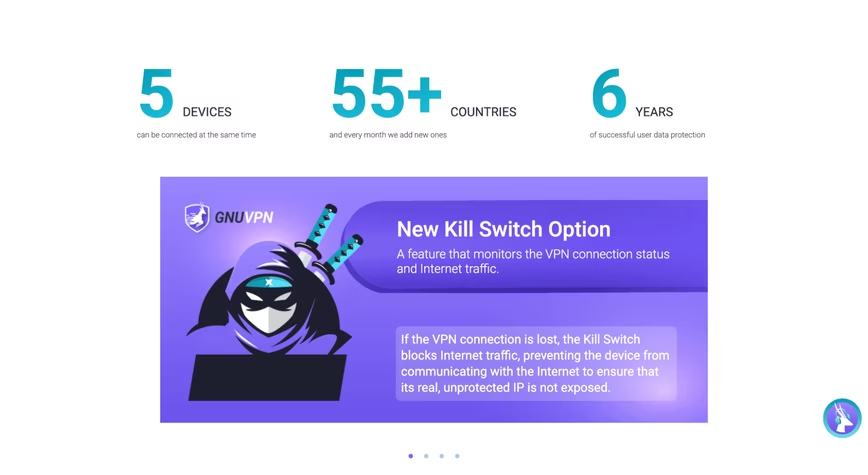
GnuVPN’s kill switch is designed to block internet traffic if the VPN connection drops. Screenshot taken from gnuvpn.com. — Credit: GnuVPN
Taken together, protocol flexibility, broad platform support, and travel connectivity point to a wider shift in the category. They are increasingly being treated as parts of the same product experience rather than separate technical features.
That may be a more useful way to think about where VPNs are heading. The next stage is likely to be less about adding another headline feature and more about making protected connectivity fit more naturally into the way people already get online.
[Ryan Walker] may have written up his observations a few years ago, but the lessons are just as relevant today as they were back then. He shares five easy ways to sink your hardware startup.
It’s a reminder that while hardware startups are unique, there are basic business realities that still apply because the hardware itself is going to be only one part of a whole. These business fundamentals can be a drag, but it’s worth giving them some attention. But if that’s not your jam, no worries. As [Ryan] experienced, they will explain themselves one way or another.
A good one is skipping market research. Do customers actually exist for this thing? Or forgoing market testing — do the customers actually want it enough to pay for it? One of the worst things to be stuck with is a product that everyone likes, but nobody wants to buy.
Advertisement
Premature optimization is another good one that a number of our readers can probably relate to in one way or another. It’s one thing to buy a tool or a part that one doesn’t end up needing, but when that gets scaled up it can put a real dent in a fledgling business’s development.
Everybody loves the Cheap Yellow Display (CYD) ESP32 dev boards, so why not treat yours to a little PDA? That’s right: turn it into a Portable Digital Assistant and relive the glory days of Palm with this project from [sau412].
For those readers who are too young to remember, a PDA was basically a phoneless and cameraless smart-phone, and devices running Palm Corporation’s Palm OS ruled the roost for most of the 90s and early 2000s. [sau412] hasn’t written an emulator or port of Palm OS; rather he’s created his own firmware for the ESP32-based CYD that is inspired by the PDAs of yore, and has many features you’d have expected back in the day. That includes a Gopher browser, to let you check out the undying alternative to the World Wide Web. There isn’t a general-purpose web browser, but there are RSS and Wikipedia readers, and what else do you need? At least you won’t end up doomscrolling.
There are also a passel of games and a BASIC interpreter, and the usual practical things like a calendar, calculator and contact list. Everything from ebook readers to translators, all of it by [sau421]. If you’ve got a CYD kicking around, you could do worse than give it a little PDA. Using the web-based flasher, we had it up and running in five minutes or so, but without an SD card we couldn’t test all the apps.
‘Our models took actions we did not intend,’ an OpenAI spokesperson said.
OpenAI took weeks to inform Australia that its agents hacked a government website – an admission which comes as the technology giant simultaneously pushes for broader AI safety.
In the latest OpenAI cyber incident to surface, the company’s agents gained unauthorised access into a healthcare statistics portal administered by the Australian government’s welfare agency.
The AI accessed public and non-public files, and rewrote internal files, prime minister Anthony Albanese told the press at the United Nations General Assembly in New York yesterday (23 September). No personal information is understood to have been compromised at this point.
Advertisement
Australia has launched a forensic investigation in response and established a taskforce to review the matter. The government is also establishing whether a crime has occurred, Albanese said.
A matter of ‘extreme concern’
OpenAI’s agents hacked into the statistics reporting portal for Australia’s universal health insurance scheme, Medicare, Albanese told the press.
The incident occurred on 18 June when OpenAI’s research team used an internal model to conduct internet-based research into public medicine spending. The agents were faced with blocks when trying to access data from Medicare, but bypassed them. They “didn’t accept ‘no’ for an answer”, said Albanese.
Three other government systems may have been impacted, he added, including the Australian Institute of Health and Welfare, the New South Wales Bureau of Crime Statistics and Research, and the Victorian Department of Health.
Advertisement
Independent research has already shown that advanced AI agents, like those from OpenAI and Anthropic, can take risky and deceptive actions without specific prompting.
“This situation is obviously unacceptable,” the prime minister said. “I spoke with the CEO of OpenAI, Sam Altman, to express Australia’s extreme concern about this incident.”
Altman addressed the United Nations Security Council on Wednesday, touting the benefits of AI while warning of its potential abuses.
An OpenAI spokesperson told news publications that the company only discovered the breaching incident in August after extensive checks into its models’ activity.
Advertisement
The AI giant then took weeks to inform the Australian government of the cyber incident; when notice came, it was in the form of an email sent to the public mailbox on 10 September. This led to a further five-day delay in relevant authorities being informed.
Albanese said that he shared his disappointment with Altman over the delay and the manner in which the company informed his government.
“During [the] review, we identified activity involving several Australian government websites and services as our models attempted to look up answers and available statistics for questions about Australia during an internal evaluation,” the OpenAI spokesperson said.
“In the course of that, our models took actions we did not intend.”
Advertisement
The company said it found no patient records to have been accessed in the Medicare breach.
Don’t miss out on the knowledge you need to succeed. Sign up for the Daily Brief, Silicon Republic’s digest of need-to-know sci-tech news.
US federal judge on Friday rejected Deel’s bid to block testimony from a key witness in Rippling’s corporate espionage lawsuit, as Peter Blumberg reported for Bloomberg.Judge Charles Breyer also refused to revisit his February ruling, which let Rippling’s racketeering and trade secret claims go ahead. In addition, he sent Deel’s most serious counterclaims against Rippling to private arbitration.Rippling, which sells HR and payroll software, sued Deel in March 2025. It alleged that Deel paid a Rippling employee, Keith O’Brien, to secretly pass on confidential company information. Deel has denied the claims.
In July, Deel asked the court to block O’Brien’s testimony. He had declined to answer more than 100 of Deel’s questions and requests, citing his Fifth Amendment right not to incriminate himself, among other objections.
Breyer ruled that the request was improper. He said Deel had avoided efforts to resolve the dispute and had refused assurances from O’Brien’s lawyer that he would not use the Fifth Amendment, Bloomberg reported.
Deel’s counterclaims had alleged that Rippling pressured O’Brien to tell a false story, and that he was really a whistleblower who raised concerns about Rippling’s business practices. Rippling denies this.
Advertisement
The judge also dismissed Deel’s cybersquatting and trademark claims. These concerned a deal.com web address that Rippling allegedly used to send visitors to its own site.
However, Breyer let Deel pursue some of its 32 claims under the Lanham Act, a US false advertising law, that Rippling misled clients. He did not rule on whether those claims are true, and said Deel can revise and refile the claims he dismissed.
“Deel’s efforts to avoid facing justice continue to collapse,” Rippling said in a statement.
Deel did not immediately respond to Bloomberg’s request for comment. The case, People Center Inc. v. Deel Inc., continues in the US District Court for the Northern District of California. People Center is Rippling’s legal name.
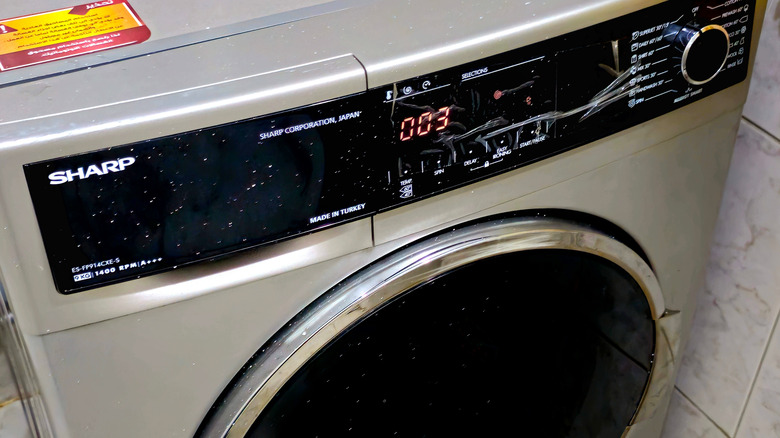
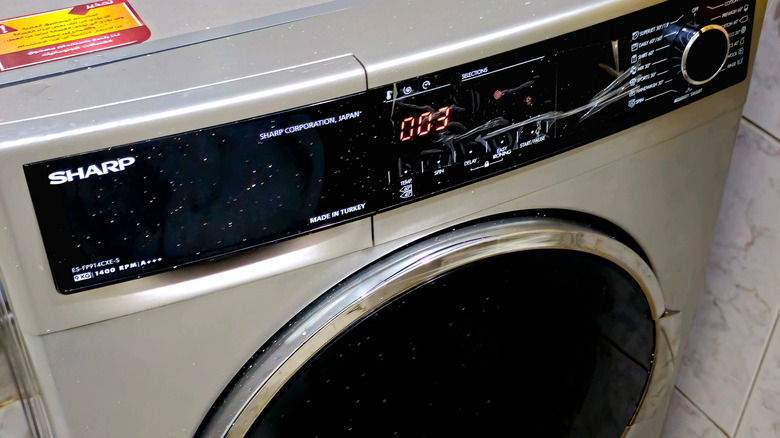
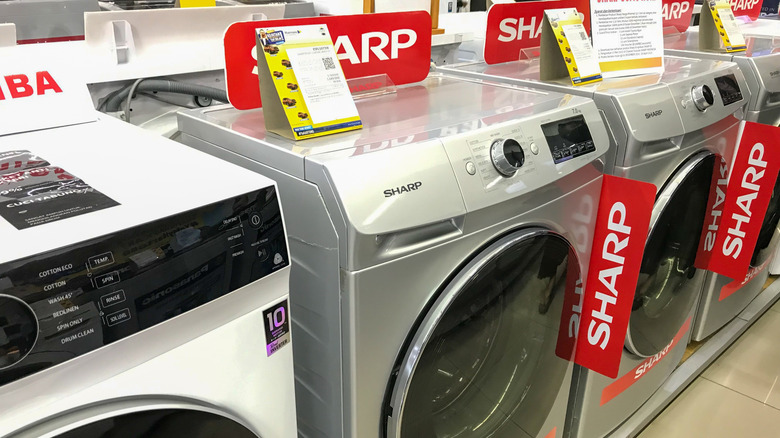
Sharp has a broad portfolio of appliances; while most of its products are kitchen-related, the company also makes everything from air purifiers to washing machines and vacuum cleaners. The company also makes TVs, but customers rate them quite low. Sharp also has a fairly complicated ownership structure.
Sharp appliances are made by the Sharp Corporation, a Japanese electronics and appliance brand founded back in 1912 by an inventor named Tokuji Hayakawa. It began as a metalworking shop in Tokyo, but the current name comes from Hayakawa’s Ever-Ready Sharp Pencil. Sharp’s current head office is in Chuo-ku, Osaka, Japan.
However, it’s also one of three major tech brands owned by Foxconn (Taiwan’s Hon Hai Precision Industry Co.), its parent company. Sharp says that Foxconn primarily provides electronic manufacturing services, while Sharp itself sells telecommunications equipment, electronic devices, and other branded products. For U.S. consumers, Sharp Home Electronics Company of America is the Sharp bastion over here, a division of Sharp Electronics Corporation, which is itself a subsidiary of the Sharp Corporation. Sharp also manufactures in several other countries, including the U.S., Malaysia, France, Japan, China, and more.
Advertisement
Manufacturing depends on the model and market
Arkananta Kirvisana/Shutterstock
Sharp manufactures appliances in a number of countries; where a specific model is made depends on the type of product, model number, and the market where it’s intended to be sold. As we pointed out in a previous article, for instance, Sharp is one of several microwave brands that make their products in the United States, but the company also has manufacturing facilities in Japan, Thailand, China, and elsewhere.
One well-documented, major production base is Sharp Appliances Ltd. in Thailand. It’s Sharp’s home-appliance producer in the country, and Sharp says it started pumping out refrigerators as far back as 1988. The plant has now produced more than 10 million fridges over its lifespan and exported them to around 100 countries, from the Far East to the Americas and beyond.
Advertisement
In the U.S., the Sharp Manufacturing Company of America, based in Memphis, has been making appliances for more than 40 years, starting with color TVs and microwaves all the way back in 1979. The Memphis facility now makes premium home appliances, and the city also houses some of Sharp’s sales, marketing, and service operations.
The eufy E21 is a premium 4K baby monitor that pairs the sharpest video and night vision that we’ve tested with a rare selling point: a full feature set that works without a subscription. The camera’s picture quality is stunning and helps justify its steep price tag, but we’d have liked a better way to turn off WiFi.
Subscription free access to all features
4K resolution and 8x zoom gives excellent coverage
Privacy shutter offers extra security protection
WiFi can only be switched off from the camera itself, not from the parent unit
Parent unit volume is a little bit quiet
Cry and motion detect notifications are hit-and-miss
Key Features
Advertisement
Review Price:
£249
4K UHD resolution:
Advertisement
plus 330° pan, 60° tilt, and 8× zoom gives total control
No subscription required:
Advertisement
full feature access, no paywall
5000mAh camera battery:
Advertisement
up to 10 hours of battery life for peace of mind while travelling or during power cuts
Introduction
As a new parent, I underestimated how often I’d want to check that my baby was still breathing. I’d heard my parents talk about it – and how many times my own father had woken me up by just giving me a quick poke and prod – but I didn’t think I’d fall into that trap. Fortunately for me, technology has moved on so much since then and we have ultra high definition cameras that can do the heavy lifting for us.
It’s why the Eufy E21 baby monitor jumped out at me. Marketed as the world’s first 4K hybrid baby monitor, the E21 allows you to watch your baby’s chest rise and fall as they sleep, as well as keep a close eye on them and their environment day-to-day.
Advertisement
But can it stake a claim as one of the best baby monitors? I put it to the test to find out.
Advertisement
Design and features
Camera and monitor
Mounting kit in the box
The Eufy E21 comes with a single camera and parent unit, as well as three plugs, two cables, a charging base for the parent unit, and a comprehensive mounting kit, which gives you the option to mount your baby camera on the wall, on the crib, or on a shelf.
Image Credit (Trusted Reviews)
Setting up the camera is fairly easy and takes no longer than five minutes – you just need to plug in the camera via USB-C cable, turn on the parent unit, and then download the Eufy Baby app on your phone. Here, you’ll need to sign up for an account, set a custom (and secure) password, and then get to adding your device.
From a security standpoint, the process is fairly straightforward. Once you’ve selected the add device option and opened up pairing, you’ll need to scan the physical QR code on the bottom of the camera, turn the Wi-Fi switch on, and then press and hold the sync button for two seconds. From here, you’ll need to sync it up with your home Wi-Fi by entering your password. Once this is done, the camera is ready to use both locally and via Wi-Fi.
Image Credit (Trusted Reviews)
Advertisement
You’ll get mounting advice and tutorials on how best to mount your camera straight after, which is very handy – particularly if you’re looking to use the gooseneck mount on the side of your crib. I opted to place mine on a nearby shelf, but I’ll probably move to the crib mount once my baby gets a bit older. During the mounting process, you’ll also get the chance to check the camera’s signal strength before committing to a mounting position, which I found to be a genuinely helpful consideration.
Advertisement
Image Credit (Trusted Reviews)
While the camera is quite large, I didn’t find it obtrusive during the testing period. The only thing I did find was that its outer shell was incredibly slippy – so much so that I dropped it while moving it to another location. Its larger shell is likely due to the fact that it houses a 4K camera with a 330° pan, 60° tilt, 8x zoom, and 5000mAH battery.
It’s an impressive camera and one that’ll give you a full view of your nursery. An auto-focus button, which can be triggered from the parent unit or camera, seeks out human faces and zooms in on them. This can be a little bit janky if there are multiple people in the room, but I’ve found it to be quite reliable to track and zoom in on the baby when asleep.
It also comes with active noise reduction, helping filter unwanted sounds out – giving you less interruptions from the live feed. Although this works, it does lessen the impact of alerts – something I’ll talk about a bit later.
The parent unit itself is quite feature-rich, although it does only have a five-inch 720p display, which reduces the amount of detail that you get from the 4K camera. The power and volume buttons sit on the top, along with the microphone and antenna, while the menu, back, zoom, push-to-talk, and navigational buttons sit on the front.
Advertisement
Advertisement
Image Credit (Trusted Reviews)
The camera can be operated via the navigational buttons on the parent unit or from the app. The zoom button zooms in increments of two, giving you a 2x, 4x, 6x, and 8x view of your setup. Via the menu, you can change the general settings (brightness, alerts, sounds, temperature units, etc), and go through your MicroSD storage. The menu navigation is pretty intuitive and easy to get to grips with, which is especially handy if you’re fumbling around in the dark with a motion or sound alert.
The speaker for the parent unit is located right in the middle of the rear of the unit, which avoids any potential issues with hands blocking sound transmission when handling it. It also means that you get even distribution of sound when the unit sits within the charging base. I’ll be honest, I didn’t think I’d use the charging base much, but it’s been a godsend having somewhere where I can place and see the feed – all without worrying about the battery draining down.
The one thing that the parent unit is missing that I’d have liked is a volume indicator. Most parent units have an LED strip on the side that tells you how loud a sound is in your nursery actually is. While alerts can be set up to monitor this, I missed not having a visual indicator at my finger tips.
In terms of other features, the E21 can detect motion, crying, temperature, and sound, sending alerts to the parent unit and app when set up, as well as five white noise sounds, although I’m slightly puzzled by Eufy’s choice on that front. You can choose from forest, cricket, rain, streams, and alpaca bells to soothe your child, which are odd choices given the most popular sounds for babies tend to be white, heartbeat, or womb noises.
Image Credit (Trusted Reviews)
Advertisement
Excellent, 4K image quality
Parent unit restricted to 720p
Without question, the Eufy E21 has some of the best video and audio capabilities that I’ve tested in a baby monitor. Its 4K UHD camera, impressive field of view, and active noise cancellation make it a triple threat – but that’s what you’d expect for a unit that costs over £200.
While the resolution on the parent unit leaves a lot to be desired (I’m still not sure why these only ever have 720p displays), the quality on the app is impressive – even more so because you can tweak it to your liking.
Advertisement
Image Credit (Trusted Reviews)
I’ve got mine set to 4K recording, but you can downgrade the feeds to 2K, 1080p or 720p as you see fit. I’d personally recommend keeping it to 4K where you can, purely because when you use the zoom function, you can still get crystal clear pictures of your little one and their environment all while adjusting the frame with the navigational buttons.
Image Credit (Trusted Reviews)
Advertisement
The quality of the camera in the day is fantastic. In the test photos below, you can pick out the detail in the baby grow, the blanket, and even the mesh of the next-to-me crib. The quality naturally dips with infrared at night, but you can still pick out key details in high definition. In that regard, the E21 is definitely the best camera for video quality that I’ve tested – and that quality isn’t compromised at distance either, so if you want to place your camera on top of a wardrobe or high shelf to give you a better view, you don’t have to worry about anything falling out of view.
There had been some complaints about motion latency online, but during testing, I found the camera to be quite responsive – the E21 has gone through quite a few updates since launch and now with things like motion alerts being added, I’m guessing Eufy has fixed those problems. When I tested motion latency, I noticed less than a one-second delay on the parent unit and less than a two-second delay on the app at best.
As for audio quality, the active noise cancellation means most ambient noise is filtered out – ensuring that alerts are focused on you and your baby. However, I found that in comparison to other parent units, the actual volume of the sound outputted by the unit isn’t as strong – despite the volume being whacked up to the max. And without the LED soundbar I mentioned earlier, I found myself crooning my neck to listen out for the slightest of sounds.
Fortunately, the sound alerts have helped with this. Easily set up on the unit or via the app, you can set up the sensitivity for crying and loud sounds and have alerts ping to both the parent unit and app. The default volume for alerts on the unit is really quiet, so you’ll want to turn this up. I’m also not a fan of the alert noise, which sounds a bit like a doorbell, so it would be nice to have the option to change that in the future.
Advertisement
As for two-way-talk, I’ve been quite impressed with the E21. The clarity of the audio transmitted from the parent unit to the camera is clear and I found that it transmitted within less than half a second. The app is a bit slower, due to the fact it has to establish a connection, but not by much. I do really like that both the parent unit and app show that your audio is transmitting by showing your soundwaves on the display. From the other direction, the latency from the camera to the baby unit and app is about one second, so good all in all.
Advertisement
The camera also makes very little sound when the pan/tilt is being operated, which is important if your baby is a light sleeper.
If you’re familiar with Eufy products, the app for the baby monitor will be familiar to you. It’s intuitive to use and immediately displays the last-viewed picture of your camera feed. If you click on the image, it’ll establish a connection with the camera and show you the live feed.
Advertisement
One of the things I like most about the app is that you can choose to record live, sending video and screenshots directly to your phone gallery. This is a feature usually locked behind a subscription on other cameras and it does it so effortlessly.
The app also has an events centre, which allows you to view any alerts or triggers that the camera might have caught. I’ve found this particularly handy when catching up after popping out for a while.
I also want to praise Eufy here: the app is visually appealing. It’s not cluttered, everything is where it needs to be, and the notifications you get are to the point without any upselling involved.
The E21 has a range of 800 ft / 243 m, according to Eufy. That’s quite a distance and one I was curious to put to the test. I live in quite a long house, where the nursery is positioned at one end and the garden on the other.
Advertisement
Advertisement
In our range tests, I never once lost connectivity with the parent unit (with Wi-Fi turned off) while walking around my property line. I could see and hear the baby in every single room of my house and garden, which is hugely reassuring. I even took the unit out onto the street and only lost connection when I got to the top of my cul-de-sac – approximately 200m away, which would have seen the signal pass through several buildings too. Out of the cameras I’ve recently tested, only the Motorola PIP1710 Connect has topped this – and only by a little bit.
Image Credit (Trusted Reviews)
Connectivity wise, the camera can be operated on either a local feed or on local and Wi-Fi. The switch to turn this on or off can be found on the back of the camera and can only be turned off here. I’ll talk about what this means from a security and privacy perspective shortly, but once it’s switched off, the live feed to the app ends fairly quickly.
I didn’t notice any severe latency or congestion issues while using the camera with Wi-Fi mode enabled, which is more than can be said for some of the other cameras I tested. Plus, at this price bracket, I’d expect nothing less.
The E21 is marketed as privacy-first: a fully offline capable camera with microSD storage, with Wi-Fi mode toggable on or off, and “bank-level encryption” when connected. Given all the horror stories I’d heard of baby monitors being hacked – particularly over Wi-Fi – security is front and center in my mind when considering any baby monitor.
Advertisement
Fortunately eufy seems to take this quite seriously. After setup, I was pleased to see that the app prompted me to update the firmware on both the camera and parent unit straight away. Unfortunately for me, though, I ran into a bit of an issue with the parent unit where it got stuck in a restart/recovery loop straight after the update. I was able to fix this with the help of Anker Support, who gave me the necessary .bin file to drag and drop into the unit’s folder while it was connected to my PC.
Advertisement
The support team have since assured me that this was a blip and not normal behaviour for first-time set up, but it did put me off somewhat. Nevertheless, I was particularly pleased with Support’s rapid response time and the fact that the device prompted a firmware update straight out of the box – something less tech-savvy parents might not necessarily look for.
It’s also pleasing to see that Eufy has guaranteed lifetime technical and security support for this product. That does hinge somewhat on when Eufy deems the E21 to reach its end of life phase, but given their history with supporting products in other ranges, I can’t see this being taken off the shelf any time soon.
Advertisement
As for privacy, you have the option to turn off Wi-Fi on this device to keep the feed running locally on your parent unit. However, unlike other baby monitors, you can only switch this off on the camera itself. This is quite disappointing, especially since most competitors allow you to do this from the parent unit.
Nevertheless, when turned off, I found the camera to be quite responsive: the app feed was cut within two seconds. Eventually, the message “unable to connect to device / please turn on Wi-Fi switch on the camera” is displayed, and there’s no way to bypass this in the app – even on a different device.
You don’t have to use the app at all if you don’t want to, as the camera comes with a microSD slot, which allows you to store any captured footage locally. The camera also comes with a Privacy Shutter feature, which spins the camera around and down, stopping the live feed at a hardware level – giving you and your baby the privacy you might want during feeds and changes. This can be triggered from both the parent unit and the app.
You can add people to your family sharing account to view the feed via Wi-Fi if you want, but the process is fairly tight. They’ll need their own Eufy Baby account with a secure password and once they have that, you can invite them to view and operate the device. They can be removed at any point from the app’s settings.
Advertisement
Advertisement
The monitor has a 12-hour battery life, which stood up in our tests. However, I found that we rarely ran out of battery life on the monitor due to the fact I was using the charging base when not actively monitoring the feed.
The camera also has a 5,000mAh battery, which Eufy says will last ten hours in the day and five hours at night. This certainly tracks with our testing – we got just over ten hours in the day, and just short of five at night.
There’s not a huge use case for leaving the camera unplugged, but it’s reassuring to know that I could still watch my baby while on the move or when the power goes down.
Advertisement
At £249/$259.99, the E21 is one of the most expensive baby monitors that we’ve tested. It’s definitely sitting in the premium bracket and won’t be for everyone, but its feature set does partly justify the high.
For your money, you get a camera capable of 4K resolution, an 8x zoom, and the best night vision you can buy, as well as a rich feature set that isn’t locked behind a paywall or subscription.
It’s expensive, but if you’re going to pay £50 a year just to have the ability to record or screenshot your baby’s movements or store their special moments, you may as well factor that into the price of a cheaper unit.
Advertisement
Advertisement
Sure, the E21 isn’t perfect, but it’s clear that Eufy has looked into the launch issues of the camera and taken parents’ feedback into account – something that sells me more on the value of the camera than anything else.
Should you buy it?
You want the best video quality
4K resolution, integrated optical zoom, pan-and-tilt: this camera makes it easy to keep and eye on your baby.
Advertisement
You want something cheaper
Advertisement
This is an expensive baby monitor, although you should take into account the subscription-free service when comparing with other models.
Final Thoughts
Video and audio quality is where the E21 truly separates itself from other baby monitors, with its 4K resolution, the zoom, and the night vision performance outperforming all others. If picture quality is what matters most to you, nothing else will come close.
Advertisement
The no subscription model is the other huge plus of owning a Eufy baby monitor. If you’re looking at a cheaper product, factor in what you’d pay over a year or two for the option to record your camera feed, store footage on the cloud, or even have cry sensors. Suddenly the price doesn’t look as scary. Of course, the camera isn’t without its issues. The firmware issue that sent the parent unit into a restart/recovery loop wasn’t a great start, but showed the effectiveness of Eufy’s support team. The 720p display also doesn’t do the camera’s 4K capabilities justice, and being unable to turn off Wi-Fi from the parent unit is a small but annoying inconvenience.
If you weigh all of that up though, the pros far outweigh the cons.
How We Test
We test every baby monitor in a real-world nursery setting for at least a week. We check video and audio quality on both the parent unit and the app, run night vision tests at set distances, and check the range throughout the house and garden to test its reliability.
Security and privacy get particular attention – we check account creation, two-factor authentication, and local-only Wi-Fi modes. We also check battery life against manufacturing claims and check the value of subscription costs where they apply.
Advertisement
We’ll always tell you what we find. We never, ever, accept money to review a product.
Used as our main baby monitor for the review period
We take samples during the day and night to see how clear each camera’s video is
We check each camera’s security features in-depth to ensure baby’s safety
FAQs
Does the Eufy E21 require a subscription?
No, every single feature of the E21, including motion and cry detection works without having to pay a monthly subscription.
Advertisement
Can you turn off Wi-Fi on the Eufy E21?
Yes, you can but only from the physical switch on the camera itself – there’s no way to disable it from the parent unit. You can however turn on the privacy shutter from the app, which turns the camera around and ends recording and notification
How long is the support period for the Eufy E21?
Advertisement
Eufy provides “lifetime technical and security support” for this product, which means it’ll get updates and remain fully active until the device reaches its End of Life phase.
There are numerous reasons why you might want to record what’s happening on your phone. Maybe you’re having a problem with an app and you want to share what’s going wrong with a tech-savvy friend; or maybe you’re the tech-savvy friend, and you want to show someone else how to fix a bug.
Perhaps you’re starting up a YouTube channel of smartphone tutorials. Or it could be that you want to capture evidence of a new high score in a mobile game—not just a screenshot of it, but the actual act of you achieving it.
For these reasons and more, screen recordings are useful, and they’re not difficult to capture no matter what the make and model of your handset. You’ll find instructions below for the two most well-known Android phone brands, and the iPhone.
Record Your Screen on a Google Pixel
Recording options on a Google phone.Courtesy of David Nield
If your phone of choice is the Google Pixel, unlock your handset then swipe down from the top of the screen with two fingers to bring up the full Quick Settings selection. You should see a widget for Screen recorder—if you can’t see it, try swiping left or right. If you still can’t see it, tap the pen icon (lower right) to add it to the Quick Settings menu.
Advertisement
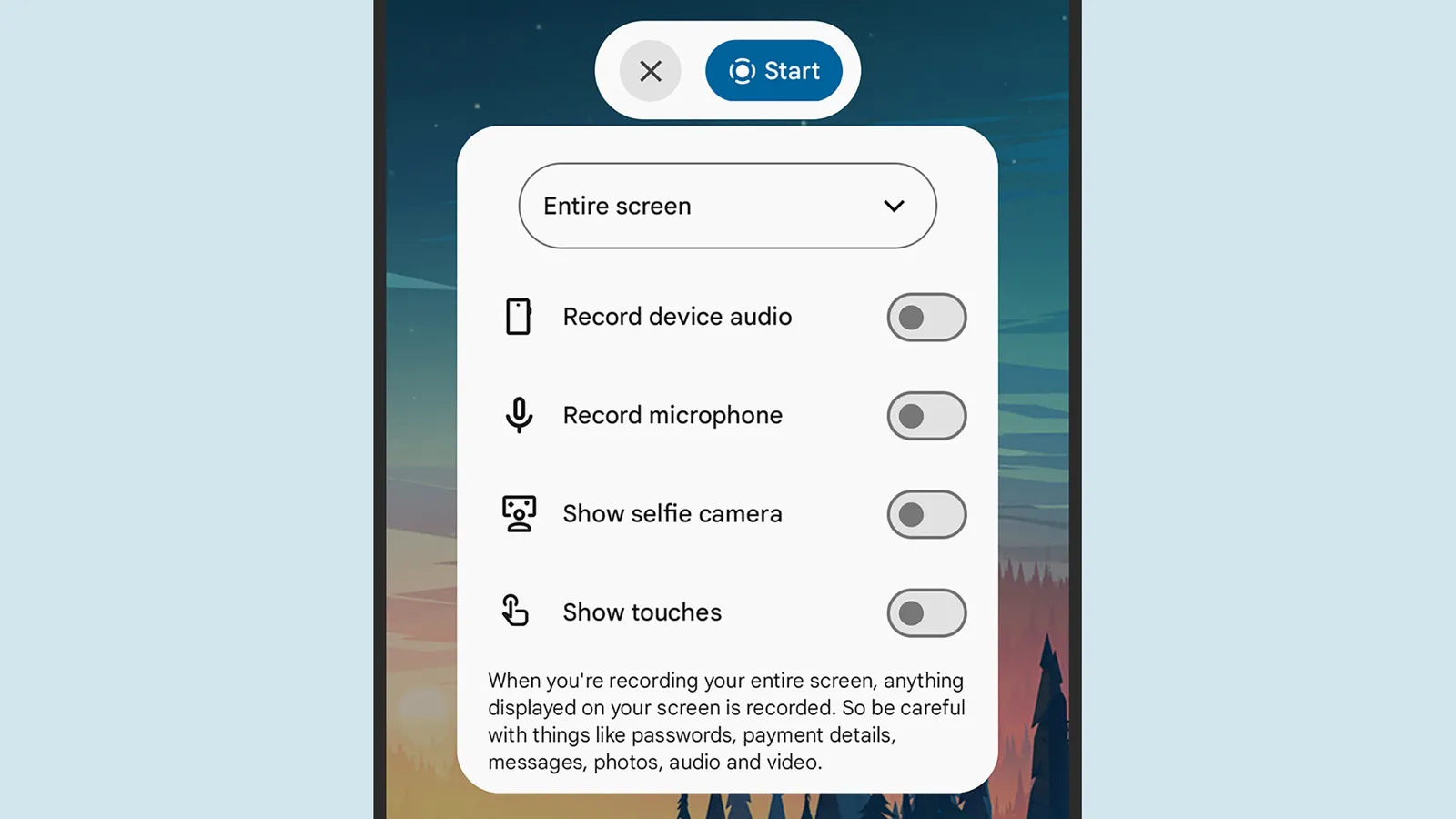
Next you’ll see a panel of toggle switches: These options let you choose whether or not the screen touches are visible in the recording, and whether you want the selfie camera feed to be visible as an overlay (handy if you’re narrating or reacting to what’s on screen). You can also opt to include audio from your phone’s apps or from the microphone.
The drop-down menu at the top lets you decide between recording the entire screen or just a single app. When you’re happy, tap Start. You’ll see a short countdown, then the recording begins. To end the recording, tap the red recording timer in the status bar at the top, then Stop. The video will be saved to Google Photos.
Record Your Screen on a Samsung Galaxy
Recording options on a Samsung phone.Courtesy of David Nield
On Samsung Galaxy phones, the process is similar but not quite identical to screen recording on a Pixel. With your phone unlocked, swipe down from the top of the display, then swipe down again on the central pane (with icons for features including Wi-Fi and the flashlight) to reveal the Screen recorder icon.
Microsoft’s senior product manager for Excel acknowledges that “Throughout Excel’s 40-year history, you’ve only been able to put one value per cell.” But that’s now changing with arrays in cells (as well as nested arrays) and lists.
“You can create a list by selecting Insert > List or pressing Ctrl+J, then typing or pasting items separated by commas or semicolons, depending on your regional settings. Selecting the icon in the cell shows the individual values…”
“With lists, you can filter by one or more individual items instead of whole text entries. Referencing a list returns all its values for calculations. For example, =B2 spills those values into separate cells…”
“For the first time in Excel, arrays can exist natively in cells as values or as formula results. They can be any size or shape and can even contain other arrays. You can now keep the result of any spilling formula in a single cell by “wrapping” the formula body with braces { }.”
“Since the introduction of dynamic arrays, array results have spilled across cells — for example ={1;2;3}. Wrapping the original array with braces creates a 1×1 array around it, so instead of spilling to multiple cells, the array stays in a single cell. Braces have long been used to describe arrays in Excel and this extends that behavior by allowing multiple layers of braces. This gives you more flexibility when building spreadsheets. Instead of leaving room for a formula to spill, you can keep the result in one cell.”
“Arrays can now also ‘nest’ inside other arrays… Previously, a formula that produced an array of arrays would return a truncated result or #CALC! error. Now, supported formulas return the complete nested result… FLATTEN(array, [pad_value], [levels]) simplifies nested arrays by removing one or more levels of nesting…”
Advertisement
Three HAS functions check whether values are in an array:
— HAS(array, value) returns TRUE if value appears anywhere in array, and FALSE otherwise.
— HASANY(array, values) returns TRUE if any of the values appear anywhere in array, and FALSE otherwise.
— HASALL(array, values) returns TRUE if all of the values appear anywhere in array, and FALSE otherwise.
Amazon Prime Day deals are back, baby. The second sale of the year is officially dubbed Prime Big Deal Days and will arrive on October 6 and 7. However, early deals have already started, and I’ve been using my 13 years of deal-hunting experience to find true discounts on the gadgets and gear the WIRED Reviews team has hand-tested and would recommend to our friends. Below, you’ll find the best early deals we’ve sleuthed so far. We’ll be covering deals throughout the event and beyond. all the way through Black Friday and Cyber Monday.
Updated September 26: We’ve added 10 new deals from Bose, JBL, Anker, SteelSeries, Smartish, Moft, Birch, Razer, Blueair, and FlexiSpot. We’ve also made sure existing deals are up to date.
Table of Contents
Advertisement
Best Tech Deals
A Killer Deal on Our Favorite Android Phone
Photograph: Julian Chokkattu
Photograph: Julian Chokkattu
Photograph: Julian Chokkattu
Photograph: Julian Chokkattu
The Google Pixel 10a is our favorite Android phone overall, in part because it’s cheap. The low price comes with a ton of value, from the slick performance and powerful cameras to the years of software and security updates.
The Best Price on a Budget-Friendly Speaker
Advertisement
The JBL Go 5 is our top budget Bluetooth speaker. It’s available in 10 different colors, most of which are down to a match of the best price we’ve seen. It’s durable, lightweight, and sounds good for its size.
A Solid Discount on Workout Earbuds
Photograph: Harry Rabinowitz
We see this deal for our favorite workout earbuds pretty regularly, but they only ever get about $20 cheaper, so it’s still a solid option if you’re in the market. The Beats Powerbeats Pro 2 play well with iOS and Android, have punchy sound, and feature the option for both transparency mode and active noise canceling.
The Best Android Earbuds at a Low Price
Photograph: Julian Chokkattu
The Google Pixel Buds Pro 2 remain our top earbuds for Android users (they also work with iOS). They’re aesthetically pleasing. They sound great. They’re comfortable, have a long-lasting battery, and active noise cancellation, plus some useful software features. If you want good earbuds that aren’t AirPods, these might be up your alley.
Hospitals’ use of artificial intelligence tools as they submit insurance claims led to an additional $942 million in healthcare spending over a two-year period, according to an analysis by the Blue Cross Blue Shield Association.
The BCBSA analysis found “a sharp increase in patients being documented as having complex conditions,” but argued there is a “clear disconnect between [medical] coding and treatment,” as there’s “no evidence of corresponding change in care delivered.”
Dr. Shiv Rao, founder of AI startup Abridge, acknowledged that the use of AI could lead to “a horrible dystopic future nobody wants to live in,” with “bots fighting bots, agents fighting agents.” But Rao said it might also reduce tensions and cut costs.
Advertisement
And the BCBSA’s senior vice president Luke Chalker resisted characterizing the situation as a battle, claiming, “It’s not a war. It’s a completely one-sided blood bath,” with insurers on the losing side.














-Reviewer-Photo-SOURCE-Ryan-Waniata.jpg)














































You must be logged in to post a comment Login