
The internet is an archive of so many different versions of ourselves. If you’re Gen Z or a millennial, there’s a good chance you preserved almost every stage of your life online: old fandoms, old friends, old opinions. And with that comes an inevitable cringe.
Tech
What to do when you regret a social media post, explained


So what do you do when you see something embarrassing you posted years ago? You may be tempted to go scorched earth, but journalist and Wall Street Journal contributor Alexandra Samuel says that’s not necessarily the best course of action. “I think that you need to think about deleting things you’ve posted as curation,” she told Vox.
“The Internet Archive keeps snapshots of all kinds of things on the internet, so you need to be aware that when you delete something, it might be deleted for you,” Samuel said. “That doesn’t mean it’s deleted from the internet. I think when you delete things, it’s always a good idea to back them up before you delete them.”
What other options do you have when you look back on an old post and cringe? And how should we be thinking about our life’s digital archive? We answer these questions on Explain It to Me, Vox’s weekly call-in podcast.
Below is an excerpt of my conversation with Samuel, edited for length and clarity. You can listen to the full episode on Apple Podcasts, Spotify, or wherever you get podcasts. If you’d like to submit a question, send an email to askvox@vox.com or call 1-800-618-8545.
Was there a moment when online regret and shame first grabbed your attention?
Absolutely. In June 2011, Vancouver lost the Stanley Cup to Boston, and people went nuts. There was this riot in the streets, and what made that riot notable is that for the first time, it was captured in real time on social media. It was the heyday of Twitter. People were tweeting photos. People were making videos and posting them on YouTube. There was initially a lot of excitement about the idea that like, “We’re going to be able to catch the people who are flipping cars and breaking into store windows.”
I saw this unfolding literally that evening, online. And I thought, “This is not a good plan.” History teaches us that when we start narcing on our fellow citizens and stepping into that quasi-surveillance role, it tends to go very, very badly. I wrote a piece that evening for the Harvard Business Review about why this phenomenon of citizen surveillance through social media was so problematic. And I got a lot of pushback.
It’s interesting that so many people’s gut reactions were like, “Okay, but what if I snitched?”
I think there’s something really delightful about outrage as a subjective experience. We live in a really complicated world. There’s a lot of gray. There’s a lot of nuance. It’s really hard to feel like a morally upright person if you shop on Amazon and put gas in your car. And these moments where we’re shaming people online give us a little moment of moral superiority.
What’s the argument for not deleting old posts?
Imagine a scenario where you’ve posted something on Instagram or TikTok. You realize afterwards that you were kind of an idiot, and you wish you hadn’t said what you said. Maybe you even had a back-and-forth in the comment thread where someone pointed out why what you said was insensitive and you showed some capacity for learning. If you delete it without archiving it [and] it comes back to haunt you, you don’t have that evidence of you learning. It’s much better to take the screenshots, archive the thread, and back up all that context so that if it does still come back to haunt you or even if you just want to reflect on it, [you can].
I don’t know if you’ve ever gone back and read old journals, but I have. And every time I think, “What old me thought is none of my business.”
It’s funny you said that. I’ve literally had that exact experience of rereading old journals. We just all need to realize that by definition, anything that is a snapshot is a two-dimensional image of something that we experienced. Whether you’re looking at your own history of something that you did, or if you’re looking at something someone else said, I just wish we could have a little more tenderness and empathy and focus on what people learn and how we grow rather than judging everyone by their most awful moment.
Do you have any advice for best practices when it comes to having a social media presence you won’t be ashamed of in 10 or 20 years?
Trying to have a social media presence where you never regret anything is a recipe for having a completely meaningless and stupid social media presence. Conversely, I think it’s important to resist the lure of the hot take. What you need to do is try and chart that middle ground where you don’t court controversy for its own sake. When you’re deliberately pushing people’s buttons, that’s when you end up saying things that don’t reflect what you truly believe. But if your goal is to have a social media presence where you never regret anything, then truly don’t be online. I actually think it’s a really, really good option now. If I were not a journalist for whom part of the job is showing up online, I do not know if I would use social media anymore.
It sounds like if you’re going to share anything online, that feeling of regret may be inevitable. How do you survive it?
The first thing to do is take yourself out of it, depersonalize it, and think, “If this were happening to a friend, what would I think here?” Don’t hesitate to admit if you think you were wrong, but don’t rush to respond either. You need to close the computer, put the phone down, walk away. Talk to somebody with good judgment and ask what they think. The internet moves quickly, but unless you are a celebrity and you’re getting a hundred thousand responses an hour, there’s actually no reason that three crappy comments can’t wait to be addressed the next day.
And then you absolutely can say you’re wrong. I actually think one of the most powerful things that we can do as humans, as professionals, and as internet users: Show that you can be wrong and you can even be wrong on the internet, and it doesn’t kill you. It doesn’t destroy your value as a human.

Continue Reading

Longtime venture capitalist Ron Conway said Friday that he was “recently diagnosed with a rare form of cancer.”
In a post on X, Conway wrote that he “will be stepping back from some of my usual activities,” but he will “continue to support” founders backed by his firm SV Angel: “With a more focused and balanced schedule, I can prioritize treatments while helping SV Angel founders at inflection points like we always do!”
Conway also said SV Angel will be “unchanged,” as his son Topher Conway “has made all of our investment decisions for the better part of the last decade.” And he noted that another son, Ronny Conway, joined as a managing partner in 2024.
“They bring experience from nearly every major technology cycle in Silicon Valley and are now focused on partnering with founders building the future of AI,” Conway said.
He added that he’s not revealing “the specific type of cancer” in his diagnosis, because he doesn’t want “speculation” about the prognosis, but he said he remains “optimistic.”
“I am fortunate to have the best/amazing team of UCSF doctors in San Francisco, and as you know, I never back down from a fight,” Conway said.
Why you can trust TechRadar
We spend hours testing every product or service we review, so you can be sure you’re buying the best. Find out more about how we test.
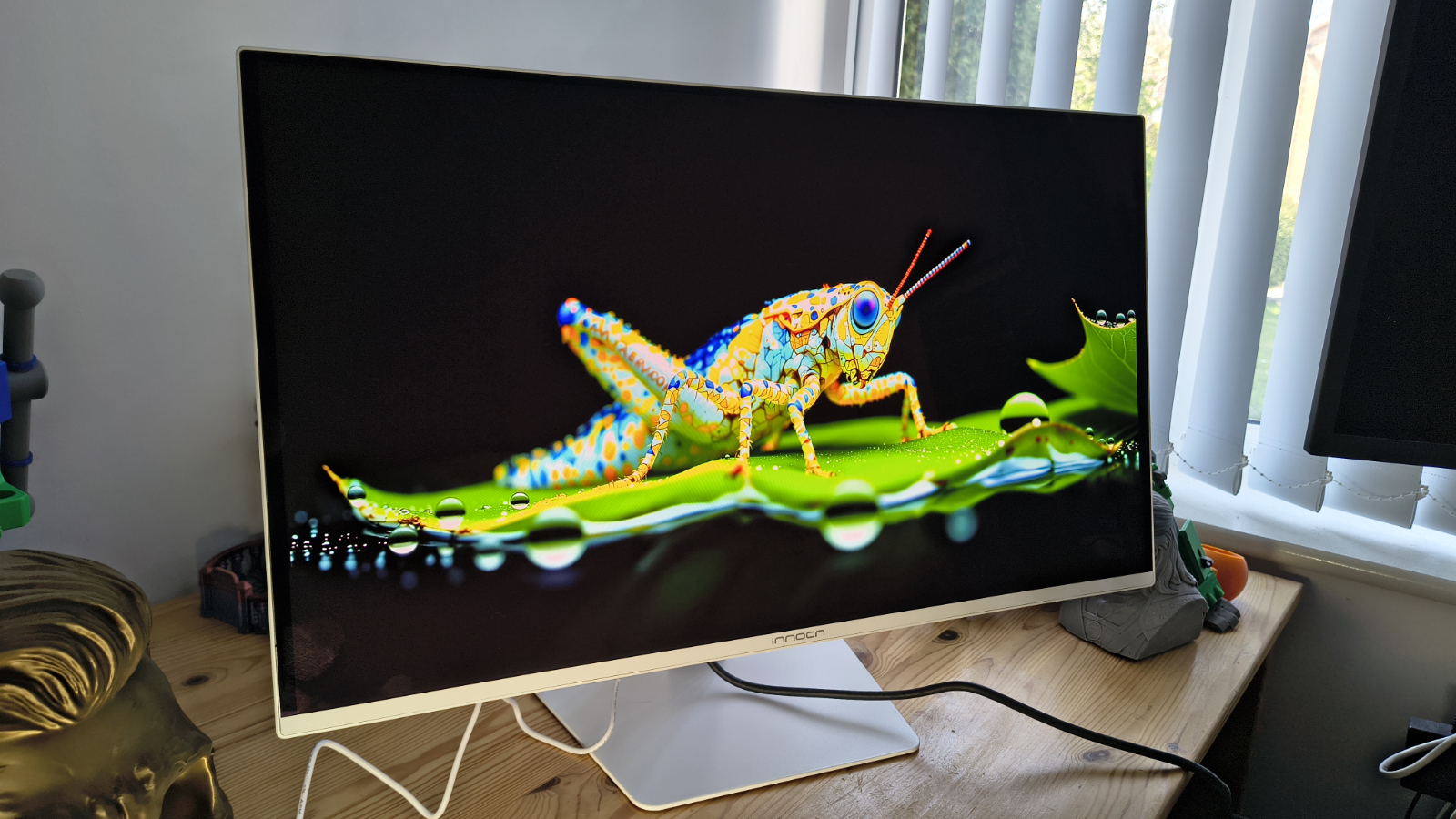
InnoCN GA27S1Q: 30-second review
On paper, the GA27S1Q is a remarkably well-specified monitor at a price that seriously undercuts the established names. Whether InnoCN can deliver on those specifications in the real world is what I set out to establish in this review, and spoiler alert, it largely hits its marks.
This design was originally pitched as a gaming platform, but it’s impossible for businesses to ignore a 27-inch QD-OLED panel running at 280Hz with an ergonomically adjustable chassis and a $400 price tag.
Especially as that cost puts it some distance below the usual asking price for this class of display from the likes of LG, Samsung, and Asus.
The headline numbers are certainly striking. A 2560 x 1440 resolution, a 0.03ms GtG response time, dual HDMI 2.1 ports, dual DisplayPort 1.4, a 1,500,000:1 contrast ratio, and coverage claimed at 98% DCI-P3 all look very good on paper. The panel supports a 48 to 280Hz adaptive sync range, covers AMD FreeSync and is G-Sync compatible, and includes VESA DisplayHDR True Black 400 certification.
Where OLED always gives with one hand and takes with the other is brightness. The GA27S1Q is rated at 250 nits typical in SDR, which is a long way south of the figures that premium IPS and Mini-LED panels advertise. Therefore, this isn’t the screen for a brightly lit office, but it would work fine in a darker environment.
The design carries over the approach seen on other recent InnoCN monitors, with a flat panel, a three-sided frameless bezel, and a stand that offers height adjustment, tilt, swivel, and 90-degree pivot. RGB lighting sits on the rear cover, which can be switched off for those who would rather not have a light show behind their desk.
What the GA27S1Q offers for the business user is a highly affordable 27-inch panel with decent colour accuracy, low power consumption and sufficient input flexibility, all at a significant price reduction over branded options.
It might not be 4K or have enough nits of brightness for a premium HDR experience, but it ticks enough other boxes that it’s worthy of consideration for our best business monitors on value alone.
InnoCN GA27S1Q: Price and availability

- How much does it cost? $449.99
- When is it out? It available now
- Where can you get it? Direct from InnoCN
The GA27S1Q launched in late January 2026 with a price of $549.99. At that level, it sits in very interesting territory, undercutting well-known 27-inch QD-OLED competitors by a meaningful margin.
It’s listed on the official website here – although at the time of review, it’s sold out. However, it is available for $400 at Amazon.com.
InnoCN ships to the US, the UK, Canada, and EU countries directly, with free shipping included and a 30-day return window. A 12-month warranty covers manufacturing defects, with lifetime technical support promised beyond that.
UK and European pricing in local currencies had not been formally confirmed at the time of writing. The direct site prices in USD and the company’s existing shipping infrastructure to this region suggest the GA27S1Q should be accessible to UK buyers, though it may need to be ordered directly from the InnoCN website rather than through a local retailer.
InnoCN GA27S1Q: Specs
Swipe to scroll horizontally
|
Specification |
Detail |
|
Model |
GA27S1Q (also known as 2780s) |
|
Panel size |
27 inches (flat) |
|
Panel type |
QD-OLED |
|
Resolution |
2560 × 1440 (QHD / 1440p) |
|
Aspect ratio |
16:9 |
|
Pixel density |
108.8 PPI |
|
Refresh rate |
280Hz (adaptive sync range 48–280Hz) |
|
Response time |
0.03ms GtG |
|
Brightness (typical) |
250 nits (SDR) / 200 nits minimum |
|
Contrast ratio |
1,500,000:1 |
|
Colour depth |
10-bit (1.07 billion colours) |
|
Colour coverage |
98% DCI-P3, 99% sRGB, 94% Adobe RGB, 78% BT.2020 |
|
Colour accuracy |
Delta E < 2 (factory claimed) |
|
Viewing angles |
178° horizontal / 178° vertical |
|
HDR |
VESA DisplayHDR True Black 400 |
|
Surface treatment |
Non-glare (matte) |
|
Bezel |
Three-sided frameless |
|
Connectivity |
2× HDMI 2.1, 2× DisplayPort 1.4, 1× 3.5mm audio out |
|
Adaptive sync |
AMD FreeSync, G-Sync compatible |
|
Speakers |
2W × 2 |
|
Stand adjustment |
Tilt -5° to +20°, swivel ±22.5°, pivot 90°, height 120mm |
|
VESA mount |
100 × 100mm |
|
RGB lighting |
Yes (rear cover) |
|
Power supply |
External adapter (DC 19V, 4.74A) |
|
Power consumption |
65W typical / 100W max |
|
Dimensions (with stand) |
611.1 × 513.5 × 221mm |
|
Weight |
5.7kg |
|
Scaler |
MT9802QDQTBX |
|
Special features |
Low blue light, flicker-free, PIP/PBP, anti-burn-in, Game Plus |
InnoCN GA27S1Q: Design

- Thin and elegant
- Power brick
- Lacks a USB hub
The GA27S1Q follows a design language that InnoCN has been refining across its recent monitor range. The flat panel sits behind a three-sided frameless bezel, with only a thin chin visible at the bottom of the screen. The overall silhouette is clean and modern, without chasing the aggressive gamer aesthetic that dominates the other side of this market.
The stand is a genuine highlight at this price point. It offers 120mm of height adjustment, plus or minus 22.5 degrees of swivel, a tilt range from minus 5 to plus 20 degrees, and a full 90-degree pivot for portrait mode. There isn’t an orientation sensor, so if you switch, you will need to make some changes on the computer to output in portrait mode.
While hardly a business requirement, RGB lighting is present on the rear panel, but this can be switched off entirely via the OSD for those who prefer a calmer desk. VESA mounting is supported at the standard 100 x 100mm pattern, which means swapping to an arm is straightforward.
Connectivity is two HDMI 2.1 ports, two DisplayPort 1.4 inputs, and a single 3.5mm audio out. The dual HDMI 2.1 ports are useful for anyone running both a high-end PC and a console, with both capable of supporting 1440p at high refresh rates without an adapter.
The omission of a USB hub is notable at this price level, and the external power brick, rather than an integrated PSU, adds a small amount of cable-management friction, though this is common across OLED-class panels to better manage heat.

The OSD is navigated via a rear-mounted joystick, a far superior experience to the guess-the-button game that some monitors still embrace. However, you don’t need to use this at all, since a downloadable app is available which provides all the functionality of the OSD from the desktop.
Overall, this is a well-considered design that shows off how thin the QLED panel can make a monitor. It’s lightweight, enabling it to be easily moved around, and the OSD provides a wide range of configuration options for those who like to calibrate their screens.
There are some caveats to do with HDR and how that locks many features down, which I’ll talk about later, but there isn’t much about the GA27S1Q that makes it immediately identifiable as a low-cost option.

InnoCN GA27S1Q: Performance
- Under 250 nits
- 100% sRGB
- 99% AdobeRGB
Swipe to scroll horizontally
|
Colour Gamut |
Percentage |
|
sRGB |
100% |
|
AdobeRGB |
99% |
|
P3 |
98% |
|
NTSC |
96% |
|
Rec2020 |
85% |
|
Gamma |
2.2 |
|
Brightness/Contrast |
|
|
Maximum Brightness |
232.6 |
|
Maximum Contrast |
N/A |
These numbers show what OLED can offer, and it’s jolly impressive for anyone who works with colour on a regular basis. Those who get one of these and want to show off can send it into HDR mode and run some YouTube HDR demonstrations, and the colours are zinging.
However, it’s not perfect, and the brightness limitations of this panel keep it from being ideal for HDR video work, as under 250 nits just isn’t enough to surpass HDR 400 ratings.
For HDR video work, at least HDR 1000 is needed, and this display can’t hit those notes.
But it’s evidence from the AdobeRGB 99% score that for less demanding colour work and photo editing, the GA27S1Q is more than up to the task.
One issue I need to make readers aware of is that this monitor doesn’t come with an excess of documentation. And, when I initially tried to test it using my Datacolor Spyder Pro calibrator, I found that all the optional modes were locked from modification.
While InnoCN didn’t mention this in the paperwork, I eventually discovered that when HDR mode is active on this display, you cannot adjust brightness, contrast, or select any other specific mode. Once HDR is deactivated, it’s fully customisable again.
What’s important to understand is that the primary limitation of OLED (Organic Light-Emitting Diode) technology in terms of lifespan is the gradual and uneven degradation of the organic materials used to output light.
Unlike LCDs, which use a separate backlight, OLED pixels are self-emissive; each pixel generates its own light and wears out individually based on how much it is used. In OLED, this eventually causes pixels to wear out, which can cause retained images to burn into the panel and uneven wear, with blue pixels displaying more than red and green.
On paper, an OLED panel could last 10-20 years, but realistically, “real-world” usable life often ranges between 3 to 6 years for high-intensity use cases like computer monitors.
In an attempt to mitigate these issues and give this design the best chance of valuable use, the OSD contains a full spectrum of tricks and options to extend the lifespan of the panel.
These include pixel shifting, the dimming of static icons and the taskbar, boundary detection, and even a care mode. This level of detail is often missing on laptops with OLED displays, so it’s good to see that InnoCN included them here. Though some documentation to explain what all these features do would also be helpful.
The only other issue I have to report is that, for whatever reason, I couldn’t test the contrast ratio, which might have been due to the extreme nature of the contrast ramp on this display.
The quoted contrast is 1.5M:1, which is insane.
Overall, the performance of this OLED panel is the same level as I would expect from a branded monitor, and its only noticeable weakness is brightness. But, using typically around 65W, that lower brightness level does translate into a reduced power consumption.

InnoCN GA27S1Q: Final verdict
On specifications alone, the GA27S1Q makes a highly persuasive case. InnoCN has packaged a QD-OLED panel, a proper ergonomic stand, dual HDMI 2.1, and a 280Hz refresh rate at a price that sits noticeably below comparable offerings from established display brands. The 98% DCI-P3 colour coverage and factory Delta E less than 2 calibration suggest this should look excellent out of the box.
The practical caveats apply to the technology rather than to this specific panel. SDR brightness is modest by LCD standards, HDR True Black 400 is a step below the True Black 500 rating seen on some rivals, and there is no USB hub for peripherals. Those are known trade-offs with QD-OLED gaming monitors at this price level, and buyers who are aware of them going in will almost certainly find that the visual quality compensates for some of these issues.
For those looking at this display on the site and seeing the word ‘gaming’ and thinking this isn’t for business are missing the bigger picture, quite literally. This is almost the perfect display for creatives working with colour, as well as for anyone working in animation or game development.
I’m sure you can get exactly the same panel repackaged in black with a business brand logo on it, and pay at least twice the price for that. This is easily the best monitor I’ve experienced from InnoCN, and I’m excited to see what they do next.

InnoCN GA27S1Q: Report card
Swipe to scroll horizontally
|
Value |
Cheap for this spec |
5 / 5 |
|
Design |
Nothing radical, but its missing a USB hub |
4 / 5 |
|
Performance |
Stunning colour gamut, contrast and refresh rate |
5 / 5 |
|
Total |
Easily worth what the maker is asking |
4.5 / 5 |
Should you buy a InnoCN GA27S1Q?

Buy it if…
Don’t buy if…
For more options, we’ve tested the best business monitors.

Looking for the most recent Mini Crossword answer? Click here for today’s Mini Crossword hints, as well as our daily answers and hints for The New York Times Wordle, Strands, Connections and Connections: Sports Edition puzzles.
Need some help with today’s Mini Crossword? Read on for all the answers. And if you could use some hints and guidance for daily solving, check out our Mini Crossword tips.
If you’re looking for today’s Wordle, Connections, Connections: Sports Edition and Strands answers, you can visit CNET’s NYT puzzle hints page.
Read more: Tips and Tricks for Solving The New York Times Mini Crossword
Let’s get to those Mini Crossword clues and answers.
The completed NYT Mini Crossword puzzle for April 19, 2026.
Mini across clues and answers
1A clue: The Notorious ___ (longtime Supreme Court nickname)
Answer: RBG
4A clue: Islamic equivalent of kosher
Answer: HALAL
6A clue: Repent for one’s wrongs
Answer: ATONE
7A clue: Warrior with throwing stars called shuriken
Answer: NINJA
8A clue: Camera brand that really had a moment?
Answer: KODAK
Mini down clues and answers
1D clue: 3:2 or 5:4
Answer: RATIO
2D clue: Like some light hair and light ales
Answer: BLOND
3D clue: Weed
Answer: GANJA
4D clue: Nickname for Henry
Answer: HANK
5D clue: News story from an undisclosed source
Answer: LEAK

Tesla is expanding its robotaxi service to Dallas and Houston, according to a social media post from the company.
The post says simply that “Robotaxi is now rolling out in Dallas & Houston 🤠” and includes a 14-second video showing Tesla vehicles driving without human monitors or drivers in the front seat.
The company now offers robotaxi service in three cities, all of them in Texas, after launching in Austin last year and starting to offer rides without safety drivers in January 2026. In a February filing, Tesla said that its Austin robotaxis have been involved in 14 crashes since launch.
It also offers a more limited ride service with human drivers in the San Francisco Bay Area.
Tesla may not be running many vehicles in either of these new markets yet, with crowdsourced data on the Robotaxi Tracker website only registering a single vehicle in each city (compared to 46 active vehicles logged in Austin).
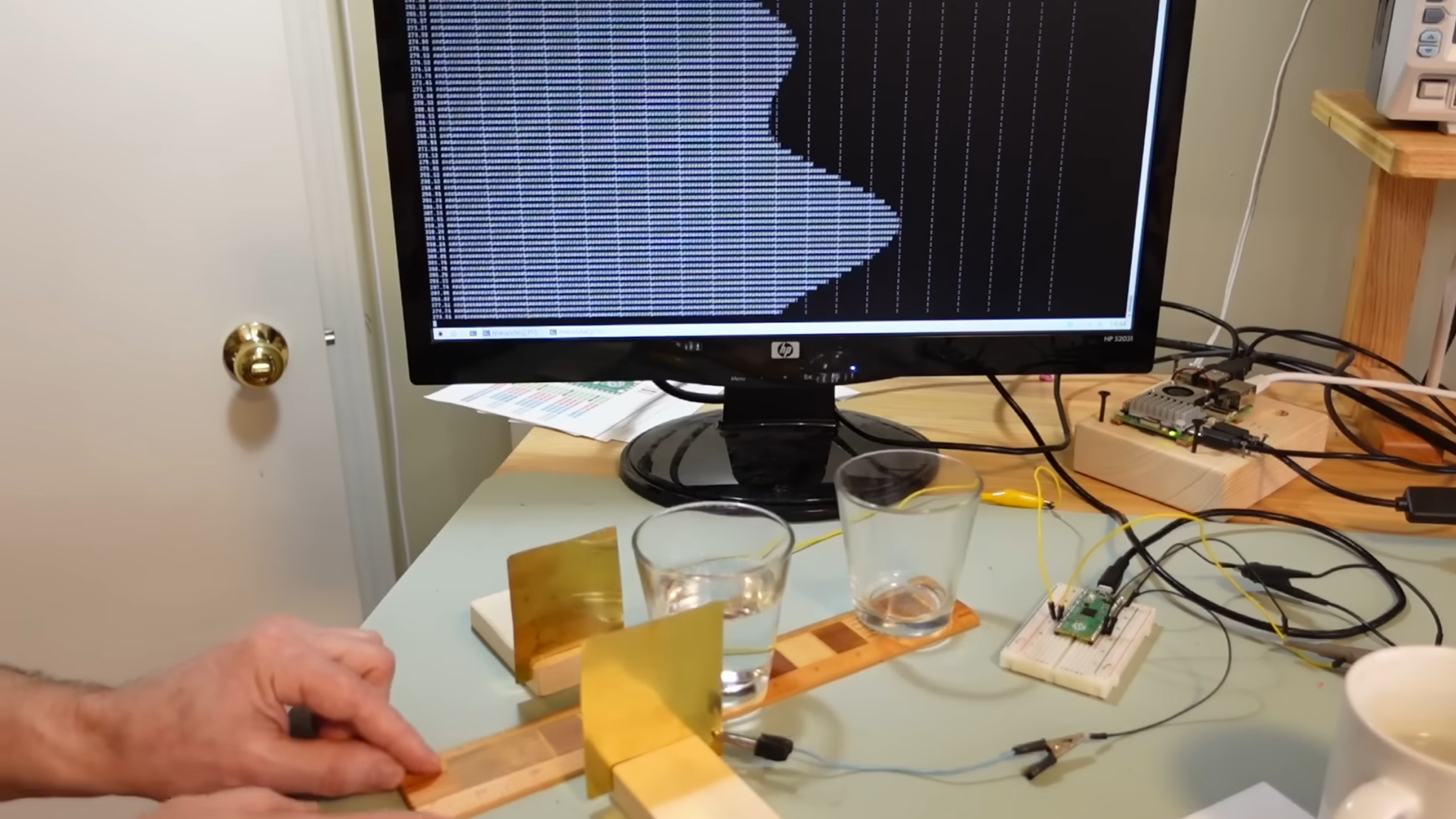
Capacitive displacement sensors span a wide range of resolution, from the touchscreen sensors which can only detect displacement as a binary state, all the way to the sensors in semiconductor fabs which measure down to nanometers. The sensor [Matthias Wandel] built with a Raspberry Pi Pico lands somewhere in the middle, providing both sensitive measurements and an absolute scale.
The idea is that the amount of overlap between two metal plates should be detectable by measuring the capacitance between them. Reaching any kind of usable resolution would require a very precise measure of capacitance, around the picofarad range. [Matthias] realized that the Pico’s GPIO pins have an inherent capacitance, and can have a pull-down resistor set, essentially creating an RC circuit. [Matthias] would set a pin to a high-level output, then switch it to an input. The amount of time the pin takes to switch from high to low indicates the RC constant, which includes the capacitance attached to the pin.
When attached to a metal plate, the Pico was sensitive enough to detect the plate’s capacitive coupling to [Matthias]’s hand through a thick wooden floor. To measure capacitance between two metal plates, the Pico measured how well a voltage signal applied to one plate was coupled to the other plate. This was sensitive enough to measure the slight change in the dielectric constant when [Matthias] waved a piece of ABS pipe between the two capacitor plates. Making actual position measurements was tricky, since capacitance changed with both X- and Z-axis shifts in the plates.
Digital calipers use similar capacitive sensors to make their measurements, as [Matthias] knows from his experiments in hacking them. If you’re interested in more details, check out this teardown of some cheap digital calipers.
Thanks to [H Hack] for the tip!


Safe driving skills can mean the difference between a mundane morning commute and a potentially serious accident. It’s especially true for motorcyclists, as riding a motorcycle is one of the most dangerous forms of transportation on the road. Taking a motorcycle safety course is a good idea, and many U.S. states, including California, offer such a program. The California Motorcyclist Safety Program (CMSP) is available at a cost of up to $425 for riders 21 and over, and up to $395 for those riders 20 and under.
Built around the R.I.D.E. philosophy (Responsible, Informed, Disciplined, and Equipped), the program’s fee covers student training, including classroom instruction and riding practice on a closed course. Training takes place at one of 87 different locations in the state, and an approved helmet is supplied beforehand. The program even provides motorcycles for training, though students can ride their own, as long as they meet predetermined requirements. Students are encouraged to wear motorcycle gear that makes riding safer, including pants, boots, a jacket, and gloves. Eye protection is also advised.
Expert instructors guide students through real-world situations, helping them to develop their skills along the way. Riders get comprehensive instruction based on the latest safety research. Students may receive insurance breaks once the course is completed, which could help offset the cost. Additionally, riders can get a DMV skills test waiver, saving time in the long run.
What you need to know about the CMSP

There are some things riders should know before enrolling in the California Motorcyclist Safety Program (CMSP). First, the minimum age is 15 ½, and students need a valid driver’s license, learner’s permit, or DMV ID card. Though self-balancing bikes do exist, you’re required to maintain your balance while sitting on a bike. Of the two courses offered, the 1-Day Premier Course is the shortest and is completed in around eight hours.
The Motorcyclist Training Course (MTC) runs for about 15 hours over a three-day period. Unlike the Premier Course, the MTC is actually mandatory for all riders under the age of 21. This means that even if you do have some experience and want to go straight to the DMV for your motorcycle license, you won’t be able to get it. That’s because the MTC is California’s primary safety and training program, and all eligible riders must successfully complete it to move forward.
But while the CMSP has trained over 1,500,000 motorcyclists since 1987, some online reports seem to contradict the effectiveness of such programs. According to research from the National Highway Traffic Safety Administration, rider education programs yield mixed results. Skill improvement and rider behavior often don’t translate into real-world scenarios, and don’t necessarily reduce the number of motorcycle-related crashes over time. This means that even though the CMSP seeks to prepare students for the road, it’s the experience and knowledge accumulated afterward that makes all the difference.
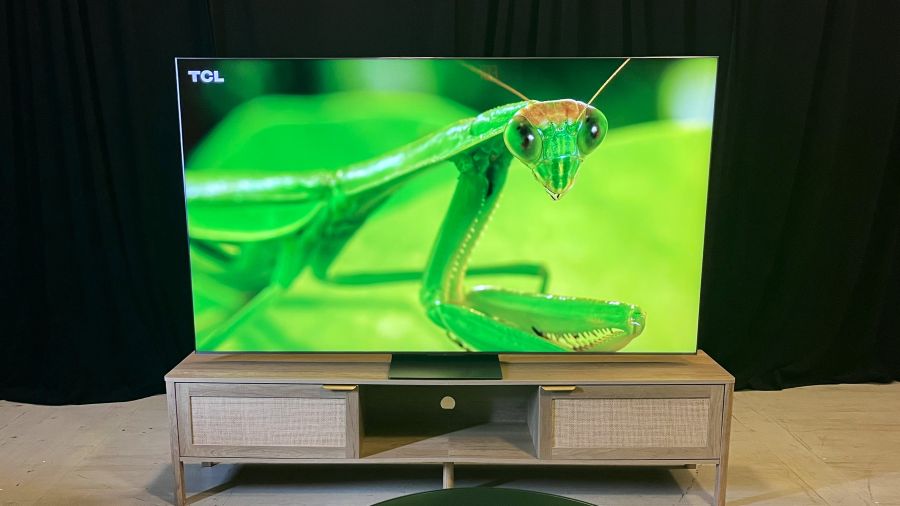
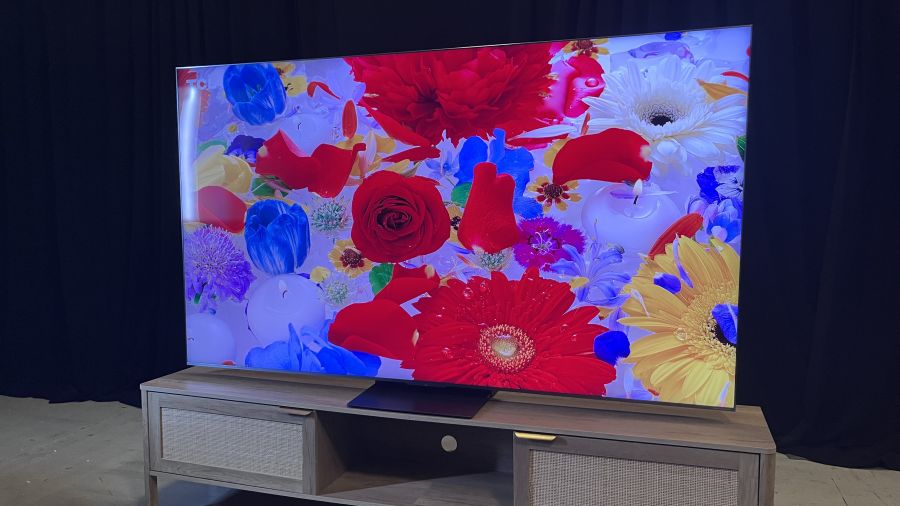
TCL has announced pricing and availability for its QM8L and QM7L series TVs, bringing its SQD Mini-LED display technology, first introduced in the flagship X11L SQD Mini-LED TV at CES 2026, to more accessible price points and a wider range of screen sizes.
The company also announced its first RGB Mini-LED TV, the RM9L series, plus a new 50-inch screen size option for its entry-level QM6K Mini-LED TV series, which carries over from 2025.
SQD stands for Super Quantum Dots, which is a new, enhanced version that provides extended color gamut coverage (up to 100% BT.2020, according to TCL) compared to standard Quantum Dots. Along with the new color tech, the QM8L series features the same WHVA 2.0 Ultra Panel and TSR AI Pro processor found in the X11L, while the QM7L features an HVA 2.0 Pro Panel and TSR AI processor.
TCL QM8L SQD Mini-LED
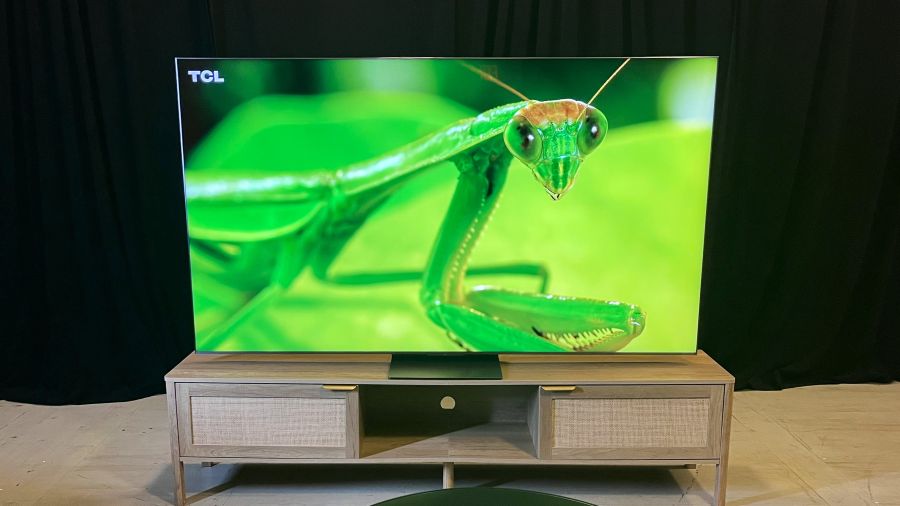
TCL’s QM8L series TVs are available now in screen sizes from 65 to 98 inches, with pricing ranging from $2,499.99 to $5,999.99. Those figures are in line with last year’s QM8K series Mini-LED models, which relied on standard quantum dot technology.
TCL Deep Color System
The TCL Deep Color System used in the QM8L Series consists of Super Quantum Dots and the company’s CSOT UltraColor Filter, which uses 5 Nanometer particles as compared to the 60 Nanometer particles used in regular mini-LED TVs and is claimed to provide accurate pixel-level color, When combined with an Advanced Color Purity Algorithm, the result is consistent color saturation along with the elimination of color crosstalk for purer colors and more accurate whites.
WHVA 2.0 Ultra Panel with Enhanced Halo Control System
TCL’s WHVA 2.0 Ultra Panel in QM8L series TVs provides a wide color viewing angle with increased static contrast over last year’s QM8K series. It also continues the ZeroBorder design that minimizes the visual effect of edge bezels and has a contrast-enhancing anti-reflective layer to reduce screen glare when viewing in bright rooms.
For the QM8L series, TCL has upped the precision of the mini-LED panel’s backlight controller from 23 bits to 26 bits, and added shadow detail optimization. The new TVs feature up to 4,000 backlight local dimming zones (on the 98-inch model), have a specified brightness of up to 4,000 nits, and use TCL’s Enhanced Halo Control System to minimize backlight blooming effects.
TSR AI Pro Processor
The TSR AI Pro Processor in QM8L series TVs features Super Resolution 2.0 for detail enhancement. It also provides AI-enhanced color, contrast, clarity, motion, and upscaling, all of which can be turned on or off on a selective basis.
Google Gemini Interactive AI, with Hands-Free Voice Control
The Google smart TV platform provided in the QM8L series isn’t the basic one found in countless smart TVs, but one that’s enhanced with the Gemini Interactive AI assistant. This feature extends the TV’s content search capabilities by letting you also engage in conversations – hands-free, using the TV’s built-in far-field mic – and it can also be used to find out information about a wide range of subjects. Gemini can further provide news briefs with related video clips and can generate screensaver art from text or voice prompts
Format Support
The QM8L series supports the Dolby Vision (IQ), HDR10+, HDR10, and HLG high dynamic range formats, and Dolby Vision 2 Max support will be added to that list in a future software update. Picture presets include a Filmmaker Mode and IMAX Enhanced mode.
Audio by Bang & Olufsen
TCL QM8L TVs are stacked with audio features, starting with the built Audio by Bang & Olufsen speaker array. This provides support for Dolby Atmos and DTS:X soundtracks, and there are also dual bass modules on the TV’s back panel. An optional subwoofer can be connected wirelessly, and the QM8L series also supports Dolby Atmos FlexConnect for use with the company’s Z100 wireless speaker and Z100-SW subwoofer in up to 4.1.4-channel configurations.
Gaming and Connections
The QM8L series has a native 144Hz refresh rate and also supports 1080p/288Hz input for PC gaming and FreeSync Premium Pro. High refresh rates are supported across all four of the TV’s HDMI 2.1 inputs, and there are also Ethernet and USB ports, an optical digital audio output, and an RF input for the TV’s ATSC 3.0 tuner.
TCL QM7L SQD Mini-LED
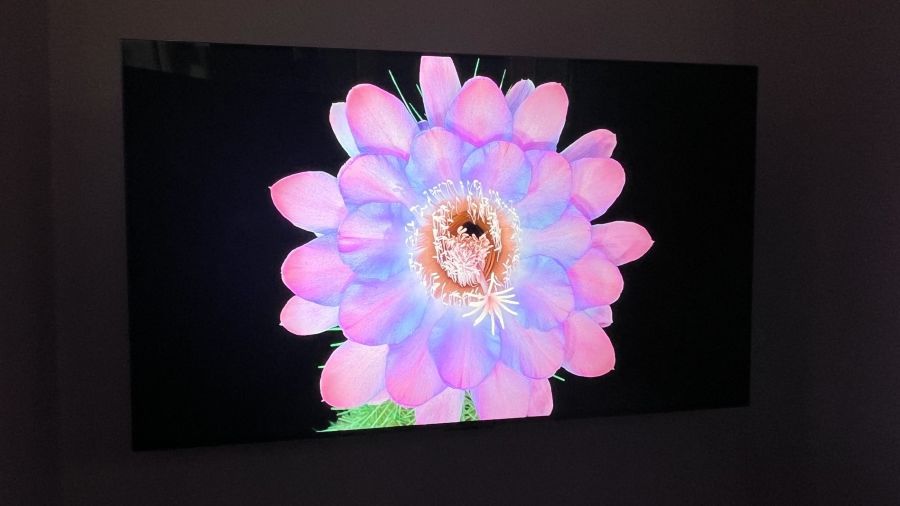
TCL QM7L series TVs are available for pre-order in screen sizes ranging from 55 inches to 98 inches, priced from $1,199.99 to $3,999.99. Like the QM8L series models, these feature TCL’s Enhanced Halo Control System and Deep Color System with Super Quantum Dots and CSOT UltraColor Filter but use a more basic HVA 2.0 Pro Panel.
The QM7L series features TCL’s new 26-bit backlight controller but the local dimming zone count is more modest, topping out at 2,100 zones on the 98-inch model. Brightness is specified at up to 3,000 peak nits. The TSR AI Processor used in the QM7L series supports the standard Dolby Vision and HDR10+ formats, but can’t be updated in the future for Dolby Vision 2.
Other key QM7L features include an Audio by Bang & Olufsen speaker array and Gemini for Google TV. For gaming, the QM7L supports 144Hz input on two of its four HDMI ports, and advanced audio capabilities include optional wireless subwoofer support and Dolby Atmos FlexConnect (3.1.3-channel configuration).
TCL RM9L RGB Mini-LED
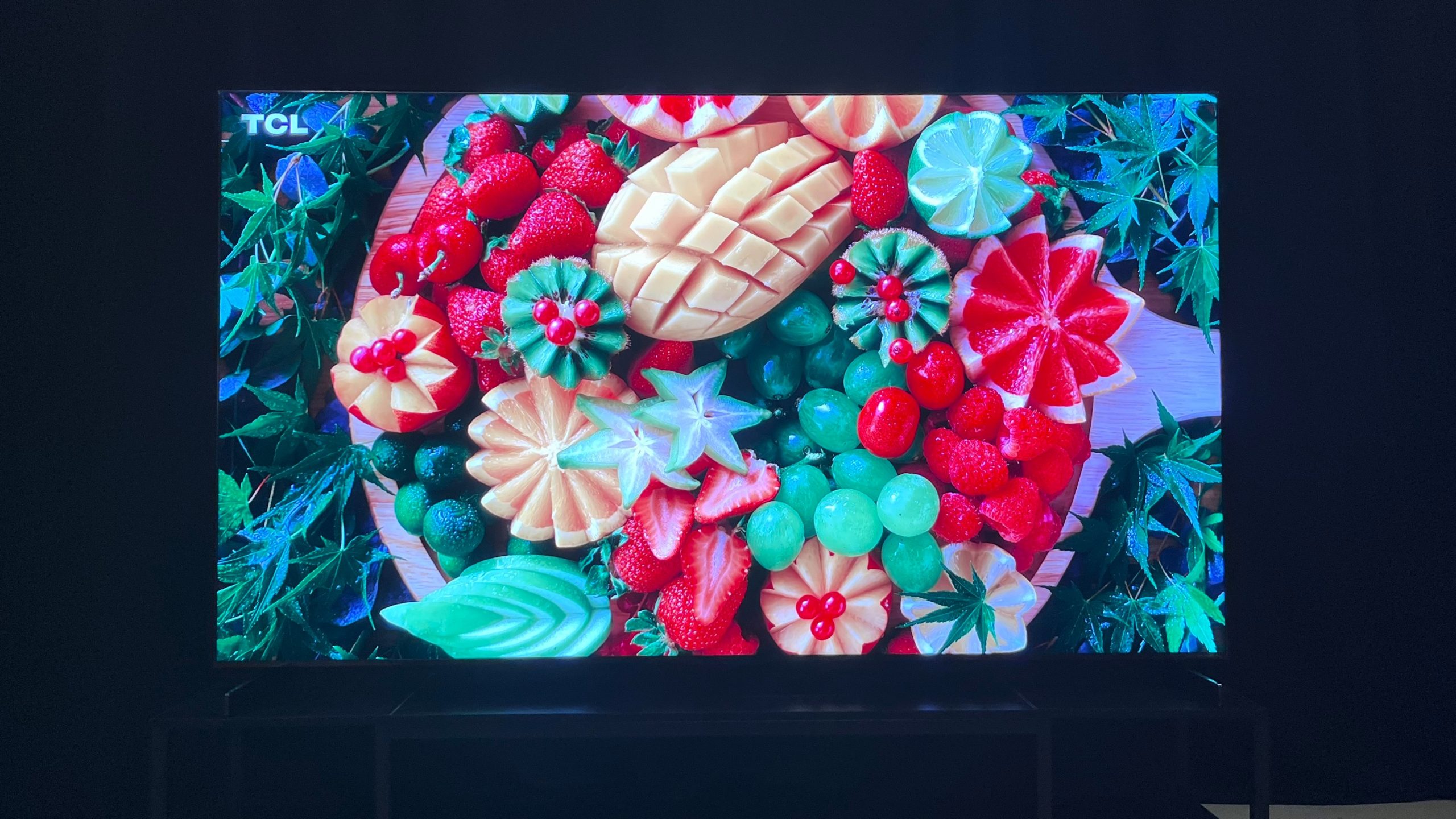
TCL RM9L series TVs are also available for pre-order now in screen sizes ranging from 75 inches to 98 inches, priced from $7,999.99 to $29,999.99. The company calls the new series “the most advanced RGB-Mini LED TV to date,” with its individual red, green, and blue LED modules capable of full BT.2020 color gamut reproduction.
Similar to the company’s SQD-Mini-LED TVs, the RM9L series uses TCL’s CSOT UltraColor Filter “for more consistent color saturation.” It further features TCL’s Enhanced Halo Control Systems, high-contrast CSOT WHVA 2.0 Ultra panel, and TSR AI Pro processor.
A 30-bit controller provides precise backlight control over up to 3,800 local dimming zones, and the RM9L series TVs are specified for up to 6,000 nits peak brightness. The Dolby Vision IQ, HDR10+, and HLG high dynamic range formats are supported, and the RM9L series will get Dolby Vision 2 Max support in a future software update.
Gaming support is similar to the QM8L series TVs, with four 4K/144Hz-capable HDMI 2.1 ports. Audio features are also the same, with an Audio by Bang & Olufsen speaker array, optional wireless subwoofer support, and Dolby Atmos FlexConnect (4.1.4-channel).
The Bottom Line
TCL is positioning its SQD-Mini-LED TV lineup as its top TVs for 2026, and asserts that Super Quantum Dots delivers superior performance to the RGB LED tech that manufacturers such as Samsung, Sony, LG, Hisense, and even TCL itself are promoting. Outside of our hands-on review of the Samsung R95H Micro RGB TV, eCoustics hasn’t had an opportunity to fully assess the benefits of RGB LED, but our full TCL QM8L series TV review confirms that SQD-Mini-LED provides stiff competition for that new tech.
The TCL X11L series (full review in the works) is currently the company’s flagship SQD Mini-LED TV, and with its specified 10,000 nits peak brightness and up to 20,000 local dimming zones, it’s about as formidable as mini-LED TVs get. But at prices ranging from $6,999.99 (75-inch) to $9,999.99 (98-inch), the X11L series is also as expensive as TVs get.
With many of the same features found in the company’s flagship, the TCL QM8L series is an impressive value. It might not have as many dimming zones, and it’s also not as bright, but as we found in our review, it gives both the X11L series and the forthcoming slew of RGB LED models a good run for the money.
The QM7L series also has impressive specs, and also looks to be a great value. Aside from lower peak brightness and fewer dimming zones, its main disadvantages compared to the step-up QM8L appear to be lesser gaming features and no Dolby Vision 2 Max support.
TCL is bullish on the performance of its new RM9L series RGB Mini-LED TVs as compared to the competition, but SQD Mini-LED is clearly the favorite son here. That’s because TCL sees limitations in RGB LED technology that can result in color crosstalk plus a higher level of backlight blooming artifacts than you’ll get on SQD Mini-LED. The company obviously wanted to cover all of the bases with its 2026 TV lineup, however, and that’s why both backlight technologies are represented.
Price & Availability
QM8L series SQD-Mini-LED
QM7L series SQD-Mini-LED
- 55-inch: $1,199.99
- 65-inch: $1,499.99
- 75-inch: $1,999.99
- 85-inch: $2,499.99
- 98-inch: $3,999.99
RM9L series RGB-Mini-LED
- 85-inch: $7,999.99
- 98-inch: $9,999.99
- 115-inch: $29,999.99
Related Reading:
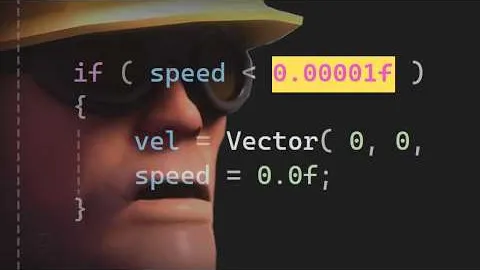
Ever encountered a minor annoying bug in a video game? How about one dating back to 2018? Usually, you have no hope of fixing it, but this time is different. [Joey Cheerio] shows the first-time programmer approach to (with great difficulty) fixing a bouncy ball prop turning invisible when shot in Team Fortress 2.
It starts with a band-aid solution that hides the problem: just turn off jiggle physics! While that works, it also affects many other models in the game, and doesn’t tackle the root cause. Time to investigate. Because this ball often goes overlooked, [Joey Cheerio] didn’t even realize that it was supposed to have jiggle physics, accidentally removing it. Turns out, after scouring the internet for old footage, it’s supposed to jiggle after all.
Back to square one, [Joey Cheerio] infers that the jiggle bone accidentally removed was related to the problem, eventually figuring out that the specific type of jiggle bone used (is_boing) caused the issue. Time to dig in the code. Tracking down the problem is no small feat for someone who’s never programmed before, even with the help of LLMs, but eventually, at 4 in the morning, a breakthrough! The ball no longer turned invisible but retained the intended jiggle.
At the limits of his knowledge on the subject, [Joey Cheerio] posts his partial progress so far to GitHub, where [ficool2] tracks down the real problem and turns this second band-aid into a proper fix. [Joey Cheerio] finishes up by explaining the math of what exactly went wrong.
In the past, I’ve stayed away from Asus TUF laptops, as it was the bottom-tier in terms of design. That meant chunky chassis, poor displays, and thick bezels. The models from 2025 looked more modern, but the prices weren’t competitive with some of my favorite cheap gaming laptops like the Lenovo LOQ 15 and Acer Nitro V 16.
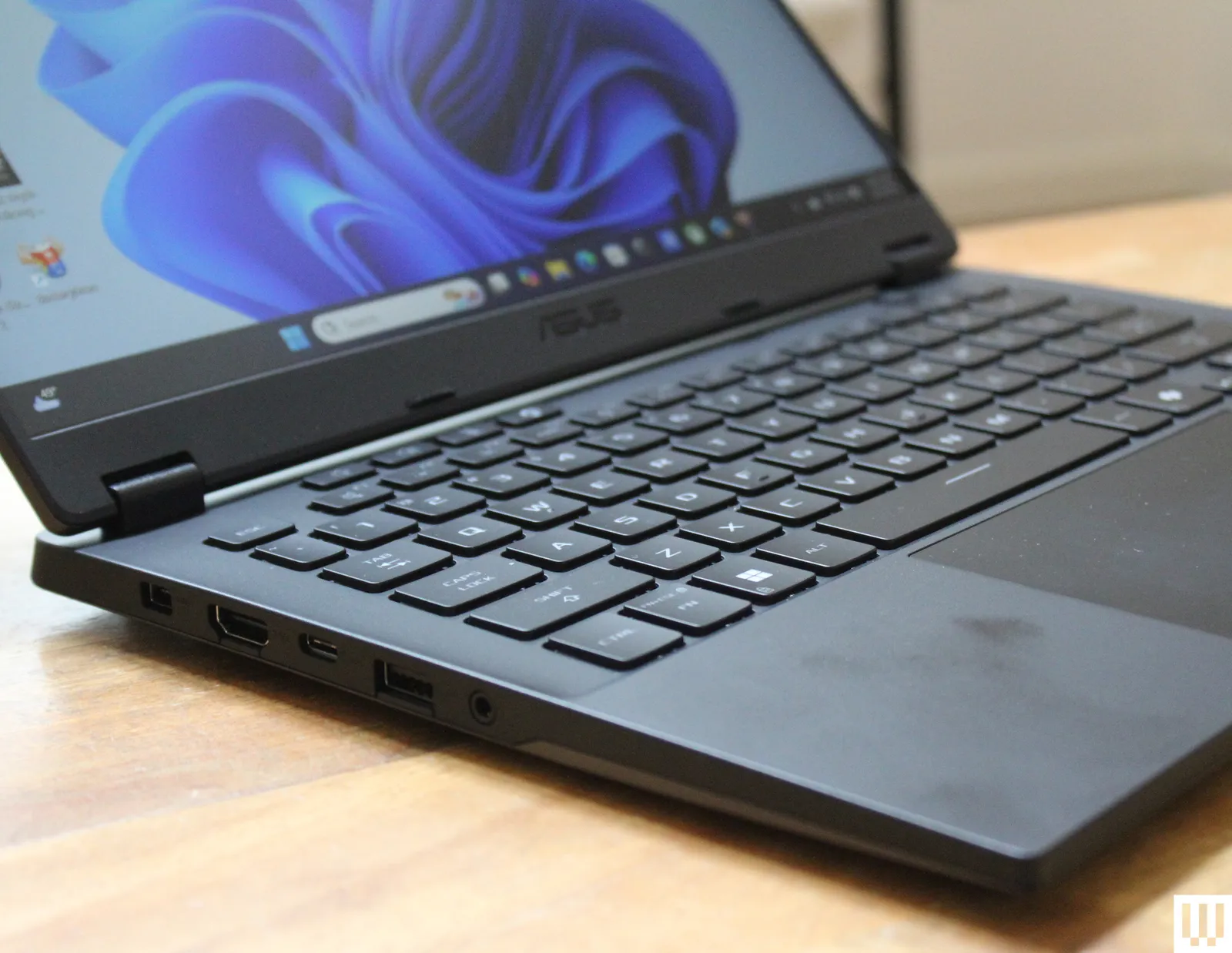
But again, the TUF A14 is something new, and the design is impressive. It’s right around the same thickness and weight as the 14-inch MacBook Pro, and the bezels around the sides of the screen are really trim. The bottom bezel is thick, primarily because the A14 uses a 16:9 aspect ratio screen. I won’t belabor that point, but it means less screen and more bezel in the same footprint. Overall, it’s very subtle. The gaming aesthetic is heavily downplayed, with only a few elements left, such as the typeface on the keycaps and the shape of the vents below the hinge. There’s not even per-key backlighting on the keyboard.

Photograph: Luke Larsen

Photograph: Luke Larsen
You’d never know this was a gaming laptop based on the usability of the keyboard and touchpad; on gaming laptops versus work ones, these can often be afterthoughts. Here, they’re both excellent. The touchpad, in particular, is oversized and surprisingly precise. Although the laptop is made of plastic, it handled the pressure I was putting on it around the lid, keyboard, and palm rests without too much give.
The TUF A14 has a helpful assortment of ports. On the left side, you get a USB-A 3.2 port, USB-C port, HDMI 2.1, headphone jack, and proprietary power jack. You get an additional USB-A and USB-C (USB4) port on the right side, alongside a micro SD card slot. I really like the decision to put the USB4 port on the right side, as it means you can both charge the laptop or connect to an external display from the right side too. Only being able to charge from one side is one of my pet peeves, so good job, TUF A14.
More Than Gaming

Photograph: Luke Larsen
Once I saw the resolution of the display, I knew the TUF A14 was no longer a real “budget” device. It’s 2560 x 1600, a big step up from the typical cheap gaming laptop. It also has a 165 Hz refresh rate, which is useful for when playing in 1200p—and let’s be honest, that’s the go-to the vast majority of the time. The higher resolution, though, plays into why the A14 is a solid hybrid device that can work as well for gaming as it does for school or work.
Looking for a different day?
A new NYT Connections puzzle appears at midnight each day for your time zone – which means that some people are always playing ‘today’s game’ while others are playing ‘yesterday’s’. If you’re looking for Saturday’s puzzle instead then click here: NYT Connections hints and answers for Saturday, April 18 (game #1042).
Good morning! Let’s play Connections, the NYT’s clever word game that challenges you to group answers in various categories. It can be tough, so read on if you need Connections hints.
SPOILER WARNING: Information about NYT Connections today is below, so don’t read on if you don’t want to know the answers.
Article continues below
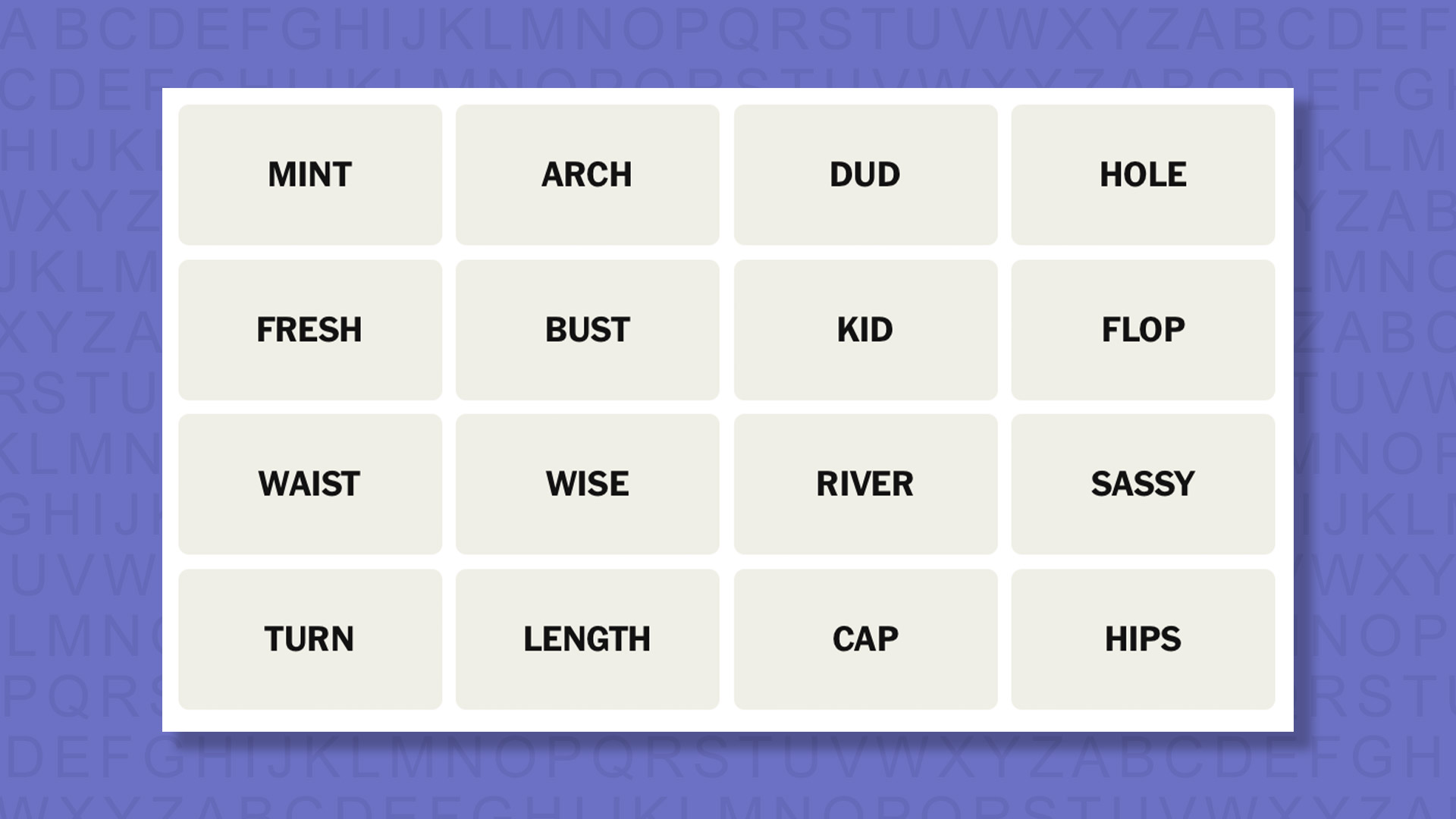
NYT Connections today (game #1043) – today’s words

Today’s NYT Connections words are…
- MINT
- ARCH
- DUD
- HOLE
- FRESH
- BUST
- KID
- FLOP
- WAIST
- WISE
- RIVER
- SASSY
- TURN
- LENGTH
- CAP
- HIPS
NYT Connections today (game #1043) – hint #1 – group hints
What are some clues for today’s NYT Connections groups?
- YELLOW: A brazen personality
- GREEN: Garment construction
- BLUE: Poker terms
- PURPLE: Confectionery ends
Need more clues?
We’re firmly in spoiler territory now, but read on if you want to know what the four theme answers are for today’s NYT Connections puzzles…
NYT Connections today (game #1043) – hint #2 – group answers
What are the answers for today’s NYT Connections groups?
- YELLOW: CHEEKY
- GREEN: DRESS MEASUREMENTS
- BLUE: CARDS IN TEXAS HOLD ‘EM
- PURPLE: LAST WORDS OF CANDY BRANDS IN THE SINGULAR
Right, the answers are below, so DO NOT SCROLL ANY FURTHER IF YOU DON’T WANT TO SEE THEM.
NYT Connections today (game #1043) – the answers

The answers to today’s Connections, game #1043, are…
- YELLOW: CHEEKY ARCH, FRESH, SASSY, WISE
- GREEN: DRESS MEASUREMENTS BUST, HIPS, LENGTH, WAIST
- BLUE: CARDS IN TEXAS HOLD ‘EM FLOP, HOLE, RIVER, TURN
- PURPLE: LAST WORDS OF CANDY BRANDS IN THE SINGULAR CAP, DUD, KID, MINT
- My rating: Hard
- My score: 1 mistake
Being based in the UK and unfamiliar with some US products, LAST WORDS OF CANDY BRANDS IN THE SINGULAR went over my head.
I did, though, manage to avoid the trap of linking DUD, BUST and FLOP — but only because I couldn’t find another synonym for failure.
Instead, I made a mistake assembling what became CHEEKY, picking KID for my first attempt instead of WISE. Beyond this a rather routine end to the week.
Yesterday’s NYT Connections answers (Saturday, April 18, game #1042)
- YELLOW: LOOK AT WITH AWE GOGGLE, MARVEL, STARE, WONDER
- GREEN: BASIC ELECTRICITY TERMS AC, DC, POWER, VOLTAGE
- BLUE: UNEXPECTED WINNER DARK HORSE, LONG SHOT, SLEEPER, UNDERDOG
- PURPLE: STARTING WITH SODA BRANDS CRUSHWORTHY, FANTAGRAPHICS, FRESCADE, PEPSINOGEN
What is NYT Connections?
NYT Connections is one of several increasingly popular word games made by the New York Times. It challenges you to find groups of four items that share something in common, and each group has a different difficulty level: green is easy, yellow a little harder, blue often quite tough and purple usually very difficult.
On the plus side, you don’t technically need to solve the final one, as you’ll be able to answer that one by a process of elimination. What’s more, you can make up to four mistakes, which gives you a little bit of breathing room.
It’s a little more involved than something like Wordle, however, and there are plenty of opportunities for the game to trip you up with tricks. For instance, watch out for homophones and other word games that could disguise the answers.
It’s playable for free via the NYT Games site on desktop or mobile.

Entertainment3 seconds ago
Kim Kardashian’s ‘Seven-Figure Consequence’ Warning To Ray J

NewsBeat3 minutes ago
What does the EU’s new entry-exit system mean for British travellers?

Business4 minutes ago
Market Trading Guide: Buy Shipping Corporation and Power Grid on Monday for short-term gains of up to 29%


-
 NewsBeat6 days ago
Pep Guardiola and Gary Neville agree over Arsenal title problem that benefits Man City
-

 Crypto World6 days ago
The SEC Conditionalises DeFi Platforms to Be Avoided for Broker Registration
-

 Politics7 days ago
World Cup exit makes Italy enter crisis mode
-

 Fashion2 days ago
Weekend Open Thread: Theodora Dress
-

 Crypto World5 days ago
SEC Signals Exemption for Crypto Interfaces From Broker Registration
-

 News Videos4 days ago
Secure crypto trading starts with an FIU-registered
-

 Sports2 days ago
NWFL Suspends Two Players Over Post-Match Clash in Ado-Ekiti
-

 Crypto World5 days ago
SEC Proposes Certain Crypto Interfaces Don’t Need to Register as Brokers
-

 NewsBeat5 days ago
Trump and Pope Leo: Behind their disagreement over Iran war
-
 NewsBeat7 days ago
JD Vance announces ‘no agreement’ with Iran over nuclear weapons fear
-

 Politics1 day ago
Palestine barred from entering Canada for FIFA Congress
-

 Crypto World1 day ago
Russia Pushes Bill to Criminalize Unregistered Crypto Services
-

 Sports6 days ago
NWFL opens Pathway for new Clubs ahead of 2026 Season
-
Sports7 days ago
Dexter Lawrence, Stefon Diggs, Trading for De’Von Achane
-

 Crypto World6 days ago
Trump whales load up ahead of Mar-a-Lago luncheon.
-
 Business2 days ago
Creo Medical agree sale of its manufacturing operation
-
Business6 days ago
Kering slides after Morgan Stanley downgrade, Gucci woes loom
-
 Crypto World6 days ago
Sei Network Enters Quiet Reset Phase as On-Chain Metrics Signal a Slowdown in 2026
-

 Tech6 days ago
Google adds E2E encryption to Gmail for iOS and Android enterprise users
-
 Tech6 days ago
Apple glasses won’t go brand shopping like Meta did with Ray-Ban and Oakley
You must be logged in to post a comment Login