This article is crossposted from IEEE Spectrum’s careers newsletter. Sign up now to get insider tips, expert advice, and practical strategies, written in partnership with tech career development company Parsity and delivered to your inbox for free!
There is no shortage of people telling recent engineering graduates that their degree was a mistake and that AI is coming for their jobs before they even land one. I respectfully disagree.
I have been a software engineer for 12 years, done well over 100 interviews on both sides of the table, and run Parsity, an AI engineering program. A few patterns emerge consistently in who actually breaks through in today’s job market. Here’s why I think the job market isn’t as dire as it looks, and what I would do if I were looking for my first tech job.
The Numbers Need Context
The Federal Reserve Bank of New York recently placed unemployment for recent CS graduates in the United States at 6.1 percent, with computer engineering graduates at 7.5 percent. Compared to philosophy majors at 3.2 percent and art history graduates at 3.0 percent, those figures look alarming. They require more context than most headlines provide.
Advertisement
When researchers factor in underemployment (graduates working jobs that don’t require a college degree), then engineers are doing relatively well, coming in below 20 percent, against a 42 percent average across all recent graduates. Many majors reporting lower unemployment are achieving that figure by accepting work entirely unrelated to their field. Scored across unemployment, underemployment, and early-career earnings together, CS and computer engineering still rank among the top fields for overall labor market outcomes.
The degree is not the problem. The hiring pipeline is. Job postings labeled “entry-level software engineer” grew roughly 47 percent between late 2023 and late 2024, while actual hiring into those roles dropped approximately 73 percent in the same window. So-called “ghost jobs,” used to create an illusion of company growth, are everywhere. This makes the front door harder to find, but it exists.
Here Is What To Do About It
Do a broad search of your (real-life) network. Roughly 26 percent of job offers come through referrals. Look at your actual network—classmates, professors, past internship contacts, relatives—and identify people at companies that might be hiring. The goal is a warm introduction to someone who is or knows a decision maker. One introduction carries more weight than a hundred cold applications through a portal.
Find symmetric risk. A junior engineer is a risky hire by definition. A startup carries a matching risk profile, meaning potentially lower compensation, no certainty of longevity, and higher performance expectations. But that shared risk creates mutual interest. The learning curve is steep, the exposure is broad, and the track record transfers directly. For engineers whose longer-term goal is a large organization, a startup is not a detour. It can be how you build the experience those organizations eventually want to see. The first job is for validation and learning. It is not a life sentence.
Advertisement
Manufacture experience rather than waiting for it. Employers want experience but will not hire you to get it. The way through is to create it: a deployed project, an open-source contribution, building something real for a small business or family member. Recruiters are skeptical of toy projects. A deployed application solving a real problem, combined with the ability to talk clearly about the decisions you made and why, still moves the needle.
Gain practical AI engineering skills, not just AI tool fluency. Using Cursor or Copilot is now a baseline expectation. What differentiates candidates is going one level deeper. Most working engineers, including senior ones, have not built a RAG pipeline or designed a multi-agent system. Understanding how to chunk documents, generate embeddings, store and query them from a vector database, and wire it into a production application puts a candidate ahead of a significant portion of the market on a skill in rapidly growing demand. AI and data science roles grew 163 percent in job postings in 2025. The engineers who understand how these systems actually work, not just how to prompt them, are in the shortest supply.
Stop optimizing around conditions you cannot predict. Nobody anticipated the 2021 hiring boom. Nobody predicted this correction. Build durable skills. The demand for engineers who can reason clearly about systems is not going away. Where you start is not where you end.
—Brian
Advertisement
More major workforce reductions are on the horizon at Big Tech companies: Meta announced it will cut 10 percent of its workforce, or about 8,000 employees, and Microsoft plans to offer buyouts for 7 percent of its U.S. employees in a voluntary retirement program. The cuts are understood by many to be linked to AI. But is AI really to blame? For The Conversation, two academics at the University of Sydney give their two cents.
Tom Burick got his start as a roboticist. But when a financial downturn forced him to close his robotics business, he thought of the effect teachers had on his life and decided to pay it forward. Burick now works as a technology instructor at a school for students with autism, where he recently led a project building a full-scale replica of ENIAC, an historic computer celebrating its 80th anniversary this year.
Across several industries, the United States has been moving toward limiting the use of sensitive technology made in China. Now, legislation has been introduced to extend the trend to ground robots, including humanoids, dogs, and crawlers. This could benefit some U.S.-based robotics firms—but many of these companies still rely on Chinese-made components. “The U.S. robotics industry is in a pickle,” writes Spectrum tech policy editor Lucas Laursen.
A semester’s worth of notebooks, printouts, and loose assignment sheets can turn your backpack into hefty luggage. This is where the iPad steps in, not by making your reading list shorter, but by making your academics less cluttered. Add an Apple Pencil, and the same tablet can handle handwritten lecture notes.
It’s not all work and no play, as the iPad can double as a handheld gaming console or streaming device. But at the end of the day, the real question is, “Which one is right for you?” With the various models under its belt, Apple has an iPad for everyone. It currently sells four very different iPads and two relevant Pencil models, with compatibility changing depending on the tablet.
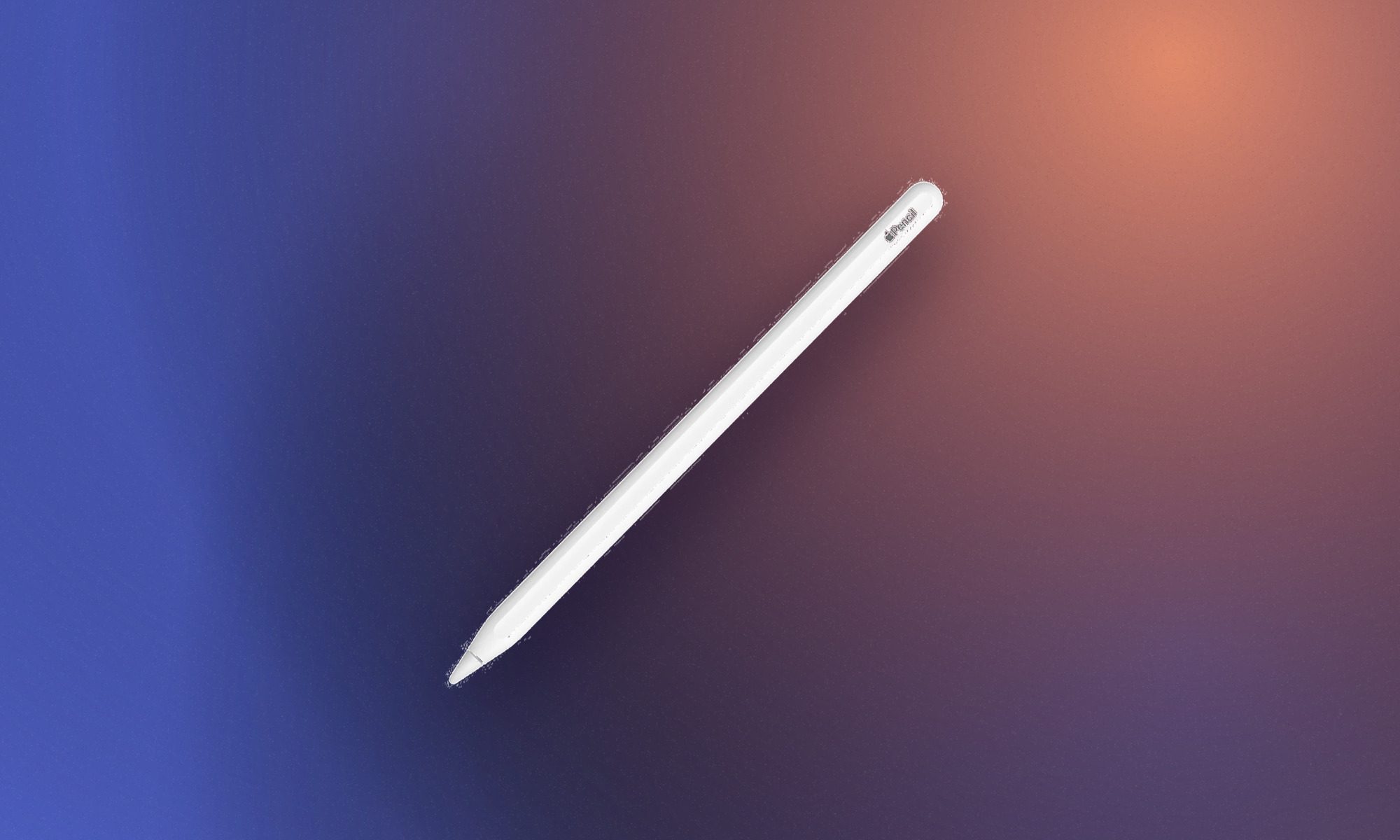
My advice is to buy the least expensive iPad that comfortably supports your coursework. Another thing to keep in mind is compatibility. While the USB-C Apple Pencil works with every iPad listed below, the Apple Pencil Pro supports the M4 iPad Air, M5 iPad Pro, and A17 Pro iPad mini. Meaning, it doesn’t work with the standard A16 iPad. So with that out of the way, here are the best iPads to consider.
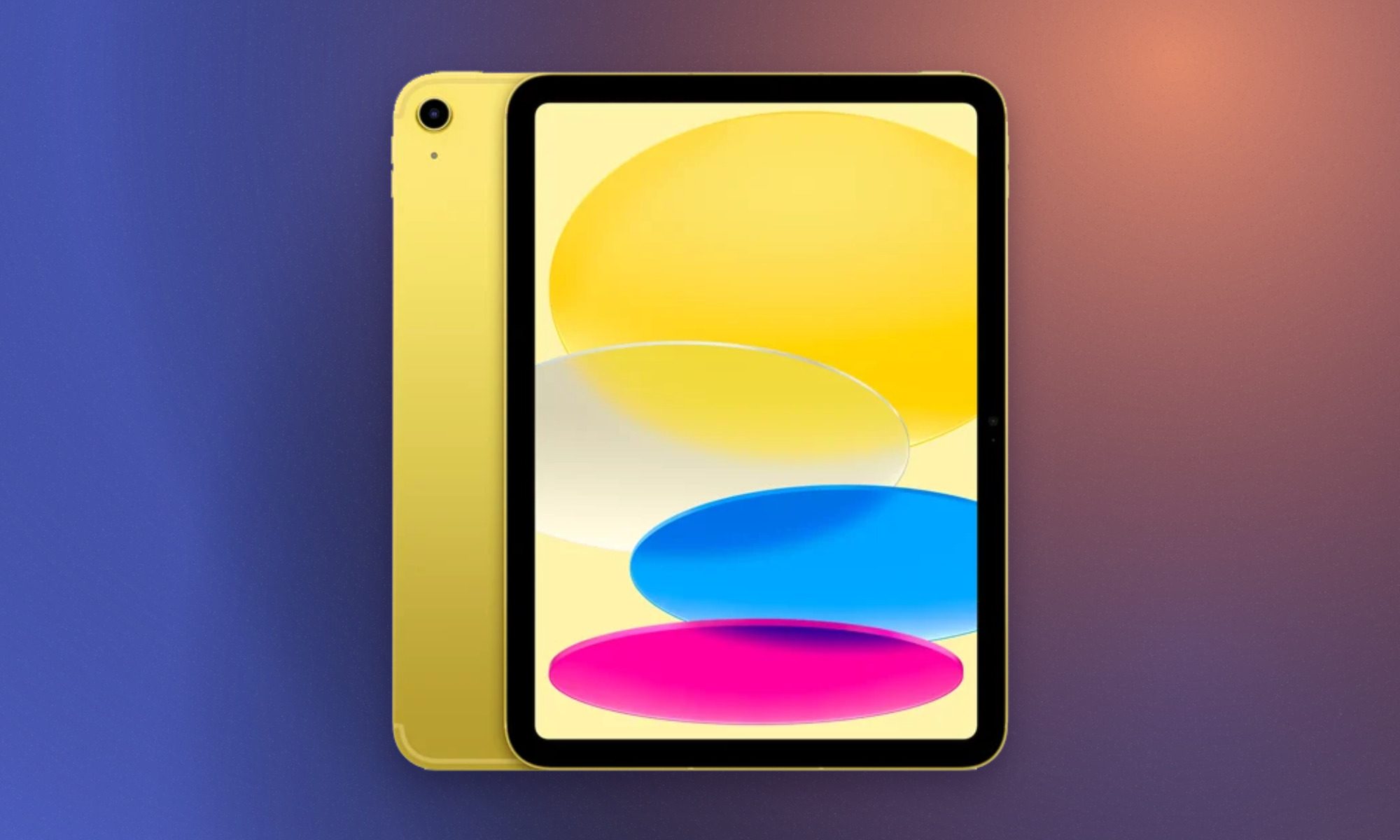
Apple iPad 11-inch with A16
Apple
Best affordable iPad for most students
Pros
Advertisement
Clean design and premium build
Sharp display for the price
Plenty of A16 silicon firepower
128GB storage for the same price
Battery life doesn’t disappoint
Cons
Accessories are a little too pricey
No Apple Intelligence or Stage Manager
Stylus support is outdated
Non-laminated display, again
Slow charging
The standard iPad is the sensible pick for students who need a digital notebook, which can be used as a research and entertainment device without spending laptop money. Its A16 chip comfortably handles web browsing, video calls, photo editing, and even gaming. Apple also doubled the starting storage to 128GB, providing far more breathing room for downloaded lecture recordings and offline videos.
This model is our best overall pick for most people. The upgraded storage, solid battery endurance, and great performance in particular make it worth considering. It would’ve been an even more attractive package if Apple packed it with a display that goes past 60Hz and offered an anti-reflection coating. One big omission is Apple Intelligence, but for students whose workload centers around notes, documents, and media consumption, these limitations aren’t a deal breaker for under $450.
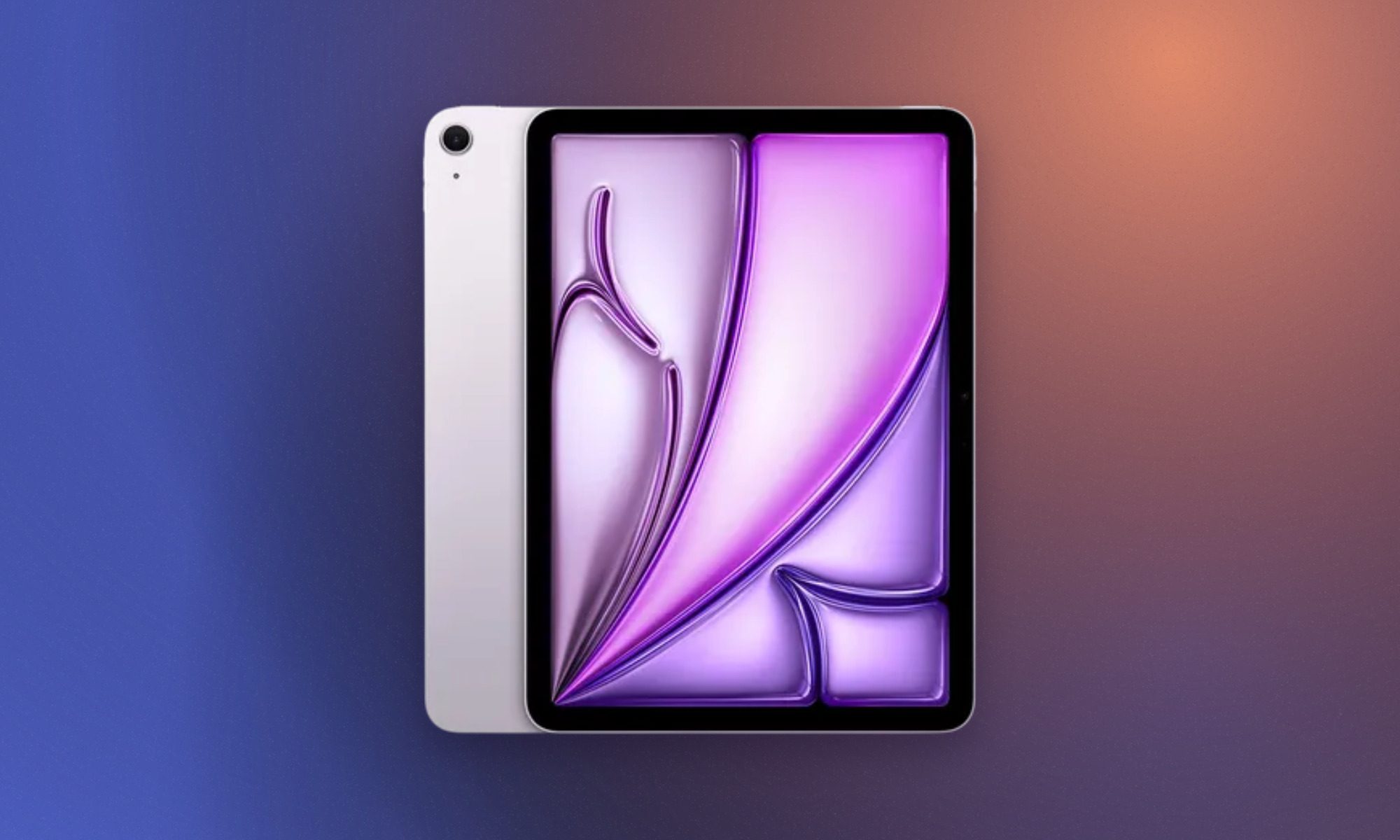
Apple iPad Air 11-inch with M4
Apple
Best iPad for most demanding students
Pros
Clean design and premium build
Sharp display for the price
Plenty of A16 silicon firepower
128GB storage for the same price
Battery life doesn’t disappoint
Cons
Accessories are a little too pricey
No Apple Intelligence or Stage Manager
Stylus support is outdated
Non-laminated display, again
Slow charging
The latest iPad Air is the sweet spot for students who expect their tablet to cover several years of increasingly demanding coursework. Its M4 chip and 12GB of unified memory provide enough headroom for illustration, CAD work, photo editing, music production, programming tools, and more intense workflows. The fully laminated Liquid Retina display supports P3 wide color and has an anti-reflective coating, making it considerably better for drawing and visual work than the standard iPad.
This is the entry-point to Apple’s premium tablet lineup, and I can easily recommend it. Apple Pencil Pro and Magic Keyboard support also let the Air shift between handwritten notes, creative input, and laptop-style typing. Apple continues to reserve 120Hz ProMotion and OLED technology for the Pro, which makes the Air’s 60Hz screen conspicuous at this price. The 128GB base configuration can also fill quickly with large creative projects. Even with those limitations, the Air offers a stronger combination of portability and processing power than any other iPad in the range.
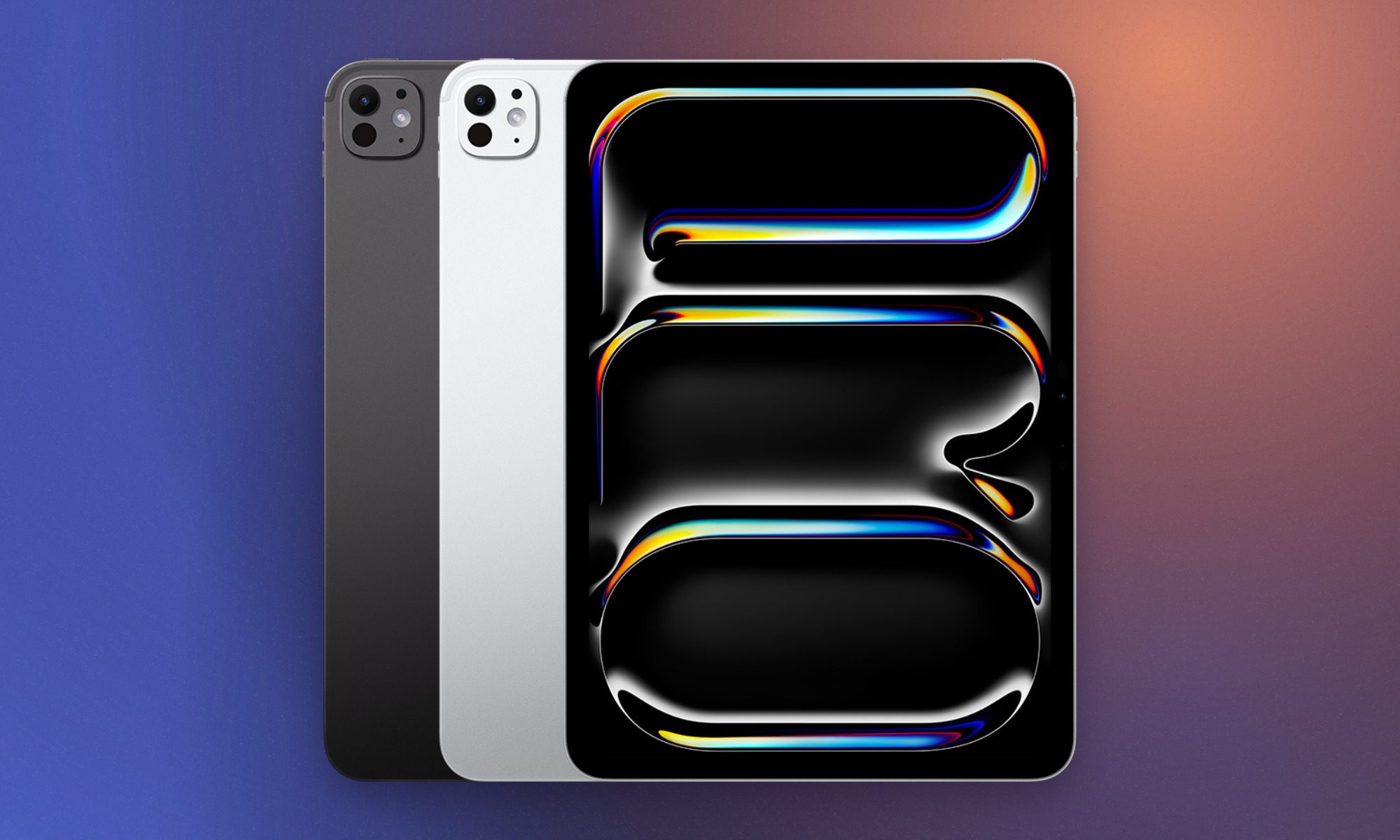
Apple iPad Pro 11-inch with M5
Apple
Best iPad for art, Filmmaking, and design students
Pros
Advertisement
Clean design and premium build
Sharp display for the price
Plenty of A16 silicon firepower
128GB storage for the same price
Battery life doesn’t disappoint
Cons
Accessories are a little too pricey
No Apple Intelligence or Stage Manager
Stylus support is outdated
Non-laminated display, again
Slow charging
If you were to ask me who even needs the iPad Pro, the answer is pretty specific. It belongs in the hands of animators, filmmakers, architects, and other design students who can genuinely use its cutting-edge hardware. Its tandem OLED Ultra Retina XDR display combines perfect blacks, a 120Hz ProMotion refresh rate, P3 color, and up to 1,600 nits of peak HDR brightness. That panel alone makes it superior to most tablets in the market.
It is also well suited to color-sensitive artwork, HDR video, detailed photo editing, and most importantly, Pencil-heavy creative process. The M5 chip adds enormous processing and graphics capability, while Thunderbolt connectivity supports fast external storage and high-resolution displays. Pick the Wi-Fi configuration if you’re trying to get the best possible deal, but you’ll have to rely on the campus internet or your smartphone for internet connectivity.
Add the Magic Keyboard and Apple Pencil Pro to the list, and the complete setup can cost just as much as a premium laptop. Though the Pro has earned that expense with these specialized hardware that it offers. It’s not for light work, clearly.
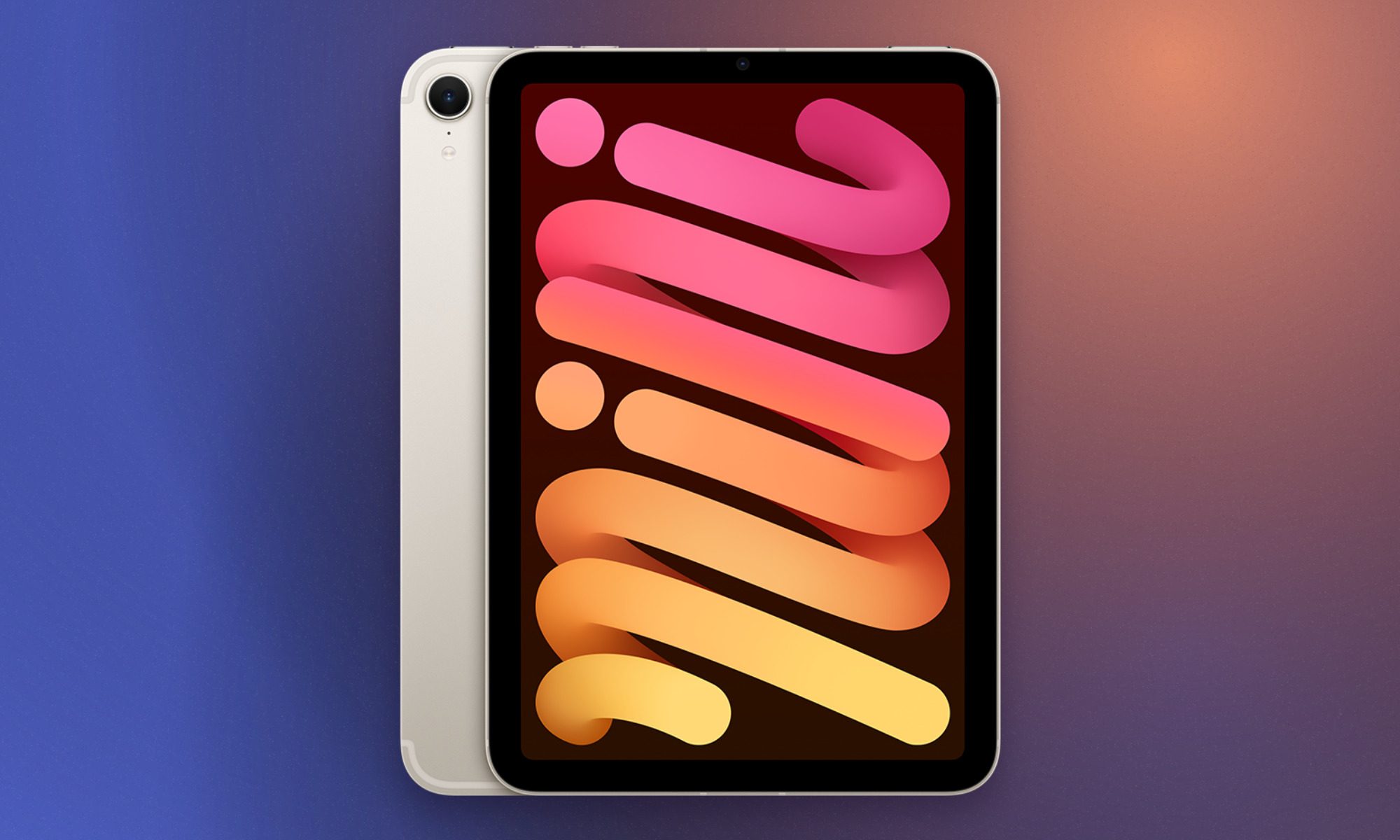
Apple iPad mini with A17 Pro
Apple
Best iPad for carrying everywhere
Pros
Clean design and premium build
Sharp display for the price
Plenty of A16 silicon firepower
128GB storage for the same price
Battery life doesn’t disappoint
Cons
Accessories are a little too pricey
No Apple Intelligence or Stage Manager
Stylus support is outdated
Non-laminated display, again
Slow charging
Lecture halls do not always provide enough desk space for your laptop or large-sized tablet with a complete setup. The iPad mini solves this problem with a more compact 8.3-inch screen and a body that weighs just 0.65 pounds. So it easily slips into a small bag, sit beside a laptop, or be held in one hand while you annotate a document with the other.
Packing the A17 Pro, you get access to Apple Intelligence and demanding apps, while the laminated P3 display offers a more direct Pencil experience than the standard iPad. Apple Pencil Pro compatibility makes the mini especially appealing for quick diagrams, field notes, and sketching. In our review, we were particularly impressed by its portability and unexpectedly capable performance.
Advertisement
But the compact display does reduce the space available for windowed multitasking. Writing long essays on an attached keyboard is also less comfortable than using an Air or Pro. For students who already own a laptop and want a portable companion for notes and reading, the mini may be the most useful iPad in the entire lineup.
Apple Pencil with USB-C
Apple
Best Apple Pencil for everyday note-taking
Pros
Most affordable Apple Pencil model
Charges easily via USB-C cable
Handy sliding cap covers port
Attaches magnetically to iPad edge and supports Hover on iPad Pro
Cons
No built-in pressure sensitivity support
Lacks magnetic wireless charging ability
No Apple Find My support
Most students buying an Apple Pencil use it for taking notes or sketching, which makes the Apple Pencil with USB-C a great affordable pick. It provides the same basic precision, low latency, palm rejection, and tilt support that make writing on an iPad feel so intuitive.
The Pencil attaches magnetically to compatible iPads for storage, although pairing and charging require a USB-C cable hidden beneath its sliding cap. Apple removes pressure sensitivity and the advanced gestures found on the Pro, which limits its appeal for illustrators and other creative students who adjust strokes through pressure. But for its price, I can easily recommend this stylus for everyday uses. Its broad compatibility also eliminates much of the confusion surrounding Apple’s stylus lineup.
Apple Pencil Pro
Apple
Best Apple Pencil for creative students
Pros
Advertisement
Intuitive squeeze gesture opens palettes
Haptic feedback feels incredibly realistic
Find My tracking prevents loss
Charges and pairs magnetically wireless
Cons
Only works with newest iPads
Expensive investment for casual users
No backward compatibility for older iPads
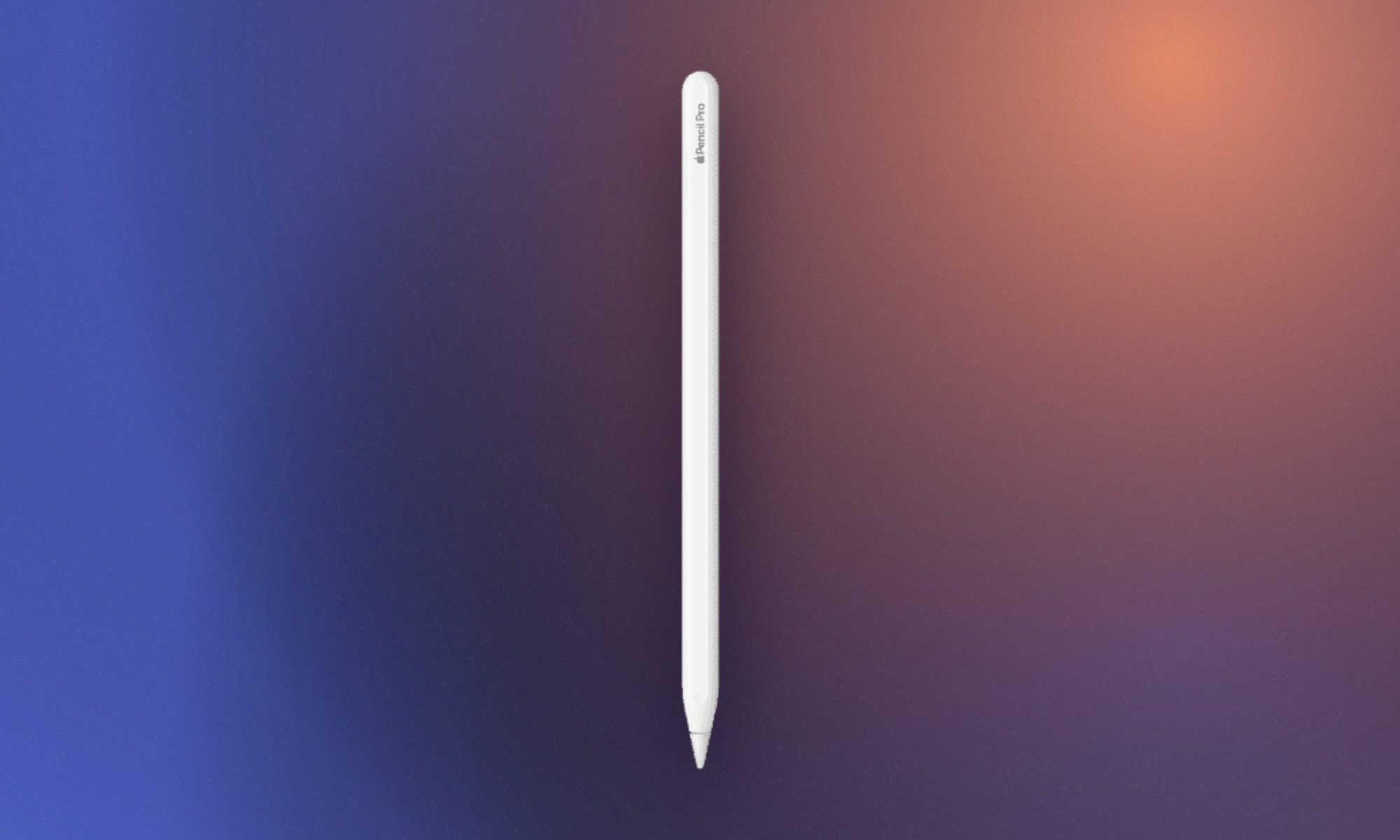
Apple Pencil Pro earns its name through controls that can genuinely elevate your experience with iPads. You get the everyday convenience of the regular stylus along with the added functionality that makes illustration, designing, and other creative work better. Squeezing the barrel opens a contextual palette, while double-tapping can swap between a pen and eraser.
Barrel roll tracks the Pencil’s rotation for shaped brushes, and haptic feedback confirms gestures without forcing you to look away from the canvas. It also pairs and charges magnetically, eliminating the USB-C cable required by the cheaper Pencil. Find My support provides some reassurance when a $129 accessory disappears beneath a pile of textbooks. Students whose work revolves around Procreate, Photoshop, animation, and other such work will really see the benefit.
Pinkie promise gains 200-plus new participants and precisely zero enforcement
President Trump has expanded his Ratepayer Protection Pledge to include power companies, datacenter developers, cooperatives, and state governments, saying the move will shield consumers from rising energy costs driven by the datacenter boom.
In a speech at the Environmental Protection Agency (EPA) HQ in Washington, Trump said the pledge will now extend across the full chain of parties whose decisions determine household bills. This includes the utilities that supply power, the developers that build the facilities, and the state authorities that regulate energy rates and infrastructure.
Advertisement
“We’re here today to continue the incredible progress we’re making in communities nationwide to ensure that as new datacenters go up, and they’re going up all over, electricity bills for American families will actually come down,” he declared.
The original signatories of the pledge – the “Munificent 7” of Amazon, Google, Meta, Microsoft, OpenAI, Oracle, and xAI – agreed to cover the full cost of any extra resources required to satisfy their energy demands.
Advertisement
But as was pointed out at the time, these hyperscalers do not set the rates ultimately paid by consumers; utilities and state regulators play crucial roles there. The expanded pledge now brings those parties into the tent.
According to the White House, more than 200 additional utilities, datacenter developers, cooperatives, and states have now joined the pledge. The White House claims the pledge covers roughly 80 percent of the power delivered to American homes and businesses, supposedly protecting 263 million people when a datacenter is built nearby.
Trump went on to say that many datacenter developers will have to generate their own power on site, effectively turning themselves into utilities.
“It’s hard to believe, but you need double the electricity that we have right now, maybe even more than that, to really fulfill what you want to do,” Trump said.
Advertisement
“We’re leading China [in AI] by a lot, and using our old grid would not have worked. And I came up with the idea that you build your own plant. This way nobody can complain,” he added.
The Reg believes many datacenter operators were already generating their own on-site power before Trump claimed responsibility for the idea.
“We’re insisting that AI datacenters and big tech companies pay their own way. And that’s what they’re doing, and they’re happy to do it, because this way, they’re going to be able to function, and function brilliantly. They’re going to have a lot of electricity left over and they’ll put that into the grid, so we’ll actually end up with more electricity,” Trump claimed.
But as The Register pointed out previously, the text of the Ratepayer Protection Pledge makes no mention of enforcement. There are no apparent penalties should any of the signatories fail to prevent consumer bills rising because of demand from AI datacenters, so this appears to be very much a voluntary agreement.
Advertisement
We asked the White House and the EPA what actions might be taken if signatories to the pledge were found to be failing in their commitments, and will update if we get a response.
The measure seems likely to be put to the test, as the latest data from Synergy Research estimates the total capacity of US datacenters will double over the next three years, driven by an aggressive build-out by hyperscale operators.
The pipeline of future large facilities known to the research biz currently stands at almost 1,500 worldwide, with almost half of those in America. That represents around 45 gigawatts of extra IT capacity set to be added over the next few years.
Synergy chief analyst John Dinsdale says that availability of power and rising local concerns over server farms are crimping many new plans for facilities.
Advertisement
“But it is also clear that datacenter developers will continue to find ways around those issues and that booming demand will continue to drive aggressive capacity growth. Over the next five years, the US will continue to account for well over half of the world’s operational datacenter capacity.” ®
With heaps of praise from practically everyone about the redesigned form factor of the new Galaxy Z Fold 8, why has Samsung decided to keep on with the boxier design in the form of the Galaxy Z Fold 8 Ultra? The answer, in Samsung’s eyes at least, is productivity.
The firm claims that the boxy 1:1 aspect ratio of the Galaxy Z Fold 8 Ultra’s 8-inch foldable screen is designed to run two regular 6.5-inch smartphone apps side-by-side, while the 4:3 aspect ratio of the regular Z Fold 8’s 7.8-inch inner panel is better suited to social media, watching movies and playing games.
However, after using the regular Galaxy Z Fold 8 for the past few days, I’d argue that the opposite is true; it can be just as productive as its Ultra sibling, if not more so. It just depends on what you’re up to.
Split-screen works just as well on the Fold 8
Samsung’s Ultra productivity angle makes a lot of sense on paper. The ability to use what is essentially two smartphone-sized apps at once does make the Ultra a great option for productivity – but that doesn’t mean the Fold 8 isn’t.
Advertisement
Image Credit (Trusted Reviews)
Advertisement
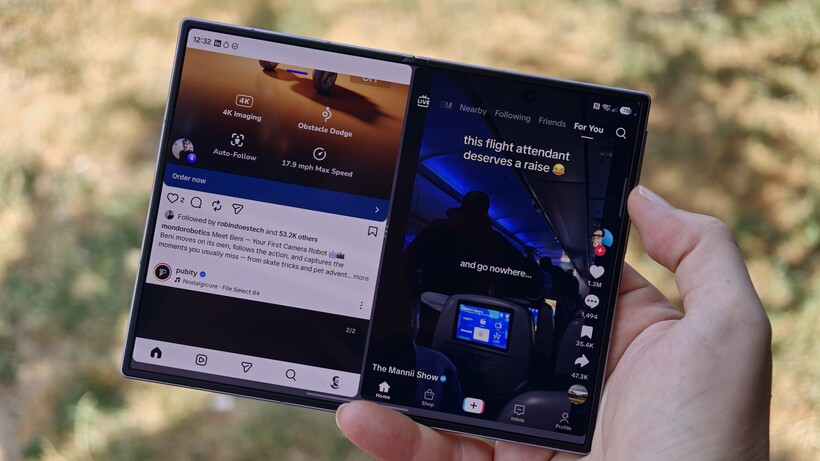
Just like the Fold 8 Ultra, you can run two apps side-by-side in a split-screen view, with space to run a third resizable floating app on top on the Z Fold 8. Yes, with a squatter, wider screen than the Ultra’s boxy aspect ratio, you don’t see quite as much of both apps at once, but it’s still more than usable.
Image Credit (Trusted Reviews)
I’ve opened up Google Docs and Chrome side-by-side to tweak an article on-the-fly before posting, I’ve dragged-and-dropped large video files from the Google Files app to my NAS drive, and I’ve had recorder and notes running simultaneously for a recent briefing – and I’ve not really had any major complaints.
Yes, the Fold 8 Ultra remains the better option if you do a lot of split-screen multitasking, but for more occasional use, the Fold 8 remains a solid option.
Editing videos on a wider screen is way better
In fact, I’d argue that the opposite is true; the wider 4:3 aspect ratio of the regular Z Fold 8 actually lends itself better to specific tasks like video editing than the 1:1 Fold 8 Ultra.
Image Credit (Trusted Reviews)
Advertisement
I’ve been testing out the Insta360 Luna Ultra for the past few days (what a bit of kit – but that’s a story for another day) and decided to lean into social media content creation to see what it could do. Once I shot a few clips on the Luna Ultra, I imported them to the Z Fold 8 using the Insta360 app.
Advertisement
At this point, I’d usually transfer everything to my PC and edit on my big 34-inch ultrawide monitor – but I instead set myself the challenge of editing a TikTok video entirely on the Z Fold 8. And, honestly, it went way better than I expected.
I first booted up the regular CapCut mobile app, but the app informed me that the Fold 8’s screen was big enough to qualify for the more advanced CapCut Pad app – so I downloaded that instead. And it was a joy to use on the inner foldable screen.
Image Credit (Trusted Reviews)
There’s plenty more available at your fingertips than the CapCut mobile app designed for small screens, making it much easier to create quick cuts, adjust video and audio properties, throw in transitions, edit audio and generate captions. And the wider screen means you get to see more of your editing timeline than you would on the boxy 8 Ultra, meaning less time swiping across your timeline to find your edit.
From start to finish, I had a quick 30-second video fully edited and exported in just under 30 minutes, ready to post on TikTok. That’s a real edge for content creators right there.
Advertisement
Advertisement
What does this mean for the Ultra form factor?
So if the regular Z Fold 8 falls into the ‘pretty good’ category for split-screen multitasking and arguably the ‘better’ category for things like video editing, what does this mean for the ‘productivity-focused’ Fold 8 Ultra design?
Image Credit (Trusted Reviews)
It’s hard to say for now. Samsung isn’t going to just drop the foldable design it has insisted on for the past eight generations because that’d be an admission that it got it wrong.
Instead, I think it’ll depend more on sales figures for the Fold 8. If, as I’m suspecting, it outsells the pricier Fold 8 Ultra, we could indeed see a shift from Samsung with next year’s Fold 9 collection. We’ve already seen Samsung quickly cancel projects based on poor sales figures – I’m looking at you, Galaxy S25 Edge – and it could well be the case for the Fold 8 Ultra.
We’ll just have to wait and see for now, I suppose. But one thing is for sure; the Z Fold 8 isn’t just the content-focused foldable Samsung claims it is.
The sport of fencing requires keeping score, just like so many other similar pastimes. When their club’s existing scoring rig broke, [jc0025] stepped up to build a scoring box of their own, using the typical tools of the maker trade.
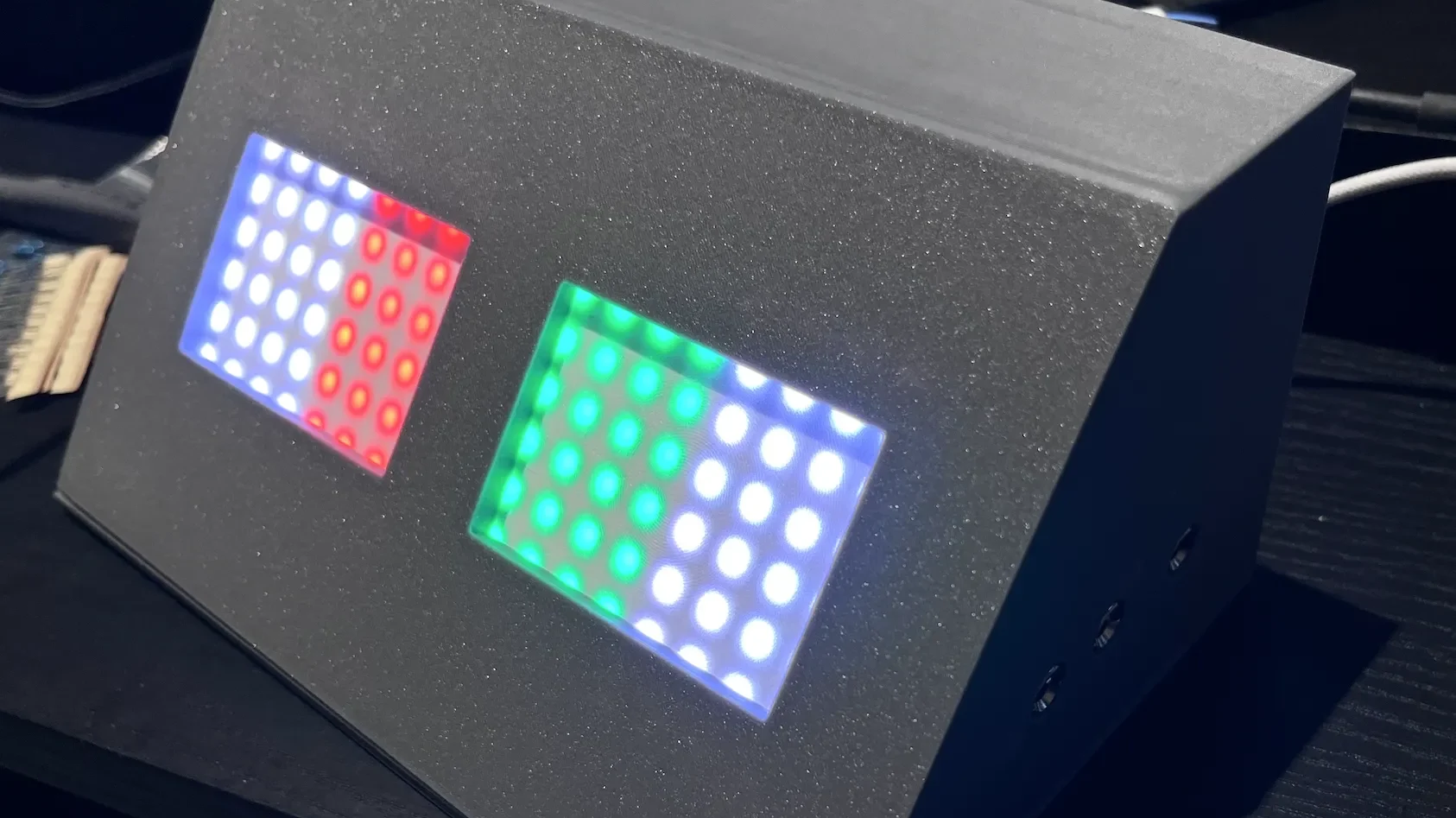
The brains of the operation is an Arduino Nano, running the venerable ATmega328P. It’s set up to drive a pair of 8×8 WS2812B addressable LED panels. It’s also hooked up to a pair of fencing socket blocks, which hook up to the lamé (jacket), weapon, and guard of each player for electronically scoring hits. The Arduino is thus programmed to respond to various conditions, lighting the LEDs in turn. For example, the tip of one player’s weapon hitting the other player’s lamé will fire a colored light, allowing the hit to be scored. Meanwhile, a tip hitting the floor will fire a white light, indicating off-target. There’s also a buzzer for sonic indication, as well. Everything is wrapped up in a tidy 3D-printed housing, while power is courtesy of a USB-C charger hooked up to the unit.
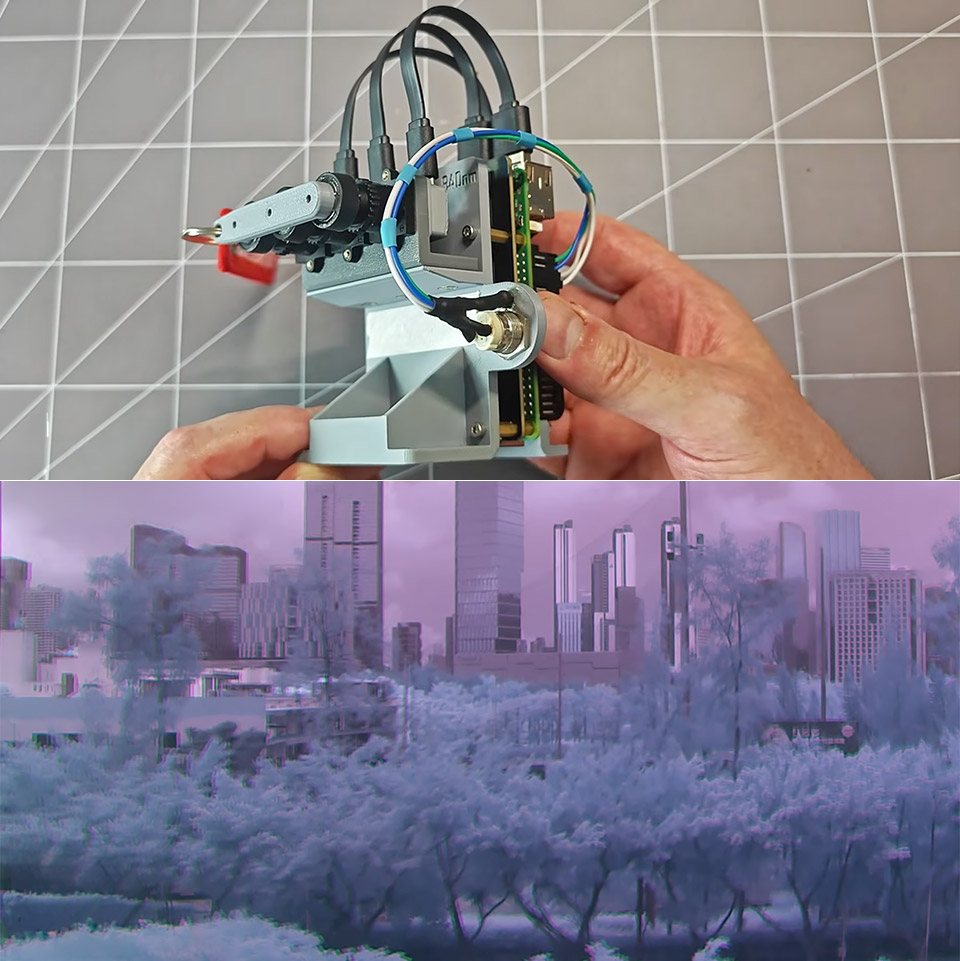
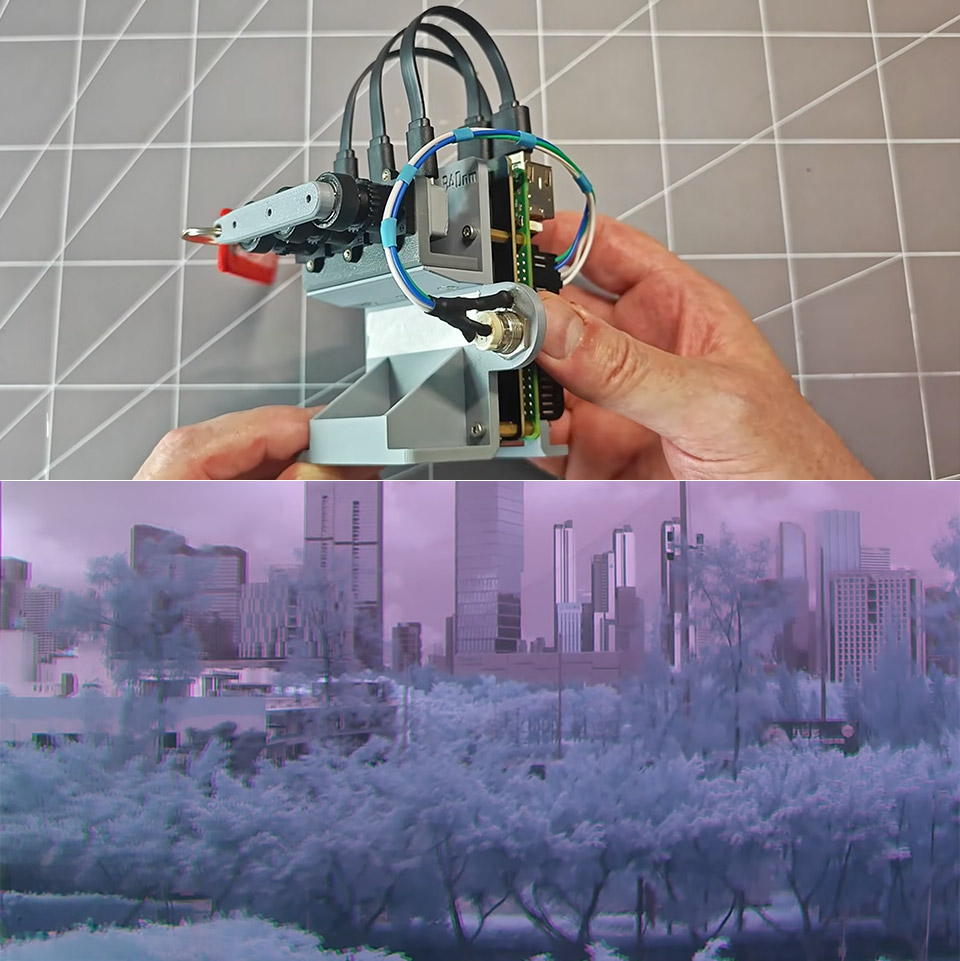
Most cameras ignore a wide stretch of near-infrared light that plants reflect and certain materials absorb in unexpected ways. One maker spent three months turning three ordinary USB webcams into a single system that records that invisible band as full color video. Project 326 started with the same $15 modules many people already own. Each sensor already responds to near-infrared once the factory IR-cut filter is gone.
That filter is placed between the lens and the sensor to prevent typical photographs from becoming foggy. Taking it out is a simple process: open the camera housing, remove the tiny red or green glass or plastic piece, and your sensor will become far more sensitive to anything above 700 nanometers. The catch is that even with a full-spectrum camera, while that infrared-pass filter is in place, you’ll still receive monochrome images since colour requires three different cameras, each locked to a narrow slice of the infrared spectrum.
Premium Image Quality: Upgrade to Link 2 4K webcam with a 1/2″ sensor. Captures true-to-life webcam 4K visuals with HDR and low-light performance for…
Professional Audio: Experience best-in-class audio with advanced AI noise-canceling algorithms. Filter out unwanted background noise for clear…
True Focus: Insta360 Link 2 streaming camera with Phase Detection Auto Focus (PDAF). No more blurry shots—this web cam ensures instant focusing and…
Dichroic bandpass filters effectively resolved the isolation issue. You only need to put a filter on each camera that is centered around 750 nanometers, another around 850 nanometers, and a third around 940 nanometers; they will pass only a little window of wavelengths while rejecting everything else, including normal visible light. After a few tests with handheld infrared flashlights, you can observe that each one only hits one camera: a 745-nanometer lamp would light up the first camera, an 850-nanometer lamp the second, and a 940-nanometer lamp the third, with no overlap.
Getting the mechanical alignment correct was far more difficult than the optical filters. He tried utilizing a beam-splitting prism and a single shared lens to ensure that all three sensors saw the same scene, but 3D-printed mounts couldn’t keep the optics stable enough, so the idea was abandoned. In the end, he decided on three different lenses side by side. He removed the sensors from their original boards and remounted them on new printed circuit boards, ensuring that each chip sits squarely and at the same distance from the lens. The new housings maintain everything nice and rigid, as we’re talking a baseline of roughly 17 millimeters between cameras, which is small enough that parallax only interferes with the image at close range.
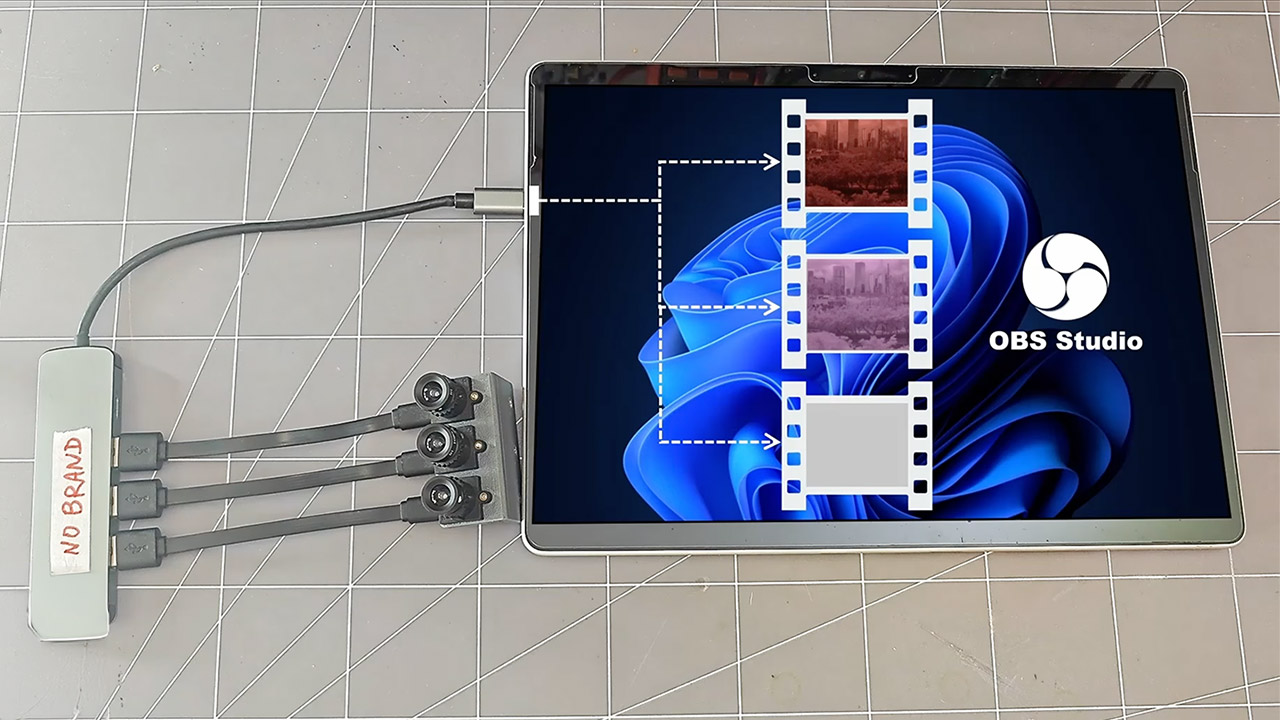
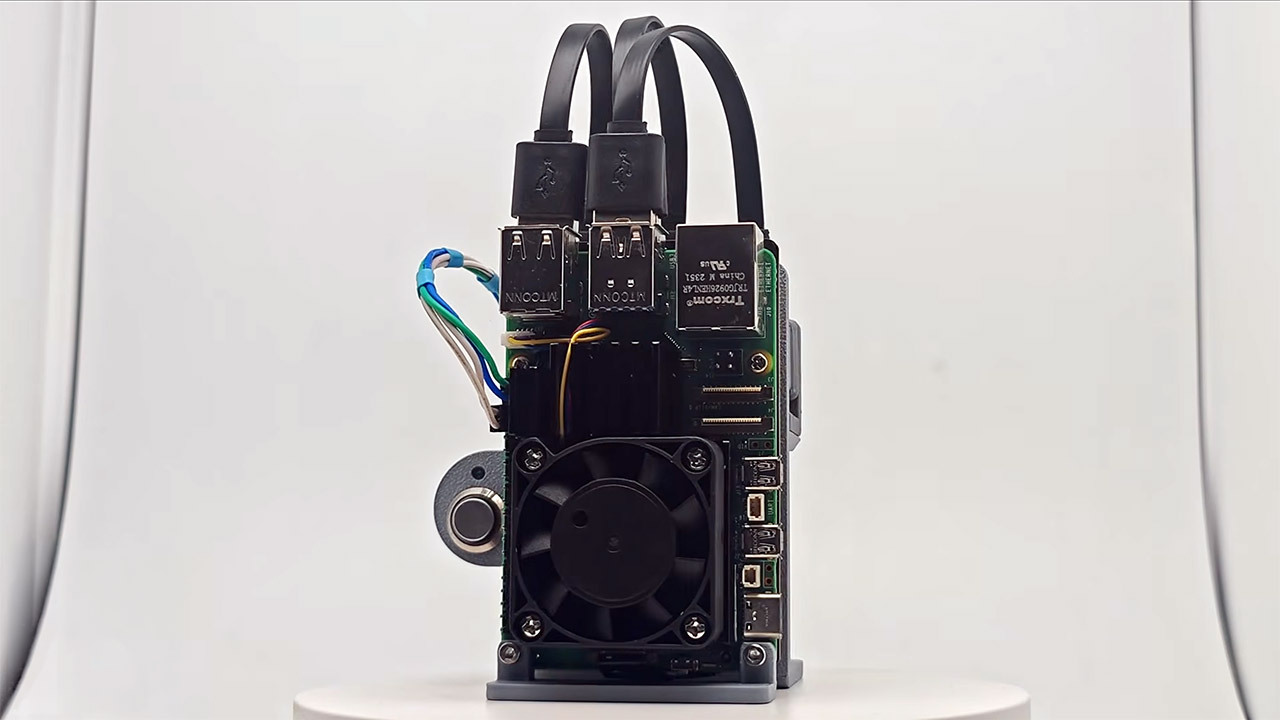
He had to switch the footage to a Raspberry Pi because Windows wouldn’t let him utilize three identical USB cameras at the same time. Python programs are currently pulling simultaneous monochromatic streams and writing them out as independent MKV files; but, because these webcams use free-running RC oscillators, their frame rates are drifting by one or two frames per minute.
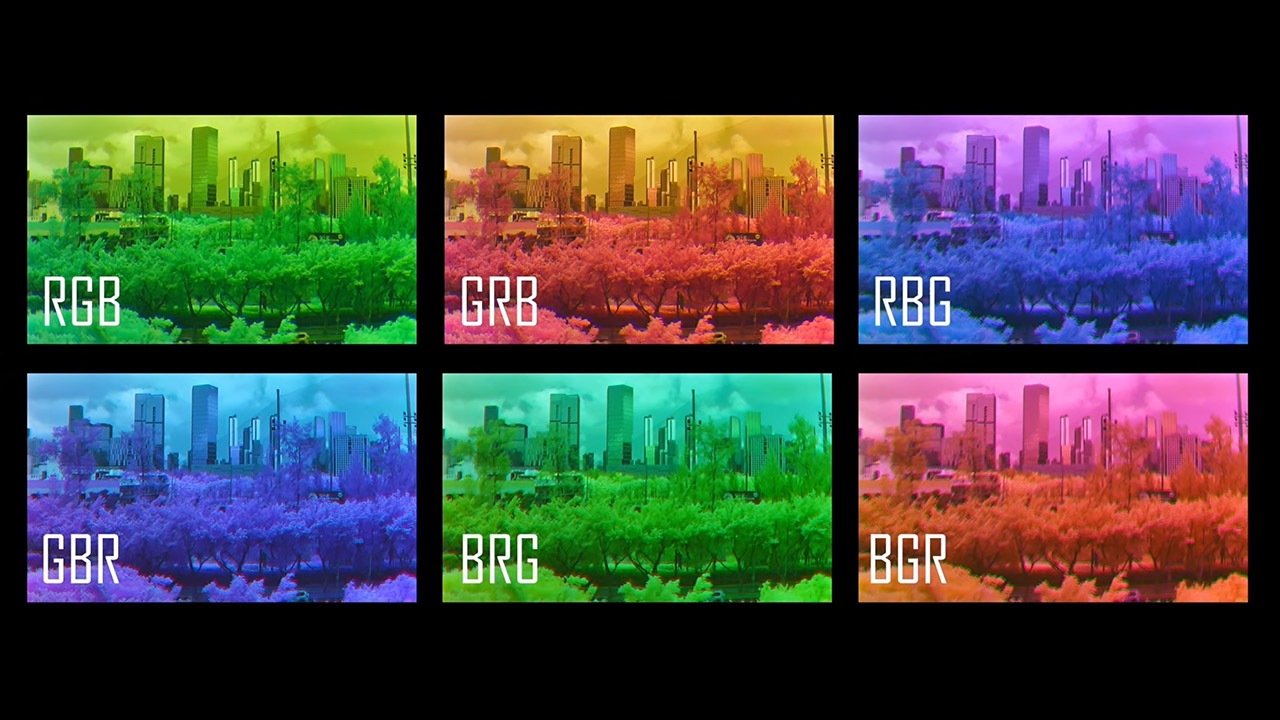
To address this, he set up a post-processing system that also handles the minor geometric offsets. He uses DaVinci Resolve to manually align the first frames of each stream, including translation, scale, and rotation, and then a script applies those fixes to the rest of the sequence. Once he had three grayscale videos layered on top of one another, he simply assigned each to a red, green, or blue channel. There are six different mappings, and selecting the appropriate one can significantly alter the final appearance of elements such as flora, sky, and skin.
Its first usable color footage resulted from testing conducted outside under the scorching tropical sun. Leaves that appear to be one solid green to our eyes begin to break apart into distinct tones as you use the near-infrared light that reflects off them to add depth to the footage. Atmospheric haze behaves differently when picked up in the three various color bands, giving distant objects a layered appearance that draws the observer in. Now, the system still needs some fine-tuning to get the focus right, and a steady hand is required, since one of the early recording sessions was ruined because the silly lens cap remained on throughout. The Python scripts used to capture the footage, as well as the 3D printed objects, are available on GitHub for anyone interested in following in his footsteps. [Source]
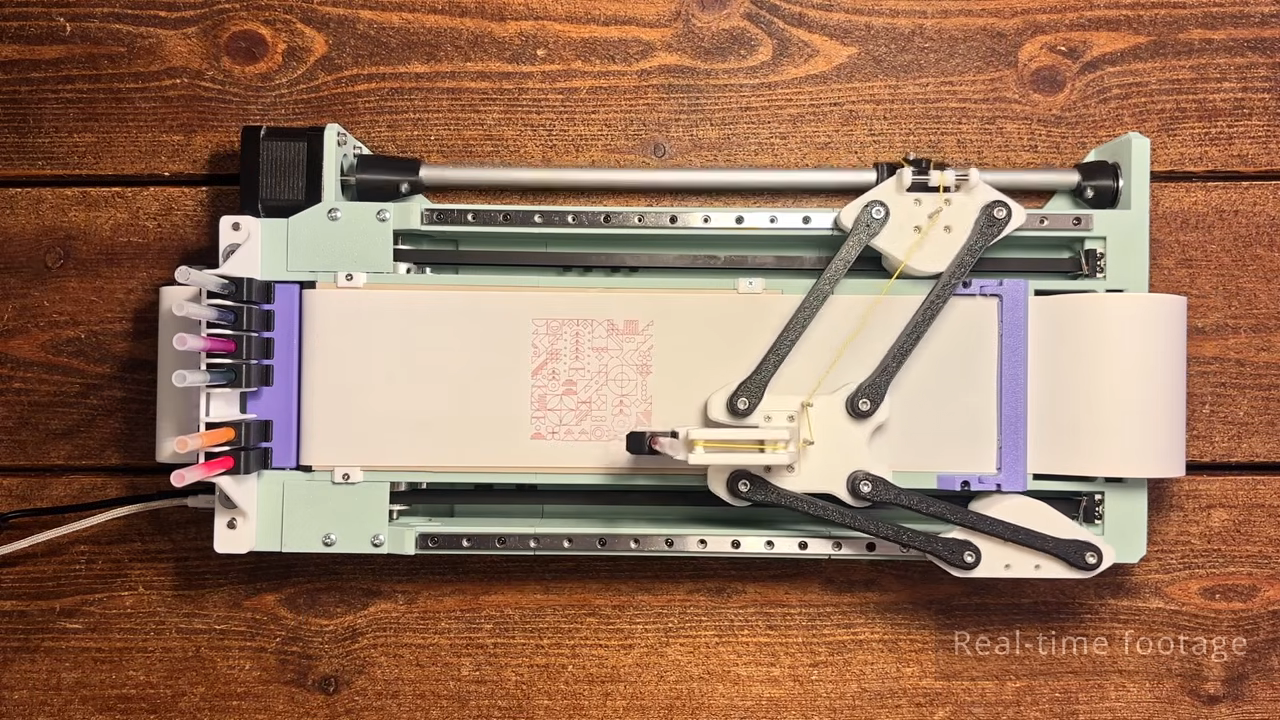
The build relies on a unique motion system, wherein two NEMA 17 stepper motors drive either side of the linkage to control the position of the end effector—in this case, a pen carriage. By controlling the position of each side of the mechanism, it’s possible to move the pen through XY space. Running the show is an Arduino Nano, fitted with a GRBL shield and appropriate stepper motor drivers.
The magnetic tool changer is particularly nifty, too. It allows the plotter to grab a different ink at will to add more color to the drawing. It’s well-designed, with the plotter able to change inks without losing accuracy or otherwise fumbling the switchover. The plotter uses Muji ball point pens, which are available in a range of colors and draw with slick, clean lines. It’s also quite a fast plotter, thanks in part to [András]’s efforts to keep the pen carriage light by using a smart mechanism to offload the pen lifting actuator to the main body.
Advertisement
[András] has plans available, but you’re going to have to pay for them. Still, it’s always nice to see a new machine in the wild. Video after the break.
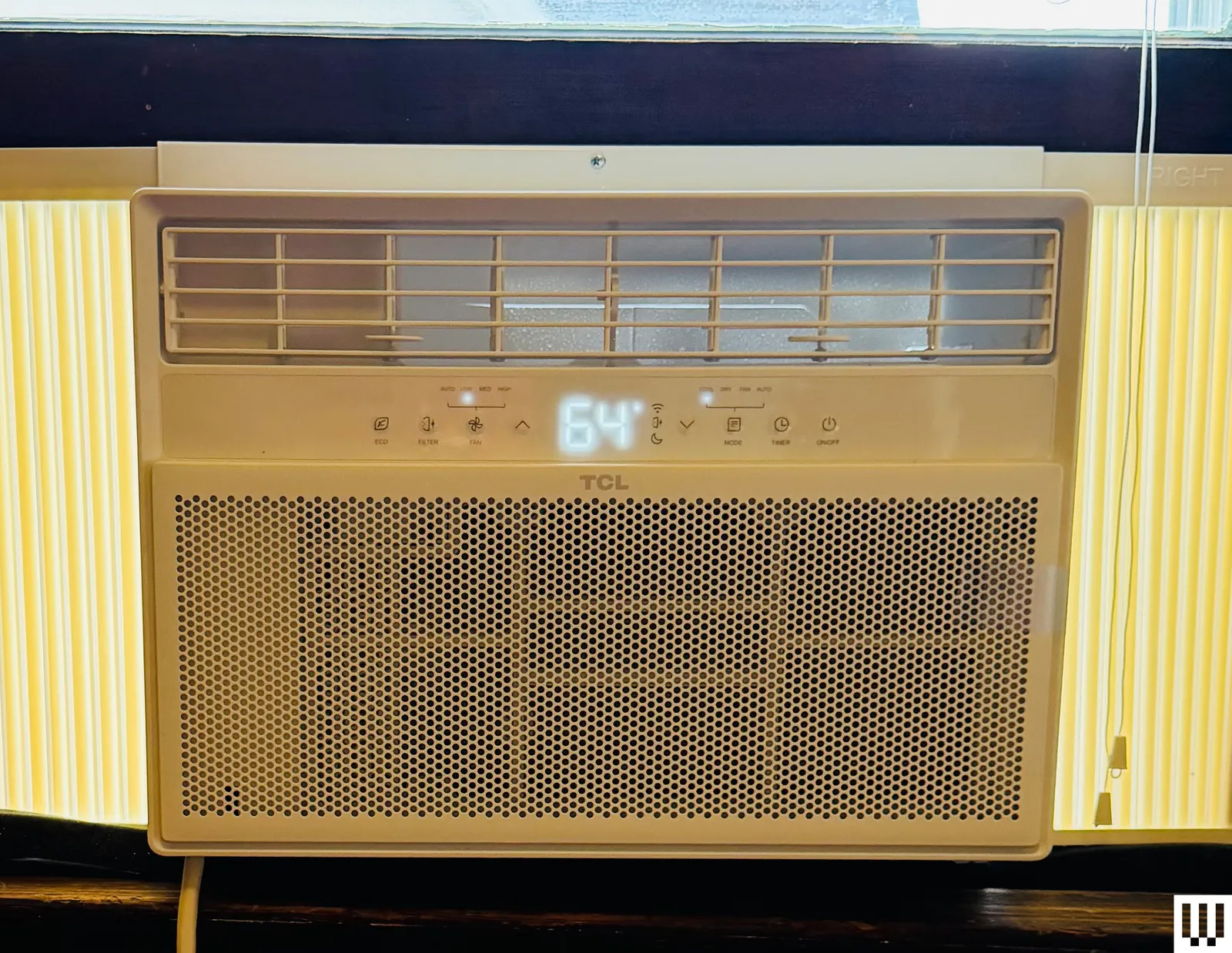
TCL Q-Series Air Conditioner (10,000 BTU) for $369: Chinese electronics company TCL has been making air conditioners for only five years, but it is tackling the category the way it did for TVs—that is, by quickly conquering turf with excellent value. I tested the 10,000-BTU version of the Q Series window AC in an 120-square-foot upstairs bedroom that gets very little flow from my home’s central AC. It took three hours to drop the temperature by 10 degrees from a sweltering 78, but as it operated at a fairly quiet 60 decibels, I didn’t mind it. Installation was a breeze thanks to the included frame. The TCL has Matter connectivity, but I was not able to get it to connect to my Apple Home app, apparently a common issue. There is a remote that has all the controls from the unit itself. The thermostat is accurate within one degree, and the unit reliably turns itself on and off to keep the room temperature on its mark. The CEER rating ranks an impressive 15.0, equaling WIRED’s top-pick Midea, and the TCL costs $100 less at the same power output. But while quiet compared well with many other models, this TCL is still louder than the Midea and doesn’t offer the U-shaped device’s superior insulation. Easy install may be a selling point over the U-Shaped model. —Martin Cizmar
Dreo Portable Air Conditioner 740S (10,000 BTU) for $700: Look, I’m loving the new generation of portable air conditioners but not because they’re portable. Fact is, wheels aside, they’re pretty big and heavy, and the thick hoses make them bulky in a room. But they’re easy to install without lifting into a window frame, a real boon for solo residents. And because the only thing that needs mounting in a window is a bracket for the hoses, these ACs can be used on pretty much any window shape—a boon especially for those in older buildings. The Dreo has all these virtues, plus a respectable 12 CEER rating, courtesy of dual hoses and a smart inverter. (In general, avoid portable units without dual hoses, as this can cause a depressurization effect that lowers efficiency.) I’ve been using this portable in the difficult-to-access window in my 150-square-foot office, and its effects are basically instant. The evaporative cooling tech also means I don’t have to drain water. But our top-pick Zafro offers a lower price, and a slightly better CEER efficiency rating at a similar operating noise level of around 60 to 65 decibels on high fan speeds. Still, this is an excellent portable AC unit. If you see a deal, snap it up.
Advertisement
GE AWAS05BBA Window Air Conditioner Unit (5,000 BTU) for $231: This 5,000 BTU unit is less powerful than our favorite budget window air conditioner pick from GE. There’s no app and no remote, and airflow options are limited: You can’t direct air up and down, only left and right. But it’s the cheapest model we recommend, relatively easy to install, and much quieter than you’d expect for the price. It’ll cool a small 150-square-foot space quickly and mostly frictionlessly. But we haven’t tested it as long as for our top budget pick.
LG Window Air Conditioner Unit (12,000 BTU) for $379: The LG 12,000 BTU Smart Window Air Conditioner offers efficient large-room cooling at a surprisingly low price. It weighs 90 pounds and requires professional installation with a bracket. Its 60-decibel operation places it squarely in the middle of the pack on noise. This said, WIRED reviewer Lisa Wood Shapiro found it blends into a room well with its white-on-white design, and that the filter replacement indicator light is useful. The app was laggy and difficult to use during Wood Shapiro’s testing, but there is a remote.
Advertisement
Friedrich Kuhl Air Conditioner for $1,228: This unit from Friedrich is among the most expensive we’ve tested, and one of the heaviest—in part because of a metal chassis designed to provide easy maintenance access and deter first-floor break-ins. This model allows adding a custom Friedrich FreshAire MERV 13 filter to clean the air as it cools. The screen is easy to read, and the device comes with a remote. An app lets you schedule the unit’s use over the course of the week, but note that connection with the smart app was a little janky, and it paired only with 2.4 GHz signals.
EcoFlow Wave 2 for $1,299 (but usually on sale for much less): Wood Shapiro tested the newest model, but previous models of the EcoFlow are often available at steep discounts. After happily testing the EcoFlow Wave 1 for more than a year in his wife’s office, WIRED senior editor Julian Chokkattu far preferred the EcoFlow Wave 2 (8/10, WIRED Recommends) because it’s both lighter and more cost-friendly, with a higher 5,100 BTU rating (up from 4,000). A heating mode rated at 6,100 BTU means you can keep using it in the winter to warm up. The company says it’s best for rooms up to 107 square feet. You do need to place it near a window to have one of the included ducts connected to the vent to take hot exhaust from the back of the unit out of the room. What makes this unit versatile is its alternate power sources. You can use a standard AC outlet, but you can also buy an add-on battery to keep it working when you don’t have access to electricity, or hook it up to solar panels.
Zero Breeze Mark II for $999: With its 2,300 BTU, the Zero Breeze (7/10, WIRED Review) won’t have the same cooling power as the EcoFlow Wave, but it’s much lighter at 17 pounds. This bundle includes a battery that makes the whole thing weigh about 30 pounds, but you’ll get four hours of use without needing to be near a wall outlet. Like the EcoFlow, you get a few vent pipes to direct exhaust away and direct cool air to a specific area, but unlike the EcoFlow, you can’t charge the battery and use the AC at the same time.
Advertisement
Zero Breeze Mark III for $1,399: As WIRED reviewer Chris Null notes, the Mark III (7/10, WIRED Review) is both larger than the Mark II and quite a bit heavier, now at 22 pounds. Add on the 1,022-Wh battery pack and you’ll pack on another 14 pounds, though that frees you from having to be near a power outlet. New for the Mark III is the fact that batteries can now be stacked and charged in sequence, each daisy-chained to the next (though at $600+ per battery, this can get pricey fast). Each Mark III battery also has extra outputs that can be used for other devices—one USB-C port, one USB-A port, and a 12-volt DC socket. However, the Mark II battery had all of the above plus a second USB-A port. No word on why this was removed. However, the new version is a bigger, punchier unit by most standards and a worthwhile buy for outdoors enthusiasts
Frequently Asked Questions
What Size Air Conditioner Do I Need?
Advertisement
Look for the BTU, or British thermal unit. In the case of air conditioners, the number of BTUs per hour measures how much heat the compressor can remove from a room. It’s a quick and easy way to figure out whether an AC unit is powerful enough to cool your space.
The BTU rating also helps you avoid using a too-powerful unit, which will cool too quickly without dehumidifying, and possibly lead to mold formation in the room and within the device.
To find the right power air conditioner for your room, you’ll want to find the square footage of your room by multiplying its length and its width. The US Department of Energy’s guidelines call for a minimum of 20 BTUs for every square foot of space. But this figure also assumes optimal conditions and good efficiency. For a 150-square-foot room, more typical recommendations are to opt for a 5,000 BTU AC unit. If the room is especially sunny, high-ceilinged, or has poor insulation, you may even want a 6,000 to 7,000 BTU unit for that space.
When in doubt, your best bet is to use a BTU calculator. For a truly precise estimate, here’s a complex whole-house BTU calculator that takes into account building layout and construction, plus your location and climate. For a fast and dirty rule-of-thumb BTU calculator, try here.
Advertisement
Check the combined energy-efficiency ratio (CEER) rating. The specs on any air conditioner you buy should list a CEER rating, which is one of the best ways of checking the energy efficiency of a unit. You’ll usually see a number between 9 and 15. The higher the number, the less you’ll pay when the electricity bill comes around. A cheap window AC unit will save you money at first, but you may end up shelling out more in the long run. The US Energy Star program has a website that lets you browse AC units based on their CEER ratings.
Check local laws. Some cities, like New York, require installing brackets to support your window AC. A simple one like this model should do the trick, though we haven’t tried it out. You may also need to head to a hardware store for some plywood to make sure your windowsill sits flat, but this depends on the type of windows you have and the AC model you buy. Get a friend to help you out with installation. These units can be heavy and difficult to hold, and the last thing you want is to drop one out the window.
Measure your window. Before you buy, read up on the supported window types and sizes for the AC unit you’re looking at, and measure your window to be safe. Make sure to seal any gaps as best you can with the included foam. (You can always buy more if you need it.)
A company spokesperson said that it’s “still exploring all our options for the best approach.”
If you’re an owner of any of Meta’s AI glasses, you should take advantage of the Conversation Focus feature while you can. As first reported by The Verge, Meta is pausing its rate limits for the accessibility feature that uses the glasses’ speakers to amplify the voice of who you’re talking to. Meta spokesperson Tyler Yee told The Verge, “we heard the feedback so we’re pausing its subscription tests for now,” adding that “Conversation Focus will remain available for free through our Early Access Program for early testers while we work on a better approach.”
Last month, Meta discreetly added rate limits to its Conversation Focus feature for its smart glasses. The feature would be free to use until you surpassed three hours a month, after which you would have to pay for a $20-a-month Meta One Premium Plan, which still had a cap of 15 hours of use per month. It’s still unclear why Meta added rate limits to the Conversation Focus feature, since it was proven by The Verge to run on device and without an Internet connection.
Advertisement
While Meta made the choice to keep the Conversation Focus feature free for now, there’s no clarity on its future yet. According to Yee, Meta wants “to make sure we get it right” when talking about the feature, and that the company is “still exploring all our options for the best approach.” Even more vague, the Meta spokesperson told The Verge that “some premium features will be subscription-based over time,” attributing this to how charging for certain features helps Meta sustain its strategy of subsidizing hardware prices.
DreamScapes A/V didn’t arrive at Southwest Audio Fest 2026 with a soundbar, a folding table and a bowl of mints. They showcased a 32,000-watt, 11.8.6 home theater featuring Alcons Audio CRMSQ Series with eight infrasonic subwoofers, Trinnov audio processing, Kaleidescape movie playback, Lumagen video processing, Christie 4MK15 projector and 150-inch Stewart Filmscreen G3 2:05:1 screen. The system is one of two immersive theaters and five two channel hi-fi systems being demonstrated by DreamScapes during the three day show.
That 32,000-watt figure comes from DreamScapes and has not been independently measured by eCoustics. Even so, eight infrasonic subwoofers should provide sufficient evidence that someone checked the hotel’s insurance policy.
Related Reviews:
Alcons Audio Goes Big in Dallas
The main DreamScapes theater took over the Press Club, adjacent to event registration. DreamScapes says the installation improved upon the theater it created with Keith Yates Design at Capital Audiofest 2025, adding a larger room, more loudspeaker channels and further software updates.
A Separate Alcons System for Music
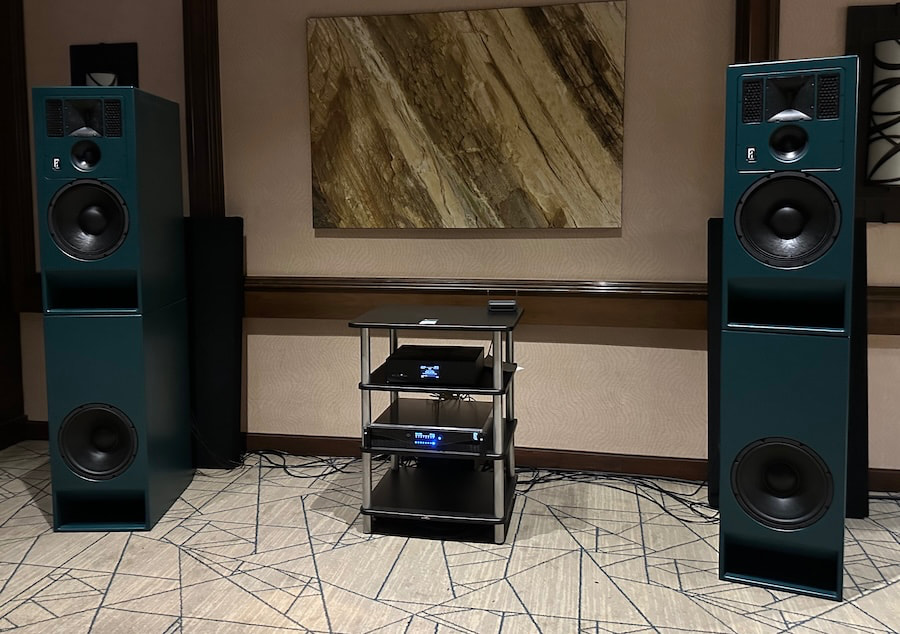
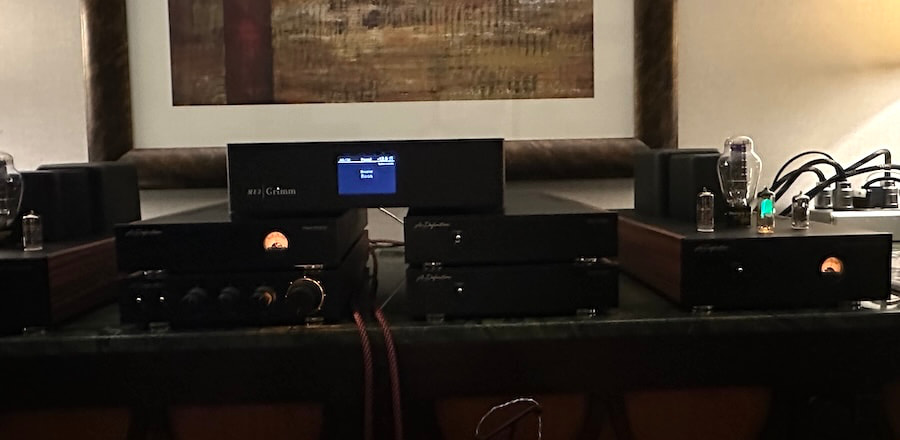
DreamScapes also demonstrated Alcons MR12 monitors with MB12 bass units for two channel listening to reveal how proprietary Pro Ribbon transducers from the company’s cinema and professional monitoring products could sound in your home. The complete system only included two more components. The Grimm Audio MU2 for streaming, digital conversion, and preamplifier duties, which fed the external Alcons ALC amplified loudspeaker controller that power and actively crossover the MR12 monitors and MB12 bass modules.
Theory Audio Design Gets Its Own Theater
The second DreamScapes theater featured a less expensive Theory Audio Design9.2.4 system in Room 1043. It combined Theory loudspeakers, subwoofers and controllers with Kaleidescape Strato V playback, Trinnov AltitudeCI processing, Lumagen video processing, Epson QL7000 projector and a 135-inch Stewart Filmscreen Harmony G3 acoustically transparent screen.
Advertisement
Having installed and reviewed a Theory Audio Design system, I know the company’s loudspeakers can deliver considerable output, dialogue intelligibility and dynamic impact without becoming aggressive. Theory’s new DLC and PLC loudspeaker controllers also add Dante and AES67 networking, DSP and substantially greater channel capacity.
More Hardware Upstairs
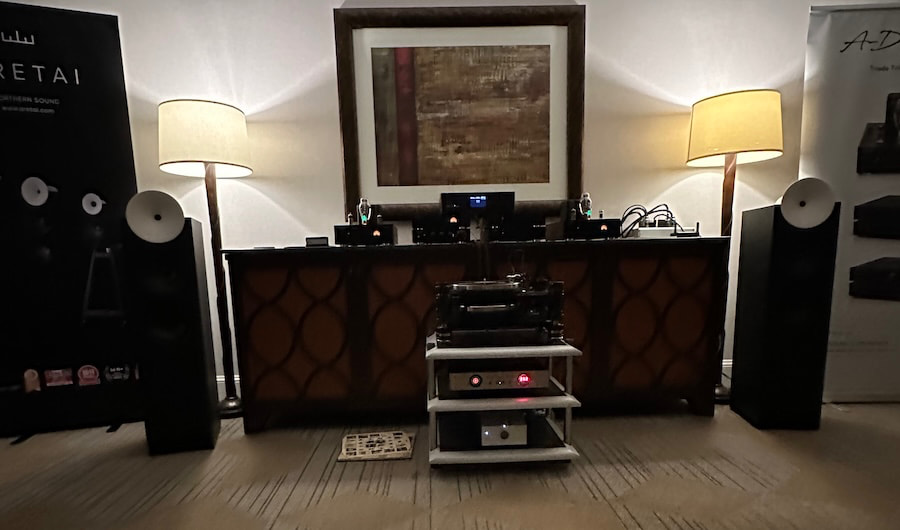
The 10th Floor Presidential Suite featured five additional two channel systems, including Aretai loudspeakers, Benchmark Electronics, A-Definition tube electronics, Kronos analog components, the Mola Mola Lupe phono stage and active loudspeakers from Norway’s Sigberg Audio.
The Sigberg Audio Manta, Saranna and 10D are covered separately because their active architecture and controlled directivity deserve more than a brief mention beneath 32,000 watts of home theater mayhem.
The Bottom Line
Southwest Audio Fest is primarily associated with two channel audio, but the DreamScapes rooms demonstrate why properly designed home theater belongs at events like this.
The Alcons installation combines a large channel count, eight infrasonic subwoofers, sophisticated audio and video processing and professional cinema technology inside a hotel demonstration room. The separate Theory Audio Design theater provides a second look at what an integrated immersive system can achieve without requiring a commercial auditorium.
Advertisement
Will either system fit inside the average living room? Probably not.
Advertisement. Scroll to continue reading.
That is hardly the point. The best audio show systems should demonstrate what is possible when engineering, installation expertise and budget are permitted to operate without much adult supervision.
Pricing & Availability
All components are currently available from DreamScapes A/V, but we haven’t been able to verify all pricing. Once provided, this article will be updated.
“Coyote vs. ACME” debuted its long-awaited final trailer. CNET calls it “an animation-meets-live-action story,” with the Coyote catapulting into theaters this August 28. (The film began development back in 2018, but was shelved for a tax write-off in 2023 by Warner Bros. until a backlash led to its sale to Ketchup Entertainment.) “Fed up with Acme’s unreliable products, Wile E. Coyote decides to hire a lawyer and sue the company…” writes CNET. “The movie also features Lana Condor along with a host of Looney Tunes characters like Porky Pig, Tweety, Foghorn Leghorn and Granny (who gets dinged by an anvil).”
In other movie news, CNET says Johnny Depp also “made a surprise appearance at Comic-Con, donning a costume as Ebenezer Scrooge” to promote his November 13 movie about the miser from Charles Dickens’ famous Christmas novella. (Ian McKellen and Daisy Ridley are also in the movie.)
But several geek favorites are being filmed as TV series…
There’s big news for William Gibson fans, reports Entertainment Weekly. “Two years after Apple TV announced production on the first-ever series adaptation of William Gibson’s seminal 1984 novel Neuromancer, the lucky few hundred who attended the studio’s Hall H panel at Comic-Con 2026 got to watch the first teaser.
For Amazon’s Prime Video, the Tolkien-derived “Rings of Power” series released a season 3 trailer that CNET said “successfully hides the best parts with fire… The trailer suggests that Sauron is building an army, and all of Middle-earth is trying to find ways to stop him… Rings of Power season 3 will start dropping weekly episodes on Nov. 11, meaning this show will be airing at the same time the Peter Jackson films will be celebrating their 25th anniversary.”
Later in November Amazon’s Prime Video will also debut Blade Runner 2099, an eight-episode series that’s a sequel to 2017’s film Blade Runner 2049, reports CNET. “Set in an alternate version of LA where replicants run things and the humans play second fiddle, the series sees Yeoh’s replicant Olwen chasing down outlaw replicants who’ve gone missing. With her own shelf life on a ticking clock, the stakes are high for her and for her human fugitive partner, Cora…”
Paramount Plus will debut Avatar: Seven Havens in October, a new animated series from the creators of Avatar: The Last Airbender which CNET says “follows a pair of twin avatars, one of whom is Korra’s successor.”
Kevin Feige said Marvel’s television slate will include more seasons of “X-Men ’97” and the upcoming “VisionQuest” TV series.






















































You must be logged in to post a comment Login