




Connect with us
DAPA Banner
DAPA Coin
DAPA
COIN PAYMENT ASSET
PRIVACY · BLOCKDAG · HOMOMORPHIC ENCRYPTION · RUST
ElGamal Encrypted MINE DAPA
🚫 GENESIS SOLD OUT
DAPAPAY COMING

Tech

Yet another Cisco SD-WAN 0-day under attack, and no patch in sight

Published

on

security

Good luck, sys admins

The threat is real. Unknown miscreants are exploiting a high-severity, zero-day bug in Cisco’s SD-WAN management software, and the networking giant hasn’t said when it will patch the flaw.

Cisco issued an advisory on Thursday for the Catalyst SD-WAN Manager vulnerability, tracked as CVE-2026-20245, and it sounds like attackers have been exploiting this security failure for at least the last week.

Advertisement

It’s due to a validation error – the software fails to properly validate user-supplied input – and an authenticated, local attacker can exploit the flaw by uploading a specially crafted file to vulnerable systems. From there, they can escalate privileges and execute commands with root privileges.

The vulnerability affects all versions of the SD-WAN software, regardless of device configuration, and across all deployment types including on-premises, cloud-based, and FedRAMP-certified deployments.

Switchzilla says it became aware of attacks against this vulnerability in June.

“To exploit this vulnerability, an attacker must have netadmin privileges on an affected system,” the vendor said. “This would require valid credentials or exploitation of CVE-2026-20182 or CVE-2026-20127. Cisco is not aware of successful exploitation by other methods.”

Advertisement

Both of these earlier SD-WAN security holes have also been hit by attackers in previous months.

The good news: an attacker needs valid credentials to abuse the new hole. The bad news: exposed credentials aren’t hard to find (or buy) online.

We don’t know the scope of exploitation or exactly when attackers began hitting this SD-WAN hole. Cisco declined to answer The Register’s questions, and instead sent us a statement via email.

“Cisco recommends customers upgrade to the fixed software released in May 2026 for CVE-2026-20182 as a protective measure,” a spokesperson said. “A patch for this vulnerability will be provided on a future date. Customers needing assistance should contact Cisco TAC.”

Advertisement

This latest bug is the sixth SD-WAN vulnerability listed as under attack since the start of the year, and the second zero-day in two months.

The most recent is the one the Cisco spokesperson mentioned in an email to The Register.

In May, Switchzilla disclosed a max-severity make-me-admin bug (CVE-2026-20182) affecting Catalyst SD-WAN Controller and Manager, and warned that attackers had already found and exploited the hole before it issued a patch.

A month earlier, America’s lead cyber-defense agency said that three Cisco Catalyst SD-WAN Manager bugs (CVE-2026-20128, CVE-2026-20133, and CVE-2026-20122) were under attack, and gave federal agencies just four days to patch the security holes.

Advertisement

Cisco fixed all three CVEs in late February, and in March warned of attackers abusing two of them.

Also in February, the networking vendor patched a max-severity improper authentication flaw (CVE-2026-20127) affecting the same SD-WAN software, prompting a Five Eyes countries’ joint intelligence alert urgently warning defenders to patch it – plus an old SD-WAN vulnerability (CVE-2022-20775) – or risk root takeover. 

“Malicious cyber threat actors are targeting Cisco Catalyst SD-WAN used by organizations globally,” the UK’s lead cyber agency said at the time. “These actors are compromising SD-WANs to add a malicious rogue peer and then conduct a range of follow-on actions to achieve root access and maintain persistent access to the SD-WAN.”

And while this one isn’t listed as under active exploitation (yet), on Wednesday, Cisco warned about a proof-of-concept exploit for CVE-2026-20230, a critical bug in its Unified Communications Manager that also allows attackers to gain root privileges. ®

Advertisement

Source link

Continue Reading
Click to comment

You must be logged in to post a comment Login

Leave a Reply

Tech

Ruark R710 CD Hi-Fi Console Brings 1970s Music Centre Energy to High End Vienna 2026

Published

on

Ruark has uncovered the R710 CD Hi-Fi Console at High End Vienna 2026, and the pitch is not hard to understand. This is a modern music centre inspired by the classic 1970s console era, but rebuilt for listeners who use CDs, streaming services, Internet Radio, Bluetooth, TV audio, headphones, and external loudspeakers in the same system.

The R710 joins Ruark’s growing 100 Series family alongside the R410 all-in-one system, R610 Music Console, and R810 High Fidelity Radiogram. It also arrives as Ruark continues expanding beyond compact lifestyle audio with the new Talisman-R floorstanding loudspeakers, which we previewed at AXPONA 2026. That context matters. The R710 is not just a pretty box with a slot-loading CD player hiding behind the wooden slats. It is Ruark making a stronger play for the listener who wants a complete hi-fi hub without building a shrine to black boxes and cable anxiety. These blokes are so thoughtful that they even include 10 feet of speaker cable in the packaging.

Built-In CD Playback Returns to the Console

ruark-r710-cd-slot

The R710 includes an integrated slot-loading CD player that supports Red Book CD-DA and CD-R discs. That gives Ruark a clear point of separation from some of its other 100 Series products, where CD playback depends on an external component. If the internal CD player offers the playback quality of Ruark’s existing R-CD100 CD Player, the value of this console starts looking a lot better; like finding a clean seat on the Central line and realizing nobody has spilled lager on it.

Streaming, Internet Radio, AirPlay 2, and Google Cast

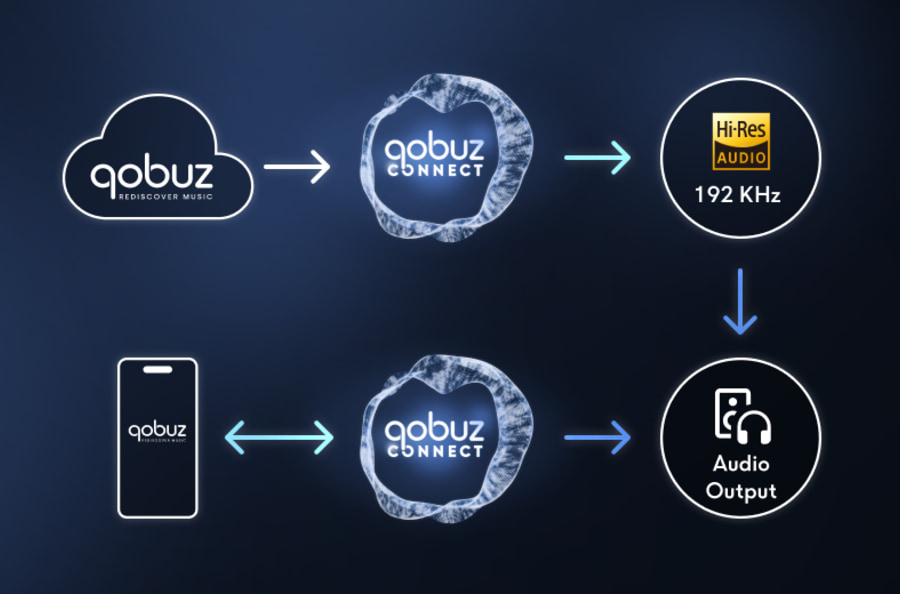
Ruark has loaded the R710 with the streaming options most users actually need. Apple AirPlay 2 and Google Cast are built in, along with Spotify Connect, TIDAL Connect, Qobuz Connect, and Internet Radio. The console is also UPnP/DLNA compatible for playback from networked media servers.

That combination makes the R710 flexible without forcing every user into one control method. Apple users, Android users, TIDAL users, Qobuz users, Spotify users, and Internet Radio listeners are all covered. Democracy, but with better woodwork.

Advertisement
ruark-r710-cd-slot-top

Hi-Res Playback and Burr-Brown Digital Conversion

The R710 supports high-resolution audio up to 32-bit/192kHz, with FLAC, AIFF, ALAC, and WAV supported up to that resolution. MP3 is supported up to 48kHz/320kbps, while AAC is supported up to 96kHz/320kbps.

Ruark also specifies Burr-Brown 32-bit/192kHz DAC and ADC stages. That is useful because the R710 is not only dealing with digital sources. It also includes analog inputs, including a moving-magnet phono stage, so the quality of both digital-to-analog and analog-to-digital conversion matters inside the system.

400 Watts of Class D Amplification

The amplifier section is rated at 2 × 200 watts into 4 ohms at 0.01% THD. That gives the R710 considerably more drive than a typical compact all-in-one music system and positions it as a proper hub for passive loudspeakers.

Ruark also includes adjustable bass and treble, switchable Loudness EQ, and switchable Stereo+ processing. The goal is clearly not just source flexibility, but enough control to make the R710 work in much larger systems beyond the existing speaker lineup. Think Spendor, Neat, Q Acoustics, ProAc, Wharfedale, and Acoustic Energy.

HDMI ARC/eARC and Real System Connectivity

The R710 includes HDMI ARC/eARC, which makes it suitable for TV audio without adding a soundbar. It also includes optical input up to 24-bit/96kHz PCM, stereo RCA line input, RCA selectable line/pre-out, mono RCA subwoofer output, and gold-plated 4mm multi-way speaker binding posts.

Advertisement

There is also an MM phono input rated for cartridges up to 8mV, giving turntable owners a direct path into the system. That makes the R710 a more complete music console than the word “console” might suggest.

Advertisement. Scroll to continue reading.

Bluetooth, Headphones, Wi-Fi, Ethernet, and USB-C

Wireless support includes Wi-Fi 802.11 a/b/g/n/ac/ax, Ethernet via RJ45, and Bluetooth 5.1 with aptX HD, SBC, and AAC. Ruark also includes Bluetooth headphone support and a 3.5mm wired headphone output.

The USB-C port provides 5V/1A charging and multi-format audio file playback. That gives the R710 another practical source option for listeners who still keep music on local storage rather than trusting everything to the cloud. A wise move. The cloud has commitment issues.

Advertisement

Display, RotoDial, and Physical Control

ruark-r710-display-controller

The R710 uses a 6.8-inch high-contrast colour TFT display with auto dimming, along with Ruark’s familiar RotoDial control system. A rechargeable wireless remote is included.

That interface matters because one of Ruark’s strengths has always been usability. The R710 is designed to be operated from the front panel, the remote, or modern streaming apps without making the user feel like they are configuring enterprise networking gear during a power outage.

Finishes, Dimensions, and What Comes in the Box

Ruark lists two standard finishes: Fused Walnut cabinet with Fused Walnut facia, and Charcoal Lacquer cabinet with Fused Walnut facia. The cabinet measures 105 x 375 x 310mm, or approximately 4.1 x 14.8 x 12.2 inches. Including feet, controls, and cables, it measures 125 x 375 x 345mm, or approximately 4.9 x 14.8 x 13.6 inches. Product weight is 6.6kg, or about 14.6 pounds.

Inside the box, Ruark includes the R710, a 2m AC power cable, quick start guide, rechargeable wireless remote, and two 3m oxygen-free copper 400-strand speaker cables.

ruark-r710-front-black

The Bottom Line

The Ruark R710 CD Hi-Fi Console is not just another retro-inspired box with a pretty face. For £2,199, it combines a slot-loading CD player, 32-bit/192kHz hi-res support, AirPlay 2, Google Cast, Spotify Connect, TIDAL Connect, Qobuz Connect, Internet Radio, MM phono input, HDMI ARC/eARC, wired and Bluetooth headphone support, subwoofer output, and 2 × 200W of Class D amplification into one compact console.

Advertisement

What makes it unique is the mix: CD playback, modern streaming, TV integration, real loudspeaker power, and Ruark’s furniture-grade industrial design in one system. It is aimed at listeners who want fewer boxes without surrendering physical media or proper stereo playback.

U.K. pricing is £2,199, with Ruark working toward October availability. U.S. pricing has not been announced yet, which means American buyers will have to wait for the inevitable exchange-rate pain parade.

For more information: ruarkaudio.com

Advertisement

Source link

Continue Reading

Tech

New ISS leaks send astronauts to Dragon safe haven

Published

on

SCIENCE

Business is back to normal in the orbital station, but one of two newly discovered leaks is still unrepaired

A serious air leak in the Russian segment of the ISS forced NASA astronauts to put on their spacesuits and shelter in their Dragon capsule for a brief period of time on Friday, but all appears to be safe for now and operations have resumed.

At around 1316 UTC Friday, NASA spokesperson Bethany Stevens announced that, after the crew discovered new leaks, Roscosmos had decided to do a repair operation. During this time, the US space agency ordered astronaut Chris Williams and the four-member SpaceX Crew-12 team into the Dragon spacecraft as part of a precautionary safe-haven procedure.

Advertisement

Reuters, citing an unnamed NASA official, said that leaks in the Russian section of the station escalated this week from around a pound of air a day to two pounds. A source The Register spoke with said that the latest discoveries were the longest cracks in the module they’d seen, though we’re still not clear on how large the cracks actually are. 

Approximately two hours later, Stevens confirmed that NASA had instructed crew members sheltering in a docked Dragon spacecraft to resume normal operations aboard the International Space Station after Roscosmos paused repair work in the Zvezda service module’s transfer tunnel, known as PrK.

An exploded view of the ISS, showing all the modules by contributor

The ISS, with the Russian Zvezda module in the upper left, labeled as “Service Module” in red.

The Roscosmos crew was planning to conduct repairs on the transfer tunnel on Friday, but Stevens said that the plan was paused in order to further assess “measurements and data” regarding the new leaks. 

“Given this development, NASA has instructed the crew members inside the Dragon spacecraft to end the safe haven procedures and return to planned operations aboard the International Space Station,” Stevens said. 

Advertisement

What’s life in space without some risks?

Just how big is this crack, exactly?

We’ve known about problems with Zvezda leaks for some time now, as Stevens noted.

“The cracks have always been a concern that NASA watches very closely,” the NASA mouthpiece said in Friday’s X post about the leak. “NASA and Roscosmos have been working to determine the root cause of the cracks, and Roscosmos manages the issue through operational mitigation measures and periodic partial-repair efforts.” 

The Register has been reporting on leaks in the Russian segment of the orbital lab since they were first identified in 2020. Multiple repair efforts over the past few years have failed to stop the leaks entirely, and newly identified cracks suggest the problem is continuing.

Advertisement

Russian news wire Interfax reported that cosmonauts identified two potential air leaks in the transfer chamber, one of which was sealed on Friday with a layer of Germetall-1 two-component sealant, but the second hasn’t been addressed yet. 

“Efforts are underway to prepare it for hermetic sealing,” Roscosmos said in a statement. 

We’ll update this story if we hear anything new from NASA, including whether the continued leaks, with cause unknown, could lead to an early retirement for the station. ®

Source link

Advertisement
Continue Reading

Tech

Mark Rosewater’s infectious love of Marvel has changed my mind on Magic: The Gathering’s next Universes Beyond set

Published

on

What you’re reading started as yet another takedown of Universes Beyond.

Maybe not a takedown, but certainly something fuelled by fatigue.

Source link

Advertisement
Continue Reading

Tech

Tired of Booze and Beard Oil for Father’s Day Gifts? We’ve Got Over 30 Different Options to Try Instead

Published

on

Solo Stove makes some of the best smokeless fire pits, including the Ranger, Bonfire and Yukon backyard fire pits. But if you’re looking for something a little smaller, it also makes a line of tabletop fire pits, including the Mesa and Mesa XL. Both come in several color options, including traditional stainless steel. 

I started off using the smaller Mesa, but when the Mesa XL was subsequently released, I moved to the larger version of the mini fire pit (pictured on the left) because it looks and feels a little more substantial while remaining compact. (As you might expect, it does produce a bigger fire with a heat radius of 2 to 3 feet compared with the Mesa’s 1 to 2 feet.) 

As its name implies, the Mesa XL is designed to sit on a tabletop and is quite portable. Naturally, you could also set it on the ground, but when you put it on a table, it’s at a good height for comfortably roasting marshmallows. It has the same 360-degree Signature Airflow system as Solo Stove’s larger fire pits.

Advertisement

Source link

Continue Reading

Tech

Bungie Extends Marathon’s Open Play Week Amid Deluxe Edition Confusion

Published

on

Cosmetics will make me god.

Players enjoying Bungie’s advertised free week of Marathon were offered what appeared to be the deluxe edition of the game for just $14, only to find out that what they really purchased was nothing but a cosmetics bundle. It’s yet another bump in the road for Bungie, which is betting the farm on Marathon as it winds down its only other active title, Destiny 2. To add insult to injury, the mistake does not appear to be Bungie’s fault.

The confusion appears to have been caused by the way Sony lists the different versions of the game in the PlayStation Store. When we look at the price for the Marathon Deluxe Edition, it shows as discounted to $41.99. That’s still a nice discount off the usual $60 price tag, but a far cry from $14. However, once the free trial version of Marathon being offered during the free week was added to a PlayStation library, we saw the price on the deluxe version update to be just $14. What’s actually happening? Well, when a player adds the free trial to their library, PlayStation Store treats it as owning the full game. The player is then shown the difference in price compared to the base edition as if they had paid full price for it, but paying that $14 difference only gives you the extra cosmetic content. It’s easy to see how this might cause widespread confusion.

This marks the second rough spot for the free week of Marathon, which initially helped the game surge to around 40,000 Steam players on June 2 before experiencing widespread server issues that forced Bungie to perform emergency maintenance. That this latest controversy is a PlayStation issue likely won’t matter to those still on the fence about trying out Marathon. The game has struggled to maintain popularity despite rave reviews, and the free week came alongside the launch of its second season in an attempt to bolster those numbers.

Advertisement

Source link

Advertisement
Continue Reading

Tech

OpenAI Rolls Out A Lockdown Mode For Extra Protection Against Prompt Injection Attacks

Published

on

The company says most users don’t need to use the feature.

OpenAI has begun rolling out Lockdown Mode, an optional security setting designed to offer users advanced protection from prompt injection attacks. For the unfamiliar, prompt injection is a form of social engineering that is specific to conversational chatbots. As AI systems have become better at pulling information from the internet, people have begun hiding malicious instructions on webpages and other places to try and trick those systems.

OpenAI is billing Lockdown Mode as a sort of last line of defense against prompt injections, building on the robust protections that it says it already offers through ChatGPT, its models and backend systems. “Lockdown Mode is not intended for everyone,” OpenAI explains. “It is designed for people and organizations that handle sensitive data and want stricter protection from data exfiltration risks related to prompt injection.”

To that end, enabling Lockdown Mode limits some of the features OpenAI offers through ChatGPT and its other products. For instance, you can still use image generation and upload photos to ChatGPT, but it may not pull images from the internet or display any images inside of a response. The chatbot also cannot download files to analyze, though you can still manually upload documents if you want its insight. Other features, such as Deep Research and Agent Mode are disabled completely. “Lockdown Mode does not change memory, file uploads, the ability to share a conversation, or whether your conversations may be used to improve models,” OpenAI adds. “Many of these settings are separately configurable by workspace admins.”

Advertisement

The company also notes Lockdown Mode won’t stop prompt injections from appearing in content ChatGPT processes. Instead, it’s designed to prevent an attacker from extracting sensitive data from your account by limiting network requests that someone could exploit. Lockdown Mode is available to all personal accounts, including those using ChatGPT through OpenAI’s free tier. To activate it, open ChatGPT’s settings menu and select Safety and security. Under Advanced security, tap Lockdown mode and flip on the toggle. You can temporarily disable the additional protection by selecting Manage from the status message that appears above the chat window and selecting Turn off for this chat

Separately, OpenAI is rolling out an active session manager that allows users to see any devices or browsers that have been used to access their account. From there, the company offers the option to log out of individual or all sessions at once. Just note the latter can take up to 30 minutes to complete. “If you suspect unauthorized account activity, change your password if you use one, review your sign-in methods, and contact OpenAI Support,” the company adds.

Advertisement

Source link

Continue Reading

Tech

This AI can tell a real online review from a fake one, and it’s surprisingly accurate

Published

on

Fake reviews are a real menace for online shoppers. If you have ever bought something online based on glowing reviews only to receive a disappointingly subpar product, you know what I mean. A new study published in the International Journal of Information and Communication Technology proposes an AI-powered system that can not only detect fake reviews, but also trace how they spread.

Why existing tools keep falling short

Most existing fake review detection systems focus on the text of a review. That approach worked for a while, but fake reviewers have gotten smarter. They now pair carefully written text with misleading images to make their reviews look authentic. Text-only tools struggle to catch this, and that’s a real problem for shoppers and honest sellers alike.

The researchers addressed this by building a system that looks at multiple signals at once. It analyzes the review text using two different methods, a text convolutional neural network and pre-trained language models, to capture both surface-level and deeper meaning in the words. It also factors in reviewer behavior, since fake accounts tend to have default profile pictures and system-generated usernames, unlike real users who tend to personalize their accounts.

Can AI really catch a fake image too?

The short answer is yes. Review images are analyzed separately using a residual network, a type of deep learning tool commonly used for processing visuals. Once all these signals are gathered, the system fuses them together to make a final call on whether a review is genuine.

When a review is flagged as fake, a Transformer model kicks in to map its origin and track how far it spread through the network.

Advertisement

Tests on a large dataset from JD.com showed that the system achieved a recognition accuracy of 94.2% and a tracing accuracy of 93.5%, outperforming all existing methods it was compared against. This kind of accuracy could eventually mean fewer misleading reviews and more trustworthy ratings to shop by.

Source link

Continue Reading

Tech

5 Common Mistakes People Make When Cleaning Their TV

Published

on


Like anything else in your home, your TV can get downright filthy. Sitting in your living room, it will gather dust, get splashed with drinks (you’d be shocked at how far a liquid particle can travel from your coffee table), and more. It’s therefore important to clean your TV regularly as you notice grime building up on it. But your television is a delicate object designed to be looked at, not touched. In your attempts to clean a TV, it’s all too easy to end up damaging it. 

That doesn’t mean you shouldn’t clean your TV. You absolutely should – removing dust and debris can help make your TV last longer than you thought possible. But it does mean you should take care to do so properly. There are a number of rookie mistakes that some TV owners only learn the hard way, so we’ve rounded up some of the most common here, where you can read about the consequences of these common errors instead of experiencing them firsthand. From corrosive chemicals to out-of-sight surfaces, here are five of the most common mistakes people make when cleaning a TV.

Advertisement

Using an abrasive cloth damages your TV

One of the easiest mistakes to make while cleaning your TV is using the wrong kind of cloth to wipe it down. The surface layer of most television displays is made from a delicate and thin polarizing layer that helps you to see what’s on screen. That makes it quite different from the display on your smartphone, which is most likely coated in a layer of hardened glass that is mostly safe to wipe down with your t-shirt. But unless you use a non-abrasive cloth on your TV, you are almost certain to damage it, causing scratches and wiping away the outer coating. Even seemingly soft products like paper towels and tissues have microscopic fibers that can scratch up the coating on your TV screen, and the same goes for standard cloth dish towels.

A specialized microfiber cloth is the only safe cleaning implement for your LCD or OLED TV. These cloths have very thin fibers that trap the dust and residue clinging to your TV’s display without taking part of the TV along with it. You should look for cloths which are essentially large versions of those used to clean eyeglasses, such as the Apple Polishing Cloth, or other cloths made specifically to clean flatscreen TVs.

Advertisement

Using the wrong cleaning solution damages your TV

Windex works for your windows, so why not for your TV, right? Stop right there, because using glass cleaner on your TV is a costly mistake. As mentioned above, the surface layer of your TV is a thin and delicate polymer, not a thick panel of glass. As such, products that leave your windows or mirrors shiny and polished can permanently damage your TV. The biggest culprits are alcohol, acetone, and ammonia. Those are powerful cleaning agents  — far too powerful, in fact, for your TV set.

You can find specialized TV cleaner available for purchase at big box retailers, but although they’ll do the job, they can cost a decent amount more than you’d expect. Some recommend making your own TV cleaning solution using distilled water with a drop of mild dish soap mixed into it, while others claim distilled water alone is sufficient for the task. Others add a small amount of vinegar to the distilled water for particularly stubborn spots. If you do choose to buy a cleaning product, be sure to check that it does not contain alcohol, ammonia, or acetone.

Advertisement

Pressing too hard while cleaning damages your TV

Even if you’ve got a high-quality microfiber cloth and specialized TV cleaner, you might have a hard time getting some particular bit of residue off your TV. Maybe your kid spilled a root beer that splashed on the screen and dried. Whatever the case, when dealing with a stubborn bit of cleaning on your TV display, you might end up applying some elbow grease. Before you know it, you’ll have damaged the TV far more than that pesky bit of gunk on the screen ever could have.

Your TV’s display is made up of multiple thin layers.LCD and OLED panels have multiple thin layers of materials that conduct electricity, create colors, and make those colors visible to you with emitted light. When you press on the surface layer, you’re compacting the entire stack, and once one of the layers is damaged, the display won’t function properly. If you’re lucky, perhaps you’ll see some dead pixels or minor discoloration, but press too hard in the wrong place, and the entire display can malfunction.

Do your best to clean with friction, not pressure. If you’re dealing with a stubborn dirty patch on your TV display, try moving the cloth quickly but gently in a small circle without applying downward pressure on the TV display. Reapply specialized electronics or TV cleaner solution as needed. You may also wish to use compressed air or an electric duster (not a feather duster or wand) to remove the initial layer of dust before cleaning in order to reduce the risk of dust particles scratching the screen’s top layer as they’re dragged by the cleaning cloth.

Advertisement

Ignoring the parts of the TV you can’t see leads to long-term damage

One of the easiest mistakes to make while cleaning a television is to ignore everything other than the screen. After all, you might think, as long as you can see your movies and TV shows in crystal-clear quality, who cares that the backside of the unit is dusty? But that’s a crucial error, since many TVs have heat vents and ports to get rid of excess thermal energy. When dust or debris clogs those exhausts, it can cause performance issues with the TV, much like what can happen when you don’t clean the vents on a computer. Then there are the ports, such as your HDMI, coaxial, and USB ports. If those become dirty, you may begin to notice errors when you plug peripherals into them, and some devices may not work at all.

The longer you go without cleaning the entire TV, the more likely it becomes that these issues will occur. Aside from cleaning every so often, it can be a good idea to dust the TV using compressed air or an electric duster  — not a dusting wand, feather duster, or anything else that will touch the display  — before you clean, to ensure you’re able to clean more effectively. For some tips and tricks, check out our guide on how to clean behind your TV without moving it.

Advertisement

Forgetting to clean your remote can damage it

After you’ve cleaned your TV to perfection and settled in to watch a show, do you really want to reach for a grimy remote? Not only is the remote the part of the TV you touch most often, but it is likely left sitting on your couch or coffee table. That means it’s collecting oils and residue from every pair of hands that touch it, as well as being in the path of random spills and accidents. After too much schmutz builds up on a remote, the buttons can become stiff and hard to use. In severe cases, liquid or dirt can work its way into the casing and the sensitive electronic components inside, causing them to malfunction, or even to break entirely. How often should you clean your TV remote? We recommend doing so at least once a month.

The good news is that you don’t need to be as careful when cleaning your remote as you do when cleaning the TV itself. Simply remove the batteries and shake any debris loose, then dampen (but do not wet) a soft cloth with a mild, alcohol-based cleaning solution and clean as thoroughly as possible, paying special attention to hard-to-reach areas between buttons. If you’re having trouble getting into any crevices, you can use a Q-Tip-style cotton swab dipped in your cleaning solution to reach them. If you’re still having trouble reaching any visible grime, such as desiccated skin buildup trapped in the plastic seams, you can use a toothpick or toothbrush to loosen it up. Dry everything off and pop the batteries back in when you’re done.

Advertisement


Source link

Advertisement
Continue Reading

Tech

Using Windows 11 On An LGA 775 PC With AGP Videocard

Published

on

Although the thought of installing a modern operating system like Windows 11 on something as archaic as a Core 2 Quad Q6600 Intel CPU may seem ridiculous, it being the flagship CPU of the time means that it still chews up low-end Celeron systems that are on the supported hardware list like the N4020. Hence [Omores] commencing on this latest adventure, with the snag being that the chosen mainboard features an AGP bus that Windows 11 no longer supports.

A GPU box from the related HD 4670 PCIe card, not the used HD 4650 AGP card with 1 GB of DDR2. (Credit: Omores, YouTube)
A GPU box from the related HD 4670 PCIe card, not the used HD 4650 AGP card with 1 GB of DDR2.

This system is intended to multi-boot a range of Windows OSes starting with Windows 98, while also playing nice with DOS and even Windows 11. In addition to the quad-core, 2.4 GHz Q6600 there’s also an amazing 3 GB of DDR1 RAM in the system.

The mainboard is the 2003-era Asrock 865PE, with the GPU being the highest-end GPU that still came in AGP flavor: the Radeon HD 4650 from 2009. Since the sole reason that Windows 11 doesn’t support AGP any more is due to the supporting files not being included with Windows 11, hence you can track it down on a Windows 10 1507 release install – such as the Intel AGP440.sys driver here – and install them with some file editing.

Since Windows 11 still supports the WDDM driver model from Windows Vista and 7 you can then install the Catalyst drivers from 2012 and be up and running. You only get 1 GB of VRAM for this card, but you probably don’t need much more on this level of hardware.

Advertisement

One major stumbling block remains, however, as Windows 11 24H2 enforces SSE4.2 instructions which the CPU doesn’t support. Ergo 23H2 is the newest Windows 11 version that can run on this system, with only the Education and Enterprise still receiving security updates, making it a bit of a pyrrhic victory, especially as Windows 7 benchmarks a fair bit faster on the same hardware.

Advertisement

Source link

Continue Reading

Tech

Russia readies a smaller Starlink, and a 2027 deadline it keeps moving

Published

on

Russia intends to switch on a commercial version of its homegrown answer to Starlink next year, according to people familiar with the programme cited by Reuters, the latest milestone in a project that has been promising to arrive for most of a decade.

The constellation is called Rassvet, the operator is a private aerospace firm called Bureau 1440, and the ambition is deliberately narrower than the American network it is meant to rival.

The scale tells the story. SpaceX has put thousands of Starlink satellites into low Earth orbit. Bureau 1440 plans to reach commercial service in 2027 with a constellation in the high hundreds, with figures around 288 to 292 satellites cited for the first operational phase, and a longer-term target near 900 by the mid-2030s.

Moscow has, for years, described the goal as something conceptually like Starlink rather than a like-for-like match, and the numbers keep that promise honest.

Advertisement

The hardware is further along than the rhetoric alone would suggest. In March the company launched 16 operational satellites, on 23 March, following a run of experimental craft in 2023 and 2024 under the Rassvet-1 and Rassvet-2 test programmes.

Bureau 1440 has described the satellites as carrying 5G non-terrestrial-network communications, laser inter-satellite links, an upgraded power system, and plasma thrusters, the standard kit for a modern broadband constellation.

Dmitry Bakanov, head of the Roscosmos space agency, told Reuters last September that several test vehicles already in orbit had been inspected and the production satellites modified accordingly.

Throughput targets have been published too. Bureau 1440 has advertised per-subscriber speeds ranging from 50 megabits to one gigabit per second, with planned coverage across more than 70 countries.

Those figures are claims rather than demonstrated performance, the distinction that separates a constellation on a slide from one carrying paying traffic, and only the commercial launch will test them.

Advertisement

Money has been committed, on paper at least. The Russian government has earmarked 102.8 billion roubles, roughly $1.26bn, for Rassvet, and Bureau 1440 has said it will add some 329 billion roubles, around $4bn, of its own through 2030.

The company has put potential demand at 1.5 to two million subscribers inside Russia and as many as 12 million worldwide, with coverage planned across more than 70 countries.

The 2027 date deserves a footnote. An earlier target slipped amid reported production shortfalls, which is the kind of detail that tends to recur in constellation programmes everywhere, not only in Russia.

Building satellites is one problem; building them fast enough, in the numbers a useful network requires, is a different and harder one. The 16 operational craft now in orbit are a start on a figure that needs to clear 250 before paying customers can be served.

Advertisement

There is a strategic reading that sits underneath the commercial one. A sovereign broadband network that does not depend on a foreign operator is attractive to any government that has watched Starlink become a factor in the war in Ukraine.

Whether Rassvet arrives on schedule, and at the throughput Bureau 1440 advertises, is the question 2027 will answer. The constellation, for now, is mostly a plan with a launch cadence attached.

Source link

Advertisement
Continue Reading

Trending

Copyright © 2025