These days, it’s easy to digitally sign important documents from your computer or phone. But sometimes you’re handed physical versions on paper that you need to sign, scan and send over email. When you just have to put your signature on a real-life document but don’t have a standalone scanner handy, the easiest way is right in your pocket.
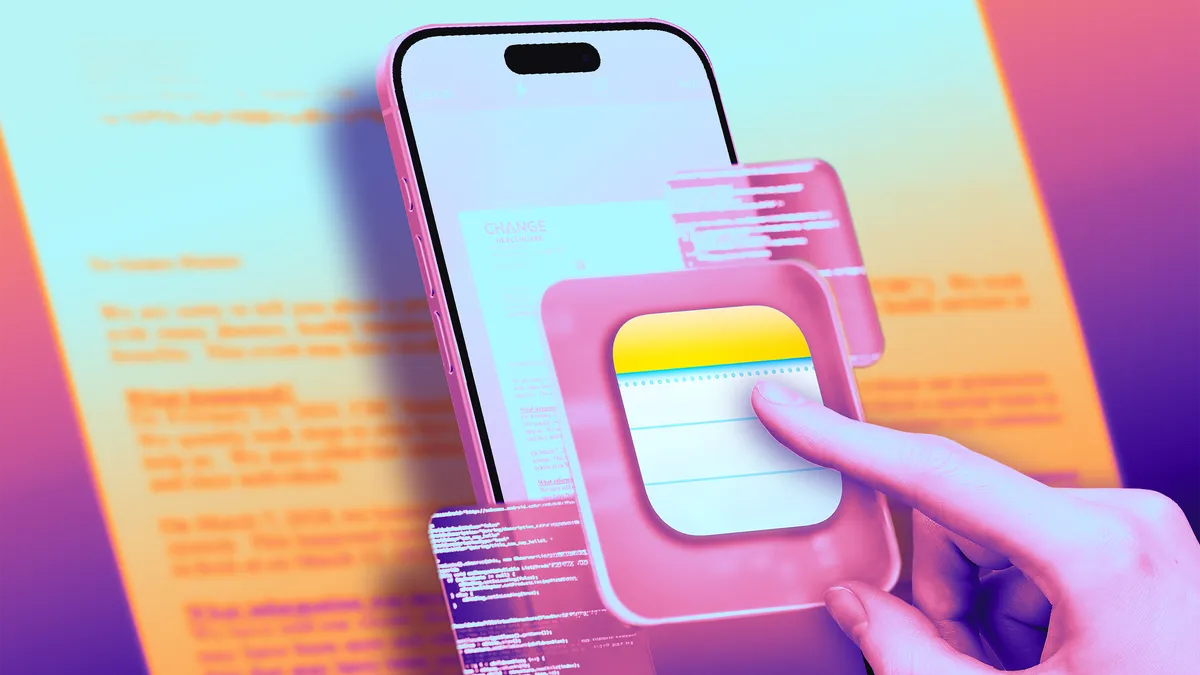
Yes, your iPhone doubles as a document scanner. It may not produce images as sharp as a dedicated scanner would, but it does a respectable job, even when the phone is positioned at odd angles, trying to capture text. iPhones have had this hidden feature since iOS 11 launched in 2017, but as the cameras built into Apple phones have improved, so has their ability to take decent scans of documents and turn them into PDFs you can email.
Advertisement
You won’t need to download additional software or pay for a third-party app — Apple’s Notes app, which comes preinstalled on iPhones, does the trick. The good news is that it’s quick and easy to scan a document, save it, and send it wherever it needs to go. If you’ve kept your phone up to date with iOS 26, it’s easy to use this feature. Keep in mind that the process will be different if you haven’t upgraded past iOS 17, but we’ll walk you through it.
Here’s how to scan a document with your iPhone.
James Martin/CNET
Scan a document with your iPhone or iPad
To scan a document with your iPhone or iPad, first place the document on a flat surface in a well-lit area.
Open up the Notes app and either open an existing note or start a new one by tapping the New Note button in the bottom right corner (pencil-in-square icon). On iOS 17 and earlier, tap the Camera button at the bottom of the screen (or, if you’re editing a note, the same Camera icon above the keyboard), then tap Scan Documents. If you’re on iOS 26, instead of a Camera icon, tap the Attachments button (the paperclip icon), then tap Scan Documents.
Advertisement
This will open a version of the Camera app that just looks for documents. Once you position your iPhone over the document you want to scan and place it in view of the camera, a yellow rectangular layer will automatically appear over the document, showing approximately what will be captured. Hover over the document for a few seconds, and the iPhone should automatically capture and scan the document, but you can also tap the Shutter button in the bottom center. You can scan multiple documents at once if you’d like. When you’re done, tap the yellow checkmark in the top-right corner.
James Martin/CNET
Sign, share or save your scanned document
Once you’ve captured a document, you can tap it and any others you’ve captured in the same session to edit them before saving. You can also tap Retake in the top right corner to start again.
When you edit the document, you can recrop it from the original photo (if you need to tweak its edges) and switch between color filters (color, black and white, grayscale or the unedited original photo). Then you can save the scanned document.
Once it’s saved as a note, you can tap the Markup button (circled pen icon) at the bottom to sketch or scribble with different colors. If you tap the Add button at the bottom right (the plus sign icon), you can add text, your signature, shapes or even stickers. Once you’ve added a signature, you can tap it to bring up a menu, then tap the diagonal line to edit its thickness and color. You can tap and hold the signature to move it around.
Advertisement
There are also AI tools for adding and rewriting text, though they aren’t helpful for signing documents. To use them, tap the center button that looks like a diagonal pencil stylus surrounded by a circle of loops.
To send or save the document locally, tap the Share button at the top (the square-and-arrow icon) to send it via Messages or other apps, copy it, save it locally in the Files app, or print it via a linked printer or other options.
Watch this: ProRaw vs. JPEG: The Hidden Setting Every iPhone Photographer Needs
How to export your scanned document as a PDF
Understandably, you may want to send your scanned document as a PDF. Tap the Share button at the top (the square-and-arrow icon) and scroll down below the contact and app roulettes to the additional list of options.
Advertisement
The easiest way to send your scanned document as a PDF is a bit convoluted: among the aforementioned list, tap Print, then tap the Share button at the top (square-and-arrow icon) again — this will share your PDF-converted document. Then pick your share method of choice, most easily via email, though you can also upload it to cloud storage or send it via text message if you want.
You can also use a third-party app to convert your document to PDF if you so choose. Scroll down past the Print button to find your app of choice. For instance, if you have the Adobe Acrobat app downloaded to your device, you can select Convert to PDF in Acrobat to do so — though you’ll need to wade past several screens attempting to upsell you on Adobe subscriptions first.
Why can’t I find the camera button to scan documents?
If you’re running iOS 26, the Camera button has been replaced by an Attachments button (a paperclip symbol). It should function just the same: Tap it and choose Scan Documents from the dropdown menu
If you can’t see the Camera or the Attachments button, check to see if you’ve opened the note in either the iCloud section or the On My iPhone section — you’ll only be able to scan documents and save them in either of these places. If you can’t tell, tap Folders in the top-left corner of the Notes screen, then select either iCloud or On My iPhone.
Advertisement
The document scanner is just one of many unnoticed iPhone features that come prepackaged in Apple’s handsets, often nested in the apps that come with your phone. Some hidden iOS 26 features add even more surprising capabilities already on your iPhone. But you can also find ways to do other tasks, like making a GIF on your iPhone, using third-party apps, or doing it in your browser.
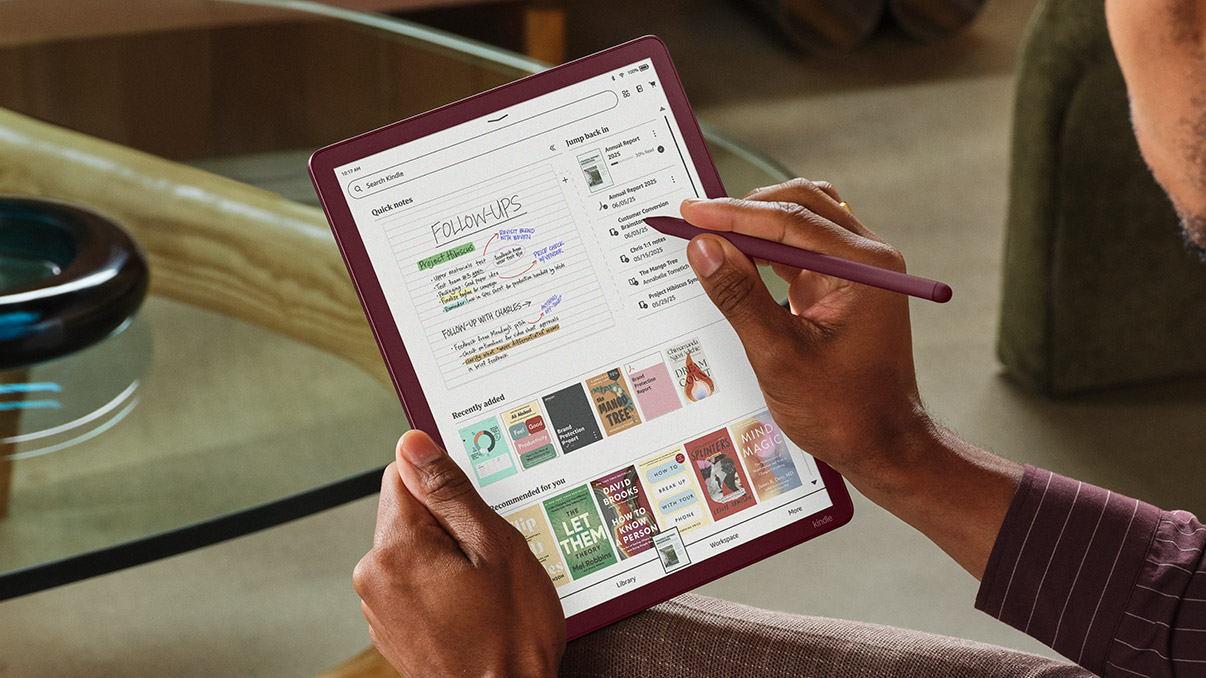
The new Kindle Scribe lineup, led by the first colour Kindle Scribe, has been available in the States for months now, but Amazon has finally confirmed when we’ll be able to get our hands on it.
At the centre of it all is the Kindle Scribe Colorsoft, which introduces a colour e-paper display designed specifically for writing.
Amazon says its custom Colorsoft tech keeps colours soft and easy on the eyes. Meanwhile, a new rendering engine makes writing feel fast and fluid.
Advertisement
The hardware has also had a serious rethink. The new Scribe is thinner (5.4mm), lighter (400g) and around 40% faster when it comes to writing and page turns. The 11-inch display is still front and centre. However, it now feels more paper-like thanks to a redesigned glass texture and a near-zero parallax effect. This effect makes the pen feel closer to the screen.
Advertisement
Amazon is also pushing software harder this time. A new AI-powered notebook lets you search handwritten notes using natural language and even pulls together quick summaries. There’s also tighter integration with Google Drive, Microsoft OneDrive and OneNote. This makes it easier to import, annotate and export documents without jumping through hoops.
Other additions feel more practical than flashy. You can now write in 10 pen colours, highlight in five shades, organise everything into workspaces, and quickly jot things down via a new Quick Notes feature from the redesigned home screen.
Advertisement
Battery life still stretches into weeks, and there are no distracting apps or notifications to pull you out of focus. This sticks to what makes Kindle devices appealing in the first place.
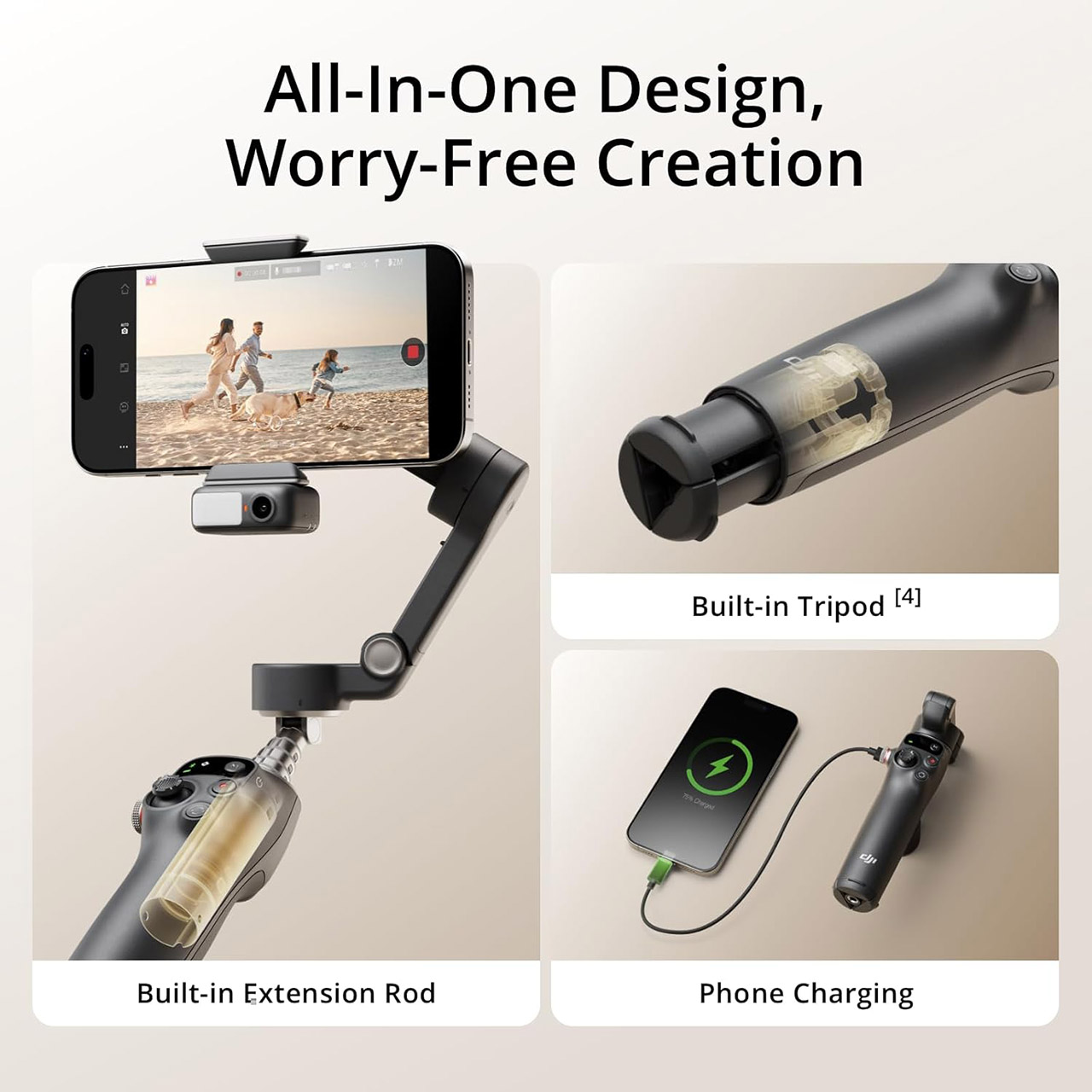
Filming a video on your phone may be a frustrating experience, with unsteady footage that looks like a terrible home video. The DJI Osmo Mobile 7P really flips the script. Priced att $99 (was $129), it produces silky smooth video that appears to have been taken with a pricier piece of equipment.
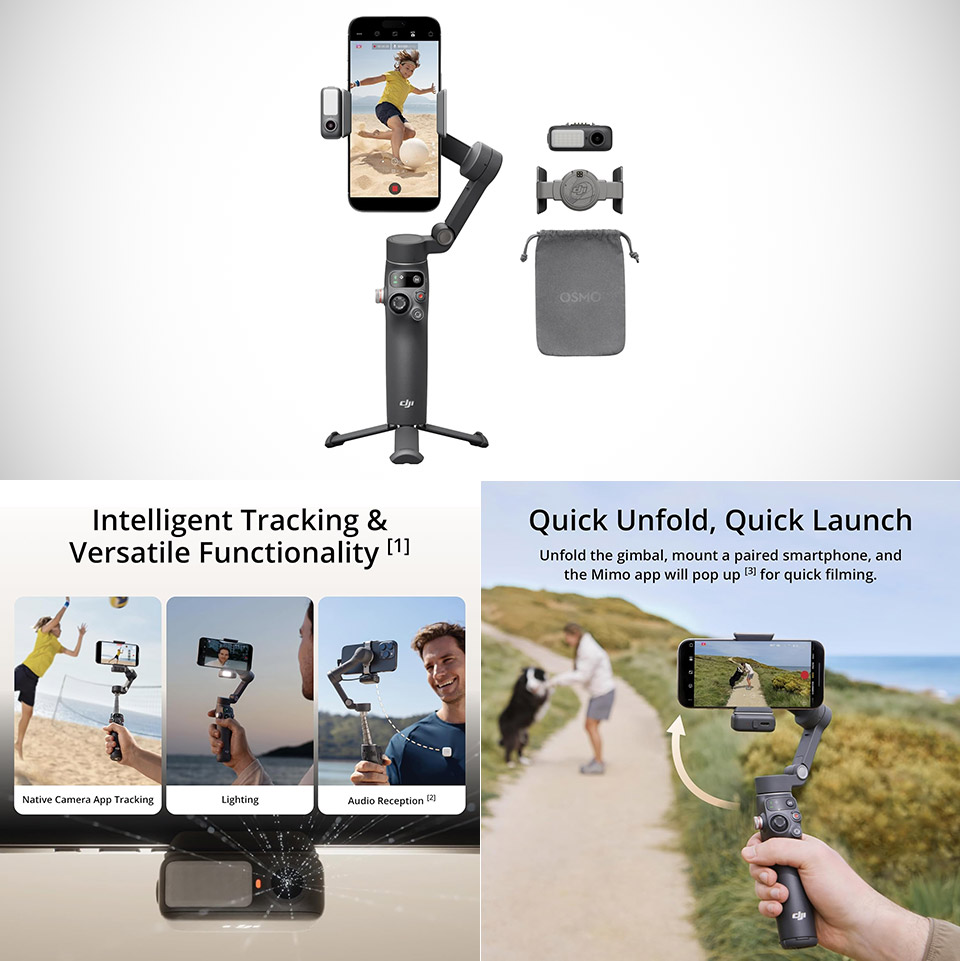
First, let’s discuss how the device performs everyday use. When you open it, the magnetic clamp immediately secures your phone without requiring you to fiddle with it. The extension rod extends to 215mm, allowing you to shoot a wide image or selfie without having to strain. If you flip down the tripod feet, you’ll have a self-standing set suitable for static pictures, time-lapse photography, and other applications. These small comforts pile up quickly when you’re out shooting, and the last thing you want to be carrying is a bunch of unnecessary gear.
Snap the Spectacular – The Multifunctional Module packs intelligent tracking, DJI Mic 2/DJI Mic Mini reception, and lighting features into one compact…
Experience Seamless Stability – Osmo Mobile 7P’s robust 3-axis gimbal stabilization ensures lossless stability. Capture creative bursts and craft…
Capture Like a Pro From Day One – Pair your Osmo Mobile 7P with DJI Mimo for ShotGuides and One-Tap Edit. Film and edit like a pro, saving time and…
The Osmo Mobile 7P also excels in terms of battery life. Its 3350 milliamp battery will keep you going for about ten hours under typical settings, enough to get through a full day of casual recording or a longer event without having to look for a power source. Even with the extra module attached for tracking and lighting, most users get five full hours out of it, which is significantly more than the earlier Osmo Mobile 6. As an added bonus, the gimbal can recharge your phone’s battery when it runs low, allowing you to stay in the game longer.
Advertisement
Once your phone is balanced, the stabilization feels practically seamless, with three motors keeping the frame level while you walk, run, or pan madly. The real show-stopper, however, is ActiveTrack 7.0. Simply tap a person or item on the screen, and the gimbal will track it with incredible accuracy, even if the subject moves in and out of view or changes direction. Earlier versions required the DJI app for accurate tracking; however, this new edition incorporates a small multipurpose module with its own camera. That means the smart following feature works great in your phone’s native camera, streaming apps, and pretty much anyplace else you want to utilize it.
The same module includes a handy fill light and receiver for DJI wireless mics. The light provides just enough even lighting to sort out faces in gloomy areas or outside when it’s coming close to dusk, and the warmth can be adjusted to maintain skin tones looking realistic. When you pair a microphone, your audio will be crystal clear without the need for cords or clip-ons. That’s the beauty of this thing: all of the things that used to need separate purchases or larger rigs are now available in one nice little box.
Curious what an automatic seatbelt even is? Well, you must be on the younger side. These were pretty common in the late 1980s into the 1990s. You’d sit down in your car, shut the door, and an automatic belt would be strapped across you. You’d then have to buckle the separate lap belt into place — automatic was a bit of an exaggeration.
The federal government didn’t require seatbelts until 1968 — it wasn’t something you automatically thought about when you sat in a car around that time. By 1981, only 11% of drivers were using a seatbelt at all. Cars also didn’t even have airbags — they were still a bit of a mystery. To reduce the number of deaths on the road, the Transportation Department proposed a regulation that would require all vehicles to have some form of automatic protection by 1984.
Advertisement
There was a lot of pushback over this requirement at first, largely from automakers. It was delayed multiple times over the backlash, but eventually they had to choose their form of automatic protection, either the automatic seatbelt or the airbag. Many automakers in the late ’80s went with the automatic seatbelt since it was cheaper to implement. Who even knew how those airbag things would work at the time, anyway?
Advertisement
Automatic seatbelts are no longer required
New Africa/Shutterstock
Remember how the automatic seatbelt wasn’t all that automatic? Yeah, that eventually became a problem. Raymond Peck, Head of the National Highway Traffic Safety Administration in the ’80s, felt that drivers would simply disconnect the chest belt and not even bother with the lap one. He stated: “Our latest survey evidence shows that there is a clear possibility that the automatic aspect of the new system could not only fail to increase usage but could itself create negative public reactions.”
By 1987, only 28.6% of drivers were clicking the lap belt. Drivers and passengers continued to get killed in car accidents at an alarming rate. Nationwide Insurance Co’s Ted Rodgers questioned why airbags were not required instead, pointing at the continued highway deaths.
Well, eventually, they were, but it took until 1998. Better late than never, right? With automakers forced to implement airbags, coupled with automatic seatbelts not working as intended, most models started arriving without them. Vehicle safety has continued to improve as technology expands — it’s hard to even imagine a time when airbags were seen as overpriced and complicated, causing carmakers to avoid them by offering automatic seatbelts. Oh, and new seatbelts will still save your life due to continuously advancing technology — definitely use them, even if it’s not the law.
The war in Iran has hammered global oil markets, with gas prices in the U.S. spiking significantly. Amid the rise in transportation costs, Amazon has instituted a new 3.5% fuel surcharge for sellers that use its distribution network. The policy has the potential to inflict significant new costs on the untold merchants that rely on the e-commerce giant to sell their products.
Amazon told TechCrunch that the surcharge would be in place for the foreseeable future, although the company said it will continue to evaluate a potential policy shift as market conditions evolve. The news was originally reported by Bloomberg.
“Elevated costs in fuel and logistics have increased the cost of operating across the industry,” a spokesperson said. “We have absorbed these increases so far, but similar to other major carriers, when costs remain elevated we implement temporary surcharges to partially recover these costs.” The spokesperson added that the surcharge was “meaningfully lower than surcharges applied by other major carriers.”
The new policy will take effect on April 17 and will impact sellers who use the company’s Fulfillment by Amazon service, Bloomberg writes. Fulfillment by Amazon, commonly known as FBA, allows companies to send their products to Amazon’s warehouses, where they are packed and shipped to buyers. Amazon doesn’t disclose how many merchants use FBA, but the program underpins the vast majority of third-party sales on its platform.
Iran is strategically located along the northern border of the Strait of Hormuz—a narrow but critical shipping lane for global oil supplies through which roughly 20% of the world’s oil supply passes—and the country has sought to block shipping lanes there, a move that has majorly impacted energy prices throughout the world.
A new NYT Strands puzzle appears at midnight each day for your time zone – which means that some people are always playing ‘today’s game’ while others are playing ‘yesterday’s’. If you’re looking for Thursday’s puzzle instead then click here: NYT Strands hints and answers for Thursday, April 2 (game #760).
Strands is the NYT’s latest word game after the likes of Wordle, Spelling Bee and Connections – and it’s great fun. It can be difficult, though, so read on for my Strands hints.
Want more word-based fun? Then check out my NYT Connections today and Quordle today pages for hints and answers for those games, and Marc’s Wordle today page for the original viral word game.
Advertisement
SPOILER WARNING: Information about NYT Strands today is below, so don’t read on if you don’t want to know the answers.
Article continues below
NYT Strands today (game #761) – hint #1 – today’s theme
What is the theme of today’s NYT Strands?
• Today’s NYT Strands theme is… Smooth(ie) operator
NYT Strands today (game #761) – hint #2 – clue words
Play any of these words to unlock the in-game hints system.
Advertisement
LINE
PLACE
CLAP
PINE
PYRE
FRUG
NYT Strands today (game #761) – hint #3 – spangram letters
How many letters are in today’s spangram?
• Spangram has 13 letters
NYT Strands today (game #761) – hint #4 – spangram position
What are two sides of the board that today’s spangram touches?
First side: left, 5th row
Last side: right, 4th row
Advertisement
Right, the answers are below, so DO NOT SCROLL ANY FURTHER IF YOU DON’T WANT TO SEE THEM.
Advertisement
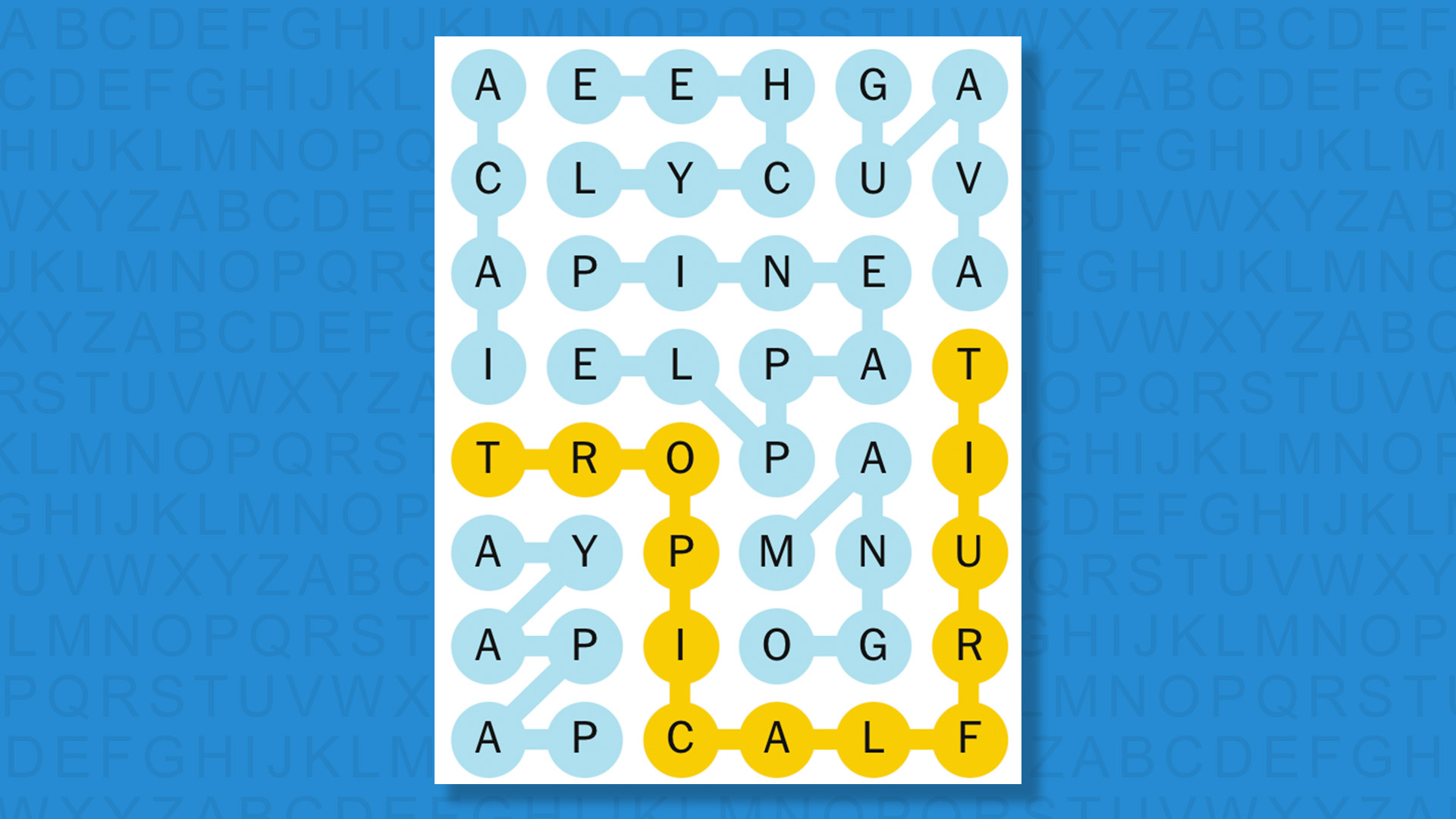
NYT Strands today (game #761) – the answers
(Image credit: New York Times)
The answers to today’s Strands, game #761, are…
GUAVA
ACAI
PINEAPPLE
LYCHEE
MANGO
PAPAYA
SPANGRAM: TROPICALFRUIT
My rating: Easy
My score: Perfect
As opposed to the hits of ’80s legend Sade (who sang the brilliant Smooth Operator) it was immediately apparent that we were searching for smoothie ingredients.
Sign up for breaking news, reviews, opinion, top tech deals, and more.
It wasn’t immediately apparent that all the words would be TROPICALFRUIT, so my first thought was for banana — the key ingredient of most smoothies — a search you could say proved fruitless.
Smoothies are a key plot point in an HBO show I am currently watching — DTF St Louis — where one of the characters pretends to be a regular consumer of The Go Getter at her local juice store, where it is later revealed that she is a regular Watermelon Breeze consumer. It’s quite the twist!
Advertisement
Yesterday’s NYT Strands answers (Thursday, April 2, game #760)
AGENT
BETTOR
JOCKEY
TIPSTER
BOOKIE
TRAINER
SPANGRAM: HORSERACING
What is NYT Strands?
Strands is the NYT’s not-so-new-any-more word game, following Wordle and Connections. It’s now a fully fledged member of the NYT’s games stable that has been running for a year and which can be played on the NYT Games site on desktop or mobile.
I’ve got a full guide to how to play NYT Strands, complete with tips for solving it, so check that out if you’re struggling to beat it each day.
Zoë Schiffer: Wait, is the Pentagon Pizza thing a joke about the pizza predicting the war?
Advertisement
Makena Kelly: Yeah.
Zoë Schiffer: Oh, my God.
Makena Kelly: Because they had these Pentagon pizza trackers up. When I returned the second night, yes, I came back the second night. Everything was working for the most part. There were still some screens that were turned off, but I never saw any actual Bloomberg terminals. There were some monitory Bloomberg type terminal things that it looked like Polymarket had developed themselves, but the real $50,000 Bloomberg terminal was nowhere to be found. And yeah, the second night, again, it was mostly people looking to gawk at the event, except I did find a couple of people who placed some bets on platforms like Polymarket and Kalshi. One was named William, and he said he was a member of the military, wouldn’t give me his full name. And he last year got involved in this for the first time by putting in, I think, all of his tax return into Oklahoma City sports betting.
Makena Kelly, archival audio:So, you used Kalshi?
Advertisement
William, archival audio:Yes.
Makena Kelly, archival audio:When did you first start using the service?
William, archival audio:Probably when I got my tax return back.
Makena Kelly, archival audio:OK.
Advertisement
William, archival audio:So, I filed my taxes pretty early and I was like, “Oh, sweet. I got my tax return. What am I going to do with it?” So, I was like, “I’m going to just put it on Kalshi.”
Makena Kelly: He said that he goes up and down 100 dollars, but he hasn’t made any major winnings. Some of the stuff that we’ve heard. Some people making crazy insider bets making millions and millions of dollars. This is just a guy who was interested in this and just plays it for fun, it sounds like.
Brian Barrett: Kate, what do you see when you see a pop-up like this and Polymarket trying to—is it an attempt to legitimize itself to just a marketing stunt? And how does it tie into what you’re seeing with these companies anyway, that there’s the explosive growth that they’ve got trying to reach out to so many people and getting so many people hooked on what they’re offering?
Kate Knibbs: I mean, this particular event definitely seems like a very bald effort to woo DC-based journalists, if nothing else. One thing that Makena said sort of encapsulates what’s going on right now, the thing about the guys in the Palantir hoodies. So, I think it was the same week that this bar opened. Polymarket announced a partnership with Palantir and Palantir is helping them protect the integrity of their sports market. So, Palantir is going to be basically attempting to help Polymarket catch insider traders and market manipulators in all the sports games, which is kind of wild. I actually asked Polymarket last week whether they had any other deals with Palantir when I was trying to get them to say anything about whether they were investigating the Iran bets that have been raising a lot of eyebrows. And they said that Palantir was only helping them with sports, which I thought was freaking weird. And it speaks to how they’re rapidly expanding, but doing so in this really messy ad hoc way that doesn’t really make a lot of sense. Because I was like, “If you’re going to get Palantir involved, why wouldn’t you have them do this geopolitical stuff instead of March Madness?” Yeah, wild, wild times.
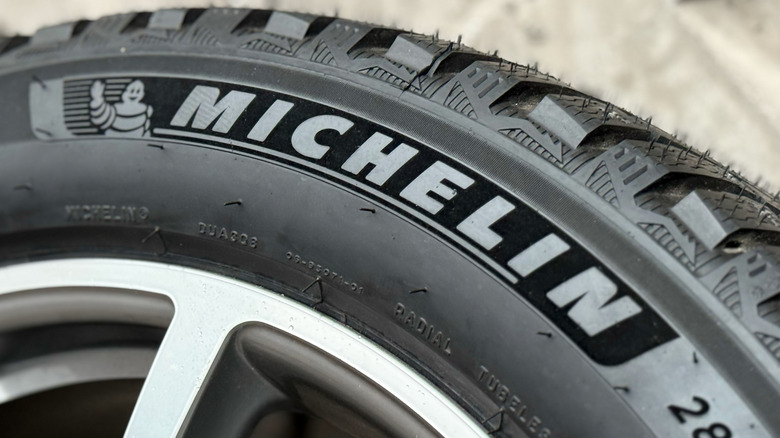
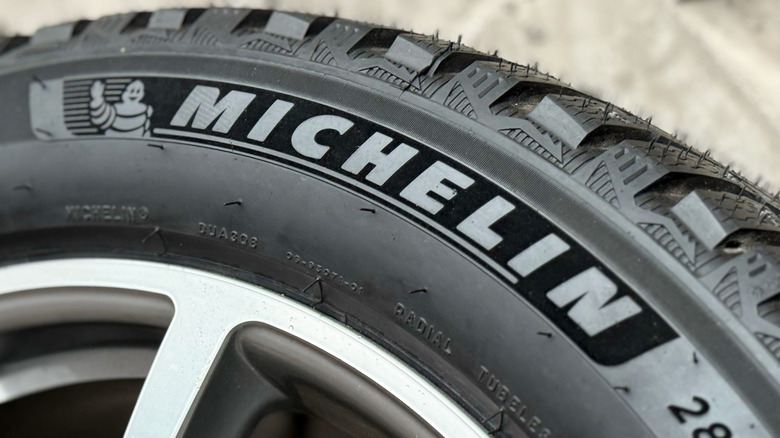
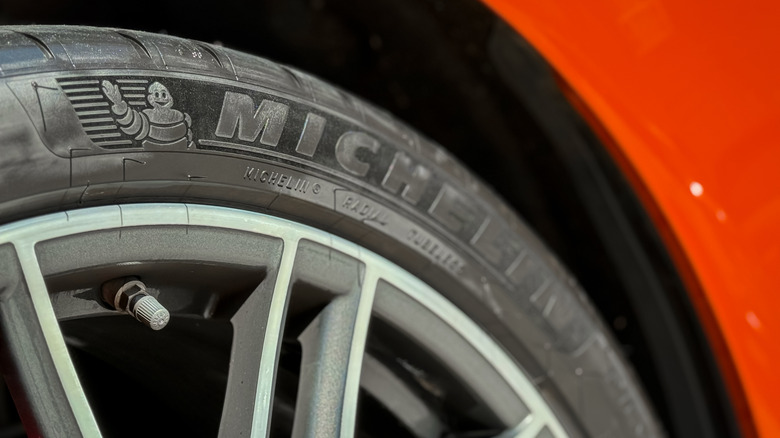
There are a number of high-quality tire brands on the market, but it’s hard to find one more consistently rated for its quality than Michelin. It came out on top in SlashGear’s own ranking of every major tire brand, and Consumer Reports (CR) places it at the top of its list as well. Across Michelin’s entire selection of tires, you see high marks for just about everything you could put a tire through, from braking on dry ground to handling on ice. It’s very rare to see CR rate something about one of these tires as below average.
With Consumer Reports, there are two sides to what data it provides. There are its in-house experts testing these tires, but then there’s also the opinions of actual drivers that CR surveys. These are folks who drive with these Michelin tires day-to-day, and they can sometimes come to a different conclusion than the experts as to which tires are best. Out of the eight Michelin tires rated by CR, the one with the highest owner satisfaction score is the Michelin LTX A/T2. These are all-terrain tires designed for trucks. What makes this high satisfaction score so interesting is that these tires actually have the lowest overall score from CR experts. They found its wet braking and noise generation to be below average, while dry and ice braking, ride comfort, and handling to be no more than average. Regardless of these tests, CR owners gave the Michelin LTX A/T2 tires a near-perfect satisfaction score, so perhaps CR’s tests don’t fully capture the real world experience with these tires.
Advertisement
The experts’ top Michelin tire
DiPres/Shutterstock
Although the Consumer Reports experts do not hold the same high opinion of the Michelin LTX A/T2 tires as the owners surveyed, they’re not too far apart when it comes to owners’ second-highest satisfaction rating. That would be the Michelin Pilot 4s tires. These tires are categorized as ultra high performance summer tires and are made for sports cars that you’d obviously want to drive quite fast. Out of all the tires tested, these are the ones with the highest overall score from the CR experts, and it’s actually a significant first place finish among Michelin tires. Being number one for the experts and number two for the owners shows a level of consensus you just don’t get with the LTX A/T2 model.
The thing about Consumer Reports’ findings on the owner satisfaction of Michelin tires is that they are universally high. The previously mentioned ones are ranked one and two, but the remaining six Michelin tires tested all tie for third place, demonstrating a remarkable level of consistency across the brand’s offerings. For a broader perspective, every single Michelin tire tested has the highest CR owner satisfaction rating for whatever category it is in compared to every other brand. There is one exception with the Michelin X-Ice Snow tires, but it still ranks second among all winter/snow tires. For owners surveyed by CR, there is not a single Michelin tire they’re not incredibly pleased with. If you don’t have a truck suitable for the Michelin LTX A/T2 tires, owners don’t think you’re settling for less with a different Michelin tire better suited to your vehicle.
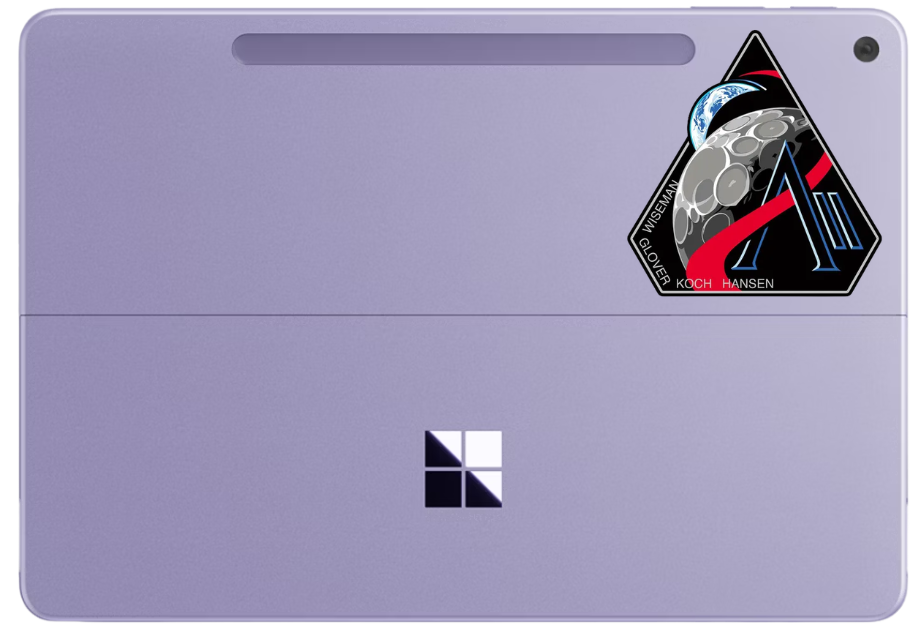
Artemis 2 astronauts are using Microsoft Surface Pro computers on board the Orion spacecraft. (GeekWire Illustration)
Bound for the Moon, astronauts aboard NASA’s Artemis 2 Orion spacecraft experienced a challenge familiar to many of us back here on terra firma: Microsoft Outlook.
Commander Reid Wiseman radioed Mission Control on the crew’s first day in space to report that he had two instances of Outlook running on his computer — a Microsoft Surface Pro — and neither seemed to be working.
Like any good IT support team, Houston said it would jump in remotely and take a look. About an hour later, ground controllers reported they had resolved the issue and gotten Outlook open, though it would display as offline, which they said was expected.
The moment, captured on NASA’s livestream, quickly went viral. A Bluesky user clipped the exchange, writing, “I’m so sorry we’ve sent these souls to the moon and they’re using outlook?”
Outlook is part of the commercial off-the-shelf software NASA provides astronauts for scheduling, personal communications and other routine tasks. The spacecraft’s primary flight systems run on separate, radiation-hardened hardware.
Advertisement
The Outlook glitch wasn’t the crew’s only mundane challenge. Shortly after launch, the toilet fan jammed, though ground teams managed to fix that, too.
We contacted Microsoft for comment and a rep said they’d let us know if the company had anything to say. At least we know the message went through.
TikTok points to capacity constraints and slow infrastructure development as the deciding factors in shelving its planned second data centre, but leaves door open to future opportunities.
The need for greater capacity, and the infrastructure development environment – these were the two key factors behind TikTok shelving a planned second data centre in Dublin, a company spokesperson told SiliconRepublic.com today (2 April) while confirming the reported decision.
Instead, the ByteDance-owned company will focus its European data storage expansion in some of its other locations – in particular, sites in Norway and one in Finland.
TikTok said that when looking at its various sites across Europe, it considered where could best meet its growing capacity demands as regards infrastructure and the speed of development, and that the Nordic countries were a better fit for those considerations.
Advertisement
The company said Ireland remained one of its biggest and most important strategic sites in Europe and, should future opportunities arise that did meet its capacity needs in particular, it would remain open to exploring them.
The spokesperson emphasised that the existing data centre operation in Ireland, which came online in 2023, remains fully operational as an important part of its Project Clover, and that TikTok is still very much committed to Ireland.
Project Clover is the Chinese-owned platform’s initiative designed to update its data security practices across Europe, so as not to fall foul of strict European data privacy regulations.
TikTok had originally planned to lease data centre space at Echelon’s campus in Clondalkin, Dublin, as part of a three-site strategy. However, as Irish newspaper the Business Post was first to report earlier this week, plans for the second Irish data centre have been shelved.
Don’t miss out on the knowledge you need to succeed. Sign up for the Daily Brief, Silicon Republic’s digest of need-to-know sci-tech news.
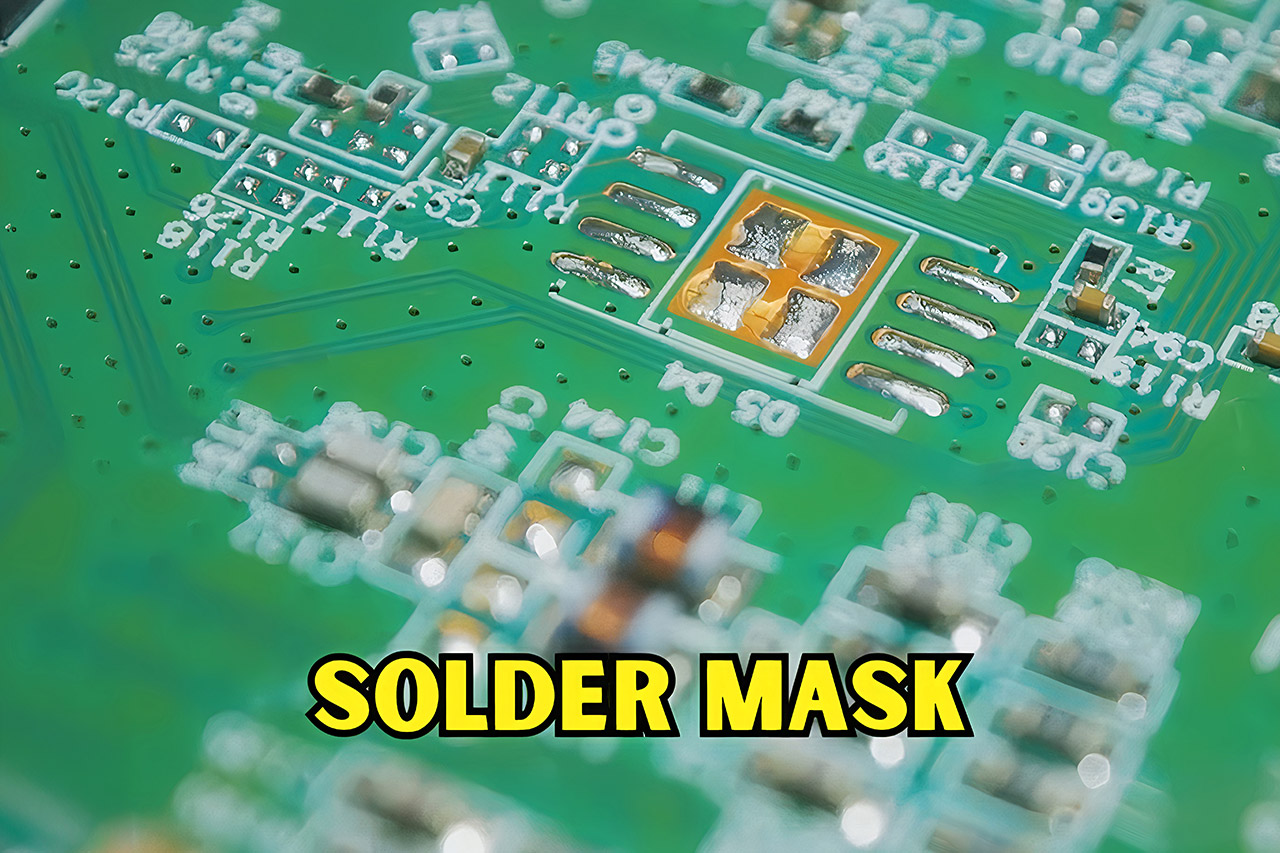
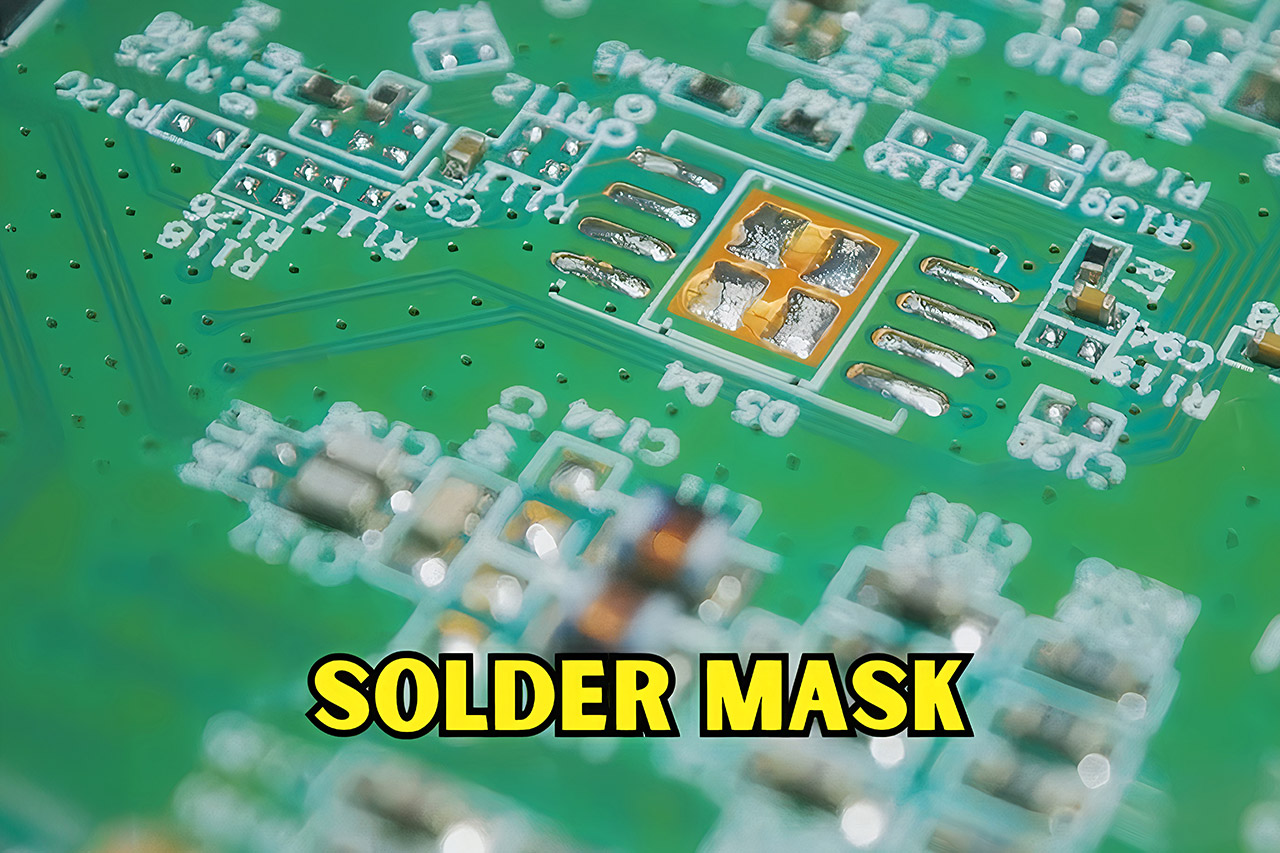
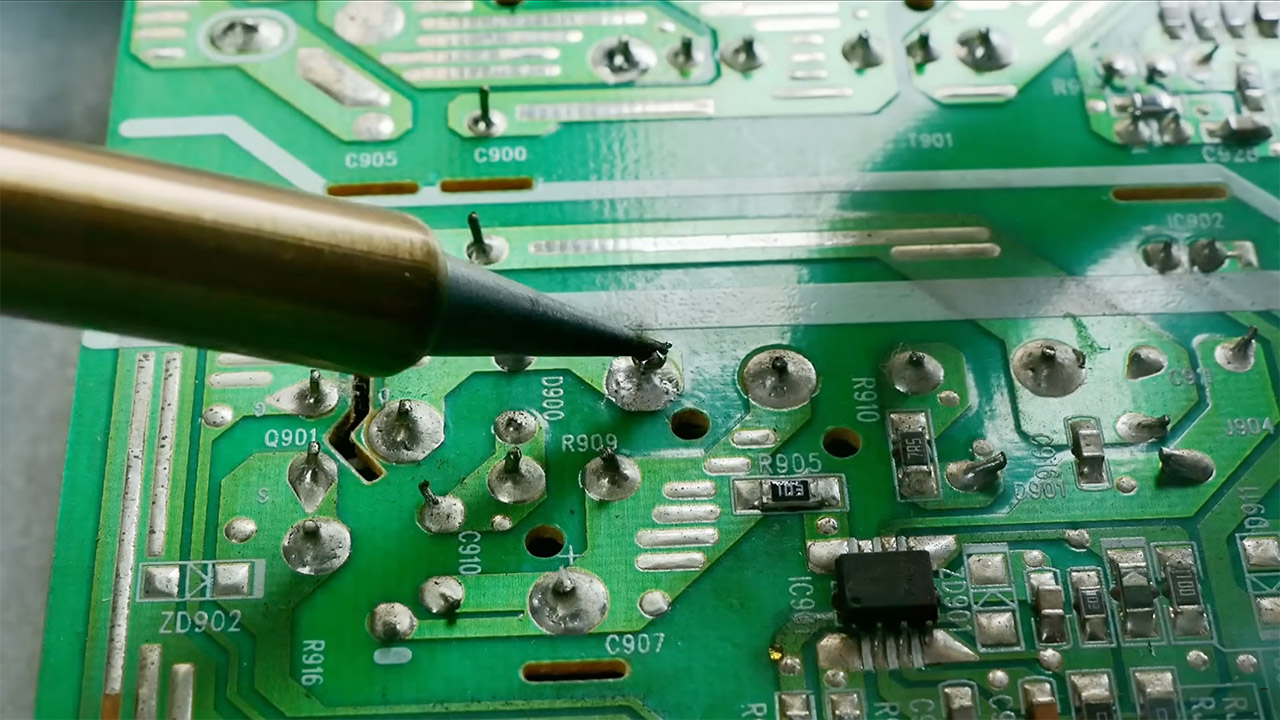
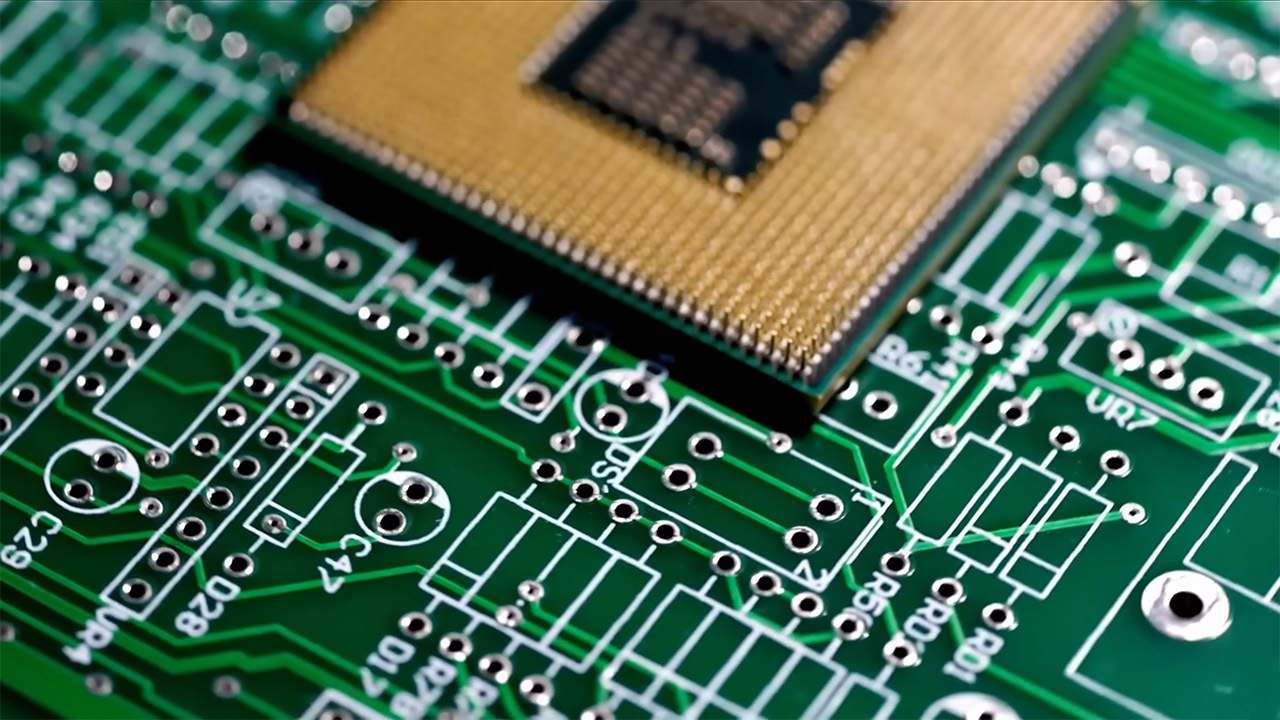
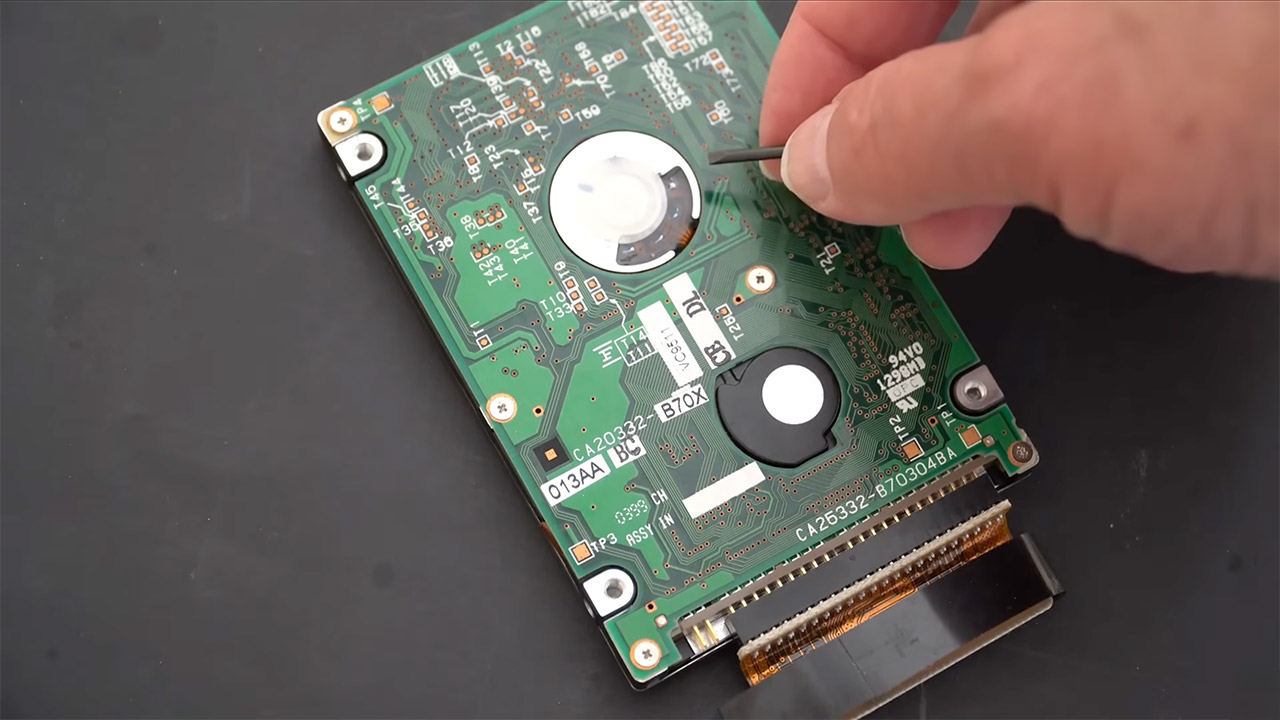
Circuit boards are found in almost every electronic device that consumers use today. When you open your phone, computer, or a basic remote control, green is the first thing you notice. That famous green hue, however, does not come from the board material itself; it is due to a special coating known as solder mask, which covers the copper traces and gives them a green tint.
The solder mask is an essential tool for any board. After etching the copper paths onto the fiberglass basis, they apply a thin layer of polymer. The mask serves two important functions: it protects the copper from oxidation and moisture, which could cause harm, and it prevents solder from bridging between close connections while you’re assembling the item, which can result in short circuits. Without the mask, fragile circuitry could easily be damaged by regular handling or exposure to the environment.
【AMD Ryzen 4300U Processor】KAMRUI Pinova P2 Mini PC is equipped with AMD Ryzen 4300U (4-core/4-thread, up to 3.7GHz), Based on the advanced Zen…
【Large Storage Capacity, Easy Expansion】KAMRUI Pinova P2 mini computers is equipped with 16GB DDR4 for faster multitasking and smooth application…
【4K Triple Display】KAMRUI Pinova P2 4300U mini desktop computers is equipped with HDMI2.0 ×1 +DP1.4 ×1+USB3.2 Gen2 Type-C ×1 interfaces for…
Green became the go-to color all those years ago, when reliable solder masks first started rolling off the assembly line. The early ones used a combination of certain resins and hardeners that gave out a green tone, and it just so happened that there was an abundance of the green material available at the suppliers. So that became the industry norm. Over time, the industry has developed its entire process around this uniform green colour.
The human eye can tolerate green fairly well, especially when individuals stare at boards for hours on end under strong lighting. Green offers a fantastic contrast against the glossy copper pads and the white letters on top, reducing eye fatigue caused by staring at them for an extended period of time, since other hues have been found to be less durable. Automatic optical inspection equipment also operate better with green boards because their cameras and software have been tuned to work best with that color over time.
The cost of changing colors is also not high enough to make a significant difference. The green mask material requires less pigments in some formulations, making the production process easier because they don’t have to complicate the imaging and development procedures. The tighter design requirements associated with the conventional green color also provide them with more accurate control when exposed to ultraviolet radiation. [Source]






















































You must be logged in to post a comment Login