
If there’s anything that makes people more uncomfortable than highly advanced AI or nuclear weapons technology, it’s the combination of the two. But there’s been a symbiotic relationship between cutting-edge computing and America’s nuclear weapons program since the very beginning.
Tech
What happened when they installed ChatGPT on a nuclear supercomputer


In the fall of 1943, Nicholas Metropolis and Richard Feynman, two physicists working on the top-secret atomic bomb project at Los Alamos, decided to set up a contest between humans and machines.
- Los Alamos National Laboratory recently partnered with OpenAI to install its flagship ChatGPT AI model on the supercomputers used to process nuclear weapons testing data. It’s the latest in a long history of symbiosis between America’s nuclear program and cutting edge computing.
- AI tools are already revolutionizing the way scientists are conducting research at Los Alamos, part of a larger program called Genesis Mission that aims to harness the technology to accelerate scientific research at America’s national labs.
- Comparisons of AI to the early days of nuclear weapons abound, both among critics and proponents, but Vox’s reporting trip to the lab found little evidence of the kind of doomsday fears the permeate conversations about AI elsewhere.
In the early days of the Manhattan Project, the only “computers” on site were humans, many of them the wives of scientists working on the project, performing thousands of equations on bulky analog desk calculators. It was painstaking and exhausting work, and the calculators were constantly breaking down under the demands of the lab, so the researchers began to experiment with using IBM punch-card machines — the cutting edge of computer technology at the time. Metropolis and Feynman set up a trial, giving the IBMs and the human computers the same complex problem to solve.
As the Los Alamos physicist Herbert Anderson later recalled, “For the first two days the two teams were neck and neck — the hand-calculators were very good. But it turned out that they tired and couldn’t keep up their fast pace. The punched-card machines didn’t tire, and in the next day or two they forged ahead. Finally everyone had to concede that the new system was an improvement.”
Today, at Los Alamos, a similar dynamic is taking place, as scientists at the lab increasingly rely on artificial intelligence tools for their most ambitious research. Like their punch-card ancestors, today’s AI models have a leg up on human researchers simply by virtue of not having to eat, sleep, or take breaks. Scientists say they’re also approaching tough problems in entirely new and unexpected ways, changing how research is conducted at one of America’s largest scientific institutions.
In recent weeks, in the wake of the feud between the Pentagon and Anthropic, as well as the reported use of AI software for targeting during the war in Iran, the partnership between the US military and leading AI companies has become a highly charged political topic. Less discussed has been the already extensive cooperation between these firms and the country’s nuclear weapons complex, under the supervision of the Department of Energy.
Last year, the Los Alamos National Lab (LANL) entered a partnership with OpenAI allowing it to install the company’s popular ChatGPT AI system on Venado, one of the world’s most powerful supercomputers. As of August, Venado was placed on a classified network, meaning that the AI chatbot now has access to some of the country’s most sensitive scientific data on nuclear weapons.


That wasn’t all. Later last year, the Department of Energy, which oversees Los Alamos and the country’s 16 other national laboratories, announced a $320 million initiative known as the Genesis Mission, which aims to “harness the current AI and advanced computing revolution to double the productivity and impact of American science and engineering within a decade.”
Few people are in a better position to think about the upsides and downsides of revolutionary new technologies than the people who today populate the mesa once occupied by Robert Oppenheimer, Feynman, and the other pioneers of the nuclear age. But when I visited the lab in January, I found that the researchers there were remarkably sanguine about the more existential risks that often come up in conversation about AI, even as they worked on the production of the world’s most dangerous weapons.
“They think we’re building Skynet; that’s not what’s going on here at all,” LANL’s deputy director of weapons, Bob Webster, said, referring to the superintelligent system from the Terminator movies. Geoff Fairchild, deputy director for the National Security AI Office, volunteered that he does not have a “p(doom),” the Silicon Valley shorthand for how likely one believes it is that AI will lead to globally catastrophic outcomes, and doesn’t believe most of his colleagues do either. “We don’t talk about it. I don’t think I’ve ever had that conversation,” he added.
For Alex Scheinker, a physicist who uses AI for the maintenance and operation of LANL’s massive particle accelerator, AI is an extraordinarily useful tool, but a tool nonetheless. “It’s just more math,” he said. “I don’t like to think about it like it’s magic.”
Still, the nuclear-AI comparison is unavoidable. Given the technology’s transformative potential, the dangers it could pose to humanity, and the potential for an innovation “arms race” between the United States and its international rivals, the current state of AI has frequently been compared to the early days of the nuclear age. And how people feel about the Manhattan Project — a triumphant union between the national security state and scientific visionaries? Or humanity opening Pandora’s box? — likely has a lot to do with how they view their work now.
Those making the comparison include OpenAI CEO Sam Altman who is fond of quoting Oppenheimer, and expressed disappointment that the 2023 biopic of the Los Alamos founder wasn’t the kind of movie that “would inspire a generation of kids to be physicists.” One of the film’s central conflicts is how a guilt-stricken Oppenheimer spent much of the second half of his life in an unsuccessful quest to control the spread of his creation. (Disclosure: Vox Media is one of several publishers that have signed partnership agreements with OpenAI. Our reporting remains editorially independent.)
The Trump administration has been explicit about the comparison. In the executive order announcing the mission, the White House invoked the creation of the atomic bomb, writing, “In this pivotal moment, the challenges we face require a historic national effort, comparable in urgency and ambition to the Manhattan Project that was instrumental to our victory in World War II.”
But if we really are in a new “Manhattan Project” moment, you wouldn’t know it in the place where the original Manhattan Project took place.
“The world’s nuclear information is right in there. You’re looking at it,” LANL’s director for high performance computing, Gary Grider, told me during my visit to Los Alamos in January.
We were staring through a glass window at a densely packed shelf of magnetic tapes, each of which could be accessed and read via a robotic system that resembled a high-end vending machine more than a hyperintelligent doomsday computer. The machine we were staring into contained nuclear data so sensitive it’s kept on physical drives rather than an accessible network, not that any of the data stored in the room I was standing in is exactly open source.

I was in Los Alamos’s high-performance computing complex, a vast, brightly lit, 44,000-square-foot room in a building named for Nicholas Metropolis, containing six supercomputers with space cleared out for two more. The first thing that strikes visitors to the computing center, the refrigerator-like temperature and the roar of the overhead fans, both evidence of the gargantuan effort, in money and megawatts, that it takes to keep these machines cool. “Going into high-performance computing, I never thought that I’d be spending this much of my time thinking about power and water,” Grider told me. Computing at Los Alamos is an insatiable beast: The average lifespan of a supercomputer, the cost of which can run into the hundreds of millions of dollars, was once around five to six years. Now it’s around three to five.
Cutting-edge computing has been intertwined with the American nuclear enterprise from the beginning. Los Alamos scientists used the world’s first digital computer, ENIAC, to test the feasibility of a thermonuclear weapon. The lab got its own purpose-built cutting-edge computer, MANIAC, in the early ’50s. In addition to playing a role in the development of the hydrogen bomb, MANIAC was the first computer to beat a human at chess…sort of. It played on a 6×6 board without bishops and took around 20 minutes to make a move. In 1976, the Cray-1, one of the earliest supercomputers, was installed at Los Alamos. Weighing more than 10,000 pounds, it was the fastest and most powerful computer in the world at the time, though it would be no match for a modern iPhone.

I had visited Los Alamos to see MANIAC and Cray’s descendant, Venado, comprised of dozens of quietly humming 8-foot tall cabinets. Currently ranked as the 22nd most powerful computer in the world, Venado was built in collaboration with the supercomputer builder HPE Cray and chip giant Nvidia, which provided some 3,480 of its superchips for the system. It is capable of around 10 exaflops of computing — about 10 quintillion calculations per second. The signatures of executives, including Nvidia’s Jensen Huang, adorn one of the cabinets.
Last May, OpenAI representative, accompanied by armed security, arrived at Los Alamos bearing locked metal briefcases containing the “model weights” — the parameters used by AI systems to process training data — for its ChatGPT 03 model, for installation on Venado. It was the first time this type of reasoning model had been applied to national security problems on a system of this kind.
LANL’s computers are a closed system not connected to the wider internet, but the OpenAI software installed on Venado brings with it learning it has acquired since the company started developing it. Officials at the lab were not about to let a visiting reporter start asking the AI itself questions, but from all accounts, its users interface with it from their desktop computers essentially the same way the rest of us have learned to talk to ChatGPT or other chatbots when we’re generating memes or brainstorming weeknight recipes.
Those users include scientists at LANL itself as well as the country’s other main nuclear labs — Sandia, in nearby Albuquerque, and Lawrence Livermore, near San Francisco. Grider says demand for the new tool was immediately overwhelming. “I was surprised how fast people became dependent on it,” he told me.
Initially, the system was used for a wide array of scientific research, but in August, Venado was moved onto a secure network so it could be used on weapons research, in the hope that it can become an invaluable part of the effort to maintain America’s nuclear arsenal.
Whatever your attitude toward nuclear weapons, Los Alamos researchers argue that as long as we have them, we want to make sure they work.
Since the 1990s, the United States — along with every other country other than North Korea, has been out of the live nuclear testing business, notwithstanding Trump’s recent social media posts on the subject. But between the original Trinity detonation in 1945 and the most recent blast in an underground site in 1992, the United States conducted more than 1,000 nuclear tests, acquiring vast stores of information in the process. That information is now training data for artificial intelligence that can help the lab ensure that America’s nukes work without actually blowing one up.
Venado is effectively a massive simulation machine to test how a weapon would respond to being put under unique forms of stress in real-world conditions. We can “take a weapon and give it the disease that we want and then blow it up 1000 different ways,” as Grider puts it.
In some ways this fulfills the vision of Los Alamos’s founder Robert Oppenheimer, who opposed further nuclear tests after Hiroshima and Nagasaki on the grounds that we already knew these weapons worked and any other questions could be answered by “simple laboratory methods.”
Those methods are not so simple today. When Webster, the LANL deputy director of weapons, first got involved in nuclear testing in the 1980s, the “state of computing that we had was extremely primitive,” he said, and not a viable substitute for gathering new data. Today, he says, “we’re doing calculations I could only dream of doing” before.
Mike Lang, director of the lab’s National Security AI Office, suggested that using AI tools to analyze the data kept “behind the fence” could not only ensure the weapons work, but also improve them. “We’re using [the same] materials that we’ve been using for a very long time,” he said. “Could we make a new high explosive that is less reactive, so you can drop it, and nothing happens? [Or] that’s not made with toxic chemicals, so people handling it would be safer from exposures? We can go through and look at some of the components of our nuclear deterrence, and see how we can make it cheaper to manufacture, easier to manufacture, safer to manufacture.”
Whatever your attitude toward nuclear weapons, Los Alamos researchers argue that as long as we have them, we want to make sure they work.
“We don’t build the weapons to do something stupid,” Webster said. “We build them not to do something stupid.”
The Los Alamos lab’s mesa location, an oasis of pines in the midst of a stark desert landscape, is known to locals as “the Hill.” About 45 minutes north of Santa Fe (on today’s roads, that is), it was chosen during World War II for its remoteness, defensibility, and natural beauty. Oppenheimer, who had traveled in the region since his youth, had long expressed a desire to combine his two main loves, “physics and desert country.”
Eight decades after the days of Oppenheimer, the sprawling fenced-off Los Alamos campus feels a bit like a university town without the young people. Los Alamos County is the wealthiest in New Mexico and has the highest number of PhDs per capita in the country. The lab has around 18,000 employees and the population has boomed since the lab resumed production of plutonium pits — the explosive cores of nuclear weapons — as part of America’s ongoing $1.7 trillion nuclear modernization program. Federal officials recently adopted a plan for a significant expansion of the lab, including an additional supercomputing complex, which critics say fails to take account of the environmental impact of the facility’s electricity and water use as well as the hazardous waste caused by pit production.

Officials at Los Alamos are quick to point out that despite what the lab is best known for, scientists there are working on more than just weapons of mass destruction. During my tour, I met with chemists using AI to design new targeted radiation therapies to improve cancer treatment and visited the Los Alamos Neutron Science Center, a kilometer-long particle accelerator that, in addition to weapons research, produces isotopes for medical research and pure physics experiments.
Critics point out that the vast majority of its budget is still devoted to weapons research, but still, Los Alamos is one of the best places in the world to observe the seismic impact AI is having on how scientific research is conducted. When the decision was made to move Venado onto a secure network, it cut off a number of ongoing scientific research projects, which is one big reason why two new supercomputers, known as Mission and Vision, are planned to debut this summer. Both are designed specifically for AI applications — one for weapons research, one for less classified scientific work.
AI projects, including at Los Alamos, are often criticized for their power use, but scientists at the lab say their work could ultimately result in safer and more abundant energy. There’s a long-running joke that nuclear fusion technology, which could deliver clean power in vast quantities, is perpetually 20 years away. LANL scientists are hopeful that AI could help crack the remaining scientific breakthroughs needed to get it off the ground. Several researchers mentioned the potential use of AI tools to design heat-resistant materials for use in nuclear fusion reactors. Scientists at LANL’s sister lab, Livermore, achieved the world’s first fusion ignition reaction a few years ago, though it lasted only a few billionths of a second. “The thing that excites me…is the notion that we can move out of this computational world and start interacting with these experimental facilities,” said Earl Lawrence, chief scientist at the National Security AI Office.
Researchers increasingly use AI for “hypothesis generation,” devising new potential compounds or materials for testing. But the main feature of AI that excited the Los Alamos scientists I spoke with the most harkens back to what Metropolis and Feynman discovered about using early computers 80 years ago: It can do more work, faster, and without breaks than any human. Increasingly, it can do the sort of physical real-world experiments that post-docs and junior researchers were responsible for as well.
Asked about how he envisioned the future of scientific research in a world of AI, Lawrence quipped, “I hope it’s more coffee shops and walks in the woods.” Grider, a career computer programmer, said, “I hope to hell we can get out of the code business.”
There are downsides to that ease, as well. The sort of grunt work that AI can now do more efficiently is how scientists once learned their craft, assisting senior scientists with research. As in other fields, the pathways to those careers could narrow.
“We need to be intentional about how we train the next generation of scientists,” Lawrence said.
From the atomic age to the AI age
Reminders of Los Alamos’s history are everywhere on the Mesa. During my visit to the lab, I toured the sites, now eerie abandoned historical monuments maintained by the National Parks Service, where the bomb detonated by Oppenheimer and company in the 1945 Trinity test, and Little Boy, dropped on Hiroshima, were assembled. They’re possibly the only US National Parks locations where visiting involves a safety briefing on radiation and nearby live explosives testing.
1/5
But the heirs to Oppenheimer and Feynman have mixed feelings about the Manhattan Project metaphor when it comes to AI.
Lang felt it was a mistake to characterize AI as a weapon, or frame development as an arms race, with China the main competitor this time instead of Germany. He preferred to think of today’s research as continuing the Manhattan Project’s model of “giving a bunch of multidisciplined scientists a goal to really go after and try to make progress on.” Others pointed to the scientists who were concerned at the time about the risk of a nuclear explosion igniting the earth’s atmosphere as somewhat equivalent to today’s AI “doomers.”
There’s also a fundamental difference between the two in how knowledge is disseminated. “In the very early days of nuclear energy, there were only a handful of people who had the knowledge and understanding to even know what was going on,” said Fairchild, the deputy director for LANL’s National Security AI Office. Plus, supplies of uranium and plutonium could be tightly controlled. “These days, everybody knows what’s going on…and much of it is happening in open source.”
AI is also developing in a very different way from previous technologies with national security implications. In the past, the government and military have often dictated academic research into futuristic tech to meet their own needs, with commercial applications only being found later: The internet may be the prime example. Now, as LANL’s partnership with OpenAI shows, it’s the government and military racing to react to cutting-edge applications developed first by private industry for commercial use.
“For the very first time, I would argue, on a really big scale, we find ourselves not in a leadership role here,” said Aric Hagberg, leader of LANL’s computational sciences division.
There may also be an AI-atomic parallel in the sheer size of investment proponents should be devoted to the advancement of the technology. Ilya Sutskever, OpenAI’s former chief scientist once remarked (maybe jokingly) that in a world of superintelligent AI “it’s pretty likely the entire surface of the Earth will be covered with solar panels and data centers.” The remark brings to mind another one by the Nobel Prize-winning physicist Niels Bohr, who had been skeptical that the United States would be able to build an atomic bomb “without turning the whole country into a factory.” When Bohr first visited Los Alamos, he felt, stunned, that the Americans had “done just that.”
The majority of the Manhattan Project was not the work done on chalkboards on the Hill by physicists, but the industrial scale efforts to enrich uranium and produce plutonium in Oak Ridge, Tennessee and Hanford, Washington. The latter site, carried out in large part by chemical firm Dupont — a “public-private partnership” of its era — produced radioactive waste that is still being cleaned up today. Likewise, the work of producing the AI future is as much or if not more about a massive build-out of data centers and the power needed to keep them cool and humming as it is the cutting edge research coming out of Silicon Valley or government labs.
When you visit Los Alamos, it’s hard not to be struck by the amount of ingenuity — in everything from nuclear physics, to explosive design, to revolutionary new techniques in high-speed photography — as well as the sheer industrial output that turned theoretical physics into a workable bomb in just three years.
You can still see the raw intellectual talent and can-do spirit that built the most advanced civilization the world has ever seen at Los Alamos today, and can easily imagine how it might build an even better one tomorrow. But it’s also impossible not to wonder if you’re seeing something else: Humanity’s thirst for power over the material world meeting with its instincts toward fear and aggression to engineer new nightmares. Perhaps we’ll get an answer soon.
This story was produced in partnership with Outrider Foundation and Journalism Funding Partners.

Continue Reading
Tech
Dell’s new 14-inch Pro Premium delivers workstation-level performance in a surprisingly lightweight and travel-friendly package for busy executives
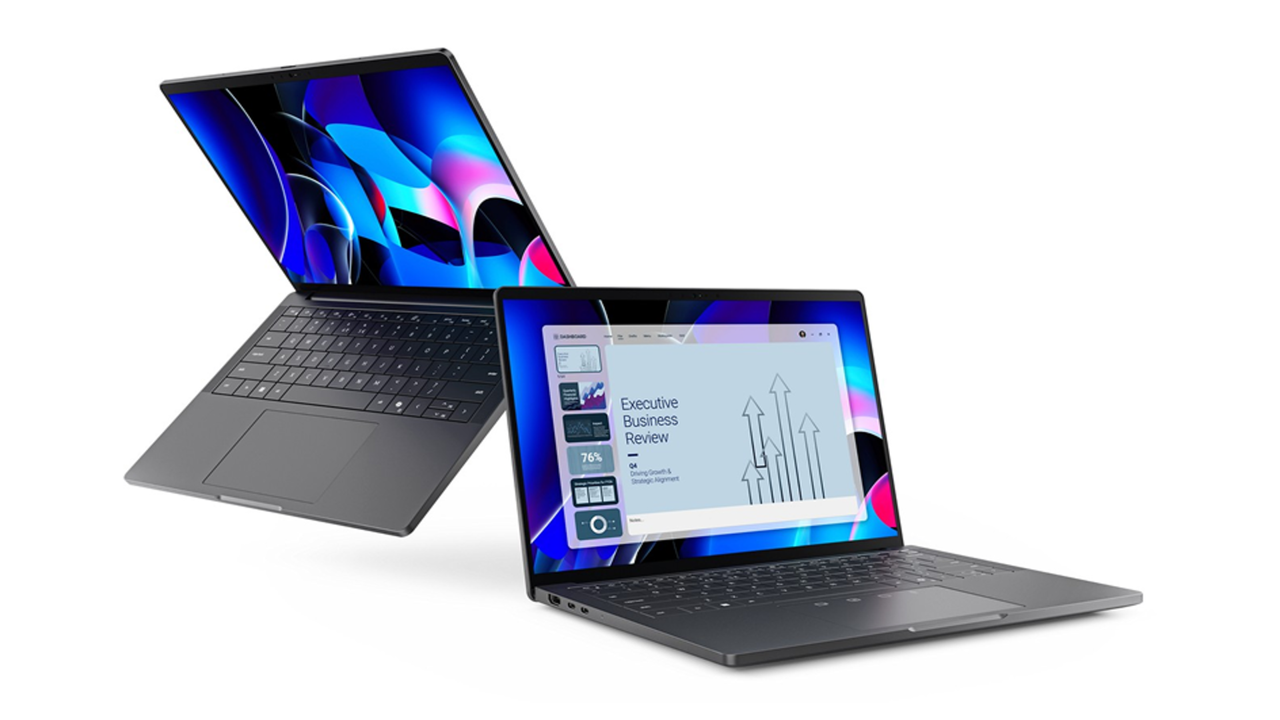
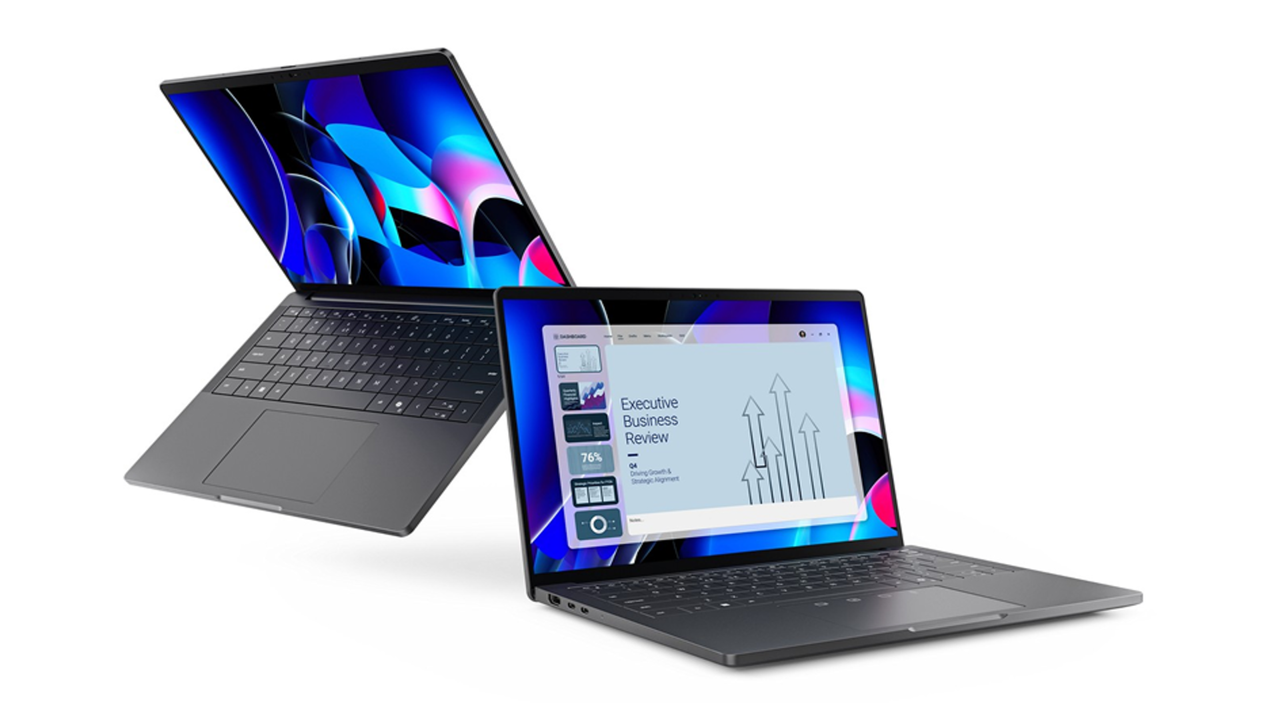
- Dell Pro Premium prioritizes mobility while supporting serious business workloads
- Magnesium alloy chassis reduces weight without sacrificing durability or structural integrity
- Modular motherboard design improves cooling and maintains CPU performance under load
Dell is pushing its executive-oriented notebook business laptop line toward a genuinely workstation-grade experience without adding bulk or weight.
The new 14-inch Dell Pro Premium sits at the top of the refreshed Dell Pro lineup, built for senior executives and customer-facing managers who move between offices, airports, and conference rooms throughout the day.
Dell says it is the lightest notebook in the Dell Pro family, and calculations suggest its chassis could shrink to roughly 15mm — 7% thinner than its predecessor — while still housing a full-sized 14-inch display.
Article continues below
Dell Pro Premium
The chassis relies on a magnesium alloy body finished in magnetite, which keeps mass down while giving the device a more solid, premium feel than a typical all-plastic business offering.
That lighter frame makes it easier to carry alongside a power brick and briefcase over long periods.
Inside, Dell’s modular motherboard layout frees up space for larger cooling fans and more efficient thermal management, helping keep CPU and graphics performance stable during extended meetings or AI-assisted workloads rather than throttling under heat.
The performance of this device focuses on modern business workflows, handling multiple apps, video calls, whiteboards, and large datasets rather than gaming or heavy rendering.
Users can choose between Intel Core Ultra Series 3 and AMD Ryzen AI 400 processor options, both of which integrate on-device AI and support Copilot+ PC experiences.
The 14-inch screen offers a Tandem OLED panel with richer contrast and deeper blacks, although higher power use may limit all-day battery life.
An 8MP HDR camera provides high-resolution video calls, supporting executives who rely on a polished virtual presence.
However, for those who need a true workstation, Dell’s Pro Precision 5S and 9 Series hardware complement the Pro Premium by offering much heavier compute and graphics muscle.
The Precision 5S marks the thinnest and lightest mobile workstation Dell has ever shipped – and relies on integrated Intel Arc Pro or AMD Radeon Pro graphics instead of a discrete GPU to keep weight and thickness in check.
At the other end of the spectrum, the Dell Pro Precision 9 T2 / T4 / T6 desktops are built for extreme workloads.
They feature up to 15 PCIe slots and add support for five 300W Nvidia RTX PRO Blackwell-generation GPUs.
“IT leaders can deploy sleek and modern devices users are excited to use at every level of the organization, along with improved performance, without sacrificing the manageability, security, or value they demand,” said Rob Bruckner, president, CSG Commercial, Dell Technologies.
Follow TechRadar on Google News and add us as a preferred source to get our expert news, reviews, and opinion in your feeds. Make sure to click the Follow button!
And of course you can also follow TechRadar on TikTok for news, reviews, unboxings in video form, and get regular updates from us on WhatsApp too.
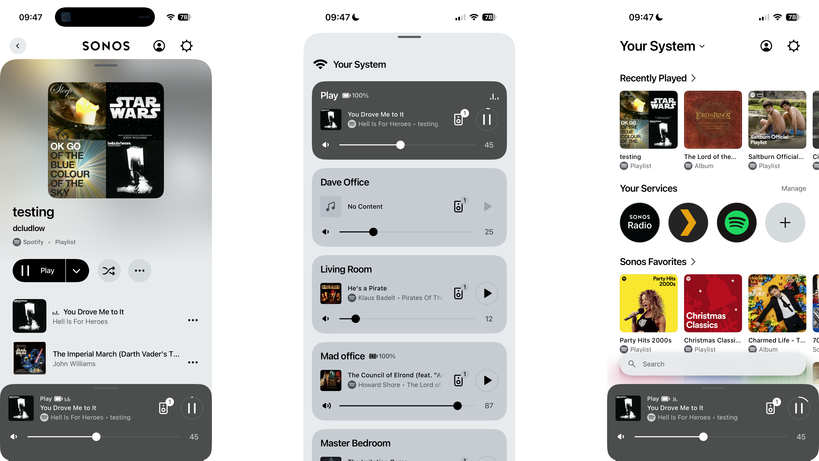
As Sonos has added the Play to its speaker line-up, we’re keen to see how it measures up to the 4.5-star Era 100.
To help you decide which of Sonos’ offerings will suit you best, we’ve compared our experiences with the Play to the Era 100 and noted the key differences below.
Still not sure which Sonos speaker to go for? Check out our Sonos Play vs Roam 2 and Play vs Move 2 comparisons too. Otherwise, we’ve rounded up the best Bluetooth speakers we’ve reviewed in the past year.
Price and Availability
The Sonos Play is available to buy now and has an RRP of £299/$299.
The Sonos Era 100, on the other hand, is slightly cheaper with an RRP of £199/$199. Not only that, but the speaker has seen various price drops since its launch, which means it’s not impossible to find a bargain.
Design
- Both come in just two colour choices: Black or White
- Sonos Play is lighter, at just 1.3kg compared to 2.02kg
- Sonos Play has an IP67 rating
Although the Sonos Era 100 has a thicker, more squat design than the Sonos Play, when the two are put next to each other there’s no denying they’re part of the Sonos family. Both retain that classic Sonos design, with a mesh surrounding and flat-top that houses the buttons. Plus, both come in just two colour choices: Black or White.
The Sonos Play, however, is designed specifically for both indoor and outdoor use and weighs just 1.3kg compared to the Sonos Era 100’s 2.02kg. Sure, the Play isn’t as light as the Roam 2, but aided by its carry loop at the back, it’s fairly easy to carry around from room to room.
As the Sonos Play is designed for both indoor and outdoor use, it comes with a reassuring IP67 rating which means it’s dust-tight and can survive short-term water immersion. In comparison, the Sonos Era 100 doesn’t have a specific IP rating, and instead just promises to be “humidity resistant”.
Otherwise, both speakers have a simple button layout on top and a button to turn the microphone off too – although doing so will stop Trueplay tuning from working.
Winner: Sonos Play
Features
- Sonos app is better but still not as good as it once was
- Although both support Stereo pairing, the Sonos Era 100 is better suited
- Both have built-in Alexa and Sonos Voice Control
Sonos has fortunately fixed its disastrous app revamp of 2024, and it’s now more reliable and faster to load too. Sure, it’s not as good as the old app but there aren’t any major issues to report.
In fact, the Sonos app does boast numerous useful features including the ability to use a single music subscription to play music on different speakers at the same time, and the ability to sync music across multiple rooms for a party.

While both the Play and Sonos Era 100 support stereo pairing, we noted a few issues with the former as both speakers to be connected to the same Wi-Fi. In addition, both speakers need to be kept together at all times or the audio won’t sound quite right. With this in mind, if you want speakers specifically for stereo pairing, we’d recommend opting for two Sonos Era 100s instead as they’re fixed.
Otherwise, both are fitted with Amazon Alexa and Sonos Voice Control, and support Automatic Trueplay too which uses the integrated microphone to adjust the audio according to where the speaker is located.
Winner: Sonos Era 100
Sound Quality
- Sonos Era 100 handles bass levels brilliantly
- Sonos Play sports a balanced audio with solid stereo pairing
- Trueplay works well with both speakers
Although Sonos is notoriously secretive when it comes to revealing the specs of its speakers, what we do know is the Play is fitted with three Class-H amplifiers, two angled tweeters and a mid-range woofer. The Era 100 is almost the same, except it has three Class-D amplifiers instead of Class-H.
The difference is that although the Class-H is less power-efficient, it does promise to provide a finer audio experience.

We found that the Play performs well, with tightly balanced audio but does sometimes suffer with distortion. In addition, we found its bass isn’t quite as powerful as the likes of the Move 2. While its stereo pairing is also solid, do keep in mind the issues we mentioned earlier.
In comparison, the Era 100 has a weightier performance across the frequency range with more hefty bass and thicker treble too. We also found that although its bass levels are powerful, it’s not at the expense of vocal clarity either.

Having said that, we’d still recommend you play around with the EQ to alter the bass and treble levels as, out of the box, we noted the Era 100 sounded rather limp. However, this was adjusted quickly.
Winner: Sonos Era 100
Verdict
Deciding between the Sonos Play and Sonos Era 100 will come down to your preferences. If you want a speaker that can easily be carted between rooms and outdoors, then the Sonos Play is a great choice for most. Plus, with a promise of up to 24 hours of battery life, you can even take it on camping trips and the like with relative ease.
In comparison, if you want more of a fixed speaker set-up at home, and don’t plan on moving the speakers around too much, then the Sonos Era 100 will likely suit you better.
Tech
Samsung Unveils 2026 The Frame and Frame Pro 4K TVs: New Sizes, Art Mode Upgrades, and Design Focus

Samsung isn’t reinventing the art TV in 2026, it’s refining a concept that has clearly resonated with customers. The latest The Frame and The Frame Pro TVs continue to blur the line between display and décor, offering 4K UHD performance when powered on and a far more convincing art presentation when powered off. Available in 55, 65, 75, 85 and (soon) 98-inch screen sizes, the lineup builds on a design-first philosophy that has quietly turned The Frame into one of Samsung’s most successful lifestyle products since its 2017 debut.
With competitors like Hisense, TCL, and Skyworth now chasing the same “Art TV” idea, it’s clear Samsung didn’t just create a niche—it created a category.

Samsung Art Mode and Art Store: Still the Whole Point, Just Smarter
When you turn off a Samsung Frame TV, it doesn’t go dark, it shifts into Art Mode, automatically waking when you pass by thanks to its built-in motion sensor. The Samsung Art Store gives you access to a deep catalog of curated artwork, with more than 5,000 pieces from over 800 artists spanning multiple styles, eras, and regions. Subscribers also get exclusive collections from partners like Art Basel, MoMA, the Art Institute of Chicago, and Keith Haring, among others. It’s not just window dressing either, those subscriptions help support the galleries, museums, and independent artists behind the work, which makes this feel a little less like a screensaver and a little more like an actual ecosystem.
While access to the Art Store is technically free (for up to 30 pieces per month), the whole catalog and certain features are only unlocked with a subscription (currently $5/month or $50/year).
Pantone and Anti-Reflection Matte Display
The Frame adds Pantone ArtfulColor Validation, which is Samsung’s way of saying the colors you’re seeing are actually accurate, not just showroom flashy. It’s also UL-certified for its anti-reflection, glare-free matte display, which does a solid job of cutting down ambient light so the artwork looks less like a TV pretending to be art and more like something you’d actually hang on your wall.
The Frame Pro leans harder into that lifestyle pitch. It’s built to anchor a room visually while doubling as your main display for movies, TV, and gaming. Samsung is positioning it as a do-it-all centerpiece—a customizable TV that can pass as a personal gallery when idle and a full-on entertainment hub when it’s not.

Bezel Options
The Frame Pro and Frame provide owners with a broad array of custom Bezel options, such as Modern Brown, Modern Teak, Modern White, and Sand Gold
Metal. Additional authorized Bezel options are available from Deco TV Frames. And adventurous customers can find unauthorized (but compatible) options on sites like ETSY.
Display Technology: Matte Panels, Real Color Accuracy, and Less Glare
The Frame Pro LS503HW series (“The Frame Pro”) incorporates a Neo QLED display, with boosted brightness and enhanced contrast, ensuring your favorite art and favorite shows always look their best – even in bright environments.
Neo QLED displays are LCD-based, which combine Mini LED backlighting with local dimming and Quantum Dot technology. Quantum Dots enhance color range and accuracy, while Mini LED backlighting with local dimming enables more precise light control, especially when rendering bright objects against dark backgrounds. When paired with HDR formats like Samsung’s HDR10+, this combination improves both color volume and overall dynamic range. We should note, however, that unlike Samsung’s traditional Mini LED TV lineup, the Frame Pro does not use a full array LED backlighting system but uses MiniLED edge-lighting instead which does decrease the precision of the backlight.
The Step-down Frame LS503HE Series (“The Frame”) incorporates a QLED display with Samsung Dual LED backlighting instead of Mini LED backlighting. Dual LED is a variation of LED edge lighting consisting of two LED strips, one that emits warm light (yellow) and another that emits cool light (blue). The two strips alternate light output to support a slight improvement in color in combination with the Quantum Dot layer. Unlike The Frame Pro, The Frame does not use local dimming.
For viewers, Dual LED supports a slight improvement in color balance at the sacrifice of deeper blacks and whiter whites. Although not as precise as a Neo QLED Display, the LS503HE Series still offers acceptable levels of brightness, color accuracy, and HDR support for most room setups.
Additional Features
Wireless One Connect Box (The Frame Pro Only): Samsung is finally addressing one of the biggest aesthetic compromises with wall-mounted TVs—cables. The Frame Pro’s Wireless One Connect Box means the display itself only needs a power cord, while everything else stays tucked away in a separate box. It wirelessly transmits up to 4K at 144Hz from as far as 10 meters (30 feet), which should be enough for most living rooms unless you’re trying to hide it in another zip code. The result is a much cleaner installation that actually delivers on the whole “it looks like art” promise.
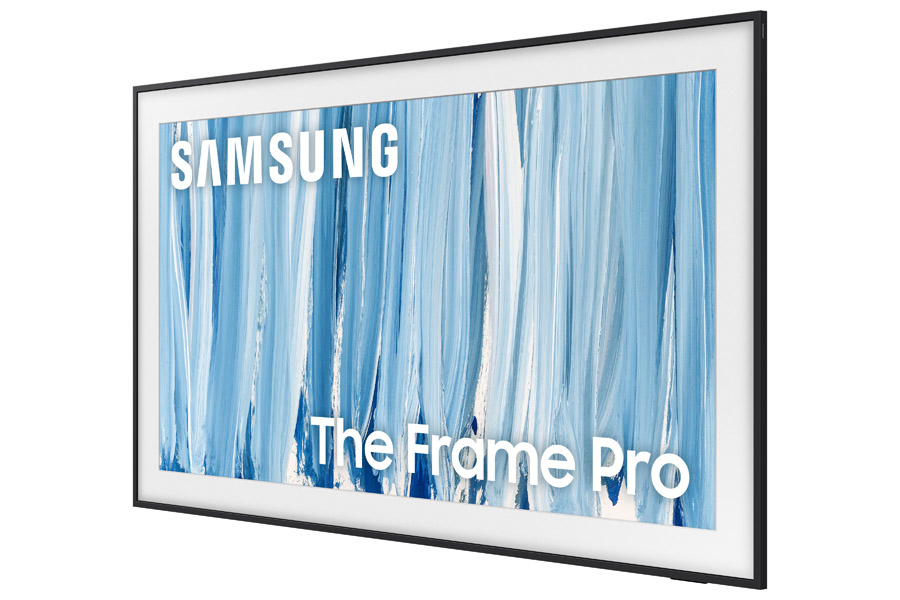
Display Versatility: The Frame lineup isn’t just about pretending to be a painting. When it’s time to actually watch something, you’re getting a full 4K UHD TV with AI upscaling that works scene by scene to clean up lower-resolution content. The Frame Pro steps things up with Samsung’s NQ4 AI Gen3 Processor and local dimming, focusing on better detail retrieval, contrast control, and overall image stability.
Real Depth Enhancer and AI Customization: Samsung’s Real Depth Enhancer adds a bit of perceived dimensionality by separating foreground elements, which can help draw your eye to the subject without overcooking the image. AI Customization Mode goes a step further by letting you pick your preferred picture style during setup, then automatically adjusting settings in real time based on what you’re watching. It’s part convenience, part control—less menu diving, more actual viewing.
Audio Support: For speech clarity, the Frame TVs incorporate the Active Voice Amplifier. This boosts dialogue or key sound effects. Also, the FrameTV incorporates Dolby Atmos, which provides more sound immersion. Also, with Q Symphony, the Frame TV can be combined with compatible Samsung soundbars and Wi-Fi speakers to operate as a single, coordinated sound system rather than isolated components.
Gaming: Gaming support includes Samsung’s Gaming Hub, AI Auto Game Mode, Cloud Gaming, and Motion Xceleration on both series. The Frame Pro supports a 144Hz refresh rate.
AI: The Frame TVs also incorporate Samsung’s Vision AI experience, anchored by the Perplexity TV App. The takes AI on TVs beyond simple voice commands or video enhancements by combining AI audio/video processing, Bixby voice control, Tizen Smart TV integration, and Knox Security into a single, seamless ecosystem.
Slim Fit Wall Mount: Samsung includes its Slim Fit Wall Mount with The Frame, allowing the TV to sit nearly flush against the wall like an actual picture frame. No awkward gap, no obvious hardware, just a cleaner install that makes the whole art illusion a lot more convincing.

Comparison
| The Frame Pro (2026 models) |
The Frame (2026 models) |
|
| Model | LS503HW | LS503HE |
| Screen Size (Diagonal Inches) | 55, 65, 75, 85 | 55, 65, 75, 85, 98 |
| Price | 85″ – $3,999.99 75″ – $2,799.99 65″ – $1,999.99 55″ – Coming soon |
Coming soon |
| Display Type | Neo QLED | QLED |
| Refresh Rate | 144Hz (VRR Support) | 144Hz (VRR Support)) |
| Lighting Technology | Quantum Matrix Technology Slim | Dual LED |
| Display Resolution | 4K (3840 x 2160) | 4K (3840 x 2160) |
| Anti Reflection | Glare Free | Glare Free |
| Matte Screen | Yes | Yes |
| Viewing Angle | Wide Viewing Angle | Wide Viewing Angle |
| Dimming Technology (Software-based) | Supreme Mini LED Dimming | Supreme UHD Dimming |
| Processor | NQ4 AI Gen3 Processor | NQ4 AI Gen2 Processor |
| Upscaling | 4K AI Upscaling Pro | 4K AI Upscaling |
| Variable Refresh Rate (VRR) | Yes | Yes |
| Motion Handling | Motion Xcelerator 144Hz | Motion Xcelerator 144Hz |
| DLG (Dual Line Gate) | 240Hz | 240Hz |
| Contrast Enhancer | Real Depth Enhancer | Real Depth Enhancer |
| AI Motion Enhancer | Pro | – |
| Color | Quantum Dot Display Pantone Validated ArtfulColor |
Quantum Dot Display |
| Color Booster | Pro | Pro |
| HDR (High Dynamic Range) | Neo Quantum HDR | Quantum HDR |
| HDR10+ | Adaptive Gaming Advanced |
Adaptive Gaming |
| Auto HDR Remastering | Pro | Yes |
| Adaptive Picture | AI Optimized AI Customization |
AI Optimized AI Customization |
| Supersize Picture Enhancer | 85″ Only | 85″ and 98″ Only |
| Bluetooth | BT5.3 | BT5.3 |
| Wi-Fi | Wi-Fi 6E | Wi-Fi 6E |
| One Connect Box | Yes – Wireless | – |
| HDMI Inputs | 5 Ports | 4 Ports |
| HDMI Maximum Input Rate | 4K 144Hz (for HDMI 1/2/3/4) | 4K 144Hz (for HDMI 1/2/3/4) |
| HDMI Audio Return Channel | eARC | eARC |
| HDMI-CEC | Yes | Yes |
| USB Ports | 2 x USB-A 1 x USB-C |
2 x USB-A |
| Ethernet (LAN) | Yes | Yes |
| Digital Audio Out (Optical): | Yes | Yes |
| RF Connection | Yes | Yes |
| RS-232C Input | Yes | Yes |
| Gaming Support | Gaming Hub Cloud Gaming: – Xbox, NVIDIA GeForce Now, Luna, Blacknut, Antstream, Boosteroid AI Auto Game Mode ALLM (Auto Low Latency Mode) Gaming Motion Plus Super Ultra Wide Game View Game Bar Mini Map Zoom AMD FreeSync: Freesync Premium™ Pro HGiG Hue Sync |
Gaming Hub Cloud Gaming: – Xbox, NVIDIA GeForce Now, Luna, Blacknut, Antstream, Boosteroid AI Auto Game Mode ALLM (Auto Low Latency Mode) Gaming Motion Plus Super Ultra Wide Game View Game Bar Mini Map Zoom AMD FreeSync: Freesync Premium™ Pro HGiG Hue Sync: |
| Samsung Vision AI | Vision AI Companion AI Soccer Mode AI Sound Controller Live Translate Generative Wallpaper Multi AI Agents (Copilot & Perplexity) Pet & Family Care Home Insight |
Vision AI Companion AI Soccer Mode AI Sound Controller Live Translate Generative Wallpaper Multi AI Agents (Copilot & Perplexity) Pet & Family Care Home Insight |
| TV Art Features | Art Mode: Yes Art Store: Yes |
Art Mode: Yes Art Store: Yes |
| Operating System | One UI Tizen | One UI Tizen |
| Free Ad-Supported TV | Samsung TV Plus | Samsung TV Plus |
| Smart Home Connectivity | SmartThings. Matter, IoT-Sensor Functionality, Quick Remote | SmartThings. Matter, IoT-Sensor Functionality, Quick Remote |
| Smart Assistants (Built-In) | Bixby, Alexa | Bixby, Alexa |
| Smart Assistants (Works with) | Google Assistant | Google Assistant |
| Far-Field Voice Interactions | Yes | – |
| Web Browser | Yes | Yes |
| Samsung Health | Yes | Yes |
| Multi-Device Experience | Mobile to TV, TV initiates mirroring, Sound Mirroring, Wireless TV On | Mobile to TV, TV initiates mirroring, Sound Mirroring, Wireless TV On |
| Multi-View | Up to 2 videos | Up to 2 videos |
| Galaxy Buds Auto Switch | Yes | Yes |
| Works with Apple AirPlay | Yes | Yes |
| Works with Google Cast | Yes | Yes |
| Daily+ | Yes | Yes |
| Now Brief | – | – |
| Workout Tracker | Yes | Yes |
| Karaoke Mic | Yes | Yes |
| Multi-Control | Yes | Yes |
| Storage Share | Yes | Yes |
| Audio | Speaker System: 2.0.2 Channels Output Power (W): 40W Dolby Atmos Object Tracking Sound (OTS) Q-Symphony Active Voice Amplifier (AVA) Pro Adaptive Sound Bluetooth Audio 360 Audio |
Speaker System: 2. Channels Output Power (W): 20W Dolby Atmos Object Tracking Sound (OTS Lite) Q-Symphony Active Voice Amplifier (AVA) Pro Adaptive Sound Bluetooth Audio 360 Audio |
| TV Design | Frame Design (Customizable) | Frame Design (Customizable) |
| Bezel Type | VNB (Interchangeable) | VNB (Interchangeable) |
| Front Color | Black | Black |
| Stand Type | Round Feet | Round Feet |
| Stand Color | Black | Black |
| Adjustable Stand: | Yes | Yes |
| Security | Knox Vault: N/A Knox Security: Yes |
Knox Vault: N/A Knox Security: Yes |
| Power | Power Supply (V): AC110-120V~ 50/60Hz Stand-by Power Consumption (W): 0.5 Eco Sensor Auto Power Saving Auto Power Off |
Power Supply (V): AC110-120V~ 50/60Hz Stand-by Power Consumption (W): 0.5 Eco Sensor Auto Power Saving Auto Power Off |
| Included Accessories | Remote Control: BT SolarCell™ Remote TM2661H Power Cable Slim Fit Wall Mount: Included Simple Stand Included Wireless One Connect Box |
Remote Control: BT SolarCell™ Remote TM2661H Power Cable Slim Fit Wall Mount: Included Simple Stand Included |
The Bottom Line
Samsung didn’t just stumble into a gimmick with The Frame; it built a category and then spent nearly a decade refining it while everyone else played – and is still playing – catch-up. What still works is obvious: the design remains unmatched, Art Mode is actually useful (not a throwaway feature), and the matte display with reduced glare does more to sell the illusion than any marketing language ever could. The addition of the Wireless One Connect Box on the Frame Pro finally cleans up installation in a way that aligns with the whole “this is art, not a TV” pitch.
What makes it unique hasn’t really changed, but that’s the point. No one else has matched Samsung’s ecosystem: the depth of the Art Store, the partnerships, the motion sensor integration, and the overall polish. Others are making “Art TVs,” but most still feel like TVs wearing a costume. Samsung’s feels intentional.
What’s missing? For all the AI talk, there’s still a lack of clarity around how much real picture quality you’re getting versus Samsung’s more performance-focused QLED, OLED and Micro RGB models. There’s also the ongoing question of value, especially when you factor in Art Store subscriptions and whether buyers are paying more for design than outright performance.
Who is this for? Not the spec chaser. Not the home theater purist in pursuit of perfect blacks in a dark room. This is for someone who wants a TV that doesn’t dominate the room when it’s off, but still delivers a very competent 4K experience when it’s on. If your living space matters as much as your watchlist, The Frame still makes a compelling argument.
For customers who like the idea of an “Art TV” but do want top-notch picture performance, Samsung also now offers the S95H OLED TV. It comes with an integrated picture-frame style bezel, flush wall mounting, Glare Free screen and wireless OneConnect option like The Frame Pro, but with picture performance that rivals the top TVs of 2026.
The real question for 2026 isn’t whether Samsung improved The Frame—they did. It’s whether the growing crowd of competitors has figured out how to do it better, or just cheaper. So far, Samsung still looks like the one everyone else is trying to catch.
Pricing & Availability
Samsung’s 2026 4K Frame TVs carry the following prices:
The Frame Pro (LS503HW)
- 85-inch Class: $3,999.99
- 75-inch Class: $2,799.99
- 65-inch Class: $1,999.99
- 55-inch Class: Coming soon
The Frame (LS503HE)
- 98-inch Class: Coming Later This Year
- 85-inch Class: Coming Soon
- 75-inch Class: Coming Soon
- 65-inch Class: Coming Soon
- 55-inch Class: Coming soon
Bonus Offers
Samsung is adding some incentive to soften the blow. Order a 2026 The Frame Pro directly from Samsung.com and you can bundle in the “Picture Perfect” package, which knocks $800 off a setup that includes a white bezel, ultra slim soundbar, professional installation, a one year Art Store subscription, and two years of Samsung Care+. In other words, they are not just selling you a TV. They are trying to finish the room for you.
At retail, the pitch is simpler. Buy either the 2026 The Frame or The Frame Pro and you can take 50% off one of Samsung’s customizable bezel options, which is arguably one of the more important add ons if you actually care about the whole “it looks like art” idea.
As for availability, The Frame Pro is shipping now through Samsung and major retailers, while the standard The Frame is expected to follow later this spring. The official press release did not list the 98-inch screen size announced at CES and confirmed to eCoustics staff in March at an on-site workshop. We’ll update this article if/when we learn more about the 98-inch version.
Related Reading:
Tech
Amazon is giving away one of the best strategy games ever, plus loads of other PC games for Prime members

You might think that Amazon Luna is all about cloud gaming, but that’s not the case. The underappreciated Amazon Prime membership perk also includes a monthly selection of free PC games – offering you the chance to pick up keys for storefronts like GoG or the Epic Games Store (plus Amazon‘s own PC game launcher) at no extra cost.
This isn’t the same as a service like Xbox Game Pass, either, as the games that you get are yours to keep even if your membership lapses. They’re only available for a limited time, and there’s really no reason not to claim them. Even if you’re not too thrilled about an included title right now, you never know when you might want to play it in the future.
Article continues below

Xcom: Enemy Unknown Complete Pack is the star of this month’s offering, giving you one of the greatest strategy games ever and all of its DLC content. Set in the near-future, it challenges you to manage an elite special forces squad assembled to fight back against an alien invasion.
Meaty tactics and a punishing difficulty level make this a game that you can spend hours in, and I particularly love the in-depth customization options for all of your crew. This complete release includes the base game and the brilliant Enemy Within expansion, plus the Elite Soldier Pack and Slingshot Pack cosmetics.
If that wasn’t enough, you can also claim Total War: Pharaoh Dynasties, an enhanced version of the 2023 Bronze Age conquest game. Pharaoh Dynasties includes loads of new factions, units, a much bigger map, and an overhauled, faster combat system. It also comes bundled with the original game, Total War: Pharaoh, giving you two distinct versions to try.
These are both new additions, but Total War: Rome 2 – Emperor Edition and Total War: Three Kingdoms are still hanging around from previous weeks and can currently be added to your library, giving you a formidable Total War collection.
Other great picks include both Tiny Tina’s Assault on Dragon Keep: A Wonderlands One-shot and Tiny Tina’s Wonderlands, two brilliant first-person shooters.
To begin claiming games and see the other titles on offer, head over to the Amazon Luna claim page and log in with your Amazon account.

The best PC games
Follow TechRadar on Google News and add us as a preferred source to get our expert news, reviews, and opinion in your feeds. Make sure to click the Follow button!
And of course you can also follow TechRadar on TikTok for news, reviews, unboxings in video form, and get regular updates from us on WhatsApp too.
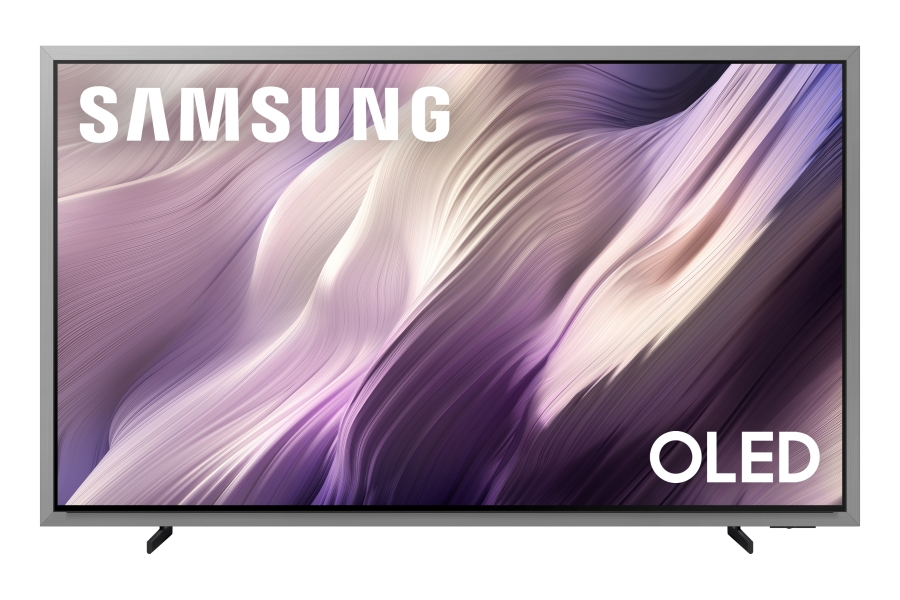
The Samsung S95H is the company’s new flagship OLED TV for 2026, and it’s a decidedly different beast compared to previous Samsung S95 series OLEDs. What’s most immediately different about the Samsung S95H is a beveled metal frame surrounding the set’s screen. Samsung calls this new design FloatLayer, and it gives the TV a picture frame look when flush-mounted to a wall.
Along those lines, the S95H is the first OLED TV to support the Samsung Art Store, a subscription service that lets viewers display a selection of over 3,000 artworks on the TV, including ones from leading museums like the Met, the Museo del Prado, and the Louvre.
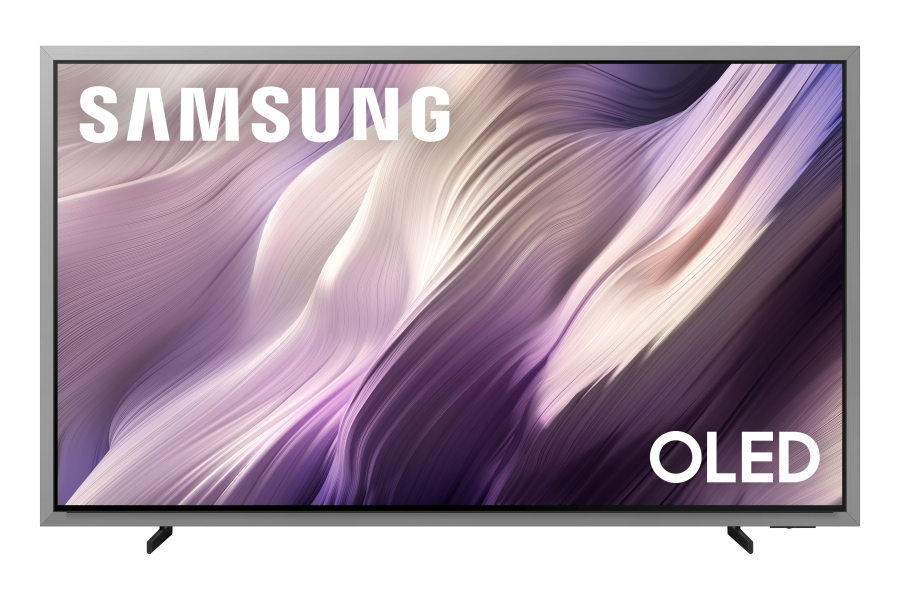
The Samsung S95H features a new FloatLayer design that surrounds the screen with a metal frame.
Adding to the S95H’s high art credentials is a new version of Samsung’s Glare Free screen with OLED HDR Pro to better maintain contrast even when viewing in brightly lit rooms. A new QD-OLED Penta Tandem display panel used in the S95H is also said to be 30% brighter than last year’s S95F, which is another factor that will help with bright room viewing. Samsung is a bit cagey about revealing which raw panels are used in which screen sizes, but we believe the QD-OLED panel will be used in 55-inch, 65-inch and 77-inch screen sizes while the 83-inch model will use a W-OLED panel.
With the S95H series, which is available in 55, 65, 75, and 83-inch screen sizes and priced from $2,499 to $6,499, Samsung is clearly attempting to port its The Frame TV concept to the premium OLED TV market. Is it a comfortable fit? Let’s take a look and find out.
Before we do that, let’s briefly cover two additional OLED TV series Samsung announced for 2026. The S90H series is available in 42, 48, 55, 65, 77 and 83-inch screen sizes priced from $1,399 to $5,299. These models also feature a Glare Free screen. Rounding out Samsung’s new OLED offerings is the S85H series, which will be sold in 48, 55, 65, 77 and 83-inch sizes priced from at $1,199.99 to $4,499.99.

Features
The S95H series is Wireless One Connect Ready. That’s a new feature for a Samsung OLED TV, and one that gives you the option to pair it with Samsung’s Wireless One Connect Box. And doing so will also give you a total of eight HDMI 2.1 ports with 4K/165Hz support – four on the unit itself and 4 on the wireless One Connect box. That’s a lot of inputs. (The wireless connection is 4K/165Hz-capable.)
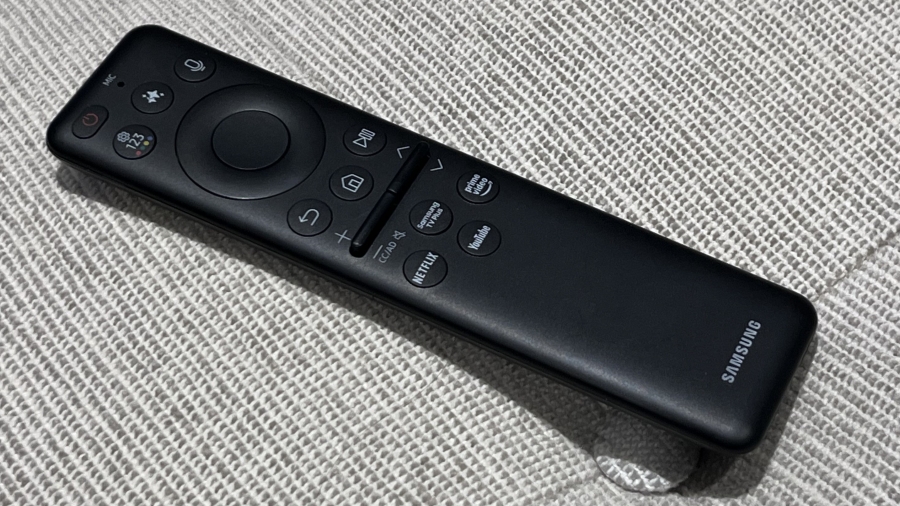
For the S95H series, Samsung is using the same NQ4 AI Gen3 Processor found in its 2025 flagship TVs. This processor brings a host of AI-based picture enhancements such as 4K AI Upscaling Pro for lower-resolution content, AI Motion Enhancer Pro, and an Adaptive Picture function that uses AI to optimize pictures based on the content genre. Another new feature is AI Customization, which can create a custom picture setting based on the viewer’s response to a series of images, and there’s also Real Depth Enhancer, a feature first introduced in 2025 Samsung TVs that analyzes pictures in real-time to enhance foreground detail.
Gamers who skip Samsung’s Wireless One Connect Box will still find plenty to work with. The S95H includes four HDMI 2.1 ports that support up to 165Hz, along with FreeSync Premium Pro and HDR10+ Gaming for smoother, more responsive play. Samsung’s Gaming Hub also returns with a deep bench of cloud services, including Xbox, NVIDIA GeForce Now, Luna, Blacknut, Antstream, and Boosteroid, giving players multiple ways to jump into games without a console.
A 4.2.2-channel, 70W speaker array is used for the S95H’s sound. Samsung’s Object Tracking Sound+ feature ensures that dialogue and sound effects accurately follow the onscreen action, and Active Voice Amplifier can be used to dynamically enhance dialogue. Owners of compatible Samsung soundbars can also take advantage of Q-Symphony, a feature that combines the output of the TV’s speakers with the soundbar for an enhanced presentation.
Last but not least, Samsung includes a set of support feet with the S95H for viewers who choose not to wall-mount the TV.

Hands-on with the Samsung S95H OLED TV
Samsung invited eCoustics to its New Jersey headquarters in early March to spend some hands-on time with the S95H and some of its other new TVs. As part of that process, I was able to make a full set of measurements on a 65-inch S95H.
As mentioned above, Samsung has said that the new S95H OLED is 30% brighter than last year’s Samsung S95F. While I didn’t review the S95F, I can confirm that the S95H is the brightest OLED TV I’ve yet measured, topping even the very bright LG G5 OLED on that front.
Measured on a 10% white window pattern, the S95H’s peak HDR brightness in the Standard picture mode was 2,553 nits, and it measured 251 nits on a 100% (fullscreen) pattern. Peak HDR brightness was notably lower in Filmmaker Mode, measuring 1,072 nits on a 10% window, and 251 nits fullscreen.
The S95H’s peak HDR brightness (10% window) in Standard mode is comparable to some of the best mini-LED TVs on the market, even exceeding Samsung’s own flagship QN90F mini-LED TV from 2025 on that parameter.
At the S95H’s default Filmmaker Mode picture settings, P3 color space coverage measured 99.9% and BT.2020 coverage was 88.4%. Those are stellar results, and they also exceed what I measured on last year’s OLED flagship from LG, the G5.
For subjective testing, I opted to use the TV’s Movie picture mode, which produced a brighter picture than Filmmaker mode. I also watched content in both dark and bright room conditions to evaluate the effectiveness of the S95H’s Glare Free screen.
Checking out Spider-Man: Into the Spider-Verse (in 4K, using a Kaleidescape movie player as a source), the S95H’s picture looked nothing short of fantastic. Shadows were deep and detailed, and the movie’s rich colors popped on the screen. The computer-generated animation in Into the Spider-Verse is finely textured, and the S95H easily revealed the intricate patterns and graphic overlays in the backgrounds.

The movie Alpha is a known torture test for HDR tone mapping on TVs owing to its 4,000 nits HDR transfer. (Most 4K/HDR movies max out at around 1,000 nits.) Watching a scene where a figure is positioned against a bright sunset, the S95H’s excellent tone mapping preserved image contrast without eliminating highlight detail.
Next up on the S95H was the opening sequence from the movie Baby Driver – another torture test, this one for motion handling. Samsung’s OLED showed a fair amount of motion judder on this scene in the default Movie mode. As usual with Samsung TVs, adjusting the blur and judder settings in the Custom motion preset fixed the issue, and it didn’t introduce any of the dreaded “soap opera” effect that makes movies look like TV shows.
Switching to the TV’s Standard picture mode to let the S95H display pictures at maximum brightness, I turned on the lights and watched some clips from the movie F1. While color accuracy took a hit in Standard mode, the picture looked incredibly bright for an OLED TV. And the set’s Glare Free screen also did a great job of preventing reflections from the room’s overhead lights without losing black depth and detail.
The Bottom Line
The Samsung S95H’s fancy FloatLayer design may not be for everyone, but it’s not surprising given the trend of TV makers trying to make their flagship models more luxurious and living room friendly. If that idea doesn’t ring a bell, check out the LG OLED evo W6 Wallpaper TV the company introduced at CES 2026.
Along with making their best TVs more visually appealing, companies like Samsung are pushing the brightness capabilities of OLED and introducing screen glare-reduction tech to negotiate the picture quality compromises that come with installing TVs in well-lit living rooms. From what I saw during the hour or so that I spent going hands-on with it, Samsung’s new flagship OLED TV manages to look great in both dark and bright lighting conditions, and the performance of its Glare Free screen is a marked improvement over last year’s Samsung S95F (which itself improved on its S95D predecessor when it came to black level retention).
Will the Samsung S95H turn out to be the best OLED TV of 2026? It’s a bit early out of the gate to make that determination, but Samsung’s new flagship OLED is certain to grab attention.
Pros:
- High brightness for an OLED TV
- Refined overall picture quality
- Effective Glare Free screen
- Wireless One Connect Ready
- Samsung Art Store support
Cons:
- Pricey
- New FloatLayer design not for everyone
- Limited picture brightness in Filmmaker Mode
Where to buy:
- 55-inch S95H: $2,499.99
- 65-inch S95H: $3,399.99
- 77-inch S95H: $4,499.99
- 83-inch S95H: $6,499.99
Related Reading:

A publicly accessible Amazon-hosted storage server allowed anyone with a web browser to access potentially hundreds of thousands of people’s personal data without needing a password. This included driver’s licenses, passports, and other personal information collected by the Duc App, a money-transfer service owned by Toronto-based Duales.
The Canadian fintech company said it resolved the data exposure on Tuesday after TechCrunch alerted its chief executive that one of the company’s cloud storage servers was publicly listing its contents, without a password.
The data was also stored unencrypted, meaning anyone with a link to the data was able to view it in full.
Anurag Sen, a security researcher at CyPeace who discovered the security lapse earlier in the week, contacted TechCrunch in an effort to notify the data’s owner. Sen said that anyone could view and download the data using their browser just by knowing the easy-to-guess web address of the storage server.
According to Sen, the Amazon-hosted storage server listed over 360,000 files containing government-issued documents and other information used by customers to verify their identity through “know your customer” checks. These files included user-uploaded selfies to prove their real-world likeness.
TechCrunch could not ascertain the precise number of exposed driver’s licenses and passports; however, several folders in the exposed bucket each contained tens of thousands of user-uploaded files, a sampling of which listed driver’s licenses, passports, and selfies.
Duales touts its app as a way for users to send money to other users, including overseas in Cuba and elsewhere. Its Android app listing on the Google Play app store shows more than 100,000 user downloads to date.
The files, which dated back to September 2020 and were being uploaded daily, also contained spreadsheets listing customer names, home addresses, and the dates, times, and details of their transactions.
When reached by email, Duales chief executive Henry Martinez González told TechCrunch that the data was stored on a “staging site,” referring to a website used primarily for testing, but did not explain why customers’ personal information was publicly accessible in the same database.
“All protections are in place,” Martinez said. “We are notifying the appropriate parties. We have not contracted any services from you.”
After TechCrunch emailed the company, the files on the storage server were made inaccessible, though a list of the server’s contents is still visible.
Martinez would not say if the company had the technical means, such as logs, to determine who or how many people accessed the data.
Duc App’s website appeared briefly down on Thursday, and displayed a “bad gateway” error.
It’s not clear how or for what reason Duales left its Amazon-hosted storage server publicly open to the internet. In recent years, Amazon has added security checks to prevent users from inadvertently exposing their data to the internet after a series of high-profile incidents where several corporate giants, including a U.S. spy agency, published sensitive data to the web due to misconfigurations.
When reached by TechCrunch as part of our outreach to contact the app’s owner, Canada’s privacy regulator said it was seeking more information from the company.
“The Office of the Privacy Commissioner of Canada has reached out to the company to obtain more information and determine next steps,” a spokesperson for the regulator told TechCrunch by email, declining to comment further.
Duc App is the latest app in a list of recent security lapses involving the exposure of other people’s sensitive identity data. This data exposure comes as apps and websites are increasingly requiring their users to upload their government-issued documents to verify who they say they are but without taking enough steps to secure the data that they collect.
Last year, popular app TeaOnHer exposed thousands of its users’ passports and driver’s licenses, which the app required users to upload before allowing them into the app’s gated community. Discord last year also confirmed a data breach affecting around 70,000 government-issued documents uploaded by users who sought to verify their age, amid a worldwide effort to enact online age checking laws.
Tech
‘This rootkit is highly persistent; a standard factory reset will not remove it’: “NoVoice” Android malware on Google Play infects 50 apps across 2.3 million devices, here’s what we know

- McAfee uncovers NoVoice malware hidden in 50+ Google Play apps with 2.3 million downloads
- Malware exploits old Android kernel and GPU flaws, persists even after factory reset
- Injects code into apps like WhatsApp to hijack sessions; Google has removed apps but infected devices remain compromised
Millions of Android devices were infected with malware spying on their WhatsApp chats and that even a factory reset wouldn’t wipe, experts have warned.
Researchers at McAfee have published an in-depth report on NoVoice, a new Android malware variant found in more than 50 apps hosted on the Google Play store, downloaded more than 2.3 million times combined.
Usually, Google is quite good at preventing criminals from smuggling malware onto the platform, but every now and then, something makes it through.
Article continues below
Cloning WhatsApp sessions
This time around, it was a group of around 50 apps that worked as intended and did not require excessive permissions, such as Accessibility, which are the usual red flags. These apps were built in different categories, including utility apps, image galleries, and games.
Instead of tricking users into sharing broad permissions, the apps tried to leverage almost two dozen different vulnerabilities, including use-after-free kernel bugs and Mali GPU driver flaws, all of which were patched between 2016 and 2021.
That means that the attackers were going for older devices that their owners don’t update or otherwise maintain.
The malware would first collect device information from infected Androids, such as hardware details, kernel version, and Android version. After that, it would receive further instructions, including stage-two exploit strategy.
Two things stand out: the way it establishes persistence, and what it does afterwards. Among other things, the malware installs recovery scripts that replace the system crash handler and store fallback payloads on the system partition. That way, when a user does a factory reset, the malware still persists.
After establishing persistence, it injects malicious code into every app launched on the device. McAfee singled out WhatsApp, saying that the malware pulls sensitive data needed to replicate the victim’s session, thus allowing the attackers to clone the victim’s WhatsApp account on their own device.
Google says it has now removed all of the malicious apps, but until users do the same on their devices, they will remain compromised.

The best antivirus for all budgets
Follow TechRadar on Google News and add us as a preferred source to get our expert news, reviews, and opinion in your feeds. Make sure to click the Follow button!
And of course you can also follow TechRadar on TikTok for news, reviews, unboxings in video form, and get regular updates from us on WhatsApp too.

Nvidia has begun rolling out a beta feature that automatically compiles game shaders while a PC is idle. It won’t eliminate shader compilation the first time a game runs, but Ars Technica reports it could help reduce those repeated wait times. From the report: Nvidia’s new Auto Shader Compilation system promises to “reduc[e] the frequency of game runtime compilation after driver updates” for users running Nvidia’s GeForce Game Ready Driver 595.97 WHQL or later. When the feature is active and your machine is idle, the app will automatically start rebuilding DirectX drivers for your games so they’re all set to roll the next time they launch.
While the feature defaults to being turned off when the Nvidia App is first downloaded, users can activate it by going to the Graphics Tab > Global Settings > Shader Cache. There, they can set aside disk space for precompiled shaders and decide how many system resources the compilation process should use. App users can also manually force shader recompilation through the app rather than waiting for the machine to go idle.
Unfortunately, Nvidia warns that users will still have to generate shaders in-game after downloading a title for the first time. The Auto Shader Compiler system only generates the new shaders needed after subsequent driver updates following that first run of a new title.


Agustin Huerta discusses Anthropic’s new Code Review feature and the importance of AI governance.
As more and more organisations and professionals utilise technologies that make coding simpler, they potentially also introduce additional dangers, as the speed at which code can now be generated can lead to poor security practices and risky behaviours.
In March, US AI and research company Anthropic launched Code Review, a new feature designed to catch and eliminate bugs before they ever make it into a software’s codebase. A move Globant’s senior vice-president of digital innovation, Agustin Huerta explained is reflective of a “shift in software development workflows as AI tools increasingly begin to own more of the software development lifecycle”.
He told SiliconRepublic.com, “It uses multiple specialised agents to review code for risks and bugs, cross-check amongst one another and prioritise the most relevant issues for reviewers.”
But he noted, while this does help teams to better manage higher volumes of code, it doesn’t replace human reviewers and raises a few concerns of its own when it comes to long-term security and best practice.
Critical coding concerns?
“The concern isn’t that code can write and review itself, but that organisations may assume less oversight is needed,” said Huerta, who elaborated, saying that in reality the same principles that dictate and govern traditional software development remain equally as important when AI agents are involved, if not more so.
“The processes and workflow structures that once governed human coders should be adapted to govern agents, including workflow integration, human review, data readiness and observability. Teams need clear visibility into how code is generated, reviewed and promoted across environments, along with defined checkpoints to validate outputs.”
He said, though agents can carry out a number of tasks, for example assist with, recommend and even execute prompts within a set of defined guidelines, code quality and risk management should remain the responsibility of people who themselves follow a clear process.
He finds that nowadays, too many organisations are electing to delegate tasks, such as debugging and code writing to AI agents, rather than a real employee, amplifying the potential for risk, though it isn’t only AI hallucinations and errors sneaking past the automated workforce.
“A more significant concern is an overreliance and unchecked trust in agent autonomy. Overdependence on agent-driven work without the right checks and balances can create blind spots and amplify small issues into larger problems, such as system outages or security risks.
“For example, version control systems and code repositories are a way to maintain observability over human-written code, supported by structured review processes. When these workflows become automated without incorporating an additional layer of human oversight, organisations risk compounding mistakes and introducing larger structural issues that are harder to detect or resolve.”
He finds, while human involvement is irreplaceable, equally as important, across the development lifecycle, is organisational transparency. “Organisations need visibility into how agents are accessing data, how they’re reasoning and why tasks are deemed complete. This level of observability is key in managing human-agent workflows, identifying areas for growth and maintaining accountability.”
Moreover, when correctly implemented and supervised there are clear and significant benefits.
Enterprising AI
AI agents undoubtedly bring a new element to the workplace, for better or for worse, but there are tangible benefits, such as the ability to boost productivity, minimise laborious, data complex tasks, support developers in the coding process and identify the issues or patterns that are often overlooked by people.
Huerta said, “By taking on repetitive work that was previously handled by people, agents allow teams to focus on higher-value tasks and activities. These benefits are best realised when AI is used as an enhancement, not a replacement, for human judgment.
“The most successful models are a hybrid of human-agent teams, where the speed and scale of AI are combined with human oversight to refine and improve workflows, instead of just automating them.”
A key challenge going forward, he explained, will be in establishing balance between the adoption and implementation of AI agents and blending it seamlessly with responsible use. He said, as agents become more advanced and more capable, organisations risk losing sight of basic best practices in crucial areas such as those that govern software development.
“Leaders must continue to prioritise observability, governance and human-agent collaboration despite pressures to prove ROI from AI systems.”
Don’t miss out on the knowledge you need to succeed. Sign up for the Daily Brief, Silicon Republic’s digest of need-to-know sci-tech news.
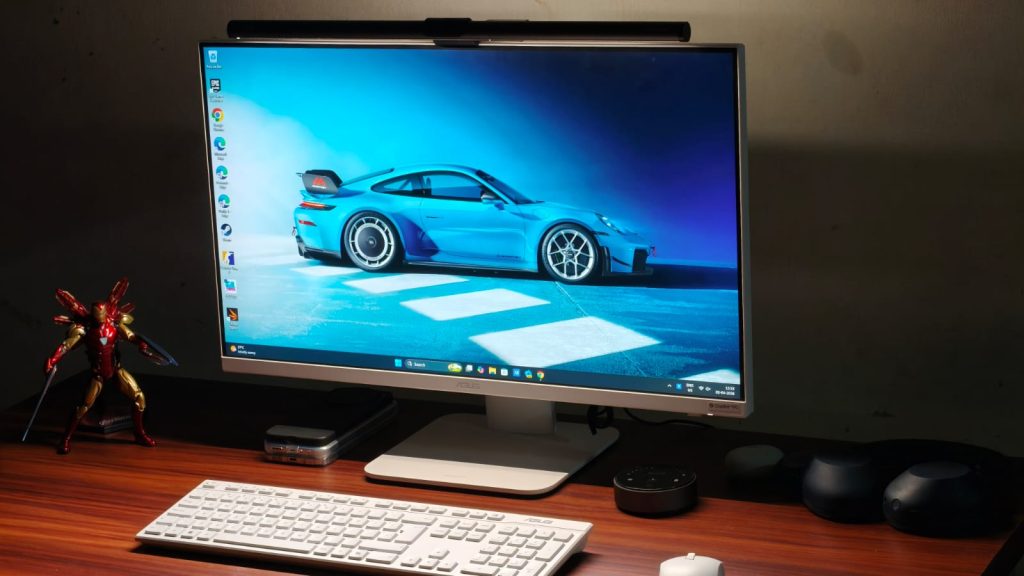
AiOs, or all-in-one computers, have been around for quite some time. And their promise is simple. They give you the big-screen experience of using a desktop, without the hassle of finding the right components and building a PC yourself. Despite me being a tech reviewer, AiOs have had me intrigued for a long time, since, spoiler alert, I cannot build a PC myself. It’s just intimidating, and the risk of ending up with something that doesn’t really work well for my workflow isn’t one I want to take. Asus is one of the few brands active in the AiO market, and their recently introduced VM670KA is the best of the bunch. That’s because it packs Ryzen AI 7 350, 16GB of RAM, and a 27-inch Full HD touchscreen display.
All this at a price of ₹1,12,990 sounds like a pretty sweet deal, especially considering the current world situation, which is plagued by sky-high RAM prices (blame your AI companions, please). But is it though? I called Asus and arranged to have the VM670KA AiO in for review. To do it justice, I swapped my MacBook and used the AiO as my primary WFH machine for over two weeks. Here’s how it stacked up.
Asus VM670KA Review
Summary
With the Asus VM670KA, you get a big-screen desktop to work or study on without fiddling with a separate PC. The display is plenty decent, albeit a little less pixel-dense than I’d like. The speakers are super, and the performance can handle everyone’s workdays and even some light gaming/video editing. Not to mention the beautiful white design that makes the AiO look sweet.
Design & Hardware
My job as a tech reviewer is to work from home, meaning all I do every day is stare at my MacBook’s screen. It never really occurred to me that a 13-inch screen might be too small. However, the minute I configured the VM670, it struck me how much I was missing out. Everything was spaced out to perfection, which put less strain on my eyes. Coming back to the design, I think Asus has done an excellent job. It’s a sober yet sophisticated AiO that looks premium without being too loud. I do love the white color. Asus has shaved off 25% of the thickness compared to the VM670’s predecessor, and the bottom bezel is now narrower. All this translates to a sleeker setup that can rival any modern monitor.
The AiO comes with a stand that attaches easily with a single screw. The stand is made from metal, and it’s pretty sturdy since I’ve accidentally bumped into the table a few times. While there are no height-adjusting settings, you can tilt the screen up or down, which came in handy when I wanted to work standing up. The only gripe I have with the design is the retractable camera. Sure, it’s a great tool to protect one’s privacy by hiding away the webcam, but it also takes away the ability to mount any monitor lightbar. I’m a fan of those, so it was an annoyance. That said, the webcam quality was solid in artificial lighting.
Unlike modern laptops, the VM670 is full of useful ports. The backside houses three USB 3.2 Gen 1 Type A ports, a USB 3.2 Gen 1 Type-C port, a LAN, a DC-in (for power), an HDMI-in for making the AiO a secondary display for your laptop, and an HDMI-out to connect to external monitors. There’s more, as underneath the belly, there’s one more USB 2.0 port for connecting the keyboard and mouse, an HDMI mode switcher, a Kensington Lock, and a headphone/microphone jack.
Keyboard & Mouse

To help you get running quickly, Asus bundles a mouse and keyboard with the VM670, and both connect via a 2.5GHz dongle stored inside the mouse. While I wouldn’t describe the keyboard as groundbreaking, it’s not bad either. There’s ample travel, and there’s some feedback when they are pressed. It’s just that the keys aren’t as sharp as the ones on my MacBook. You can sometimes feel that mushiness, but it’s not a big con, and I did get used to the keyboard quickly, without losing much of my typing speed.
The mouse, on the other hand, is plenty good. I had no problem with its tracking, even when playing some games, for that matter. The grips felt comfortable in my hand, and my wrists, which are super prone to fatigue, did not ache after long periods of use. Beyond that, the clicks were accurate, and the latency wasn’t noticeable to my eyes.
Display & Speakers
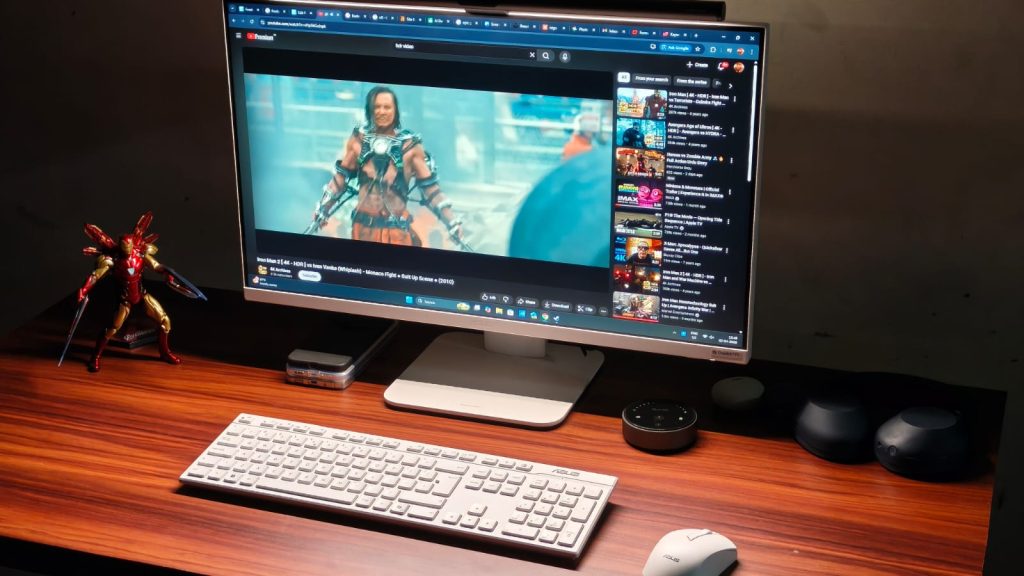
The Asus VM670KA features a 27-inch FHD IPS display with a 93% screen-to-body ratio and a 75Hz refresh rate. When I first got the AiO, I was worried that the 1080p resolution might not be enough for such a large display. Fortunately, I was proven wrong pretty quickly. From a normal viewing distance, I didn’t notice much pixelation when typing this review on the device. Still, I’d have loved to see a 1440p panel at this price. On the flip side, Asus has taken care of the color accuracy, with 100% coverage of the sRGB color space.
I recently caught up to the Breaking Bad hypetrain and decided to watch the season 3 finale on the VM670, and it was a very enjoyable experience. Colors looked super nice, the motion was smooth, and there wasn’t any glare from the light behind me since the display is matte-coated. The Dolby Atmos stereo speakers deserve the same praise as they can easily fill an entire room with powerful sound, without sounding harsh at higher volumes. The bass is decent, and the dialogue remains legible.
As mentioned earlier, the VM670KA has one more trick up its sleeve, and that’s a touchscreen. You might be wondering — what’s the point of a touchscreen on a desktop? The answer to that is children. An AiO makes perfect sense for parents to get for their children who might have online classes or need to work on a project. A touchscreen is a handy tool for that, and makes navigation much simpler.
Performance
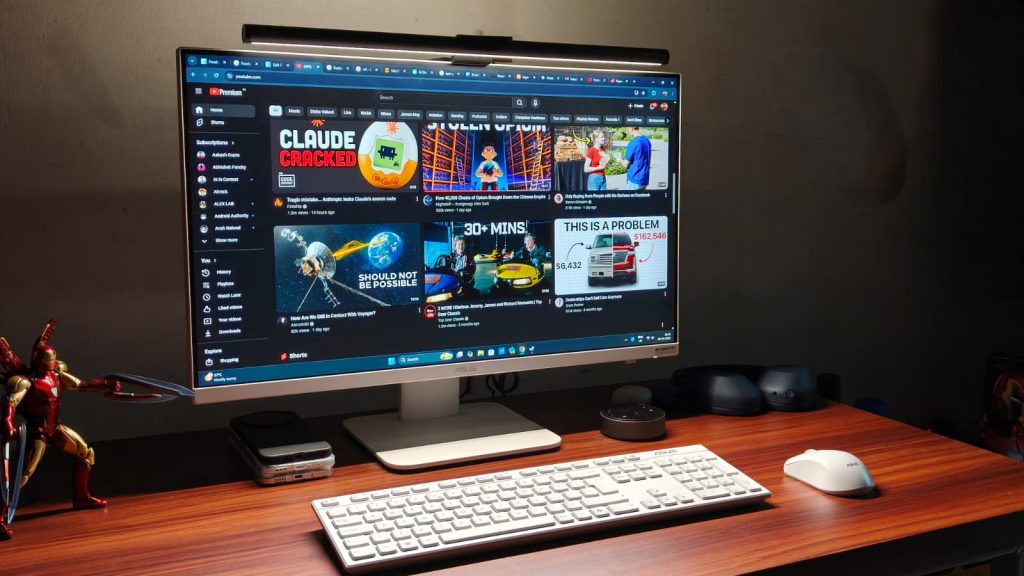
Performance is what makes or breaks the experience with AiOs or any desktop, for that matter. If it can’t handle everyday work, then it’s of no use. At the beating heart of the Asus VM670KA sits the AMD Ryzen AI 7 350 processor, with 8 cores and 16 threads, rated for a maximum frequency of 5 GHz. Graphics is handled by the integrated Radeon 860M, and there’s 16GB of LPDDR5x RAM and 1TB M.2 NVMe PCIe 4.0 SSD.
All of this results in strong everyday performance. The VM670 doesn’t struggle with typical workloads at all. Run 30 Chrome tabs at once? Watch HDR videos on YouTube or quickly switch from a game to an eBook before your parents notice. Not a problem. Never once did I notice a stutter in these tasks, and if your work mainly involves the browser, as mine does, then the performance is more than good enough.
I’m no video editor, but as this is a review, I decided to try my hand at it. The experience? Not bad at all. For those who mainly edit reels in 1080p or even 4K, the VM670 packs a punch. The timeline played smoothly, and render times weren’t too high.
While benchmarks don’t tell the full story of performance, they do paint a picture of a device’s performance ceiling. The VM670 scored 2,833 in Geekbench’s single-core and 10,254 in the multi-core test. Then I moved away from stressing the CPU to stressing the GPU, where the Radeon 860M scored 22,042 in the Geekbench test. For context, this performance is similar to that of the Intel Core i7-13620H processor found in the Asus ExpertBook P1.
Can you game?
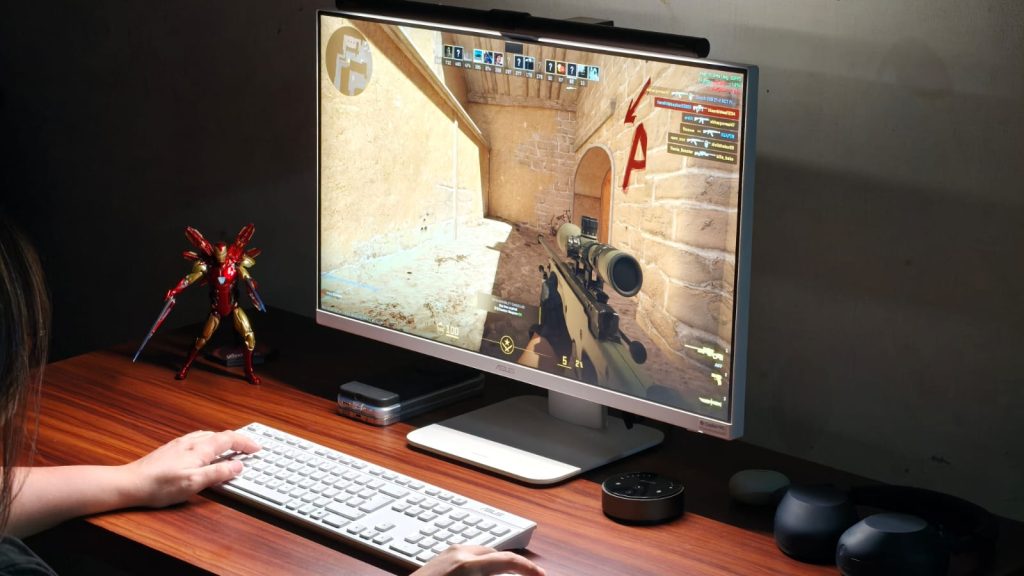
Given the decent performance and appeal towards children, gaming may be on your radar as well. And I will set the expectations straight. You won’t be able to play AAA titles like Cyberpunk 2077 without dropping the quality to PS3 levels on the Asus VM670KA. If that’s a priority for you, the Strix or ROG line would serve you better.
That said, if you play light titles like Counter-Strike 2, Valorant, Fall Guys, or even F1 2025, then the AiO could be handy. I played all four and got over 60 fps in both Counter-Strike 2 and Valorant at medium settings. Fall Guys hit 60 FPS pretty easily, too, and F1 clocked about 45 FPS in medium settings. GTA V also runs, but the frame rates are limited to about 35-40.
Verdict
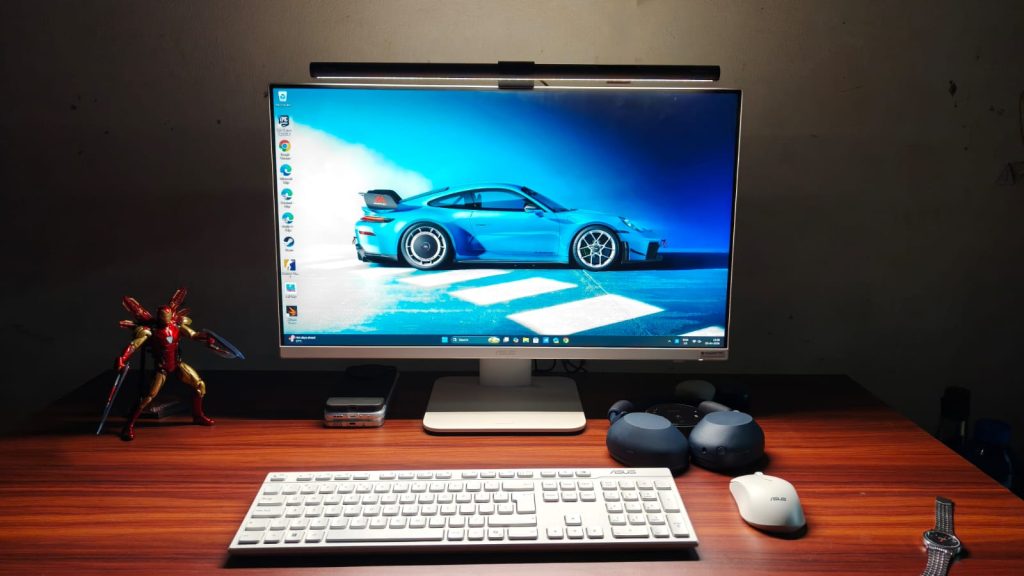
At ₹1,12,990, the Asus VM670KA isn’t cheap. But what it promises isn’t something anyone else can do. For the money, you get a big-screen desktop to work or study on without fiddling with a separate PC. The display is plenty decent, albeit a little less pixel-dense than I’d like. The speakers are super, and the performance can handle everyone’s workdays and even some light gaming/video editing. Not to mention the beautiful white design that makes the VM670KA look sweet.
Entertainment39 seconds ago
Kendra Duggar tells Joseph she no longer has their kids in multiple phone calls to jail

NewsBeat4 minutes ago
PSNI attend scene of man’s sudden death

Business4 minutes ago
NFL asks prediction markets to refrain from ‘objectionable bets’


-

 Business7 days ago
Instagram, YouTube Found Responsible for Teen’s Mental Health Struggle in Historic Ruling
-

 NewsBeat6 days ago
The Story hosts event on Durham’s historic registers
-

 Sports6 days ago
Sweet Sixteen Game Thread: Tide vs Michigan
-
Entertainment3 days ago
Fans slam 'heartbreaking' Barbie Dream Fest convention debacle with 'cardboard cutout' experience
-
 Entertainment5 days ago
Lana Del Rey Celebrates Her Husband’s 51st Birthday In New Post
-
Crypto World2 days ago
Dems press CFTC, ethics board on prediction-market insider trades
-

 Crypto World21 hours ago
Gold Price Prediction: Worst Month in 17 Years fo Save Haven Rock
-

 Tech4 days ago
The Pixel 10a doesn’t have a camera bump, and it’s great
-

 Sports2 days ago
Tallest college basketball player ever, standing at 7-foot-9, entering transfer portal
-

 Tech2 days ago
EE TV is using AI to help you find something to watch
-

 Fashion5 days ago
Amazon Sundays: Soft Spring Layers
-

 Tech3 days ago
Apple will hide your email address from apps and websites, but not cops
-

 Tech2 days ago
How to back up your iPhone & iPad to your Mac before something goes wrong
-

 Politics3 days ago
Should Trump Be Scared Strait?
-

 Tech3 days ago
Flipsnack and the shift toward motion-first business content with living visuals
-

 Crypto World3 days ago
U.S. rule change may open trillions in 401(k) funds to crypto
-

 Business7 days ago
Chinese universities with military links bought Super Micro servers with restricted AI chips
-

 Fashion6 days ago
Weekly News Update, 3.27.26 – Corporette.com
-

 Tech4 days ago
Elon Musk’s last co-founder reportedly leaves xAI
-
 Crypto World4 days ago
Bitcoin’s Six-Month Losing Streak: What On-Chain Data Says About the Market’s Next Move
You must be logged in to post a comment Login