A digital photo frame shouldn’t be complicated. At its best, it’s just a good-looking screen that can be set up quickly that reliably shows the photos you care about. Unfortunately, that’s not always how things play out. The market is flooded with cheap digital frames that promise simplicity but end up delivering washed-out displays, clunky apps and a frustrating experience — leading you to abandon it after a week.
That’s a shame, because a good digital frame can be really enjoyable. Most of us have thousands of photos sitting on our phones that never make it beyond the camera roll, even though they’re exactly the kind of moments worth seeing every day. A solid frame gives those images a permanent home, whether it’s family photos cycling in the living room or shared albums updating automatically for relatives across the country. We’ve tested a range of smart photo frames to separate the genuinely useful options from the forgettable junk, and these are the ones that are actually worth putting on display.
Best digital picture frames for 2026
AURA
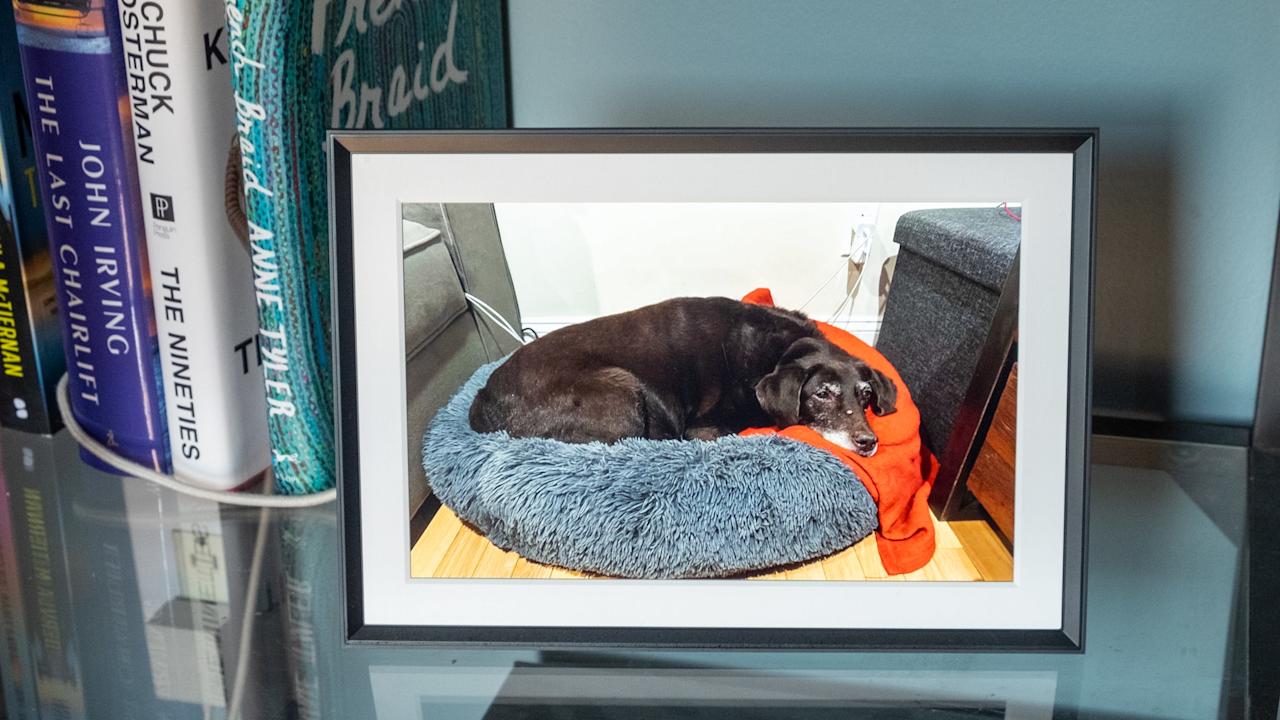
Using an Aura frame felt like the company looked at the existing digital photo frame market and said “we have to be able to do better than this.” And they have. The Carver Mat is extremely simple to set up, has a wonderful screen, feels well-constructed and inoffensive and has some smart features that elevate it beyond its competitors (most of which don’t actually cost that much less).
Advertisement
The Carver Mat reminds me a little bit of an Amazon Echo Show in its design. It’s a landscape-oriented device with a wide, angled base that tapers to a thin edge at the top. Because of this design, you can’t orient it in portrait mode, like some other frames I tried, but Aura has a software trick to get around that (more on that in a minute). The whole device is made of a matte plastic in either black or white that has a nice grip, doesn’t show fingerprints and just overall feels like an old-school photo frame.
The 10.1-inch display is the best I’ve seen on any digital photo frame I’ve tested. Yes, the 1,280 x 800 resolution is quite low by modern standards, but it provides enough detail that all of my photos look crisp and clear. Beyond the resolution, the Carver’s screen has great color reproduction and viewing angles, and deals well with glare from the sun and lights alike. It’s not a touchscreen, but that doesn’t bother me because it prevents the screen from getting covered in fingerprints — and the app takes care of everything you need so it’s not required.
One control you will find on the frame is a way to skip forwards or backwards through the images loaded on it. You do this by swiping left or right on the top of the frame; you can also double-tap this area to “love” an image. From what I can tell, there’s no real utility in this aside from notifying the person who uploaded that pic that someone else appreciated it. But the swipe backwards and forwards gestures are definitely handy if you want to skip a picture or scroll back and see something you missed.
Setting the frame up was extremely simple. Once plugged in, I just downloaded the Aura app, made an account and tapped “add frame.” From there, it asked if the frame was for me or if I was setting it up as a gift (this mode lets you pre-load images so the device is ready to go as soon as someone plugs it in). Adding images is as simple as selecting things from your phone’s photo library. I could see my iPhone camera roll and any albums I had created in my iCloud Photos library, including shared albums that other people contribute to. You can also connect your Google Photos account and use albums from there.
Advertisement
One of the smartest features Aura offers is a continuous scan of those albums — so if you have one of your kids or pets and regularly add new images to it, they’ll show up on your frame without you needing to do anything. Of course, this has the potential for misuse. If you have a shared album with someone and you assign it to your Aura frame, any pictures that someone else adds will get shared to your frame, something you may not actually want. Just something to keep in mind.
My only main caveat for the Carver Mat, and Aura in general, is that an internet connection is required and the only way to get photos on the device is via the cloud. There’s a limited selection of photos downloaded to the device, but the user has no control over that, and everything else is pulled in from the cloud. Aura says there are no limits on how many images you can add, so you don’t need to worry about running out of storage. But if you don’t want yet another device that needs to be online all the time, Aura might not be for you. Most other frames I tested let you directly load photos via an SD card or an app.
The Aura app also lets you manage settings on the frame like how often it switches images (anywhere from every 30 seconds to every 24 hours, with lots of granular choices in between) or what order to display photos (chronologically or shuffled). There’s also a “photo match” feature, which intelligently handles the issue of having lots of images in both portrait and landscape orientation. Since the Carver Mat is designed to be used in landscape, the photo match feature makes it so portrait pictures are displayed side-by-side, with two images filling the frame instead of having black bars on either side. It also tries to pull together complementary pairs of images, like displaying the same person or pulling together two pics that were shot around the same time.
Overall, the Carver Mat checks all the boxes. Great screen, simple but classy design, a good app, no subscription required. Yes, it’s a little more expensive than some competing options, but all the cheaper options are also noticeably worse in a number of ways. And if you don’t want a mat, there’s a standard Carver that costs $149 and otherwise has the same features and specs as the Caver Mat I tested.
Advertisement
Pros
High-quality display with minimal reflections
App makes set-up and management of your photos simple
You can store an unlimited number of pictures in Aura’s cloud
Good integration with Apple iCloud Photos and Google Photos
Elegant, well-constructed design
Smartly displays two portrait photos side-by-side on the landscape display
No subscription required
Cons
A little pricey
Aura’s app and cloud are the only way to get photos on the frame
Can’t be set up in portrait orientation
PhotoSpring
If you’re looking to spend less, PhotoSpring’s Classic Digital Frame is the best option I’ve seen that costs less than $100 (just barely at $99). The PhotoSpring model comes with a 10.1-inch touchscreen with the same 1,280 x 800 resolution as the Carver Mat. The screen is definitely not as good as the Carver, though, with worse viewing angles and a lot more glare from light sources. That said, images still look sharp and colorful, especially considering you’re not going to be continuously looking at this display.
Advertisement
PhotoSpring’s frames are basically Android tablets with some custom software to make them work as single-purpose photo devices. That means you’ll use the touchscreen to dig into settings, flip through photos and otherwise manipulate the device. Changing things like how often the frame changes images can’t be done in the app. While doing things on the frame itself are fine, I prefer Aura’s system of managing everything on the app.
However, PhotoSpring does have a good advantage here: you can pop in a microSD card or USB drive to transfer images directly to the frame, no internet connection required. You can also use the PhotoSpring app to sync albums and single images as well, which obviously requires the internet. But once those pics have been transferred, you’re good to go. Additionally, you can upload pictures on a computer via the PhotoSpring website or sync Google Photos albums.
As for the PhotoSpring hardware itself, it looks good from the front, giving off traditional photo frame vibes. The back is rather plasticky and doesn’t feel very premium, but overall it’s fine for the price. There’s an adjustable stand so you can set the frame up in portrait or landscape mode, and you can set the software to crop your photos or just display them with borders if the orientation doesn’t fit.
PhotoSpring also has a somewhat unusual offering: a frame that has a rechargeable battery. The $99 model just uses AC power, but a $139 option lets you unplug the frame and pass it around to people so they can swipe through your photos albums on the device. This feels like a niche use case, and I think most people will be better served saving their $40, but it’s something to consider.
Advertisement
One of my favorite things about PhotoSpring is that they don’t nickel-and-dime you with subscription services. There aren’t any limits on how many images you can sync, nor are things like Google Photos locked behind a paywall. The combo of a solid feature set, a fine display and a low entry price point make the PhotoSpring a good option if you want to save some cash.
Pros
Solid display
Works in portrait or landscape orientation
Lets you load pictures from multiple sources, including the PhotoSpring app, an SD card, USB drive or via Google Photos
Inoffensive design
No subscription required
Cons
Touchscreen controls mean the display is prone to picking up fingerprints
Display picks up more reflections than the Aura
Feels a little cheap
Software isn’t the most refined
Google
Advertisement
If you want a device that works great as a digital photo frame that can do a lot more than the above options, consider Google’s Nest Hub Max. It has a 10-inch touchscreen with a 1,280 x 800 resolution and can connect to a host of Google services and other apps to help you control your smart home devices. It also works great for playing videos from YouTube or other services, or streaming music thanks to its large built-in speaker. At $229, it’s significantly more expensive than our other options, but there’s no question it can do a lot more.
From a photos perspective, you’ll need to use Google Photos. If you’re not already using the app, switching your library over might be too much of a task to make it worthwhile. But if you do use Google Photos, signing in with your Google account when you set up the Hub Max makes accessing your images quite simple. You can pick specific albums, have it stream your entire library or pull things from various recommendations it offers up.
Once that’s set up, you can customize the slideshow as you’d expect — I set mine to come up by default after the Hub Max was dormant for a few minutes. I also removed everything from the display except the photos. By default, it shows you a clock and the weather forecast, but I wanted to just focus on the pictures. I do like the option to show a little more info, though.
As for the screen itself, it has the same relatively low resolution of the other digital photo frames I tried, but it handles glare very well. And the built-in ambient light sensor automatically adjusts brightness and color temperature, which I enjoy. It keeps the Hub Max from feeling like an overly bright screen blasting you with light; it recedes into the background well.
Advertisement
Of course, the Nest Hub Max has a lot of voice-activated tricks via the Google Assistant. My big question is how long the Hub Max will be supported, as Google is clearly planning to phase out the Assistant in favor of Gemini, and I’m not convinced that the Hub Max will ever support that new AI-powered tool. Beyond the Assistant, you can get a variety of apps on it like Netflix and YouTube, stream music from a bunch of apps, see video from your Nest Cam or make video calls via the built-in camera.
If you’re going to buy a Nest Hub Max, it shouldn’t be just for its digital photo frame features, even though those are quite solid. It’s best for someone well-entrenched in the Google ecosystem who wants a more multi-purpose device. If you fit the bill, though, the Nest Hub Max remains a capable device, even though it’s been around for almost five years.
Pros
Advertisement
Good display quality with auto-brightness and warmth settings
Getting images on it is a piece of cake, provided you use Google Photos
Plenty of ways to control smart home devices
Good-sounding speaker
Cons
Almost five years old
Google Assistant’s days are likely numbered
More expensive than a standard digital photo frame
AURA
The Aura Aspen frame is a step-up from our top pick in terms of overall quality and, unfortunately but predictably, price. For $229, you get a 1,600 x 1,200 resolution, 11.8-inch display that supports 169 pixels per inch, and the frame can be positioned in either portrait or landscape mode. There’s a physical button and touchbar on the frame’s edge that let’s you swipe through photos or change what’s currently displayed, but you can also do that remotely with Aura’s mobile app. All of the same great app features present in the Carver are here for the Aspen, including inviting others to contribute photos to your frame. The kicker here, like with all Aura frames, is the lack of a subscription necessary to keep your frame filled to the brim with updated photos. That alone may be worth paying the higher price tag for some when picking out a frame you want to be able to use freely for years to come. — Valentina Palladino, Deputy Editor
Pros
Advertisement
Elegant design
1,600 x 1,200 resolution display
Easy-to-use Aura app
Can invite others to add photos via mobile app
No subscription required
What to look for in digital picture frames
While a digital photo frame feels like a simple piece of tech, there are a number of things I considered when trying to find one worth displaying in my home. First and foremost was screen resolution and size. I was surprised to learn that most digital photo frames have a resolution around 1,200 x 800, which feels positively pixelated. (That’s for frames with screen sizes in the nine- to ten-inch range, which is primarily what I considered for this guide.)
But after trying a bunch of frames, I realized that screen resolution is not the most important factor; my favorite photos looked best on frames that excelled in reflectivity, brightness, viewing angles and color temperature. A lot of these digital photo frames were lacking in one or more of these factors; they often didn’t deal with reflections well or had poor viewing angles.
A lot of frames I tested felt cheap and looked ugly as well, which isn’t something you want in a smart device that sits openly in your home. That includes lousy stands, overly glossy plastic parts and design decisions I can only describe as strange, particularly for items that are meant to just blend into your home. The best digital photo frames don’t call attention to themselves and look like an actual “dumb” frame, so much so that those that aren’t so tech-savvy might mistake them for one.
Perhaps the most important thing outside of the display, though, is the software. Let me be blunt: a number of frames I tested had absolutely atrocious companion apps and software experiences that I would not wish on anyone. One that I tried did not have a touchscreen, but did have an IR remote (yes, like the one you controlled your TV with 30 years ago). Trying to use that with a Wi-Fi connection was painful, and when I tried instead to use a QR code, I was linked to a Google search for random numbers instead of an actual app or website. I gave up on that frame, the $140 PixStar, on the spot.
Other things were more forgivable. A lot of the frames out there are basically Android tablets with a bit of custom software slapped on the top, which worked fine but wasn’t terribly elegant. And having to interact with the photo frame via touch wasn’t great because you end up with fingerprints all over the display. The best frames I tried were smart about what features you could control on the frame itself vs. through an app, the latter of which is my preferred method.
Advertisement
Another important software note: many frames I tried require subscriptions for features that absolutely should be included out of the box. For example, one frame would only let me upload 10 photos at a time without a subscription. Others would let you link a Google Photos account, but you could only sync a single album without paying up. Yet another option didn’t let you create albums to organize the photos that were on the frame — it was just a giant scroll of photos with no way to give them order.
While some premium frames offer perks like unlimited photos or cloud storage, they often come at a cost. I can understand why certain things might go under a subscription, like if you’re getting a large amount of cloud storage, for example. But these subscriptions feel like ways for companies to make recurring revenue from a product made so cheaply they can’t make any money on the frame itself. I’d urge you to make sure your chosen frame doesn’t require a subscription (neither of the frames I recommend in this guide need a subscription for any of their features), especially if you plan on giving this device as a gift to loved ones.
How much should you spend on a digital picture frame
For a frame with a nine- or ten-inch display, expect to spend at least $100. Our budget recommendation is $99, and all of the options I tried that were cheaper were not nearly good enough to recommend. Spending $150 to $180 will get you a significantly nicer experience in all facets, from functionality to design to screen quality.
Digital frames FAQs
Are digital photo frames a good idea?
Yes, as long as you know what to expect. A digital picture frame makes it easy to enjoy your favorite shots without printing them. They’re especially nice for families who want to display new photos quickly. The key is understanding the limitations. Some frames have lower resolution displays or need a constant Wi-Fi connection to work properly, so they’re not a perfect replacement for a high-quality print on the wall. But if you want a simple way to keep memories on display and up to date, they’re a solid choice.
Advertisement
Can you upload photos to a digital frame from anywhere?
Most modern digital frames let you do this, but it depends on the model. Many connect to Wi-Fi and use apps, cloud storage or email uploads, so you can add photos from your phone no matter where you are. Some even let family members share directly, which is great for keeping grandparents updated with new pictures. That said, a few budget models only work with USB drives or memory cards, so check how the frame handles uploads before buying.
Washington state’s Legislative Building, which houses the Legislature. (GeekWire Photo / Brent Roraback)
Longtime Seattle investor and entrepreneur Chris DeVore is managing partner of Founders’ Co-op.
I have a confession to make. I’m a Democrat. And a capitalist. Both, at the same time.
This didn’t used to be a position that needed defending. But over the course of my adult life these two ideas have moved farther and farther apart. The bond is now at the breaking point, and if it snaps, the party I grew up in will abdicate its once-legitimate claim to the best of the American idea.
The belief in free markets is actually shared by the vast majority of Americans, and while it may anger the populist fringe, embracing capitalism would be a rallying cry to centrists from both parties who despair for our future and are hungry for a message that makes sense.
Today, the party that has labored to defend and perfect the American experiment — with opportunity, justice and equal treatment under the law for all — has either lost its mind, or its memory, for the motive force that makes those ideals possible.
Advertisement
Take away the promise of a better life (immigration), the means to achieve it (capitalism), and the certainty that the fruits of your labor won’t be arbitrarily confiscated (rule of law), and the engine that has made America the richest, most powerful and most admired country in the world grinds to a halt, and the whole grand experiment comes to an end.
One can acknowledge all the historical errors that mar the American project — the displacement and murder of indigenous people, slavery and Jim Crow, the creeping capture of government by corporations, rich people, old people, the list goes on — and not lose sight of the three essential ingredients that make our strange and complicated country possible: capitalism, the rule of law, and a welcome embrace of all who wish to make America their home.
But if you listen to Democrats at both the state and national level today, capitalism is the enemy. Billionaires and their current avatars, AI and data centers, have become the bogeymen that electeds and party leaders invoke to stir outrage in the base.
What’s offered as an alternative isn’t economically coherent (“tax the rich,” when the top 10% of earners already pay ~75% of all federal income taxes; “ban data centers,” industrial-scale NIMBYism that simply pushes development elsewhere), but the message behind the slogans is clear: American prosperity is not something to be conserved, much less promoted; it is a natural resource that we somehow lucked into and can harvest at will, an overflowing fountain of wealth that will never run dry.
Advertisement
How did we get here? How has capitalism, the incontrovertible powerplant of democracy, become anathema to the Democratic party?
Today’s apparent loss of faith is actually rooted in capitalism’s undefeated record of success, coupled with the fitful but now accelerating failure of our democratic machinery.
It’s strange that the centrality of capitalism to our national project requires explanation, but that’s actually the best evidence of its truth: we have been so rich for so long, so embarrassed with our abundance of material and experiential choices, that we have come to take it for granted. We blithely assume that the neighborhood business owners and global corporations that make abundance possible, depositing bi-weekly paychecks in the bank accounts of their millions of workers and filling store shelves with the bewildering array of goods and services we enjoy every day, have simply always been there, will always be there, like the air we breathe.
This is a tragic mistake.
Advertisement
I have made a career, or more truly, I have found a calling, in supporting entrepreneurs from their moment of inception. Every business that exists, from the most humble corner cafe up to and including General Motors and Amazon, only does so because a small number of unreasonable people overcame extraordinary obstacles over many years to create something from nothing.
Every paying job, every charitable gift, every nickel of tax revenue that finances the safe and convenient world we all enjoy, springs from that improbable act of creation. The machinery of capitalism works so well, allowing one person’s vision to be transformed into millions of jobs and billions of dollars of tax revenue, that we have simply forgotten how extraordinary it is, how dramatic a break it represents from thousands of years of autocracy, feudalism, injustice and inequality.
The engine of capitalism is so efficient that it also conceals the deepest truth of all organic systems: companies, just like people, are born, live a short time, and then decline and die. This is hidden by the irrepressible generative energy of well-regulated self-interest: new companies arise to fill the gaps and address the shortcomings of current incumbents, fueling an endlessly diverse and creative process of regeneration. Every company that falters is replaced by two more, eager to serve the customers no longer satisfied by the prior wave’s lackluster efforts.
To paint a picture of this cycle of renewal, of the top 100 most valuable companies in America today, 15 were founded in just the past 10 years, 30 didn’t exist 25 years ago, 45 didn’t exist 50 years ago, and less than a third (30 of 100) have been around for 100 years or more. Great companies can seem like they’ve always been here, but in fact they are dying and being born every day. New companies have to come from somewhere, and that somewhere is the solar energy of the capitalist biosphere: entrepreneurship.
Advertisement
If capitalism, and its essential generative act of entrepreneurship, are so great, how could we possibly have turned against them?
The answer is both democracy’s greatest failure, and its most obvious path to redemption.
For at least the past century, Democrats and Republicans have divided themselves by their views on the role of the state. Democrats see government as an essential partner in the national project: providing critical infrastructure like roads and airports, securing the national defense, providing basic education and health services, and ensuring that the rule of law is applied fairly and equally, both to the companies that help our economy thrive as well as to its individual citizens. Republicans share many of these same views, but where Democrats push for more, Republicans have generally wanted less: lower taxes, fewer regulations, and a generally less-generous redistribution of national income to those lower on the economic ladder.
But to obtain the levers of power needed to advance their respective goals, both parties have relied on the obvious carrot of legislative giveaways to secure blocs of electoral support: farmers, labor unions, business owners, real estate developers, the list is as endless and varied as the economy itself. The result is a regulatory and tax system so stuffed with incentives, tax breaks and special protections that any citizen, even and especially those favored by one set of legislated advantages, can point to those in another group and cry “unfair!”, “undemocratic!”, “corrupt!”
Advertisement
It is this general stench of favoritism and corruption, slowly accreted over 250 years of electoral back-scratching on both sides of the aisle, that has brought us to our present crisis. Each party is so captured by its crazy quilt of protected electoral blocs and aggrieved parties, and so credibly able to point to the injustices perpetrated by the other side, that it becomes plausible to question the entire free-market edifice.
Great wealth now has the taint of theft, with no fine distinctions between entrepreneurial success and a systematic looting of the Treasury.
Things tend to continue as they began. So the most likely, and most depressing, scenario is that we are witnessing the final throes of the American idea. Two centuries of bipartisan regulatory capture have so encrusted our legislative and fiscal infrastructure that equal treatment under the law is now a bitter punchline, not the proud aspiration that once bound us together as a nation. Each party is now fully captive to its donor base, its electoral security purchased with gifts of regulatory ledgermain and dollars siphoned from public coffers, that there is precious little oxygen left for the promises on which the nation was built.
But to use this bipartisan failure of democracy to make a villain of capitalism, to paint as enemies of the state the few founders who have reaped extraordinary gains from their entrepreneurial ventures, when the vast majority are lucky to keep their employees paid and the lights of their modest establishments lit, is to eat out the very heart of the American project.
Advertisement
This is already playing out in miniature at the state level. Traditionally Democratic states like Washington, Oregon and California are pursuing confiscatory tax policies that villainize entrepreneurial wealth. The net result is not the hoped-for increase in state tax revenue, but a highly visible and accelerating flight of entrepreneurial wealth and energy to more capitalist-friendly domiciles like Florida, Texas and Wyoming.
This is not to argue that the unexampled boon of living in a society where one can both earn and keep great wealth does not come with serious civic obligations. By all means use regulation to ensure fair and safe business operations and prevent abuse. Levy the taxes necessary to nurture our remarkable civic infrastructure, allowing entrepreneurs to build new companies from scratch without fear of expropriation, whether by criminals or the state itself. Unquestionably demand that corporations be positive civic actors, as if they were citizens themselves, with all the rights and obligations that entails.
But as a lifelong Democrat, and a passionate believer in the fundamental goodness of the American idea, I have one simple request for the party I still believe is most likely to carry our national experiment forward: recognize capitalist entrepreneurship as the motive force that has made our extraordinary success possible, and restore capitalism as one of the central pillars of our national promise.
By continuing to take our unprecedented prosperity for granted, you misunderstand both its source and its chances of survival. Worse yet, by demonizing the engine of our shared prosperity, you are sowing the seeds of our collective destruction.
Pragmata is drawing positive early reviews thanks to its inventive mix of third-person shooting and real-time hacking mechanics alongside striking futuristic visuals. The dynamic between its lead characters and the game’s strategic combat depth stand out as key strengths.
Sony is removing some features from its TV guide and program guide displays for channels received by an over the air TV antenna on select models of Bravia televisions from 2023-2025. Cord Cutters News reported on the changes, which will take effect in late May.
Channel logos and thumbnail images in program descriptions are going away from the built-in TV Guide for antenna TV channels. Only programs from recently watched channels will be shown in the guide, and depending on the channel, program information may not be displayed. Change is also coming for set top box users, with the dedicated Set Top Box TV menu being removed and replaced by a Control menu. This setup will also not show program thumbnail images any longer.
This is an admittedly narrow use case in the age of both streaming and cable TV, but Sony didn’t provide any reason for making the change. And for those people who are impacted, this could be an unpleasant surprise next month that makes the TV guide and program guide much less helpful.
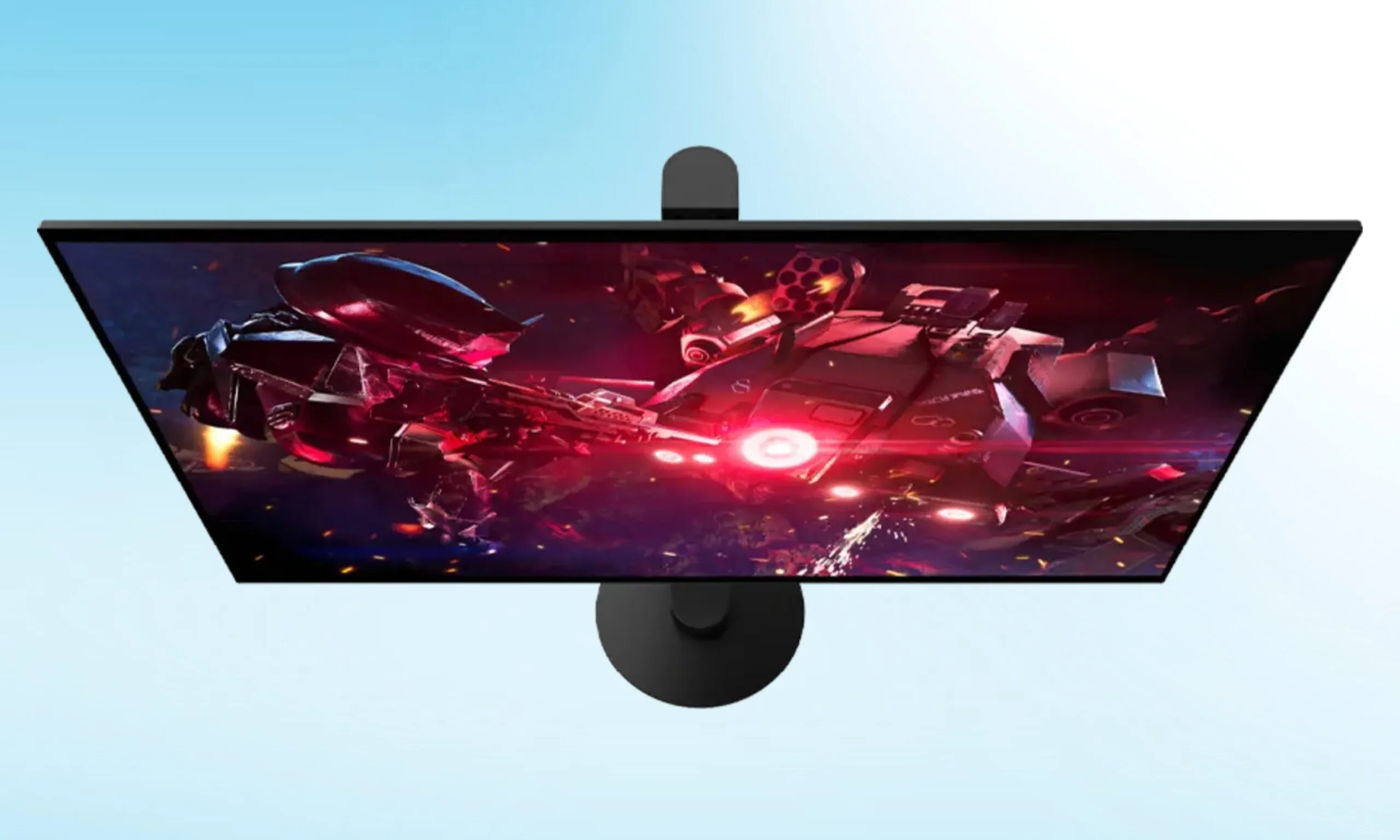
Sony just joined the ultra-fast gaming monitor party, and though it was a bit late, it could potentially turn a lot of heads there. On April 14, the company announced the INZONE M10S II, a 27-inch QHD OLED gaming monitor featuring a tandem OLED panel sourced from LG.
Like other ultra-fast gaming monitors, the Sony gaming monitor pulls double duty between two modes: 540Hz at QHD, and a staggering 720Hz at HD. Developed in collaboration with esports powerhouse Fnatic, the monitor is a successor of the M10S.
Sony has priced the M10S II gaming monitor at $1,099.99. Availability, however, is expected later this year.
Sony
But what does 720Hz actually do for you?
For everyday users, the monitor should offer razor-sharp visuals in QHD resolution at a 540Hz refresh rate with virtually no motion blur and the visual richness of an OLED panel. At this setting, the monitor offers 0.02 ms response time, which is exceptionally good.
However, the 720Hz HD mode is reserved for hardcore, professional, competitive gamers, who’d rather sacrifice the resolution for pure speed. While I personally don’t know anyone who can make use of such speed, tournament-level FPS gamers, whose fate is determined at the last possible millisecond, could surely put it to good use.
Advertisement
The monitor also features a new Motion Blur Reduction algorithm that unlocks extra brightness during frames. So, instead of going dark, fast on-screen movements remain vivid.
Sony
What else did Sony launch with the monitor?
Sony didn’t stop at the INZONE MS10S II monitor; the company also launched INZONE H6 Air, an open-back wired gaming headphone, which is priced at $199.99, inspired by the studio-grade MDR-MV1 headphones and weighing just 199 grams.
Rounding up the launch are new Fnatic Edition accessories, which include Mouse-A, Mat-F, and Mat-D, along with a new translucent Glass Purple finish of the INZONE Buds wireless earbuds, which are all available now.
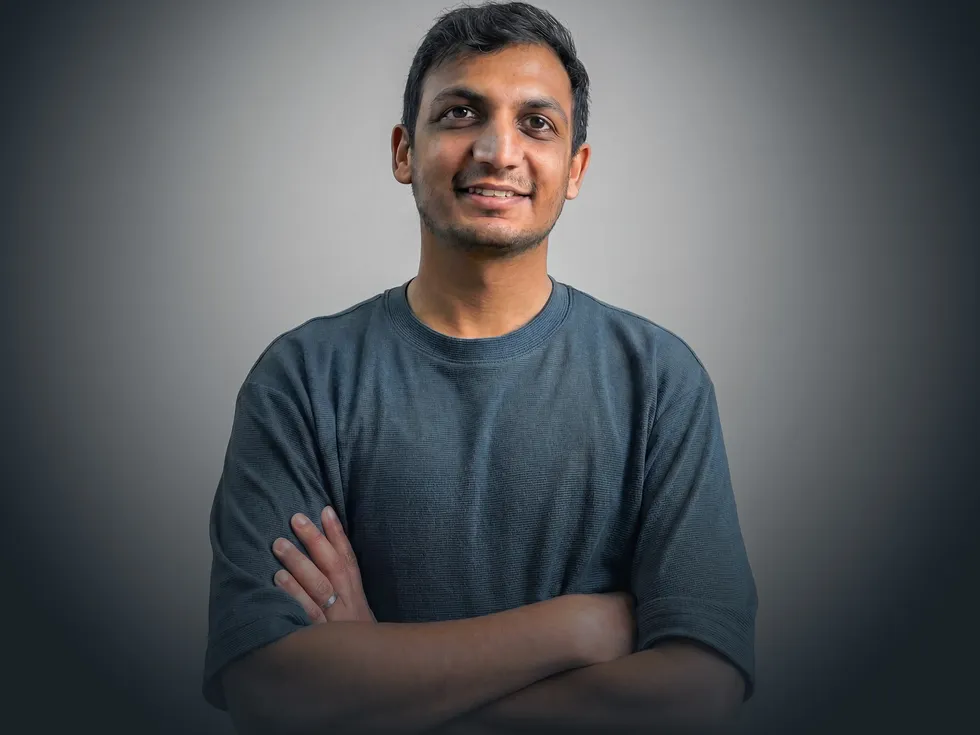
Like many engineers, Sarang Gupta spent his childhood tinkering with everyday items around the house. From a young age he gravitated to projects that could make a difference in someone’s everyday life.
When the family’s microwave plug broke, Gupta and his father figured out how to fix it. When a drawer handle started jiggling annoyingly, the youngster made sure it didn’t do so for long.
Sarang Gupta
Employer
Advertisement
OpenAI in San Francisco
Job
Data science staff member
Member grade
Advertisement
Senior member
Alma maters
The Hong Kong University of Science and Technology; Columbia
By age 11, his interest expanded from nuts and bolts to software. He learned programming languages such as Basic and Logo and designed simple programs including one that helped a local restaurant automate online ordering and billing.
Advertisement
Gupta, an IEEE senior member, brings his mix of curiosity, hands-on problem-solving, and a desire to make things work better to his role as member of the data science staff at OpenAI in San Francisco. He works with the go-to-market (GTM) team to help businesses adopt ChatGPT and other products. He builds data-driven models and systems that support the sales and marketing divisions.
Gupta says he tries to ensure his work has an impact. When making decisions about his career, he says, he thinks about what AI solutions he can unlock to improve people’s lives.
“If I were to sum up my overall goal in one sentence,” he says, “it’s that I want AI’s benefits to reach as many people as possible.”
“I was interested in engineering, including the theoretical part of it,” Gupta says, “But I was always more interested in the applications: how to sell that technology or how it ties to the real world.”
In his spare time, Gupta built a smartphone app that let students upload their class schedules and find classmates to eat lunch with. The app didn’t take off, he says, but he enjoyed developing it. He also launched Pulp Ads, a business that printed advertisements for student groups on tissues and paper napkins, which were distributed in the school’s cafeterias. He made some money, he says, but shuttered the business after about a year.
After graduating from the university in 2016, he decided to work in Hong Kong’s financial hub and joined Goldman Sachs as an analyst in the bank’s operations division.
Advertisement
From finance to process optimization at scale
After two parties agree on securities transactions, the bank’s operations division ensures that the trade details are recorded correctly, the securities and payments are ready to transfer, and the transaction settles accurately and on time.
As an analyst, Gupta’s task was to find bottlenecks in the bank’s workflows and fix them. He identified an opportunity to automate trade reconciliation: when analysts would manually compare data across spreadsheets and systems to make sure a transaction’s details were consistent. The process helped ensure financial transactions were recorded accurately and settled correctly.
Gupta built internal automation tools that pulled trade data from different systems, ran validation checks, and generated reports highlighting any discrepancies.
“Instead of analysts manually checking large datasets, the tools automatically flagged only the cases that required investigation,” he says. “This helped the team spend less time on repetitive verification tasks and more time resolving complex issues. It was also my first real exposure to how software and data systems could dramatically improve operational workflows.”
Advertisement
“Whether it’s helping a person improve a trait like that or driving efficiencies at a business, AI just has so much potential to help. I’m excited to be a little part of that.”
The experience made him realize he wanted to work more deeply in technology and data-driven systems, he says. He decided to return to school in 2018 to study data science and AI, when the fields were just beginning to surge into broader awareness.
He discovered that Columbia offered a dedicated master’s degree program in data science with a focus on AI. After being accepted in 2019, he moved to New York City.
One of his major academic highlights, he says, was a project he did in 2019 with the Brown Institute, a joint research lab between Columbia and Stanford focused on using technology to improve journalism. The team worked with The Philadelphia Inquirerto help the newsroom staff better understand their coverage from a geographic and social standpoint. The project highlighted “news deserts”—underserved communities for which the newspaper was not providing much coverage—so the publication could redirect its reporting resources.
“Journalism was an interesting problem set for me, because I really like to read the news every day,” Gupta says. “It was an opportunity to work with a real newsroom on a problem that felt really impactful for both the business and the local community.”
The GenAI inflection point
After earning his master’s degree in 2020, Gupta moved to San Francisco to join Asana, the company that developed the work management platform by the same name. He was drawn to the opportunity to work for a relatively small company where he could have end-to-end ownership of projects. He joined the organization as a product data scientist, focusing on A/B testing for new platform features.
Advertisement
Two years later, a new opportunity emerged: He was asked to lead the launch of Asana Intelligence, an internal machine learning team building AI-powered features into the company’s products.
“I felt I didn’t have enough experience to be the founding data scientist,” he says. “But I was also really interested in the space, and spinning up a whole machine learning program was an opportunity I couldn’t turn down.”
The Asana Intelligence team was given six months to build several machine learning–powered features to help customers work more efficiently. They included automatic summaries of project updates, insights about potential risks or delays, and recommendations for next steps.
The team met that goal and launched several other features including Smart Status, an AI tool that analyzes a project’s tasks, deadlines, and activity, then generates a status update.
Advertisement
“When you finally launch the thing you’ve been working on, and you see the usage go up, it’s exhilarating,” he says. “You feel like that’s what you were building toward: users actually seeing and benefiting from what you made.”
Gupta and his team also translated that first wave of work into reusable frameworks and documentation to make it easier to create machine learning features at Asana. He and his colleagues filed several U.S. patents.
At the time he took on that role, OpenAI launched ChatGPT. The mainstreaming of generative AI and large language models shifted much of his work at Asana from model development to assessing LLMs.
OpenAI captured the attention of people around the world, including Gupta. In September 2025 he left Asana to join OpenAI’s data science team.
Advertisement
The transition has been both energizing and humbling, he says. At OpenAI, he works closely with the marketing team to help guide strategic decisions. His work focuses on developing models to understand the efficiency of different marketing channels, to measure what’s driving impact, and to help the company better reach and serve its customers.
“The pace is very different from my previous work. Things move quickly,” he says. “The industry is extremely competitive, and there’s a strong expectation to deliver fast. It’s been a great learning experience.”
Gupta says he plans to stay in the AI space. With technology evolving so rapidly, he says, he sees enormous potential for task automation across industries. AI has already transformed his core software engineering work, he says, and it’s helped him enhance areas that aren’t natural strengths.
“I’m not a good writer, and AI has been huge in helping me frame my words better and present my work more clearly,” he says. “Whether it’s helping a person improve a trait like that or driving efficiencies at a business, AI just has so much potential to help. I’m excited to be a little part of that.”
Advertisement
Gupta has been an IEEE member since 2024, and he values the organization as both a technical resource and a professional network.
IEEE’s member directory tools are another valuable resource that he uses often, he says.
“It’s been a great way to connect with other engineers in the same or similar fields,” he says. “I love sharing and hearing about what folks are working on. It brings me outside of what I’m doing day to day.
Advertisement
“It inspires me, and it’s something I really enjoy and cherish.”
A few years ago agricultural equipment giant John Deere found itself on the receiving end of multiple state, federal, and class action lawsuits for its efforts to monopolize tractor repair. The lawsuits noted that the company consistently purchased competing repair centers in order to consolidate the sector and force customers into using the company’s own repair facilities, driving up costs and logistical hurdles dramatically for farmers.
“As we continue to innovate industry leading equipment and technology solutions supported by our world-class dealer network, we are equally committed to providing customers and other service providers with access to repair resources,” said Denver Caldwell, vice president, Aftermarket & Customer Support. “We’re pleased that this resolution allows us to move forward and remain focused on what matters most – serving our customers.”
Except if John Deere had cared about customer service, they wouldn’t be in this predicament.
In addition to intentionally acquiring repair alternatives to monopolize repair and drive up consumer costs, John Deere also routinely makes repair difficult and costly through the act of software locks, obnoxious DRM restrictions, and “parts pairing” — which involves only allowing the installation of company-certified replacement parts — or mandatory collections of company-blessed components.
More recently, the company had been striking meaningless “memorandums of understanding” with key trade groups, pinky swearing to stop their bad behavior if the groups agree to not support state or federal right to repair legislation. Several such groups backed off their criticism, only to have John Deere continue its monopolistic behavior, the FTC’s complaint notes.
The annoyance at John Deere’s behavior has driven a broad, bipartisan movement that’s in very vocal support for state and federal guidelines enshrining “right to repair” protections into law. Unfortunately, while all fifty states have at least flirted with the idea of a state law, only Massachusetts, New York, Texas, Minnesota, Colorado, California, Oregon, and Washington have actually passed laws.
Advertisement
And among those, not one has taken any substantive action to actually enforce the new law, something that needs to change if the movement is to obtain and retain meaningful policy momentum.
As a company, Fluke has been making electronic test equipment longer than the bipolar junction transistor has been around for. In that time they’ve developed a fairly stellar reputation for quality and consistency, but like any company they don’t support their products indefinitely. [ogdento] owns a Fluke meter that isn’t nearly as old as the BJT but still has an age well outside of the support window, and since the main problem was the broken LCD display they set about building a replacement for this retro multimeter.
Initially, [ogdento] had plans to retrofit this classic multimeter with a modern OLED, but could not find enough space for the display or a way to drive it easily. The next attempt to get something working was to build a custom one-off LCD using a drill press as an end mill, which didn’t work either. But after seeing a Charlieplexed display from [bobricius] as well as this video from EEVblog about designing custom LCDs, [ogdento] was able to not only design a custom PCB and LCD display to match the original meter, but was able to get a manufacturer in China to build them.
The new displays have a few improvements over the old; mostly they are more stylistically inspired by later Fluke models and have a few modern improvements to the LCD itself. There were are few issues during prototyping but nothing that was too hard to sort out, such as ordering the wrong size elastomeric strips initially. For anyone who needs to replace a custom LCD and can’t find replacement parts anymore, this project would be a great starting point for figuring out the process from the ground up.
If you have been waiting for Gemini to actually feel like it knows you, your wait is almost over. Google’s Personal Intelligence, which launched earlier this year for paid US subscribers, is now rolling out globally.
What is Gemini Personal Intelligence and what can it do?
Google
Personal Intelligence connects Gemini to your Google apps. Think Gmail, Google Photos, YouTube, Search, Maps, Calendar, Drive, and more. It uses your existing data to give smarter, more tailored responses without requiring you to explain everything each time.
The use cases are genuinely impressive. Ask Gemini for shopping recommendations, and it will factor in your recent purchases and style preferences. Stuck troubleshooting a device you do not remember buying? It can pull the exact model from your purchase receipts in Gmail.
Google
If you are planning a trip with a tight layover, Gemini can use Personal Intelligence to check your gates, walking time, and meal preferences all at once. It can even suggest a new hobby based on patterns it notices across your activity.
Google says this is an opt-in feature, so you choose which apps to connect. Importantly, Gemini does not train directly on your Gmail or Photos data. It references them to answer your questions, but keeps the underlying personal content separate from model training.
Who can use Gemini’s Personal Intelligence feature?
Personal Intelligence works across desktop, Android, and iOS with languages supported by Gemini. The global rollout is now live for Google AI Plus, Pro, and Ultra subscribers everywhere except the European Economic Area, Switzerland, and the UK. Free Gemini users globally will get access within the next few weeks.
Advertisement
Why does this matter?
Google
Personal Intelligence is probably the most significant thing Google has done with Gemini so far. Gemini is slowly becoming the kind of AI assistant that actually understands your life, not just the internet.
With access to Gmail, Photos, Maps, and more, Gemini will no longer feel like a generic chatbot and behave like a genuine personal assistant. No other AI assistant comes close to having this kind of data advantage baked in from the start.
The partnership will bring together Bull’s supercomputing infrastructure and Equal1’s ‘breakthrough’ silicon-spin quantum computers.
Bull, a Paris-based high-performance computing (HPC), artificial intelligence and quantum technology company, is to partner with Dublin start-up Equal1, a silicon-powered quantum computing technology provider.
Equal1 and Bull stated that their deal will “advance the next generation of hybrid quantum-classical technologies with European solutions”, at a time when quantum computing is beginning to transition from promise to practical reality.
The pair said the partnership will combine Bull’s supercomputing infrastructure and quantum emulation expertise with Equal1’s breakthrough silicon-spin quantum computers, as agreed in a memorandum of understanding.
Advertisement
The collaboration will focus on three core pillars – technical integration, joint research and development to advance innovation, and a focus on sovereign European projects whereby both companies will collaborate on EU-led quantum initiatives amid the global quantum race.
Commenting on the announcement, Bruno Lecointe, the senior vice-president and global head of HPC, AI and quantum at Bull, said: “The convergence of high-performance computing and quantum technologies is redefining how we address the world’s most complex challenges.
“10 years after launching the first quantum emulator of the market, innovation has always been part of Bull’s DNA and we remain committed to designing hybrid architectures that help translate emerging technologies into operational capability.
“By integrating Equal1’s silicon-spin quantum servers into our Qaptiva ecosystem, we are enabling a seamless bridge between HPC, quantum emulation and quantum execution. This alliance ensures our customers can leverage quantum-centric supercomputing to achieve real-world outcomes with unprecedented efficiency and performance.”
Advertisement
Jason Lynch, the CEO of Equal1, added: “By building quantum processors on standard silicon, we are turning quantum from bespoke laboratory hardware into deployable infrastructure. This collaboration with Bull is a vital step in bridging the gap between breakthrough hardware innovation and industrial workloads.
“Together, we are positioning our joint solutions as the standard for high-performance computing, enabling seamless integration into existing data centres and driving a more sustainable digital future.”
Earlier this year, Equal1 announced it had raised $60m in a funding round led by Ireland Strategic Investment Fund, with participation from Atlantic Bridge, the European Innovation Council Fund, Matterwave Ventures, Enterprise Ireland, Elkstone and TNO Ventures.
At the time, Equal1 said that the investment would enable deployment to HPC centres – including to the European Space Agency’s Phi-lab in Italy – advance the roadmap towards “millions” of on-chip qubits, scale manufacturing and grow its team.
Apple sometimes closes retail stores. The company always has private and public reasons why, but the communities and workers that are impacted don’t care much about what they are.
Apple Trumbull – Image Credit: Apple
On April 9, it was revealed that Apple was preparing to close three of its stores in the United States in June. The group consists of Apple North County in Escondido, California, Apple Towson Town Center in Towson, Maryland, and Apple Trumbull in Trumbull, Connecticut. After the initial shock of the closures, people are still expressing their feelings about the store closures. However, as usual, nothing is straightforward in the court of public opinion. Continue Reading on AppleInsider | Discuss on our Forums




























































You must be logged in to post a comment Login