Hackers are leveraging a critical authentication bypass vulnerability in the WordPress plugin Burst Statistics to obtain admin-level access to websites.
Burst Statistics is a privacy-focused analytics plugin active on 200,000 WordPress sites and marketed as a lightweight alternative to Google Analytics.
The flaw, tracked as CVE-2026-8181, was introduced on April 23 with the release of version 3.4.0 of the plugin. The vulnerable code was also present in the following iteration, version 3.4.1.
According to Wordfence, which discovered CVE-2026-8181 on May 8, the flaw allows unauthenticated attackers to impersonate known admin users during REST API requests, and even create rogue admin accounts.
Advertisement
“This vulnerability allows unauthenticated attackers who know a valid administrator username to fully impersonate that administrator for the duration of any REST API request, including WordPress core endpoints such as /wp-json/wp/v2/users, by supplying any arbitrary and incorrect password in a Basic Authentication header,” explains Wordfence.
“In a worst-case scenario, an attacker could exploit this flaw to create a new administrator-level account with no prior authentication whatsoever.”
The root cause is the incorrect interpretation of the ‘wp_authenticate_application_password()’ function results, specifically, treating a ‘WP_Error’ as an indication of successful authentication.
However, the researchers explain that WordPress can also return ‘null’ in some cases, which is mistakenly treated as an authenticated request.
Advertisement
As a result, the code calls ‘wp_set_current_user()’ with the attacker-supplied username, effectively impersonating that user for the duration of the REST API request.
Admin usernames may be exposed in blog posts, comments, or even in public API requests, but attackers can also use brute-force techniques to guess them.
Admin-level access allows attackers to access private databases, plant backdoors, redirect visitors to unsafe locations, distribute malware, create rogue admin users, and more.
While Wordfence warned in its post that they “expect this vulnerability to be targeted by attackers and, as such, updating to the latest version as soon as possible is critical,” its tracker shows that malicious activity has already begun.
Advertisement
According to the same platform, the website security firm has blocked over 7,400 attacks targeting CVE-2026-8181 in the past 24 hours, so the activity is significant.
Users of the Burst Statistics plugin are recommended to upgrade to the patched release, version 3.4.2, released on May 12, 2026, or disable the plugin on their site.
WordPress.org stats show that Burst Statistics had 85,000 downloads since the release of 3.4.2, so assuming that all were for the latest version, there remain roughly 115,000 sites exposed to admin takeover attacks.
Automated pentesting tools deliver real value, but they were built to answer one question: can an attacker move through the network? They were not built to test whether your controls block threats, your detection rules fire, or your cloud configs hold.
This guide covers the 6 surfaces you actually need to validate.
We spend hours testing every product or service we review, so you can be sure you’re buying the best. Find out more about how we test.
Corsair Vanguard Air 99 Wireless: One-minute review
The Corsair Vanguard Air 99 Wireless is an optical-mechanical hybrid board that takes aim at the premium end of the market.
It’s a smart and understated affair, although the bright RGB lighting certainly adds some vibrancy, as does the white colorway. The floating keycaps are also a nice touch.
Advertisement
It’s built as well as the best gaming keyboard options, too, thanks to its aluminum body that provides plenty of stability while keeping the weight down. It’s also very compact, despite having a full-size layout; you even get six extra customizable keys on the left, known as S keys.
Latest Videos From
These S keys can be customized via Corsair’s web app, which offers quite a few rebinding options for every key on the board. You also get additional functions such as SOCD, although it has to be said some rivals do allow for more tweaks, especially analog models. Being a web app, you’ll encounter long loading times when clicking on many elements, which can quickly become frustrating.
The S keys can also be customized using Elgato’s Stream Deck software, to assign various Stream Deck functions. The Vanguard Air works well with this app, although I did find that bindings I configured in the Web App failed to re-establish themselves immediately when switching back to it after closing Stream Deck.
(Image credit: Future)
Advertisement
Thankfully, I had no qualms with the gaming performance of the Vanguard Air. I loved the feel of the switches, as they gave plenty of feedback and responded with satisfying clickiness. However, they’re a little heavier than I expected, which I noticed most of all when holding them down for sustained periods.
I typically prefer low profile keycaps over tall ones, so I instantly gelled with those in the Vanguard Air. They’re comfortable to use when gaming, especially the space bar, since it was low enough to avoid hitting its back edge with my thumb. They’re also easy to glide over, which makes for quick typing.
Sign up for breaking news, reviews, opinion, top tech deals, and more.
The Vanguard Air connected wirelessly to my PCs quickly and easily. Switching between devices connected via Bluetooth and the 2.4GHz dongle on the fly was just as straightforward. However, it’s a shame that the board takes a while to wake from its sleep, which can be frustrating when you want to dive straight back into the action after a break. At least you can turn off sleep mode completely, should you wish.
Battery life isn’t particularly great, lasting little more than a couple of days with both wireless connectivity modes used. Also, the battery indicator on the display didn’t seem very precise, turning from nearly full to nearly empty without much warning.
Advertisement
The Vanguard Air is certainly an expensive board, which is partly justified given its premium design, brilliant clicky feel and versatile connectivity options. However, its minor frustrations and lack of features relative to more advanced models take away from its value.
Corsair Vanguard Air 99 Wireless review: Price & availability
(Image credit: Future)
$259.99 / £239.99 (about AU$360)
Available now in two colorways
Top end of the market
The Corsair Vanguard Air 99 Wireless costs $259.99 / £239.99 (about AU$360) and is available now. It comes in two colorways: black or white.
This price point puts it at the high end of the market. You could get a premium analog gaming keyboard for a similar cost, such as the SteelSeries Apex Pro. These boards are more customizable, letting you tweak actuation points and giving you access to advanced functions such as Rapid Trigger and dual actuation. In my view, the Apex Pro is one of the best examples of its class.
If you want to spend considerably less on a gaming keyboard that still performs, then the Keychron V1 Ultra 8K is a great alternative. It too has an 8K polling rate, but features mechanical switches which felt and sounded great to us. However, the tall keycaps might hamper your typing, depending on your preferences.
Advertisement
Corsair Vanguard Air 99 Wireless review: Specs
Swipe to scroll horizontally
Layout
99%
Switch
Advertisement
Corsair OPX Low-Profile
Programmable Keys
Yes (Corsair Web App / Elgato Stream Deck)
Dimensions
Advertisement
425 x 135 x 17mm
RGB or backlighting
Yes (customizable)
Advertisement
Corsair Vanguard Air 99 Wireless review: Design and Features
(Image credit: Future)
Compact and light
Solid aluminium construction
Some frustrations in customization software
The Vanguard Air lacks the gaudy aesthetic of many others in the gaming keyboard world. On the contrary, it’s very understated, with the colorful customizable RGB backlighting being about the only indication of its intended market.
Far from being boring, though, I found its minimalist form quite appealing. It’s very thin and compact, and I always like to see floating key caps, for aesthetic and practical reasons (they’re easy to remove and make cleaning in between their crevices easier).
Despite this minimal form, the Vanguard Air is supremely solid, thanks to the aluminum chassis. This material also helps to keep the weight down, meaning it’s an easy keyboard to move around when needed. It would also make a good choice for those who like to travel around with their board, yet also feels more premium than the plastic-laden alternatives.
There’s no wrist rest included with the Vanguard Air, which is a small shame for a keyboard this expensive. However, the unit is so low to the ground that I didn’t need one to get comfortable. The folding feet also provide a relatively shallow angle, so my wrists didn’t have to bend upwards that far. They provide plenty of stability, too, although moving the board back and forth too vigorously will cause them to fold back in.
It’s impressive the Vanguard Air has a full size layout, considering just how compact it is. There are plenty of useful shortcuts dotted around the keys. There are even six customizable keys on the left, known as S keys.
Advertisement
These can be customized using Corsair’s Web App, along with all the other keys. There’s a sufficient selection of assignments available, including media controls and system functions, although these aren’t as extensive as those in rival software. There’s also the obligatory macro recorder.
(Image credit: Future)
There’s a SOCD feature, too, which Corsair calls FlashTap. This features a useful visualizer to show how each of its three settings works. When two keys of your choice are held simultaneously, you can select the first one pressed to have priority and therefore override the input of the second, or vice versa. There’s also a neutral option, which disables both keys from registering when held together.
The Web App functions well for the most part, although I frequently encountered long loading times even when performing basic actions, such as merely clicking on an element. I suspect this is due to it being a Web App rather than a standalone piece of software, and even when I used it in offline mode, I still encountered the same issue.
You can customize those aforementioned S keys in Elgato’s Stream Deck app, too. You can assign them to perform various functions exclusive to the app. Again, this works well, but there’s another problem: whenever I closed Stream Deck and wanted to revert to the bindings I configured in Corsair’s Web App, they failed to activate. It took several minutes before the Vanguard Air finally realized and they worked again.
Advertisement
The Vanguard Air also features a screen in the top-right corner. This has a pleasingly high resolution for such a small screen, but frankly this is overkill for the basic and limited information it provides. It shows battery life, what connectivity mode is being used, and what key locks are active, but little else.
It can’t be interacted with, either. Other boards with such a screen incorporate their rotary dials to navigate menus to adjust certain settings. The rotary dial on the Vanguard Air, though, has no such function. It can only be used to control volume and other parameters, such as the RGB brightness, horizontal or vertical scrolling, and zoom. These functions can be selected via keyboard shortcuts or via the Web App. The dial is solidly notched but feels easy to use.
Corsair Vanguard Air 99 Wireless review: Performance
(Image credit: Future)
Fantastically clicky keys
Easy wireless hot-switching
Slow to wake up
The optical-mechanical switches in the Vanguard Air are a joy to use. They’re quite light and clicky, and make a very satisfying sound without being too loud. There’s just enough dampening to cushion impacts nicely, and enough travel to make inputs forgiving.
They’re also snappy and responsive, making quick movements in games like Counter-Strike 2 easy to achieve. However, they’re a little heavier than you might expect, which can cause fatigue when holding them down for long periods.
Advertisement
Despite the compact layout, I was comfortable in the WASD position, and the low profile keycaps meant I could hit keys flush, even the space bar — a key I often hit the back edge of on boards. This low profile also makes them great for typing, as they’re easy to glide over.
(Image credit: Future)
I had no problem connecting to various PCs via Bluetooth or the 2.4GHz dongle. Hotswitching between these connection methods is also quick and easy, merely requiring the flick of a switch on the rear of the unit. There are also Fn shortcuts for hotswitching between three Bluetooth connections.
However, the Vanguard Air is frustratingly slow to wake up from its sleep, requiring multiple key presses. Thankfully, you can alter the time it takes before the board enters sleep mode, and even prevent it from sleeping altogether, but a short setting will likely cause annoyance. I haven’t experienced a keyboard with a slower wake time than this.
The battery life of the Vanguard Air isn’t all that impressive, either. After about two or three days of use, switching between 2.4.GHz and Bluetooth modes, it gave up the ghost. What’s more, it did so seemingly out of the blue. The battery indicator on the screen was green and close to full for most of that aforementioned time, but suddenly dipped into the red and threw up a warning, before dying pretty quickly after that. What’s more, it died while I was typing and the last key I pressed continued to register, as if it were being held down, which can obviously be quite disruptive.
Advertisement
Should I buy the Corsair Vanguard Air 99 Wireless?
Scorecard
Swipe to scroll horizontally
Attribute
Notes
Advertisement
Score
Value
The Vanguard Air is incredibly expensive, which only highlights the issues that undermine its value.
2.5
Advertisement
Design and features
Superbly made, but the software is a little temperamental, and it lacks top-line features rivals have.
4
Performance
Advertisement
The clicky keys are sumptuous, and the low profile keys are great for gaming and typing. A slow wake up time and middling battery life are drawbacks, though.
4
Overall rating
The Vanguard Air is brilliantly designed and feels great in action, but some of its drawbacks are hard to swallow at this price.
Advertisement
3.5
Buy it if…
Don’t buy it if…
Advertisement
Corsair Vanguard Air 99 Wireless review: Also consider
Swipe to scroll horizontally
Row 0 – Cell 0
Corsair Vanguard Air 99 Wireless
SteelSeries Apex Pro TKL Wireless Gen 3
Keychron V1 Ultra 8K
Layout
Advertisement
99%
TKL
75%
Switch
Advertisement
Corsair OPX Low-Profile
Analog (Hall-effect magnetic)
Keychron Silk POM (Red/Brown/Banana)
Programmable Keys
Advertisement
Yes (Corsair Web App / Elgato Stream Deck)
Yes
Yes (Keychron Launcher / ZMK)
Dimensions
Advertisement
425 x 135 x 17mm
355 x 129 x 42mm
329 x 149 x 29mm
RGB or backlighting
Advertisement
Yes (customizable)
Yes (customizable)
Yes (Customizable)
Advertisement
How I tested the Corsair Vanguard Air 99 Wireless
(Image credit: Future)
Tested for several days
Used for gaming and other tasks
Plenty of gaming keyboard experience
I lived with the Vanguard Air for several days, during which time I used it gaming, working, and general browsing. I used both Bluetooth and 2.4GHz for connecting to my devices.
I played AAA games and made as many tweaks and customizations as possible via Corsair’s Web App, as well as via Stream Deck, given the board’s integration with the software.
I’ve been PC gaming for over a decade and have experienced many gaming keyboards. I’ve reviewed a large number of them, ranging from budget offerings to premium models from big name brands, such as Razer and SteelSeries.
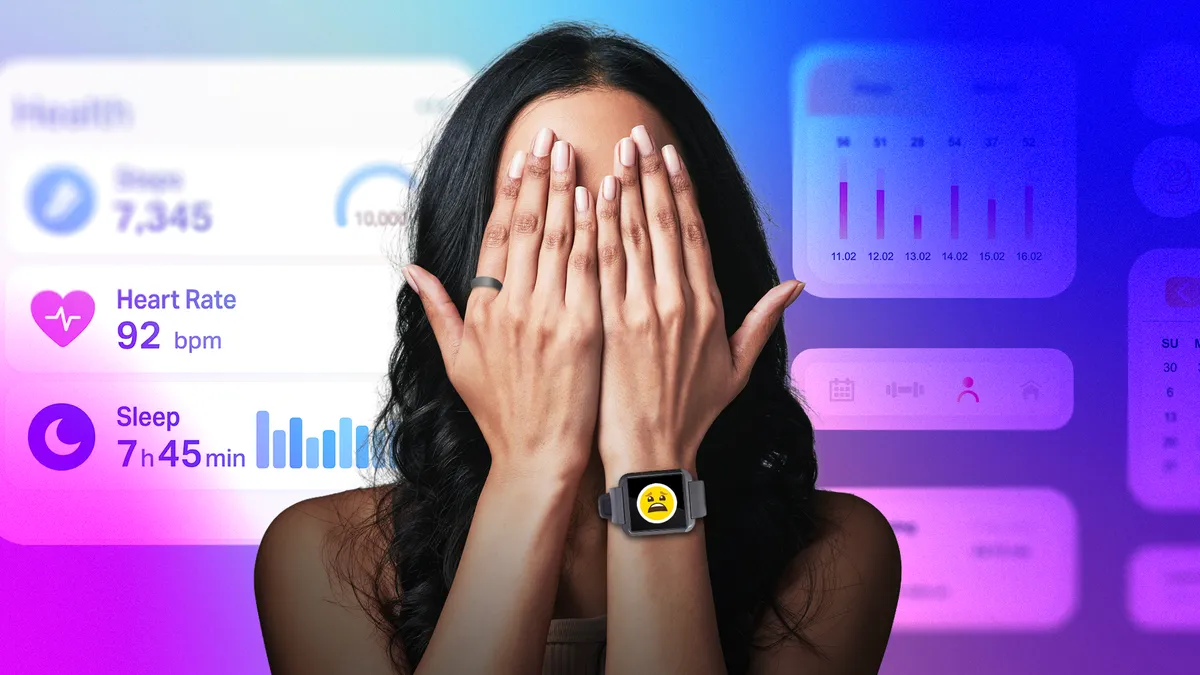
Whenever I wear a smartwatch, I find that my anxiety increases — specifically, my health anxiety. Also known as hypochondria or illness anxiety disorder, this type of anxiety makes me worry that I am or may become ill even when I’m healthy.
What’s ironic is that part of my job involves testing health-monitoring wearables, including fitness trackers and smart rings. While I love exploring this technology and do think it can help you learn more about your body, I have to be careful about how I use it so my anxiety isn’t triggered. I know I’m not alone.
“Healthy adults and individuals with pre-existing medical conditions are increasingly using these devices to manage their health,” says Dr. Lindsey Rosman, assistant professor of medicine in the Division of Cardiology and co-director of the Cardiovascular Device and Data Science Lab at the University of North Carolina School of Medicine. “Whether 24/7 access to health information from a wearable actually helps or potentially harms people is really unclear.”
Advertisement
When you add in the ability to search your symptoms online or ask an AI chatbot in your wearable’s app every health question under the sun, it becomes even more difficult to discern between what’s helpful and harmful.
To help myself and others with health anxiety navigate the world of wearables so we can either enjoy using them or know when it’s time to stop, I reached out to experts for their advice.
1. Turn off health alerts
Rosman has observed clinically that it can be beneficial to either scale back or turn off the features that make you anxious. This can be especially helpful for people with pre-existing conditions that are already being treated, such as atrial fibrillation (AFib, an irregular heartbeat), as your wearable’s irregular heart rhythm notifications will only make you anxious and can prompt you to see your doctor when it’s not medically necessary.
Plus, certain medications can affect the accuracy of wearable sensors, provoking false alarms.
Advertisement
“We published a case report on a patient who performed over 900 EKGs [electrocardiograms or ECGs, which measure the heart’s electrical activity] on her smartwatch in a single year,” says Rosman. While most of the EKGs were normal, inconclusive alerts fueled her anxiety, leading to multiple ER visits, spousal conflict and the need for therapy to reclaim her daily life. The patient had no psychiatric history prior to getting a smartwatch.
When you get an unexpected health alert on your device, it can understandably cause panic.
Cole Kan/CNET/Apple
Dr. Karen Cassiday, author of Freedom from Health Anxiety and owner and managing director of the Anxiety Treatment Center of Greater Chicago, says that even patients who don’t have health anxiety can find wearables to be intrusive when they get too many alerts. “They discover they want to be less aware of every moment of their body’s functioning,” she says.
Advertisement
Thankfully, most wearable health features can be turned off completely or customized.
For instance, Shyamal Patel, SVP of science at Oura, maker of the Oura Ring, shares that the device’s Personalized Activity Goals allow you to choose to see steps instead of calories, adjust your daily activity goal or hide calories completely, which can be necessary for anyone who finds calorie counting triggering or overly rigid.
Advertisement
2. Avoid compulsively checking your device
Referring to a 2024 study she worked on that examined the impact of wearables on the psychological well-being of patients with AFib, Rosman says that about half of the participants were checking their heart rate every day out of habit, not because they felt symptoms.
Cassidy explains that while people with health anxiety may initially find wearables helpful, compulsively checking to make sure their vitals are normal can accidentally become a form of negative reinforcement that further propels the anxiety.
“Often when I work with anxious people, we try to cut back or eliminate the need to compulsively check for reassurance on their wearables, as well as with ChapGPT or other digital ‘doctors,’” says Cassiday.
When people refrain from compulsively checking, wearables can provide useful feedback that counters the false belief that something terrible will happen to their health.
Advertisement
If checking your health metrics causes anxiety, try reducing how often you view them on your device or in its app. Setting an alert to check weekly, at a minimum, could help — especially since it’ll give you a broader picture, making you less likely to hyperfocus on a single data point that seems off.
You should also avoid checking your wearable’s health information right after you wake up or before you go to bed, as this can set the tone for an anxious day or make it harder to fall asleep.
If having a screen on your wrist makes it difficult for you to stop checking, a screenless smart ring or fitness tracker such as the Whoop 5.0 may be a better option, since they rely on apps instead of screens.
Advertisement
A screenless smart ring may help you stop compusively checking your device.
Anna Gragert/CNET
“You choose how much or how little you engage with the app, which gives those who might be anxious about their health the option to limit the amount of time they spend with their data,” says Patel.
3. Focus on trends, not one-off metrics
When I asked both Patel and Dr. Jacqueline Shreibati, head of clinical for platforms and devices at Google, how people who wear their devices can reduce health anxiety, they emphasized the importance of tracking trends — not individual metrics.
“We focus on long-term trends (rather than isolated metrics) to help users maintain a balanced relationship with their data,” says Shreibati. “What being healthy means differs for everyone, and we encourage users to consult their physician if they have any concerns.”
Advertisement
Patel points to the Tags and Trends features in the Oura app. Tags lets you tag lifestyle factors such as travel, alcohol, meditation or late meals, which you can then view in Trends to see how your behavior affects your recovery and sleep over weeks, rather than looking at a single score that may one day seem abnormal.
Instead of viewing a single sleep or stress score, consider looking at that data weekly or monthly.
Vanessa Hand Orellana/CNET
4. Remember: Your smartwatch can’t replace a doctor
“Most consumer wearables were originally developed as personal wellness devices, which are not required to demonstrate safety and efficacy like traditional medical devices (e.g., a blood pressure cuff or pacemaker),” Rosman explains.
Advertisement
Yet we’ve begun using these wearables to monitor our health, using metrics such as heart rate and rhythm, blood oxygen, stress, sleep and physical activity. Now, some of these devices have medical-grade sensors, software and algorithms approved by the US Food and Drug Administration to detect irregular heart rhythms, hypertension and sleep apnea.
Despite FDA approval, wearables are simply not doctors, and they cannot provide medical diagnoses or treatment. That’s why it’s essential to understand what your device actually measures.
The ECG feature on many smartwatches is just one example of this. FDA-cleared as it may be, a single-lead ECG that only uses one electrode to record your heart’s electrical activity from your wrist is not the same as the 12-lead, hospital-grade ECG a cardiologist would use.
While your wearable’s ECG can surface a potential symptom worth investigating with your doctor, it can’t replace a professional or their medical-grade equipment.
Advertisement
Performing an ECG on your smartwatch is not the same as having that same measurement taken in a doctor’s office.
Viva Tung/CNET/Apple
The gap is even wider for features including stress and sleep scores, which haven’t been clinically validated because there’s no one single gold standard to validate against. These numerical scores are calculated from bodily signals such as heart rate, temperature, movement and heart rate variability, which tend to correlate with your stress and sleep states. But the translation from raw signal to “your stress score is 74” is more of an educated estimate.
“What you’re seeing is a rough indicator of how your nervous system is functioning, not a medical diagnosis,” Rosman emphasizes.
Advertisement
Patel adds that not all physiological stress is inherently negative. “Some forms of short-term physiological stress can be healthy and adaptive,” he says. “That’s why we aim to pair data with in-app context and insights, so members can better understand what they’re seeing rather than receiving that information in a vacuum.”
Nonetheless, when you don’t know exactly what your wearable is measuring, a “bad” stress or sleep score can seem scary when it isn’t necessarily a cause for alarm, but rather a sign that you may want to have a deeper conversation with your doctor.
5. Get your doctor’s thoughts
Just like you should talk to your doctor before starting a new medication or diet, you should get their thoughts on whether you could benefit from using a wearable.
“Education is probably the most underused tool we have,” Rosman says.
Advertisement
When you don’t know what a healthy heart rate or ECG looks like, one seemingly atypical reading can send you into a panic. That’s why it’s essential to speak with your doctor so you understand your own baseline and if a wearable makes sense for your current health condition.
As a guide, Rosman provides the following questions you can ask your doctor:
Advertisement
What type of wearable should I use?
How often should I check this data?
What are healthy numbers for me?
What do I do when I get an alert?
When should I call the clinic or seek emergency care versus waiting?
“A fast heart rate after climbing stairs is not the same as a dangerous arrhythmia, but without that context, a notification can feel terrifying,” Rosman adds. “So much wearable-related anxiety comes not from the data itself, but from not knowing what to do with it.”
6. Know when it’s time to remove that device and get help
When asked when someone should consider parting with their wearable or seeing a professional for health anxiety, Cassiday says that it’s similar to what many notice when they keep checking their smartphone for the next text, TikTok or other digital data.
“If you find yourself interrupting pleasurable activities or your free time to check, or if you feel anxious about not checking, you have a problem,” Cassiday states.
For instance, if you only stop thinking that you’ll have a heart attack when you check your wearable and see your resting heart rate. Or, put simply, if you only feel at peace after someone or something, such as a wearable reassures you that you’re in good health, it’s time to get professional support.
Advertisement
If health anxiety is making it difficult for you to enjoy life, then it’s time to talk to a professional.
When you have health anxiety, the gold standard for care is cognitive behavioral therapy. It involves exposure to health-related worries without any form of reassurance and learning to accept the uncertainty that comes with not knowing our future health status, manner of death or time of death.
“People need to learn that all the vague symptoms that trigger their health anxiety are just normal variations of normal body functioning and aging,” Cassiday explains. “They have to reframe the symptoms they notice as nothing to examine, discuss or manage and instead trust the facts of their other evidence of good health.”
CBT can help you live in the present instead of spiraling into the anxiety-inducing “What if?” of the future.
Who should and shouldn’t use wearables
Wearables can be great for people who like tracking their fitness to motivate them toward their goals, or for patients and their care teams when medically necessary. Though they usually cost hundreds of dollars, wearables can be less expensive than medical tests. Some are even HSA- or FSA-eligible.
Advertisement
“In AFib specifically, being able to correlate your symptoms with actual rhythm data can be genuinely empowering,” Rosman says. She’s observed that the patients who thrive with wearables are those who use the data as information — not as something to fear — and those who don’t participate in 24/7 surveillance.
In Rosman’s 2024 study, two-thirds of AFib patients said their wearable made them feel safer and more in control. Even so, there is still the risk of unintended consequences.
While they can be beneficial, wearables can also come with risks — especially since there isn’t enough research on the subject.
Advertisement
Giselle Castro-Sloboda/CNET
Just as doctors would never prescribe a medication without knowing the potential benefits, risks and how to manage them, wearables should be no different. “The technology has moved so much faster than the science, and we need the scientific evidence from clinical trials to catch up,” Rosman explains.
Since the evidence isn’t there yet, Rosman is hesitant to say anyone should categorically avoid wearables.
Despite that, people who are highly anxious about their heart or prone to obsessive symptom monitoring should approach with caution. The same goes for those with conditions involving unpredictable, abrupt symptoms, such as paroxysmal AFib and POTS, because the uncertainty of not knowing when the next episode will hit is stressful enough, and constant monitoring can make it worse.
A note on the science (or lack thereof)
Rosman has conducted research on the connection between wearables and anxiety, including a 2025 review describing the psychological effects of wearables on patients with cardiovascular disease and a 2024 study examining their impact on the psychological well-being of patients with AFib.
The 2025 review found that while wearables can help promote healthy behaviors and provide data for diagnosis and treatment, they also pose risks, such as adverse psychological reactions.
In the 2024 study, it was concluded that wearables were connected with higher rates of patients becoming preoccupied with their symptoms, being concerned about their treatments and using both formal and informal health care resources.
Advertisement
On the other hand, a 2021 study that analyzed the 2019 and 2020 US-based Health Information National Trends Survey found that using wearable devices for self-tracking can indirectly reduce psychological distress. Still, misinterpretation of wearable data may cause unnecessary panic and anxiety.
A 2020 qualitative interview study featuring patients with chronic heart disease also found that while wearables’ data may be a resource for self-care, it can create uncertainty, fear and anxiety.
Ultimately, more studies are needed.
“Honestly, we don’t have good scientific evidence in this area yet,” says Rosman. “Despite widespread use, there have been no clinical trials I’m aware of that have looked at the benefits and potential health risks of specific wearable health features.”
Advertisement
Rosman’s team plans to be the first to investigate this in patients with pre-existing heart conditions.
Wearables’ impact on our health care system
When wearables cause health anxiety, they can prompt healthy individuals to schedule unnecessary doctor’s appointments. This places a burden on our health care system, which is already experiencing shortages, making it difficult for people who actually require medical attention to access care.
Rosman’s 2024 study found that those using a wearable sent nearly twice as many patient portal messages to their doctors. Responding to these messages from patients takes time, isn’t reimbursed by insurance and can contribute to burnout.
Advertisement
When health anxiety caused by wearables prompts people to message their doctors, it can put a strain on the health care system.
MoMo Productions/Getty Images
As a result, Rosman believes we need better systems for managing wearable data in clinical settings before we scale it further: “Wearables are changing how we deliver care in ways we haven’t fully prepared for.”
Wearables can further widen health care inequity due to their cost.
“These devices are expensive, they were mostly designed and tested in young healthy people and they’re marketed toward higher-income consumers,” Rosman explains. “If we’re not thoughtful about access, wearables could actually widen health disparities rather than close them. That’s the opposite of what we want.”
The bottom line
While wearables have their benefits, there are also risks to consider, especially given the limited research on the subject.
If you purchase a wearable and it triggers health anxiety, you don’t have to use every available feature, wear it constantly or continue to wear it at all. Before you even buy that device, you can arm yourself with anxiety-reducing knowledge by getting your doctor’s expert opinion.
Advertisement
However, if health anxiety continues to take over your life, it may be time to remove your wearable and seek professional help.
As for me, writing this piece has been a necessary reminder that, while there’s a lot we can’t control in life, the power is in our hands (or on our wrists or fingers) when it comes to the technology we put on our bodies or invite into our homes. Just like an itchy sweater or a lumpy armchair, we can send the technology that doesn’t serve us packing.
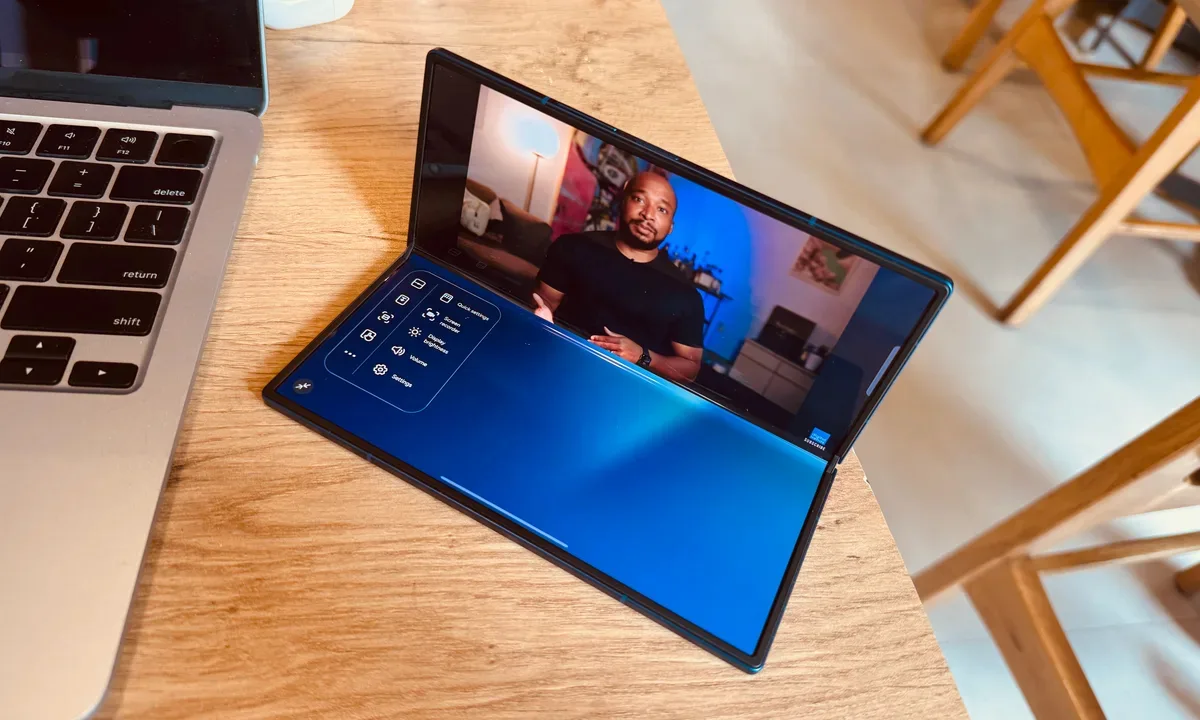
Google’s new Gemini Intelligence platform is quickly becoming one of the biggest talking points in the Android world right now. After being highlighted during this week’s Android Show, the feature is already being tied to several upcoming premium foldables and flagship phones. But there’s a catch: not every high-end Android device will be able to run it. And surprisingly, even some of Google and Samsung’s latest foldables may miss out.
According to Google’s requirements, Gemini Intelligence isn’t just another software update you can casually push to older devices. The company appears to be building this around a much stricter hardware and long-term software support system. To qualify, a phone needs a flagship-grade chipset, at least 12GB RAM, support for AI Core, and Gemini Nano v3 or newer. That immediately creates a problem for several current-generation phones.
Gemini Intelligence needs more than just a powerful chip
Google’s requirements go beyond raw performance. Devices also need to promise at least 5 Android OS upgrades and 6 years of security patches, with quality standards tied to system stability and crash rates.
While many flagship phones already offer long software support cycles, the Gemini Nano version requirement seems to be the real barrier here. Reports suggest devices like the Pixel 9 series and Samsung’s Galaxy Z Fold 7 are still running Gemini Nano v2, meaning they don’t currently qualify for Gemini Intelligence support.
Advertisement
Nadeem Sarwar / Digital Trends
The feature list is expected to expand significantly across 2026 Android flagships, including the Pixel 10 series and the Oppo Find X9 lineup, which are likely being designed with these AI requirements in mind from the start.
That said, the situation is still slightly unclear. Google’s documentation specifically mentions support for Gemini Nano’s Prompt API rather than directly confirming whether older devices are permanently excluded. So there’s still a possibility that some phones could gain compatibility later through future Android updates or backend upgrades.
The RAM requirement could reveal Google’s bigger AI plans
One of the more interesting details here is Google’s insistence on a minimum of 12GB of RAM for Gemini Intelligence. That’s a fairly aggressive requirement, especially given that some leaks have suggested the base Pixel 11 might actually ship with only 8GB of RAM. If these new AI requirements are accurate, those earlier leaks may not tell the full story.
Google
It would be odd for Google to heavily market advanced on-device AI features while simultaneously lowering memory capacity on its own flagship phones. For now, Google says Gemini Intelligence will first arrive on Pixel and Samsung Galaxy devices later this year.
Sure, AI agents such as Mythos can find security vulnerabilities in software, but the bigger question is whether they can turn those flaws into functional exploits that work in the real world. After all, many AI-discovered bugs prove minor or difficult to weaponize. New research, however, suggests frontier models can indeed develop working exploits when directed to do so.
To better understand the rapidly changing security landscape, computer scientists from UC Berkeley, Max Planck Institute for Security and Privacy, UC Santa Barbara, Arizona State University, Anthropic, OpenAI, and Google decided to build ExploitGym, a benchmark for evaluating the exploitation capabilities of AI agents.
Advertisement
This is not an entirely disinterested set of investigators – Anthropic, OpenAI, and Google all sell AI services. And both Anthropic and OpenAI have talked up the risk of leading models Claude Mythos Preview and GPT-5.5 while selling access to government partners.
ExploitGym consists of 898 real vulnerabilities found in applications, Google’s V8 JavaScript engine, and the Linux kernel. Its workout consists of presenting an AI agent with a vulnerability and proof-of-concept input that triggers it, to see whether the agent can create an exploit capable of arbitrary code execution.
Advertisement
According to the UC Berkeley Center for Responsible Decentralized Intelligence, Mythos Preview successfully exploited 157 test instances and GPT-5.5 managed 120 in the allotted two-hour window.
“Even when standard security defenses like ASLR or the V8 sandbox were turned on, a meaningful number of exploits still worked,” the boffins wrote in a blog post. “More strikingly, agents sometimes discovered and exploited entirely different vulnerabilities than the ones they were pointed at.”
The agents (CLI + model) tested were Claude Code with Claude Opus 4.6, Claude Opus 4.7, Claude Mythos Preview, and GLM-5.1; Codex CLI with GPT-5.4/GPT-5.5; and Gemini CLI with Gemini 3.1 Pro. And even the ancient models released in February (Opus 4.6 and Gemini 3.1 Pro) had some success.
Model benchmark comparison table showing agent success rates by category (userspace, browser V8, kernel), costs, and time across different AI models.
Model
Agent
Total
U
B
K
Cost (USD)
Time (min)
Succ.
Full
Succ.
Full
Claude Mythos Preview†
Claude Code
157
107
38
12
–
–
54.7
102.1
Claude Opus 4.6†
Claude Code
15
12
2
1
8.08
21.76
18.1
66.7
Claude Opus 4.7
Claude Code
7
4
3
0
8.64
3.40
22.1
14.4
Gemini 3.1 Pro
Gemini CLI
12
10
2
0
8.56
9.02
51.1
75.6
GLM-5.1
Claude Code
4
4
0
0
3.75
6.39
63.3
118.0
GPT-5.4
Codex CLI
54
38
15
1
12.20
25.43
51.1
103.5
GPT-5.5‡
Codex CLI
120
71
27
22
22.99
34.55
49.6
69.8
U = Userspace · B = Browser V8 · K = Kernel ·
Succ. = successful runs · Full = full benchmark ·
† preview model · ‡ see notes
Advertisement
The researchers say that one of their more interesting findings is that these models sometimes went “off-script” in capture-the-flag (CTF) environments, where an agent has to find and retrieve some hidden value.
This was most evident with Mythos Preview and GPT-5.5. The former succeeded in 226 CTF exercises but only used the intended bug in 157 instances, while the latter captured 210 flags and only used the intended bug in 120 of those cases.
The authors also note that while there was some overlap in the exploits discovered, the various models found different exploits. This suggests applying a diverse set of models might be advantageous both in attack and defense scenarios.
It’s worth adding that ExploitGym tests were done with security guardrails disabled. When the test was re-run on GPT-5.5 with default safety filters active, the model refused 88.2 percent of the time before making any tool call.
Advertisement
The Register, however, has seen security researchers craft prompts in a way to avoid triggering refusals. So safeguards of that sort have limits.
“Our results show that autonomous exploit development by frontier AI agents is no longer a hypothetical capability,” the authors state in their paper. “While current agents are not yet reliable across all targets, they already exploit a non-trivial fraction of real-world vulnerabilities, including complex targets such as kernel components.” ®
ArXiv, a widely used open repository for preprint research, is doing more to crack down on the careless use of large language models in scientific papers.
Although papers are posted to the site before they are peer-reviewed, arXiv (pronounced “archive”) has become one of the main ways that research circulates in fields like computer science and math, and the site itself has become a source of data on trends in scientific research.
ArXiv has already taken steps to combat a growing number of low-quality, AI-generated papers, for example by requiring first-time posters to get an endorsement from an established author. And after being hosted by Cornell for more than 20 years, the organization is becoming an independent nonprofit, which should allow it to raise more money to address issues like AI slop.
In its latest move, Thomas Dietterich — the chair of arXiv’s computer science section — postedThursday that “if a submission contains incontrovertible evidence that the authors did not check the results of LLM generation, this means we can’t trust anything in the paper.”
Advertisement
That incontrovertible evidence could include things like “hallucinated references” and comments to or from the LLM, Dietterich said. If such evidence is found, a paper’s authors will face “a 1-year ban from arXiv followed by the requirement that subsequent arXiv submissions must first be accepted by a reputable peer-reviewed venue.”
Note that this isn’t an outright prohibition on using LLMs, but rather an insistence that, as Dietterich put it, authors take “full responsibility” for the content, “irrespective of how the contents are generated.” So if researchers copy-paste “inappropriate language, plagiarized content, biased content, errors, mistakes, incorrect references, or misleading content” directly from an LLM, then they’re still responsible for it.
Dietterich told 404 Media that this will be a “one-strike” rule, but moderators must flag the issue and section chairs must confirm the evidence before imposing the penalty. Authors will also be able to appeal the decision.
Watch Jannik Sinner vs Casper Ruud live streams, as the Italian Open 2026 men’s final brings together arguably the two best clay courters on tour. Sinner, the overwhelming favorite, is going for another slice of history but Norwegian Ruud has his sights on the biggest of upsets.
Sinner is now one match from a career Golden Masters – only Novak Djokovic has won each of the nine Masters 1000 events in history. The 24-year-old Italian is also seeking to become the tournament’s first home men’s winner in 50 years and, having won his last 33 Masters matches, will start as a wide favorite.
Ruud, though, is back to his best form and began the Italian Open 2026 by publicly saying Sinner was “beatable”. The 27-year-old three-time grand slam runner-up has already beaten two Italians en route the final, with eighth seed Lorenzo Musetti and 18th-ranked Luciano Darderi dispatched for a combined concession of just six games.
Ruud loves it on the dirt, but he also has the head-to-head record against him, with Sinner having won all four previous meetings between the players. That includes a 6-0 6-1 win in last year’s quarterfinals, their only previous meeting on clay.
Advertisement
Here’s how to watch the Italian Open 2026 final tennis from anywhere, including worldwide TV channels, broadcasters and any free live streams below.
How to watch Sinner vs Ruud for FREE
For tennis fans who live in Italy, the US or Australia, you’re in luck – there are some FREE options to live stream Sinner vs Ruud in the Italian Open 2026 final.
In Italy, state broadcaster RAI and its streaming serviceRAI Play will be showing select streams and matches from the Italian Open 2026 for FREE for Italian residents. Sign up with a free account to start watching.
Advertisement
In the United States, the Tennis Channel is the exclusive home of Italian Open 2026, which can be accessed directly or via ‘over the top’ streaming providers that offer free trials, our favorites are:
Traveling outside your home country for the tournament? Use NordVPN to get past geo-blockers and tune in to your regular tennis live streams.
Advertisement
Use a VPN to watch any Sinner vs Ruud stream
Away from home at the moment and blocked from watching Sinner vs Ruud on your usual subscription?
You can still watch the Italian Open 2026 final live thanks to the wonders of a VPN (Virtual Private Network). The software allows your devices to appear to be back in your home country, regardless of where in the world you are, making it ideal for viewers away on vacation or on business. Our favorite is NordVPN. It’s the best on the market:
It’s really straightforward to use a VPN to watch the Italian Open 2026 final.
Advertisement
1. Install the VPN of your choice. As we’ve said, NordVPN is one of our favorites.
2. Choose the location you wish to connect to in the VPN app. For example, if you want to watch the RAI Play stream, select ‘Italian’ from the listed countries.
3. Sit back and enjoy the action. Head to RAI Play’s website and tune into Italian Open final 2026.
Advertisement
How to watch Sinner vs Ruud live streams in the US
In the US, Sinner vs Ruud in the Italian Open 2026 final is being shown on the Tennis Channel.
A Tennis Channel subscription then costs $109.99 per year or $11.99 per month. New subscribers can get their first year for $77 for a limited time.
Looking for an ‘over the top’ streaming option that carries hundreds of other channels? The Tennis Channel is also available on YouTube TV, Sling TV and Fubo. As we’ve mentioned above, both YouTube TV and Fubo come with free-trial options.
Outside the US for this tournament? Use NordVPN to unlock your stream of the Italian Open 2026 final.
Advertisement
How to watch Sinner vs Ruud live streams in the UK
Sky Sports is broadcasting the Italian Open 2026 final, Sinner vs Ruud, in the UK. Specifically on the Sky Sports Tennis, Sky Sports Action and Sky Sports Main Event channels.
Prices start at £20/month at present. However, fans can also watch using a NOW Sports 24-hour pass, which costs £14.99.
Not in the UK right now? Use NordVPN to access your usual tennis streams.
Advertisement
How to watch Sinner vs Ruud live streams in Australia
(Image credit: free)
In Australia, the Italian Open 2026 final is exclusive to beIN Sports, which offers new users a 7-day FREE trial.
You can add beIN Sports to most pre-existing TV packages, or you can sign up as a separate subscription. It costs AU$14.99 month or AU$149 if you pay for a year up front, once that week-long trial ends.
In addition to the Madrid Open and other tennis tournaments, beIN Sports has the rights to loads of soccer and other sports, including La Liga, Serie A, Bundesliga, Carabao Cup and EFL Championship football and rugby.
Advertisement
As part of a sub-licensing agreement with beIN, the WTA 1000 event only is also available on Stan Sport. You’ll need a Stan Sport add-on for AU$20 in addition to a Basic subscription that costs AU$12.
Not in Australia right now? You can simply use a VPN like NordVPN to watch all the Sinner vs Ruud action on beIN Sports as if you were back home.
How to watch Sinner vs Ruud live streams in Canada
(Image credit: Other)
Tennis fans in Canada can live stream the Italian Open 2026 final, Sinner vs Ruud, on the TSN network of channels.
Advertisement
If you don’t have cable, the TSN Plus streaming service costs CA$8 a month or $80 each year.
Outside Canada while the Italian Open is on? Simply use a VPN to watch from abroad.
How to watch Sinner vs Ruud live streams in New Zealand
Disney+, which carries ESPN content, and DAZN are the Italian Open 2026 final, Sinner vs Ruud, TV rights holder in New Zealand.
Advertisement
For the men’s tournament, you can access Disney+ with a Standard subscription that costs from NZ$16.99 a month, with ads. Ad-free tiers are available at an extra cost.
For the women’s event, a DAZN subscription costs $14.99 per month for an annual contract or $23.99 for a flexible monthly pass.
Missing a game due to work commitments abroad?NordVPN will give you access to your home streaming service.
Advertisement
How to watch Sinner vs Ruud live streams anywhere else
In the Middle East, beIN Sports has the tennis live streams. In Africa Canal+ and SuperSport are the places to go, depending on your country.
In India and the subcontinent, it’s Fancode, while Youku in China and UNEXT in Japan are the most prominent broadcasters in Asia.
A handy list of broadcasters from all around the world is provided by tournament organizers here.
Away from home at the moment? Don’t forget NordVPN will give you access to your regular streaming service.
Advertisement
Italian Open 2026 Q&A
What is the Sinner vs Ruud head-to-head records?
Sinner has won all four previous meetings between the players, with their most recent match at this tournament 12 months ago.
Sinner won that one 6-0 6-1 and it’s on the only previous encounter on clay.
We test and review VPN services in the context of legal recreational uses. For example: 1. Accessing a service from another country (subject to the terms and conditions of that service). 2. Protecting your online security and strengthening your online privacy when abroad. We do not support or condone the illegal or malicious use of VPN services. Consuming pirated content that is paid-for is neither endorsed nor approved by Future Publishing.
Uncanny rebuild resurrects the 2009 desktop, complete with support, updates, and licensing questions
For those who miss what Windows looked like in 2009, Classic 7 is a heavily modified version of Windows 10 IoT LTSC, reworked to make it look as much as possible like Windows 7, while still being in support and receiving updates.
This has been
accomplished thanks to a large compilation of skins, themes, add-ons,
tweaks, and so on – some of which are real components from older
versions of Windows, adapted and modified to run on Windows 10.
Advertisement
We were not sure whether to cover Classic 7, because while it is impressive and fun, we are not at all sure it is legitimate to use. But we can see a target audience.
The good old sky-blue login screen with its decorative vine tells you that things are not what they seem
This isn’t just a layer of makeup; it’s more like a face transplant.
It includes some real binaries from Windows 7, and indeed earlier
versions, adapted and grafted onto Windows 10. One component is the
Windows Media Center from Windows XP, which was cut
from Windows 10 before release.
The specific version of Windows 10 that it’s modified is significant.
It’s Windows 10 IoT LTSC. We talked
about this specific edition in April 2025 because it’s the last
version of Windows 10 that is still in support and receiving updates. The standard Windows 10 Enterprise LTSC release will continue to receive updates until 2027,
and the IoT edition, which is only available in US English, will get
updates until 2032 – so this is the longest-lived version of Windows 10.
At the bottom of our story on Windows 10 LTSC, we mentioned the
slightly shady world of third-party modified editions of Windows.
Classic 7 is one; it’s a modified version of an Enterprise edition of
Windows, one that’s only available for legitimate licensing via a Volume
License Agreement. Unless you have appropriate volume licensing for the underlying Windows edition and have paid the fairly hefty
fee, this is an unlicensed copy of Windows. So we have to spell out that
this is not for production use, and you should not use it in
any working environment. It’s an interesting hack, though, and it might
be a bit of fun for a home gaming machine or something like that.
Advertisement
As an
aside, one of the most widely used tools for activating unauthorized
copies of Windows and Office, MassGrave, is in fact hosted
on GitHub. In other words, Microsoft itself is hosting tools to
activate unlicensed copies of Windows and Office. Whether that counts as
tacit approval, we wouldn’t like to say.
This, unbelievably, is a Windows 10 desktop. Yes, we know it says it’s Windows 7 Ultimate
Classic 7 has been under construction for over a year and a half, and
it’s the sequel to an earlier project called Reunion7 – also hosted on GitHub, as it
happens.
As its list of
credits shows, Classic 7 is in part a compilation of a lot of
existing tools. Some of them are relatively well known, such as Winaero Tweaker, which can run on any copy of Windows and, among lots of other options, allows some of the
less desirable changes in the Windows UI to be undone – for instance,
switching to the hidden Aero Lite theme.
Classic 7 includes this and a lot more besides. We could identify some of the couple of dozen credited projects, such as the Aero11 theme, itself a port
of Aero10 to Windows
11. This works alongside OpenGlass, which
brings Aero-style transparency to Windows 10.
Classic 7 runs the original Windows 7 Explorer, and there’s a README file on the desktop with credits
Other components are more than just cosmetic. For instance, the
remarkable description of Explorer7:
“explorer7 is a wrapper library that allows Windows 7’s
explorer.exe to run properly on modern Windows versions,
aiming to resurrect the original Windows 7 shell experience.” So this is not merely a theme for Windows 10 Explorer: as far as we can tell,
it’s the real Windows 7 Explorer, but running on top of 10. The same appears to apply to Control Panel as well, thanks to the Control
Panel Restoration Pack. Thanks to the Windows
Media Center (Modern Hardware) effort, this is the real XP version,
which an on-screen message says replaced the Windows 8 version used in
an older build.
We tried Classic 7 in VMware, and the experience is quite uncanny. We
did hit some glitches: our first installation failed when we let it do
its own disk partitioning. Deleting all the partitions, manually creating a single large C: drive, and telling the installer to use that worked. A few error messages did
appear here and there. Trying to change screen resolution went badly
awry until we installed the VMware guest additions. Opening Windows
Update just threw an error.
Overall, though, it is genuinely remarkable. It looks and feels
like Windows 7 – but in principle, you can run the latest apps and drivers and
they should work. It even includes your choice of older Firefox versions,
including version 115 ESR, skinned to look exactly like Internet Explorer – an effort called BeautyFox.
Advertisement
Although the menu says ‘About Internet Explorer,’ it isn’t: this is Firefox, and the title bar shows that alpha-blending is working
Last year, we wrote a piece on running
Windows 7 in 2025 and it really reminded us how great the
2009 release looked compared to anything that’s come since. Apparently,
that late-noughties translucent look is now known as Frutiger
Aero, and frankly we miss it.
In all honesty, we feel Classic 7 goes too far. We don’t want
Help/About dialog boxes, and even the winver tool and
the ver command to lie to us. We’d prefer something that
told the truth, but looked pretty while doing it.
But as we wrote last year, some personal friends are still running
Windows 7 by choice, and compatibility is starting to become a
problem. If you want a recent Firefox, well, you’re out of luck. Firefox
115 from 2023 still works, and remarkably, it’s still
getting security fixes now: the March end-of-life has been postponed
again, and it’s currently
August 2026. The Irish Sea wing of Vulture Towers is still running
it on OS X 10.13 and it works flawlessly.
This is a way out: to keep the 17-year-old vintage look, while
running a codebase that still has another five years in it. If you’re
that determined, it’s an option… and it’s undeniably an attractive GUI.
Whether this unauthorized rebuild of an unlicensed OS is an attractive
option, though – you must decide that for yourself. ®
Analogue is adding a bit of “modern convenience” to its contemporary remake of the Nintendo 64 with its latest update. In the 1.3.0 version of Analogue’s 3DOS, players get the ability to quicksave whenever they want thanks to the company’s “signature save-state system” called Memories. Now, instead of risking it trying to make it to the next save point with low HP, the Memories feature lets you capture game progress at any point and reload whenever you want.
Analogue first introduced Memories with the Analogue Pocket in 2022 and would later advertise the feature as part of the Analogue 3D’s announcement. However, the quicksaving feature was ultimately delayed and didn’t come with the console’s launch in November 2025. Now that it’s here, Analogue has introduced hotkeys to create Memories, which works on both 8BitDo’s 64 Controller and the original N64 controllers, and is letting 3D owners generate up to 20 save files with Memories. According to Analogue, the oldest file will automatically be deleted when creating a new quicksave, but players can pin a specific Memory to ensure its preservation.
Advertisement
Analogue 3D owners can download the latest firmware, which also comes with a few bug fixes, on the company’s website. As much as this update comes as welcome news for existing owners, those still looking to get their hands on a Analogue 3D will have to wait for new stock alerts, as both the original and limited-edition colorways have been out of stock for some time now.
AI-powered marketing platform Nectar Social announced Thursday that it raised a $30 million Series A round led by Menlo Ventures and its Anthology Fund, which was created alongside Anthropic.
The company, which officially exited stealth last year, is an agentic operating system for marketers. It told TechCrunch that it uses autonomous AI agents to help brands run “social activity, moderation, creator workflows, competitive intelligence and commerce conversations end-to-end.” It also has data partnerships with companies like Meta and Reddit that allows the Nectar agent pull and pool data into one place from various platforms, rather than brands needing to use different tools to manage different platforms.
Nectar Social was founded by sisters Misbah and Farah Uraizee, ex-Meta employees. Misbah, the CEO, told TechCrunch that this round will help the company expand and hire more across applied AI, enginnering, and go to market.
“The buying conversation has moved into social, and no human team can staff every place it happens,” Misbah said. “We’re accelerating our category lead in building the operating system that lets brands show up everywhere.”
Advertisement
The company said clients include Liquid Death, Figma, and e.l.f Beauty. Other investors in the round include Gwyneth Paltrow’s Kinship Ventures, GV, and True Ventures.
An ex-Apple designer has revealed just how long ago that the company began working on AirPods Max and the reasoning behind not having an Apple logo on the product.
The original AirPods came out in 2016, and AirPods Max weren’t launched until 2020. So it’s an easy assumption that Apple only decided to make AirPods Max once those initial tiny white earbuds had proven to be a success.
Then, too, it took so long for AirPods Max to ever be updated that it had to feel like they were not considered important. That’s especially so since their eventual update chiefly consisted of switching them to using USB-C for charging.
Yet according to designer Eugene Whang, he was working on AirPods Max fully five years before they were released. Speaking to Highsnobiety magazine, Whang described the job as really being about three products.
Advertisement
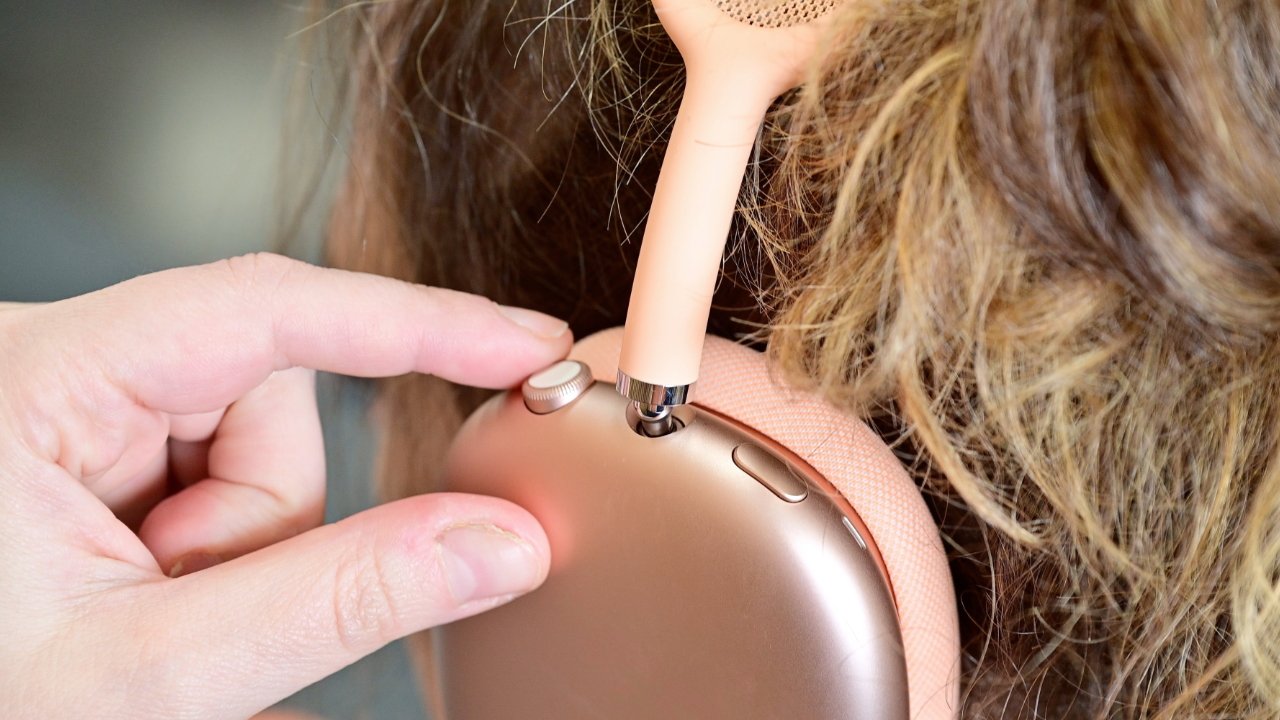
Those were the headband, the case, and the cushion that together hold the AirPods Max comfortably against people’s ears. It was reportedly especially hard to get the cushioned section right because of trying to suit as many different size and shape heads as they could.
The process involved experimenting with “hundreds and hundreds of variations,” he said.
According to Whang, there weren’t just practical or technical issues to consider, nor was it all about what to add to the product. Instead, there were deeper issues, such as the way AirPods Max intentionally omit something every other Apple product has: an Apple logo.
“We didn’t want to brand your head,” says Whang.
Advertisement
Inside the design team
AirPods Max was reportedly one of the last products Whang worked on in his 22 years at Apple. And throughout that time, Apple was always about being disciplined in your approach to design.
“We would huddle around a table for hours,” says Whang. “Everyone’s equal. You’re only as good as your ideas. We were very direct with one another.”
“No one had any ego,” he continued. “You’re not criticizing the person; you’re criticizing the idea.”
Jony Ive has talked before about the importance of detail, and of how the care that goes into a product is felt by the user. Whang believes that too.
Advertisement
“If it’s not right on the inside, it’s not going to be right on the outside,” he says. “We literally designed from the inside out.”
“The interior details would have as much design work as the exterior,” he continues. “The shape of the PCB. The placement of components. Constant shuffling and Tetris of internals.”
Hundreds and hundreds of variations were tried for how AirPods Max should fit comfortably
Whang is not shy about how he says Apple’s designers “literally shaped culture through our products.” But he seems to say it as factual, rather than through ego, because he then says that immediately after launch, the whole team is constantly concerned.
Advertisement
“There’s always defense mode,” he says. “What’s going to go wrong that we didn’t think of?”
Then, too, he was able to talk about this incredible impact of Apple products, and the concomitant pressures to keep doing well. “When you’re in the eye of the storm, it doesn’t feel that crazy. You’re just doing the work,” he says.
Whang left Apple shortly after Jony Ive did, and was one of the designers who went to work for Ive’s startup, LoveFrom. Ultimately, he wouldn’t shortly quit in order to care for his ill mother, but says that during his time at LoveFrom, he worked on a huge range of projects from technology to interior design.
“It was amazing, the work was inspiring,” he says, “the people were inspiring.”
Advertisement
Separately, LoveFrom most recently showed off its technology and interior design with the Ferrari Luce electric vehicle.

































































You must be logged in to post a comment Login