Connect with us
DAPA Banner
DAPA Coin
DAPA
COIN PAYMENT ASSET
PRIVACY · BLOCKDAG · HOMOMORPHIC ENCRYPTION · RUST
ElGamal Encrypted MINE DAPA
🚫 GENESIS SOLD OUT
DAPAPAY COMING

Tech

visionOS 26 one year later review: nothing to see here

Published

on

Apple Vision Pro isn’t a priority product for Apple’s teams, and it shows in the development of visionOS 26. Bug fixes, minor adjustments, and nearly zero feature additions define the year.

When visionOS 26 was revealed, it was clear that new hardware would be crucial for the platform. Then the M5 model arrived, and it was better, but nothing else changed in the time since.

I’m sitting here typing this on the Apple Vision Pro connected to a Bluetooth mechanical keyboard and Apple Magic Trackpad. It’s been over two years since I used the original model, and yet, it still feels magical.

I understand some people are already trying to wash their hands of the product and call it dead. Those that own it may even treat it as old news or some kind of forgotten party trick.

Advertisement

For me, Apple Vision Pro stands as a preview of what could come later, and at the foundation of that preview is visionOS.

The problem is that visionOS foundation is just shaky right now, and not really that well maintained.

visionOS 26 review: frozen in time

The problem is one that’s been there since the product’s inception. Apple loves to show off this beautifully crafted piece of hardware that is capable of high-resolution software interactions in mixed reality.
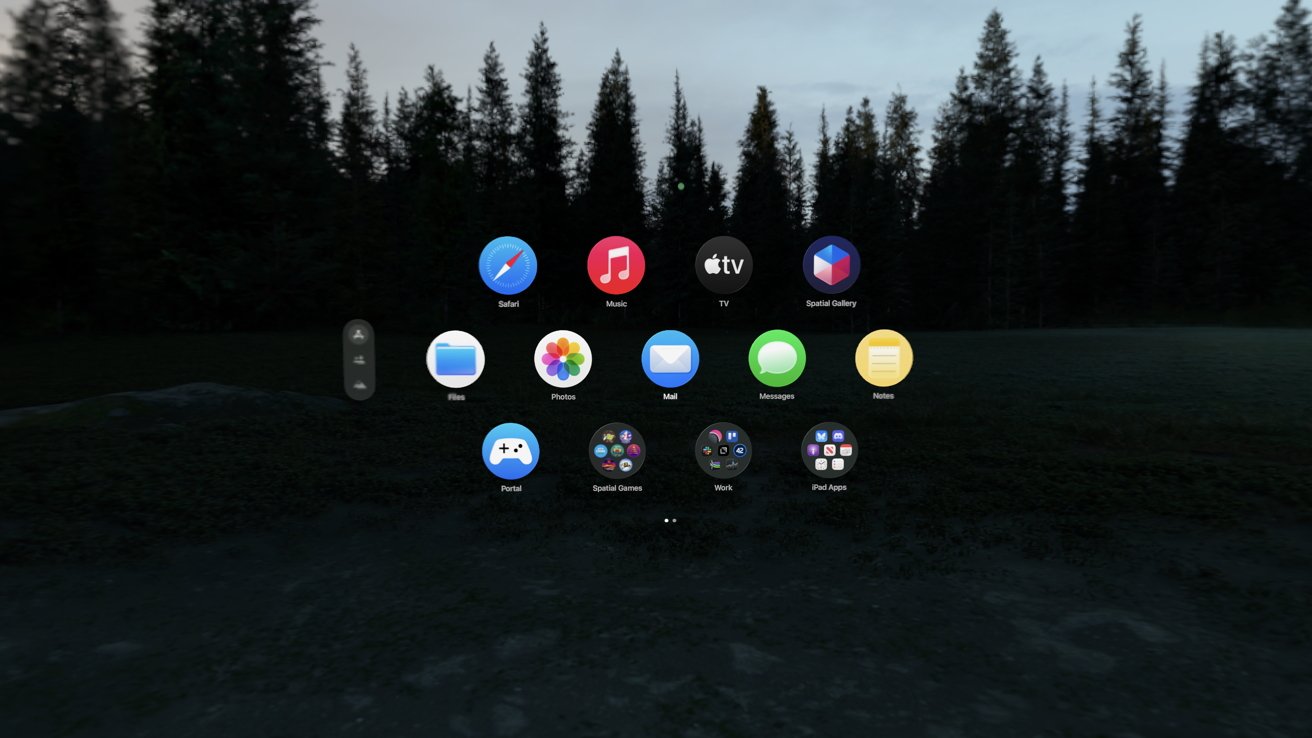
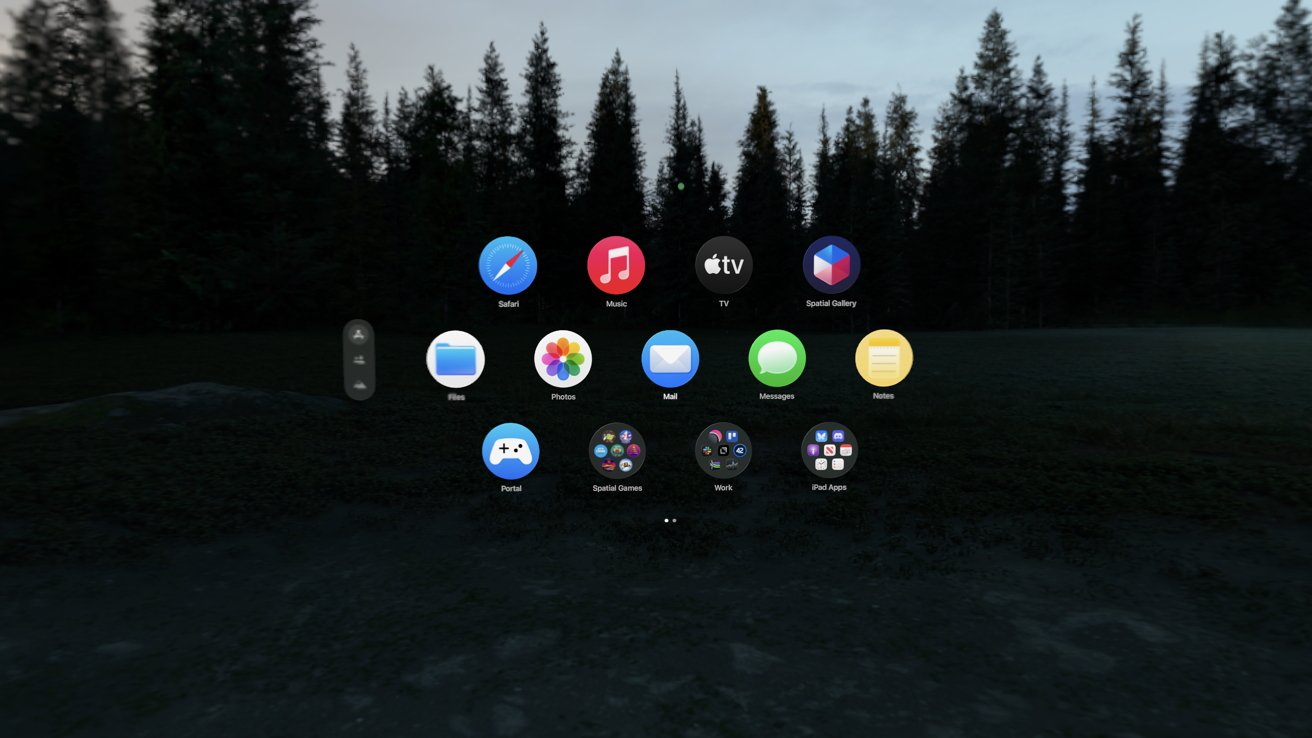
visionOS Home View with circular app icons arranged in a grid, floating over a dark outdoor forest landscape at dusk with trees silhouetted against a dim sky

visionOS 26 review: Organizing the Home View with folders is a welcome addition

Advertisement

However, that’s where the enthusiasm ends. Updates to visionOS primarily arrive during WWDC each year, and very little is added after that.

First-party apps that got the visionOS native treatment have basically stalled in development. The list of Apple-compatible apps brought from iPad to Apple Vision Pro hasn’t changed since the product was revealed in 2023.

It’s not that I expect Apple Vision Pro to get the same treatment as iPhone, but the near radio silence is deafening. Immersive Content seemingly falls out of the sky with little fanfare, gaming continues to be virtually nonexistent, and developers have little interest in developing for the platform.

Almost all of these issues arise from one central issue: Apple isn’t evangelizing the device the way it should. The company should have a team dedicated to going to developers and asking what it would take to get their apps natively on the platform.

Advertisement

If it’s money, and the app is popular elsewhere, offer an incentive package. Make it happen.
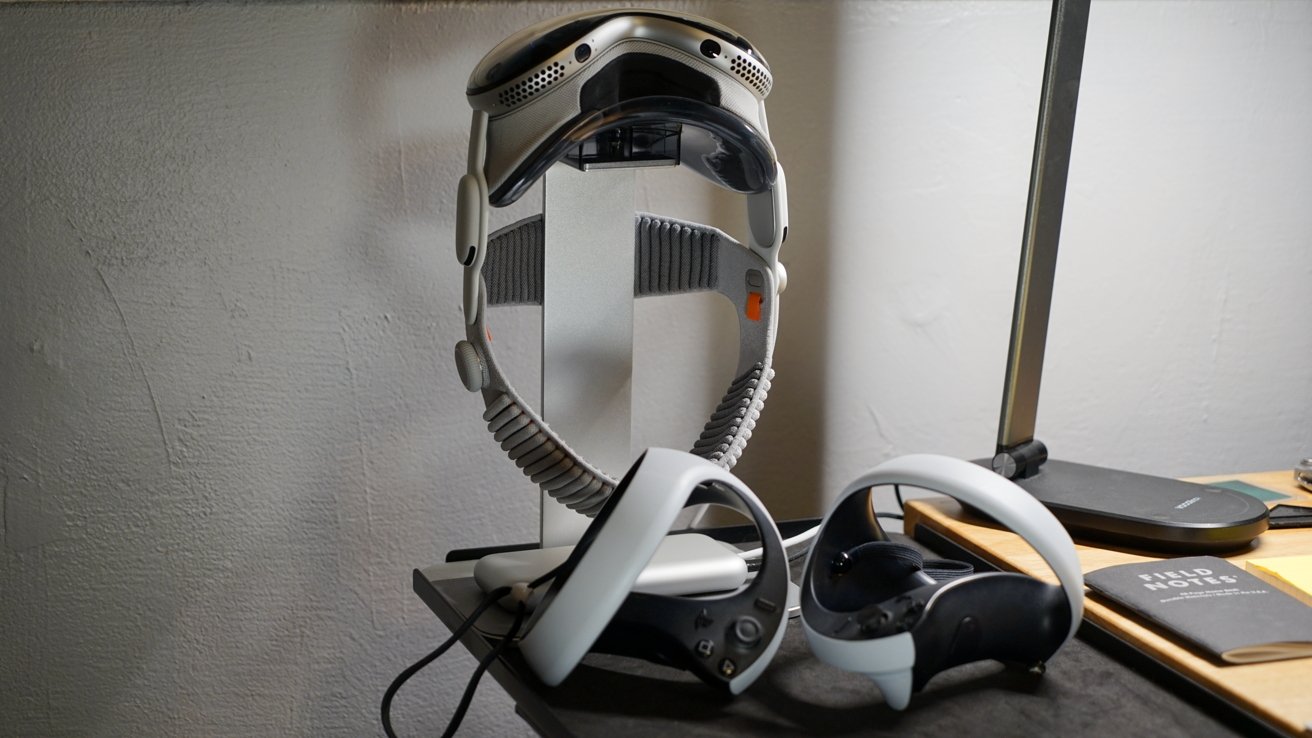
Apple Vision Pro hanging on a vertical stand with two PSVR2 controllers resting below, on a cluttered desk beside a lamp, smartphone, and closed notebook against a plain wall

visionOS 26 review: features like PSVR2 controller support mean little if developers don’t adopt them

Instead, we see developers increasingly shrug at Apple Vision Pro because targeting the platform will never be financially viable. Building a native application for Apple Vision Pro would struggle to even pay for the $3,500 headset, let alone subsidize future updates.

So, as we enter WWDC 2026, that’s what is on my mind. The hardware is excellent, the native software that is available is stunning, but that isn’t enough on its own.

Advertisement

Apple needs to convince developers, and what better place than a worldwide developer conference. I know AI will be the focus of the event, but Apple needs to use at least some of the time to push Apple Vision Pro forward.

Otherwise, we’ll be frozen in time until the next hardware iteration, which will be late 2028 at the earliest.

visionOS 26 review: M5 only helps so much

The good news is that Apple Vision Pro doesn’t need a hardware iteration at the moment. Sure, thinner and lighter would be great, but the M5 is more than enough to drive visionOS, apps, and games today.
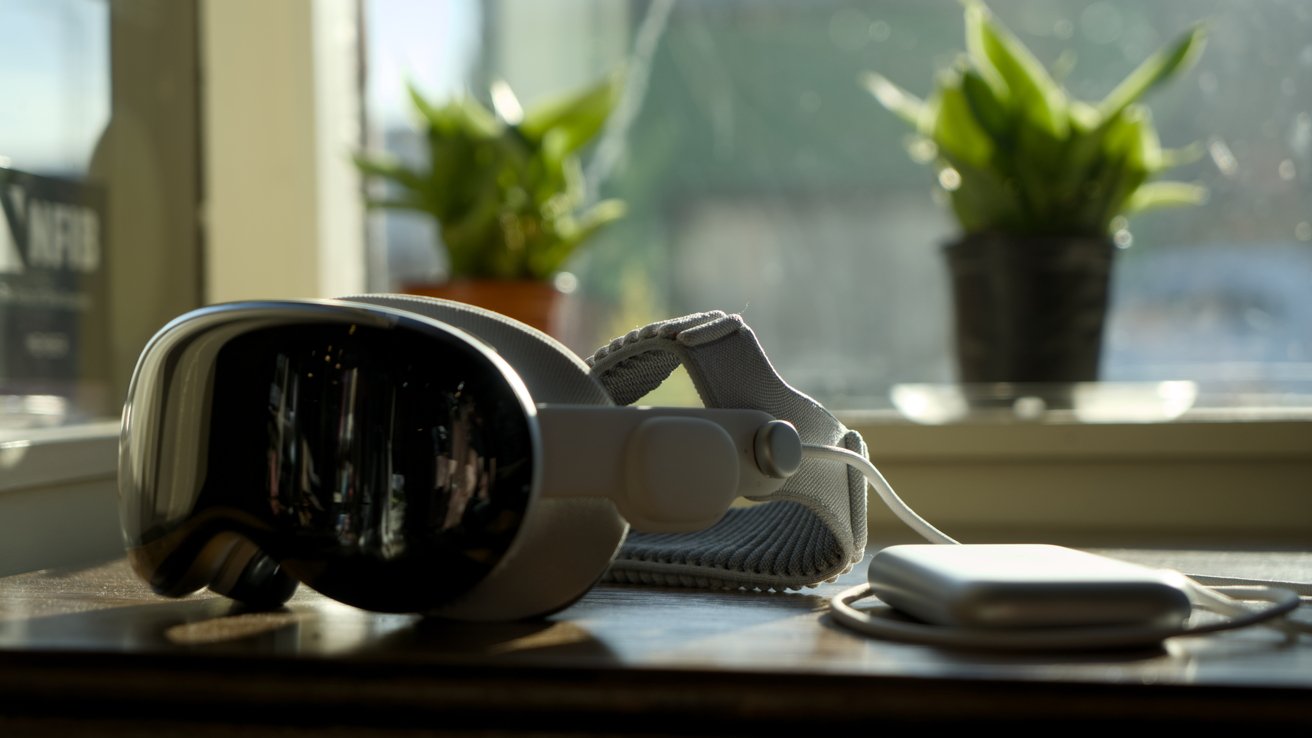
Apple Vision Pro and connected battery pack resting on a wooden table near a sunny window, with two potted green plants softly blurred in the background

visionOS 26 review: Apple Vision Pro with M5 is a needed improvement for visionOS 26 features

Advertisement

I currently have six apps, seven widgets, and a partial immersive view of Jupiter open. Everything is still responsive and easy to navigate, and there’s room to add more if I wanted.

One of the issues I encountered with visionOS 26 on an M2 version of Apple Vision Pro was buffering widgets. If a photo frame or weather widget was slightly out of frame, it would have to load in as I turned my head to look at it.

Now, with M5, I almost never see a widget loading. I don’t walk around my home and wait for physical photos to load, so it breaks immersion to wait for the virtual ones. I do wish Apple would match texture and brightness of virtual objects to the environment more.
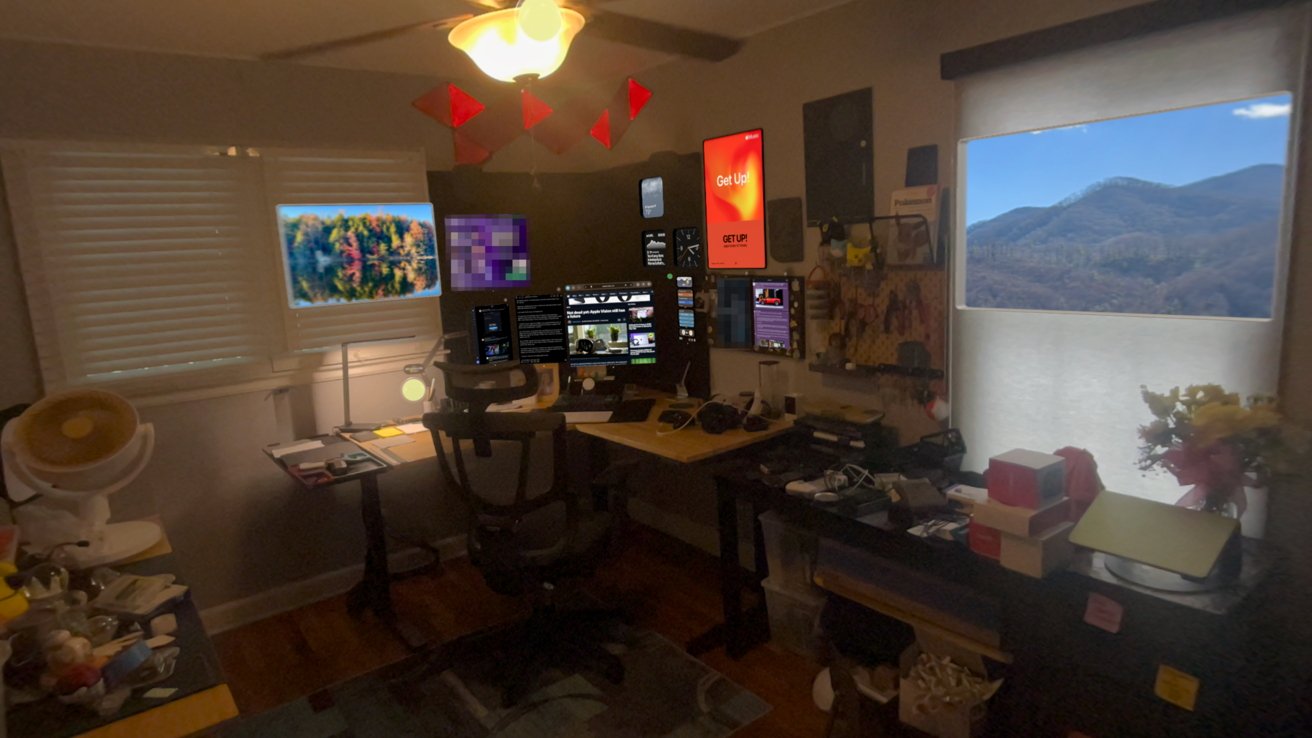
A home office filled with virtual windows and widgets shown from an Apple Vision Pro

visionOS 26 review: widgets galore

Advertisement

The ability to lock windows to surfaces also means I’m keeping more open at any given time. These windows and widgets persist, even after a restart, so it’s like they’re truly part of my space.

However, a look into the widget gallery is yet another reminder of how little developer support exists on the platform. The list of apps I have downloaded that support widgets is small, and apps that are built to be widget-based apps aren’t in the widget picker.

Then the App Store shows how few developers have bothered with widgets. Apple’s own promotional link only has a few apps that amount to sticky notes and clocks.

visionOS 26 review: low hanging fruit for OS 27

There are other oddities in the visionOS platform, and they have nothing to do with the M5 or performance.
Advertisement
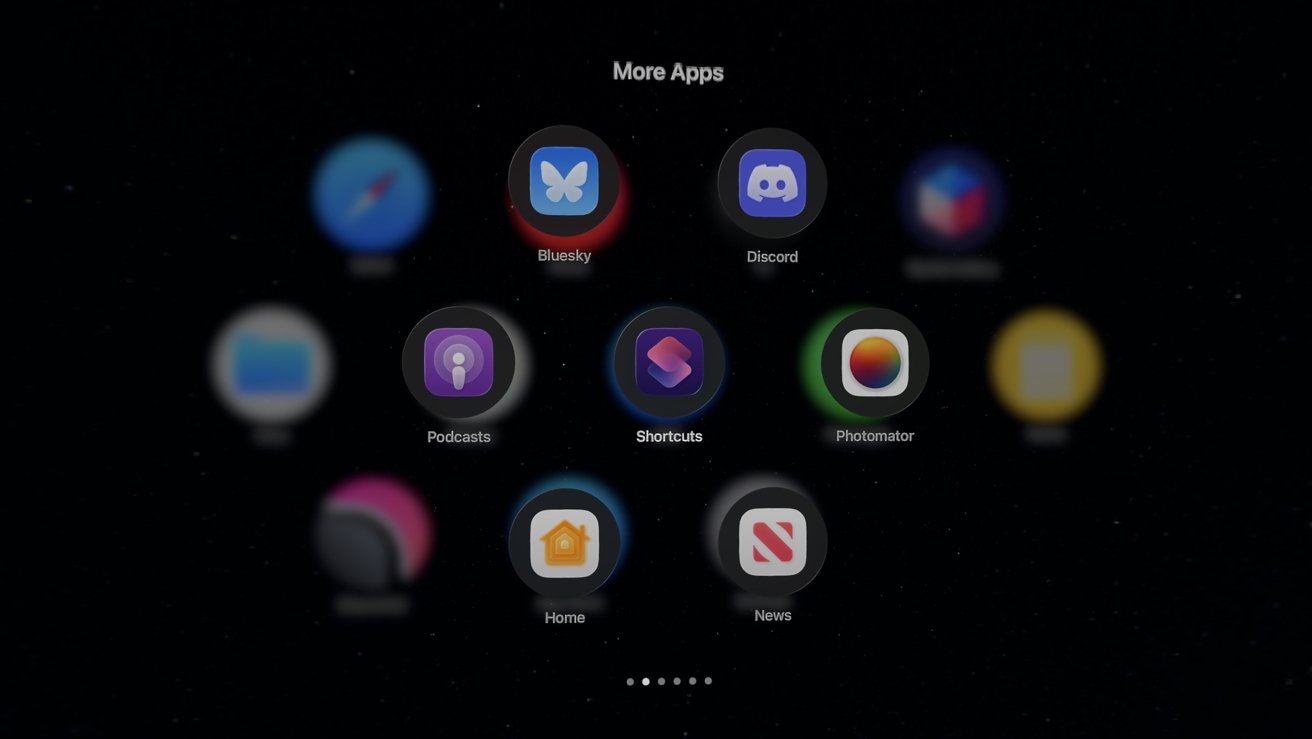
visionOS Home View iPad app folder on a dark background, showing circular icons for apps like Discord, Podcasts, Shortcuts, Home, News, Photomator, and others arranged in three rows

visionOS 26 review: iPad compatible apps need to go native, at least those from Apple

Find My still isn’t available in any form on Apple Vision Pro. My primary use case for it on the device would be to see my family and friends’ locations in the Messages app.

I can AirPlay my view to an Apple TV or other device, but I can’t control the music currently playing on a HomePod. The entire concept of whole-home audio doesn’t exist on Apple Vision Pro.

Even if I navigate to a HomePod in the Apple Home app, I can’t view or control playback. If I command Siri to play music in my office, it replies that it can’t manage that here.

Advertisement

Spatial computing is meant to offer less friction between the user and their environment. What I’d like to see is the Apple Music poster widget show what’s now playing in the room it is placed in.
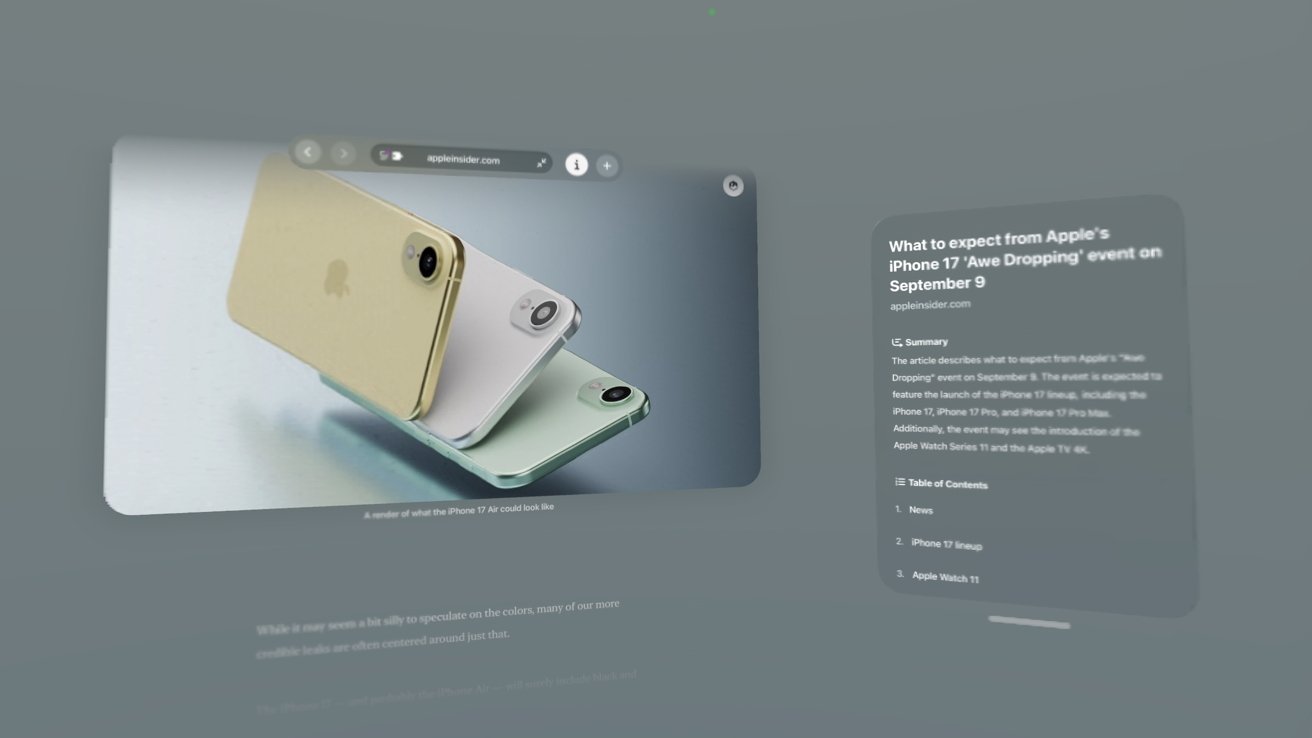
A spatial browsing view in Safari with large images and text in a gray empty background

visionOS 26 review: spatial browsing is an interesting concept but needs more work

Heck, show me the now playing music and controls when I look at a HomePod. Given all the technology at play, it theoretically is possible.

The Apple Creator Studio is also missing on Apple Vision Pro. If I want to use Pixelmator Pro, I have to use Mac Virtual Display to launch it on my less powerful Mac mini with M4.

Advertisement

I hope some of these issues are addressed during WWDC 2026.

visionOS 26 review: Finding a killer app

One of the repeated complaints I’ve heard about Apple Vision Pro and the visionOS platform is its lack of a “killer app.” I find the concept a bit silly considering that none of Apple’s platforms have a single central feature that attracts users.
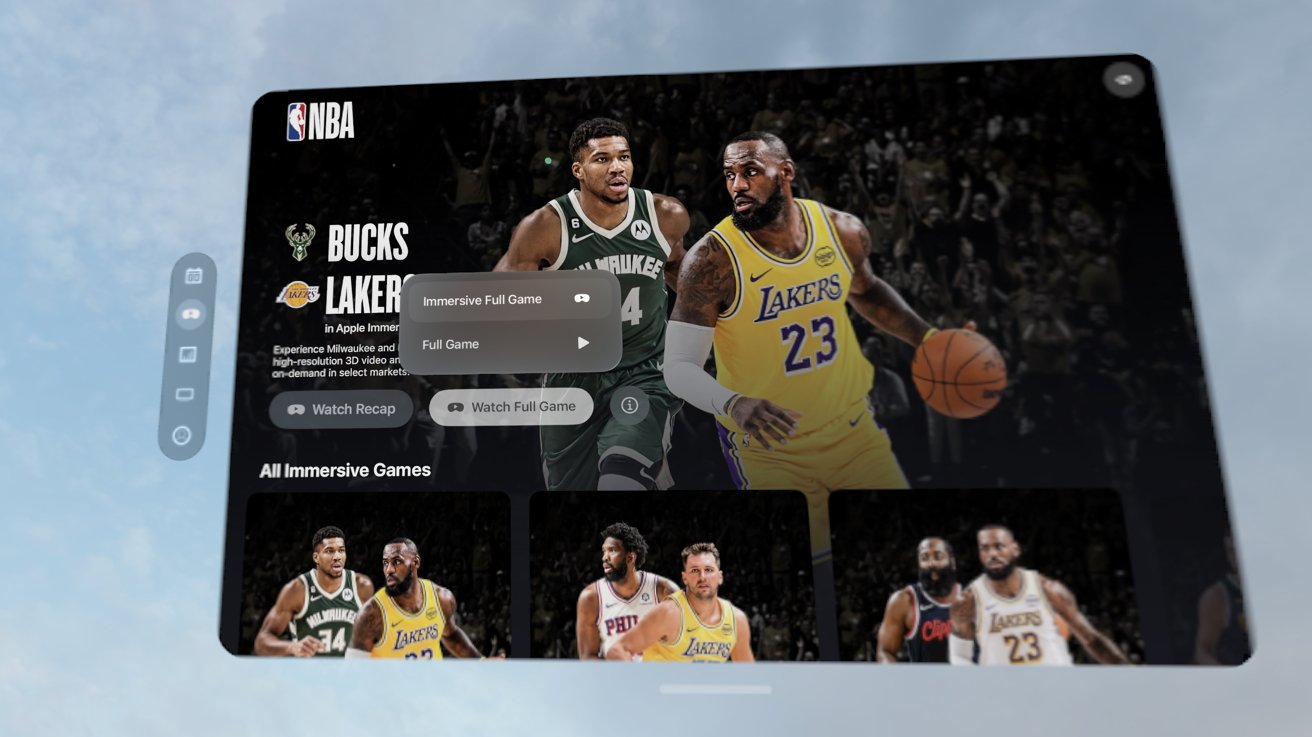
Virtual NBA viewing interface showing Bucks vs Lakers, with LeBron James dribbling, on-screen controls for immersive full game, and thumbnails of additional basketball matchups below.

visionOS 26 review: immersive video, especially sports streams, may be the closest thing to a killer app on Apple Vision Pro

Defining a killer app for each platform is actually quite a difficult exercise, as it changes depending on who you ask. Some might say social media is a killer function of iPhone, while others might say games or photography.

Advertisement

Apple Watch is a fitness device for some and a notification engine for others. iPad can be a book, a sketchpad, a laptop, or gaming console.

The idea that Apple Vision Pro needs a killer app is strange. Like Apple’s other platforms, it’s great at a lot of things and how it is used will depend on the individual.

Gaming

For other headset devices like the Oculus from Meta, gaming has been the driving force for sales. While productive tools exist on those platforms, they’re more afterthoughts than anything.
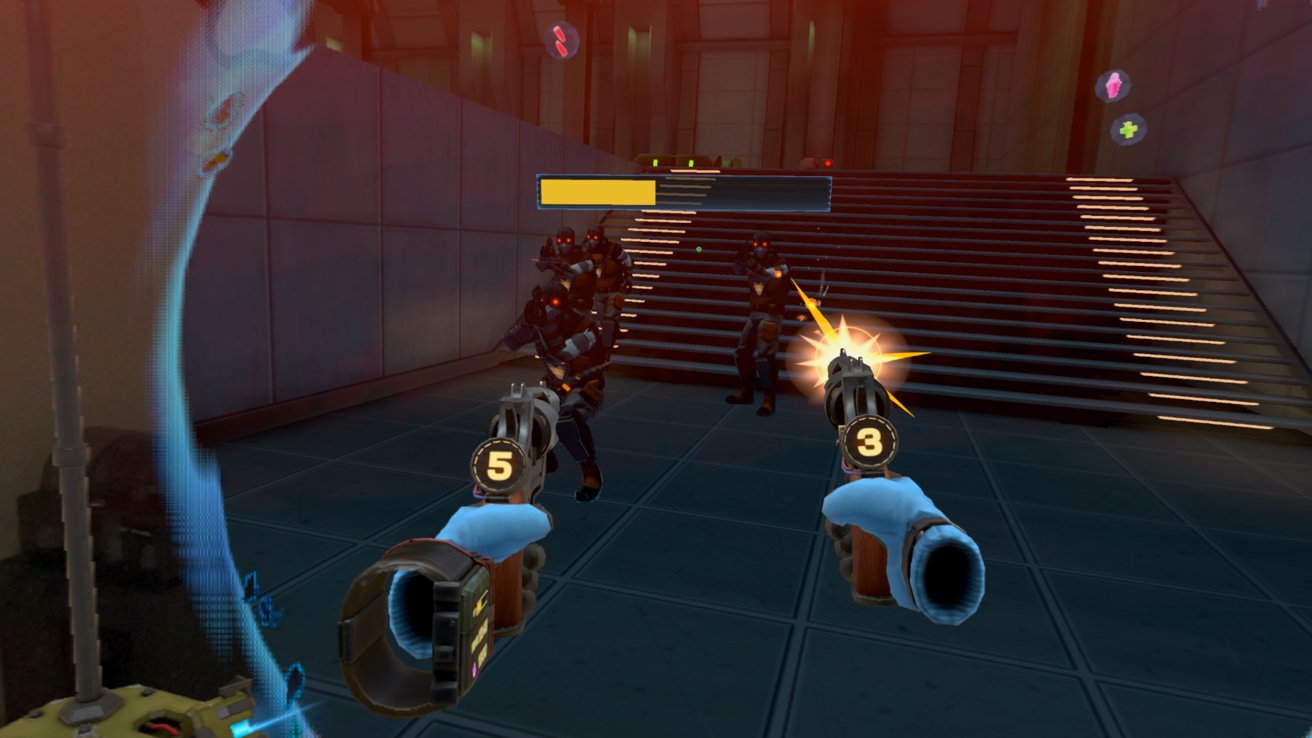
First-person shooter game scene with two futuristic pistols aiming at armored enemies near stairs, muzzle flash visible, health bar above foe, glowing orbs floating around in a dim corridor

visionOS 26 review: gaming is alive and well on Apple Vision Pro, but the selection is limited

Advertisement

Given the size of the native App Store in visionOS, gaming is proportionally sized, so far. I have seventeen spatial games installed on Apple Vision Pro. Most are from Apple Arcade, but a couple are purchased directly from the App Store.

None of the games would win awards, but they’re entertaining and take great advantage of Apple Vision Pro as a platform. From hand gestures for driving in a kart game to using PSVR2 controllers in a first-person shooter, there is quite the variety of games.

Though, of course, it is a paltry collection compared to what is available on the wider market. It isn’t that gaming isn’t possible and fun on Apple Vision Pro, it’s that the devs aren’t there.
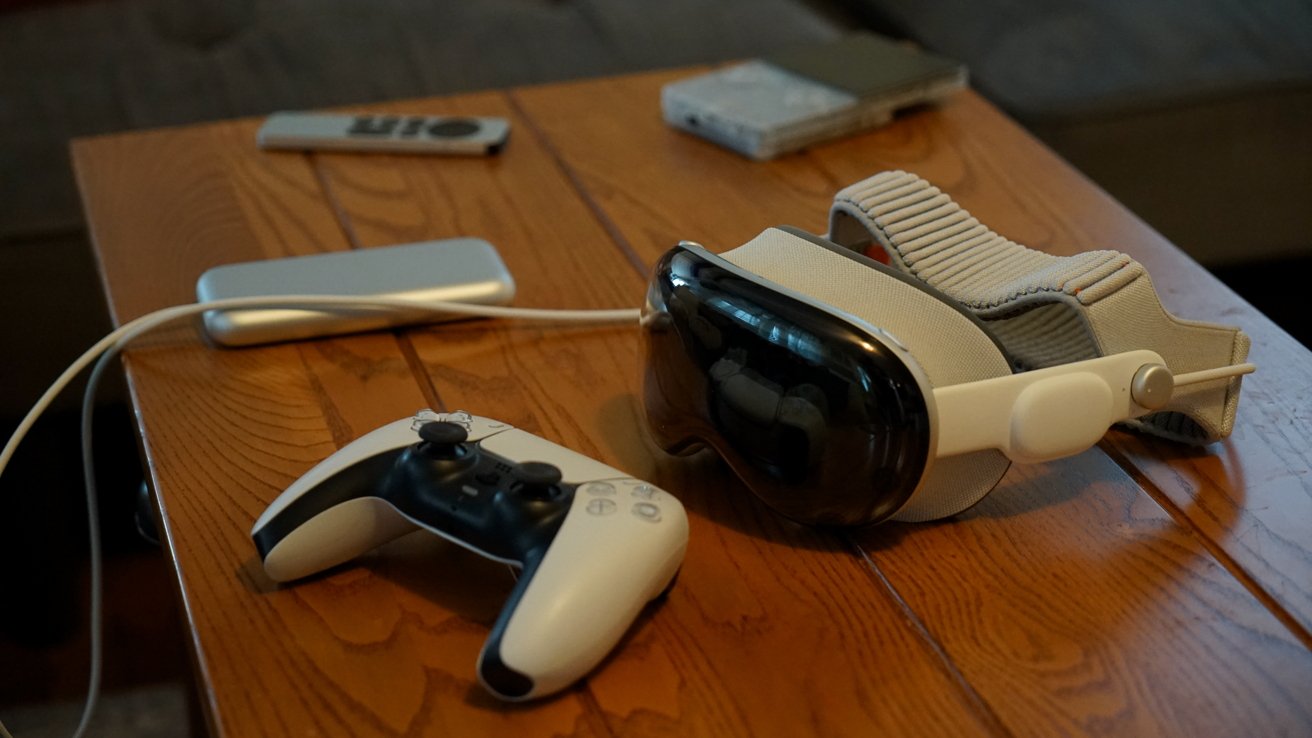
Apple Vision Pro and PlayStation controller resting on a wooden table, with a connected power bank and a couple of small electronic devices in the background

visionOS 26 review: some iPad games work great on Apple Vision Pro with a controller

Advertisement

I’d love to see Capcom in the WWDC keynote showcasing Resident Evil 7 built for Apple Vision Pro. The real get would be Beat Saber, but it seems neither Meta nor Apple are interested in getting the game to the platform.

The games that do exist face other issues. We got Job Simulator but it hasn’t been updated in over a year and thus doesn’t support PSVR 2 controllers.

Crossy Castle is a fun game from the Crossy Road developers, but it also isn’t being updated. The iPhone/iPad version of the game has a Bluey expansion that isn’t available in the Apple Vision Pro version.

Gaming, thankfully, isn’t limited to what can run on the device. There are many options to get games to Apple Vision Pro like streaming via GeForce Now, playing from a local PC, or remote play from a console.
Advertisement
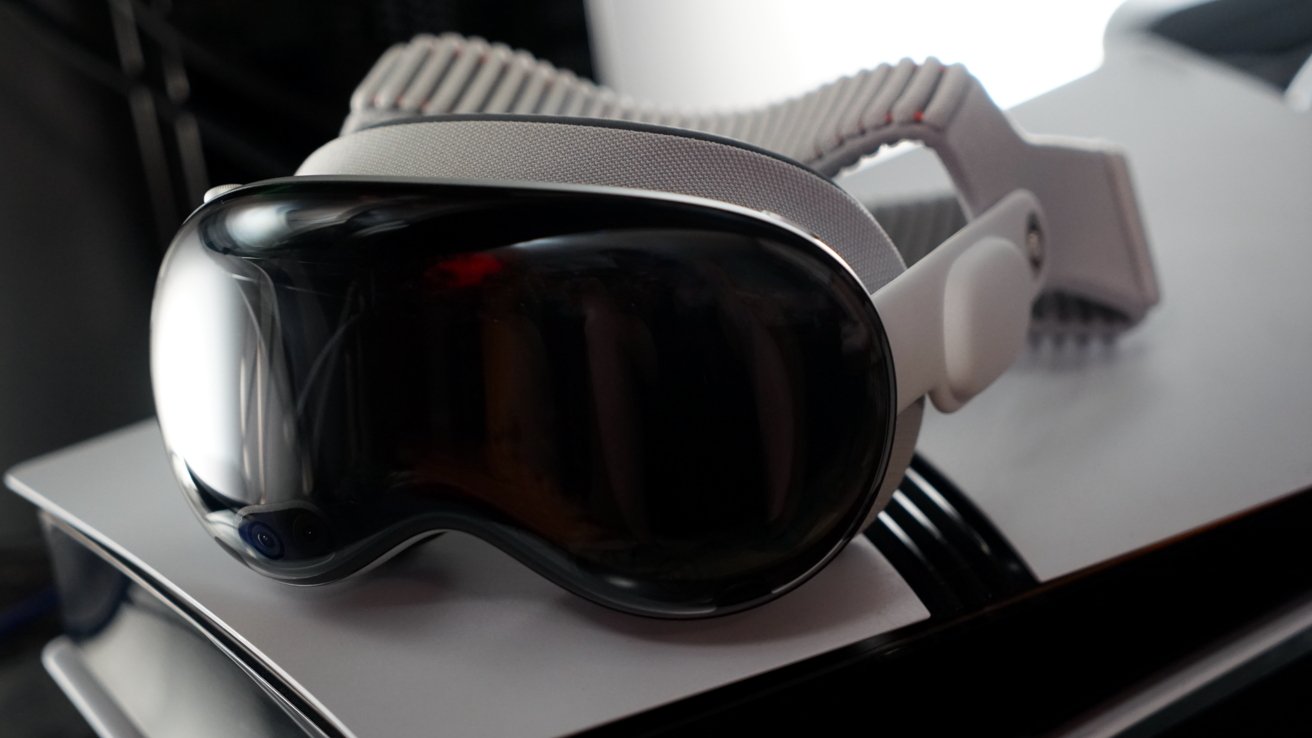
Apple Vision Pro on top of a PlayStation 5 Pro in an entertainment stand

visionOS 26 review: Apple Vision Pro and PlayStation 5 Pro make a good combination

I’ve been using Portal to stream to the Apple Vision Pro, and since it is native software, it has some really interesting abilities. It’s how I’ve been playing Minecraft on the headset, but with stereoscopic 3D generated live by the app, upscaled to 4K.

I’d love to see Minecraft native on the platform, or even as an iPad-compatible app, but Microsoft has no interest in that.

Apple did introduce PSVR2 controller support with visionOS 26. While the games that support it are few and far between, I’m glad the option is there. Let’s hope for more support in the coming year.

Advertisement

Media playback

Because of the high-resolution displays, Apple Vision Pro is uniquely positioned to be an entertainment headset. Sure, you can watch video on Oculus or PSVR2, but the resolution is low enough to encounter motion sickness and the “screen door” effect.
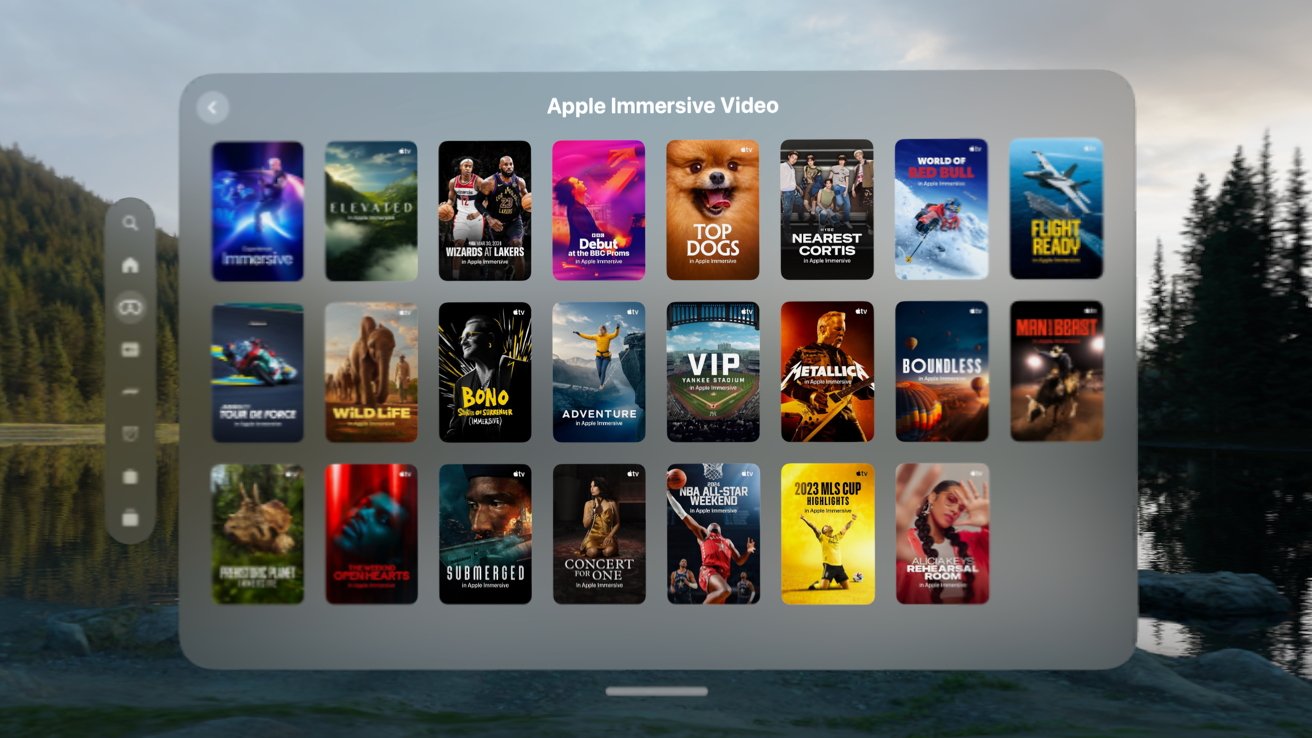
Apple Immersive Video interface displaying a grid of colorful movie and show posters over a blurred lakeside forest background, with side navigation icons and a subtle gray panel frame

visionOS 26 review: the list of Immersive Video grows each month

As someone that owned several kinds of 4K 3D TVs back in the day, I can honestly say Apple Vision Pro is the best way to watch 3D content. Period.

I remember when I was in the Navy, I researched portable media viewing products, and one was the Sony Personal 3D Viewer. It played 3D movies natively because you’d get one side of the 3D in each eye.

Advertisement

I never bought one, but it was a wearable 3D display that connected via cable to an external HDMI box where you’d connect a PS3 for 3D Blu-ray and games . Apple Vision Pro turns that entire product into a series of apps.

Sure, 3D movies are great on the platform, but Immersive Video is the true winner here. Even though Apple’s rollout of such content is glacial, each one is a peek into a different universe from a whole new perspective.

Productivity tools

Finally, there’s the productivity aspect of Apple Vision Pro. I can put the headset on and see my virtual workstation in seconds.
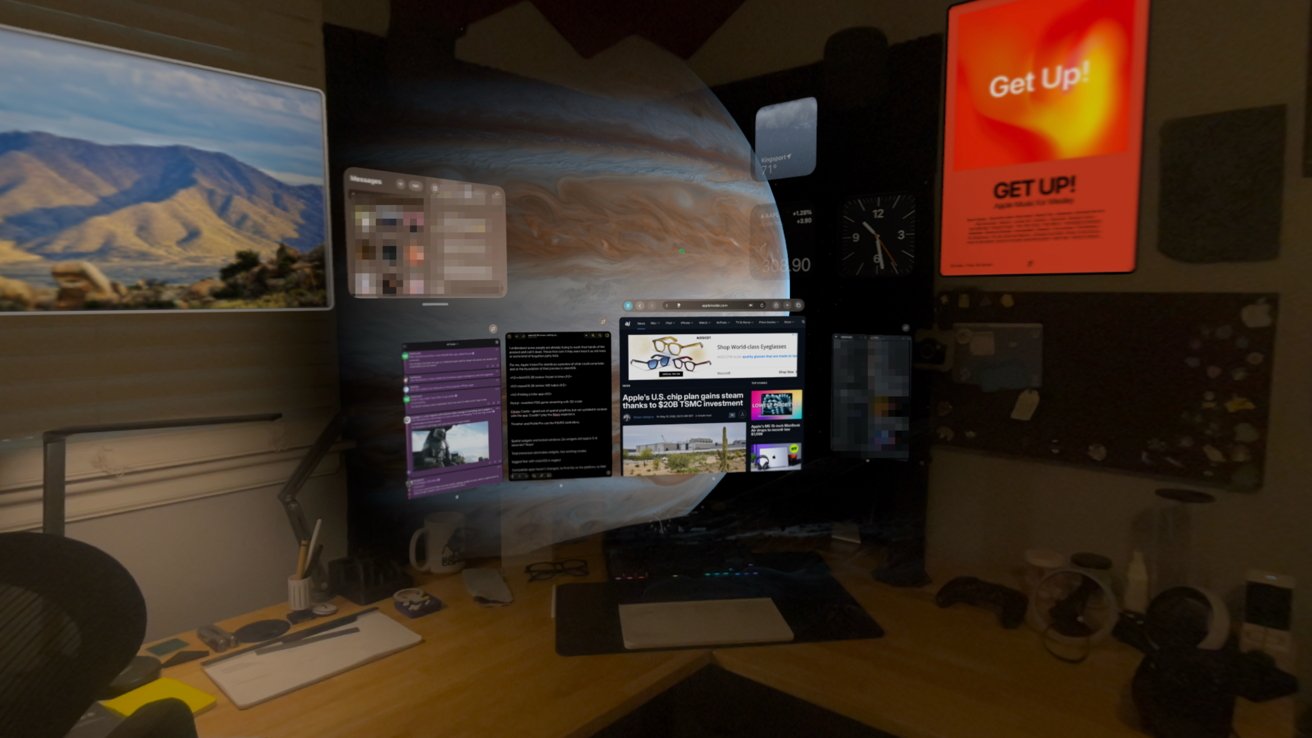
Dark desk setup with multiple monitors, floating virtual screens showing websites and apps, a large planet backdrop, scattered gadgets, coffee mugs, and bright posters on the wall

visionOS 26 review: being productive on Apple Vision Pro is possible, as long as the apps you need are available

Advertisement

I’m writing this review from inside the headset via an iPad-compatible app called Drafts. There aren’t any good writing tools native to Apple Vision Pro yet that I’m aware of, and besides, it would be tough to give up Drafts.

I can write, edit, upload, and publish from Apple Vision Pro. As I’ve mentioned, the biggest limitation in my workflow today is the inability to edit and create images.

Pixelmator Pro is either on my iPad Pro or Mac mini, but not on Apple Vision Pro. I can jump into the Mac mini via Mac Virtual Display, but it isn’t an ideal solution.
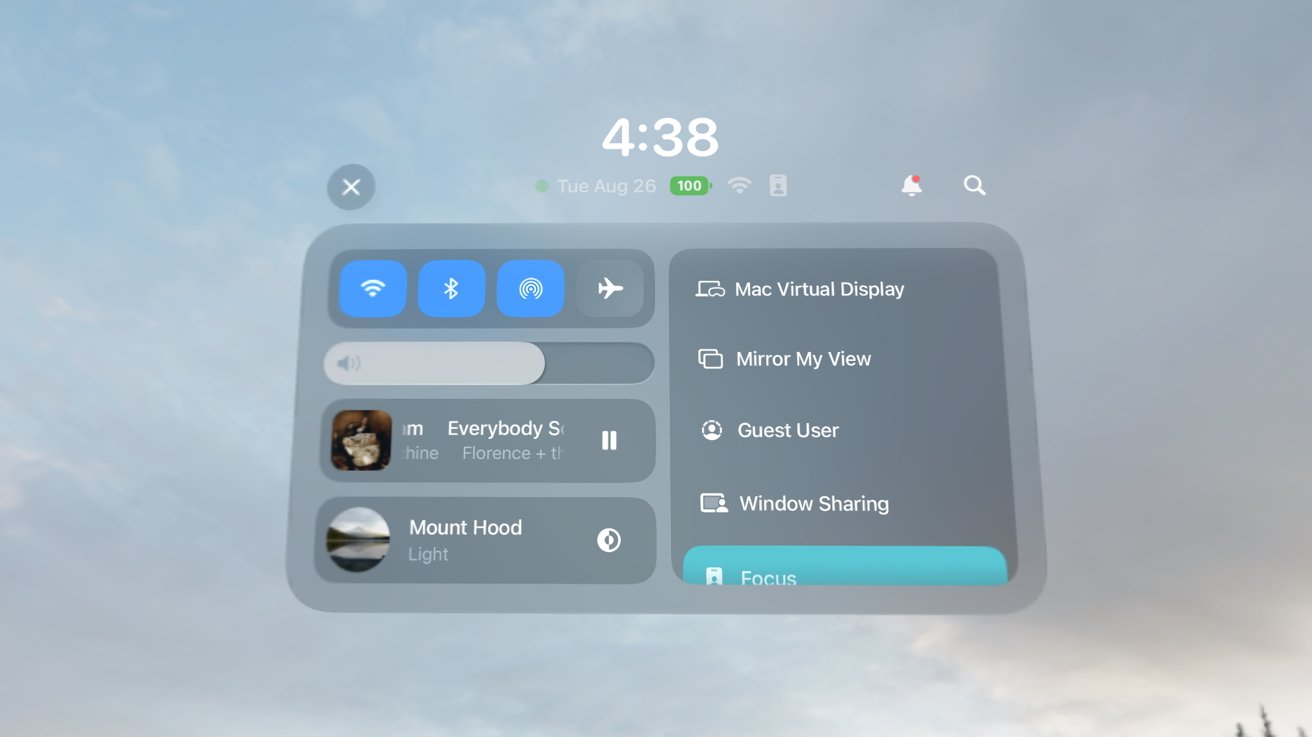
Floating virtual control panel with time 4:38, WiFi and volume toggles, music playback controls, user icons, and options for Mac virtual display, mirroring, guest user, window sharing, and focus mode.

visionOS 26 review: I have to swap over to Mac Virtual Display to use Pixelmator Pro

Advertisement

If I need an image and I’m working in Apple Vision Pro, I often take it off and make the image on iPad. That doesn’t happen often though, since I generally work in Apple Vision Pro on long-form writing.

Outside of my little professional use case, there are many more. Apple Vision Pro has appeared in engineering environments, surgical rooms, and in movie studios.

There is no doubt that Apple Vision Pro is a capable production platform.

Multi-faceted

Of the three elements I’ve mentioned here, it is difficult to pick what Apple Vision Pro’s “killer app” is or should be. It’s great at gaming, media playback, and productivity tasks just like any other Apple platform.
Advertisement
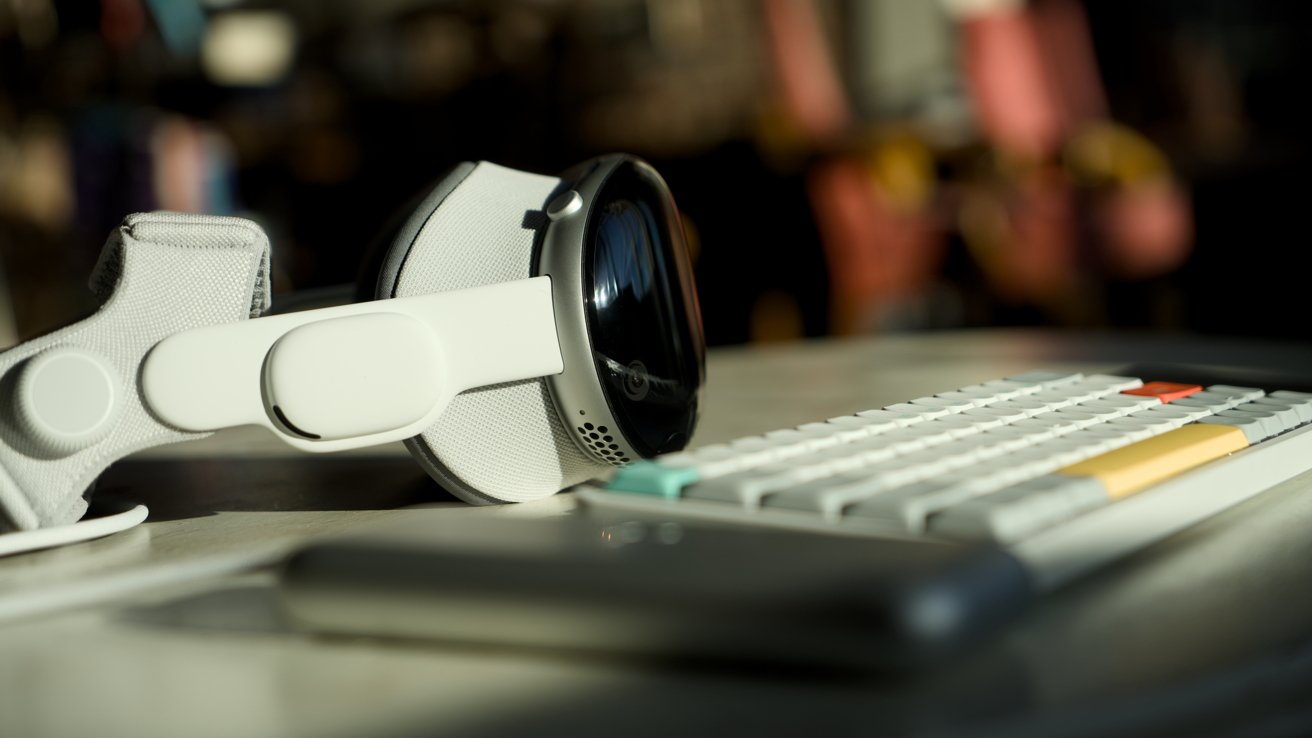
Apple Vision Pro resting beside a colorful computer keyboard on a desk, softly lit by warm sunlight with a blurred background suggesting a cozy, modern workspace

visionOS 26 review: Apple Vision Pro doesn’t need a killer app, it needs developers

I say let the device speak for itself. The problem isn’t so much what it can or can’t do, but developers willing to build for the platform.

visionOS 26 helped expand all three of these elements with things like PSVR2 controller support, expanded media format support, and shared spatial environments for productivity tools.

Apple Vision Pro is still expensive and relatively heavy, and a killer app isn’t going to change that. I do hope visionOS 27 can continue to expand on these three pillars of the platform.

Advertisement

visionOS 26 review: other new features

Let’s end this review with a list of features that did arrive with visionOS 26. I didn’t spend much time on each individual feature here because I already did so in my original review.

Here’s what else was new when visionOS 26 launched that I haven’t directly covered so far:

  • Spatial Scenes in Photos
  • Spatial browsing in Safari
  • Shared Spatial Environments
  • New Persona
  • Native 360, 180, and wide field-of-view video support
  • Jupiter environment
  • Save eye and hand setup to your iPhone
  • Apps in folders
  • Unlock iPhone while wearing Apple Vision Pro
  • Look to scroll
  • New Control Center
  • Game controllers remain visible even when immersed

Spatial was the name of the game for visionOS 26. I’ve barely tapped into the Spatial Browsing feature, but it sure does remind you it exists on every compatible website.

I never used my new Persona nor did I use a Shared Spatial Environment. The remaining updates are excellent quality-of-life updates, but don’t need to be addressed directly here in this one-year-later review.

I hope that visionOS 27 can offer a similar length list of new changes and updates, though I have a feeling Apple Intelligence will own the show this time around.

Advertisement

visionOS 26 was exemplary of a good annual update

I may have my complaints, but visionOS 26 is an excellent upgrade overall. visionOS 2 was a half-step as the first OS update that arrived only months after launch.
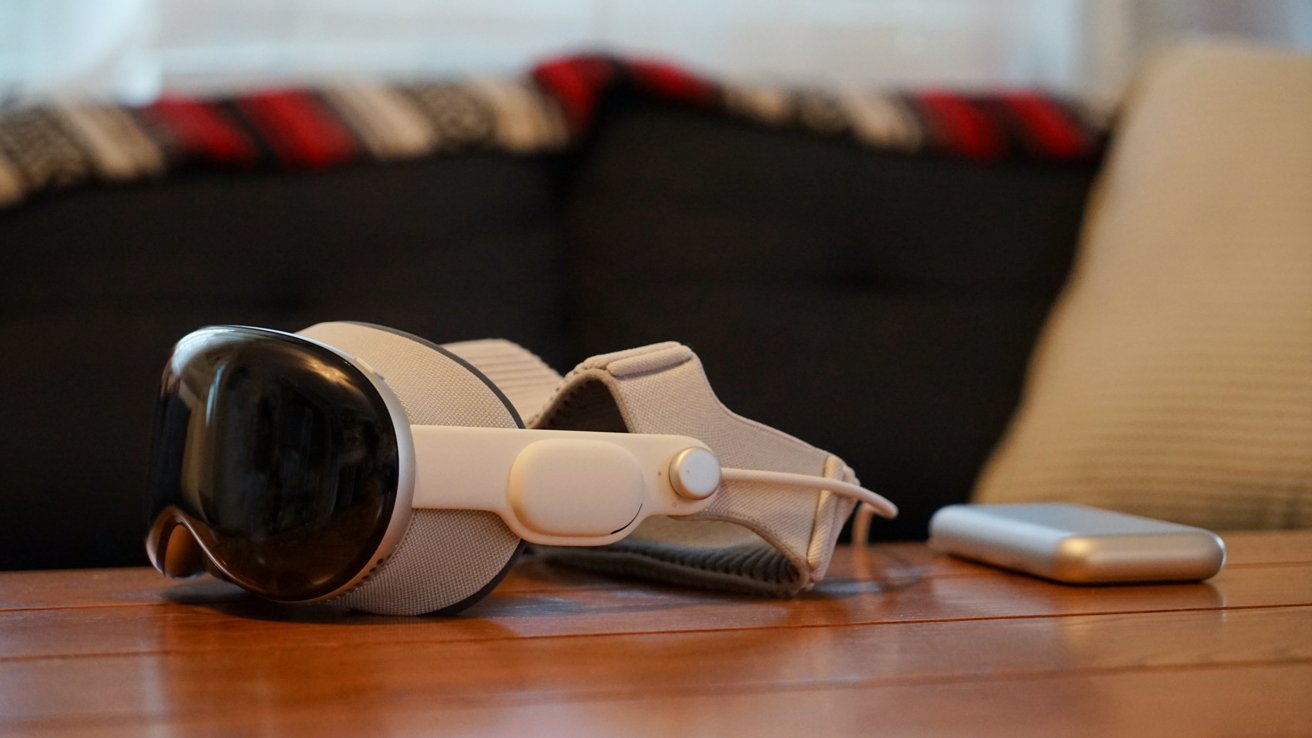
Apple Vision Pro resting on a wooden table beside its battery pack, with a dark couch and patterned blanket softly blurred in the background

visionOS 26 review: it’s time for another big update cycle

visionOS 26 was the first update with a full year of development behind it, and it delivered. Clearly needed quality-of-life updates were added while enhancements prepped the platform for M5.

What I hope for visionOS 27 is more of the same, but with more attention throughout the year. We should be able to get excited about a major upgrade in visionOS 27.2 instead of having to wait for visionOS 28 for anything new.

Advertisement

I believe spatial computing and Apple’s work on artificial intelligence go hand in hand. Both platforms had their starts in the Apple Car, and each feeds into the other in obvious ways.

The more a computer can “understand” the world around the user, the user’s voice, and how a device is used, the better spatial computing can be. Apple Intelligence is going to focus on proactive interactions with the user, which could greatly benefit Apple Vision Pro users.
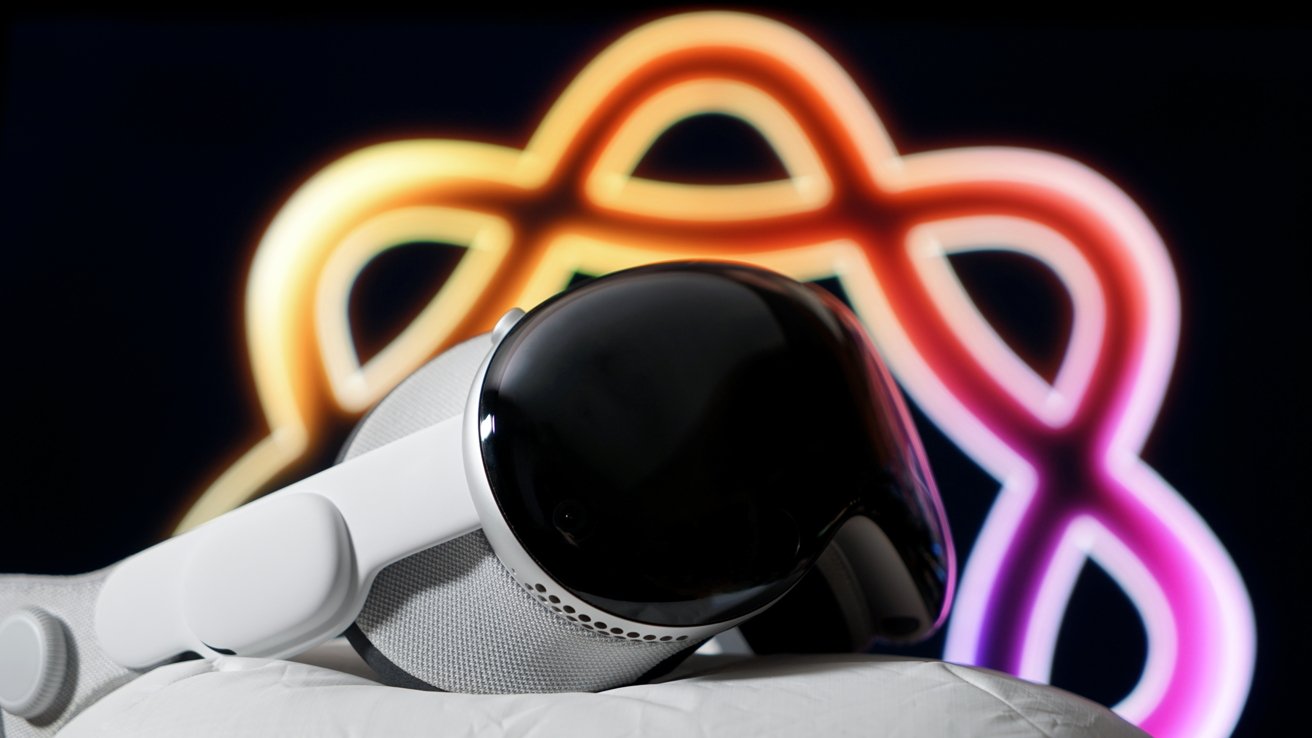
Apple Vision Pro with glossy black front resting on a cushion, set against a dark background featuring a glowing multicolored abstract looped pattern

visionOS 26 review: Apple Vision Pro will benefit from Apple Intelligence advancements

Since developers can’t really make money on Apple Vision Pro and aren’t bothering with implementing much, I have a radical suggestion. Perhaps, if it can be done ethically, Apple should borrow a page from Google’s upcoming features.

Advertisement

Imagine being able to generate a spatial widget with a voice command. Built-in vibe coding with clear limits on what can be built powered by on-device Apple Foundation Models.

If it’s possible, I’d be interested in seeing something like that in visionOS 27. At the least, I hope Apple Vision Pro isn’t a forgotten platform during the WWDC keynote.

My biggest fear for the platform is neglect.

visionOS 26 review – Pros

  • Spatial widgets are great, especially with M5
  • PSVR2 controller support is awesome when devs support it
  • Organizing Home View is a big finally
  • Gaming continues to expand, if slowly, on the platform

visionOS 26 review – Cons

  • Compatible iPad app list still hasn’t changed
  • No Find My, Contacts app, categories in Mail, etc.
  • Developer support still the biggest issue with visionOS

Rating: 2.5 out of 5

The visionOS 26 release brought some must-needed changes to the platform, but Apple stopped doing that after the very first release. A year later, nearly nothing has changed.

Apple needs to show the platform some love with visionOS 27.

Advertisement

Source link

Continue Reading
Click to comment

You must be logged in to post a comment Login

Leave a Reply

Tech

Why Your Cardiologist Might Tell You To Skip AirPods

Published

on

Next time you visit your grandparents, you might want to put your headphones away. Cardiologists have long warned about the risks smartphones, headphones and other consumer devices pose towards cardiovascular implantable devices (CIDs). Concerns revolve around the magnetic fields these devices emit, which can inadvertently trigger a magnet-safe mode on defibrillators and pacemakers that potentially prevents them from detecting tachycardia or other cardiovascular irregularities. 

Modern CIDs are designed to automatically switch into this mode when near strong magnetic fields to ensure patient safety during magnet-intensive medical procedures like MRIs. And while CIDs are designed to return to normal after the magnetic field is removed, even a temporary disruption can have major consequences.

For those whose hearts have yet to become bionic, CIDs typically switch into magnet mode when they encounter a magnetic induction field of 10 Gauss or more. For reference, your aunt’s souvenir fridge magnet from her trip to Palm Beach likely emits a magnetic field of 100 Gauss. A relatively manageable problem when CIDs were first designed, the mass proliferation of small rare-earth magnets across consumer electronics has begun to pose unique risks to medical implants. 

Scientists have begun to quantify the effects smart devices can have on CIDs. One 2022 study found that the magnetic fields of Apple’s AirPods are strong enough to trigger magnetic modes in implanted cardiovascular devices. Published in Circulation: Arrhythmia and Electrophysiology, the study found that the magnetic fields of devices like AirPods, iPhone 12 Pro Max, Apple Pencil and Microsoft Surface Pen disrupt defibrillators, pacemakers and other CIDs. These results mirror those found in similar electronics, including cell phones, smart watches and electronic cigarettes.

Advertisement

It’s important to note that these reports don’t necessarily preclude those with heart conditions from using AirPods. While patients are always advised to prioritize the suggestions of their cardiologist, Apple’s support page recommends that customers keep AirPods and other electronic devices at least 6 inches away from their cardiovascular device. And while this means you probably can’t blast Childish Gambino while listening to your grandmother’s heartbeat, it also isn’t a death knell for seniors who rock AirPods, either.

The FDA, for its part, offers several suggestions for consumers with CIDs when they’re handling electronic devices. First, always keep electronic devices at least six inches from a CID. This unfortunately means those with heart conditions will need to refrain from carrying their smartphones and AirPods in their front shirt pockets. Although “substitute teacher chic” is in vogue, nixing such fashion choices from your wardrobe could ensure you don’t accidentally disrupt your pacemaker’s settings. If concerned, the FDA suggests consulting your home monitoring system to ensure your CID is operating properly. Those experiencing dizziness, loss of consciousness, or any other heart-related symptoms should consult with their physician immediately.

Source link

Advertisement
Continue Reading

Tech

Custom Watch Is On The Case

Published

on

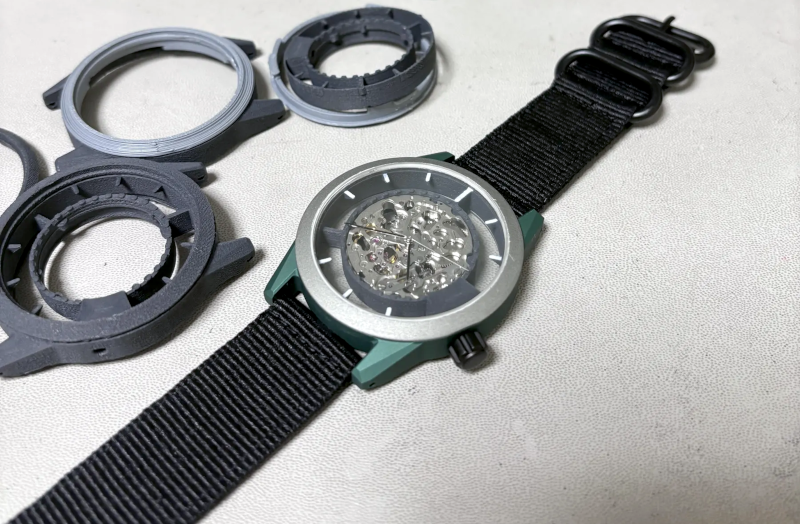
We were excited to see [Z0hn]’s project about 3D printing a custom watch from scratch — both because it was an exciting idea, and because the pictures looked great. While we still liked the project, we quickly realized it wasn’t really printing a watch so much as it was printing a case that holds an off-the-shelf movement. But it still looked great.

Many homebrew watches are cool and fine to wear to your next hackerspace board meeting. But this watch wouldn’t raise an eyebrow out among the normal public. Conventional watches use press-fit backs, tiny screws, or make the back screw into the housing. None of those are great for 3D printing, so this watch uses a bayonet connector, which is easy to create, robust, and reliable.

The watch looks easy to modify, so if you don’t like, for example, the unusual crown placement, you can change it. The movement is a Miyota 8N24 and, of course, the crystal is off-the-shelf, too.

Advertisement

While not exactly a printed watch, it was still pretty cool, and there are lessons to be learned here if you want to pull off the same feat. Or just go full on hacker. You could, too, try your hand with an open source movement.

Source link

Advertisement
Continue Reading

Tech

World Cup AI predictor now lets users ask daft what-ifs

Published

on

OFFBEAT

Spoiler: It doesn’t end well for Team Register

The team behind the AI Octopus Euro 2024 predictor has updated its simulator for the 2026 FIFA World Cup, this time allowing users to throw natural-language scenarios at the model and see how the tournament might shake out.

“Sensible questions work – a red card, a key injury, a heat wave, a squad switching base camp – but so do the daft ones, e.g. ‘What if the tournament were played with rugby rules?’” said Luzmo CTO and co-founder Haroen Vermylen.

Advertisement

The system is simple: enter a scenario in a prompt box, and the predictor spits out how the results might go. The raw data includes squad quality based on player information, heat and altitude factors, injury data, and so on. A Monte Carlo simulation of the tournament is used to generate win/lose/draw probabilities, and the score line is derived from 5,000 match runs.

The engine behind the Euro 2024 AI Octopus was written in TypeScript. This time around, the team used Rust. “We moved to Rust to also be able to run things more quickly, as now there is a real-time component to this,” Vermylen told The Register.

“Before it could run for five minutes or so. Now we want the predictions to actually come out within two to three seconds of actual simulation time.”

OpenAI models parse the request and generate summaries, and an agent is used to create or transform scenarios, call the calculation engine, answer questions, and so on. A user doesn’t need to be a data scientist to ask questions and understand the answers.

Advertisement

It’s certainly rapid, recalculating the results based on suggested scenarios (even one in which we pondered the effect of politically dubious emissions from a certain world leader). Not that all scenarios will work. Vermylen told us that filtering was in place to ignore profanities and “to avoid scenarios that would just be harmful to certain groups.”

And then there is the age-old issue of an AI parser simply not understanding the prompt. Clarity is key. Using natural language is a great alternative to a UI with settings and sliders, but that ease of use can result in misunderstandings.

As the tournament progresses, the data will be refined. At the time of writing, the baseline reckons that Spain will beat England in the final. Spain currently has an 18 percent chance of lifting the trophy and a 26.8 percent chance of reaching the finals. Those figures can, of course, be altered by feeding in scenarios.

For example, we asked: “What if the Spanish team eats a bad paella?” Spain’s chance of winning the tournament then dropped to 1.5 percent, with France as the projected champion.

Advertisement

We also asked it what would happen if we replaced the England team with Register writers. Suffice to say that scenario did not end well.

We asked Vermylen what was next. “The Olympics would be nice… or the Eurovision. We’d like to give the United Kingdom a win.” ®

Source link

Advertisement
Continue Reading

Tech

The Creepshow Video Game Is Coming Out This Summer

Published

on

The point-and-click adventure game based on the horror anthology series arrives in August.

The Creepshow game isn’t dead after all. Though things have been quiet around the video game spin-off of Shudder’s horror anthology series since it was announced a few years ago, the Steam page just went live with a release window that’s surprisingly soon: August 2026. Creepshow is a point-and-click adventure that’s “gone all kinds of wrong,” according to developer PHL Collective. It’s being published by The Mortuary Assistant publisher, DreadXP.

In Creepshow the game, “Follow Danny and his friends as a bad day at the mall spirals into something much darker. Their search for the truth behind Danny’s father leads them to The Reader, a mysterious fortune-teller with a taste for treacherous tales.”

Advertisement

Going back to the original anthology films from the 1980s, Creepshow has always blended horror with a dash of humor, and the description indicates the video game will stick to that tone. It features “pulp-inspired visuals, dark humor, comic-book environments, horror mini-games, and endings you won’t see coming.” There’s no information on console releases, so for now it looks like it’ll only be coming to PC.

Advertisement

Source link

Continue Reading

Tech

How to watch Qatar vs Switzerland: Free Streams online from anywhere

Published

on

Four years on from their first appearance at the FIFA World Cup, Qatar will hope to fare rather better in North America than they did in 2022.

The Maroons were the first nation to play at the finals without ever previously qualifying when they hosted the tournament in 2022, but they quickly set another unwanted record as they became the first host country to be eliminated after two games. Now managed by experienced Spanish head coach Julen Lopetegui, Qatar will hope to use the lessons from their home humbling to pick up their first-ever points at the tournament, although their opener against Switzerland is the first of three tricky games in Group B.

Source link

Continue Reading

Tech

The Fellowship That Taught Me Good Teaching Doesn’t Require Perfe

Published

on

Becoming a Voices of Change fellow empowered me to believe I could be a teacher with all my flaws — that “perfection” is not necessary. In fact, it is antithetical to good teaching. I remember sitting in our first workshop where we learned how to write a pitch and discussed what successful pitching looks like.

My takeaway from that workshop was that this fellowship was going to push me in ways I’d always been afraid of, that I’d have to practice a kind of vulnerability that went deeper than what I modeled for my students. I’d have to face myself.

The fellowship taught me that what makes me unique is what makes me the best teacher I can be. My individual voice and reflections were what I had to offer, and not just the restatement of well-researched best practices. During my fellowship, I learned that the more vulnerable and specific I was in telling my story as a classroom teacher, the more my voice as a writer would shine through. This sense of authenticity translated into my teaching, as I felt empowered to be myself and to see my differences as gifts.

My essay describing the time when two birds flew into my classroom taught me that play is education, and to this day, I can breathe when things go awry because, through writing that essay, I reaffirmed to myself that it’s okay for curriculum to slow down, for community building to be at the center.

Advertisement

My essay exploring the power of neurodivergence led me to connect with other neurodivergent teachers and reminded me that my experiences are what make me the best teacher I can be. I used to be sad that my brain was built differently, but both the process and the outcome of that essay taught me that being different is a gift to share with others. I was most afraid to write that essay, but now I am most proud of it. I was once again reminded of the power in speaking my truth, especially when I’m most afraid to.

Overall, my essays taught me to pay attention to every moment of teaching, that sometimes the most mundane days of instruction offer kernels of truth and exploration. Topics such as boredom, artificial intelligence and allyship have been explored ad nauseam, but my editor empowered me to see that despite this, I still have a voice worth sharing, even when I didn’t think so.

As a result, I developed a confidence in myself that I carry with me to this day. I became more embodied as a human being, more present, because I realized that what made me me was actually what would allow me to connect more meaningfully with my students and the world. In extending that expansiveness and empathy towards myself, I had more empathy to give my students on their off days and more encouragement to give them on their better days. Ultimately, realizing that the most important stories I had to tell were topics I was too afraid to address publicly made me see that the core of education will always be about courage. Courage to be all of myself, to try new activities outside of and inside the classroom. I had to be ready to share myself to have the biggest impact as a writer. Similarly, I would have to do the same to be the best teacher I could be.

Since completing this fellowship, my identity as a human being has expanded. I now see myself not just as a teacher, but as a writer, a thinker, and an observer who has something to say. I feel more comfortable being me, and even empowered to do so. With each essay, I chipped away at my fears and accepted that the joy was in the process itself. Now, I tell my students something I have had to tell myself repeatedly during this fellowship: trust your voice.

Advertisement

This story is part of an EdSurge series chronicling diverse educator experiences. These stories are made publicly available with support from the Chan Zuckerberg Initiative. EdSurge maintains editorial control over all content. (Read our ethics statement here.) This work is licensed under a CC BY-NC-ND 4.0.

Fatema Elbakoury (she/her) is a high school English language arts teacher at June Jordan School for Equity in San Francisco.

Source link

Advertisement
Continue Reading

Tech

Microsoft president says AI backlash at graduation events should be wake-up call for the tech industry

Published

on

Humans Matter: The ever-growing financial investments in AI development have so far caused two major reactions. Some people see AI as a ruinous technology that will drag everything down, while others are still keeping their optimistic view of the traditional evolution cycle of computer technology. Brad Smith definitely belongs to the latter, although he is asking his colleagues to have a closer look at how “normals” are expressing their dissatisfaction with the current state of the (tech) world.

Microsoft president and vice chairman Brad Smith recently shared his – definitely informed – opinion about the growing backlash against AI. Smith thinks that other leaders in the industry should listen when people express their disdain for “pro-AI” speakers attending graduation events. Smith believes that they should take the backlash as a significant wake-up call, because younger generations have always been the most eager early adopters of the latest technology products and trends.

Tech executives are definitely loving the concept that AI will revolutionize everything – although they might overestimate its capabilities because of what Box’s CEO called AI psychosis. At the other end of the spectrum, students who have completed their education are now looking at an increasingly complex job market.

Some executives have so far proposed AI as a transformative technology that is going to profoundly reshape the workforce. Anthropic CEO Dario Amodei famously said that LLMs and chatbots are going to erase half of entry-level white-collar jobs within the next five years, while Microsoft AI chief Mustafa Suleyman stated that “most” white-collar jobs will be taken by AI over the next 12 to 18 months.

Advertisement

Smith said that graduates are definitely recognizing the benefits of AI, but they want to keep it where an automation technology should belong. They want agency over chatbots, and they want to decide the future role of machines for themselves and not the other way around.

Microsoft’s president is even trying to revive the concept of the “American Dream,” stating that the dignity of work has always given life meaning and purpose.

“To those in the tech sector who seemingly want to pursue a future where computers replace jobs and AI becomes more capable than people, the next generation of people has offered a compelling response: ‘not so fast,’” Smith said in his post.

Microsoft’s stance appears to align with the recent shift in tone in pro-AI enthusiasm coming from technology leaders. CEOs of AI corporations are trying to highlight the potential benefits of automation technology, arguing that it will make workers more productive and efficient rather than simply replacing them.

Advertisement

Smith still thinks that AI is a transformative technology, an evolutionary leap that’s going to have significant implications for both individuals and organizations over the next few years. However, he also thinks that Microsoft is going to play a major role in this transformation, just like it did with the personal computer revolution.

“Workers have been Microsoft’s lifeblood from the start. If the world’s people don’t have jobs, then neither do we,” he said.

Source link

Advertisement
Continue Reading

Tech

How to use a VPN on your smart TV during the World Cup

Published

on

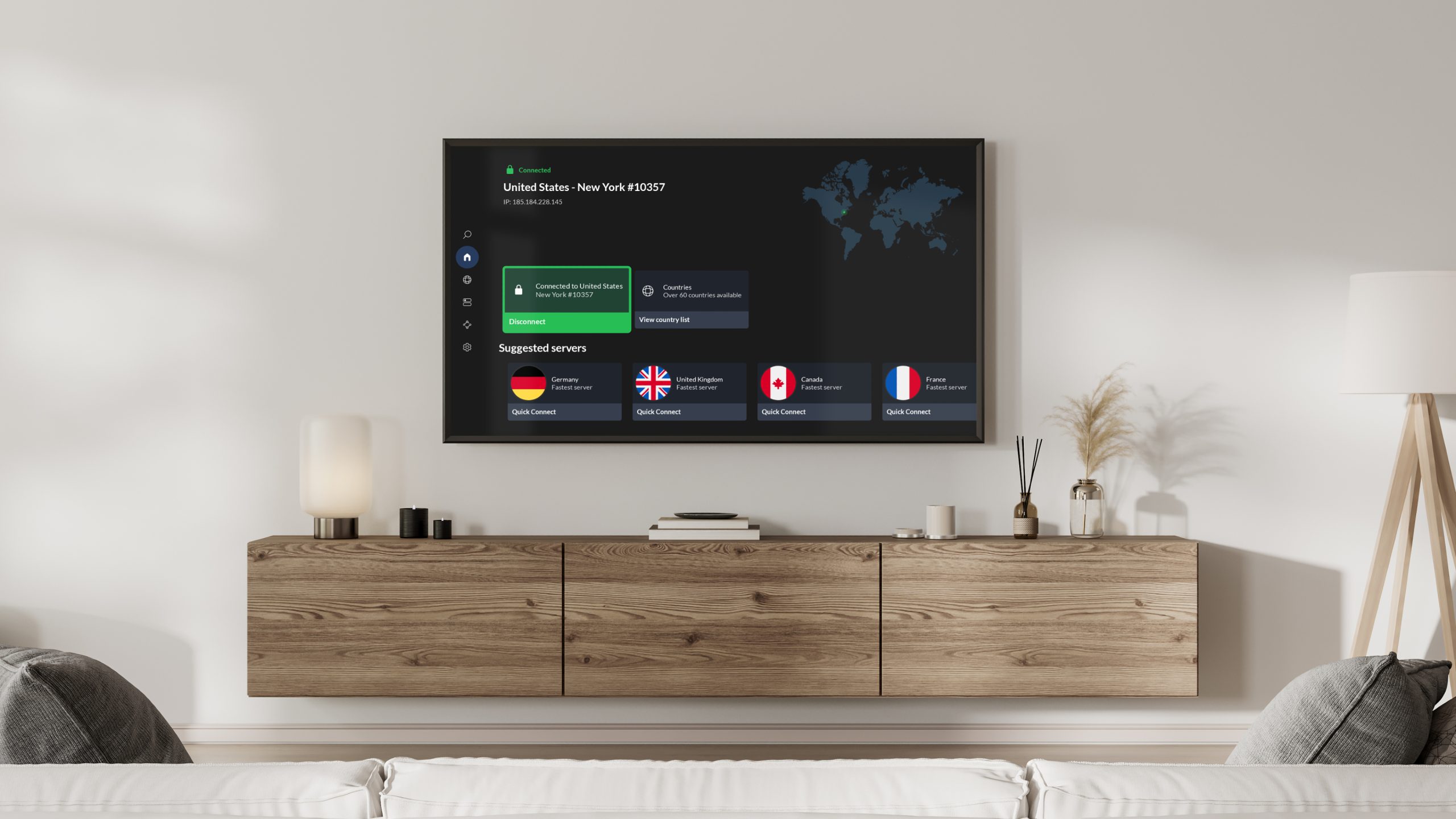
World Cup 2026 has kicked off — and if you’re looking to keep up with the latest matches wherever you are, or just keep your connection secure, it’s a good idea to use one of the best VPNs while streaming.

It’s well known that most major VPN providers offer apps for desktop, mobile, and tablets, but some go a step further with apps that you can install straight onto your TV.

Source link

Continue Reading

Tech

Lara Croft Rediscovers Her Roots in the First Gameplay Look at Tomb Raider: Legacy of Atlantis

Published

on

Tomb Raider Legacy of Atlantis New Gameplay Footage
Lara Croft moves through thick Peruvian jungle undergrowth with familiar purpose. The new four-minute gameplay video, captured during Summer Game Fest hands-on sessions, drops players straight into a reimagined Lost Valley. It offers the clearest view yet of how the upcoming Tomb Raider: Legacy of Atlantis game refreshes the 1996 original while carrying forward lessons from more recent entries in the series.


Water pours over the old stonework just in front of Lara. The immediate challenge is to manage the flow so that water levels rise in the lower area and clear a path for her to follow. She climbs the mossy temple walls with jagged rock formations that mix in with the landscape rather than feeling like a staged game marker, which is a comfort. A wrist-mounted grapple then fires, capturing a massive cog, which she hauls into position, redirecting the current and fixing the system. Her scanner detects critical objects when realistic greenery makes them impossible to locate, even when you know they’re there. The entire method runs smoothly with almost no on-screen assistance, and it rewards you for paying attention and testing to see what works.


PlayStation®5 console – 1TB
  • PlayStation 5 Console – 1TB, includes wireless controller, 1TBSSD, Disc Drive, 2 Horizontal Stand Feet, HDMI cable, AC power cord, USB cable, printed…
  • 1TB of Storage, keep your favorite games ready and waiting for you to jump in and play
  • Ultra-High Speed SSD, maximize you play sessions with near instant load times for installed PS5 games

The visuals are simply stunning from the start, owing to Unreal Engine 5, which provides thick canopy cover, dynamic water, wonderfully detailed ruins, and extremely powerful theatrical lighting. The style effectively blends the sense of discovery from previous games with the more realistic visuals that we’ve come to expect today. Nothing seems overly planned or manufactured.


This small sample is only a taste of what the entire game has to offer. It follows Lara as she seeks for components of the Scion, a tremendously powerful device that transports her around the world: she starts in the Peruvian jungles and then travels to ancient Greek ruins, Egyptian deserts, and a mysterious Mediterranean island steeped in myth and legend. Each new site will feature its own unique blend of exploration, traps, and secrets.

Advertisement

The series’ core gameplay focuses on environmental puzzles, fluid movement, and precision combat. The new Focus system features some amazing slow-motion sequences that emphasize timing and movement. The grappling naturally extends to puzzle solving and crossing challenging terrain. Players can adjust the level of puzzle aid and combat complexity independently, allowing you to tailor the experience to your preferences. For those eager to dig in, there are trinkets and a skill tree to explore. Alix Wilton Regan is Lara’s new voice actress. She provides the usual calm assurance to the role, as well as some emotional range and situational knowledge, and she remains in character throughout, whether scaling cliffs, solving a mechanism, or dodging predators. The continuity really makes you feel like you’re walking in her shoes.


Crystal Dynamics and Flying Wild Hog worked together to produce the game. Their stated goal was to keep the sense of wonder and discovery from the original 1996 version while modernizing the mechanisms to ensure optimal operation on modern hardware and how people play now. They kept the essence of what made the early Tomb Raider so special while also providing new tools that allow players to use Lara’s full range of powers. We may expect the game to be released on February 12, 2027, for PlayStation 5, Xbox Series X and S, PC, and Nintendo Switch 2.
[Source]

Source link

Advertisement
Continue Reading

Tech

Justice Department seizes websites that published deepfake nudes of famous women

Published

on

What just happened? The US government has seized two domains accused of hosting non-consensual deepfake pornography of female celebrities, marking what prosecutors say is the first domain seizure under the Take it down Act. CFake.com and SOCFake.com now point to law enforcement notices after the Justice Department and Homeland Security Investigations obtained federal warrants to redirect the sites.

The DOJ says the domains were used to publish digitally forged nude and sexual images and videos of women without their consent. According to the Justice Department, the material involved thousands of “digital forgeries,” while the US Attorney’s Office for New Jersey describes the sites as hosting hundreds of thousands of deepfake pornographic images and videos.

The targeted women included heads of state, first ladies, royalty, legislators, government officials, journalists, TV presenters, athletes, entertainers, and other public figures. Investigators said users could browse material by tags including “rape,” “forced,” “degradation,” and “slave.” Those categories are a big reason why prosecutors framed the case as abuse and exploitation rather than a copyright or impersonation dispute.

The affidavit supporting the seizure says CFake’s landing page described the content as digitally retouched and altered photos of well-known people. Its terms and conditions reportedly told any upset celebrity to contact the operators, then asked why they felt disadvantaged when “practically every female celebrity in the world” was also on the site. HSI also interviewed one victim in February who said the images were forged, non-consensual, and had caused psychological harm.

Advertisement

The Take it down Act, enacted in May 2025, makes it a federal crime to publish sexually explicit digital forgeries of identifiable adults without consent when the material is not a matter of public concern and is intended to cause harm or actually does so. It also gives authorities forfeiture powers over property used to facilitate violations, which in this case meant the domains themselves.

US authorities were alerted to the site by Italian cyber police, who shared evidence with France under the Budapest Convention on Cybercrime. French authorities arrested a 47-year-old man in Nice on June 10, accusing him of being a CFake administrator. CyberScoop reports that French investigators identified about 300,000 images and 7,000 videos depicting 14,000 people, along with 200,000 user accounts and 4 million monthly views.

Deepfakes have been a problem for years, from Scarlett Johansson calling attempts to stop them a “lost cause” in 2019 to the Taylor Swift AI nude images that spread across X in 2024. Google later banned ads for deepfake porn services, while San Francisco sued 16 AI “undressing” websites. As generative AI becomes more advanced, easier to use, and convincing in its output, the issue is arguably getting worse, not better.

Advertisement

Source link

Continue Reading

Trending

Copyright © 2025