Connect with us
DAPA Banner
DAPA Coin
DAPA
COIN PAYMENT ASSET
PRIVACY · BLOCKDAG · HOMOMORPHIC ENCRYPTION · RUST
ElGamal Encrypted MINE DAPA
🚫 GENESIS SOLD OUT
DAPAPAY COMING

Tech

Today’s NYT Connections Hints, Answers for July 6 #1121

Published

on

Looking for the most recent Connections answers? Click here for today’s Connections hints, as well as our daily answers and hints for The New York Times Mini Crossword, Wordle, Connections: Sports Edition and Strands puzzles.


Today’s NYT Connections puzzle contains a fun Looney Tunes-related category, which I thought was hilarious. Read on for clues and today’s Connections answers.

The Times has a Connections Bot, like the one for Wordle. Go there after you play to receive a numeric score and to have the program analyze your answers. Players who are registered with the Times Games section can now nerd out by following their progress, including the number of puzzles completed, win rate, number of times they nabbed a perfect score and their win streak.

Advertisement

Read more: Hints, Tips and Strategies to Help You Win at NYT Connections Every Time

Hints for today’s Connections groups

Here are four hints for the groupings in today’s Connections puzzle, ranked from the easiest yellow group to the tough (and sometimes bizarre) purple group.

Yellow group hint: Oh my gosh.

Advertisement

Green group hint: Classic kid projects.

Blue group hint: Road Runner: Beep-beep!

Purple group hint: Swipe right.

Answers for today’s Connections groups

Yellow group: Stunning news.

Advertisement

Green group: Science Fair model subjects.

Blue group: ACME products used by Wile E. Coyote.

Purple group: Starting with dating apps.

Read more: Wordle Cheat Sheet: Here Are the Most Popular Letters Used in English Words

Advertisement

What are today’s Connections answers?

completed NYT Connections puzzle for July 6, 2026

The completed NYT Connections puzzle for July 6, 2026.

NYT/Screenshot by CNET

The yellow words in today’s Connections

The theme is stunning news. The four answers are bombshell, revelation, shocker and thunderbolt.

The green words in today’s Connections

The theme is science fair model subjects. The four answers are atom, DNA, solar system and volcano.

Advertisement

The blue words in today’s Connections

The theme is ACME products used by Wile E. Coyote. The four answers are earthquake pills, iron bird seed, rocket skates and TNT.

The purple words in today’s Connections

The theme is starting with dating apps. The four answers are bumblebee, grind rail, matcha and tinderbox.

Source link

Advertisement
Continue Reading
Click to comment

You must be logged in to post a comment Login

Leave a Reply

Tech

Google executive ports Command & Conquer Generals: Zero Hour to iPhone and Mac using Claude

Published

on

AI-powered game development has recently been blamed for flooding app stores with low-effort mobile games, but every now and then, the technology produces a far more interesting result. Google lead product and design executive Ammar Reshi says he used Fable 5 to port Command & Conquer Generals Zero Hour to the iPhone and iPad.

This is not an emulator or a cloud-streamed version. According to Reshi’s GitHub page, the actual 2003 game engine has been compiled natively for ARM64 and runs on iPhone, iPad, and Mac. The project uses EA’s GPL source release and builds on existing community work, while adding the iOS and iPadOS port.

How Claude helped move a PC classic to iPhone

The port was not as simple as making an old Windows game run on a new screen. The original engine expected a writable PC-style file system, while iOS apps live inside a locked-down, code-signed bundle. Save files, cache paths, and configuration writes had to be redirected.

I used Fable 5 to port Command & Conquer: Generals Zero Hour to the iPhone and iPad!

This is the actual 2003 engine compiled for ARM64 natively, no emulator.

Advertisement

Campaign, skirmish, Generals Challenge all work with touch controls built for an RTS.

Open sourcing it all below! pic.twitter.com/Vi9SbKyVPI

— Ammaar Reshi (@ammaar) July 4, 2026

The graphics pipeline also needed serious work. Zero Hour was built around DirectX 8, while Apple devices use Metal. The project routes that through DXVK and MoltenVK, translating the old DirectX renderer through Vulkan and then to Metal.

Advertisement

An RTS also needs a mouse, which the iPhone obviously does not have. Reshi’s port adds touch controls built around strategy gameplay, including tap selection, drag-box selection, two-finger scrolling, pinch zoom, and long-press actions.

A better use for AI in gaming

Command & Conquer Generals Zero Hour was one of the great PC RTS games of its era. It was fast, chaotic, and made its Generals Challenge mode feel like a proper test of strategy.

For anyone who grew up playing RTS games on PC, this is the kind of AI project that actually feels worthwhile. Gamers have generally had a negative view of AI in games, especially when it is used to replace human creativity or flood app stores with forgettable titles. Here, it helped bring a classic to devices it was never meant to run on.

Reshi’s port still depends on EA’s source release and years of community modernization work, which he has credited. But seeing Zero Hour run natively on an iPhone is still a wild outcome.

Advertisement

Source link

Continue Reading

Tech

Hundreds Support Legal Defense for Engineer Charged with Destroying Flock Surveillance Cameras

Published

on

“Hundreds of freedom lovers are rallying behind a US Air Force engineer” who’s been accused of damaging over a dozen AI-integrated surveillance cameras last year and even knocking down their poles.
Long-time Slashdot reader schwit1 shares
this article from Futurism:


According to local channel WAVY, Virginia-based Air Force engineer and mechanic Jeffrey Sovern is facing 13 counts of destruction of property, as well as six counts of both petit larceny and possession of burglary tools related to the destruction of Flock license plate cameras… [Wavy reports the cameras were sometimes pointed in the wrong direction or thrown to the street.]

Armed with garbage bags, spray paint, and even chainsaws, a not insignificant number of privacy vigilantes have taken the fight to Flock, using any means to free their neighborhoods of the ominous surveillance poles. On a GoFundMe page to raise money for his legal defense, the 41-year-old Sovern explained that this kind of privacy-minded vandalism has far more support than would outwardly appear…

Sovern kicked off the campaign late in December of 2025, where he encouraged his supporters to “reach out to the local governments and demand that these systems are taken down.” The Virginia resident initially set his funding goal to $8,500. As news of his case has spread across the web, the amount of support has far outpaced those already-hopeful aspirations. [Two hours ago the legal fund stood at $23,326 from over 680 donors].

Advertisement

Source link

Continue Reading

Tech

What’s The Fastest Charging Speed Your iPad Or iPhone Port Can Handle?

Published

on

You may be able to charge your devices much faster. Let’s find out.

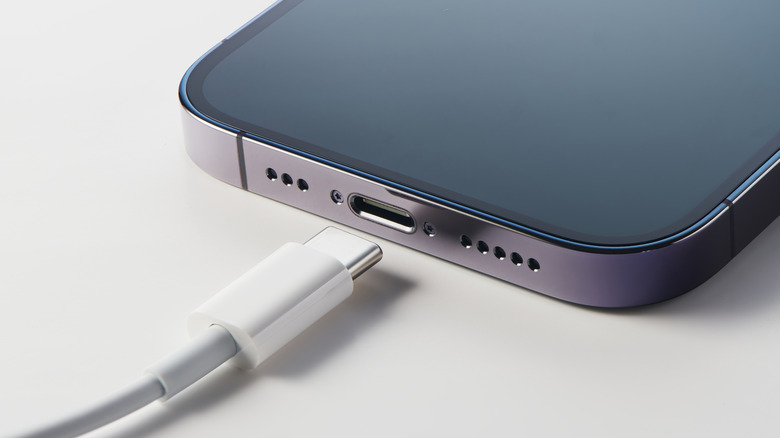
Getting the most out of your iPhone or iPad’s battery is about more than keeping an eye on how much power your apps consume. Your charging speed can also have an effect on your battery’s longevity. A slow charger might be a little better for your battery as it ages, but it also might mean you only gain back a few percentage points of juice while chugging your morning coffee. In the same span of time, a fast charger can get you enough battery to make it through a long commute. Charging your iPhone at its top speed can make all the difference when you only have a few minutes to plug it in before running out the door. 

But in order to charge your devices at their maximum speeds, you have to know what those speeds are. As compared to some competitors, Apple is inconsistent about listing battery specifications on its consumer-facing spec sheets, leaving you to figure it out. And now that the company no longer includes a charging brick in the box, many people are likely using outdated and slow chargers on newer iPhones and iPads. How can you be sure what the fastest charging speed for your device is, and whether your charger is fast enough? To answer that question, we’ll take a look at how battery capacities and charging speeds are measured, how those measurements translate to the latest iPhone and iPad lineups, and how Apple’s included accessories are shortchanging your charging experience.

Advertisement

How iPhone and iPad charging speeds are measured

Let’s start with the basics. The battery capacity of a mobile device is measured in milliamp-hours (mAh), which represent the amount of power a battery can deliver in an hour before requiring a recharge. For example, a 1,000mAh cell can deliver 1,000 milliamps for exactly one hour before dying. In the real world, a smartphone battery delivers variable amounts of electricity depending on what it’s being used for, and some devices run more efficiently than others. Even so, 5,000mAh is roughly the median for a large smartphone these days, while tablets tend to come closer to 10,000mAh.

The iPhone 17 Pro Max, Apple’s largest smartphone, has a battery capacity of 5,088mAh, while the base model iPhone 17 relies on a 3,692mAh cell. Meanwhile, the base model iPad 11th Generation has been measured at 7,698mAh, while the beefy, 13-inch M5 iPad Pro packs a 10,290mAh battery into its svelte frame.

Charging speeds are measured in watts. In general, large devices have larger, multi-cell batteries with more room to dissipate heat (and room to include larger cooling systems), allowing them to charge at faster speeds. That’s partially why your MacBook includes a huge charging brick that pumps out 140W, while your iPhone makes do with a dinky charger sputtering along at a fraction of the speed, and AirPods charge at single-digit wattages. Even so, with improved charging technologies such as USB Power Delivery (USB-PD), it is increasingly possible to charge even small devices such as smartphones at increasingly high rates. For example, the OnePlus 15 is a recent Android phone that charges at 120W. With all this in mind, we can now unpack your iPhone or iPad’s top charging speed.

Advertisement

The latest iPhones and iPads charge at between 40 and 60 watts

Apple’s newer iPhones and iPads haven’t made massive strides in charging speeds, though that’s not to say they haven’t improved whatsoever over the years. As of the latest iPhone 17 series, the 17, 17 Pro and 17 Pro Max can all charge at up to 40W, while the iPhone Air tops out at just 20W, one of the tradeoffs necessary to achieve its thin design. However, Apple no longer includes a charger in the box with new iPhones, so customers who want to take advantage of those top speeds must purchase a charger separately. The last time a charger shipped in the box, it was a 5W brick that shipped with the iPhone 11, while 11 Pro owners got an 18W unit. Anyone still hanging onto one of those chargers is getting an incredibly slow charging experience with newer iPhones.

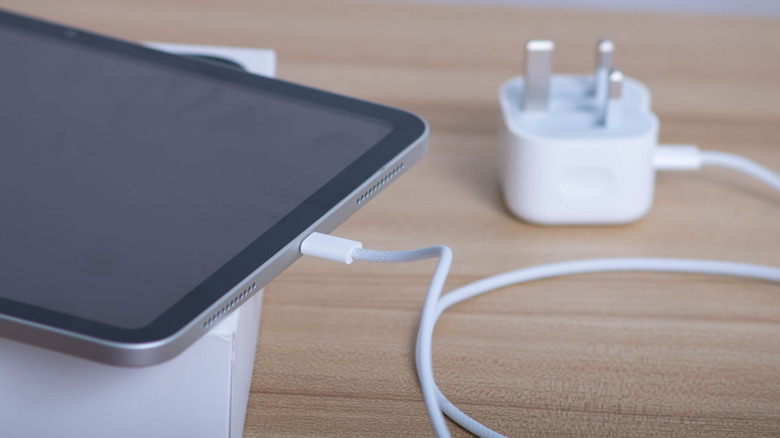
As for iPads, the base model iPad released in 2025 charges at up to a respectable 45W, on par with competing tablets from companies such as Samsung. The latest M5 iPad Pro goes even further, charging at up to 60W. Apple hasn’t yet stopped including chargers with its tablets, but they’re effectively e-waste nonetheless. That’s because all iPads ship with a measly 20W charger, which means a lot of unsuspecting owners are wasting hours of time charging their slates.

Those looking to charge their iPhone or iPad at top speeds should invest in a charger that’s actually capable of delivering them. While Apple offers fast chargers, it’s not the only game in town. Some of the best chargers in 2026 are available from companies such as Anker, Ugreen, Satechi and so on. Whichever brick you choose, ensure that its top speeds are at least equal to those of your phone or tablet.

Advertisement

Source link

Advertisement
Continue Reading

Tech

Review: TCL RM9L RGB-Mini LED (2026)

Published

on

With the RM9L RGB-Mini, TCL doesn’t skimp on HDMI 2.1 ports. There are four total, and each one can support a 144Hz refresh rate for low latency PC gaming or whatever you want to throw at the television. One of the HDMI 2.1 ports is for eARC passthrough audio to powered speakers or a receiver. I added an Xbox Series X and a Google TV for testing and connected Klipsch the Nines II speakers. There are two USB ports (one coaxial), an Ethernet port for a wired connection, and a digital optical port. The TV uses Wi-Fi 6, which is fast and compatible.

I liked the remote for the most part, since it is clean and easy to use. The brightness controls are on the right-hand side, which is a surprisingly brilliant design choice. For late-night gaming sessions you can crank down the brightness quickly or pump it up when the sunlight pours in. Tiny notches on the remote for volume and channels help you locate them without looking. The buttons for free television channels and a few others seemed like overkill. Also, the Home button is not centered, so it’s harder to find. Thankfully at this price, the remote is backlit.

Real-World Testing Results

Two movies I always test right away, especially to see if the contrast and brightness are as exceptional as they should be for a television’s price, are Awake on Netflix and The Creator on the Fandango at Home app. That’s because these movies have extremely dimly lit scenes at night or predawn. Even some OLED models look washed out during a cycling scene in Awake in which the actor Gina Rodriquez passes a guy in a blue shirt. Only after selecting the Vivid picture mode could I see what was going on. I find Mini RGB tech to be fussy at times, requiring picture quality tweaks.

For The Creator, an early scene by the ocean just didn’t have the vividness I would like for the price, looking slightly washed out without enough blue or deep blacks. Even after using Vivid or Dolby Vision IQ picture modes, the scene still looked too grayed out.

Advertisement

For skin tone benchmarks, the RM9L underperformed compared with the LG Micro RGB Evo. I noticed a lack of tonal variation, but in a side-by-side test against the LG television, there was more of a difference. That meant the RM9L matched up more closely with the midrange Sony Bravia 7 Mark II and the Hisense UR9 that also benefited from Mini RGB tech.

In a demo reel benchmark, there is one tough challenge involving white mist over a snowy mountain. The Leica Cine Play 1 projector is admittedly not a fair test (even if it’s cheaper) because that model has such an exceptional lens, but the mist was far more distinct on it. Green grass near a fence in winter was more noticeable and obvious than on the Hisense UR9, and the two televisions were about equal during a segment with buffalo on a field, showing different shades of brown. The LG Micro RGB Evo rendered several scenes with more color, including a yellow flower, a red cactus, a purple butterfly, and dark trees in a nighttime scene.

Source link

Advertisement
Continue Reading

Tech

5 Harbor Freight Pittsburgh Automotive Tools You Can Only Buy In-Store

Published

on


You may or may not realize it, but the bulk of the items you find for sale through Harbor Freight Tools’ online and brick-and-mortar outlets are from brands that are actually owned by the retailer. To that end, they are sold exclusively through those very outlets.

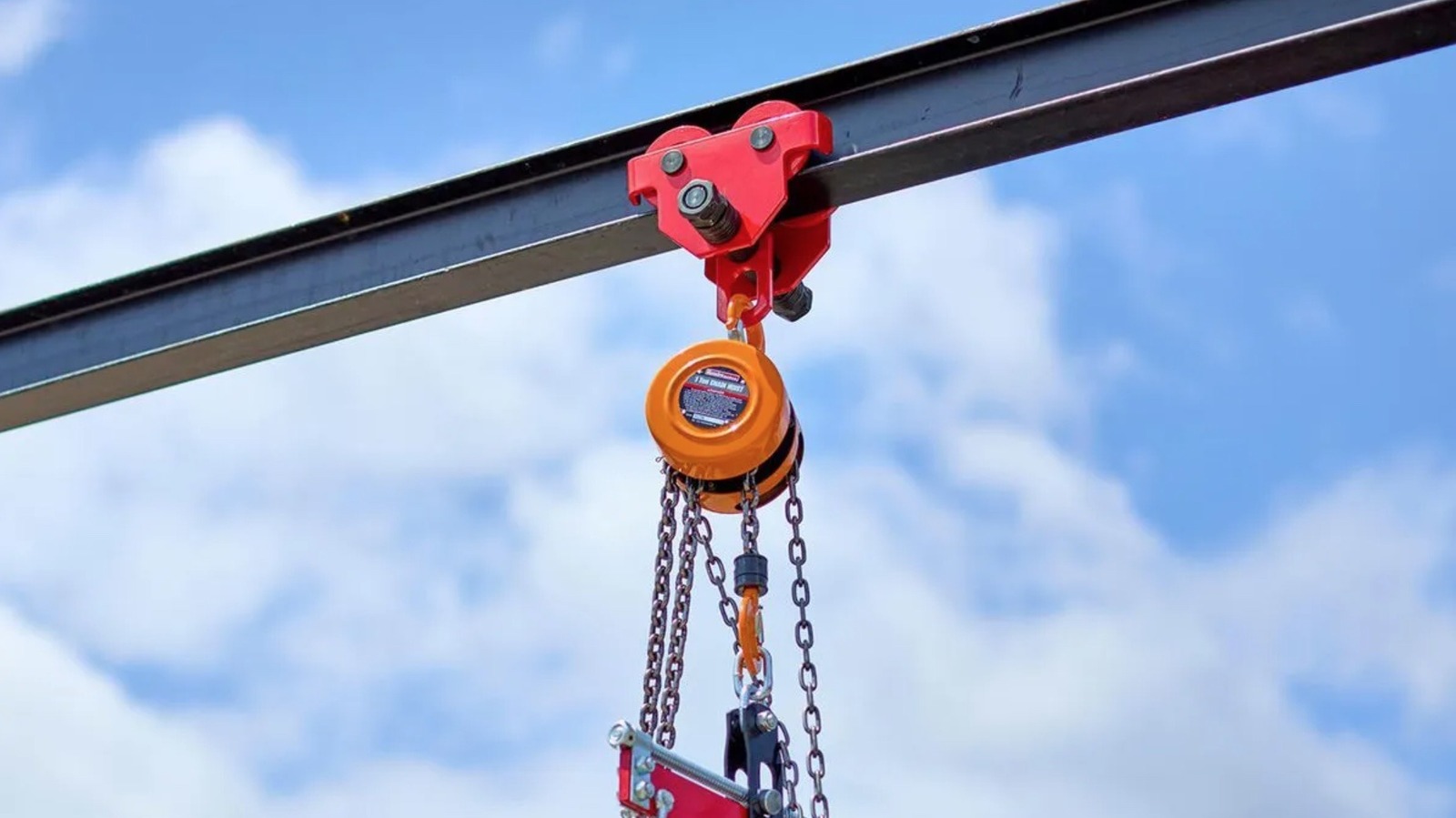
If you’re unfamiliar with the brands owned by the family-operated home improvement chain, that list includes Pittsburgh, which designs and manufacturers budget-friendly devices for DIY jobs of all shapes and sizes. If you’re shopping for Pittsburgh-branded products through the Harbor Freight Tools website, you’ll find a wide variety of non-powered devices, including hand tools like wrenches, drivers, and pry bars, as well as heavier duty gear such as motorcycle lifts, car jacks, and shop cranes to choose from.

Advertisement

Despite the wide array of tools and devices, you might be surprised to find that quite a few of those Pittsburgh-branded tools are not actually available for purchase online, and instead bear the “In-store Only” tag on their product page. Whatever reason the retailer has for assigning the tools those labels, you will indeed have to journey out to your local Harbor Freight Tools store if you want to add them to your collection. Here’s a few Pittsburgh automotive tools we think are worth the trip.

Advertisement

Capacity Low-Profile Creeper

Working on a car can be tough enough on your body, whether you’re simply leaning over the engine or changing a tire. It should go without saying that anything that needs to be done underneath the car only further exacerbates the stress on your body. A creeper will not entirely solve that problem, of course, but it will go a long way in easing that stress, particularly on your back.

Pittsburgh does indeed make creepers for Harbor Freight Tools, but at the moment, if you want to bring the brand’s low-profile model into your garage, you’ll have to visit a store to do so. Well, that’s true of the green, blue, and black versions at least, as the white model appears to be available for purchase online. If you’re looking to add a little color to your shop, however, it’s in-store or bust.

The creeper boasts a 300-pound weight capacity, and its frame is manufactured from a single piece of high-impact PVC. The low roller is also fit with six swivel casters, has small storage areas on either side, and is oil and solvent resistant. On top of that, it features a built-in padded headrest and should be rustproof to boot. While some users report quality issues, the creeper boasts a 4.5-star rating overall, with many claiming it’s a sturdy, capable device worth the $39.99 price tag.  

Advertisement

2.5 Ton Low-Profile Aluminum Racing Floor Jack

Harbor Freight has become a bit of a hot bed for shoppers in need of an affordable automotive floor jack of late. While Daytona is, perhaps, the brand most often mentioned in reference to Harbor Freight’s car jacks, Pittsburgh has more than a few available in the Harbor Freight marketplace too. Daytona may boast a few desirable qualities by comparison, but the Pittsburgh floor jacks should more than meet the needs of those who often dwell in shop environments.

Pittsburgh’s Low-Profile Racing Floor Jack may be one of those worthy shop additions, though you will have to step out to a Harbor Freight outlet if you want to put one to work in your own garage. It’ll also cost you some $229.99 at the checkout counter as well.

Advertisement

If the floor jack’s 4.8-star user rating is any indication, it may be worth both the cost and the trip, with Harbor Freight shoppers largely praising it for its low-profile design and ability to lift many smaller automobiles. Regarding the floor jack’s abilities, Harbor Freight claims its dual-pump system allows it to lift its capacity 5,000-pounds in a mere three pumps. It’s also made of durable and lightweight aluminum, fit with a rubber saddle to prevent scarring of the vehicle’s body, and designed with a half-turn release mechanism for smooth and easy lowering. 

Advertisement

1/2 in. Drive Extendable Ratchet

Circling back to smaller non-powered hand tools in Pittsburgh’s lineup, there are quite a few ratchets, bits, and sets to choose from, most of which are available for purchase through Harbor Freight’s website. While you can have a proper look at Pittsburgh’s 1/2-inch Drive Extendable Ratchet through the company’s site, you cannot actually purchase it there.

The good news is that if you do head out to your local Harbor Freight store in search of the ratchet, you might get a little bit of a discount on it, with its product page currently noting it is selling for $19.99, which is down $2 from its typical retail price of $21.99.

That modest price buys you a 4.8-star rated tool that most users claim is capable, and even above average for the price point. They claim it’s durable as well, with Pittsburgh manufacturing it out of chrome-vanadium steel. The 72-tooth telescoping ratchet boasts six locking positions and is designed to extend from 12-inches up to 18-inches in length to make it easy to reach bolts in harder to reach engine places, while also allowing for additional torque when needed. On top of that, the tool is backed by Pittsburgh’s lifetime warranty, ensuring you should be able to get a replacement if it fails due to any defects in workmanship or materials.  

Advertisement

1800 lb. Capacity Motorcycle Stand/Wheel

Working on a motorcycle is a prime time pastime for gearheads who prefer vehicles with just two wheels. It can also be pretty dangerous, however, as such modes of transportation can easily be thrown off-kilter and topple to the ground or onto the very person doing the tinkering, which will result either in severe damage to the motorcycle or your body.

Thankfully, there is a very easy fix to that conundrum, as brands like Pittsburgh manufacture stands to hold the motorcycle in place while you work. Pittsburgh’s model is, essentially, an all-steel wheel chock that secures the front wheel of the bike and locks it in on the back side. The tilting wheel adapter can be adjusted to fit tires between 15-inches and 22-inches in size, is fit with two eye loops for additional securing via straps, and can handle a motorcycle up to 1,800-pounds in weight.

Advertisement

Perhaps best of all, the stand is typically priced at $69.99, making it a low-cost way to protect yourself and your gear, even if you will need to get to a Harbor Freight store to procure one. Users would have you believe it is worth that investment, bestowing on it a 4.6-star rating, though some claim it is prone to sliding when loading and unloading the motorcycle.  

Advertisement

2 Ton Capacity Foldable Shop Crane

If you’re looking for a heavy-lifting crane that is a little more focused on use in a garage environment, Pittsburgh’s 2 Ton Foldable Shop Crane is another item that looks to be well worth the drive out to your closest Harbor Freight outlet. That is assuming, of course, that the crane is currently in stock at that outlet. For the record, you can find that in-stock status out for this, or any Pittsburgh products listed here by checking their Harbor Freight product page online.

The foldability of this 4.7-star rated Pittsburgh shop crane makes it ideal for any garage or workshop lacking in space, as you can easily store it away when it’s not in use. It’s also equipped with six 3-1/2-inch casters so you can easily roll it around the space when needed. Apart from that, the crane is designed to lift up to 4,000-pounds, which should be more than sufficient for many DIY garage projects.

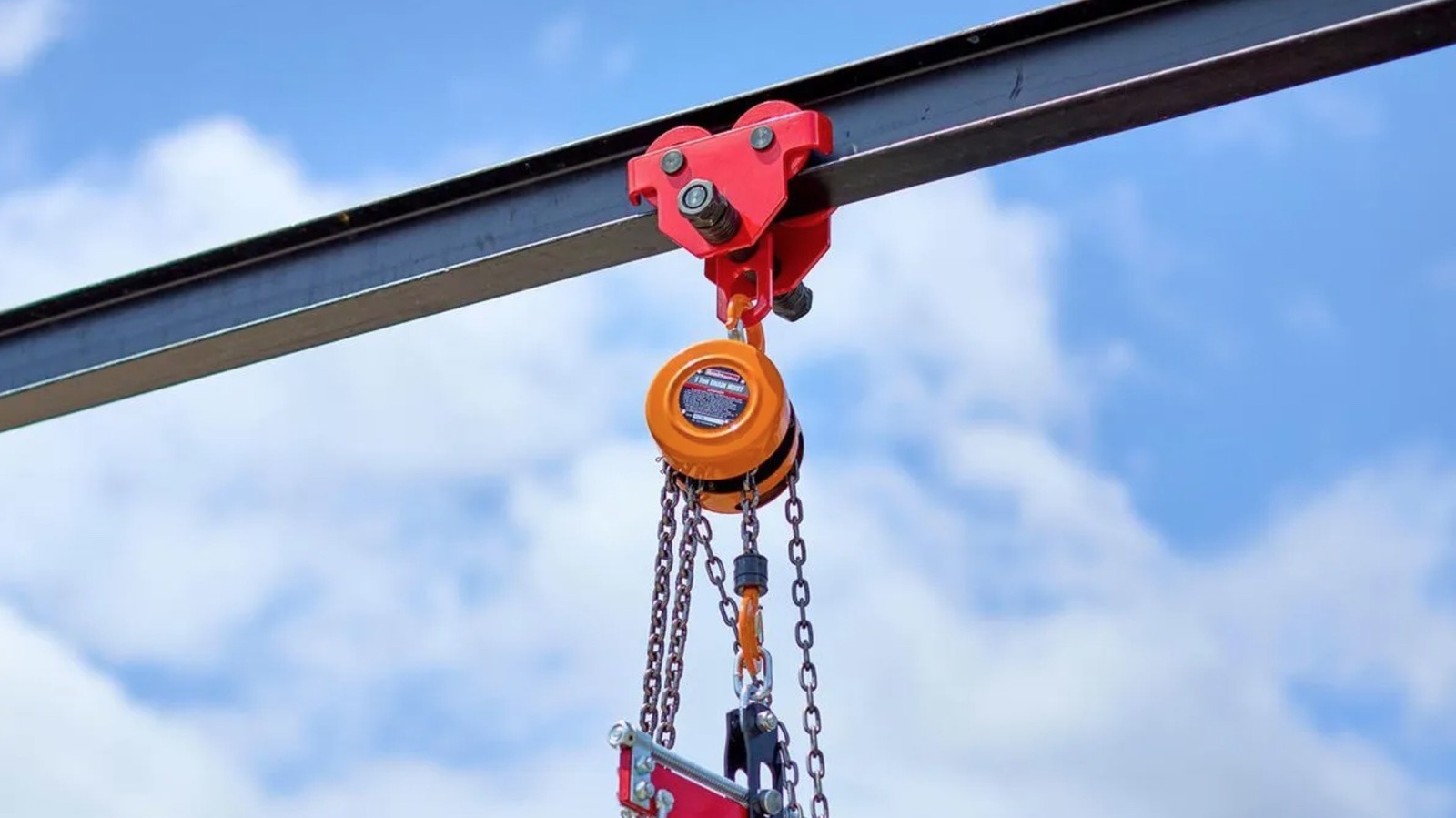
The ASME-PASE compliant device is also equipped with an extendable boom arm that stretches from 41-inches to 61 3/4-inches. In terms of height, the crane also adjusts from 75 3/16-inches to 90 1/2-inches, so you should be able to use it when lifting engines out of some trucks and SUVs. Those engines will be held by a sturdy Clevis grab hook with safety latch equipped with safety latch.

Advertisement


Source link

Advertisement
Continue Reading

Tech

Origami Folds Hide Conductive Paths In Plain Sight

Published

on

What could you do if you could make a circuit trace by just bending a piece of paper? How about bridging modern technologies and traditional handicrafts while providing opportunities for learning skills in both.

As part of our interdisciplinary research into digital craftsmanship at the MEI Lab at the School of Creative Media, City University of Hong Kong, we came across research that demonstrated how to impregnate paperlike material (technically a “nonwoven textile”) with the kind of liquid metal used to make conductive ink. Initially, the impregnated material is nonconductive because an insulating oxide layer forms that encapsulates microscopic droplets of the liquid metal. However, applying pressure via shaped molds will crack open the insulating layer, allowing neighboring particles to merge, and thus creating conducting regions in the shape of the mold.

Both of us were introduced as children to origami and kirigami (similar to origami, except that cutting is allowed in addition to folding). We, along with our colleagues, decided to see if those traditional techniques could be used on the new material to eliminate the need for molds. Our goal was to allow crafters to make hybrid papercraft creations that contained easily integrated elements such as LEDs and motors.

In particular, we were interested in the possibility of combining the separate stages of creating a papercraft object and adding electrical conductors. Previous approaches to creating electrified papercraft objects relied on adding a separate flexible conductor—such as adhesive copper tape—to the paper. This increases the effort required and runs the risk of creating open circuits as the conductive material conforms to the object’s shape.

Advertisement

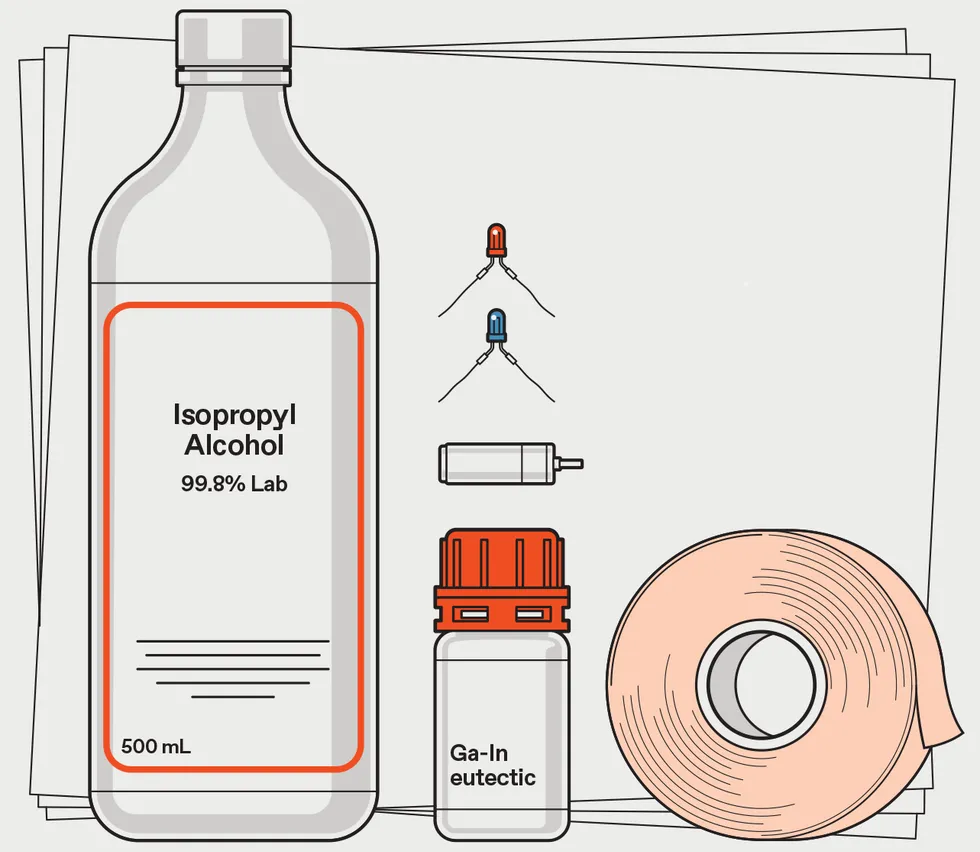
The principal items required to make hybrid papercraft objects. Isopropanol and a gallium-indium liquid material are used to impregnate a paperlike material that is 55 percent polyester and 45 percent cellulose. Electronic components such as LEDs and motors are held in place with masking tape. James Provost

Our first step was to see if the pressures involved in bending and cutting alone would be sufficient to create conductive traces. We became frequent visitors to our university’s materials science and engineering department to fabricate samples and then to borrow equipment to characterize their behavior.

We soon confirmed that the pressures involved in folding and cutting—ranging from 2.5 to 100 megapascals—were enough to create conductive traces. We also confirmed that normal handling of the paper didn’t accidentally create conductive paths.

We made a number of changes to the original method for creating the impregnated paper. For example, instead of immersing the paper in a mixture of isopropanol and liquid metal, we used an airbrush to spray the mixture onto the paper. That allowed us to vary how much was deposited on the paper and to use cardboard stencils to mask some areas from being impregnated, allowing folding and cutting in those regions without creating unwanted conductive traces. We also experimented with the ratios of isopropanol and liquid metal.

We became frequent visitors to our university’s materials science and engineering department.

Advertisement

After optimizing the mixing ratios and amount applied via airbrush, we were left with a material that reliably conducts with a resistance of 23.18 ohms per centimeter for cut edges and 4.4 Ω/cm for folded edges. The folded edges retain their conductivity even if later flattened out, and the conductivity is the same on either side of the paper. We estimate the combined cost of the paper and liquid metal (available from many online vendors) is about US $1.80 to make a 10- by 10-cm piece.

The next step was attaching electronic components to the traces. To make the connections more flexible, we cut down the rigid leads of LEDs and attached conductive thread to the stumps. We then held the threads in place using masking tape. Similarly, we connected conductive thread to the terminals of a power supply.

As our goal was to use this material educationally, we now needed to make it easy for a beginner—whether in papercraft or electronics—to try it out. We created a toolkit, dubbed LiqMetCraft. This consists of all the required materials, plus a browser-based software tool that lets the user select or create designs and then gives guidance on physical construction.

We created three versions of LiqMetCraft. The first is based on Chinese papercraft in which a piece of paper is folded into a fanlike segment and then cut to create a radially symmetric design. We provided circles of paper with a doughnot-shape impregnated region, with an untreated region that created a gap in the donut. We attached positive and negative terminals to either side of the gap. The user could specify in the software how many times they wanted to fold the disk and then draw potential cuts, receiving immediate feedback on what the unfolded disk would look like, as well as guidance on how to place LEDs.

Advertisement

A diagram illustrating the primary steps of making and applying the liquid metal mixture. To make our paper sample, isopropanol and liquid metal are mixed in specific ratios while being cooled by an ice bath. Sonic waves are used to ensure the liquid metal breaks up into microscopic droplets. The mixture is then applied via airbrush, while stencils prevent some areas being covered for different papercraft templates. James Provost

The second version of LiqMetCraft was based on origami. We supplied rectangular pieces of paper with two conductive regions separated by a border down the middle. The software tool provided templates for 12 origami designs, with step-by-step instructions for folding them. Once the project was completed, the user could add components, such as a motor, by taping them to the folds.

The final version supported 3D paper model making. In this case, the initial paper supplied was a rectangle with an untreated rectangular central area. By cutting this paper in half and then further cutting the halves into patterns separated by a spacer, the user could make various self-standing models. The software allowed the user to draw a pattern on screen, and then have a cutting machine produce a template for cutting the impregnated paper.

We had 42 participants, evenly divided into three groups, try out the different versions. All found it easy to use, and we were pleasantly surprised that some participants moved beyond the supplied designs to their own creations.

For full details of the current process, see our open access LiqMetCraft research paper published in CHI ‘26: Proceedings of the 2026 CHI Conference on Human Factors in Computing Systems. In the future, we plan to try different substrates for the impregnating solution, as well as explore further types of papercraft, such as pop-up books. We’re also interested in developing ways to use the material to support inputs as well as outputs by constructing switches and potentiometers directly out of the material. Imagine traditional papercraft creations becoming interactive devices!

Advertisement

This article appears in the July 2026 print issue.

From Your Site Articles

Related Articles Around the Web

Advertisement

Source link

Continue Reading

Tech

PROMISE Me the Moon, NASA Considers Sending Its Spare Nuclear Rover to the Lunar South Pole

Published

on

NASA PROMISE Nuclear Moon Rover
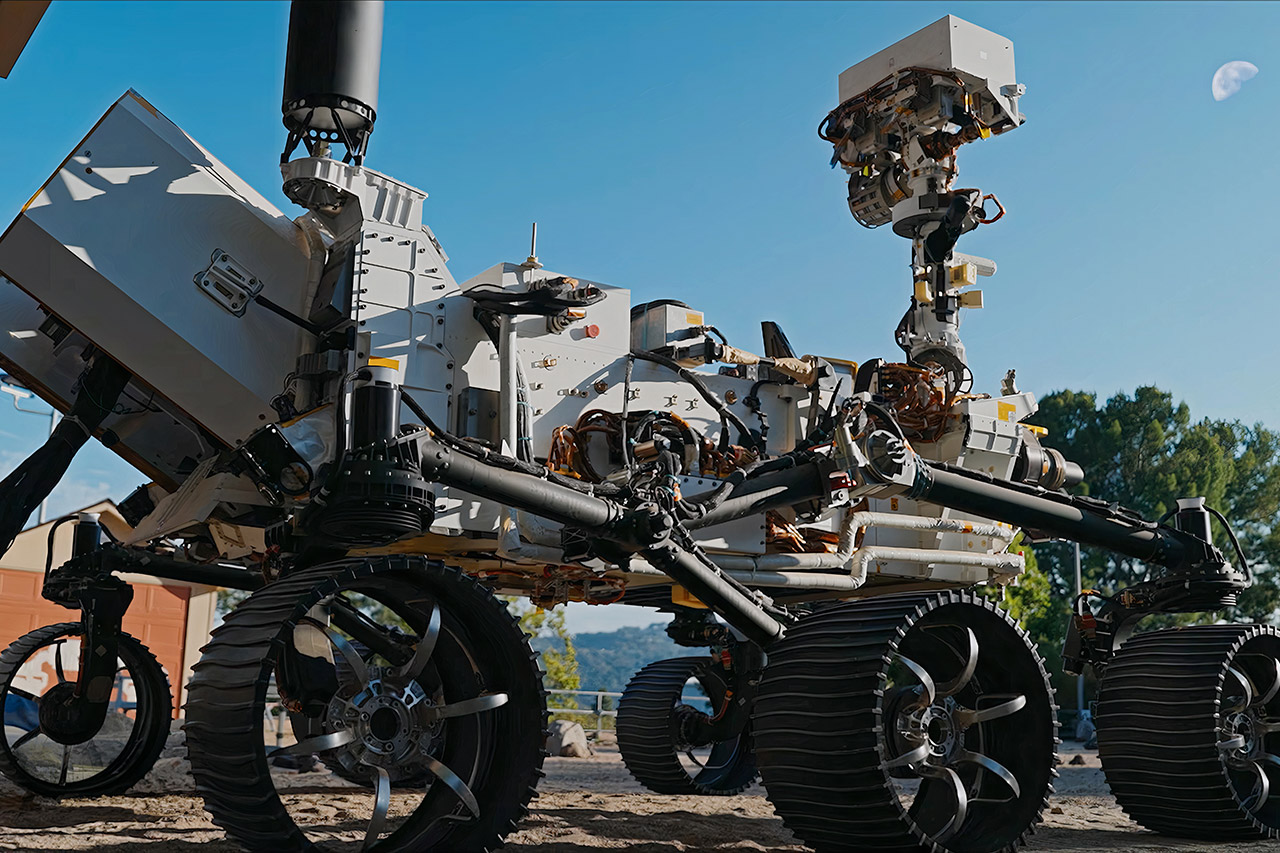
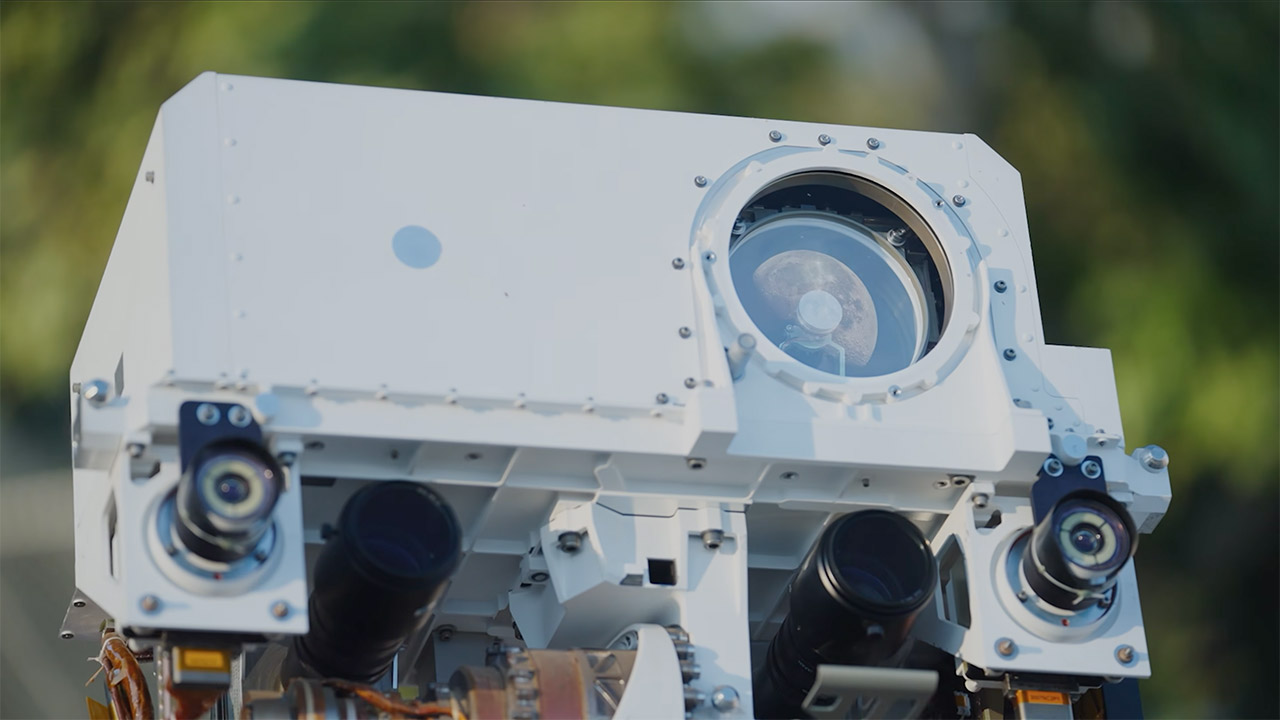
Engineers at NASA’s Jet Propulsion Laboratory built this machine years ago as a ground twin for the Perseverance rover. It sat in the Mars Yard outside Pasadena, rolling through simulated terrain while teams tested commands and fixes before beaming them to the real vehicle on another planet. No one planned for it to fly anywhere. Now that same hardware sits at the center of a serious discussion about placing a nuclear-powered rover on the Moon.


The vehicle’s name is PROMISE, which stands for Polar Rover for Observation, Mapping, and In-Situ Exploration. It started life under a previous name, OPTIMISM, as a full-scale engineering model and testbed for perseverance. Parts of the previous Curiosity testbed were also included into its systems. Exact duplicates of flight hardware provide it with proven wheels, suspension, processors, and cameras that have already withstood years of rigorous usage on Mars.

Sale


LEGO Technic NASA Apollo Lunar Roving Vehicle LRV Building Set – Craft Kits for Adults, Ages…
  • Build a realistic LEGO Technic lunar rover model – This LRV building kit for adults is packed with authentic details including seats, steering…
  • NASA model for adults – Enjoy a mindful project assembling all the details of the rover and equipment including the battery pack, heating and…
  • A build for NASA fans – Remember the Apollo 17 mission with a display that features the lunar roving vehicle alongside 3 detailed equipment…

The rover is around the size of a small car and weighs about one ton. It has six wheels and the same rocker-bogie suspension that Perseverance and Curiosity used to climb steep slopes and cross broken ground. Its mast has camera systems similar to those found on Mars rovers, while an instrument arm extends for close-up work. According to NASA experts, several of these science capabilities, such as mapping resources and examining permanently shadowed regions, will need to be modified to meet lunar aims.

Advertisement

NASA PROMISE Nuclear Moon Rover
The real advantage is in its power system, which uses a Multi-Mission Radioisotope Thermoelectric Generator to transform the steady heat produced by decaying plutonium-238 into electricity and warmth. Unlike solar panels, this source operates during the two-week lunar night and inside craters that never get sunlight. Temperatures in those shaded areas might fall below minus 200 degrees Celsius. The generator’s output also prevents electronics and mechanisms from freezing solid, eliminating the most significant limitation that solar-powered devices confront near the south pole.

NASA’s Moon Base program manager, Carlos García-Galán, highlighted the practical benefits. With nuclear power on board, the rover can explore any terrain without waiting for daylight or relying on recharge facilities. Long drives into difficult-to-reach locations become more practical, as Curiosity and Perseverance have proved on Mars. Administrator Jared Isaacman has stated that the agency is “looking very hard right now about launching Promise to the Moon” because the hardware is already available and can give results faster than starting a new project from scratch.

Source link

Advertisement
Continue Reading

Tech

How an IEEE Awardee Became Bewitched by Engineering

Published

on

When considering the 1960s sitcoms Bewitched and I Dream of Jeannie, both of which featured women with supernatural powers navigating life with mortals, most people wouldn’t connect them with pursuing an engineering career. But Karen Panetta did. The sitcoms’ main characters—Samantha Stevens, a witch; and Jeannie, a genie—were “strong, empowered female leads using magic,” Panetta says, and they inspired her to become an engineer, as it was like sorcery to her.

Panetta, an IEEE Fellow, is dean of graduate education at the Tufts University engineering school, in Medford, Mass., outside of Boston.

Karen Panetta

Employer

Advertisement

Tufts University, in Medford, Mass.

Title

Dean of the engineering school’s graduate education

Member grade

Advertisement

IEEE Fellow

Alma maters

Boston University and Northeastern University in Boston

Like Samantha and Jeannie, Panetta has made magic happen, such as when she helped to invent the first CPU digital-twin simulator. Digital twins are computer simulation programs that track and adjust the operations of a physical device in detail. Her simulator has been adapted for several industrial uses, including by NASA to help design spacecraft.

Advertisement

Panetta also mentors young women to encourage them to pursue a STEM career through the Nerd Girls program she launched at Tufts in 2000. Engineering undergraduate students work on technology for socially conscious projects such as environmental cleanup, renewable energy, and the development of assistive devices to improve mobility for people with disabilities.

Panetta received this year’s IEEE Mildred Dresselhaus Medal for “contributions to computer vision and simulation algorithms, and for leadership in developing programs to promote STEM careers.” The award, sponsored by Google, was presented at the IEEE Honors Ceremony on 24 April in New York City.

Receiving the medal is particularly special to Panetta, she says, because she knew its namesake: Mildred Dresselhaus, an IEEE Life Fellow who pioneered the study of carbon nanostructures at a time when researching physical and material properties of commonplace atoms was unpopular. She was a MIT professor of physics and electrical engineering, and died in 2017.

Panetta nominated Dresselhaus for the IEEE Medal of Honor, which she received in 2015.

Advertisement

“Millie was a rock star,” Panetta says. “I can’t think of another medal that really encapsulates her spirit and what I’ve dedicated my life to.”

Finding a creative outlet in engineering

As a child growing up in Boston, Panetta built trapdoors and other features in her treehouse, she says.

“I also explored fashion and sewed my own clothes,” she adds. “I wasn’t very successful, but I was very creative.”

She was a top performer in math and science classes in high school, so her father encouraged her to pursue civil engineering.

Advertisement

“I didn’t know what an engineer was, and my father, who was a mechanic working on heavy construction equipment, only knew about civil engineers,” Panetta says. “I started taking computer programming classes at school, but knowing how to type on a keyboard and make a software program wasn’t good enough for me. I wanted to know what was inside the box.”

Her thirst for knowledge inspired her to pursue a bachelor’s degree in computer engineering at Boston University.

“My father was very disappointed that I didn’t pick civil engineering,” she says, laughing.

She commuted to school, and she struggled to find study groups for her classes, so she joined IEEE to connect with peers.

Advertisement

She became active in the university’s student branch, organizing events including the IEEE Student Professional Awareness Conference, which helps students learn practical career skills including résumé building, interviewing, and networking. She organized a SPAC for her branch, and IEEE Life Senior Member Jim Watson volunteered to speak at the event. It changed her life, she says.

Watson was the director of commercial and industrial marketing at Ohio Edison in Akron, where he worked for 36 years.

“He flew to Boston to speak at our event, but fewer than 20 students attended. I was embarrassed,” Panetta says. But Watson told her the important lesson was that she showed up and organized the event.

“He said I would be successful because of that,” she says. “He didn’t care about the attendees’ grade point averages, only that we were professional enough to organize the talk.

Advertisement

“That encouragement was the first time anyone outside of my family ever told me that I would succeed, so it was reaffirming. To this day, I still use some of the techniques that I learned in his presentation in my own classroom to teach students.”

Panetta graduated in 1986. Her IEEE membership helped her get hired for her first dream job: a diagnostic engineer at Digital Equipment Corp.

While attending the IEEE Computer Society’s annual symposium on very large-scale integration in Boston, she handed her résumé to a DEC representative, who hired her to work in Hudson, Mass.

While working full time, Panetta attended Northeastern University, in Boston, as a part-time graduate student. She earned a master’s degree in electrical engineering in 1988.

Advertisement

Developing the first CPU digital twin

In the early 1990s, Panetta was assigned to work with Ernst Ulrich, one of DEC’s most respected consulting engineers, she says. He was developing a new CPU using millions of CMOS transistors.

“I thought, ‘Wow, what a great opportunity,’” she says, “not realizing they assigned it to me because no one else wanted to work with him, as he set rigorous standards, expecting those who worked with him to think outside of the box and hold their own to bullet-proof new concepts.”

Panetta and Ulrich wanted the ability to test the CPU while still designing the hardware and software. That way, both would be ready to use at the same time. Typically, the hardware was developed before the software was written.

“We decided that we were going to simulate the machine to see how it was going to run—which was unheard of,” she says.

Advertisement

During a meeting with the company’s top engineers, Panetta shared her idea for an algorithm that could accomplish the team’s goal. She was met with silence.

“It’s going to be the engineers who better society because we know how to work together. We’ve proven that IEEE members know how to work across geographic boundaries, ethnic boundaries, and gender boundaries. And that’s a good model for the world.”

“I thought to myself, ‘Did I just say something stupid?’” she says. “But then, the top engineer looked at me and said, ‘I have been doing this for 50 years, and you, a kid just out of school, comes up with this [solution] like it’s obvious.’”

Her idea became the basis for the digital twin simulator. It used behavioral models to run software on a CPU simulation. The software passes information through the system, she says, just like it would pass information through wires or interconnects.

Advertisement

“We did successfully have a complete model of millions of transistors,” Panetta says. “I efficiently simulated hundreds of thousands of experiments and ran the software on this simulated model so that we knew exactly how it was going to perform on the real machine. That had never been done before.”

Her groundbreaking work led to a promotion: from computer analyst to principal software engineer.

When she began managing a team and hiring staff members, Panetta noticed the younger employees knew the theory but didn’t have the technical skills to hit the ground running, she says.

“It took the company two years to train somebody before they could really contribute technically to a team,” she says. She decided she wanted to help prepare students for jobs in industry.

Advertisement

In 1995 she was accepted into DEC’s Engineers and Education program, in which full-time employees who wanted to teach could take a leave of absence to complete a degree while still being paid. Participants were then placed in academic institutions for two-year stints to help students bridge the gap between classroom theory and real-world problem-solving.

After earning a Ph.D. in electrical engineering from Northeastern in 1994, Panetta began her teaching assignment at Tufts. After one year, she left her job at DEC to join the university as its first female electrical engineering professor. At the time, the department had only one female undergraduate EE student.

“I showed up to work dressed in an all-pink suit,” she says, laughing. “Other professors looked at me like I didn’t belong there because I looked different.”

She didn’t let that stand in the way of reaching her goals: preparing the next generation of students for jobs and mentoring young women who were interested in becoming engineers but who felt they wouldn’t be accepted and therefore couldn’t pursue a career in the field.

Advertisement

Launching the Nerd Girls program

When Panetta began teaching, she noticed that students weren’t getting any hands-on engineering experience, so in 1996 she created an internship program. It was the precursor to Nerd Girls.

At the time, she was consulting for NASA’s data visualization and animation lab in Langley, Va., translating complex information into a user-friendly animated form. The programs visualized Earth’s atmosphere and identified pollutants, their origins, and their effects on people and the environment.

Panetta needed a larger team to help conduct the research, so she asked her undergraduate students if they wanted to participate.

“Female students flocked to me because they could relate to the work I was doing, loved how their skills could benefit humanity, and didn’t see me as the classic nerd professor with no life,” Panetta said in a 2008 interview with The Institute about the program. “Eventually, the girls outnumbered the boys.”

Advertisement

“The research project ended up winning awards,” she added. “Tufts couldn’t believe that undergrads had a hand in it. That’s when things really turned around.”

Nerd Girls officially launched at Tufts in 2000 as a class where students work closely with industry on engineering projects. Examples have included building a solar-powered car, developing a battery for the last functioning twin lighthouse in the United States, and creating devices to help people train service animals.

“Everyone who has participated in the program graduated with a bachelor’s degree,” Panetta says. “I’m also very proud that 98 percent of participants pursue a graduate degree within three years of earning their bachelor’s.”

The program is open to all students, regardless of gender.

Advertisement

Creating a community at IEEE

Panetta became an active IEEE volunteer in 2004 after meeting Arthur Winston, the IEEE president at the time. Winston, an IEEE Life Fellow, was an electrical engineering professor at Tufts. He helped found the Gordon Institute, a leadership-focused engineering school at the university.

“I sat next to him on a bus, and he invited me to attend the IEEE Boston Section meetings,” she says.

Panetta eventually was elected by the section as a member-at-large—which allowed her to attend conferences and other events.

To help spread the word about the Nerd Girls program throughout IEEE, Winston connected Panetta to Mary Ellen Randall, who was chair of IEEE Women in Engineering at the time. Randall is the current IEEE president and CEO. Panetta joined IEEE WIE and was elected as its 2007–2009 chair.

Advertisement

In that position, she worked with Randall and Leah Jamieson, the 2007 IEEE president, to hire more staff to support the program and launch its magazine.

“At that time, we didn’t have any way to connect to members or tell the stories of women in technology,” Panetta says. “I wanted people to read the stories of women from around the globe and how they overcame adversity. So I launched the IEEE Women in Engineering Magazine in 2007.”

Panetta serves as the award-winning publication’s editor in chief, and she is a member of several other IEEE societies and committees.

IEEE is helping to change the world for the better, she says.

Advertisement

“It’s going to be the engineers who better society,” she says, “because we know how to work together.

“We’ve proven that IEEE members know how to work across geographic boundaries, ethnic boundaries, and gender boundaries. And that’s a good model for the world.”

From Your Site Articles

Related Articles Around the Web

Advertisement

Source link

Continue Reading

Tech

The AirTag 2 is down to its best price since launch

Published

on

Amazon is still selling the multipack of four AirTag 2 trackers for a great price.

The handy trackers are down to $89 from their usual $99, a generous saving of 10% and the lowest price we’ve seen these drop to.

Apple Airtags on a pastel backgroundApple Airtags on a pastel background

The AirTag 2 is down to its best price ever

A $89 price tag on the AirTag 2 makes keeping track of keys, luggage, or anything else you cannot afford to lose far easier.

Advertisement

View Deal

Precision Finding has expanded significantly in this generation, since upgraded Ultra Wideband and Bluetooth chips allow the AirTag to guide you toward a lost item from considerably farther away than the original ever managed reliably.

Advertisement

That expanded range means less time wandering blindly through a house or car park, because the Find My app now offers accurate step-by-step directions across a wider radius before the item even comes into view.

Losing track of something is only half the problem, since actually locating it once you are close still depends on being able to hear it clearly over background noise.

Advertisement

The Whatsapp LogoThe Whatsapp Logo

Get Updates Straight to Your WhatsApp

Advertisement

Join Now

The AirTag 2 addresses that directly with a speaker that is 50% louder alongside a new, more distinctive chime, making the final few feet of searching far less frustrating than before.

Advertisement

Apple Watch owners gain something the previous generation never offered, since Precision Finding now extends to the watch itself, letting you track a lost item without needing to pull out your phone at all.

Battery life remains a genuine strength here too, with the AirTag 2 rated to run for more than a year on a single, easily replaceable standard battery that avoids constant charging concerns entirely.

Sharing an AirTag has also become more flexible, since location access can now be extended temporarily and securely to trusted contacts, third parties, or any of the many airline partners Apple has onboarded.

Keeping track of keys, luggage, or anything else you cannot afford to lose is exactly what the AirTag 2 was built for, and at $89 it makes a strong case for buying in at its lowest price to date.

Advertisement

Advertisement

SQUIRREL_PLAYLIST_10148964

Source link

Advertisement
Continue Reading

Tech

AI-native startups hire fewer juniors, Harvard finds

Published

on

TL;DR

A Harvard Business School and INSEAD working paper finds AI-native startups are 25% smaller, employ 13% more engineers, and carry roughly 15% lower shares of entry-level workers and managers than non-AI peers. Their hires skew senior, elite-educated, Silicon Valley-based, and male, suggesting AI is concentrating rather than democratising opportunity.

Startups built around AI hire fewer entry-level workers than their peers, according to a working paper from Harvard Business School and INSEAD, first reported by Business Insider. The firms are leaner, flatter, and heavily weighted towards senior technical talent.

Advertisement

Researchers Rembrand Koning and Hyunjin Kim examined Y Combinator startups from 2020 to 2024 alongside a broader set of US venture-backed firms. They define AI-native startups by two shifts: using AI internally to make employees more productive, and embedding it in products so customers can automate work that once required human teams.

The numbers are stark, with AI-native startups 25% smaller, employing 13% more engineers, and carrying roughly 15% lower shares of both entry-level workers and managers. The share of senior workers runs 20% higher, and valuations are comparable to non-AI peers, implying more value created per employee.

The workers these firms do hire skew a particular way. “These workers are especially likely to be graduates from elite institutions, concentrated in Silicon Valley, and male,” the authors wrote.

That cuts against the hopeful reading of the AI boom, in which juniors use AI to punch above their grade and vibe coding lowers the technical bar. The paper suggests opportunity is instead concentrating among the already credentialed.

The authors’ deeper worry is compounding inequality, warning that if AI accelerates learning for those who use it, “differential adoption rates may translate into widening performance gaps”. That applies to workers within firms and to the entrepreneurs who found them.

Advertisement

The bottom rung is cracking

The findings echo what is already visible in the labour market, where AI is killing the summer internship and graduate unemployment is climbing. Recent graduates now make up just 7% of new hires at major tech companies.

Big Tech is busy converting payroll into compute, with Meta and Microsoft cutting 23,000 roles as AI spending hits records. Demand at the top is so hot, meanwhile, that AWS is putting $1bn into forward-deployed AI engineers.

Even hiring itself has become an AI-on-AI arms race. For new graduates, the machines now sit on both sides of the table.

The study’s implication is uncomfortable for anyone selling AI as a democratising force. The technology may flatten hierarchies inside companies while steepening the climb to get into them.

Advertisement

Source link

Continue Reading

Trending

Copyright © 2025