




Security teams log 54% of successful attacks and alert on just 14%. The rest move through your environment unseen.
The Picus whitepaper shows how breach and attack simulation tests your SIEM and EDR rules so threats stop slipping by detection.
You may be able to charge your devices much faster. Let’s find out.
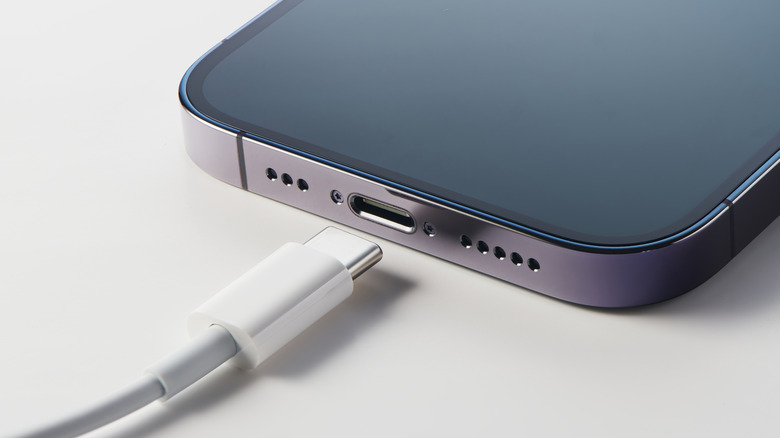
Getting the most out of your iPhone or iPad’s battery is about more than keeping an eye on how much power your apps consume. Your charging speed can also have an effect on your battery’s longevity. A slow charger might be a little better for your battery as it ages, but it also might mean you only gain back a few percentage points of juice while chugging your morning coffee. In the same span of time, a fast charger can get you enough battery to make it through a long commute. Charging your iPhone at its top speed can make all the difference when you only have a few minutes to plug it in before running out the door.
But in order to charge your devices at their maximum speeds, you have to know what those speeds are. As compared to some competitors, Apple is inconsistent about listing battery specifications on its consumer-facing spec sheets, leaving you to figure it out. And now that the company no longer includes a charging brick in the box, many people are likely using outdated and slow chargers on newer iPhones and iPads. How can you be sure what the fastest charging speed for your device is, and whether your charger is fast enough? To answer that question, we’ll take a look at how battery capacities and charging speeds are measured, how those measurements translate to the latest iPhone and iPad lineups, and how Apple’s included accessories are shortchanging your charging experience.
Let’s start with the basics. The battery capacity of a mobile device is measured in milliamp-hours (mAh), which represent the amount of power a battery can deliver in an hour before requiring a recharge. For example, a 1,000mAh cell can deliver 1,000 milliamps for exactly one hour before dying. In the real world, a smartphone battery delivers variable amounts of electricity depending on what it’s being used for, and some devices run more efficiently than others. Even so, 5,000mAh is roughly the median for a large smartphone these days, while tablets tend to come closer to 10,000mAh.
The iPhone 17 Pro Max, Apple’s largest smartphone, has a battery capacity of 5,088mAh, while the base model iPhone 17 relies on a 3,692mAh cell. Meanwhile, the base model iPad 11th Generation has been measured at 7,698mAh, while the beefy, 13-inch M5 iPad Pro packs a 10,290mAh battery into its svelte frame.
Charging speeds are measured in watts. In general, large devices have larger, multi-cell batteries with more room to dissipate heat (and room to include larger cooling systems), allowing them to charge at faster speeds. That’s partially why your MacBook includes a huge charging brick that pumps out 140W, while your iPhone makes do with a dinky charger sputtering along at a fraction of the speed, and AirPods charge at single-digit wattages. Even so, with improved charging technologies such as USB Power Delivery (USB-PD), it is increasingly possible to charge even small devices such as smartphones at increasingly high rates. For example, the OnePlus 15 is a recent Android phone that charges at 120W. With all this in mind, we can now unpack your iPhone or iPad’s top charging speed.
Apple’s newer iPhones and iPads haven’t made massive strides in charging speeds, though that’s not to say they haven’t improved whatsoever over the years. As of the latest iPhone 17 series, the 17, 17 Pro and 17 Pro Max can all charge at up to 40W, while the iPhone Air tops out at just 20W, one of the tradeoffs necessary to achieve its thin design. However, Apple no longer includes a charger in the box with new iPhones, so customers who want to take advantage of those top speeds must purchase a charger separately. The last time a charger shipped in the box, it was a 5W brick that shipped with the iPhone 11, while 11 Pro owners got an 18W unit. Anyone still hanging onto one of those chargers is getting an incredibly slow charging experience with newer iPhones.
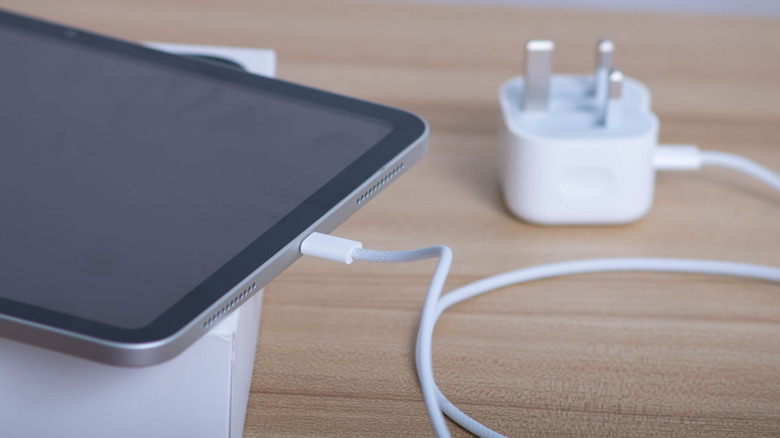
As for iPads, the base model iPad released in 2025 charges at up to a respectable 45W, on par with competing tablets from companies such as Samsung. The latest M5 iPad Pro goes even further, charging at up to 60W. Apple hasn’t yet stopped including chargers with its tablets, but they’re effectively e-waste nonetheless. That’s because all iPads ship with a measly 20W charger, which means a lot of unsuspecting owners are wasting hours of time charging their slates.
Those looking to charge their iPhone or iPad at top speeds should invest in a charger that’s actually capable of delivering them. While Apple offers fast chargers, it’s not the only game in town. Some of the best chargers in 2026 are available from companies such as Anker, Ugreen, Satechi and so on. Whichever brick you choose, ensure that its top speeds are at least equal to those of your phone or tablet.
When I started at Spectrum 25 years ago, a senior editor suggested that I find a “rabbi,” by which he meant someone who could mentor me in how EEs approach problems and evaluate potential solutions.
I didn’t find one right away. Then in 2005 we decided to do a special report, focusing on the challenges of enterprise software development. I suggested we invite IEEE Life Senior Member Robert N. Charette, a self-described risk ecologist, prolific book author, and leading authority on risk management and software engineering, to explore in our pages the myriad reasons software projects fail. His seminal article “Why Software Fails” is still read in university engineering classes today.
IEEE Life Senior Member Robert N. Charette is one of IEEE Spectrum’s most prolific authors.Robert N. Charette
It was, as they say, the beginning of a beautiful friendship. I had found my rabbi, one who shared my love of writing. We settled into a rhythm that would last more than 20 years, talking on Friday mornings about a range of topics including the growing ubiquity of software in our lives.
So when I became Spectrum’s website editor in 2007, he was the first contributor I tapped to start a regular blog (remember those?). The Risk Factor was born and over the course of more than 10 years and 1,750 posts, Bob chronicled hundreds of software debacles, culminating in “Lessons From a Decade of IT Failures,” which won a Jesse H. Neal Award for Best Infographics in 2016. Ironically, yet predictably, those infographics were created in a software package that is no longer supported and thus are lost to the bits of time.
“I like the expression on the fish just before it’s going to be swallowed by the heron.”Robert N. Charette
Bob, however, was not a one-trick pony. In between his full-time job running his two management consultancies and raising a future biochemist and a future civil engineer, his daughters Maura and Megan, he also wrote many deeply reported and insightful articles. These include last year’s “The Doctor Will See Your Electronic Health Record Now,” the eye-opening 12-part series and e-book The EV Transition Explained, and my personal favorite “Automated to Death,” about the deadly consequences of the automation paradox as manifested by the cyberphysical systems that pilot planes, trains, and automobiles.
“The young bald eagle I photographed in September 2024 had bands that I could read which identified it as a female born in May 2024, near Lexington Park, St. Mary’s County, Maryland, about 65 miles away from where I live.”Robert N. Charette
His main goal all along has been to make software visible, as he told me one Friday in July. “Software is all around us, but we don’t recognize it at all,” he said. “I really wanted my stories to help people better understand complex software systems. You can’t see software, you can’t touch it, you can’t taste it. You may feel the consequences of software failure, but you never see the reason itself.”
When he told me that he was hanging up his hat as a contributing editor to focus on nature photography and to write a handful of fictional trilogies, including one entitled “The STEM Murders” featuring an engineer-turned-detective and his rabbi, I asked him which of his Spectrum articles had the biggest impact.
“The hummingbird I caught with the yellow of a road curb behind it.”Robert N. Charette

He singled out the 2013 feature “The STEM Crisis Is a Myth.” “Spectrum gave me a platform to question the assumption that we needed more STEM graduates. Until then, people didn’t really realize how much of the STEM crisis was a mythology that was perpetuated by employers and the academic community and was foisted on the IEEE community,” he said.
Charette made a career of questioning assumptions. The best way to mitigate risk, he told me as our Friday chat drew to a close, is to be careful making assumptions in the first place. “My main risk maxim is assumptions made are risks accepted.”

From Your Site Articles
Related Articles Around the Web
A critical vulnerability in the Active Storage framework can allow an unauthenticated attacker to read arbitrary files from a Rails application, and potentially escalate to remote code execution (RCE).
Rails is a popular open-source web application framework written in Ruby for building websites and web apps. It uses the built-in Rails component Active Storage for handling file uploads and attachments.
Rails maintainers published an advisory about the CVE-2026-66066 flaw, which received a critical severity rating.
Active Storage may also generate image thumbnails from uploaded media using image processing libraries such as libvips or ImageMagick.
According to the security bulletin, CVE-2026-66066 is exploitable when libvips is used, allowing an attacker to upload a specially crafted image to a vulnerable application and read arbitrary files on the server.
Another prerequisite for the attack is that the server needs to allow image uploads from untrusted users.
If these requirements are met, an attacker may access app files, including the process environment, which typically contains ‘secret_key_base’ and credentials for databases, cloud storage, and other services.
CVE-2026-66066 impacts Active Storage before 7.2.3.2, 8.0.x before 8.0.5.1, and 8.1.x before 8.1.3.1.
Rails 6.x is only affected if Active Storage has been configured outside its defaults.
The Rails team recommends upgrading to libvips 8.13 or later and rotating the ‘secret_key_base’ (the Rails master key), database credentials, Active Storage service credentials, and any other secrets accessible to the application process.
For systems running libvips 8.13 or later, administrators can temporarily disable the vulnerable functionality by setting the VIPS_BLOCK_UNTRUSTED environment variable or calling Vips.block_untrusted(true) when using ruby-vips 2.2.1 or newer.
There is no workaround available for apps that use libvips before 8.13.
ImageMagick users are not affected by this vector. However, libvips is the default processor in the official Rails Docker images, and also Debian and Ubuntu setups.
The Rails team said it has intentionally withheld technical details for the vulnerability to reduce the risk of exploitation before users have time to apply the updates.
Full technical details were initially scheduled to be disclosed on August 28 on the Rails forums.
However, because public proof-of-concept (PoC) exploits became available very quickly, the maintainers decided to publish the full details as well as forensic investigation tooling.
The vulnerability was discovered and responsibly reported to the Rails team by researchers from Ethiack and GMO Flatt Security Inc.
Security firm Akamai has also published a warning about CVE-2026-66066, naming the attack chain “KindaRails2Shell,” and warning about its RCE potential.
“With the secret_key_base compromised, the attacker holds the master cryptographic key to the application,” explains Akamai.
“They can forge session cookies, sign global IDs, and manipulate serialized data, which directly translates into full RCE on the underlying server.”
Akamai says it coordinated with Ethiack before public disclosure to prepare protections for customers, and has now released web application firewall (WAF) protections.
Ethiack noted that a WAF might buy admins some time, but attackers using AI tooling should be able to reconstruct the attack chain based on the patch diffs.
Security teams log 54% of successful attacks and alert on just 14%. The rest move through your environment unseen.
The Picus whitepaper shows how breach and attack simulation tests your SIEM and EDR rules so threats stop slipping by detection.
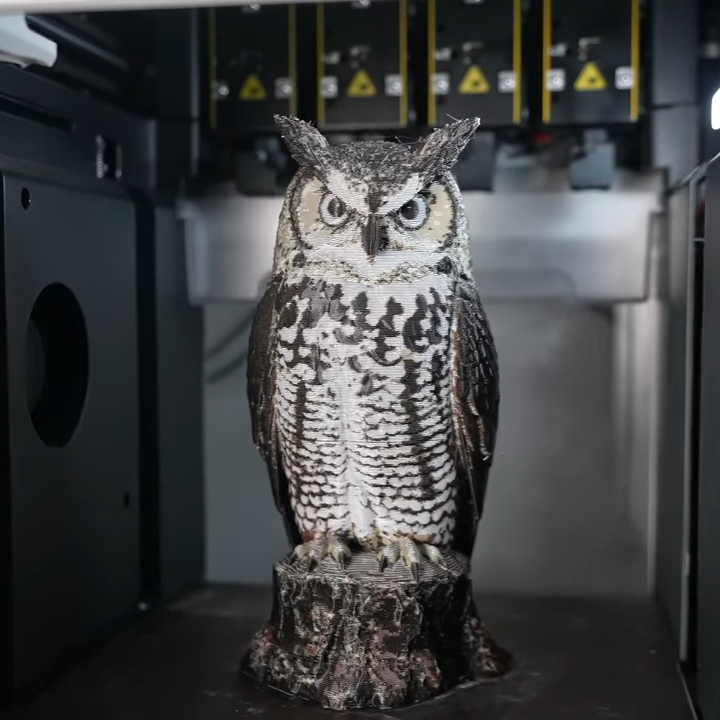
The last year or two has seen relatively affordable multi-material printers hit the market, and the question that [Tom Nardi] and I were kicking around when he was writing up the 2025 year-in-review article was what it was going to mean for our folks. I don’t think he got it wrong per se, but his heading for that section “Grandma is 3D-Printing in Color” only tells half the story.
He did get that part right, though. We’ve certainly seen a flourishing of multi-material designs out there that take advantage of the availability of (usually) four colors. The ability to print in color has given life to the purely decorative models, of course. Think full-color Pokemon desktop toys, for instance. But even functional prints have benefited from contrasting color labels printed right into the box, not to even mention the multi-material supports that pull off easier and cleaner than ever before.
Since most of these multi-filament machines are pretty much locked down as far as hardware tinkering goes, our sights were firmly locked on what the end-user would do with the new capability. But we overlooked the third axis of 3D printering: the software hackers. And it’s precisely in this area of slicer and path-planning that we’ve seen some of the coolest developments this year. Why? Because people have the hardware in their hands that they need to test out the algorithms.
FullSpectrum and the more recent ImageMap are two techniques to get the missing in-between colors out of a four-filament printer, and in particular ImageMap tries to get the job done faster, and with fewer purges. We are amazed to see two different approaches to color blending popping up in just a few months of each other, and we have no doubt that work on this is going to continue.
At the end of the day, this really is just “put new tools in the hands of creative hackers, and they’ll find new ways to use them”, so we shouldn’t have been surprised at all. But if this is what comes out of the commercialization of the multi-material printer, what’s going to come when some of the more esoteric machine designs go mainstream? We can’t wait to find out!
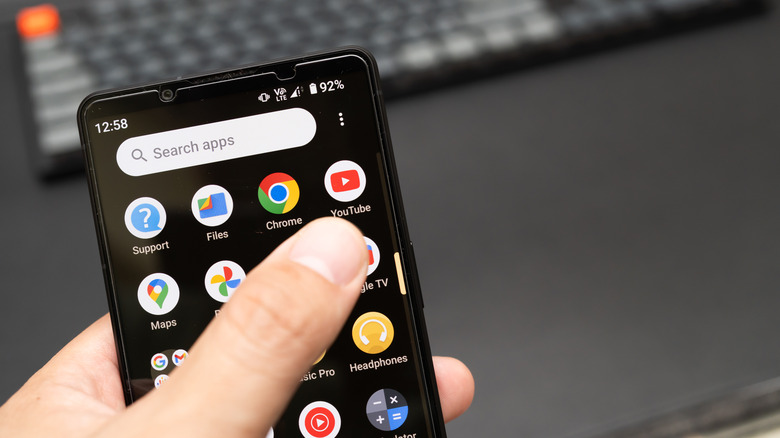
Some Android users have been perfectly fine coasting on Android 6.0 Marshmallow for over a decade now. But all that came to an end in July 2026 when Google dropped an important layer of support for these aging Android smartphones. The official minimum operating system required for Google Play services is now Android 7.0 Nougat. The most immediate and noticeable side-effect of that is that the YouTube app isn’t going to work for those of you running Android 6.0 anymore.
To be clear, affected phones aren’t going to suddenly stop turning on or lose all of their data. Instead, 6.0 users will slowly start seeing compatibility issues. Expect more and more apps to go the way of YouTube and hit you with similar alerts, as well. You’ll see it when you open the YouTube app. Instead of working normally as it should, the app will display a prompt telling you to “Switch to YouTube” and directing you to its mobile site through your phone’s browser.
Because Google Play services power many of the key features Android apps depend on behind the scenes (like account authentication, notifications, location services, security protections, and communication between apps), it’s not unreasonable to call it the beginning of the end for these 6.0 smartphones losing support in 2026.
It’s worth reiterating that Google won’t be remotely disabling these devices. You can still watch YouTube on your phone, too, even if the app won’t work. You just have to watch through the web version, like what the prompt says. You can also use this same browser-based approach for other Google services if app compatibility gets worse in the weeks or months ahead. For example, if the Gmail app stops working, you can try the mobile version of the site.
All that running around and jumping through hoops can get old fast, of course. If you don’t feel like dealing with it anymore, you can always upgrade to a newer phone. Before you do that, it’s worth checking to make absolutely certain you don’t have a software update waiting for you. If that’s the case, you might be in the clear after all. Just go to Settings, then System, followed by Software Updates, and see if there’s an official upgrade to Android 7.0 or later there. If you’re out of luck there, Google says current Android smartphones from Google and Samsung will receive up to seven years of software updates. Upgrading from a device stuck on 6.0 would definitely be a smart move to future-proof your YouTube (and other Google Play services) access.
In a nutshell: Amazon’s growing use of AI across its operations is starting to expose a practical problem: the technology can become expensive quickly, and in some cases, no one notices until the bill is already high. Internal discussions reviewed by the Financial Times show that several AI-driven projects at the company have run over budget, sometimes by a wide margin.
In one case, Amazon spent $1.8 million on a project that used Anthropic’s Claude Sonnet model to match author information with product listings. The system ultimately failed, and spending exceeded the original budget by 860%. The issue went undetected for five months.
Engineers say the problem isn’t limited to one project. As more teams shift from traditional software to AI models, routine mistakes are becoming far more costly. Tasks that once required minimal computing resources now depend on systems that charge based on usage, often measured in tokens. When those systems are misconfigured or left unchecked, costs can climb quickly.
During a recent internal meeting, senior engineers described these errors as “catastrophically expensive,” noting that similar mistakes in conventional systems were “trivially cheap.” The difference comes down to how AI workloads are priced and executed. Instead of predictable infrastructure costs, teams are now dealing with variable expenses that depend on how often models are called and how they are used.

Other projects have run into similar issues. One effort to build a financial auditing tool generated about $541,000 in unexpected costs. Another project aimed at improving delivery speeds in Amazon’s logistics network incurred $134,000 in additional spending, and it took more than two weeks to catch the problem.
According to people familiar with the situation, engineers are now working on safeguards to prevent similar incidents from happening again. These include automated controls to limit how AI systems are used and improved real-time spending tracking.
Part of the challenge is visibility. “It’s difficult to figure out how much anything [AI related] costs,” one senior Amazon employee told the Financial Times. Unlike traditional software systems, where costs are easier to estimate, AI introduces more moving parts. Model calls, prompt chains, and autonomous agents can all drive usage in ways that are difficult to track until after the fact.
Amazon, for its part, says the company is still in a learning phase. “As with any new technology, we’re experimenting, learning and improving how we use it, including how we drive cost efficiencies,” the company said in an internal presentation.

It also pushed back on the idea that these incidents reflect broader problems, adding that “Cherry-picking small, isolated examples where teams are learning from one another and portraying them as business as usual doesn’t reflect how teams across Amazon are using AI.”
Still, the examples point to a broader shift happening across the tech industry. As companies move away from fixed pricing models and toward usage-based billing, AI costs are becoming harder to predict. Systems that rely on autonomous agents can generate large volumes of activity, sometimes far beyond what teams initially expect.
Amazon has already encountered related issues elsewhere. Earlier this year, AWS experienced outages tied to errors from AI coding tools. In response, the company limited what those tools were allowed to do rather than giving them full access. It has also stepped back from internal efforts to encourage heavy AI usage after costs began to rise.
For a company of Amazon’s size, the financial impact of these overruns is relatively small. The business generates more than $180 billion in revenue each quarter and is expected to spend heavily on AI infrastructure this year. But the incidents highlight a more fundamental issue: managing AI costs requires a different approach than managing traditional software.
WhatsApp is the main messaging application for billions across the globe. In fact, many people prefer WhatsApp messaging over calls, and the one thing that has kept people sticking to it is that it’s free to use. However, after coming under Meta’s umbrella, things changed for WhatsApp. Meta has increasingly introduced paid subscriptions alongside free features, and WhatsApp is the latest app to get that treatment. After pushing Meta Verified for Facebook and Instagram, a WhatsApp Plus subscription is now available for a monthly fee of $2.99.
For that price, subscribers will get custom stickers, extra chat themes, app icon customization, new ringtones, etc. On paper, that may sound like a decent upgrade for a messaging app used by over 3 billion people every day. The catch is that WhatsApp already offers most of this for free. And for some other perks, you either need to install an extra app, or they’re just a few taps away in Settings. This means you don’t need to pay for those extra perks on WhatsApp, since there are workarounds to get them for free.
So, before you jump the gun and pull out your credit card to make the payment for a WhatsApp Plus subscription, here are five WhatsApp Plus perks that are either already free or free with a five-minute workaround. Check them out and then decide for yourself whether the subscription is actually worth paying for.
Stickers are one of the ways you express yourself on WhatsApp. Stickers have been an integral part of WhatsApp even before the subscription came into effect. But since Meta has put some stickers behind a paywall, it could be the most tempting thing for someone who uses stickers on the messaging platform. The WhatsApp Plus subscription gives subscribers access to exclusive stickers with special effects. But anyone who has used stickers on WhatsApp knows that the platform already lets you import third-party sticker packs.
That door has been open for years and is still open now. You don’t need to pay for the subscription if you want to send stickers on WhatsApp. Apps like Sticker.ly do the heavy lifting here. You can get it from the Google Play Store or the App Store, browse sticker packs by trend or mood, and simply tap a pack to add it to WhatsApp’s sticker tray. The best part is that there’s no cap on how many packs you can bring in. So, the “exclusive” angle Meta is using to sell the Plus subscription doesn’t really hold up.
Additionally, you can also create your own custom WhatsApp stickers using apps like Sticker.ly or even Canva’s built-in sticker maker. If you send a lot of stickers on WhatsApp, this is arguably the easiest way to get one of the paid WhatsApp Plus perks for free.
Chat themes are the second WhatsApp perk that I think is pretty useless to lock behind a paywall when you can already access a lot of themes for free. It’s the smallest advantage so far in the WhatsApp Plus subscription tier, and if you were thinking of paying, we’d stop you right there. WhatsApp already lets you change chat wallpapers, adjust bubble colors, and generate AI wallpapers for individual conversations, all without spending a dime. The Plus plan just adds 18 extra themes to the mix on top of what’s already there.
You simply need to head over to WhatsApp > Settings > Chats > Default Chat Theme, and you’ll see color palettes, wallpaper categories, and the option to apply the look to one specific chat or to your entire inbox. It’s the kind of setting most people don’t ever open. But if you were thinking of changing the theme, you don’t need to upgrade to the Plus tier. WhatsApp has built a suite of customization tools over the past couple of years, and themes are one of the features that fly under the radar until someone actually goes looking for them.
Eighteen more themes isn’t something extraordinary, and it’s definitely not a reason to pay monthly for an app that already lets you personalize how every single chat looks. Even if you swap themes weekly, there’s enough to play around with in the free tier, from muted pastels to bold solid colors.
New ringtones are another perk that you get with the WhatsApp Plus subscription. Meta gives you 10 exclusive tones for paying $2.99. It’s a nice touch, but it feels like it has been added to make the list of perks seem long. Many people do not use ringtones and put their phones on vibrate. And even if someone uses a ringtone, you have been able to use custom ringtones on WhatsApp for both calls and individual chats for years. Moreover, you’re not limited to whatever sound pack Meta includes with the app.
Inside Settings > Notifications, you can already pick from your phone’s built-in tones or upload your own favorite audio for message alerts. You can even set a completely different tone for a specific contact for their calls or texts. This way, you can differentiate between your best friend and your landlord when they call you. If you want something more personal than a default tone, you can turn any song into a ringtone, which is straightforward on Android.
Given that you can already import your own audio and set it as a ringtone on WhatsApp, paying for those extra 10 ringtones does not make any sense. It’s probably the weakest justification on the entire list, and it’s one of those perks that you can easily skip without giving it a second thought.
Aside from custom chat themes, the WhatsApp Plus subscription also gives you access to change the WhatsApp app icon to something else. If you were interested in the paid tier for changing the app icon, which will be visible only to a limited number of people, then you should drop that idea, because most Android phones let you run a third-party launcher, which ultimately lets you swap the stock app icon for anything of your choice. On my Samsung Galaxy phone, that feature is available in the default launcher itself.
If changing app icons is not supported by your stock launcher, then you can install apps like Nova Launcher or Smart Launcher from the Google Play Store, long-press on any app icon, choose the option to edit, and change the app icon. You can also install a third-party icon pack and get new app icons for every app on your phone. The whole process of setting a custom app icon only takes a couple of minutes and is completely free, making it a better option than paying for a subscription.
iPhone users have a harder time here, since iOS requires you to go through multiple steps and use Apple Shortcuts to change app icons. The iOS ecosystem would be the only one where WhatsApp Plus may find some genuine takers. But for the majority of WhatsApp’s Android-heavy user base, this exclusive perk makes no sense.
Being able to pin 20 chats is the only perk that would probably have real merit with the WhatsApp Plus subscription. For anyone juggling a busy inbox, three pinned conversations disappear fast, and everything else gets buried under group chats and forwarded memes. But even then, paying to pin 20 chats isn’t something that we’d recommend. The free workaround doesn’t require installing any third-party apps and is available in WhatsApp itself.
You can use WhatsApp’s Lists feature, which does more than pinning ever could. You can still keep your three most important chats pinned at the very top and then sort everything else into custom categories like Family, Friends, Work, or the Gym group. Each list can hold hundreds of chats without cluttering your main feed. According to Meta, when the Lists feature rolled out, it was described as an evolution of the chat filters WhatsApp had already introduced.
When you combine Lists with WhatsApp’s chat lock feature, you can create a private vault-like space and keep your inbox better organized than by pinning 20 chats in a single, ever-scrolling stack. This is one of those WhatsApp Plus perks that you can get for free and even improve on with a bit of setup.
Time to deal with that overflowing drawer of tangled old cables.
It seems like every portable gadget comes with a USB cable. Nowadays, they come with USB-C cables, which means you have less and less need for a traditional USB-A cable. Chances are, somewhere in your house is one of those overstuffed drawers filled with extra cables, batteries and other accessories you don’t use but somehow swear one day you might need. At some point, as with wardrobe items that have been collecting dust in the back of your closet, you’ll decide it’s time to get rid of those old USB cables. That’s especially important if you notice frays, tears and breaks, or if the cables overheat when plugged in, suggesting they’re no longer safe to use.
It’s important to recycle your old cables instead of throwing them in the garbage for the same reason it’s crucial to recycle all electronics: If thrown out, they can be buried in a landfill or burned, and many have plastics or rubber that can release harmful substances, causing pollution. Plus, wires have copper and aluminum, which can be recycled and returned to production and used for everything from medical equipment to jewelry. That reduces the need to mine new copper, which uses lots of energy and water. Plus, if the cables still work and are safe to use but you simply don’t need them, someone else might. It’s a good idea to support the circular economy.
So, before you toss an old USB cable in the garbage, consider the environment and recycle it instead. It’s pretty easy to do no matter where you’re located across the U.S.
The options are endless when considering where to recycle your old gadgets, including USB cables. Most national chain retailers like Staples and Best Buy have recycling programs that accept old gadgets, including cables, at the service desk or a drop box at the front of the store. These are then sent out for safe recycling. If you want to recycle loads of gadgets, including that drawer full of cables, Best Buy even has a mail-in service. Purchase a box from Best Buy, which comes with tape, a prepaid UPS shipping label and an instruction sheet. Fill it up with tech to be recycled and send it in from a UPS drop-off location.
At Staples locations, you can also take your unwanted cables to the checkout counter to request assistance in safely recycling them. There’s a limit of seven items per day, but if you’re popping in to buy home office or school supplies, bring that old cable or two with you to ensure it doesn’t end up in a landfill. Staples has a similar mail-in program as well, using a purchased recycling box and a drop-off at a UPS location.
Failing that, some manufacturers handle recycling of their old products, though they might not accept the cable only. Look for local recycling depots, which you can find via searchable databases like The Battery Network, or visit your local waste management facility, which may accept old cables for drop-off. Wait until you have a full load of garbage and recycling to take in and make one big trip, cables included.
It’s worth noting that while safely recycling your old cables is the right way to go, you don’t necessarily need to get rid of them. While you don’t want to keep more than you need, having a few backup cables is not a bad idea. Keep a few USB-A cables lying around for legacy devices, power adapters and portable chargers. Instead of tossing one, consider keeping it in your travel backpack or carry-on luggage as a spare. Maybe store it in the glove compartment of the car or add it to your trunk emergency kit.
You might find that even older USB cable types like mini USB and micro USB are worth keeping around. I have unearthed old gadgets I wanted to power up, like cameras and tablets, and keeping a couple of these old cables around allowed me to do that. While you might not need 20 of them, one of each type will suffice.
Some specialty first-party cables are worth more than you think used, and you might be able to sell them. For example, original Apple USB cables or PlayStation cables are well constructed and expensive, so those who want one might be willing to pay a pretty penny for it. If you don’t want to go through the trouble of selling valuable cables, at least find a friend, family member or neighbor who might be able to make use of them. You can also donate cables to a local shelter, church or other organization that might be able to use them or provide them to someone in need. Thrift stores like Goodwill may also accept good-condition, working cables.
For the cables you do decide to keep, use handy cable ties to organize the drawer. You’d be surprised how much neater a drawer full of cables can look when they are nicely arranged and neatly tied. Even so, don’t keep ones you’ll never use or that you have dozens of. Organize a few and safely recycle the ones you don’t want or are unsafe to use.
The U.S. company Meteomatics has created an automated weather-monitoring system that uses drones to collect atmospheric data at multiple altitudes before returning to recharge and upload their findings. The so-called Meteobase, which consists of a base station on the ground with a drone that can be launched and recovered automatically, “is highly weather resistant and keeps the drone at a comfortable temperature,” reports The Guardian. “It can send out one data-gathering mission a day, or multiple flights to monitor fog, icing, an advancing weather front, or other fast-changing conditions.” The report says the reusable drones could offer a cheaper, more controllable alternative to helium weather balloons, especially for tracking rapidly changing conditions.
What just happened? X has ended a high-profile dispute with the World Federation of Advertisers, closing a legal fight that had become a proxy for broader tensions between the platform and the advertising industry. The company, owned by Elon Musk, confirmed that both sides had agreed to resolve the case and move forward.
In a joint statement, X Corp. and the WFA said they were “putting the litigation . . . behind them” and that the agreement “resets the relationship between the two organizations.” Neither side disclosed the terms.
The settlement brings an end to one part of a lawsuit X filed in 2024, accusing the WFA and several major advertisers of coordinating an “illegal boycott” that diverted “billions of dollars” away from the platform. A federal judge dismissed the case earlier this year, but X appealed in April. That appeal is still ongoing against the other companies named in the suit.
At the center of the dispute was the Global Alliance for Responsible Media, a WFA-backed initiative launched in 2019. Garm was designed to help brands avoid placing ads next to harmful or illegal content, an issue that has become more complex as ad buying has shifted toward automated systems and AI-driven placement.
X argued that the standards promoted through Garm effectively pressured advertisers to pull their spending. The WFA and participating brands rejected that claim, maintaining that companies have the right to decide where their ads run.
As part of the agreement, the WFA said it will not “form or restart Garm or a similar initiative.” That decision removes a widely used framework that had shaped how platforms, agencies, and brands approached brand safety at scale.
The group also emphasized that its position on broader principles has not changed. It said it “reiterates its commitment to freedom of speech, a principle first included in WFA’s founding constitution back in 1953, and a principle it shares with X.” It added that “WFA and X are fully aligned in the view that brands, platforms and consumers will all benefit from brand safety innovation.”
The case stemmed from a sharp drop in advertising revenue at X following Musk’s $44 billion acquisition of Twitter in 2022. Many advertisers cut spending amid concerns about content moderation and the risk of their ads appearing next to controversial material.
Those concerns have been amplified by the way modern ad systems work. Much of digital advertising now runs through automated platforms that use machine learning to place ads in real time. While this increases efficiency, it also makes it harder for brands to control exactly where their ads appear, raising the stakes for brand safety tools and standards.
Musk has repeatedly pushed back against advertisers and industry groups over those issues. When X filed the lawsuit, he wrote, “we tried peace for 2 years, now it is war.” In a separate incident, he told advertisers to “go *uck themselves” as revenue declined.
– Elon Musk (@elonmusk) August 6, 2024
At the same time, X has been shifting toward a more technology-focused strategy. The company merged with Musk’s artificial intelligence venture, xAI, last year, linking its social platform with a growing AI operation that also connects to SpaceX. That move points to a heavier reliance on in-house systems for everything from content ranking to ad targeting.
The agreement with the WFA removes one of the biggest external challenges X had mounted against the advertising industry. But it does not resolve the underlying tension between how platforms manage content and how advertisers decide where to spend.
It’s summer. You are sweaty. There’s some unprecedented heat wave that’s even worse than the last unprecedented heat wave. You are uncomfortable. You’re getting sweatier by the second. What do you do?
This predicament — one that’s becoming more and more common — just flat out sucks. But if you have a handheld mini fan on you, the situation can change from “actively horrific” to “less than ideal.” In sweaty circumstances, that’s a miracle.
Over the last few summers, I’ve bought a handful of random mini fans on Amazon or TikTok Shop. While those $10 to $15 devices have become staples in my summer purse, I noticed that premium brands like Shark and Dyson were rolling out their own handheld fans at much higher price points ($100 to $150). As someone who suffers from the SSRI sweats — if you know, you know — I was curious whether these higher-end products are really that much better than the drop-shipped fans I’d bought in summers past.
The verdict is: they’re all pretty good in their own way! But the best one for you depends on your budget, the size of your go-to summer bag (or pockets), and your tolerance for drawing attention to yourself with a large device blowing air in your face.

I wasn’t surprised to find that the Dyson HushJet is an exceptionally powerful mini fan — this company is best known for vacuums, air purifiers, and hair dryers. Dyson knows how to make stuff that blows air! But at about 7 inches tall, the HushJet is the tallest and heaviest device I tried. It will still fit in most purses, but it’s not pocketable.
The HushJet comes with a travel bag, a charging/desktop stand, a neck lanyard, and a USB-C charger (all of these fans charge via USB-C — woohoo!).
If my desk weren’t directly below an air vent, I could see myself using this while I work, since it functions so well on a desktop. The neck lanyard looks a little dorky, and I imagined myself wearing it while pushing a stroller at Disney World. This is an odd image, since I don’t have children, but maybe the reason I envisioned a hot day out with kids is because the lanyard frees up your hands? Or, maybe it’s because if I had to give one of these devices to a kid and bet they wouldn’t break it, I’d say the Dyson is the most kid-proof? Unfortunately, the lanyard doesn’t really help the fan blow air at you while you wear it — you still have to pick it up to direct it at your face.
The HushJet is more powerful than any other mini fan I tried, but that power comes with some noise. Luckily, it has five different power settings, and the lower ones are quieter.

The Shark ChillPill is the most expensive fan of the bunch, but to be fair, it also does the most. The ChillPill comes with three attachments: a fan, a water mister, and a cooling plate that you touch to your wrist or temple to help you cool down. Like the Dyson HushJet, the ChillPill can sit up on its own for desktop use. It’s about 4 inches long and about double the width of the other options because of its dual-cylinder design.
I chose to bring the ChillPill with me to a softball tournament, since I knew I’d already be sweaty enough that a mister would benefit me without making me look unnecessarily damp (there is no universe in which I would not appear damp at an all-day outdoor event in the summer).
You just have to pour a tiny bit of water into the attachment and it works great. The cooling plate is interesting, but I personally found the fan more immediately effective — plus, it has ten speeds!
I might be more inspired to bring the ChillPill with me in my bag if it came with a case for all of its accessories — I wasn’t really sure what to do with the extra little components. I mostly used the ChillPill with its fan attachment, but I was impressed by the product design when it comes to changing out attachments. There’s a locking mechanism, which you toggle when you want to remove or add a new attachment. It feels secure enough that it would be pretty difficult for an attachment to accidentally fall off or something.
I understand why the ChillPill is as wide as it is — there’s probably a lot of technical components in there that make the 3-in-1 design possible. The design works for outdoor events like music festivals, sports games, or beach days, but I prefer smaller fans for other circumstances, like when you’re the only one at the bar who thinks it’s a little hot inside, and you feel weird about that.

The JISULIFE 3-in-1 Portable Fan was the first mini fan I ever bought, and it’s served me well for the last three years — it still works just as good as new. I’ve taken it on vacations without AC and found it endlessly valuable. It has a flashlight, though not one that’s any better than your phone flashlight, and a USB plug-in to charge your phone. Of all the fans I tested, the JISULIFE is the weakest (though still decent), and it can be kind of annoying to flip open. Then again, it has little bear ears on it. Does Dyson randomly put little bear ears on its fans? I didn’t think so.
This product isn’t going to knock your socks off. The charging is slow, yet effective. The fan is fine. The light is kind of dim. But it gets the job done well enough that it’s accompanied me on a few “glamping” trips and a trip to Paris during a heat wave. Sure, those trips all took place before I had tried any of these other fans, but I wasn’t sitting around thinking, “Gee, I sure wish I had a better fan.” (Rather, I was reflecting on how the most American thing about me is that I love AC.)
The fan is about 4.5 inches when folded, and about 8 inches when using the fan.

While over $250 worth of review unit mini fans sat at home, I couldn’t stop reaching for this random MACMORE fan from Amazon when I went out. It’s definitely some sort of sketchy drop-shipping situation — the images on the listing all look very obviously edited. The company, MACMORE, only lists two products (both mini fans) on Amazon. But what can I say? I love this little thing. I even bedazzled it. (Bedazzling kit sold separately, but highly recommended to maximize whimsy.)
At 4 inches tall, this fan is both the smallest and lightest one I tried. It’s not as strong as the Shark or Dyson fans, but it works well enough that I’m not wishing the fan were stronger. It comes with a removable clip, so you can attach it to your shirt or the strap of a crossbody bag to keep cool, hands-free. Like every other fan, it makes some sound, but it’s small and quiet enough that I don’t feel like I’m drawing attention to myself when I use it in public.
When it comes down to it, the size (and low price) is probably what makes me love this fan so much. It takes up less space in my purse than my keys, and it fits in a pocket too, so it’s become a staple. But really, this all comes down to personal preference. I’m optimizing for discretion, but maybe you’ll choose to optimize for a fan with the most features or that has little bear ears on it.

When you purchase through links in our articles, we may earn a small commission. This doesn’t affect our editorial independence.
Commonwealth Games boxing: Jadumani Singh seals dominant 5-0 win over Pakistan’s Sumama Rehman to enter quarter-finals | Commonwealth Games News
Why Trees Belong on the Risk Register
Weekend Open Thread: Wit & Wisdom
Meta enters AI-training agreement with far-right ‘propaganda rag’ Newsmax
Intel is reversing course and bringing hyper-threading back to its server chips
Ripple bought a bank in pieces. The $4 billion audit
Luke Littler dismantles Gerwyn Price to retain title in Blackpool
The Part of the Electric Transition Nobody Wants to Discuss
BITCOIN JUST ENTERED THIS CRITICAL ZONE…
‘Stargate’ Creator’s New Sci-Fi Series Returns for Season 3 Tomorrow
Major shareholder moves on Canyon
XRP Ledger adds $2.6B as RWA inflows rank second
Spain sweeps the board at 2026 World Cup with individual awards
Bitcoin Enters the 3rd Stage of the Bear Market
XRP Ledger v3.3.0 brings five institutional features
Sara Gilson Killed By Husband After Viral “Pedophile” TikTok Video
Kraken Enables Retail Access to Jersey Mike’s IPO via Tokenized Shares
New macOS Sequoia & Sonoma security updates for older Macs
Claude: Build Financial Dashboards in Minutes (2026)
Luke Littler’s dominance sparks GOAT debate
You must be logged in to post a comment Login