Connect with us

Tech

The lineage behind 69% of open models was never verified. Cisco just fingerprinted almost 900 for free

Published

on

A security team approving an open-source model for production today starts with a repository page. The page lists the model name, the license, and a tag identifying the base model it descended from. That tag is a string the uploader typed. Hugging Face does not require uploaders to substantiate the claim through weight-level analysis.

The ATOM Report, published by Nathan Lambert and Florian Brand at Interconnects AI in April 2026, tracked roughly 1,500 mainline open models. ATOM identifies derivatives through the Hugging Face base_model tag, a field the uploader populates, filtering to models whose base model appears in the tracked list and that have more than five lifetime downloads and excluding GGUF and MLX re-uploads. By that measure, Alibaba’s Qwen family is the declared parent of 69% of new open-model derivatives as of February 2026, up from 1% in January 2024. Chinese labs overall account for 70%. Europe sits at 4%. Cumulative tracked downloads across the three regions reached 2.04 billion through March 2026.

The verification gap extends to scan coverage. Cisco Foundation AI scans every public file uploaded to Hugging Face through an updated ClamAV engine, and the platform surfaces a file-level badge per file. Hugging Face’s own malware scanning documentation notes a file with neither an ok nor an infected badge may be queued, still scanning, or errored. At a given review point, a repository may contain files without completed scan results. Coverage has been an assumption, not an attribute anyone could read before approving a model.

From command line to public lookup

Cisco on Thursday published the AI Supply Chain Provenance Explorer, a free public database covering almost 900 open models. Each entry can carry provider headquarters, a fingerprinted lineage graph, license restrictions, and a files-scanned count. The tool extends Cisco’s Model Provenance Kit, an open-source Python toolkit released in April that fingerprinted roughly 150 base models across 45+ families and 20+ publishers. Coverage grew roughly sixfold in a quarter.

Advertisement

The April release was a command-line tool. Running it meant a local Python environment, downloading model weights that run into tens of gigabytes, and dedicating engineer hours per model. The Explorer queries results Cisco already computed. On Thursday, verifying parentage starts with a search bar, and cost is why enterprises run open weights in the first place.

Amy Chang, head of AI Threat Intelligence and Security Research at Cisco, has been building the case for why verification gaps matter. During a VB Transform 2026 agentic security panel, Chang presented findings from 6,986 multi-turn attacks against 15 flagship models, with success rates reaching 88.3%. “If you don’t understand how models are susceptible to different types of attacks, then you are unable to account for how that model that is powering your agent, that is powering your application, to understand where those failure points are,” Chang told the audience. Understanding failure points starts with knowing which model you are running.

The Explorer also surfaces data Cisco already uses operationally. The company’s Cerberus system inspects models entering Hugging Face and feeds Secure Access policies that block by risky license or region of origin. The Explorer makes that class of information free and searchable without a Cisco product.

The lineage behind 69% of open models was never verified. Cisco just fingerprinted almost 900 for free

Cisco’s AI Supply Chain Provenance Explorer surfaces provider headquarters, lineage, license restrictions, and scan coverage for almost 900 open models. (Image: Cisco)

Advertisement

How fingerprinting replaces the tag

The Explorer grounds model relationships in similarity scores rather than self-reported metadata. Cisco’s Model Provenance Kit works in two scored stages. Stage one compares architecture metadata before loading any weights. When metadata is ambiguous, stage two extracts five weight-level signals. Embedding Anchor Similarity captures geometric relationships that survive fine-tuning. Embedding Norm Distribution encodes word frequency patterns. Norm Layer Fingerprint reads layers stable across fine-tuning. Layer Energy Profile compares distributions across network depth. Weight-Value Cosine directly compares weight values, and independently trained models show essentially zero correlation on this signal. Cisco reported 96.4% accuracy on its own 111-pair benchmark at a 0.70 threshold, with an F1 of 0.963. Four pairs were misclassified, all involving extreme architectural transformation that Cisco calls a fundamental limit of pairwise weight comparison.

Tokenizer signals are computed for diagnostics but deliberately excluded from the provenance score. StableLM and Pythia both use the GPT-NeoX tokenizer and would score as related despite sharing no weight lineage. Excluding tokenizer data prevents false positives.

Behavioral fingerprinting adds a second approach. Jonah Leshin, Manish Shah, and Ian Timmis at Project VAIL, working with Daniel Kang at UIUC, published work on behavioral endpoint stability showing that a model endpoint can stay healthy while its effective identity changes through weight updates, quantization, or routing. Cisco’s launch blog states the Explorer integrates both static fingerprinting and behavioral-similarity analysis to ground the lineage graph. Static analysis supplies weight-level evidence of training-time derivation. Behavioral analysis catches runtime identity drift.

The lineage behind 69% of open models was never verified. Cisco just fingerprinted almost 900 for free

Each Explorer entry can include model details, provider context, fingerprinted lineage, licensing restrictions, and ClamAV-based security assessments. (Image: Cisco)

Advertisement

Where existing tools fall short

The Explorer carries real limits. Almost 900 models is a meaningful start, but Hugging Face hosts more than 2 million as of spring 2026. Models outside the boundary still depend on the self-reported tag. Cisco has not said whether the Explorer exposes an API, and without one, a team can look models up by hand but cannot wire the check into a CI gate. That is the line between a governance artifact and a control.

Traditional SCA tools face a structural mismatch because they were built for dependency manifests and container images. Sakshi Grover, senior research manager for cybersecurity at IDC, said in CSO Online that traditional SCA “was designed to inspect dependency manifests, libraries, and container images” and “is far less effective at identifying” the risks tied to AI workflows. Gartner director analyst Jaishiv Prakash told the same outlet that enterprises need “dedicated controls for model sources, approved versions, access, and runtime validation at the registry layer.” Both were commenting on broader supply chain risks, but the gap they describe is the one the Explorer targets.

Cisco’s Model Provenance Constitution defines where one model counts as a derivative of another. The constitution defaults to labeling ambiguous pairs as independent, because a false positive triggers a licensing accusation while a false negative gets caught during manual review. That deliberate conservatism supports the 96.4% accuracy figure. Derivation is not binary, and fingerprinting is one form of evidence alongside documentation and checkpoint verification.

What goes in the approval record

On August 2, the European Commission gains its AI Act enforcement powers over GPAI model providers, with fines up to 15 million euros or 3% of global turnover, whichever is higher. Organizations that substantially modify and place an open model on the EU market can acquire provider status, with Commission guidance treating modification compute exceeding one-third of the original’s. The Act’s open-source exemption under Article 53(2) requires a genuinely free and open-source license permitting access, use, modification, and redistribution, with weights, architecture, and usage information all public. Public weights alone do not qualify. Llama’s community license carries a monthly-active-user threshold and a disqualifier the Commission guidance names explicitly. Llama and Gemma together account for roughly a fifth of new derivatives in the ATOM counts, and both carry licenses the Commission criteria would likely disqualify. License classification becomes part of the provenance review, and that is exactly what the Explorer surfaces.

Advertisement

The board question that arrives first after a base-model vulnerability disclosure is straightforward: “Which of our production models inherits this weakness, and how do we know?” The answer today requires a manual hunt through repository pages, tracing self-reported tags that no weight-level analysis has confirmed. The Explorer converts that hunt into a lookup for the models it covers.

Four fields belong in the approval record that most organizations do not carry today. Fingerprint-supported derivation grounded in weight analysis rather than a self-reported tag. A files-scanned count replacing the assumption of coverage with a measurable scan count. Provider headquarters as a filterable field, recognizing that headquarters alone does not resolve export-control exposure, since ownership and deployment location also govern the screening. And license lineage surfaced so legal teams can identify potential upstream terms before a model reaches production.

Cisco released the Supply Chain Provenance Explorer today, and it is available at provenance.aidefense.cisco.com. The database is free, public, and does not require a Cisco product or account.

What changes for a security team on July 30

What the team has today

Advertisement

What the Explorer publishes

Recommended action

Blast radius after a base-model vulnerability. The model name and the base_model tag. Scoping which models inherit a disclosed weakness is a manual hunt through repository pages.

Lineage grounded in similarity scores using two scored stages of fingerprinting on architecture metadata and five weight-level signals. The kit scored 96.4% accuracy at the 0.70 threshold.

Advertisement

Attach fingerprint-supported derivation to each model in the asset inventory so a disclosure triggers a scoped review instead of a hunt.

Malware scan coverage. A file-level badge per file. At a given review point, a repository may contain files without completed scan results. Coverage has been an assumption.

Files-scanned counts and reported malware or unsafe-file findings per model, from ClamAV-based scanning. Scan coverage becomes readable before approval rather than inferred from a badge.

Replace the assumption that a model was scanned with the recorded count. Where coverage is partial, document whether the gap is acceptable and why.

Advertisement

Provider jurisdiction. An organization name on a repository page. A derivative several steps from its origin displays the uploader, not the ancestor.

Provider headquarters, website, and associated HF organizations as a filterable field. Headquarters alone does not resolve export-control exposure.

Add jurisdiction to the approval record. Any team that substantially modifies and places an open model on the EU market faces potential provider obligations under the EU AI Act.

License obligations. A license tag describing what the uploader believes applies. Terms from a base model upstream may not appear on the page the engineer reads.

Advertisement

Common limitations per model, including attribution, non-commercial terms, geographic restrictions, and prohibited use cases. Fingerprinted lineage helps legal teams identify potential upstream terms.

Route license lineage to legal before production, not after a contract references it. Document the position at approval rather than reconstructing it during a dispute.

Source link

Advertisement
Continue Reading
Click to comment

You must be logged in to post a comment Login

Leave a Reply

Tech

Apple keeps Beats separate because AirPods can’t do everything

Published

on

Apple has spent 12 years strengthening Beats without folding it into AirPods, preserving a separate brand that can reach Android users, compete at lower prices, and sell products that wouldn’t fit under Apple’s own name. Here’s what it looks like inside the Beats lab.

The strategy emerged from a rare look inside Beats’ Culver City operations. Executives described how the company combines its original design and marketing culture with Apple’s engineering resources.

Apple completed its $3 billion acquisition in 2014. Many employees who worked at Beats before the deal remain with the company.

Matthew Costello, Apple’s vice president of hardware engineering, told TechRadar that Beats was developed to complement AirPods rather than duplicate them. The company sells colorful headphones, fitness-focused earbuds and lower-cost products with support for both Apple and Google platforms.

Advertisement

“We took this bet that we would be sort of the dual ecosystem play,” Costello said. “And we said, Google and Apple together.”

The approach expanded Beats’ potential customer base and gives Apple access to buyers who might never consider AirPods. Beats Studio Buds and other products support native features on Android, while AirPods remain designed primarily around Apple devices and services.

Beats also operates at prices Apple has largely avoided with its own audio products. Solo Buds cost $79.99 and use a case without a battery, charging electronics or a pairing button, allowing Beats to make the smallest earbud case either company has shipped.

The buds instead provide up to 18 hours of listening from a single charge. A mechanical switch inside the case wakes the earbuds when the lid opens, preserving the familiar pairing experience without adding electronics to the enclosure.

Advertisement
Three colorful Beats over-ear headphones on a wooden table beside a white Beats storage box, arranged neatly in a row, emphasizing modern design and bold brandingBeats Studio Buds and other products support native features on Android. Image credit: Beats

The design illustrates why maintaining Beats as a separate operation matters. Apple can apply its manufacturing standards and engineering expertise while allowing Beats to make unconventional trade-offs that would be harder to introduce under the AirPods name.

Apple supplies the engineering underneath Beats

Beats products now go through the same reliability, environmental, wireless and quality testing used for Apple hardware. Its engineering facility includes five anechoic chambers, laboratories dedicated to studying human ears, a listening room and equipment used to examine returned products for recurring failures.

“We’ve learned so much from the teams up in Cupertino, and leveraged the core technologies, the processes, the discipline,” Costello said.

Apple’s influence has also changed the Beats sound. Costello acknowledged that early products were “super boomy,” while newer models have moved toward a more balanced profile shaped by customer feedback and improved testing.

Beats has retained control over its product shapes, colors and cultural partnerships. The company maintains a small customization team that produces one-off headphones for athletes, musicians and celebrities while experimenting with materials and finishes that can later reach retail products.

Advertisement

The transparent Beats Studio Buds Plus followed that path. Engineers originally made a clear prototype to inspect the product’s internal construction, but the marketing team pushed to turn the engineering sample into something customers could buy.

Display table in a modern store holding dozens of colorful headphones arranged neatly on metal rails, with natural light from large windows brightening the backgroundBeats’ value to Apple extends beyond headphones. Image credit: Beats

The positive response influenced the later Solo Buds line, which launched with another transparent option. Beats executives described the custom operation as an incubator where concepts developed for individual partners can eventually become commercial products.

Beats can go where the Apple brand cannot

Beats’ value to Apple extends beyond headphones. The company has moved into iPhone cases and charging cables, and executives said it could explore additional categories as long as the products reflect Beats’ emphasis on design, color and culture.

The difference in style protects Apple from stretching its own brand too far. Beats can support Android, use louder styling, pursue athlete-focused designs and compete at lower prices without changing what customers expect from AirPods.

Apple also benefits from Beats’ approach to marketing. The company has repeatedly placed unannounced products with prominent athletes before formally introducing them, including a forthcoming pair of over-ear headphones spotted at sporting events.

Advertisement

Beats hasn’t announced the product’s name, price or release date. An FCC filing has confirmed that the headphones are real, but predictions about their features or competitive position remain speculative.

Apple’s ownership strategy is clear from what Beats has become. The company didn’t keep the Beats brand just for its logo or celebrity ties, but turned it into a capable hardware business that reaches customers, price points and platforms beyond AirPods.

Beats still looks and behaves like a separate brand from the outside. Underneath, Apple provides much of the technology and discipline that allow it to remain one.

Advertisement

Source link

Continue Reading

Tech

Samsung Galaxy Z Fold 8 Ultra Review

Published

on

Verdict

Although it might have some trouble earning its ‘Ultra’ moniker, Samsung’s premium book-style foldable has never felt more well-rounded.

  • Really good sustained performance

  • Thin, lightweight design that’s very easy to open

  • Battery life is improved from the last generation

  • Anti-glare coating on the internal display is the real deal

  • The 3x zoom camera is still quite poor

  • Battery life still doesn’t match competitors

  • Cover screen feels a little narrow

  • No stylus support

SQUIRREL_PLAYLIST_10208647

Advertisement

Key Features

  • Trusted Reviews IconTrusted Reviews Icon

    Review Price:
    £1899

  • Advertisement

    Upgraded ultra-wide camera

    Now bumped up to 50MP

  • Advertisement

    Larger capacity 5000mAh battery

    Alongside faster 45W charging

  • Advertisement

    Faster Snapdragon 8 Elite Gen 5 chip

    Flagship level performance

Introduction

With all the hype around the new, squatter form factor of the Z Fold 8, you could be forgiven for forgetting about the Samsung Galaxy Z Fold 8 Ultra. 

Advertisement

This is, for all intents and purposes, the natural successor to the Galaxy Z Fold 7 – and while a lot of it seems the same as before, there are enough small changes here to make it a much better experience than before too. The real question is, is it enough of an upgrade to be deserving of its Ultra branding? 

Let’s get into it. 

Advertisement

Design 

  • Subtly softened edges for nicer in-hand feel
  • Snappier, more durable hinge
  • Minimal crease on foldable screen

You could be forgiven for looking at the Z Fold 8 Ultra and thinking, not a lot has changed since the Z Fold 7, its natural predecessor. And, for the most part, you would be right. Beyond some new splashes of paint, not a huge amount has changed since the last one. 

Samsung Galaxy Z Fold 8 Ultra and Fold 7 side by sideSamsung Galaxy Z Fold 8 Ultra and Fold 7 side by side
Image Credit (Trusted Reviews)

To say nothing has changed would be inaccurate though. There are some very subtle changes that have made the experience of holding and using it better than before. 

Samsung might claim this is thinner than the last one, and it may well be if you ignore the clearly chunkier camera bump. But that’s such a small difference, it’s really neither here nor there. And to be fair, it is difficult to see how they’d ever make it meaningfully thinner without removing the Type-C charging port, or, y’know, all the internal components that make it work. 

Advertisement
Rear of the Samsung Galaxy Z Fold 8 Ultra Rear of the Samsung Galaxy Z Fold 8 Ultra
Image Credit (Trusted Reviews)

Advertisement

What makes the biggest difference is the shape of the phone, and the upgraded hinge. Every edge, corner and angle has been softened ever so slightly. This makes it a softer shape that’s just that tiniest bit more comfortable in the hand, but more importantly, the slight rounding of the edges means it’s easier to get your thumb between the two halves of the display. 

Samsung Galaxy Z Fold 8 Ultra and Fold 7 side-by-side, close-upSamsung Galaxy Z Fold 8 Ultra and Fold 7 side-by-side, close-up
Image Credit (Trusted Reviews)

Opening this phone is much easier for that reason, and for the reason that the hinge has more snap. Literally. There’s such a satisfying clap sound when you open or shut the phone, it’s almost addictive. Good job it’s been designed to be pretty durable too then. 

There have been a few more durability tweaks made that aren’t as obvious to the senses though. The raised bumps on either end of the hinge have been increased in size, presumably to offer better obstruction to any dust or fluff from your pockets that might otherwise get in there. 

Samsung Galaxy Z Fold 8 Ultra side-on, unfoldedSamsung Galaxy Z Fold 8 Ultra side-on, unfolded
Image Credit (Trusted Reviews)

The display itself has also been sured up with an additional layer of titanium alloy film. So it not only has that backplate from before, but also has another film bonded to the display to make sure this screen can survive daily use as your phone. 

Advertisement

It’s clearly not rigid glass still, so won’t offer much protection against scratches, but it will be better able to cope with being opened and shut repeatedly than any previous fold. And – it’s early days clearly – but the crease on the display is quite minimal.

Advertisement
Gaming on the Samsung Galaxy Z Fold 8 Ultra Gaming on the Samsung Galaxy Z Fold 8 Ultra
Image Credit (Trusted Reviews)

After a few days using it, it went from invisible to just about perceptible on a dark screen, but it’s very much ignorable once the screen is on and you’re in your content. It’s not that big a dip, and so easy to ignore when you run your finger over it as well. Still, not quite on the same level as Oppo’s Find N6 crease, which is virtually non-existent. 

Another area it’s not quite at the same level as some of its competition – namely the Honor Magic V6 – is in water and dust resistance. Its IP48 rating means it’s very well protected against water getting inside, but isn’t completely dust-tight. 

Screens 

  • Narrow cover screen remains
  • 8-inch internal screen is much better
  • No S Pen support

It’s safe to say that one area that’s seen very little (if any) change from the last version is the cover screen. While the regular Galaxy Z Fold 8 has completely changed to a new, wider, squatter form factor, the Z Fold 8 Ultra retains the same long, fairly narrow screen as the Z Fold 7. 

Advertisement

Samsung Galaxy Z Fold 8 Ultra next to FOld 7 and Fold 3Samsung Galaxy Z Fold 8 Ultra next to FOld 7 and Fold 3
Image Credit (Trusted Reviews)

I still find it a little cramped to use two-handed when typing and replying to messages, but it’s a pretty comfortable one-handed phone. It gives you enough surface area to make tasks like scrolling through messages and social media feeds convenient. 

Otherwise, it’s a sharp, bright and smooth panel that’s capable of hitting up to 120Hz refresh rates when required. Still, its shape and size don’t exactly make it well-optimised for video or gaming. It’s still subject to letter or pillar-boxing – or heavy cropping – for anything that doesn’t match its narrow, long aspect ratio. 

Samsung Galaxy Z Fold 8 Ultra cover screen playing videoSamsung Galaxy Z Fold 8 Ultra cover screen playing video
Image Credit (Trusted Reviews)

One thing you might see as a positive is that you can customise it totally separately from the main internal display. While most foldables just mirror the internal panel, Samsung lets you make it different. You can set different wallpapers, lock screens and always-on displays. 

Personally, I see it as a chore having to set these things up twice. You might disagree though.

Advertisement

Advertisement

Samsung Galaxy Z Fold 8 Ultra inner screen playing videoSamsung Galaxy Z Fold 8 Ultra inner screen playing video
Image Credit (Trusted Reviews)

It’s on the internal display you’ll find the bigger visual differences. Most of the upgrades on that flexible panel are quite subtle, but there is at least one that makes a big difference: anti-glare. 

Flexible plastic displays typically struggle more with visibility under bright lighting than glass, but the anti-reflective nature of the Z Fold 8 Ultra’s film is so much better than the Z Fold 7 that came before. Looking at it under bright lighting in my studio, the difference is significant. In fact, it’s better at cutting out reflections than the Razr Fold, Pixel 10 Pro Fold and isn’t far off the levels offered by the Honor Magic V6. 

Samsung Galaxy Z Fold 8 Ultra and Z Fold 7 inner screen reflectivitySamsung Galaxy Z Fold 8 Ultra and Z Fold 7 inner screen reflectivity
Image Credit (Trusted Reviews)

The fact the display can also reach higher levels of brightness than its predecessor also means it’s capable of cutting through any reflections that are on the screen better than before. It’s a big, expansive screen too, hitting 8 inches diagonally, and with more pixels packed into that space than the Fold 7, it’s a panel that elevates content more than its predecessor. 

When you combine that improvement with the – so far – less visible crease, it’s a further step towards removing the optical compromises associated with flexible, plastic-coated displays. 

Advertisement

Advertisement
YouTube on the Samsung Galaxy Z Fold 8 Ultra's inner screenYouTube on the Samsung Galaxy Z Fold 8 Ultra's inner screen
Image Credit (Trusted Reviews)

Sadly though, the S Pen support remains missing from last year. Samsung removed the digitising layer required to make it possible, in an attempt to keep the phone as thin as possible. So if that’s a bit of a deal-breaker for you, there’s always the Razr Fold, which supports a stylus and ships with one, too. 

Otherwise, it’s very hard to fault the quality of the display. It’s bright, clear, and has vibrant colours without being too over-saturated and enough contrast to make content pop. Viewing angles could be improved slightly, but that’s really nit-picking at this point. 

Cameras 

  • Primary camera remains capable
  • Ultrawide upgrades make a difference
  • Zoom lens is very underwhelming

Cameras are, typically, the area where foldable phones are compromised. Even those with bigger sensors like the Honor Magic V6, Razr Fold and Oppo Find N6 won’t compete with the top-tier camera slabs. That’s to say, there’s a bit of expectation management necessary. 

Advertisement

Even compared to some of its direct competitors though, I still feel like Samsung has some work to do on the camera front. 

Samsung Galaxy Z Fold 8 Ultra rear camera setupSamsung Galaxy Z Fold 8 Ultra rear camera setup
Image Credit (Trusted Reviews)

The primary 200MP camera is largely the same as before,  and the ultrawide camera has had a welcome upgrade to a new 50MP sensor. Still, the 3x zoom camera is pretty small and comparatively low-res compared to the other two, and, compared to the zoom cameras on devices like the Razr Fold and Honor Magic V6, it comes up a little short. 

The relatively small sensor size means it’s less capable of gathering light, and the depth of field isn’t amazing. So if you’re using that 3x zoom as a macro or portrait lens where you want some tasty, smooth background blur behind the subject, Samsung’s isn’t the best out there. Compared to the larger sensor on the Razr Fold – for example – the bokeh or background blur looks a bit rough. 

Advertisement

Those who like to use the zoom lens to go to mega distances and take advantage of the digital crop will also be a little disappointed. 

Advertisement

Its 10-megapixel makeup means there’s not much additional digital cropping space without heavily relying on artificial processing to try and come up with some form of sharp detail. And so you’ll find, just like the 3x zoom lens on other Samsung phones, that once you get past the 3x zoom range, images can get a bit grainy and take on that tell-tale oil painting effect at the extreme end of the zoom range. 

Still, the primary camera is decent, and Samsung has done a lot to improve its overall processing of scenery. Its colours are generally quite neutral, combined with its balance of highlights and shadows, it gives you a lot of scope for tweaking and editing. 

Advertisement

One thing I really appreciated while shooting out and about, and comparing with other phones, is that the colours and overall look of the preview image were pretty consistent with the end result – and looked the closest to the colours I could see with my eyes. 

I’d maybe like some richer colour, and a bit less emphasis on cranking up the contrast and artificial sharpness in the end result – it can sometimes lead to a bit of a grainy feel – but it’s hard to complain too much. 

Consistency in the colours when switching between the lenses could also be improved. I often found the primary camera warmer than the other two – particularly than the zoom lens – which tends to produce cooler, less vibrant colour when the camera is shooting in its automatic mode.

Advertisement

Advertisement

The upgraded ultrawide camera is a very welcome addition though. Its results are nowhere near as harsh as previous models, with good sharpness, contrast and colour, and without the extreme levels of distortion and warping at the edges. 

At night, the camera makes good use of its night-mode algorithms, holding the shutter open for a couple of seconds and then snapping an in-focus shot. Only once or twice did it fail to counteract the hand motion from shooting handheld. 

Results aren’t super bright, so shots still retain their nighttime feel without going to town too much on saturating colours to make it lively. Still, like the daytime, some of the shots had that over-sharpened processed look. 

Performance

  • Flagship foldable performance
  • Sustained gaming stays stable
  • Multitasking runs smoothly

As far as folding phones go, the performance on offer from this Snapdragon 8 Elite Gen 5-powered phone is about as good as it gets. 

Advertisement

Advertisement

Even playing Destiny: Rising with the higher graphics settings enabled, I was able to churn through 20 minutes of constant gameplay without the phone getting warm, or with any signs of stuttering or struggle. It’s a really solid performer for a foldable phone, especially given the lack of space inside this ultraslim phone for massive cooling components.

Gaming on the Samsung Galaxy Z Fold 8 Ultra Gaming on the Samsung Galaxy Z Fold 8 Ultra
Image Credit (Trusted Reviews)

If you’re a fan of the more graphically intense games like Withering Waves of Genshin Impact, you might notice it stutter a bit in their highest settings after 15 minutes or so, but for a foldable phone, this level of sustained graphics performance is good. 

When I ran it through the demanding 3D Mark graphics stress tests, its reliability score of almost 70% – while hitting peak scores not far off what the Galaxy S26 Ultra can manage – points to a phone that’s supremely comfortable with pretty much any task you throw at it. 

Gaming on the Samsung Galaxy Z Fold 8 Ultra Gaming on the Samsung Galaxy Z Fold 8 Ultra
Image Credit (Trusted Reviews)

Opening multiple windows side by side or as floating windows won’t pose any issues for those who like to use these big, expansive displays for multitasking with several apps at the same time. 

Advertisement

Software

  • Android 17 with One UI 9
  • New Gemini smarts
  • Strong multitasking capabilities

The Galaxy Z Fold 8 Ultra, along with the rest of the Z8 collection, are the first to sport Android 17 out of the box with Samsung’s snazzy new One UI 9 overlay. 

It’s not a massive change compared to previous versions of One UI, though look closely and you’ll see a few new Gemini-powered smarts – like app automation – that were previously exclusive to Pixel devices.

Advertisement
Multi-window apps on Samsung Galaxy Z Fold 8 Ultra Multi-window apps on Samsung Galaxy Z Fold 8 Ultra
Image Credit (Trusted Reviews)

Samsung’s software makes good use of the fact that it’s a big, flexible panel too. Flex mode remains on the Ultra, so you can partially fold the screen in any app and use the bottom half as a trackpad for scrolling, clicking, and zooming. 

Flex mode on the Samsung Galaxy Z Fold 8 Ultra Flex mode on the Samsung Galaxy Z Fold 8 Ultra
Image Credit (Trusted Reviews)

Advertisement

There’s scope to have multiple apps running at once when it’s fully open, either through split screen mode – which puts two 6.5-inch apps side-by-side – or by using the pop-up view, which launches them into more desktop-like floating windows. 

And, as we’ve come to expect, the Z Fold 8 Ultra offers seven years of OS upgrades and security patches, making it a great candidate for long-term use. 

Battery life

  • 5000mAh silicon carbon battery
  • Easily lasts all day
  • Full charge in little over an hour

If there was one major improvement the Galaxy Z Fold series has been crying out for over the past couple of years, it’s undoubtedly been the battery life. 

Samsung has been a bit late to the game jumping onto the more dense Silicon Carbon battery tech, but has finally done it and brought the capacity from 4400mAh to 5000mAh, in a phone that desperately needed it. 

Samsung Galaxy Z Fold 8 Ultra battery life indicatorSamsung Galaxy Z Fold 8 Ultra battery life indicator
Image Credit (Trusted Reviews)

Advertisement

For a phone positioned as a productivity, do-everything powerhouse, having a phone that struggled to last a day for the most demanding users was something of a misstep. Those days are very much in the rear view mirror now, though. 

Advertisement

The new, larger capacity doesn’t offer market-leading performance, but it’s big enough that it’s finally no longer as much of a compromise. On my heaviest use days where I used over five hours of screen-on time, mostly doomscrolling on Threads and chatting in WhatsApp (which both seem to be surprisingly thirsty apps), I’d finish a full day having used somewhere between 50-60 percent of the capacity. 

Samsung Galaxy Z Fold 8 Ultra semi-foldedSamsung Galaxy Z Fold 8 Ultra semi-folded
Image Credit (Trusted Reviews)

That’s not quite enough to make it a two-day phone on my heavier use days, but on my quieter weekdays where I’m working – and use 2-3 hours of screen time on my phone in a day – it is. 

Even for the more power-draining users, it’s a phone that shouldn’t kick into power-saving mode before the end of a day. Or at least, nowhere near as often as the Z Fold 7 did. And it refills really quickly when it is empty, too. 

Samsung claimed in its announcement that, with a fast charger, you could charge this battery to 67% in 30 minutes. In fact, I got to that level with just 25 minutes plugged into an Anker Prime power adapter. 

Advertisement

Advertisement
Samsung Galaxy Z Fold 8 Ultra cover screenSamsung Galaxy Z Fold 8 Ultra cover screen
Image Credit (Trusted Reviews)

That to me is a huge convenience. It means when I get into that second day and the battery is dropping below the 20 percent red zone, I can plug it in for 20 minutes and have more than enough juice to get through the rest of the day. 

In our charging test, it half-filled from 1% to 50% in about 18 minutes. A full 1-100% charge took just over an hour. 

SQUIRREL_PLAYLIST_10208647

Final Thoughts

In the end, clearly, the Galaxy Z Fold 8 Ultra is a better phone than the Z Fold 7. But with the new Ultra naming, it’s fair to be disappointed that features like the camera unit and cover screen haven’t received a more significant upgrade. I won’t complain about the increased battery, but it’s still short of the competition. 

Still, on balance, it’s a very, very good folding phone. It strikes the right balance between performance, compact design, and useful software features for me. It’s just whether people will still want this form factor when the (slightly) cheaper and easier-to-use Galaxy Z Fold 8 is now a thing.

Advertisement

To see how it compares to the competition, take a look at our selection of the best foldable phones.

Advertisement

FAQs

How is the Samsung Galaxy Z Fold 8 Ultra different from the Z Fold 8?

Aside from being more expensive, the Z Fold 8 Ultra carries three rear-facing cameras (there are just two on the Fold 8), alongside a larger 5000mAh battery and a taller display that’s better suited to productivity.

Advertisement

Full Specs

  Samsung Galaxy Z Fold 8 Ultra Review
Manufacturer Samsung
Screen Size 8 inches
Storage Capacity 256GB
Rear Camera 50MP wide, 50MP ultra-wide, 10MP telephoto
Front Camera 10MP + 10MP
Video Recording Yes
IP rating Not Disclosed
Battery 5000 mAh
Wireless charging Yes
Fast Charging Yes
Size (Dimensions) 158.4 x 4.1 x 143.2 MM
Weight 215 G
Operating System Android 17 (One UI 9)
Release Date 2026
First Reviewed Date 31/07/2026
Resolution 2256 x 2504
HDR Yes
Refresh Rate 120 Hz
Ports USB-C
Chipset Snapdragon 8 Elite Gen 5 for Galaxy
RAM 12GB, 16GB
Colours Graphite, Cream, Violet Shadow, Green Shadow
Stated Power 45 W
UK RRP £1899
USA RRP $2099

Test Data

  Samsung Galaxy Z Fold 8 Ultra
Geekbench 7 single core 3125
Geekbench 7 multi core 10755
Geekbench 7 GPU 19651
3DMark Solar Bay 46.3 fps
Time from 0-100% charge 63 min
Time from 0-50% charge 18 Min
30-min recharge (no charger included) 73 %
15-min recharge (no charger included) 45 %
3D Mark – Wild Life 6284
3D Mark – Wild Life Stress Test 68.4 %

Source link

Advertisement
Continue Reading

Tech

5 New Milwaukee Tools Available In July 2026

Published

on


We may receive a commission on purchases made from links.

Even though the brand is available every month of the year, July 2026 has proven an especially big month for Milwaukee. For one, there are several Milwaukee tools on deep discount in July, allowing supporters to stock up on niche and essential items alike. There’s some expansion going on in the Milwaukee catalogue as well. July has been a month full of new drops, including new tools and a lot more.

Advertisement

According to Home Depot, several intriguing new Milwaukee items have hit physical and digital storefronts. First and foremost are some newly-released Milwaukee Packout options, like the Packout low-profile crate, the Packout wire-pulling XL crate, and the regular Packout XL crate. Battery-wise, Milwaukee has released a new M12 and M18 four-bay simultaneous charger, and joining the starter kit lineup is the M18 Fuel rear handle cordless circular saw kit, featuring the titular saw, an M18 HD12.0 battery, charger, and other add-ons. Of course, the real highlights of Milwaukee’s July 2026 releases are the new tools.

Advertisement

Milwaukee 1-inch capacity angled pruning shears

There are a lot of choices on the tool market for quick shrub trimming, with numerous major electric pruners for sale, but that’s not to say that simple hand tools aren’t worth using. For $54.98 comes the Milwaukee 1-inch capacity pruning shears, which are intended for trimming branches up to 1 inch in diameter. For such a small tool, Milwaukee put a lot of helpful features and design elements into these trimmers to justify such a high price point.

The main draw is the ultra-sharp blade, which can be resharpened as needed and has a low-friction coating for smooth cutting. The head is angled, too, which is helpful when cutting at overhead height or low to the ground. The pruner also has a two-position adjustable lock plate; this way it can be adjusted for easier cutting of small branches. The handles are made of lightweight aluminum and feature dipped grips to reduce the likelihood of slippage while in use. These pruners automatically come with Milwaukee’s limited lifetime warranty, so if the workmanship isn’t up to par, having them repaired or replaced is possible with no hassle or additional cost.

Advertisement

Milwaukee 1-1/2-inch capacity bypass loppers

When large branches get out of control, something more than a small set of clippers is needed. One option is a unit from one of the major pole saw brands, but for low, small branches, a set of loppers is more than enough to get the job done. Milwaukee has released a new set of 1-1/2-inch capacity bypass loppers this July, which cost $89.98 through Home Depot. Despite being a rather straightforward tool that appears more than capable, there are a lot of notable aspects for potential buyers to be aware of.

This new set of loppers comprises two 20-inch handles made from lightweight aluminum, held together by a set of high-carbon steel blades (which can be resharpened) covered in low-friction coating for smooth, free movement. Between them is a rubber bumper, reducing shock once the blades make it through their branch and the handles thump together. Speaking of the handles, they also feature rubber grips to increase comfort and reduce slipping. Additionally, this set of loppers comes with the same Milwaukee limited lifetime warranty as the pruners for the sake of buyer protection.

Advertisement

New Milwaukee pruning saws

For branches that can’t simply be lopped off or clipped with a small pruner, you’ll need a different tool. Fortunately, Milwaukee has delved into this category, recently providing two new pruning saws: the 10-inch straight blade pruning saw and the smaller 7-inch variant. These two saws have numerous similarities, but they’re different enough that we’re counting them as two separate tools. 

Both boast hollow ground blades with quadruple-ground teeth for effective cutting into soft materials. Topping off the similarities between these two tools, both also come with Milwaukee’s limited lifetime tool warranty.

Advertisement

Moving onto their differences, these saws retail for $39.98 and $29.98, respectively, and both come with storage options. The 10-inch version has a reversible scabbard included, while the 7-inch version allows the blade to fold into the handle. As far as cutting capacity, these saws promise maximum cuts at 6 inches for the 10-inch blade and 4 inches for the 7-inch one. The 10-inch saw consists of chrome-plated SK5 high carbon steel while the 7-inch blade is made from standard high-carbon steel. The 7-inch blade is adjustable for easier undercutting.

Advertisement

M12 Fuel 1/4-inch straight die grinder

Milwaukee has a lot of new outdoor wood-cutting tools for sale, but indoor woodworkers and metalworkers, who already have a host of Milwaukee tools at their disposal, haven’t been left out of the equation. The M12 Fuel 1/4-inch straight die grinder arrives this month at the cost of $229.00. For that price, buyers receive the titular tool and a wrench for part swapping, though a 12-volt Milwaukee battery is required for the tool to run. At the very least, also included is Milwaukee’s five-year warranty to cover any functional issues not attributed to misuse or abuse on the user’s end.

With a battery attached, Milwaukee claims to deliver 0.5 horsepower and reach a maximum of 20,000 RPM with the aid of the internal Powerstate brushless motor. The grinder has four speed settings, works with 2-inch cutting wheels and 3-inch sanding accessories, features a built-in LED work light on the front, and is compatible with accessories with a 1/4-inch shank. On top of all of this, the tool is cordless, making it easy to maneuver into tight spaces and use virtually anywhere.

Advertisement


Source link

Continue Reading

Tech

Chinese AI Researchers Are Finding Their Voice on X

Published

on

Xiaohongshu, or RedNote, is another social platform that has become increasingly popular among the young, urban, and educated classes in China. Some junior AI researchers have opened accounts on Xiaohongshu recently and use them to share details about their work, but the audience is less technical than what they might find on X.

When Moonshot published a new research paper in March, it caused quite a stir on both Chinese and Western social media, even attracting praise from Elon Musk. But “almost everyone on Zhihu and Xiaohongshu were talking about the background and age of the authors—one of them is only 17—and who their parents are, things that I find very superficial and gossipy,” says a current researcher at Moonshot who requested anonymity because he was not authorized to speak to media. “It was the foreign readers who actually discussed technical details and praised its breakthroughs.” He says readers on Zhihu also tend to be more mean-spirited, and the platform is plagued by higher amounts of AI slop than X.

Moonshot did not immediately respond to a request for comment.

The Chinese newcomers have generally received a warm welcome from academics and researchers at Western AI companies who were already on X, many of whom have been eager for direct information about Chinese AI labs. “Before they all came to X, we already saw a lot of influential researchers translating Chinese [AI] blogs into English,” says Wang. He points to Su Jianlin, a well-respected AI researcher who keeps an active blog in Chinese documenting his thoughts, as an example of the kind of voices that Western AI communities crave. Now, Su is working for Moonshot and has a public X account, too.

Advertisement

Other Incentives

Beyond the desire to participate in open discussions, Chinese AI companies are also finding that X is an effective place to market themselves and their products. “X is the platform with the highest traffic and exposure. To some extent, the AI industry works just like the finance industry now, each individual and company needs their own branding,” says Meng.

When AI researchers become minor social media celebrities, that helps boost the profile of their employers, too. Wang says he personally advised Moonshot during a one-off consultation session for the company in 2025 to push more of its researchers to the front on social media. When a startup releases a new model or paper, “it’s more interesting to see what they as a person want to post, instead of the official announcement,” Wang says, “And this would definitely help them gather more feedback from the audience. And they can talk to other researchers and potentially trigger some collaboration.”

Moonshot has already proven that it has an ample supply of charismatic personalities. The company is often described in China media as one of the AI labs with the most interesting internal cultures, where the CEO plastered his office with band posters and other souvenirs celebrating his love for rock music. The Chinese name of the company, 月之暗面, literally comes from Pink Floyd’s album The Dark Side of the Moon.

Having Chinese AI researchers explain their work in their own words on X is a net benefit for the United States, Wang says, because it reduces the need for blind speculation about what Chinese AI labs are doing. “People have a lot of wrong hallucinations about what China is doing. And now, X is the door for them to better understand China,” Wang says.

Advertisement

This is an edition of Zeyi Yang and Louise Matsakis Made in China newsletter. Read previous newsletters here.

Source link

Continue Reading

Tech

Indigenous Fiber Network Connects Remote Subarctic Towns

Published

on

In February 2024, a young man lay somewhere on the frozen shore of James Bay, Canada, surrounded by snow and darkness, succumbing to hypothermia. When he failed to get home on time, his frantic mother sent a Facebook message to Elizabeth Kataquapit, then chief of the indigenous community Fort Albany First Nation in northeastern Ontario. Kataquapit used Facebook to alert the community’s search-and-rescue squad, who jumped onto their snowmobiles and drove into the night. Before dawn, they returned with the dazed man, who told rescuers he’d given up until wolves nudged his hypothermic body. “The wolves told him to wake up,” Kataquapit says. “I really believe they saved his life.”

A fiber-optic network also played a key role.

Not long before the young man’s mishap, the indigenous-owned Western James Bay Telecom Network (WJBTN) had built its own fiber-to-the-home network in this remote Cree community, some 975 kilometers north of Toronto. Before the network, the rescue squad relied on a few handheld radios to pass information along. This time, a Facebook message to the full list of volunteers triggered the search.

Advertisement

An aerial photo shows a grid of residential streets surrounded by forest. An aerial view shows the remote community of Fort Albany in northern Ontario.Gavin John

Building Canada’s first fully Indigenous-owned-and-operated fiber-optic network was an uphill battle for Brian Nakogee, WJBTN’s finance officer, who had to secure capital from agencies less familiar with the challenges of remote northern life. For the people of Fort Albany First Nation, accessing many vital supplies and services means traveling about 500 km to the regional city of Timmins. By land, the trip is possible for only a few weeks each winter, when the swampy tundra freezes hard enough to construct a temporary road. “The southern way of doing things is very different than how we here in remote areas piece things together,” says Nakogee.

Telecommunications giants long saw little profit in serving the subarctic coast of James Bay. But even as satellite internet started to become available in remote communities, WJBTN staff saw the value in building and owning its own hard-wired internet service instead of relying on outside companies. Today, the nonprofit operates one of the fastest networks in Canada, while keeping both infrastructure ownership and revenue within the First Nations communities it serves.

WJBTN is part of a broader movement among Indigenous and remote communities seeking more control over their telecommunications infrastructure. In the United States, 30 tribes now operate fiber-to-the-home networks, many launched during COVID. Canada has since created a dedicated Indigenous broadband funding stream. And as more communities pursue the expertise and funding to build their own networks, WJBTN’s experience offers a blueprint for what locally owned connectivity can look like in some of the hardest places to serve.

How a Power Line Became a Broadband Backbone

While many towns in North America were connecting to optical fiber in the early 2000s, the subarctic communities were left out.

Advertisement

The residents of Fort Albany saw the earliest sign of improvement in 2008. That’s when their locally owned power company, Five Nations Energy Inc. (FNEI), strung fiber-optic cable on the utility poles that were delivering electricity from the dusty railway town of Moosonee, 135 km away across the peat bogs. On the shore of the Moose River, Moosonee is the last stop for Ontario’s telecommunications providers. Its only link to the province’s highways is a 5-hour train ride that shuttles passengers, freight, and vehicles through the Boreal forest.

Person in gray cap and maroon hoodie looking thoughtfully to the side

A photo that shows the screen of a cellphone displaying the words \u201cFort Albany Search & Rescue.\u201d  Elizabeth Kataquapit [top], former chief of Fort Albany First Nation, says high-speed internet has transformed her community. Search & Rescue volunteers now coordinate emergency responses through a Facebook group [bottom]. Gavin John

Soon after, regional Cree leaders formed WJBTN to provide high-speed telecommunications in Moosonee and the three Indigenous communities to the north. WJBTN would lease the fiber-optic backbone from the power company, with just 1 gigabit per second of total capacity for the entire population of about 6,000 people.

But the new fiber backbone did not mean fast internet for residents. One of WJBTN’s first commercial clients was a telecom company called Xittel, which used microwave links and local access points to beam wireless internet to homes across each town. It wasn’t what subscribers were hoping for. This system frustrated users with delays, glitches, and strict data caps. Kataquapit calls it a “turtle.”

Everybody complained about the wireless. Xittel advertised a 10 megabit-per-second connection, but speed tests consistently showed 3 Mb/s for both uploads and downloads. And customers paid dearly if they ever exceeded their data limit. “You were billed close to CA $7 per megabit,” Nakogee recalls.

Advertisement

WJBTN’s dream had always been to connect everyone’s home to fiber optic and make it affordable. Without a technical team, roads, or any major funding, the company just had to figure out how.

Designing a Fiber Network for the James Bay Coast

When Nakogee joined WJBTN in 2014, the telecom company was still in its infancy. It was “a department huddled in the corner, trying to latch onto the services of FNEI,” he says.

Nakogee was asked to prepare a proposal to deliver 40 Mb/s fiber connections to each of the roughly 1,000 homes and businesses spread across 300 km of the James Bay coast. Back then, WJBTN operated on revenue from its early commercial and institutional customers—including Xittel, local government offices, hospitals, air navigation facilities, and family service centers that were connected to the first few strands of fiber. To make a residential fiber network possible, WJBTN first had to build both revenue and trust within the communities it hoped to serve; it had to convince people that the small new organization would follow through on its plan.

A photo shows a man holding a laptop and sitting in an office in front of a large computer monitor. WJBTN finance officer Brian Nakogee played a key role in financing and planning the community-owned fiber network. Gavin John

Nakogee especially needed support from Moosonee and Attawapiskat, the communities at the start and the end of the line. “They’re the bread that holds this sandwich together,” he says. Through years of diplomacy, the budget grew enough to support a business proposal for a fiber-to-the-home network. Together with engineer Dirk MacLeod, in 2015 Nakogee began hashing out the details of a bare-bones version of the system. The plan required both upgrading the network’s long-distance fiber backbone—known in telecom as the backhaul—while also building the local infrastructure that would connect individual homes to the internet.

Advertisement

A man in an office points to something on a large piece of paper spread before him.  Andrew MacLeod, WJBTN’s field project manager, reviews a map of the fiber network.Gavin John

The first step was upgrading the network’s backhaul using newer “coherent optics” technology, which can transmit much larger amounts of data over long distances, explains Dirk’s brother, Andrew MacLeod, another network engineer, who joined as a consultant. Using equipment from telecom supplier Infinera, the new backhaul would deliver 100 Gb/s to distribution points in each town, with redundancy in case a fiber line failed.

Next came the challenge of connecting individual homes. Rather than extend a direct line from the central office for every customer, the engineers designed the network around a telecom architecture called GPON (Gigabit Passive Optical Network), which reduced the fiber needed to connect each customer to the network. Fiber from the backbone would run to networking equipment at each town’s electrical substation, where passive optical splitters would distribute the connection among many households without requiring powered equipment at every junction. In remote communities where maintenance and repair are difficult, reducing the amount of active infrastructure was a necessity.

The total estimated cost was CA $4.7 million, or CA $4,700 per household. By comparison, the Fiber Broadband Association estimates that urban fiber-to-home construction in the United States costs the equivalent of about CA $1,400 to CA $1,800 per household—a stark contrast in expense.

A man in an orange baseball hat stands next to a boat with an outboard motor in front of a house. Fort Albany resident Thomas Scott says high-speed internet has improved his work as a mental health counselor. Gavin John

A radio broadcast in 2018 heralded the good news: The fiber-to-home construction project was a go. Fort Albany mental health counselor Thomas Scott says he “couldn’t wait.” People seeking guidance for addiction or grief typically called him on landlines, and it was hard to help them over the phone without seeing their faces. Businesses, too, rejoiced—including the Kataquapit family store, which relied on the phone system for transactions.

Advertisement

Testing and Deploying a Remote Fiber Network

Winning approval for the project was one thing; building it across hundreds of kilometers of remote subarctic terrain was another.

Dirk MacLeod started with a schematic documenting the GPS position of every house, pole, and length of cable that would ultimately form the network. When WJBTN hired Montreal-based Fonex Data Systems to upgrade the backhaul, the detailed plan made it easy for contractor Tasso Varvarikos to design the deployment. Still, tuning the optical system to operate reliably across transmission lines stretching hundreds of kilometers required extra care. “Once you go up north, there’s no fiber store,” he says,

To minimize surprises in the field, Varvarikos traveled to telecom supplier Infinera’s laboratory in Stockholm, where he and other engineers assembled and tested the network before shipping it to the installation site. The Stockholm lab gave the team access to testing tools and technical specialists who helped configure the system before deployment in the remote fly-in communities. Using Infinera’s simulation software, Varvarikos says he and his colleagues “kicked the crap out of it in the lab” until the network performed reliably.

A map of northern Ontario shows the location of Moosonee, Fort Albany, Kashechewan, and Attawapiskat along the western shore of James Bay. The Western James Bay Telecom Network connects remote communities along the western shore of James Bay in northern Ontario.Chris Philpot

Finally, in the spring of 2019, it was time to pack up and head to the sites. First, more than two pallets’ worth of Infinera equipment were squeezed onto two charter aircraft in Timmins. Bush pilots, unfazed by the stringent logistics, made sure that one box reached Moosonee; the other one, Attawapiskat. Varvarikos says they packed extra fiber-optic transceivers, patch cables, tools, and “the kitchen sink and then an extra sink just in case.” By May, the team was ready to install the new backhaul—a months-long process that necessarily preceded household connections. Once the equipment was in place, the engineers tested the network to make sure the systems in each community could communicate reliably and that data moved correctly across the backbone.

Advertisement

During the switchover to the new system, the MacLeod brothers worked from substations in different communities along the coast while Varvarikos coordinated from Fort Albany. Communicating over a spotty phone line, they started moving connections from the old network to the upgraded backhaul, carefully reconnecting cables and verifying that traffic still flowed correctly between communities. Within days, the anchor customers—including hospitals, schools, and air-navigation systems—were hardwired to a 100-Gb/s backbone.

However, households were still relying on the slow legacy network. WJBTN’s next step was flying huge reels of fiber-optic cable into the remote communities at enormous cost. Nakogee recalls cutting predetermined lengths of cable, then repackaging it onto spools to load onto cargo aircraft. The backbone was finally in place; now WJBTN had to bring fiber to every home.

Training a Local Fiber Crew

Then, in a turn of events that rocked the communities, lead engineer Dirk MacLeod had a heart attack and died in July 2019. “My chest was ripped open,” Nakogee says. The grieving company shut down for the summer.

WJBTN had intended to spend three summers training local crews from each community’s power company to maintain and manage the network. After MacLeod’s death, one line worker quietly took it upon himself to finish extending fiber to distribution points in Fort Albany. The team made a plan to begin connecting homes the following spring.

Advertisement

A photo shows the streets of a town with utility poles carrying many wires. Utility poles carry power and fiber-optic lines through Fort Albany First Nation.Gavin John

Then COVID hit. Fearful and with limited medical facilities, the communities closed themselves off. Nobody was allowed in.

“COVID really screwed things up,” says Andrew MacLeod. People were screaming for better internet, he recalls, but they wouldn’t let outsiders in. So instead of training local crews and building each town’s network simultaneously as planned, WJBTN made a tantalizing offer: The first community to allow MacLeod in would have its fiber-to-the-home network completed first. Fort Albany jumped on it.

Peyton Reuben, a recent computer systems graduate in Fort Albany, was seeking a new job when his cousin mentioned that there was a “fiber guy” in town. Reuben’s coursework covered coding and how routers and ISPs communicate—a distant relative to Andrew MacLeod’s hands-on infrastructure work.

Person in glasses looks up, smiling, outside on a sunny day near small houses.

A photo shows a man standing on a street and looking up at a utility pole.  WJBTN network coordinator Peyton Reuben looks up at the overhead fiber network in Fort Albany [top]. A splice enclosure joins fiber-optic cables at a distribution point [bottom]. Gavin John

“They were looking for helpers to splice fiber,” says Reuben, something he knew nothing about. Nonetheless, he started work the day he met MacLeod and got a crash course in building an aerial fiber network, running cables from utility poles into neighborhood connection boxes that ultimately served individual homes. The fun part was reaching every pole in every neighborhood in a town crisscrossed by tributaries of the Albany River. “We didn’t have a bucket truck, so we had to climb up the poles,” says Reuben. “It was quite the experience, going through thick brush and thigh-deep water.”

Advertisement

The hard part was splicing the fiber—fusing together hair-thin glass strands that connected homes to the larger network. Inside each connection box, distribution fibers had to be joined to cables leading to individual houses, one strand at a time—around 150 in each box. Reuben’s first attempt “looked like a plate of spaghetti,” says MacLeod. More splicing waited back at the substation, where optical splitters connected neighborhood lines to the town’s central GPON equipment. “It took me four times as long as Andrew to complete a splice tray back then,” says Reuben.

A photo shows a bucket truck with a man in the bucket approaching the top of a utility pole. A worker installs a new fiber-optic line for the Western James Bay Telecom Network.Gavin John

Slowly but surely, every building in Fort Albany saw a strand of fiber drop from overhead and come through a box drilled into the wall, ready to connect to a router. By springtime, aerial cables linked every house—and future building sites—to the substation. Reuben calls it “a spider web that goes everywhere across town.”

Without much fanfare, on a night in April 2022, WJBTN flipped the switch in Fort Albany. The next morning, Kataquapit woke up to a different world. With 250 Mb/s download and 30 Mb/s upload speeds, she found herself just a click away from her children in faraway cities.

Why Not Starlink?

MacLeod and Reuben continued working up the coast, splicing cables and adding connection boxes. As COVID eased, they hired more local help, and the power company lent a hand with bucket trucks. “We were working 12 hours a day, 7 days a week,” says MacLeod. “Guys were sitting in the heat, in bucket trucks, learning on the fly how to do splicing.” By late 2022, the network reached every home.

Advertisement

Hand adjusting fiber-optic cables in a labeled network equipment panel

Network server rack with labeled fiber optic cables and glowing status LEDs

Weathered wooden cable reels with exposed black wire, yellow wall and person in background Fiber-optic cables and networking equipment inside the Fort Albany substation distribute internet service throughout the community [top, middle]. Large spools of fiber-optic cable were flown in to connect homes [bottom]. Gavin John

Around that time, Starlink’s satellite internet service was becoming widely available. Many of WJBTN’s potential clients asked why they shouldn’t just purchase that instead of a fiber-optic connection that involved drilling into their homes. But speed tests comparing Xittel, Starlink, and the new WJBTN connections showed a major difference in latency: In applications like video calls, Xittel and Starlink’s round-trip signal delays became painfully obvious. Unlike satellite systems, fiber networks don’t need to send signals hundreds of kilometers into orbit and back. That gave WJBTN a significant performance advantage.

MacLeod recalls a conversation with one line worker who wanted to turn to Starlink. “We told him our latency is so much better,” MacLeod says, explaining that ISPs measure performance by both bandwidth and latency. From Attawapiskat, a data packet traveling over WJBTN’s fiber network reached Toronto in 20 milliseconds. Comparable satellite connections took closer to 60 milliseconds. And Xittel’s latency was much worse, at several hundred milliseconds. (Since then, WJBTN has reduced latency further, to about 12 milliseconds.)

The team’s success has bolstered other Indigenous broadband companies. WJBTN representatives have shared their experiences at Indigenous Connectivity Summits since 2017, and how-to workshops have sprung up across Canada (and the United States). And Canada has since created a dedicated broadband funding stream for Indigenous communities. Within Fonex Data Systems, the company hired to do the backbone work, the WJBTN implementation is now considered the model for a successful installation in a remote location.

Nakogee says ownership remains the key advantage. Unlike earlier telecom providers that leased infrastructure or delivered service wirelessly, WJBTN owns the backbone fiber, the right-of-way, and the poles carrying the network. That makes it far harder for outside telecom companies to displace the service. “That’s our secret weapon,” he says.

Advertisement

Fundamentally, it’s about sovereignty. By controlling the infrastructure that carries internet traffic, the communities can govern and maintain the network according to their own priorities rather than the financial goals of distant providers.

How Fiber Changed Daily Life

Shortly after the fiber network was installed, Elizabeth Kataquapit became chief of Fort Albany First Nation. During her term as chief, she kicked the community’s digital era into full gear, encouraging individuals who couldn’t attend community meetings in person to join over Zoom.

Counselor Scott now conducts grief and addiction sessions both in person and via video calls and can connect immediately in a crisis even if he’s away. And as a search-and-rescue volunteer, he responded to the Facebook message when the young man got lost in a winter snowstorm on James Bay. “If we were a half hour later, the person would have [been] gone,” says Scott.

Broadband has also changed everyday life in quieter ways. Residents run small businesses from their homes. Telehealth links patients to specialists in southern cities. More people are working remotely and taking classes online. “Quality of life is so much better,” Reuben says.

Advertisement

But the network has also brought to these northern communities the more isolating side of fast internet. Community members stream more movies and play more video games, and they meet face-to-face less frequently. Standing beside an enormous canoe in his front yard, Scott explains that while he’s grateful for Fort Albany’s new connection to the outside world, he’s equally intent on preserving close connections within the community. Today, he says, as he starts loading fishing nets into the canoe, “I’m taking the kids out after school to harvest whitefish.”

This article appears in the August 2026 print issue as “Wiring the North.”

From Your Site Articles

Related Articles Around the Web

Advertisement

Source link

Continue Reading

Tech

7 new horror movies on Netflix, Paramount+, Shudder, and more in August 2026

Published

on

The best streaming services have added more new movies in August, and even though we’re light on the horrors this month, I’ve still managed to find seven new arrivals.

Prime Video doesn’t have any new horrors this month, but thankfully Paramount+ has stepped up in August to bring us one of my favorites. So despite the lighter selections, there’s still enough for the macabre among us.

Source link

Advertisement
Continue Reading

Tech

Charities remain locked out of CAF Bank online accounts

Published

on

SECURITY

A week into shutdown, 14,000 customers still have no restoration date and some are struggling to pay staff

A week after suspending online banking, CAF Bank still has no timetable for restoring access to its 14,000 UK charity customers.

The bank updated customers on Thursday about the outage, which has disrupted payments to staff and suppliers.

Advertisement

Little had changed. In a message seen by The Register, CAF Bank said it was not yet able to restore the service safely.

As it had earlier in the week, the bank said it detected attempted fraud on some accounts and acted quickly to stop it. Its investigation uncovered a previously unknown vulnerability in the connection between its systems and third-party software. CAF Bank said its technical team was working around the clock with suppliers and external experts on a fix.

The Register understands that no timetable has been set for restoring online banking.

Earlier this week, CAF Bank CEO Alison Taylor apologized for the disruption. “The core bank is not affected. We are acutely aware of the impact this has on our customers and want this to be fixed as soon as possible, but we cannot restore access to the online service until we are assured the issue is safely resolved,” she said.

Advertisement

Since The Register first reported the story earlier this week, the BBC has spoken to charities struggling to make essential payments, including payroll.

Kevan Hodges, chief executive of Down’s syndrome charity 21 Together, told the BBC the outage was “appalling.”

“People are concerned that wages won’t get paid because of this, and that’s just stressful when they have bills to pay. My team have wasted days trying to get through to [CAF Bank], but all in vain,” he said.

Bali Rodgers, chief executive of Safer Communities Alliance, told the BBC the grassroots organizations it represents were slowly losing trust in the bank.

Advertisement

CAF Bank also came under fire last year after the introduction of a new banking platform left customers unable to log in or make transactions. The bank later apologized but has not disclosed how much it spent on the system.

CAF Bank held £1.45 billion ($1.93 billion) in customer deposits at the end of its 2024/25 financial year. ®

Source link

Advertisement
Continue Reading

Tech

Lotus The Perfectionist Air Fry and Convection Oven Review

Published

on

Verdict

The Lotus Perfectionist Oven is a high-end countertop appliance with seven cooking functions and a useful probe to ensure perfect results. The countertop oven is heavy and well-made, with a stainless-steel body, and looks and performs more like a commercial oven than an appliance built for consumer use. The countertop oven has high-quality components that look and feel like they’ll last a lifetime. It’s also incredibly easy to operate the user-friendly appliance. The controls are straightforward and the LCD screen displays information clearly. You’d expect professional results at this price, and the Lotus Perfectionist delivers.

  • Seven cooking functions

  • Well made

  • Easy to use

  • Cooks brilliantly

  • Probe can only be used with air fry and bake functions

Key Features

Introduction

Lotus makes a variety of high-end appliances, including coffee makers, toasters, and blenders. All of the appliances have the same heavy, industrial build, and anyone seeing the countertop oven or the rest of the Lotus suite in your kitchen would consider you a professional chef.

Advertisement

Lotus products were previously available only at Williams-Sonoma, but as of April 2026, they’re also available on Amazon – making them even more accessible for consumers. Should you spend this much on an air fryer? Absolutely, here’s why.

Design and features

  • Heavy and well-made
  • User friendly
  • Range of functions

Advertisement

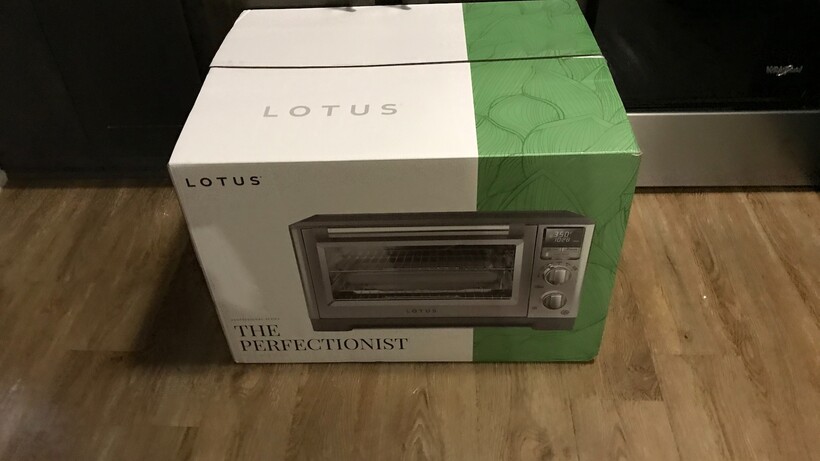
The Lotus Perfectionist Oven arrived in a brown cardboard box, and inside of that, a green and white branded box. Everything was packed securely to guard against damage. This is one of the heaviest countertop ovens I’ve ever tested (46 pounds), and that’s a testament to the quality build. It’s made of stainless steel and aluminum. No flimsy components here. The knobs are also crafted of quality stainless steel with a nickel finish, and designed to endure years of turning them left or right. The oven has a generous interior and can fit a 9” x 13” dish or a whole turkey. 

Lotus The Perfectionist Oven in boxLotus The Perfectionist Oven in box
Image Credit (Trusted Reviews)

The Lotus Perfectionist came with plenty of accessories, including an air fry basket and tray, baking pan, removable side rack guides, two oven racks, a crumb/drop plate and a temperature probe.

Lotus The Perfectionist AccessoriesLotus The Perfectionist Accessories
Image Credit (Trusted Reviews)

The controls are all on the right side. At the top is the display panel, which shows a variety of prompts and messages. There’s an up arrow to indicate the temperature is rising, and Convention and Air Fry icons are also displayed in this area. Other messages include a notification when the desired time or temperature has been reached. When using the Toast setting, the shade and number of slices can be viewed here as well.   

Lotus The Perfectionist ControlsLotus The Perfectionist Controls
Image Credit (Trusted Reviews)

Advertisement

Beneath the display panel are the buttons for Convection cooking, Probe cooking, and Start/Stop.

At the bottom are the two control knobs: The top knob includes the cooking selections: Proof, Warm, Air Fry, Bake, Broil, and Toast/Bagel. This is also where the cooking temperature is selected, as well as the darkness level when using the Toast and Bagel functions.

Advertisement

The bottom knob is where the time is selected, and in Toast/Bagel mode, it’s also where the number of slices would be selected. And directly below that, to the right, is the button to turn the interior light on and off. 

The Lotus Perfectionist is easy to care for. All of the removable parts are safe to put in the dishwasher. The control panel display, oven racks, and side rack guides can be wiped with a slightly damp sponge. The interior of the oven and the control knobs can be wiped with a damp, soapy cloth. The probe should be cleaned with soapy water, and the glass oven window should be clean with glass cleaner sprayed on a cloth. 

Performance

  • Must remember to load food after preheat ends
  • Cooks to perfection
  • Probe ensures accurate temperature

I was impressed with the oven’s performance and it wasn’t hard to understand why this is called “The Perfectionist”. The countertop appliance does an excellent job of cooking food well on various settings.

Advertisement

Preheat is automatic – after selecting the temperature and time, and pressing Start, it begins the preheat process, and then beeps when the preheat cycle is over. However, I had to remember to put the tray in the oven when the preheat cycle was over – and I forgot this on at least two occasions. Fortunately, it was only for a minute or two, so the cooking time was not drastically affected – and the food turned out well, regardless.

Advertisement

The heating elements cycle on and off when using the oven, which helps to maintain the selected temperature. 

My first test was actually rather funny. I put the frozen Pillsbury cookies on top of the rack. In the photo of the finished test, you can see that they fell through the rack and are now underneath on the pan. However, after the cookies cooled, the rack came right off, and the cookies were delicious. 

Lotus The Perfectionist 1st Cookie Test afterLotus The Perfectionist 1st Cookie Test after
Image Credit (Trusted Reviews)

The second time, I baked some Nestle Tollhouse cookies without the rack. I sprayed the tray with Pam Nonstick Cooking Spray. Both times, the cookies were delicious – crunchy on the outside, and soft, warm, and gooey on the inside.

Lotus The Perfectionist 2nd cookie test afterwardsLotus The Perfectionist 2nd cookie test afterwards
Image Credit (Trusted Reviews)

Advertisement

In my next test, I made salmon. I used the air fryer basket and tray, and sprayed the basket with Pam spray. 

Then, I air fried the salmon at 375°F for 12 minutes – and added some rice and small tomatoes to the final meal. The salmon was light and flaky, tender and juicy on the inside. Fortunately, I cooked two pieces of salmon, so I was able to refrigerate the second piece so I didn’t have to cook the next day.

Advertisement
Lotus The Perfectionist Salmon afterLotus The Perfectionist Salmon after
Image Credit (Trusted Reviews)

When I resumed testing, two days later, I broiled some pork chops. I seasoned the pork chops, sprayed the rack with Pam spray, and then put the pork chops in the Lotus Perfectionist. I chose Broil/Hi for about 10 minutes, then flipped the pork chops, and broiled them about 5 minutes longer.

When the meat was done, I added rice, small tomatoes, and carrots. The pork chops were browned and crunchy around the edges, and tender and juicy on the inside.

Lotus The Perfectionist Pork chops afterLotus The Perfectionist Pork chops after
Image Credit (Trusted Reviews)

Advertisement

My next test was French Fries. I used the air fry basket, spraying Pam spray in the basket before loading it up with fries. I air fried at 350 degrees for around 18 minutes. 

The fries were a golden brown, and they were crunchy on the outside and hot, soft, and tasty as I bit into them.

Lotus The Perfectionist French Fries afterLotus The Perfectionist French Fries after
Image Credit (Trusted Reviews)

I used Probe mode to cook chicken thighs. Note: the probe is designed to be used in either Air Fry or Bake mode, so I baked the chicken thighs. I sprayed the baking pan, inserted the meat, and then inserted the probe about 1 inch into one of the thighs. (In hindsight, I should have taken the top rack out since it wasn’t in use, but I’m in the habit of leaving both racks in most of the time.) Since I had no idea what the ideal internal temperature should be, I had to research this information online. I decided on an internal temp of 170°F – and the display screen shows the temperature every step of the way. 

When the food reached the set temperature, the oven produced a long chime and a series of short chimes. I unplugged the probe and removed the tray from the oven. The chicken thighs were delicious – they were tender, juicy, and flavorful.     

Advertisement
Lotus The Perfectionist Chicken thighs with probe2Lotus The Perfectionist Chicken thighs with probe2
Image Credit (Trusted Reviews)

Advertisement

In other tests, I also used the Convection feature, which cooks food faster. Keep in mind that when using the Convection setting, the temperature should be reduced by 25°F, or the cooking time should be reduced by 25%. Lotus does not recommend the Convection feature for frozen pizza.  

I also used the Warm feature when food was done before I was ready to eat it. The Warm feature has a temperature range of 140°F and 170°F.

As a general rule, Lotus recommends a light spray of cooking oil to provide a crispier texture, and advises that most foods need to be flipped, stirred, or rotated.

Should you buy it?

Advertisement

You want a countertop oven that’s going to stand the test of time

The heavy, high-quality Lotus Perfectionist has a commercial build, with sturdy-long-lasting components. You won’t have to worry about replacing parts or trashing it because it stopped working.

Advertisement

You don’t cook that often, or you still plan on using your traditional oven

The Lotus Perfectionist is superb, but at the time of publication, it’s $900. That’s a lot of money to pay for an appliance that you won’t use on a regular basis.

Advertisement

Final Thoughts

The Lotus Perfectionist was a joy to test. The food always came out well, even when I didn’t necessarily follow the rules as precisely as I should have. The controls are easy to use and understand, and the display panel is generous enough to be easily viewed. I never had to worry about being careful to ensure I didn’t break anything since the oven is well made and quite durable. My outcomes were comparable to what I would expect when eating out, and cleanup was a breeze. I definitely recommend the Lotus Perfectionist Air Fry and Convection Oven if you’re looking for a high-quality appliance that performs well and will last for years, otherwise for something cheaper the guide to the best air fryers can help.

Advertisement

How We Test

We test every air fryer we review thoroughly over an extended period of time. We use industry standard tests to compare features properly. We’ll always tell you what we find. We never, ever, accept money to review a product.

Advertisement

Find out more about how we test in our ethics policy.

  • Used as our main air fryer for the review period
  • We cook real food in each air fryer, making chips, frying sausages and cooking frozen hash browns. This lets us compare quality between each air fryer that we test.

FAQs

What does the Lotus The Perfectionist Air Fry and Convection Oven’s temperature probe do?

You can use this to cook food to a set internal temperature, getting perfect results each time.

Advertisement

Full Specs

  Lotus The Perfectionist Air Fry and Convection Oven Review
Manufacturer
Size (Dimensions) 22.375 x 16.75 x 12.625 INCHES
Weight 46.6 LB
Release Date 2026
First Reviewed Date 20/07/2026
Model Number Lotus The Perfectionist Air Fry and Convection Oven
Accessories Two side rack guides, two oven racks, air fry basket, air fry tray, baking pan, broil rack, crumb/drip tray, temperature probe, user guide
Number of compartments 1
Cooking modes Bake, broil, air fry, proof, toast/bagel and warm
UK RRP TBC
USA RRP $899.95

Source link

Continue Reading

Tech

A third of physical PS5 games and half of Xbox Series discs need downloads to work properly, report shows

Published

on

A hot potato: Since PC gaming went pretty much fully digital many years ago, some console gamers have bragged about their machines’ ability to play physical discs and the advantages that brings. But a new report illustrates how just because a game is on a disc, it doesn’t guarantee you won’t need an internet connection to play it.

From Sony’s decision to end production of discs for new PlayStation games in 2028 to the Xbox network outage that stopped some disc-based titles from working, there’s been a lot of conversation about physical media recently.

One topic revolves around the many discs that don’t work (to different degrees) without an online connection, usually to fix a game-breaking bug. The testers at Does It Play (via Ars Technica) found that most disc games are “plug and play,” but a sizable minority can’t be played as intended straight from the disc.

The results show that 27% of all the physical releases the site has tested require some sort of download to fix game-breaking bugs or obtain core game content not stored on the disc.

Advertisement

On the PS5 specifically, 34% of tested disc releases are not fully playable as intended without a patch. Half are beatable but have serious bugs or are missing content, while the other half require a download to play properly or at all.

It’s a much worse picture on the Xbox Series X. Only 50% of tested physical releases were complete and playable as intended from the disc. Another 12% could be beaten but were too buggy or missing content, leaving 38% that required some form of download.

Those Xbox results come from just 78 entries, compared with 792 for the PS5, so the difference should be treated cautiously. The Nintendo Switch 2 performed better, with 75% of its tested releases complete and beatable without a download, although its sample was even smaller at 48 entries.

Reliance on downloads weakens what was once physical media’s biggest selling point: long-term access. Once servers close, missing files and essential patches may become impossible to obtain, creating a major problem for preservation. Then there are players who buy a game requiring a download but have no internet connection to obtain it.

Advertisement

Physical copies still offer advantages, of course. They can be resold, lent to friends, and are often much cheaper than digital versions. It was recently reported that some physical PlayStation games cost up to 90% less than their digital counterparts.

But as the recent Xbox outage demonstrated, owning a disc doesn’t always protect players from server failures. Microsoft said disc-based entitlement checks should not have blocked games and is preparing a fix, though it still hasn’t fully explained why some valid discs failed.

Source link

Advertisement
Continue Reading

Tech

Lenovo’s Googlebook lineup could include two laptops, a 2-in-1 tablet, and an AI mouse

Published

on

Google announced Googlebook at I/O in May, but we are still waiting to see what the finished hardware will actually look like. The first devices are expected this fall, and new images published by Android Headlines may have given us an early look at what Lenovo has planned.

Lenovo appears to be preparing at least three Googlebooks, including two traditional laptops and a detachable 2-in-1 tablet. There is also a new wireless AI mouse that seems to have been designed specifically for the platform.

Google has already confirmed that Acer, Asus, Dell, HP, and Lenovo are working on Googlebooks. Still, Lenovo launching three different models would make its opening lineup considerably more ambitious than I expected.

The tablet is the most interesting one

The two laptops appear to come in different sizes, suggesting Lenovo may be targeting separate users and price points. The images do not reveal much about their specifications, processors, or displays, so it is difficult to say how different they will be.

The detachable tablet is much easier to get excited about. Android Headlines reports that the device has four speakers, Dolby Atmos support, and stylus compatibility. It could prove more interesting than another conventional laptop by leaning into Googlebook’s support for Android apps and touch input.

Advertisement

Lenovo also has a mouse for Magic Pointer

Lenovo’s new 59-gram wireless mouse reportedly includes an RGB strip and a dedicated AI key. Googlebook is built around Gemini Intelligence rather than treating AI as a separate app or sidebar, and the mouse may connect directly to Magic Pointer, the Gemini-powered cursor feature that can surface contextual actions based on whatever you point at on screen. Lenovo has not yet explained what the AI key does, but it could provide a quicker way to call up those suggestions.

I still have questions about how consistently Googlebook will perform across different chips, screen sizes, and form factors. Google has positioned the platform as premium, and rising memory costs could push prices even higher. The company has not announced a launch date for the first devices, although IFA in September seems like a plausible venue for Lenovo to unveil its lineup.

Source link

Advertisement
Continue Reading

Trending

Copyright © 2025