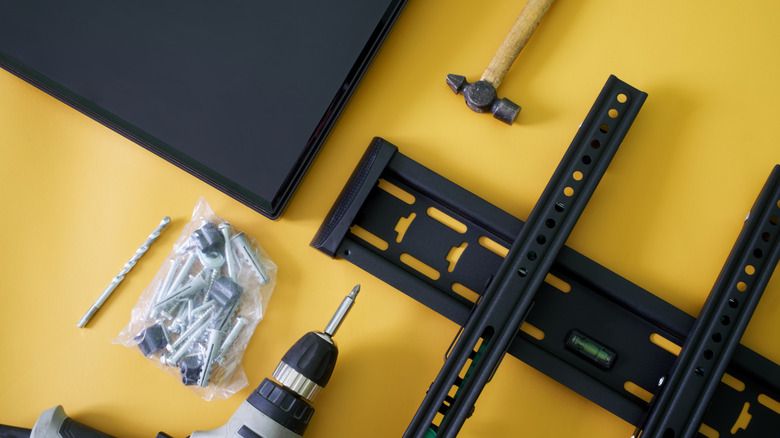
The VESA dimensions tell you where the mounting holes line up, but you still need to check the mount’s weight limit and hardware.
Slexp880/Getty Images
Thankfully, VESA 400 × 400 isn’t another TV resolution you need to learn. VESA stands for Video Electronics Standards Association, and in TV-mount shopping, a VESA size or VESA pattern describes the spacing between the mounting holes on the back of a TV or display. A VESA mount isn’t one particular style of bracket; it simply supports one or more of those standardized patterns.
Advertisement
What does a VESA size such as 200 × 200 mean?
Naypong/Getty Images
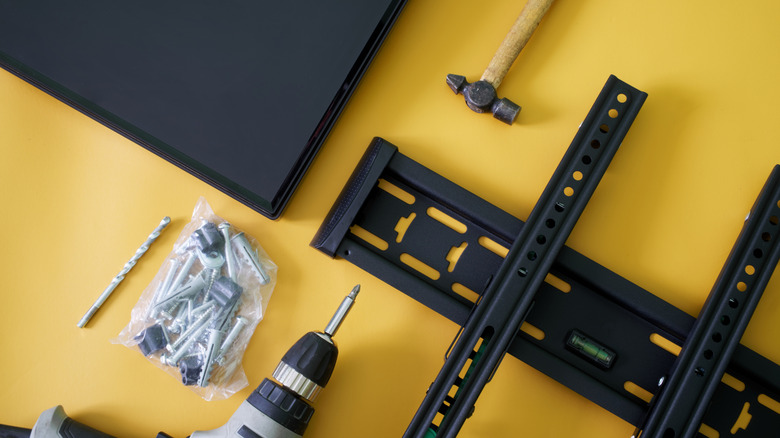
Look at the back of a typical mountable TV and you’ll find threaded mounting holes, usually arranged in a square or rectangle. The VESA pattern describes the distance between those holes, measured in millimeters.
The first number is the horizontal distance and the second is the vertical distance. So a TV with a 400 × 200 pattern has mounting holes spaced 400mm apart from left to right and 200mm apart from top to bottom. A 200 × 200 pattern measures 200mm in both directions.
The VESA numbers don’t describe the TV’s resolution or screen dimensions. Larger TVs often use larger mounting patterns, but screen size alone doesn’t tell you which pattern a particular model uses. Checking your exact TV model is more reliable than guessing from its screen size.
You also don’t need a mount limited to that exact VESA size. Many mounts support multiple VESA patterns, so you don’t need a bracket labeled only for your exact size. Your TV’s pattern just needs to appear on the mount’s list of supported patterns.
Advertisement
How to find your TV’s VESA pattern
Natatravel/Getty Images
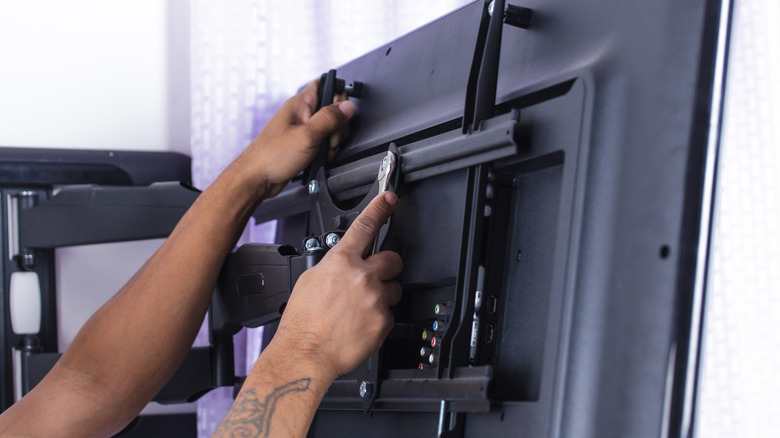
The easiest method doesn’t require a ruler at all. Look up the exact TV model in its manual or on the manufacturer’s support page and find the wall-mount or VESA specifications. Manufacturers commonly list the mounting-hole pattern in millimeters.
If you can’t find the specification, you can measure the mounting holes yourself. Measure from the center of one mounting hole to the center of the corresponding hole horizontally, then do the same vertically. Write the result as horizontal × vertical, in millimeters.
For example, if the mounting holes are 400mm apart horizontally and 200mm apart vertically, the TV has a 400 × 200 VESA pattern. Measure in millimeters so you can compare the result directly with the mount’s specifications.
Advertisement
A matching VESA pattern isn’t enough
Zayatssv/Getty Images
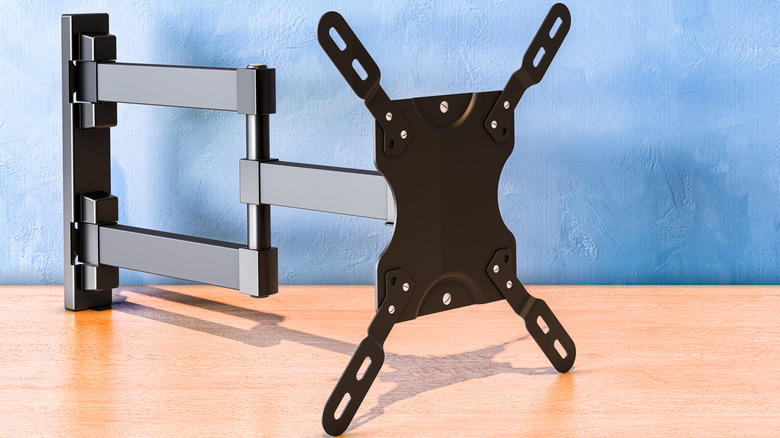
A matching VESA pattern tells you the bracket can line up with the TV’s mounting holes. It doesn’t tell you whether the mount can safely hold the TV, so the next specification to check is its weight limit.
Compare the mount’s maximum load with the weight of your TV. A bracket can support the correct VESA pattern and still be unsuitable for a TV that’s too heavy.
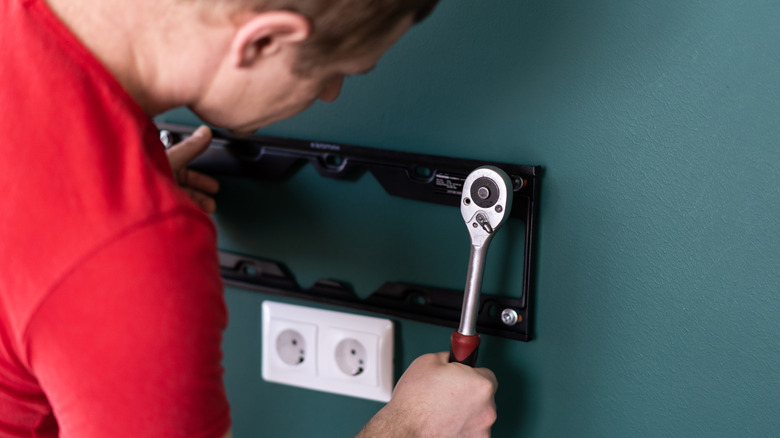
You should also check the hardware required by your TV. VESA compatibility also says nothing about how the bracket should attach to the wall. Once you’ve confirmed the pattern and weight rating, use the TV manufacturer’s instructions to check the required mounting screws and follow the mount manufacturer’s instructions for attaching the bracket to the wall.
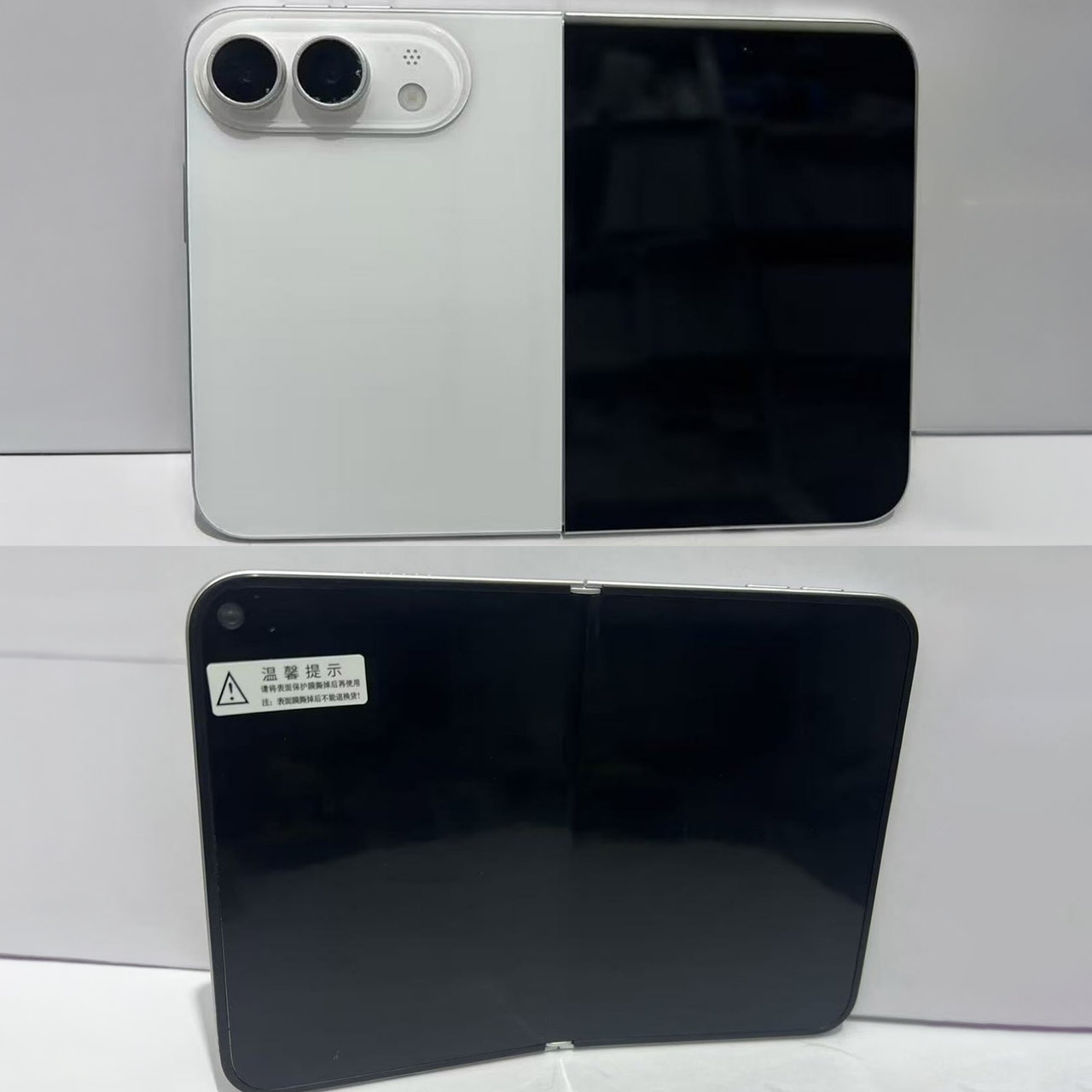
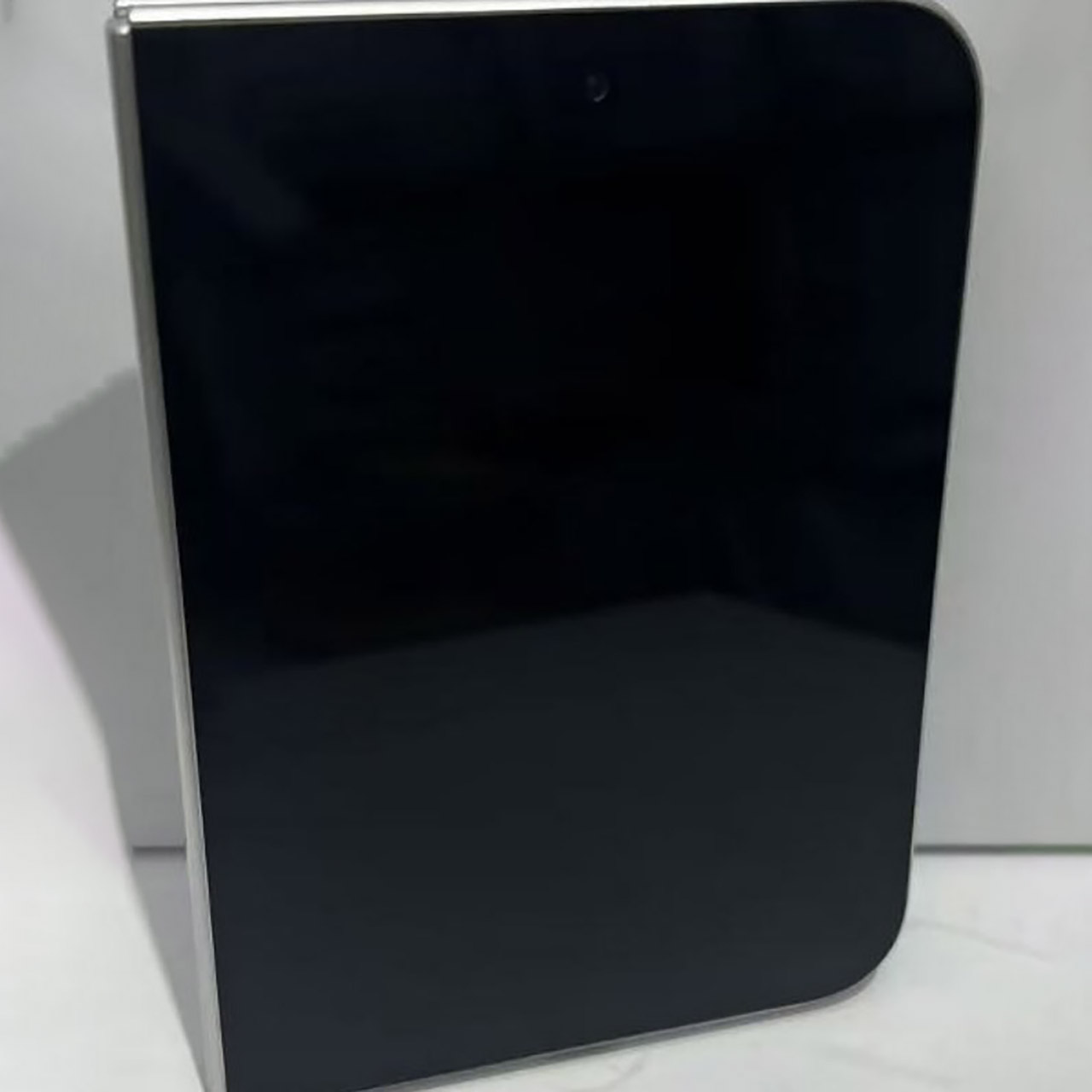
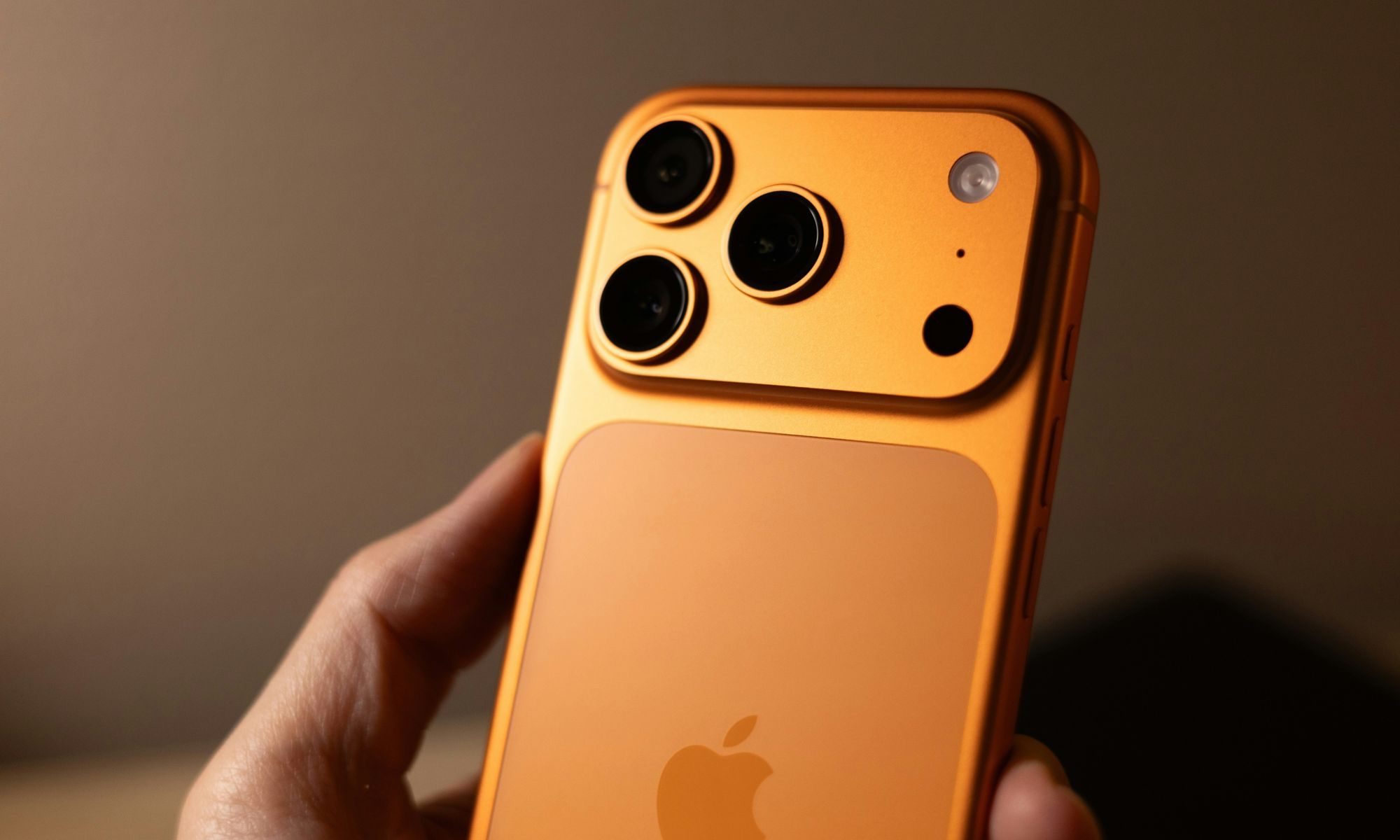
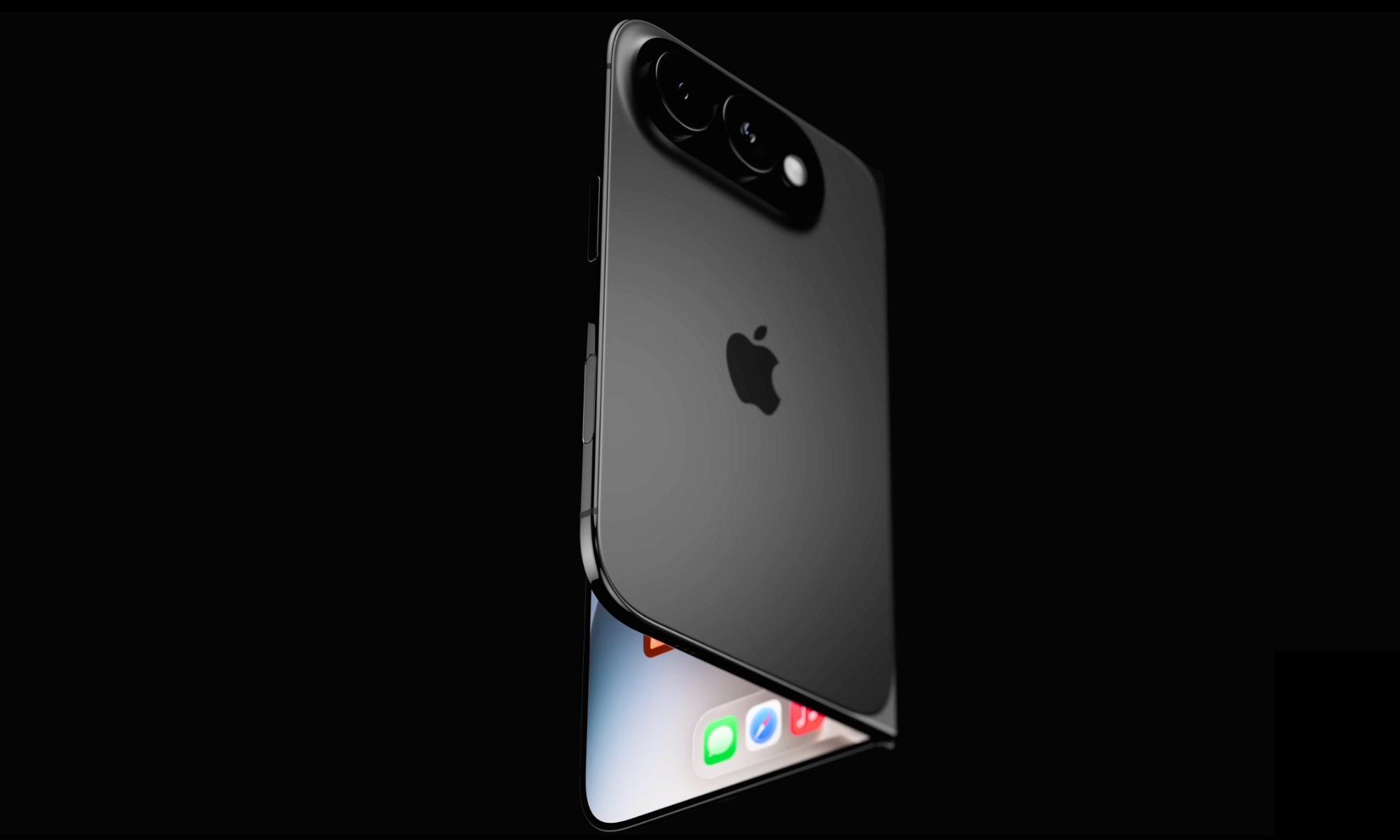
Photo credit: Sonny Dickson Apple’s long-awaited foldable phone has reached the hands of a small group of early testers, and the feedback arriving through Mark Gurman’s latest Power On newsletter is largely positive. People who have spent time with the prototypes, referred to internally as the iPhone Ultra, keep coming back to how the device feels when closed and how it works once opened.
Those testers rave about a phone that fits comfortably in a pocket without adding bulk. The folded form is only 9.4 millimeters thick, and when held, it has the compact shape of a book rather than the tall, slender foldables that came before. They have a 5.5-inch exterior display for regular usage, and when you flip it open, the inside screen measures around 7.8 inches. People quickly realized that the device’s unusually wide aspect ratio makes it feel like a tablet when held, which is a major upgrade over simply juggling windows on your standard iPhone.
SHOP NOW: Get an Amazon gift card when you order Samsung Galaxy Z Fold8. You will receive an email once your gift card is available after the product…
CREATED FOR YOUR CONTENT: Any way you turn it, the new Galaxy Z Fold8 gives you a fuller viewing experience. Designed with your content in mind, this…
WORLD’S LIGHTEST FOLD¹: Galaxy Z Fold8 is the newest foldable phone for content on the go. Unfolded, it fits movies and books for an immersive…
The hinge has earned high praise, with early reports claiming that it is fairly solid and feels like it was built to last, with no creaks or squeaks while opening and closing it repeatedly. Some of the first people to try it out point to the liquid-metal construction, which is intended to be highly robust without adding any heft, which is exactly what you want when you need to keep that phone as thin as possible. When you open it, it shrinks to 4.5 millimeters, which is so little that Apple had to make some other compromises to reach that aim.
The prototype is beginning to win over folks in the software industry. The larger inner display allows for iPad-style layouts, and juggling windows side by side seems far more natural than using split-screen on your standard iPhone. People are also enjoying the open screen as a camera viewfinder, which is far larger than the tiny little window on your ordinary phone and allows you to take better photos. It all appears to be coming together very well, with individuals reporting that productivity tasks, video consumption, and gaming all benefit significantly from the added storage.
Advertisement
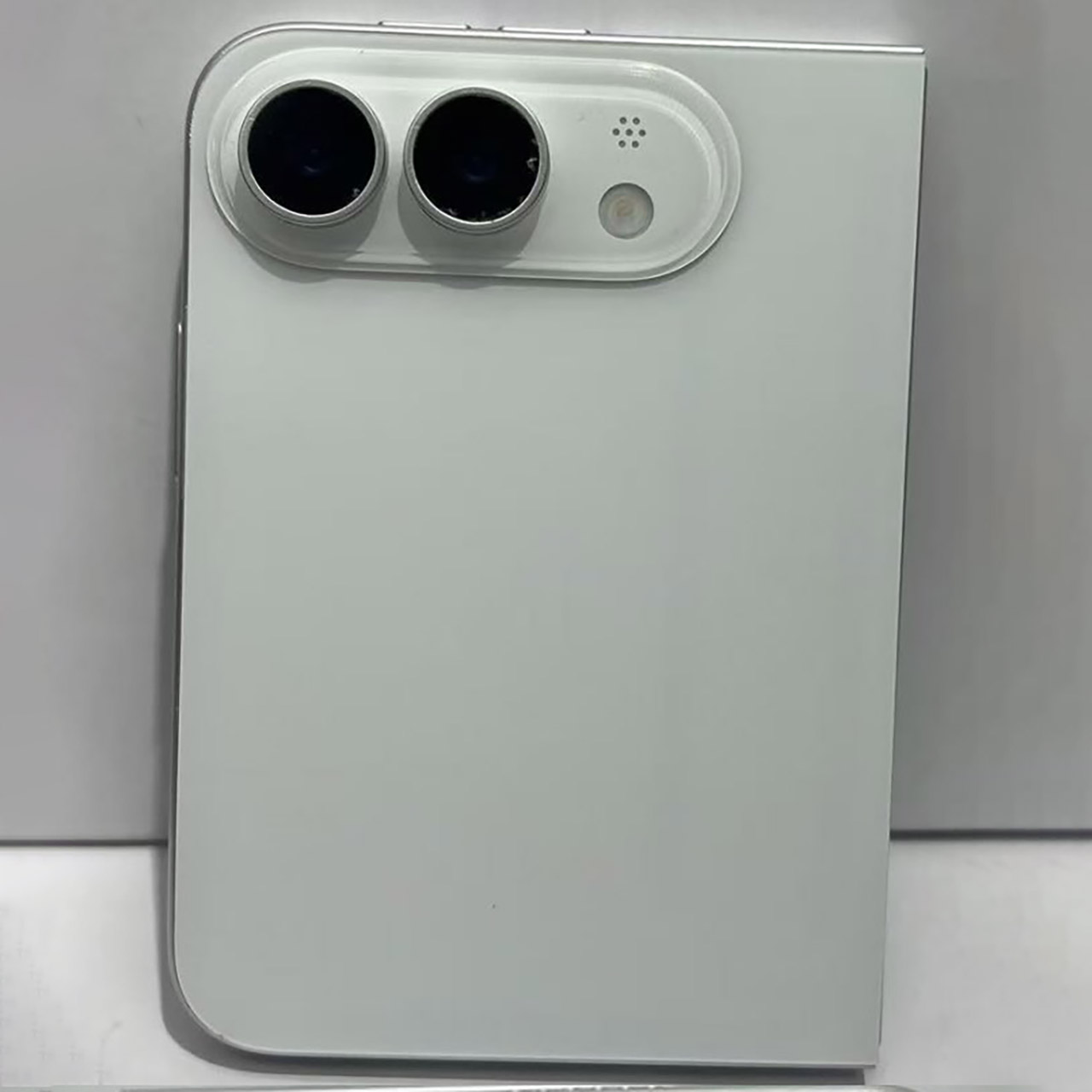
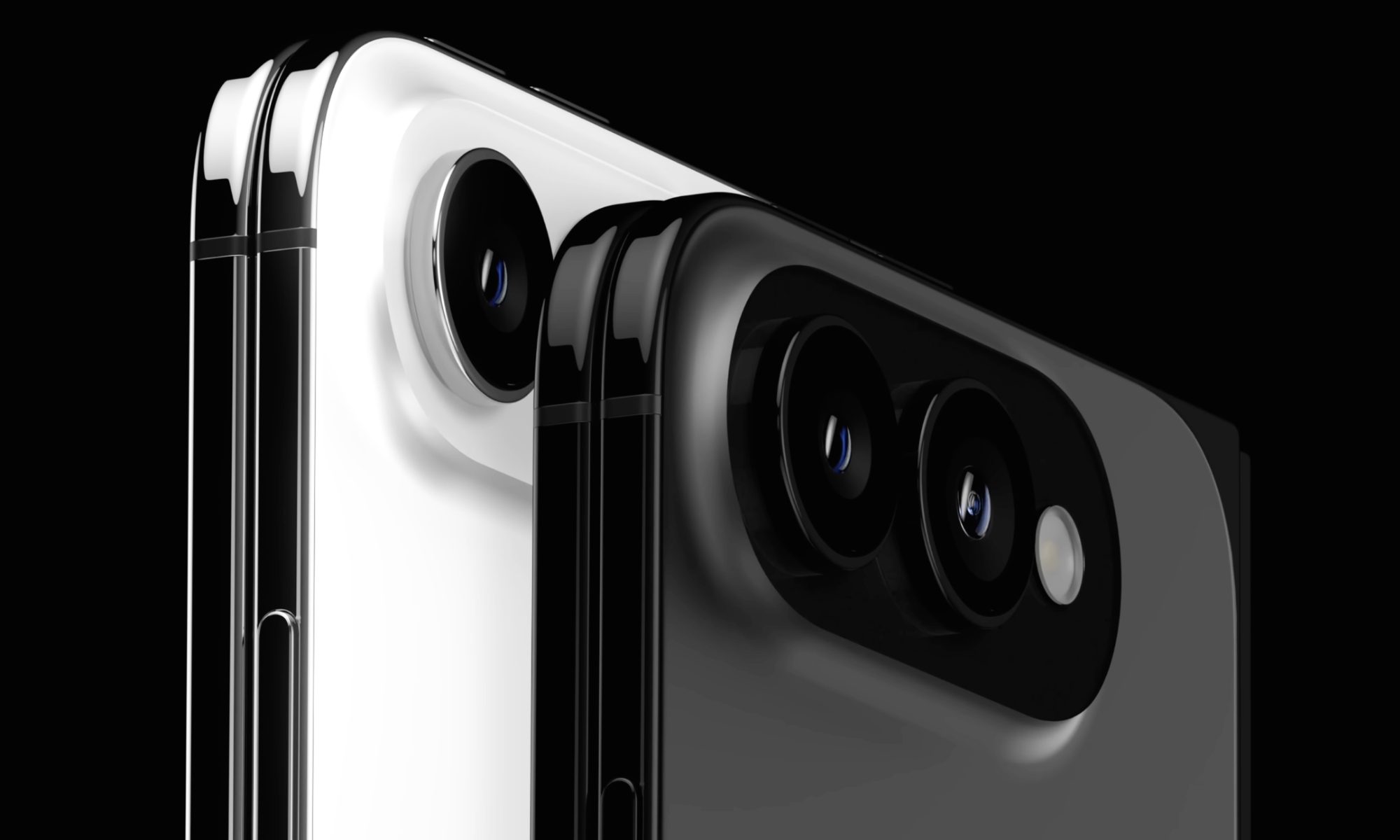
Now onto the camera hardware, where things begin to turn a little less rosy. The rear of the device is simply a pair of 48-megapixel sensors, one standard and one super-wide. There is no telephoto lens, which is a bit of a concern for a phone that will cost at least $2,000, if not more with storage. Many people will be disappointed that the zoom option is not included, especially since the lower-end Pro models already have it. Front-facing cameras have arrived, but only on both screens, and they aren’t saying much about them yet.
Biometrics are another example of a compromise. There is no Face ID; instead, a Touch ID sensor is incorporated into the side power button, as seen on previous iPads. It’s a good move in terms of keeping the phone slim, and it works in any orientation, but it appears that many longtime iPhone customers will be disappointed that Face ID and fingerprint recognition are not included.
Let’s just say the prices aren’t cheap. Expect to pay at least $2,000, with higher-end models possibly exceeding $2,500. This means that when selecting whether this is the phone for them, consumers must examine a number of things, including the folding design, the wide open display, the revised hinge, and the lack of zoom and Face ID. [Source]
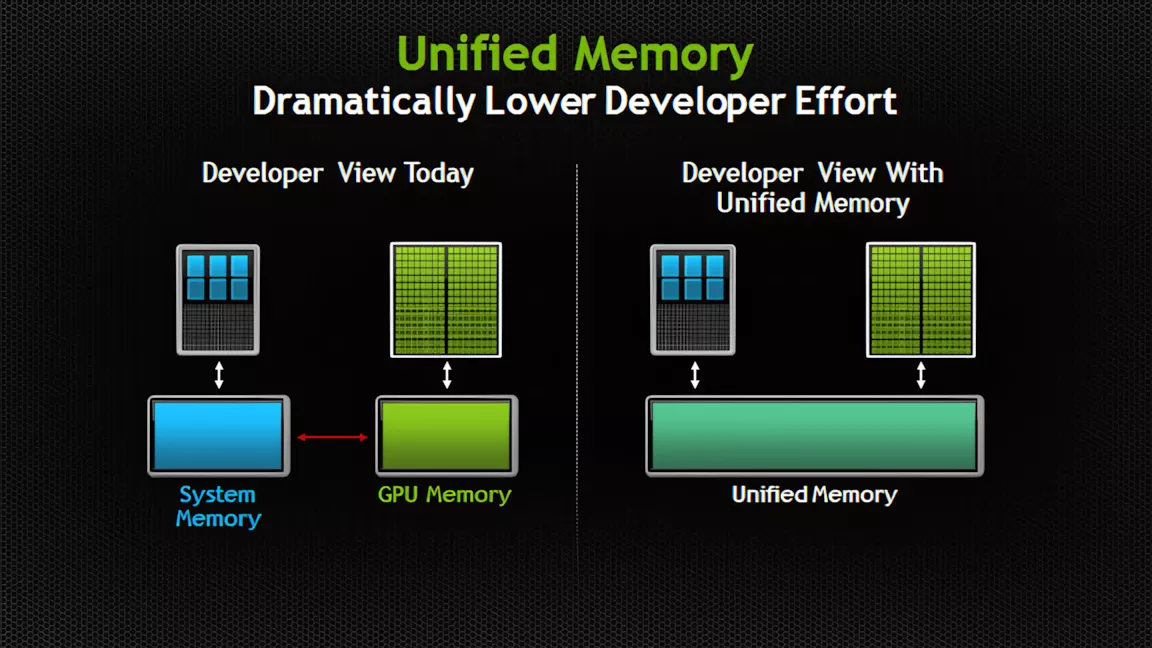
Connecting the dots: PCs without a dedicated GPU already have to share a single memory pool between graphics, AI, and system tasks, and Windows currently makes that split on its own. That arrangement is becoming a much bigger deal as Apple, Qualcomm, Nvidia, and others build AI PCs around unified memory pools that could potentially stretch into the hundreds of gigabytes.
A recent experimental Windows 11 build hides evidence that Microsoft is preparing to let users control the split between system and video memory in unified pools. The feature could give users more flexibility when juggling gaming and AI workloads, especially on upcoming unified-memory devices like Nvidia’s RTX Spark platform.
Windows 11 build 29648.1000, released August 17, carries a new feature called “IntelligentCarveout” that isn’t mentioned anywhere in Microsoft’s patch notes. Windows watcher @phantomofearth confirmed to Windows Latest that the build’s code strings reference reserving memory for accelerators, graphics, and AI.
That would let users manually set aside unified memory for games and AI-heavy applications, with that reserved portion off-limits to everything else.
Advertisement
Similar references previously turned up in Nvidia documentation. If the feature ships publicly, it could fundamentally change how users configure performance on unified-memory chips.
Unified memory has traditionally shown up in Macs, some laptops, handheld gaming PCs, and other systems built around integrated rather than discrete graphics.
Depending on the workload, performance on these systems can vary significantly compared to discrete GPUs with dedicated VRAM, and while GPU-heavy tasks can pull from system memory when they run short, doing so usually comes with a steep performance penalty.
Since running local AI models demands large amounts of fast memory, high-end GPUs once reserved mainly for gaming have become popular tools for AI work. Meanwhile, PCs built from the ground up for local models have featured progressively larger unified memory pools. Macs configured with 24GB of unified RAM or more have faced shortages amid the local AI boom, and Microsoft and Nvidia have answered that shift with RTX Spark devices offering up to 128GB.
Advertisement
Nvidia’s dominance in GPUs owes a lot to software, not just silicon – CUDA programming, DLSS upscaling, Reflex latency reduction, and the broader RTX suite have become real selling points on top of raw hardware. Carrying that same software stack into the integrated-graphics space gives RTX Spark a built-in edge over AMD, Qualcomm, and Intel, none of which can match Nvidia’s software ecosystem on AI or gaming performance yet.
When it unveiled the RTX Spark chip, Nvidia already touted it as carrying more addressable memory than any of its GPUs. Because IntelligentCarveout would let users route a large share of that 128GB pool toward graphics and AI tasks, RTX Spark’s GPU could end up with access to far more memory than even the RTX 5090’s 32GB of dedicated VRAM – though that shared, LPDDR5x-based pool is considerably slower than the RTX 5090’s GDDR7, so it’s a capacity advantage rather than a speed one.
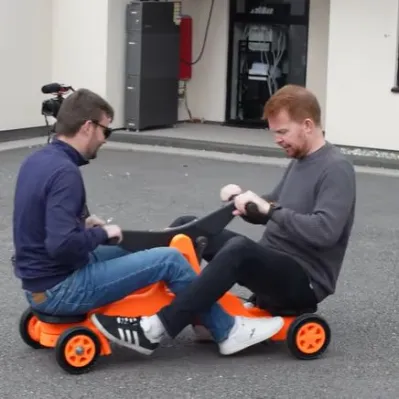
It’s arguably adult-sized. (Credit: Sam Barker, YouTube)
A staple of old movies featuring railways, many handcars – also called pump trolleys or pump cars – feature the characteristic seesawing beam. Requiring at least two people, the motion of this beam is subsequently converted into the rotating motion of the wheels, propelling it at a leisurely pace across the tracks. As a fun and yet functional mechanical contraption it also makes for an entertaining 3D printable project, which is what [Sam Barker] and [Tom] did.
You can find the entire project over at Printables if you are feeling the itch as well, though as of writing details on the required bolts and shafts are still pending.
Since the entire assembly had to be lugged over to the Open Sauce event in the US, they had to design it to be small enough to fit into check-in luggage and easy enough to reassemble in a hotel room. Naturally this put some constraints on the full size of the contraption, with it omitting compatibility with standard gauge railways and also being decidedly fun-sized.
That said, it seems to have left an impression on the folk over at Open Sauce, and it’s hard to argue with the sheer fun factor of such a co-op mode of transportation. Even if bicycle-style handcars are more popular these days, especially for tourist purposes, the old seesaw-style has that certain charm to it.
Apple added desktop widgets to Mac with macOS Sonoma back in 2023. I remember dragging a few onto my desktop on day one and moving them right off a few minutes later. The native widgets never fit into how I use my Mac. The look felt off, and honestly, there just weren’t enough of them to bother with.
Ever since, I have been searching for something that does for Mac what the widget apps like Widgetsmith did for iPhone. I wanted more options, and more importantly, I wanted widgets that actually looked like they belonged on a Mac desktop instead of feeling bolted on.
After trying a bunch of apps that promised this, I finally found one that delivers. The app is called BetterMacWidgets, and in this article, I will show you how it finally made me use widgets on my Mac’s desktop.
Widgets that live right on your desktop
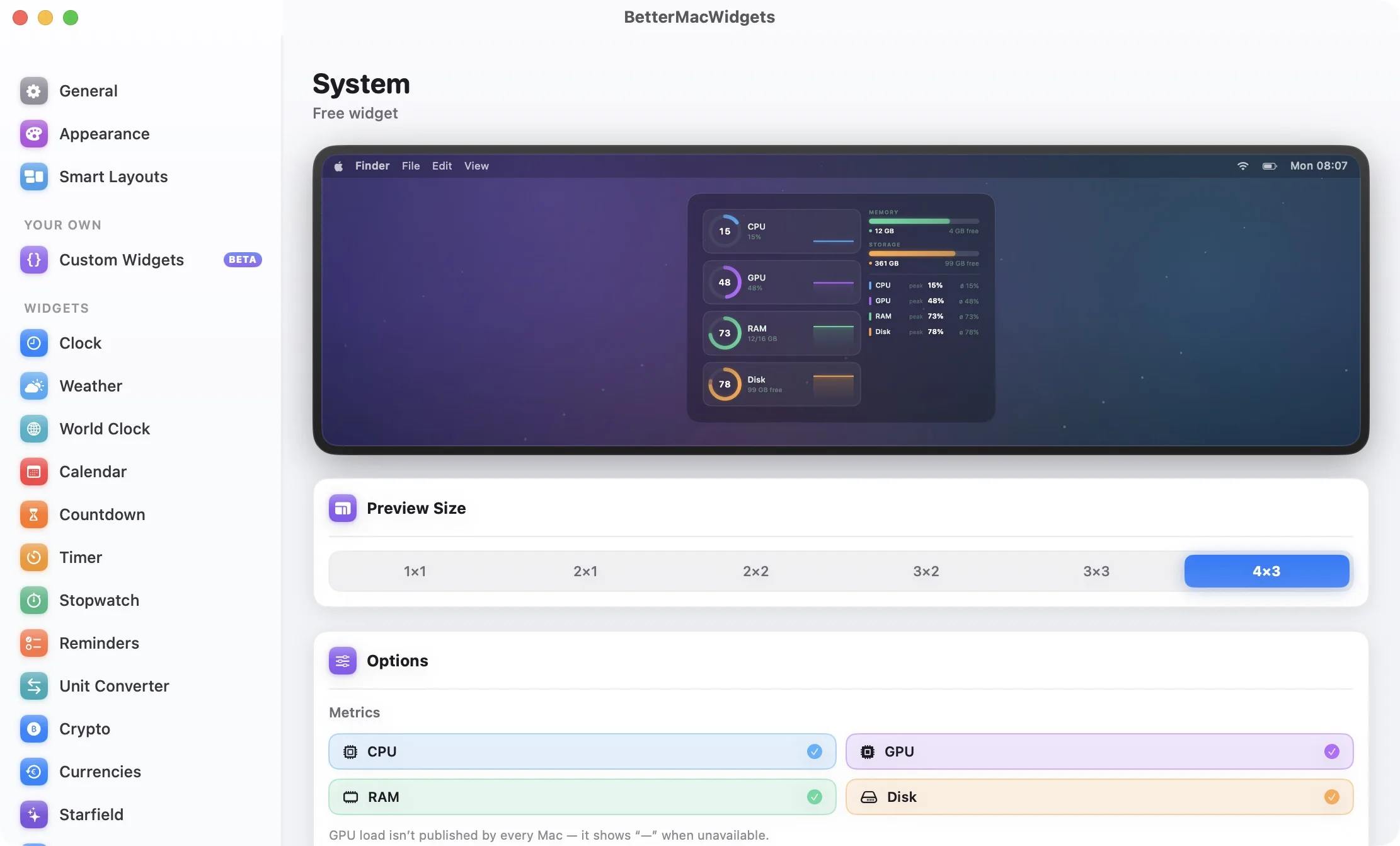
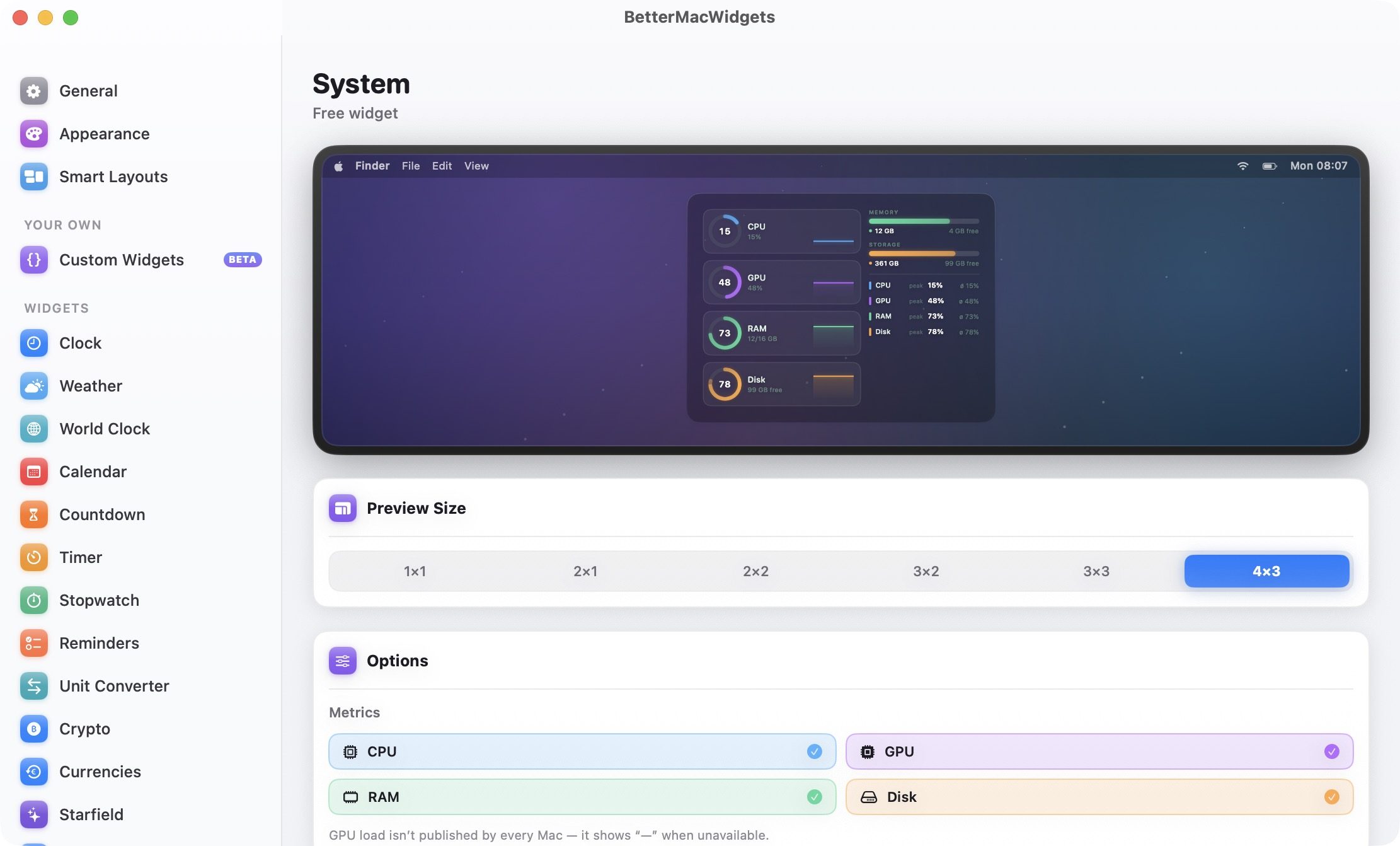
Apple‘s desktop widgets are tied to whatever system apps happen to support them, and third-party options are still thin on the ground. BetterMacWidgets flips that around. It gives you access to more than 20 widgets, and you can drag them anywhere you like, snapping onto an invisible grid so your layout always stays neat.
Advertisement
Rachit Agarwal / Digital Trends
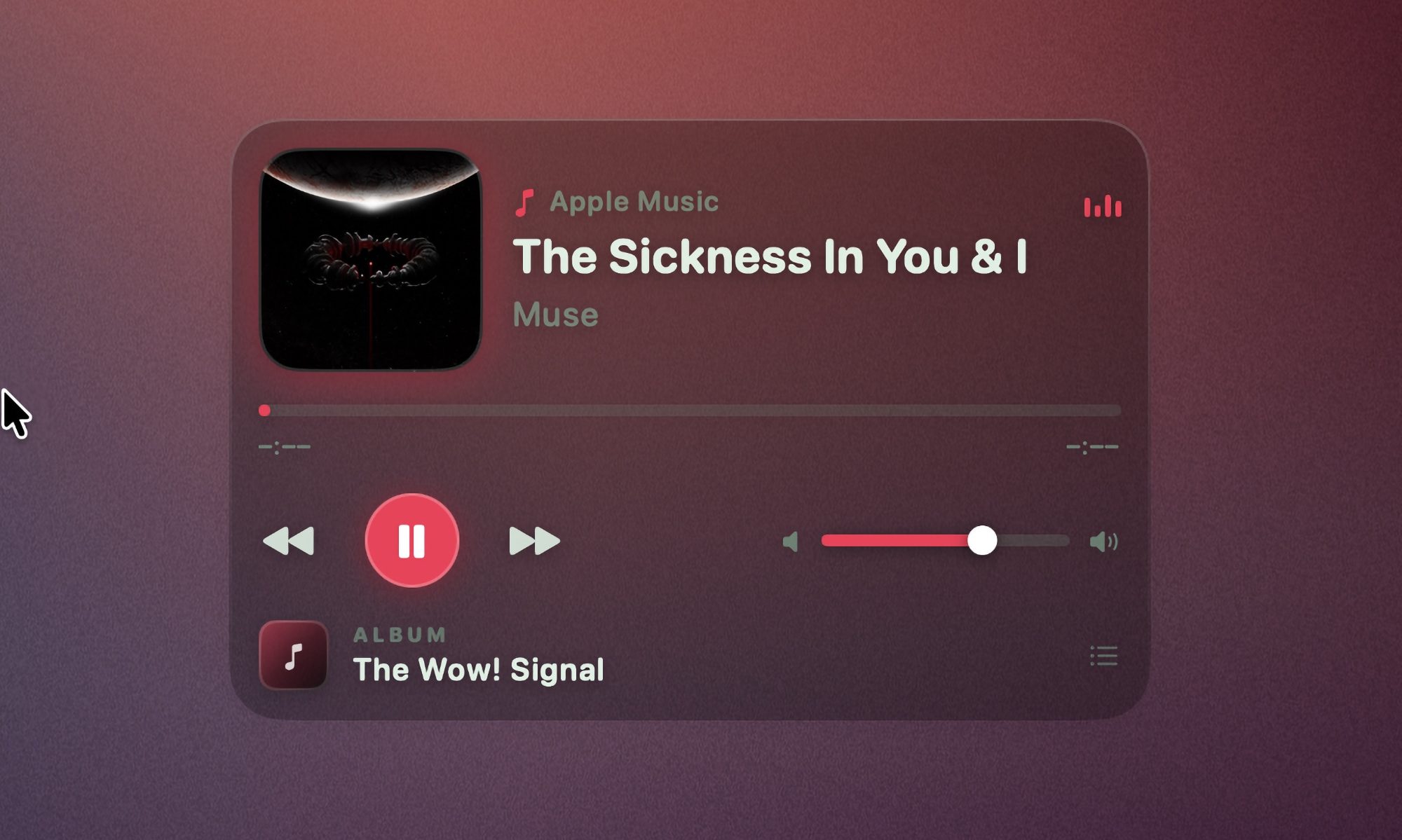
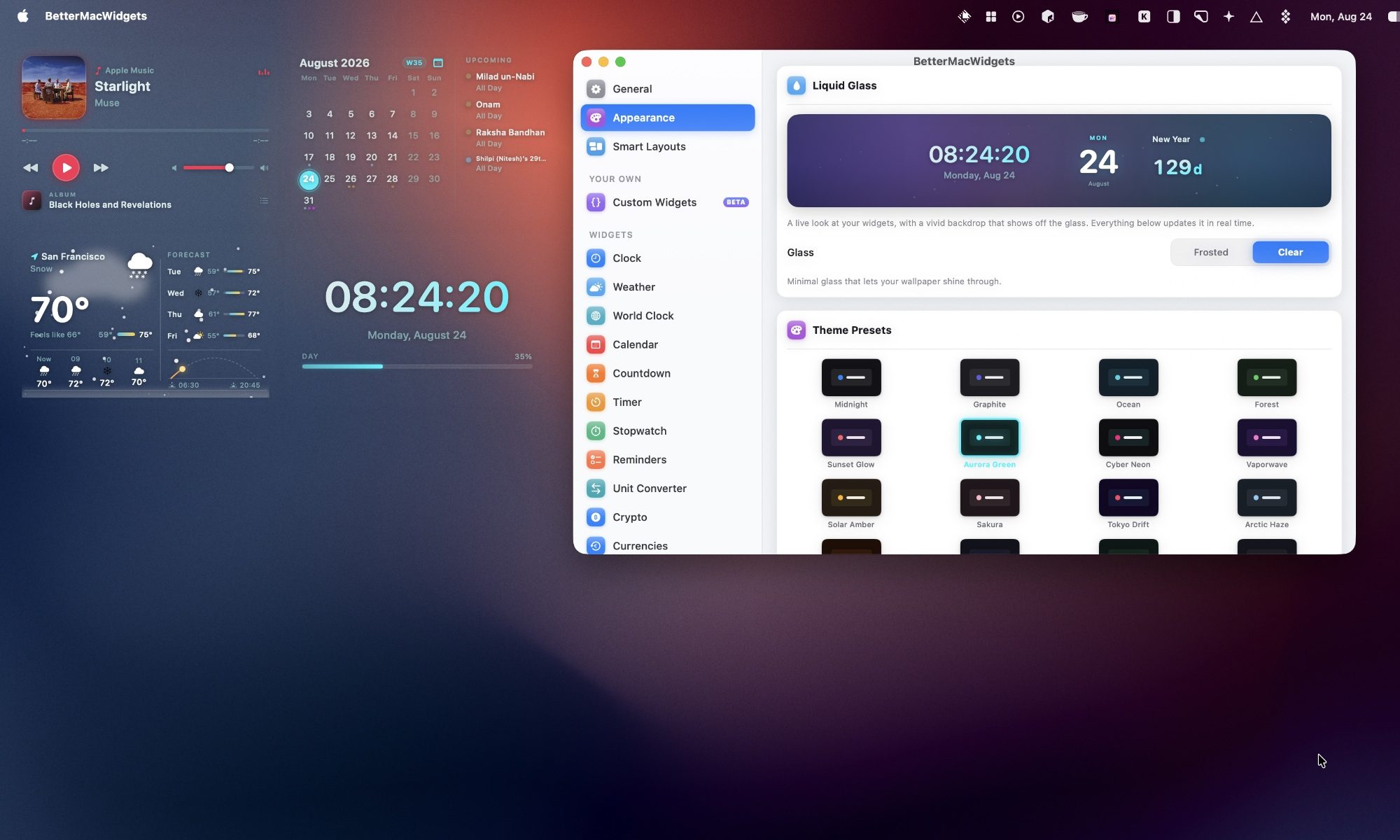
The app also lets you choose from up to six sizes depending on the widget, ranging from a small 1×1 square to a bigger 4×3 tile. I love the Now Playing widget. It shows artwork and title, and lets me play, pause, and skip tracks right from the tile. With this, I don’t ever have to hunt for music controls.
Rachit Agarwal / Digital Trends
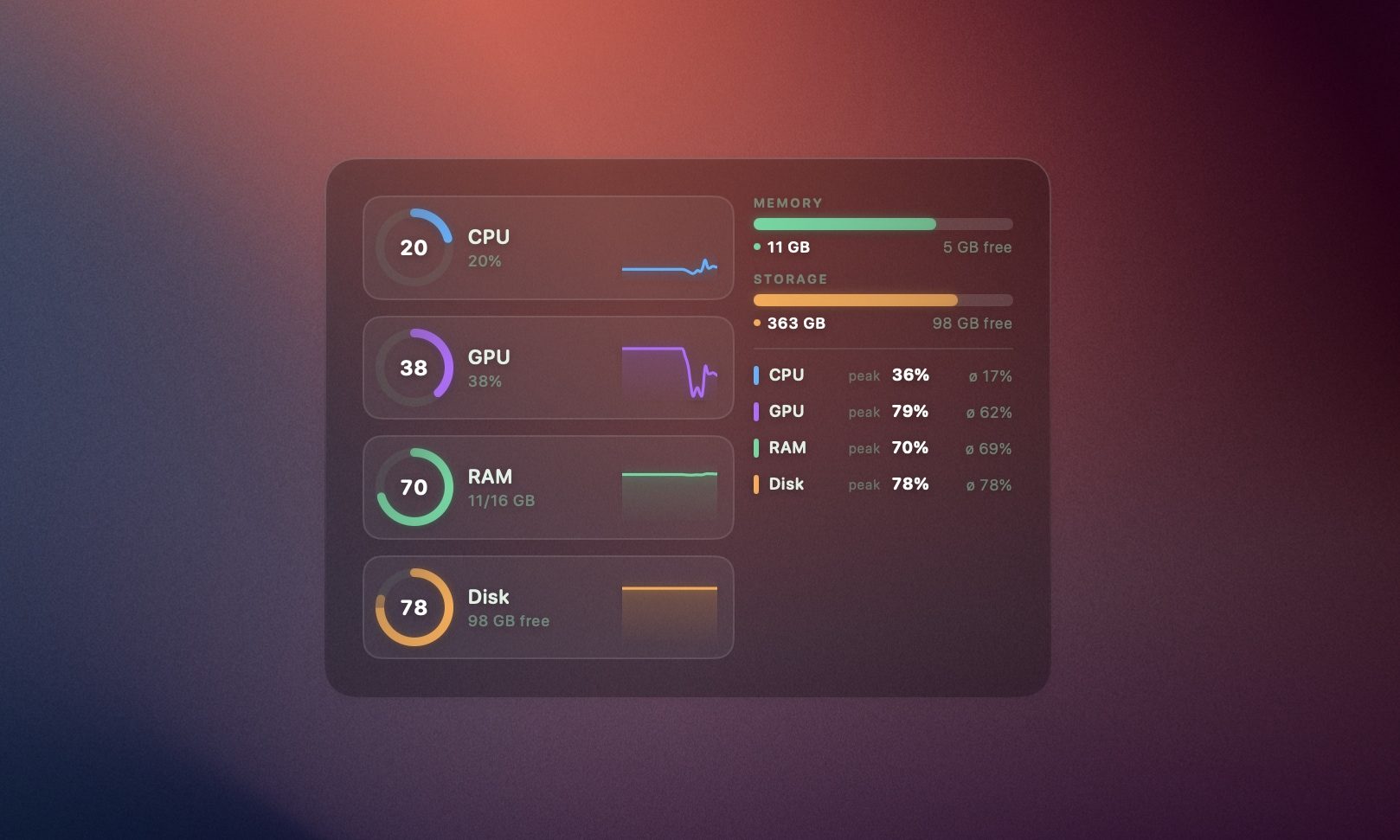
If you like keeping an eye on your Mac’s health, the System Stats widget gives you animated gauges for CPU, GPU, memory, and disk, along with a battery gauge that visibly sloshes while charging. And don’t worry about your Mac slowing down because of all this animation.
Rachit Agarwal / Digital Trends
The widgets only animate while they are visible. If they are hidden behind an app’s window, they stop animating. If you still see an effect on the battery, you can turn off the animation all together.
Weather, Reminders, and more
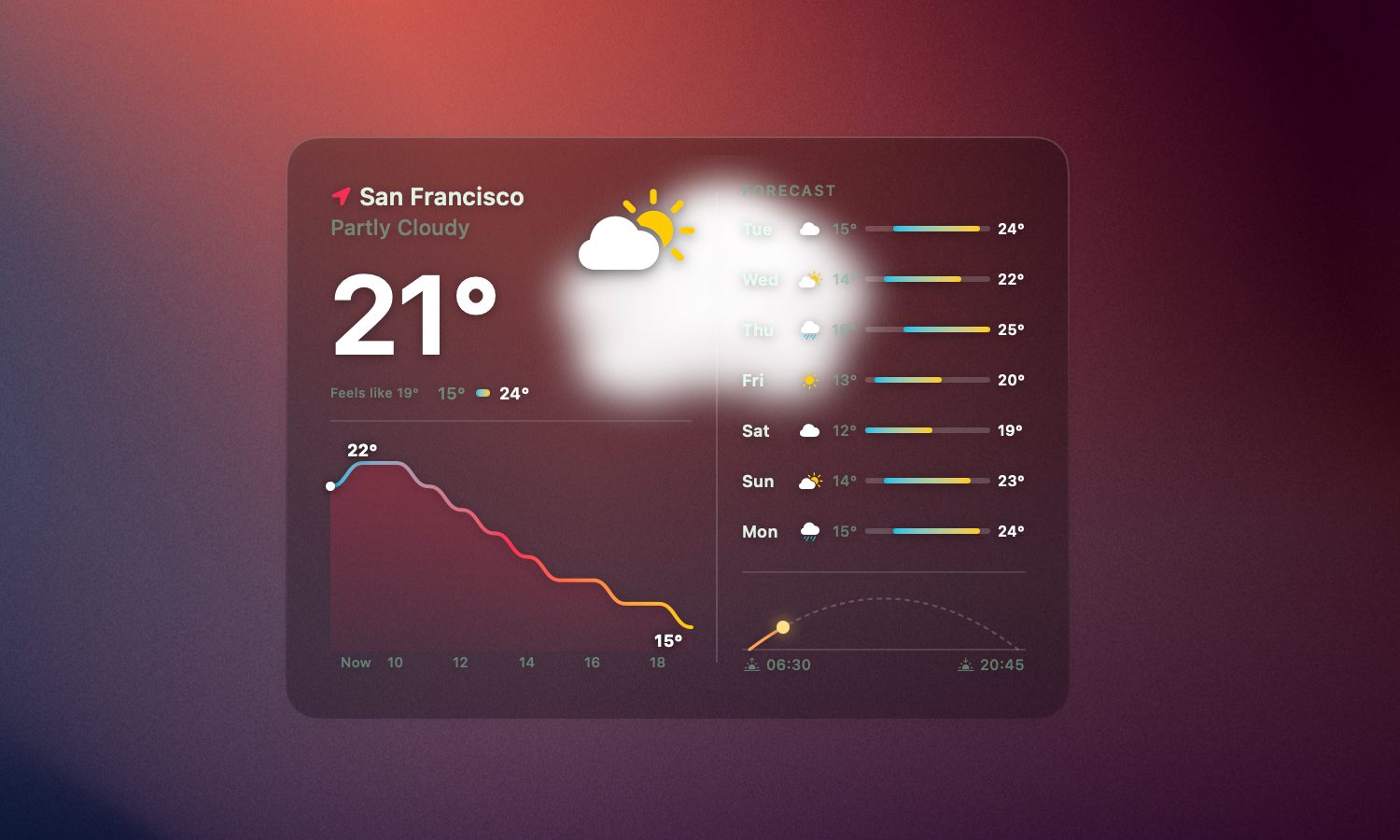
Weather widgets are common, but I appreciate how BetterMacWidgets display it. It pulls real forecast data from Open-Meteo, based on your precise location, your approximate location, or any city you want to type in manually. The best part of the widget is the live animation. Whether it’s sunny, raining, or snowing, the widget animate to reflect the same.
Rachit Agarwal / Digital Trends
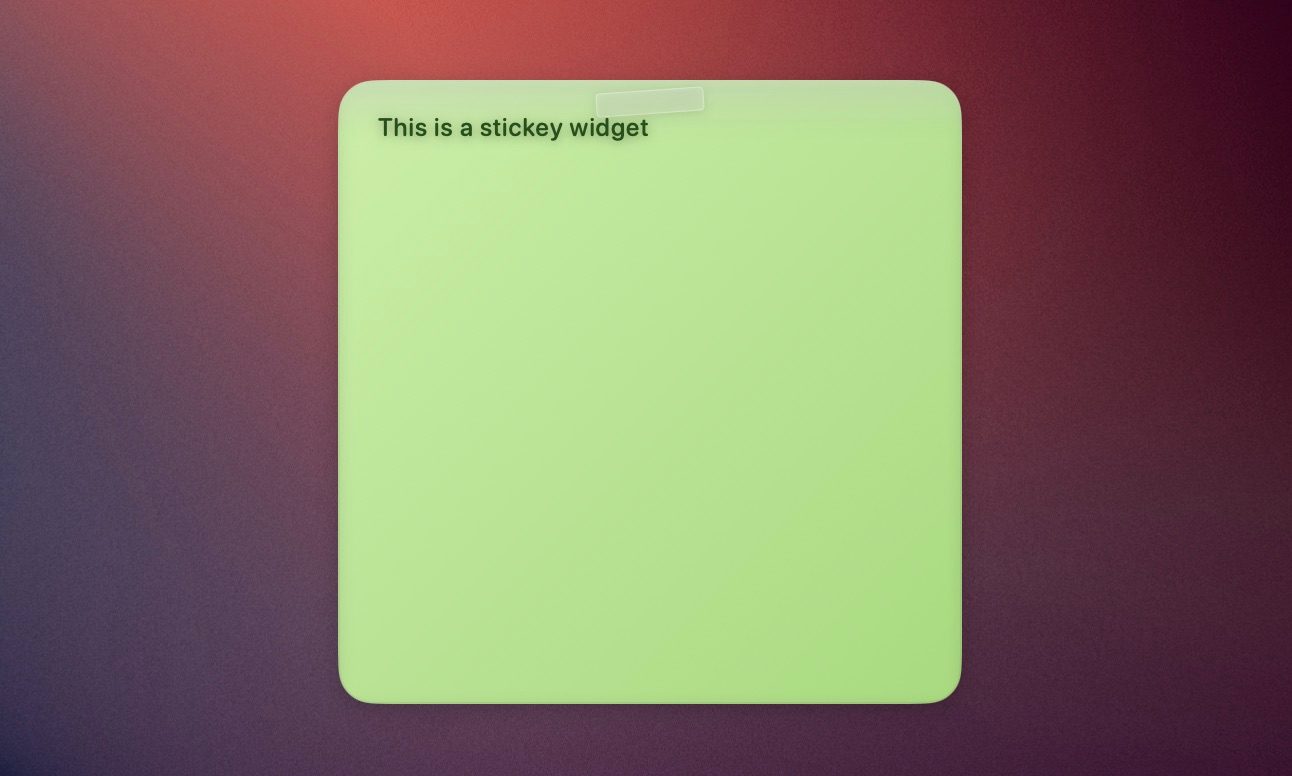
You also get a Reminders widget that syncs directly with Apple Reminders. You can check off a task directly from the widget, and it updates in the Reminders app. I pair it with the Sticky Note widget, and you have a simple productivity corner sitting right on your desktop.
Rachit Agarwal / Digital Trends
For something more relaxed, there is a Photos widget that runs a slow Ken Burns-style slideshow using photos from any folder you choose. There’s also a Starfield widget that adds a starry sky on your desktop.
Stack widgets to save space
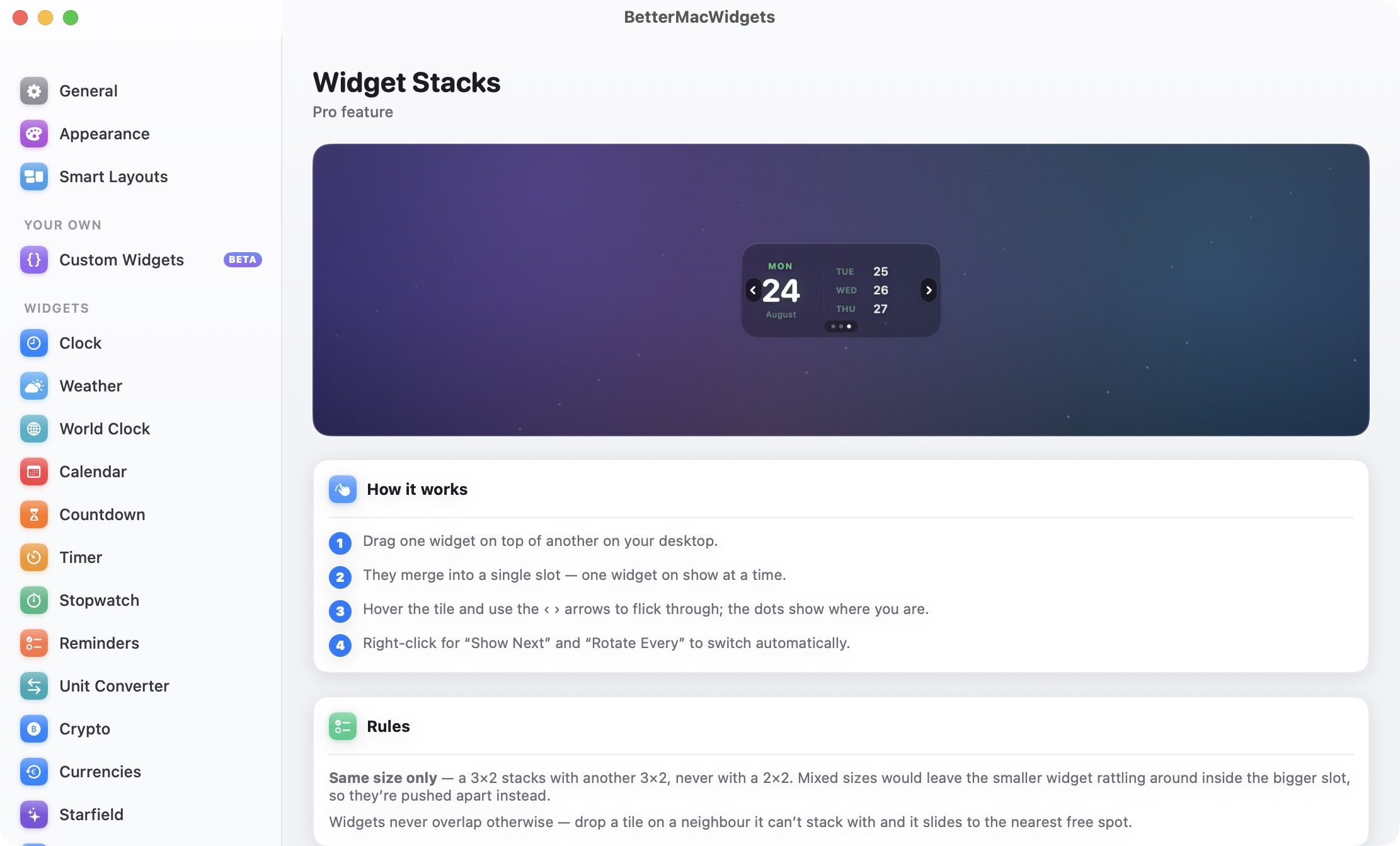
If you end up using too many widgets, Widget Stacks is there to manage your widget mania. Drag one widget on top of another widget of the same size, and they merge into a single slot. You can then flick through them using arrows when you hover over the tile, or set them to rotate automatically. Do note that stacking only works between widgets of the same size. A 3×2 widget will not stack with a 2×2 one. Instead, dropping one on the other will push them apart to the nearest open spot.
Rachit Agarwal / Digital Trends
Make it look like your Mac
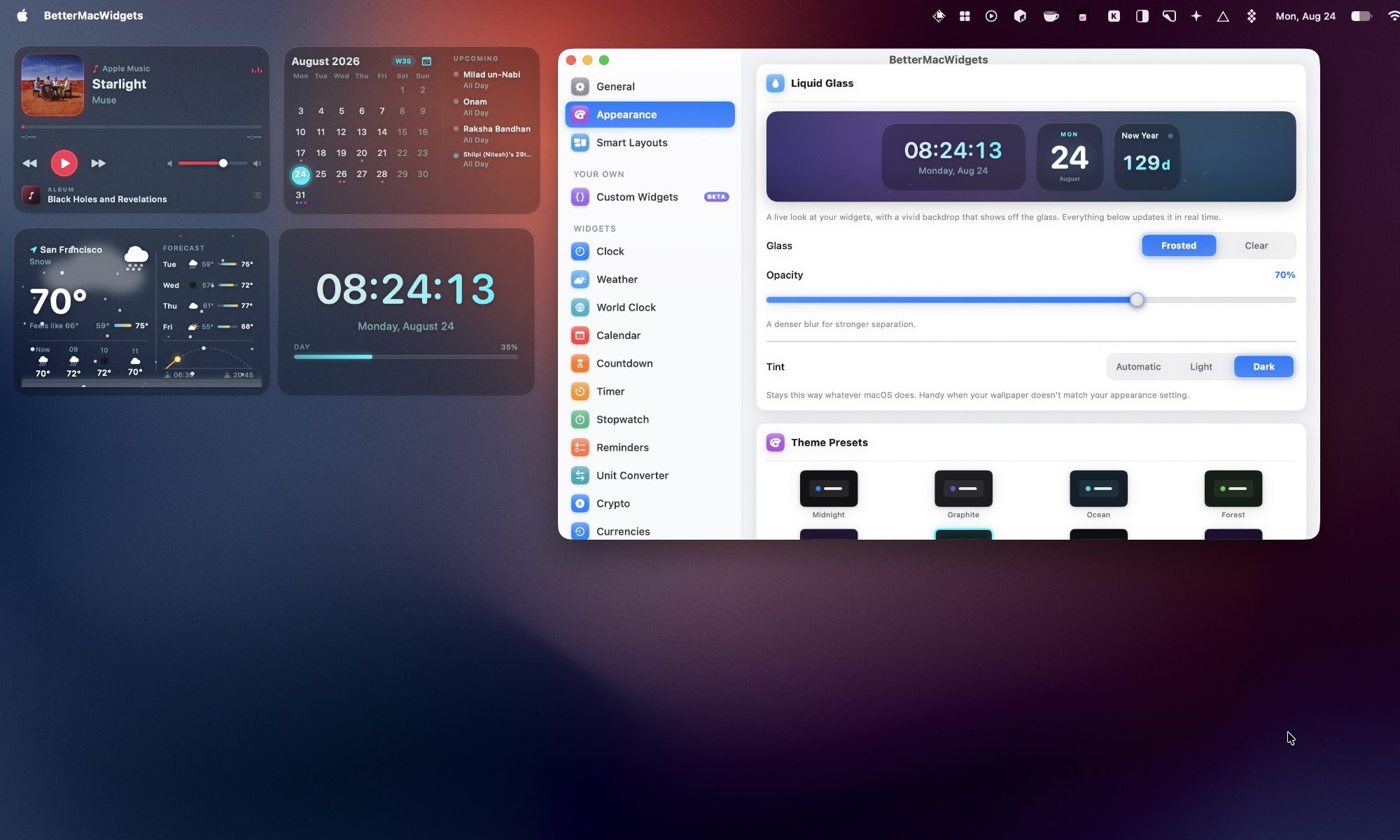
As I mentioned, the best part about BetterMacWidgets is the look of the widgets. It includes 20 built-in themes that change the accent color, glass tint, and font color. Three of them, Midnight, Graphite, and Ocean, are free, and the rest come with Pro.
Rachit Agarwal / Digital Trends
I can also customize how widgets look. The free Frosted look gives a translucent glass card with an adjustable opacity slider, allowing me to go from a barely there tint to a denser glass pane.
Rachit Agarwal / Digital Trends
If you have Pro, the Clear look removes the tile background entirely, so only the widget’s content floats on your wallpaper with a soft shadow for legibility. It is the closest thing to a native Apple look I have seen on a third-party Mac widget.
Set up profiles for your day
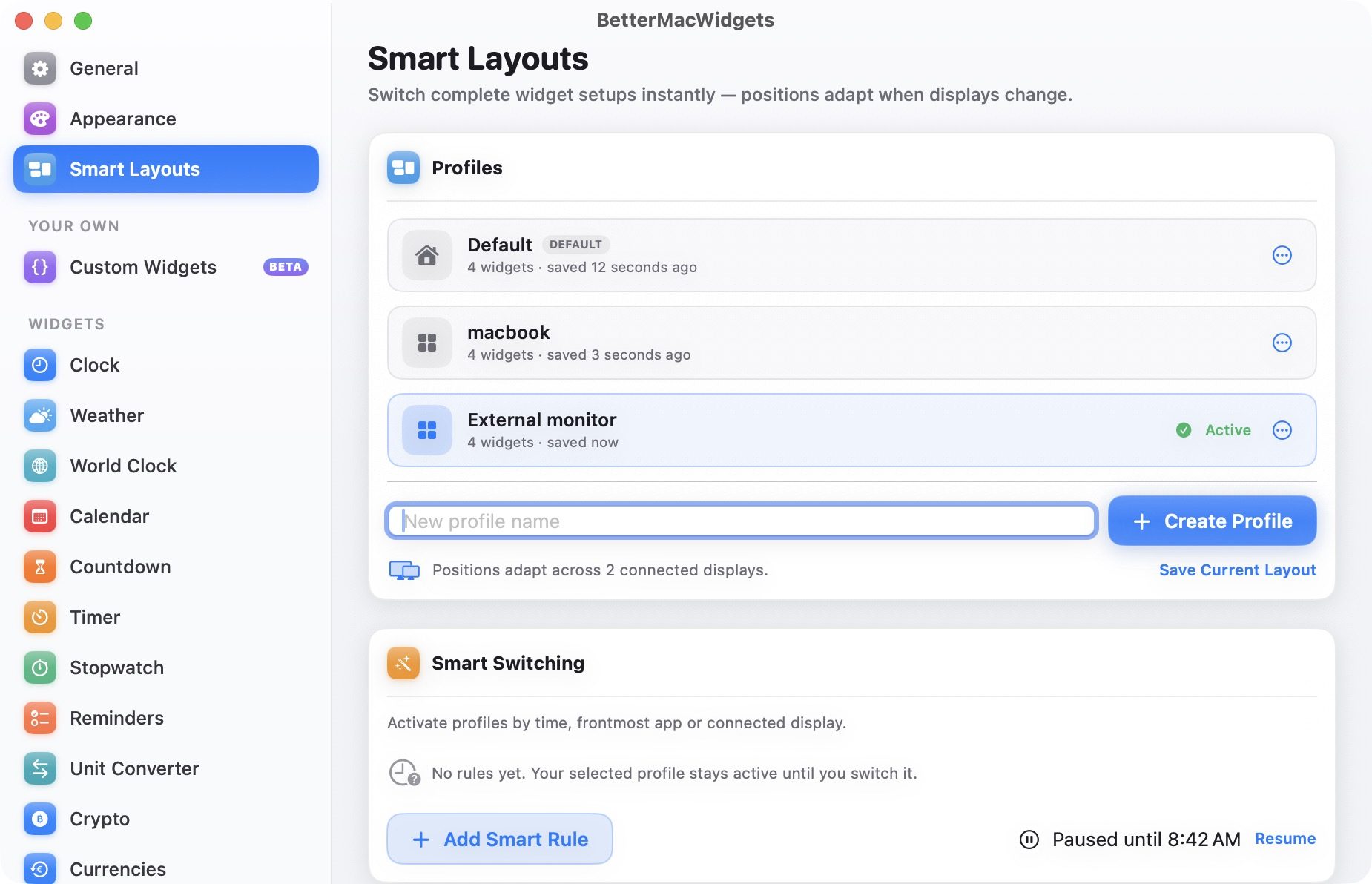
If you use multiple desktop setups, BetterMacWidgets lets you save named widget profiles that remember your widgets and their placement. I can create multiple widget setups, save them as profiles, and switch between them with a single click. There’s also a Smart Switching feature that can activate a profile automatically based on the time of day, the app in the foreground, or the display you are connected to.
Rachit Agarwal / Digital Trends
Final thoughts
I have used a lot of widget apps on my Mac, and BetterMacWidgets is the first one that made me actually want to keep widgets on my desktop instead of hiding them away. Between the Now Playing widget, the System Stats gauges, and the Clear glass look, my desktop finally looks the way I wanted it to since Sonoma first brought widgets to the desktop two years ago.
A hot potato: As cookies become a less reliable way to track people online, AliExpress may be showing how far companies will go to fill that gap. Researchers found code on the site’s homepage that ran silent audio processes in the browser. Tied to Alibaba’s security systems, the scripts tap a device’s own audio hardware to generate a signal and measure the tiny, device-specific ways it comes back – producing something close to a fingerprint that doesn’t need a single cookie to work. It’s the kind of tracking a user would likely never notice.
The issue only surfaced after a developer had trouble using multipoint Bluetooth headphones while an AliExpress tab was open: the headphones wouldn’t switch properly from the computer to a phone. Once the tab was closed, the problem disappeared.
Digging into the site’s code, the developer found it was using the Web Audio API to build audio-processing graphs set to zero volume. The process produced no audible sound, but it still connected to the computer’s audio system, keeping the audio path active in the background, which appears to be what interfered with the headphones’ ability to switch devices.
This wasn’t the kind of audio activity tied to a normal media player. Because the processing graph ran at zero gain and connected directly to the system’s audio output, muting the browser tab did nothing to stop it: the browser kept processing the signal even though there was nothing to hear.
The same code can also support browser fingerprinting, a technique that collects device-specific details and combines them to recognize a browser over time. In this case, the scripts measured tiny differences in how a device processed an identical audio signal – those differences are shaped by a computer’s processor, sound hardware, operating system, browser, and drivers.
Audio measurements were only one part of the reported data collection. The scripts also gathered information tied to canvas rendering, WebGL, display settings, hardware configuration, WebRTC behavior and user interactions. Together, those signals can create a more detailed profile of a device than any one signal would provide on its own.
Fingerprinting is often used by large online platforms for fraud prevention, bot detection and risk assessment. It can help companies spot suspicious transactions or automated activity when cookies have been deleted or accounts have changed. But privacy advocates have raised concerns because users may not know the tracking is happening and have limited control over it.
Not a Google story, but you get the point…
Advertisement
Brave was among the first to call out the behavior. In an August 22 post on X, the company said its browser blocks the AliExpress scripts responsible for the audio-based tracking, noting that it has built in default protections against audio fingerprinting for more than six years. Brave’s approach alters certain browser outputs so that websites receive inconsistent fingerprinting signals rather than a stable, trackable identifier.
The company has since extended similar protections to GPU fingerprinting, a method that uses graphics hardware and driver behavior to identify devices, and says fingerprinting techniques will keep evolving as sites look for new ways to tell users and devices apart.
People using other browsers may be able to block this kind of scripts through content blockers such as uBlock Origin, though doing so could affect parts of AliExpress that rely on the same code for security or fraud prevention.
Advertisement
The episode is a reminder of the trade-off baked into much of online security today. Companies want more ways to identify suspicious activity. Users and browser makers want limits on tools that can track a device without a clear notice or consent.
When Ninja first released its hefty Ninja Slushi Twist machine in May, it sold out on the brand’s website in less than two hours. Today, the company is launching the same machine again, but with another twist.
Ahead of the release of Practical Magic 2, Ninja is conjuring the Ninja Slushi Twist in four colors related to the cult-classic franchise: potion purple, midnight margarita, bewitching blue and moon stone.
Besides the colors, inspired by the film’s main characters, the Owens sisters, no other changes were made to the popular machine, which is like two Ninja Slushi machines in one.
The Slushi Twist, though, features two separate sides that can each hold 48 ounces of liquid and together make up to 72 ounces of frozen drinks, since the liquid expands as it freezes. A Dual Slush Assist button allows both sides to begin mixing and freezing, but if you only want to use one side of the machine, that’s possible, too.
Even the box is Practical Magic-themed.Tara Brown/CNET
It also has two levers so you can enjoy both flavors at once or one at a time, depending on your preference. And speaking of levers, Tara Brown, our social media guru, who got her hands on the potion purple color, said, “I know it’s supposed to give Practical Magic, but it’s also giving Yzma from Emperor’s New Groove.”
The machine excels at slushie-making, as long as sugar or alcohol is added to the mix to help it freeze. Since I first received the device, it has become a staple at birthday parties and other family gatherings.
Corin Cesaric-Epple is an Editor at CNET covering home and kitchen tech and meal kits, and reporting regularly on artificial intelligence. She earned her bachelor’s degree in journalism from the University of Missouri-Columbia. Before joining CNET, she covered crime at People Magazine and national and international news for NBC Local Television Stations.
See full bio
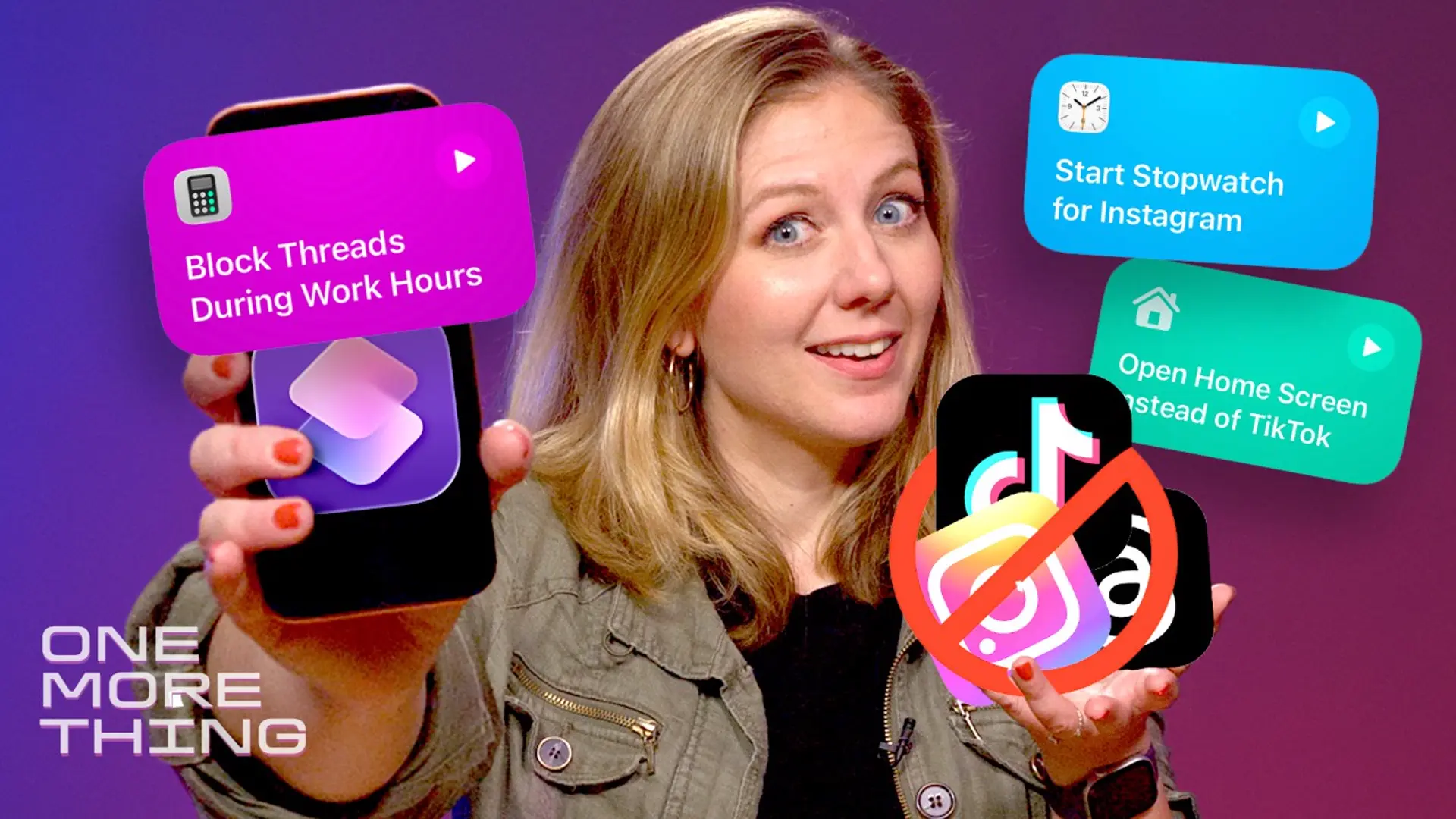
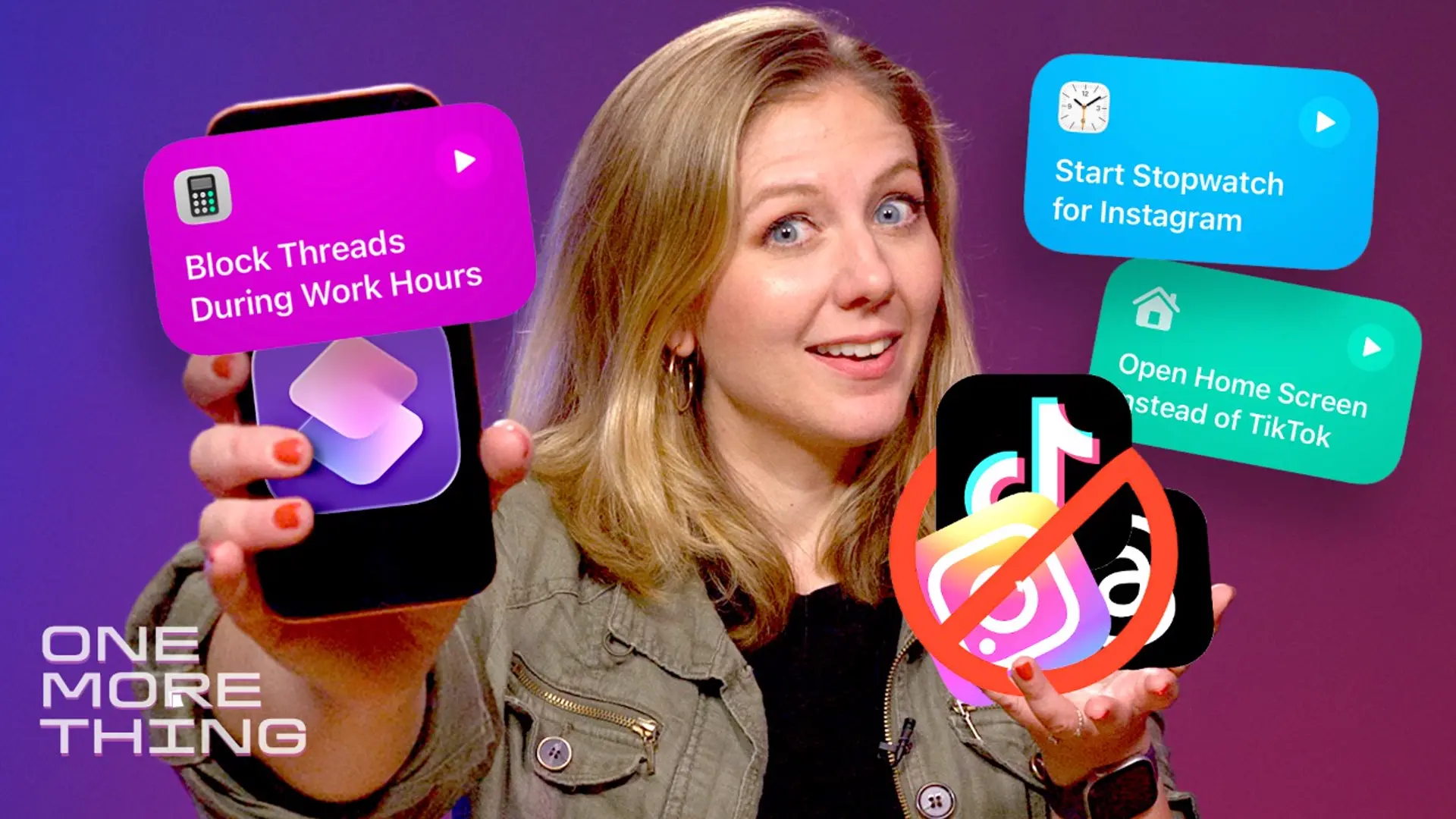
It got to the point where I couldn’t remember why I picked up my phone. I compulsively opened Threads and TikTok at all hours of the day and got sucked into the endless scroll — but I found a way to retrain my brain this week, thanks to a new iOS 27 feature.
I’m beta testing the upcoming operating system and its refreshed Shortcuts app, which lets you program your iPhone to do things using ordinary language. It’s called Describe a Shortcut. I speak my wishes into the app, and it obeys.
So in this week’s One More Thing video, which you can watch embedded above, I found out what happens when you tell Shortcuts to not let you open Instagram (or Threads, or TikTok) during work hours.
That means anyone who wants a new iPhone in September most likely has three options, all at the premium end of Apple’s lineup, including a foldable that could cost as much as a laptop. Although the company hasn’t sent out invitations for the event yet (they could go out on August 26), plenty of rumors from reputable sources paint a picture of what to expect from Apple’s 2026 September event.
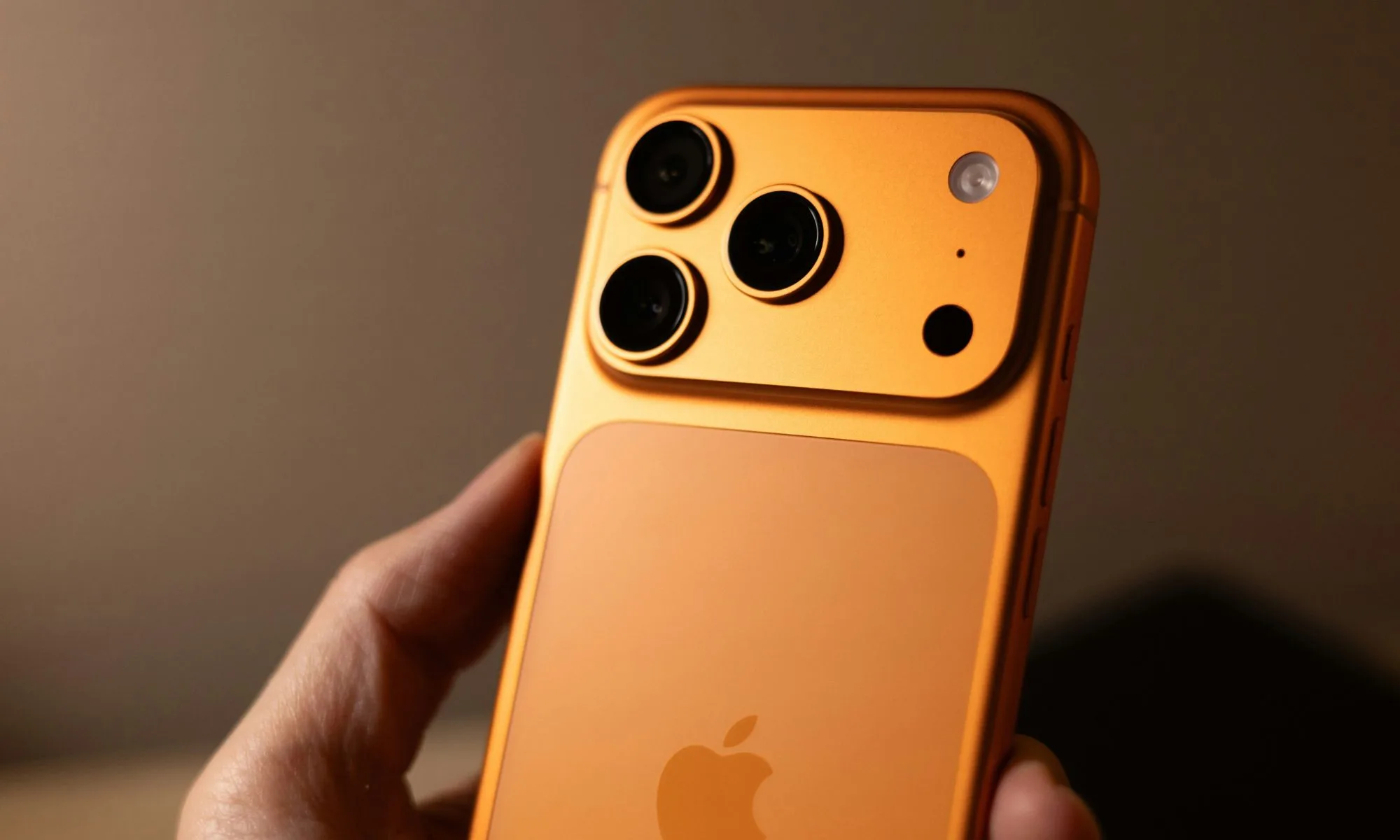
iPhone 17 Pro Max is Cosmic OrangeUnsplash
When is Apple’s September event happening?
Usually, Apple prefers the second Tuesday of September to reveal its new iPhones. That’s what happened with the iPhone 17 and the iPhone 15, with the iPhone 16 being the only exception. This year, rumors point to Wednesday, September 9, 2026, as the potential date for the big fall event, as Monday, September 7, is Labor Day.
Pre-orders for the announced iPhones could begin on September 11 or 12, likely the latter, as Apple might want to sidestep the 25th anniversary of 9/11 on September 11, with retail availability expected from September 18. That is everything we know about Apple’s launch timeline for the upcoming iPhones. Below are details on the three expected iPhones.
Apple’s September 2026 event at a glance
iPhone 18 Pro
iPhone 18 Pro Max
iPhone Ultra
Display
6.3-inch (unchanged)
6.9-inch (unchanged)
5.5-inch cover, 7.8-inch inner
Chip
A20 Pro (2nm)
A20 Pro (2nm)
A20 Pro (2nm)
Modem
C2 (Apple)
C2 (Apple)
C2 (Apple)
Main camera
Variable aperture
Variable aperture
Dual 48MP, no telephoto
Selfie camera
24MP
24MP
Dual 18MP (one per display)
Battery (rumored)
~4,300–4,900mAh
~5,100–5,300mAh
~4,883mAh (two-cell)
Biometrics
Face ID
Face ID
Touch ID
Starting price (rumored)
1,299–1,399
1,449–1,499
1,999–2,200
Availability
September 18
September 18
September 18 (limited supply expected)
iPhone 18 Pro: Silicon refresh with minor upgrades across the board
The iPhone 18 Pro could be a classic example of Apple’s tried-and-tested playbook of making the biggest leap under the hood while keeping everything else relatively familiar. To begin with the expected changes, we could see a slightly smaller Dynamic Island. Some reports point to under-display Face ID components, though I don’t think it will happen this year.
Advertisement
The 6.3-inch display size is expected to carry over unchanged from the iPhone 17 Pro. Under its shiny aluminum and glass exterior, the iPhone 18 Pro could sport the new A20 Pro chip, which could be Apple’s first chip to embrace the highly efficient 2nm fabrication technology (after Samsung and Google).
Alleged design of iPhone 18 Pro.Macworld
A 24MP selfie camera is also expected (up from 18MP), likely with the square-shaped camera sensor that enables the Center Stage camera experience on the iPhone 17. Battery capacity estimates vary across sources, but I expect them to be similar to the iPhone 17 Pro: around 4,288 mAh for the eSIM-only model and 4,065 mAh for the ones with a physical SIM.
Pricing is expected to rise by $200 to $300 over the iPhone 17 Pro’s $1,099 starting price, so we could be looking at $1,299 and $1,399 for the baseline iPhone 18 Pro.
Unsplash
iPhone 18 Pro Max could pack similar internals in a bigger chassis
The iPhone 18 Pro Max should carry the same core upgrades as its smaller sibling, scaled up to fit the larger 6.9-inch form factor. Expect the same shrunken Dynamic Island, the same A20 Pro chip on TSMC’s 2nm node running iOS 27, and the same C2 modem with expanded satellite internet as the iPhone 18 Pro.
When it comes to optics, a recent rumor claims the variable-aperture primary camera could be exclusive to the Pro Max variant. However, that would leave buyers with one less compelling reason to consider the iPhone 18 Pro, especially if they’re coming from the iPhone 17 Pro. It could also further narrow the gap between the iPhone 18 Pro and the regular iPhone 18.
Advertisement
Apple
The Pro Max could really pull ahead in battery capacity. The numbers differ across sources so that I won’t confuse you with them. However, we could be looking at a ~10% bigger battery on the upcoming handset compared to the iPhone 17 Pro Max’s eSIM-only (5,088 mAh) and physical SIM (4,823 mAh) batteries.
If that happens, the iPhone 18 Pro Max could offer a few more hours of use between charges, making it the longest-lasting iPhone Apple has ever shipped. However, pricing is where the handset starts looking less impressive. Like the Pro, the Pro Max is said to see a price hike of around $250 to $300, which could put the base iPhone 18 Pro Max between $1,449 and $1,499.
Nirave Gondhia / Digital Trends
Apple’s first foldable might be available in limited quantity at launch
Apple’s first foldable iPhone, widely expected to carry the “Ultra” moniker, could be the company’s most important launch in a few years, especially after the last big design breakthrough with the iPhone X in 2017.
Front Page Tech / YouTube
Under the hood, the iPhone Ultra will most likely run on the A20 Pro (2nm) chip with Apple’s C2 modem. Like the Pro models, the silicon could be paired with 12GB of RAM on the foldable, with 256GB of storage on the base variant. While the rest of the lineup will share Siri AI and the iOS 27 experience, the foldable iPhone could get a multi-app split-screen layout to leverage the extra screen real estate.
The handset could feature a dual-camera setup similar to the iPhone 17: a primary and ultrawide sensor with 48MP resolution. Whether the front-facing camera on the cover screen and the inner screen (rumored to be 18MP sensors) will feature Center Stage is still unclear.
For those wondering about the battery, Apple could go with a dual-cell design with a combined capacity of around 5,000 mAh or more. Some rumors also suggest the iPhone Ultra could have the biggest battery Apple has ever shipped. However, all of that could seem a little less impressive once you see the rumored price.
If you’re using an older iPhone, like an iPhone 12 or iPhone 13, and you’ve been waiting for the iPhone 18 series to upgrade, keep two things in mind before you decide. First, there might not be a baseline iPhone 18 at the September launch event. Second, the new iPhone 18 Pro models could command a $200 to $300 premium over the iPhone 17 Pro.
If you ask me, the iPhone 17 or iPhone 17 Pro is still an excellent upgrade for anyone using an iPhone 14 or older. Practically speaking, you can buy it right now instead of waiting for the September event. However, if budget isn’t a constraint for you and you’re comfortable paying a higher asking price, you could wait and see what Apple has in store.
Forrester reports that 55% of employers regret laying off workers for AI and expects half of AI-attributed layoffs to be quietly reversed, with jobs returning offshore or at significantly lower wages. In Europe, a revised directive will require consultation before such decisions, backed by financial penalties.
The companies that cut jobs for AI are having second thoughts. Forrester reports that 55% of employers regret laying workers off for AI, and expects half of all AI-attributed layoffs to be quietly reversed.
That reversal is not the happy ending it sounds like. Forrester says the jobs come back offshore or at significantly lower wages, which means the correction costs the worker rather than the employer.
The fear has not moved with the evidence. A Reuters Ipsos poll found 53% of Americans worry AI will put someone in their household out of work, and TNW has asked what AI is doing to European jobs on the same question.
Advertisement
Inside the workplace the number is identical. A 2026 Software Finder report found 53% of workers worry AI tools will make their role feel less necessary.
Gartner’s Jackie Swanson describes the gap precisely. “Every organization has an AI adoption roadmap. Almost none of them have an honest plan for what AI is doing to their people, their pace and their pipeline of future leaders,” she wrote.
The fixes companies are reaching for are all voluntary. Ironclad’s chief technology officer taught internal classes, the syrup maker Torani has gone 103 years without a layoff, and Superhuman lets teams choose their own tools.
“We don’t start with a top-down AI mandate,” said Kenny Mendes, Superhuman’s chief people officer. Teams close to a problem pick up a tool themselves, which he says stops the change reading as cost-cutting.
Advertisement
In Europe none of this is a management philosophy. Informing and consulting workers before a decision that reshapes their work is a legal duty, in a region still arguing over whether rules can protect jobs without slowing innovation.
That duty is about to get sharper. Directive 2025/2450 revises the European Works Councils rules, must be transposed by 1 January 2028, and requires consultation in good time and in a form that allows a thorough assessment before decisions are taken.
It also arrives with money attached. Member states must impose effective and dissuasive financial sanctions calculated with company turnover in the mix, in a period when Meta alone cut 8,000 jobs while redirecting billions toward AI infrastructure.
So the two continents are having different arguments. America is debating whether to tell workers what AI is doing to their jobs, while Europe is settling when, in what form, and what it costs to get it wrong.
Turbocharged engines have become increasingly popular with automakers. In essence, a turbine uses exhaust gas, which would otherwise be wasted, and compresses it, sending more air back into the engine. More air means more power, making turbochargers a great option when trying to squeeze out greater performance while still offering good fuel economy and meeting emissions standards. Even some holdouts like Lamborghini have added turbocharging to its first supercar, a $385,000 Temerario that buys you a whole lot of drama.
However, turbochargers have their downsides, such as increased complexity, lag (although advanced designs have made it nearly unnoticeable), and a high-pitched whining sound during acceleration. There’s something to said of a large naturally aspirated engine providing a steady delivery of power without delay and a predictable driving feel. There are also not many that would argue they prefer the ol’ turbo whistle,to a pure, full-range engine note. From the low rumble of a V8 to the exhilarating scream of a high-revving V12, non-boosted engines provide an unfiltered audio experience.
Advertisement
According to U.S. Department of Energy data, only 1 percent of cars came with factory equipped turbocharged engines in 2000. Meanwhile in the U.S. in 2025, turbocharged engines were included in nearly 50 percent of new cars being purchased, according to The New York Times. Fortunately, if you’re in search of performance power without the turbo, there are still some great options from around the world in terms of robust, naturally aspirated sports cars.
Advertisement
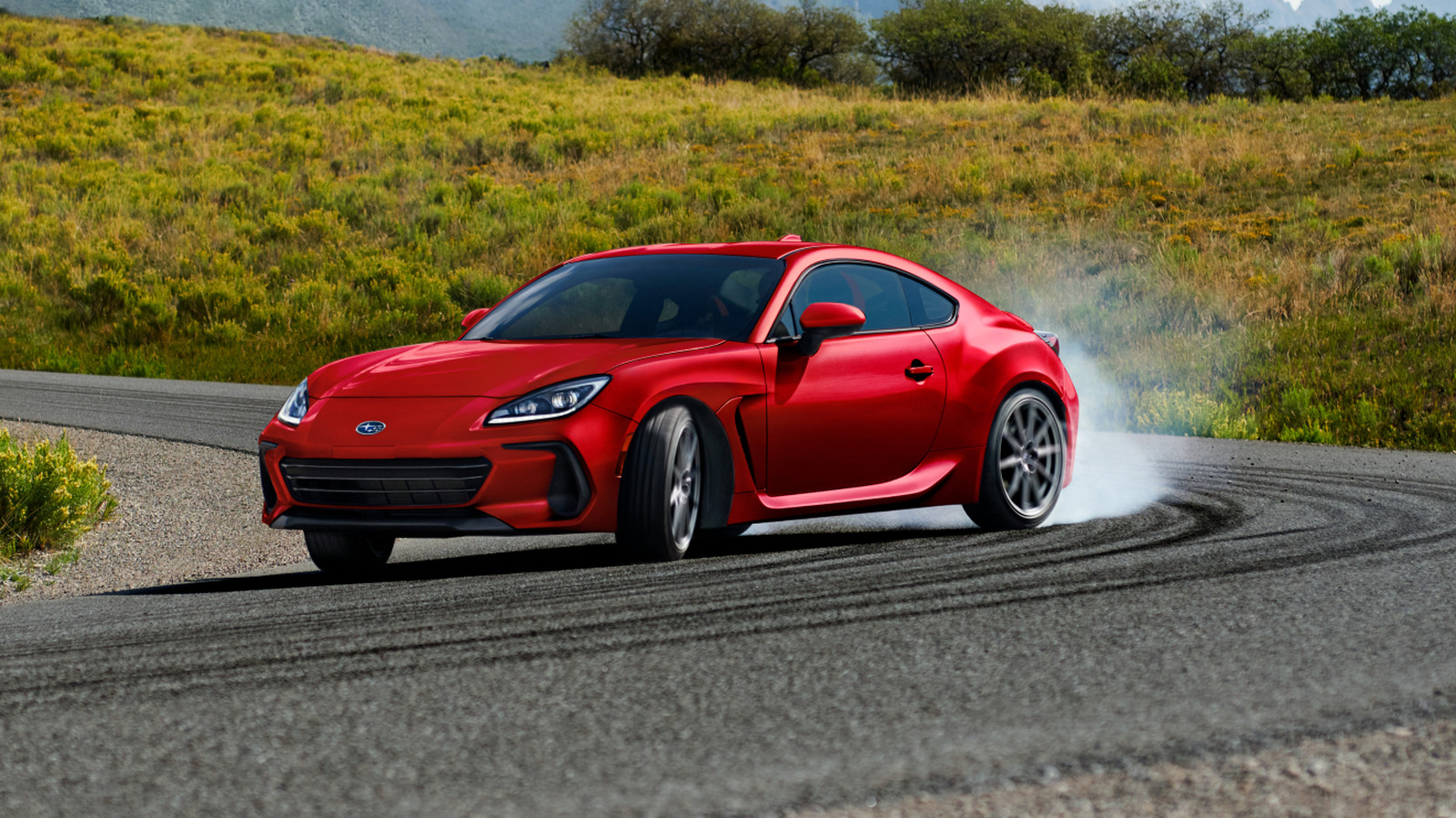
The Subaru BRZ
Japanese automaker Subaru is often associated with its celebrated Outback model and its off-road capability. However, for those looking for an affordable sports car that features a naturally-aspirated engine, the BRZ is worth a look starting at just $35,860.
Featuring the smallest engine on this list, a 2.4-liter Boxer 4-cylinder, you might be skeptical of its performance capabilities. However, this rear-wheel drive, 6-speed manual generates 228 horsepower while only weighing around 2,843 pounds. This means it can achieve a 0-to 60 mph time of just 5.5 seconds, and the car feels decidedly nimble. In fact, some review outlets admitted this budget sports car rekindles the fun of driving they lost somewhere along the way.
You also get a range of features that help enhance handling, such as a limited-slip rear differential that improves traction and stability around corners. For a few thousand dollars more you can opt for the tS model, which features an STI tuned four-wheel independent suspension and enhanced Brembo brake system.
Advertisement
The Ford Mustang
Believe it or not, Ford is now on its seventh generation of the Mustang, an ongoing fixture in the American automotive scene since its debut in 1964. Although, if you rank every Ford Mustang generation, there are clearly some more impressive years than others. However, if you’re looking for something sporty today that doesn’t include forced induction, there are a few options in the Mustang lineup.
The Mustang GT comes equipped with a 5.0-liter Ti-VCT V8 under the hood that provides an ample 480 horsepower and starts at around $46,800. You can also step up to the Mustang Dark Horse, which in addition to some cool styling differences also boasts a 5.0-liter Coyote V8 that produces 500 horsepower. According to some review outlets, the sound of this Mustang is so pleasing, it rivaled other cars at the track including Lamborghini, catching everyone’s attention as it passed. The Dark Horse starts at $64,080, with the premium version being a bit more expensive.
Advertisement
However, you’ll want to steer clear of the top-trim Mustang Dark Horse SC, as it’s not naturally aspirated but instead comes with a supercharger. When comparing a supercharger versus a turbocharger, it’s important to understand that both are a form of forced induction, but accomplish it in very different ways.
Advertisement
The Chevrolet Corvette
The iconic Chevy sports car has seen some changes over the years, particularly more recently when Corvette switched from a front-engine to a mid-engine design. Fortunately, the automaker hasn’t completely abandoned the naturally-aspirated engine in its signature performance model lineup, at least not completely. If you select the Corvette ZR1 or ZR1X though, you’ll run right into a twin turbocharged 5.5-liter V8.
Thankfully, the Stingray, Grand Sport, and Z06 don’t include turbochargers, and still offer quite a punch in terms of raw power. Both the Stingray, which starts at $71,000, and the Grand Sport (from $86,000) come standard with a large 6.7-liter V8 with direct-injection that can output 535 horsepower and 520 pound-feet of torque.
However, if you step up to the Corvette Z06, you get a smaller but more potent 5.5-liter flat-plane crank V8 that manages to push out 670 horses. Topping out at 8600 rpm, this version of the Corvette sounds positively Italian, emitting similar screaming engine notes to notable European supercars. That said, it will cost you significantly more than a Stingray or Grand Sport at $121,500 to start.
Advertisement
The Porsche 911 GT3
For those who have the impression that a naturally aspirated engine has to be much larger than a turbo variant in order to offer exceptional performance, look no further than Porsche. The 911 GT3 handily demonstrates it has ample power with its robust six-cylinder flat engine. With a 4-liter (3,996 cc) powerplant under the hood, this German powerhouse manages to make 502 horsepower and 331-pound feet of torque.
On the track, this translates to a top speed of 193 and a quick 3.2-second 0 to 60 mph time. The 911 GT3 can also rev up to 9,000 rpm, indicating you’ll likely be equally satisfied with the performance and the undampened engine note.
Advertisement
Unfortunately, Porsche isn’t exactly giving these cars away, at a starting price of just under $236,000. Although, in our 2022 Porsche 911 GT3 review, we couldn’t help but feel dropping serious money on this car was something we couldn’t blame anyone for doing, as it serves as a true benchmark.
Advertisement
The Ferrari 12Cilindri
While Lamborghini has resisted turbocharging until recently, it has actually been present in Ferrari road cars for several decades, though it went on hiatus until being reintroduced in 2014. Despite this, there are still some glorious naturally aspirated engines available from the Italian automaker, like the one in the 12Cilindri model. This Ferrari comes with a 6.5-liter V12 under the hood that offers 819 horsepower and 500 pound-feet of torque. As you might expect, this engine is designed to rev high, reaching 9500 rpm. Without the audio muting effects of a turbocharger, this engine lets out a shiver-inducing shriek under throttle.
Ferrari estimates the 12Cilindri can go from a stop to 60 mph in just 2.9 seconds. However, outlets like Car and Driver think it might be closer to 2.7 seconds. This model can also reportedly hit 211 mph (340 km/h) in terms of top speed. Yet while the 12Cilindri offers the most potent performance figures of this list, it’s also the most expensive, by a lot. You’re looking at prices starting at $465,994, though you’re unlikely to find anything else like it.





















































You must be logged in to post a comment Login