Disclaimer: Unless otherwise stated, any opinions expressed below belong solely to the author. Data sourced from the Ministry of Manpower.
Singapore’s Ministry of Manpower has just updated its probably most accurate statistical list of salaries in Singapore, which is used to benchmark foreigners applying for local Employment Pass.
These tables are based on salaries drawn by local PMETs, which are used to gauge how many points on the COMPASS scale foreign EP applicants can be granted.
As a result, we are provided with a very detailed breakdown of how much Singaporeans earn by age and industry.
Advertisement
I have extracted the incomes of the Top 10% of workers in each of them, to show you how much you could potentially earn if you’re among the elite in your particular business.
Salaries at the 90th percentile (top 10% of workers) among local PMETs
(Professionals, Managers, Executives, and Technicians)
Industry
25 years
30 years
35 years
40 years
45 years & over
Accommodation
S$6,298
S$7,860
S$9,422
S$10,984
S$12,546
Administrative & Support
S$9,322
S$11,349
S$13,376
S$15,403
S$17,429
Air & Sea Transport
S$10,727
S$13,786
S$16,845
S$19,904
S$22,963
Arts, Entertainment & Recreation
S$7,690
S$9,984
S$12,278
S$14,572
S$16,865
Banking & Other Financial Services
S$12,819
S$17,473
S$22,128
S$26,783
S$31,437
Construction
S$7,386
S$8,724
S$10,061
S$11,399
S$12,736
Education
S$7,582
S$9,382
S$11,181
S$12,981
S$14,780
Food & Beverage Services
S$6,280
S$7,483
S$8,687
S$9,890
S$11,094
Fund Management Activities & Other
S$15,635
S$22,151
S$28,667
S$35,183
S$41,699
Health & Social Services
S$8,480
S$10,620
S$12,761
S$14,901
S$17,041
Info-communication Technology
S$11,178
S$14,204
S$17,231
S$20,257
S$23,283
Insurance, Reinsurance, Provident & Pension
S$10,610
S$14,685
S$18,760
S$22,835
S$26,909
Land Transport & Logistics
S$7,666
S$9,498
S$11,331
S$13,163
S$14,996
Manufacturing
S$8,703
S$10,916
S$13,129
S$15,342
S$17,556
Media
S$8,467
S$11,020
S$13,574
S$16,127
S$18,680
Other Community Social & Personal Services
S$8,020
S$9,771
S$11,522
S$13,273
S$15,024
Professional Services
S$11,014
S$14,316
S$17,618
S$20,920
S$24,223
Public Administration & Defence
S$10,153
S$12,600
S$15,047
S$17,494
S$19,940
Real Estate Services
S$10,899
S$13,010
S$15,120
S$17,230
S$19,341
Retail Trade
S$7,288
S$8,431
S$9,574
S$10,717
S$11,860
Utilities & Other Goods Producing Industries
S$9,947
S$12,194
S$14,440
S$16,687
S$18,933
Wholesale Trade
S$9,686
S$12,575
S$15,465
S$18,354
S$21,244
Source: Singapore Ministry of Manpower
At the bottom end, the best young PMETs in Accommodation can still earn nearly S$6,300 per month, which is above the national median of S$5,775.
The top end is set by 45+ year olds working in specialised Fund Management Services, within the financial sector, where they make over S$500,000 per year.
Advertisement
Interestingly, 1 in 10 of the 25-year-olds in that industry is already paid over S$15,000 per month. That said, Fund Management is a bit of an outlier, so let’s look at other industries.
Six-figure annual incomes are possible everywhere in your mid-30s, within a decade or so after graduation. If you’re really good, your financial situation should be quite comfortable by then.
At 40 years old, every single one of them pays S$10,000 per month or more (Food & Beverage Services come in at S$9,890, close enough to qualify). In Finance, Insurance, IT, Professional Services and Air & Sea Transport, you can aim for S$20,000 and above. In Wholesale Trade, you can get there by age 45.
The most revealing finding here is that there is decent money to be made in every sector of Singapore’s economy. None of them is significantly lagging behind the rest, although, of course, the most money is offered to those working in skyscrapers down in the CBD.
Advertisement
But you don’t have to be a banker to bring home more than S$100,000 each year. There’s potential for that everywhere (as a PMET), and you don’t have to slave away into your 50s to get there.
You just have to be in the Top 10% in your industry.
Read other articles we’ve written on Singaporean businesses here.
The purpose of the Android Auto framework is to make it easier to connect your Android smartphone to your car and utilize its features through your onboard infotainment system. Compared to manually messing with your phone and car’s settings, it’s definitely a more streamlined approach, though as with any system meant to facilitate conversation between two devices, things can sometimes get a little lost in translation.
While the whole point of Android Auto is to handle all the minutiae of connecting your phone to your car for you, if you just leave the whole thing to manage itself, you could end up making a handful of different mistakes that would diminish the overall usefulness of the system. Not everyone is comfortable with these kinds of newer systems, and it’s normal to experience hiccups, but so long as you avoid these mistakes, your Android Auto experience should be substantially better, as well as more convenient for your particular needs.
Advertisement
Only connecting wirelessly
parlanteste/Shutterstock
Depending on your vehicle, Android Auto allows you to connect your smartphone to your car in one of two ways: either with a regular USB cable, or via a local wireless signal. Modern convention would dictate the latter to be the optimal option; everything’s better when it’s wireless, after all, and it does mean you don’t need to take your phone out of your pocket. However, in contrast to that sentiment, Android Auto is actually a little better off with a wired connection.
Connecting wirelessly puts more of a strain on your phone’s resources, as it requires a constant battery-draining wireless connection to transfer data, and the connection may not always remain stable. On the other hand, plugging your phone in has the dual benefits of charging its battery and facilitating a steady connection, which can help reduce lag or dropouts. If you’re just taking a quick jaunt around the corner, wireless is okay, but if you’re driving around a lot and using your navigation apps, take the pressure off your phone and plug it in. Just remember to use a good USB cable from a reputable brand, as a bad cable can be even less reliable than wireless..
Advertisement
Unlocking your phone every time you want to use Android Auto
Zeynepkaya/Getty Images
Another bit of conventional wisdom around smartphones is that, whenever you want to use them, you have to unlock them. This makes sense from a security perspective, but if you’re using Android Auto in your personal car, you don’t really need to worry as much about someone touching your phone and using your apps without your permission. It’s not like a stranger is going to swipe your phone while you’re in the middle of a drive, after all.
Given that, it’s not really efficient to have to unlock your phone every time you want to start up Android Auto and use your apps on the infotainment screen. Instead, go to your Android Auto settings, and under the Startup section, toggle on Start Android Auto while locked. When this option is on, you just have to connect your phone to your car without unlocking it first, and Android Auto can start while your phone stays locked, giving you access to your apps, maps, and music. The only time you might want to turn this option off is when you’re sharing your car with someone like a friend or family member, and only if you’re really worried about them touching your phone while you’re driving.
Advertisement
Not downloading offline maps
Andriy Baidak/Shutterstock
One of the most useful applications of Android Auto is providing quick access to your preferred navigation app like Google Maps, displaying your current heading on your infotainment screen, and providing directions through your car’s speakers. However, this useful feature has a single, potentially fatal flaw: it needs an active network connection for live map data. As long as you’re getting active map data, it’s constantly using your phone’s mobile data, and in the event you venture beyond a viable mobile data signal, you’ll pretty quickly find yourself dead in the water.
Luckily, this fatal flaw has a fairly simple remedy: offline maps. Google Maps lets you download offline maps of specified areas. In the event your signal drops out, your navigation will automatically flip over to the offline map and continue providing directions, with the main noticeable changes being a lack of live traffic updates and alternative routes. The only catch is that you need to manually select a region and download the map ahead of time. If you’re taking a vacation somewhere, for instance, you should scope out your route and destination ahead of time and download an offline map so you’re prepared.
Advertisement
Not tailoring notifications
lilgrapher/Shutterstock
In addition to giving you access to your maps and music, Android Auto also manages notifications coming in from your connected smartphone. Looking at your phone when you get a buzz is one of the most unsafe things you can do while you’re driving, so having that managed for you is a big help. That said, if you’re getting frequent notifications constantly pinging through your speakers and cluttering your infotainment display, it can be just as much of a hazardous distraction as looking at your phone screen.
If you want to keep things focused while you’re driving with Android Auto, the best course of action is to use your Android Auto settings to tailor the extent to which notifications occur and how much they show. If you check the Messaging section of your Android Auto settings, you’ll find four sequential toggles: whether you want message notifications at all, whether you want notifications from group chats, whether you want Android Auto to display the first line of messages, and whether to play the notification chime. Use these toggles to determine how insistent your notifications are.
Advertisement
Leaving automatic media resume off
Roman Vyshnikov/Shutterstock
Here’s an annoying scenario: you’re driving around town, running errands, and every time you get back in your car after a stop, you have to manually unlock your phone and start up the music or podcast you were listening to. Even if your Android Auto is set up to work without your phone having to be unlocked, it’s still frustrating to have to do a bunch of clicking before you can get back on the road, especially if you’re in a rush. The fewer clicks, the better, which is why you should ensure that automatic media resume is enabled in your Android Auto settings.
Under the Startup section of your Android Auto settings on your smartphone, right under the Start Android Auto while locked toggle, you’ll find another toggle marked Start music automatically. When this toggle is enabled, as soon as your phone is connected to Android Auto, such as when you start your car, it’ll automatically resume playback on whatever you were listening to before you stopped. It’s a small feature, but it’s nice when you can just connect your phone and get right back on the road instead of having to manually open an app and press play.
What just happened? Google introduced its Gemini Audio AI models earlier this year, during the latest developer-focused I/O conference. Now, the advertising corporation is going to bring these additional features to three of its most popular mobile apps for Workspace customers.
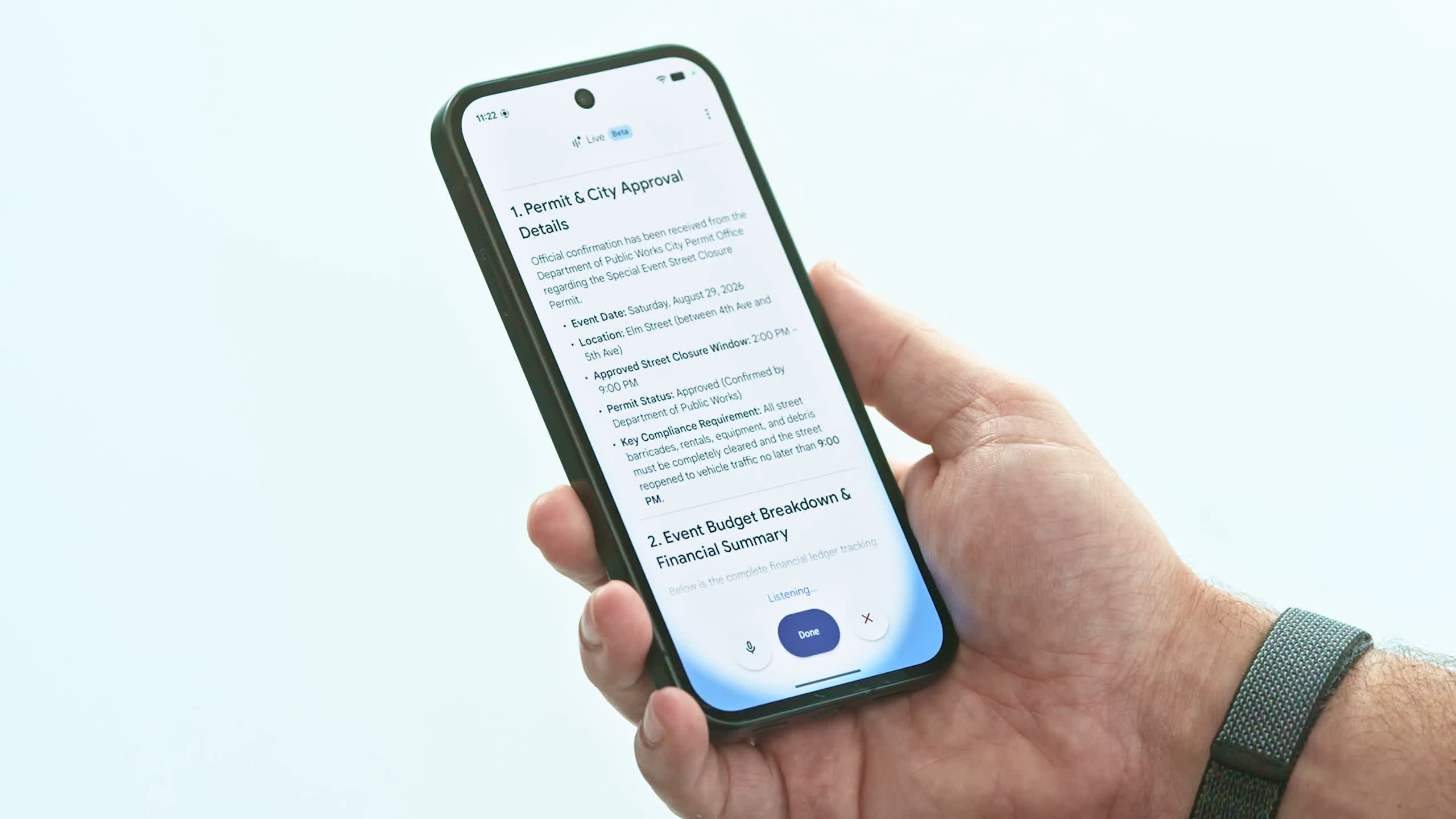
Google is significantly expanding Gemini Live’s reach to Gmail, Docs, and Keep, at least for paying customers of the enterprise-focused Workspace service. The Alphabet company highlights how these new capabilities will enrich its customers’ day-to-day lives with a new option to use their apps and personal data, but not all users seem ecstatic about the idea of talking to a mail client on the phone.
The newly announced features are based on Gemini Live’s conversational AI models, so they are conveniently named Gmail Live, Docs Live, and Keep Live. Thanks to Gmail Live, customers can quickly recall important details about a meeting or their kids’ school events. They will just need to ask the app what they want in natural language, and Gmail will (hopefully) bring the right details to the conversation.
Docs Live does not necessarily work on pre-existing data. The AI feature is designed to be a “co-writer” for new document projects, helping users lay out a first draft based on “rough” thoughts and ideas. Furthermore, Docs Live can also extract “relevant” details from other Workspace apps (Gmail, Drive, Chat, etc.) if the user grants specific permissions to do so.
Advertisement
Finally, Keep Live is conceived as a novel way to turn whimsical, undefined notes and ideas into more organized and therefore “actionable” notes. Google is inviting users to “dump” their mind’s content in the company’s note-taking app, and then ask Gemini Live’s AI engine to turn a stream of consciousness into a more useful list of data or ideas. Google added that Gemini should be able to understand everything being said.
Gemini Live’s new conversational features for Gmail, Docs, and Keep are already rolling out to eligible subscribers of Google AI Plus, Pro, and Ultra plans. Furthermore, they should arrive soon for business customers using Google’s Workspace productivity suite.
While some people consider talking to a mobile app a rather natural way to interact with computers and personal devices, others see it differently. Some early reactions to Google’s new conversational features highlight the ever-growing number of AI tools that are now being proposed to interact with Android apps, while one disgruntled user said that “chatting” with an email app is definitely not the most appealing thing to do on a phone.
In this week’s Sunday Reboot, the sudden top-table rule changes and how John Ternus will be a good Apple CEO, whether he likes it or not.
Sunday Reboot is a weekly column covering some of the lighter stories within the Apple reality distortion field from the past seven days. All to get next week underway with a good first step.
More than one job change
September is always a big month for Apple, but this one is bigger than ever. Not because of the inbound hardware, but because of the people making it.
The key change is at the top of the Apple executive food chain, as the multi-month transition process has almost concluded. John Ternus is now the CEO, taking over from Tim Cook, but that doesn’t mean the process has ended.
Advertisement
Of course, there’s some behind-the-scenes logistics happening, such as Cook moving out of his office and into a new one for the leadership-adjacent position of executive chairman of the board.
Ternus, meanwhile, will be watching some hardware lackeys shifting cardboard boxes full of circuit boards and unused tech from his old office to his new one. It’s a big move too, as he will be among his fellow executives instead of near his beloved hardware teams.
It’s a thing that has to happen, as Ternus takes the mantle. Though inevitably other unintended changes are also underway too.
Apple Fellow Phil Schiller
Advertisement
Apple Fellow Phil Schiller has decided to reduce his workload. He’s switched out of running the App Store for a more relaxed existence within Apple, presumably taking another step to retirement.
Then there’s Luca Maestri, who was the previous CFO but continued managing Corporate Services. Except he’s not doing that anymore and current CFO Kevan Parekh has picked up those duties too.
We know that seismic change can prompt other employment updates, and a new CEO would certainly count as one. But there was no serious expectation of a mass exodus as Ternus took his seat.
There still isn’t that expectation, but it doesn’t stop things like this from happening. We do know that the Schiller change was in the last days of Cook’s management, but Maestri’s decision took place a few weeks ago, long before the CEO switch.
Advertisement
It’s probably safe to say that the two changes are not massively consequential to Apple.
At least, Schiller’s App Store withdrawal could be a bit worrying, until you consider it’s only part of a larger Services division. Maestri’s post-CFO role was also not what you would call critical to Apple’s success, or at least wasn’t as critical as managing a massive segment of the company.
Besides, this CEO transition has been going on for months. Anyone who would’ve seriously objected to Ternus being in control has had ample time to get out of Dodge.
The people who are still leading Apple are going to hang around for quite a while longer.
Advertisement
Ocean liner management
As the opening weeks and months of Ternus control continue, there may be the threat of more managerial shake-ups. But it certainly won’t be from radical moves by the CEO.
You can expect him to make small changes to how the company functions. I say small in a relative fashion, because Apple is a tech giant.
His changes need to be like a captain steering a cruise ship. It takes time to slow down and to adjust course, as rocking the boat of that size would be dangerous.
That is to say, anything he decrees will take a long time to become an actual problem for someone. If a problem does indeed manifest down the road.
Advertisement
Then there’s the corporate culture, since any decision Ternus makes will affect thousands of people. Even though the CEO’s word is effectively gospel, if there are enough people who disagree, there’s always the risk of a mutiny.
Apple CEO John Ternus [left] and previous CEO Tim Cook [right]
There is one more safety barrier in place to prevent Ternus from creating a Titanic-like situation. Cook is still hanging around.
Sure, he’s not going to have much of a say on what products Apple will develop. Nor should you expect him to appear during an Apple event video in the future.
Advertisement
But it’s hard to get away from the thought that Ternus won’t have free rein without Cook’s oversight or advice.
Cook has a wealth of experience as captain of the SS Cupertino, and it would be foolish for Ternus not to listen to anything Cook says.
You’re not going to get any insane company-destroying proclamations coming from Ternus. Anything that he does say will have been discussed and debated to an exhaustive degree to keep it sane and safe.
Ternus is a safe pair of hands. But even if he wasn’t and was hell-bent on hitting an iceberg, Cook would still be a sanity safety net.
Advertisement
Last week’s Sunday Reboot discussed Apple’s early Mac upgrades and John Ternus meeting Pikachu.
Saturn’s north pole captured by Cassini in 2013. (Credit: NASA/JPL-Caltech/SSI/CICLOPS/Kevin M. Gill)
Although some would argue that the hexagon is the bestagon, astronomers have discovered that Saturn appears to favor the ten-sided decagon on its south pole. This comes as its south pole has recently been confirmed to show a pattern that’s oddly ten-sided, per a recent research article by [Agustín Sánchez-Lavega] et al. in Science Advances.
Because Saturn is a gas giant, this naturally isn’t some gigantic planet-sized rock formation, but rather an interesting wave phenomenon in this massive gas bubble. The hexagon shape on its north pole had been known about for a while already, so it is perhaps not too surprising to find something similar on its south pole.
These shapes are generally the result of standing waves within a polar vortex, through the interaction of waves in Saturn’s atmosphere. For the north pole hexagon, the formation is driven by an intense eastward jet, but no similar wave had been reported for the planet’s south pole.
While in this paper a decagon shape is identified based on multiple observations, they postulate that it’s due to a meandering wave in the area rather than a jet as at the other pole. This clearly doesn’t make this wave pattern as obvious as the one at the north pole, but it provides another fascinating insight into fluid dynamics scaled up to a planetary gas giant.
TiVo is notifying customers about changes to “one of its longest-standing and most popular DVR features,” reports the blog Cord Cutter News:
Starting November 2, 2026, the current version of SkipMode that allows users to jump over commercial breaks with a single button press on the remote will no longer be available. The company is instead preparing to test a new paid add-on called Premium Auto Commercial Skip.
SkipMode has been a core part of the TiVo experience for years. After a supported show finished recording, the service added markers that let viewers leap from the end of one program segment directly to the start of the next, bypassing the ads in between. On newer TiVo Experience 4 devices, users could even set the feature to automatic so commercials were skipped without any remote interaction. The feature was limited to popular prime-time programming on major networks, typically appearing a short time after a show aired.
Under the new plan, that one-button and automatic functionality will disappear from the standard service. Viewers will still be able to skip commercials the traditional way by using the 30-second skip button or the fast-forward control on their remotes. Those manual methods have existed on TiVo boxes for more than two decades and do not rely on the company’s commercial-detection data.
In November, TiVo will offer a 30-day free trial of the new Premium Auto Commercial Skip service. After the trial ends, customers who want to keep the automatic or one-button skip capability will need to add it to their accounts for an extra monthly fee.
Advertisement
The company has not yet published the price.
Thanks to long-time Slashdot reader AmiMoJo for sharing the article.
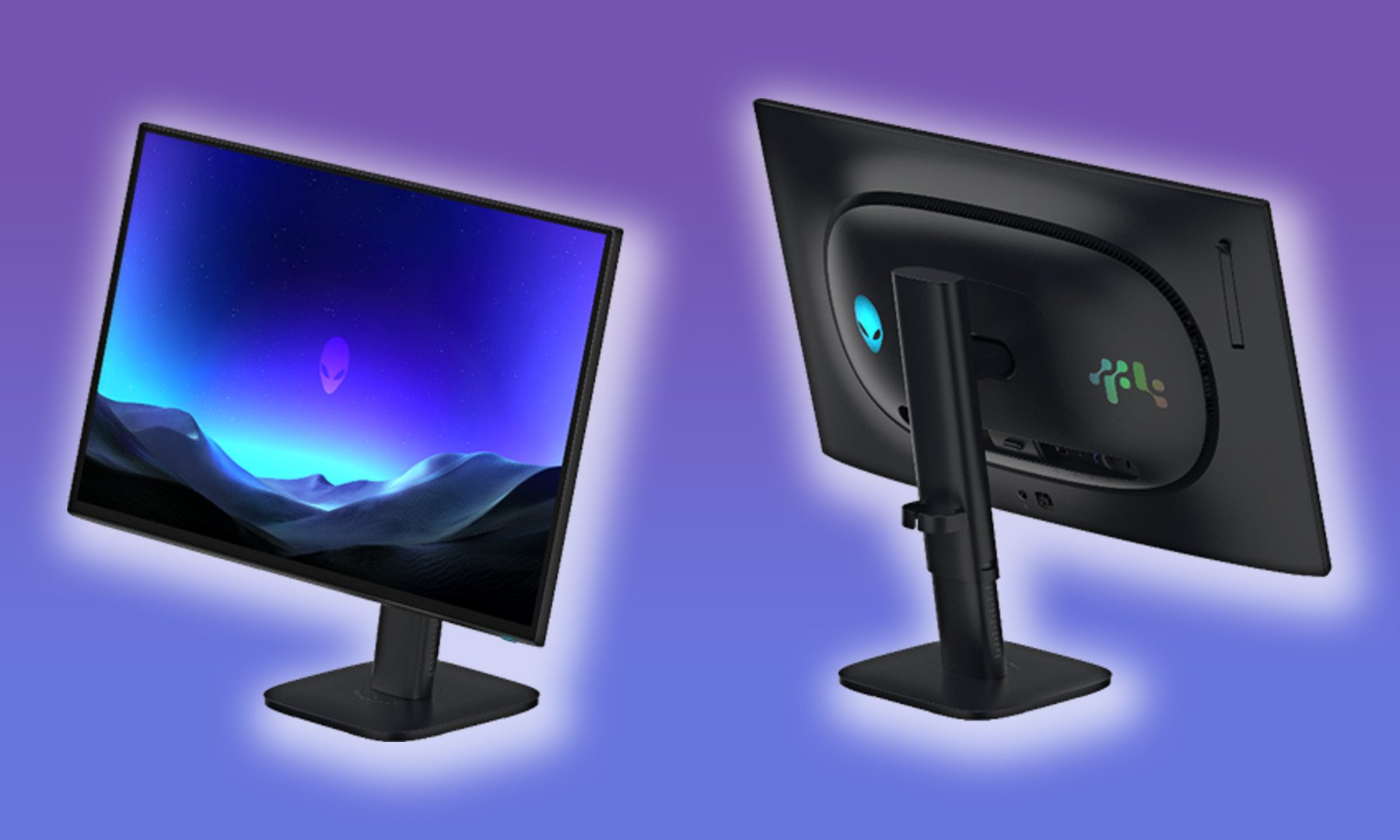
OLED has already conquered the premium gaming-monitor market. Now Alienware wants to take it somewhere it has historically struggled to crack: competitive esports. I got hands-on with the new Alienware AW2527HX at IFA 2026, and with a 560Hz fifth-generation Penta Tandem QD-OLED panel, a design shaped around professional players, and some wonderfully obsessive esports-focused features, Dell is making a pretty convincing case that OLED’s next battlefield is competitive gaming.
This is an esports monitor first, OLED monitor second
The timing couldn’t be more interesting. ASUS has just made its ROG Swift OLED PG259QWS Ace the official monitor for the upcoming PGL CS2 Major Singapore 2026. That monitor pushes 1080p OLED all the way to 720Hz on a glossy Tandem WOLED panel. Alienware, meanwhile, is taking a slightly different route with 560Hz QD-OLED. Either way, the message is pretty clear: OLED is starting to knock on the door of professional esports.
Dell / Alienware
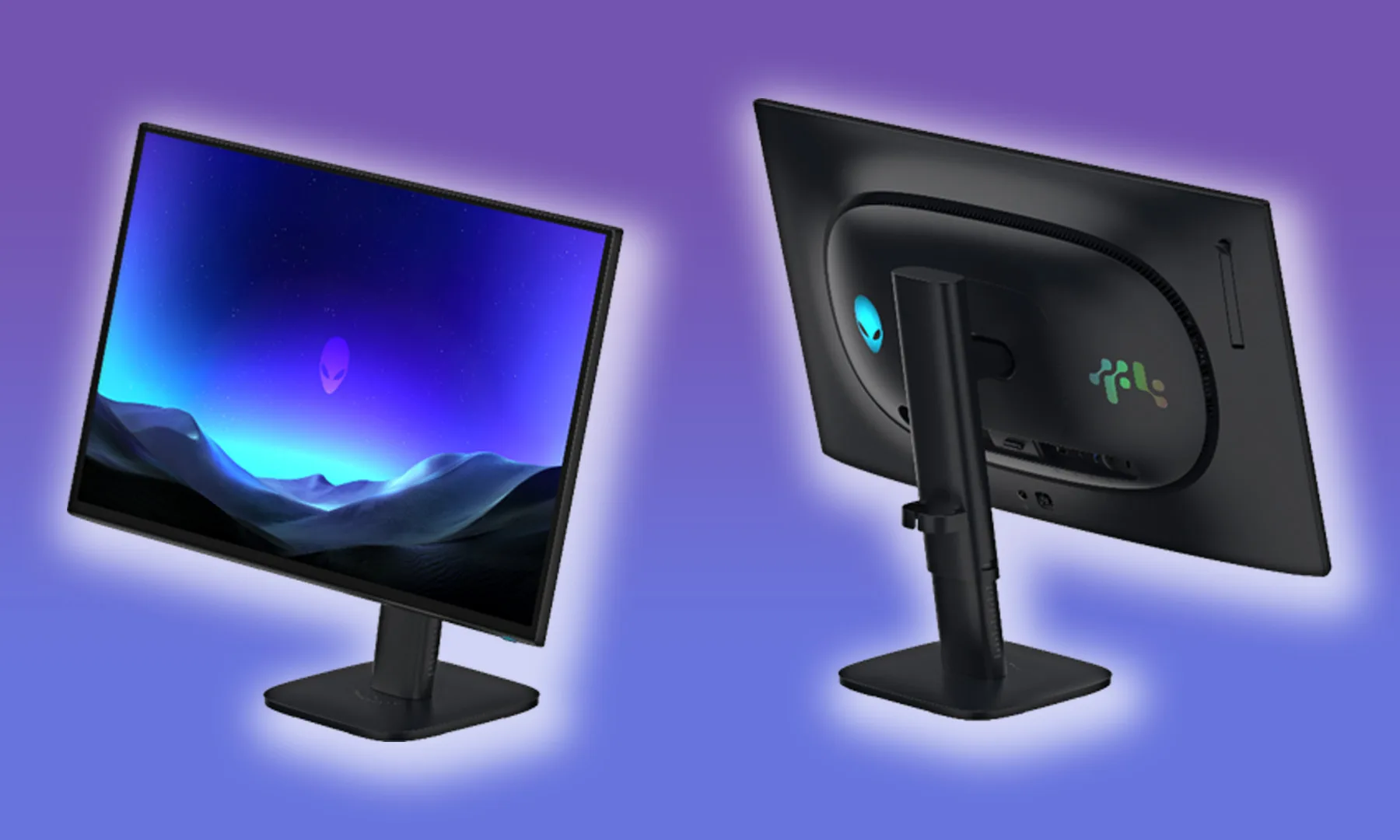
And this isn’t some budget 1080p monitor that happens to have OLED slapped onto it. Alienware is targeting serious competitive gamers, whether they’re already professionals or aspiring to become them. The AW2527HX is a 24.5-inch Full HD panel running at 560Hz, with a claimed 0.03ms gray-to-gray response time. Underneath that is a Penta Tandem QD-OLED panel with an RGB-stripe layout, bringing OLED’s infinite contrast and true blacks to a category that has traditionally been dominated by TN displays. Alienware also claims up to 1,500 nits of peak brightness, while the matte anti-glare low-reflectance (AGLR) coating is designed to keep the image clear even under bright tournament lighting.
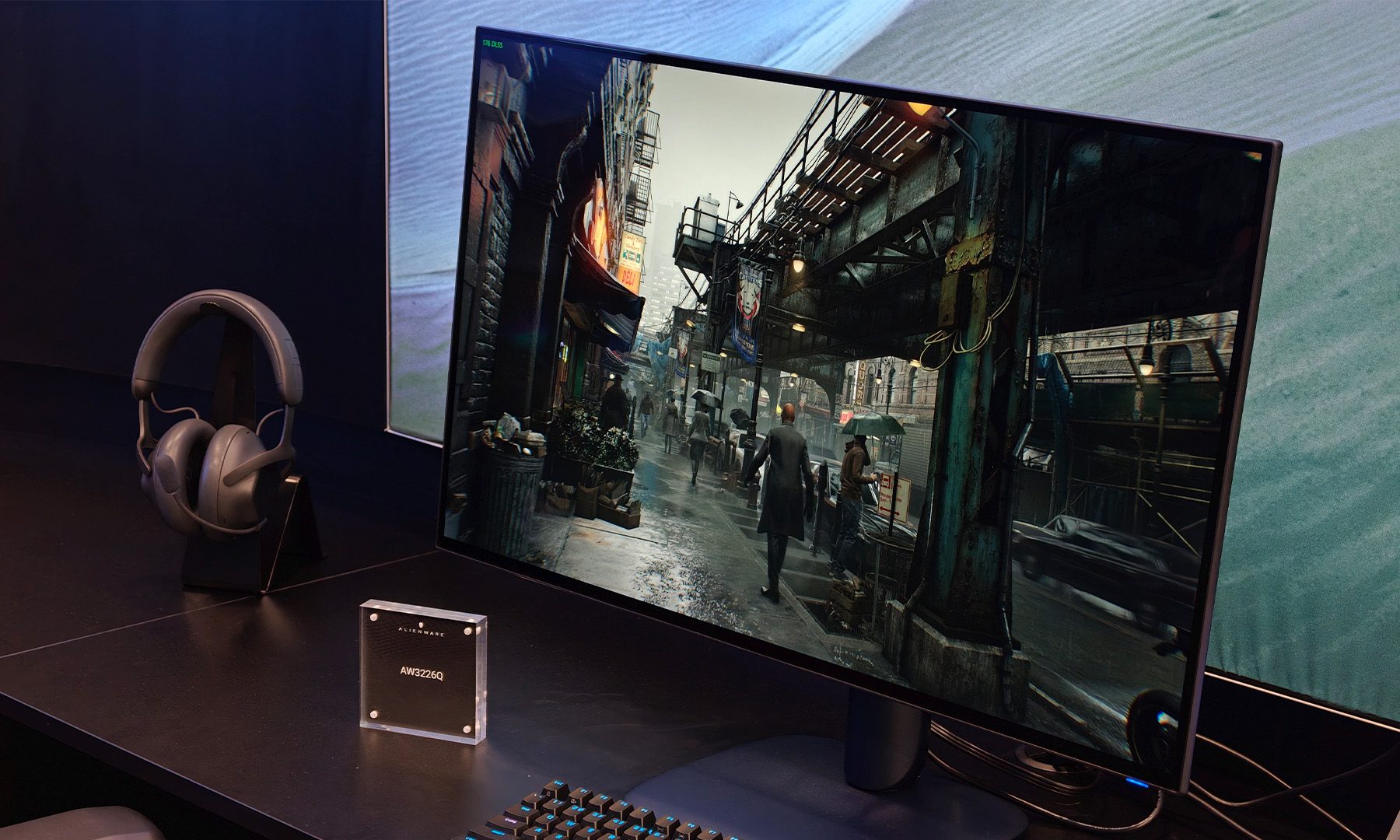
At 25 inches, Full HD is still surprisingly crisp, too. And once you actually start playing, that 560Hz refresh rate makes everything feel ridiculously smooth. I tested PUBG: Battlegrounds during my demo and, despite being more of a Valorant player myself, I came away pretty impressed. OLED has long deserved a place in competitive gaming, and this monitor is one of the better arguments I’ve seen for it.
Dell Alienware AW3226Q, also launched at IFA 2026, is priced at $699.Varun Mirchandani / Digital Trends
The only catch? Don’t expect it to be cheap just because it says 1080p on the box. I was told to expect pricing similar to its 32-inch OLED monitors, which puts it firmly into premium-monitor territory. Dell hasn’t officially announced the final MSRP yet, but that price alone tells you who this monitor is really for.
The stand gets weirdly serious
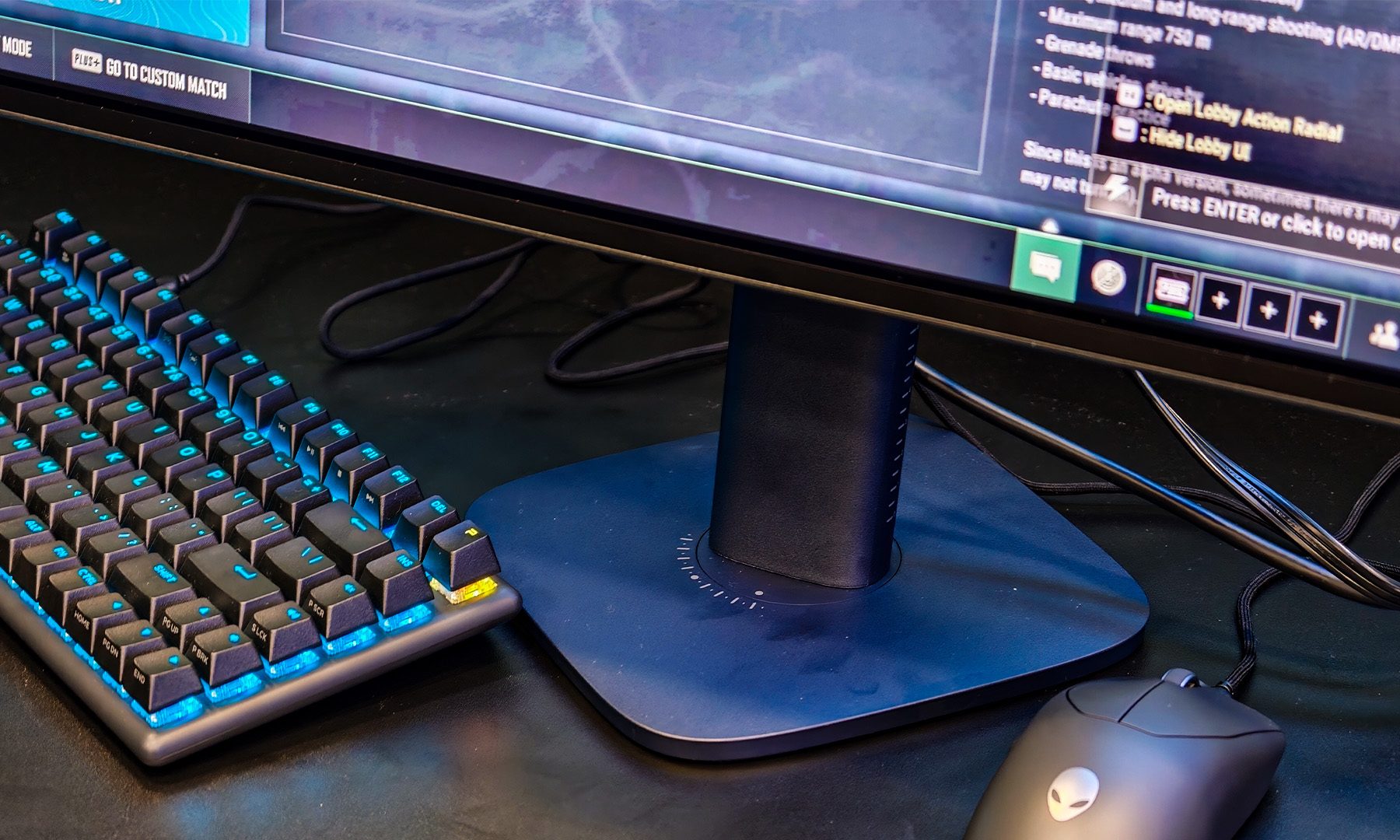
Alienware has made some very thoughtful decisions around the physical design, too. The base rotates smoothly and includes markings showing exactly what angle you’re using. That’s a tiny detail, but when your entire gaming setup is built around replicating a very specific competitive posture, tiny details suddenly matter a lot.
Advertisement
The arm itself is even more interesting. It’s essentially an inclined telescopic stand, allowing you to push the monitor all the way down and then tilt it backwards into that aggressively angled position many esports players prefer. Think of it like a tablet lying almost flat on your desk, except tilted upwards towards your face. That leaves plenty of space underneath for your keyboard and mouse.
Varun Mirchandani / Digital Trends
You can obviously achieve something similar with other monitors, but usually that means buying a separate monitor arm and fiddling around with your setup. Alienware has simply built the functionality into the bundled stand. The monitor also gets a 155mm height adjustment range and up to 45 degrees of backward tilt.
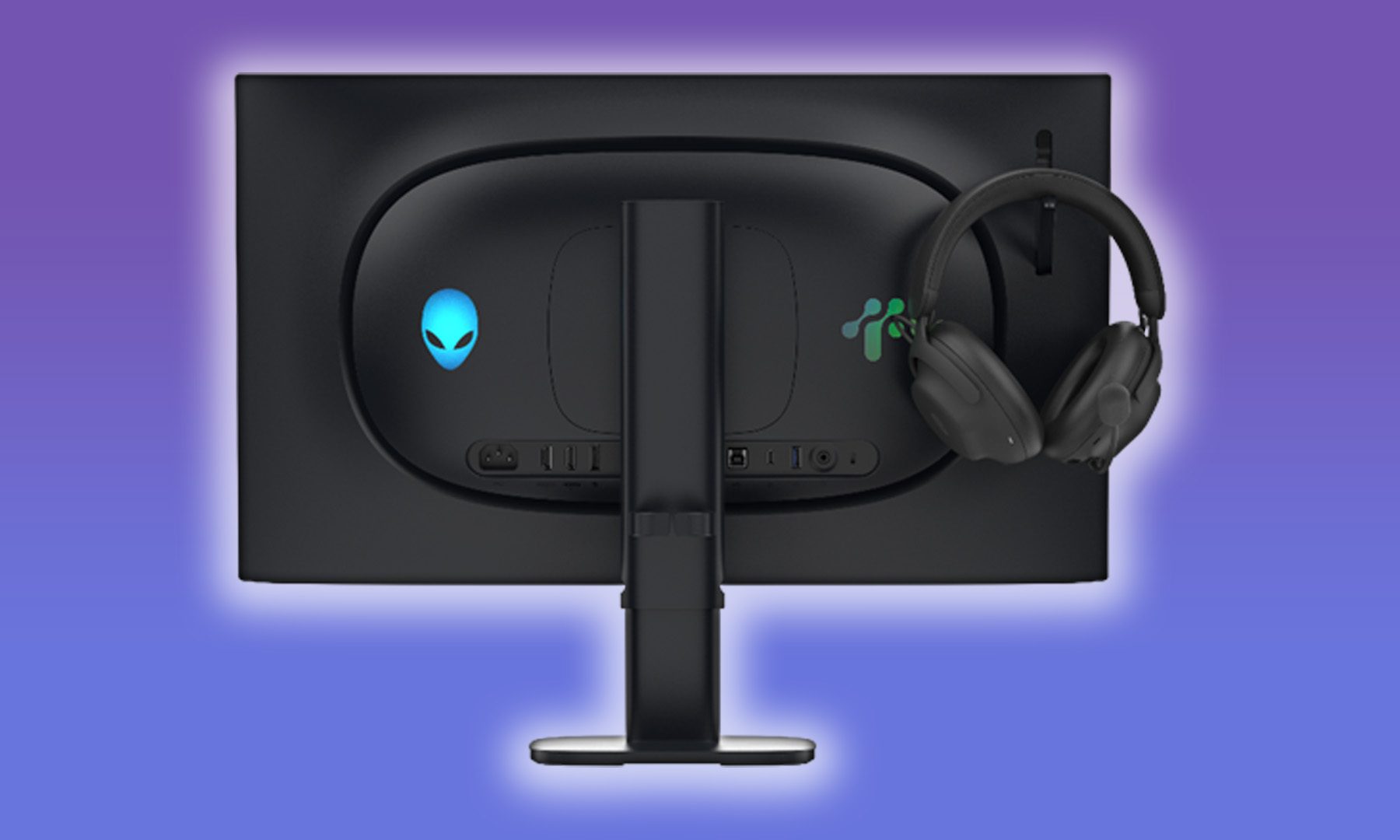
And then there’s the front. Or rather, the complete lack of anything on it. There’s no giant Alienware logo staring back at you, no distracting gamer aesthetic, and no unnecessary visual nonsense. Dell told us that its work with Team Liquid directly influenced this decision: professional players didn’t want branding or anything else distracting them from the game. So all you really see is the screen.
True Stretch feels almost like cheating
My favourite feature, however, might be the one that sounds the least impressive on a spec sheet. There’s a dedicated eSports button on the back that lets you instantly switch to the monitor’s True Stretch resolution. During my demo, that meant jumping straight to 1280 x 960 without having to dive into Windows settings, GPU control panels, or configuration files.
On the Alienware, you just press a button, and you’re there!
If you’re into competitive shooters, you’ll know why that’s useful. Stretched resolution doesn’t actually change hitboxes, but it does make player models, and especially heads, appear wider on screen, which can make targets feel easier to track and hit. That’s a big reason why so many competitive players swear by 4:3 or 3:2 stretched setups. On the Alienware, you just press a button, and you’re there. It almost feels like cheating. And honestly, the fact that the whole thing worked flawlessly during my demo might be my favourite part.
Advertisement
Why does my OLED suddenly look like a TN?
Alienware also throws in dedicated presets for Counter-Strike, Valorant, and Apex Legends, with more customization available through the Alienware Command Center. But then there’s TN Mode, which had me doing a double take. Why on Earth would I buy an OLED monitor and then make it look like a TN panel?
The TN mode looks pretty shitty. But that’s precisely the point!
The answer, surprisingly, makes sense. Turn TN Mode on, and the colours become noticeably duller. You see, competitive players have spent years using TN displays because of their speed, and jumping straight from that familiar, washed-out look to OLED can be a bigger adjustment than you’d expect. TN Mode essentially acts as a bridge. You can get comfortable with the new monitor, keep the visual character you’re used to, and gradually make the leap to proper OLED. It’s a weird feature, but one that shows Alienware has actually thought about the people it’s trying to win over.
Dell / Alienware
There’s also DisplayPort 2.1 UHBR13.5, which provides enough bandwidth to run the AW2527HX at its native 1080p and 560Hz without Display Stream Compression. For most people, that’s just another acronym to scroll past. For the sort of competitive gamer who counts every millisecond and probably has opinions about which direction their Ethernet cable should face, it’s exactly the kind of detail that matters.
OLED has entered the arena
That’s what ultimately impressed me about the AW2527HX. Alienware isn’t just throwing a 560Hz refresh rate at an OLED panel and calling it a day; it’s clearly built around how competitive players actually play, right down to the ridiculous stand and that wonderfully convenient True Stretch button. It’s specific, obsessive, and very much unapologetic about who it’s for.
And after my first hands-on, I’m starting to think Alienware might be onto something. OLED has finally earned a seat at the esports table, and the AW2527HX makes a surprisingly strong case for it. Now I just want to see what happens when I get to really put those 560Hz pixels through their paces.
No restoration time for platform used by more than 30,000 UK organizations, including NHS trusts and medical practices
UPDATED Docmail, a service used by more than 30,000 UK businesses and public sector organizations, has been offline for several days, prompting concern among users.
Advertisement
Operated by CFH Docmail Ltd, the cloud-based hybrid mail service allows users to send physical letters without running their own print rooms or making trips to the post office. In other words, it handles the printing and postage of business communications.
However, Docmail has been unavailable since the start of business on September 2, according to its status page. It initially warned that the service was “experiencing slower than usual processing times,” before saying soon afterward:
“Docmail is currently unavailable while we carry out essential maintenance. Our technical team is working to complete the maintenance and restore full service as quickly as possible. We apologise for any inconvenience caused and will provide a further update once the system is available again.”
Throughout the rest of the day, techies continued to deploy “required updates,” and the service remained unavailable as work took place to “ensure the service can be brought back online safely and reliably.”
Advertisement
A further update on September 3 said Docmail was still “temporarily unavailable while our teams continue to work to restore the service.” The company thanked customers for their patience and apologized for the “disruption.” At the end of the day, it admitted: “We do not yet have a confirmed restoration time. Work remains ongoing as a priority.”
By Friday – day three of disruption – the service remained unavailable, with techies still toiling to restore it and promising further updates when more information became available.
Our attention was drawn to the Docmail debacle by Reg readers concerned about the length of the outage and the lack of a restoration time.
We contacted CFH Docmail for details of the disruption’s cause and when it expects the service to be restored.
Advertisement
CFH says many of its more than 30,000 business and public sector customers operate in UK healthcare. It claims that more than 75 percent of medical practices use Docmail for bulk mail and individual patient mailings, such as appointment reminders.
Customers also include NHS Trusts such as Croydon Health Services, while dental practices, pharmacies, opticians, and medical research networks also rely on the service, as do some local authorities and businesses.
While the service remains offline, important communications such as health appointment reminders and letters from local councils may go unsent. ®
Updated at 12.59 UTC on September 4, 2026, to add:
Advertisement
Following publication of this article, a spokesperson at CFH Docmail Ltd, told us:
“We have been made aware of an issue impacting an isolated server, used by only one client. Out of an abundance of caution and in line with our security protocols we took the decision to take Docmail offline. This proactive step is why the system has been temporarily unavailable.
“Our internal team has been working closely to investigate what happened and to ensure that when all systems are switched back on, it will be entirely safe to do so.
“This process does take time, and we are acting on the advice of external consultants to ensure we are taking the right precautions. While Docmail is ready to be reinstated, we are waiting completion of the external review before doing so. We apologise for the disruption this has caused to our customers and are working to restore service in the quickest but safest way possible.”
Apple could be preparing changes to the App Store as the company looks for ways to increase revenue and improve margins from its services business, according to Bloomberg’s Mark Gurman via the latest edition of his Power On newsletter. The exact changes remain unclear, but the reported effort is being driven largely by new Apple CEO John Ternus and services chief Eddy Cue.
The report also links the discussions to the recent departure of longtime Apple executive Phil Schiller. After stepping down as Apple’s marketing SVP in 2020, Schiller became an Apple Fellow and took responsibility for running the App Store. According to the report, Schiller was opposed to the proposed direction because he believed such moves could further frustrate developers and governments.
Apple could look at several ways to squeeze more from the App Store
There is currently no clear indication of exactly what Apple intends to change. However, the report outlines several possible approaches that could increase the App Store’s margins or recurring revenue.
One possibility would be changing the way Apple reviews apps. The company could potentially reduce or eliminate parts of its manual review process, which could lower costs. The report notes, however, that further automation could be unpopular with users, particularly if it affects how effectively apps are reviewed.
Advertisement
Unsplash
Another option could involve Apple increasing its developer membership fee, currently listed at $99 per year. The report also suggests Apple could potentially introduce subscription fees for large developers based on traffic, effectively shifting some infrastructure costs to companies operating high-traffic apps.
For developers, those possibilities could have a much bigger impact than they initially appear to. Higher costs or new fees could make running apps on Apple’s platform more expensive, particularly for smaller developers. At the same time, changes to App Store economics could eventually influence how developers price subscriptions or services.
Developers and users will have to wait for Apple’s next move
For Apple, the reported push reflects the enormous financial importance of the App Store and its wider services business. But the company could face a delicate balancing act: increasing revenue without making the platform less attractive to developers or drawing additional scrutiny from regulators.
Unsplash
For now, the plans remain unconfirmed and the report does not provide a specific timeline for any App Store changes. The next step will be watching for concrete details from Apple about whether it intends to alter developer fees, app review or other aspects of the platform.
In other words, there is no App Store price hike or policy change to act on yet. But if Apple does move ahead, developers are likely to feel the effects before ordinary users do.
Generally, the launch of a new iPhone means a drop in price for the old one, but this isn’t a typical year for iPhones — not only is Apple expected to finally launch its long-rumored foldable phone, but thanks to out-of-control memory prices, it’s costing more for companies to build handsets.
On top of that, we’re actually not expecting to see a base iPhone 18 model this year, with that device reportedly landing in March or April instead. So at Apple’s September 9 launch you might only be able to choose from an iPhone 18 Pro, iPhone 18 Pro Max, or iPhone 18 Ultra.
Typically, it’s only the standard model that gets a price drop — so when the iPhone 18 finally does launch (likely next year), the iPhone 17 may well drop in price. But I’d guess the launch of the Pro series this month probably won’t trigger a price drop, since the iPhone 17 will probably remain the latest standard model for a while longer.
Advertisement
Latest Videos FromTechRadar
In fact, the rising price of memory could mean Apple won’t drop the price of the iPhone 17 even when the iPhone 18 does finally launch. Instead, it might decide to sell the iPhone 18 at a new, higher price and keep the iPhone 17 at its current one.
But I doubt that. If the iPhone 18 doesn’t land until early 2027, then the iPhone 17 will be well over a year old by that point and definitely due a price drop — though, at that point, Apple might instead choose to discontinue it altogether, especially as the cheaper iPhone 18e might land then too.
Regardless, this could be a rare year where there are no price drops, as my prediction is that, as usual, Apple will discontinue the iPhone 17 Pro and iPhone 17 Pro Max when the iPhone 18 Pro series lands, rather than dropping their prices.
As noted above, the iPhone 17 may get a price reduction when the iPhone 18 lands, but that feels up in the air at the moment, and probably won’t happen this year. If it does happen, Apple typically knocks $100 / £100/ AU$150 off the price, which would take the starting price of the iPhone 17 from $799 / £799 / AU$1,399 to $699 / £699 / AU$1,249. But I’d think you’ll be waiting until next year for that reduction, if it happens at all.
Sign up for breaking news, reviews, opinion, top tech deals, and more.
Advertisement
Limited options
Apple will probably discontinue the iPhone 17 Pro (Image credit: Lance Ulanoff / Future)
So your options after the September 9 launch are likely to be either one of the new models at a (probably) higher price than existing iPhones, or an iPhone 17, iPhone 17e, or iPhone Air at their current prices.
It’s not impossible that Apple will drop some of these prices, or even keep the iPhone 17 Pro series around, but I doubt it.
If you’re desperate for a cheaper phone, though, you might not be totally out of luck, as while I’m not expecting Apple to drop any prices this year, third-party sellers might drop the prices of discontinued models to make way for the new ones.
So in other words, if Apple discontinues the iPhone 17 Pro and iPhone 17 Pro Max — like it usually does when new Pro models land — the likes of Amazon and Best Buy might drop the sticker price on them until they sell out.
As such, if you’re in the market for an iPhone upgrade but don’t want any of the upcoming models, I’d still recommend waiting until they’re announced before buying anything, even though there probably won’t be any official price drops this year. Just don’t wait too long after September 9 to buy, or stores might run out of new units.
The age of sharing grainy, low-res photos is long behind us.
Vadym Plysiuk/Getty Images
Having friends or family with different phone brands than your own can lead to all manner of everyday nuisances, from attempts to help navigate unfamiliar settings to coming up short when you need a compatible charger. One such problem can arise when sharing photos and videos across these devices, especially between Android and Apple phones. While sharing media across brands has always been relatively intuitive, preserving quality hasn’t always been so clear-cut.
For the longest time, sending a photo from an Android device to an iPhone typically took the quality down a few notches. This came down to the different messaging systems — with Apple using Short Message Service (SMS) texting and Android using Rich Communication Services (RCS). Fortunately, alongside embracing Apple Intelligence and deeper customization, iOS 18 ushered in RCS support on iPhone, which not only solved the discrepancy but also allowed iPhone users to access the higher image quality available via RCS.
Advertisement
How to use RCS to send images from Android to iPhone
Mixetto/Getty Images
Naturally, if you’re an iPhone user and you want to preserve image quality across the board, you’ll want to make sure RCS is enabled. Fortunately, iOS 18 has RCS turned on by default, and you can easily check if it’s enabled if you want to be sure. Simply go to Settings > Apps > Messages on your iPhone, scroll down to RCS Messaging, and check that it’s toggled green.
Of course, there’s more that can be done to guarantee quality. If you’re on the Android side of things, Google Messages will still send photos in a compressed form by default; to maintain quality, you’ll want to press the HD or HD+ button before sending. Here, simply make sure your media is set to “HD+ Original Quality” rather than “HD Optimized for Chat” to avoid compression and maintain the original file’s quality.
Advertisement
Sending videos and larger images between Android and iPhone devices
Aleksey H/Shutterstock
There’s still the question of higher file sizes and videos, both of which can still fall victim to compression, not to mention the RCS attachment size limit of 100MB. There are a couple of options to make use of here, such as email or alternative messaging services, but Google Photos stands out as a simple option if sharing to an iPhone with Google Photos. Users with the Google Photos app, when sharing an image, can select “Send in Google Photos” and share with another user of the app. In that same respect, Google Drive is also a solid option for sharing large files between different brands.
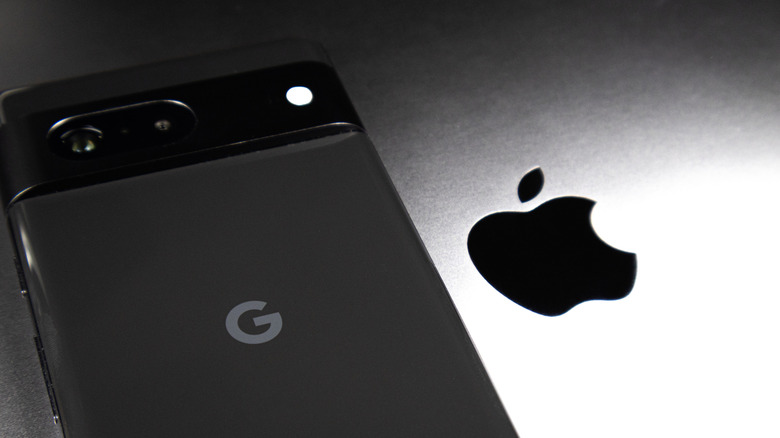
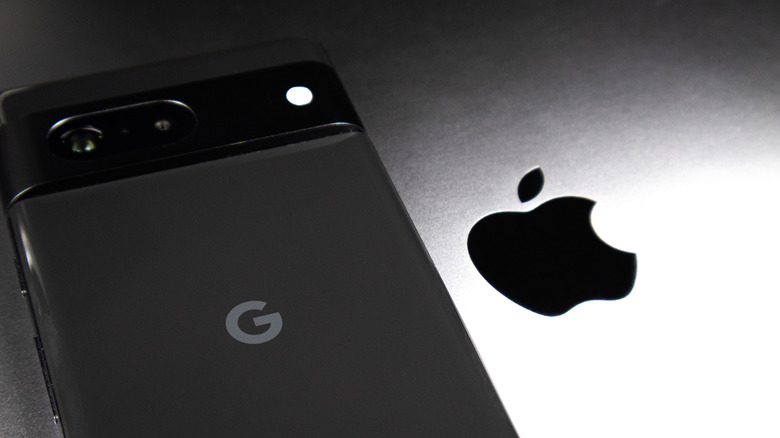
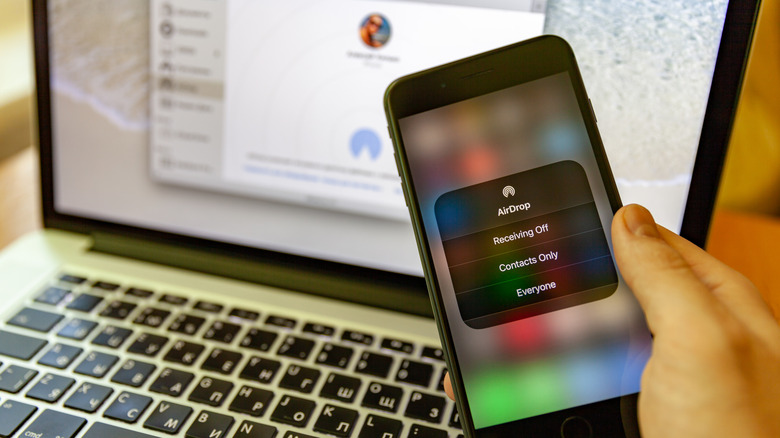
It’s also worth noting that Android Quick Share now supports AirDrop. This feature is available on Pixel phones from 8a and beyond, as well as a number of Samsung phones (including much of the Galaxy S family). If your Android phone isn’t compatible with AirDrop, though, you can instead tap the “Use QR Code” option in Quick Share (accessible through the same “Share” option when you select the content you wish to share) and have an iPhone user scan that code. While this is more range-limited, it does at least serve as a solid last resort.






















































You must be logged in to post a comment Login