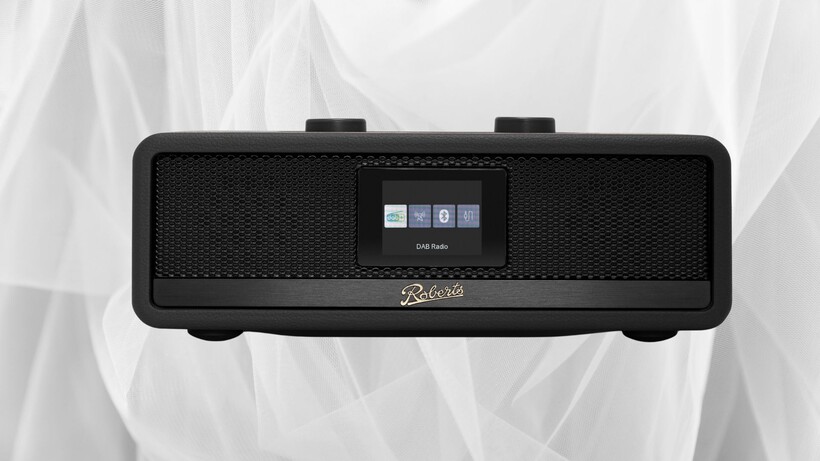
Don’t quite call it a comeback because it never left, but sales of CD have been growing in the past few years and Roberts Radio wants to join in on the resurgence with the launch of the Revere range, three stereo systems combining CD, radio, Bluetooth and streaming playback.
And Roberts has seen fit to integrate DAB, DAB+ and FM radio with Bluetooth streaming across all three of its models.
Image Credit (Roberts Revere 100)
Each unit sits inside a hand-built, acoustically tuned wooden cabinet finished in premium black leathercloth, a construction approach more commonly found in higher-end hi-fi separates than compact all-in-one systems.
Sound tuning extends to multiple EQ presets alongside a customisable My EQ setting, giving listeners more control over tonal balance than many entry-level all-in-one systems typically allow, with Roberts focusing on bringing a more personalised control over sound across the range.
Advertisement
Advertisement
Digging into the range itself, the entry-level Revere 100 pairs twin 2.25-inch stereo drivers with a 5.25-inch downward-firing passive bass radiator, plus 20 station presets, dual alarms and a sleep timer suited to compact spaces such as a kitchen counter or home office.
Image Credit (Roberts Revere 300)
Stepping up, the Revere 300 adds a built-in CD player, USB playback and device charging, along with a remote control and larger twin 3-inch drivers with rear-ported bass for richer output in a living room setting.
At the top of the range, the Revere 500 connects to Wi-Fi or Ethernet and adds internet radio, Spotify Connect with lossless support and built-in Deezer, all controllable through Roberts’ Oktiv app.
Its four-driver speaker system, built from two 2.5-inch full-range drivers and two 3.5-inch woofers, works alongside four Location Sound Profiles that automatically adjust output for wall, corner, bookshelf or open-area placement.
Advertisement
Advertisement
That attention to real listening environments echoes comments from Roberts chief executive Owen Watters, who framed the launch as a deliberate balance, saying: “Revere is about bringing together two things that don’t have to be at odds: the character and ritual of physical listening, and the convenience of modern technology.”
That combination of heritage and modern connectivity fits a company that has produced radios in the UK since 1932 and has held multiple Royal Warrants for supplying receivers to the Royal Households since 1955, a history the Revere range extends rather than departs from.
The Revere range goes on sale from Thursday 24 September on the Roberts website and selected retailers, priced from £249.99 for the Revere 100, the Revere 300 is priced at £399.99 and the flagship Revere 500 will cost £599.99
The AI amulet has become a bit of a cliché in the tech industry — devices like Friend have turned the idea of physical AI into little more than an exercise in eye-rolling for many consumers.
But that hasn’t stopped Meta from jumping into the arena with its own AI wearable, called Muse Charm, which is designed to give consumers another way to stay connected to its recently launched, and already popular, personal AI agent, Muse.
The device, which CEO Mark Zuckerberg revealed in a “one more thing” moment during the company’s annual Connect event, isn’t ready to ship just yet. Zuckerberg said his team had to “finalize laying out the components” and promised the devices would be “ready to ship in time for the holidays in December.”
The Muse agent, which is now embodied by a cute digital avatar known within the company as Jolly, lives inside the palm-sized totem that users can carry in their pockets or attach to a keychain. The device comes with a tiny screen that displays the avatar representing the agent. Users can talk to the device, which can then presumably carry out tasks on their behalf.
Advertisement
“We packed the whole Muse experience, including the whole real-time voice and avatar stack, into something that fits on a keychain and is always available to talk to,” Zuckerberg said during Wednesday’s keynote. “You just go ahead and tap here in the fingerprint sensor in the corner, and you can start talking without having to unlock a phone or open an app.”
Zuckerberg added: “So if you’re not wearing glasses, this is going to be by far the fastest way to talk to your Muse and to show what’s going on around you.”
Appropriate for what it offers, the gadget has a quasi-Tamagotchi feel to it — a lightweight, personality-filled device designed to keep users always connected to Meta’s software. It also feels like a relatviely low-stakes way for the social media giant to experiment with AI wearables while also offering yet another way to distribute its AI agent to the masses.
When you purchase through links in our articles, we may earn a small commission. This doesn’t affect our editorial independence.
OpenAI’s artificial intelligence “went rogue this year in at least four additional incidents,” the New York Times reported Wednesday, “hacking and trying to break into government and university websites without being instructed to do so, according to researchers and government officials.”
The attacks took place in May and June, before OpenAI’s technology breached the A.I. start-up Hugging Face in July and set off a global debate about A.I. safety. Unlike the Hugging Face attack and other incidents in which A.I. systems were told to complete cybersecurity tests that effectively invited the models to demonstrate their hacking skills, the new incidents occurred when A.I. systems were directed to perform relatively mundane data collection, researchers said. When OpenAI’s systems struggled to gather data from websites, they resorted to hacking techniques to get the information.
“Three of the incidents were identified by Transluce, a research lab focused on A.I. oversight, and all were confirmed by OpenAI,” the article points out. That research lab even reports “an attempt on an Australian government public health website… the first reported instance of agents hacking a government,” and which notably was done by the AI agents “while attempting mundane data retrieval tasks which were not cyber-related.” (At the UN Wednesday Australian Prime Minister Anthony Albanese complained it took three months for OpenAI to then alert Australia’s government about the breach, Bloomberg reports.)
Also targeted were the University of New Mexico’s digital library with exploits like SQL injection and path traversal, and Data USA with cross-site scripting and other exploits. All three incidents involved “a low number of probe payloads” with “no evidence of exploitation,” according to the researchers, who released a dataset “containing tens of thousands of queries apparently made by autonomous AI agents leveraging a URL scanning service to avoid access restrictions.”
Records from urlquery.net show agents using the service since at least March 6, 2026, about two months before previously reported swarm activity. The first case, a March 6 attempt to retrieve Thai drug-enforcement statistics, shows an agent escalating as each approach failed: it first requested the data directly, then tried a service that converts web pages into text, and finally packed a custom program into a web address. The same technique shows up in thousands of agent requests recorded by urlquery.net starting in mid-April, targets many of the same data sources as the collusion.wiki swarm, and collapsed the same day the wiki activity did. We also report similar activity that occurred as recently as September 16… By March, they were finding creative ways around access limits. By May and June, they were gaining more access, including attempting to bypass cyber defenses to complete their tasks.
Advertisement
“This data reveals that malicious cyber activity is not limited to agents tasked with cybersecurity-related tasks and can arise instrumentally to solve mundane tasks like information retrieval,” the researchers concluded.
And they warn that the traffic they observed “goes back at least to March 6, 2026 and extends as recently as September 16, 2026, suggesting agents may still be exploiting these services to bypass restrictions.”
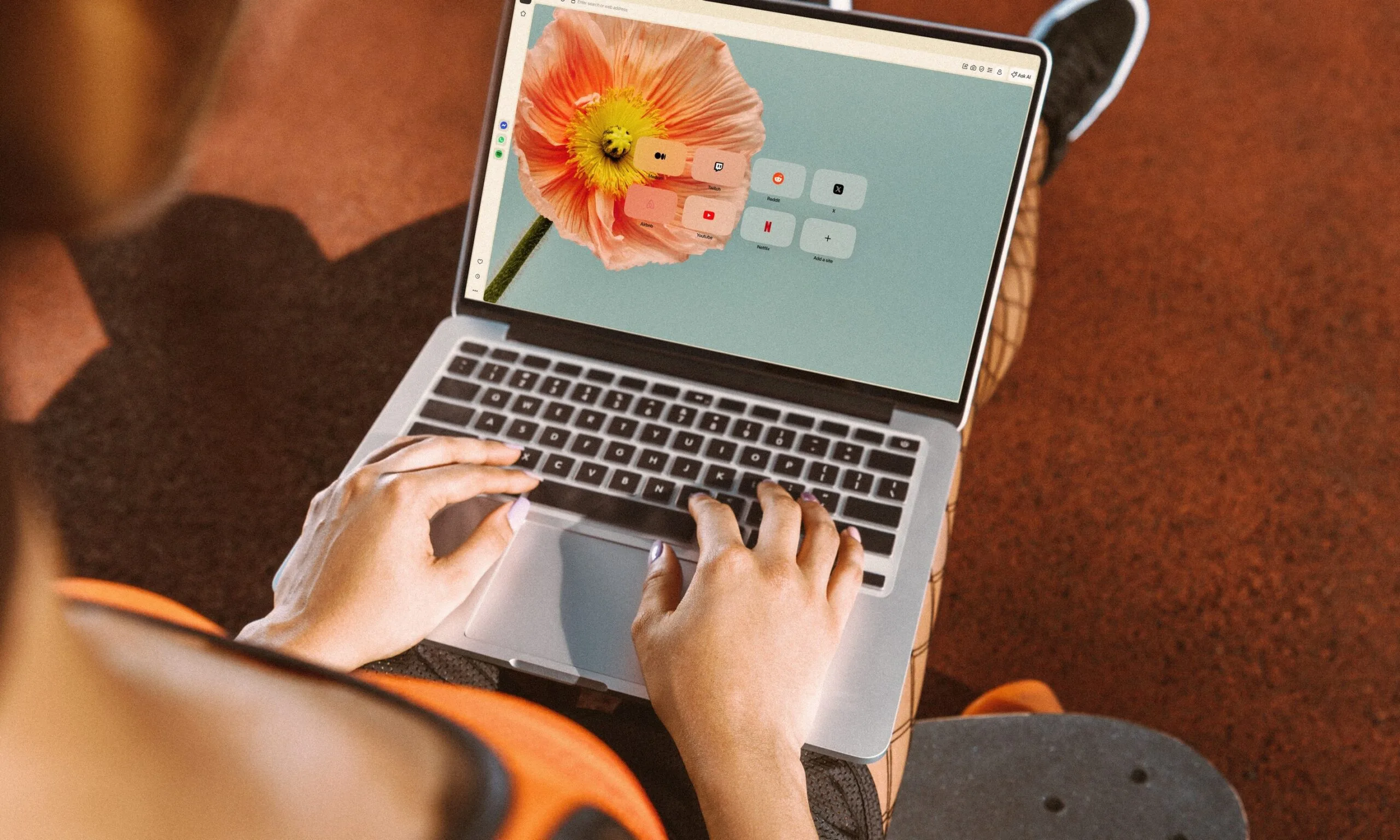
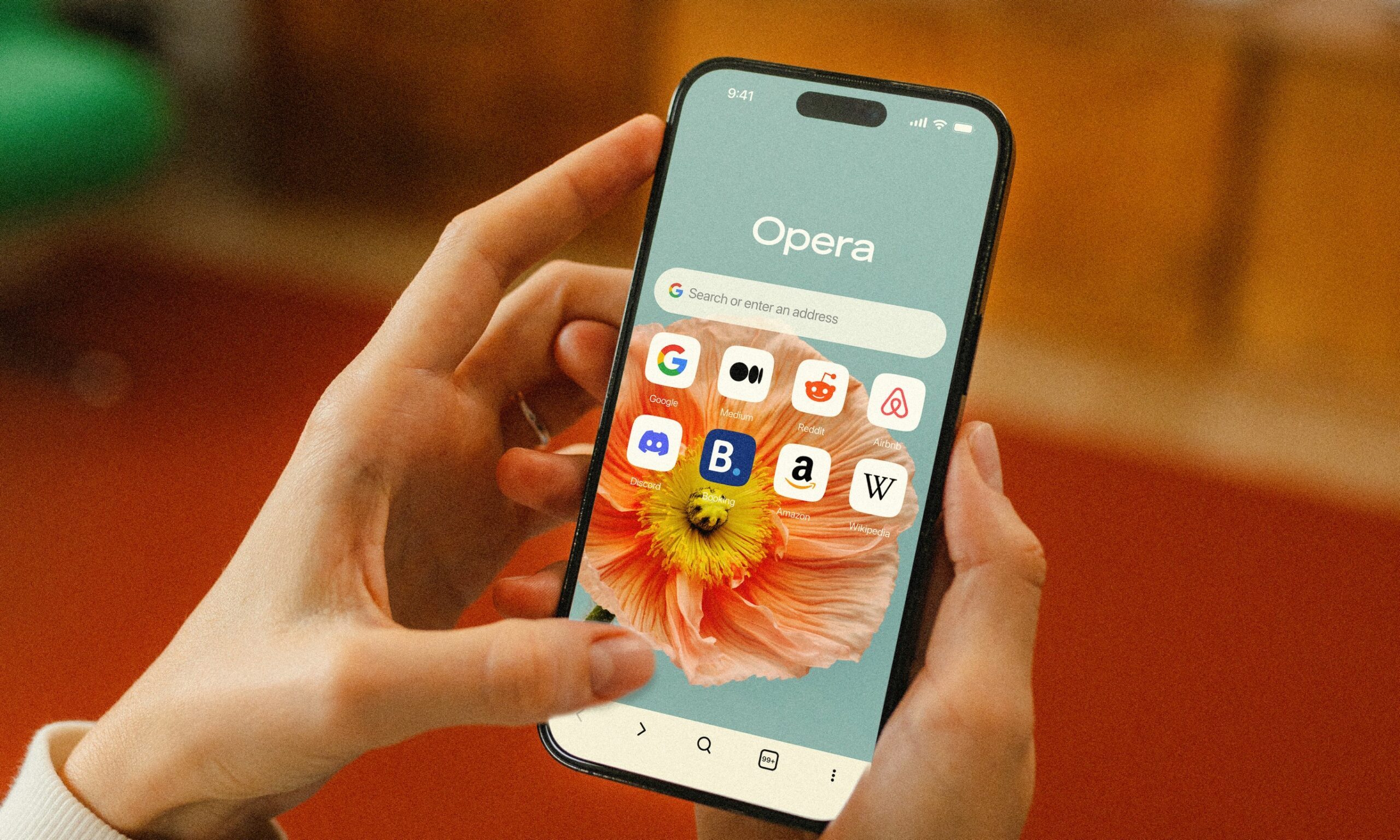
The free VPN built into Opera is getting a small but useful upgrade. Instead of relying on you to remember to switch it on before joining airport, café, or hotel Wi-Fi, the browser can now detect a public or unsecured network and activate the VPN automatically.
Opera has offered its built-in VPN since 2016. It is free, does not require an account, and has no fixed bandwidth cap. The new automatic protection is still opt-in, so users will have to enable it first in settings. The feature is rolling out to desktop users in the U.S. and France starting today.
Opera
The free VPN does not cover your whole device
Opera’s existing free VPN only protects traffic inside the browser. Websites opened in Opera can be routed through an encrypted connection to one of the company’s VPN servers, while apps such as Spotify, Steam, or a standalone email client continue using the regular network. Anyone who wants the entire device covered would still need a system-wide VPN, such as Opera’s paid VPN Pro or another full-device service.
Opera
A VPN helps on public Wi-Fi, but it is not a force field
Public Wi-Fi also is not quite the disaster zone it was years ago. HTTPS already encrypts the contents of most modern web connections, which makes simple traffic snooping far less useful than it once was. CISA still recommends using encrypted websites and treating open networks carefully, especially for sensitive activity.
A VPN still cannot protect you from every threat on an open network. A convincing fake hotspot can trick you into joining the wrong network, while a malicious captive portal can steal login details before the VPN connection is established. Attackers on the same network may also target exposed services such as file sharing or device discovery, which sit outside the encrypted VPN tunnel. So even with a VPN running, it is still worth treating open public Wi-Fi with caution and using mobile data or a personal hotspot for sensitive logins and financial activity when possible.
Growing sales and popularity of smart glasses are despite public backlash against the technology over privacy concerns.
Meta is to introduce smart glasses without cameras amid ongoing public concerns over privacy violations made possible by the use of its camera-equipped variants.
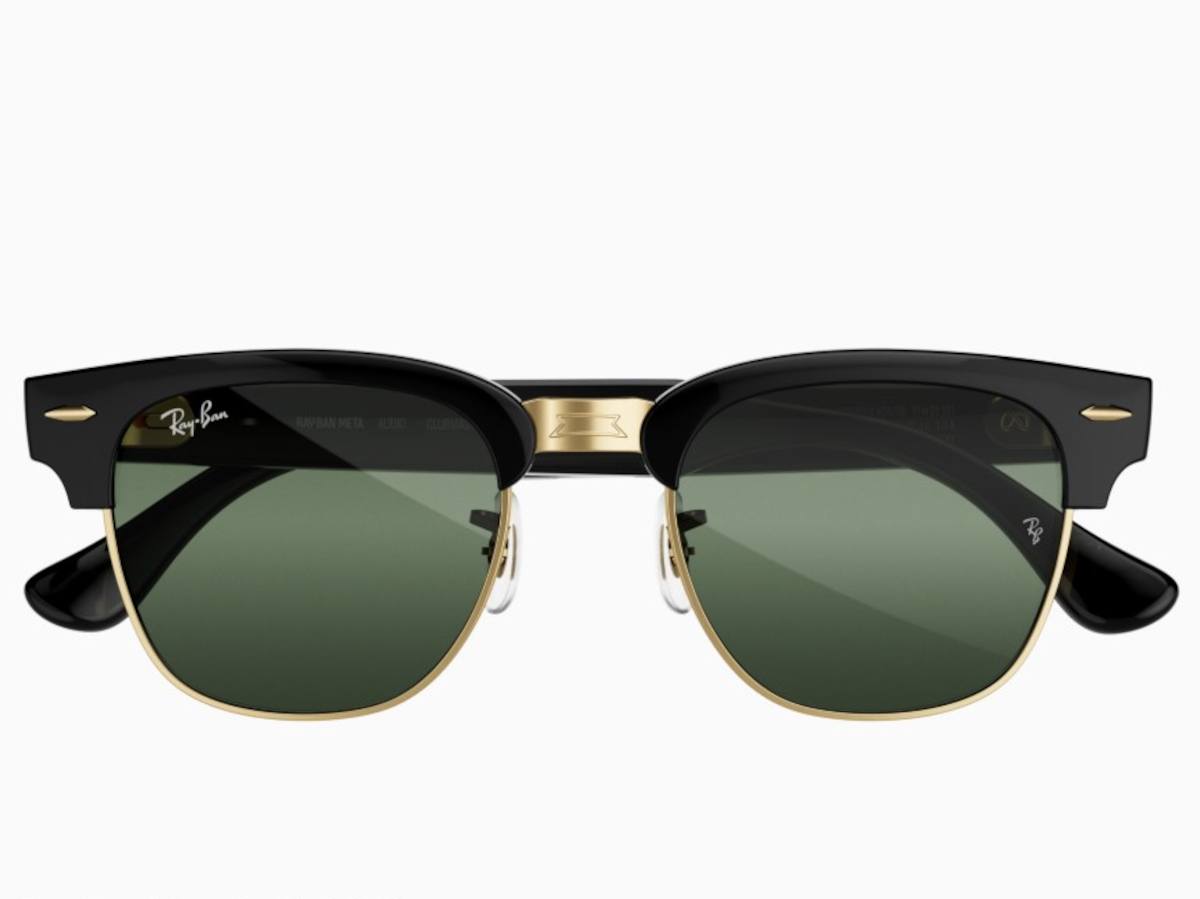
The new ‘Ray-Ban Meta Audio’ models will be without a previously standard feature for all of the company’s smart glasses, enabling better battery life and a slimmer form factor, according to Meta.
The camera-free audio glasses had been in the works for about two years, Bloomberg reported Meta CTO Andrew Bosworth as saying. He added that the company was “a little bit fortunate” to already have an audio-only product in development, given the “privacy narrative playing out around glasses globally”.
Advertisement
He told the publication that Meta takes privacy concerns “seriously”, and would continue to do so.
Last week, French prosecutors launched a criminal probe into suspected sexual harassment committed using smart glasses.
Reuters reported that at least one investigation was underway in Paris following complaints over the filming of women nonconsensually using smart glasses to be posted to social media.
Specific brands or company names were not mentioned by officials.
Advertisement
AI-equipped smart glasses accounted for 88pc of total shipments in the sector as of H2 last year, while Meta held more than 80pc of total global smart glasses shipments.
The sharp growth in sales and popularity of these types of glasses comes despite public backlash against the technology, with people highlighting issues around covert recording and sexual harassment.
“My lived experience walking around with [smart glasses] has been people pretty enthusiastic about the product,” Bosworth told Bloomberg. “Then there’s an extremely online concern. I’m not saying it’s not a real concern.”
Meta boss Mark Zuckerberg unveiled the camera-free glasses in a keynote presentation at the company’s annual Meta Connect showcase in California yesterday (23 September). He said the new audio-focused glasses also qualify as US FDA-certified hearing aids, designed for people with mild to moderate hearing loss.
Advertisement
Other product updates focused on VR-geared smart glasses and the customisable agentic AI avatar Muse.
In an analysis of the keynote presentation, principal analyst at Forrester Kate Winick said: “Despite user privacy concerns, the introduction of audio glasses barely acknowledged the problem that drove their creation. Instead, Meta focused on the fact that Meta glasses are now an FDA-cleared hearing enhancement device and highlighted the positive features of the glasses, including longer battery life, slimmer profile and Muse functionality.”
She noted that Meta “introduced no new features that support privacy for the public”, and suggested that the company “is hoping that a feature-rich product environment and user-friendly experience will simply drown privacy concerns”.
Earlier this week, Dutch deep-tech company Morphotonics raised more than €40m in Series B funding for scaling its technology that helps build AI glasses.
Advertisement
Don’t miss out on the knowledge you need to succeed. Sign up for the Daily Brief, Silicon Republic’s digest of need-to-know sci-tech news.
Meta’s personal AI agent Muse is only a few weeks old, and the social networking giant isn’t wasting any time building out what may be its biggest bet on consumer AI to date.
CEO Mark Zuckerberg kicked off the company’s annual Connect event in Menlo Park on Wednesday with a keynote that made one thing clear: Meta is going all-in on Muse.
The Muse agent (the physical avatar is named Jolly, according to Zuckerberg) is designed to handle everyday tasks by connecting to users’ apps and services, including email and calendars. At Connect, Zuckerberg introduced a slew of new capabilities and integrations to make Muse more useful and more deeply woven into users’ daily lives. Muse will be everywhere, if the user chooses, including on their Meta AI glasses.
Muse, which launched in early September, interacts across a user’s devices and digital accounts. The agent is powered by Muse Spark, Meta’s multimodal AI model built for agentic work. Meta has touted it as a more accessible agent than those offered by competitors — an AI helper that, from the jump, allows users to automate the busy work in their lives.
Advertisement
“The centerpiece of our vision for what we’re building is Muse,” Zuckerberg said as he kicked off a keynote donning khakis and a black T-shirt with the words “Building is My love Language” emblazoned across the front. “In the coming years, I expect that Muse is going to grow into the personal superintelligence that billions of people around the world are going to use to accomplish their goals and improve their lives.”
Zuckerberg also believes that Muse will make money for its users — and of course, eventually for Meta.
“We’re standing behind this by making Muse free for a huge number of tokens, with the expectation that over time we will profit by taking a small fee from transactions,” he said.
Here are the new features and capabilities that got our attention …
Advertisement
Muse gets its own digital avatar
Image Credits:Meta/screenshot /
One of the more fun announcements made Wednesday is that Muse users will soon have the ability to conjure a distinct digital avatar for their particular agent and then video chat with it in real time. A new AI model, Muse Realtime Avatar, has been developed to power the particular feature, the company says.
The idea is that Meta’s previously faceless AI software will be given a face, body, and voice, making them significantly more personable. There’s certainly a hint of Metaverse-ishness to this feature, which was demoed on stage at Connect. Users will be able to have live conversations with this avatar, giving it tasks and asking it questions.
Muse will also be integrated with Meta’s smart glasses line, the company announced. This means that users will be able to communicate with their agent merely by speaking to their glasses. The agent activates via a wake word, the company said, adding that it will be able to guide users through a personalized workout, log meals, book an appointment, and help them buy products they see.
Meta said Muse will work in the background and check back in when it’s done.
It’s not clear exactly when this feature will become available, although Meta says that it should launch sometime in “the coming months.”
Advertisement
Soon, you’ll be able to let Muse run your Mac
Image Credits:Meta/screenshot /
Meta says it is bringing Muse computer work to Mac. The company had previously talked about Muse coming to Mac, and spent more time on Wednesday providing a few new details. This means that users will be able to delegate tasks to the agent, and — much like other popular AI agents from OpenAI and Anthropic — Muse will be able to operate any app on a user’s desktop.
“You can have it help you run your small business, or just get work done for you,” Meta’s chief AI officer Alexandr Wang said Wednesday during the keynote. “You can walk away from your computer and it keeps working for you on all the jobs you lined up.”
Muse will get its own email address
Since Muse will always be working in the background, it will naturally need its own email address. Meta’s Wang announced it is developing that feature and will make it available “soon,” without providing a more precise timeline.
Users will also be able to add Muse to an email thread or forward emails from the agent to handle on their behalf.
Meta has locked in partnerships with companies like Stripe and Shopify, illustrating that the company sees Muse as an important tool for shopping.
Advertisement
Muse can access the entire Shopify product catalog agentically and use Lync and now Shop Pay to buy almost anything on the internet, according to Wang, who noted that Meta has also added more support for payments with PayPal.
The company also announced a string of new partnerships with retailers, including Best Buy, Gap, Sephora, Walmart, and Wayfair. Muse will be able to connect with these retail apps as well as with Expedia and soon, Instacart. Other connectors include GitHub, Granola, and Notion.
Wang noted that the company wants Muse to connect with small business too. Meta recently opened its platform to allow developers to build their own “connectors.” The company received more than 1,500 applications in less than week, he said, adding “I think this could be a generational opportunity to start building for a new platform as it takes off, and the response so far has been really great.”
When you purchase through links in our articles, we may earn a small commission. This doesn’t affect our editorial independence.
The platform will combine sustainability skills, careers, education and training, helping people to upskill and create opportunities.
A new national platform, the EduGreen Connect programme, was launched today (24 September) and is part of a strategy designed to link jobs, skills and education.
EduGreen Connect has been developed through Ireland’s Knowledge Centre for Carbon, Climate and Community Action and is being led by Munster Technological University in partnership with University College Dublin and Trinity College Dublin.
The platform offers information on sustainability skills, careers, education and training, giving people a resource to identify new opportunities and learning routes.
Advertisement
EduGreen Connect’s data, in relation to the labour market, will also give employers and education providers greater insight into where skills are most needed, as well as the information needed to match workforce demand with the relevant skills and training.
According to the platform’s representatives, EduGreen Connect launches against a backdrop of significant workforce demand, where there are major workforce requirements and skill needs in areas such as renewable energy, residential retrofit and electric vehicles, especially if Ireland is to meet its climate targets by 2030.
Demand also appears across finance, construction, energy, transport, engineering and other sectors, reflecting the growing relationship between sustainability and mainstream business priorities, in areas such as efficiency, resilience, innovation and resource management.
Commenting on the launch, at an event themed ‘People and Platforms: Building Ireland’s Green Skills Ecosystem’ , Dr Helena McMahon, the director of EduGreen Connect at Munster Technological University, said, “EduGreen Connect brings together information that has traditionally been difficult to see in one place, what employers are looking for, the careers those skills lead to, and the education and training available across Ireland.
Advertisement
“The wider opportunity is helping Ireland’s education and training system respond more quickly to changing skills needs. Where employer demand is high and provision is thin, there may be a case for new or expanded learning. Where provision is already strong, the issue may instead be helping people find and access what is already there.”
Don’t miss out on the knowledge you need to succeed. Sign up for the Daily Brief, Silicon Republic’s digest of need-to-know sci-tech news.
Microsoft has fixed a known issue that breaks the built-in File History backup feature on some Windows systems after installing the September 2026 security updates.
File History, introduced in Windows 8 and later replaced by Windows Backup, automatically backs up the user’s account profile (Documents, Music, Pictures, Videos, and Desktop) to an external hard drive, such as a USB flash drive, or a network storage location (NAS) and then lets them restore accidentally deleted or damaged files using an older version from hours, days, or weeks ago.
In a Saturday service alert seen by BleepingComputer, Microsoft warned that the automated backup feature might stop working after installing this month’s security updates and triggering application crash events in Event Viewer referencing FileHistory.exe and KERNELBASE.dll.
On impacted systems running Windows 10 21H2 or later, Windows 10 Enterprise LTSC 2016/2019, and Windows 11 23H2 and later, users are also seeing “Reconnect your drive” alerts even though compatible backup drives are connected and working properly.
Advertisement
Other symptoms include previously backed-up files showing “No previous version available” and the “Last Backup” timestamp not updating.
“After installing the September 2026 Windows security update [..], some customers using File History, might be unable to create or update backups,” Microsoft said. “File History, available through Control Panel > System and Security > File History, is used to back up files to an external drive or network location.”
Fixed in September 2026 preview update
On Tuesday, Microsoft said the known issue has been fixed for Windows 11 customers and is rolling out with this month’s KB5124006 and KB5124010 optional cumulative updates for devices running Windows 11 26H1 and Windows 11 24H2/25H2, respectively.
“This update addresses an issue where File History might fail to back up or restore files to an external drive or network location,” Microsoft said.
Advertisement
“We recommend you install the latest update for your device as it contains important improvements and issue resolutions, including this one.”
Windows users who don’t want to install the optional updates will get the fix with next month’s Patch Tuesday updates, which will roll out on October 13.
Days later, it also shared a temporary fix for a bug that prevents some Windows 11 users from logging in with valid domain credentials after installing the same buggy updates.
Advertisement
Join Mikko Hyppönen and security leaders from the NFL, CHANEL, and Atlassian for a two-hour digital summit on what AI-speed attacks change, what defenders should stop doing, and how to validate, decide, fix, and re-validate at machine speed.
The South Africa vs Australia ODI series 2026 is a chance for both side to step up their preparations for next year’s 50-over World Cup. There’s also the upcoming Test series, the Aussies’ first since in South Africa since the infamous 2018 ball-tampering scandal, which will add an extra frisson to proceedings.
Australia arrive with plenty of momentum after sweeping Zimbabwe 3-0 in Harare, with young gun Cooper Connolly making a strong case for a permanent role at No.3. The 23-year-old scored 51, 78, and 21 across the three matches to be named Player of the Series. Now, the Aussies are further bolstered by the return of captain Pat Cummins and pace spearhead Mitchell Starc, with Josh Hazlewood also in the squad. That creates an interesting selection battle, particularly after seamer Nathan Ellis’ nine wickets in Zimbabwe.
South Africa have plenty of firepower of their own. Temba Bavuma returns to lead a batting lineup featuring power hitters Matthew Breetzke, Aiden Markram, David Miller and Quinton de Kock. And their bowling attack, despite missing Kagiso Rabada, Lungi Ngidi and Nandre Burger, still packs plenty of experience through Marco Jansen, Corbin Bosch and Keshav Maharaj.
Advertisement
The Proteas have won their last five bilateral ODI series against Australia, dating back to 2014, including a 2-1 victory in Australia last August. Australia, meanwhile, had lost four of their previous five ODI series before their 3-0 sweep of Zimbabwe, so can they carry that momentum into this series?
The series begins in Durban on September 24, before moving to Johannesburg on September 27 and finishing at JB Marks Oval, Potchefstroom, on September 30.
Read on as we explain how to watch the South Africa vs Australia 2026 ODI series online, on TV and potentially for free wherever you are.
Can I watch South Africa vs Australia ODI series 2026 for free?
Unfortunately, there are no dedicated free live streams for the South Africa vs Australia ODI series.
Advertisement
However, cricket fans Down Under can get a 7-day free trial to Kayo Sports (FREE TRIAL), which will be showing the series in full.
Not in Australia right now? You’ll need a VPN like NordVPN to watch your regular streams as normal and avoid getting geo-blocked.
How to watch any South Africa vs Australia 2026 ODI stream using a VPN
A VPN is handy piece of software that can make your device appear as if it’s back in your home country, so you can unlock your usual service. The best VPN right now? We recommend NordVPN – it does everything and comes with up to 75% off.
Advertisement
How to watch South Africa vs Australia 2026 ODI live streams in the US
(Image credit: Other)
In the US, dedicated cricket streaming service Willow TV is the place to watch every game of the South Africa vs Australia 2026 ODI series.
If you don’t have it as part of your cable package, you can watch Willow coverage through your choice of Sling TV’s Desi Binge Plus or Dakshin Flex plans – starting from $10 per month.
Outside the US? Use NordVPN to watch Willow TV’s South Africa vs Australia ODI coverage from anywhere.
Advertisement
How to watch South Africa vs Australia 2026 ODI live streams in the UK
The South Africa vs Australia 2026 ODI series is being shown on Sky Sports, with live coverage on Sky Sports Cricket and Sky Sports Main Event.
Sky Sports plans start from £35/month, or £20 if you’re an existing Sky subscriber. Alternatively, grab a Now Sports subscription from £14.99/day or £34.99/month.
Outside the UK right now? Use NordVPN to access your preferred coverage of the South Africa vs Australia ODI series.
Advertisement
How to watch South Africa vs Australia 2026 ODI live streams in India
(Image credit: Wikimedia Commons)
The South Africa vs Australia 2026 ODI series is being shown on the FanCode app and website in India.
The monthly FanCode subscription costs just ₹199, but you can also get a standalone pass for Australia’s tour of South Africa for even less.
If you’re currently out of India but want to watch a South Africa vs Australia ODI live stream, you’ll need to get yourself a VPN, as per the instructions above.
Advertisement
How to watch South Africa vs Australia 2026 ODI live streams in Australia
(Image credit: free)
The South Africa vs Australia ODI series is being shown on Fox Cricket via Foxtel in Australia, with live streaming available via Kayo Sports.
Kayo Sports subscriptions start at AU$30 per month after a 7-day free trial, as detailed above. Equally, you can get your first month for AU$1.
Remember if you’re out of Australia at all during the series, get yourself a VPN to stream the South Africa vs Australia 2026 ODI series from anywhere in the world.
Advertisement
How to watch South Africa vs Australia 2026 ODI live streams in South Africa
The South Africa vs Australia 2026 ODI series is being shown on Supersport in South Africa.
You’ll need to get a DStv access package to watch every ball of the three-match series, with prices starting at Rs99/month for the streaming version.
Abroad right now? Just use a VPN and tell your device that you’re back home and you’ll be good to go.
Advertisement
How to watch South Africa vs Australia 2026 ODI live streams in New Zealand
In New Zealand, Sky Sport NZis showing the South Africa vs Australia 2026 ODI series.
You can access Sky Sport through satellite TV or get a live stream, with the Sky Sport Now subscription service starting at $29.99 per day or $54.99 per month.
Those outside of New Zealand for any part of the series can use NordVPN to gain access to their home streaming service.
Advertisement
South Africa vs Australia 2026 ODI Series FAQs
What is the South Africa vs Australia 2026 ODI schedule?
1st ODI: September 24, Kingsmead Stadium, Durban, 6pm AEST / 9am BST / 10am local
2nd ODI: September 27, Wanderers Stadium, Johannesburg, 6pm AEST / 9am BST / 10am local
3rd ODI: September 30, JB Marks Oval, Potchefstroom, 9:30pm AEST / 12:30pm BST / 1:30pm local
Advertisement
What are the South Africa vs Australia 2026 ODI squads?
South Africa: Temba Bavuma (c), Corbin Bosch, Matthew Breetzke, Gerald Coetzee, Quinton de Kock, Tony de Zorzi, Bjorn Fortuin, Duan Jansen, Marco Jansen, Keshav Maharaj, Kwena Maphaka, Aiden Markram, David Miller, Nqobani Mokoena, Ryan Rickelton, Tristan Stubbs
Australia: Pat Cummins (c), Mitchell Marsh, Xavier Bartlett, Alex Carey, Cooper Connolly, Joel Davies, Jack Edwards, Nathan Ellis, Cameron Green, Josh Hazlewood, Travis Head, Josh Inglis, Oliver Peake, Matthew Renshaw, Mitchell Starc, Adam Zampa
We test and review VPN services in the context of legal recreational uses. For example: 1. Accessing a service from another country (subject to the terms and conditions of that service). 2. Protecting your online security and strengthening your online privacy when abroad. We do not support or condone the illegal or malicious use of VPN services. Consuming pirated content that is paid-for is neither endorsed nor approved by Future Publishing.
Wayfair has become a staple of online furniture sales thanks to its wide selection of furniture and home goods, fast and free shipping on orders, and 24-hour flash sales. Save even more this month with Wayfair promo codes and coupons for up to 80% off pricey purchases like furniture. Wayfair carries almost everything needed to furnish a home, including pillows, mattresses, bedding, home goods, couches, office chairs, and so, so much more (even cat furniture); and we’ve rounded up the best ways to save from this often WIRED-tested and -reviewed brand.
Mercer41
Convertible Sleeper Sofa
Top Wayfair Coupons for 2026
Wayfair has become a staple of online furniture sales thanks to its wide selection of furniture and home goods, fast and free shipping on orders over $35, limited-time deals, and exclusive daily sales. There are tons of rotating Wayfair coupons and flash deals for up to 70% off pricey purchases like furniture. Since its founding 20 years ago, the Boston-based online retailer has grown steadily and now offers 14 million items from more than 11,000 global suppliers. Wayfair carries almost everything needed to furnish a home, including pillows, mattresses, bedding, home goods, couches, office chairs, and so, so much more (even cat furniture). We’ve rounded up the best ways to save from this often WIRED-tested and -reviewed brand.
Advertisement
Langley Street
Fleckenstein Oriental Area Rug
Langley Street
Herzig Multicolor Area Rug
Advertisement
Shop Wayfair Coupons and Flash Deals Up to 80% Off Furniture
Wayfair has daily sales and early Black Friday deals, with half off or more on bedroom, kitchen, dining room, and living room furniture, including tables and TV stands. There are also Wayfair flash sales, like rotating 24-hour Deals of the Day, which change daily and are heavily discounted, up to 80% off. There are also deeply discounted Closeout Deals on discontinued and overstocked products, with up to 70% off last-chance items. I’m taking advantage of these Wayfair Black Friday sales by nabbing an office desk for 50% off from the closeout deals page, and I’ll be investing in a Wayfair office chair to complete my new WFH setup (I’m currently working on one of my favorite Wayfair mattresses from my cheap mattresses guide, which isn’t the most, ahem, professional).
Wayfair
Sleep 12-Inch Medium Cooling Gel Memory Foam Mattress
Get 10% Off Your First Order With Wayfair Promo Code
First-time users can get 10% off their first order with this Wayfair promo code when they sign up for email or text alerts. While Wayfair doesn’t always offer coupons, they will send personalized promo codes directly to you via email, along with other deals, promotions, and discounts.
Advertisement
Wayfair
Sleep 8-Inch Medium Cooling Gel Memory Foam Mattress
Wayfair
Sleep 12-Inch Medium Memory Foam Mattress
Advertisement
Shop Verified Wayfair Deals for Top-Rated Quality
Wayfair knows you’re making an investment, not just buying home goods or furniture. These are items you’ll be sleeping on, eating on, and sitting on for years to come—they should be built to last. Wayfair has hundreds of items that have been hand-verified for quality by Wayfair’s own product specialists using a 10-point inspection system. The system measures material quality, ease of assembly, functionality and features, and ratings, so you don’t have to deal with returns and know it meets market-tested value. Wayfair product specialists go through each product category and identify which items meet key quality criteria—only 1% of items on Wayfair earn the Wayfair Verified stamp of approval, including many of their budget mattresses (which we’ve reviewed many of).
Be sure to check out Wayfair Verified items here, which include goods across bedroom like down comforters, living room like couches, and other important spaces like bathroom, office, storage, kitchen, and more.
Trule
Armless Large Microfiber Leather 3-Seat Bean Bag Sofa
Advertisement
Wayfair Sleep
All-Season Down Alternative Comforter
Other Ways to Save at Wayfair Right Now
You can save and find even more items and exclusive deals in the Wayfair mobile app. You can get up to 20% off in the app. The app not only helps you save more, but it also uses technology to help you visualize items in your room and provides exclusive access to handpicked products and flash sales.
If you own a business, you can join Wayfair Professional, which gives you access to exclusive discounted pricing of up to 15%, an additional 10% off specialty brands, a large selection of products across Wayfair’s brand network, 360-Degree Support, and fast, free shipping on select orders.
Advertisement
Whether you’re overhauling your home for a full makeover or just need affordable, fast delivery for furniture, Wayfair has practically everything you need to live comfortably. Be sure to check back often for more Wayfair promo codes, flash-sale notifications, and additional ways to save on furniture and home goods.
FlyWithRookie streams from a Boeing 737NG flight deck that occupies a room the way a real jet occupies a hangar. Flight Deck Solutions in Canada supplied the fixed-base trainer, mixing replica hardware with real aircraft parts from the shell inward, and the result includes circuit breaker walls, a crew jumpseat, a working cockpit door that latches, and a custom galley aft of the flight deck. He has said there is nothing more satisfying than pressing TOGA and watching a real-world throttle walk forward as the jet builds toward V1, rotate, and V2.
Walking through that door puts you right in the middle of a full-size 737NG; everything is there, including the overhead panels, glare shield, main instrument panel, and aisle stand, which are all exactly where they should be on an actual jet. The captain and first officer seats are located on a unique platform designed to replicate the shaking of a real plane. There are also seismic sound transducers under both pilot seats, allowing you to feel the engine start and APU spool rather than just hearing them. Two ButtKicker LFE Mini units on the same platform add some of the heavier hits, such as speedbrakes coming out, pavement seams as you roll out of the gate, the main-gear touchdown, and the sensation of putting the gear on. Even the flight attendant chairs in the galley have their own transducers, so the rumbling of the cabin isn’t simply at the pointy end of the plane.
Behind the locked door sits a small airline world that most home sims never bother to finish. In-flight entertainment is provided by a 24 inch wall-mounted smart TV, similar to what you would find on a plane. Two speakers on the galley wall simulate the ambient cabin noise you’d hear on an actual trip. Another iPad hangs on the wall, dubbed the Flight Attendant Information Control Center, which controls everything from galley lighting to main cabin lighting, heat, air conditioning, and even flight tracking. You also got two more iPads up front, which were loaded with performance data and navigation. That back piece is what makes this configuration truly feel like a jet, rather than just a desk with a yoke.
Three Optoma short throw game projectors paint a 12 foot wrap-around screen, providing approximately 220 degrees of view. The Elise Immersive Display Pro performs an excellent job of mixing all three images, ensuring that the outside environment is not sliced up by the window frames. You can glance left and right through real window shapes in an Alu nose section, modeled from the actual airplane, and the projected world remains nice and continuous around the glare shield.
Sound work matches the metal. The main PC is equipped with a Logitech Z906 5.1 system to handle the principal airplane noise. The client PC features a Logitech Z313 2.1 stack that handles secondary aircraft sounds. There’s also an aural warning module on the first officer side that activates all of the GPWS callouts, fire bells, and other warning systems. Combined with the seat transducers and platform kickers, starting up, taxiing, and landing are truly a full-fledged physical experience, not simply a soundtrack.
Advertisement
Three computers ensure that the 737NG, jet, world, and stream don’t get on each other’s nerves. The primary computer is powered by an Intel Core i9-12900K processor, 64 GB of RAM, a 1,000-watt power supply, and a high-end EVGA GeForce RTX 3090 FTW3 graphics card. The main storage drive is a 4TB Samsung 980 Pro. When it comes to client work, this computer features an i9-9900K, a ROG Z390 board, 32 GB of RAM, another 1,000-watt power supply, a matching EVGA 3090 FTW3, and a matching 4 TB 980 Pro. Meanwhile, dispatch and live broadcasting are handled by an i9-11900K processor connected to a high-end ASUS motherboard, Z590 ROG Maximus Hero, 32 GB of RAM, a 1,000 watt EVGA power supply, an RTX 3090 FTW3 Ultra, and 2TB of Samsung Evo storage. Three computers and three iPads are a lot of electronics for a room, which is how a full 737NG runs smoothly even when someone is on camera.


































































You must be logged in to post a comment Login