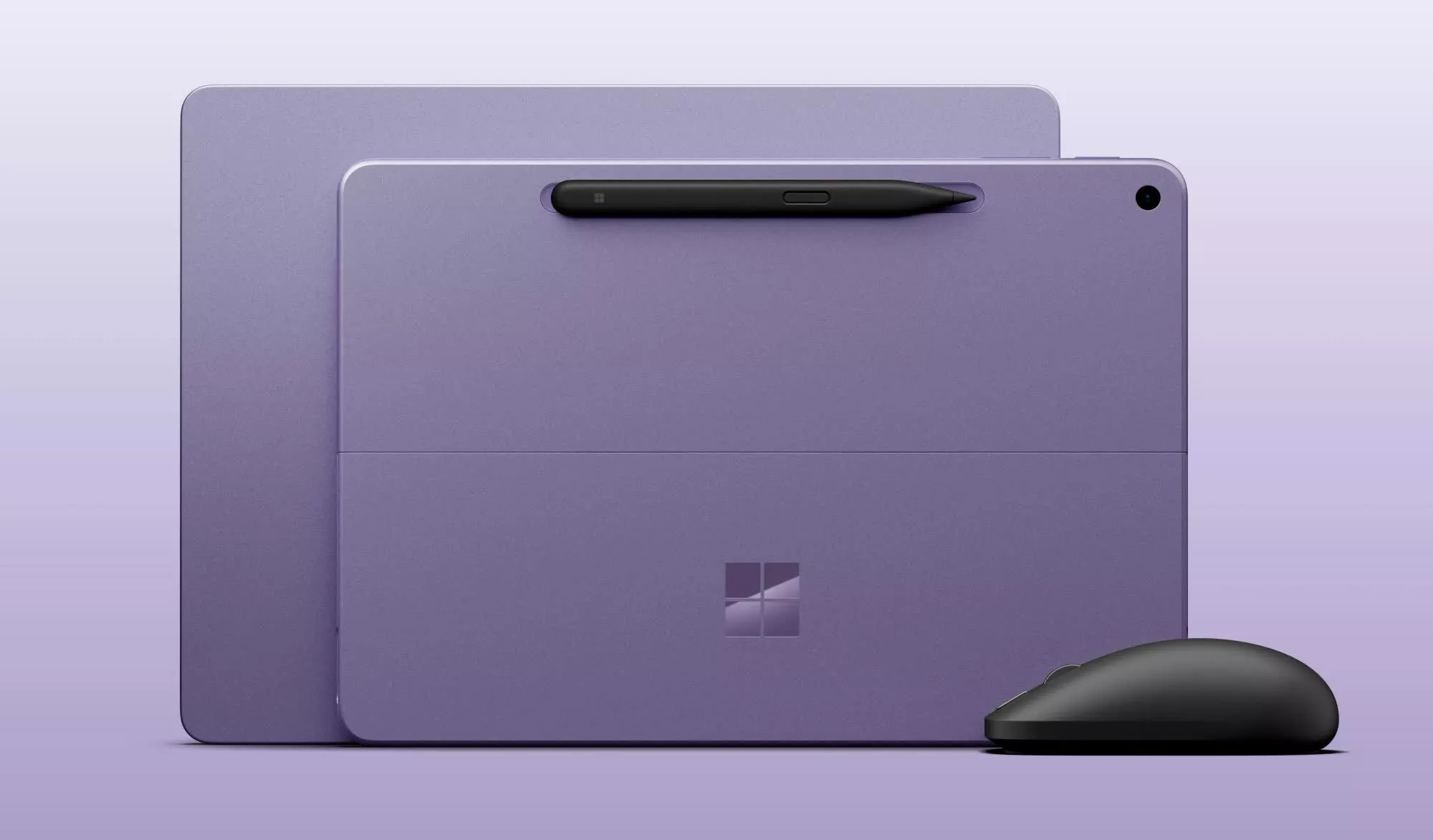
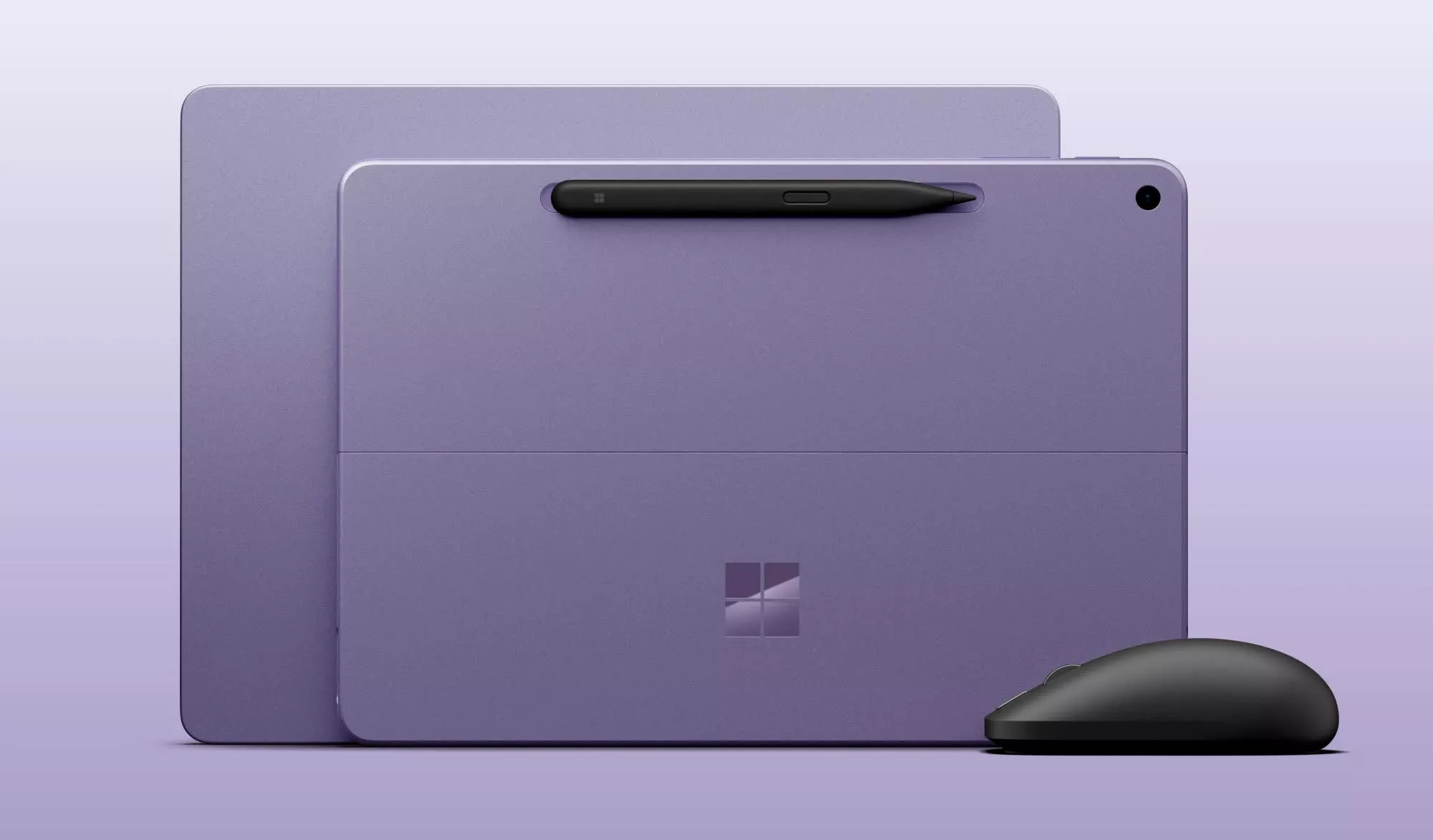
First look: Microsoft is updating its smaller Surface devices with Qualcomm’s Snapdragon X2 Plus chip, giving the 12-inch Surface Pro and 13-inch Surface Laptop more processing power for graphics and local AI tasks. The update is a straightforward internal refresh for Redmond, as it keeps the compact Surface designs in place while adding newer Qualcomm hardware, more memory, and improved AI performance. The trade-off for buyers is clear: more capable systems, but at significantly higher starting prices.
The new models go on sale October 13. They look much like last year’s versions, with the same screens, ports, and basic designs. The main changes are the processor, a higher starting RAM configuration, and brighter displays.
Prices are also going up sharply. The 12-inch Surface Pro will start at $1,149.99, up from $799.99 for last year’s model. The 13-inch Surface Laptop will start at $1,199.99, compared with $899.99 previously.
Part of the increase reflects a change in the base configuration. Microsoft is dropping the 8GB option. Both devices now start with 16GB of RAM and can be configured with up to 24GB.
Advertisement
Microsoft is using a six-core Snapdragon X2 Plus chip in both systems. The company says the processor can deliver up to 18% better battery efficiency, more than 60% faster graphics performance, and up to 95% faster local AI inferencing through its neural processing unit.
These machines are built around the Copilot+ PC platform. The NPU handles supported AI workloads locally instead of relying entirely on cloud services. That can improve responsiveness in AI features and applications designed to take advantage of the hardware.
Microsoft has not detailed the benchmarks behind those performance claims. Its battery estimates point to smaller but practical gains. The updated 12-inch Surface Pro is rated for up to 13 hours of web browsing, an hour more than its predecessor. The refreshed 13-inch Surface Laptop is said to be good for up to 18 hours, two hours more than the earlier version.
Advertisement
The displays are largely unchanged. The Surface Pro has a 2,196-by-1,464 pixel LCD with a 220-pixel-per-inch density and a refresh rate of up to 90Hz. The Surface Laptop keeps its 1,920-by-1,280 display, which has a 178-pixel-per-inch density and a 60Hz refresh rate.
Microsoft did increase brightness on both systems. The new displays reach 500 nits, up from 400 nits on the prior models.
Connectivity and port selection remain the same. Each device has two USB-C 3.2 ports. The Surface Laptop also includes a USB-A 3.2 port and a 3.5mm headphone jack. Both machines support Wi-Fi 7 and Bluetooth 5.4.
Microsoft did not add haptic trackpads to either device. That stands out because the company is expanding haptic feedback elsewhere in its Surface lineup. The Surface Laptop Ultra has a haptic trackpad, and Microsoft is also releasing a second-generation Surface Mouse with integrated haptics. Windows 11 is adding more subtle haptic feedback for some system interactions as well.
Advertisement
The refreshed Surface Pro and Surface Laptop will be available in black, platinum silver, and violet. Black is returning as a color option for both models. Microsoft will sell the devices to commercial customers, and the 12-inch Surface Pro will be offered with optional 5G.
Winning the beer league championship title becomes an all-consuming obsession for coach Joanne Pico (Jess Salgueiro) after her girlfriend and co-founder of the Public Lass Brovaries, a team for LGBTQ women and non-binary players, dumps her and joins a rival team in 10-part softball mockumentary Slo Pitch.
The comparisons with Heated Rivalry are obvious, all the moreso because Emily Hampshire and Nadine Bhabha are in both shows. Slo Pitch, however, predates the smash-hit hockey series. It started out as a cult web series in 2020, and its co-creators are heavily involved in the TV adaptation, with J Stevens directing, Gwenlyn Cumyn and Karen Knox starring, the trio having reunited to pen the series.
Boris (Knox) is a beer-obsessed German in pursuit of a green card marriage, Ann (Cumyn) is a bisexual lothario and the Toronto Blue Gays serve as the Brovaries’ arch foes in the web series. The issue is that the Blue Gays are actually good, whereas the booze-swilling Brovaries are the league’s six-time wooden spoon recipients.
Advertisement
Season 1 mockuments the Brovaries’ misadventures over the course of a summer, complete with sexy carwash fundraisers gone wrong, awkward encounters with conservative-politician sponsors and petty feuds, all in the service of winning the breakup.
Read on as we explain how to watch Slo Pitch from anywhere.
How to watch Slo Pitch online now
Slo Pitch is only currently available in Australia and Canada with the US and UK still awaiting firm release dates.
A VPN is a handy piece of software that can make your device appear as if it’s back in your home country and unlock your usual streaming services. The best VPN right now? We recommend NordVPN – it does everything and comes with up to 75% off.
Advertisement
Can I watch Slo Pitch in the US?
Any plans to release Slo Pitch in the US are firmly under wraps at the time of writing.
For now, a VPN will help you tune in if you’re spending time in the US from Canada or Australia. NordVPN is our recommended provider, and you can find out why with our in-depth NordVPN review.
How to watch Slo Pitch in the UK
Sky will be home to Slo Pitch in the UK, but at the time of writing its release date is yet to be announced.
Advertisement
Visiting the UK from Canada or Australia? Use NordVPN to watch Slo Pitch.
How to watch Slo Pitch in Canada
Crave is home to Slo Pitch in Canada, where a double-header of episodes air each Friday, starting September 25.
Prices start at CA$11.99/month and CA$119.99/year.
Advertisement
Away from home? You can access your subscriptions by downloading a VPN and pointing your location back to the UK.
How to watch Slo Pitch in Australia
Slo Pitch airs on HBO Max in Australia, with a double-header of episodes coming out each Friday following the premiere on September 25.
Prices start at AU$11.99/month and AU$119.99/year.
Advertisement
Outside Australia? Aussies away from home can use a VPN to unblock HBO Max and watch Slo Pitch as they would at home.
Slo Pitch premieres in Canada and Australia with a double-header on Friday, September 25. Two episodes will follow each week until October 23.
Advertisement
Slo Pitch cast
Jess Salgueiro as Joanne Pico
Karen Knox as Boris
Gwenlyn Cumyn as Ann
Chelsea Muirhead as Sasha
Emma Hunter as Barb
Lane Webber as Lee
Khadijah Roberts-Abdullah as Zari
Amanda Cordner as Mel
Emily Hampshire as Leanne
Varun Saranga
Laura De Carteret
Don MacLean Jr.
Nadine Bhabha
Carolyn Taylor
Chris Locke as League Commissioner
Chris Sandiford
Ayami Sato as herself
We test and review VPN services in the context of legal recreational uses. For example: 1. Accessing a service from another country (subject to the terms and conditions of that service). 2. Protecting your online security and strengthening your online privacy when abroad. We do not support or condone the illegal or malicious use of VPN services. Consuming pirated content that is paid-for is neither endorsed nor approved by Future Publishing.
ASUS has announced a new partnership with Google that gives eligible ASUS and ROG laptop owners in India three months of Google AI Pro or Google AI Plus at no additional cost. The offer is available to both new and existing customers with select 2025, 2026, and upcoming 2027 laptops, and can be redeemed through the MyASUS app. Here’s everything you need to know about it.
Eligible ASUS and ROG laptops get Gemini AI benefits
The new offer is designed to make Google’s premium AI tools more accessible across ASUS’ consumer and gaming laptop lineup. Customers purchasing eligible devices, or those who already own supported models, can activate the subscription directly from the MyASUS app.
Depending on the eligible device, users will receive either Google AI Pro or Google AI Plus. Google AI Pro is the higher-tier subscription and includes expanded access to Google’s latest Gemini models, higher usage limits for advanced AI features, and 5TB of cloud storage. Meanwhile, Google AI Plus offers an entry-level premium experience with enhanced Gemini capabilities alongside 400GB of cloud storage.
The subscription includes access to several of Google’s AI experiences across creativity, research, and productivity. Users can generate images, brainstorm video concepts, create music from prompts, and perform in-depth research using Gemini’s advanced models. The AI tools also integrate with familiar Google apps, making it easier to draft documents, organize projects, summarize information, and refine written content without switching between multiple platforms.
Beyond that, you also get storage. Google AI Pro subscribers receive 5TB of storage, while Google AI Plus includes 400GB, giving users significantly more room for documents, photos, videos, research material, and creative projects across supported Google services. For students and creators who regularly work across multiple devices, the added storage could be just as valuable as the AI features themselves, making it easier to manage large files without relying on external drives.
Advertisement
The Google AI offer is available in India from August 10, 2026, through August 9, 2027, across selected ASUS and ROG laptops. Check your specific model here.
Bluetooth has become very good at convenience. The trouble begins when you ask it to behave like a cable inside a recording studio, where latency, compression, and synchronization are not features engineers are particularly interested in negotiating with.
A vocalist monitoring their own voice or a musician tracking an instrument needs to hear what is happening almost immediately. Nobody in the control room really cares how impressive the codec logo looks when the performance arrives late.
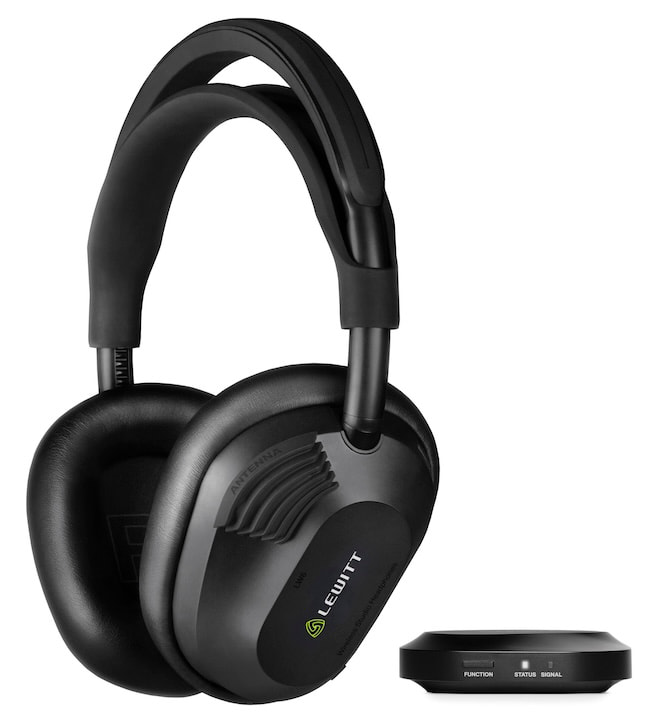
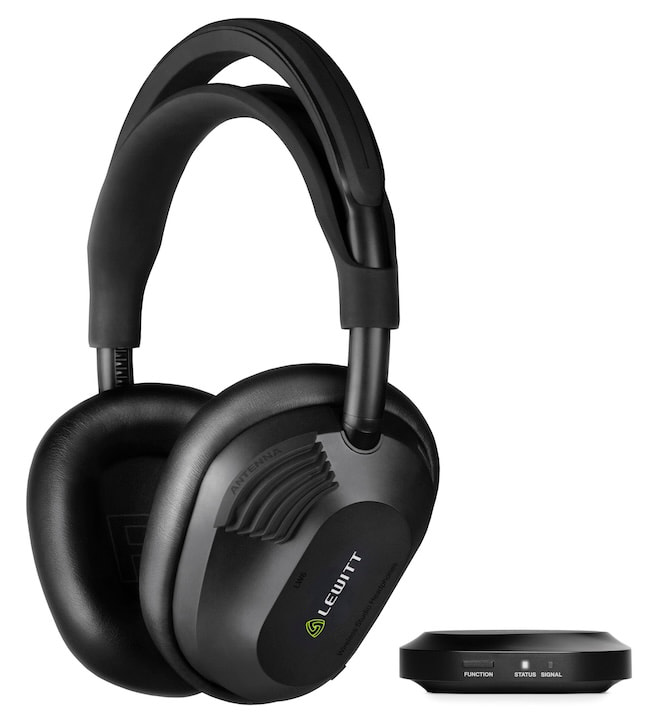
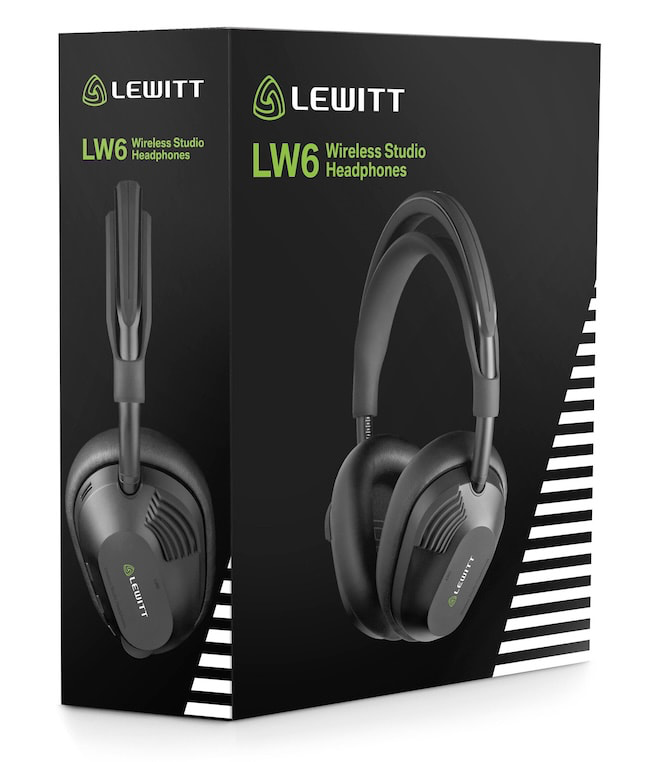
That is the problem LEWITT is attempting to solve with its new LW6 Wireless Studio Headphones, a $699 closed-back design that uses Ultra-Wideband (UWB) wireless technology rather than Bluetooth for its primary professional audio connection.
More specifically, LEWITT’s RealSound wireless system uses LE-UWB technology from SPARK Microsystems to deliver uncompressed PCM audio with 5.8 milliseconds of latency, a 1,728 kbps data rate, 110 dB of dynamic range, and an operating range of up to 5 meters or 16.4 feet. SPARK describes the LW6 as its commercial entry into the professional audio market.
Advertisement
That makes the LW6 considerably more interesting than another wireless headphone with a new Bluetooth codec.
Lewitt LW6 Wireless Studio Headphones
Related Reading:
Bluetooth Is Getting Some New Competition
The timing is rather interesting.
We just examined Qualcomm’s Snapdragon Sound Elite Gen 2, which adds micro-power Wi-Fi 6E and XPAN technology to future wireless headphones and earbuds. Qualcomm’s idea is that Wi-Fi can handle higher-bandwidth lossless audio and other demanding applications while Bluetooth remains available when power efficiency and universal compatibility are more important.
LEWITT and SPARK are approaching the same fundamental problem from a different direction.
Instead of adding Wi-Fi, the LW6 uses LE-UWB, or Low Energy Ultra-Wideband, for its RealSound connection. SPARK’s implementation is based on impulse-radio UWB technology but has been developed as a high-speed short-range data connection rather than primarily for the ranging and positioning applications commonly associated with UWB.
Advertisement
In other words, this is not AirTag technology wearing expensive headphones and hoping nobody notices.
SPARK designed LE-UWB around deterministic low latency, high throughput, and low power consumption for applications where data needs to arrive quickly and predictably. In the LW6, that technology is being used specifically to move uncompressed audio between LEWITT’s included transmitter and the headphones.
Advertisement. Scroll to continue reading.
We Have Already Seen UWB in High-End Audio
UWB audio itself is not entirely new.
Advertisement
We have already covered its use in the Focal Diva Utopia family, including the $210,000 Diva Alta Utopia, which uses UWB for the wireless connection between its left and right loudspeakers. That system can transmit 24-bit/96kHz audio wirelessly between the speakers without compression.
SPARK also confirmed earlier this year that its LE-UWB technology powers the wireless connection inside the Diva Alta Utopia.
The LW6 moves that concept into headphones, where latency becomes considerably more important. A small delay between two loudspeakers can be managed by the system; hearing your own guitar, drums, or vocals noticeably behind the actual performance is another matter entirely.
LEWITT RealSound
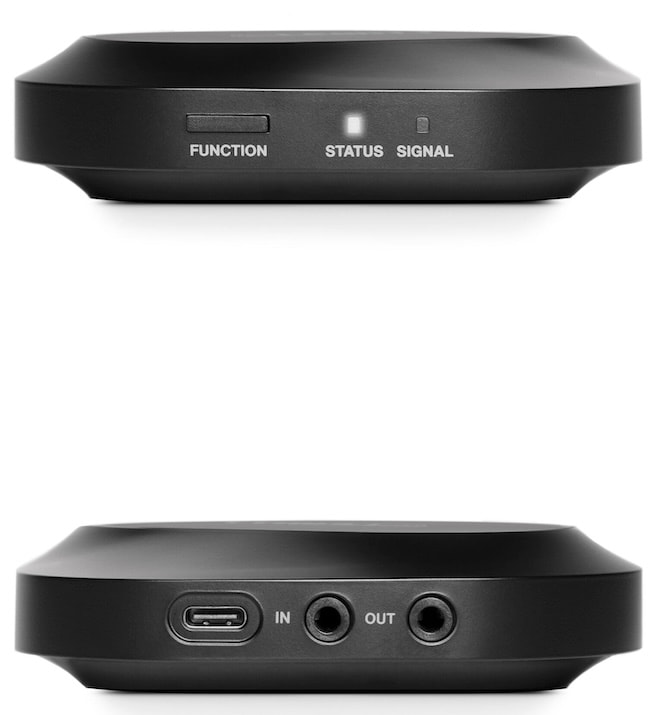
The supplied LW TX RealSound transmitter can connect directly to a computer using USB-C or to the headphone output of an audio interface using its 3.5 mm analog input.
Advertisement
The transmitter itself supports USB audio up to 24-bit/96kHz, while the RealSound wireless link delivers uncompressed PCM audio at 1,728 kbps with the aforementioned 5.8 ms latency. LEWITT also provides a 3.5 mm analog output on the transmitter.
There is one important limitation to understand: RealSound is a short-range dedicated connection, not a universal replacement for Bluetooth. Its specified range is only 5 meters, which makes complete sense inside a studio but somewhat less useful if your recording console happens to be located across the parking lot.
Bluetooth remains onboard for everything else.
The LW6 supports Bluetooth 5.3 with SBC and AAC, with LEWITT claiming a range of approximately 40 meters. There is no aptX Adaptive, aptX Lossless, or LDAC because the higher-performance studio connection is handled separately by RealSound.
Advertisement
That separation may prove to be one of the smarter aspects of the design.
Instead of trying to force Bluetooth to handle professional monitoring, LEWITT uses UWB for the demanding job and leaves Bluetooth available for phones, tablets, and casual listening.
Closed-Back Headphones Designed for Studio Work
The LW6 uses a 40 mm dynamic driver with a bio-cellulose diaphragm inside a closed-back enclosure. Frequency response is rated from 20Hz to 20kHz, impedance is 32 ohms, sensitivity is 114 dB SPL/V, and maximum output is specified at 121 dB SPL. Weight is 358 grams.
Advertisement. Scroll to continue reading.
Advertisement
LEWITT also took an interesting approach to tuning.
Rather than relying solely on conventional headphone measurement fixtures, the company used MIRE measurements, which place small microphones inside the ear canals of actual listeners. LEWITT says this allowed its engineers to account for differences in ear anatomy, head shape, hair, glasses, and headphone seal while developing the LW6’s target response.
The goal is to provide the isolation required for tracking and recording while maintaining the tonal characteristics engineers often prefer from open-back headphones.
We will reserve judgment on whether LEWITT achieved that until someone actually puts them on our head. We have all met enough products that were “reference” right up until the first cymbal crash.
Advertisement
The LW6 is not relying solely on its wireless connection to justify the $699 asking price.
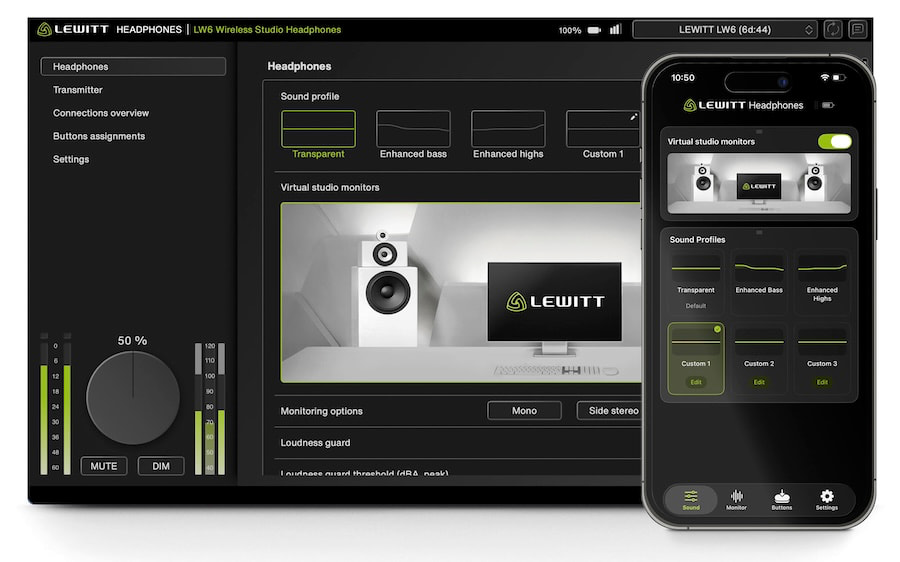
LEWITT includes a substantial collection of onboard DSP features controlled through its HEADPHONES desktop software and mobile app:
5-band customizable EQ
Three user EQ profiles stored directly on the headphones
Virtual studio monitor processing
Loudness Guard
Mono, side stereo, side mono, and left/right monitoring checks
Three programmable target volume levels
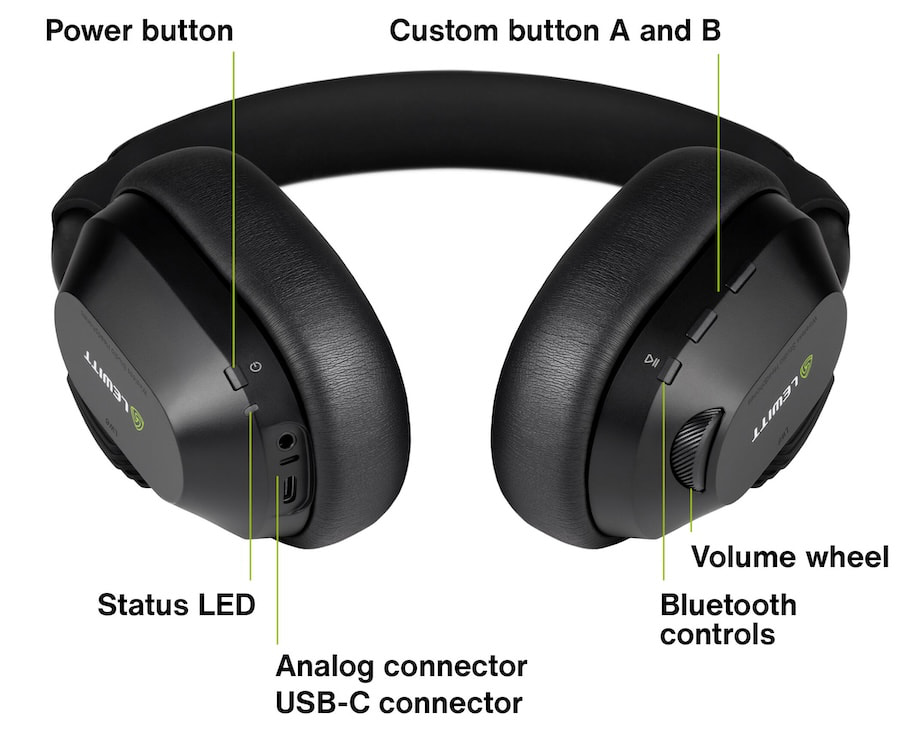
Two customizable hardware buttons
K-metering support for mastering and broadcast
The LW6 also includes a license for LEWITT Space Replicator Essential, which provides virtual studio environments and additional mix translation tools.
Battery life is rated at 21 hours using RealSound, with a full recharge taking approximately 80 minutes. A 15-minute charge can provide around three additional hours of playback.
USB-C audio is also supported directly through the headphones at up to 24-bit/96kHz, along with a conventional 3.5 mm analog input.
The LW6 is not evidence that Bluetooth is about to disappear.
It is evidence that audio manufacturers are becoming less willing to pretend Bluetooth needs to handle every wireless application.
Our recent look at whether wireless headphones really need 24-bit/192kHz audio raised precisely this issue. Better drivers, amplification, DSP, and DAC stages have pushed wireless headphones forward considerably, but the connection between the source and headphone remains an important part of the equation.
Advertisement. Scroll to continue reading.
HiFiMAN has already explored another route with the HE1000 WiFi, which moves high-resolution playback onto Wi-Fi rather than relying exclusively on Bluetooth. We found genuine sonic advantages there, although battery life and usability demonstrated that changing the wireless transport does not magically erase every engineering compromise.
Advertisement
LEWITT’s approach is narrower but arguably more practical for its intended audience.
It does not need RealSound to work everywhere. It needs it to deliver stable, uncompressed, nearly real-time audio across a recording room, while Bluetooth handles ordinary listening outside of that environment.
Qualcomm is betting that Wi-Fi will become a second wireless pipeline for premium consumer headphones. LEWITT and SPARK are demonstrating that UWB can perform a similar role where latency matters even more.
Bluetooth isn’t dead. Far from it.
Advertisement
But 2026 is starting to look like the year the audio industry finally stopped asking it to do every job in the building.
Price & Availability
The LEWITT LW6 Wireless Studio Headphones are priced at $699 USD and include LW TX RealSound UWB transmitter, cables, adapters, transport pouch, and Space Replicator Essential software..
Chargers are easy to compare by wattage and harder to compare by what they’ll actually do for a setup. I picked six discounted options with distinct jobs, from keeping a phone topped up at a desk to replacing the adapters competing for a travel outlet.
A magnetic charging pad for less than $10 is an easy addition to a desk or nightstand, especially if there’s already a suitable USB-C adapter nearby. The Amazon Basics pad includes a long cable, giving it more freedom of placement than a puck with a short lead. It’s a simple phone charger, though: there’s no stand or second charging spot, and the power adapter is sold separately.
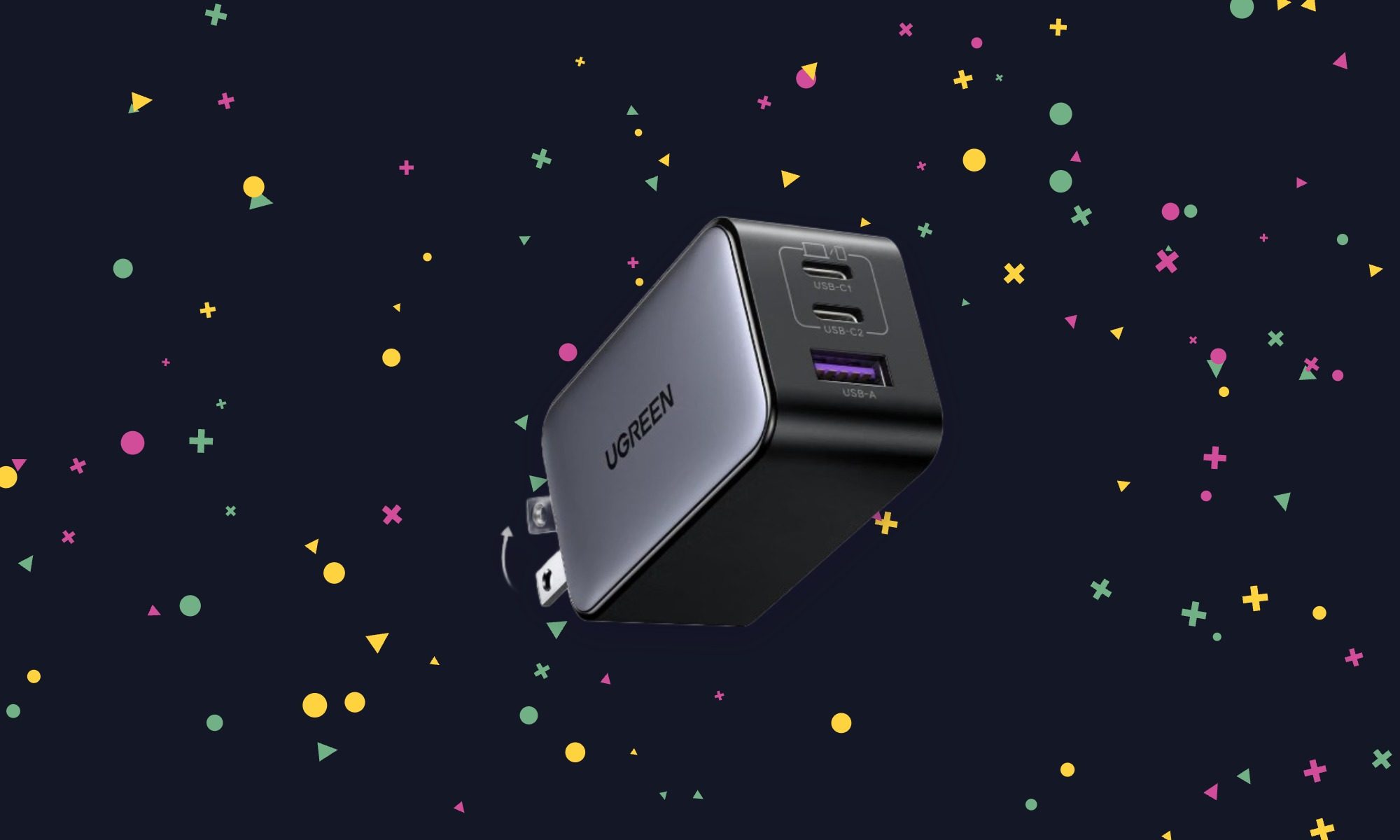
This is the charger I’d pack when a laptop, phone, and smaller accessory all need power but only one wall outlet is available. The Nexode can handle all three, with enough output to replace the supplied adapter for many compact USB-C laptops. Power is divided when several devices are connected, so don’t expect maximum laptop charging speed while using every port. At $23.99, that flexibility is the appeal.
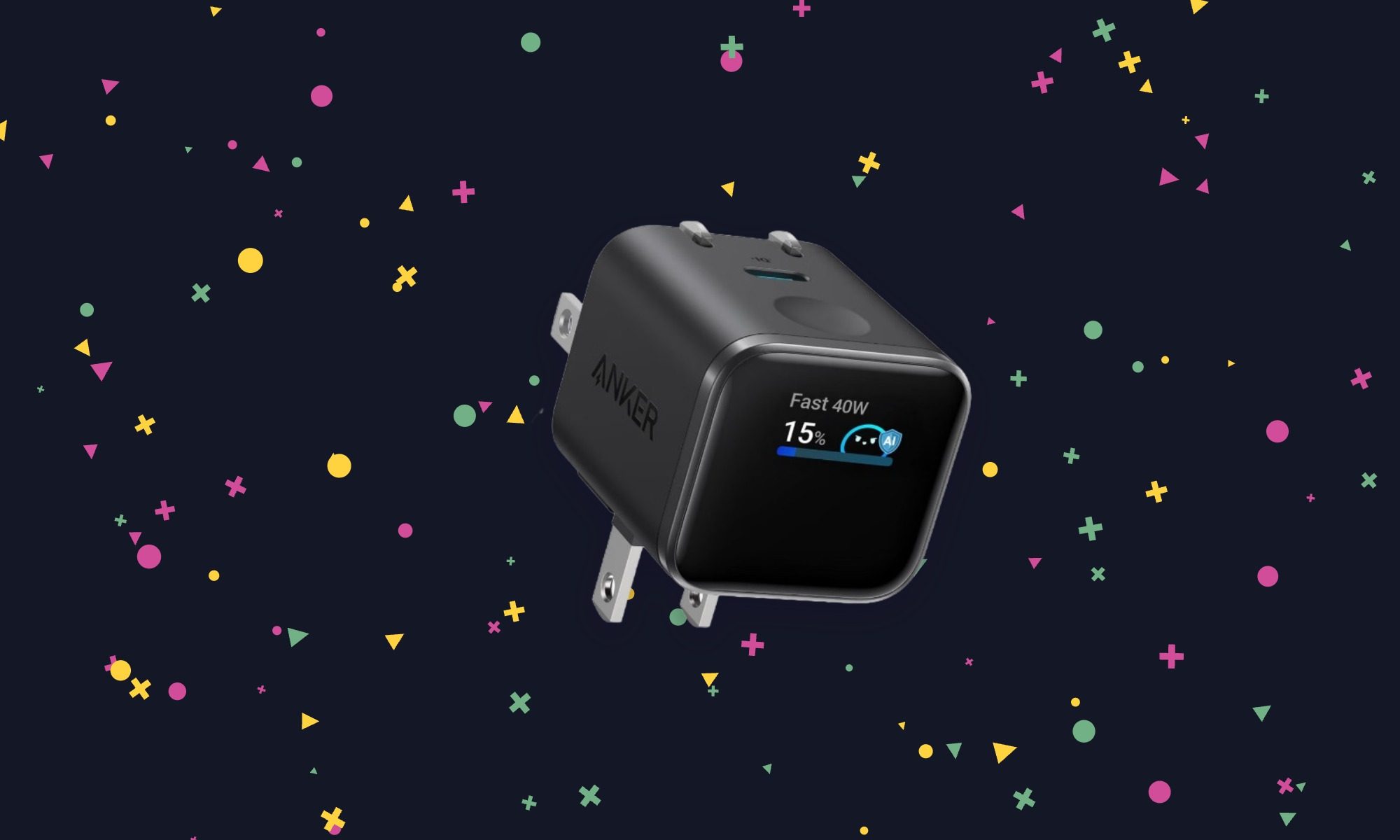
Most wall chargers give no indication of what they’re doing. The Nano’s display shows charging information at a glance, which is useful when checking whether a device is drawing the power expected. It also has a plug that adjusts to different outlet positions and a Care Mode for less aggressive charging. There’s only one port, so this makes more sense as a dedicated phone or tablet charger than a whole-bag solution.
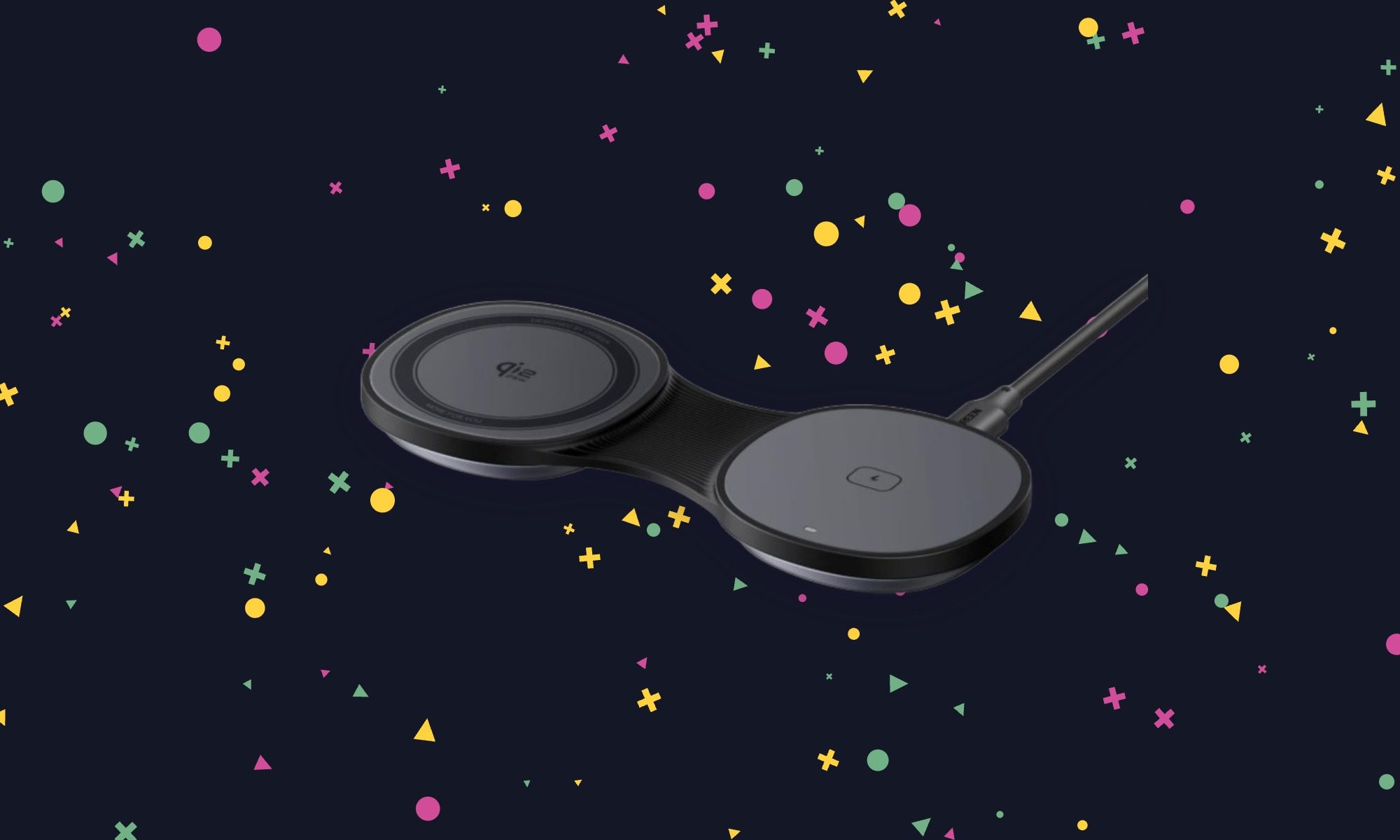
For trips, the MagFlow replaces separate wireless pads for a phone and earbuds with something that folds flat in a bag. Its phone pad can also be raised into a stand, making it useful on a nightstand or desk after the trip. The second charging spot gives it a reason to cost more than a basic puck. Factor in a separate power adapter, though, because UGREEN doesn’t include one.
Key spec/feature
Details
Phone charging
Qi2.2, up to 25W on compatible devices
Second charging spot
Wireless earbuds
Design
Folds flat or opens into a phone stand
Recommended adapter
At least 45W; not included
Anker Nano 6-in-1 Travel Power Strip – $39.99 (20% off)
Digital Trends
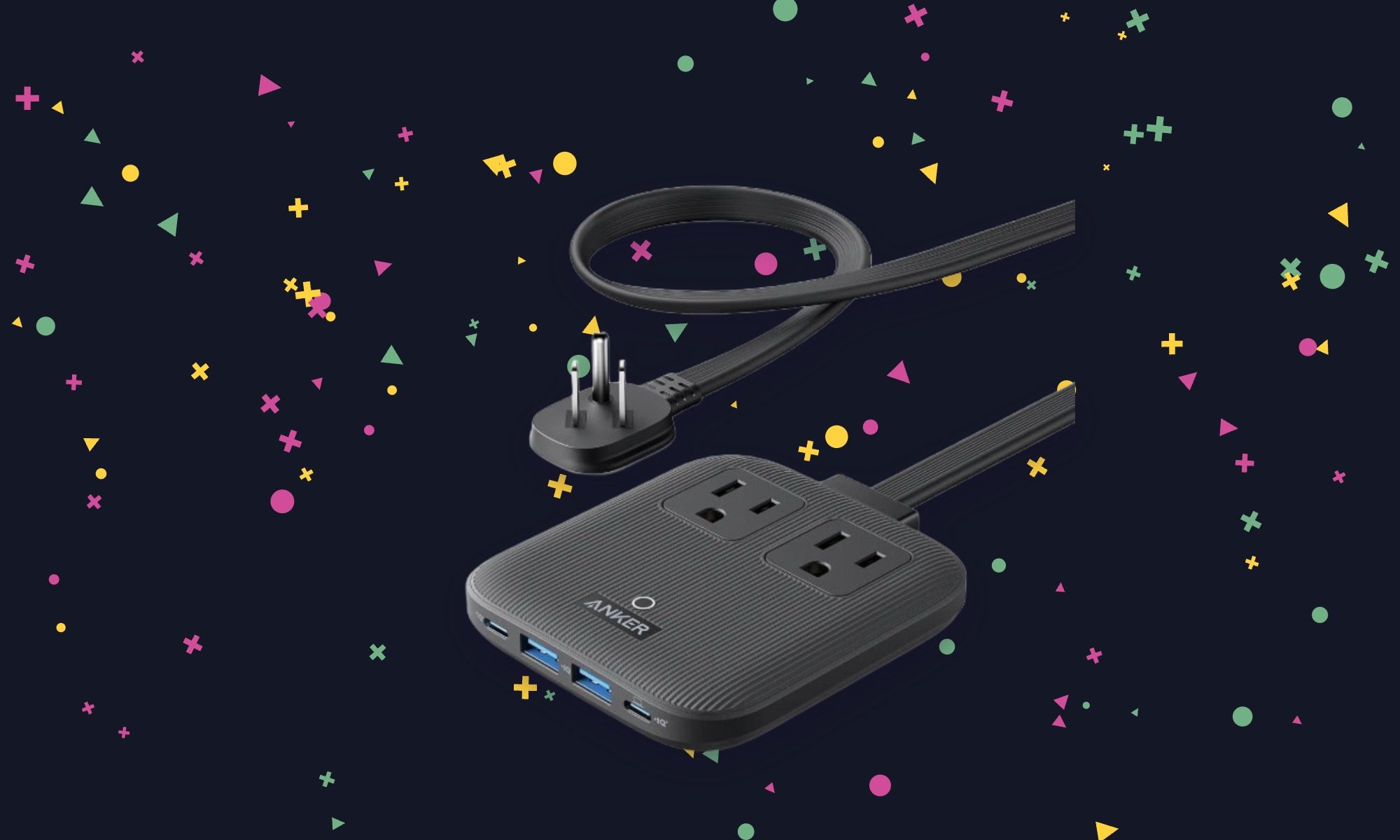
A charger helps with USB devices; this one also leaves room for equipment that needs a regular plug. The Nano power strip turns one wall outlet into six connections, making it useful beside a cramped desk or in a hotel room. Its flat plug and 5-foot cord help when the available outlet is tucked behind furniture. It’s the most practical pick here for a mixed collection of devices.
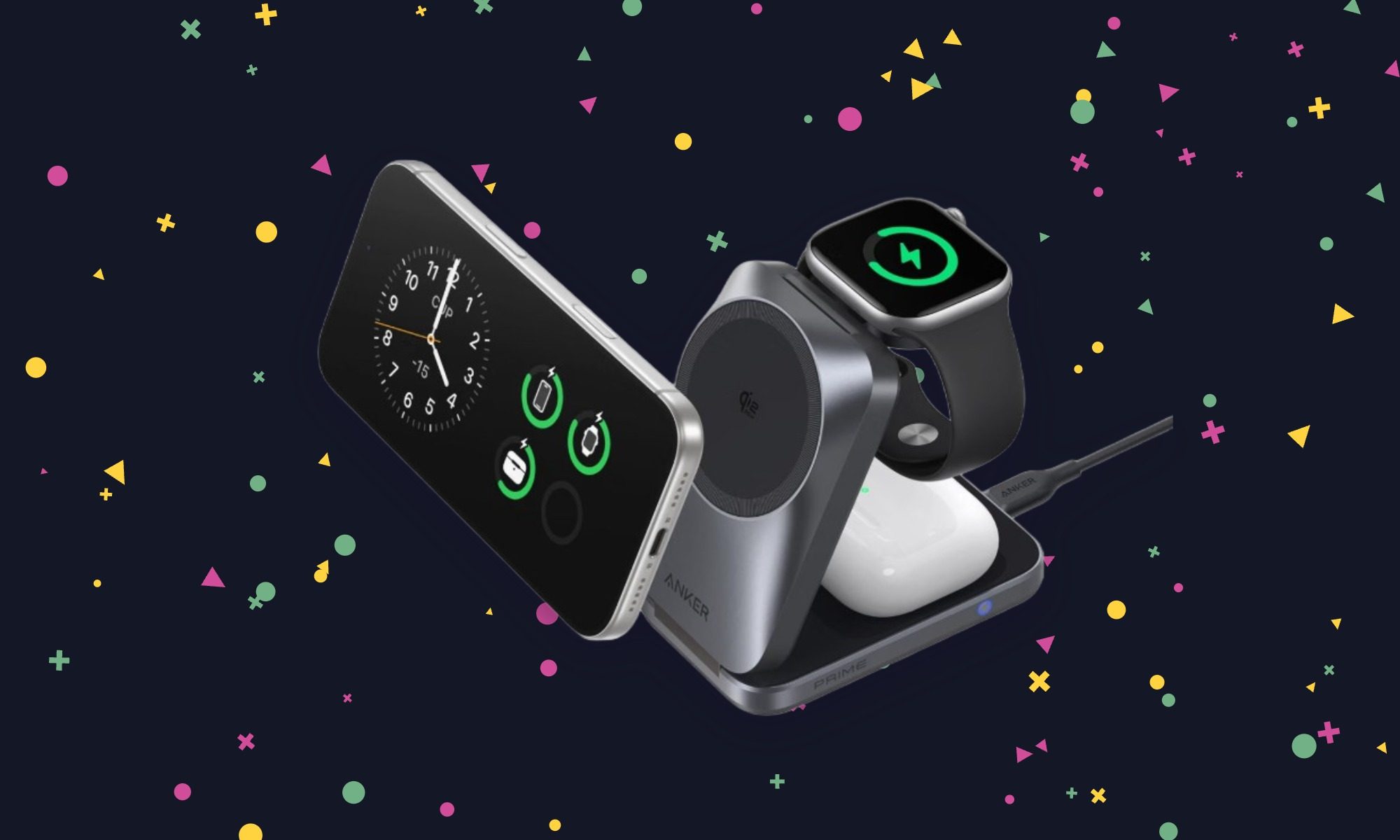
The Prime is the one to consider if an iPhone, Apple Watch, and wireless earbuds all need a place to charge overnight. It folds for travel and uses active cooling to help sustain fast wireless charging on a compatible phone. It’s still a substantial purchase at nearly $100, but Anker includes the wall adapter and cable. That makes the package easier to justify than a cheaper stand that needs another accessory to work as intended.
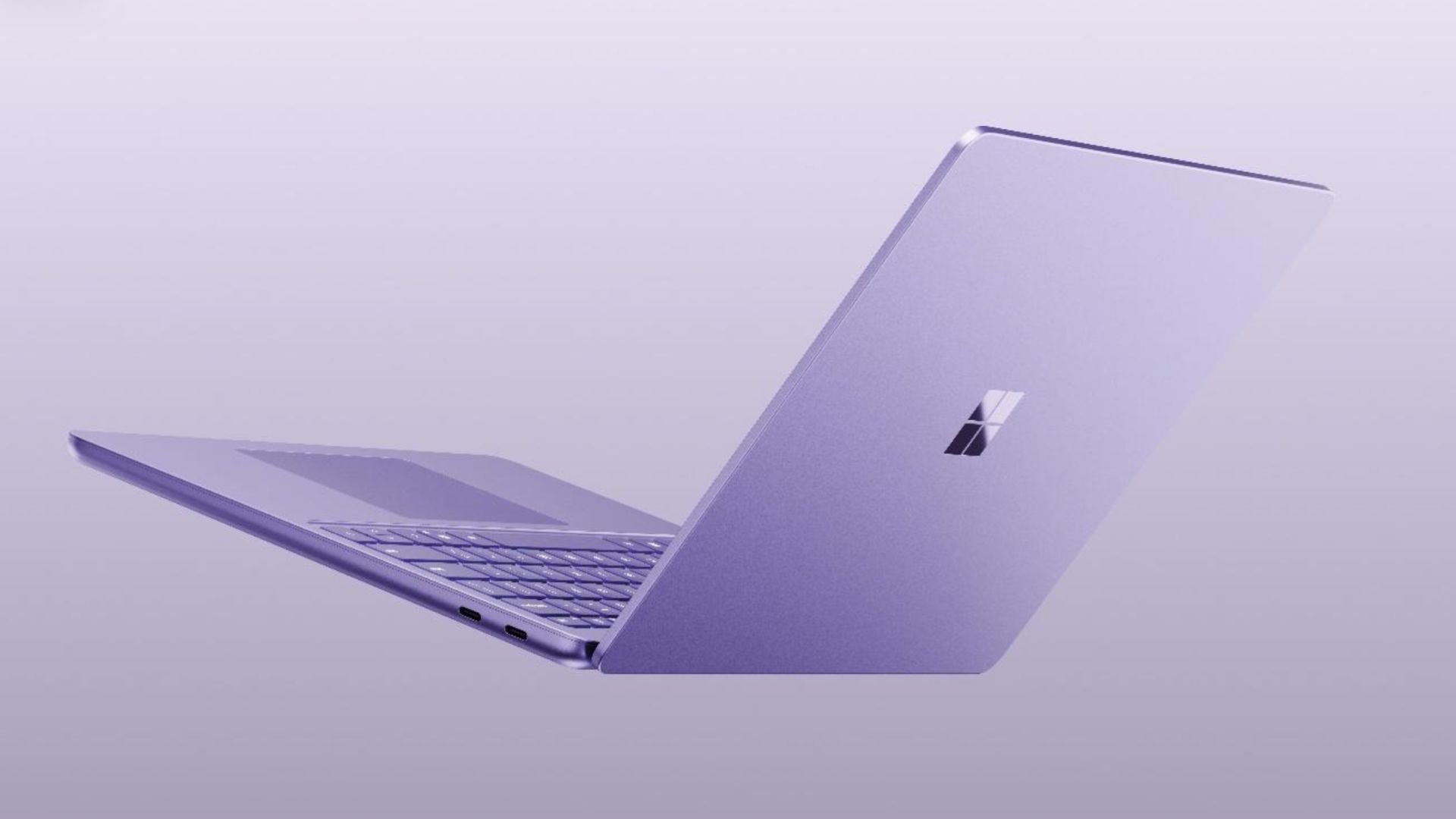
Microsoft has refreshed its compact Surface Laptop with Qualcomm’s latest Snapdragon X2 Plus processor. This promises more performance and better efficiency without changing the lightweight design.
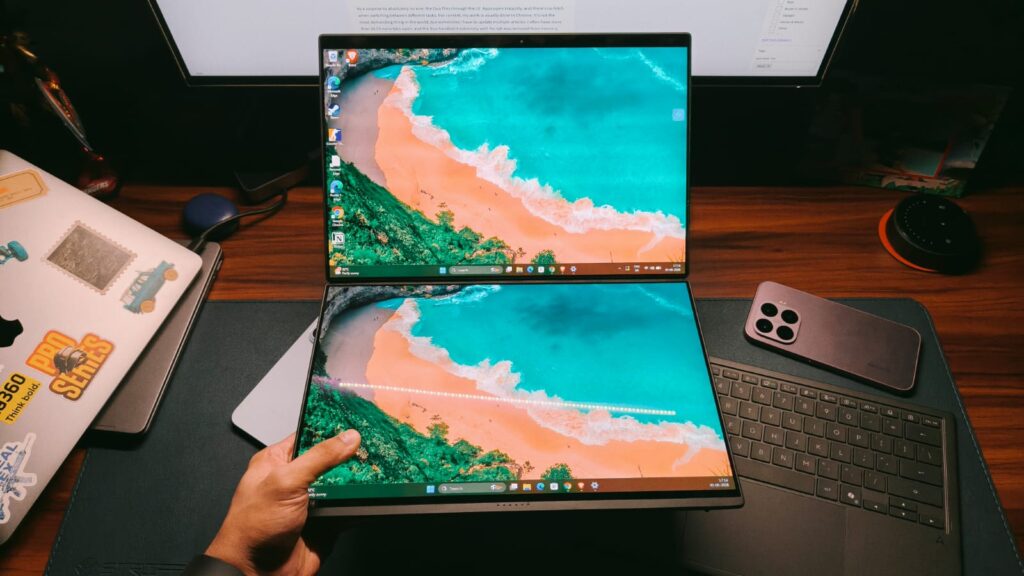
The new Surface Laptop 13-inch is a fanless Windows PC with a full-size backlit keyboard, precision touchpad, aluminium body and a taller 3:2 PixelSense touchscreen. Moreover, the Snapdragon X2 Plus upgrade brings up to 17% faster Office productivity performance and more than 60% faster graphics. It also offers up to 95% faster on-device AI processing compared with previous generations.
Battery life gets a boost, too. Microsoft claims up to 18% more efficient battery performance. The 13-inch Laptop is rated for up to 22.5 hours of battery life. Meanwhile, its 500-nit PixelSense display is also 25% brighter, and there’s a new Black finish alongside the existing option.
The Snapdragon chip is particularly important for Microsoft’s push into on-device AI. Supported Windows experiences can run AI tasks locally, through the cloud, or use a combination of both. This may potentially reduce latency and keep more data on the device.
Advertisement
Despite the performance upgrades, Microsoft hasn’t turned the Laptop 13-inch into a heavier machine. It’s still designed as a portable, everyday PC. The company is positioning it for everything from streaming and browsing to presentations and longer work sessions.
Advertisement
The new Surface Laptop 13-inch starts at $1199, with availability beginning October 13 in select markets.
Microsoft has also introduced a matching Surface Pro 12-inch, which uses the same Snapdragon X2 Plus platform. It gets a 25%-brighter 500-nit touchscreen and an extra hour of active web browsing. There is also a new Black finish, starting at $1149.99. In addition, an optional 5G configuration will also be available for business customers.
Advertisement
There’s a new Surface Mouse joining them, too. It features haptic feedback, an ambidextrous design, a customisable Copilot/action button and Bluetooth 6.0, with prices starting at $79.99.
For the 13-inch Laptop, though, the story is fairly straightforward: Microsoft has kept the compact Surface formula intact. At the same time, they have put a considerably more capable Snapdragon chip underneath it.
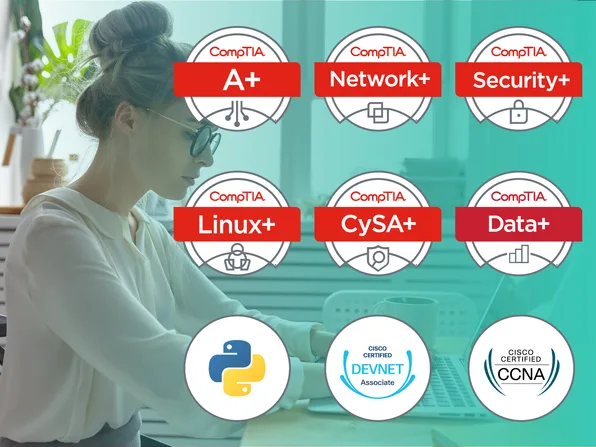
LabsDigest is built for those who learn best by doing. Whether you’re preparing for a CompTIA certification or diving into Python development, our platform offers interactive labs that simulate real-world tasks—no passive watching or reading, just real experience. Work through performance-based exercises for CompTIA A+, Network+, Security+, and more, or sharpen your coding skills with hands-on Python projects. Learn by solving problems, fixing bugs, and applying your knowledge in practical scenarios that prepare you for the real world. It’s on sale for $30.
Note: The Techdirt Deals Store is powered and curated by StackSocial. A portion of all sales from Techdirt Deals helps support Techdirt. The products featured do not reflect endorsements by our editorial team.
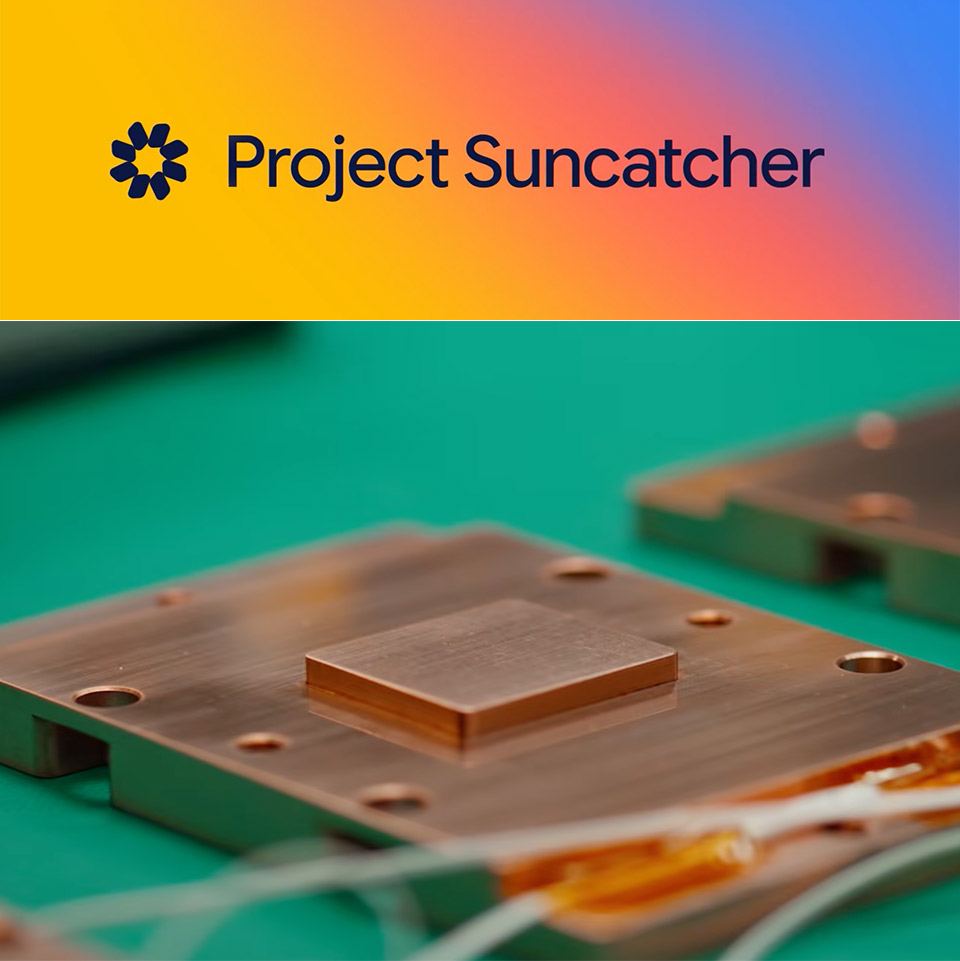
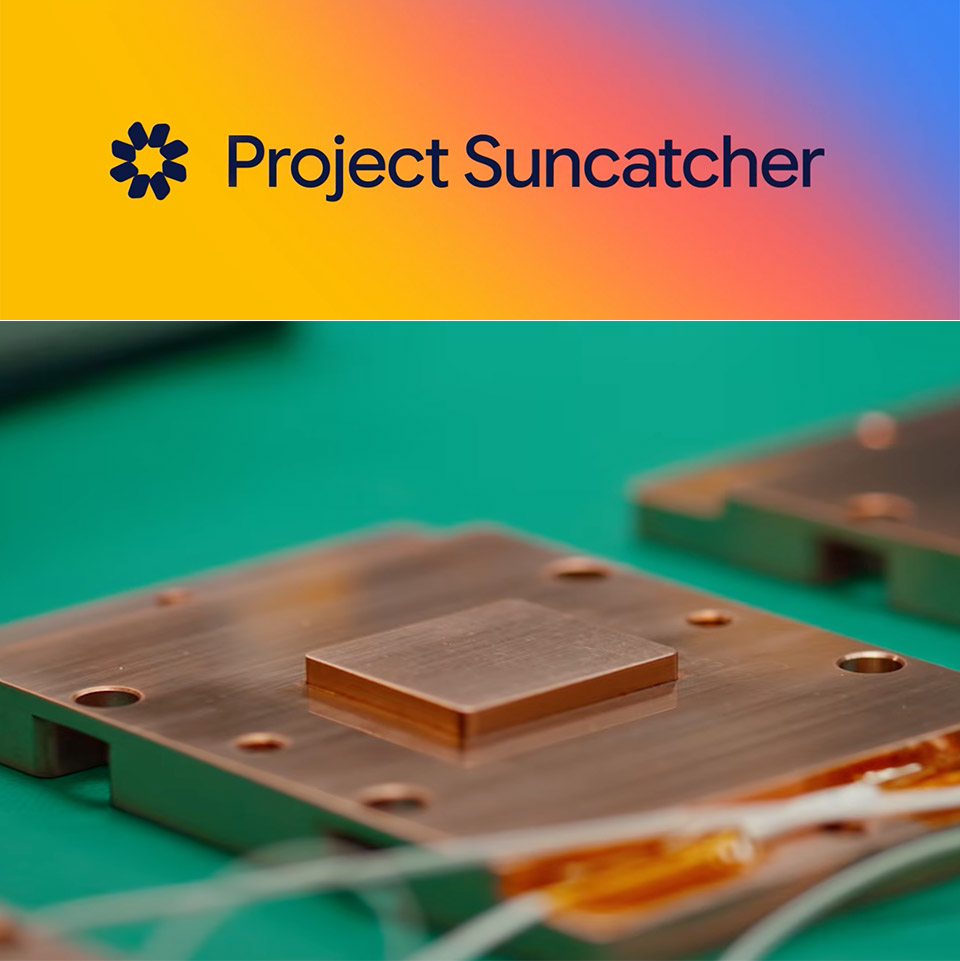
Google will send its first AI chips into space next week as the opening flight of Project Suncatcher, a long-term research effort to find out whether machine learning hardware can run in low Earth orbit on solar power. A refrigerator-sized prototype named MVP, built with Planet Labs and carrying four Tensor Processing Units, is booked on SpaceX’s Transporter-18 Falcon 9 rideshare from Vandenberg, with a target date of October 1. The satellite is not a working orbital data center. It exists to measure what launch vibration, radiation, and vacuum heat do to Google’s chips once they leave the ground.
Project Suncatcher was introduced in November 2025 as a way to work backward from a future of clustered, solar-powered satellites that talk to each other over lasers. Sitting in a dawn-dusk sun-synchronous orbit, panels can absorb near-constant sunshine and generate up to eight times the electricity you’d get on Earth, which is the entire rationale for leaving the planet in the first place. The plain, unvarnished reason Google is pushing this is because our present AI usage consumes a lot of electricity and land, whereas the Sun is the solar system’s largest energy source. The first flight is essentially the smallest feasible iteration of that concept, with a hair dryer’s equivalent of electricity, roughly 1 kilowatt of solar power, and four Trillium TPUs performing Gemini workloads in brief bursts.
NASA rocket model kit – Launch into a creative project with the LEGO Icons NASA Artemis Space Launch System model building project for adult space…
What’s in the box? – This creative building set includes everything you need to craft a multistage rocket with 2 solid-fuel boosters, an Orion…
Features and Functions – This NASA-themed rocket model features retractable launch tower umbilicals, rocket support and crew bridge, detachable…
Planet had already built the bus. Google, which has invested in the company, asked to fly sooner than the two custom satellites planned for 2027, so the chips went into an existing spacecraft instead of waiting for a purpose-built pair. So they just stuffed the chips into an existing vehicle rather than waiting for a pair to be manufactured specifically for the task. Yes, it’s a challenging ride; launch is only ten minutes of nonstop turbulence. The spaceship experiences sustained weights of 10g, while individual components like as the TPUs can weigh 50-100g or more. To put that to the test, ground crews physically shook the satellite back and forth on all three axes and were relieved to discover that the hardware could withstand it.
That still does not get us to orbit, where the only thing that can remove heat is a thin vacuum, and there is no atmosphere to deflect radiation. Radiation testing began at UC Davis’ Crocker Nuclear Laboratory, where researchers conducted AI operations on Trillium TPUs inside a proton beam while keeping a tight eye on how many bit flips and long-term damage the chips sustained. Google claims that the chips withstood more ionizing radiation than a usual five-year mission and did not break altogether, albeit memory proved to be the weakest spot. That’s somewhat useful, but also a bit incomplete.
Advertisement
The real test will come when the satellite is launched and we can observe how solar activities and cosmic rays behave in space. Then there’s the issue of cooling, which means the heat pipes and radiators must be able to dump the TPU’s waste heat into the vacuum. On the first flight, the system can only handle roughly 15 minutes of computation time before the radiators overheat and the processors shut down.
Next year, two more satellites will be launched to test the component that will transform isolated boxes into proper clusters: high-bandwidth laser communications over short distances. Each craft will need to know where it is and where its neighbors are, as well as be able to keep its beam on point. Google compares it to trying to hit a coin-sized target from miles away while both ends move. On the ground, they have a system that is already moving 800 gigabits per second each way, or 1.6 terabits total, via a single pair of transceivers. A study preprint already envisions a future in which there are 81 satellites, each carrying many more processors, within a one-kilometer radius, using free-space optics to replace the fiber that connects racks in a typical hall.
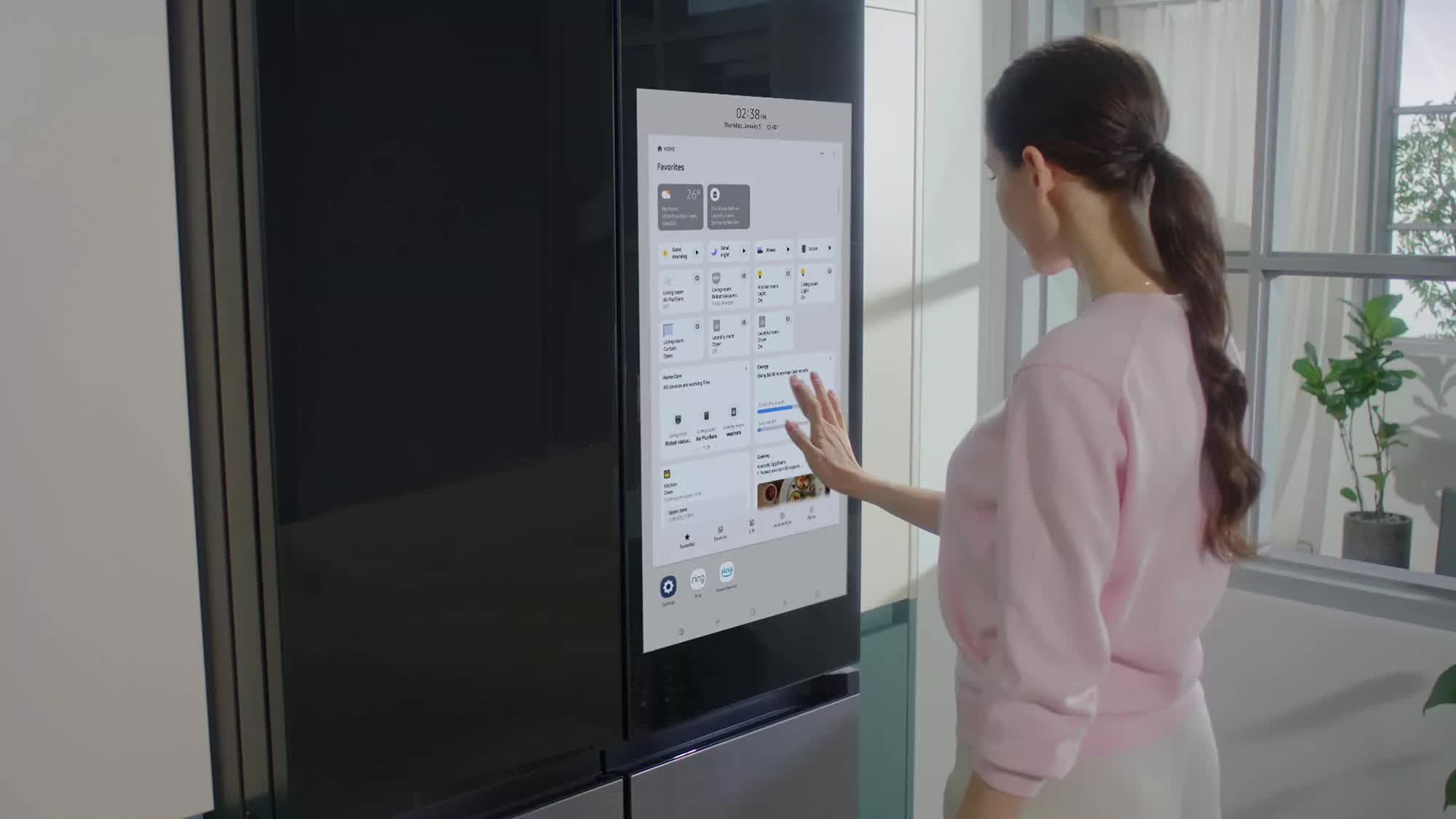
Facepalm: Samsung’s Bespoke AI Family Hub refrigerators are equipped with a Google Gemini-powered “AI Vision” feature that can recognize grocery items and suggest recipes based on what’s available. Many of these smart fridges stopped working earlier this week following a buggy firmware update.
According to Seoul Shinmun, people across South Korea are reporting that their Samsung smart fridges stopped functioning after installing an over-the-air update through the company’s SmartThings app earlier this week.
Following the update, the refrigerators lost power, went offline, and displayed an update-related error message on their built-in touchscreens.
The report cited multiple complaints posted on Samsung’s official community forums in South Korea, with many saying they had purchased their fridges just months earlier. Some also reported having to throw away large quantities of food after it began to spoil when their refrigerators lost power. It’s unclear how widespread the problem is or whether users in other countries have also been affected.
Advertisement
Users are especially upset that the incident happened during Chuseok, a major Korean autumn harvest festival and three-day national holiday dedicated to giving thanks and honoring ancestors. Millions of South Koreans travel back to their hometowns for Chuseok and stock up on fresh produce to share with friends and family during the holiday.
One disgruntled user lamented that all the food they bought for the festivities had spoiled after their fridge lost power. “Today, I had to throw away 20kg of food. How do I spend the holidays (like this)?” they asked. Others expressed anger that so many people had their Chuseok ruined because of the faulty update, while “Samsung employees are just having a good time at home.”
Samsung has acknowledged the issue, claiming that the problem occurred because the update was accidentally released prematurely during a test earlier this week. The company said it stopped distributing the faulty firmware after realizing its mistake and promised to roll out a fix on an emergency basis. Samsung is also reportedly considering monetary compensation for affected users.
Advertisement
While AI-infused smart home devices may sound like a good idea to some, others believe that modern appliances are already complex enough without having to worry about problematic software updates and DDoS attacks, problems people already deal with regularly on their smartphones and computers.
Many consumers have been suffering from AI fatigue as electronics manufacturers add artificial intelligence to their products regardless of whether they actually need it. From refrigerators to microwaves, and from toothbrushes to toilets, almost nothing seems safe from unnecessary AI integration circa 2026.
One of the first things I did when I left my full-time job at WIRED was give Claude Cowork access to my email and calendar. After reporting on artificial intelligence for years, I was curious about what the technology could do for me. I had imagined Cowork as a hyper-capable digital assistant, but was let down to discover that it was more like interacting with a regular chatbot, albeit one with extra tools. What did I want it to do? I had no idea.
Then Instinct, an invite-only AI agent that communicates with users through iMessage and WhatsApp, started popping off in the Bay Area. It connects to your email, calendar, and messaging apps. Think of it as OpenClaw for normies. The company, which launched in private beta in February, is reportedly in talks to raise $1 billion on top of the $350 million it’s already raised, bringing its valuation to $10 billion, according to The Information.
Instinct’s moment in the spotlight comes as Meta is experiencing its own unexpected burst of popularity thanks to Muse, an AI assistant the tech giant launched earlier this month. As of writing, Muse is the most popular free app in Apple’s App Store, with more than 900,000 downloads, according to third-party estimates. The commentator class on X seems genuinely excited about it, despite the fact that it rolled out with a serious security vulnerability that would have “let attackers do ‘whatever’ they wanted on a victim’s Mac,” according to Ars Technica. I’m not about to give Meta a ton of my personal information, but if Muse can keep me logged into Bloomberg or unsubscribe me from Hot Yoga São Paulo, which has been emailing me once a week since 2017, I’ll reconsider.
Agent Provocateur
The divide between people who use AI agents for everything and those who have never tried one has never been wider. It explains, in part, why tech CEOs were largely caught off guard by the data center backlash. If you think agents can automate the majority of people’s administrative drudgery and turbocharge their productivity, the costs and disruptions associated with building data centers might look like an acceptable trade-off. But if you’re using chatbots as a fancy form of Google, that deal is probably much less appealing.
I was eager to avoid such a fate. I may not be agentic, but I like to think I’m action-oriented. Surely I could identify a software-shaped problem in my life. I had used Claude previously to generate a few freelance invoices, saving me approximately 10 minutes. It was nice, but not life-changing. I decided to give Instinct a try.
If you talk to AI researchers about Instinct, you’ll hear the phrase “form factor” a lot. Instinct got the form factor right—no open text box, just iMessage, WhatsApp, and a few helpful prompts. It’s hard to overstate how important this is. Rather than trying to figure out for yourself how to make the chat experience more useful, you’re texting with an agent that’s suggesting things it can do for you, and then actually doing them. And unlike other agents in this space, it doesn’t text too much. I tried a competing agent called Lindy for a week and deleted it after it texted me each morning and started popping into Zoom meetings without my approval.
Hallucinating, sucking up and providing way too many bullet points and emoji in the response when you just asked a simple question: The sins of AI chat tools are many.
Spending precious moments searching for and refining prompts that will get you to the right answer in the way you want it delivered is one way to go, but there’s a more sophisticated, permanent method hiding in the depths of your favorite AI chat’s toolkit.
AI chat tools like ChatGPT, Google Gemini, Claude AI and others have options in their settings that serve as permanent instruction manuals for how they interact with you. Using these features can give the tools specific instructions that might lead to better outcomes and less frustration, but first, you have to find them.
Here’s how to customize your AI to give you the best responses in the way you want them.
Advertisement
(Disclosure: Ziff Davis, CNET’s parent company, in 2025 filed a lawsuit against OpenAI, alleging it infringed Ziff Davis copyrights in training and operating its AI systems.)
Personalization settings
To access all of these personalization settings, start by clicking your username in the open chat window of most AI chat tools. You’ll find something in the settings list usually called “personalization” or “personal intelligence.” This is the starting point for all AI chat customizations — your command center for the best prompt results possible.
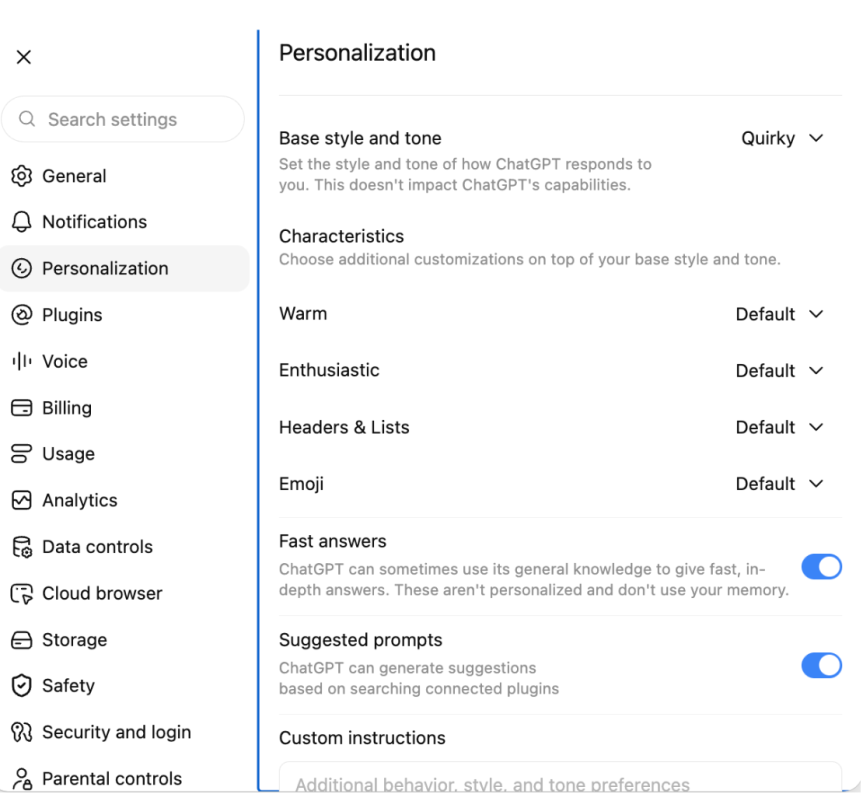
ChatGPT offers a range of options for customizing your experience with the tool, including how “warm” and “enthusiastic” the responses in your chats might be — aka, how much butt kissing you’d like in your interactions — as well as whether you want to nix emoji use altogether or how you’d like ChatGPT to refer to you in your sessions.
ChatGPT/Screenshot by CNET
Gemini’s version of this is called Personal Intelligence, and it offers a much more open-ended alternative to the toggle method in ChatGPT’s settings. You access it the same way, but instead of a list of options, in addition to providing custom instructions, Gemini operates only on custom instructions.
Gemini/Screenshot by CNET
Claude AI also allows you to pick a style of communication in the tool’s settings and add custom instructions for how Claude should build its responses to prompts.
Claude/Screenshot by CNET
Claude offers several custom setting capabilities, including chat fonts, voice styles and the option to provide specific instructions like ChatGPT and Gemini.
Setting the tone
Each AI chat tool has its own default voice, literally, and they can all be adjusted to suit your individual tastes.
Advertisement
In ChatGPT, the default is average “warmth,” and you can toggle the friendliness from bestie to fact-focused professional. Fiddling with the “enthusiasm” toggles offers a range from energized and excited to calm and neutral, and there’s even a switch that lets you up the ante on emoji or nix them outright.
Gemini and Claude are more self-guided and require you to come up with your own specialized set of instructions to specify what kind of tone you’d like the chats to take.
The test prompt
I started with a baseline setting across all three AI chats, focusing on responses within an area of expertise in which I am woefully underinformed, but which offers a chance for the AI tools to respond in a wide variety of ways: the video game EA Sports College Football.
Using the default settings, I entered the prompt, “What team should I manage in EA Sports College Football?” intoeach AI tool. The resulting advice differed in each chat, with fairly vanilla phrasing and varying lengths.
Advertisement
ChatGPT/Gemini/Screenshot by CNETClaude/Screenshot by CNET
Using the same prompt, I bumped the warmth, enthusiasm and emoji use up to the max in ChatGPT, as well as setting the base style and tone to “quirky.” I used the same kind of tailoring for both Gemini and Claude.
ChatGPT’s friendlier output showed the most change in tone, and the tool even changed its recommendations for which team to go with in its response. Gemini, on the other hand, seemed to simply add some more adjectives and emojis to the same response, and Claude threw in a football emoji and narrowed the team pick down to Georgia.
Claude/Screenshot by CNETChatGPT/Gemini/Screenshot by CNET
Refining the responses
Once you’ve set up your instructions, the AI tools should be able to incorporate them immediately. You won’t need to start a fresh chat to get them up and running. Here’s how ChatGPT, Claude and Gemini performed when given their more specific marching orders.
I added some custom instructions to each AI tool that I hoped would address the biggest gripes users seem to have — too much butt kissing, making things up to fill in the blanks and using language that feels inhuman or reads like AI slop.
The instructions: Do not compliment the user. Do not tell the user they are “brilliant” or making a wonderful point, for example, in the chats. When presenting new information, always cite the source of that information in the chat, if available. Keep responses human – do not summarize points at the end of the responses.
Of the three tools, only Gemini fully followed the directions without prompting in the chat, providing a link to EA’s website with information about a specific team I mentioned and asked about.
Advertisement
ChatGPT cited a source, but it turned out to be user data (recalling my time as an ASU professor), and not any empirical information like player stats or metrics from the game. Only when asked directly to provide sources did it deploy a robust listing of links, saying, “You’re right to ask. I didn’t provide citations in that response, and I should have distinguished source game information from my own recommendation.”
Claude also relayed sources only after specific requests for them in the chat.
Claude/Screenshot by CNET
As for the anti-glazing instructions, I put those to the test in a very deliberate way, asking all three tools what they thought of my team pick and even dropping into the chat to say that I thought my selection was indeed brilliant. Only one of them really took the bait — Gemini — calling my choice in team “phenomenal,” when pressed for an opinion.
Gemini/Screenshot by CNET
ChatGPT and Claude, however, provided resounding confirmation of my choice based on my personal ties to the Sun Devils while keeping their digital lips miles away from my butt cheeks.
Which AI tool fares best with personalization picks?
The most human: If you’re looking for an AI chat tool to vent about your partner leaving the backdoor open or how annoying your parents’ FaceTime calls have become, then Gemini and ChatGPT might be the best bet.
In my testing, they both consistently offered the most personable tone and stayed solidly in the pocket of the most “human-like” responses. Both tools could be tweaked with toggles and specific instructions to reliably offer a sounding board that could appear to have a personality.
Advertisement
Least likely to hallucinate: If you’re looking for a purely analytical, fact-based experience, you’re best served by the settings and outcomes in ChatGPT. Although Gemini was the only AI chat tool that followed my explicit instructions to cite sources without being reminded in the chat on the first try, it subsequently dropped citing sources without being prompted, whereas ChatGPT provided a robust set of links after being reminded once.
Overall impressions: The AI chat tool that most closely followed my instructions and acted in the spirit of the exercise was ChatGPT. It might be the dedicated toggles meant to address the specific concerns around tone that people have complained about. It also might be a matter of opinion. But ChatGPT seemed to be the most coachable AI chat tool in the bunch.
Rachel Kane
Contributor and former Senior Editor
Rachel is a freelancer based in Echo Park, Los Angeles and has been writing and producing content for nearly two decades on subjects ranging from tech to fashion, health and lifestyle to entertainment and education. She’s currently a Professor of Practice at Arizona State University’s Walter Cronkite School of Journalism and Mass Communication, helping to mold the new minds who will inherit the media landscape. She’s hoping to prevent the singularity by being polite to chatbots and spends way too much time refining Midjourney prompts.
See full bio




























































You must be logged in to post a comment Login