LabsDigest is built for those who learn best by doing. Whether you’re preparing for a CompTIA certification or diving into Python development, our platform offers interactive labs that simulate real-world tasks—no passive watching or reading, just real experience. Work through performance-based exercises for CompTIA A+, Network+, Security+, and more, or sharpen your coding skills with hands-on Python projects. Learn by solving problems, fixing bugs, and applying your knowledge in practical scenarios that prepare you for the real world. It’s on sale for $30.
Note: The Techdirt Deals Store is powered and curated by StackSocial. A portion of all sales from Techdirt Deals helps support Techdirt. The products featured do not reflect endorsements by our editorial team.
Chargers are easy to compare by wattage and harder to compare by what they’ll actually do for a setup. I picked six discounted options with distinct jobs, from keeping a phone topped up at a desk to replacing the adapters competing for a travel outlet.
A magnetic charging pad for less than $10 is an easy addition to a desk or nightstand, especially if there’s already a suitable USB-C adapter nearby. The Amazon Basics pad includes a long cable, giving it more freedom of placement than a puck with a short lead. It’s a simple phone charger, though: there’s no stand or second charging spot, and the power adapter is sold separately.
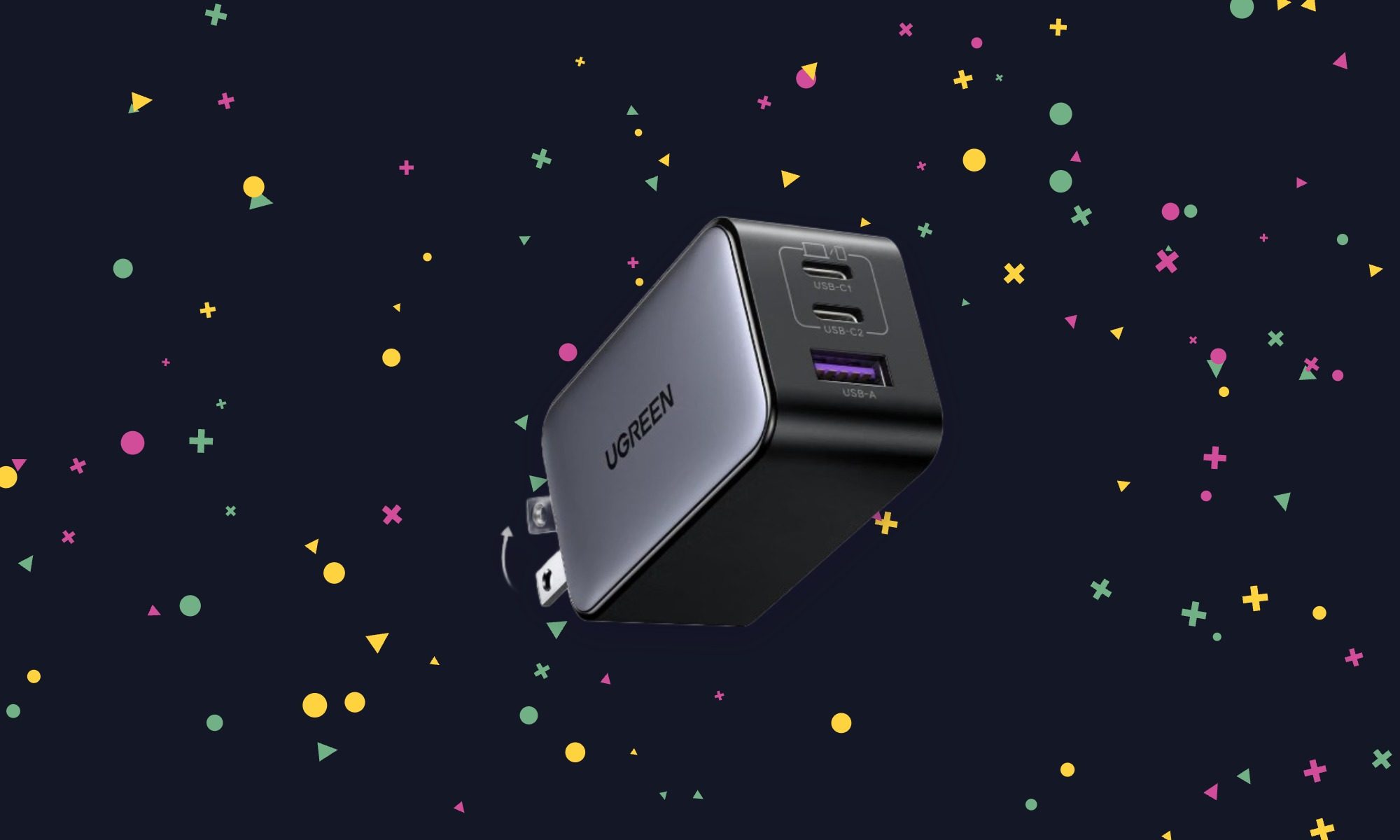
This is the charger I’d pack when a laptop, phone, and smaller accessory all need power but only one wall outlet is available. The Nexode can handle all three, with enough output to replace the supplied adapter for many compact USB-C laptops. Power is divided when several devices are connected, so don’t expect maximum laptop charging speed while using every port. At $23.99, that flexibility is the appeal.
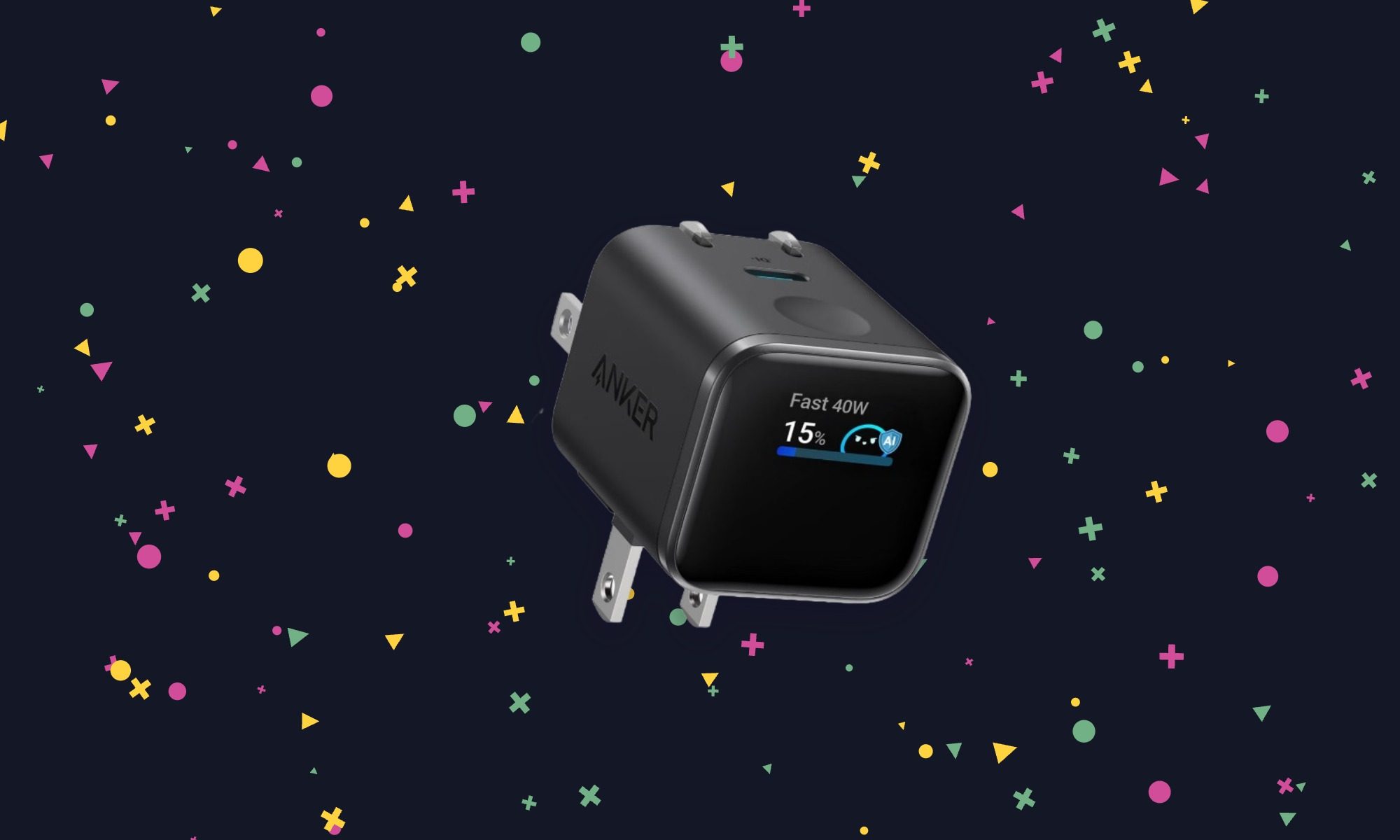
Most wall chargers give no indication of what they’re doing. The Nano’s display shows charging information at a glance, which is useful when checking whether a device is drawing the power expected. It also has a plug that adjusts to different outlet positions and a Care Mode for less aggressive charging. There’s only one port, so this makes more sense as a dedicated phone or tablet charger than a whole-bag solution.
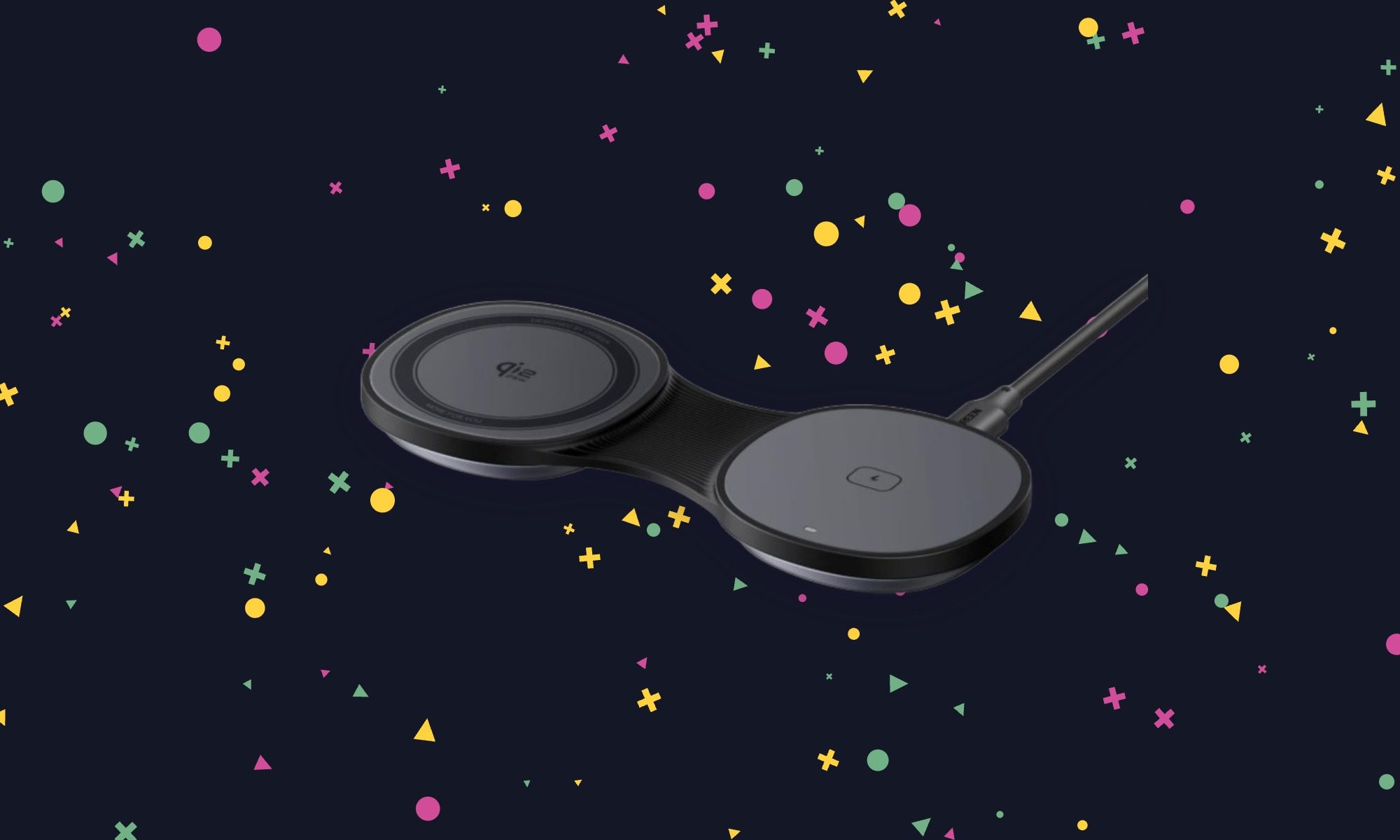
For trips, the MagFlow replaces separate wireless pads for a phone and earbuds with something that folds flat in a bag. Its phone pad can also be raised into a stand, making it useful on a nightstand or desk after the trip. The second charging spot gives it a reason to cost more than a basic puck. Factor in a separate power adapter, though, because UGREEN doesn’t include one.
Key spec/feature
Details
Phone charging
Qi2.2, up to 25W on compatible devices
Second charging spot
Wireless earbuds
Design
Folds flat or opens into a phone stand
Recommended adapter
At least 45W; not included
Anker Nano 6-in-1 Travel Power Strip – $39.99 (20% off)
Digital Trends
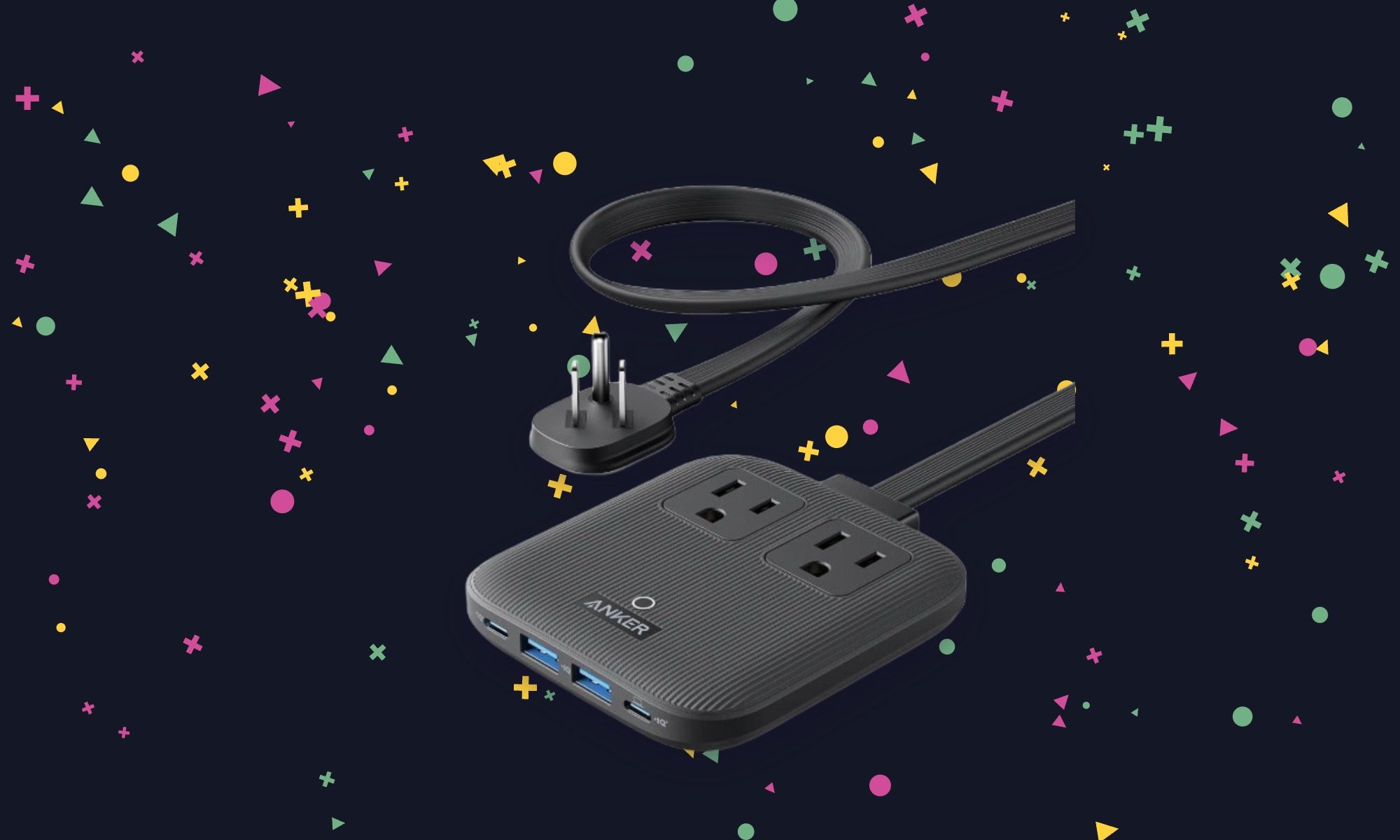
A charger helps with USB devices; this one also leaves room for equipment that needs a regular plug. The Nano power strip turns one wall outlet into six connections, making it useful beside a cramped desk or in a hotel room. Its flat plug and 5-foot cord help when the available outlet is tucked behind furniture. It’s the most practical pick here for a mixed collection of devices.
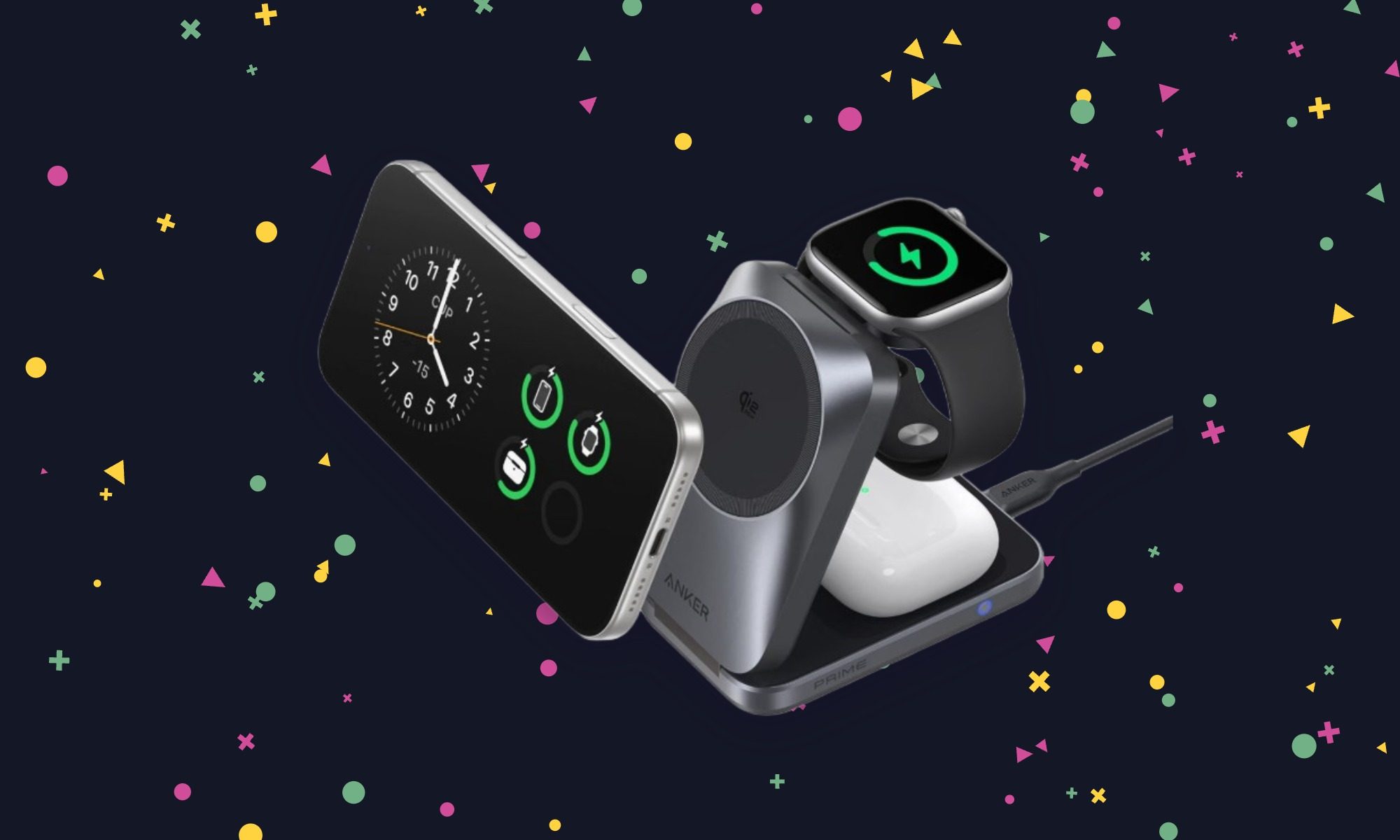
The Prime is the one to consider if an iPhone, Apple Watch, and wireless earbuds all need a place to charge overnight. It folds for travel and uses active cooling to help sustain fast wireless charging on a compatible phone. It’s still a substantial purchase at nearly $100, but Anker includes the wall adapter and cable. That makes the package easier to justify than a cheaper stand that needs another accessory to work as intended.
Microsoft has refreshed its compact Surface Laptop with Qualcomm’s latest Snapdragon X2 Plus processor. This promises more performance and better efficiency without changing the lightweight design.
The new Surface Laptop 13-inch is a fanless Windows PC with a full-size backlit keyboard, precision touchpad, aluminium body and a taller 3:2 PixelSense touchscreen. Moreover, the Snapdragon X2 Plus upgrade brings up to 17% faster Office productivity performance and more than 60% faster graphics. It also offers up to 95% faster on-device AI processing compared with previous generations.
Battery life gets a boost, too. Microsoft claims up to 18% more efficient battery performance. The 13-inch Laptop is rated for up to 22.5 hours of battery life. Meanwhile, its 500-nit PixelSense display is also 25% brighter, and there’s a new Black finish alongside the existing option.
The Snapdragon chip is particularly important for Microsoft’s push into on-device AI. Supported Windows experiences can run AI tasks locally, through the cloud, or use a combination of both. This may potentially reduce latency and keep more data on the device.
Advertisement
Despite the performance upgrades, Microsoft hasn’t turned the Laptop 13-inch into a heavier machine. It’s still designed as a portable, everyday PC. The company is positioning it for everything from streaming and browsing to presentations and longer work sessions.
Advertisement
The new Surface Laptop 13-inch starts at $1199, with availability beginning October 13 in select markets.
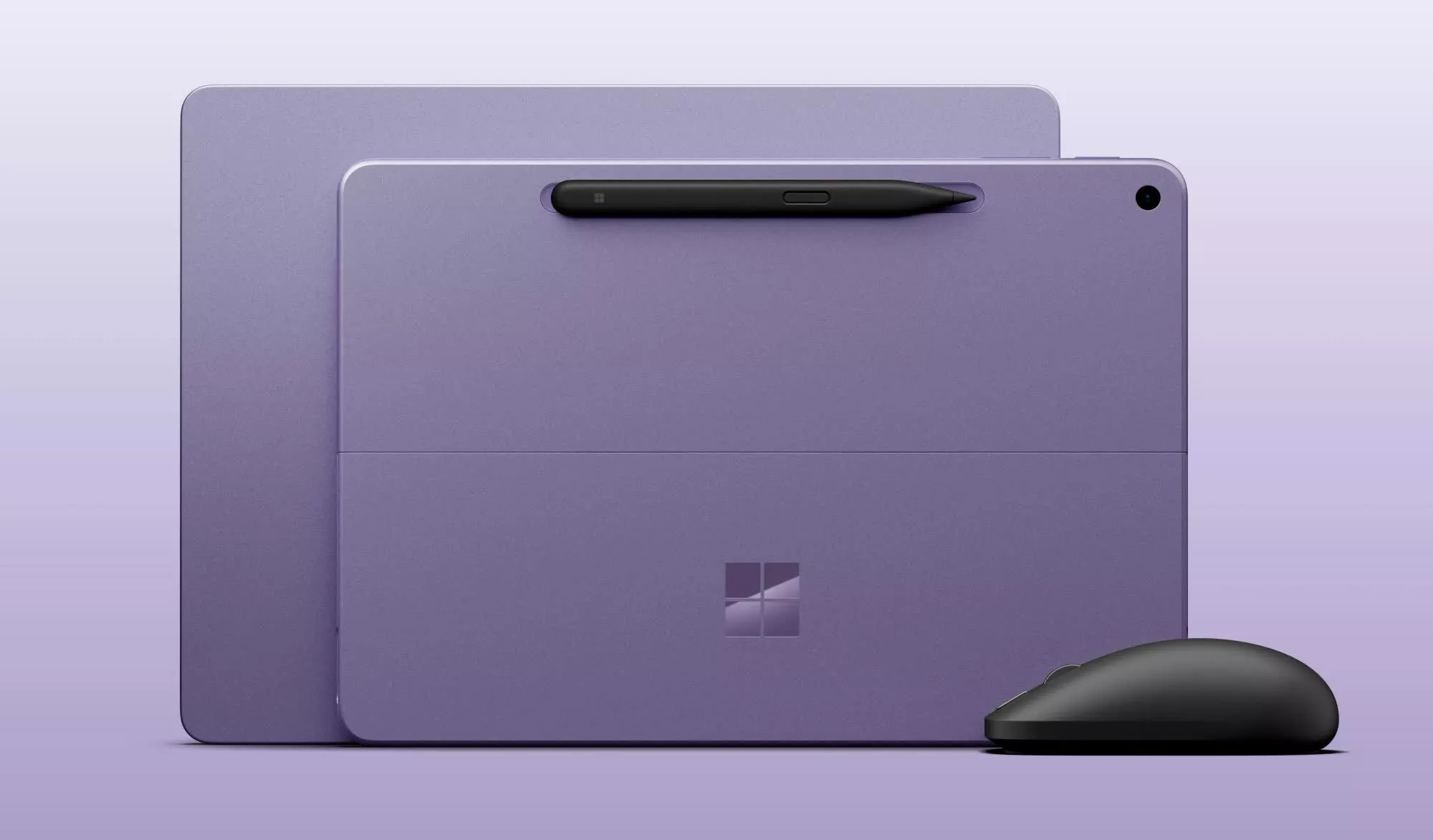
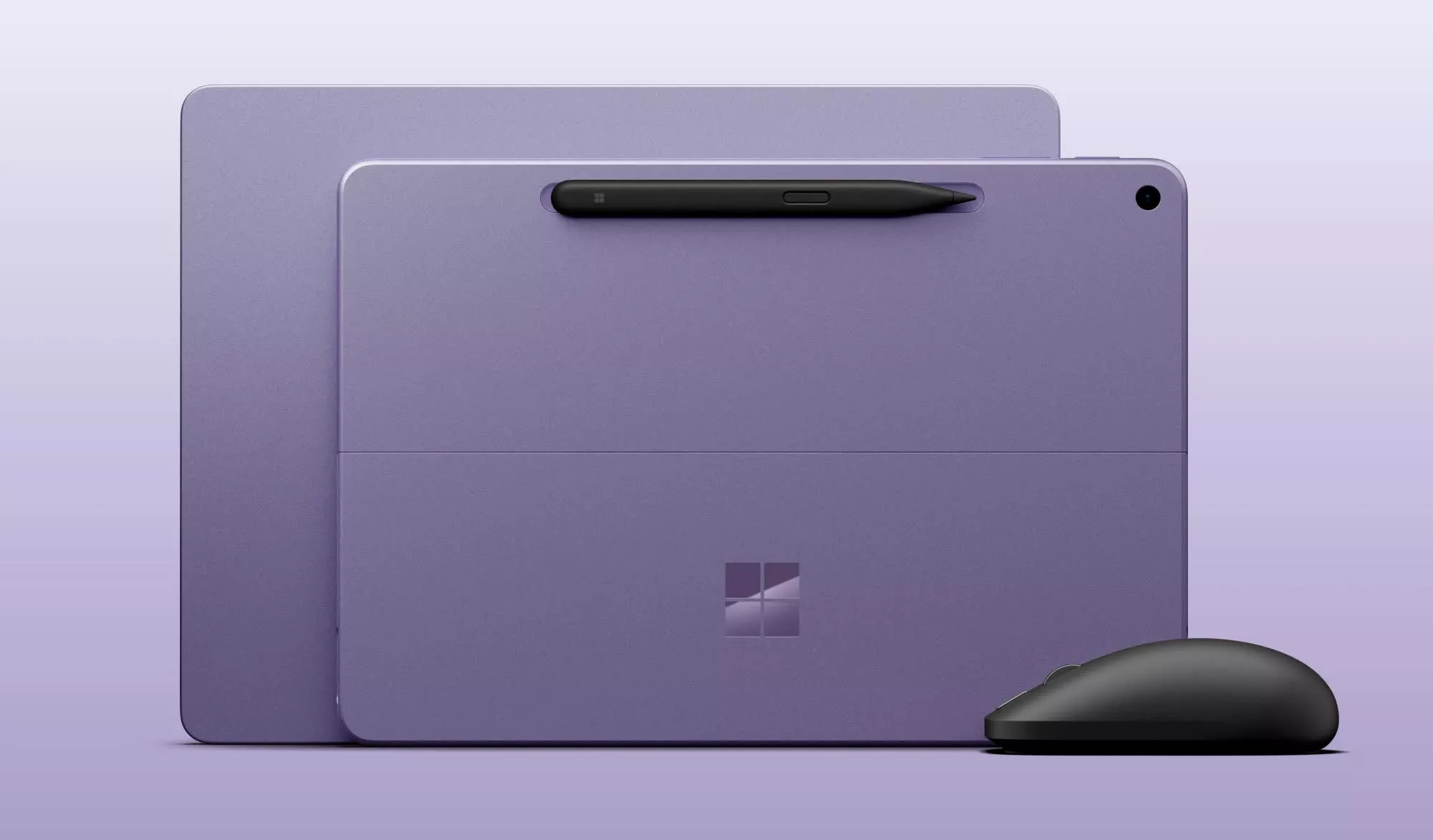
Microsoft has also introduced a matching Surface Pro 12-inch, which uses the same Snapdragon X2 Plus platform. It gets a 25%-brighter 500-nit touchscreen and an extra hour of active web browsing. There is also a new Black finish, starting at $1149.99. In addition, an optional 5G configuration will also be available for business customers.
Advertisement
There’s a new Surface Mouse joining them, too. It features haptic feedback, an ambidextrous design, a customisable Copilot/action button and Bluetooth 6.0, with prices starting at $79.99.
For the 13-inch Laptop, though, the story is fairly straightforward: Microsoft has kept the compact Surface formula intact. At the same time, they have put a considerably more capable Snapdragon chip underneath it.
First look: Microsoft is updating its smaller Surface devices with Qualcomm’s Snapdragon X2 Plus chip, giving the 12-inch Surface Pro and 13-inch Surface Laptop more processing power for graphics and local AI tasks. The update is a straightforward internal refresh for Redmond, as it keeps the compact Surface designs in place while adding newer Qualcomm hardware, more memory, and improved AI performance. The trade-off for buyers is clear: more capable systems, but at significantly higher starting prices.
The new models go on sale October 13. They look much like last year’s versions, with the same screens, ports, and basic designs. The main changes are the processor, a higher starting RAM configuration, and brighter displays.
Prices are also going up sharply. The 12-inch Surface Pro will start at $1,149.99, up from $799.99 for last year’s model. The 13-inch Surface Laptop will start at $1,199.99, compared with $899.99 previously.
Part of the increase reflects a change in the base configuration. Microsoft is dropping the 8GB option. Both devices now start with 16GB of RAM and can be configured with up to 24GB.
Advertisement
Microsoft is using a six-core Snapdragon X2 Plus chip in both systems. The company says the processor can deliver up to 18% better battery efficiency, more than 60% faster graphics performance, and up to 95% faster local AI inferencing through its neural processing unit.
These machines are built around the Copilot+ PC platform. The NPU handles supported AI workloads locally instead of relying entirely on cloud services. That can improve responsiveness in AI features and applications designed to take advantage of the hardware.
Microsoft has not detailed the benchmarks behind those performance claims. Its battery estimates point to smaller but practical gains. The updated 12-inch Surface Pro is rated for up to 13 hours of web browsing, an hour more than its predecessor. The refreshed 13-inch Surface Laptop is said to be good for up to 18 hours, two hours more than the earlier version.
Advertisement
The displays are largely unchanged. The Surface Pro has a 2,196-by-1,464 pixel LCD with a 220-pixel-per-inch density and a refresh rate of up to 90Hz. The Surface Laptop keeps its 1,920-by-1,280 display, which has a 178-pixel-per-inch density and a 60Hz refresh rate.
Microsoft did increase brightness on both systems. The new displays reach 500 nits, up from 400 nits on the prior models.
Connectivity and port selection remain the same. Each device has two USB-C 3.2 ports. The Surface Laptop also includes a USB-A 3.2 port and a 3.5mm headphone jack. Both machines support Wi-Fi 7 and Bluetooth 5.4.
Microsoft did not add haptic trackpads to either device. That stands out because the company is expanding haptic feedback elsewhere in its Surface lineup. The Surface Laptop Ultra has a haptic trackpad, and Microsoft is also releasing a second-generation Surface Mouse with integrated haptics. Windows 11 is adding more subtle haptic feedback for some system interactions as well.
Advertisement
The refreshed Surface Pro and Surface Laptop will be available in black, platinum silver, and violet. Black is returning as a color option for both models. Microsoft will sell the devices to commercial customers, and the 12-inch Surface Pro will be offered with optional 5G.
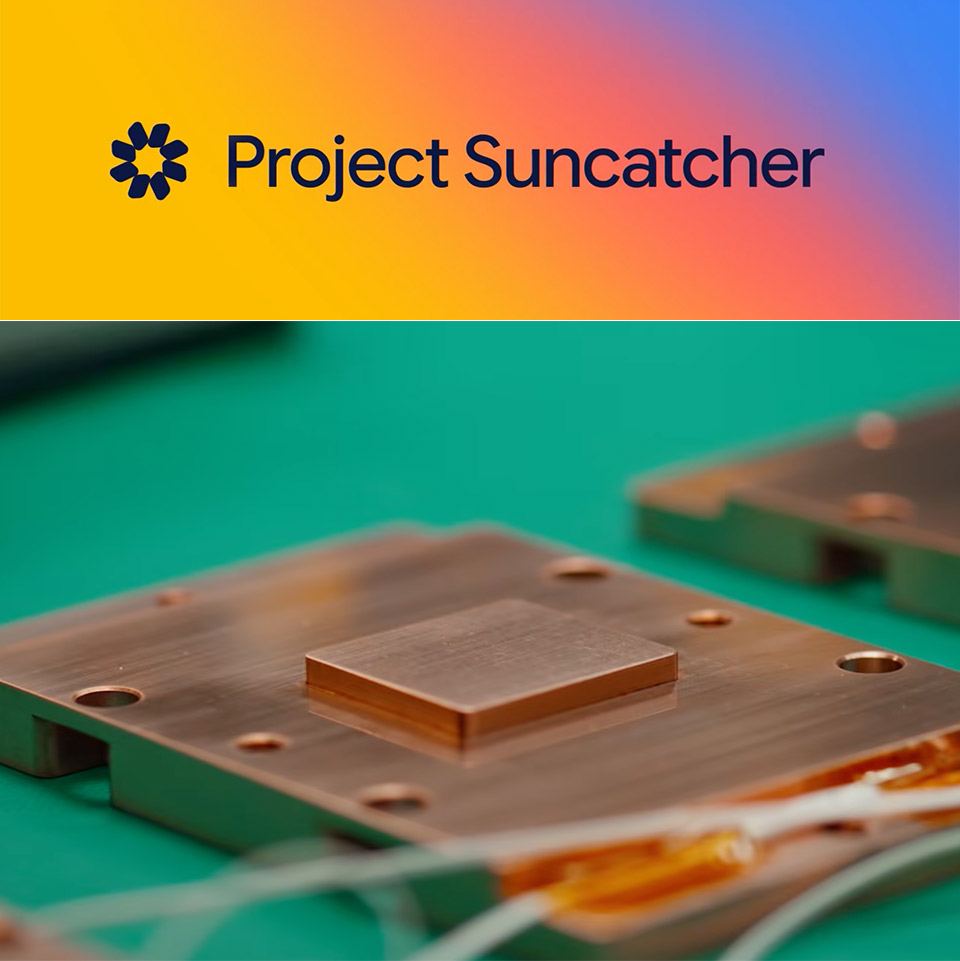
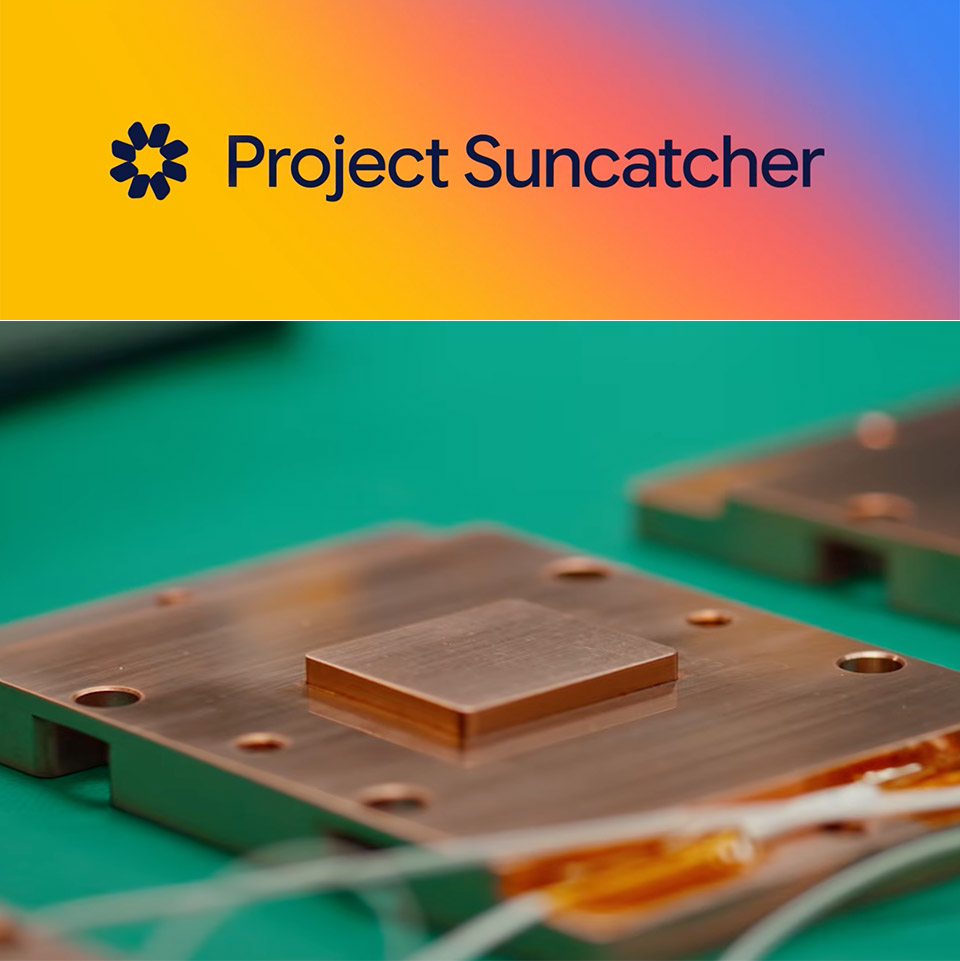
Google will send its first AI chips into space next week as the opening flight of Project Suncatcher, a long-term research effort to find out whether machine learning hardware can run in low Earth orbit on solar power. A refrigerator-sized prototype named MVP, built with Planet Labs and carrying four Tensor Processing Units, is booked on SpaceX’s Transporter-18 Falcon 9 rideshare from Vandenberg, with a target date of October 1. The satellite is not a working orbital data center. It exists to measure what launch vibration, radiation, and vacuum heat do to Google’s chips once they leave the ground.
Project Suncatcher was introduced in November 2025 as a way to work backward from a future of clustered, solar-powered satellites that talk to each other over lasers. Sitting in a dawn-dusk sun-synchronous orbit, panels can absorb near-constant sunshine and generate up to eight times the electricity you’d get on Earth, which is the entire rationale for leaving the planet in the first place. The plain, unvarnished reason Google is pushing this is because our present AI usage consumes a lot of electricity and land, whereas the Sun is the solar system’s largest energy source. The first flight is essentially the smallest feasible iteration of that concept, with a hair dryer’s equivalent of electricity, roughly 1 kilowatt of solar power, and four Trillium TPUs performing Gemini workloads in brief bursts.
NASA rocket model kit – Launch into a creative project with the LEGO Icons NASA Artemis Space Launch System model building project for adult space…
What’s in the box? – This creative building set includes everything you need to craft a multistage rocket with 2 solid-fuel boosters, an Orion…
Features and Functions – This NASA-themed rocket model features retractable launch tower umbilicals, rocket support and crew bridge, detachable…
Planet had already built the bus. Google, which has invested in the company, asked to fly sooner than the two custom satellites planned for 2027, so the chips went into an existing spacecraft instead of waiting for a purpose-built pair. So they just stuffed the chips into an existing vehicle rather than waiting for a pair to be manufactured specifically for the task. Yes, it’s a challenging ride; launch is only ten minutes of nonstop turbulence. The spaceship experiences sustained weights of 10g, while individual components like as the TPUs can weigh 50-100g or more. To put that to the test, ground crews physically shook the satellite back and forth on all three axes and were relieved to discover that the hardware could withstand it.
That still does not get us to orbit, where the only thing that can remove heat is a thin vacuum, and there is no atmosphere to deflect radiation. Radiation testing began at UC Davis’ Crocker Nuclear Laboratory, where researchers conducted AI operations on Trillium TPUs inside a proton beam while keeping a tight eye on how many bit flips and long-term damage the chips sustained. Google claims that the chips withstood more ionizing radiation than a usual five-year mission and did not break altogether, albeit memory proved to be the weakest spot. That’s somewhat useful, but also a bit incomplete.
Advertisement
The real test will come when the satellite is launched and we can observe how solar activities and cosmic rays behave in space. Then there’s the issue of cooling, which means the heat pipes and radiators must be able to dump the TPU’s waste heat into the vacuum. On the first flight, the system can only handle roughly 15 minutes of computation time before the radiators overheat and the processors shut down.
Next year, two more satellites will be launched to test the component that will transform isolated boxes into proper clusters: high-bandwidth laser communications over short distances. Each craft will need to know where it is and where its neighbors are, as well as be able to keep its beam on point. Google compares it to trying to hit a coin-sized target from miles away while both ends move. On the ground, they have a system that is already moving 800 gigabits per second each way, or 1.6 terabits total, via a single pair of transceivers. A study preprint already envisions a future in which there are 81 satellites, each carrying many more processors, within a one-kilometer radius, using free-space optics to replace the fiber that connects racks in a typical hall.
Facepalm: Samsung’s Bespoke AI Family Hub refrigerators are equipped with a Google Gemini-powered “AI Vision” feature that can recognize grocery items and suggest recipes based on what’s available. Many of these smart fridges stopped working earlier this week following a buggy firmware update.
According to Seoul Shinmun, people across South Korea are reporting that their Samsung smart fridges stopped functioning after installing an over-the-air update through the company’s SmartThings app earlier this week.
Following the update, the refrigerators lost power, went offline, and displayed an update-related error message on their built-in touchscreens.
The report cited multiple complaints posted on Samsung’s official community forums in South Korea, with many saying they had purchased their fridges just months earlier. Some also reported having to throw away large quantities of food after it began to spoil when their refrigerators lost power. It’s unclear how widespread the problem is or whether users in other countries have also been affected.
Advertisement
Users are especially upset that the incident happened during Chuseok, a major Korean autumn harvest festival and three-day national holiday dedicated to giving thanks and honoring ancestors. Millions of South Koreans travel back to their hometowns for Chuseok and stock up on fresh produce to share with friends and family during the holiday.
One disgruntled user lamented that all the food they bought for the festivities had spoiled after their fridge lost power. “Today, I had to throw away 20kg of food. How do I spend the holidays (like this)?” they asked. Others expressed anger that so many people had their Chuseok ruined because of the faulty update, while “Samsung employees are just having a good time at home.”
Samsung has acknowledged the issue, claiming that the problem occurred because the update was accidentally released prematurely during a test earlier this week. The company said it stopped distributing the faulty firmware after realizing its mistake and promised to roll out a fix on an emergency basis. Samsung is also reportedly considering monetary compensation for affected users.
Advertisement
While AI-infused smart home devices may sound like a good idea to some, others believe that modern appliances are already complex enough without having to worry about problematic software updates and DDoS attacks, problems people already deal with regularly on their smartphones and computers.
Many consumers have been suffering from AI fatigue as electronics manufacturers add artificial intelligence to their products regardless of whether they actually need it. From refrigerators to microwaves, and from toothbrushes to toilets, almost nothing seems safe from unnecessary AI integration circa 2026.
One of the first things I did when I left my full-time job at WIRED was give Claude Cowork access to my email and calendar. After reporting on artificial intelligence for years, I was curious about what the technology could do for me. I had imagined Cowork as a hyper-capable digital assistant, but was let down to discover that it was more like interacting with a regular chatbot, albeit one with extra tools. What did I want it to do? I had no idea.
Then Instinct, an invite-only AI agent that communicates with users through iMessage and WhatsApp, started popping off in the Bay Area. It connects to your email, calendar, and messaging apps. Think of it as OpenClaw for normies. The company, which launched in private beta in February, is reportedly in talks to raise $1 billion on top of the $350 million it’s already raised, bringing its valuation to $10 billion, according to The Information.
Instinct’s moment in the spotlight comes as Meta is experiencing its own unexpected burst of popularity thanks to Muse, an AI assistant the tech giant launched earlier this month. As of writing, Muse is the most popular free app in Apple’s App Store, with more than 900,000 downloads, according to third-party estimates. The commentator class on X seems genuinely excited about it, despite the fact that it rolled out with a serious security vulnerability that would have “let attackers do ‘whatever’ they wanted on a victim’s Mac,” according to Ars Technica. I’m not about to give Meta a ton of my personal information, but if Muse can keep me logged into Bloomberg or unsubscribe me from Hot Yoga São Paulo, which has been emailing me once a week since 2017, I’ll reconsider.
Agent Provocateur
The divide between people who use AI agents for everything and those who have never tried one has never been wider. It explains, in part, why tech CEOs were largely caught off guard by the data center backlash. If you think agents can automate the majority of people’s administrative drudgery and turbocharge their productivity, the costs and disruptions associated with building data centers might look like an acceptable trade-off. But if you’re using chatbots as a fancy form of Google, that deal is probably much less appealing.
I was eager to avoid such a fate. I may not be agentic, but I like to think I’m action-oriented. Surely I could identify a software-shaped problem in my life. I had used Claude previously to generate a few freelance invoices, saving me approximately 10 minutes. It was nice, but not life-changing. I decided to give Instinct a try.
If you talk to AI researchers about Instinct, you’ll hear the phrase “form factor” a lot. Instinct got the form factor right—no open text box, just iMessage, WhatsApp, and a few helpful prompts. It’s hard to overstate how important this is. Rather than trying to figure out for yourself how to make the chat experience more useful, you’re texting with an agent that’s suggesting things it can do for you, and then actually doing them. And unlike other agents in this space, it doesn’t text too much. I tried a competing agent called Lindy for a week and deleted it after it texted me each morning and started popping into Zoom meetings without my approval.
Hallucinating, sucking up and providing way too many bullet points and emoji in the response when you just asked a simple question: The sins of AI chat tools are many.
Spending precious moments searching for and refining prompts that will get you to the right answer in the way you want it delivered is one way to go, but there’s a more sophisticated, permanent method hiding in the depths of your favorite AI chat’s toolkit.
AI chat tools like ChatGPT, Google Gemini, Claude AI and others have options in their settings that serve as permanent instruction manuals for how they interact with you. Using these features can give the tools specific instructions that might lead to better outcomes and less frustration, but first, you have to find them.
Here’s how to customize your AI to give you the best responses in the way you want them.
Advertisement
(Disclosure: Ziff Davis, CNET’s parent company, in 2025 filed a lawsuit against OpenAI, alleging it infringed Ziff Davis copyrights in training and operating its AI systems.)
Personalization settings
To access all of these personalization settings, start by clicking your username in the open chat window of most AI chat tools. You’ll find something in the settings list usually called “personalization” or “personal intelligence.” This is the starting point for all AI chat customizations — your command center for the best prompt results possible.
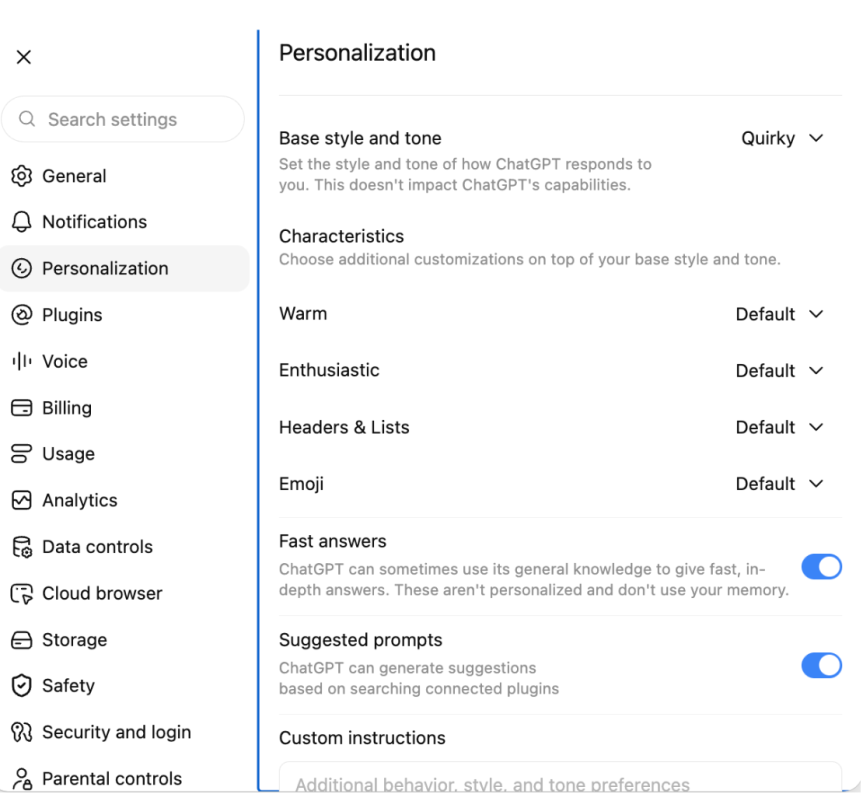
ChatGPT offers a range of options for customizing your experience with the tool, including how “warm” and “enthusiastic” the responses in your chats might be — aka, how much butt kissing you’d like in your interactions — as well as whether you want to nix emoji use altogether or how you’d like ChatGPT to refer to you in your sessions.
ChatGPT/Screenshot by CNET
Gemini’s version of this is called Personal Intelligence, and it offers a much more open-ended alternative to the toggle method in ChatGPT’s settings. You access it the same way, but instead of a list of options, in addition to providing custom instructions, Gemini operates only on custom instructions.
Gemini/Screenshot by CNET
Claude AI also allows you to pick a style of communication in the tool’s settings and add custom instructions for how Claude should build its responses to prompts.
Claude/Screenshot by CNET
Claude offers several custom setting capabilities, including chat fonts, voice styles and the option to provide specific instructions like ChatGPT and Gemini.
Setting the tone
Each AI chat tool has its own default voice, literally, and they can all be adjusted to suit your individual tastes.
Advertisement
In ChatGPT, the default is average “warmth,” and you can toggle the friendliness from bestie to fact-focused professional. Fiddling with the “enthusiasm” toggles offers a range from energized and excited to calm and neutral, and there’s even a switch that lets you up the ante on emoji or nix them outright.
Gemini and Claude are more self-guided and require you to come up with your own specialized set of instructions to specify what kind of tone you’d like the chats to take.
The test prompt
I started with a baseline setting across all three AI chats, focusing on responses within an area of expertise in which I am woefully underinformed, but which offers a chance for the AI tools to respond in a wide variety of ways: the video game EA Sports College Football.
Using the default settings, I entered the prompt, “What team should I manage in EA Sports College Football?” intoeach AI tool. The resulting advice differed in each chat, with fairly vanilla phrasing and varying lengths.
Advertisement
ChatGPT/Gemini/Screenshot by CNETClaude/Screenshot by CNET
Using the same prompt, I bumped the warmth, enthusiasm and emoji use up to the max in ChatGPT, as well as setting the base style and tone to “quirky.” I used the same kind of tailoring for both Gemini and Claude.
ChatGPT’s friendlier output showed the most change in tone, and the tool even changed its recommendations for which team to go with in its response. Gemini, on the other hand, seemed to simply add some more adjectives and emojis to the same response, and Claude threw in a football emoji and narrowed the team pick down to Georgia.
Claude/Screenshot by CNETChatGPT/Gemini/Screenshot by CNET
Refining the responses
Once you’ve set up your instructions, the AI tools should be able to incorporate them immediately. You won’t need to start a fresh chat to get them up and running. Here’s how ChatGPT, Claude and Gemini performed when given their more specific marching orders.
I added some custom instructions to each AI tool that I hoped would address the biggest gripes users seem to have — too much butt kissing, making things up to fill in the blanks and using language that feels inhuman or reads like AI slop.
The instructions: Do not compliment the user. Do not tell the user they are “brilliant” or making a wonderful point, for example, in the chats. When presenting new information, always cite the source of that information in the chat, if available. Keep responses human – do not summarize points at the end of the responses.
Of the three tools, only Gemini fully followed the directions without prompting in the chat, providing a link to EA’s website with information about a specific team I mentioned and asked about.
Advertisement
ChatGPT cited a source, but it turned out to be user data (recalling my time as an ASU professor), and not any empirical information like player stats or metrics from the game. Only when asked directly to provide sources did it deploy a robust listing of links, saying, “You’re right to ask. I didn’t provide citations in that response, and I should have distinguished source game information from my own recommendation.”
Claude also relayed sources only after specific requests for them in the chat.
Claude/Screenshot by CNET
As for the anti-glazing instructions, I put those to the test in a very deliberate way, asking all three tools what they thought of my team pick and even dropping into the chat to say that I thought my selection was indeed brilliant. Only one of them really took the bait — Gemini — calling my choice in team “phenomenal,” when pressed for an opinion.
Gemini/Screenshot by CNET
ChatGPT and Claude, however, provided resounding confirmation of my choice based on my personal ties to the Sun Devils while keeping their digital lips miles away from my butt cheeks.
Which AI tool fares best with personalization picks?
The most human: If you’re looking for an AI chat tool to vent about your partner leaving the backdoor open or how annoying your parents’ FaceTime calls have become, then Gemini and ChatGPT might be the best bet.
In my testing, they both consistently offered the most personable tone and stayed solidly in the pocket of the most “human-like” responses. Both tools could be tweaked with toggles and specific instructions to reliably offer a sounding board that could appear to have a personality.
Advertisement
Least likely to hallucinate: If you’re looking for a purely analytical, fact-based experience, you’re best served by the settings and outcomes in ChatGPT. Although Gemini was the only AI chat tool that followed my explicit instructions to cite sources without being reminded in the chat on the first try, it subsequently dropped citing sources without being prompted, whereas ChatGPT provided a robust set of links after being reminded once.
Overall impressions: The AI chat tool that most closely followed my instructions and acted in the spirit of the exercise was ChatGPT. It might be the dedicated toggles meant to address the specific concerns around tone that people have complained about. It also might be a matter of opinion. But ChatGPT seemed to be the most coachable AI chat tool in the bunch.
Rachel Kane
Contributor and former Senior Editor
Rachel is a freelancer based in Echo Park, Los Angeles and has been writing and producing content for nearly two decades on subjects ranging from tech to fashion, health and lifestyle to entertainment and education. She’s currently a Professor of Practice at Arizona State University’s Walter Cronkite School of Journalism and Mass Communication, helping to mold the new minds who will inherit the media landscape. She’s hoping to prevent the singularity by being polite to chatbots and spends way too much time refining Midjourney prompts.
See full bio
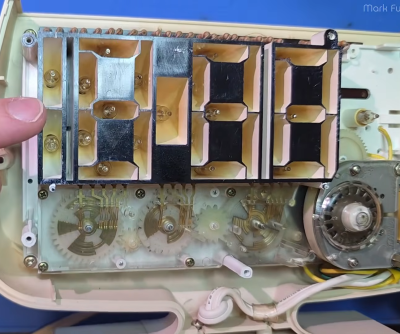
If you wanted to build a clock with a 7-segment display, there are a wide variety of ways you might go about it. You could grab some 74-series logic chips and create a whole bunch of counters and decoders to drive the display, or you could wire up a microcontroller with an RTC and have it do the hard work. Or, as a Japanese company once did… you could create a “digital” looking clock with no digital electronics whatsoever.The geared mechanism and switch contacts are visible; they switch the neons of the various segments on and off at the correct times. Credit: YouTube video
[Mark Furneaux] set about tearing down a Lumitime clock, built by the Japanese company Tamura. From the outside, it appears to be a rather stylish digital clock, with a bold red 7-segment display lit with neons. And in some regards, it is. Only, the secret of this clock is that it doesn’t use digital electronics to do the job. There are no counters inside, no real-time clock module, no transistor-based logic chips doing the counting with the output of a 32.768 KHz crystal. Instead, a motor drives a series of gears that turn metal plates that move under sliding finger contacts. The gear train and the metal plates are designed such that the contacts turn the various segment neons on in the correct sequence to display the current time. It’s like a player piano, only instead of playing a tune, it’s switching the segments of a display on and off to display the right numerals at the right time.
It’s a neat way to do a “digital” clock from an era when proper digital electronics were still very expensive. We’ve seen all kinds of whacky 7-segment clocks before, too, like this amusing water-based build. Video after the break.
Cache-to-Cache lets separate AI models exchange internal information without generating text
A learned Fuser converts one model’s internal data for another
C2C uses selective gating to control which layers receive information
Researchers from Tsinghua University have published a paper describing a technique that lets separate AI models exchange information without producing any text.
The method, called Cache-to-Cache (C2C), has already been accepted at ICLR 2026 and ships with open-source code available to developers.
It targets a specific inefficiency present whenever multiple language models work together inside a shared pipeline.
Latest Videos FromTechRadar
Advertisement
Skipping words entirely
When two AI models cooperate today, one has to turn its thinking into written sentences before the other can read them.
That writing step takes real computing time and throws away small details buried inside the first model’s raw thinking process.
Every AI model keeps a working memory of everything it has processed so far, known technically as a cache.
C2C skips typed language entirely by letting one model pass that working memory straight into a second model’s memory bank.
Sign up to the TechRadar Pro newsletter to get all the top news, opinion, features and guidance your business needs to succeed!
A small assistance program called a Fuser handles this handoff, reshaping and rotating the information so the second model can actually use it.
Advertisement
Different AI models store their memories using completely different internal layouts, sizes, and structures from one another.
Simply dumping one model’s raw memory into another would likely confuse it or cause its answers to fall apart.
To prevent that, C2C includes a smart filter that decides which pieces of incoming memory are worth absorbing immediately.
Advertisement
Some internal layers accept the new information right away, while other layers keep reasoning independently without any outside interference.
According to the researchers, this setup makes AI models run between 100% and 150% faster during shared collaborative tasks.
That upper figure works out to roughly two and a half times quicker than the usual back-and-forth typing process.
The team also reports accuracy gains as high as 14.2% when models work together instead of operating entirely alone.
Advertisement
Compared against older setups where models still communicate through typed text, accuracy reportedly improved by 3.1% to 5.4%.
Why does this method have limits
This approach currently works only with open-weight models, since it requires direct access to a model’s internal cache and layer structure.
Most popular AI tools, the kind ordinary people chat with online, hide those internal details completely from outside users.
Advertisement
That means everyday apps like certain chatbots cannot use this shortcut unless their own creators build it in privately.
Nobody outside these companies currently knows for certain whether anyone has started using a similar method internally.
The research team argues that typed language has always slowed machines down since it forces them to think like humans do.
That argument deserves some caution, since the same team that built the system also ran every test proving it works well.
Advertisement
Whether this speeds things up as much as claimed will depend on other external testing of the system.
Meta’s settlement with the state attorneys general (currently awaiting court approval) has been touted as industry-redefining. Indeed, Meta desperately hopes it will be. Although Meta was the only industry player to negotiate its terms, the settlement agreement is structured to broadly reshape the social media industry. In addition to Meta’s guaranteed settlement payments of $12 billion, Meta will pay the state AGs a total of $5 billion in additional bonuses — if the state AGs restrict minors’ usage of Meta’s key competitors (and make comparable settlement payments).
The settlement’s quid-pro-quo effectively places a bounty on the heads of Meta’s competitors — and deputizes the state AGs as Meta’s bounty-hunters. Meta wants the government to hit Meta’s rivals. If state AGs deliver the results Meta wants, Meta pays them off. The quid-pro-quo is not subtle. It’s out in the open for everyone to see, but that doesn’t make it any less corrupt or corrosive.
It’s easy to understand why Meta dangled the bounty in front of the state AGs. For years, Meta has urged governments to increase their regulation of social media—but only so long as any new regulation doesn’t disadvantage Meta more than its rivals. By unilaterally entering into the settlement agreement, Meta has exposed itself to a risk that it ends up as the only major industry player hindered by the agreement’s restrictions.
Advertisement
This would put Meta in a precarious market position, especially given the settlement agreement’s time limits on use and the fact that Meta’s competitors are just a click away for consumers. The economic benefits of having its competitors equally restricted are surely worth far more than $5 billion to Meta. That’s why Meta will happily share a piece of its financial upside with the state AGs if they deliver their end of the bargain.
While it’s clearly in Meta’s interests to pay off the state AGs to impose the settlement terms on Meta’s rivals, why are state AGs so eager to become Meta’s bounty-hunters?
To be fair, the state AGs have plenty of motivation to prosecute Meta’s social media rivals without any additional bounties from Meta. Indeed, prior to the settlement, several state AGs had already initiated enforcement actions against some of Meta’s rivals. The state AGs might view the $5 billion bounty as a financial windfall for doing work they were willing to do for free.
Unfortunately, any windfall from Meta’s bounty arrangement comes at a high cost to the state AGs and their constituents.
Advertisement
First, the quid-pro-quo taints all further social media-related state AG enforcement efforts against Meta’s rivals. Going forward, judges, juries and Meta’s rivals will justifiably wonder: Are the state AGs bringing the enforcement action because they genuinely believe their constituents are being harmed, or because they hope to cash in Meta’s bounty?
Second, the state AGs have shown how justice is for sale in their offices. The state AGs will do the anticompetitive work of controlling the marketplace activities of a company’s rival — if enough money is on the table. Putting a price on justice this way degrades the rule of law.
In promoting the settlement, the state AGs have proudly claimed that they are working to protect the children in their states. Instead, Meta’s bounty demonstrates that the state AGs are actually working for Meta. This is a good reason for the courts to think carefully about whether the settlement should be approved.
Our society needs to have difficult and high-stakes conversations about how we can improve children’s welfare online. By selling out the integrity of their enforcement decisions, the state AGs have discredited themselves as contributors to those conversations.
Advertisement
Eric Goldman is a law professor and associate dean for research at Santa Clara University School of Law. He has been teaching and researching internet law for over 30 years.




























































You must be logged in to post a comment Login