

There are some days when there’s so much that needs to get done, I daydream about having a clone of myself. Between paying bills, life admin like renewing my driver’s license, keeping up with doctor’s appointments, and planning meals, it’s a lot. And that doesn’t even begin to touch the work that goes into making a podcast or managing my social life.
Tech & AI
I Caved to the TikTok Trend of Cooking Bacon in Water. Here’s How It Went


Bacon has become a mainstay on American breakfast plates. This cured, often-smoked pork product, cut mostly from a pig’s belly, adds a one-of-a-kind crunch and savoriness to breakfast, providing a salty counterpoint to other signature dishes like scrambled eggs, pancakes and oatmeal.

We all have bacon preferences: charred and crisp, soft and chewy and, for most of us, somewhere in the middle. Regardless of the outcome, a trending TikTok cooking hack claims to at least guarantee even cooking, prevent dangerous, dirty oil splatters, and keep the meat from burning beyond recognition. But does it hold up? I put the viral video tip to the test.
The water-cooked bacon process
Though I’m a fan of the quick, easy, CNET-approved oven-baking technique and even speedier air fryer method, the water-cooked method allegedly renders the bacon’s fat slowly and consistently, resulting in uniform cooking, fewer splatters and even reduced sodium.
Here’s how it works.

The stovetop process is simple:
- Place bacon slices in an oversized skillet so they lie flat.
- Add ¼ cup of water to the skillet and cook over medium heat.
- Allow the water to steam and evaporate. Once the water is gone, lower the heat to medium-low and cook the bacon until it reaches your desired crispiness.
- Remove the cooked bacon from the skillet and place on a paper towel to soak up excess oil.

Ultimately, the water is said to suppress hot grease from popping violently and landing on stovetops or, more importantly, your skin. It also lets the meat cook low and slow before it fries in its own grease, rather than crisping immediately as the skillet heats up.
Water can also draw out some of the bacon’s sodium, which is ideal for those who find it too salty.
The results

Color me shocked by the results: This cooking tip was executed flawlessly and lived up to the hype. The bacon strips were chewy yet crispy, with no bitter char, and cleanup took mere seconds with a quick wipe with a sponge and towel. (Pro tip: Reserve the leftover bacon grease to cook everything, from vegetables to rice, for added flavor).
My only gripe was that it took a few minutes longer than using an oven or cast-iron skillet. And, frankly, the clean-up of pesky splatters would far surpass the time it takes to cook with water, at least with the latter tool.

In an industry full of gimmicks and unverifiable shortcuts, it’s nice to sift through the culinary fluff and find something that actually works, especially with an ingredient as universally beloved as bacon. The fact that this trick has trended on TikTok is just a footnote and proof that social media sometimes gets it right.
Hungry for more tips? Here’s how to recycle frying oil, plus a neat trick for degreasing a frying pan before washing.

Continue Reading
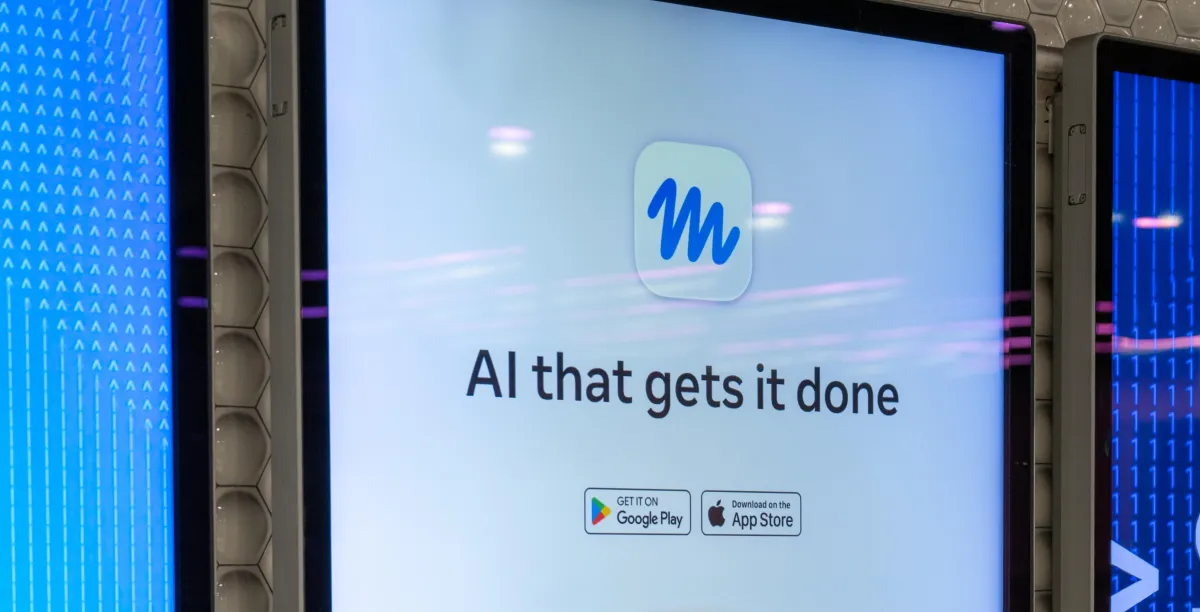
This feeling of overwhelm resonates with Sari Azout. She’s a mom of three who works in tech. “There is just so much doing,” she told Explain It to Me, Vox’s weekly call-in podcast. “I wake up, and I have to do meal coordination and get my kids up for breakfast, coordinate carpools. Then a lot of work during the day, but there’s the email from the teacher, there’s the 20 group chats asking if you want to participate in this group gift. They don’t call it ‘the invisible load’ for no reason.’”
Silicon Valley says it has a fix for this kind of mental overload. They don’t want to clone us — at least not yet. But they do think they have the next best thing: AI agents.
Azuot was skeptical when she first got an invite to try an agent, but she says she eventually came around on the technology after back-to-school shopping snuck up on her. She used her agent to get it done. “It blew me away,” she said. “I remember that night coming home just feeling so calm and reading my son a book and feeling present. And I was like, ‘Wow, I actually was very cynical about something that is giving me more time for living.’”
Azout’s experience is, more or less, the sales pitch for AI agents: They’ll help you save time with everyday tasks, so you have more of it for what you want to do. But what are agents, exactly? Are they really all that? And what do we gain — and give up — when we use the technology?
On this week’s episode of Explain It to Me, I spoke with Reece Rogers, a senior software reporter at Wired, to find out. Rogers says to think of agents as the next evolution of AI chatbots like Claude and ChatGPT.
“I’d create this mental model of a tiny digital assistant that’s constantly searching the web, going through your email, and checking your calendar, trying to find ways it could proactively be helpful for you,” he explains. “Agents are more proactive. It’s scanning your email 24/7 and sending you a message, maybe highlighting a potential calendar conflict.”
Below is an excerpt of my conversation with Rogers, edited for length and clarity. You can listen to the full episode on Apple Podcasts, Spotify, or wherever you get your podcasts. If you’d like to submit a question, send an email to askvox@vox.com or call 1-800-618-8545.
What agents are out there right now?
At the start of this year, there was a tool called OpenClaw that really sparked this with early adopters in San Francisco, but now there are much more consumer-friendly versions, with one of the most notable being Meta’s Muse.
There’s also a tool from OpenAI called Dots. But where Meta’s Muse is free to download, OpenAI’s Dots is still behind a $100/month paywall.
You tried an AI agent for a recent story you wrote. How was that experience?
One personal example, to share something that I’ve actually been using agents for, is our couch. It’s broken, and finding a new couch has been a pain. We want a sleeper bed, but we want these specific colors. We have this specific budget. I’ve been using Meta’s Muse and OpenAI’s Dots to try to find a few different options for us.
One interesting thing is that Meta’s Muse is connected to Facebook Marketplace. There are these really good integrations where I can give it all these details, and it found a few good couches that are only maybe a couple blocks from me.
I really enjoyed OpenAI’s Dots experience as well. I spent about an hour talking to it on the phone, and the AI agent made a packet of all these different options I could find. Just this morning, it flagged that one of them is now 40 percent off.
Is that how this tech is typically used?
Most people are using this as part of a workflow. I attach it to my email, I attach it to my calendar, and I’m using it as a personal assistant to organize my life. But people have been quite creative.
One of the breakout uses for Meta’s Muse is people have been connecting their bank account statements and then using it to scan for subscriptions they might want to cancel. So it can be used in many different ways, though I will say I do not connect it to my own bank account for a myriad of reasons.
I’m not going to lie, the idea of giving any third party access to my bank information does not thrill me. I don’t love that concept.
That’s one of my biggest concerns about these AI agents: how much personal information we’re handing over to these large companies.
When I tested Meta’s Muse, it wanted access to my email, my bank account, even my passport expiration details. The pitch is convenience, but Muse users are automatically opted in to having all of their interactions with Muse used to train Meta’s AI models.
I would definitely recommend, if you’re sharing personal details, go into the settings and turn that off because you might be handing over even more information about yourself than you initially realize.
What is the privacy situation with all of this? We all have various apps where we don’t read and still click “I agree,” but this feels like it could be more invasive.
Yes, especially because it’s all about automation. If you’re automating things and it has access to all of your data, it could make mistakes and embarrass you in ways you might not even be thinking about.
There was this one really interesting story of someone who had connected an AI agent to their work Slack in addition to their bank account. And their agent just automatically posted how much money was in their checking account for all of their coworkers to see.
I would be mortified. So there are these kinds of mistakes that these AI tools can still make. If you’re interested in experimenting with them, I would be really thoughtful with how you’re setting up these tools as well as what kind of information you feel comfortable sharing.
“You can see in the marketing that these companies are trying to find some way to entice new users.”
How are these AI agents being marketed? AI is not popular right now. Just ask any politician who has a data center coming to their state. People are not loving it. How are they trying to sell this to the average person?
The AI backlash really is at a fever pitch right now. You could almost see that in the way that AI companies are trying to market these tools. They’ve really, really leaned into cuteness and into adorable mascots.
Muse, if you haven’t seen its agent, looks like a mix between a Labubu and an Ewok. It’s very furry, very cuddly, very cute. OpenAI’s tools also have similar kinds of blobs with large eyes that might be a little endearing.
I feel like companies are hearing this kind of feedback that people aren’t trusting AI right now, or maybe they have moral or ethical reasons they don’t want to use these tools. You can see in the marketing that these companies are trying to find some way to entice new users.
Do you think AI agents are ultimately going to worm their way into our lives despite how unpopular AI companies are?
I do think so. I think in a couple months, maybe when I go home from Christmas, I would not be surprised if my mom had an agent on her phone because it does feel like it’s breaking through to average people in the way that ChatGPT had a moment a few years ago.
Even though there’s a lot of distrust for large companies like Meta, I think there are some appealing parts of this that will bring in millions of people. I do see this as the future of the internet.
When I think of the dream of the average person working in AI in Silicon Valley, it’s “We’re going to use AI. It’s going to free up the free time of so many people. Work is going to get done faster. You’re going to have more leisure time.”
Has that been the case for the people you’ve spoken with who are using this? Has it given them more free time to enjoy themselves or has it done something else?
You would think so, right? You would think that if people are automating these boring aspects of their life, that they would have more time to go touch grass, go see a movie, have some fun. But it does feel like that time just gets filled with other work, other productivity measures.
While agents may be able to take some more annoying or tedious things off of your plate, I am not as optimistic that it’s going to give us this utopia or freedom where I’m always at the beach.

Chinese AI startup Moonshot AI is deliberately limiting the hacking capabilities of its latest artificial intelligence model, highlighting a growing dilemma for the industry: how do companies make AI more powerful without making cyberattacks easier to carry out?
The company introduced Kimi K3.1 Pro on October 24, describing it as a highly capable, open-weight model with around 3 trillion parameters. Unlike conventional AI services that operate entirely through a provider’s servers, open-weight models allow developers to download the underlying model files, run them on their own systems, and modify how they work.
Moonshot said it removed cyber-related data from the model’s training dataset and reinforcement-learning environments to reduce its ability to conduct offensive cyber operations, while retaining its general coding capabilities. The company plans to release the model’s weights on November 4, opening it up to a wider developer community.
Moonshot reduces hacking capabilities without sacrificing coding
Moonshot’s internal testing suggests the safeguards have made a measurable difference. Kimi K3.1 Pro scored 81% on the company’s cybersecurity benchmark, which involved finding and exploiting software vulnerabilities in a controlled environment. A similar version without the risk-reduction measures scored 90.5%.

That represents a 9.5-percentage-point drop in the reported score. However, the results have not been independently verified, and the model reportedly still outperformed its predecessor.
The distinction matters because the same AI capabilities can be used for both defence and offence. Security teams could use AI to identify weaknesses in software before criminals exploit them. Attackers, meanwhile, could use models that write code, operate software tools and complete multi-step tasks to automate parts of an attack.
Moonshot argues that open-weight AI can help organisations inspect and secure neglected or older software. But once model files are distributed widely, the original developer has less control over who uses them and whether safeguards remain effective.
AI security concerns are becoming a global policy issue
Moonshot’s decision comes as governments and technology companies worry that increasingly capable AI could make sophisticated cyberattacks cheaper and easier to execute. China has also proposed export controls targeting AI-driven malware-generation technology and certain AI-assisted vulnerability-discovery tools. The proposals remain subject to public comment.

For businesses and ordinary users, the stakes extend beyond individual computers. More automated attacks could increase pressure on organisations responsible for protecting personal information, financial systems and critical infrastructure. At the same time, restricting AI security research too aggressively could leave vulnerabilities undiscovered.
Kimi K3.1 Pro also features a one-million-token context window, allowing it to process large amounts of information in one go. Moonshot has introduced a Highspeed version that it says runs two to three times faster than the standard model.
The next major test will come when Moonshot releases the model weights on November 4. Developers and security researchers will then have greater access to examine its capabilities, while the industry will face a difficult question: can safeguards remain effective once a powerful AI model is available for independent use?
RELATED COVERAGE:

Greece has passed a law banning children under 15 from social media platforms beginning January 1, 2027. The legislation requires platforms to implement reliable age verification and parents to use government-backed apps to restrict access, with penalties for noncompliance under the EU’s Digital Services Act. Engadget reports: “It would have been very easy to do absolutely nothing today and wait for the perfect European law. But the challenge is here. Children are sinking into the internet every day, and I believe a responsible government must do what it is obliged to do,” said Greece’s digital governance and AI minister, Dimitris Papastergiou.
The legislation was opposed by Greece’s minority parties, so Mitsotakis used his majority government to pass the bill. The nation previously barred mobile phones in schools in 2024, and opinion polls show that the new social media ban for children is widely supported by Greece’s adult population. Mitsotakis previously said that his government’s “goal is to push the European Union in this direction as well.”


Read more of this story at Slashdot.
Tech & AI
Anthony Toth Spent Decades Recreating a Perfect 1970s Pan Am 747 Cabin Right Down to the Peanuts


Photo credit: Coolest Thing
A five-year-old boy stepped onto a Pan Am Boeing 747 bound for Europe to visit his grandparents and never quite left that cabin in his mind. Anthony Toth, raised near Cleveland Hopkins International Airport in Cuyahoga Falls, Ohio, began photographing interiors, collecting anything with the blue logo, and building wooden mockups in his parents’ basement by the time he turned twelve.
That one flight had left quite the impression on him, as he had grown to appreciate the airline’s laid-back approach to service, as well as the seating, magazines, and other details that made the journey feel special. Years later, when United acquired parts of Pan American’s network, Toth’s employment as a Global Sales Director gave him a leg start on a wealth of artifacts destined for the dumpster. During his nocturnal trips, he began stocking his Honda Civic with galley gear, glassware, and linens, keeping them until he could utilize them in his own small Pan Am world.
By the time he reached his forties, his collection had taken up a storage unit and the garage at his Redondo Beach home. Toth found space for eighteen of those lovely first-class seats alternating in red and blue, wired them to work with the original Pan Am headsets, and built a small staircase that led to nowheresville.

When visitors came by, he gave them boarding cards that looked like the ones from the old days, and then he served peanuts in their original package. Everything else, including the bins, ashtrays, napkins, and console between the seats, was either original or meticulously recreated from his own photographs and Pan Am documents. Those early events in the fall of 2007 were fairly casual; people brought their own wine, while Toth took out the green tea and served real Pan American china. His garage layout had already cost him over $50,000, with seat pairs ranging from $800 to $1200 each and bins costing $350.
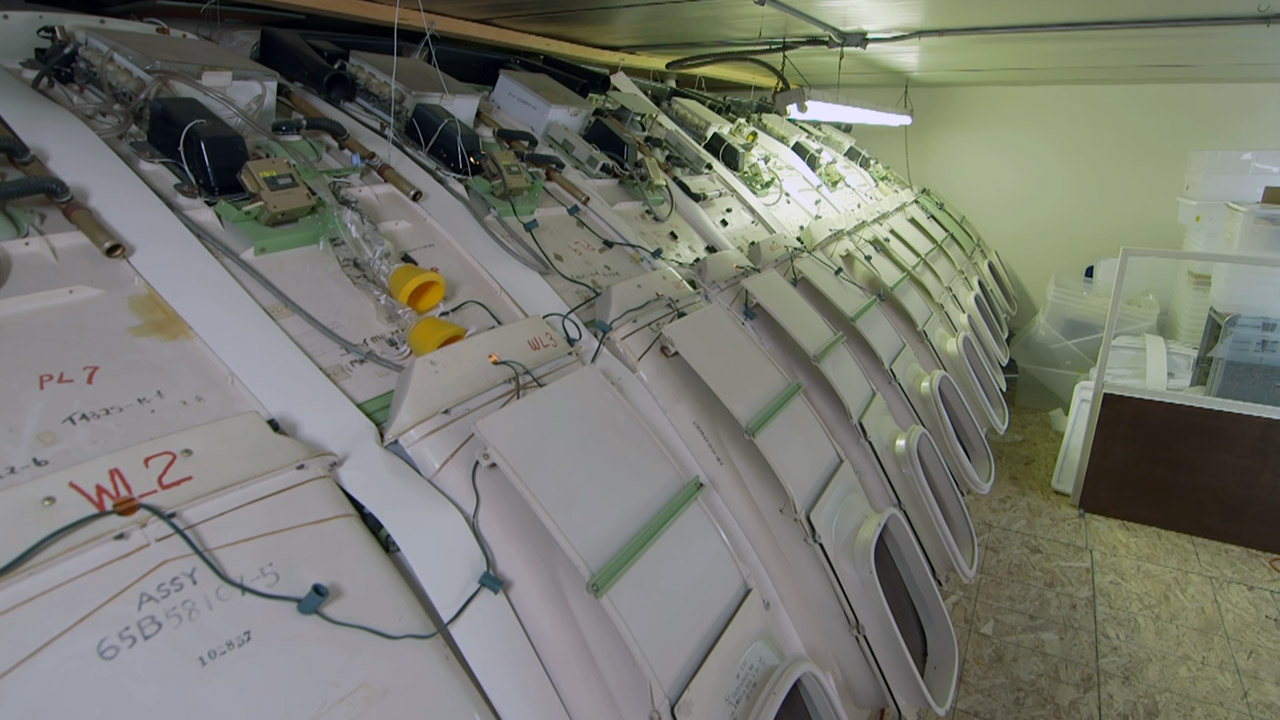
Toth ultimately ran out of garage space, so he rented a big 3,000-square-foot warehouse in the City of Industry in 2012 and spent $100,000 of his own money to build the set. The new layout was approximately 60 feet long from the nose to the front of the wing and 22 feet high, and he was able to incorporate the upper deck lounge with its bright yellow and orange chairs, a full first-class galley unit (8 hundred pounds of pure awesomeness) brought in all the way from the Mojave desert, and twenty-six snazzy Clipper Class seats in a stunning powder blue.The majority of the shell came from a former Japan Airlines 747, as did the side panels from a DC-10, which he trucked out and built on-site. He added a ticket desk, a short jet bridge section, and an actual aircraft door so that his guests could board as they had in the past. It’s no surprise that the old Pan Am flight attendants started showing up in their old uniforms, and the dinners became much more regimented.
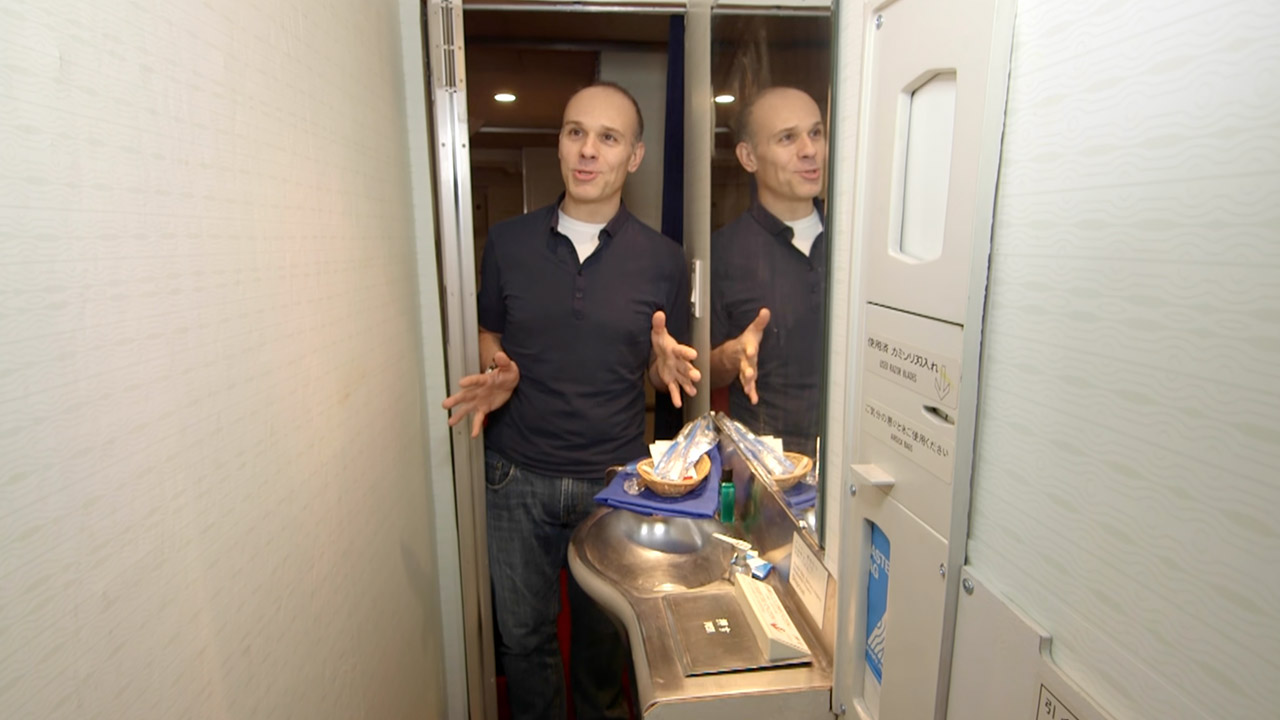
Toth met Talaat Captan, the creator of Air Hollywood, an interesting aviation-themed production studio, through an offhand meeting in 2013. So Toth and Captan ended up licensing the Pan Am name, hijacking the entire interior, and transporting it to the studio’s Los Angeles facility, where it was meticulously reconstructed with far better acoustics, programmable lighting, and, you guessed it, air conditioning. Before and after the “flight,” the Clipper Lounge served beverages to the lucky passengers.

Cut to October 18, 2014, when the Pan Am Experience officially opened its doors to the public at Air Hollywood in Valencia, Los Angeles, and what a night it was, Thirty-two lucky people arrived from all over, some of whom had flown in specifically from other locations. Today, passengers can sign in for a multi-course meal served on trolleys, with actual china. While dining, they can listen to some period-accurate music, watch a movie, and be fully attended after by the cabin crew as they work their way up and down the aisles.

Toth still likes to wander the cabin in a captain’s uniform during many of the events, which is not surprising given how many thousands of pieces of Pan Am memorabilia he has on display, right down to the salt and pepper shakers, the exact carpet color, and even the packaging on the peanuts that started it all. As a parting gift, passengers receive a genuine boarding card and the impression that they have just spent an evening on a 1970s-era airliner that is still flying high.
[Source]
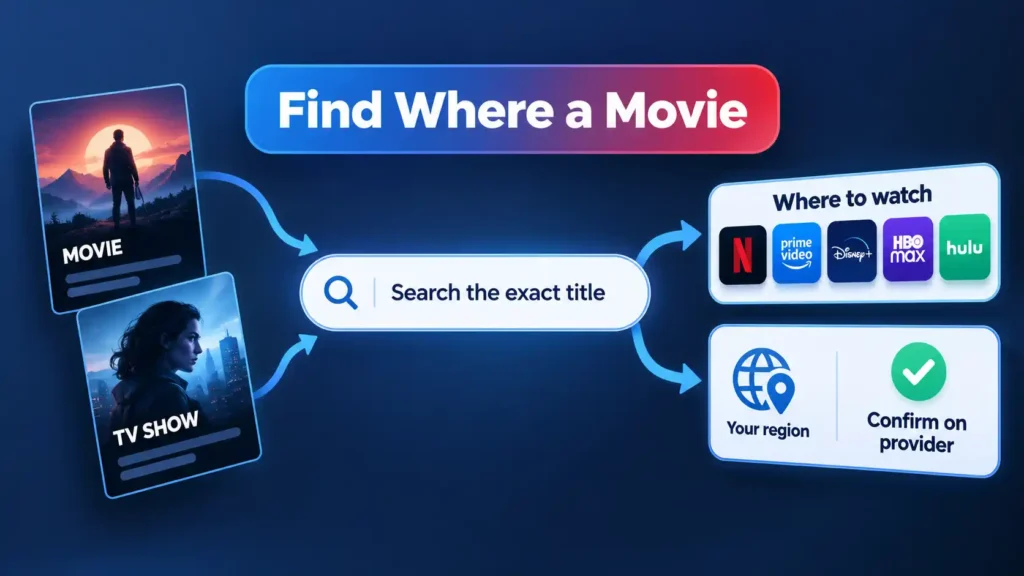
You want to watch one specific thing tonight, and you have no idea which of the services you pay for actually has it. The fastest reliable answer is a two-part move: search a cross-service aggregator for the exact title, then confirm on the provider’s own page or app before you commit. That second step is not paranoia. Streaming catalogs shift constantly and differ by country, so any single lookup is a snapshot of one moment in one region.
Quick Take
Treat a streaming-search result as a lead, not a promise. Type the full title into a cross-service guide to shortlist candidates, then open the service itself to see what your account and your country actually get. Catalogs rotate and vary by region, so an old result can be wrong by the time you sit down to watch.
Why one search beats opening every app in turn
JustWatch pitches itself as a streaming guide that shows “where to watch movies, TV shows & sports” and lets you skip “going back-and-forth between streaming services” by offering one search across platforms. That is the whole value proposition, and it holds up: instead of opening one app, then a second, then a third, you type the title once and read a list.
What the aggregator gives you is a starting point, not a verdict. It tells you which services to check. The provider tells you whether the title is really available to you right now. Keep those two jobs separate and you will rarely waste a rental or a sign-up.
Prerequisites
- The exact title of the movie or show, meaning the full name rather than a nickname or a half-remembered phrase.
- A web browser or the aggregator’s app, plus the apps or browser access for the services you already subscribe to.
- Awareness of your own region, since availability is tied to where you are watching from.
- For the advanced route only: a desktop browser and a TMDB account, because API key registration is not optimized for mobile devices.
Finding a Title’s Streaming Home
This is the consumer workflow. It works the same way for a film and for a series, and it takes about a minute once you know the title.
- Search the exact title on an aggregator Open JustWatch and type the full title into its search. Use the precise name. For a series, include the season or episode context if the show has spin-offs or reboots with similar names. Checkpoint: you should see a result card for the title you meant, not a lookalike.
- Read the results as a list of leads The results show which services carry the title and, where relevant, whether it is included with a subscription, available to rent, or free with ads. Note the top candidate, ideally the service you already pay for if one appears, and note the alternatives in case the first does not pan out.
- Confirm on the provider’s own page or app Open that service directly and search the same title there. This is the step that turns a lead into a decision. If the title appears and plays or shows a clear “watch” option for your account, you are done. If it does not, go back to your results list and try the next candidate.
Verify the result
- The title appears on the provider’s own page or in its app search, not only on the aggregator.
- The provider shows a clear way to watch: included with your plan, a rental price, or a free-with-ads option.
- The title is available for the region you are actually watching from.
- You can start playback (or reach the rental screen) without an error or a “not available in your area” message.
Why a title may not appear: region and time
Two forces explain almost every “it said it was streaming, but it isn’t” moment. The first is geography. Netflix’s own help documentation states plainly that “Netflix content varies by region and may change over time.” That single sentence covers both failure modes: the same title can be on a service in one country and absent in another, and it can leave a catalog without warning.
The second is rotation. Licensing deals expire and get renewed on their own schedules, so a title that was streaming last month may be gone this month, and one that was gone may be back. This is why the confirm-on-provider step matters more than the search itself. The aggregator told you where to look; the provider tells you what is true for you today.
Info
Streaming is delivered through apps on supported internet-connected devices, including smart TVs, game consoles, streaming players, cable boxes, phones, tablets, and computers via a browser. Netflix’s help documentation notes that its app may come pre-loaded or need downloading, and that app functionality can differ between devices. If a title is confirmed available but you cannot find it, check that you are searching inside the right app on the right device.
Consumer search vs. provider check vs. API lookup
There are three routes to the same answer, and they suit different people. Most readers only need the first two.
| Route | What it gives you | Best for | Main limitation |
|---|---|---|---|
| Aggregator search (JustWatch) | A cross-service list of where a title is carried, in one search | Quick consumer lookups and comparing services | A snapshot, not authoritative or permanent |
| Provider-direct check | The service’s own confirmation for your account and region | Final verification before watching or paying | You must check each service separately |
| TMDB API lookup | Programmatic movie and TV data for your own tools | Developers and technically inclined readers | Governed by terms, attribution, and rate limits |
Advanced option: programmatic lookup with the TMDB API
If you are building something, whether a personal dashboard, a small script, or a hobby app, The Movie Database (TMDB) API v3 exposes methods for movie, TV, actor, and image data. Registration for an API key happens in your account settings, and the docs note the process is not optimized for mobile devices, so use a desktop browser. The API also enforces rate limiting, which you should read up on before you hammer it.
This route is not a shortcut around the consumer workflow. It gives you structured data, not a live guarantee of what a given service carries in your country today. Treat it as a building block, not an oracle.
Warning
The TMDB API is licensed on a non-exclusive, non-transferable basis and is conditioned on ongoing compliance with TMDB’s Terms of Use and on giving TMDB attribution for all TMDB content. The terms also restrict concealing your identity or the identity of your application. Read the API terms of use and the developer docs before you ship anything, and respect the rate limits.
When the lookup fails
Most dead ends fall into three buckets. Work through them in order before you give up on a title.
The title does not show up in the aggregator at all
Check your spelling and try the full official title, including any subtitle or year. If it still does not appear, the title may simply not be on a tracked service in your region right now. Search the provider you suspect directly, because a provider’s own catalog search is the last word.
The aggregator says it is streaming, but the provider does not have it
This is the classic stale-result or wrong-region case. Confirm you are signed into the correct account and region, then re-check. If it is still missing, treat the aggregator result as expired and move to the next service on your list.
It was available last month and now it is gone
Catalog rotation. Availability changes over time, so a title can leave a service and return later, or move to a different one. Re-run the search from the top rather than assuming your old result still holds.
You are traveling or watching from another country
Availability is regional, so the catalog you see depends on where you are watching from. Re-check from the region you are actually in, and expect different results than you saw at home.
The bottom line
Search once, confirm at the source. An aggregator like JustWatch saves you from opening every app in turn, and the provider’s own page settles the question for your account and region. If you are comparing what you get for your money, our guide to free vs paid streaming is the natural next read. And once you have found the title, cast streaming apps to a smart TV so it lands on the big screen instead of your phone.
Key Takeaways
- Use one aggregator search to shortlist services, then verify on the provider itself before you watch or pay.
- Expect results to differ by region and to change over time, so a lookup is a snapshot, not a guarantee.
- If a title vanishes, re-run the search from scratch rather than trusting an old result.
- Developers can use the TMDB API for structured data, but must honor its attribution and rate-limit terms.
Frustrated by intrusive ads, sluggish interfaces, and data tracking, smart TV owners are using AI coding tools and open-source projects to strip unwanted software from their televisions and build customized home screens. The Verge reports: Several vibe-coded TV-debloating projects exploded in popularity over the weekend. Cleanyourtv (known as tv-vibehack until the 19th), tv-detox, and dumbtv all claim to accomplish similar things — remove sponsored ads, debloat the TV so it runs faster, and block unwanted data collection that tracks what you’re watching — without hacking, or rooting, the TV. By default, they all also replace the TV’s built-in app launcher with simpler ones. Many users are going a step further and vibe-coding their own replacement launchers, like the Pokemon one below.
Most of the projects we’ve seen so far focus on TVs that run on Android and Google TV operating systems (such as TCL, Hisense, Sony, and older Amazon Fire products), using existing developer modes and the Android Debug Bridge (ADB) to tweak settings and apply (and remove) packages. According to the GitHub pages, they can also work with some Fire TV products that use a custom fork of Android (although likely not on the new Vega-based Fire TV Sticks). Because they use built-in developer tools, they don’t require root access or firmware hacking, and they’re reversible. Even projects that totally change the look of the interface just use Android’s ability to install custom launchers — in many cases with an assist from Claude Code or a similar tool to create the new launcher, too.
Read more of this story at Slashdot.
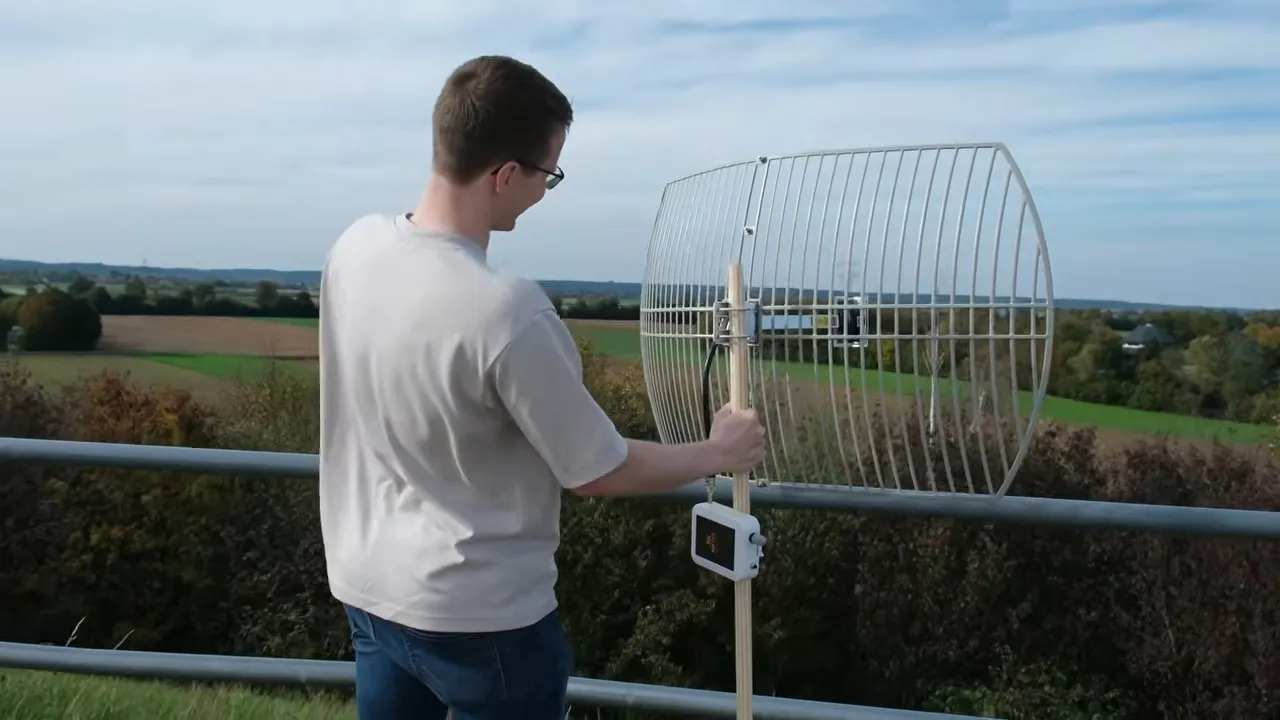
Bluetooth is a short-range protocol that’s great for peripherals and finding your keys, but it’s limited range is mainly a product of how it’s usually implemented. A recent video from [nktbuilds] demonstrates this by extending its range out to 12 kilometers, or around 7.5 miles.
The secret is twofold: one is the antenna, a parabolic unit that captures far more than the dinky dipole in your phone. The other is a very sensitive receiver with a much lower noise floor. What you won’t see here is any extra power than you get stock out of one of those generic coin-sized Bluetooth tracker tags. It’s kind of obvious, in retrospect: grab more signal, lower your noise floor, and get a better result. Still, it certainly wasn’t obvious it would work out to 1200 m, and it’s an impressive feat by [nktbuilds]. We’re going to have to keep it in mind next time we lose our keys.
Of course this doesn’t mean you should jump to Bluetooth for distance communications. You’re still better off sticking with something like LoRA for that, especially since it’s good to hundreds of miles if you can get line-of-sight — or even tens of thousands with the right setup.
Tech & AI
Exit interview: Microsoft’s comms chief on CEOs, reporters, what he got wrong, and stories that stuck

The name Frank X. Shaw isn’t as well known outside the company as those of Microsoft’s other senior leaders, and that’s the nature of the job. But behind the scenes, the company’s longtime communications chief has shaped its public image for nearly three decades, working for all three of its CEOs and handling its biggest stories along the way, from antitrust to AI.
Shaw announced in September that he’s leaving Microsoft at the end of the year. On this week’s GeekWire Podcast, he sits down for what amounts to an exit interview. We’re joined in the conversation by longtime Microsoft beat reporter Mary Jo Foley, editor in chief of Directions on Microsoft and a GeekWire contributing writer.
Shaw talks candidly about working for Bill Gates, Steve Ballmer and Satya Nadella, and about the situations he’d handle differently. He describes his behind-the-scenes dealings with some of the top reporters in tech, from an executive’s objection to a single word to the heated argument that changed how he saw his job.
He also reflects on how communications and media are changing in the AI era, and explains why trust still comes down to a belief in the person telling the story.
Listen below, and continue reading for highlights.
On Microsoft’s three CEOs: Shaw says intensity is what the three have in common, expressed differently: “Steve was outwardly intense. Satya is quietly intense, and Bill is cuttingly intense.”
Ballmer was the hardest to explain to the public, he says, because the loud-salesman caricature hid a thoughtful, detail-oriented leader who often played the boisterous public role because Microsoft’s sales force needed it.
On the clarity of hindsight: Big decisions look obvious once they work out, Shaw says. His example is the board’s choice of Satya Nadella as CEO. It’s seen as a no-brainer now, but at the time there was a lot of debate, there were other candidates, and it was a hard, complicated decision.
“When you get a decision right, it always looks easy afterwards,” he says. “If you get it wrong, you were just an idiot all along.”
On speaking up: A communications leader should weigh in when a decision could damage the brand, Shaw says, and he learned that the hard way.
When Mary Jo asks how he decides when to push back on executives, she raises the Kin as an example. Shaw says he thought the phone would fail. It was late to market, and it would cost more than people expected because it required a data plan. Engineers he talked to had their doubts, too.
But when Ballmer went around the table asking whether to launch it, Shaw stayed quiet, unsure a communications executive had standing to weigh in. Microsoft pulled it within weeks.
In hindsight, he says, framing it as a brand risk would have given him standing to speak: if the Kin failed, it would cause significant brand damage and hurt Microsoft with the younger audience it was trying to reach. He doubts speaking up would have changed the decision, but says he would have felt better about it.
On underestimating a story: A story that doesn’t get much initial attention can still define a company for years. Shaw’s example: Vanity Fair’s 2012 “lost decade” story.
As he recounts it, reporter Kurt Eichenwald told him, “If you don’t give me Steve and Bill, I’m just going to write a hit piece,” and then did. Shaw says he should have escalated to Vanity Fair sooner, and he underestimated how a story that got little immediate pickup would shape how reporters described Microsoft for the next four years.
On narratives: Continuing on that theme, Shaw says facts can be disputed but “narratives are sticky,” and a company can only change one by changing its own behavior. In the 2000s, he says, every story described Microsoft as “a convicted monopolist,” and ending stack ranking was part of how the company moved past the lost-decade image.
On what makes a good story: Shaw recalls having a shouting match with Rob Guth, then a Wall Street Journal reporter, over an article Shaw no longer remembers. It got heated enough that Shaw pulled his car over in Madison Park to keep arguing. (Guth now works as a writer and researcher for Bill Gates.)
Guth told him he was bad at his job because he thought the job was getting positive stories. What Shaw should want, Guth said, were interesting stories that showed something real about the company. Some would be less flattering, but they would be more memorable.
Shaw told him he was wrong. But after thinking it over, he concluded Guth was exactly right. A story about a product built perfectly that everyone loves is boring, he says. “That’s like the plane landed safely. Nobody cares.” The coverage worth hoping for illuminates part of the company in a memorable way, and that always comes with tension.
On taking risks with reporters: Cooperating on a story you can’t control is a risk worth taking when the result shows something real about the company, Shaw says. Asked by Mary Jo for an example, he points to The New Yorker’s long piece on Microsoft’s relationship with OpenAI, featuring Kevin Scott, the Microsoft chief technology officer.
Microsoft agreed to it knowing that the writer, Charles Duhigg, would talk to many people and test a thesis along the way, so there was no telling what would come out. Then Sam Altman’s brief ouster from OpenAI happened right before the story went to press. It was a risky story, Shaw says, but it captured the company at a revealing moment.
On corrections: Shaw’s test is whether something is “irritating” or “damaging.” Only factual errors that matter are worth pursuing, he says.
His example is a Bloomberg story by Dina Bass that described an executive as having “wooed” customers. The executive hated the word and wanted it changed, so Shaw made what he calls the run up the hill, pressing Bass on the exec’s behalf and asking her to check with her editors.
She pointed out that she hadn’t quoted the executive using the word, and the editors left it alone. The executive didn’t like it, Shaw says, but it wasn’t wrong.
On speaking with one voice: Shaw says a big part of his job was trying to ensure that a company of Microsoft’s size made sense to the world.
He recalls a Seattle Times reporter who got 26 pitches from Microsoft in one week and asked him which ones Microsoft thought were important. Sending pitches indiscriminately was a mistake, he says. The company needed to decide what three or four things mattered most and focus its messaging on those.
On building in public: Asked about recent internal memos pointing Microsoft toward more voices and less central messaging as he departs, Shaw says the company already has many employees talking about its products on LinkedIn, X and Reddit, and that’s a good thing.
Someone from Microsoft answering questions in a Reddit Excel thread doesn’t need to be babysat by the communications team, he says. He sees it as a continuation of what Microsoft did with Channel 9 and thousands of MSDN blogs.
At the same time, he says, there are moments, such as a big event or a major launch, when the company needs to break through.
“Every once in a while you want the world to know Microsoft had something to say today,” he says. That’s hard, it takes real effort, and it can’t happen every week or even every month, so the company has to pick those moments and do them right.
On AI and the media: AI can help spokespeople prepare, Shaw says, but asking it what Mary Jo will ask, for example, produces “generic Mary Jo questions.” The best interviewers, he says, deliberately avoid the predictable question.
On reporters’ styles: Preparing a spokesperson means knowing how a particular reporter works, Shaw says, and that comes from people who have sat through many of their interviews. His example is Steven Levy, the veteran tech journalist and Wired editor at large, who Shaw says can lull you with 10 minutes of easygoing conversation, then hit you with one sharp question after another.
Other reporters always sound negative in interviews but write straightforward stories, he says, and an executive who reads too much into the tone risks getting knocked off their game.
Asked to name the toughest reporter he has dealt with, Shaw pushes back on the label. Good reporters are tricky to work with because their job is to find things out and surprise you with what they know, he says. That doesn’t make them tough. What makes a situation difficult is usually a story with real conflict and tension, not the reporter.
On Microsoft in the AI era: Shaw sees AI in a transitional moment, moving away from a constant focus on the models themselves. Right now, he says, every new model release or manifesto makes everyone stop and look.
He hopes the attention will shift from new models to whether AI is actually useful, and he says that’s where Microsoft has historically been strongest.
Acknowledging that he’s still on the payroll and rooting for the company, he offers an analogy that will resonate with anyone who learned to drive a stick shift. The AI model companies want to drop a bigger, more powerful engine into businesses, and the result is often a lot of grinding of gears.
“We’re the clutch,” he says. Microsoft’s infrastructure, in his telling, lets companies absorb that power and get moving without the disruption of a new engine and a demand to go 110 miles per hour.
On journalism: “People trust what they hear because they trust the people,” Shaw says. Deep knowledge of a beat becomes more valuable as the world gets more transactional, he says, even as the business behind it becomes less sustainable.
On what’s next: Shaw plans to take some time off and isn’t making any big decisions. People have suggested consulting, another big communications job or board seats, he says, but he doesn’t want to rush into anything.
Mary Jo has a suggestion: run PR for OpenAI, “because man, they need somebody to help.” Shaw’s characteristically dry reply: “That would be such a low-stress job.”
Related links
- Microsoft comms chief Frank Shaw to exit after nearly three decades shaping the company’s message
- Internal memos: Microsoft shakes up communications as Nadella makes a push to build in public
- Microsoft’s ‘lost decade’: Vanity Fair piece accurate but incomplete
- Frank X. Shaw: Things I’m Thinking About
- Mary Jo Foley’s GeekWire stories
Edited and produced by Curt Milton; Music by Daniel L.K. Caldwell.
Tech & AI
Switching to Apple, Garmin, or Google Fitbit? Here’s how to switch fitness trackers without losing your old health and workout data
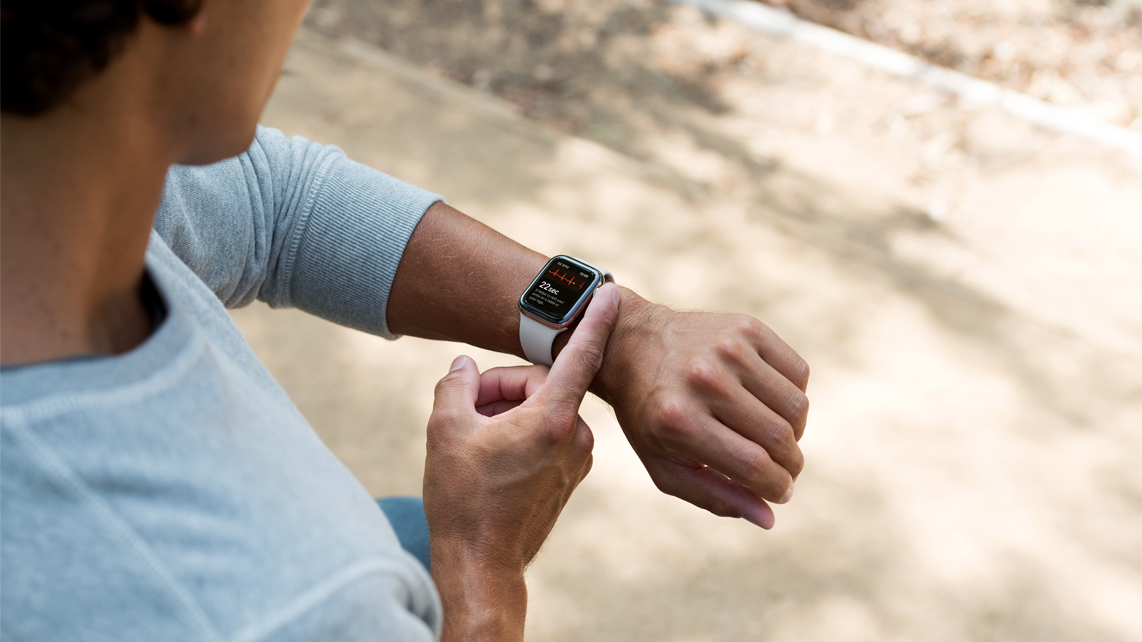
When an ageing fitness tracker finally needs to be replaced, sometimes you’re tempted to switch brands — for example, trading in your ageing slim Fitbit for a bigger running watch. You might be getting a new running watch in the Black Friday sales, or hoping for one under your tree — but a new tracker sometimes that means losing years of data about your workouts, sleep, heart rate, and general activity.
Your historical health data is useful for more than just flexing on your Strava contacts or keeping those fitness rings closed. Changes in your resting heart rate or sleep pattern, for example, can contribute to a fuller picture of your health. That’s why in 2026, many of the best options like the Apple Watch, Google‘s Fitbit lineup and the best Garmin models have made transferring your data remarkably simple – or at least easier than ever.
To help you upgrade to a newer model or switch brands entirely, we’ve broken down the data transfer processes for the major fitness tracker makers.
Latest Videos FromTechRadar
Check what you can transfer before switching
Not every move is tricky: going between different Garmin versions, or upgrading your Apple Watch, is a generally straightforward process that can take moments, due to operating from the same account.
Switching manufacturers, however, is where things can become a little more complicated. Going from a Garmin Forerunner to a COROS Pace 4 can require manually exporting your data and then importing it into a new platform.
Think of it as three distinct processes: backing up your data, syncing new activities between apps, and importing historical records, each with their own requirements.
Before we continue, it’s worth noting that while common activity data (think workouts or routines) are transferable, proprietary metrics like sleep scores are unlikely to make the jump. Not every brand has Strain, Readiness or Sleep scores that are calculated the same way.
If you are unsure, check which file formats and historical records your new device’s companion app supports could go some way to avoiding disappointment.
Back up your fitness data first
Before doing anything else, make sure that your fitness tracker has synced with its companion app on your smartphone, including any recent workouts and health measurements.
Most major platforms offer ways to export your data, either as an account archive or as individual activity files. Take some time to find out how to access these, and then download a copy somewhere safe and accessible, whether that’s on your computer or in private cloud storage.
For example, Garmin requires you to access Garmin Connect using its web browser, then going to Data Management → Export Your Data. Apple, meanwhile, allows you to tap your profile in Apple Health, and hit Export All Health Data.
Individual activity files commonly come in formats such as FIT, TCX, and GPX, each of which preserves different types of workout information.
Keep your account active until you know the migration is successful and don’t reset your old tracker just yet.
How to transfer data from Apple Health
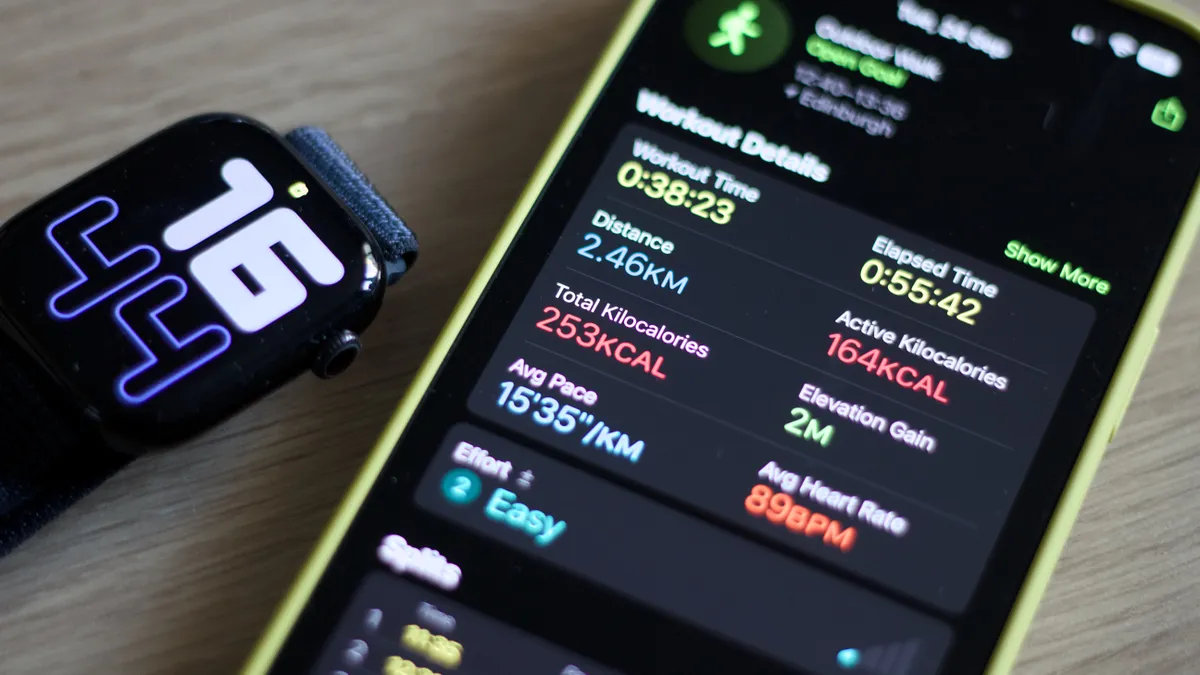
If you’re upgrading from one Apple Watch to another, the process is simple. Apple stores your Health and Fitness data in iCloud, provided syncing is enabled.
On your iPhone, head to Settings → your name → iCloud → See All → Health, and make sure Sync this iPhone is switched on. When pairing your new Apple Watch, you can also restore a previous backup to carry over your settings.
As you might expect, switching to another manufacturer takes a little more work. Open the Health app, tap Summary → your profile picture → Export All Health Data, and choose where to save the resulting XML archive.
You can also manage which third-party apps have access to your data under Apps or Devices in your Health profile.
It’s worth noting that not every type of health data will make the journey. The resulting XML archive won’t necessarily work directly with another manufacturer’s app, but services like COROS support transferring historical Apple workouts using third-party apps.
How to transfer Google Health and Fitbit data
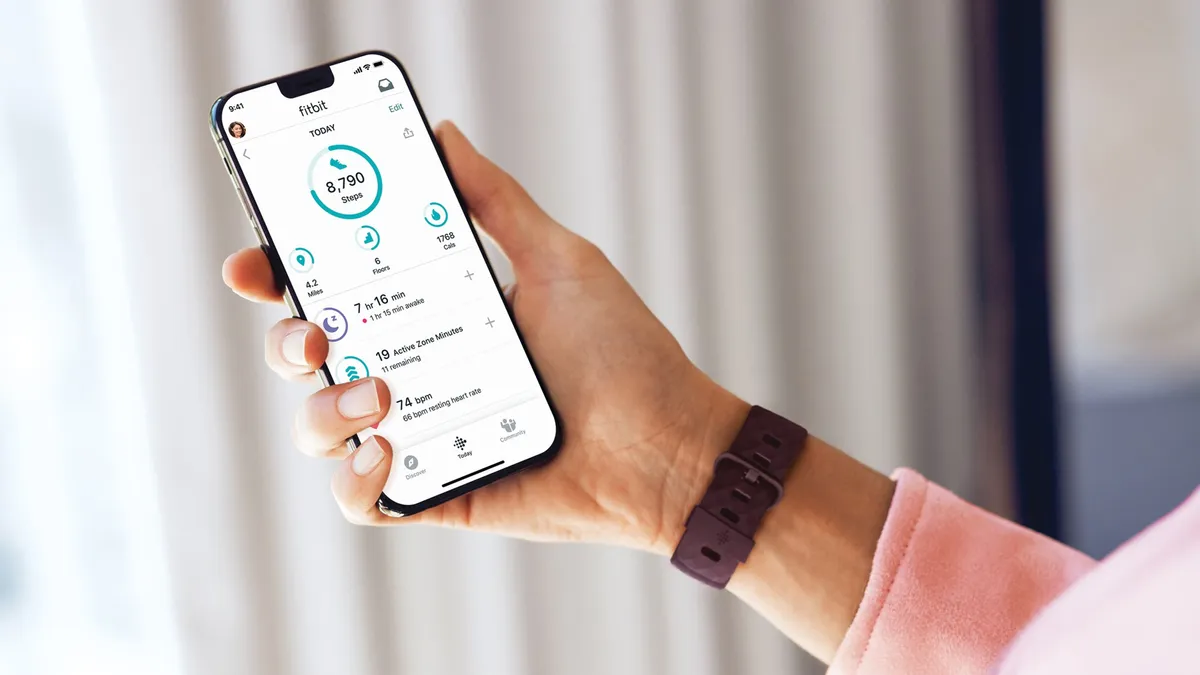
Google’s fitness ecosystem has changed considerably in 2026, with the old Fitbit app replaced by the snazzy new Google Health platform.
If you’re upgrading to a newer device, such as the Pixel Watch 5, your existing fitness history should remain accessible through the same Google Account.
To download a backup, head to Google Takeout, select Google Health, and follow the instructions to export your records, including any workouts, sleep, and heart rate data.
Google’s Health Connect service is handy if you’re moving between compatible Android apps.
On Android 14 or later, open Settings → Security and Privacy → Privacy Controls → Health Connect → App Permissions. From here, you can choose which apps can access different types of health data. (Some integrations must first be enabled within the destination app itself.)
Google Health also offers direct connections under Connections → Partner Apps or Apps and services. On iPhones, supported information can be shared through Apple Health instead.
As with Apple, there is unfortunately a catch: exporting an archive or connecting two services doesn’t guarantee that years of historical measurements will appear in your new app.
Different integrations support different records, and Health Connect normally grants new connections access to only the previous 30 days unless additional historical permissions are available, so keep this in mind.
How to move Garmin Connect data
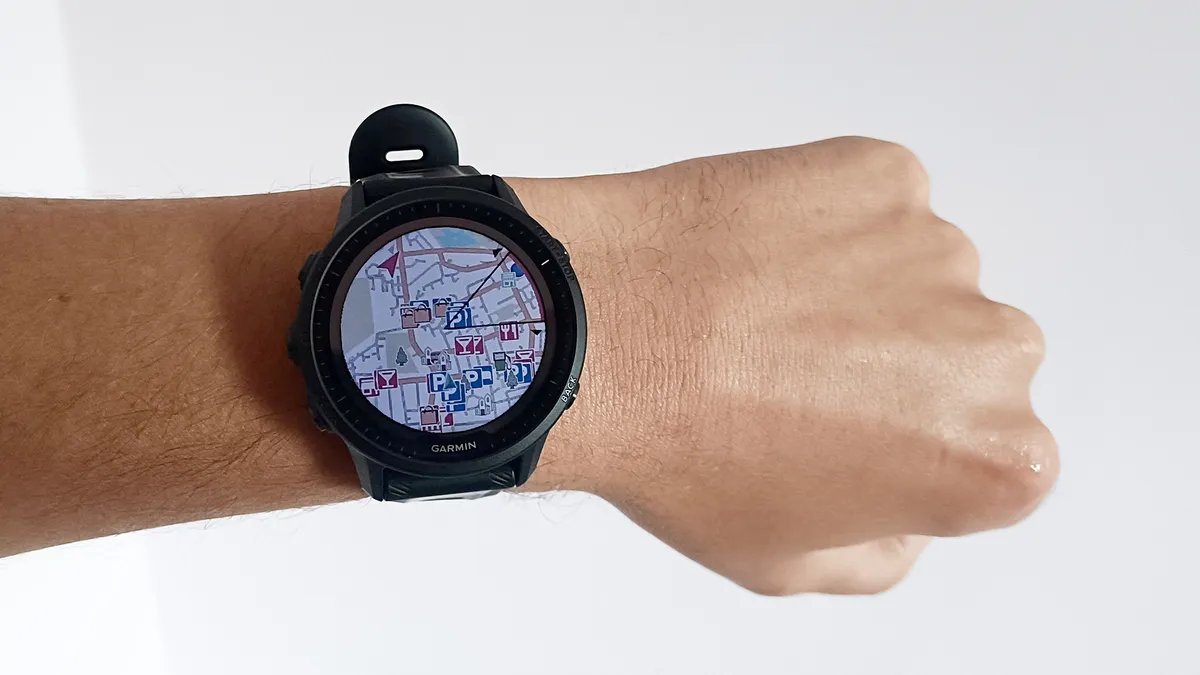
Sticking with Garmin is fairly straightforward, as with Apple and Google.
Whether you’re upgrading an old Forerunner or moving to something like the Garmin Venu 4, your Garmin Connect account preserves your existing fitness history without needing to manually transfer it.
Switching manufacturers takes a little more effort. On the Garmin Connect website, open Activities → All Activities, select a workout, and click the settings cog to export it as a FIT, TCX, or GPX file.
If you have years of workouts, Garmin’s data export service lets you request a complete account archive, with a download link sent by email.
These workout files can then be imported into compatible services, like the COROS Training Hub. However, if you want to move daily health measurements and proprietary recovery metrics, you might be out of luck.
How to preserve your workout history with Strava
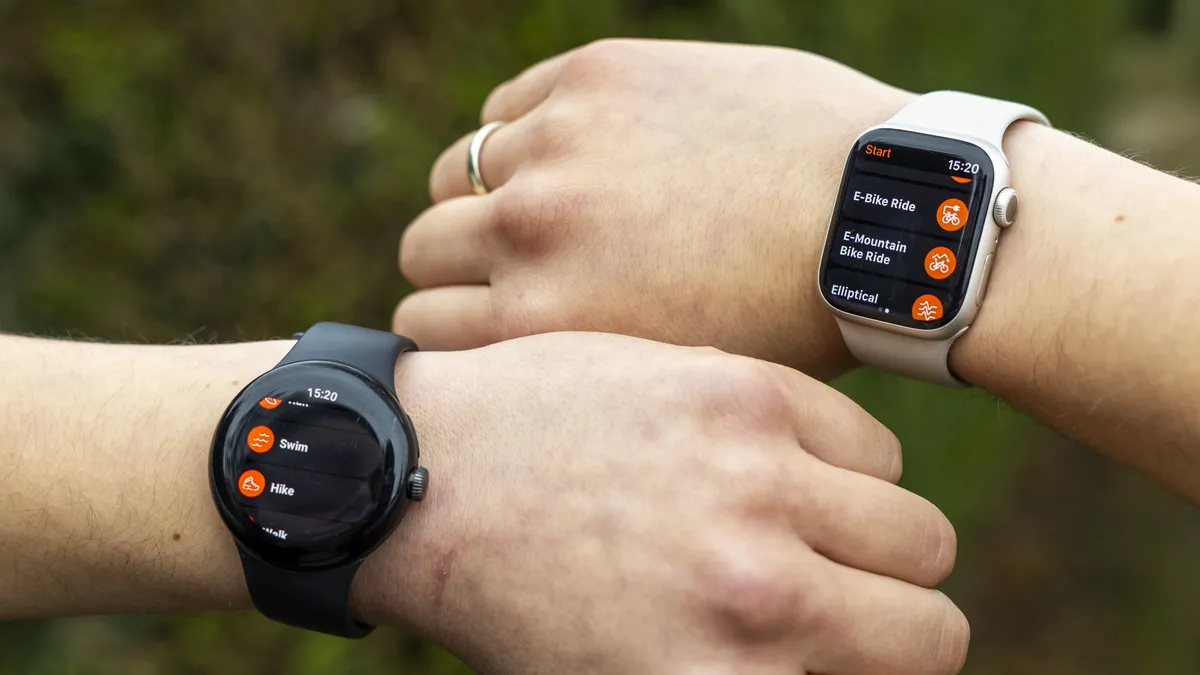
For anyone switching between fitness trackers, Strava should be your best friend: the service lets you keep years of running, cycling, and other workout records in one place.
Unlike Apple Health or Garmin Connect, however, it isn’t designed to preserve your complete health history.
To link a compatible tracker, open the Strava app and head to Settings → Connect an App or Device, then follow the instructions for your manufacturer. You can also check out our guide to using Strava with your smartwatch.
For older workouts, visit Strava’s website, click the plus icon → Upload Activity → File, and select your exported FIT, TCX, or GPX files. Free users can upload 15 files at once, rising to 25 for subscribers.
It’s worth remembering that connecting accounts won’t necessarily import older activities automatically – you may need to upload these separately.
Check everything has transferred correctly

Once you’ve done the hard part, there are a few things to check to make sure your record and workout data made the switch – and then you can enjoy your shiny new fitness tracker.
First, open your fitness app and compare workouts, including any recent sessions, to see what has successfully transferred. Look for missing information (things like routes or heart rate data) and check if proprietary metrics made it.
Make sure to check for duplicates, which can happen if you are connecting multiple services at once, and allow for differences in how devices might track something, like your long-term trends.
Until you are completely happy, it’s worth keeping your original account active and retain any downloaded data in a safe place.
Switching trackers definitely doesn’t mean turning your back on years of data and progress, and we hope this guide has demystified the process. Now go and work on beating that PB!

Audio-Technica, a brand well known for making some of the best studio and professional headphones on the market, has just come out with the ATH-AWX7000, which the company itself claims to be its “finest headphones ever.” The new flagship closed-back headphone has debuted at an eye-watering price of $3,799. It combines hand-finished Japanese woodwork with a newly developed 58mm driver.
The earcups are made from Kiso cypress, a prized wood historically used for Shinto shrines and Buddhist temples. Each housing is finished by hand with traditional Echizen lacquer, which brings out the grain and is expected to darken over time. The frame and sliders are finished in a deep navy kachi-iro shade traditionally associated with samurai.
There is a new driver inside all that wood
The ATH-AWX7000 is the first Audio-Technica headphone to use its new Hybrid Matrix Diaphragm, or HMD, technology. The 58mm diaphragm combines a polymer film with a metal dome instead of relying on a single material.

Audio-Technica says the design helps the diaphragm hold its shape when dealing with high air pressure inside the closed-back earcups. It is paired with the company’s HXDT molding process, first used on the ATH-ADX7000, which is designed to make the diaphragm move more uniformly.
In practical terms, Audio-Technica is promising stronger and cleaner bass, better dynamics, and a wider soundstage. The company describes the sound as warm and lush, although those are claims that will ultimately need to be heard rather than taken at face value.

Nothing else about them is particularly ordinary
There is no Bluetooth or active noise cancellation here. The ATH-AWX7000 is a fully wired pair of audiophile headphones, and Audio-Technica includes two detachable eight-braid cables using its A2DC connectors. One is a 2.5-meter balanced cable with a four-pin XLR connector, while the other is a 3-meter unbalanced cable terminating in a 6.3mm plug.
The magnesium frame and aluminum sliders help keep the weight to around 353 grams, while Japanese deerskin covers the headband and earpads. Every pair is manufactured in Tokyo and comes with a hard carrying case. The ATH-AWX7000 is available now for $3,799.

Tech & AI45 minutes ago
The AI agents Muse and Dots, explained: What are they and what they do

Tech & AI3 hours ago
I Caved to the TikTok Trend of Cooking Bacon in Water. Here’s How It Went

Tech & AI4 hours ago
Moonshot tells Kimi AI to code away, but leave the hacking alone


-

 Fashion2 days ago
Weekend Open Thread: Anine Bing
-

 Tech & AI5 days ago
Seattle ag-tech startup Carbon Robotics reduces workforce, citing economic conditions
-

 Entertainment7 days ago
David Pollack Reveals ‘Stunning’ Update About Wife’s Brain Cancer
-

 Fashion6 days ago
What I Reach For Every Fall
-

 Tech & AI6 days ago
Amazon challenges Nvidia’s software advantage with new tool for its own AI chips
-
 Tech & AI5 days ago
DeepSeek updates V4.1-Flash model to improve performance
-

 Fashion5 days ago
Tuesday’s Workwear Report: Margeaux Blazer in Four-Season Stretch
-
Tech & AI7 days ago
Releasing Palm OS Archive, Developer Rediscovers Working Virus After 25 Years
-

 Tech & AI6 days ago
Driving On The Moon At A Blistering 11.6 MPH
-
 Crypto6 days ago
Software’s new consolidator gets big vote of confidence from Berkshire
-

 Tech & AI6 days ago
The Logitech G Pro X2 Rapid brings incredible esports performance to an approachable, compact gaming keyboard that’s simply a joy to use
-

 Tech & AI4 days ago
Stolen UpdraftCentral keys used to backdoor WordPress sites
-

 Fashion6 days ago
Winter Fashion Trends Set to Dominate This Season
-

 Business & Hustles6 days ago
A Stronger Start With Personalized Early Development Support
-

 Crypto4 days ago
UK Banks Restricting Crypto Transfers: Complaints Rise
-

 Fashion7 days ago
ROAR
-
Sports6 days ago
Does Defense Win Championships? The Vikings May Find Out
-

 Tech & AI6 days ago
Apple updates guidelines to ban nudify apps masquerading as regular apps to pass review
-

 Tech & AI6 days ago
AI agents like Muse and Instinct can do your tedious tasks. But should they?
-

 Sports6 days ago
GLP-1s and AI among talking points at W3Fit
You must be logged in to post a comment Login