When it comes to the best smartwatches one can buy on the Android side of things, the options usually boil down to the latest Google Pixel Watch and the Samsung Galaxy Watch. Both the Pixel Watch 4 and the Galaxy Watch 8 are solid options, and which one you pick can depend on factors such as whether you own a Google Pixel or a Samsung phone, design preferences, or even the type of UI. Samsung also offers a few more options, such as the Watch Classic and Watch Ultra series. Owing to this, you may decide to opt for a Samsung smartwatch. While the watch works well across scenarios, the one issue that plagues most Android watches — including the Galaxy Watch — is average battery life.
On most days, your Galaxy Watch may last you an entire day, but you’ll probably have to plug it in just before going to bed. Now, this isn’t ideal, as you may want to use the watch to track your sleep or set alarms. Fortunately, there are a few ways to improve and extend your Galaxy Watch’s battery life. Whether you want to wear it to bed or you’re traveling and are a few hours away from a charger, so you’re desperate to make the last 10% last for a few extra hours, here are some tips I’ve been using since the Samsung Galaxy Watch 4, and they work just as well on the latest Galaxy Watches as well.
Advertisement
Disable Always-on Display and Raise to Wake
Sumukh Rao/SlashGear
One of the most handy features that I absolutely love on all my smartwatches (and smartphones) is Always-on Display. The fact that you can simply glance at your smartwatch to check the time — just like a traditional watch — is super convenient. It also makes the watch look more classy, in my opinion. I would imagine that a lot of folks keep the feature turned on. Unfortunately, though, Always-on Display is among the most battery-hungry features on any device, let alone a smartwatch with a tiny battery. So if you’re in a situation where you want to conserve battery, or you know you’re going to have a long day ahead of you, it’s best to turn off the feature.
Head to Settings > Display > Always On Display and disable it. While you’re at it, there’s another feature on your Galaxy Watch that’s going to drain the battery faster — Raise to wake. The watch’s accelerometer detects every time you lift your wrist and turns the display on. This saves you the extra step of touching the watch’s display before performing a task. Again, while it’s extremely convenient, keeping the sensor running in the background consumes additional juice. From the same menu, turn off the Raise wrist to wake toggle. You can choose when to enable/disable these features based on situations where you want the watch to last longer or prioritize convenience.
Advertisement
Turn off ‘Hey Google’ detection
Sumukh Rao/SlashGear
With AI becoming a widespread feature that pretty much everyone uses on every device out there, it’s not surprising for someone to use Gemini on their Galaxy Watch. After all, it is a helpful tool if you want to quickly set a reminder, check the weather forecast, or even call or message someone while your hands are occupied. One of the simplest ways to invoke Gemini is to bring the watch close to your mouth and use the trigger phrase “Hey Google.” While this is convenient, it drains the battery quickly because your watch stays awake the entire time to listen for the trigger phrase. That’s certainly not ideal when you’re trying to push the battery to its limits.
On days when I know I want my Galaxy Watch to last those few extra hours, I head to Gemini settings on my linked smartphone and turn off the ‘Hey Google’ detection on the smartwatch. Unfortunately, the native Gemini app on Wear OS doesn’t have the ability to turn off the feature, so you will have to use the connected phone. With the hotword disabled, you can still invoke Gemini by assigning one of the side buttons to open Gemini when you long-press or double-press it. You can also launch the Gemini app manually by swiping up from the watch’s home screen and selecting it from the app drawer.
Advertisement
Reduce heart rate monitoring frequency
Sumukh Rao/SlashGear
One of the primary reasons why most folks buy a smartwatch is for health tracking and monitoring. Keeping an eye on metrics, such as the number of steps walked and calories burned, is important if you’re looking to get into shape. Of course, you can also track workouts such as running, cycling, and swimming on the Galaxy Watch. Whether you’re working out or sleeping, there’s one metric that’s always being tracked when you wear the watch — your heart rate. Samsung allows you to track your heart rate via its smartwatches either continuously or at 10-minute intervals. While both of these options provide accurate heart rate data, they require the sensor to constantly run in the background, resulting in constant battery consumption.
If you want the best battery life out of your Samsung Galaxy Watch, what I do is set the heart rate measurement to Manual only. You can do this by opening the Samsung Health app and scrolling down to Settings > Heart rate. With this, your Galaxy Watch won’t automatically record your heart rate, which can skew your data if you’ve been tracking parameters such as stress levels and resting heart rate. However, that’s the trade-off you have to make if you want your watch to last longer. Alternatively, if your heart-rate monitoring setting is set to Measure continuously, you can change it to “Every 10 minutes while still” to save battery while still measuring your heart rate at frequent intervals.
Advertisement
Turn off LTE connectivity
Sumukh Rao/SlashGear
There are two types of Galaxy Watches you can buy — Bluetooth only, and Bluetooth+LTE. The Bluetooth variant should suffice for most use cases, since most folks carry their smartphone along with them at all times. For context — the Galaxy Watch connects to your smartphone via Bluetooth. This is how it connects to the internet, syncs data to your phone, and shows you notifications and incoming calls on your wrist. However, for this to work, your watch must always be in Bluetooth range of your smartphone. But what if you go to the gym or run every morning without your phone? You won’t be able to receive calls, respond to messages, or perform any other activity on your watch that requires a network connection.
This is where the LTE version comes in handy. Since it has an independent eSIM, you can use the watch even if you’re not around your phone. While it’s extremely useful, the fact that your watch has its own radios means that it’s constantly searching for a network, leading to higher battery drain. The trade-off may be worth it for a lot of people. On days you want to prioritize endurance, it’s best to turn off LTE connectivity. Head to Settings > Connectivity > Mobile networks, and change the setting to Always off. If you want to stay connected and yet want the watch to consume less battery, switch to the Auto option instead of the Always-on one.
Advertisement
Enable power saving mode
Sumukh Rao/SlashGear
How long a Samsung Galaxy Watch lasts depends entirely on your usage patterns throughout the day. If you’re tracking a workout for an hour with all the sensors running in the background, answering multiple calls on your watch, and interacting with several apps via the watch’s display, the watch is bound to drain the battery faster. Of course, you can use all the tips mentioned above to increase the standby time, but they may not do much if your usage is on the higher side. For such users, the best way to keep the watch running for a longer duration is to use the Power Saving feature. Drag the quick settings section down from the watch face, then find the power-saving menu, represented by a battery icon with a leaf.
Once you enable it, your Galaxy Watch automatically turns off all the features that consume more battery. Along with that, it also decreases the display brightness and screen timeout durations; limits the CPU performance, background network usage, location tracking, and data syncing, plus, you also get the option to limit health tracking features. On the power-saving mode screen, you can even see how long your smartwatch will last with the mode enabled vs. without it. I generally use this as a last resort when my watch is running drastically low on power, and I know I’m at least a few hours away from a charger.
England vs India: July 10 – July 13 from 11am BST / 3:30pm IST daily
The Home of Cricket awaits as it prepares to host its first-ever women’s Test match, with England taking on India in a one-off encounter. Both teams will be looking to bounce back after disappointing Women’s T20 World Cup campaigns. England finished as runners-up after being outclassed by Australia in the final (again), while India failed to progress beyond the group stage.
The head-to-head record slightly favors the tourists. India have won three matches, while England have managed just one victory in the 15 Tests between the two sides. Most recently, India claimed a dominant 347-run win in the one-off Test in December 2023, while the previous Test in England, played in June 2021, ended in a draw.
Adding to the occasion, Tammy Beaumont, one of England’s most prolific batters, has announced that she will retire from international cricket after this match. Led by Harmanpreet Kaur, this will be India’s first Test since their 10-wicket defeat to Australia at the WACA in March. Prior to that, India had not lost a women’s Test since the 2005-06 season, with that defeat also coming against Australia.
England, meanwhile, are also playing their first Test since suffering a crushing innings-and-122-run defeat to Australia in the 2024-25 Ashes. Led by veteran Nat Sciver-Brunt, the hosts will be eager to carry their momentum into the longest format after an emphatic 3-0 sweep of India in the recently concluded T20I series.
Read on to find out how to watch the England vs India women’s test from wherever you are, including free options.
Advertisement
Can I stream England vs India women’s test for free?
Cricket fans in India are in luck! DD Sports will be providing free coverage of the entire ENG-W vs IND-W test match at Lord’s.
Just keep in mind, though, that DD Sports is a TV channel only available via cable TV – meaning cord-cutters are out of luck.
Cord-cutters in Australia, meanwhile, have a sneaky trick they can use to watch the game live: Kayo Sports offers a 7-day free trial to new users, letting you catch all the four days’ action live and free.
Outside any of these countries right now? No worries, you can still stream the action by using a VPN. More details below…
Advertisement
Use a VPN to watch England vs India women’s test from anywhere
If you’re keen to watch cricket but you’re away from home and your preferred coverage is geo-blocked, you could always use a VPN to access it (assuming you’re not breaching any broadcaster T&Cs, of course). You may be surprised by how simple it is to do.
The best VPN right now? We recommend NordVPN – it does everything and comes with a 75% discount, and three months for free.
Advertisement
🟩 NordVPN – get the world’s best VPN Not having a VPN is like leaving your front door wide open in a busy city – anyone can walk right in and take a peek. TechRadar regularly reviews all the biggest and best VPN providers and NordVPN is our #1 choice. ✅ Up to 75% off today ✅ 3 extra months free ✅ Unlocks international streams Get NordVPN and stream the England vs India women’s test match from anywhere, even for free.View Deal
Quick start: Using a VPN to watch the 2026 England vs India one-off women’s test from anywhere
Using a VPN is incredibly simple, just follow these steps.
1. Install the VPN of your choice. As we’ve said, NordVPN is our favorite.
2. Choose the location you wish to connect to in the VPN app. For instance if you’re visiting the U.K. and want to view an Australian streaming service, you’d select a location from Down Under (like Perth) from the server list.
Advertisement
3. Sit back and enjoy the action. Head to Kayo Sports and watch England vs India women’s test just like you would at home.
How to watch England vs India women’s test live streams in the US
(Image credit: Other)
Cricket streaming service Willow TV is the place to watch the England vs India women’s test match in the US.
If you don’t have it as part of your cable package, you can watch Willow coverage through your choice of Sling TV’s Desi Binge Plus or Dakshin Flex plans – starting from $10 per month.
Outside the US right now? You can make use of NordVPN to catch the action.
Advertisement
How to watch England vs India women’s test live streams in the UK
The England vs India women’s test match at Lord’s in London is exclusive to Sky Sports in the UK.
Sky Sports packages start from £22 per month. Or you can use a more flexible streaming option, Now (formerly Now TV). Now Sports memberships start at £14.99 for a day pass, or £34.99 monthly.
If you’re on holiday outside the UK, you can use NordVPN to access Sky Sports’ coverage.
How to watch England vs India women’s test live streams in India
(Image credit: Wikimedia Commons)
As mentioned earlier, the England vs India women’s test is available on the free-to-air TV channel DD Sports.
Advertisement
Cord-cutters can watch the game live on Sony Sports 1 and Sony Sports 2, with live streaming available on the SonyLiv app and website.
SonyLIV plans in India start at ₹299 ($3.14) for a monthly subscription, with annual mobile-only plans at ₹599 ($6.28) and premium annual packs at ₹999 ($10.48 USD) or ₹1499 ($15.72 USD).
If you’re currently out of India but want to watch the match live, you’ll need to get yourself a VPN, as per the instructions above.
How to watch England vs India women’s test live streams in Australia
(Image credit: free)
The England vs India women’s test is being shown on Fox Cricket via Foxtel in Australia, with live streaming available via Kayo Sports.
Advertisement
Kayo Sports starts at AU$30 per month after a 7-day free trial. Or you can get your first month for AU$1.
Outside Australia right now? Use NordVPN to access your favorite live cricket streams.
How to watch England vs India women’s test live streams in New Zealand
Kiwis can watch the England vs India women’s test on Sky Sport and live stream it online via the Sky Sport Now service.
Prices start from $59.99/month or $549.99/year, and there’s also a $29.99/day option.
Advertisement
Outside New Zealand right now? Use NordVPN to access your preferred women’s cricket coverage.
England vs India women’s test Q+A
Squads
England: Nat Sciver-Brunt (c), Tammy Beaumont, Lauren Bell, Maia Bouchier, Alice Capsey, Tilly Corteen-Coleman, Sophie Ecclestone, Lauren Filer, Amy Jones (wk), Heather Knight, Emma Lamb, Grace Potts, Ellie Threlkeld, Mady Villiers, Issy Wong.
What time does the England vs India women’s test match start?
The one-off 2026 England vs India women’s test match starts at 11am BST / 3:30pm IST every day from Friday, July 10 to Monday, July 13 at the iconic Lord’s in London.
Advertisement
We test and review VPN services in the context of legal recreational uses. For example:1. Accessing a service from another country (subject to the terms and conditions of that service).2. Protecting your online security and strengthening your online privacy when abroad.We do not support or condone the illegal or malicious use of VPN services. Consuming pirated content that is paid-for is neither endorsed nor approved by Future Publishing.
Europe’s merger and acquisition activity also experienced a boost in the first quarter, with that momentum continuing into Q2.
New data from Crunchbase has shown that in Q2 of 2026, European start-ups reported the strongest quarter in four years for venture funding. The region’s start-ups raised roughly $24bn in Q2, with figures having risen by a third, quarter on quarter and two-thirds higher than the $14.4bn during the same period in 2025.
Europe’s merger and acquisition activity was also shown to be improving steadily. Despite public market exits remaining subdued, in Q1 mergers and acquisitions picked up, with the momentum moving on into the second quarter.
The UK in particular was found to have had a successful second quarter for VC funding, as start-ups based in the region raised $10.4bn. This figure is not too far off the UK’s peak of $10.8bn in 2021 and also marks the third-largest funding quarter for the UK on record.
Advertisement
Other countries with a strong start-up performance for the quarter include Germany, which trailed behind the UK with $3.2bn, France with $2.4bn and Sweden with $2bn.
Early-stage funding reached $8.6bn across more than 250 start-ups in Europe last quarter according to Crunchbase, whose data indicated that large Series A and Series B rounds were raised by London-based Isomorphic Labs, London’s AI self-learning lab Recursive, Germany’s fusion energy company Focused Energy, London’s semiconductor developer Fractile and London-based quantum processor provider QuantWare.
Late-stage funding, for Europe-based organisations, totaled $12.1bn in Q2, up 90pc year over year. Among the large Series C and D rounds were German robotics developer Neura Robotics, the Netherlands’ Nearfield Instruments, which makes inspection tools for semiconductor manufacturing, UK quantum computing start-up Oxford Quantum Circuits and Germany’s satellite launcher Isar Aerospace.
Notably, European seed funding totaled $3.2bn for the last quarter, with 1bn of that raised by a single organisation, Ineffable Intelligence, which is a UK-based AI start-up building a ‘superintelligence’ platform. It was founded by former Google DeepMind researcher David Silver.
Advertisement
Other notable seed funding rounds for the period include efforts made by Inherent, a London-based AI lab for science, Italy’s autonomous driving technology producer Niulinx and Stockholm-based defense tech company Swebal.
Crunchbase’s report said, “European startup investment has now steadily increased since the fourth quarter of 2024, with increased momentum in the just-ended quarter, driven by larger rounds of $100m and over.
“The region’s startup ecosystem shows particular strength in deep tech and financial services as well as the formation of new AI labs and M&A activity has fueled liquidity for the next batch of startups. Now the question remains, will it be enough to keep Europe competitive with the frontrunners, the US and China?”
Don’t miss out on the knowledge you need to succeed. Sign up for the Daily Brief, Silicon Republic’s digest of need-to-know sci-tech news.
One of the key tools in the tool belt of the anti-vaxxer has long been VAERS, the voluntarily reporting system for adverse events following vaccinations. People who don’t really understand how any of this works often get very, very confused about what VAERS is and is not. It does not contain confirmed outcomes caused by vaccines, it does not provide any medical advice as a result of the reports within it, and it is not a controlled reporting mechanism. Instead, it is a system that is wide open to reports of adverse events by any member of the public or healthcare community. In other words, it’s just a raw reporting tool.
And the problem is that people who report to VAERS can lie, be confused, misreport details, and so on. Anti-vaxxers, for instance, can flood the system with false or misleading reports. And, by some accounts, they do that very thing. The point of all of this very long opening is this: you can’t trust an individual report that claims an adverse vaccine effect to be accurate or true.
Take Andrea Shaw of Idaho, for instance. Shaw has been very public on the internet and podcasts after the death of her two 18 month old twins with claims that they were the result of adverse effects of vaccines. Shaw also reported the deaths in VAERS, claiming an association with several childhood vaccines received a week before their deaths. As a counterpoint to that claim, she also has now been charged with purposefully suffocating her children to death.
The Payette Police Department announced the indictment of 23-year-old Andrea Shaw, formerly of Payette, on two counts of First Degree Murder in connection with the deaths of her 18-month-old twins. Shaw was arrested by Boise Police on June 30th.
The newly released indictment accuses Shaw of suffocating both of her twins to death. Both charges are of Murder in the First Degree, meaning the prosecution is alleging that Shaw deliberately, with premeditation and with malice aforethought, killed both of her children, meaning she will be eligible for the death penalty, though the prosecution has not yet announced whether they intend to seek it.
Advertisement
This is an investigation that’s been going on for nearly a year. While that was happening, Shaw appeared on the podcast for Children’s Health Defense (CHD), the disgusting anti-vaxxer organization that RFK Jr. used to head up. Not happy to merely pump out misinformation via podcast, CHD teamed up with Shaw to file a lawsuit against the American Academy of Pediatrics, claiming that AAP had misled the public about the safety of vaccines.
The charge is first degree murder for Shaw. I, of course, will not claim that police and prosecutors are perfect when it comes to their work, but the length of the investigation and the charges sure point to a prosecutor who is confident in their evidence. Shaw is, of course, innocent until proven guilty, but anyone with any sense can see where this is most likely headed.
Children’s Health Defense should be ashamed of itself. But it won’t be. In fact, I have little doubt that it, or its fans, will claim that any evidence against Shaw and that her prosecution has been bought and paid for by the vaccine industry. That’s just how they roll.
It’s giving away its ‘series 1’ trading cards online and at in-person event.
NVIDIA
NVIDIA has introduced a series of GeForce Trading Cards with 14 possible designs, which it says represents “GeForce PC gaming’s great moments,” at a time when gamers have soured on the company. The GPU-maker has been prioritizing its AI customers lately by manufacturing more products for data centers, because the AI industry has caused massive memory shortages across the board. According to reports, NVIDIA isn’t expected to launch its next set of consumer-facing GPUs for gamers until 2027.
While the cards’ launch was pretty badly timed, at least the company isn’t selling them. They’re more promotional materials than collectibles people can purchase. The company says it’s giving them away through its “Summer of RTX giveaways on GeForce social channels, as well as at select summer gaming shows and community events, including Bilibili World 2026, QuakeCon 2026 and gamescom 2026.” At in-person events, customers can head to the company’s booths to ask about the cards.
Based on the company’s announcement, this is just the first series of its trading cards, indicating that it’s looking to release more in the future. Series 1 designs include those that feature the NV1, NVIDIA’s first mainstream multimedia processor, as well as GeForce 256, the world’s first GPU.
A patch Microsoft released on Wednesday to fix a zero-day vulnerability in its Defender security engine may cause Windows machines to write files large enough to completely consume available disk space, the researcher who discovered the flaw said.
RoguePlanet, tracked as CVE-2026-50656, came to public notice in June when NightmareEclipse, the pseudonymous name used by a researcher, disclosed it along with code for exploiting it. The vulnerability allows remote attackers to gain administrative control of Windows 10 and Windows 11 machines, even when real-time protection has been disabled. Over the past few months, the anonymous researcher has published a handful of other zero-days that have sent Microsoft scrambling to develop patches.
Writing files of unlimited size
Microsoft said Wednesday that it patched RoguePlanet with an update to the Microsoft Malware Protection Engine, which is used by the Defender antivirus app. The fix will automatically be downloaded and installed without users having to take any action. Wednesday’s update also includes “defense-in-depth updates to help improve security-related features.”
In a post on Thursday, NightmareEclipse said the defense-in-depth additions produce behavior that may allow attackers to exhaust all available space on a hard drive by writing massive amounts of data to it. The newly introduced mitigations create a problem in mpengine.dll, the driver associated with the Microsoft Malware Protection Engine, that in some cases causes it to leak 8 bytes of data when trying to open a file. New functionality in SpyNet, a cloud service that allows Microsoft Security Essentials or Forefront Endpoint Protection to send reports about suspicious software and programs to Microsoft, also plays a role in the potential mass file-writing behavior.
Advertisement
Defender normally places hard limits on how big a file can be written to disk when scanning and quarantining a machine.
“This implementation make [sic] sense, because quarantining a huge file will cause Defender to completely exhaust the available disk space,” the researcher wrote. “I found a small exception to this rule, apparently the spynet functions in mpengine.dll really wants [sic] to keep a local copy of Zone.Identifier ADS file and it does not matter how big this file is, Windows Defender will cache it locally anyways.”
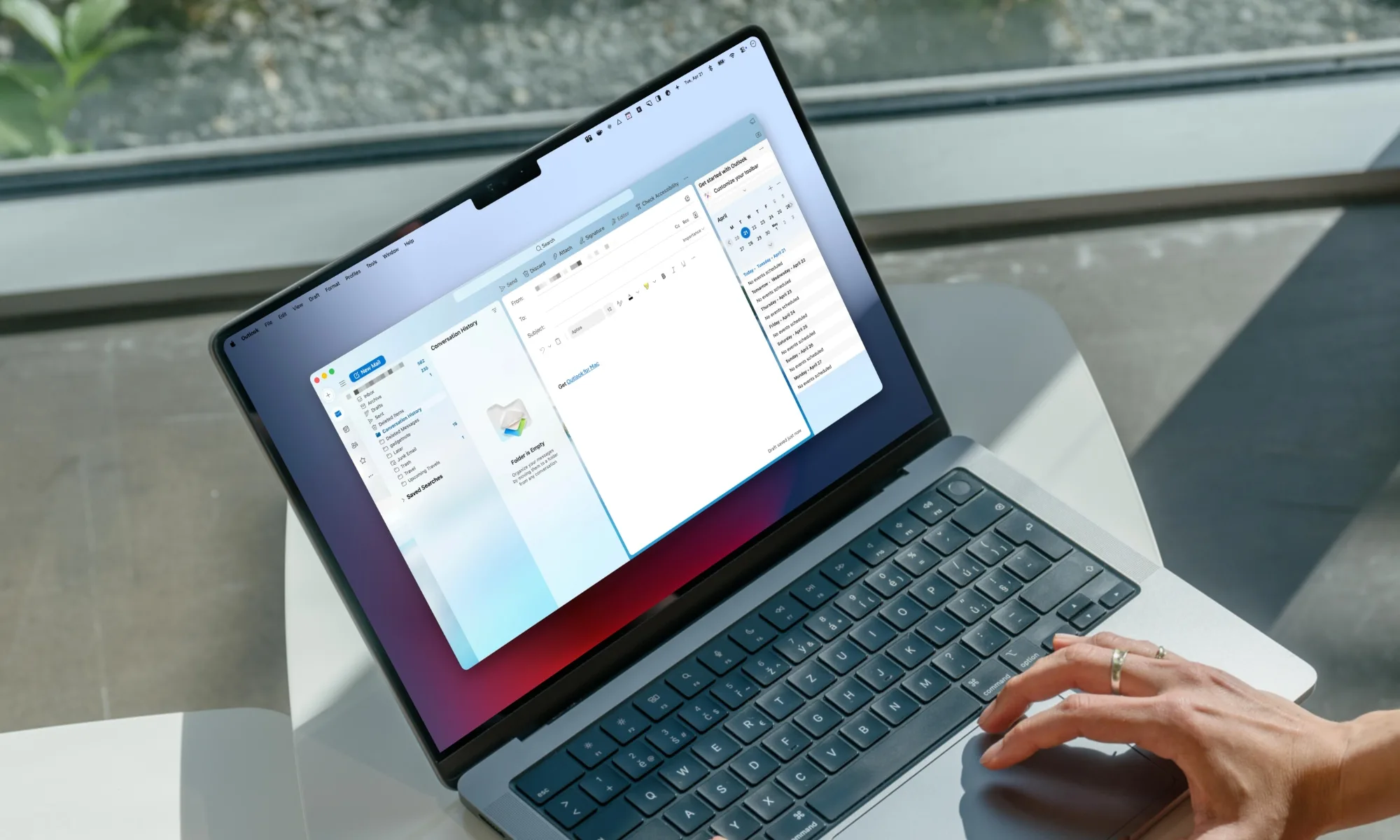
Microsoft has recently been cleaning up some longstanding Windows 11 pain points, including parts of the Start menu and Search. According to a new report from Windows Latest, the company is also preparing several useful changes for the new Outlook app on Windows 10 and Windows 11, which became generally available in 2024.
Microsoft is adding a warning for users who start replying to an older email after a newer response has arrived in the same conversation. The alert is meant to stop people from replying without seeing the latest information in the thread.
How will the warning work?
Outlook will check whether the message you are answering is still the most recent one in the conversation. If another response has arrived, the app will warn you before you continue replying. Microsoft plans to switch the feature on by default, although it has not revealed what the alert will look like.
Rachit Agarwal / Digital Trends
Microsoft’s roadmap says testing began around July 7, while the public rollout is expected by the end of August 2026. Outlook.com will receive the warning feature as well.
What else is coming to Outlook?
Microsoft is also improving categories in the new Outlook. Users will be able to apply a category from the right-click menu, pin frequently used categories to Favorites, and drag messages onto a pinned category to label them. These category controls are expected to arrive by the end of September 2026.
Advertisement
Rule-based replies using saved templates are also planned. Users will be able to create a template, set conditions for incoming messages, and have Outlook send the prepared response automatically when those conditions are met. The rollout is expected to begin in September 2026.
Sometimes, gamers find each other in the most unexpected places. Today, we learned that there’s a geeky gaming cameo in the National Geographic travel show Best of the World with Antoni Porowski. During the Queer Eye alum’s time in London, he visited Big Ben with Andrew Strangeway, a clock mechanic for the Houses of Parliament. Apparently, Strangeway has programmed his Playdate to help check the timing for the iconic clocktower’s bells to ring. The Playdate isn’t a new tool in the clock mechanic’s arsenal either. An earlier video of him and a colleague showed the Playdate in use during preparations at Big Ben to ring in 2025 on New Year’s Eve.
Playdate posted about the most recent cameo on Bluesky. The company added, “for real, though, this is the kind of surprising magic that happens when you make hardware that’s easy to program for, sideloadable, and with a nice SDK!” We’ve still loved playing with this wildly inventive little yellow machine over the years, and it’s amazing to see it being used for completely non-gaming purposes out in the wild.
ON CALL The 2026 FIFA World Cup continues and at the time of writing, The Register‘s home nation – England – remains in with a chance to bring home the trophy!
We therefore devote this week’s edition of On Call, our weekly reader-contributed tale of tech support, to the beautiful game.
We’re able to do so thanks to a reader we’ll Regomize as “George” who once pulled off a great save when, decades ago, he worked as one half of the two-person tech team at one of Europe’s most famous football clubs.
“The IT manager wouldn’t work weekends,” George told On Call, and that meant he had to attend most home games to provide tech support.
Advertisement
“Mostly I’d be paid overtime to sit around in the police control room for a few hours, eat free pies, and pretend I was vital to operations,” George wrote. “Occasionally, a minor issue would require my input, but typically it was a quiet day spent watching the match in comfort.”
The club George worked for enjoys an ancient and enormously fierce rivalry with another. When the two teams meet, it’s a major event, authorities insist on extra security, and police brace for trouble across an entire city.
That caution extends into the club’s stadium.
“The club would hand over overall responsibility for stadium safety to a suitable deputy chief constable for the duration of the game,” George explained. “That officer had the ultimate say on whether the match would go ahead in the case of any safety issues.”
Advertisement
On the day in question, power to the police control room suddenly went out – just as the ground started filling for the big match.
“This was a major issue. We had no radio to coordinate hundreds of stewards and police officers, no CCTV monitoring stations, and most critically, no exit gate control – an essential requirement for acceptable match day safety,” George told On Call.
Club officials therefore dispatched an electrician to sort things out, but the sparky soon returned with bad news: a recent upgrade had burned out, and a fix would take days.
On most match days, the outage would mean immediate cancellation of the match – and a big fine for the club for failing to stage the game. But with a fevered crowd flooding in from the streets near the stadium, calling off the match had the potential to see frothing fans turn ugly.
Advertisement
The officer in charge and the stadium operations director therefore entered had a terse discussion, during which they asked the electrician if a portable generator might address the problem – but that wasn’t possible.
At this point, George asked the officer in charge what minimum setup would make it safe to let the game proceed.
“The response was that if we could centrally open the exit gates at the end of the match, or in the event of an evacuation, and get the CCTV and radio working, the match could go ahead.”
George then revealed that he had just that week installed a new 4U uninterruptible power supply (UPS) in the football club’s server room and had been charging it ever since. (In case any tech-averse football fans stumble upon this story, a UPS is a substantial battery used to keep critical computers running when power drops out. They store plenty of energy, but nobody assumes they’ll last for hours.)
Advertisement
George felt the UPS unit might do the job.
“After some quick napkin math, I suggested it might have enough juice to power those critical systems for long enough to allow the match to proceed,” he wrote.
The police officer and operations director agreed to let George try to make it work.
“I rounded up a few lingering stewards, the electrician, and two uniformed coppers, and we set off to the server room. We retrieved the UPS and humped the massive bloody thing halfway round the stadium, through the crowds, and up the tight stairwell into the control room.”
Advertisement
George then jury-rigged extension cables to the systems that needed power and turned them on.
“I felt like Tom Hanks trying to get that guidance computer online in Apollo 13,” he told On Call.
“Amazingly, everything actually came up and stayed up, the UPS’s extremely vague five LED capacity lights held solid at full green and the order was given for the match to proceed,” George said.
He spent the entirety of the match staring at those LEDs, and as the match progressed, he started praying it would not go too deep into stoppage time.
Advertisement
“The final whistle blew, we opened the gates, and the UPS lasted another 10 minutes before finally conking out,” he told The Register.
“For my MacGyveresque efforts, saving the high-stakes match, protecting the safety of tens of thousands of fans, and saving the club a fortune in fines, I was duly awarded a gift voucher to be spent at the club’s on-site superstore,” George told On Call. “The value of the voucher was not even enough to buy myself a single home-team shirt.”
Adding insult to injury, when he checked his next payslip, George realized the club had counted the value of the voucher as additional income, and he had therefore paid tax on it.
Have you saved a big event or MacGyvered a tech support fix? If so, click here to send your story to On Call. We’d love the chance to steer it into the back of the net on a future Friday. ®
The takeaway: Block, the parent company of mobile payment service Cash App, has reached a $45 million settlement with regulators and the attorneys general of 46 states and the District of Columbia to resolve allegations that it failed to adequately protect users from fraud. As part of the settlement, Block also agreed to provide live customer support to all users.
According to the indictment, Block exposed its users to fraud by misleading them about Cash App’s security. The company promised advanced fraud detection mechanisms but allegedly allowed scammers to operate freely. Investigators further alleged that the app did not provide a phone number for customer support, leading many users to search online, where they found fake numbers created by scammers.
Investigators claimed that Block, founded by Twitter co-founder Jack Dorsey in 2009, was aware of the phone support scams but did little to prevent them. In fact, the company reportedly did not establish an official support hotline until 2021. Cash App also did not require a Social Security number or date of birth during signup, making it easier for potential scammers to target unsuspecting users.
In separate press statements, attorneys general from several states including New York, Texas, Wisconsin, California, Oregon, and Colorado heralded the settlement as a major victory for consumers. They also slammed the company for not being forthright to its users about its lax security protocols and inadequate customer support mechanisms.
Advertisement
According to New York Attorney General Letitia James, Block marketed Cash App as a secure service comparable to traditional banks, leading customers to believe that their funds were protected by cutting-edge security protocols. In reality, the company allegedly did not have a proper fraud detection system and offered no way for customers to report scams and fraud.
Texas Attorney General Ken Paxton claimed that “lax verification standards, a years-long absence of phone support, and deceptive social media promotions” by Block left users exposed to scammers. He added that the company was also accused of delaying internal fraud investigations and locking legitimate users out of their accounts, leaving them with no way to recover stolen funds.
Wisconsin Attorney General Josh Kaul noted that people who entrusted Cash App with their earnings deserved “a clear picture of how safe their money would be.” Instead, Block misled them about the strength of its consumer protections. Kaul added that the company’s lackadaisical approach was especially alarming, given that many of its customers are unbanked or underbanked Americans.
Washington Attorney General Nick Brown said that Block had separately agreed to pay $20 million to settle a lawsuit filed by the Washington Department of Justice, alleging that the company facilitated at least $22 million in fraudulent unemployment insurance payments over a five-month period during the Covid-19 pandemic in 2020.
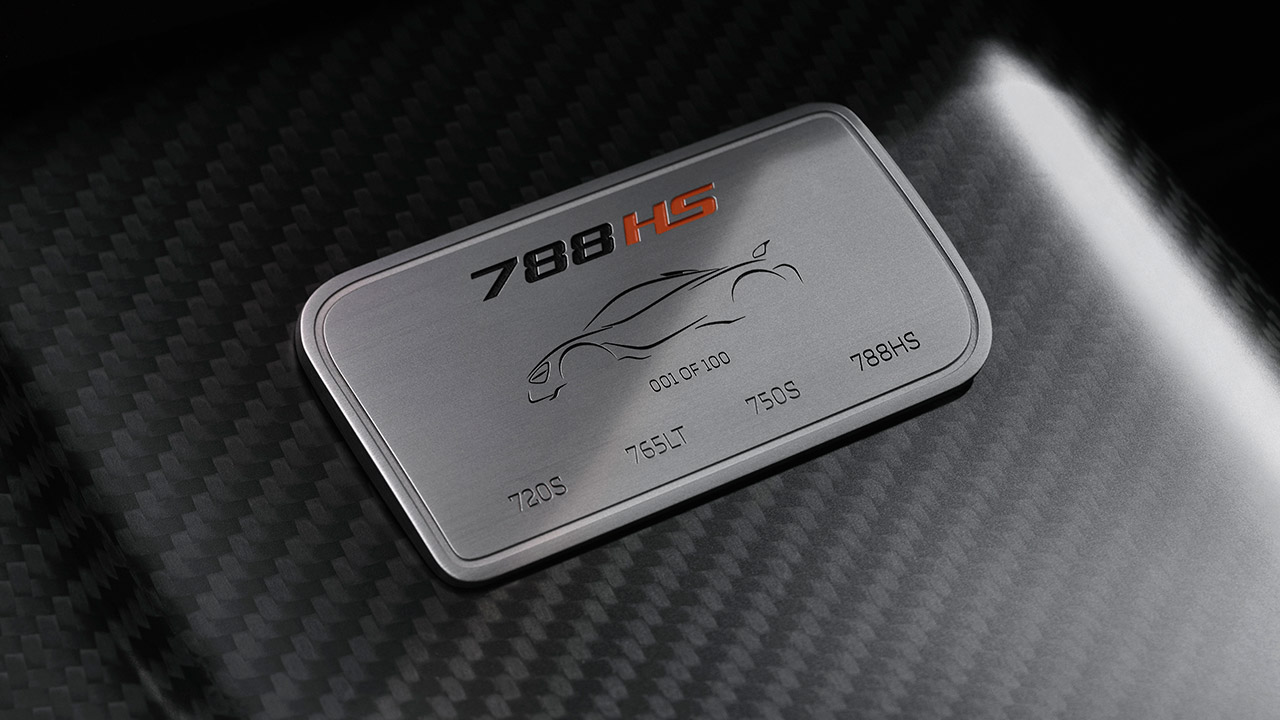
The Goodwood Festival of Speed sets the stage for McLaren’s next release, the 788HS, which is promoted as the final iteration of a mid-engine V8 supercar line that began with the 720S in 2017 and has since included the 765LT and 750S. The 4.0-liter twin turbo V8 delivers 777 horsepower, a 37-horsepower improvement from the 750S. Not that it counts, but the torque remains at 590 pound-feet, and the engine continues to spin at 8500 rpm.
The acceleration is quick enough to hit 60 mph in 2.8 seconds, 124 mph in 7 seconds, and 205 mph in no time at all. The coupe’s dry weight is a svelte 2789 pounds, thanks to McLaren engineers’ efforts to reduce any unnecessary weight. They retuned the linked hydraulic suspension and sharpened the front end, lowering it by 0.2 inches compared to the 750S, with the intention of increasing body control and steering response.
BUILD A RACING LEGEND – Experience the thrill of the track with LEGO Speed Champions McLaren W1 – The Real Supercar (77257) building toy for kids…
1 DRIVER MINIFIGURE – This race car toy building set includes a driver minifigure wearing a McLaren outfit, with a wig, wrench, and helmet…
AUTHENTIC MCLAREN DETAILS – Car lovers will appreciate features and functions inspired by the real supercar, including an adjustable rear wing, a…
There’s more, including carbon-ceramic brakes, which are only seen on the Senna, so that speaks volumes about what they’re up to. Six-pot forged aluminium calipers hold the front discs tightly in place. We also obtained our first center-lock wheels on this car, which were lifted directly off the Senna. This vehicle has advanced aerodynamics, producing 10% more downforce than the 765LT. We now have a new S-duct that channels air through the hood and across the cockpit, and the active rear wing has been updated. We also get a larger diffuser; more on that in a minute.
Advertisement
Its aerodynamic components are made of carbon fiber, because why not? Because you are receiving symposer tuning, the crew has also incorporated a quad-exit titanium exhaust, allowing you to enjoy the engine sound from start to finish. The improved engine-mount calibration allows for an almost direct connection from powerplant to driver.
The interior has been redone, and they just went a bit further, so no one is complaining. It has a carbon fiber center console, seats with a new perforation pattern, and a special number plate with distinguishing badging. Only 200 of these will be built, with half coupes and half spiders developed by McLaren’s Special Operations division. Owners can customize the colors, materials, liveries, and other interesting elements to make each one truly unique.
You’re looking at a starting price of £450,000 before you even consider all the choices. The 750S already costs that much, so adding all of the bells and whistles will make this car even more pricey. Until recently, the HS badge was rather uncommon, appearing on only two other McLarens in history. This is it, the third installment, and it concludes the current platform saga, but a new generation is just around the way.































































You must be logged in to post a comment Login