



Connect with us
DAPA Banner

Tech

Acer Chromebook Spin 311 (2026) Review: a decent small-form-factor Chromebook

Published

on

Verdict

The Acer Chromebook Spin 311 (2026) is a decent small-form-factor Chromebook with solid endurance, okay power for basic tasks and a comfortable keyboard to boot. The screen here feels a little low-res in 2026, while its port selection also isn’t as strong as rivals.

  • Excellent battery life

  • Solid performance for basic tasks

  • Functional port selection

  • 1366×768 resolution feels dated

  • Thick bezels around the screen

Key Features

  • 11.6-inch HD IPS touchscreen:

    The Chromebook Spin 311 (2026) has one of the smallest touchscreens you’ll find on a laptop this affordable, making it a solid choice for the classroom.

    Advertisement
  • MediaTek Kompanio 540 processor inside:

    It also has an eight core MediaTek processor inside for reasonable performance for basic tasks.

    Advertisement
  • 1.30kg weight:

    This smaller Chromebook is quite light too, making it an easy one to carry around on the go.

    Advertisement

Introduction

The Acer Chromebook Spin 311 (2026) marks the latest iteration of the brand’s dinkiest ChromeOS-powered laptop.

This new model is designed strictly with efficiency and usability in mind, promising up to 15 hours of battery life and a boost in power with its new MediaTek Kompanio 540 processor, plus it has replaceable USB-C ports and a keyboard that needs two screws to remove it.

Alongside this, the 11.6-inch touch-enabled 1366×768 IPS screen is back, plus a decent port selection, snappy keyboard and more to like out of such an affordable laptop. For reference, it costs £369/$579.99, which makes it one of the cheaper Chromebooks of its kind, alongside the Acer Chromebook Spin 312 and HP Chromebook x2 11, even if US pricing pushes it up somewhat.

Advertisement

Advertisement

To see whether this little Acer laptop is one of the best Chromebooks we’ve tested, I’ve been putting it through its paces for the last week or so.

Design and Keyboard

  • Compact plastic frame
  • Meagre port selection
  • Snappy keyboard, but a small trackpad

Owing to its small form factor, the Chromebook Spin 311 (2026) is a very compact customer indeed, which makes it one of the most portable laptops you’ll find out there. Its all-black finish is pleasant, and the textured black plastic feel provides a semblance of durability, too. I’m not a big fan of the large bezels around the screen, though, which give this Chromebook a bit of a dated look.

There is a bit of flex at the corners when pressed, and on the keyboard deck, too, although as this is a cheaper laptop, I don’t mind too much. It tips the scales at 1.3kg, which is on the heavier side for such a small laptop. With this in mind, the 11-inch screen size and its associated form factor make this easily portable in a rucksack or bag.

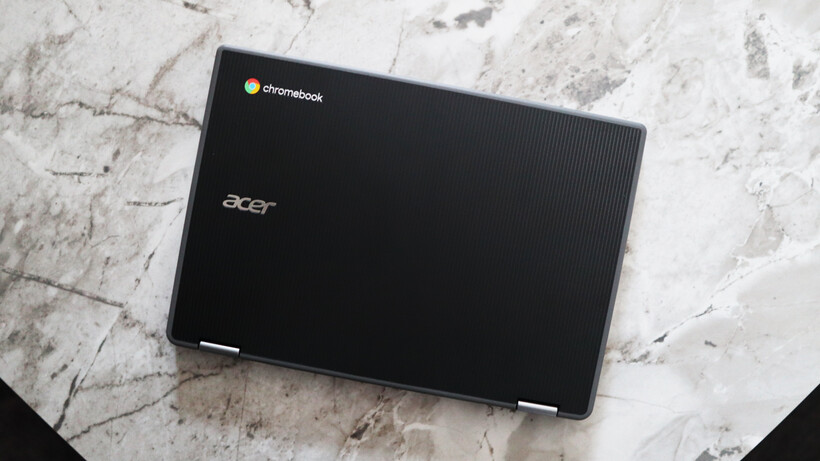
Lid - Acer Chromebook Spin 311 (2026)Lid - Acer Chromebook Spin 311 (2026)
Image Credit (Trusted Reviews)

Advertisement

The port selection on the Chromebook Spin 311 (2026) doesn’t set the world alight, but for such a small laptop, it’s reasonable. Each side is home to a USB-C port and a USB-A each, plus the right side has a headphone jack, too. The larger Chromebook Spin 312 model I tested last year supplements this with an HDMI and SD card reader.

The keyboard deck of this laptop is a smaller form factor, complete with arrow keys and a function row. The keys themselves have decent tactility to them, and it’s reasonably easy to get up to speed with them. There isn’t any form of backlighting for after-dark working, though.

Advertisement
Left Ports - Acer Chromebook Spin 311 (2026)Left Ports - Acer Chromebook Spin 311 (2026)
Image Credit (Trusted Reviews)

I’m less enthusiastic about the trackpad, though, with its distinct lack of vertical space feeling quite restrictive. It’s reasonably accurate, although quite stiff in use.

For the benefit of repairability and because this is a device designed for harsh educational environments, the USB-C ports here are serviceable (a feature borrowed from business laptops that are a lot more expensive than this one, such as the Dell Pro Max 16 Plus), while the keyboard deck is easily replaceable, too. 

Keyboard & Trackpad - Acer Chromebook Spin 311 (2026)Keyboard & Trackpad - Acer Chromebook Spin 311 (2026)
Image Credit (Trusted Reviews)

Advertisement

The laptop also comes in plastic-free packaging and is somewhat assembled with PCR plastics to give it some sustainability cred.

Display and Sound

  • 1366×768 resolution isn’t too brilliant

  • Reasonable brightness and colours
  • Okay speakers

The display here is a touch-enabled 11-6-inch IPS screen with a 1366×768 resolution and a classic 16:9 aspect ratio that feels very dated against this Chromebook’s rivals, not least with huge bezels surrounding the panel.

The problem I have is the resolution, which feels subpar in 2026. Even the Chromebook Spin 312 and other more compact choices have a Full HD screen, rather than an ‘HD Ready’ one as it were. This leaves it lacking detail, and it can feel a little fuzzy at times. Considering this is a touch-screen designed for budding creatives, it leaves a bit of a sour taste.

Screen - Acer Chromebook Spin 311 (2026)Screen - Acer Chromebook Spin 311 (2026)
Image Credit (Trusted Reviews)

There isn’t a quoted brightness figure for the Chromebook Spin 311 (2026)’s display, although it feels a little dimmer than our usual 300 nit target to my eye when put at full blast. For indoor working, I think you’d be okay, although taking it outside probably isn’t the best idea. Colours look reasonable to my eye, but owing to the lower brightness, there is an element of the panel that feels a smidgen washed out.

Advertisement

Advertisement

To its credit, this Chromebook has a Corning Gorilla Glass coating for added durability, which is important considering the target audience of children, and the touchscreen nature felt surprisingly responsive.

Screen - Acer Chromebook Spin 311 (2026)Screen - Acer Chromebook Spin 311 (2026)
Image Credit (Trusted Reviews)

The Chromebook Spin 311 (2026)’s speakers are downwards-firing and are mostly mids, as you’d expect from a cheaper laptop. They’re okay for casual viewing, but little beyond that. For more extended listening, utilise the headphone jack on the right hand side.

Performance

  • Okay performance for casual tasks
  • 4GB of RAM is low in 2025
  • eMMC storage is a shame

The press release for the Chromebook Spin 311 (2026) made a lot about it being one of the first Acer Chromebook devices to ship with the MediaTek Kompanio 540 processor. This is one of MediaTek’s latest low-power mobile chips that features eight cores, including two Arm Cortex-A78 ‘big cores’ and six Arm Cortex-A55 cores, plus a dual-core GPU.

It’s not a chip that’s necessarily designed for outright grunt, and is more for zippy performance for basic tasks where it’s needed. Think of it as a competitor to Intel’s N-series of chips – quiet, but efficient.

Advertisement

Profile - Acer Chromebook Spin 311 (2026)Profile - Acer Chromebook Spin 311 (2026)
Image Credit (Trusted Reviews)

In running it through the Geekbench 6 benchmark test, the Chromebook Spin 311 (2026) provided scores that were very similar to an Intel N100 in the same test. The multi-core result is a bit lower than I expected, owing to the quantity of cores this MediaTek chip has over the N100.

With this in mind, though, outright speed and performance aren’t the name of the game for the Chromebook Spin 311 (2026). Its purpose is to be a portable and efficient laptop for light productivity loads, which it performs decently well. I didn’t experience too much of a slowdown while using multiple Chrome tabs for Docs, Slack and Spotify. 

Advertisement
Right Ports - Acer Chromebook Spin 311 (2026)Right Ports - Acer Chromebook Spin 311 (2026)
Image Credit (Trusted Reviews)

This particular configuration also nets 4GB of RAM and 64GB of eMMC storage. For the price, I’m not too bothered about this, although it would have been nice to see solid-state storage in 2026 on a more affordable device. The RAM headroom is just enough for basic tasks, although for any extended multi-tasking, going for a model with more RAM is advisable.

Software

  • Lightweight and clean ChromeOS install
  • No Chromebook Plus features

Advertisement

The first thing to note with the Chromebook Spin 311 (2026) is that it runs ChromeOS, meaning it’s got a clean and lightweight UI with no real bloatware pre-installed, that’s easy to get your way around and jump into apps such as Google’s G-Suite of productivity apps.

This specific Chromebook Spin 311 (2026) model also doesn’t meet the Chromebook Plus minimum spec requirements, although even with those models that do, they’ve made the decision not to designate this laptop as one. This also means we aren’t getting new features such as Help Me Read, the Quick Insert key or Magic Eraser, for instance.

Profile - Acer Chromebook Spin 311 (2026)Profile - Acer Chromebook Spin 311 (2026)
Image Credit (Trusted Reviews)

There is one benefit to this being a newer model, as it comes with Google’s new Quick Insert key, where the Caps Lock is, which opens a Spotlight Search-style menu which can be used for everything from inserting a link to looking up files.

Battery Life

  • Lasted for 13 hours 47 minutes in the battery test
  • Capable of lasting for between one and two working days

The Chromebook Spin 311 (2026) comes with a modest 45Whr battery, which isn’t the biggest it must be said. Owing to the increase in efficiency that MediaTek has touted from the processor inside this laptop, Acer is quoting up to 15 hours of runtime from this laptop before it’ll conk out.

Advertisement

In running a Full HD video loop test at around 50 percent brightness, this small Chromebook lasted for 13 hours and 47 minutes. That’s pretty good and isn’t too far off from Acer’s original estimates. It means you’ll be able to get through two working days with this Chromebook before needing to plug it back into the mains.

Advertisement
Screen - Acer Chromebook Spin 311 (2026)Screen - Acer Chromebook Spin 311 (2026)
Image Credit (Trusted Reviews)

The Chromebook Spin 311 (2026) also comes with a dinky 45W USB-C charger that’s one of the smallest I’ve seen, and was reasonably brisk at putting charge back into the laptop’s battery. A 50 percent charge took 38 minutes, while a full charge took 86 minutes.

Should you buy it?

You want a very small touchscreen Chromebook:

The Chromebook Spin 311 (2026) is one of the smallest touchscreen Chromebooks out there, and if you want the flexibility in a dinky chassis, this is a decent choice.

Advertisement

This Chromebook is quite limited in power with its MediaTek chip and especially with just 4GB of RAM. If you can forgive a touchscreen, the asking price goes a long way in more standard Chromebooks.

Advertisement

Final Thoughts

The Acer Chromebook Spin 311 (2026) is a decent small-form-factor Chromebook with solid endurance, okay power for basic tasks and a comfortable keyboard to boot. The screen here feels a little low-res in 2026, while its port selection also isn’t as strong as rivals.

For instance, the Acer Chromebook Spin 312 model ups the screen size a smidgen, but also brings the resolution to Full HD. It also has a much further-reaching set of ports, and matches this smaller choice in battery life. It’s also around the same price in terms of RRP, making it a bit of a no-brainer in my eyes. For more choices, check out our list of the best Chromebooks we’ve tested.

Advertisement

Advertisement

How We Test

This Acer laptop has been put through a series of uniform checks designed to gauge key factors, including build quality, performance, screen quality and battery life. These include formal synthetic benchmarks and scripted tests, plus a series of real-world checks, such as how well it runs popular apps.

FAQs

What processor does the Acer Chromebook Spin 311 (2026) have?

This sample of the Acer Chromebook Spin 311 (2026) has a new MediaTek processor inside for efficiency over outright power.

Advertisement

Test Data

  Acer Chromebook Spin 311 (2026)

Full Specs

  Acer Chromebook Spin 311 (2026) Review
UK RRP £369
USA RRP $579.99
CPU MediaTek Kompanio 540
Manufacturer Acer
Screen Size 11.6 inches
Storage Capacity 64GB
Front Camera 1080p webcam
Battery 45 Whr
Battery Hours 13 47
Size (Dimensions) 292.3 x 204.4 x 18.9 MM
Weight 1.30 KG
Operating System ChromeOS
Release Date 2026
First Reviewed Date 12/02/2026
Resolution 1366 x 768
Refresh Rate 60 Hz
Ports 2x USB-C, 2x USB-A, 1x 3.5mm headphone jack
RAM 4GB
Display Technology IPS
Screen Technology IPS
Touch Screen Yes
Convertible? Yes

Source link

Continue Reading
Click to comment

You must be logged in to post a comment Login

Leave a Reply

Tech

New Rowhammer attack can grant kernel-level control on Nvidia workstation GPUs

Published

on


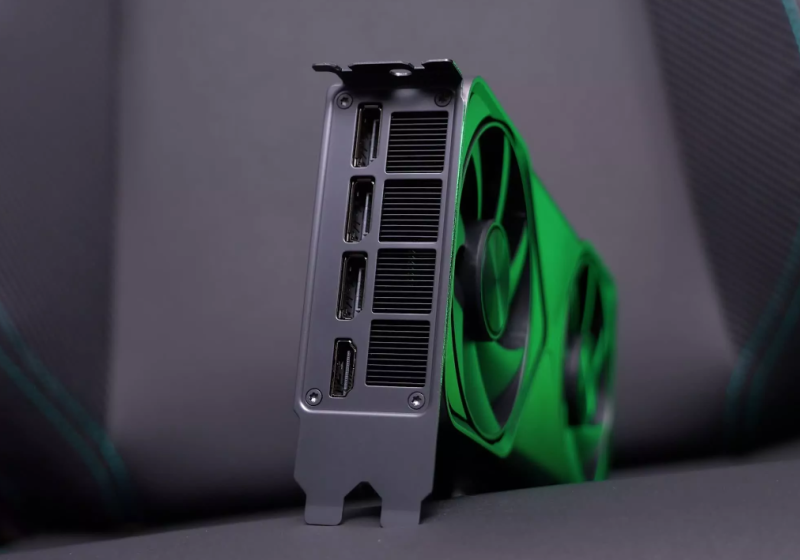
A study from researchers at UNC Chapel Hill and Georgia Tech shows that GDDR6-based Rowhammer attacks can grant kernel-level access to Linux systems equipped with GPUs based on Nvidia’s Ampere and Ada Lovelace architectures. The vulnerability appears significantly more severe than what was outlined in a paper last year.
Read Entire Article
Source link

Continue Reading

Tech

This WW1 Navy Diver Earned The Medal Of Honor Nearly 300 Feet Below The Sea

Published

on


The Congressional Medal of Honor is the United States’ highest award for military valor. In its more than 150-year history, only 3,552 individuals have received it. Originally conceived as a way to honor enlisted seamen and marines who performed distinguished acts of service during the Civil War, the medal now honors service members who distinguish themselves “conspicuously by gallantry and intrepidity at the risk of his life above and beyond the call of duty.”

The medal was awarded much more frequently before World War I, with that time period accounting for almost 3,000 of the total awards. World War I, during which almost 5 million Americans served in uniform, resulted in only 121 Medal of Honor recipients. Some were awarded posthumously, but one recipient, Frank Crilley, was honored in 1929.

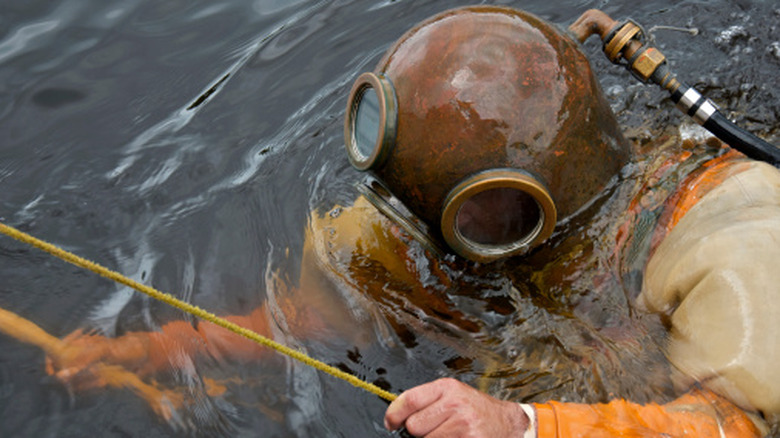
Crilley joined the United States Navy in 1900, when he was only 16 years old. By 1915, he was a Chief Gunner’s Mate in the experimental diving team, a renowned but dangerous position. A WWI U.S. Navy submarine, the USS F-4, sank in March of that year with all 21 crewmen aboard. This was the first American submarine lost at sea, and the Navy wanted to raise F-4 from its final resting place just off the coast of Honolulu, Hawaii to find out what went wrong. It turned to Frank Crilley for help. To complete the mission, Crilley dove more than 300 feet down to the sub — which is 170 feet deeper than a recreational diver can get today.

Advertisement

Frank Crilley was honored for his bravery in a diving mission

Frank Crilley made his first dive to the USS F-4 in mid-April 1915 along with four other divers. They brought a recompression chamber and a physician, along with the standard diving gear, with them. Crilley hit 304 feet on that dive, a depth record that stood for a quarter of a century. The sub was found upright on the ocean floor, and cables would be required to raise the sub. This process was a challenge because it took three hours to descend and ascend from that depth. 

During a subsequent dive, one of Crilley’s fellow teammates, William K. Loughman, became tangled when a ground swell caused the sub to turn over. He was stuck at about 275 feet, and Crilley volunteered for a rescue mission. After more than two hours in the depths, Crilley emerged with his teammate alive. Eventually, the Navy managed to raise F-4 and found that it sank due to corrosion of the lead lining of the battery tank, which eventually led to a loss of depth control.

Advertisement

Crilley had a long career with the Navy and was awarded the Medal of Honor in 1929, 14 years after his heroic rescue. Several other service members have received the Medal of Honor for deep diving, including Owen Hammerberg, who engaged in rescue operations after an incident in Pearl Harbor in 1945, almost four years after the Japanese attack on the naval base. Hammerberg, who rescued two fellow divers that were trapped during a salvage operation, received the award posthumously after he died.


Advertisement

Source link

Continue Reading

Tech

Device code phishing attacks surge 37x as new kits spread online

Published

on

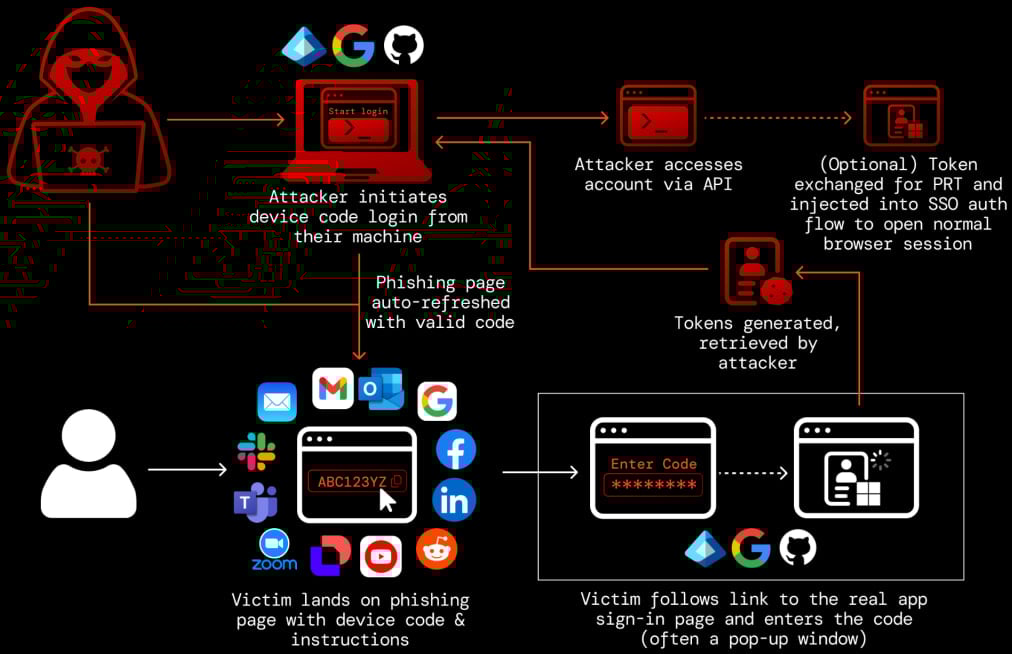
Researchers warn of 37 times rise in device Code phishing attacks

Device code phishing attacks that abuse the OAuth 2.0 Device Authorization Grant flow to hijack accounts have surged more than 37 times this year.

In this type of attack, the threat actor sends a device authorization request to a service provider and receives a code, which is sent to the victim under various pretexts.

Next, the victim is tricked into entering the code on the legitimate login page, thus authorizing the attacker’s device to access the account through valid access and refresh tokens.

This flow was designed to simplify connecting devices that do not have accessible input options (e.g., IoT devices, printers, streaming devices, and smart TVs).

Advertisement
Device code phishing flow
Source: Push Security

The device code phishing technique was first documented in 2020, but malicious exploitation was recorded a few years later, and has been used by both state-hackers and financially-motivated ones [123, 4].

Researchers at Push Security observed a massive increase in the use of these attacks, warning that they have been widely adopted by cybercriminals.

“At the start of March (2026), we’d observed a 15x increase in device code phishing pages detected by our research team this year, with multiple kits and campaigns being tracked — with the kit now identified as EvilTokens the most prominent. That figure has now risen to 37.5x.” – Push Security

Earlier this week, threat detection and response company Sekoia published research on the EvilTokens phishing-as-a-service (PhaaS) operation. The researchers underline that it is a prominent example of a phishing kit that “democratizes” device code phishing, making it available to low-skilled cybercriminals.

Push agrees that EvilTokens has been a major driver of the technique’s mainstream adoption, but notes that there are several other platforms competing on the same market, which could become more prominent in the event of law enforcement disrupting EvilTokens:

Advertisement
  1. VENOM – A closed-source PhaaS kit offering both device code phishing and AiTM capabilities. Its device code component appears to be an EvilTokens clone.
  2. SHAREFILE – A kit themed around Citrix ShareFile document transfers, using node-based backend endpoints to simulate file sharing and trigger device code flows.
  3. CLURE – A kit using rotating API endpoints and an anti-bot gate, with SharePoint-themed lures and backend infrastructure on DigitalOcean.
  4. LINKID – A kit leveraging Cloudflare challenge pages and self-hosted APIs, using Microsoft Teams and Adobe-themed lures.
  5. AUTHOV – A workers.dev-hosted kit using popup-based device code entry and Adobe document-sharing lures.
  6. DOCUPOLL – A kit hosted on GitHub Pages and workers.dev that mimics DocuSign workflows, including injected replicas of real pages.
  7. FLOW_TOKEN – A workers.dev-hosted kit using Tencent Cloud backend infrastructure, with HR and DocuSign-themed lures and popup-based flows.
  8. PAPRIKA – An AWS S3–hosted kit using Microsoft login clone pages with Office 365 branding and a fake Okta footer.
  9. DCSTATUS – A minimal kit with generic Microsoft 365 “Secure Access” lures and limited visible infrastructure markers.
  10. DOLCE – A Microsoft PowerApps-hosted kit with Dolce & Gabbana–themed lures, likely a one-off or red-team-style implementation rather than widely used.

It should be noted that other than Venom and EvilTokens, the names of the other phishing kits were given by Push researchers to track the malicious activity.

Push Security also published a video showing how the DOCUPOLL kit works. The threat actor uses DocuSign branding and a lure for an alleged contract, asking the victim to sign into the Microsoft Office application.

In total, there are at least 11 phishing kits offering cybercriminals this type of attack, all using realistic SaaS-themed lures, anti-bot protections, and abusing cloud platforms for hosting.

To block device-code phishing attacks, Push Security suggests that users disable the flow when not needed by setting conditional access policies on their accounts.

Advertisement

It is also recommended to monitor logs for unexpected device code authentication events, unusual IP addresses, and sessions.

Automated pentesting proves the path exists. BAS proves whether your controls stop it. Most teams run one without the other.

This whitepaper maps six validation surfaces, shows where coverage ends, and provides practitioners with three diagnostic questions for any tool evaluation.

Source link

Advertisement
Continue Reading

Tech

Chasing Starlink, Amazon Leo strikes satellite Wi-Fi deal for future Delta flights

Published

on

Amazon Leo and Delta Air Lines announced a deal Tuesday for satellite-powered in-flight Wi-Fi starting in 2028. (Amazon Photo)

Amazon Leo has landed its highest-profile customer yet, reaching a deal with Delta Air Lines to provide satellite-powered Wi-Fi on 500 aircraft starting in 2028.

The agreement, announced Tuesday, gives Amazon’s fledgling satellite internet venture a big new partner as it races to catch up with SpaceX’s Starlink, the rival service that has deals in place with United, Southwest and Alaska Airlines.

Amazon has about 200 satellites in space, vs. more than 10,000 for Starlink, which began commercial service in late 2020, and now has more than 10 million subscribers.

In an interview with the Wall Street Journal, Amazon CEO Andy Jassy called Leo a “very important long-term investment” for the company and said he’s confident Amazon will have the capacity to serve Delta and other customers.

Leo is expected to deliver internet speeds three to five times faster than what Delta currently offers. Each aircraft will be equipped with an antenna capable of download speeds up to 1 Gbps, according to Amazon. The service will be free for Delta SkyMiles members.

Advertisement

Delta reportedly looked into Starlink but chose Amazon in part because of its existing relationship with Amazon Web Services. Delta uses AWS to power a variety of its current internal systems.

Originally known as Project Kuiper, Amazon’s satellite initiative was rebranded as Leo in November, a reference to low Earth orbit. 

The company has spent more than $10 billion on the effort and asked the FCC in January for a two-year extension to deploy half of its planned 3,232 satellites. The FCC in February approved more than 4,500 additional second-generation satellites, expanding Leo’s planned coverage. 

Delta is Leo’s biggest airline customer but not its first. JetBlue last year became the first carrier to sign on for in-flight Wi-Fi through Amazon’s satellite network. Other early customers and partners include L3Harris, DIRECTV Latin America, Sky Brasil, and Australia’s NBN Co.

Advertisement

Source link

Continue Reading

Tech

Amazfit Helio Strap vs Polar Loop vs Whoop 5.0: Which should you buy?

Published

on

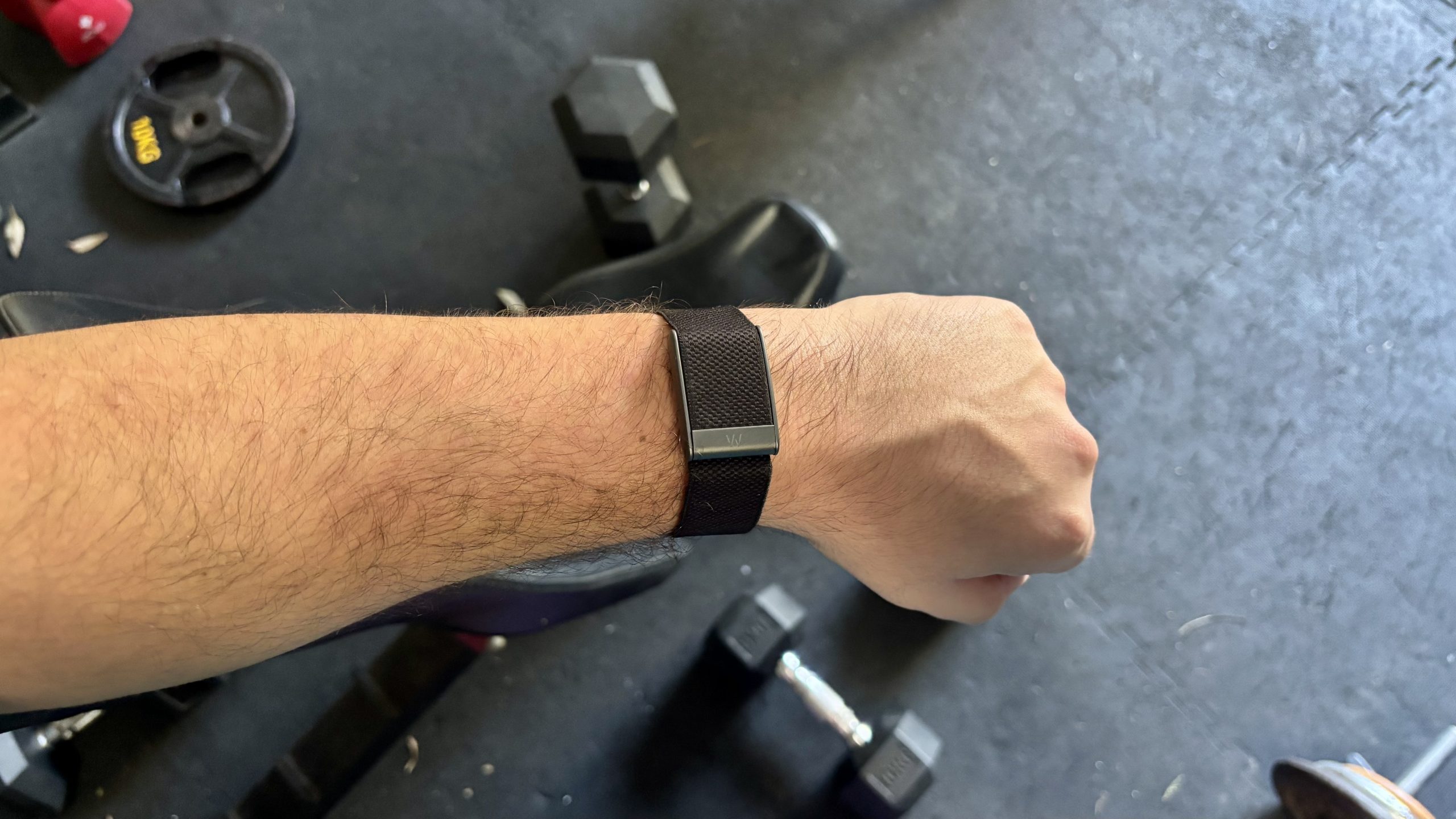
Have you noticed? We are entering a new era of wearables, as the screen-free tracker trend picks up the pace.

Everyone from Fitbit (an official tracker teased by Steph Curry) to Garmin (leaked information on the in-development Garmin Cirqa) has one cooking. These lifestyle wearables won’t pull your attention away with flashing notifications. And they will record your daily stats and exercise sessions while demanding no intervention at all.

Source link

Advertisement
Continue Reading

Tech

If Your Baby’s Not Sleeping, Try Your iPhone’s Hidden White Noise Feature

Published

on

Babies can be difficult. They eat all the time, pee and poop wherever they want and they may not sleep at night, especially during sleep regressions. According to the American Academy of Pediatrics, playing sounds from a white noise machine can help soothe your baby and get them to settle down, giving you a moment of respite. And if you have an iPhone, you don’t need to spend money on a white noise machine. 

Tech Tips

When Apple released iOS 15 in 2021, the operating system brought a hidden feature called Background Sounds. It allows you to turn your iPhone into a white noise machine, and you can play these sounds by themselves or under a podcast, music or video streaming app.

When Apple introduced Background Sounds, there were six ambient sounds to play on a loop: rain, stream and ocean waves, which are natural sounds, and bright, balanced and dark noise, which are different pitches of white noise. When the tech giant released iOS 18 in 2024, it added two sounds: night and fire. And iOS 26 brought even more background sounds to devices, including rain on roof and babble, which sounds like a busy cafe. 

Advertisement

If you want to use these sounds to lull a baby back to sleep, or for any other reason, here’s how to enable Background Sounds on your iPhone.

How to access Background Sounds from your Control Center

Instead of searching through Settings each time you want to turn Background Sounds on, here’s how you can set up a toggle in the Control Center to turn the feature on to use on your iPhone.

1. Open Control Center.
2. Tap the plus (+) sign in the top left of your screen.
3. Tap Add a Control near the bottom of your screen.
4. Tap Hearing control (ear icon) under Hearing Accessibility to add to Control Center.

Advertisement
The Hearing control in your iPhone's Control Center.

You can find the Hearing control under Hearing Accessibility in your Control Center.

Apple/Screenshot by CNET

Once the Hearing control icon is in Control Center, tap it to see three options: Speaker, Background Sounds and Live Listen. Then tap the musical notes next to Background Sounds to turn the feature on. You can also tap on the words Background Sounds to open a menu to choose a different background sound as well as adjust the volume.

The Background Sounds menu in Control Center.

These are a few of the sounds you can access in Background Sounds.

Advertisement

Apple/Screenshot by CNET

Use Accessibility Shortcuts for Background Sounds

You can also set up an accessibility shortcut to turn Background Sounds on or off from your home screen or within an app. Here’s how to set it up.

1. Tap Settings.
2. Tap Accessibility.
3. Tap Accessibility Shortcut.
4. Tap Background Sounds.

Now, when you press the side button on your iPhone three times, Background Sounds will turn on. You can tap the button three times again to turn it back off.

Advertisement
The Accessibility Shortcut menu with Background Sounds outlined in red.

Apple/Screenshot by CNET

Discover These Hidden AirPods Features and Boost Your Listening Experience

See all photos

More Background Sound options

If you want more control over Background Sounds, here’s where to go.

1. Tap Settings.
2. Tap Accessibility.
3. Tap Audio & Visual.
4. Tap Background Sounds.

Near the top of this menu you can turn Background Sounds on by tapping the Background Sounds toggle, and you can change the Background Sound by tapping Sound and choosing a new sound. 

More ways to control Background Sounds feature on your iPhone, like the option to Use When Media is Playing.

You can play your background sounds while other media is playing if you’d like. 

Advertisement

Apple/Screenshot by CNET

There are two toggles in this menu: Use When Media Is Playing and Stop Sounds When Locked. Tapping the toggle next to Use When Media Is Playing allows Background Sounds to keep playing while you watch a video or listen to music. And tapping the toggle next to Stop Sounds When Locked ensures Background Sounds will turn off when your device locks. If you don’t have this enabled, the sounds will continue to play when your device locks.

There are also two new menus in iOS 26: Equalizer and Stop Sounds with a Timer. Equalizer lets you adjust the tone and contour of Background Sounds, as well as balance more toward the right or left speaker or headphone. Stop Sounds with a Timer allows you to turn Background Sounds off at a specific time that you can choose or after a certain amount of time has passed. 

New options in Background Sounds menu in iOS 26.

The Stop Sounds with a Timer (left) and Equalizer menus in iOS 26.

Advertisement

Apple/Screenshot by CNET

For more iOS news, here’s what you should know about iOS 26.4 and iOS 26.3. You can also check out our iOS 26 cheat sheet.

Watch this: Apple at 50: What Made Apple Different

Source link

Advertisement
Continue Reading

Tech

Can AI Find Your Next Obsession? I Tested Its Hobby Suggestions

Published

on

When you’re finished with work and you need something to do, where do you turn your attention? Some folks build models, others do some coloring. Some relax and watch TV. But if you’re looking for something to pour your free time and attention into, it can be difficult to settle on one thing, or even multiple. 

AI Atlas

Model trains, running clubs, robotics and coding classes all sound fun — until you realize you’d rather fly, running shoes cost far more than they should and you’re less of a front-end/back-end person and more of a “no end in sight for how boring Java can be” person.

I asked three different AI systemsClaude AI, Google Gemini and ChatGPT — about what my spouse’s next hobby should be using the exact same prompt, and the results were surprising.

Advertisement

Claude: Getting a clue

Here’s the prompt I wrote: “I am a 39-year-old man in the United States of British origin. I live in Los Angeles, California, and am married with a dog and a cat. I live in a house with some backyard space. I enjoy travel, reading, playing video games and am looking to add a new hobby to my list of activities. I also enjoy getting deals, as that’s what my career deals with. Can you suggest three hobbies that I should look into for my review? Please give me information on the financial and time commitments needed, as well as what you would consider to be the plusses and minuses of each one. I work a regular 9-5 job so would need to be done around that constraint as well.”

Gardening is a hobby many people only come to appreciate in their golden years, but all three AI systems recommended it as an easy way to pass the time with minimal effort and expense.

The second suggestion was reselling and thrifting vintage finds, followed by homebrewing beer, cider or mead. It gave a lot of detail into the time and financial commitments, pros and cons as well as why it assumed those hobbies would suit my husband based on that short prompt.

Advertisement
A screenshot of an AI-generated hobby suggestion with pros, cons, time commitment and financial commitment

Claude/Screenshot by CNET
A screenshot of an AI-generated hobby suggestion with pros, cons, time commitment and financial commitment

Claude/Screenshot by CNET
A screenshot of an AI-generated hobby suggestion with pros, cons, time commitment and financial commitment

Claude/Screenshot by CNET

Claude AI was particularly thoughtful in appealing to the prompter’s needs and personality, pointing out that gardening could be a great way to save money — perhaps recognizing that finding a good deal is a deeply entrenched personality trait of my little cheapskate husband.

Gemini: Combining interests

Gemini suggested hunting for and reselling vintage video games, books and other old media as a pastime that could pair well with traveling on points. It also recommended brewing beer as a way to spend time in a backyard already full of plants (in addition to “high-yield urban orchard gardening”).

A screenshot of an AI-generated hobby suggestion with pros, cons, time commitment and financial commitment

Gemini/Screenshot by CNET
A screenshot of an AI-generated hobby suggestion with pros, cons, time commitment and financial commitment

Gemini/Screenshot by CNET

Gemini was adept at using my spouse’s prompt details to guide its suggestions, creating a nicely packaged, holistic approach to how he might spend his off-hours between a demanding 9-to-5 job.

ChatGPT: Making a night of it

Along with backyard gardening (again), ChatGPT was the only AI system to suggest an evening hobby: amateur astronomy. Most of the other systems focused on ways to pass the weekend hours at estate sales or at home.

Advertisement
A screenshot of an AI-generated hobby suggestion with pros, cons, time commitment and financial commitment

ChatGPT/Screenshot by CNET

Stargazing could be a fun way to spend a Friday night, but we live in Los Angeles. Many of the “stars” overhead might actually be satellites, and finding a decent vantage point would likely mean braving traffic and crowds taking selfies over the city skyline.

ChatGPT’s other suggestion was using our backyard for beekeeping:

A screenshot of an AI-generated hobby suggestion with pros, cons, time commitment and financial commitment

ChatGPT/Screenshot by CNET

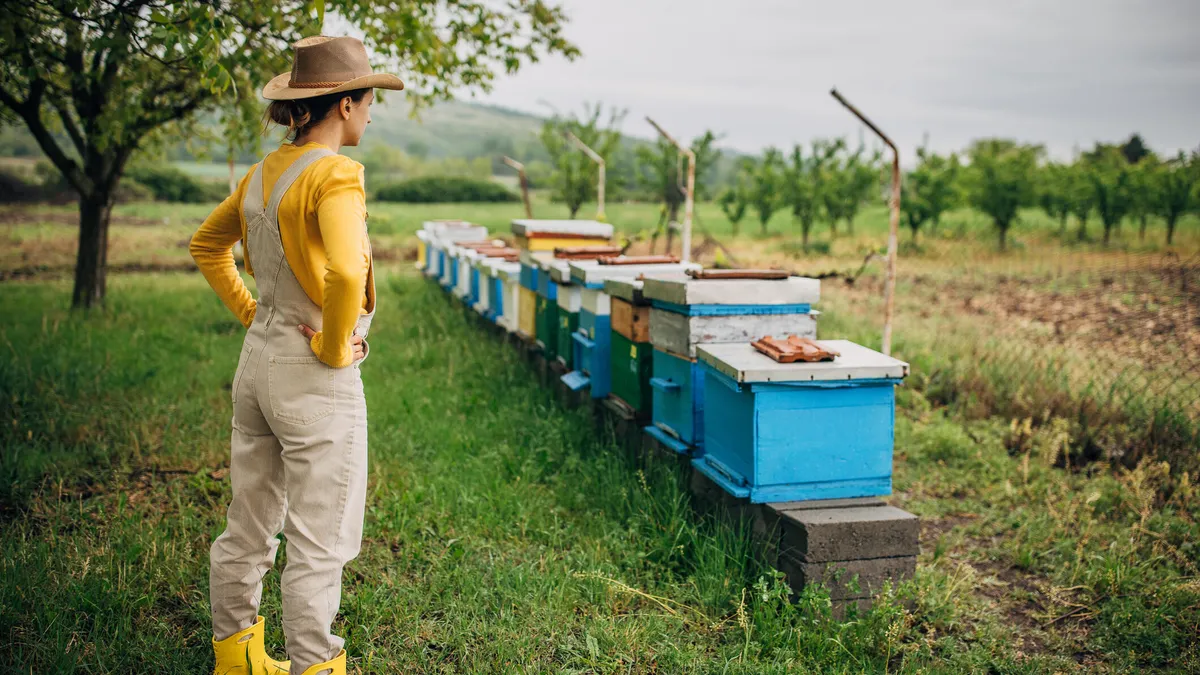
Beekeeping seemed pretty out of left field, considering the original prompt mentioned nothing about an interest in food, insects or anything remotely related to the complex caretaking involved with bees — or bee law. According to ChatGPT, the time commitment is only two to four hours per month (though local beekeepers might dispute that).

Overall, ChatGPT’s recommendations were the least relevant to the prompter’s real interests, and the logic the tool used to explain why it had made the recommendations was very thin.

I just can’t buy that “many full-time professionals” who enjoy playing video games also do a little beekeeping on the side.

Advertisement

Here’s hoping AI can offer some creative ideas for spending your time that don’t involve buying a full-body suit.

Source link

Advertisement
Continue Reading

Tech

Apple at 50, Siri, Apple Vision Pro, and vibe coding, on the AppleInsider Podcast

Published

on

Apple has marked its 50th anniversary, although arguably a year too soon but we’ll get into that, plus there’s good news for users of the Apple Vision Pro, hopeful news about Siri, and bad news for certain vibe coders, all on the AppleInsider Podcast.

Minimal green line drawing of an open laptop and mouse on white background, with a small black circle in the upper right corner containing the lowercase letters ai
Looking back at Apple’s history — image credit: Apple

The fiftieth anniversary celebrations are, quite reasonably, marking the half century since the partnership of Steve Jobs, Steve Wozniak, and Ronald Wayne, was founded on April 1, 1976. But the Apple we know today, the corporation, was created in 1977.
It seems unlikely that Apple will do another round of parties and events, but we’d be up for it if they did.
Continue Reading on AppleInsider | Discuss on our Forums

Source link

Continue Reading

Tech

Milestone moon mission is getting a push from Pacific Northwest tech

Published

on

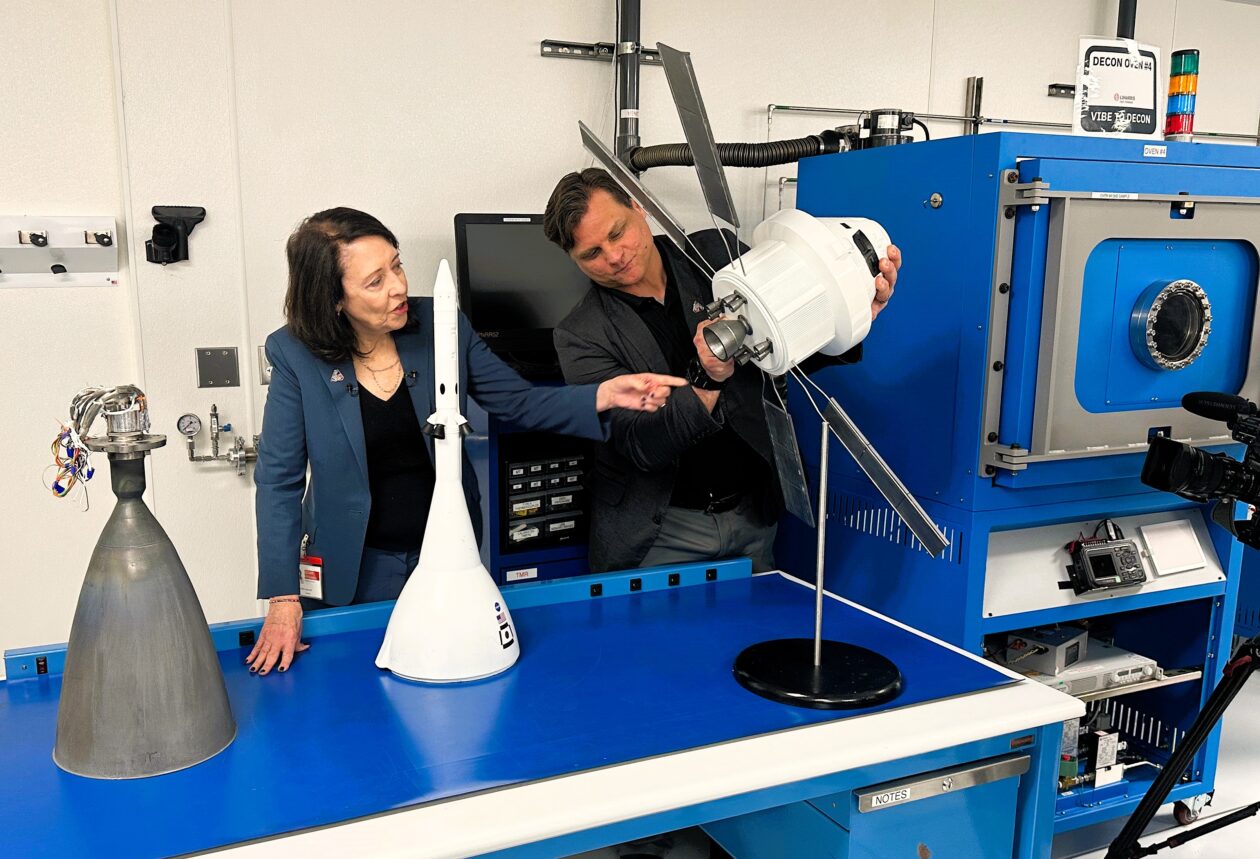
Sen. Maria Cantwell, D-Wash., and Brent Urke, program manager for L3Harris’ facility in Redmond, Wash., check out a model of the Orion spaceship that’s due to take four astronauts around the moon as early as this week. Cantwell is pointing to the model’s set of eight R-4D thrusters. An actual R-4D thruster, manufactured in Redmond, is sitting on the table at far left. (GeekWire Photo / Alan Boyle)

NASA’s most powerful rocket is due to send four astronauts on a round-the-moon journey as early as this week, and although the launch team has to make sure everything goes right in Florida, the mission’s success will also depend on hardware that was built in the Seattle area.

During a visit to two of the contractors for NASA’s Artemis moon program on Monday, U.S. Sen. Maria Cantwell said that when it comes to spaceflight, it’s important to get the little things right.

“A lot of people think, ‘Oh, well, we know how to build big rockets,’ right?” the Washington state Democrat said at Karman Space & Defense’s manufacturing facility in Mukilteo, Wash. “But do we know how to separate payloads and return them, and do all of that? That’s what we’re doing here in Puget Sound. … I think that’s the untold story that people don’t understand.”

NASA’s big story will focus on the first humans to go from the Earth to the moon since the Apollo 17 mission in 1972. Artemis 2’s crew won’t land on the lunar surface during what’s expected to be a 10-day mission. But because their figure-8 route takes them 4,700 miles beyond the moon’s far side, they’ll set a new distance record for human travel beyond Earth.

The first opportunity for liftoff from NASA’s Kennedy Space Center in Florida is scheduled for 6:24 p.m. ET (3:24 p.m. PT) on Wednesday, with backup dates available through April 6. NASA plans to provide live video coverage of the countdown and launch via YouTube, starting at 12:50 p.m. ET (9:50 a.m. PT) on launch day.

Advertisement

This will be the second launch for NASA’s Space Launch System rocket, which sent an uncrewed Orion space capsule around the moon for the Artemis 1 test mission in 2022. The Artemis 2 crew — including NASA astronauts Reid Wiseman, Christina Koch, Victor Glover and Canadian astronaut Jeremy Hansen — will be the first people to ride an Orion into space.

If all goes according to plan, Artemis 2 will clear the way for NASA to test the lunar landers built by Elon Musk’s SpaceX and Jeff Bezos’ Blue Origin space ventures in 2027, then for Artemis 3 to put astronauts on the surface of the moon in 2028. And that’s just the start. “Ultimately, Artemis is about returning to the moon and building a permanent moon base that can then be used for accelerating our travel to Mars,” Cantwell said.

In order for the Artemis program’s big story to unfold, thousands of smaller but no less important stories will have to play out successfully. NASA says 2,700 commercial suppliers in 47 states have contributed to the Artemis program. More than three dozen of those suppliers, ranging from Blue Origin to SuperGraphics, have a presence in Washington state.

One of the best-known of those Washington state suppliers is L3Harris, which is headquartered in California but operates a facility in Redmond that has built thrusters for nearly every NASA space program. (The facility was operated by Aerojet Rocketdyne until L3Harris acquired that company in 2023. Now L3Harris is in the midst of yet another corporate transition.)

Advertisement

During her visit to the Redmond facility, Cantwell said L3Harris and other space companies exemplify the “engineering mindshare” that’s one of the strengths of the Pacific Northwest’s tech industry. “That is why people have called us the Silicon Valley of space,” she said.

L3Harris’ Redmond team manufactures thrusters for Orion’s European-built service module, Orion’s crew module and the Space Launch System’s upper stage. It’s also been given a leading role in the development of the main engine for future Orion spacecraft.

John Schneider, vice president of operations for L3Harris, acknowledged that most of the rocket engines built to send astronauts to the moon come from other places. “But if you want to come back, you need a Redmond thruster to bring you back and get you back to Earth safely,” he said.

You also need the hardware built by Karman Space & Defense. Like L3Harris, Karman is based in California but operates a facility in the Seattle area. The team in Mukilteo makes mechanisms that ensure the safe deployment of Orion’s parachutes, and mechanisms that are designed to open a side hatch on the Orion spacecraft if the astronauts need to make an emergency exit.

Advertisement

Jonathan Beaudoin, chief operating officer at Karman Space & Defense, says he hopes we’ll never have to see the hatch release system activated for an actual emergency. “But if we do, it had better work,” he added.

Karman Space & Defense CEO Jon Rambeau, chief operating officer Jonathan Beaudoin and U.S. Sen. Maria Cantwell survey hardware for the Orion crew capsule. (GeekWire Photo / Alan Boyle)

Artemis 2 is currently focusing the space spotlight on the teams supporting the Space Launch System and the Orion spacecraft, but Washington state’s space companies are also involved in other aspects of the Artemis program. Blue Origin, for example, is getting its Blue Moon lander ready for missions to the moon and working on a system capable of turning moon dirt into solar cells and electrical wire.

During today’s tour, Cantwell got a sneak peek at a robotic lander that Karman is assembling for a NASA-supported mission to the lunar surface. The senator said she also heard about innovations that aren’t yet ready for public disclosure. Those innovations could bubble up to the surface as NASA pursues its plan to create a permanent moon base — a plan endorsed in a bipartisan authorization bill that Cantwell and her colleagues on the Senate Commerce Committee approved unanimously this month.

“This is about cutting-edge technology. These guys out here aren’t waiting for somebody to describe to them what comes next. They’re out here solving a problem and then saying to NASA, ‘We’ve got a solution.’ And that’s really fantastic,” Cantwell said.

“Obviously, some of this they don’t want to show for intellectual property protection reasons,” she added. “But we’re just really, really proud that our region is so far ahead, thinking through the problems that we’re going to incur and what the possible solutions should be.”

Advertisement

Source link

Continue Reading

Tech

iOS 26.5 developer beta 1 gets revised release, for reasons unknown

Published

on

A new version of the first iOS 26.5 beta has now made its way to developers, but what’s been changed is not clear.

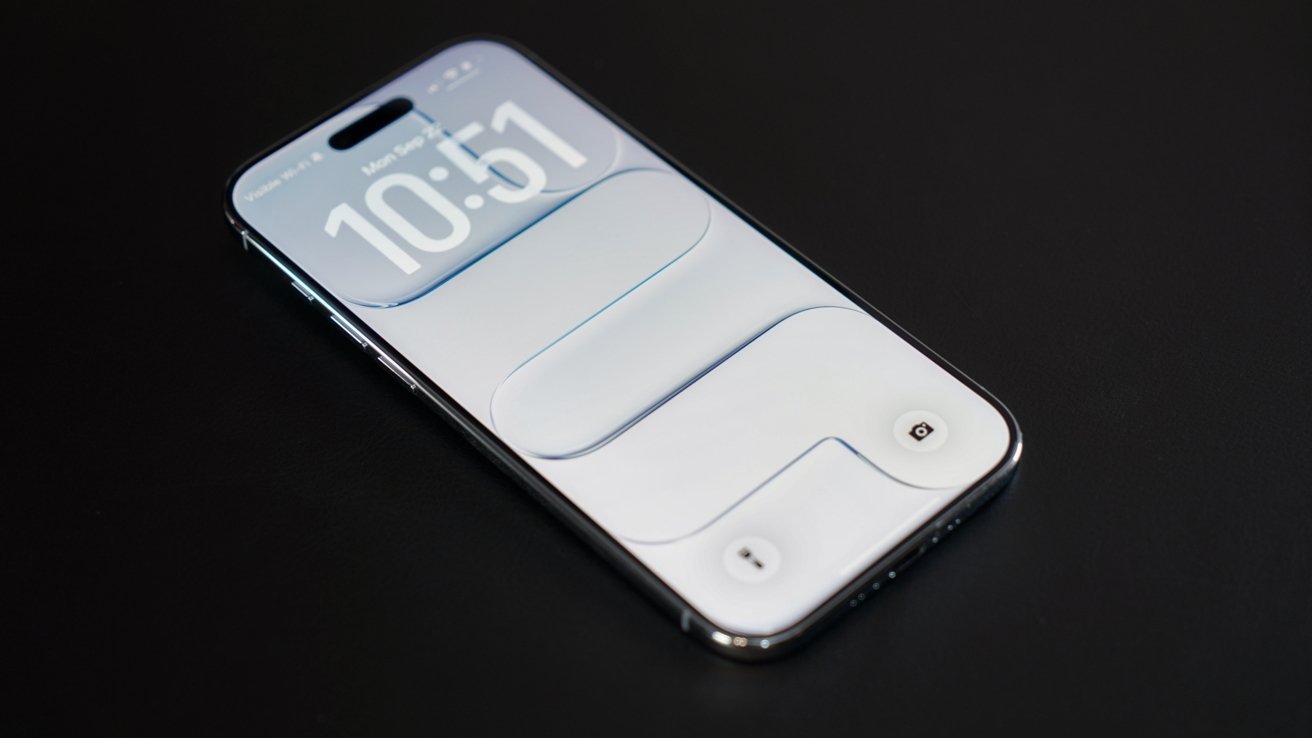
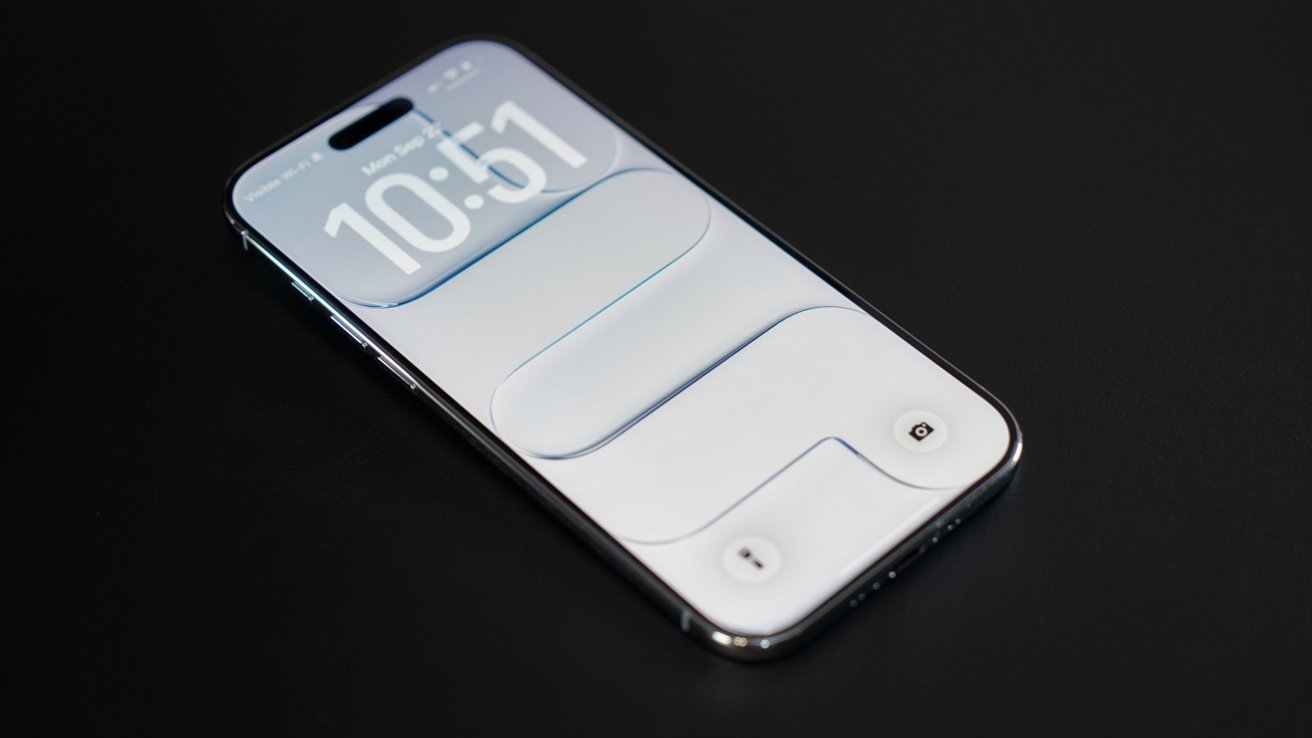
Modern smartphone lying on a dark surface, screen on, showing a minimal white lock screen with large digital clock numbers and subtle rounded rectangular design elements
The first developer beta of iOS 26.5 has received a revised release.

Following the full public release of iOS 26.4 on March 24, Apple started beta testing of the next major operating system, iOS 26.5. Monday saw the debut of iOS 26.5 beta 1, which inadvertently enabled Apple Intelligence for some iOS users in China.
Apple has now deployed an updated variant of the first iOS 26.5 developer beta, which increases the build number to 23F5043k, up from the initial 23F5043g. The relatively similar build numbers suggest that the revised developer beta doesn’t include new features or additional changes.
Continue Reading on AppleInsider | Discuss on our Forums

Source link

Continue Reading

Trending

Copyright © 2025