

Join Mikko Hyppönen and security leaders from the NFL, CHANEL, and Atlassian for a two-hour digital summit on what AI-speed attacks change, what defenders should stop doing, and how to validate, decide, fix, and re-validate at machine speed.
Tech
Alibaba says its new Zhenwu V900 is China’s most powerful AI chip



The most powerful AI chip in China today, delivering three times the performance of its predecessor, the Zhenwu M890.
That is how Eddie Wu described the processor Alibaba unveiled on Tuesday. The chief executive was speaking at Apsara, the company’s annual cloud conference, in Hangzhou.
The chip is the Zhenwu V900. Alibaba said in a post on X that it comes from T-Head, its chip design unit. The company says it handles both high precision model training and ultra low precision inference.
Two other announcements came with it. Alibaba plans models of up to 10 trillion parameters, and 20GW of data centre capacity by 2032.
What is inside the V900
T-Head has published a basic spec sheet for the chip. Simon Sharwood reported the numbers for The Register. The sheet lists 216GB of memory and 1,200 GB/s of inter-chip interconnect bandwidth.
The processor supports FP32 down to FP4 natively. T-Head reworked the Tensor Core arithmetic unit for better instruction precision in FP8 and FP4. The chip also carries more scaling factor formats and block size configurations under MXFP8 and MXFP4.
Wu said a single cluster can hold up to 500,000 of the chips. The resulting machine will power frontier model training and inference, he said. Alibaba launched the M890 in May.
Mass production and commercial release are set for the first quarter of 2027. Liam Mo and Eduardo Baptista reported for Reuters that Wu expects significant growth in annual AI chip shipments.
Alibaba will refresh the lineup every year, Bloomberg reported. It put deliveries of the Zhenwu family at 560,000 units to more than 400 external customers. Alibaba’s own post puts the figure higher, at more than 650 customers. They span industries from cars to language models and embodied intelligence.
The company also set out a roadmap for its next generation Yitian server processors. They are built for agentic AI work and due in 2027.
Qwen 5 is planned at 10 trillion parameters
Alibaba is already training Qwen 4. Wu named the two models after it, Qwen 4.5 and Qwen 5. Both should scale to between five and 10 trillion parameters.
Qwen 3.8 Max, the current flagship, has 2.4 trillion. Alibaba called it its most capable model in August.
Wu framed the jump as a route to artificial superintelligence. The larger models target longer and more complex tasks.
He also said the Qwen team is working on recursive self improvement. A model identifies its own weaknesses, runs experiments and generates training data with little human involvement. He described the progress as meaningful.
Twenty gigawatts by 2032
The third announcement was infrastructure. Wu set a target for Alibaba Cloud to pass 20GW of global data centre capacity by 2032.
Citigroup estimates that much capacity could drive more than $160bn of external revenue for the cloud division, according to Bloomberg.
The commercial property firm Cushman and Wakefield counts 37.7GW of data centres under construction in the United States alone. SpaceX had roughly 1.4GW of AI computing capacity in the middle of this year. It wants to pass 10GW in 2027, the Associated Press reported.
Supply is the constraint Wu named. He said global shortages across the AI data centre supply chain are limiting how fast Alibaba can scale its compute, and that mid to long term industry demand far outpaces what the company can supply.
Alibaba Cloud will start bringing its AI supernodes online at commercial scale this quarter. Wu did not say where the new data centres will be built.
What the push costs
Alibaba has committed more than $53bn over three years to its AI expansion, and raised about $10.2bn in a follow-on share sale in August.
The spending shows in the accounts. Quarterly profit fell by 75% after a spree of almost $10bn.
Executives expect annualised revenue from AI products to reach $10bn this quarter, and say the company can recoup its investment within three years. The target for cloud and AI revenue is $100bn in five years.
Investors took the announcement well. Alibaba’s Hong Kong listed shares rose 5.1% on Tuesday, to their highest in a month, and Tencent gained more than 7%.
Why Alibaba designs its own chips
United States export controls keep Nvidia’s most advanced accelerators out of China. The same controls largely block Chinese firms from using TSMC. Bloomberg reported that it is unclear whether Alibaba works with SMIC, a capacity constrained rival.
Huawei made its own move last week, unveiling new chip technology at its Connect conference.
Neil Shah, vice president at Counterpoint Research, told the AP that using extra computing power to make up for chip limits helps China stay strong locally. His colleague Parv Sharma pointed at manufacturing. How far the gap narrows also depends on China’s ability to advance its own foundries, he said, not just on chip design.
A day before the summit
Xi Jinping arrives in Washington on Wednesday for a state visit and a meeting with Donald Trump. AI, trade and tariffs should all feature. Jensen Huang and Satya Nadella are due at the state dinner.
Treasury Secretary Scott Bessent and Vice Premier He Lifeng met this week. They agreed to set up a dialogue on AI, aimed at a common understanding of goals and threats.
Washington has accused Alibaba and DeepSeek of illicitly accessing American models, a charge Beijing rejects as groundless. Anthropic accused Alibaba of distillation in June.
Dario Amodei, Anthropic’s chief executive, called this month for a slower pace of model development. Wu addressed the argument directly.
Last year, we asserted that the more capable AI becomes, the more powerful humanity will be. Today, I remain steadfast in that conviction.
He calls it machine thinking
Wu avoided the term artificial intelligence through most of his keynote. He used machine intelligence, or machine thinking, instead.
He compared the moment to the industrial revolution. Steam and combustion engines, he said, were built to do what horses and labourers already did, and machine power now drives 99.9% of the world’s physical work.
He expects the same pattern in cognition. Machines currently produce less than 3% of all thinking, by his measure. He predicted they will eventually produce more than 1,000 times the thinking of all humanity combined.
Wu also said the groundbreaking products of the era have not arrived yet. He likened AI coding to the light bulb, an early application of electricity rather than the thing that mattered most.
Continue Reading
Shadow IT includes hardware, software, and services running outside IT and security teams’ visibility or approval. It can include unapproved applications employees install, browser extensions with excessive permissions, and endpoints provisioned once and never enrolled in any monitoring platform. These unmanaged assets create visibility gaps because existing security controls do not monitor them.
Many organizations rely on network discovery scans to measure asset coverage. While useful, network discovery only identifies endpoints that respond during the scan window. Powered-off devices, isolated network segments, and software that does not expose listening ports can remain invisible. As a result, network discovery measures network reachability, not monitoring coverage.
Wazuh is a free and open source security platform that unifies SIEM and XDR capabilities across endpoints and cloud workloads. It collects system inventory data directly from each monitored endpoint, allowing security teams to compare what network scans report against what the Wazuh-monitored endpoints report.
This comparison helps identify unmanaged endpoints, unauthorized software, and monitoring gaps.
Why shadow IT resists discovery
Shadow IT persists because the tools that report findings often can’t observe the assets in question. Understanding where the gaps form helps security teams decide which controls to extend.
- Unmanaged endpoints: A workstation that is reimaged and never re-enrolled, or a virtual machine built for a short-lived project and left running, produces no telemetry. It does not appear in patch reports, vulnerability findings, or alert data, because no agent is installed to monitor them.
- Unapproved applications on managed endpoints: Remote access tools, file sharing clients, and productivity utilities installed outside the approved software baseline introduce risk on endpoints that are otherwise fully monitored. The endpoints are visible, but the software running on them is not always reviewed against policy.
- Software that opens no network port: Unauthenticated network discovery can infer services from the ports a host exposes, but it cannot reliably identify software that does not listen for inbound connections. Browser extensions, locally installed utilities, and remote access tools that initiate outbound connections to a broker are not observable through that method.
- Devices that cannot run an agent: Printers, switches, IP cameras, and other network devices require inventory and monitoring methods other than an endpoint agent.
Addressing these categories requires endpoint telemetry and additional data sources for devices that cannot run an agent.
Closing the blind spot with Wazuh
Wazuh helps organizations reduce shadow IT exposure through continuous system inventory collection, centralized analysis, and correlation of inventory data with vulnerability and policy information. The following capabilities help security teams identify unmanaged assets and unauthorized software across their environment.
- Continuous system inventory: The Wazuh agent collects hardware details, operating system information, installed packages, network interfaces, listening ports, running processes, services, users, groups, and browser extensions from each monitored endpoint. The Wazuh agent on Windows endpoints additionally reports installed updates. The Wazuh agent forwards this data to the Wazuh server, which processes it and stores it in the Wazuh indexer as the endpoint’s current state. The system inventory capability is enabled by default, runs an initial scan when the Wazuh agent starts, and rescans on a configurable interval that defaults to one hour.
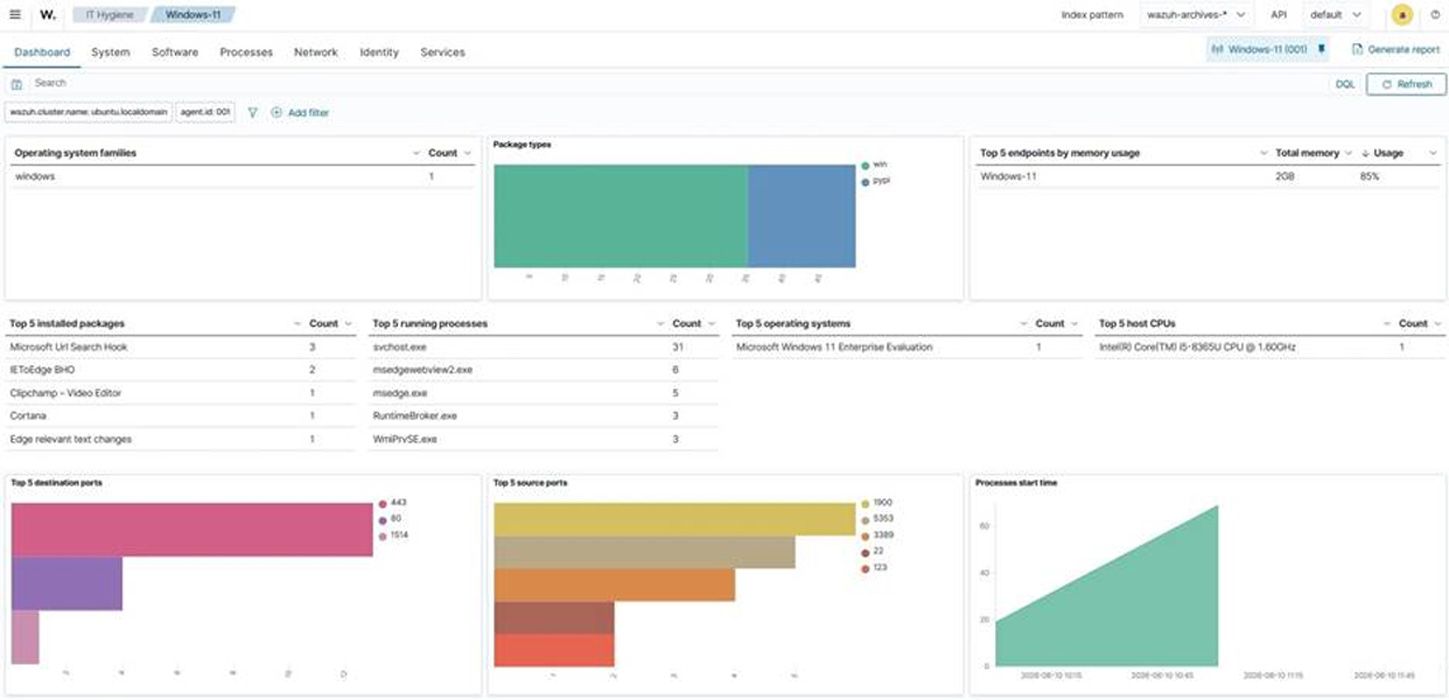
Figure 1: Wazuh IT Hygiene dashboard - Centralized visibility across the environment: Inventory data from every monitored endpoint is aggregated into dedicated indices and presented on the Wazuh dashboard under IT Hygiene, organized into Dashboard, System, Software, Processes, Network, Identity, and Services sections. Security teams can query the entire data from a single interface rather than inspecting endpoints individually. The Network section includes a Traffic tab listing the ports actively listening on each endpoint. This is a host-side view of the same information a network scan attempts to infer remotely.
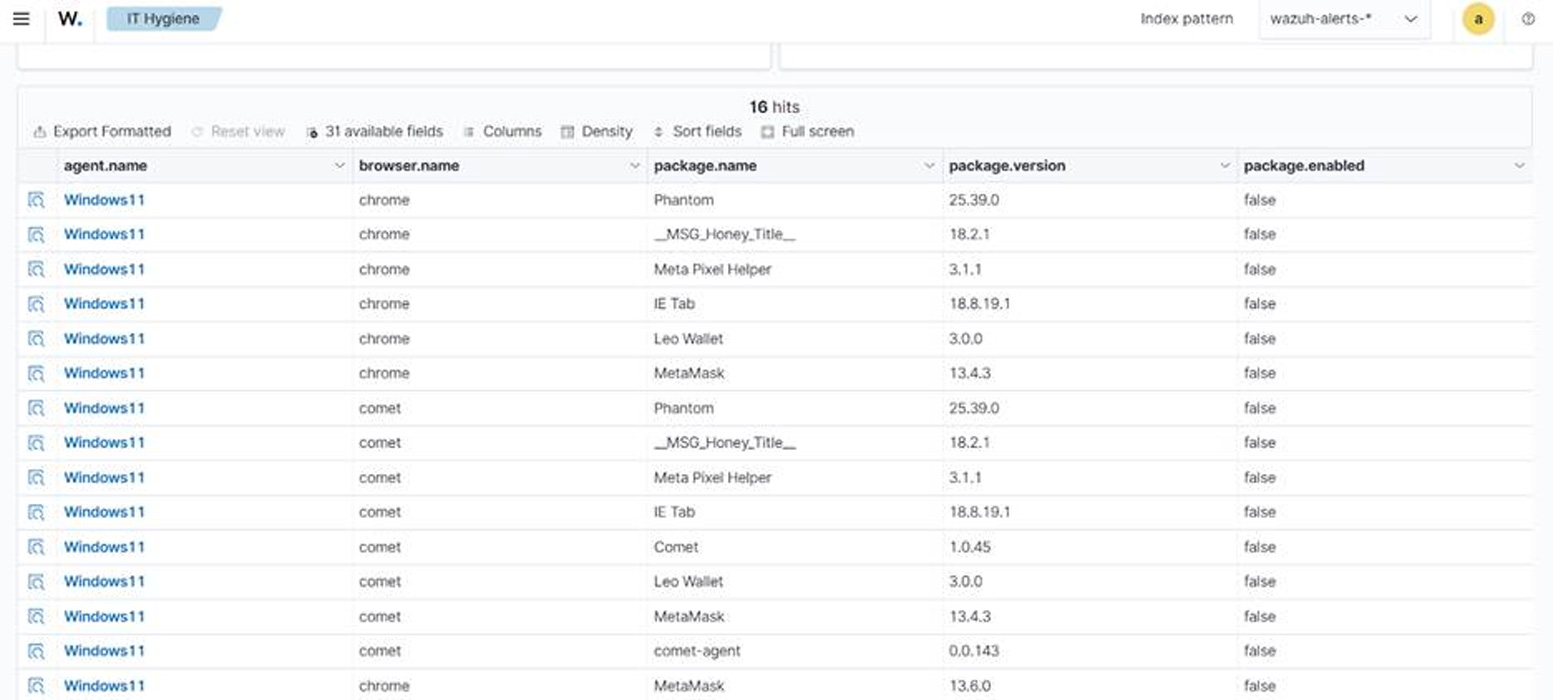
- Visibility into browser extensions and endpoint services: Wazuh 4.14.0 and later collect inventory data about browser extensions, endpoint services, users, and groups. The browser extension model is unified across Windows, macOS, and Linux, allowing security teams to identify extensions with broad permissions across the estate from a single query. The services inventory normalizes Windows services alongside Linux systemd units, which helps teams find unapproved software configured to start automatically.
- Coverage for devices that cannot run a Wazuh agent: Wazuh provides agentless monitoring over SSH for routers, firewalls, switches, and Linux or BSD systems. For devices that support neither an agent nor an SSH session, the Wazuh server accepts syslog directly from network appliances and other equipment. These capabilities provide additional visibility into devices that cannot run a Wazuh agent. However, SSH and syslog monitoring provide only the information exposed by the configured commands, files, and device logs.
- Monitoring agent coverage itself: Agent enrollment status measures coverage among endpoints already registered with the Wazuh server. It does not identify unknown endpoints that were never installed or enrolled. A Wazuh agent reports one of four states: never connected, pending, active, or disconnected. Agents that enrolled but never connected indicate deployments that did not complete. An agent moves to disconnected when no keep-alive message arrives within the configured window, which defaults to 15 minutes. Reviewing these states helps security teams identify endpoints assumed to be monitored but not reporting.
- Correlating inventory against vulnerabilities and policy: Inventory data supports security decisions when compared against a reference. Wazuh vulnerability detection correlates collected software inventory with vulnerability content from the Wazuh Cyber Threat Intelligence (CTI) platform. It does not probe endpoints or sweep the network, so the analysis runs centrally on data the endpoints have already reported. The same inventory can be joined against external data sources to identify end-of-life software that no longer receives security updates.
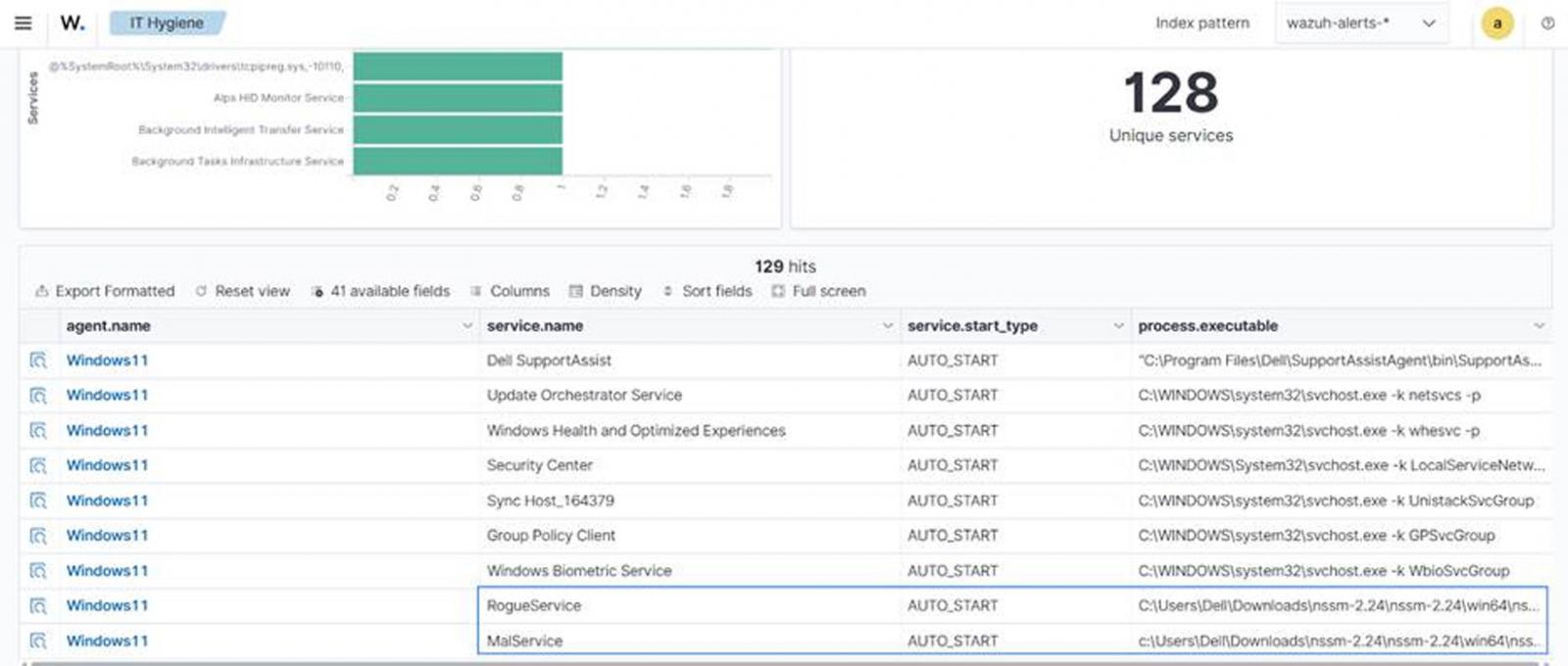
- Threat hunting across inventory data: Because inventory is stored centrally and indexed, security teams can query it during investigations rather than collecting data on demand. The Wazuh blog post Threat hunting using inventory data collected by Wazuh demonstrates this with custom rules, CDB lists of unauthorized software and ports, and queries run against the inventory. This approach surfaces assets that no single alert flags on its own.
- Detecting and removing unauthorized applications: Security teams can configure custom Wazuh rules to detect selected unauthorized applications and use a tested Active Response script to remove them from monitored endpoints. The Wazuh blog post Managing shadow IT with Wazuh covers the full configuration, including the custom detection rules and the active response script that uninstalls unapproved applications from monitored endpoints.
Conclusion
Shadow IT is a visibility problem before it is a policy problem. Organizations cannot enforce a software baseline on assets they cannot see, and network scanning alone shows only the systems that respond during a scan.
Wazuh helps reduce this visibility gap by collecting inventory from monitored endpoints and ingesting data from configured agentless sources. Endpoint inventory shows what is installed, running, and listening on each host, while agentless monitoring and syslog ingestion extend visibility to supported devices that cannot run a Wazuh agent. Wazuh agent enrollment states also help security teams measure monitoring coverage instead of assuming it.
With this data indexed centrally, security teams can identify vulnerabilities, investigate inventory across monitored endpoints, compare software with lifecycle information, and initiate configured remediation for applications outside the approved software baseline.
Discover more about Wazuh by exploring its documentation and joining its growing community of professionals.
Sponsored and written by Wazuh.


We may receive a commission on purchases made from links.
The convenience afforded by cordless power tools is obvious — even if you are in range of a power outlet, not getting tangled up in wires makes them worth it alone. However, the batteries and chargers that come with most power tool aren’t typically cheap. They can also be bulky and heavy, which negates the portability aspect.
That’s what makes Ryobi’s USB Lithium line notable. Instead of using large lithium-ion battery packs, these tools are more compact and are charged directly via USB. If you’ve already got a spot reserved for charging your smartphone, you likely already have what you need to charge a Ryobi USB Lithium tool — though they also come with the required accessories in case you don’t.
Of course, they’re not as powerful as Ryobi’s 18V and 40V tools — you won’t find a cordless circular saw in this system. But for lighter-duty jobs, their ultra-compact size is an asset, not a detriment. Plus, many of them come fairly cheap, especially compared to larger cordless tools. In addition to existing products, there are several new Ryobi USB Lithium tools as well. Here are five USB Lithium Ryobi tools under $40 worth adding to your collection.
USB Lithium Compact Detail Scrubber
Cleaning intricate or tight spaces often requires significant manual effort, and if you’re sick of wearing out your arm scrubbing away with an old toothbrush, the USB Lithium Compact Detail Scrubber is worth considering. It spins at 6,300 oscillations per minute. In addition to a 2Ah battery and USB charging cable, the tool comes with three different heads you can swap out, depending on the task: medium, hard, and scour.
The USB Lithium Compact Detail Scrubber has a promising 4.3 out of 5 overall user rating from nearly 400 Home Depot customers, who note it’s useful for cleaning hard-to-reach areas and comes in handy in the bathroom dealing with tile and grout. Ryobi also says it can be used on fiberglass and other surfaces.
It’s likely to get wet when cleaning in the bathroom or kitchen, so the tool is built to be IPX7 water-resistant. That means it can be submerged for a half hour in up to three feet of water.
The Ryobi USB Lithium Compact Detail Scrubber Kit (model FVG52K) is available at Home Depot for $39.97.
USB Lithium LED Flashlight
You may think that $40 is pricey for a compact flashlight, but despite its small size, the Ryobi USB Lithium LED Flashlight is capable of delivering up to 600 lumens. After testing the device, Pro Tool Reviews found it to be worth the cost, especially since it can run continuously at that brightness level for over 130 minutes. After that, the light indicates that it is running out of juice while providing another few minutes of 100 lumens to give you a chance to find your charging cable.
The 100 lumens is the low setting the flashlight also comes with — in that setting, it can last a whopping 18 hours. There’s also a third mode — strobe — which is useful if you’re using it as a makeshift hazard flare while changing a tire on the side of the road or a makeshift disco ball if you decide to have an impromptu dance party.
The Ryobi USB Lithium LED Flashlight also features a lanyard loop and belt clip to keep it attached to your person on the jobsite or while hiking. The tool is also suited for either of those situations since it’s rated IP54 for water and dust resistance. While it’s not as convenient as the Ryobi USB Lithium Magnetic LED Headlamp, which can be used as a hands-free work light in two different ways, those who prefer having an inline flashlight on hand have this as an option.
The Ryobi USB Lithium LED Flashlight (model FVL51K) is available from Home Depot for $39.97.
USB Lithium High-Volume Inflator
Last year, Jona Shone, a YouTuber reviewer of “quirky tools,” tested out every Ryobi USB Lithium tool they could get their hands on. After all that hands-on time with the platform, Shone named the Ryobi USB Lithium High-Volume Inflator one of the top two tools in the system. One reason the tool ranked so highly was its compact design, which makes it portable enough to take camping to inflator tents.
Another reason cited is the device’s onboard storage, which allows the included attachments — a sweeper nozzle and narrow pinch valve nozzle — to be kept on the side. Perhaps most importantly, Shone says that the inflator produces good air volume, which is the whole point of such a tool, but it is not a blower, despite Ryobi describing it as such. It’s not the right choice if you’re looking for a rechargeable tool to clear dust or debris from a workbench or computer keyboard.
As for inflating and deflating though, it’s solid. It’s not as powerful or versatile as the highest-rated Ryobi air pumps and you won’t be filling your truck tires with it, but it’ll get the job done with air mattresses, pool toys, beach balls, and the like. It’s IPX4 water resistant, so it’s fine to take to beaches and pools. Other features include a low- and high-speed setting and a pistol grip, affording more handling and control.
The Ryobi USB Lithium High-Volume Inflator (model FVIF51B) is available from Home Depot for $30.
USB Lithium Clamp Fan
If you’re looking for one of the Ryobi products that can keep you cool in the heat that can also use the brand’s USB Lithium batteries, the USB Lithium Clamp Fan can be a convenient choice. Because it can clamp onto surfaces, it’s useful to use in a garage or workshop. Its integrated clamp base is a standard 1-¼ inches, so it can be attached to desks, strollers, or the rim of an open toolbox. There are also built-in lanyard loops to carry it around hands-free.
It can run for over 7 hours on a single charge, so it could even last all day if you take it with you on a picnic. Of course, that maximum runtime applies to its low setting. The Ryobi USB Lithium Clamp Fan’s other setting is more powerful and eats through battery quicker but delivers up to 165 cfm of airflow despite the compact size of the device. Ryobi describes the product as its most portable fan to date.
On Ryobi’s website, over 1,000 users have rated the USB Lithium Clamp Fan a near-perfect 4.9 out of 5 average customer score. User sentiment is overwhelmingly positive and even enthusiastic, with owners praising the battery life and lightweight design, as well as how quietly it runs. Backing this up is the overall user score based on over 2,200 ratings from Home Depot customers — a 4.6 out of 5. One of the few complaints you can find about the tool is that it can’t be used while it’s recharging.
The Ryobi USB Lithium Clamp Fan (model FVF51K) is available from Home Depot for $39.97.
USB Lithium 200-Lumen Magnifying Light
There are multiple lighting solutions in Ryobi’s USB Lithium line, but — there’s a decent chance there’s one Ryobi USB Lithium tool you didn’t know existed — the 200-Lumen Magnifying Light. It’s not the brightest of the bunch, but its magnifying glass gives it an advantage none of the others do, allowing you to easily read blueprints, diagrams, and instruction manuals.
With a maximum of 200 lumens, you’ll have plenty of light to read such things, even in dimly lit areas. Other use cases include trying to find a dirty screw deep in the engine well where natural light is scarce. This somewhat niche but obviously useful ability is probably why the device has an excellent 4.7 out of 5 overall user rating from over 300 Home Depot shoppers, with 94% of surveyed customers recommending it. Users find the light to be bright enough for what it does and also cite the portability and intuitive form — it’s designed like an old-school, Sherlock Holmes-style magnifying glass — as reasons the device is worth having.
For what it’s worth, some owners do note that a hands-free option would be appreciated, and others say the magnifying lens — which offers 3x magnification — can distort images. But users find the pros outweigh the cons overall. The light has two brightness settings and can run up to 16 hours on a single charge.
The Ryobi USB Lithium 200-Lumen Magnifying Light (model FVL55K) is available from Home Depot for $29.97.

from the modular-design dept
A theme going on many years here at Techdirt has been the idea that separating content and advertising, as was the traditional model, makes far less sense in the modern era. Audiences are no longer captive in the way they used to be, with many ways to skip advertising. Entertainment vectors are far more plentiful then they used to be, with more options for how we spend our entertainment time. Eyeballs are the currency of the day, which has led to far, far more things competing for our attention.
Given all of that, content is always some form of advertisement, intentional or otherwise, and advertising definitely better include good content or it will be ignored. On the advertising side, this means creating ads of one sort or another that are engaging and interesting. That itself can take many forms, but absurdity and humor are a common method for achieving this.
And if you want absurdity and humor, allow me to introduce you to Ikea’s approach, which was to create a Skyrim mod.
Ikea, the Swedish furniture-and-stuff giant, has released a mod for Skyrim called Kallax Storageborn: A new companion who is also a shelf, who is also voiced by Matt Berry. If you think that sounds weird, it gets weirder, because this mod doesn’t just add a companion, it includes an entirely new questline built around the character. Becoming encumbered in the game, as will inevitably happen eventually, will give you the opportunity to visit an abandoned dwemer emporium, where you’ll embark upon a quest to “unravel the origins of a mysterious master.”
During this quest, you’ll assemble Kallax Storageborn, a companion “with unfathomable storage capacity,” who can be summoned with a newly-added Thu’um—Skyrim’s famous voice of power—even when he’s not your active companion. Your ultimate goal: Tidy up the clutter plaguing the realm of Nords and Dragonborn.
There’s more. You can acquire the Allenblade, which is, yes, a sword styled after an Allen wrench, a common tool shipped with Ikea furniture. There’s also a helmet that is made from a meatball, a nod towards Ikea’s famous in-store Swedish meatballs.
You can see the announcement video here for yourself.
This whole thing is incredibly dumb, and I mean that in the most endearing, praising way possible, because it’s also quite smart. It’s a creative way to advertise a brand and, yes, a specific model of shelving from a furniture store. The delivery is done with Monty Python-esque silliness, a motif which fits quite comfortably in the realm of Skyrim, an otherwise very serious game. The voice production is a nice touch. It doesn’t in any way take itself seriously.
And, if you’ve played Skyrim yourself for more than an hour, you’ll know that encumbrance and inventory capacity are major, and to some annoying, challenges within the game.
So, this is advertising on a relatively low budget in a game still widely played and modded to this day, with a mod that actually addresses something some players find annoying, and does so with absurd humor and self-deprecation. And a meatball helmet.
Whatever else you think of this advertising, there’s no denying that it’s also content.
Filed Under: advertising is content, allenblade, content is advertising, kallax storageborn, skyrim
Companies: ikea


A three-and-a-half-minute video released this weekend made an N64 first-person shooter look like it belonged on the Super Nintendo, a 16-bit machine that many grew up with. Bond stands on the Arkhangelsk dam, the gun is in the lower corner of the frame, and the concrete bunkers pass by in chunky polygons while fog eats the far cliffs.
Retroports released a new video on their channel on September 20th. The video is simply titled ‘GoldenEye SNES Test’, and a small but devoted audience of a few hundred subscribers watches to see what they’re up to. The video in question is a live capture from a Mesen emulator, showing the opening and Dam missions from a 2MB Super FX2 cartridge running in polygon rendering mode, with some interesting features like fog and occlusion culling in action. Unfortunately, with such a restricted texture budget, just the first part of the level is rendered. What you may not know is that Claude Opus did the most of the work on the renderer, while ChatGPT Astra addressed a few other bugs.
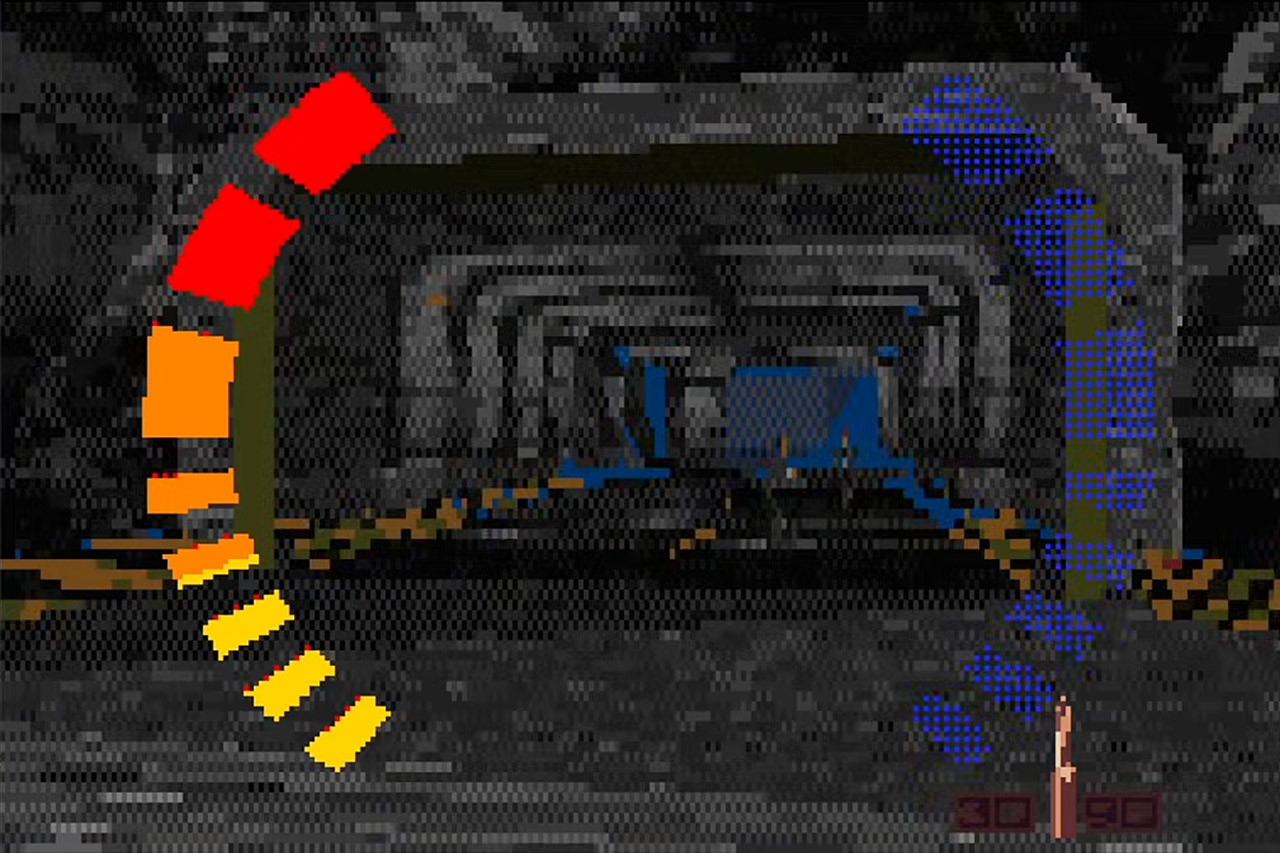
For those who can remember back to the 1990s, Super FX2 was the newest generation of Argonaut and Nintendo’s collaboration, a processor that was shoehorned onto a few late SNES carts. Star Fox was the first game to make use of the original Super FX processor, which operated at around 10.7 MHz. On the other side, titles like Yoshi’s Island, DOOM, and Stunt Race FX required the extra horsepower of the Super FX2, which ran at 21.47 MHz, to power through all of the 3D arithmetic that the 65816 CPU alone couldn’t manage. Retroports has been playing with a 2MB Super FX2 cart inside Mesen, and they’ve used the extra power to test out a first-person camera, textured walls, and an animated gun sprite.
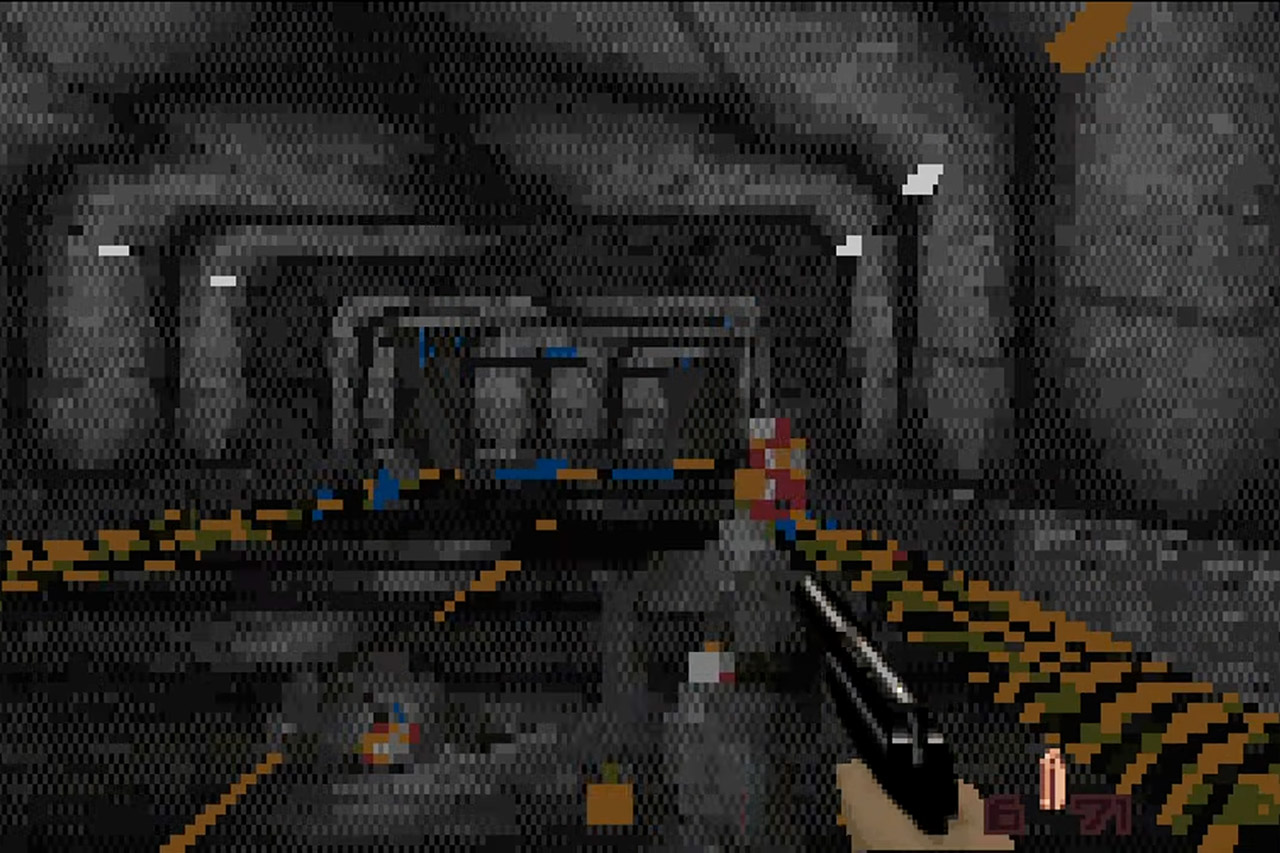
The Dam is the only mission that survives the cut, which is logical given how simple it is to texture a large concrete wall in comparison to all the offices and city blocks on the other levels. Then there’s occlusion culling, which helps by hiding geometry that the camera can’t see, and fog, which helps by reducing the draw distance so the chip doesn’t have to paint the entire valley every frame. Still, you can see the 1997 intro to Rare’s GoldenEye, even if it’s running on a device that’s a few generations behind the Nintendo 64.

Following Donkey Kong Country, Nintendo Power reported that Rare was working on GoldenEye for the Super NES, with initial plans to adopt a similar pre-rendered graphic style. However, the team eventually switched to a 64-bit processor, which resulted in the first-person shooter that redefined multiplayer in living rooms for a decade. Anyway, Retroports has managed to recreate some of the latter design on the earlier machine, utilizing the same chip that Nintendo gave for Star Fox plus a handful of language models to improve rendering.

To be totally honest, no one has been able to obtain a ROM for this game because, as far as we know, it has only ever been loaded onto the original hardware by the Retroports team themselves. Until we have a file that other people can run, this clip will have to suffice as proof in the pudding. Retroports describes it as a test to determine if 3D on the SNES may have been a more economically viable idea.
[Source]
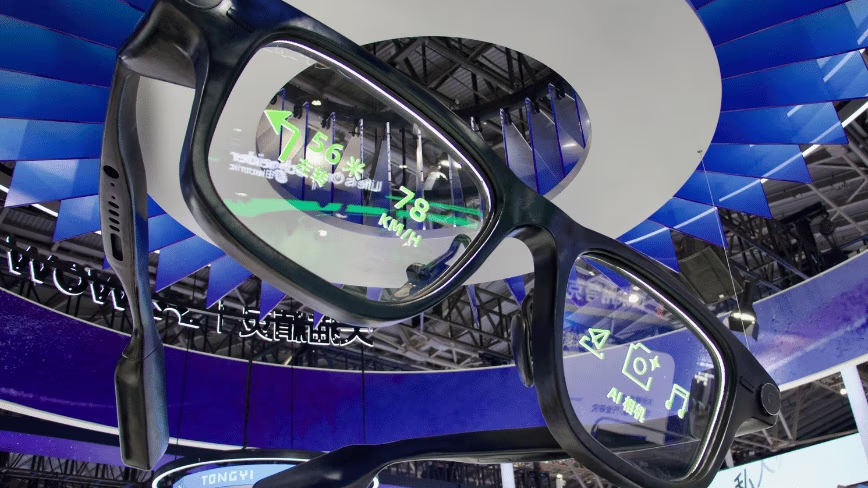
Smart glasses may look cool but there’s absolutely no place in our schools or classrooms for them.
Sabine Winton said that on Tuesday. Western Australia’s education minister was announcing what she called the country’s most comprehensive ban on the devices.
It is not a policy statement. The same day, the department’s director general Jay Peckitt issued an instruction to every public school principal in the state. It takes effect on 12 October, the first day of Term 4.
What the instruction actually orders
The CEO Instruction is short and unusually specific.
Principals must stop students and staff wearing, using, charging or storing the glasses on school premises. The same applies at any school organised event or activity. The charging clause matters, because it closes the locker.
Principals must also bar parents, carers, visitors and contractors from bringing the devices onto school grounds at all. The instruction says the ban should reach government residential colleges too, through separate mechanisms.
It runs on real legal authority rather than guidance. The director general issues it under section 233 of the School Education Act 1999. Principals enforce it under regulations 69 and 70. Those let a principal direct people on school premises, and bar an item from coming in. Both rules say the school must display the order publicly.
The risk nobody expected on the list
The instruction names six risks. Four are the ones you would guess: privacy, child safety and wellbeing, unauthorised recording, and cyber security.
The fifth is disruption to teaching. The sixth is examination and assessment integrity.
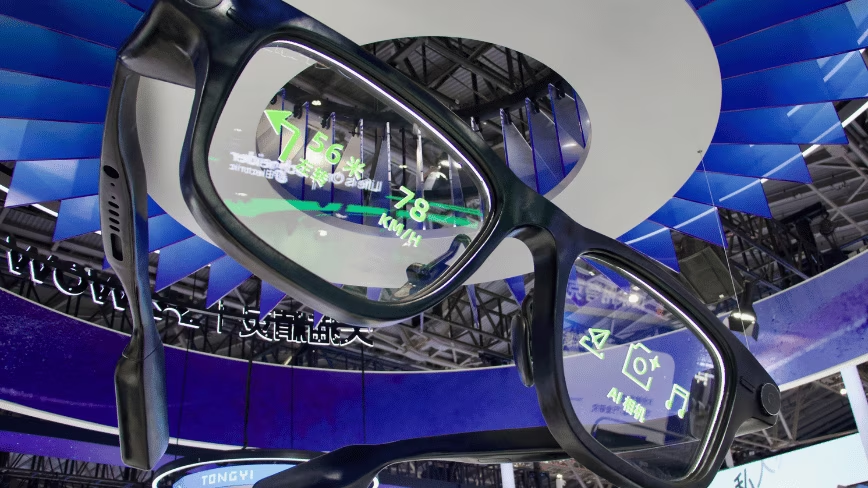
That last one reframes the device. The instruction’s own definition runs well past a camera. It lists audio recording, video, photography, artificial intelligence functionality and live streaming. Then internet connectivity, facial recognition, information retrieval and communication.
Principals can still approve the glasses for medical, accessibility or assistive technology use, and for educational programmes they authorise themselves. Students who break the rule fall under the student behaviour policy, staff under staff conduct and discipline. Principals can tell visitors and contractors to take the devices off, and to leave if they refuse.
No incidents, on the record
Winton said the education department has recorded no instances of smart glasses being used irresponsibly in WA schools.
Prevention is the stated driver. Callum Liddelow and Courtney Withers reported the ban for ABC News. Winton pointed to growing community concern about careless, criminal and malicious use, not to anything that has happened in a classroom.
Kya Graves runs the WA Principals Federation. She told the ABC that principals had been writing their own school-level policies, with no departmental decree to work from. Some had incidents on their sites and put measures in place themselves.
Tama Leaver teaches internet studies at Curtin University. The worst outcome would be indecent recording of children, he told the ABC. He raised deepfakes as the second risk, and said it takes about 30 seconds of footage to make one with rudimentary tools.
Canberra asked the councils to do it
The federal government is the one part of this not acting.
Attorney-General Michelle Rowland ruled out an import ban on 31 August. Erin Handley reported for the ABC that Rowland said the government was not consulting on one, though it was not ruling anything out on other measures.
In its place she offered a privacy overhaul. The draft laws carry a right to erasure from large platforms and search engines, a fair and reasonable test on data collection, and meaningful consent rules. An identity document service called IDLock is due in 2027.
Rowland also encouraged councils to restrict the glasses in their own facilities, and suggested retailers could police change rooms.
The eSafety commissioner put the other side. The devices help people with disability, through speech to text for deaf users and scene descriptions for people with low vision.
The councils took the invitation
Matthew Taylor reported for Lawyers Weekly that the City of Sydney and Canterbury-Bankstown have now barred the glasses from their pools and fitness facilities, joining Brisbane and Yarra.
Councillor Matthew Thompson put the motion on Monday. It directs the chief executive to review the council’s conditions of entry and update them, covering leisure centres, libraries, council childcare centres and community centres. The document notes the pools already excluded the glasses.
Canterbury-Bankstown got there first and wrote in enforcement. Its staff can order patrons to remove the eyewear, confiscate it, and move on anyone who refuses. Women and parents raised the concerns that started it.
Brisbane barred non-consensual use of camera-enabled devices at its 21 public pools, a category taking in phones and ordinary cameras. Gold Coast is considering the Brisbane model, Adelaide is weighing its own, and the City of Vincent in Perth ordered a report last week.
Thompson wants the import ban Rowland declined. He told TechRadar that Canberra has left the problem with councils. Federal crossbenchers asked for the same ban in late August.
The office is next
Employment lawyers are now telling Australian employers to write their own rules.
Paul O’Halloran, a partner at Dentons, told Lawyers Weekly the technology exists in public and workplace settings for one practical reason, which is to record people without their knowledge or consent. He said it should be banned outright.
He called the technology insidious, because unlike a phone or a camera there is no obvious moment of recording. That is the feature rather than the flaw, he said.
O’Halloran argues employers already carry the risk. Privacy law and work health and safety codes oblige them to protect staff from harm, including covert surveillance. An employee could be recorded all day, in meetings, in break rooms, even in bathrooms and change facilities, and neither the employer nor the person filmed would know.
Michael Byrnes, a workplace relations partner at Swaab, put it more plainly. Employers should have no hesitation in banning the glasses, he said, and telling staff not to wear them is a reasonable and lawful direction.
His specific worry is audio. Secretly recording private conversations potentially breaches surveillance devices legislation.
Byrnes allows two exceptions. Employees with a visual impairment should be able to use them as far as the work requires. Where the glasses reduce a genuine safety hazard, that may also justify them, with rules on retaining and using any recording.
Three statutes already cover this ground: the NSW Workplace Surveillance Act 2005, the Privacy Act 1988 and the Fair Work Act 2009.
What the evidence says
A University of Sydney study sampled 350 public Instagram videos shot on smart glasses. It found that around 60% could potentially count as harassment of a person or people. We covered that research in August, and the way the algorithm pushed those videos.
Independent testing published this week found a second problem. A hacker can get into some ultra-cheap smart glasses without a password.
People have started building their own defences. A Polish developer released an app that detects the glasses over Bluetooth.
Not only Australia
Courts in England and Wales barred the glasses in August. New York state courts did the same in July. In the United States, cinemas, schools and Immigration and Customs Enforcement have all restricted them.
Australia already banned social media for under-16s, and Victoria bars wearables in schools from January 2027. South Australia’s attorney-general, Kyam Maher, is taking advice on whether state law is adequate, and has been talking to Rowland about nationally consistent rules.
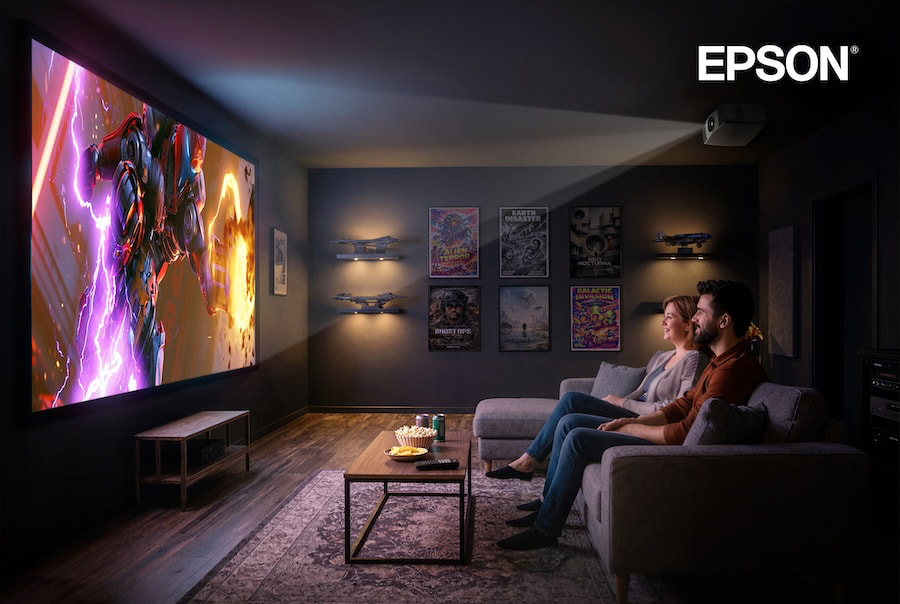
The rapid growth of extra-large TVs measuring 85 inches and larger has put real pressure on the home projector category. Today’s biggest TVs are brighter, smarter, and increasingly affordable, making them a compelling alternative for buyers who once would have automatically considered projection.
Projectors still hold one major advantage, however: sheer image size. In dedicated home theaters and larger multipurpose rooms, projection can deliver a 100-inch, 120-inch, or even larger image without pushing prices into the stratosphere.
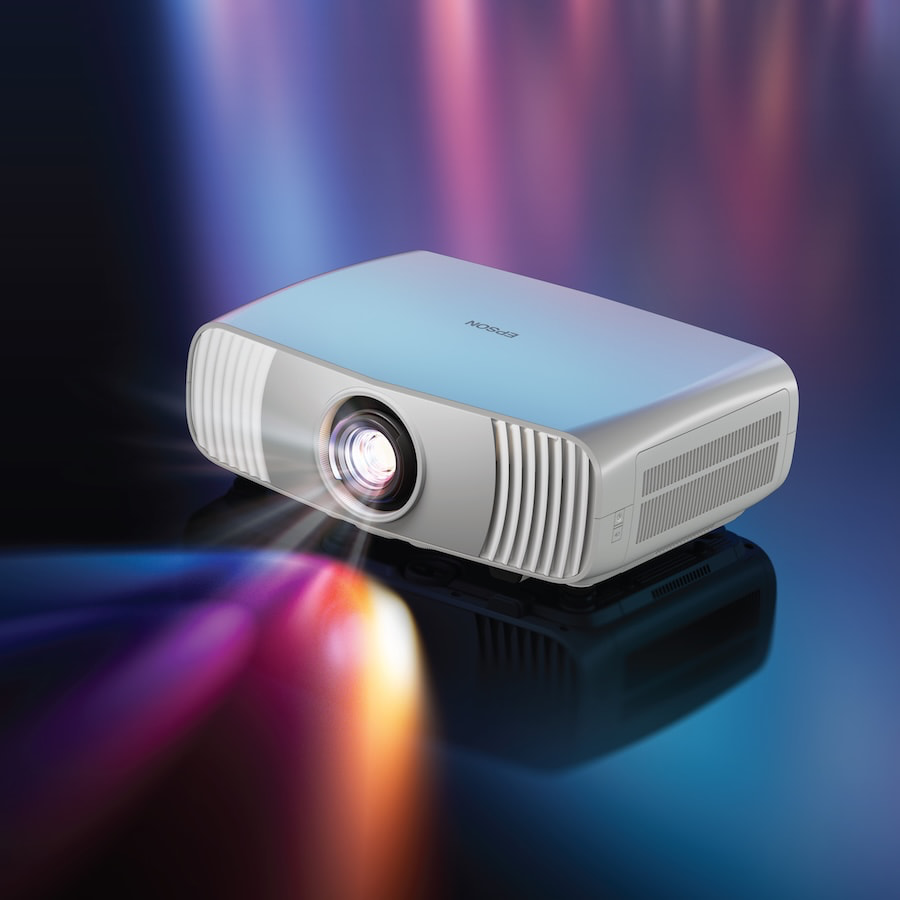
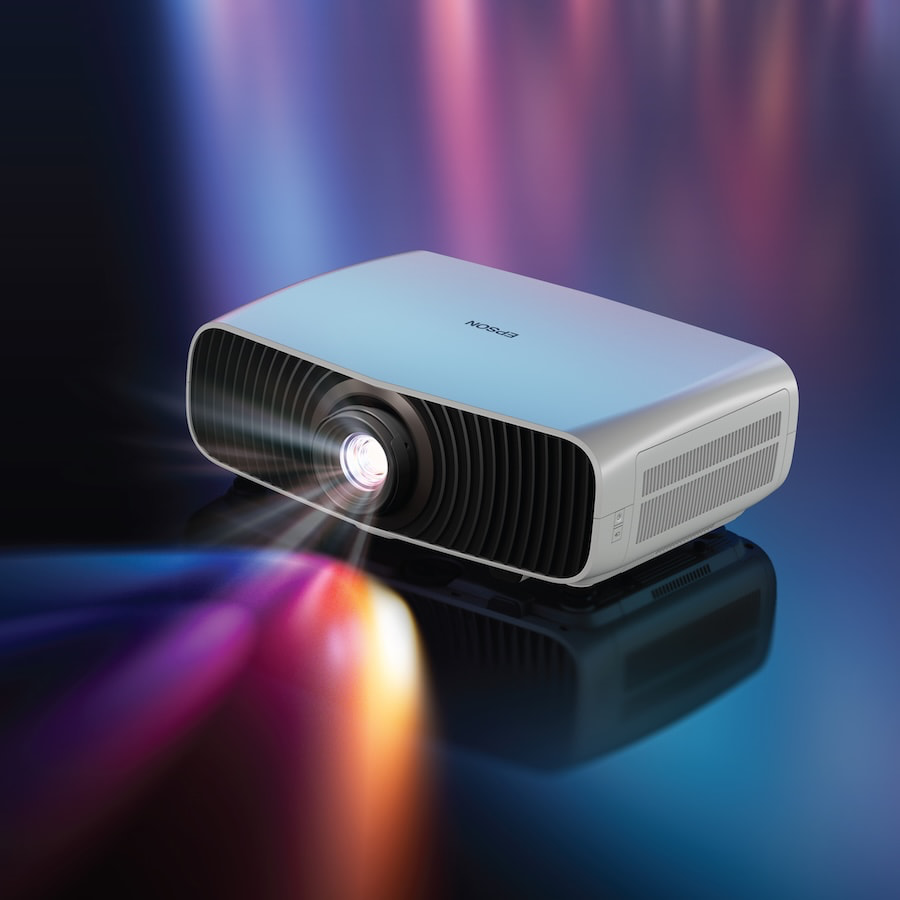
Following the launch of its higher-end Pro Cinema Q-Series 4K Laser Projectors in 2024, Epson is now bringing more attention to its step-down Home Cinema lineup with the new LS5000, LS6000, and LS7500 4K HDR laser projectors. The three models sit below the flagship Q-Series but retain a number of the technologies and features that made those projectors noteworthy.
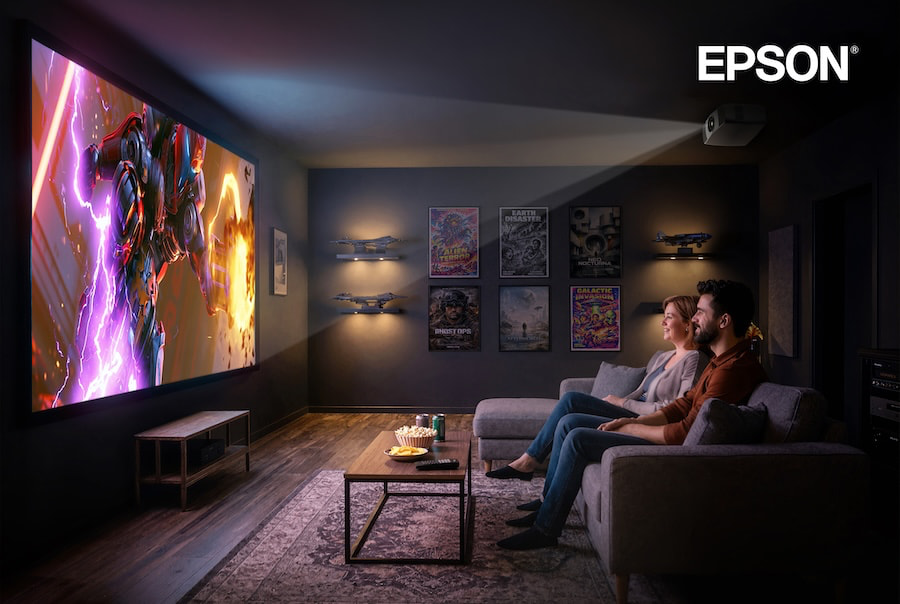
The new LS Series models are built around Epson’s 3-Chip 3LCD technology and use a laser light engine. For owners of older lamp-based projectors, the move to laser brings a longer-lasting light source, more consistent brightness over time, and faster startup and shutdown.
The new models complement Epson’s established Home Cinema projector lineup, which is currently headed by the Home Cinema LS11000, introduced in 2022. Epson says the new Home Cinema projectors are designed to balance image performance with flexible installation and easier integration across a wide range of home entertainment spaces.
“As TVs get bigger, they can also become a design challenge, leaving a large black rectangle that dominates the room when not in use. Projection offers a discreet alternative that virtually disappears when the entertainment ends, while creating immersive experiences not possible with a traditional TV – from everyday 16:9 content to cinematic 21:9 and IMAX-style viewing,” said Fernando Tamashiro, product manager at Epson America, Inc. “By expanding our Home Cinema lineup with these new 4K HDR laser projectors, we’re offering an even broader range of solutions for today’s home entertainment spaces. Combining our unique 3-Chip 3LCD technology with our latest laser light source, Epson projectors are the optimal choice for customers looking to create a big-screen experience tailored to their viewing preferences, space and budget.”
Designed for movies, sports, and immersive gaming, Epson’s new Home Cinema laser projector lineup can display 4K HDR images at screen sizes ranging from 40 to 300 inches.
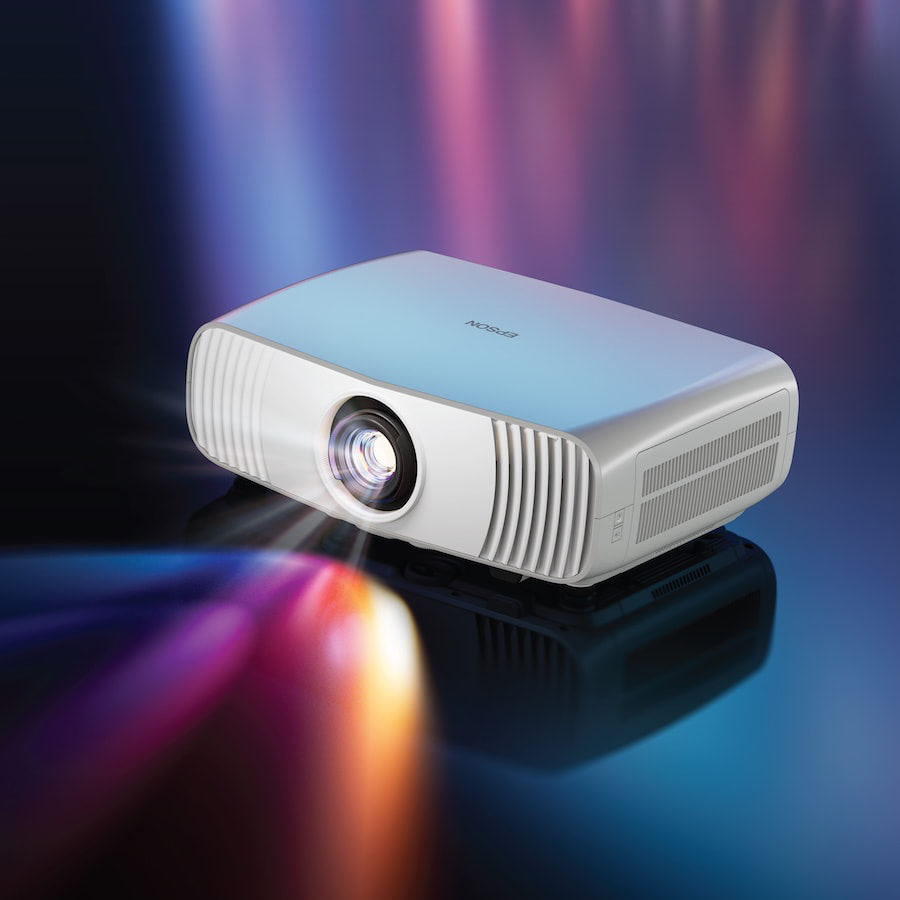
What the Epson LS5000, LS6000, and LS7500 Have in Common
Image Display Technologies: All three projectors use an advanced Epson Picture Processor, proprietary 4K display technology that produces a full 8.29-million-pixel on-screen image via Quad Pixel Shifting, and a 3-Chip 3LCD projection engine powered by a laser-array light source.
Light Output: The three projectors produce between 2,500 and 3,500 lumens of equal Color Brightness (IDMS Rated) and White Brightness (ISO Rated), depending on the model. Epson says the result is a bright, vivid image with strong color performance and deep black levels.
Advanced HDR Capability: Full 10-bit color processing supports HDR10 and HLG content. Additional HDR processing is provided by Epson’s Automatic HDR Scene Correction.
Multiple Aspect Ratios: From 16:9 HDTV content to cinematic 21:9 presentations, the new Home Cinema LS projectors are designed to support a range of screen formats and viewing environments.

Lenses: The Home Cinema LS5000 and LS6000 incorporate Epson Cinema standard-throw lenses, while the Home Cinema LS7500 features a short-throw lens that allows the projector to be positioned closer to the screen than conventional long-throw models. That makes the LS7500 better suited to larger screen sizes in rooms where projector placement is more limited.
High Black Contrast: Producing convincing black levels while maintaining shadow detail has long been a challenge for projectors. Epson specifies dynamic contrast ratios ranging from 800,000:1 to 1,200,000:1 across the three new LS models, depending on the projector. The goal is greater differentiation between bright and dark portions of the image while preserving detail in darker scenes.
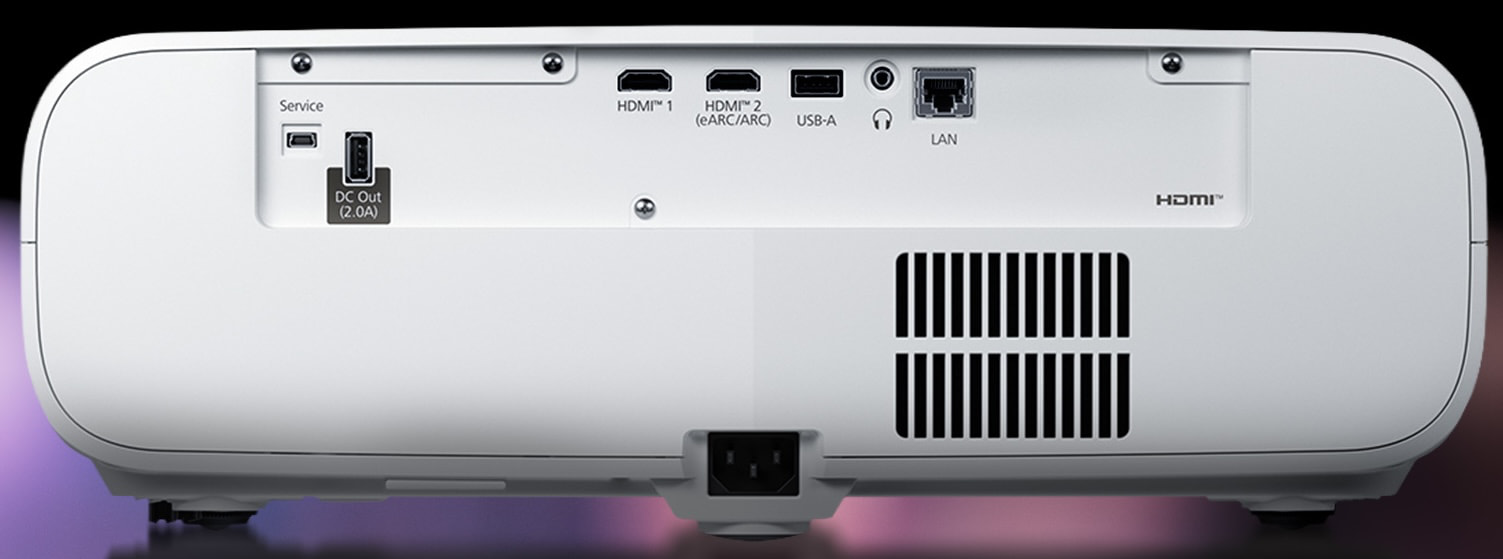
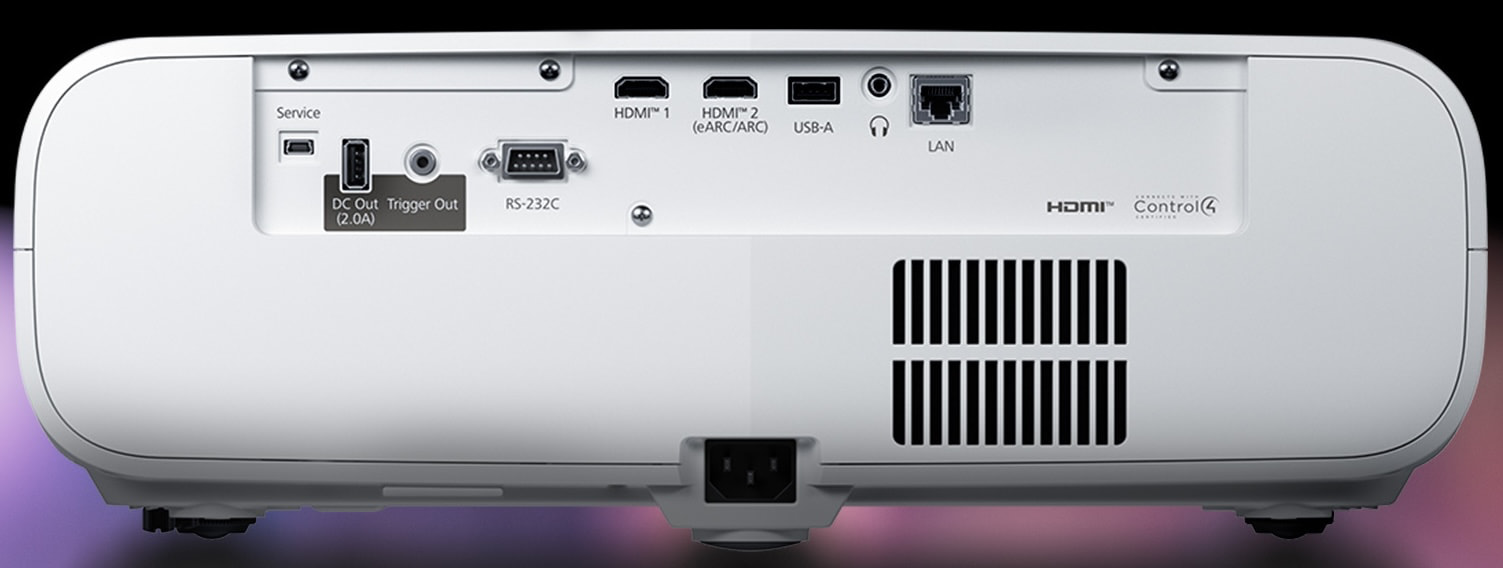
HDMI Connectivity: All three projectors include dual HDMI inputs supporting refresh rates up to 120Hz, with one HDMI port providing eARC for audio passthrough to a compatible AV receiver or soundbar.
Gaming: In addition to supporting refresh rates up to 120Hz, the new LS projectors include Auto Low Latency Mode (ALLM) and input lag rated below 20ms. That combination makes them suitable for gaming with compatible consoles and PCs where faster response times are important.
Flexible Installation: A compact design with quiet, front-exiting airflow provides additional placement flexibility. Manual lens shift of ±21% horizontally and ±59% vertically also makes it easier to position the projector in a variety of home theater and multipurpose spaces.
Bluetooth: Bluetooth connectivity is still not standard across the projector category, but the Home Cinema LS5000, LS6000, and LS7500 include Bluetooth 6.0. This allows audio from HDMI-connected sources to be streamed to compatible wireless headphones or speakers.
Comparison

| Epson Model | LS5000 (2026) |
LS6000 (2026) |
LS7500 (2026) |
LS11000 (2022) |
| Product Type | Video Projector | Video Projector | Video Projector | Video Projector |
| Price | $1,999.99 | $2,199.99 | $2,699.99 | $3,999.99 |
| Projection System | Epson 3LCD | Epson 3LCD | Epson 3LCD | Epson 3LCD |
| Chip Design (Architecture) | 3-chip | 3-chip | 3-chip | 3-chip |
| Light Source | True Laser Diode Array | True Laser Diode Array | True Laser Diode Array | Laser/Phosphor |
| Projection Method | Front, front-ceiling, rear, rear-ceiling | Front, front-ceiling, rear, rear-ceiling | Front, front-ceiling, rear, rear-ceiling | Front, front-ceiling, rear, rear-ceiling |
| Product Color | White | White | White | White |
| Driving Method | Poly-Silicon TFT Active Matrix, 0.62″ wide panel | Poly-Silicon TFT Active Matrix, 0.62″ wide panel | Poly-Silicon TFT Active Matrix, 0.62″ wide panel | Poly-silicon TFT Active Matrix, 0.74″ wide panel |
| Output Resolution | 4K Display Technology1 3840 x 2160 (dual axis: 1920 x 1080) | 4K Display Technology1 3840 x 2160 (dual axis: 1920 x 1080) | 4K Display Technology1 3840 x 2160 (dual axis: 1920 x 1080) | 4K Display 3840 x 2160 (dual-axis: 1920 x 1080) – Upgraded from earlier version that employed PRO UHD |
| Maximum Input Resolution | 4096 x 2160 | 4096 x 2160 | 4096 x 2160 | 4096 x 2160 |
| Supported Resolutions | 3840 x 2160, Full HD 1080p/i, HD 720p, 576p/i, 480p/i | 3840 x 2160, Full HD 1080p/i, HD 720p, 576p/i, 480p/i | 3840 x 2160, Full HD 1080p/i, HD 720p, 576p/i, 480p/i | 3840 x 2160, Full HD 1080p/i, HD 720p, 576p/i, 480p/i |
| Native Aspect Ratio | 16:9 widescreen | 16:9 widescreen | 16:9 widescreen | 16:9 widescreen |
| Color Brightness (IDMS Rated) | 2,500 Lumens | 3,400 Lumens | 3,500 Lumens | 2,500 Lumens |
| White Brightness (ISO Rated) | 2,500 Lumens | 3,400 Lumens | 3,500 Lumens | 2,500 Lumens |
| Contrast Ratio | Up to and over 800,000:1, with dynamic contrast in Normal and Auto Iris On | Up to and over 800,000:1, with dynamic contrast in Normal and Auto Iris On | Up to and over 1,000,000:1, with dynamic contrast in Normal and Auto Iris On | Up to and over 1,200,000:1, with Dynamic Contrast in Normal or High Speed setting |
| White Balance | Not Indicated | Not Indicated | Not Indicated | 14-point temperature adjustment |
| Color Reproduction | Full-color (up to 1.07 billion colors) | Full-color (up to 1.07 billion colors) | Full-color (up to 1.07 billion colors) | Full-color (up to 1.07 billion colors) |
| Size (Projected Distance) | 40″ to 300″ (at 45″ to 28.8′) | 40″ to 300″ (at 45″ to 28.8′) | 40″ to 300″ (at 45″ to 28.8′) – (Zoom: Wide and Zoom: Tele) | 50″ to 300″ (at 58″ to 62’4″) |
| HDR Color Processing | Full 10-bit | Full 10-bit (Partial 12-Bit) | Full 10-bit | Full 10-bit(Partial 12-Bit) |
| Light Source Life | Normal Mode: Up to 20,000 hours | Normal Mode: Up to 20,000 hours | Normal Mode: Up to 20,000 hours | Normal Mode: Up to 20,000 hours Medium Mode: Up to 20,000 hours Eco Mode: Up to 20,000 hours |
| Epson Cinema Lens | Multi-element precision glass structure | Multi-element precision glass structure | Multi-element precision glass structure | 15-element precision glass structure (AGS) |
| Type | Optical Zoom (manual)/Focus (manual) | Optical Zoom (manual)/Focus (manual) | Optical Zoom (manual)/Focus (manual) | Powered focus/optical zoom/lens position |
| F-Number | 1.49 – 1.77 | 1.49 – 1.77 | 1.49 – 1.61 | 2.0 – 3.0 |
| Focal Length | 18.2 mm – 29.2 mm | 18.2 mm – 29.2 mm | 13.9 mm – 18.1 mm | 22.5 – 46.7 mm |
| Zoom Ratio | 1 – 1.62 | 1 – 1.62 | 1 – 1.3 | 1 – 2.1 |
| Throw Ratio Range | 1.32 – 2.15 | 1.32 – 2.15 | 1.0 – 1.3 | 1.35 – 2.84 |
| Keystone Correction | Not Indicated | Not Indicated | Not Indicated | Vertical/Horizontal: ± 30 degrees |
| Lens Shift | Vertical: -59.0% to +59.0% (H center, manual)
Horizontal: -21.0% to +21.0% (V center, manual) |
Vertical: -59.0% to +59.0% (H center, manual)
Horizontal: -21.0% to +21.0% (V center, manual) |
Vertical: -59.0% to +59.0% (H center, manual)
Horizontal: -21.0% to +21.0% (V center, manual) |
Vertical: -96.3% to +96.3% (H center, powered)
Horizontal: -47.1% to +47.1% (V center, powered |
| Lens Cover | Cap | Cap | Cap | Powered, slide lens shutter |
| Connections | 2x HDMI 2.1 (HDCP 2.3), one supporting eARC/ARC
1x USB Type-A 5 V 2.0 A (for power supply) 1x USB Type-A (for Firmware updates) 1x Mini USB (service only) 1x Audio out mini plug (3.5 mm) 1x LAN RJ45 (Projector Control Only |
2x HDMI 2.1 (HDCP 2.3), one supporting eARC/ARC
1x USB Type-A 5 V 2.0 A (for power supply) 1x USB Type-A (for Firmware updates) 1x Mini USB (service only) 1x LAN RJ45 (Projector Control Only |
2x HDMI 2.1 (HDCP 2.3), one supporting eARC/ARC
1x USB Type-A 5 V 2.0 A (for power supply) 1x USB Type-A (for Firmware updates) 1x Mini USB (service only) 1x LAN RJ45 (Projector Control Only |
2x HDMI® 2.1 (HDCP 2.3); one supporting eARC/ARC
1x USB Type-A (for optical HDMI cable; 300 mA maximum power supply only) 1x USB Type-A 5 V, 2.0 A for power and firmware 1x Mini USB (service only) 1x LAN RJ45 (control only) 1x RS-232C (DB-9) 1x Trigger out (On, Off) 12 V DC, 200 mA maximum (3.5mm mono or stereo mini-jack) |
| Dynamic Range Support | HDR10, HLG | HDR10, HLG | HDR10, HLG | HDR10, HDR10+, HLG |
| HDR Adjustment | On/Off | On/Off | On/Off | 16 steps, real-time |
| Color Modes | Dynamic, Vivid, Cinema, Natural | Dynamic, Vivid, Cinema, Natural | Dynamic, Vivid, Cinema, Natural | Dynamic, Vivid, Cinema, Natural |
| Aspect Ratio Adjustment | Yes (Full, Super Zoom) | Yes (Full, Super Zoom) | Yes (Full, Super Zoom, Anamorphic Wide, Horizontal Squeeze) | Yes (Auto/Full/Zoom)
1.9:1 (4096 x 2160) 21:9 (2560 x 1080) 4:3 (1600 x 1200) 9:6 (720 x 480) 5:4 (720 x 576) compatible with Normal, Full or Zoom Mode |
| Input Signal | 480p, 576p, 720p, 1080i, 1080p, 2160p | 480p, 576p, 720p, 1080i, 1080p, 2160p | 480p, 576p, 720p, 1080i, 1080p, 2160p | 480p, 576p, 720p, 1080i, 1080p, 2160p |
| Operating Temperature | 41 °F to 95 °F (5 °C to 35 °C) | 41 °F to 95 °F (5 °C to 35 °C) | 41 °F to 95 °F (5 °C to 35 °C) | 41 °F to 95 °F (5 °C to 35 °C) |
| Power Supply Voltage | 100 V – 240 V AC ± 10%, 50/60 Hz | 100 V – 240 V AC ± 10%, 50/60 Hz | 100 V – 240 V AC ± 10%, 50/60 Hz | 100 V – 240 V AC ± 10%, 50/60 Hz |
| Power Consumption | Normal Mode: 330 W
Quiet Mode: 217 W |
Normal Mode: 330 W
Quiet Mode: 217 W |
Normal Mode: 330 W
Quiet Mode: 217 W |
Normal Mode: 311 W
Medium Mode: 243 W |
| Fan Noise | 22 db – 25 db | 22 db – 25 db | 22 db – 25 db | 22 – 30 dB |
| Wireless LAN | Built-in, Wi-Fi® 6E, for Firmware update only | Built-in, Wi-Fi® 6E, for Firmware update only | Built-in, Wi-Fi® 6E, for Firmware update only | Not supported – Ethernet only |
| Bluetooth | Built-in, supports A2DP, AVRCP, Apt-X | Built-in, supports A2DP, AVRCP, Apt-X, Bluetooth LE | Built-in, supports A2DP, AVRCP, Apt-X | Not Supported |
| Dimensions (WDH – Including Feet) | 17.3″ x 12.4″ x 6.3″ | 17.3″ x 12.4″ x 6.3″ | 17.3″ x 13.1″ x 6.3″ | 20.5″ x 17.6″ x 7.6″ |
| Weight (Approximate) | 17.6 lb (stationary) | 17.6 lb (stationary) | 18.2 lb (stationary) | 28.0 lb |
| What’s Included | 1 x Projector 1 x Power Cable 1x Remote Control 2 x Control Batteries (AA) 1 x Quick Start Guide 1 x Warranty Sheet |
1 x Projector 1 x Power Cable 1x Remote Control 2 x Control Batteries (AA) 1 x Quick Start Guide 1 x Warranty Sheet |
1 x Projector 1 x Power Cable 1x Remote Control 2 x Control Batteries (AA) 1 x Quick Start Guide 1 x Warranty Sheet |
1 x Projector
1 x Power cord 1 x Remote Control Quick Setup Guide |
The Bottom Line
Epson’s position as the world’s top-selling projector brand did not happen by accident. Its lineup stretches from classrooms and conference rooms to dedicated home theaters, and the new Home Cinema LS5000, LS6000, and LS7500 fill an important spot just below the company’s more expensive Pro Cinema Q-Series.
What makes these three interesting is not simply that they use laser light sources or can throw a 300-inch image. Epson combines its 3-Chip 3LCD architecture with equal rated color and white brightness, output ranging from 2,500 to 3,500 lumens, Quad Pixel Shifting for an 8.29-million-pixel 4K image, HDR processing with tone mapping, and gaming features that include 120Hz support and ALLM. The LS7500 also adds a short-throw lens for installations where putting a conventional projector farther back in the room simply isn’t practical.
That combination gives the LS Series a legitimate point of differentiation from many single-chip DLP competitors, where white-light output and color-light output can differ substantially. It also gives buyers much of the functionality they actually need for movies, sports, and gaming without forcing them into Epson’s considerably more ambitious Pro Cinema Q-Series.
Competition from Sony, Hisense, Leica, JMGO, Optoma, and others is substantial, and some alternatives offer more light output, different installation options, or integrated entertainment features. But for someone trying to build a genuinely large-screen home theater without entering flagship-projector territory, the LS5000, LS6000, and LS7500 make a strong case for staying with traditional projection. A 98-inch TV might be getting easier to justify; a 150-inch one remains something of a financial incident.
Pro Tip: None of the three projectors includes a built-in speaker system or projection screen, so those need to be factored into the total system cost. Bluetooth is available for wireless audio, but anyone building a serious home theater will still want to budget for an external audio system and an appropriate screen.
Price & Availability
The new Epson Home Cinema LS Projectors are available through Epson’s Online Store and Select Retailers.
Related Reading:
MediaTek is taking its first proper step into desktop-style computing, with its new Dimensity CX C10 Max confirmed for an upcoming premium Googlebook.
The new chip is the first member of MediaTek’s Dimensity Compute Experiences (CX) family, and it’s built around a fairly serious set of hardware. Manufactured on TSMC’s 3nm process, the C10 Max uses an octa-core all-big-core CPU, an 11-core GPU and MediaTek’s eighth-generation NPU.
That last part is particularly important for the Googlebook, as the NPU 890 can deliver up to 55 TOPS of AI performance. MediaTek says it’s designed to handle Gemini Intelligence features, with faster responses and some additional privacy benefits from processing AI tasks on-device.
The chip is also designed with efficiency in mind. MediaTek says its architecture can help manufacturers build thinner, lighter and fanless laptops while still offering all-day battery life. Exactly how long that battery life will be on the first Googlebook remains to be seen, though.
There’s plenty here for everyday laptop duties, too. The C10 Max combines its CPU, GPU and NPU for multitasking, productivity, entertainment and what MediaTek calls ‘agentic AI’. It also supports Wi-Fi 7 at speeds of up to 7.3Gbps and dual-engine Bluetooth 6.0 for wireless accessories and audio.
MediaTek hasn’t stopped at performance. The integrated Imagiq 1090 ISP supports camera sensors up to 32MP, with AI-assisted HDR video, smoother zoom, cinematic video and sustained focus. That should give the upcoming Googlebook some useful headroom for video calls, livestreaming and content creation.
The big question is what this first Googlebook will actually look like and how it will perform in everyday use. Google has confirmed the first five models of Googlebook coming next month, including Snapdragon- and Intel-powered models, but nothing from MediaTek just yet.
For MediaTek, though, the bigger story is the move itself: this is its first SoC for the new Dimensity CX computing family, bringing its mobile chip expertise into a much more laptop-focused category.
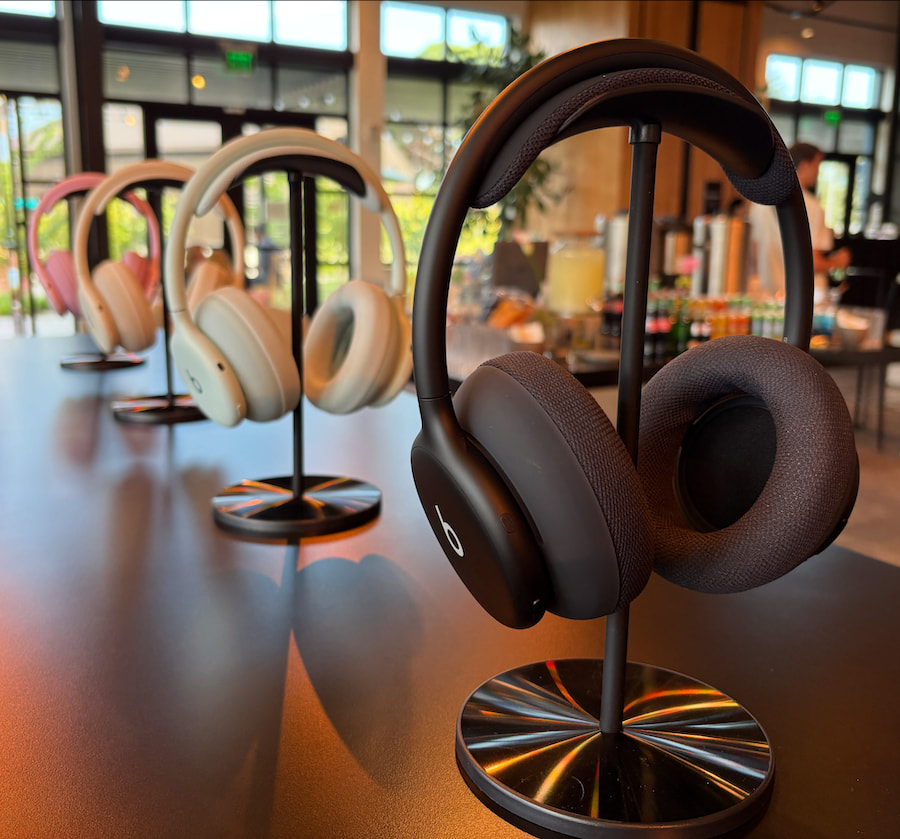
Beats’ new 360 headphones are different from any Beats pair we’ve seen before. They’re designed around an adaptable core frame with easily swappable earcups and headband cushions in multiple colors and styles, along with features like much-improved noise canceling compared with the Studio Pro and IPX4 water resistance.
Their $350 MSRP is the same as the 2023 Beats Studio Pro and considerably less than competing models from Bose, Sony, and others. But can they really be your everything headphones?
Skip the reading? Click play above or watch the Beats 360 review on YouTube.
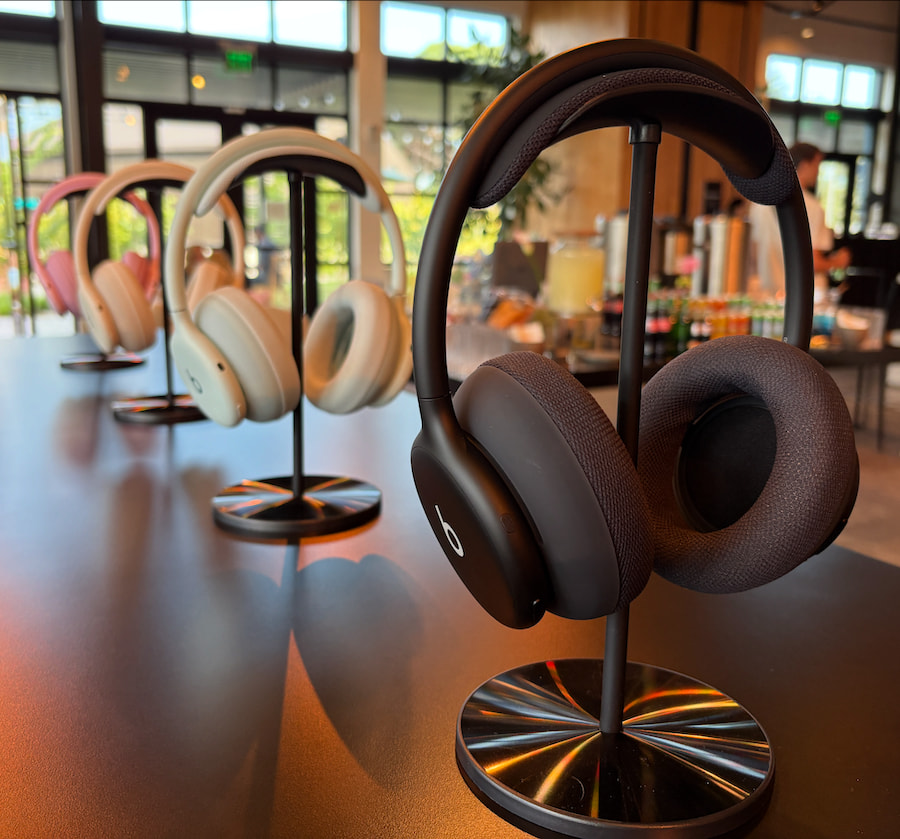
The 360’s unique form factor takes a cue from true wireless earbuds, with a battery and circuitry in each earpiece, allowing for a thin, flexible headband. They’re still relatively heavy at nearly 300 grams, but the balanced design fits well and remained comfortable for hours of wear. The four-piece control system is simpler and more elegant than the Studio Pro’s. There are nine microphones in total; eight are used for noise canceling and transparency mode, while three contribute to excellent call quality alongside DSP and AI-powered noise suppression.
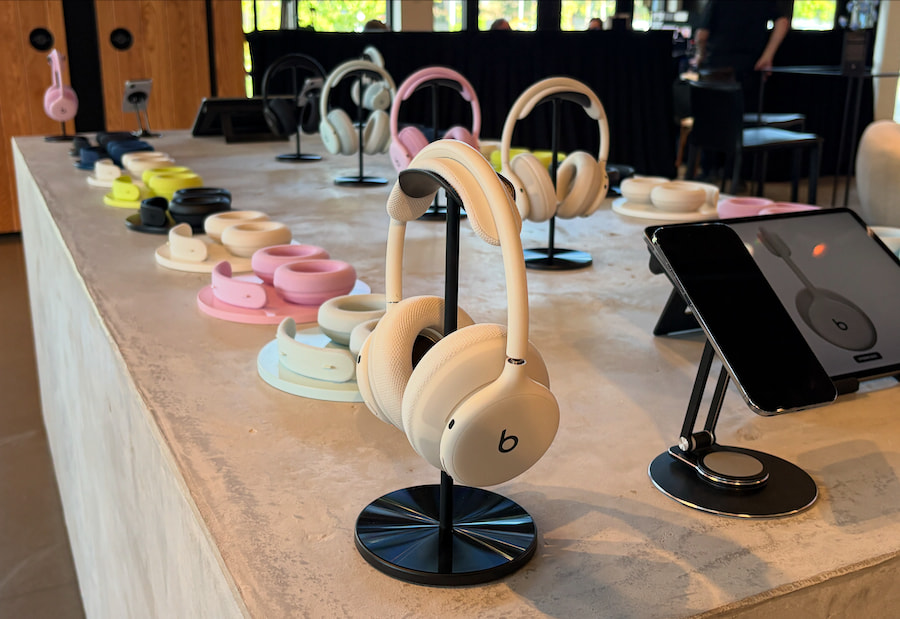
The headphones ship with diamond-knit textile earcups designed for durability, and they work reasonably well for workouts. The core frame comes in four colors: Black, Cloud, Sky, and Pink. The swappable earcups and pads add Navy and Volt Green, along with faux-leather options in white and black. Introductory pricing starts at $10, rising to as much as $50 per set afterward. Custom 40 mm drivers are powered by what Beats calls a “high dynamic range amplifier.”

Features include iOS options like Audio Sharing and hands-free Siri, while both Android and iOS users get one-touch pairing, audio switching between connected devices, and finder functionality. There are no auto-pause sensors, manual EQ, or line-in playback options of any kind. Battery life is rated at 32 hours per charge, with an hour of playback from five minutes of charging, which matched my testing. Unfortunately, the battery continued to drain after the headphones were powered down, at a rate of around 0.5 percent per hour. Beats assumed this was due to the always-on Find My feature, but the issue persisted with Find My turned off. I’m hoping Beats offers a fix soon.
Noise canceling is excellent for the money, testing just a notch or two below top models like Bose’s QC Ultra Gen 2 and Sony’s WH-1000XM6. Transparency mode is also solid, though not as clear or natural-sounding as Apple’s AirPods Pro or AirPods Max.
Sound quality is generally balanced and includes head tracking for 3D audio formats like Dolby Atmos. The bass isn’t as potent as on previous Beats headphones, including the Studio Pro, but it’s musical and well controlled. The treble is brighter than on models like Sony’s XM6, and the 360 doesn’t offer the same level of definition, but it remains relatively detailed across the frequency range, with good clarity and instrumental separation. For a closer look at performance, watch our full video review on YouTube.
The Bottom Line
The latest Beats headphones have a lot to offer, from their adaptable, splash-resistant design to powerful noise canceling and accessible sound. They’re an enticing option for folks who want a stylish, sporty pair of headphones, as well as those who don’t want to spend up for the latest flagship models from Bose, Sony, and others.
I do wish they had a few more features, including auto-pause. It would also be nice to get a hard case, though I don’t expect one from Beats at this point. The biggest issue is the odd battery drain when powered off, which makes the 360 tough to recommend based on my current testing. I’m hoping Beats can fix the problem, and it’s always possible the issue is limited to a small number of units like mine.
Otherwise, the 360’s solid performance and unique design would make them worth considering for anyone looking for versatile headphones that stand out from the crowd.
Pros:
- Distinctive customizable design
- Clear and relatively detailed sound
- Excellent noise-canceling for the money
- Fantastic call quality
- IPX4 water resistance
Cons:
- Potential battery drain issue when powered off
- Bass isn’t as big as Beats fans might require
- No manual EQ or line-in playback options
- No auto-pause
Our Ratings:
Editor’s Note: These ratings reflect the battery drain issue we experienced and will be updated if it’s fixed.
★★★★★★★★★★ Performance
★★★★★★★★★★ Build Quality
★★★★★★★★★★ Comfort
★★★★★★★★★★ Features
★★★★★★★★★★ ANC
★★★★★★★★★★ Value
Where to Buy:
Related Reading:


A new Windows malware named ClosedQuorum uses Google Gemini, DeepSeek, Qwen, and Mistral AI models to autonomously determine the actions to take during post-compromise stages of an attack.
The Go-based malware acts with no commands from a human operator, using reconnaissance information and a voting system to decide its next step on infected hosts.
When votes are tied, DeepSeek has priority at making the final call, based on the option it considers most appropriate, followed by Qwen, Mistral, and Gemini.
Cisco Talos researchers analyzing ClosedQuorum say that the models are restricted to a predefined set of decisions, including:
- steal — simultaneously runs LSASS credential dumping, browser (Chrome, Edge, Firefox) credential theft, and cryptocurrency-wallet (MetaMast, Exodus, Ethereum) extraction
- inject — generates shellcode, then uses either process hollowing or Early Bird APC injection
- persist — executes the malware’s persistence module
- move — included as a possible lateral movement decision, but the analyzed distribution build has no corresponding handler, so it cannot execute this action
The stolen details are then passed to the operators via a Discord webhook, so apart from the malware delivery, the attack can be fully automated.
.jpg)
Source: Cisco
Talos describes ClosedQuorum as the first publicly documented Windows implant to delegate tactical command-and-control (C2) decisions to a panel of AI models, commenting that this adds greater speed and scaling potential to malicious operations.
The researchers also highlight that this eliminates human interaction, allowing the attack chain to proceed at any time.
However, Cisco notes that this may also pose challenges in certain cases where rate limits are hit, output is malformed, or commercial APIs that the system relies on are temporarily unavailable.
Since it is not a sophisticated piece of malware, it is unclear if ClosedQuorum is a test or experiment. However, the researchers warn that it represents an “architectural shift towards attack-chain automation.”
“While we do not have confirmation of in-the-wild deployment, artifacts from the binary were used to connect the developer to postings on criminal forums related to carding, dating back to 2025,” explains Cisco Talos.
The binary that Cisco Talos analyzed contains placeholder API credentials and a dummy Discord webhook, although the creators can add those in their custom ClosedQuorum builds.
Cisco Talos discovered ClosedQuorum through CAIRN, an open-source toolkit it released to help researchers track and analyze AI-integrated malware.


Monday Google opened preorders for its “Googlebook” laptops, pricing them at $899. A Google’s blog post added that “At launch, you can choose between Intel Core Ultra Series 3 and Snapdragon X Elite processors” (paired with NPUs to power AI features).
“Devices will hit shelves on October 4 in the U.S. and on October 5 in Canada, the U.K., Ireland, France, Germany, and Australia,” TechCrunch points out. But “the real pull for the new devices is that they’ll prominently feature Gemini’s latest capabilities in a new format: the laptop.”
Google is trying to offer a laptop with unique features like an AI-powered cursor, vibe-coded widgets, and support for AI-enhanced dictation. The latter is a feature called Rambler, which cleans up messy, rambling brain dumps into readable text. The move is a bet that AI, specifically Google’s Gemini, could be enough of a draw to get people to buy a new laptop that bakes in AI instead of running them via desktop apps you install or access through the browser… On the Googlebook, Google is trying to reinvent the “point-and-click” experience of desktop computing to now include an AI element: The cursor serves as a conduit to Gemini. The company suggests various ways this could be used, like highlighting content on a web page for Gemini to work with, asking Gemini to see if an email you’ve hovered your cursor over is suspicious, or selecting images and then asking Gemini to visualize them together…
What’s more interesting about the Googlebook is how it’s seemingly part of Google’s longer-term plan to capture a large part of the K-12 market that currently relies on Chromebooks and push them toward the company’s Gemini AI. There are somewhere around 50 million Chromebooks in schools, used by students and educators, Google has said. In May, the company told TechCrunch that its current Chromebooks would continue to be supported, though many would become eligible to transition to the new Googlebook experience in the future…
Flagship devices in the new range are being built by Acer, ASUS, Dell, HP, and Lenovo, with materials like aluminum, magnesium alloy, and carbon fiber… Google says the device will offer up to 14 hours of battery life.
Googlebooks will be decorated with an exterior Glowbar “which dances when you boot up, sweeps to show battery level, and supports other playful patterns,” according to Google’s blog post. “We’re also opening Glowbar access to developers to build custom, interactive animations.”
After testing actual Googlebooks, The Verge’s reviewer first acknowledges that “it might be just another Trojan horse for Gemini.” Still, “The hardware is polished (since it’s based on current laptops). The OS is familiar (if you’ve ever used a Chromebook). But most impressive, it integrates your Android phone with your PC so they feel more like one device. It’s the culmination of a series of new ideas that blur the two devices together.
“After my first look, I went from doubtful to excited by the prospect of Google pulling it all off…”
The Asus was incredibly lightweight; the Lenovo has plenty of ports and an optional mouse with a matching Glowbar light; the Acer’s convertible form factor allows some tablet-like use (and it’s pretty affordable for a Panther Lake laptop). The HP had a great-looking screen and a latticeless keyboard I surprisingly didn’t hate, and the Dell is basically a gold XPS 13 (which is excellent) but with a different chip…
But everything really special about Googlebooks comes down to software… You can cast apps from an Android phone directly to a Googlebook, even without touching your phone. Googlebooks essentially have two app drawers: a G-logo start menu for installed Googlebook apps and a second one beside it that pulls up mobile apps from your phone. Click a phone app and you can fully use that app with the mouse and keyboard or the Googlebook’s touchscreen. It’s a bit like iPhone Mirroring on macOS, but the apps are individually extracted to the desktop OS instead of showing your whole phone interface.
Googlebooks also have a nifty feature called Continue On where the icons of apps you’re currently using on your phone appear in the bottom bar — allowing you to click it on the laptop and hand it off to the Googlebook. These app handoffs can transition to a native app or a web app, depending on how developers have programmed it… The other big way Googlebooks interact with an Android phone is Quick Access, allowing you to see and access all the files stored on your phone right in the desktop Files app… If you have an iPhone then you’re limited to a Link to iOS app that just does some message syncing and replying… [W]hen it comes to mainline gaming, Nvidia’s GeForce Now service is also coming to Googlebooks, and the first year is free with one of Google’s new laptops.
“It’s not every day we get a new player in the desktop operating system and laptop spaces,” the reviewer points out. “There seems to be a higher ceiling of potential with Googlebooks than there was with Chromebooks, along with some cool features, but Google has a lot to prove at higher prices than people are used to paying for its laptops.”


Read more of this story at Slashdot.

Entertainment32 seconds ago
Matthew McConaughey and Woody Harrelson’s Apple TV Sitcom Is a Far Cry From ‘True Detective’

News Videos2 minutes ago
Bitcoin – Look To See If It’s A Lower High Or Higher High

NewsBeat4 minutes ago
Police find man dead inside car parked in layby in North Wales

Fashion2 weeks ago
Weekend Open Thread – Corporette.com

Fashion5 days ago
Weekend Open Thread: Talbots – Corporette.com

Tech2 weeks ago
Memory prices are slowing because buyers ran out of money
News Videos2 minutes ago
Bitcoin – Look To See If It’s A Lower High Or Higher High

News Videos23 minutes ago
FOMC LIVE: Fed Rate Hike Could Trigger a XRP Crypto Crash! Martyn Lucas Investor

News Videos36 minutes ago
UK’s Most Exclusive Private Car Museum Revealed & What’s Really Driving Car Prices – Zach’s Garage
-
 Fashion5 days ago
Weekend Open Thread: Talbots – Corporette.com
-

 Tech2 days ago
Researchers escape OpenAI Codex sandbox to run commands on host
-

 Crypto World4 days ago
Circle launches Arc Studio AI agent for building onchain apps
-
 NewsBeat4 days ago
Trump says US has reached an agreement to take permanent control of Greenland’s security
-

 Crypto World2 days ago
Who Needs CLARITY Anyway? ARB Could See 70X Increase: Hodler’s Digest
-

 Crypto World4 days ago
Bitcoin price breaks channel as RSI climbs to 63
-

 Crypto World4 days ago
Trading Bitcoin on Robinhood? Why 2% Spread Has Traders Worried
-

 Crypto World6 days ago
US Charges Robinhood Engineers Over Crypto Listing Trades
-

 Crypto World5 days ago
Mortgage and refinance interest rates today, Thursday, September 17, 2026
-

 Crypto World4 days ago
World Money launches in 150+ countries with Stripe
-

 Business2 days ago
Analog Devices (ADI) Bets $1.35 Billion on Chips that Let Machines Think for Themselves
-

 Crypto World5 days ago
Silver prices recover quickly, hitting weekly high today
-

 Crypto World2 days ago
Coinbase, Robinhood, Circle Seen as Tokenized-Stock Winners
-

 Tech5 days ago
GPT-6 Astra Reached the Nether in Minecraft, Lost Its Stash to a Creeper, and Farmed Potatoes for Hours
-
 NewsBeat4 days ago
US was ‘on brink of war’ with China over false AI report of nukes moving in Middle East
-

 Crypto World2 days ago
Bitcoin price holds above $81K as key catalysts line up
-

 Entertainment6 days ago
Grey’s Anatomy Showrunner Teases Changes After Cast Exits
-

 Tech3 days ago
Trump suggests rebranding AI with a new name, says he’s also creating an AI Force
-

 Crypto World4 days ago
CFTC sends crypto market structure rulemaking to White House
-

 Crypto World1 day ago
Meta Jumps 11% As Muse Shines and Investors Show an Appetite for Advancing AI
You must be logged in to post a comment Login