
Security teams log 54% of successful attacks and alert on just 14%. The rest move through your environment unseen.
The Picus whitepaper shows how breach and attack simulation tests your SIEM and EDR rules so threats stop slipping by detection.


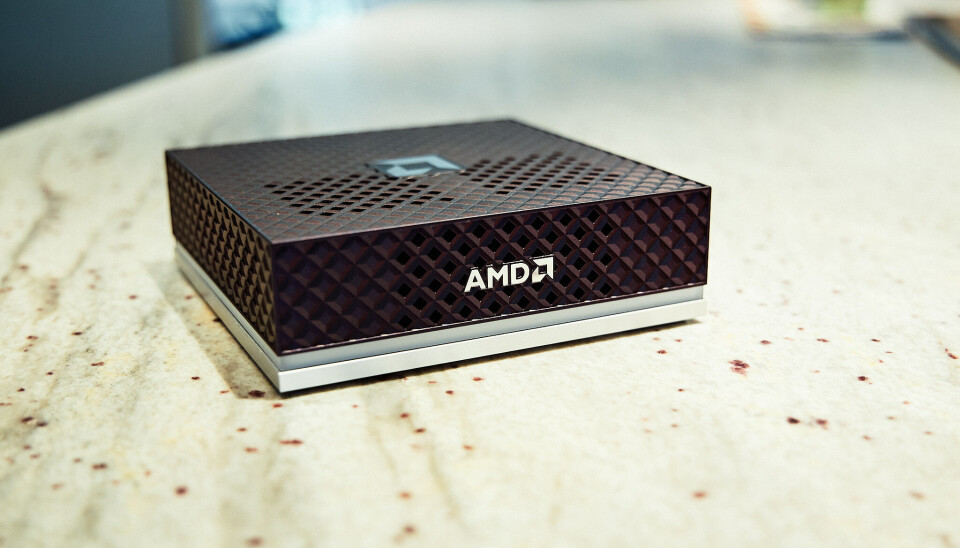
A year ago the Ryzen AI Halo, AMD’s tiny new AI workstation, would have offered devs and machine learning enthusiasts an Nvidia DGX Spark-like experience at a fraction of the cost.
Unfortunately for AMD, time and the ongoing memory shortage, which both AMD itself and Nvidia are partially responsible for, hasn’t been kind to the consumer electronics industry.
Launching at a hair under $4,000, the AI Halo is still cheaper than the Spark at its new MSRP of $4,699, but is now a much tougher sell than when you could get the same hardware for as little as $2,000.
That’s right. The 128 GB AI Halo is based on year-old technology. Its main selling point, and what AMD has spent the past several months getting right, is the packaging. Much like with the Spark, you’re not just buying the machine but all the software and documentation you need to run and fine-tune enterprise-grade models and AI agents like OpenClaw and Cline, locally.
Many will, understandably, balk at the price — $4,000 is a down payment on a car — the system is still one of the most affordable options for those who need more than the 32 GB that the highest-end graphics card can provide.
Not long ago, building a workstation with 128 GB of video memory would have set you back at least $20,000, and that was before the RAMpocalypse. This puts systems like DGX Spark and AI Halo in a rather unique position.

The Ryzen AI Halo was clearly inspired by the DGX Spark. Measuring in at 5.9 x 5.9 x 1.79 inches, the black and silver system shares a nearly identical form factor to its competitor.
Rather than gold aluminum siding, AMD has opted for a more subdued look with a textured top cover adorned by its logo and an LED light bar that wraps around its perimeter. The chassis itself is well ventilated with intake located along the front of the system sides and heat exhausting out the back.

The back of the system is adorned with four USB-C ports, one of which is dedicated to power, while the remaining three offer connectivity (1x USB 3.2, 2x USB 4.0) for storage and peripherals. The AI Halo supports display out on all three of those ports as well as via HDMI 2.1b . A single RJ45 network port provides 10 Gbps of connectivity for those who prefer wired connectivity over the onboard WiFi 7 radio.
One thing you won’t find on the back of the AI Halo are QSFP ports for high-speed networking. The DGX Spark features a 200 Gbps ConnectX-7 SmartNIC for clustering multiple devices together. The AI Halo does still support clustering if you happen to pick up multiple systems, but with only one such system on hand, we can’t say how big a difference the slower networking actually makes.
AMD’s Ryzen AI 395+, which you may recognize from its codename Strix Halo, sits at the heart of the system. This SoC isn’t new, having been on the market for more than a year now. In fact, we pitted the Pro variant of the chip running in HP’s Z2 Mini against the DGX Spark’s GB10 SoC back in December 2025.

The chip is equipped with 16 Zen 5 cores clocking up to 5.2 GHz along with an RDNA 3.5 GPU with 40 compute units putting out around 56 teraflops of dense FP16 performance under ideal conditions.
While Strix Halo can be obtained with as little as 32 GB of LPDDR5X memory, the AI Halo is packing 128 GB as standard. That’s enough to run models of up to 200 billion parameters in size, at 4-bit precision that is. Out of the box, our system was configured to share up to 75 percent, or about 96 GB, of that with GPU. However, at least on Linux, you can extend this to nearly the system’s full capacity.
That memory is connected to the SoC by a 256-bit bus good for about 256 GB/s of bandwidth — more than you’d get on a (non-Pro) Threadripper system.
Bandwidth is a major bottleneck for LLM inference, with token generation directly proportional to how fast the memory actually is, and because the AI Halo’s memory hangs off the GPU, it can take full advantage of it.
While 256 GB/s is a lot for DDR5, it is dwarfed when you compare to the GDDR or HBM found in consumer and datacenter GPUs. The RTX 5090 delivers 1.7 TB/s of bandwidth, making it admittedly high — for models small enough to fit in that card’s 32 GB of VRAM.
We’ll talk about performance in a bit, but this really gets to the hardware’s core value proposition. For most local AI enthusiasts and devs, memory capacity is the biggest bottleneck.
It doesn’t matter how many teraflops your GPU can push or how fast your memory is, if you don’t have enough of it in the first place. At 16-bit precision you need about 2 GB of memory for every billion model parameters. At 8-bits, it’s a 1:1 ratio and, at 4-bits, you need just 512 MB for every billion parameters.
If you’ve toyed around with local LLMs in Ollama or LM Studio before you’re almost certainly running 4-bit weights, which is why you can cram a 20 billion parameter model onto a consumer graphics card with as little as 16 GB of VRAM.
Unfortunately, there are a lot of AI workloads that aren’t easily quantized or require substantial quantities of memory in addition to what’s used to hold the model weights. But once you venture beyond low precision inference, memory quickly becomes a major constraint. For example, a full fine tune of a modest 7B parameter can easily consume upwards of 100 GB of memory.
This is where systems like the AI Halo or DGX Spark really shine. They may not be the most powerful or the fastest systems, but there’s not much that you’d want to do that you couldn’t thanks to their ample memory capacity.
As we’ve shown in the past, Strix Halo is more than capable of running larger more capable models exceeding 100 billion parameters or fine-tuning models up to 70 billion parameters, something that’s well beyond the means of consumer graphics cards.
If the chip isn’t new, you might be wondering what exactly the Ryzen AI Halo buys you over another Strix box, like HP’s Z2 Mini G1a we reviewed back in December. Back then, that system retailed for around $3,000. Its price has since surged to nearly $4,900.
If you’re already familiar with AMD’s HIP and ROCm stacks and reasonably comfortable with Linux, the answer is not a lot. AMD even has playbooks specifically for early adopters of its Ryzen AI products. So, if you jumped on a Strix Halo system before DRAM prices hockey sticked, you’re really only missing out on the conveniences that the preinstalled software brings.
With that said, we’re willing to bet most folks considering AI Halo are probably dipping their toes into ML and AMD’s software ecosystem for the first time.
ROCm is a heck of a lot easier to get running on Ryzen APUs and Radeon graphics than it used to be, but we’d be lying if we said that it’s always easy. The same is true of Nvidia and CUDA to a lesser extent. Some steps are easier, while others like GPU passthrough for containers require jumping through additional hoops.
That’s not even to mention PyTorch compatibility, which can vary from app to app. Regardless of which platform you buy into, wrangling dependencies is still a mess.
Both the AI Halo and DGX Spark’s core value prop is helping customers avoid as many of these headaches as possible by combining validated hardware with pre-installed dependencies and well documented playbooks that walk you through common use cases.
In other words, it’s an AI lab in a box.
The AI Halo ships with your choice of Linux or Windows 11. The review unit AMD provided us with, came equipped with a lightly-modified version of Debian with the 6.18 Linux Kernel, Gnome desktop environment, ROCm 7.13 preinstalled, and a slew of preinstalled AI apps and frameworks, like ComfyUI and vLLM.
For anyone who’s used Linux before, the experience should be quite intuitive. Upon first boot, a startup wizard will guide you through the process of creating your user profile, connecting to the network, and updating the device.

Once you are logged in, AMD’s Ryzen AI Developer Center launches automatically and provides quick access to resources and system settings.

As of this writing, AMD’s developer docs include 19 playbooks covering everything from the basics of running LLMs and image models on the device to building full blown agents with OpenClaw.
We walked through most of these as part of our review process and with a few exceptions we were able to run them with minimal troubleshooting. We did have to ask an LLM for help debugging AMD’s PyTorch fine-tuning scripts. Thankfully, the selection of pre-downloaded models were capable enough to identify the single line fix required to get them running again.
While most of AMD’s playbooks were more than adequate, we found its vLLM getting started guide a little lacking. It was easy enough to get it running —AMD has written a wrapper that abstracts the creation and deployment of the inference server in a Docker container — but the guide doesn’t discuss how to select a model, much less configure it.
vLLM is an incredibly popular inference server broadly deployed in production. This makes it all the more disappointing that AMD’s documentation isn’t more comprehensive.

One bright spot we’d like to highlight is Lemonade Server. The app comes preinstalled and provides an LM Studio or Ollama-like experience tuned specifically for AMD hardware. It’s built atop a number of different model runners including vLLM, Llama.cpp, Whisper.cpp, Stable Diffusion.cpp and others. There is even support for a limited selection of models which will run on the system’s NPU.
Perhaps the most attractive use case for the system is as a host for AI agents.
When AMD announced the system, it was keen to highlight how small local models, like Qwen 3.6-35B-A3B, were now good enough to replace larger proprietary models for many coding workflows.

The company went so far as to claim that, for full-time software devs, the system could save as much as $750/month compared in API expenses they’d pay to a cloud-based LLM. We plan to put those claims to the test in a future article. Beyond AI coding, we also expect the system to be quite popular as a platform for running harnesses like OpenClaw.
Given the software’s significant, not to mention numerous security implications, running it locally with container isolation is probably the safest option, and its large memory capacity means that you’ll have access to larger more capable models.

In terms of performance, the Ryzen AI Halo is a bit of a mixed bag.
In memory bound applications like LLM inference, the system matches and in some cases narrowly outpaces Nvidia’s more expensive DGX Spark. Hanging the memory off the GPU instead of the CPU benefits the AI Halo here.
In compute bound workloads, like fine tuning, image generation, or batch processing, the gap grows considerably. We plan to dig deeper into how the AI Halo performs in a future article, but, in our initial testing, we don’t see a major uplift in performance compared to our earlier testing.
We’re also not sharing vLLM performance figures for the AI Halo just yet as our initial testing with AMD’s provided build produced results we’re not confident in.


Depending on the workload and precision, you can expect the Spark’s GB10 APU to be anywhere from 2x to 3x quicker in compute-bound AI workloads.
A big piece of this is down to the fact that Strix Halo wasn’t really intended for this use case. AMD’s RDNA 3.5 GPU tech lacks support for floating point precisions lower than FP/BF16. It does offer INT8 support, but only by upcasting to FP16, which means no performance uplift from dropping to lower precision.
On paper, the GB10 delivers roughly twice the 16-bit performance, three times that at FP8 and twice again at FP4. This is one of the biggest critiques of AMD’s current consumer hardware roadmap, and why we continue to see such a wide performance delta. While its software has improved and its datacenter kit supports FP8 and FP4, the AI Halo is stuck on an older microarchitecture.
But, as we mentioned in our initial Strix Halo vs GB10 head-to-head, whether you’ll even notice the performance deficit really depends on what you’re doing.
AI benchmarks, including ours, usually disable prefix caching. This allows us to accurately evaluate the accelerators’ performance, but isn’t representative of how you’d actually use the model.
In a chatbot or AI agent, the prefix caching keeps the accelerator from getting bogged down by caching previously-computed information so that only new data has to be processed. With it disabled, the problem size grows with each prompt processed and each response generated.
We’re currently in the process of developing a series of new tests that take advantage of caching and other functionality, like multi-token-prediction to measure performance in agentic applications like code generation. We look forward to sharing the results of those tests soon.

Strix Halo wasn’t a cheap part before RAMageddon and it certainly isn’t now — $4,000 is a lot of money. But for the right person, it’s still a relative bargain.
If you’re interested in learning more about local AI, we recommend starting with what you’ve already got before considering dropping this kind of cash on an AI-first system like the AI Halo.
If usage based APIs are out of the question and your existing graphics card is no longer cutting it, GB for GB the Ryzen AI Halo is still much cheaper than workstation cards from either AMD or Nvidia. For reference, a 96 GB RTX Pro 6000 is much, much faster and offers nearly as much addressable memory as the AI Halo, but has an MSRP of $13,250. Oh, and that’s just for the GPU; you still need to plug it into something with at least that much DDR5 on board.
And so the question becomes how badly do you need the VRAM and how valuable is AMD’s documentation and support? Enthusiasts willing to blaze their own trail might be able to save a buck by picking up an OEM Strix Halo box and configuring it themselves.
On the flip side, for those willing to spend a bit more money, Nvidia’s DGX Spark also offers fantastic documentation and a fair bit more computational grunt, which again means faster fine tuning, image generation, and prompt processing. The number of tok/s is limited by memory bandwidth.
With that said, the DGX Spark is much more of an appliance, which means, if you buy this thinking you’re going to run agents on it and later decide it’s not worth the trouble, it’s less likely to end up collecting dust on the shelf. Because it’s just an x86 PC under the hood, the AI Halo is perfectly capable of running Windows or your preferred Linux distro, if you decide local AI just isn’t for you.
Oh, and if 128 GB of VRAM isn’t enough for you, AMD has a refreshed version of the system on the way with 192 GB of LPDDR5X memory and slightly higher clocks. ®
Google is preparing a new Chrome security feature that would block policy-installed extensions from hijacking the New Tab page or changing the default search engine.
BleepingComputer spotted the protection in a chain of work-in-progress Chromium Gerrit changes. It has not shipped yet, but Google plans to enable it by default once the changes are approved.
“In low-trust environments (unmanaged consumer devices), enterprise policy force-installs and recommendations are abused to lock in search engine or new tab page hijackers,” Anunoy Ghosh, who works at Google, wrote in a post.

“This CL enables the kBlockDseNtpOverrideExtensionsOnUnmanagedDevices feature flag by default, activating the end-to-end blocking defense on unmanaged Windows and macOS devices.”
Right now, Chrome allows organizations to use enterprise policies to force-install extensions and control browser settings.
It’s not exactly bad on properly managed work devices connected to a domain or mobile device management system, but malware has been abusing the same feature on regular consumer PCs.
A malicious program can add local Chrome policy keys without your permission and force-install an extension that replaces the New Tab page, changes your search engine, or redirects searches to suspicious websites.
Chrome may then believe that the extension was installed by an administrator, which prevents you from removing or disabling it.
In some cases, Chrome also displays the confusing “Managed by your organization” message, even though the PC is not actually owned or managed by an organization.
Google describes these consumer PCs as “low-trust” environments because Chrome is reading policies stored locally without confirmation from a trusted authority, such as a domain or MDM service.
Under the proposed protection, Chrome would block attempts to install policy-controlled extensions that override the New Tab page or default search engine.
The installation would be canceled, and Chrome would save the extension ID in a blocked-extension preference.
Chrome would also stop trying to download the same blocked extension during future policy checks, which should prevent repeated installation attempts and unnecessary network activity.
An extension that you installed manually would no longer be converted into a locked, policy-controlled extension. It would remain under your control, so you could still disable or remove it.
If a previously managed device loses its trusted management status but still has local policy keys, Chrome would automatically uninstall affected New Tab and search-engine override extensions.
Google is adding metrics to measure how often these policy-based hijackers appear and how frequently Chrome blocks them.
Legitimate administrators would also have access to an escape-hatch policy that disables the protection when a required enterprise extension overrides the New Tab page or search engine.
The Gerrit changes are still under review, so the feature is not available in stable Chrome yet.

Security teams log 54% of successful attacks and alert on just 14%. The rest move through your environment unseen.
The Picus whitepaper shows how breach and attack simulation tests your SIEM and EDR rules so threats stop slipping by detection.

The Malaysian government has ordered the shutdown of a startup-centric community called the Network School, according to The Wall Street Journal.
Billing itself as “a frontier community for techno-optimists,” the Network School reportedly grew out of entrepreneur and investor Balaji Srinivasan’s conviction that the United States is in irreversible decline; Srinivasan has said his goal is “to start a new country.”
So the Network School is supposed to represent the first step in a seven-stage plan (outlined in Srinivasan’s book “The Network State”) for building a new society. Based in an abandoned Malaysian hotel, the WSJ described the program as “part tech incubator, part self-improvement retreat.” Attendees, however, complained about moldy rooms, as well as a dearth of women and nightlife.
After receiving questions from the WSJ, Srinivasan – who apparently renounced his American citizenship in 2023 — published a lengthy post on X declaring himself “a proud Singaporean” and complaining that the WSJ was working on a “hit piece” that would make him look like “an odd duck […] as opposed to an early adopter.”
And although the current Malaysian campus will reportedly need to shut down due to licensing issues, Srinivasan recently announced a new agreement for a campus in Kazakhstan.

“When a group of teenagers set out to hike British Columbia’s famed Howe Sound Crest Trail in early July, Google Maps suggested the trek would take about five hours,” reports SFGate.
“Instead, the hike stretched deep into the night, leaving the group exhausted, dehydrated, injured and in need of a helicopter rescue…”
Although the approximately 18-mile route with a 6,000-foot elevation gain can be completed by experienced trail runners in a day, search and rescue officials generally recommend hikers treat it as a two-day backpacking trip. The teenagers, all 17 years old, believed Google Maps’ estimate that the route would take about five hours. The printed directions they were carrying, which were shared publicly by Lions Bay Search and Rescue, gave simple instructions for two legs of the trail, but didn’t account for the terrain or elevation. “[Google Maps] is calculating the time that you’re walking a straight road on pavement,” [said Maria Masiar, training officer and search manager with Lions Bay Search and Rescue]. “When you get into outdoor terrain, that no longer holds true.”
Expecting only a short outing, each hiker carried about half a liter of water and limited food. There are no reliable water sources along the trail, meaning hikers must carry enough supplies for the entire route. As the group climbed, they began suffering from dehydration and muscle cramps but continued onward despite falling dramatically behind schedule. Eventually, the group made the decision to turn back and abandon making it to the end of the trail — and as the sun began to set and the group started to descend, fatigue took its toll. According to Masiar, members of the group had already stumbled and fallen several times while trying to race the coming dark, and only one hiker had a headlamp. Eventually, another hiker slipped about 10 feet off a boulder, injuring his tailbone badly enough that he could no longer continue. Search and rescue crews responded, ultimately evacuating him by helicopter.
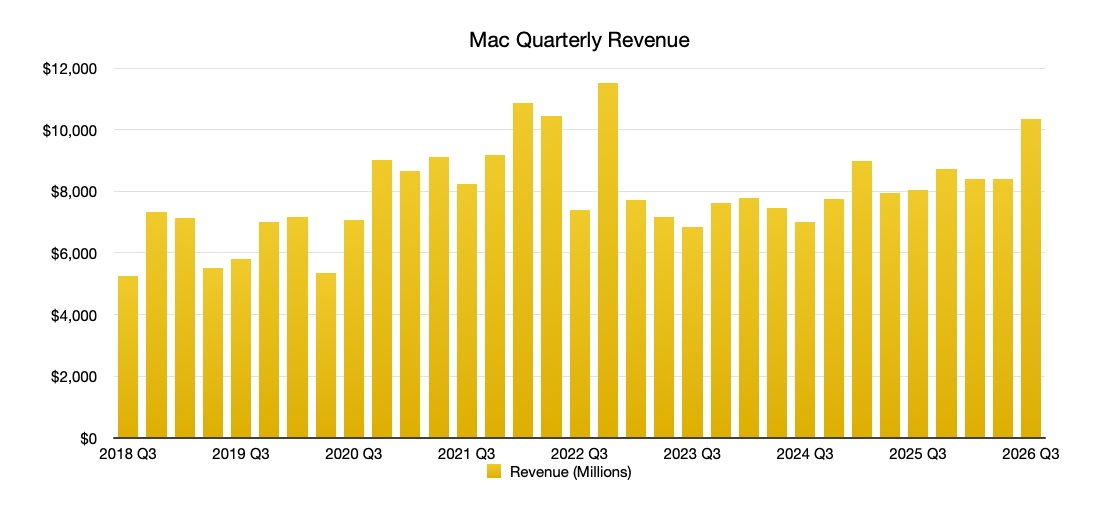
Apple’s Mac sales rose by more than 25% in the last quarter, compared to the same time period in 2025, solely on the back of the MacBook Neo that incoming CEO John Ternus championed.
Shortly before John Ternus was announced as Apple’s next CEO, it was noticeable that he was the one championing the MacBook Neo instead of Tim Cook. As well as part of handing over the reigns, though, this was because the MacBook Neo project was driven by Ternus.
Now according to figures from Apple’s latest earnings call, the company’s Mac revenues climbed by 28.66% over the last quarter. This is mostly due to the only new product available just prior to the quarter, the MacBook Neo.

Mac quarterly revenue, as of Q3 2026
Apple reports that during the quarter ended June 27, 2026, it sold $10.35B worth of Macs. That compares to $8.05B for the same quarter in 2025.
Significantly, though, there were no new Macs released during this quarter at all — but the MacBook Neo ramped up to full availability. The quarter also saw steep price hikes across the whole Mac lineup, including adding $100 to the price of the MacBook Neo.

Mac quarterly revenue change year-on-year, as of Q3 2026
The timing of that price rise won’t have been chance, though, as it was announced on June 25, 2026. That means that the MacBook Neo only saw the higher price for two days of the quarter.
Consequently there’s no indication of whether the MacBook Neo can continue this huge success in the next quarter. But it’s a measure of how the lower-cost MacBook Neo was an immediate boost to Apple’s bottom line.

Enterprise demand for high-capacity hard drives continues accelerating as artificial intelligence generates expanding datasets requiring reliable, affordable storage throughout increasingly complex cloud environments.
That growing appetite for storage has intensified competition among cloud providers building artificial intelligence infrastructure, keeping enterprise hard drives firmly within long-term investment plans.
Seagate‘s recent fiscal fourth-quarter and full-year 2026 financial results indicate continued demand from cloud data center customers despite no disclosure of future HDD allocation commitments.
Latest Videos FromTechRadar
AI relies heavily on enormous storage capacity because valuable data must remain available long after computations are done.
As organisations deploy larger AI models, the amount of stored information grows alongside computing requirements.
This significantly increases the dependence on enterprise hard drives for economical long-term retention.
Unfortunately, HDDs are becoming harder to secure, with manufacturers already booking long-term supply commitments years in advance.
Many HDD manufacturers have locked in contracts extending into 2028 and 2029, meaning customers wanting drives that far out may already be shut out of available slots
Seagate said robust cloud data center demand kept driving business growth, tying stronger storage purchases to AI infrastructure expanding across global markets.
“As AI accelerates data generation and its value, we see durable long-term demand for mass capacity storage,” said Dave Mosley, Seagate’s chair and chief executive officer.
Seagate expects strengthening exabyte demand through its Mozaic platform and differentiated HAMR technology roadmap as enterprise deployments continue expanding worldwide.
While Mosley did not explicitly say customers are reserving Seagate’s hard drive production through 2029, his remarks make clear that enterprise demand now sits at the core of the company’s strategy.
Seagate’s latest financial results provide additional evidence supporting enterprise storage demand.
Its annual revenue increased during fiscal 2026, while Q4 performance exceeded company expectations for revenue.
Operating cash flow reached $3.7 billion during fiscal 2026, while free cash flow totalled $3.1 billion after fourth-quarter operating cash flow reached $1.3 billion.
Seagate also reduced total debt by $1.4 billion during fiscal 2026, including $302 million during the fourth quarter, ending with outstanding debt of $3.6 billion.
Cash and cash equivalents reached $1.7 billion, while ordinary shares outstanding totalled 227 million and directors approved a quarterly dividend of $0.74 per share.
Seagate expects first quarter fiscal 2027 revenue near $4.1 billion alongside non-GAAP diluted earnings per share of approximately $7.30, subject to stated variations.
“Seagate’s strong fourth quarter exceeded our expectations for revenue and non-GAAP EPS, capping a fiscal 2026 in which we grew,” Mosley said.
“Our performance is being driven by robust cloud data center demand and disciplined execution, and we see the momentum continuing in 2027.”
Seagate’s rival, Micron, already made the move that Seagate is currently hinting at. It exited its Crucial consumer RAM businesslin 2025 to redirect supply toward enterprise customers.
Micron said the shift was meant to “improve supply and support for our larger, strategic customers in faster-growing segments,” cutting consumer buyers off from a manufacturer they had relied on for years.
Seagate has not gone that far with hard drives, but Mosley’s insistence that cloud demand is driving the business suggests it could prioritise enterprise demand if current trends continue.
Via TechPowerUp

Follow TechRadar on Google News and add us as a preferred source to get our expert news, reviews, and opinion in your feeds.
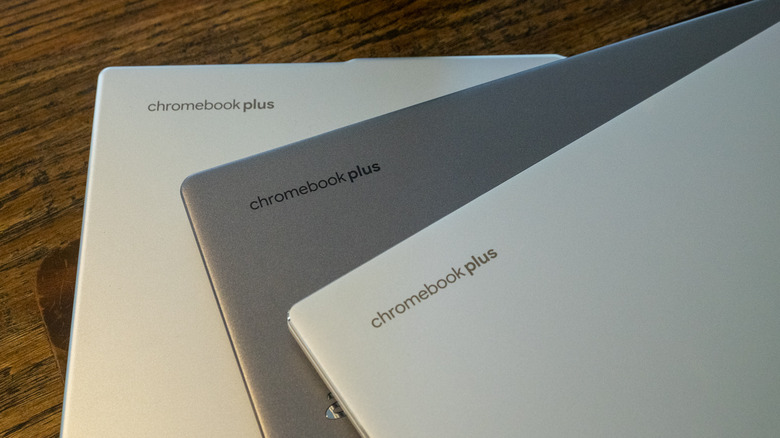
You’re not limited to only apps you can get on the Play Store.
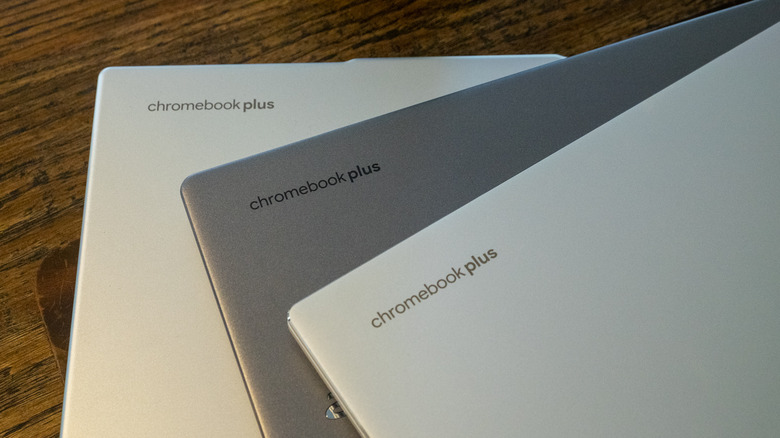
A Chromebook can be a pretty flexible device. You can use it for productivity, to play games, watch movies and so on. To do these things, you might download apps from the Google Play Store. Linux apps and progressive web apps are supported too.
But maybe the experience you’re looking for isn’t available on the Play Store. Perhaps you haven’t seen a Linux app or progressive web app that does the trick. Instead, an Android app that you obtain from elsewhere on the internet may be the way to go. You may need to sideload this Android Package Kit (APK) onto your device, and we’re here to detail how to do that.
Before we get into the details of sideloading an Android APK onto a Chromebook, note that you do this at your own risk. Google hasn’t verified apps that you obtain outside of the Play Store. For your own sake, carry out due diligence to determine as best as possible that the APK you want to use is legitimate and free of malware and other nastiness. We’ll leave it to you to find the APK(s) you want.
There are several options for how to sideload an app onto a Chromebook. Enabling developer mode is one way to go. However, doing that will wipe all of the data on your system. Unless you’re setting things up on a brand-new Chromebook, you may not want to deal with that.
Let’s go in the other direction, with Google’s official methods for sideloading APKs on Chromebook. These use Android Debug Bridge (ADB). Note that this approach only works from Chromebooks that hit the market after 2020. This method also requires you to have the APK on your Chromebook already. We suggest renaming the file to something simple before installing it.
The first step is to enable Linux on your Chromebook, if you haven’t already done so. Open the Settings app, click the “about ChromeOS” option on the left, scroll down to “Developers” and then click “set up” on the Linux development environment option. Then go through the brief setup process, which includes setting aside a dedicated portion of storage space for Linux (you can modify this allocation later via the system settings).
Now you need to go through the same process until you get to “Linux development environment,” which now has its own sub-menu. From here, click on “Develop Android apps” then toggle “Enable ADB debugging” on. Your Chromebook will restart at this point, so make sure you save all your work and such first.
After your system reboots, you should see a message that reads “This device may contain apps that haven’t been verified by Google.” Just like that, the first part of the process is sorted.
We now have a couple of options to run the APK on your Chromebook. The first is by using Terminal. Here’s what to do:
Search for and open Terminal
Select the Penguin option
Install ADB, if you haven’t already done so, with this command: sudo apt install adb
If Terminal asks whether you want to continue, press the “Y” key
Next, input the following command: adb connect arc
To proceed, you’ll need to authorize USB debugging from the dialog box that pops up. Check the box that reads “Always allow from this computer” and click Allow
The last step is to install the APK. To do that, first move or copy it to your Linux Files folder
Input this command — adb install filename.apk — with the actual name of your APK in place of “filename.apk”
You should then be able to run the app you installed by searching for it in the Chrome OS launcher
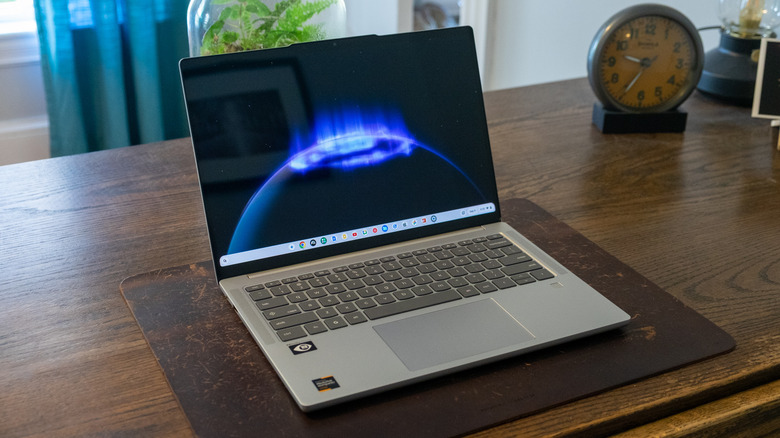
Alternatively, you can run the APK using an emulator in Android Studio. If you don’t already have Android Studio set up, go to the Files app > My files > Downloads and locate the DEB package. Move or copy this to Linux Files. Then, in the Linux terminal, run the command “sudo apt install ./android-studio-panda2-cros.deb.” (Note that the filename for the DEB package might be slightly different, so make sure to account for that.)
After you open Android Studio, you can create an Android Virtual Device. This simulates an Android phone, tablet, Wear OS, Android TV or Automotive OS device. It’s up to you which you’d rather go with, though tablet and Android TV offer landscape formats.
All you need to do after that is drag and drop the APK onto the emulator screen. After the app is installed (an APK Installer box will pop up to indicate that’s happening), you can access it from your apps list.


Space-Eyes, a Miami geospatial-intelligence company backed by Eric Trump, plans to go public through a $638 million blank-cheque deal, deepening the family’s defence-tech ties.
A defence-technology company backed by Eric Trump is preparing to go public through a $638 million SPAC merger, deepening the Trump family’s already extensive ties to the national-security industry.
Space-Eyes, a Miami-based geospatial intelligence firm, would list through a blank-cheque deal, following the path of Foundation, another Eric Trump-backed defence venture now winning Pentagon contracts.
Space-Eyes is a niche but strategic player. Founded in 2001, the roughly 35-person company builds satellite-based AI that tracks maritime activity, trade flows, and other security signals for governments and businesses.
Its focus sits at a sensitive intersection. Maritime domain awareness, the monitoring of ships and ports, has become a priority for Western militaries wary of sanctions-busting and grey-zone activity at sea.
The demand is timely. Shadow fleets moving sanctioned oil, illegal fishing, and threats to undersea cables have pushed navies and coast guards to hunt for better ways to watch the oceans, a market Space-Eyes is built to serve.
The listing would be a sharp step up. A $638 million deal values a small firm well above its modest funding history, reflecting how much investors will now pay for anything tied to defence and intelligence.
It fits a family pattern. Eric Trump and his brother Donald Trump Jr. have poured money into defence and manufacturing ventures over the past year, from drones to humanoid robots to a manufacturing SPAC.
The backdrop is a spending surge. Their bets have coincided with a Trump administration channelling record sums into defence technology, an overlap that critics say raises obvious conflict-of-interest questions.
Those concerns are not hypothetical. Reporting has documented how the president’s sons stand to profit from companies whose fortunes depend on federal contracts and policy set by their father’s government.
The SPAC route adds its own scrutiny. Blank-cheque mergers let companies reach public markets faster and with lighter disclosure than a traditional IPO, a structure that has burned retail investors before.
Blank-cheque deals are also back in fashion. After a long slump, SPAC listings have revived on the back of AI, crypto, and defence, and politically connected sponsors have been among the most active.
Space-Eyes joins a crowded field. Defence-tech valuations have soared as the Pentagon pushes for drones, autonomy, and AI, with firms like Mach Industries ballooning past a billion dollars.
The money is chasing a real shift. Western governments are rearming, and the Pentagon has been signing classified AI deals as it races to fuse data, autonomy, and intelligence into new capabilities.
Space-Eyes pitches itself into that gap. Its systems promise to turn raw orbital imagery into warnings about illicit shipping, trade anomalies, and security threats, the kind of tool agencies increasingly buy rather than build.
The Trump name is both an asset and a liability. It opens doors and draws capital, but it also invites the assumption that access, not just technology, is part of what investors are buying.
The wider trend is the blurring of lines. The boundary between Silicon Valley, private capital, and the Pentagon has thinned dramatically, a shift crystallised when a top venture capitalist joined the Pentagon’s board.
Ethics watchdogs have taken notice. They argue that when a president’s family profits from defence firms while that president directs defence spending, the appearance of impropriety is hard to avoid, whatever the legal reality.
The Trump camp frames it differently. Supporters cast these as legitimate private investments in American strength, part of a push to rebuild the country’s industrial and military edge.
For Space-Eyes, the immediate prize is capital. A successful listing would hand a small firm the funds to scale, and hand its high-profile backer a public-market endorsement of the defence-tech bet.
The deal still has to close. SPAC mergers can fall apart or reprice, and this one will be watched as much for who stands behind it as for what the company actually does.

Apps are back, or maybe they never left in the first place.
While some people debate whether people will shift away from apps as AI agents make accessing online services more efficient, we’ve found the App Store to be alive and well, with a recent explosion of fun, creative, and innovative tools, experiences, and other indie efforts.
Some of the more recent launches may be attributed to the rise of AI coding, which has enabled people to ship software more quickly, and allowed novices to participate in the app ecosystem. According to one report, new app launches have soared in 2026, with worldwide new app releases up 60% year-over-year as of the first quarter across both the Apple App Store and Google Play. On Apple’s iOS store alone, that figure was an even higher 80%.
While there’s valid concern that vibe-coded apps in particular could be cluttering the App Store with lower-quality content, there are plenty of interesting apps worth exploring, and those that resonate with consumers will rise to the top. Many also use AI under the hood to perform their magic — they’re just not promoted as being “AI-powered.”
Below is our latest collection of App Store hidden gems, which we’ve added to our Home Screen. You can also visit TechCrunch’s prior app round-ups, like our looks at next-generation social apps, Apple Watch, and iPad productivity tools, and apps for digitally decluttering your life.

Albo (previously Sortd, but not that Sortd) is an excellent tool for anyone who regularly bookmarks content from social media, then promptly forgets about it. With Albo, the idea is that you’ll instead share the link to the TikTok, Instagram Reel, YouTube video, or other website to the app. Albo will then automatically pull the details from the post and categorize and save the idea for you. That post and its notes will remain available in Albo, even if the original content creator deletes their post or video at some point in the future.
The app works with a variety of social apps, including Pinterest, X, LinkedIn, Threads, Reddit, and Facebook, plus browsers like Chrome and Safari. You can also add screenshots to Albo.
This makes it easy to save any sort of online inspiration for easy access, whether that’s travel ideas, local spots to try, movie or shows to watch, books to read, recipes to cook, or workouts to do. Your collections can also be shared with friends.

Albo hails from the London-based app studio The Feel Good Project, which focuses on tech that makes users feel inspired and satisfied instead of drained by doomscrolling.
The app is free to use with advanced features available via subscription. We didn’t love how heavy-handed it was in pushing the trial subscription during onboarding, however.
Available on iOS and Google Play.

The recent parasite outbreak in the U.S. has people thinking more carefully about where their food comes from. Buying from local growers and bakers may be the safer option — and better for the community — but not everyone has time to make it to the farmer’s market over the weekend.
Coop‘s app offers an alternative through its neighborhood marketplace, where you can buy real handmade and homegrown items from the people near you, even from the farmhouse down the road that offers fresh eggs, or a neighbor willing to barter their items for yours. The idea is to allow commerce to stay local, while helping people turn their own garden, field, or craft into an additional income stream.
On Coop, you can browse and discover nearby sellers, follow your favorites, see how far they are from you, and purchase from them via the app’s Stripe integration. The seller then receives the order and prepares it for pickup.
Available on iOS and Google Play.

A colorful and somewhat chaotic app, PI.FYI, promises to bring back the “old internet,” where you found recommendations through a network of friends, not algorithms. Having emerged from a cult newsletter, the app has been around for a couple of years, but still feels fresh and modern and very much like the alternative to social media it aims become.
In PI.FYI, you can track what you’re into, share your taste, and browse by category or “scenes,” like music, whimsy, retro, and literature, to find your community, read interesting articles, make lists, gather local recommendations, and play games with friends. The app exudes a retro vibe itself, as if it were built when the internet was a little less polished, too.
Available on iOS and Google Play.

OK, it might not be as fun as sharing a letter via pigeon post, but the app for pen pals, Lettre, also embraces the fun of snail mail in a digital format. This letter-writing app lets you start new friendships with pen pals around the world, discovered through the app, or with anyone whose email address you already know. Unfortunately, letters are sent digitally through the app or email for now, but the company’s FAQ suggests it is considering a postal mail option for the future, which would be so much fun.
Available on iOS only.

While not a brand-new app, Sofa Time is one of several that is picking up where the recently shuttered TV Time app left off. The app has an easy-to-use, uncluttered interface for tracking the movies and TV shows you’re watching, organizing your watchlist, discovering what to stream next, and getting reminders about new releases.
While Sofa Time’s commenting section doesn’t yet rival TV Time’s forums, the app’s social elements leave room for the community to grow, as it supports the ability to react with a GIF or image alongside your text, and includes built-in translation features to support a global audience.
Available on iOS and Google Play.

ThingsBook, a new writing-focused app from South Korean internet giant Naver’s U.S. subsidiary, is hardly an indie effort, but it’s an interesting premise for what the future of social media could look like. Instead of doomscrolling, ThingsBook offers a flexible space where you can capture what you care about, whether that’s through journaling, logging ideas, or collecting things like books, travels, meals, hobbies, and goals into structured lists you can revisit and expand.
The company explains that the app’s purpose is not to focus on “fleeting trends” but to become a “living record of who you are and what you love.”
Available on iOS and Google Play.

App or artistic project? Pressed Petals is both. An indie effort from designer Cynthia Chen, the app turns the photos of flowers you find on your walks into a pressed specimen, like one you’d find in a “vintage botanical journal.” The app automatically saves the location where you spotted the flower, and the date and time, turning your nature walks into interactive experiences. It also identifies the flower by name, both its scientific name and its common name.
You can try the app to press two flowers for free, then pay a one-time fee of $4.99 to unlock the full experience. This could be a fun app for luring your little ones outside, as it gives them something else to do beyond the hike itself.
Available on iOS only.

We’re suckers for single-purpose apps that are built well. Moods Faster by Nick Leith is a perfect example, as it offers a way to log your moods for tracking in Apple Health in just two taps — one to select the mood and a second to save it.
You can choose between logging your current mood or your overall mood for the day, and can also optionally add information about the context and emotions you’re experiencing at the time of logging. In the settings, you can pick between different color schemes for your moods, though some are paywalled.
At $1.95 per month, it’s a reasonably priced subscription for anyone who regularly tracks their moods and emotions for mental health purposes.
Available on iOS only.

Originally pitched as a way to encourage kids to exercise, Activate Fitness has recently expanded its screen-time-earning app to include the whole family, which, frankly, makes it better. (The kids will just hate their parents for using this otherwise. Plus, it could turn outdoor time or exercise into a dreaded chore in kids’ minds, which defeats the purpose.)
For adults, the app could allow you to accomplish your own personal goals, like no doomscrolling until you get your steps in for the day.
Available on iOS only.
This post was originally published on July 28, 2026.
When you purchase through links in our articles, we may earn a small commission. This doesn’t affect our editorial independence.

RGB backlighting and Super Quantum Dot (SQD) technology are mounting the strongest challenge yet to OLED’s dominance in 2026. After testing and reviewing the year’s major contenders, we are ready to reveal our picks for the best TVs of 2026 so far. Join Senior Reviewer Al Griffin, and Editor-at-Large Chris Boylan as they break down their favorite models, explain what sets each one apart, and debate whether OLED still deserves the crown.
Sponsor: Thank you to our podcast sponsor SVS.
This episode was recorded on July 29, 2026.
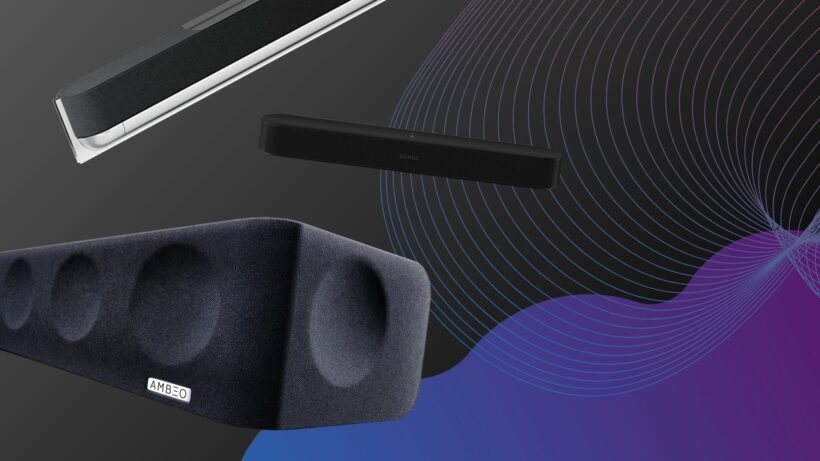

TVs are now so thin that they don’t have space for big, beefy drive units to produce good sound.
That means you’re not getting the best audio experience, and as should all know by now, audio is 50% of the experience. To give yourself the best chance of having the best home cinema sound, you should consider investing in a soundbar.
We’ve put together this list of the best soundbars for different budgets, sizes and uses. Whether it’s a compact soundbar for a small room, a soundbar for gaming, or a soundbar system with speakers and subwoofers, you can have a look at the options below.
When we test a soundbar we look at its design how flexible it is to fit in a space. How easy is it to use is another consideration, the number of inputs (and outputs) it has, and its feature set too. We’ll also take a close look at any smarts and wireless connectivity.
Sound quality is, of course, the main reason to buy a soundbar and our reviewers watch a range of movies, play games and listen music to determine how well the soundbar performs across a range of activities.
If you’re looking for something more specific, we’ve got our guides for the best Dolby Atmos soundbars, the best small soundbars and the best cheap soundbars. Those who want to fill their room with sound should consider our guide to the best surround sound systems.
Update
We’ve replaced the Marshall Heston 120 with the Bose Lifesytle Ultra Soundbar for the bass entry, and we’ve added the Samsung HW-QS90H as the best wall-mounting option.
SQUIRREL_ANCHOR_LIST
Soundbars were created to boost TV sound quality – which means we end up watching a lot of TV. We play everything – news reports for voices, movies for scale and effects steering – to ensure that the soundbars that come through the doors at Trusted Reviews are given a proper challenge. We’ll play different genres of music, too, since a good soundbar should be capable of doubling-up as a great music system.
More complex soundbars feature network functionality for hooking up to other speakers and playing music around the home, so we test for connectivity issues and ease of use. We cover the spectrum of models available, everything from cheap soundbars costing less than £100 to those over £1000, to ensure our reviews benefit from our extensive market knowledge. Every product is compared to similarly priced rivals, too.
If you’re short on space or prefer not to have a subwoofer as part of the package, then the Sonos Beam Gen 2 is an excellent choice with its wide soundstage and detailed performance with voices. If you have room for a bigger bar, either the Sennheiser Ambeo Soundbar Mini or Sony HT-A7000 would be fine options.
The post Best Soundbar: Options to suit your home cinema needs appeared first on Trusted Reviews.Learn more about how we test soundbars

Sennheiser Ambeo Soundbar Max

Samsung HW-Q990F

KEF XIO

Samsung HW-QS90H

Sennheiser Ambeo Soundbar Plus

Sonos Arc Ultra

Bose Lifestyle Ultra Soundbar

Sonos Beam (Gen 2)

Razer Leviathan V2

Sharp HT-SBW55121

Bang & Olufsen Beosound Premiere

Majority Bowfell Plus
FAQs
What’s the best soundbar without a subwoofer?




Commonwealth Games boxing: Jadumani Singh seals dominant 5-0 win over Pakistan’s Sumama Rehman to enter quarter-finals | Commonwealth Games News


Why Trees Belong on the Risk Register


Weekend Open Thread: Wit & Wisdom


Intel is reversing course and bringing hyper-threading back to its server chips


Meta enters AI-training agreement with far-right ‘propaganda rag’ Newsmax


Luke Littler dismantles Gerwyn Price to retain title in Blackpool


MicroStrategy Post-Earnings CLARITY Act Push Could Add New Catalyst for Its Stock


The Part of the Electric Transition Nobody Wants to Discuss

‘Stargate’ Creator’s New Sci-Fi Series Returns for Season 3 Tomorrow


BITCOIN JUST ENTERED THIS CRITICAL ZONE…


Major shareholder moves on Canyon


Bitcoin Enters the 3rd Stage of the Bear Market


XRP Ledger v3.3.0 brings five institutional features


Kraken Enables Retail Access to Jersey Mike’s IPO via Tokenized Shares


New macOS Sequoia & Sonoma security updates for older Macs


Claude: Build Financial Dashboards in Minutes (2026)


Luke Littler’s dominance sparks GOAT debate


Seema Kaliramna Wins Discus Throw Bronze, Takes India’s CWG Medals Tally To 17


Johnson & Johnson agrees to $5.5B settlement over talc cancer claims


Crypto PAC spending tops $2M in Michigan House race


You must be logged in to post a comment Login