Clippy almost deserves an apology, now that we’ve seen what came next. (Original cartoon: Amadeo Garcia III for GeekWire)
Longtime GeekWire readers might recognize my byline from my frequent coverage of the PNW’s video game industry, as well as occasionally dipping into the arts. I am also not a fan of artificial intelligence; if you see my name on an article, that’s a guarantee that no AI was used in its production, at least not deliberately.
To briefly summarize my feelings on the topic: I did not ask for these tools, I do not speak to these machines, I find them to be of little if any use in my day-to-day, I refuse to use them no matter how often their praises are sung, and I resent their intrusion. At least Clippy understood when he wasn’t welcome.
(Whenever I air this opinion in a public venue, someone usually pops up to tell me that this is the future and I risk being left behind. These inevitably turn out to be people who are heavily invested in that future; I am being told that only fools bet on red by people who borrowed money to put all their chips on black. Cool story, slop bucket. Discard the draft and sit back down.)
Towards the end of last year, I hit a saturation point where many of the programs and websites that I use on a daily basis had either pivoted to AI to some degree or were actively threatening to do so. This was often just obnoxious, like YouTube’s unnecessary video and chat “summaries.” At other times, it actively made the experience worse, such as the entirety of modern LinkedIn, which has come to look like MySpace after the robot revolution.
I’d finally had enough, and as one of my New Year’s resolutions for 2026, I’ve done my level best for the last four months to switch to as many LLM-free apps and options as is realistically possible. This is my trip report on the experience, as a hand towards those of you who’re as sick of this as I am.
Advertisement
Vivaldi – Nobody really seems to like Chrome
Vivaldi, by Vivaldi, in Vivaldi. (Vivaldi screenshot)
Google Chrome is the fossil fuel of the modern Internet. We know it’s wasteful and that alternatives exist, but somehow it’s still at the center of everything. There are a number of sites I visit regularly, both on and off the clock, that don’t work, or don’t work as well, in any other browser.
As Chrome continued to gradually force Gemini into every individual aspect of its user experience, I tried to ignore it at first. Then, as I installed an extension specifically to remove the “AI Mode” prompt that I kept clicking on by mistake, I realized the time had come to switch to a new browser.
As it turns out, I was spoiled for choice, although many of the available Chromium options (Arc, Maxthon) are just as obsessed with AI. Brave looked good for a while, but its emphasis on crypto makes me suspicious.
After some experiments, I ended up on Vivaldi. It has a few quirks I’m still getting used to (for example, your active tab is the dark one, which is precisely the opposite of how it works in most other browsers), but it’s responsive, privacy-focused, doesn’t tank my RAM, and works well enough with almost every website that I used to need Chrome for.
Waterfox – Obvious name, obvious replacement
(Waterfox screenshot)
Mozilla Firefox had been my other primary web browser for quite a while, but in recent years, I’d noticed increasing issues with its responsiveness and stability. As it turned out, it wasn’t just me; Mozilla has developed a real problem in recent years with leaving well enough alone.
Then, towards the end of 2025, Mozilla’s new CEO announced that the company plans to go all-in on AI, with an imminent shift to the same kind of integrated agentic model that’s used by other browsers like Opera. While Mozilla’s been careful to say that its AI will be optional, that still struck me as a good excuse to finally throw out Firefox and look for something else.
Advertisement
As it turned out, the solution was fairly close to home. I’d initially checked out Floorp, on the basis that anything with a name that dumb had to be a killer app, but bounced off of it early on.
Instead, I ended up with Waterfox, which is primarily due to the comfort of the familiar. Waterfox is a 15-year-old fork of Firefox that omits many of Mozilla’s recent missteps, as well as addressing a few privacy issues that I hadn’t previously known Firefox had. It is, in many ways, just Firefox, but Not Stupid, which is enough to get it a recommendation.
Paint.net – Because sometimes Photoshop is overkill
(Paint.net screenshot)
Much of writing for the Internet isn’t writing. I am not good at image editing, but it occasionally becomes necessary, so I need to have a decent art program on my machines. I used Photoshop for a while, but for my bare-minimum purposes it’s always been a bit like keeping a jackhammer around in case I need to drive a nail. Worse, it’s an Adobe product, and if there’s something a software company has ever done that’s annoyed you, Adobe did it first or is doing it more enthusiastically.
There are a few decent alternatives to Photoshop out there, such as GIMP, but I’ve gotten the most used to the freeware Paint.net. Some of it is because I appreciate their stubborn refusal to rework their website in the last 20 years – look at that beautiful Web 1.0 design – but Paint.net does everything that I, a permanent novice, need it to do. It’s a welcome dispatch from an era in which programs just worked, instead of trying to ensnare you in their consumer web.
LibreOffice – Open-sourcing my office apps
This article, in production, via LibreOffice. (LibreOffice screenshot)
I’ve been using this open-source replacement for Microsoft Office for years, but before recently, all my recommendations always came with a caveat. LibreOffice did everything I needed it to do – spreadsheets, word processing, direct conversion to .pdf – but played notoriously poorly with other applications in its lane. It couldn’t save a new document as a .docx (.doc, yes, but not .docx) and frequently went haywire whenever someone tried to open a LibreOffice file in another program.
That got quietly ironed out at some point without my noticing. I’d reinstalled LibreOffice on a new computer, and over the course of using it, I noticed that all my previous problems simply no longer applied. It’s now a perfectly viable alternative for all my local word processing needs, and has been working almost flawlessly for the last couple of years. Almost every piece I write starts locally, with a blank LibreOffice document.
Advertisement
Notetab Light – Plain text can be the best text
Another project, in production, via NoteTab Light. (NoteTab Light screenshot)
If I’m not writing in LibreOffice, I’m using this long-running freeware Notepad replacement. Sometimes, such as when you’re writing HTML, coding by hand, or filling out a wiki, plain text is all you need or want.
I had a similar app on my Mac way back in the day. When I made the switch to PC gaming in the 2000s, a pal recommended Notetab Light to me as a solid alternative. They were right, and ever since, NoteTab has always been one of the first things I install on a new computer.
Notetab Light is a useful way to get more customization options out of the most basic text imaginable, such as font size, background color, and automatic backups, with tabbed browsing for easy reference. In a day and age when Microsoft is trying to cram Copilot into everything including Notepad, I can rely on NoteTab to only ever do exactly what I told it to do.
Startpage – Google without the hassles, literally
Google, without modern Google. (Startpage screenshot)
The problem I’ve encountered with finding an adequate replacement for Google Search is that there isn’t one. A couple independent search engines come close, such as DuckDuckGo, but every so often I still have to go back to Google to get the results I need. My hope is that before too much longer, someone will come out with a functional search engine that’s a deliberate throwback to Google from its “don’t be evil” era.
Right now, the closest thing to that is Startpage, which is essentially an anonymizer for Google. It removes the AI overview and the tracking functions in favor of just giving you some semblance of what you’re actually looking for. It’s a little more convenient than simply adding “reddit” or “-ai” to the end of every search you make.
Protonmail – For Gmail refugees
(Protonmail screenshot)
This might be the most painful switch I’ve made, as I was an early adopter on Gmail. My account has fossilized layers of old emails that go all the way back to almost the beginning of my career. My history lived on that website, which is partially my fault for never deleting or locally archiving anything. Google keeps trying to inextricably bind Gemini into Gmail, though, so away I go.
Protonmail is generally marketed on the basis of its privacy measures, such as end-to-end encryption, but it’s also the natural first port of call for anyone swapping off of Gmail. You can set up auto-forwarding with ease, the UI is comparable if not identical, and its spam filters have yet to fail me. The only real drawback is that it gives you a fraction of the space of a new Gmail account, at “only” 1 GB, so now I have to be one of those “inbox zero” zealots.
Advertisement
Bluesky – What Twitter used to be (still terrible)
(Bluesky screenshot)
Microblogging platforms are, of course, a disease. They encourage the worst kinds of useless communication. They are also really good for quickly gathering information, so at least for what I do, they’re a necessary evil.
The ongoing prominence of Grok wasn’t why I stopped using Twitter, but it was a non-trivial factor. I joined the general exodus to Bluesky in 2024 and haven’t looked back, outside of the occasional bout of trainwreck syndrome.
Sadly, the overall Bluesky experience as of now indicates that most of what you hate about microblogging is due to microbloggers, and that’s platform-agnostic. Microblogging is simply a poor format for nuance or extended discussion. Either you try to express something complicated and your thoughts read like a telegram, or you don’t and you’re communicating exclusively in sound bites.
In addition, the Bluesky team has been talking up the benefits of “vibe coding” recently, which suspiciously coincides with the platform’s newfound tendency to crash without warning. It’s likely not a question of whether Bluesky ends up in the same agentic hell as post-Musk Twitter, but when.
For right now, however, Bluesky has its uses. It’s Twitter c. 2014 or so, providing an online home for a murderer’s row of writers, academics, journalists, and scientists. While it’s also got an inordinate supply of humorless wokescolds and troll accounts, Bluesky is still an interesting place to get news, see art, promote projects, and keep up with all your favorite writers. (And me.) While scrolling through Bluesky, however, you have to ignore its slowly burning fuse.
Advertisement
Bring back the dumb Internet
It’s not possible to get AIs all the way out of my digital life in 2026, more’s the pity. Sites like YouTube and LinkedIn constantly put it front and center, my phone’s constantly trying to turn AI assistance back on, and the handful of holdouts against LLM infestation slim down by the day.
At the same time, however, the current environment has given me a new appreciation for certain things that I never used to think twice about. When you can no longer take it for granted that something was produced by a human, there’s a new appeal to any media’s telltale signs of human imperfection: pencil marks, missed notes, filler words, speaker feedback.
That’s my new justification for any mistakes I make, by the way. They’re the proof I’m human.
My primary takeaway from these last four months, however, has been that I don’t feel as if I’ve missed anything. At time of writing, work-related LLMs primarily strike me as a series of solutions in a frantic search for matching problems. They don’t improve my efficiency as advertised, they actively impede my research, they dramatically expand my personal carbon footprint, and they’re being used to bring about an economic crash by an all-dork incarnation of the Legion of Doom. There’s no good reason to use genAI. Whenever I mention my personal anti-AI stance, I usually get told that I’m at risk of losing everything; practically, I’ve lost nothing.
Advertisement
If this story’s got one moral, that might be it. There’s nothing inevitable about AI.
Looking for the most recent Wordle answer? Click here for today’s Wordle hints, as well as our daily answers and hints for The New York Times Mini Crossword, Connections, Connections: Sports Edition and Strands puzzles.
I recently wrote about why I chose the Supernote Nomad over other e-ink tablets as my primary reading and writing device. However, while the Supernote handles most of my book reading, it cannot do everything.
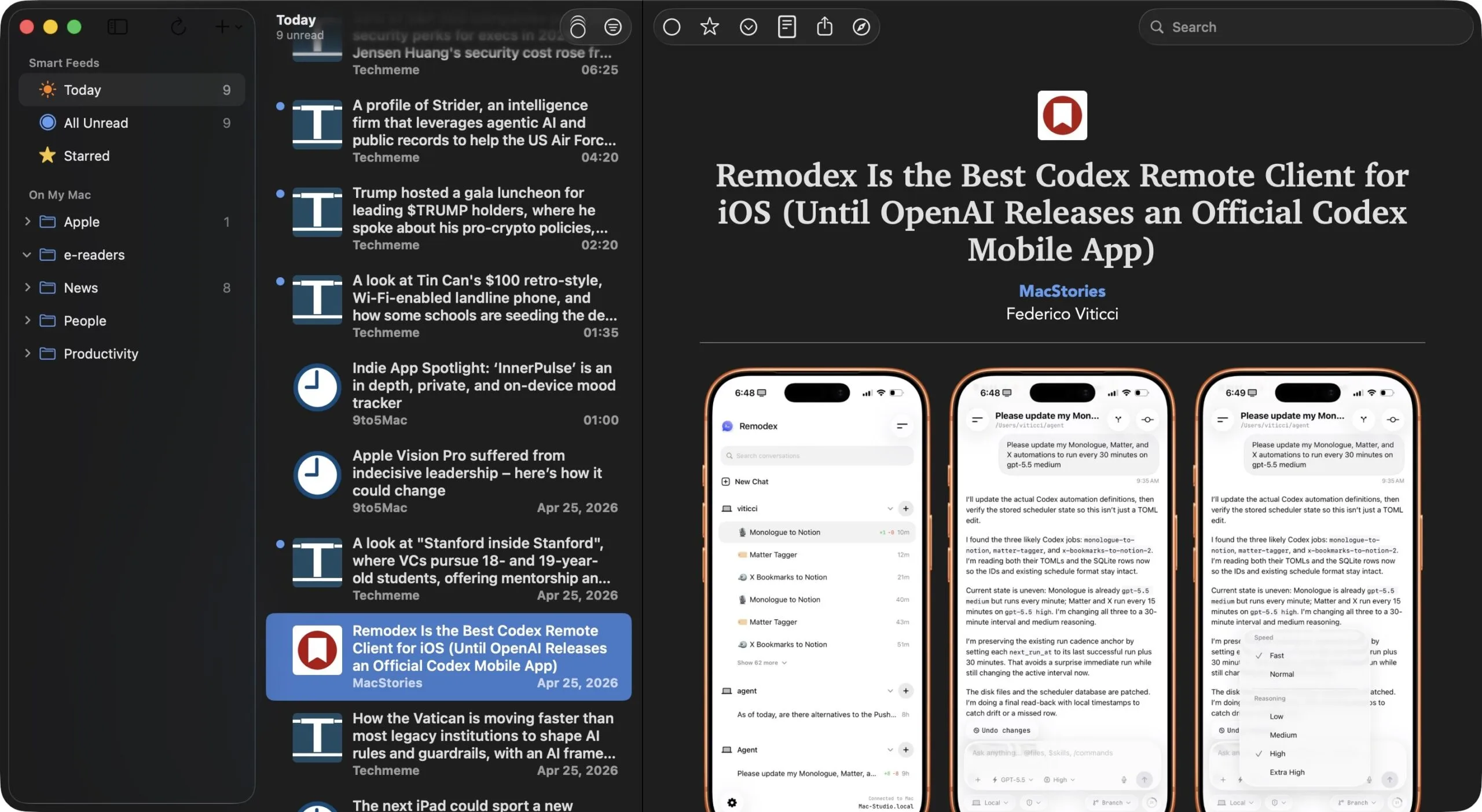
Newsletters pile up, RSS feeds keep rolling, audiobooks need a home, and I need a place to buy ebooks. That means I still depend on a small stack of apps to keep my reading life from falling apart.
Here are the four apps I use every day to stay on top of my reading goals in 2026.
NetNewsWire: for keeping up with my favorite websites and blogs
If you are not using RSS feeds to follow your favorite websites, you are missing out. Instead of checking five or six sites every morning, or god forbid, creating a news-focused timeline on social media apps, an RSS reader pulls all the new articles into one place. I use NetNewsWire to accomplish this, and the best part is that it is completely free and open source.
Advertisement
Rachit Agarwal / Digital Trends
It works across all my Apple devices, offers good features, and is fast. There are no ads, no algorithms deciding what I should read, and no social media nonsense. I can subscribe to the feeds I want, and NetNewsWire fetches the articles for me. That is it. I love how simple it is, and I genuinely look forward to opening it every morning with my coffee.
Readwise Reader: for saving articles and keeping my newsletters organized
If NetNewsWire is where I discover things to read, Readwise Reader is where I actually read them. It is a read-it-later app, but calling it that feels like calling the iPhone “a phone.” It does a lot more.
I save long articles I do not have time to read right away, and Readwise Reader keeps them neatly organized and waiting for me. What I love about this app is keyboard navigation, an easy way to highlight paragraphs, and its integration with Obsidian, my note-taking app.
Rachit Agarwal / Digital Trends
It ensures that everything I want to retain is automatically synced to my note-taking app, allowing me to easily take notes on them and flesh out the ideas.
I also love that Readwise Reader lets me pull newsletters directly into the app. So, instead of piling up in my email inbox and getting buried, they appear in my reader app where I can read them at my leisure.
When I am doing chores or traveling, I prefer to listen to audiobooks to keep on top of my reading goals. The app I have been using for almost half a decade to do this is BookPlayer.
Rachit Agarwal / Digital Trends
BookPlayer makes listening to those audiobooks genuinely enjoyable. The app is clean, the controls are simple, and it does not ask for a subscription. What more can you want from an app?
I read most of my books on the Supernote Nomad, but not everything is available as a PDF or ePub. A lot of the books I want to read are only available on the Kindle store, so the Kindle app is something I cannot avoid.
Rachit Agarwal / Digital Trends
If a book is available anywhere, it is probably on Kindle. Then there are Kindle-exclusive books that I cannot find anywhere else. As much as I want to truly own my e-books, there’s no denying that Kindle’s library is unbeatable, and I still use it to discover and read new books.
These are the four apps keeping my reading life organized in 2026. I am always on the lookout for something better, so if you have a reading app you swear by, don’t forget to share it with us. I would love to know what is working for you.
If the diesel engine in your vehicle suddenly decides not to play ball and loses power, or is restricted to a certain speed, then it’s possible that the engine has been derated. While this is undoubtedly inconvenient, this is actually a feature of modern diesel engines that’s designed to protect them.
Put simply, engine derating happens when engine sensors detect an issue with it. When this happens, the engine control unit initiates an intentional power drop. Importantly, this power reduction isn’t the failure, it’s a protective response designed to prevent damage or excess emissions. In short, although it probably doesn’t feel like it at the time, this system is there to help and can stop minor issues from becoming wallet-draining trips to the workshop.
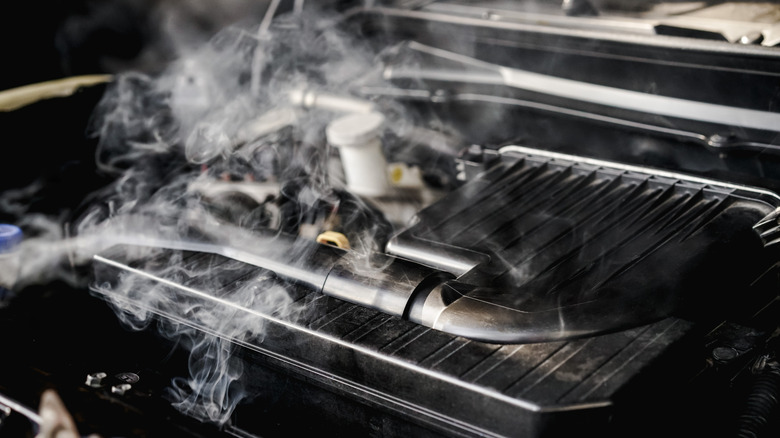
The triggers for this can vary depending on the vehicle, but typically, it happens when engine sensors detect that it’s operating outside of its designed operating limits. High running temperatures are a common cause — excessive heat is never a good thing in engines. Modern engines can also derate in response to emission-related issues. The latter can be caused by blocked diesel particulate filters, or even faults with the exhaust gas recirculation (EGR) valve.
Advertisement
So, while the loss of performance might feel like something’s gone wrong, the reality is that the system is working exactly as intended. Let’s have a closer look at the double-edged sword that’s both inconvenient, but potentially engine-saving.
Advertisement
What engine derating feels like behind the wheel
Mr.Anuwat Rumrod/Shutterstock
When an engine has been derated, the most obvious symptom is a noticeable drop in performance, often accompanied by the driver simultaneously experiencing a severe sinking feeling in the pit of their stomach. Acceleration might feel sluggish, with a muted throttle response, and engine revs and speed can also be restricted.
In some instances, the top speed can be restricted to as low as 5 mph. Essentially, this is a self-imposed limp mode that allows the vehicle to keep moving, but only enough to reach a safe location or a workshop. Depending on the particular engine and/or the severity of the issue, dashboard warning lights or messages may appear. Understanding what common dashboard warning lights mean can help you get an idea of what the underlying problem is.
This is important, as not all derating is equal. In some situations, the power reduction is intermittent and relatively mild. For instance, if the problem is temperature-related, then the restriction may be lifted when the temperature normalizes. Of course, if this is a persistent problem, then a trip to the mechanic is probably wise. Even if the engine appears fine, there are plenty of ways that cars can lose coolant without a leak.
What is important to understand when the engine’s power is derated is that although the vehicle may be driveable, it isn’t happy. The reduced performance is there to tell you that things aren’t well under the hood — and how you respond to it is important.
Advertisement
What to do and what not to do when your engine derates
Thx4Stock team/Shutterstock
A derated engine might not always be an immediate emergency. For instance, if a temperature-related derate occurs when the engine is operating under high loads and in high-ambient temperature situations, then it could be a one-off triggered by those operating conditions. This is especially true if the engine goes back to normal once the temperature normalizes.
However, if the problem is more persistent, or the vehicle has entered a restrictive limp mode, then this isn’t something that can be tucked away as next week’s problem. Continuing to drive the vehicle in these circumstances, especially over long distances, can turn a relatively minor issue into an expensive and sob-inducing one. Warning lights, repeated derating, any indications of low-oil pressure or persistent overheating should always be treated seriously.
It’s also worth noting that what a derate does to your vehicle’s performance today, might not be the case tomorrow. For instance, if the derate is linked to high-emissions from a vehicle, then the control system can add further restrictions until the underlying cause is addressed.
Advertisement
Ultimately, while it might not seem like it, an engine derating might turn out to be a blessing in disguise. Frustrations aside, in most cases, this is the system stepping in to prevent a much more serious failure from developing.
In this week’s “Sunday Reboot,” a changing of the guard, the DOJ becomes a tattling schoolchild, and the expensive Apple Vision Pro saves Disney money.
John Ternus, the DOJ, and the Apple Vision Pro
Sunday Reboot is a weekly column covering some of the lighter stories within the Apple reality distortion field from the past seven days. All to get the next week underway with a good first step. This week, Apple Music users aren’t listening to AI-generated music that’s now flooding the service, Apple won’t benefit from the tariff refunds for months, and the company faces a $38 billion fine in India as part of an App Store antitrust investigation. Continue Reading on AppleInsider | Discuss on our Forums
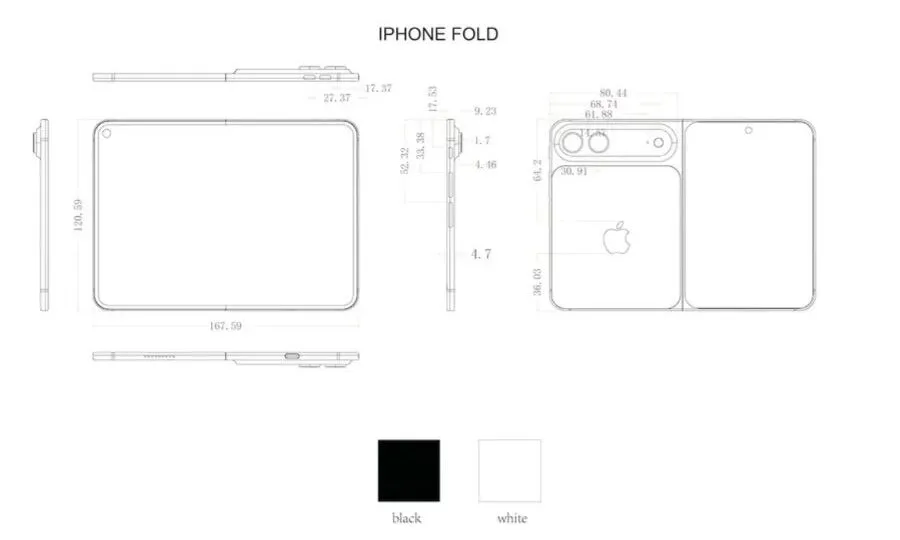
Apple just might make a big aesthetic splash with its debut foldable. A new leak has added more shape to Apple’s long-rumored foldable iPhone, and this time the focus is on thickness. Renders shared by South Korean tipster yeux1122 on Naver, reportedly sourced from an Apple casing supplier, show the device with a folded body thickness of about 9.23mm. That is slimmer than the roughly 9.6mm figure mentioned in earlier rumors.
The renders also point to a maximum thickness of about 13mm when the camera area is included. That would make the camera module a major part of the phone’s profile, even if the folded body remains surprisingly thin for a book-style foldable. The same leak also repeats earlier claims that Apple is preparing two color options, silver and black.
yeux1122 / Naver
Just how thin are we talking about here?
For comparison, Samsung’s Galaxy Z Fold 7 measures 8.9mm when folded and 4.2mm when unfolded. That would still make Samsung’s current foldable slightly thinner in its folded form, but the leaked figure would place the iPhone Fold surprisingly close to a well-established product.
Honor’s Magic V6 and the Oppo Find N6 also fall in the same slimness ballpark as their Samsung rival, and soon, Apple, as well. Samsung’s rumored Galaxy Z Fold 8 Wide has also been tipped at 9.8mm folded and 4.3mm unfolded, which would make Apple’s first-ever foldable iPhone thinner, at least before accounting for the camera bump.
What else is on the table?
Foldable iPhoneMajinBuofficia
Reports around Apple’s foldable have pointed to a book-style design with a 5.5-inch outer display and a 7.8-inch inner screen, giving it a tablet-like layout when opened. Another recent claim from Weibo leaker Instant Digital suggested that Apple may include the Camera Control button despite the slim frame.
On the software front, it could borrow some multi-tasking tricks from iPadOS, but don’t expect any functional fireworks like Stage Manager appearing on the foldable. Pricing is still unconfirmed, but current reports have suggested a starting price above $2,000. Apple is reportedly targeting a September 2026 introduction for the iPhone Fold. Availability may be limited at first, and the device could ship later than the iPhone 18 Pro models.
Theo Baker is graduating from Stanford this spring with something most seniors don’t have: a book deal, a George Polk Award that he received for his investigative reporting as a student journalist, and a front-row account of one of the most romanticized institutions in the world.
His forthcoming How to Rule the World: An Education in Power at Stanford University was excerpted Friday in The Atlantic and based on that alone, I can’t wait to see the rest. The only question worth asking is the same one Baker himself might be too close to answer, which is: Can a book like this actually change anything? Or does the spotlight, as it always seems to, send more students racing to the place?
The parallel that keeps coming to my mind is “The Social Network.” Aaron Sorkin wrote a film that was an indictment in many ways of the particular sociopathy that Silicon Valley tends to reward. What it seemingly did was make a generation of young people want to be Mark Zuckerberg. The cautionary tale became a recruitment video. The story of the guy who — in the movie, at least — steamrolled his best friend on his way to billions didn’t discourage ambition; it further glamorized it.
Judging by the excerpt, Baker’s portrait of Stanford is far more granular. He talks with hundreds of people to roundly describe the “Stanford inside Stanford.” “You sort of join it freshman year or you don’t,” one student tells Baker. It’s an invite-only world where venture capitalists wine and dine 18-year-olds, where “pre-idea funding” worth hundreds of thousands of dollars gets handed to students before they’ve had an original idea, and where the boundary between mentorship and predation is nearly impossible to discern. (The shame of chasing teenage founders, if it ever existed, is gone; not chasing them is no longer an option for most VCs.) Steve Blank, who teaches the school’s legendary startup course, tells Baker that “Stanford is an incubator with dorms,” which is not meant as a compliment.
Advertisement
What’s new isn’t that this pressure exists but that it has been fully internalized. There was a time, maybe 10, maybe 15 years ago, when Stanford students felt the weight of Silicon Valley expectation pressing down on them from outside. Now, many of them arrive on campus already expecting, as a matter of course, to launch a startup, to raise money, to become rich.
I think about a friend — I’ll call him D — who dropped out of Stanford a few years ago, partway through his first two years, to launch a startup. He was barely past his teens. The words “I’m thinking of take a leave of absence” had just escaped his mouth before the university, by his own account, gave him its cheerful blessing to dive full bore into the startup. Stanford doesn’t fight this anymore, if it ever did. Departures like his are an expected outcome.
D is now in his mid-twenties. His company has raised what would register in any normal context as an astonishing amount of money. He almost certainly knows more about cap tables, venture dynamics, and product-market fit than most people learn in a decade of conventional careers. By every metric the Valley uses, he’s a success story. But he also doesn’t see his family (no time), has barely dated (no time), and the company, which keeps growing, doesn’t seem inclined to provide him with that kind of balance anytime soon. He is already, in some meaningful sense, behind on his own life.
Techcrunch event
Advertisement
San Francisco, CA | October 13-15, 2026
This is the part that Baker’s excerpt hints at without fully landing on, maybe because he’s still inside it himself. The costs of this system aren’t just distributed in the form of fraud — though Baker is direct about this, describing it as pervasive and largely consequence-free. The costs are also more personal: the relationships not formed, the ordinary milestones of early adulthood traded away in exchange for a billion-dollar vision that, statistically, almost certainly won’t materialize. “100% of entrepreneurs think they’re visionaries,” Blank tells Baker. “The data say 99% aren’t.”
Advertisement
What happens to the 99% at age 30? At age 40? These aren’t questions Silicon Valley is set up to answer, and they’re certainly not questions Stanford is about to start asking.
Baker also surfaces something that Sam Altman articulates best. Altman — OpenAI CEO, former Y Combinator head, precisely the kind of person these students aspire to become — tells Baker that the VC dinner circuit has become an “anti-signal” to the people who actually know what talent looks like. The students doing the rounds, performing founder-ness for rooms full of investors, tend not to be the real builders. The real builders, presumably, are somewhere else, building things. The performance of ambition and the thing itself are increasingly hard to tell apart, and the system that was ostensibly designed to find genius has gotten very good at finding people who are good at seeming like geniuses.
How to Rule the World sounds like exactly the right book for this moment in time. But there’s a certain irony in the strong likelihood that this critically minded book about Stanford’s relationship to power and money will be celebrated by the same class of people it critiques, and — if it does well (it has already been optioned for a movie) — used as further evidence that Stanford produces not just founders and fraudsters but important writers and journalists, too.
When you purchase through links in our articles, we may earn a small commission. This doesn’t affect our editorial independence.
More than three years after acquiring Twitter, Elon Musk says he’s nearing his long-stated goal of turning it into an “everything app” with a new financial services tool that he pledged to launch for the public this month… Early users testing the service have touted competitive perks, including 3% cash back on eligible purchases and a 6% interest rate on cash savings — the latter of which is roughly 15 times the national average. Musk’s new product is also expected to offer free peer-to-peer transfers, a metal Visa debit card personalised with a user’s X handle, and an AI concierge built by Musk’s xAI startup that tracks spending and sorts through past transactions, according to reports from users with early access.
Musk, who first rose to prominence in Silicon Valley by co-founding PayPal Holdings Inc, sees payments as crucial to creating a so-called super app similar to social products that have flourished in China. WeChat, for example, lets users hail a ride, book a flight and pay off their credit card… If it works, X Money would sit at the intersection of social media and finance in a way no American product has attempted at this scale… Creators who currently receive payments from X for engagement will be switched from Stripe to X Money as their payment platform, according to early users — a move that guarantees an initial base of active accounts. Some have already been testing X Money to send payments to one another through the app’s chat feature or directly through their profiles, according to early participants in the rollout…
X currently holds licences in 44 states, according to its website, and likely won’t be able to operate in states where it hasn’t obtained a licence.
For those first venturing into sailing, it can be overwhelming since the experience is thick with jargon and skills that don’t often show up in life ashore. With endless choices, including monohulls versus catamarans, fiberglass versus wood, fractional versus masthead rigs, and sloops versus ketches, a new sailor risks doing something like single-handing a staysail schooner when they should have started on a Bermuda-rigged dinghy without a spinnaker. Luckily, there are some shortcuts to picking up the hobby, like the venerable Sunfish or Hobie ships. It’s also possible to build a simple sailing vessel completely out of materials from a local hardware store, as [Cumberland Rover] has been demonstrating.
[Cumberland Rover] has a number of homemade vessels under his belt, from various kayaks and rowboats. His latest project is a 12-foot rowboat, which has the option to add a mast and sail. The hull is made from two 1×12 pieces of lumber, bent around a frame and secured. Plywood makes the bottom, and a few seats finish out the build. He’s also using standard hardware to fasten everything together, which helps with maintenance. It came in handy when he recently added some height to the bow of the boat to improve seaworthiness.
For sailing, the mast is made out of two pieces of 2x lumber glued together and then worked into a more cylindrical shape. It’s unstayed, reducing complexity, and although he broke one in extremely high winds, it is more than strong enough for most of his sailing. The ship is gaff-rigged, with a square sail hoisted up the mast by a wooden spar. All of these design choices make it quick and easy to set the sail up when the wind is good or pack it away fast when it’s time to row.
Although there are paid plans available on his website, the methods used in the video show how simple it can be to get into rowing or sailing with a minimal cost. You’ll still want to learn the basics of sailing before taking one of these out into open water. DIY speedboats are also possible and accessible as well, but there’s the added complexity of a motor here to think about, as well as registration requirements that often accompany powered craft.
Okello Chatrie’s cellphone gave him away. Chatrie made off with $195,000 from the bank he robbed in suburban Richmond, Virginia, and eluded the police until they turned to a powerful technological tool that erected a virtual fence and allowed them collect the location history of cellphone users near the crime scene… Now the Supreme Court will decide whether geofence warrants violate the Fourth Amendment’s ban on unreasonable searches… Chatrie’s appeal is one of two cases being argued Monday…
Civil libertarians say that geofences amount to fishing expeditions that subject many innocent people to searches of private records merely because their cellphones happened to be in the vicinity of a crime. A Supreme Court ruling in favor of the technique could “unleash a much broader wave of similar reverse searches,” law professors who study digital surveillance wrote the court…
Advertisement
In Chatrie’s case, the geofence warrant invigorated an investigation that had stalled. After determining that Chatrie was near the Call Federal Credit Union in Midlothian around the time it was robbed in May 2019, police obtained a search warrant for his home. They found nearly $100,000 in cash, including bills wrapped in bands signed by the bank teller. He pleaded guilty and was sentenced to nearly 12 years in prison. Chatrie’s lawyers argued on appeal that none of the evidence should have been used against him. They challenged the warrant as a violation of his privacy because it allowed authorities to gather the location history of people near the bank without having any evidence they had anything to do with the robbery.
Prosecutors argued that Chatrie had no expectation of privacy because he voluntarily opted into Google’s location history. A federal judge agreed that the search violated Chatrie’s rights, but allowed the evidence to be used because the officer who applied for the warrant reasonably believed he was acting properly.
X, the social platform formerly known as Twitter, has officially launched its standalone messaging app, XChat, on iOS. The move marks a significant step in the company’s broader push to evolve beyond a traditional social network and into a more expansive communication ecosystem.
A Messaging App That Signals X’s Bigger “Everything App” Strategy
At launch, XChat brings a familiar but feature-rich messaging experience. Users can connect directly with their existing X contacts, send messages, share files, and make audio or video calls, along with participating in group chats.
The app also leans heavily into privacy-focused features. It supports disappearing messages, the ability to edit or delete messages for everyone in a chat, and even includes protections like blocking screenshots. X has also claimed that the app does not include ads or tracking mechanisms, positioning it as a cleaner alternative to traditional messaging platforms.
This launch is important because it reflects a broader strategic shift. X is no longer trying to keep everything inside a single app. Instead, it is beginning to break out core features – like messaging – into standalone experiences. That approach aligns with Elon Musk’s long-stated ambition to turn X into an “everything app,” similar to China’s WeChat, but executed through a modular ecosystem.
Advertisement
Why This Move Matters In The Messaging Landscape
The messaging space is already crowded, dominated by platforms like WhatsApp, Telegram, and Signal. X entering this space with a standalone app signals that it wants to compete more directly, rather than treating messaging as a secondary feature.
What makes XChat notable is its integration with the existing X network. Unlike most messaging apps that rely on phone numbers or contact syncing, XChat leverages social graph connections already built within the platform. That lowers friction for users and could make onboarding significantly easier.
At the same time, the app’s privacy claims and features suggest X is trying to position itself as a more secure alternative. However, questions remain about how robust those protections are, especially compared to established end-to-end encrypted platforms.
Why You Should Pay Attention As A User
For users, XChat introduces a different way to think about messaging. Instead of being tied to phone numbers, communication becomes account-based, similar to social media interactions but in a private setting.
Advertisement
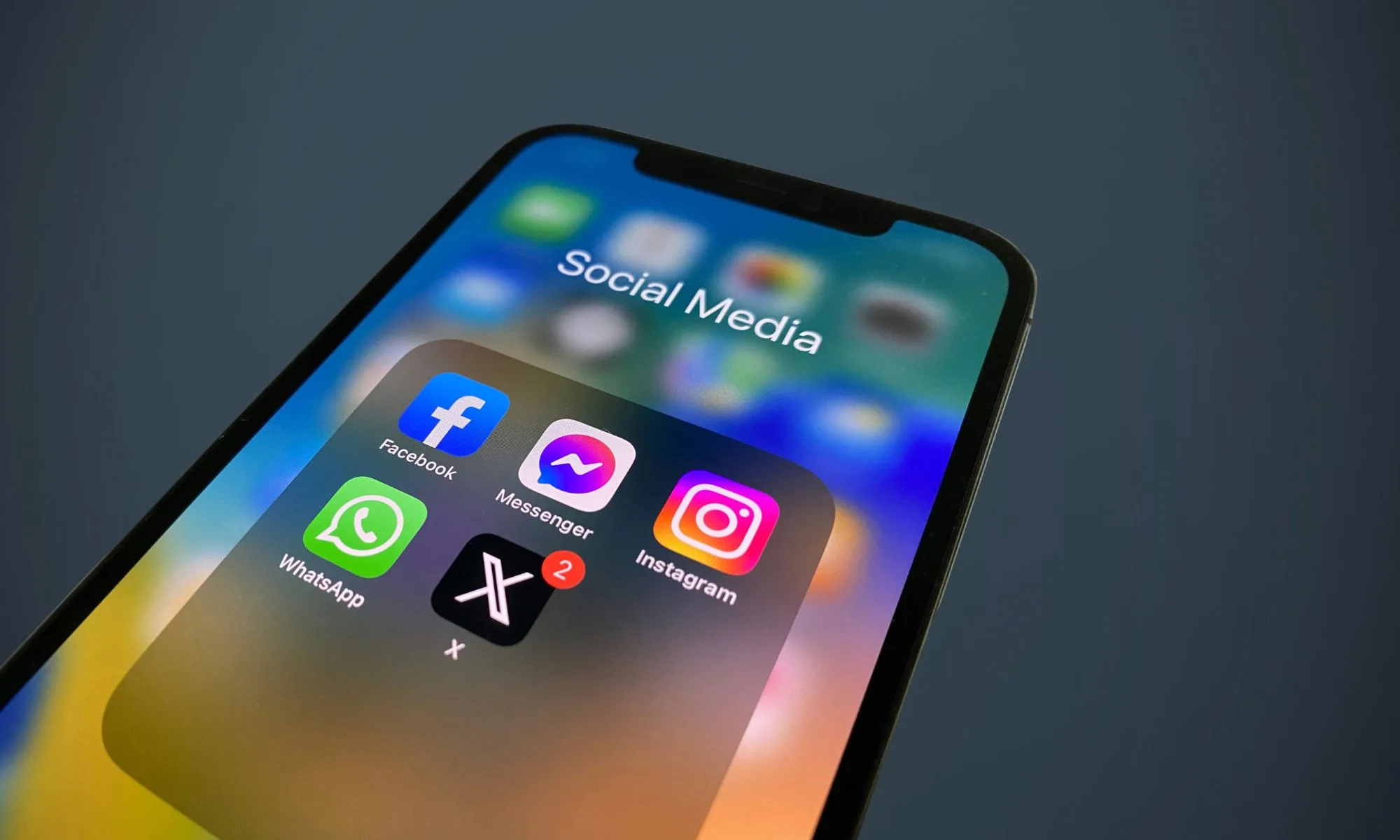
Social Media AppsUnsplash
This could simplify how you connect with people online, particularly if you already use X regularly. It also means fewer apps competing for attention, as conversations tied to your social presence move into a dedicated space.
However, it also raises practical considerations. Adopting a new messaging app requires network effects – your contacts need to be there. Without that, even feature-rich apps struggle to gain traction.
What Comes Next For XChat
The iOS launch is just the beginning. Reports suggest that an Android version is expected soon, which will be critical for broader adoption. X is also restructuring other parts of its platform, including shutting down underperforming features like Communities, as it shifts focus toward messaging and AI-driven experiences.
If successful, XChat could become a central pillar of the platform’s future. If not, it risks becoming another entrant in an already saturated market. Either way, the direction is clear. X is no longer just a place to post – it wants to be where conversations happen.
























































You must be logged in to post a comment Login