Apple has plenty of shiny numbers to sell the Apple Watch Series 12 and Apple Watch Ultra 4 with. The new Health Sensing System, the Readiness feature, and more frequent HRV readings are just a couple of things that make these a meaningful upgrade. This is especially true for anyone who treats an Apple Watch primarily as a health and fitness device.
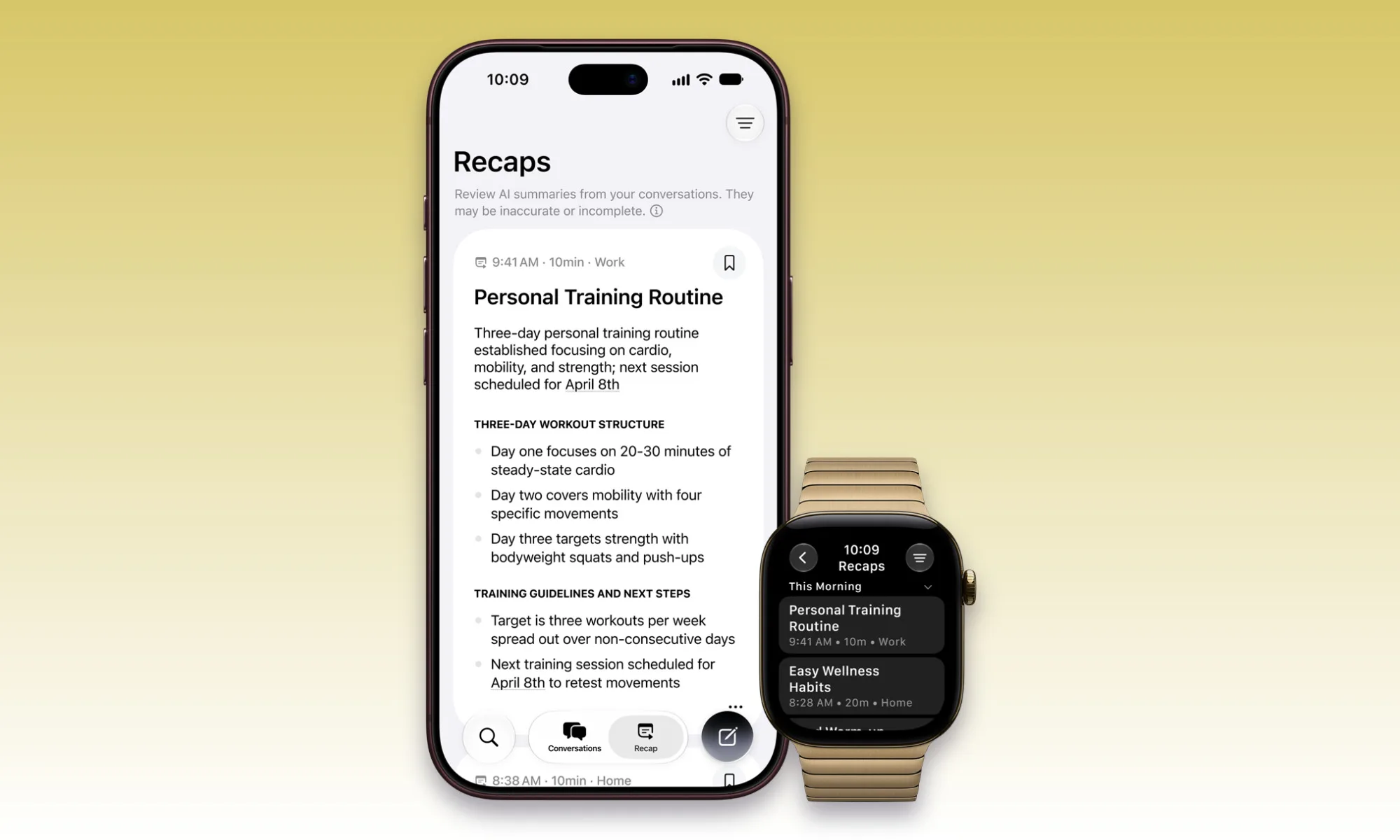
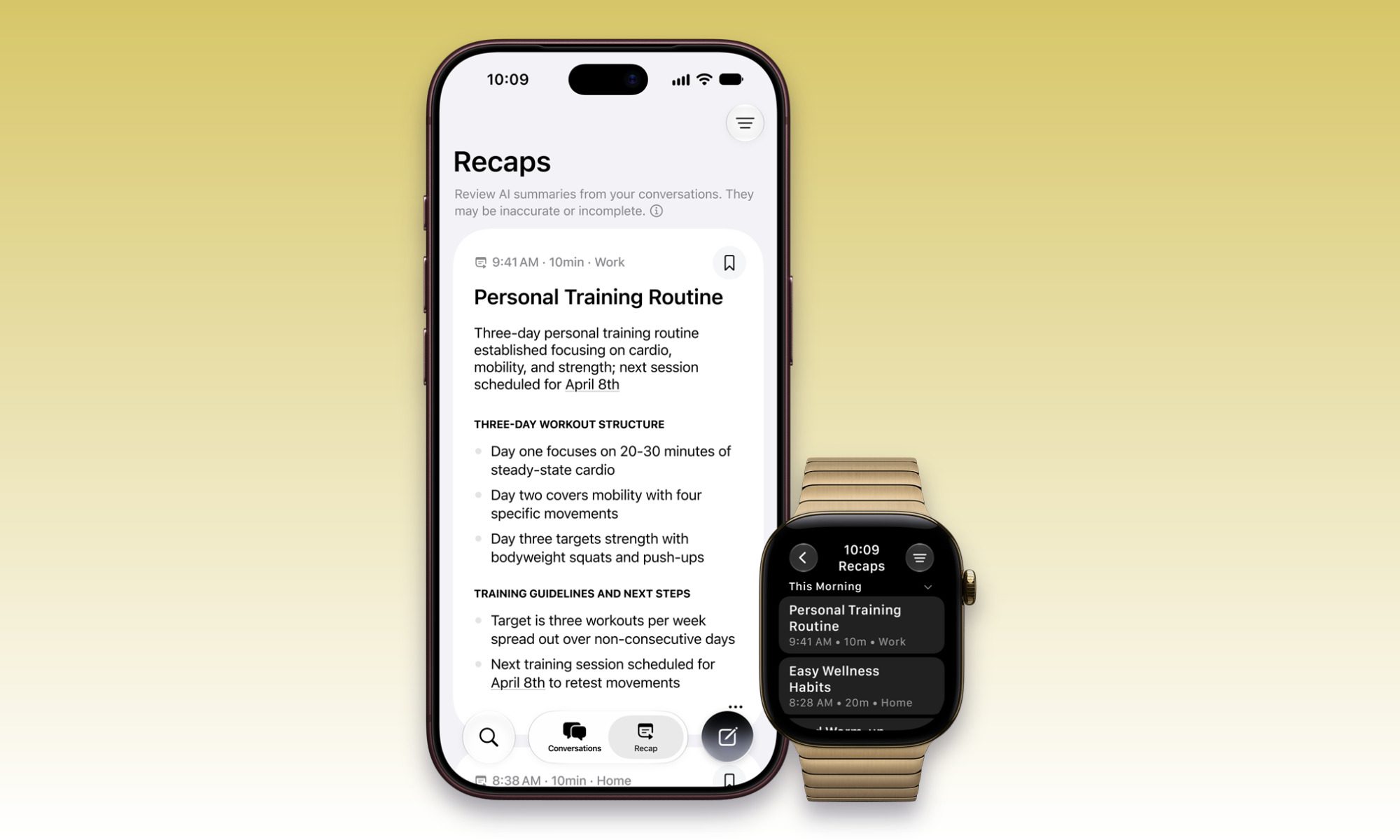
Though the feature that caught my eye has almost nothing to do with workouts. Apple calls it Audio Intelligence, and it essentially gives the Watch another way of understanding what is happening around you. The Series 12 and Ultra 4 can recognize important sounds, automatically identify music, recover the last few seconds of speech you failed to catch, and even create summaries of conversations you want to remember later.
Setting aside the obvious privacy concerns, this can be useful in many scenarios and is more than just another AI feature.
Apple
Live Rewind is the one I can’t wait to try
We’ve all had that moment where somebody says something, and your brain managed to process none of it. It could be due to the noisy environment around you, or perhaps someone mentioned an unfamiliar name. Maybe you’re listening while doing something else and suddenly realize you’ve missed the one important instruction buried in the conversation.
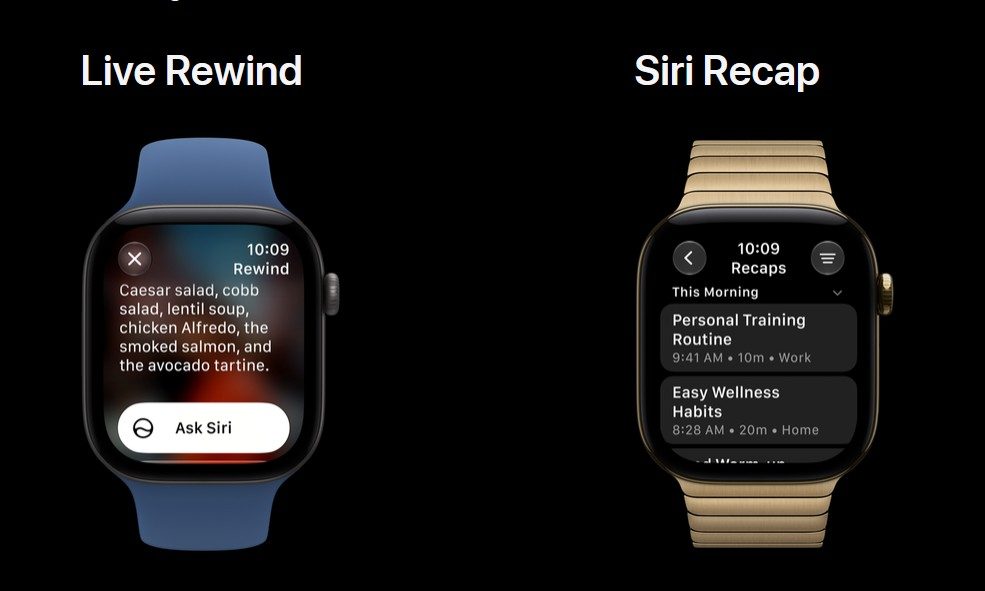
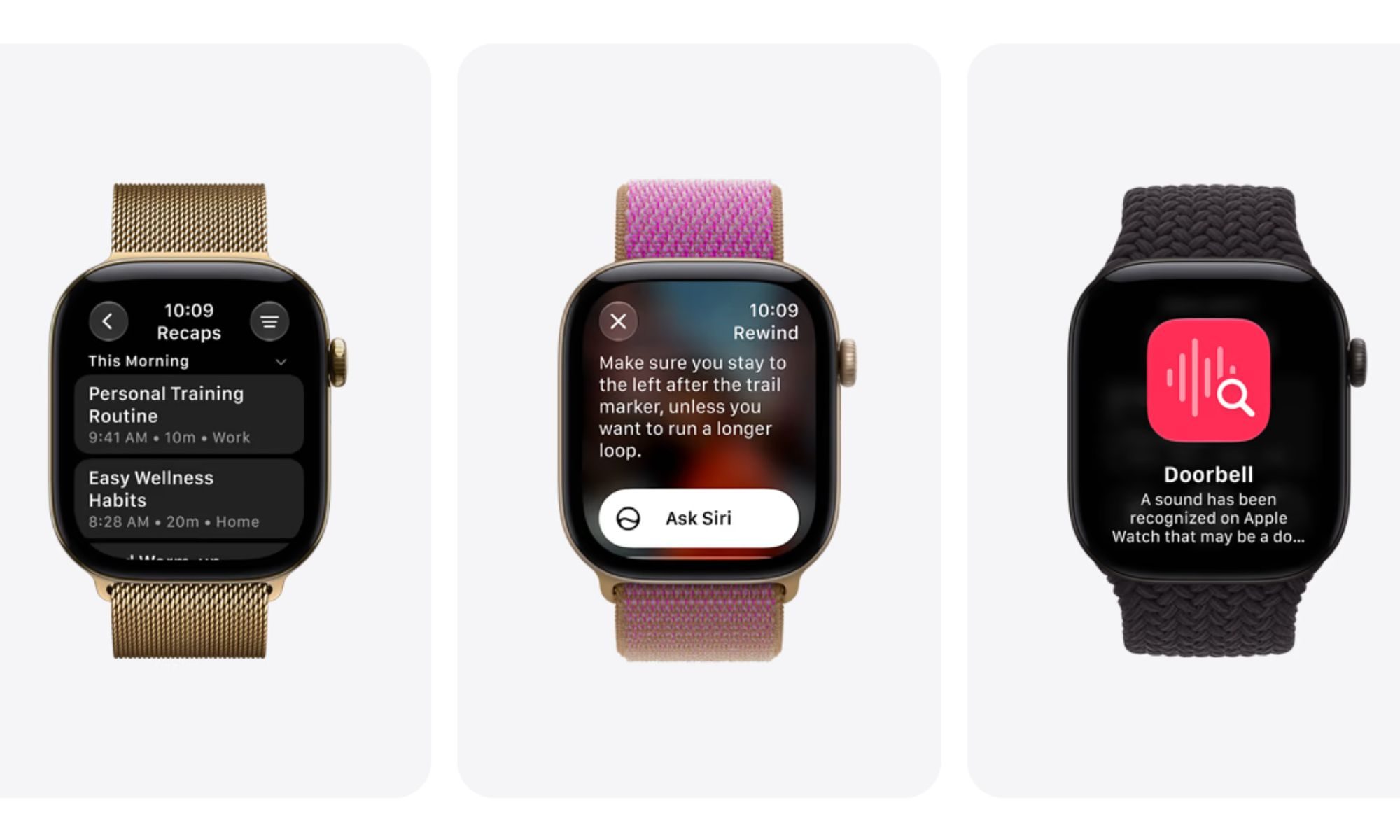
This is where Live Rewind comes in as your second set of ears. Double-press the Digital Crown and the Watch can show a text snippet covering the previous 15 seconds of speech. You can read what you missed, ask Siri about it, and even save the snippet in the Siri app if you actually need it later. Apple claims that activating Live Rewind doesn’t start some endless transcription session in the background. Rather, it retrieves only that previous 15-second window, and the text disappears unless you deliberately save it or ask Siri about it.
Advertisement
Apple
The feature doesn’t seem massive, but with the alternative being a recorder or taking notes, I can see it being handy. Apple has also built in a very deliberate social cue. Live Rewind plays an audible chime even when the Watch is on silent or connected to headphones. There’s also a full-screen animation, and a microphone indicator appears when you activate it. So anyone nearby gets an indication that you’ve asked the Watch to recover what was just said.
Audio Intelligence does much more than remember conversations
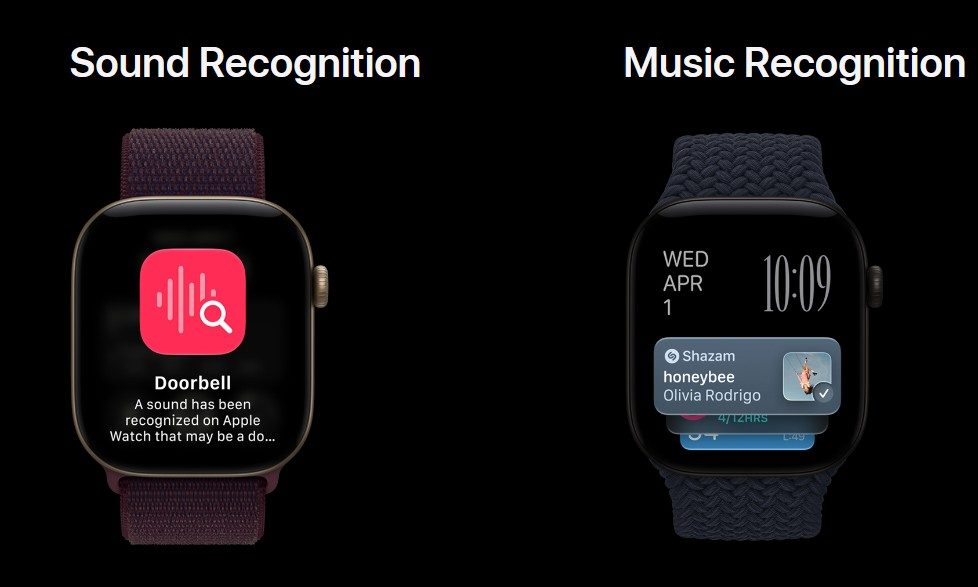
Siri Recap is naturally going to attract most of the attention because an Apple Watch ambiently taking notes about your conversations sounds futuristic and slightly alarming. But there’s a lot more to Audio Intelligence than just listening in on your conversation. Sound Recognition can detect things like alarms, sirens, doorbells, and a crying baby, then send an alert to the Watch even when the paired iPhone isn’t nearby. Apple primarily designed it as an accessibility feature for people who are deaf or hard of hearing, which is where its importance really lies.
Apple
You also have automatic Music Recognition with Shazam. Hear a song that caught your interest? You don’t need to open Shazam anymore, as you can simply have the new Apple Watches identify music playing around you automatically. The song and artist can then appear in the Music Recognition widget inside the Smart Stack without you tapping anything. It’s one of those tiny conveniences that just saves you a bit of time and effort, but I can already see how often it will get used.
Yes, Siri Recap is part of this too
We’ve already written at length about Siri Recap and why Apple’s privacy approach made us more comfortable with the idea of a smartwatch listening throughout parts of my day. But the short version is that Siri Recap can generate a title, summary, and key points from conversations rather than preserving a transcript. You can schedule when it operates based on time and location, manually toggle it from Control Center, edit or delete the resulting summaries, and unsaved Recaps automatically disappear after seven days.
Apple claims that Audio Intelligence doesn’t create or retain audio recordings. Raw audio is handled inside a hardware-isolated Secure Exclave on the S11 chip and is inaccessible to watchOS, apps, the user, or Apple. For Siri Recap, a condensed text representation eventually goes to Private Cloud Compute to create the summary.
Apple
This is an actual reason to buy the new hardware
Audio Intelligence can’t be simply installed on last year’s Watch. It requires the S11 chip and its Secure Exclave, limiting the complete feature set to the Apple Watch Series 12 and Ultra 4. An Ultra 3 can run watchOS 27 and gets Siri AI, but it doesn’t suddenly gain the other new features like Live Rewind, Siri Recap, Sound Recognition through Audio Intelligence, or the new automatic Shazam functionality.
Live Rewind and Siri Recap arrive in beta later in 2026, starting in English, and won’t initially be available in the EU. Apple also says some server-assisted Audio Intelligence functionality is subject to daily usage limits. It is also worth noting that Live Rewind and Recap need a compatible Apple Intelligence-enabled iPhone alongside the new Watch. So I’m not declaring any of these features brilliant before I’ve actually used them.
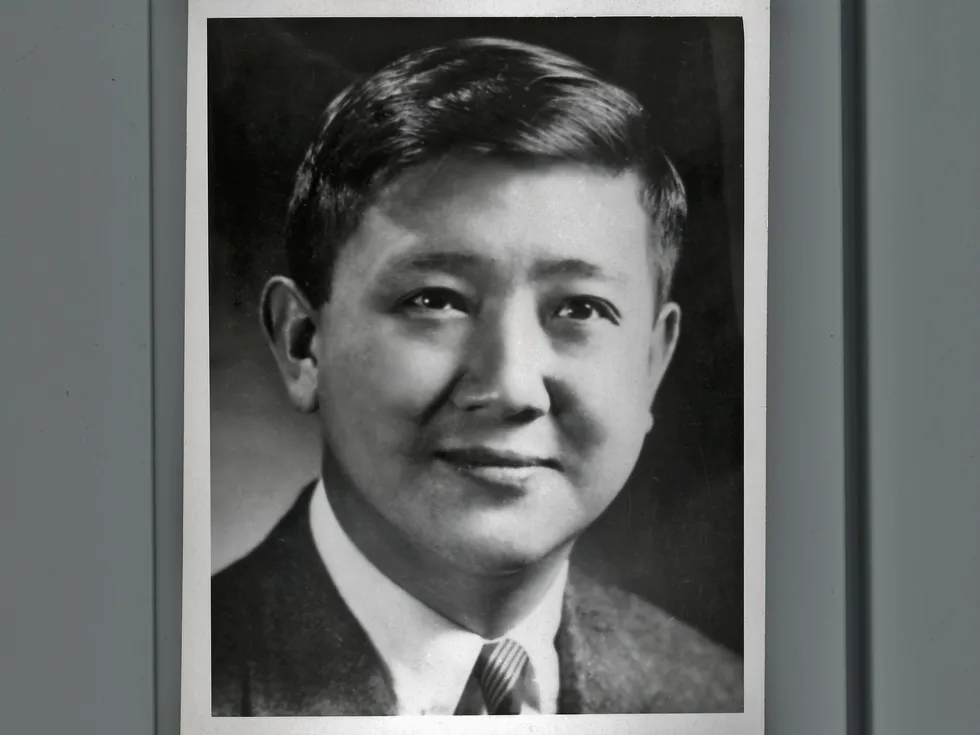
After six years at the company, Kuo left to become a professor of electrical engineering at the University of Hawaii. From 1968 to 1971 he and one of his colleagues, IEEE Life Fellow Norman Abramson, developed ALOHAnet. The network connected computers on Hawaiian islands using ultrahigh-frequency radio, transmitting information over radio waves instead of cables.
ALOHAnet became the foundation for modern networks. Kuo pioneered the concept of a random-access protocol, or sharing a single channel without central coordination—which led to the packet-switching principles that underpin modern Wi-Fi and mobile networks.
Kuo authored or coauthored several books including Computer Communication Networks. Published in 1972, it was one of the earliest textbooks on the subject.
He took a sabbatical from 1975 to 1977 to work at the U.S. Pentagon as director of information systems in the defense secretary’s office. He oversaw computer communications applications used in command, control, and intelligence programs.
During the 1980s and ’90s, he helped develop China’s Internet. In 1982 he joined SRI International (formerly the Stanford Research Institute), in Menlo Park, Calif., as a researcher. He also was a consulting professor in Stanford’s electrical engineering department and taught computer networking at Shanghai Jiao Tong University.
In the mid-1990s, Kuo helped found General Wireless Communications, a developer of mobile phone messaging services and games that was renamed Mtone Wireless.
Karim was a distinguished member of the technical staff at Bell Labs in Murray Hill, N.J. His work was instrumental in the development of modern cellular communications technology.
He joined Bell Labs in 1972 and worked in its mobile telecommunications laboratory as part of the team tasked with creating one of the earliest cellular networks.
In 1975 Illinois Bell Telephone petitioned the U.S. Federal Communications Commission to develop and test a cellular system. The FCC, which now regulates radio, TV, telephone, Internet, satellite, and wireless services, authorized the project in March 1977. Karim and his team helped develop key elements of the technology, including the Bell Labs logic that controlled the cellular system, turning the concept into a working one. They also built radio receivers, transmitters, control systems, and cell-site equipment used in the first trial of the cellular system.
The following year, Bell Labs and Illinois Bell deployed the Advanced Mobile Phone Service system across Chicago, with its switching office located in Oak Park, Ill. The initial test used approximately 100 mobile phones to work through hardware, software, and system-design problems.
Advertisement
A subsequent test in 1979 involved 2,500 mobile users, providing a demonstration of the cellular technology in practice.
The trials in Illinois helped establish the technical foundation for the commercial cellular networks that followed.
Later in his career, Karim worked on the asynchronous transfer mode (ATM) technique, a high-speed networking technology crucial to the transition from traditional telephone networks to broadband and digital ones.
Bostic was an active IEEE volunteer who served as the 1998–1999 director of IEEE Region 4. In 2007 he received a lifetime achievement award from the IEEE Central Indiana Section for “outstanding commitment and dedicated service as regional advisor to the volunteers and members of Region 4 and the Institute.”
He was an engineer for 30 years at U.S. Navy’s avionics facility, a research, development, and manufacturing concern in Indianapolis. He worked on flight control, navigation, and weapons systems there. (The facility closed in 1996.)
He earned a bachelor’s degree in electrical engineering in 1955 from West Virginia University in Morgantown. The following year he earned a diploma of membership (equivalent to a master’s degree) from Imperial College, London. He went on to serve in the U.S. Army Signal Corps for two years. After his service ended, he studied engineering education at the University of Illinois, Urbana-Champaign, earning a Ph.D. in 1961. Jones then joined the university’s faculty.
The following year, he left Illinois to join Iowa State University, in Ames, as an assistant professor. He was promoted to professor in 1995. Two years later he became associate chair of the electrical and computer engineering department and served in that position until 2001, when he retired and was named professor emeritus. In recognition of his commitment to students, Iowa State established a scholarship in his honor.
Advertisement
In 2006 he accepted a part-time position as an adjunct professor in Minnesota at the University of St. Thomas, in St. Paul. He advised graduate students and helped develop the university’s systems engineering program.
Jones was elected a Fellow of ABET in 1986. During his years of service as a program evaluator and leader, he helped advance the quality of engineering education and accreditation programs. ABET recognized him with its Grinter Distinguished Service Award, its highest honor.
Alexander Robert Spitzer
Advertisement
Clinical neurology researcher
Life senior member, 70; died 27 February
Spitzer was a neurologist for 40 years at the Wayne State University School of Medicine, in Detroit, where he also was a director of the electromyography laboratory at Harper University Hospital. The lab studied patients’ brain and spinal cord activity in response to sensory stimuli. The evaluations assessed nerve pathway integrity to help diagnose multiple sclerosis, spinal cord injuries, and other conditions.
After earning his medical degree from the Einstein College of Medicine, in New York City, Spitzer completed a fellowship at the U.S. National Institutes of Health, in Bethesda, Md. He then joined Wayne State as a clinical neurology researcher. His pioneering research in applying neural network analysis to electromyography and clinical neurophysiology resulted in peer-reviewed publications, grants, and several U.S. patents.
Advertisement
He mentored generations of neurologists in electrodiagnostic medicine, a medical specialty that uses nerve-conduction and electromyography teststo evaluate and diagnose muscle and nerve disorders.
In 2020 he founded Mackinac Neurology, a telemedicine-based practice that treated patients virtually during the COVID-19 pandemic.
He developed a lifelong interest in radio and electronics at high school in Wausau, Wisc., and earned a Ph.D. in electrical engineering in 1959 from the University of Wisconsin. He’d joined the university’s electrical engineering faculty as a professor in 1958 while pursuing his doctorate.
Advertisement
Dietmeyer’s research focused on computer-aided design in the areas of switching theory, hardware description languages, and the decomposition of Boolean functions. His research contributed to the development of automation tools for integrated circuit design.
In the early 1980s, Dietmeyer worked with researchers to develop ConLan, a language-construction method that combined hardware description languages in one underlying framework.
He served as associate dean of the University of Wisconsin’s electrical and computer engineering department from 1983 to 1995. In 1998 he retired and was named professor emeritus.
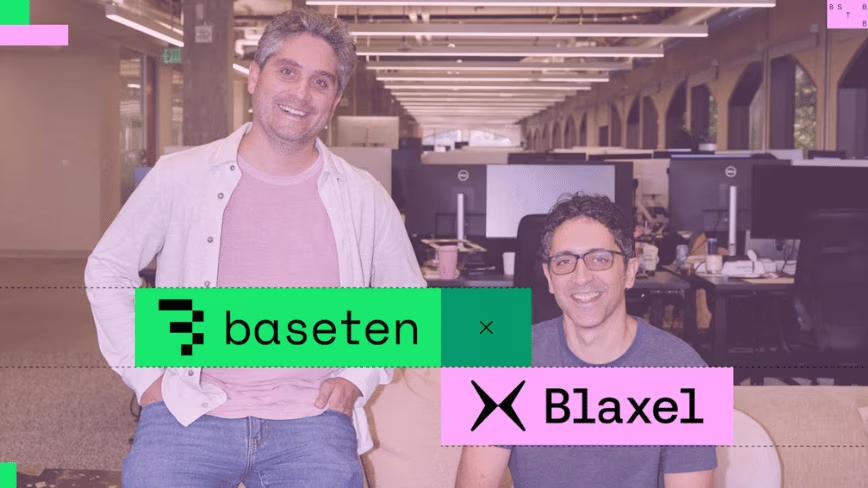
AI inference company Baseten has acquired Blaxel, a startup that builds secure execution environments, or sandboxes, for AI agents. Baseten co-founder and chief technology officer Amir Haghighat told Axios Pro about the deal, which the outlet reported first on Thursday. Baseten later announced the acquisition.
Axios describes Blaxel as a San Francisco startup. The announcement did not disclose financial terms.
What Blaxel builds
Blaxel builds sandboxes based on microVMs, small isolated virtual machines. Each agent gets its own. According to the release, the sandboxes spin up and resume up to five times faster than competing products.
In a joint blog post, the companies said a Blaxel sandbox can suspend and resume in 25 milliseconds. It can also sit idle for months at close to zero cost.
Advertisement
Its other products include Agent Drive, a distributed filesystem that agents can share, and a networking layer that connects agents to tools, MCP servers, APIs and other agents. The team has been building the platform for more than 18 months, the post said.
What changes for customers
According to the post, Blaxel will continue to operate and its product does not change. Baseten will add new products based on Blaxel’s technology, starting with sandboxes.
In the near term, Blaxel’s technology expands Baseten’s support for code execution, tool use and session persistence, the release said. Over time, Baseten plans to integrate it with its inference, storage, observability and enterprise infrastructure.
“Agents need models, but they also need a secure environment to run in that’s fast, scalable, and reliable enough for production,” Haghighat said in the release.
Advertisement
Paul Sinaï, Blaxel’s co-founder and chief executive, said: “We started Blaxel because agents need environments designed to work alongside the models powering them.”
Baseten’s run of deals
Baseten, founded in 2019, has raised more than $2bn. In June, TNW reported that it raised $1.5bn at up to $13bn. The release puts the valuation of that Series F round at $13bn.
In December 2025, Baseten acquired Parsed, a reinforcement learning startup. Its customers include Abridge, Clay, Cursor, Lovable, Mercor and OpenEvidence, according to the company.
Wave Race 64: Recompiled is out as a native Windows and Apple Silicon build, and it treats Nintendo’s 1996 jet-ski racer with unusual care. You still supply a legal dump of Wave Race 64 USA Rev A, also called v1.1. The project never ships the ROM. Once that file is accepted by the launcher, the game’s own MIPS code runs as a compiled C program instead of through a full console emulator. Championship, Time Trial, and two-player races all boot, save records to emulated EEPROM, and play at speed.
They chose to use static recompilation with N64Recomp, N64ModernRuntime, RT64, and RecompFrontend. The game continues to run at the same rates that Nintendo originally chose: 30 updates per second when racing, 20 in menus, and Time Trial. RT64 then draws the frames between those updates to make the motion match the current display. Physics, camera timing, and race clocks remain unchanged. Version 0.4.0: finally, the sky and water are following the interpolated motion like they should be, rather than leaping about at the old cadence like everything else.
The first thing you will notice is the widescreen mode. The black overscan bars are gone, and the output is now exactly matched to your monitor’s resolution and aspect ratio. You also receive a Graphics option, which allows you to pick whether you want the racing HUD to be stretched across the entire frame or stuck in a 4:3 block in the center. Menus remain how they were originally designed, and two-player split screen now occupies the entire width. You may also adjust the field of view from 45 to 110 without stretching the 3D models. Draw distance is also increased, ensuring that far buoys and other objects are no longer cropped off by the original code. The accompanying HD texture collection has 1,828 mappings for helmet portraits, HUD typefaces, island surfaces, and ski panels, and the original textures are still available if you want to switch back and forth.
The water remains the feature that set this game apart in 1996, and the port hasn’t affected that. You can still choose the original rendering approach or the new default Aqua route, which looks much better with its lighter teal color, clearer shallows, and interpolated wave heights. In the settings, you can adjust the brightness, tint, and clarity using sliders. High mode adds screen-space reflections and finer spray. You can even modify the ripple strength and airborne spray. F9 and F10 exist so that you can compare Aqua and Classic, but don’t expect a rebuild of the courses as some beautiful new water simulator. It retains the same appearance as the previous surface that made Sunny Beach & Marine Fortress feel so alive on a 240-line screen.
Sound and control are treated equally. Audio still goes via all the RSP microcode being re-tweaked. The original soundtrack is accessible with a single menu click, and modified tracks have their own volume control. Now, those Controller haptic thingies collect data from the race. We’re talking about landings, crashes, buoys, power-ups, countdowns, lap times, and crossing the finish line. The events start at 80%, and you can then increase or decrease the level of continual feedback. Vibration on the trigger works if your hardware can handle it; however, it stops when the window loses focus or you enter the pause menu. It also works with keyboards with no issues, and controllers are remapped device by device.
The installation method is intentionally kept simple. On Windows, simply unzip and launch WaveRace64Recomp.exe. Mac users can just drop it to their Applications folder. You’ll find your settings and saves in the regular app-data local folder, and if something goes wrong, a log file will be ready for you. Just to clarify, because this is a USA Rev A only build, Japanese, European, v1.0 original, and Shindou layouts will not load. That’s because every modification in this build is linked to a certain revision. Certain modes, such as stunt and championship celebration, have had significantly less testing than the major racing circuits. Oh, and if you’re on a Mac, you may not receive the locked-in 120 Hz refresh rate, which is pretty much all of the testing we’ve done so far; those are the current constraints of this 0.4.0 beta, no hidden fine print. [Source]
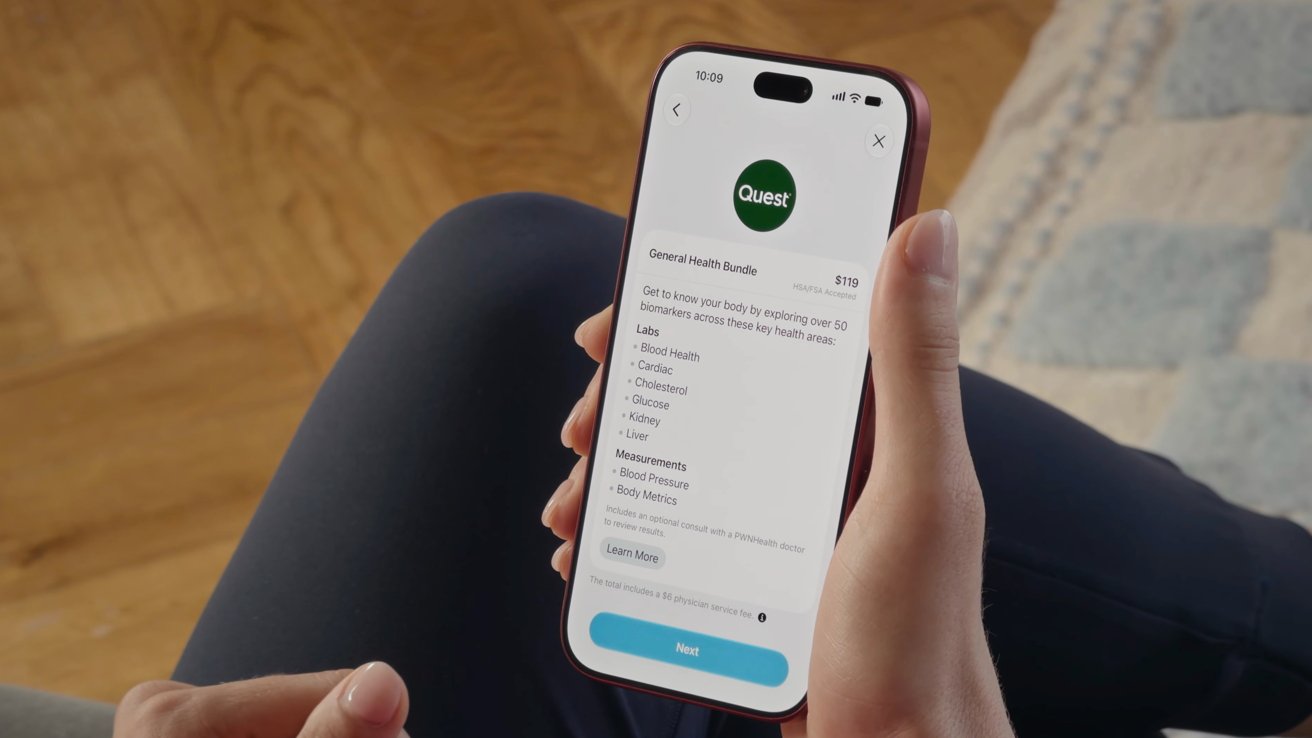
The upgraded Apple Health experience can pull from hundreds of data points, but if you don’t have recent lab results to provide, a Quest panel can be ordered through the app without getting a doctor’s order.
Apple Health will soon get new features built around Apple Intelligence. Every data point that can be included will help provide a holistic view of your health, but not everyone has ease of access to medical labs.
If you’ve already got a medical provider and had labs done recently, they may already be in Apple Health through Health Records, or can be provided via PDF. For everyone else, Apple has partnered with Quest Diagnostics to provide a comprehensive set of labs, on demand.
The service can be found and ordered in the new Apple Health experience when it launches later in 2026. It will cost $119 for a panel that pulls over 50 biomarkers.
Advertisement
The labs will be performed at one of 2,000 locations found across the United States. It’s a much cheaper option than ordering the labs manually, especially if you don’t have active insurance.
Apple Health’s Lab Results tab was already quite comprehensive and included desired levels and explanations. The lab results Apple Health looks for will require blood work, urinalysis, and body measurements.
The information listed in the UI shown during the event suggests quite the range of biomarkers. They are:
Blood Health
Cardiac
Cholesterol
Glucose
Kidney
Liver
Blood Pressure
Body Metrics
Quest doesn’t have locations in every state, so some may need to travel to get the labs done. If the distance becomes too cost-prohibitive, look into getting labs done at a local clinic.
The $119 can also be paid using HSA or FSA funds, though that may or may not cover the included $6 physician service fee.
Advertisement
Once the Quest labs are done, they’ll automatically be populated in the Apple Health app. These results can be useful for understanding your overall health, and will be an excellent data point for Apple’s new AI-powered health app.
The Quest labs also include an optional doctor consultation to review results.
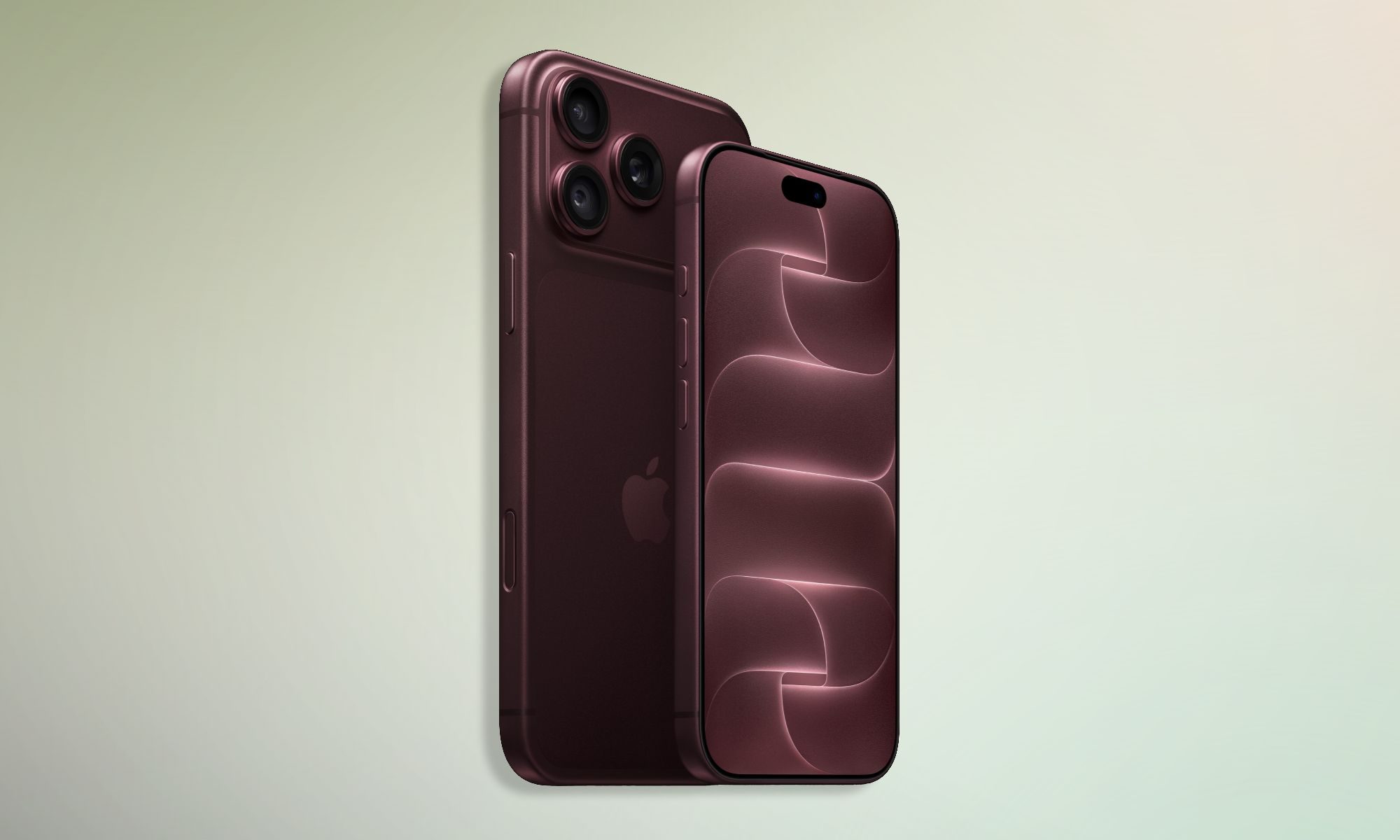
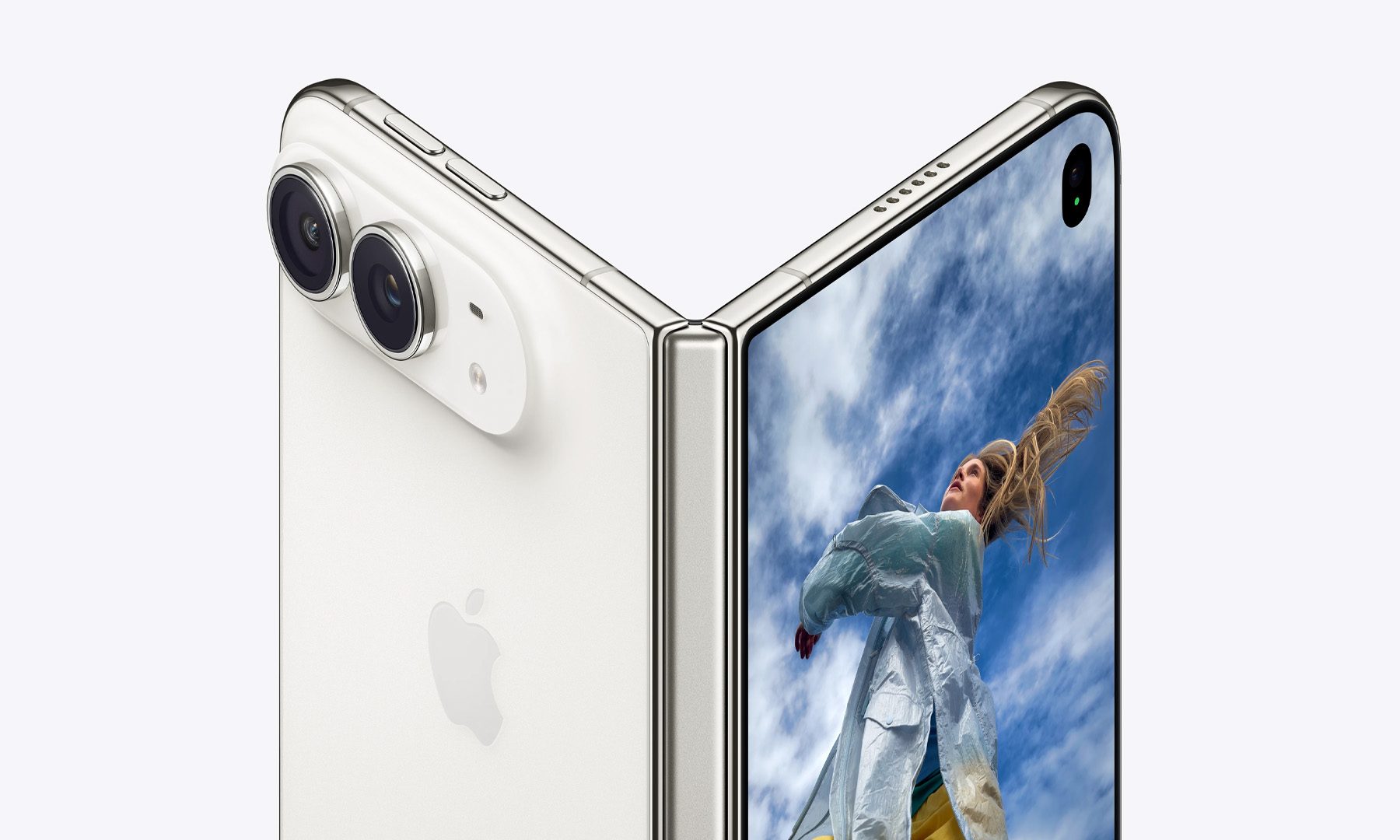
Apple’s recent announcement has been one of the most talked-about in recent years, with plenty to unpack in Apple’s newest iPhones. The iPhone 18 Pro gets variable aperture, more camera controls, and much more, while the iPhone Duo is easily the biggest change to the iPhone’s shape in years.
I can appreciate a faster processor or another camera feature, but neither matters much when I’m looking for a charger halfway through a busy day. Apple made a big jump with the iPhone 17 Pro generation last year, and the 18 Pro lineup thankfully keeps moving in the same direction.
Apple
The Pro Max gets the upgrade I wanted
Apple’s US battery claims show a fairly healthy improvement over the previous generation:
Model
Video playback
Streamed video
iPhone 17 Pro
Up to 33 hours
Up to 30 hours
iPhone 18 Pro
Up to 36 hours
Up to 33 hours
iPhone 17 Pro Max
Up to 39 hours
Up to 35 hours
iPhone 18 Pro Max
Up to 45 hours
Up to 40 hours
Apple rates the 18 Pro for three additional hours of both local and streamed video, and the Pro Max jumps by six hours of video playback and five hours of streaming. Aside from the new chipset, the biggest change that explains the difference is the batteries. On models with a physical SIM tray, MacRumors found the iPhone 18 Pro at 4,056mAh, just 1.7% larger than the 17 Pro’s 3,988mAh battery. The 18 Pro Max climbs to 5,391mAh, an 11.7% increase from 4,823mAh.
Apple
A20 Pro moves to a 2nm process, and Apple’s new C2 modem consumes 15% less energy than C1X, according to the company. So efficiency is doing plenty of the work. Charging also improves, with the 18 Pro models reaching 50% in around 15 minutes, down from 20 minutes on the 17 Pro generation.
The iPhone Duo surprised me even more
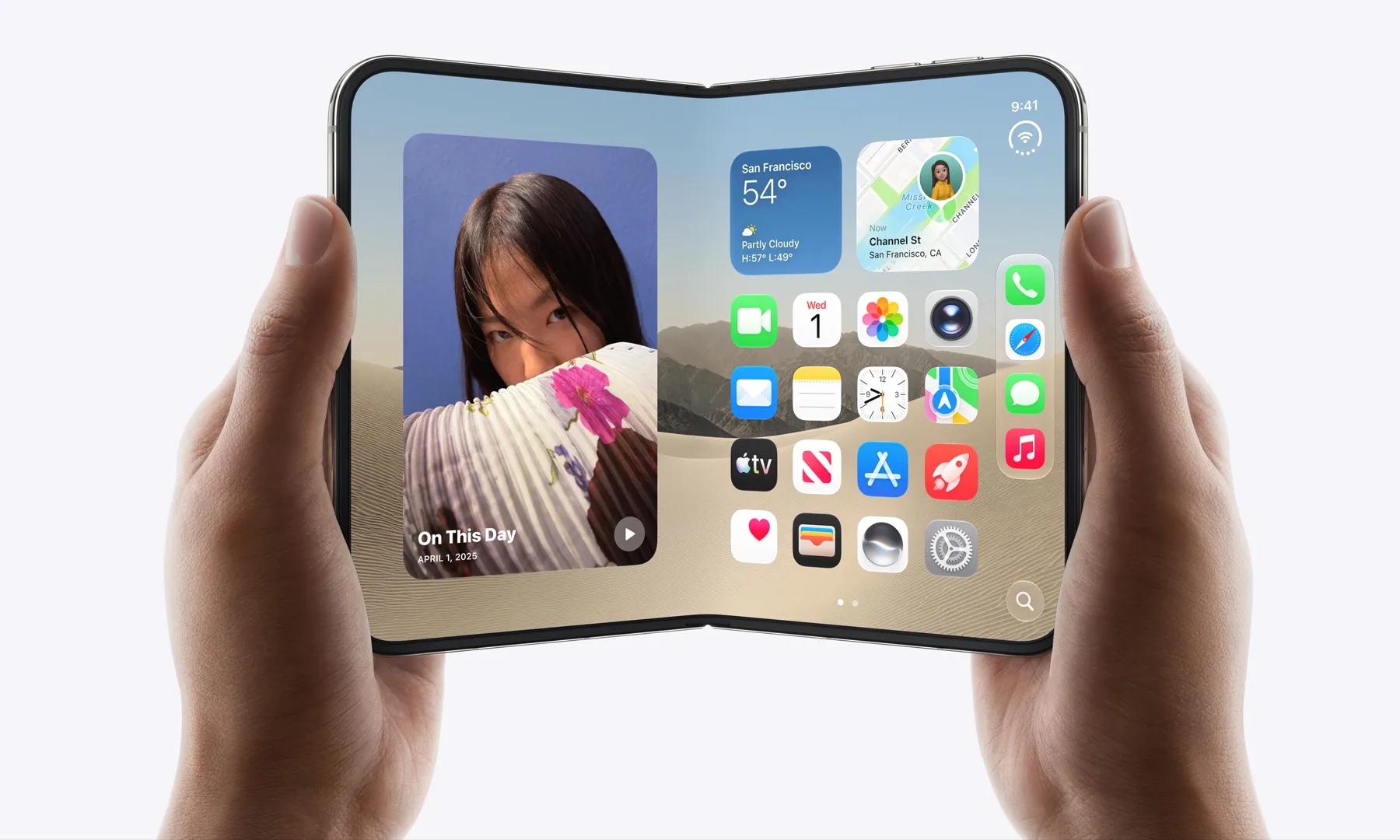
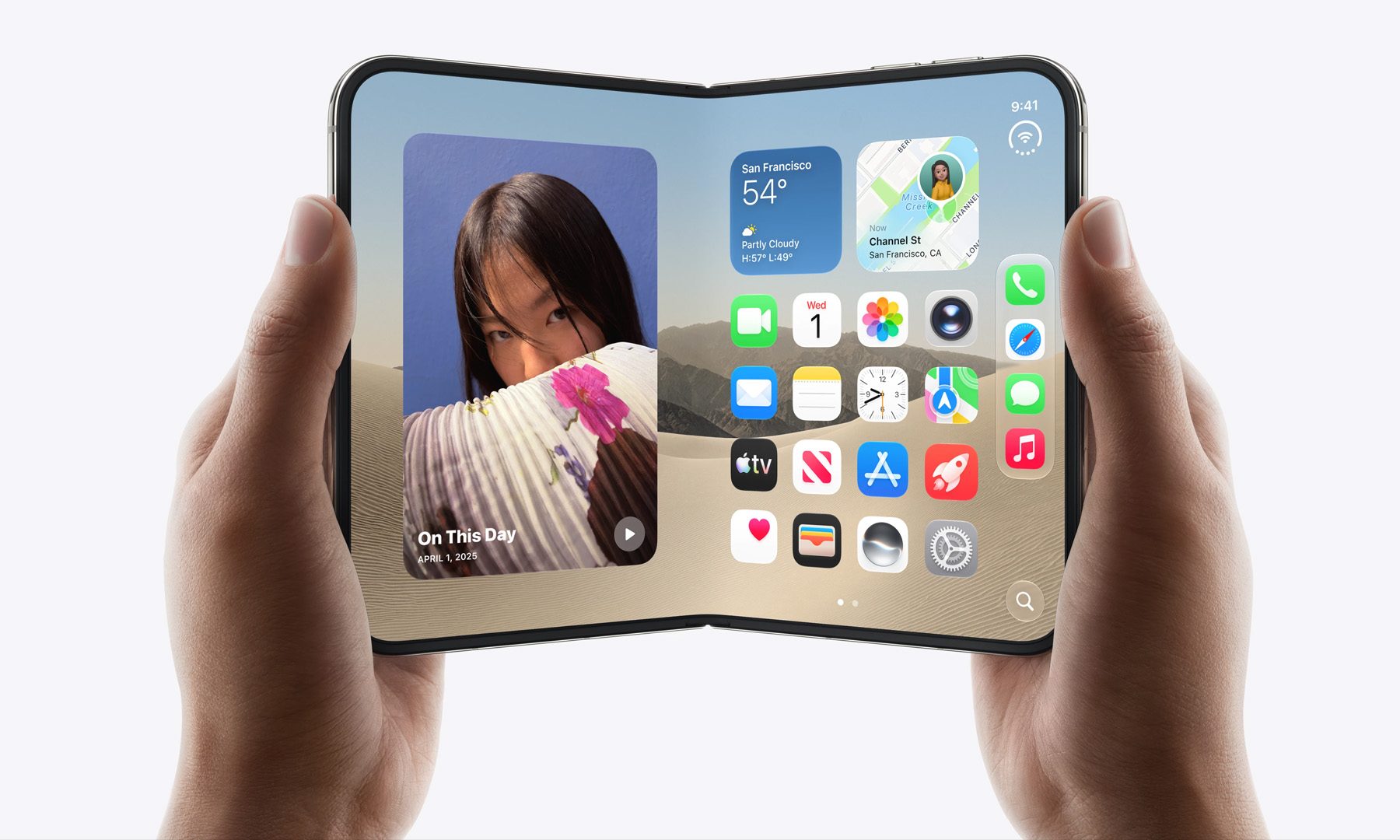
When the rumors of the foldable iPhone started seeming more concrete, my expectations for its battery life were conservative, to say the least. Foldables have more display to power and far less convenient internal space for a giant rectangular battery. Apple, like the brands before it, split the solution across two cells, putting one on either side and managing them as a single battery. It also made the Duo eSIM-only worldwide to free up additional internal space.
Advertisement
The results? Better than I expected:
iPhone Duo
Galaxy Z Fold 8
Battery capacity
Apple hasn’t disclosed it
4,800mAh
Video playback
44 hours outer / 31 hours inner
Up to 26 hours
Nadeem Sarwar / Digital Trends
Apple’s figures are especially interesting because the 31-hour inner-screen rating still exceeds Samsung’s 26-hour Fold 8 video-playback claim. If you stick to the smaller cover screen alone, the Duo stretches endurance all the way to 44 hours. Manufacturer test methods differ, so I wouldn’t treat those numbers as a laboratory head-to-head. They still give us a useful idea of what each company is targeting.
Another wide foldable rival that makes an interesting comparison is the Xiaomi 18 Fold, which is in a league of its own. Xiaomi managed to pack a massive 6,000mAh silicon-carbon battery. While there is no comparable official playback-hour figure that I could verify, but just the raw capacity alone gives it an edge.
I’ll reserve judgment until we’ve properly tested all three new iPhones, because manufacturer battery claims never tell the entire story. But this is definitely a step in the right direction. Apple already made the iPhone 17 Pro one of the rare smaller flagships I could trust to comfortably get through a demanding day. In our tests, the 17 Pro could regularly finish the day with around 15% to 20% remaining, even with hours of Bluetooth music streaming.
Now the regular Pro goes farther, the Pro Max gets one of the biggest battery jumps in the lineup, and Apple’s first foldable doesn’t make compromises for users who choose the larger screen. Those are upgrades I will notice long after I’ve stopped playing with the new camera settings.
The six-year Bachelor of Medicine, Bachelor of Surgery has welcomed its first intake of 30 students this semester.
The University of Limerick (UL) has launched a “historic” new direct entry medicine programme, the first new direct entry undergraduate medicine programme developed in Ireland since 1854.
The six-year Bachelor of Medicine, Bachelor of Surgery programme has welcomed its first intake of 30 students this semester and aims to underscore the university’s role in advancing education and healthcare in the country.
The programme will include problem-based learning and the use of electronic cadavers, simulation technologies and advanced models to support anatomy and clinical skills, and will be structured in three stages across six years.
Advertisement
The first stage focuses on building a foundation in medicine; the second stage will involve students learning how to apply science to clinical practice with an exposure to patient care; the final stage prepares students for future practice, focusing on clinical placements and developing skills to improve patient and population health.
The course was launched by the Minister for Further and Higher Education, Research, Innovation and Science James Lawless, TD, who said, “Today’s launch is a landmark moment for medical education in Ireland.
“As the first new direct entry undergraduate medicine programme established in this country since 1854, it reflects both the ambition of University of Limerick and our commitment to building the healthcare workforce Ireland needs for the future.
“For the students starting this journey, it is the beginning of an exciting and rewarding career path. This programme creates a new opportunity for talented young people to pursue medicine while helping to strengthen healthcare services for future generations.”
Advertisement
UL president Prof Shane Kilcommins added, “Innovation in education has been at the heart of University of Limerick since our earliest days, and this new direct entry medicine programme is a powerful expression of that tradition. The establishment of Ireland’s first new direct entry medical degree in well over a century and a half demonstrates UL’s capacity to lead, innovate and deliver in areas of strategic national importance.
“Together with our graduate entry medicine programme and our broad ecosystem of health sciences programmes, this initiative further cements UL’s position as a centre of excellence in health professional education.”
Don’t miss out on the knowledge you need to succeed. Sign up for the Daily Brief, Silicon Republic’s digest of need-to-know sci-tech news.
from the incompetent-bipartisan-xenophobic-protectionism dept
If you enjoy badly written bipartisan protectionist tech legislation designed primarily to coddle giant U.S. companies under the xenophobia-tinged breathless pretense of privacy and national security, you are really going to enjoy the next twelve to twenty-four months.
While the U.S. drowns in corrupt kakistocracy, the Chinese are making significant market inroads in everything from AI to EVs. That’s resulted in U.S. companies applying greater and greater pressure on U.S. lawmakers to simply ban Chinese goods. The Trump administration’s adoption of this policy has been a hot and sloppy protectionist mess, incompetently implemented and unsubtly racist.
Automakers are particularly worried about cheaper, better Chinese EVs making their way to the U.S. So under the banner of the misleadingly named Alliance for Automotive Innovation, they’re pressuring U.S. lawmakers to enact a ban on Chinese EVs. You know, because they’re very worried about privacy and national security:
“Right now, Chinese automakers are dumping subsidized vehicles with connected software and hardware around the world,” John Bozzella, CEO of the group, said in the letter seen by CNBC. “This hasn’t happened inside the U.S. yet, but given the scale and urgency of this threat, we urge you to enact a Chinese vehicle, software and hardware ban before adjourning this year and make this policy the law of the land.”
“Enacting a permanent ban on Chinese vehicles and high-risk hardware and software in the 119th Congress will send a clear and bipartisan message that China’s strategy to dominate global automotive manufacturing will be met with a national security policy response from the American government,” Bozzella said.
Advertisement
So for one, I like how the auto industry throws the word “subsidized” around as if they haven’t enjoyed generations’ worth of their own pointless subsidies. Two, the U.S. auto industry has some of the worst privacy standards and ratings of any industry in America, and sell the entirety of your driving, personal, and behavior data to any old random asshole in a country too corrupt to pass privacy laws.
Failing to secure your own vehicles and fighting tooth and nail against any privacy safeguards… then ranting incoherently about the threat of Chinese tech on U.S. shores is not serious policy. Our failure to regulate data brokers or pass modern privacy laws means the Chinese simply buy this same data from any of dozens of dodgy companies already, making a lot of this stuff lazy pantomime.
We’ve seen this before: Democratic lawmakers in Michigan recently tried to ban Chinese EVs from even visiting the state, suggesting that automakers are afraid of Americans even getting to look at overseas alternatives. The justification (by folks who are are, again, completely absent when it comes to any sort of domestic U.S. privacy standards) is they were just very concerned about U.S. consumer privacy.
I maintain that ideally you allow Chinese companies to compete in the U.S. market, but you fund, staff, and legally protect your labor, consumer, competition, and environmental regulators so that companies are all genuinely competing on a level playing field. You boot or penalize obvious bad actors on privacy, security, competition, and consumer protection, both foreign and domestic.
Advertisement
U.S. corporate giants don’t much want that, given it means more oversight, more competition, and diminished quarterly returns. So what we often get instead is a sort of a corrupt-fueled incompetent rank protectionism that’s highly performative but still broadly harmful.
And while you could theoretically implement protectionism in a way that’s coherent, the U.S. is too corrupt to do that. So what you get is stuff like the TikTok ban, which was driven by years of hysteria about Chinese spying and propaganda, only to result in a bipartisan array of lawmakers shoveling TikTok off to Trump’s billionaire autocrat friends, which was not any net improvement.
Or you get stuff like the “race to 5G,” which involved U.S. policymakers being told that the only way to keep pace with Chinese 5G was to give U.S. telecoms less oversight, more pointless subsidies, and approval for their terrible mergers (the U.S. lost the “race to 5G” in terms of reach, network quality, and affordability then immediately just… stopped talking about it).
As a backdrop we have a U.S. corporate press that’s incapable of expressing how badly any of this is going in practice (often because affluent media ownership supports the administration and its mindless deregulation), resulting in this strange disconnect between material reality and the performance lawmakers put on to convince themselves they’re doing serious and useful policy.
If U.S. policymakers cared about privacy and national security they’d pass a meaningful modern privacy law (with powerful penalties for U.S. companies or executives), and they’d regulate data brokers. If they cared about national security, they’d eject Donald Trump from the body politic. Unless they’re doing these things, they’re not really worth taking seriously on privacy or national security.
With cheaper Chinese AI models threatening U.S. tech giants’ dreams of software automation walled garden dominance, you can expect all of this sort of performative dysfunction to get much much dumber, supported by the press and the kind of folks who’ll talk your ear off over cocktails about how much they love free markets and the kind of innovation forged in the furnace of real competition.
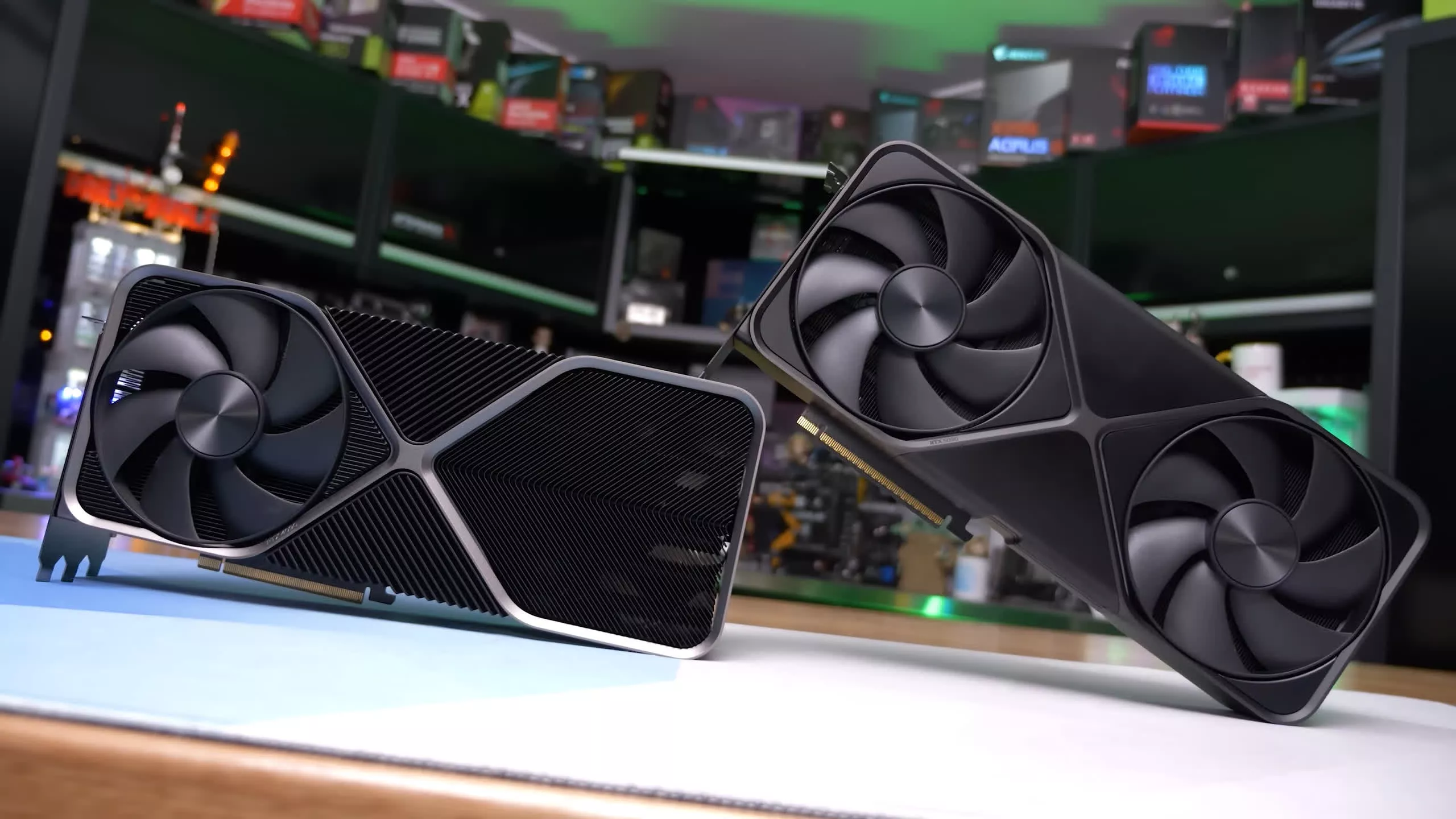
In a nutshell: The Nvidia RTX 5090 has long been plagued by catastrophic thermal failures that can cause its 16-pin power connector to melt under heavy workloads. In an effort to find a solution to the overheating issue, a team of tech YouTubers has reportedly created the world’s first RTX 5090 graphics card to use 8-pin power connectors instead of a 16-pin design.
Brazilian YouTube channel TecLab has demonstrated that an RTX 5090 can be connected to a PSU using standard 8-pin connectors instead of 16-pin ones, despite its 575W TDP. To perform the experiment, the modders used a Galax HOF OC LAB RTX 5090, which is designed to use two 16-pin connectors. However, the team claims that the card can even function with three 8-pin connectors.
As part of its effort to find an alternative to the 16-pin design, the team initially tested the card using XT90 power connectors, which support up to 90 amps each. They eventually opted for three 8-pin Mini-Fit Jr. connectors after making the necessary modifications, which involved tricking the sensors into accepting the new configuration.
Advertisement
The YouTubers put their plan into action by connecting the Sense 0 and Sense 1 pins, allowing the card to continue operating at its full TDP despite switching from a dual 16-pin to a triple 8-pin design. The modified card had nine +12V rails, each supporting around 8 – 8.5 amps. The team says the changes were limited to the hardware and did not require any firmware modifications.
To test the modified card, TecLab gradually increased the power threshold from 400W to 900W while closely monitoring the voltages and temperatures. The card operated at an impressive 3.4GHz while drawing around 70 amps on the 12V rails. The setup remained stable throughout the test, staying well within the recommended electrical and thermal safety margins.
The card was also tested with a peak current of 120A at 3.4GHz, and it still passed the test with flying colors, with operating temperatures reaching only around 35 degrees Celsius. The modders also tested the card with just two 8-pin connectors instead of three, and even that configuration was able to keep temperatures below 25 degrees Celsius, with the card drawing 66A while running at more than 3.2GHz.
Just days before releasing the latest video, TecLab demonstrated another solution to the RTX 5090’s overheating problem by routing the power wiring directly to the GPU’s PCB. The channel claimed that bypassing the 16-pin power connectors was a foolproof way to end “meltgate” for good, but acknowledged that it is not a practical solution for most gamers.
153 million US driving licences have been leaked on a Russian cybercrime platform
Among those apaprently discovered in the stolen data is US Secretary of Defense Pete Hegseth
The FBI is now investigating the leak, which has been traced to an identity verification company
A data leak of 153 million US drivers licenses is said to have been shared on a Russian cybercrime forum, with US Secretary of Defense Pete Hegseth among those leaked prompting an FBI investigation.
Security researcher Brian Krebs identified the leak – which included his own data – as originating from a hack of an identity verification service. Louisiana-based IDScan provided ID verification for various well-known companies, including FedEx and Hertz car hire.
The data was shared on a Russian forum called Exploit, a long-established online community of cybercriminals. Following news of the leak, the identity theft service “Nexus” has apparently scrubbed its existence from the Dark Web.
Latest Videos FromTechRadar
Advertisement
Driving licenses and more
It wasn’t just US driving licenses that were found in the archive of recently-collected personal data. Krebs’ investigation found that Nexus claimed other types of data, and found a further 1.1 million driving licenses from Canada.
Other identity documentation alleged to be in the leak include 10 million identification cards, three million travel documents and international IDs, and 579,000 medical cards. The data was available to browse, notes Krebs, with Nexus providing details: “Records are available to preview before purchase with pertinent information redacted. Customer photos are displayed if available.”
The leak has a personal dimension for Krebs. Not only was his driving license in the collection, so was that of his mother. It has proved to be a useful coincidence, one that has enabled the security and privacy researcher to establish how the data was sourced by Nexus.
Both licenses were used for a car hire, which Krebs traced to Hertz. Others affected by the leak had also used the service, which has used New Orleans-based IDscan for identity verification.
Sign up to the TechRadar Pro newsletter to get all the top news, opinion, features and guidance your business needs to succeed!
The company, which claims to perform 21 million verifications a month, is yet to issue a statement on the matter. Its marketing and operations leader, Jillian Kossman, told the journalist: “At this point I’m not able to share any additional information, but the updates you have provided have been welcome, and helpful to our team’s investigation.”
Advertisement
Where is the data?
Krebs reports that he was alerted to the data on August 31, 2026, little over a week ago. Regular checking noted that the data was still being added to, increasing by “nearly 400,000” records prior to publishing his investigation on September 1.
Since then, however, it seems that Nexus has vanished, along with the data. But how widely was the data downloaded before that happened? While the FBI investigates, it falls on the American and Canadian public to be extra vigilant and wary of identity fraud.
This post is brought to you in paid partnership withMSI
Not every AI task needs the scale of the cloud. An employee searching company documents, a retail kiosk answering product questions, or a digital sign reacting to customer behavior all need fast responses, but they don’t necessarily need to send every prompt to a remote data center. Running those workloads locally reduces latency, keeps sensitive information closer to where it’s generated, and can lower the ongoing cost of AI deployments. As a result, many organizations are moving toward hybrid AI architectures that handle routine requests on-device while reserving cloud models for tasks that genuinely need more processing power.
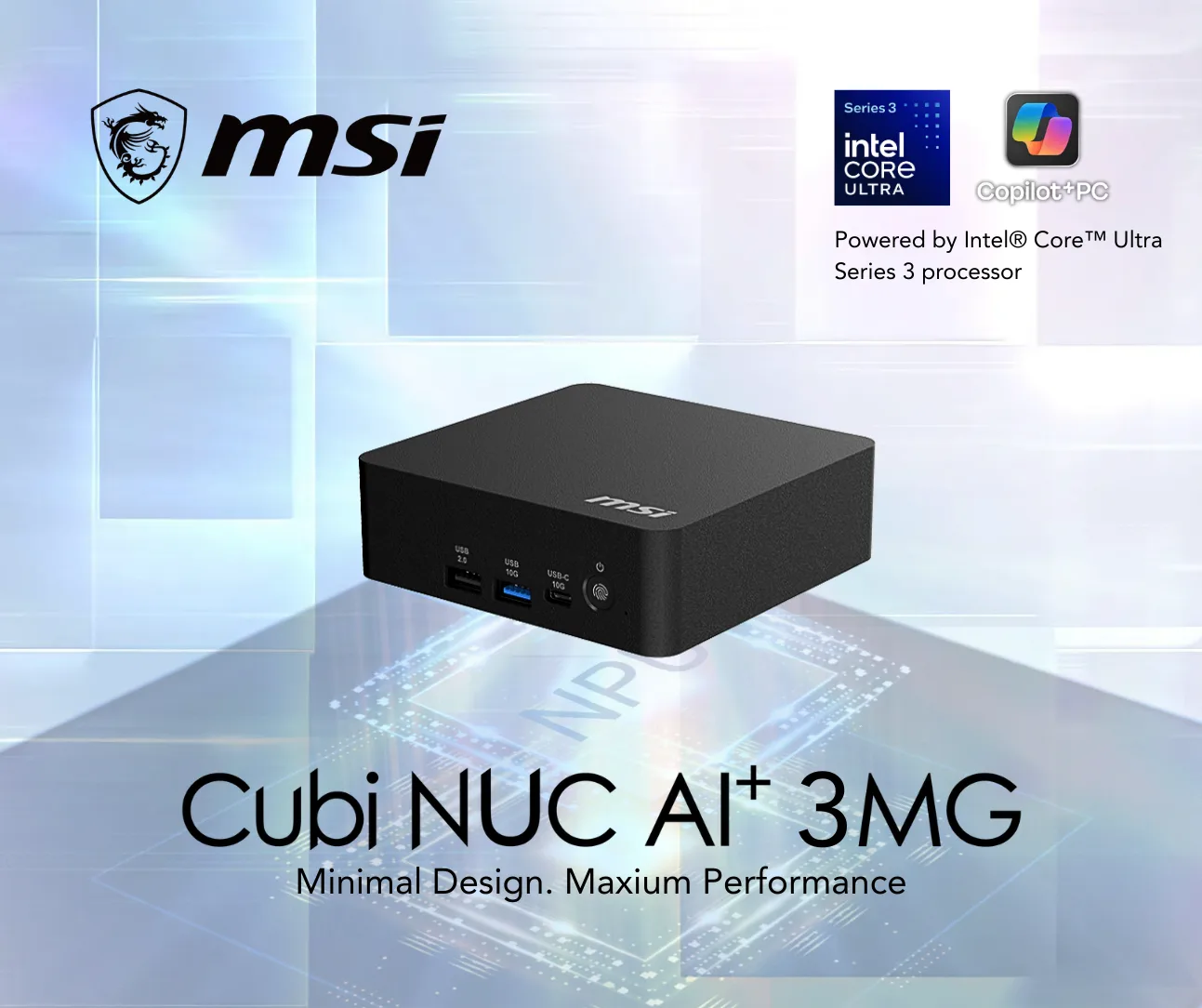
Hardware has evolved alongside that shift. Systems like the MSI Cubi NUC AI+ 3MG, powered by Intel’s Core Ultra Series 3 platform, combine a CPU, Xe3 GPU, and dedicated Neural Processing Unit (NPU) in an ultra-compact chassis. Instead of relying on one processor to do everything, each component handles the workloads it’s best suited for, making it possible to run quantized language models, retrieval pipelines, and AI workflows locally before reaching for cloud resources only when necessary. The platform delivers up to 100 TOPS (Tera Operations Per Second) of theoretical AI performance across the CPU, GPU, and NPU, although real-world performance depends on the model, workload, and configuration.
Building a local AI agent, in practice, means pairing that hardware with a software layer that can plan a response, retrieve the right information, and decide in real time whether a request stays on-device or gets escalated to something bigger. It isn’t about replacing the cloud altogether, rather it’s about deciding which workloads benefit from staying at the edge and which are better served by larger models. Getting that balance right starts with understanding how local AI differs from cloud AI, what role hybrid deployments play, and what kind of hardware is required to support them.
Advertisement
Why businesses are bringing AI agents to the edge
Cloud AI transformed how businesses adopted generative AI because it removed the need to invest in expensive infrastructure. Teams could access powerful language models through an API and start building applications almost immediately. Cloud models still make the most sense for complex reasoning, large-scale content generation, and workloads that demand the latest frontier models.
Many day-to-day AI interactions, however, don’t require that level of processing power. Searching internal documentation, summarizing meeting notes, helping customers navigate a store, answering policy questions, or monitoring connected devices are repetitive tasks that benefit more from low latency and predictable performance than from the largest possible model. Sending every request to the cloud also means paying for every interaction while moving information outside the local environment, even when the task could have been completed on-device.
Privacy is another factor driving the move toward edge AI. Organizations working with financial records, healthcare data, intellectual property, or confidential business documents often need tighter control over where information is processed. Running an AI agent locally allows sensitive requests to remain inside the organization’s network by default, reducing unnecessary data transfers and making it easier to meet internal governance and compliance requirements.
Hybrid AI has emerged as the middle ground. Routine requests can be answered locally, while more demanding queries are escalated only when additional reasoning or specialized knowledge is required. Instead of choosing between local AI and cloud AI, organizations can combine local and remote resources and let routing policies decide which environment is best suited for each request.
Advertisement
Local AI vs. cloud AI: Which deployment model makes sense?
Hybrid deployments are becoming increasingly common because they offer the best of both approaches. Local hardware handles predictable, high-frequency tasks with minimal delay, while more powerful models remain available for requests that exceed the capabilities of the local system. The result is faster responses without losing access to more capable models when a request genuinely needs one.
The hardware behind a local AI agent
Running an AI agent involves far more than generating text. Every interaction passes through multiple stages, including understanding the request, retrieving relevant information, deciding whether external tools should be called, generating a response, and maintaining context for future interactions. Those workloads place very different demands on the hardware.
Modern AI PCs distribute those tasks across three different processing components instead of relying entirely on the CPU. The CPU manages orchestration and system logic, the GPU accelerates parallel AI workloads such as inference and embeddings, while the NPU is optimized for sustained, power-efficient AI processing using quantized models. Working together, they allow multiple AI tasks to run simultaneously without overloading a single component.
The MSI Cubi NUC AI+ 3MG follows that design philosophy. Intel’s Core Ultra Series 3 architecture combines CPU, GPU, and NPU resources within the same platform, giving developers the flexibility to distribute AI workloads instead of forcing every task through a single processor. Expandable memory, NVMe storage, support for up to four 4K displays, and high-speed networking also make the system suitable for edge deployments where AI often runs continuously rather than in short bursts.
Advertisement
Choosing capable hardware is only one part of the equation, though. The software stack determines how requests flow through the system, how documents are retrieved, when tools are called, and whether a query should stay on the device or be handed to a larger model. Understanding that architecture is the foundation for building a local AI agent that is both responsive and scalable.
MSI
Start with the tasks the local system can handle
Building an agent starts with defining the work it’s expected to perform. A system such as the MSI Cubi NUC AI+ 3MG can be configured for smaller, repeatable tasks where a lightweight local model has enough capability to deliver the required result.
An employee could use the system to proofread a document before sending it out, prepare a response to a routine email, summarize information from a set of files, or work through a simple office process. These tasks don’t necessarily require the largest available AI model, making them suitable candidates for a local agent.
The distinction between a chatbot and an agent becomes important here. A chatbot primarily responds to what a user types. An agent can take an instruction and work through the steps needed to complete it. If the task involves retrieving information, using an approved tool, processing a file, or carrying out several actions in sequence, the agent can coordinate those steps rather than leaving the user to perform each one manually.
In this type of configuration, the Cubi can consequently serve as the first layer in the workflow, taking care of routine requests directly on the machine.
Advertisement
Adding the agent layer
The hardware provides the foundation, but the agent itself comes from the software stack. A local language model can generate text, but an agent needs additional capabilities to interpret instructions, manage steps, interact with tools and return a completed result.
Tools such as Hermes Agent can be used to build this kind of lightweight agentic setup on the Cubi. The exact configuration will depend on the tasks involved and the software environment, but the basic principle remains the same: the local model becomes one component within a system that can act on an instruction rather than simply answer it.
A typical workflow might begin with a request such as asking the agent to review a document. The agent can process the instruction, work with the relevant file, apply the required task and return the result. A similar setup can support routine email assistance or other structured office workflows, provided the necessary tools and permissions have been configured.
Keeping the initial workload focused is useful during deployment. Starting with a handful of predictable tasks makes it easier to evaluate response quality, resource requirements and the boundaries that should be placed around the agent.
Advertisement
Choosing the right local model
The language model is another important part of the setup. A compact AI PC is better suited to appropriately sized and optimized models than to treating every available model as an option.
Quantized models can reduce the resources required for local inference, making them a practical starting point for a mini PC. Models such as Mistral 7B, Llama 3 8B, or Phi can be evaluated according to the quality, speed and capabilities required by the particular workflow.
The model doesn’t have to perform every possible task. The objective is to find a model that’s capable enough for the jobs assigned to the local system while leaving sufficient resources for the agent framework and other applications running on it. Tools such as Ollama, LM Studio and Text Generation WebUI can also simplify the process of testing local models and configurations before settling on a deployment.
Give the agent access to the right tools
Agentic AI becomes more useful when it can work with the information and applications involved in an actual workflow. A local assistant intended for office tasks, for example, may need access to documents or other approved resources rather than relying entirely on information contained within the language model.
Advertisement
Retrieval-Augmented Generation (RAG) can be used to connect the agent with an organization’s own information. Instead of relying solely on what the language model learned during training, the agent can search internal documents, retrieve relevant information, and use it to generate a grounded response. This can help keep answers aligned with current policies, product documentation, or internal knowledge bases.
The same principle applies to permissions. An agent should have access only to the files, applications and actions it needs. Businesses can define which workflows are automated and what information the agent is allowed to use, creating a more controlled environment for everyday AI assistance.
Making the mini PC the edge agent
The next step is to give the mini PC a defined position within a larger AI architecture. Rather than expecting it to handle every possible workload, it can operate as the edge agent.
Routine requests remain with the local system. A proofreading task, a straightforward email response, a document-based question or another lightweight workflow can be processed by the local agent. More demanding requests can follow a different path when the local configuration isn’t sufficient.
Advertisement
The agent can be configured to consider factors such as workload complexity and the resources required before deciding where a request should be processed. If the Cubi isn’t equipped to handle a particular task, for example, it can route the request to a larger local system, allowing the workload to be completed without sending the organization’s information outside its own environment.
Connect the edge agent to a more powerful local AI system
A local AI deployment doesn’t necessarily have to choose between a mini PC and the cloud. A more powerful on-premises AI system can provide another layer for workloads that exceed what the edge system is configured to handle.
MSI’s wider AI PC portfolio provides examples of how that type of setup can work. The MSI EdgeXpert, powered by the NVIDIA GB10 Grace Blackwell platform (DGX Spark), can serve as a more powerful local inference system alongside the Cubi. The MSI PRO MAX EDGE AI+, powered by AMD Ryzen AI Max+ (Strix Halo), provides another example of the kind of higher-performance local system that can complement an edge mini PC.
Together, these systems can form a two-level architecture. The Cubi NUC AI+ 3MG acts as the edge agent, handling smaller and more frequent tasks, while EdgeXpert or PRO MAX EDGE AI+ can take on workloads that require substantially more processing power. This allows the organization to scale its local AI capabilities without making the cloud the automatic destination for every request.
Advertisement
For example, an employee could send a routine proofreading request to the Cubi and have it completed locally. A more demanding request involving a larger model or heavier inference could be routed onward to EdgeXpert or PRO MAX EDGE AI+. The user still interacts with the same overall AI workflow; the infrastructure underneath simply assigns the task to the system better suited to handle it.
The case for keeping AI processing local
The strongest argument for this architecture is control over information.
Reducing latency and cutting ongoing token and API costs are important reasons to process more AI workloads locally. For many organizations, though, privacy can matter even more. A cloud or hybrid architecture may offer greater convenience and access to larger models, but some environments require tighter control over where sensitive information is processed and whether it ever leaves the organization’s network.
That can include government agencies working with restricted information, schools responsible for protecting student data, law firms handling confidential case materials, and healthcare organizations managing sensitive patient information. In these environments, keeping appropriate AI workloads local can reduce unnecessary data transfers and give organizations greater control over how information is handled.
Advertisement
A routine task involving confidential material can therefore be handled by an edge system without automatically sending the underlying information to an external AI provider. If the task requires more processing power, the request can instead be directed to an approved local AI system, allowing the organization to preserve a local-first architecture even as workloads become more demanding.
The arrangement also changes how organizations think about AI costs. A business that sends thousands of small requests to an external API is effectively paying for every interaction. Moving appropriate routine workloads to local hardware can reduce the number of external token and API requests, while larger local systems can provide additional capacity for workloads that outgrow the mini PC.
Cloud AI can still have a role when a task genuinely requires capabilities that aren’t available locally. The advantage of the architecture is that the cloud becomes one option in the workflow rather than the unavoidable destination for every request.
What is the best way to scale a local AI agent?
A practical deployment can begin with the edge system alone. Install the local AI environment, select a suitable model, add the agent layer, and configure a small number of clearly defined workflows. Once those tasks are working reliably, the organization can identify which requests require more processing power.
Advertisement
A second, more powerful local AI system can then be introduced as the higher-performance layer. Routing rules can determine which tasks remain on the edge system and which are passed to the larger system. The organization can refine those rules as workloads become more varied.
A staged approach avoids turning a simple AI deployment into an infrastructure project from day one. The edge system remains useful as the everyday local layer even after additional processing resources are introduced.
Local, cloud, or both?
Building a local AI agent isn’t about abandoning the cloud. It’s about using local hardware where it offers the greatest advantage and treating cloud AI as an extension rather than the default destination for every request.
Modern mini PCs have reached the point where they can support that approach. Systems such as the MSI Cubi NUC AI+ 3MG combine CPU, GPU, and NPU resources in a compact form factor that can run language models and agentic workflows locally. Software such as Hermes Agent can provide the agent layer, while more powerful local systems can take over when a workload demands additional processing power.
Advertisement
For organizations exploring agentic AI, this creates a practical path toward a hybrid architecture. Routine tasks can stay close to where they’re generated, sensitive information doesn’t have to be sent to an external service by default, and cloud or higher-performance local resources remain available when they’re genuinely needed.
Frequently Asked Questions
Can a mini PC run a local AI agent?
Yes. Modern AI-focused mini PCs can run quantized language models, Retrieval-Augmented Generation (RAG), tool calling, and workflow orchestration locally. A system such as the MSI Cubi NUC AI+ 3MG can also be configured with an agent layer such as Hermes Agent to handle routine AI workflows directly on the PC.
What tasks can a local AI agent handle?
Suitable tasks include proofreading, routine email assistance, document processing, summarization, searching company information, and other basic office workflows that don’t require a large frontier model.
What is the advantage of hybrid AI?
Hybrid AI combines the speed and privacy of local inference with the flexibility of additional processing resources. Routine requests can stay on-device, while more demanding tasks can be routed to a larger local system or cloud model when needed.
Advertisement
Why is an NPU important for AI workloads?
An NPU is designed to perform sustained AI inference efficiently while consuming less power than relying on the CPU or GPU alone. It’s particularly well suited to running quantized AI models over extended periods.
Can local AI agents access company documents?
Yes. By adding a Retrieval-Augmented Generation (RAG) layer, AI agents can search internal documents stored in vector databases and use that information to generate grounded responses.
What happens when a workload outgrows a mini PC?
Hybrid routing can send it to the cloud or to a more powerful on-premises system. In a local-first architecture, a system such as the MSI Cubi NUC AI+ 3MG can handle routine requests at the edge while more demanding workloads are routed to systems such as MSI’s EdgeXpert or PRO MAX EDGE AI+.
Does local agentic AI eliminate the need for cloud AI?
No. Cloud AI can still be useful for workloads that require capabilities or processing power beyond the local environment. The advantage of a local-first setup is that routine requests don’t have to be sent to the cloud by default.
Advertisement
How does local AI reduce API or token costs?
Routine requests processed locally don’t need to generate an external API request. For organizations handling large volumes of smaller AI tasks, reducing those cloud interactions can lower usage-based token and API costs.
This content is paid for by the brands indicated. Digital Trends works closely with advertisers to highlight their products and services to our readers. Although this article is informational and not opinionated, it reflects thorough fact-checking by our team to ensure accuracy. Our dedicated partnerships team, not external advertisers, crafts all branded content in-house. For more information on our approach to branded content, click here.



















































You must be logged in to post a comment Login